Adam Culp @adamculp
https://joind.in/14892
Clean Application Development
2
Clean Application Development – About me
● About me
●
PHP 5.3 Certified
●
Consultant at Zend Technologies
●
Organizer of SoFloPHP (South Florida)
●
Organizer of SunshinePHP (Miami)
●
Long distance (ultramarathon) runner
●
Judo black belt instructor
3
● HUGE fan of iteration
●
Skills require iteration to do well:
●
Learning to walk.
●
Training to run.
●
Evading project managers.
●
Writing clean code.
●
Refactoring.
●
Testing.
Clean Application Development – Iteration
4
● Clean application development cannot be taught quickly.
●
Practice, Practice, Practice.
●
Leave the code better than you found it.
●
Always watch for new techniques.
●
Want to do better.
●
No “silver bullet“.
●
Oh, and practice.
Clean Application Development – Learning
5
● Parts of clean application development.
●
Communication
●
Documentation
●
Source Control
●
Workflow
●
Time Estimation
●
Requirements Gathering
●
Issue Tracking
●
Time Management
●
Dev Tools
●
Databases
●
Code
●
Refactoring
●
Testing
●
Continuous Integration
Clean Application Development – Parts
6
Clean Application Development – Communication
Communication
7
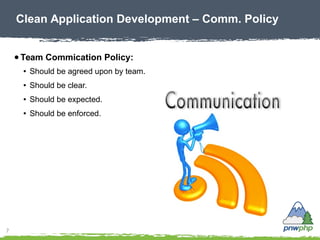
● Team Commication Policy:
●
Should be agreed upon by team.
●
Should be clear.
●
Should be expected.
●
Should be enforced.
Clean Application Development – Comm. Policy
8
● Communication Levels
●
Instant (5 minutes to 1 hour)
●
Instant Messages (Skype, AOL)
●
Chat (IRC)
●
Intermediate (2 to 4 hours)
●
Phone Call, text message
●
Voicemail
●
Slow (6 to 8 hours)
●
Email
●
Issue Tracking
●
Casual (days)
●
Forum
●
Meeting
Clean Application Development – Comm. Levels
9
● Desired behaviour
●
Openly discuss problems.
●
Alert early.
●
Share information.
●
Be on time for meetings.
●
Attention!
●
Bad behaviour
●
Hiding.
●
Hoarding info.
●
Bringing attitude to meetings.
●
Interrupting others.
Clean Application Development – Behavior
10
Clean Application Development – Documentation
Documentation
11
● Document EVERYTHING!
●
Write down everything.
●
You WILL want it later.
●
Meeting notes.
●
Architecture decisions.
●
Changes in design.
●
Business logic.
●
Everything!
Clean Application Development – Doc. Practices
12
● How to document.
●
Meeting notes, architecture decisions, design changes, business logic.
●
Keep a notebook. Never throw pages away again.
●
Composition Book.
●
Evernote/Google keep.
●
In code.
●
Class Docblocks: business logic description.
●
Wiki.
●
Ticket System.
●
Source control comments.
●
PHP Documentor.
●
White papers.
●
Everywhere!
Clean Application Development – Doc. How
13
Clean Application Development – Requirements
Requirements
14
● What are requirements:
●
End-user dreams.
●
Business owners vision.
●
Expected behaviour of application.
●
Application reaction to business logic.
●
Specific needs.
Clean Application Development – What are they
15
● User story format works well.
●
Create roles of potential users.
●
Create persona of target user.
●
Create goals of what is desired.
●
Create benefit that goals help obtain.
●
Now create a story to make it real.
●
Insist on specificity!
Clean Application Development – How to create
16
● Key things about requirements:
●
Do not start coding without them.
●
Hold their hand to get them started.
●
Even if the project is your own.
●
Use a tool to organize them.
●
Reqharbor.com
●
Get sign-off from stakeholder.
●
No sign-off = scope creep later
Clean Application Development – Req. = Important
17
Clean Application Development – Time Estimating
Time Estimating
18
● Guessing, then multiplying by 2 or 3 is WRONG!
●
Sometimes accurate, but still a guess.
●
What if guess is wrong?
Clean Application Development – Wrong way!
19
● Guessing is wrong because:
●
Still a guess.
●
Lacks requirements.
●
If requirements are completed, why guess?
●
Welcomes scope creep.
●
Application lacks design.
●
Causes bad practices:
●
Shortcut tests.
●
Increases code smells.
●
Prevents honest answers later.
●
How's it going????
Clean Application Development – Why is it wrong?
20
● A better way:
●
Gather requirements.
●
Plan application.
●
How many controllers * average hours per.
●
How many actions in each * average hours per.
●
How many models/entities * average hours per.
●
Include meetings.
●
15 minutes per day (daily scrum)
●
2 hours per sprint for planning.
●
1 hour per sprint for show.
●
Plan resources/developers and QA/QC testers, and tests for each action.
●
Include time for DBA, graphic designer.
●
Include time for estimating each sprint.
Clean Application Development – Now thats better!
21
● Freelancers, ensure you get paid for the estimate!
●
It's hard work to plan an application.
●
It takes time: (time == money)
●
Interview > 5 hours.
●
Gathering requirements > 40 hours.
●
Wireframes, images > 40 hours.
●
Creating an accurate estimate.
●
Documenting technologies.
●
Etc.
Clean Application Development – Get paid!
22
Clean Application Development – Issue Tracking
Issue Tracking
23
● Why track issues/requests:
●
Helps create documentation later.
●
Ensures ideas are not lost.
●
User perception highlighted.
●
Bugs not forgotten.
●
Ownership for users.
●
Auditable.
●
Scheduling.
●
Track effort.
Clean Application Development – Why track?
24
● Use tools.
●
Many software packages available.
●
Agreed upon by team.
●
Should be simple.
●
Should compliment workflow.
●
Connected with source control.
●
Must enhance communication.
●
Customizable. (not just appearance)
Clean Application Development – Tracking Tools
25
● Useful report examples.
●
Average time spent per ticket.
●
By category.
●
By severity.
●
By developer.
●
% Deadlines met on time. (SLA)
●
Total.
●
By Developer.
●
Avg. # failed fixes by QA.
●
By developer.
●
Count per category assigned.
●
By Developer.
Clean Application Development – Tracking Reports
26
Clean Application Development – Time Management
Time Management
27
● Key elements
●
Track everything!
●
Build habits.
●
Use applications.
●
Hamster.
●
Freshbooks.
●
Keep it simple.
●
Easy input.
●
Basic reports.
●
Future estimates.
Clean Application Development – Key Elements
28
Clean Application Development – Service Level
Agreement
SLA – Service Level Agreement
29
● Definition and acceptance.
●
Determine acceptable response levels.
●
Get agreement from stakeholders.
●
Make them public.
●
Based on ticket severity.
●
Must manage user perception.
Clean Application Development – Agreement
30
● Response Times.
●
Blocker = business stopped – 1 hour response
●
Urgent = someone can't work – 3 to 4 hour response
●
High = customer inconvenienced – 8 hour or 1 day response
●
Medium = employee annoyance – 2 days to 1 week response
●
Low = nice to have – 1 to 2 week response
●
Wish = no response, but perhaps a friendly thank you email
Clean Application Development – Responsiveness
31
● Response Contents.
●
Thank user.
●
Acknowledge understanding. (re-state problem)
●
Provide “real“ time estimate of work.
●
Define when work will start. (for higher priority items)
●
Give idea of when work will start for low priority items.
Clean Application Development – Response
32
Clean Application Development – Dev Tools
Dev Tools
33
● Modern IDE
●
Pick one, learn it WELL!
●
Features:
●
Syntax highlighting.
●
Code completion.
●
Source control integration.
●
Issue tracking integration.
●
DB management.
●
Deployment.
●
Testing.
●
Console.
●
Debugging.
Clean Application Development – Using an IDE
34
● Basic Editor
●
Pick one, learn it WELL!
●
Features:
●
Syntax highlighting.
●
Able to handle large files.
●
Opens fast.
●
Saves quickly.
●
Closes error free.
Clean Application Development – Basic Editor
35
● Vim Editor
●
Must know at least basic usage.
●
Exists on most Linux and Unix servers.
●
Don't fear it.
Clean Application Development – Vi / Vim
36
● Vagrant for virtualized development
●
Vagrantup.com
●
Vagrantbox.es
●
Command line tool.
●
Uses:
●
VirtualBox
●
VMWare
●
AWS
●
Others...
●
Can use Puppet or Chef.
●
Free and open source.
Clean Application Development – Vagrant
37
● Vagrant automated
●
http://puphpet.com For Puppet manifests.
●
http://rove.io For Chef recipes.
Clean Application Development – Vagrant
Automated
38
● Frameworks help keep things in line
●
Using a framework helps keep your code light, simpler.
●
Heavy lifting and complexity within core.
●
Most modern frameworks are MVC
●
Model – Business logic, Data
●
View – GUI, Presentation
●
Controller – Directs, Commands
●
Generally have a naming convention
and coding standard.
Clean Application Development – Using frameworks
39
● Dos
●
Pick one, and learn it best.
●
Dabble with others secondary.
●
Get certified.
●
Create your own.
●
Don'ts
●
Roll your own for large projects.
●
Edit framework core.
●
Rebuild functionality.
●
Fall behind. (learn more)
Clean Application Development – Frameworks
40
● Debugging Proxy
●
Must know at least basic usage.
●
Exists on most Linux and Unix servers.
●
Don't fear them.
Clean Application Development – Debugging Proxy
41
● Zend Server
●
Deployment and rollback.
●
Debugging and profiling.
●
Code tracing.
●
Monitoring.
●
Bytecode caching.
●
Session clustering.
●
Page caching.
●
On many cloud providers.
●
Available at ServerGrove!
●
IDE Integration.
Clean Application Development – Zend Server
42
● PHP QA tools
●
http://phpqatools.org
●
PHP Unit
●
PHP CPD (copy/paste detector)
●
PHP Loc (lines of code)
●
PHP MD (mess detector)
●
PHP Codesniffer
●
PHP Depend
●
Jenkins PHP
●
More....
Clean Application Development – PHP QA Tools
43
● XHProf
●
Pecl package.
●
Hierarchical profiler.
●
'How to' on my blog. (http://geekyboy.com)
Clean Application Development – XHProf
44
● XDebug
●
An extension for PHP.
●
Can be installed via Pecl, or using phpize or manual compiling.
●
Allows debugging of PHP code.
●
IDE integration.
Clean Application Development – XDebug
45
● getcomposer.org
●
Dependency manager for PHP.
●
Not a package manager.
●
It is a PHP application in composer.phar.
●
Configured by using composer.json file.
Clean Application Development – Composer
46
● Using Composer
●
Used via command line.
●
Issue commands to the composer.phar.
●
Packages get downloaded, WITH dependencies.
Clean Application Development – Composer Usage
47
● Packagist.org
●
Composer package repository.
●
Archivist of PHP libraries.
●
14,505 packages listed!
●
47,316 versions.
●
52,034,902 packages installed since 2012-04-13.
●
How to use:
●
Search for desired package.
●
Copy/paste the required line to composer.json.
●
Run 'composer install' (or update).
Clean Application Development – Packagist
48
● Just search!
Clean Application Development – Packagist Search
49
Clean Application Development – Database
Database
50
● Database should be clean as well
●
Stick to conventions. (defined by project)
●
Table names
●
ID field
●
Foreign field names {table}_id
●
Timestamps for created/modified
Clean Application Development – Data Conventions
51
● Choose the right database for the job
●
Many to choose from:
●
MySQL
●
MongoDB
●
MSSQL
●
DB2
●
Postgres
●
Oracle
●
SQLite
●
Text file
Clean Application Development – Right Database
52
Clean Application Development – Source Control
Source Control
53
● Learning to code, like walking, takes time
●
We fall down...alot!
●
Learning new methods.
●
Scope changes.
●
Bugs.
●
Refactoring.
Clean Application Development – Baby steps
54
● Source Control
●
Helps us get back up!
●
Diff.
●
Blame.
●
Rollback.
●
Audit trail.
●
Link back to tickets.
Clean Application Development – Pick-up
55
● Key characteristics of source control
●
Track changes.
●
Keep history.
●
Be available.
●
Easy to use.
●
Secure.
●
Allow multi-user.
●
Able to merge changes.
Clean Application Development – Characteristics
56
● Subversion style SCM workflow
Clean Application Development – Subversion
Shared Repository
Developer Developer Developer
57
● Integration manager SCM workflow
Clean Application Development – Integration Mgr.
Blessed
Repository
Integration
Manager
Developer
Public
Developer
Public
Developer
Private
Developer
Private
58
● Dictator and lieutenants SCM workflow
Clean Application Development –
Dictator/Lieutenant
Blessed
Repository
Dictator
Developer Developer Developer Developer
Lieutenant
Lieutenant
59
Clean Application Development – Workflow
Workflow
60
● Project Iteration
●
Average sprint is 2 weeks.
●
At the end of the sprint EVERYTHING is “done“.
●
Tests.
●
Development.
●
Documentation.
●
Velocity charts are very important, put them up!
●
Burn down chart must go on the wall to let everyone know just how “screwed“
they really are.
●
Agile = hope killer. *joking*
●
Allows business to recover.
●
Lack of charts prevent graceful recovery.
Clean Application Development – Agile
61
● Team development workflow
●
Developer is assigned task.
●
Checks out code to private development branch.
●
Developer adds functionality.
Clean Application Development – Team Workflow
Checkout dev.
to private
{user}-development
Coding
Project
assigned
62
● Team development workflow
●
After coding is completed developer tests code.
Clean Application Development – Team Workflow
Checkout dev.
to private
{user}-development
TestingCoding
Project
assigned
63
● Team development workflow
●
When all tests pass, developer pushes code to public development branch.
Clean Application Development – Team Workflow
Checkout dev.
to private
{user}-development
Merge changes
to development
TestingCoding
Tests
pass
Project
assigned
64
● Team QA workflow
●
QA testing in development branch.
●
If bugs, return to developer.
●
If pass, merge with staging branch.
Clean Application Development – Team Workflow
Testing from
development
Merge to
staging
Test
passed
Testing
assigned
yes
no
Return to
developer flow
65
● Team deployment manager workflow
●
Regression test in staging branch.
●
If failed, create temp branch for bug fix.
Clean Application Development – Team Workflow
Regression testing
In staging
Test
passed
Deploy
assigned
no
Temp branch
created
Bug
fixed
66
● Team deployment manager workflow
●
If pass, merge to master branch.
●
Create tag for new version.
Clean Application Development – Team Workflow
Regression testing
In staging
Merge to
master
Test
passed
Deploy
assigned
yes
no
Temp branch
created
Bug
fixed
Tag
created
67
● Single developer workflow
●
Pretty similar, but no staging.
●
Still use a private development branch.
Clean Application Development – Team Workflow
{user}-development
Merge to
development
Test
passed
Project
assigned
Tag
created
Regression
test
Merge to
master
68
Clean Application Development – The Code
The Code
69
● Resource on clean coding practices.
Clean Application Development – Resources
Clean Code
By Robert C. Martin
70
● Disasters happen, resulting in bad code...
●
Writing dirty code is easy.
●
Short deadlines.
●
Laziness.
●
Lack of “how-to“.
●
Coupled application.
●
Impatient boss.
●
Bored of same ol' app.
●
Come back and clean later.
●
We are the cause!
●
Why did we write it!?!
Clean Application Development – Drivers
71
● It is our responsibility to say “NO“ and provide good code
●
Managers job = defend schedule and features.
●
Our job = defend the code.
●
Managers cave to realistic reasons and explanations.
Clean Application Development – Defend the code
72
● We have all seen bad code
●
Time waster.
●
Causes bugs.
●
Excessive debugging
●
Causes procrastination.
●
Missed deadlines.
●
Technical debt.
●
Financial losses.
●
Company killer.
●
I didn't write it!!!
Clean Application Development – Result of bad
code
73
Clean Application Development – Dirty Code
Results
74
Clean Application Development – Dirty Code
Results
Time Waste
75
Clean Application Development – Dirty Code
Results
Time Waste
76
Clean Application Development – Dirty Code
Results
Time Waste Creates Bugs
77
Clean Application Development – Dirty Code
Results
Time Waste Creates Bugs
78
Clean Application Development – Dirty Code
Results
Time Waste Creates Bugs Debugging
79
Clean Application Development – Dirty Code
Results
Time Waste Creates Bugs Debugging
80
Clean Application Development – Dirty Code
Results
Time Waste Creates Bugs Debugging
Procrastination
81
Clean Application Development – Dirty Code
Results
Time Waste Creates Bugs Debugging
Procrastination
82
Clean Application Development – Dirty Code
Results
Time Waste Creates Bugs Debugging
Procrastination Late Projects
83
Clean Application Development – Dirty Code
Results
Time Waste Creates Bugs Debugging
Procrastination Late Projects
84
Clean Application Development – Dirty Code
Results
Time Waste Creates Bugs Debugging
Procrastination Late Projects $$$ Loss
85
● Bad code starts innocently
● Hire a new professional/developer
●
Clean slate, no expectations.
● Start a new project
●
Initial code output is quick, setting
expectation.
●
Slows down over time.
●
Bug introduction increases.
●
Over-coupled system.
●
Complexity increases.
●
Completion time...unknown.
●
Domino effect.
Clean Application Development – How we cause it?
86
● How do we handle this?
●
Severely padded estimates.
●
Hide.
●
Become defensive.
●
Blame others/requirements.
●
Add more developers to increase productivity.
●
New developers break the system, because they don't “know“ it.
●
Change jobs.
●
Rewrite!
Clean Application Development – The aftermath
87
● Others judge us on our code
●
We are @authors.
●
Others read our code regularly.
●
And they talk about it!
●
How developers talk about us = “CRED“.
Clean Application Development – You are judged
And they talk about it!
88
● Coding Standards save time
●
Choosing a standard gives direction on best practices.
●
PHP Framework Interoperability Group (https://www.php-fig.org).
●
PSR-0 Autoloader.
●
PSR-1 Basic Coding Standard.
●
PSR-2 Coding Style Guide.
●
PSR-3 Logging
●
PEAR (helped with PSR).
●
Zend Framework (helped with PSR).
●
Symfony2 (helped with PSR).
●
CakePHP (helped with PSR.
●
Lithium (helped with PSR).
●
Many more (helped with PSR).
Clean Application Development – Coding standards
89
● Names should be clear
●
Functions and variables should tell a story.
Clean Application Development – Clear names
$elapsedTimeInDays;
$daysSinceCreation;
$daysSinceModified;
$fileAgeInDays;
$elapsed;
$createdDays;
$modifiedDays;
$age;
GoodBad
90
● Shy away from variations of the same name
●
To ensure names are different enough to portray difference.
Clean Application Development – No confusion
$product
$productInfo
$productData
$productDescription
What is the difference between these?
91
● Certain characters are hard to understand
Clean Application Development – Bad characters
Lower case L
Uppercase O (oh)
Uppercase I (eye)
Bad
92
● Use technical names to help developers, since developers will be
reading the code. Leave non-technical terms for client
documentation.
● Class names should be nouns
●
They describe.
●
Ex. - Customer, Account, Product, Company.
● Method names should be verbs
●
Take action.
●
Ex. - getCustomer, closeAccount, updateProduct, addCompany.
●
Pick a set of keywords and stick with them.
●
Ex. - fetch, get, add, update, remove, delete
Clean Application Development – Name grammar
93
● With all of these problems, clean code makes sense
●
Shortens development time.
●
On-boarding of developers easier.
●
Less bugs.
●
Happier end-users.
●
Predictable schedules.
●
It's the professional thing to do.
Clean Application Development – Common sense
94
● The problem with a rewrite
●
Reasons NOT to rewrite:
●
Budget.
●
Time.
●
Retain business logic.
●
Rewrite is the lazy way out. (perceived)
●
Refactoring = best teacher.
●
Circle of HELL!
Clean Application Development – Rewrite problems
95
● More on Clean Code
●
Functions are pretty much what we expected. No surprises.
●
Small and well named.
●
Code makes language look simple.
●
Recognizing bad code doesn't mean we know how to write clean code.
●
We know if a song is good/bad, but we are not song writers.
●
Knowing code is bad doesn't mean we know how to clean it up.
●
Clean code is written by someone who cares, and it can't really be changed
much.
●
Does not require many, if any, comments.
Clean Application Development – Clean code
96
● Comments can also be a bad “smell“
●
Comments are often used to cover up bad code.
●
Code should be self-documenting
Clean Application Development – Code comments
97
● Standard and quick solutions to common coding problems
●
Provide standard ways of dealing with common code problems.
●
“Guide to PHP Design Patterns“ by Jason Sweat.
●
“Design Patterns, Elements of Reusable Object-Oriented Software“ by Gang of
four
Clean Application Development – Design Patterns
98
● Peer code review great learning tool
●
Peers help train each other on strong points.
●
Fresh set of eyes.
●
Builds better teams.
Clean Application Development – Peer code reviews
99
Clean Application Development – Refactoring
Refactoring
100
● Great refactoring resource.
Clean Application Development – Resources
Refactoring
By Martin Fowler
Companion PHP code at: https://github.com/adamculp/refactoring101
101
● What is refactoring?
●
...process of changing a computer program's source code without modifying its
external functional behavior... en.wikipedia.org/wiki/Refactoring
●
Should not add functionality.
●
Improve code readability.
●
Simplify code.
●
Not optimizing.
Clean Application Development – Definition
102
● Two hats
●
Adding functionality hat
●
Refactoring hat
●
We add functionality, then refactor, then add more functionality ...
Clean Application Development – Two Hats
103
● Why refactor?
●
Prevent code decay.
●
Poor design.
●
Preserve design.
●
Reduce duplication.
●
Improve maintainability.
●
Help code faster.
●
Locate bugs.
●
Code smells.
●
It's professional.
Clean Application Development – Why Refactory
104
● Code smells
●
What are smells?
●
Indications of spoiled code nearby.
●
Not conclusive.
●
Smell is not bad code, but hints of potential problems.
Clean Application Development – Code Smells
105
● Smells list
●
Duplicate code.
●
Large class.
●
Long methods (functions).
●
Long parameter (argument) list.
●
Divergent change – cascade change to accommodate one.
●
Shotgun surgery – change ripples as bugs throughout.
●
Feature envy – method uses many parts from other class.
●
Data clumps – data items accompany one another.
●
Primitive Obsession – using primitive objects to represent various concepts in
places they don't actually fit. (string vs integer, integer vs float, string vs date)
●
Switch statements – often not alone, and sacrifice polymorphism.
Clean Application Development – Smells of bad
code
106
● Smells list (cont'd.)
●
Parellel inheritance hierarchies – forced to subclass due to another subclass.
●
Lazy class – class not doing much, just to be a class.
●
Speculative generality – something built for possible future.
●
Temporary field/variable.
●
Message chains – object asking object asking object, etc.
●
Middle man – directors in place but serve no real purpose.
●
Inappropriate intimacy – classes should not share private parts.
●
Data class – getters and/or setters, but nothing else.
●
Comments – where comments explain bad code.
Clean Application Development – Smells of bad
code
107
● Let PHP CodeSniffer detect bad smells
●
Set rules to detect if coding standard is not followed.
●
Run during commits in version control.
●
IDE integration.
Clean Application Development – Code sniffer
108
● When to refactor?
●
No special time, do in short bursts.
●
Don't decide to refactor, do it to gain something.
●
Prior to adding functionality.
●
Highlights code to modify.
●
Fix code preventing addition.
●
When fixing a bug.
●
Makes code understandable.
●
Highlights the bug.
●
During code review.
●
Fresh eyes see things differently.
●
More concrete results.
Clean Application Development – When to refactor
109
● First steps
●
Use source control (Git, SVN, etc.)
●
Record each step, and provides rollback points.
●
Prove we did/didn't break it.
●
We MUST FIRST GET IT WORKING!
●
Do NOT refactor a broken application.
●
Pre-load database or create fixtures for consistent results.
●
Create tests on working application.
Clean Application Development – How to start
110
● Tests and refactoring
●
Cannot properly refactor without tests.
●
To gauge success/failure.
●
Basic refactor steps:
●
Ensure tests pass.
●
Plan refactor.
●
Implement.
●
Ensure tests still pass.
●
Updating tests if needed.
●
Only needed if structure changed.
●
Add more tests to cover newly discovered items.
●
Repeat!
Clean Application Development – Tests
111
Clean Application Development – Refactoring
112
Clean Application Development – Refactoring
Not if Broken
113
Clean Application Development – Refactoring
Not if Broken
114
Clean Application Development – Refactoring
Not if Broken Create Tests
115
Clean Application Development – Refactoring
Not if Broken Create Tests
116
Clean Application Development – Refactoring
Not if Broken Create Tests Detect Smells
117
Clean Application Development – Refactoring
Not if Broken Create Tests Detect Smells
118
Clean Application Development – Refactoring
Not if Broken Create Tests Detect Smells
Different Hats
119
Clean Application Development – Refactoring
Not if Broken Create Tests Detect Smells
Different Hats
120
Clean Application Development – Refactoring
Not if Broken Create Tests Detect Smells
Different Hats Improve Code
121
Clean Application Development – Refactoring
Not if Broken Create Tests Detect Smells
Different Hats Improve Code
122
Clean Application Development – Refactoring
Not if Broken Create Tests Detect Smells
Different Hats Improve Code No Change
123
Clean Application Development – Architecture
Architecture
124
● We can tell pretty simply this “looks“ like a library. (bookshelves,
computers, book categories)
Clean Application Development – Clear architecture
125
● With cars driving through and shelves on the sides we can guess
this is a drive through.
Clean Application Development – Simple overview
126
● These are pretty obvious without any explanation.
Clean Application Development – Obvious purpose
127
● This would take a bit more digging to figure out.
Clean Application Development – MVC
architecture?
128
● Shouldn't “Architecure“ be
cleaner/clearer/simpler?
Clean Application Development – Future challenges
129
Clean Application Development – Testing
Testing
130
● Selenium IDE
●
Integrated into browsers.
●
Automates human steps.
●
Customizable.
Clean Application Development – Selenium IDE
131
● Behat
●
Open source.
●
For PHP 5.3 and 5.4.
●
Human-readable sentences describing feature.
Clean Application Development – Behavior Driven
132
● Unit testing (our parachute) ensures we write clean code
●
A unit test should only test one thing, a function may need multiple tests.
●
Function should only do one thing, making them short.
●
Testing ensures system is functioning as expected.
●
Helps make refactoring and cleaning easier.
Clean Application Development – Unit Testing
133
● Unit testing is important, so should be done first
●
Write failing tests first, then write the code required to make it pass.
Clean Application Development – TDD
134
● If tests are trusted, they become QA process
●
If tests are good, QA finds no issues.
●
If QA finds an issue, write a test for it.
●
Tests cover requirements.
●
Tests = requirements.
●
QA to write automated tests that fail.
●
Developers execute tests during
development till they pass.
Clean Application Development – Tests = QA
135
● Put QA at the begining of the process, instead of the end
●
QA has a terrible job, waiting for code to test.
●
If they write unit tests they jump to the front.
●
Developers write code to pass tests.
●
The end is not so bad now.
Clean Application Development – QA and unit tests
136
Clean Application Development – Continuous Int.
Continuous Integration
137
● PHing Is Not GNU make.
●
Based on Apache Ant.
●
Uses simple XML build files and extensible PHP 'task' classes.
●
Runs unit tests.
●
File transformations
●
File system operations.
●
Interactive build support.
●
SQL execution.
●
SCM operations.
●
Documentation generation.
●
More....
Clean Application Development – Phing
138
● Zend Deployment
●
Built into Zend Server.
●
Create ZPK of project in Zend Studio.
●
Upload to Zend Server.
●
Deploy!
Clean Application Development – Zend Deployment
139
● Jenkins
●
Formerly known as Hudson.
●
Built with Java.
●
789 plugins.
●
Runs PHPUnit.
●
Runs CodeSniffer.
●
Runs PHP QA Tools.
●
Deploys.
Clean Application Development – Jenkins
140
● Jenkins Results
Clean Application Development – Jenkins Results
141
Clean Application Development – Professional
Be Professional Grade!
142
● Our clients hired a professional, they should get one
●
Professionals are trusted to do a good job, give good estimate, and provide
quality.
●
Professionals are fairly easily replaced, depending on availability.
●
Replaceable = Promotable
(and you can take vacation easily)
●
Shouldn't need to start from scratch.
Clean Application Development – Human resources
143
● Clean application development is:
●
Learning, repetition, practice.
●
Clear architecture.
●
Coding standards and styles.
●
Framework and best practices.
●
Testing.
●
Agile.
●
Learning to say “NO“, and defend the code.
●
Living up to the title “Professional“.
Clean Application Development – Close
● Resources
●
Adam Culp @adamculp and http://geekyboy.com
●
http://RunGeekRadio.com
●
Book: “Clean Code“ by Robert C. Martin
●
Book: “Refactoring“ by Martin Fowler
●
Book: “Guide to PHP Design Patterns“ by Jason Sweat
●
Book: “Design Patterns“ by Gang of four
●
http://www.php-fig.org
●
http://www.phpunit.de
●
http://www.soflophp.org Thank You!
https://joind.in/14892

Clean application development tutorial

  • 1.
  • 2.
    2 Clean Application Development– About me ● About me ● PHP 5.3 Certified ● Consultant at Zend Technologies ● Organizer of SoFloPHP (South Florida) ● Organizer of SunshinePHP (Miami) ● Long distance (ultramarathon) runner ● Judo black belt instructor
  • 3.
    3 ● HUGE fanof iteration ● Skills require iteration to do well: ● Learning to walk. ● Training to run. ● Evading project managers. ● Writing clean code. ● Refactoring. ● Testing. Clean Application Development – Iteration
  • 4.
    4 ● Clean applicationdevelopment cannot be taught quickly. ● Practice, Practice, Practice. ● Leave the code better than you found it. ● Always watch for new techniques. ● Want to do better. ● No “silver bullet“. ● Oh, and practice. Clean Application Development – Learning
  • 5.
    5 ● Parts ofclean application development. ● Communication ● Documentation ● Source Control ● Workflow ● Time Estimation ● Requirements Gathering ● Issue Tracking ● Time Management ● Dev Tools ● Databases ● Code ● Refactoring ● Testing ● Continuous Integration Clean Application Development – Parts
  • 6.
    6 Clean Application Development– Communication Communication
  • 7.
    7 ● Team CommicationPolicy: ● Should be agreed upon by team. ● Should be clear. ● Should be expected. ● Should be enforced. Clean Application Development – Comm. Policy
  • 8.
    8 ● Communication Levels ● Instant(5 minutes to 1 hour) ● Instant Messages (Skype, AOL) ● Chat (IRC) ● Intermediate (2 to 4 hours) ● Phone Call, text message ● Voicemail ● Slow (6 to 8 hours) ● Email ● Issue Tracking ● Casual (days) ● Forum ● Meeting Clean Application Development – Comm. Levels
  • 9.
    9 ● Desired behaviour ● Openlydiscuss problems. ● Alert early. ● Share information. ● Be on time for meetings. ● Attention! ● Bad behaviour ● Hiding. ● Hoarding info. ● Bringing attitude to meetings. ● Interrupting others. Clean Application Development – Behavior
  • 10.
    10 Clean Application Development– Documentation Documentation
  • 11.
    11 ● Document EVERYTHING! ● Writedown everything. ● You WILL want it later. ● Meeting notes. ● Architecture decisions. ● Changes in design. ● Business logic. ● Everything! Clean Application Development – Doc. Practices
  • 12.
    12 ● How todocument. ● Meeting notes, architecture decisions, design changes, business logic. ● Keep a notebook. Never throw pages away again. ● Composition Book. ● Evernote/Google keep. ● In code. ● Class Docblocks: business logic description. ● Wiki. ● Ticket System. ● Source control comments. ● PHP Documentor. ● White papers. ● Everywhere! Clean Application Development – Doc. How
  • 13.
    13 Clean Application Development– Requirements Requirements
  • 14.
    14 ● What arerequirements: ● End-user dreams. ● Business owners vision. ● Expected behaviour of application. ● Application reaction to business logic. ● Specific needs. Clean Application Development – What are they
  • 15.
    15 ● User storyformat works well. ● Create roles of potential users. ● Create persona of target user. ● Create goals of what is desired. ● Create benefit that goals help obtain. ● Now create a story to make it real. ● Insist on specificity! Clean Application Development – How to create
  • 16.
    16 ● Key thingsabout requirements: ● Do not start coding without them. ● Hold their hand to get them started. ● Even if the project is your own. ● Use a tool to organize them. ● Reqharbor.com ● Get sign-off from stakeholder. ● No sign-off = scope creep later Clean Application Development – Req. = Important
  • 17.
    17 Clean Application Development– Time Estimating Time Estimating
  • 18.
    18 ● Guessing, thenmultiplying by 2 or 3 is WRONG! ● Sometimes accurate, but still a guess. ● What if guess is wrong? Clean Application Development – Wrong way!
  • 19.
    19 ● Guessing iswrong because: ● Still a guess. ● Lacks requirements. ● If requirements are completed, why guess? ● Welcomes scope creep. ● Application lacks design. ● Causes bad practices: ● Shortcut tests. ● Increases code smells. ● Prevents honest answers later. ● How's it going???? Clean Application Development – Why is it wrong?
  • 20.
    20 ● A betterway: ● Gather requirements. ● Plan application. ● How many controllers * average hours per. ● How many actions in each * average hours per. ● How many models/entities * average hours per. ● Include meetings. ● 15 minutes per day (daily scrum) ● 2 hours per sprint for planning. ● 1 hour per sprint for show. ● Plan resources/developers and QA/QC testers, and tests for each action. ● Include time for DBA, graphic designer. ● Include time for estimating each sprint. Clean Application Development – Now thats better!
  • 21.
    21 ● Freelancers, ensureyou get paid for the estimate! ● It's hard work to plan an application. ● It takes time: (time == money) ● Interview > 5 hours. ● Gathering requirements > 40 hours. ● Wireframes, images > 40 hours. ● Creating an accurate estimate. ● Documenting technologies. ● Etc. Clean Application Development – Get paid!
  • 22.
    22 Clean Application Development– Issue Tracking Issue Tracking
  • 23.
    23 ● Why trackissues/requests: ● Helps create documentation later. ● Ensures ideas are not lost. ● User perception highlighted. ● Bugs not forgotten. ● Ownership for users. ● Auditable. ● Scheduling. ● Track effort. Clean Application Development – Why track?
  • 24.
    24 ● Use tools. ● Manysoftware packages available. ● Agreed upon by team. ● Should be simple. ● Should compliment workflow. ● Connected with source control. ● Must enhance communication. ● Customizable. (not just appearance) Clean Application Development – Tracking Tools
  • 25.
    25 ● Useful reportexamples. ● Average time spent per ticket. ● By category. ● By severity. ● By developer. ● % Deadlines met on time. (SLA) ● Total. ● By Developer. ● Avg. # failed fixes by QA. ● By developer. ● Count per category assigned. ● By Developer. Clean Application Development – Tracking Reports
  • 26.
    26 Clean Application Development– Time Management Time Management
  • 27.
    27 ● Key elements ● Trackeverything! ● Build habits. ● Use applications. ● Hamster. ● Freshbooks. ● Keep it simple. ● Easy input. ● Basic reports. ● Future estimates. Clean Application Development – Key Elements
  • 28.
    28 Clean Application Development– Service Level Agreement SLA – Service Level Agreement
  • 29.
    29 ● Definition andacceptance. ● Determine acceptable response levels. ● Get agreement from stakeholders. ● Make them public. ● Based on ticket severity. ● Must manage user perception. Clean Application Development – Agreement
  • 30.
    30 ● Response Times. ● Blocker= business stopped – 1 hour response ● Urgent = someone can't work – 3 to 4 hour response ● High = customer inconvenienced – 8 hour or 1 day response ● Medium = employee annoyance – 2 days to 1 week response ● Low = nice to have – 1 to 2 week response ● Wish = no response, but perhaps a friendly thank you email Clean Application Development – Responsiveness
  • 31.
    31 ● Response Contents. ● Thankuser. ● Acknowledge understanding. (re-state problem) ● Provide “real“ time estimate of work. ● Define when work will start. (for higher priority items) ● Give idea of when work will start for low priority items. Clean Application Development – Response
  • 32.
    32 Clean Application Development– Dev Tools Dev Tools
  • 33.
    33 ● Modern IDE ● Pickone, learn it WELL! ● Features: ● Syntax highlighting. ● Code completion. ● Source control integration. ● Issue tracking integration. ● DB management. ● Deployment. ● Testing. ● Console. ● Debugging. Clean Application Development – Using an IDE
  • 34.
    34 ● Basic Editor ● Pickone, learn it WELL! ● Features: ● Syntax highlighting. ● Able to handle large files. ● Opens fast. ● Saves quickly. ● Closes error free. Clean Application Development – Basic Editor
  • 35.
    35 ● Vim Editor ● Mustknow at least basic usage. ● Exists on most Linux and Unix servers. ● Don't fear it. Clean Application Development – Vi / Vim
  • 36.
    36 ● Vagrant forvirtualized development ● Vagrantup.com ● Vagrantbox.es ● Command line tool. ● Uses: ● VirtualBox ● VMWare ● AWS ● Others... ● Can use Puppet or Chef. ● Free and open source. Clean Application Development – Vagrant
  • 37.
    37 ● Vagrant automated ● http://puphpet.comFor Puppet manifests. ● http://rove.io For Chef recipes. Clean Application Development – Vagrant Automated
  • 38.
    38 ● Frameworks helpkeep things in line ● Using a framework helps keep your code light, simpler. ● Heavy lifting and complexity within core. ● Most modern frameworks are MVC ● Model – Business logic, Data ● View – GUI, Presentation ● Controller – Directs, Commands ● Generally have a naming convention and coding standard. Clean Application Development – Using frameworks
  • 39.
    39 ● Dos ● Pick one,and learn it best. ● Dabble with others secondary. ● Get certified. ● Create your own. ● Don'ts ● Roll your own for large projects. ● Edit framework core. ● Rebuild functionality. ● Fall behind. (learn more) Clean Application Development – Frameworks
  • 40.
    40 ● Debugging Proxy ● Mustknow at least basic usage. ● Exists on most Linux and Unix servers. ● Don't fear them. Clean Application Development – Debugging Proxy
  • 41.
    41 ● Zend Server ● Deploymentand rollback. ● Debugging and profiling. ● Code tracing. ● Monitoring. ● Bytecode caching. ● Session clustering. ● Page caching. ● On many cloud providers. ● Available at ServerGrove! ● IDE Integration. Clean Application Development – Zend Server
  • 42.
    42 ● PHP QAtools ● http://phpqatools.org ● PHP Unit ● PHP CPD (copy/paste detector) ● PHP Loc (lines of code) ● PHP MD (mess detector) ● PHP Codesniffer ● PHP Depend ● Jenkins PHP ● More.... Clean Application Development – PHP QA Tools
  • 43.
    43 ● XHProf ● Pecl package. ● Hierarchicalprofiler. ● 'How to' on my blog. (http://geekyboy.com) Clean Application Development – XHProf
  • 44.
    44 ● XDebug ● An extensionfor PHP. ● Can be installed via Pecl, or using phpize or manual compiling. ● Allows debugging of PHP code. ● IDE integration. Clean Application Development – XDebug
  • 45.
    45 ● getcomposer.org ● Dependency managerfor PHP. ● Not a package manager. ● It is a PHP application in composer.phar. ● Configured by using composer.json file. Clean Application Development – Composer
  • 46.
    46 ● Using Composer ● Usedvia command line. ● Issue commands to the composer.phar. ● Packages get downloaded, WITH dependencies. Clean Application Development – Composer Usage
  • 47.
    47 ● Packagist.org ● Composer packagerepository. ● Archivist of PHP libraries. ● 14,505 packages listed! ● 47,316 versions. ● 52,034,902 packages installed since 2012-04-13. ● How to use: ● Search for desired package. ● Copy/paste the required line to composer.json. ● Run 'composer install' (or update). Clean Application Development – Packagist
  • 48.
    48 ● Just search! CleanApplication Development – Packagist Search
  • 49.
    49 Clean Application Development– Database Database
  • 50.
    50 ● Database shouldbe clean as well ● Stick to conventions. (defined by project) ● Table names ● ID field ● Foreign field names {table}_id ● Timestamps for created/modified Clean Application Development – Data Conventions
  • 51.
    51 ● Choose theright database for the job ● Many to choose from: ● MySQL ● MongoDB ● MSSQL ● DB2 ● Postgres ● Oracle ● SQLite ● Text file Clean Application Development – Right Database
  • 52.
    52 Clean Application Development– Source Control Source Control
  • 53.
    53 ● Learning tocode, like walking, takes time ● We fall down...alot! ● Learning new methods. ● Scope changes. ● Bugs. ● Refactoring. Clean Application Development – Baby steps
  • 54.
    54 ● Source Control ● Helpsus get back up! ● Diff. ● Blame. ● Rollback. ● Audit trail. ● Link back to tickets. Clean Application Development – Pick-up
  • 55.
    55 ● Key characteristicsof source control ● Track changes. ● Keep history. ● Be available. ● Easy to use. ● Secure. ● Allow multi-user. ● Able to merge changes. Clean Application Development – Characteristics
  • 56.
    56 ● Subversion styleSCM workflow Clean Application Development – Subversion Shared Repository Developer Developer Developer
  • 57.
    57 ● Integration managerSCM workflow Clean Application Development – Integration Mgr. Blessed Repository Integration Manager Developer Public Developer Public Developer Private Developer Private
  • 58.
    58 ● Dictator andlieutenants SCM workflow Clean Application Development – Dictator/Lieutenant Blessed Repository Dictator Developer Developer Developer Developer Lieutenant Lieutenant
  • 59.
    59 Clean Application Development– Workflow Workflow
  • 60.
    60 ● Project Iteration ● Averagesprint is 2 weeks. ● At the end of the sprint EVERYTHING is “done“. ● Tests. ● Development. ● Documentation. ● Velocity charts are very important, put them up! ● Burn down chart must go on the wall to let everyone know just how “screwed“ they really are. ● Agile = hope killer. *joking* ● Allows business to recover. ● Lack of charts prevent graceful recovery. Clean Application Development – Agile
  • 61.
    61 ● Team developmentworkflow ● Developer is assigned task. ● Checks out code to private development branch. ● Developer adds functionality. Clean Application Development – Team Workflow Checkout dev. to private {user}-development Coding Project assigned
  • 62.
    62 ● Team developmentworkflow ● After coding is completed developer tests code. Clean Application Development – Team Workflow Checkout dev. to private {user}-development TestingCoding Project assigned
  • 63.
    63 ● Team developmentworkflow ● When all tests pass, developer pushes code to public development branch. Clean Application Development – Team Workflow Checkout dev. to private {user}-development Merge changes to development TestingCoding Tests pass Project assigned
  • 64.
    64 ● Team QAworkflow ● QA testing in development branch. ● If bugs, return to developer. ● If pass, merge with staging branch. Clean Application Development – Team Workflow Testing from development Merge to staging Test passed Testing assigned yes no Return to developer flow
  • 65.
    65 ● Team deploymentmanager workflow ● Regression test in staging branch. ● If failed, create temp branch for bug fix. Clean Application Development – Team Workflow Regression testing In staging Test passed Deploy assigned no Temp branch created Bug fixed
  • 66.
    66 ● Team deploymentmanager workflow ● If pass, merge to master branch. ● Create tag for new version. Clean Application Development – Team Workflow Regression testing In staging Merge to master Test passed Deploy assigned yes no Temp branch created Bug fixed Tag created
  • 67.
    67 ● Single developerworkflow ● Pretty similar, but no staging. ● Still use a private development branch. Clean Application Development – Team Workflow {user}-development Merge to development Test passed Project assigned Tag created Regression test Merge to master
  • 68.
    68 Clean Application Development– The Code The Code
  • 69.
    69 ● Resource onclean coding practices. Clean Application Development – Resources Clean Code By Robert C. Martin
  • 70.
    70 ● Disasters happen,resulting in bad code... ● Writing dirty code is easy. ● Short deadlines. ● Laziness. ● Lack of “how-to“. ● Coupled application. ● Impatient boss. ● Bored of same ol' app. ● Come back and clean later. ● We are the cause! ● Why did we write it!?! Clean Application Development – Drivers
  • 71.
    71 ● It isour responsibility to say “NO“ and provide good code ● Managers job = defend schedule and features. ● Our job = defend the code. ● Managers cave to realistic reasons and explanations. Clean Application Development – Defend the code
  • 72.
    72 ● We haveall seen bad code ● Time waster. ● Causes bugs. ● Excessive debugging ● Causes procrastination. ● Missed deadlines. ● Technical debt. ● Financial losses. ● Company killer. ● I didn't write it!!! Clean Application Development – Result of bad code
  • 73.
    73 Clean Application Development– Dirty Code Results
  • 74.
    74 Clean Application Development– Dirty Code Results Time Waste
  • 75.
    75 Clean Application Development– Dirty Code Results Time Waste
  • 76.
    76 Clean Application Development– Dirty Code Results Time Waste Creates Bugs
  • 77.
    77 Clean Application Development– Dirty Code Results Time Waste Creates Bugs
  • 78.
    78 Clean Application Development– Dirty Code Results Time Waste Creates Bugs Debugging
  • 79.
    79 Clean Application Development– Dirty Code Results Time Waste Creates Bugs Debugging
  • 80.
    80 Clean Application Development– Dirty Code Results Time Waste Creates Bugs Debugging Procrastination
  • 81.
    81 Clean Application Development– Dirty Code Results Time Waste Creates Bugs Debugging Procrastination
  • 82.
    82 Clean Application Development– Dirty Code Results Time Waste Creates Bugs Debugging Procrastination Late Projects
  • 83.
    83 Clean Application Development– Dirty Code Results Time Waste Creates Bugs Debugging Procrastination Late Projects
  • 84.
    84 Clean Application Development– Dirty Code Results Time Waste Creates Bugs Debugging Procrastination Late Projects $$$ Loss
  • 85.
    85 ● Bad codestarts innocently ● Hire a new professional/developer ● Clean slate, no expectations. ● Start a new project ● Initial code output is quick, setting expectation. ● Slows down over time. ● Bug introduction increases. ● Over-coupled system. ● Complexity increases. ● Completion time...unknown. ● Domino effect. Clean Application Development – How we cause it?
  • 86.
    86 ● How dowe handle this? ● Severely padded estimates. ● Hide. ● Become defensive. ● Blame others/requirements. ● Add more developers to increase productivity. ● New developers break the system, because they don't “know“ it. ● Change jobs. ● Rewrite! Clean Application Development – The aftermath
  • 87.
    87 ● Others judgeus on our code ● We are @authors. ● Others read our code regularly. ● And they talk about it! ● How developers talk about us = “CRED“. Clean Application Development – You are judged And they talk about it!
  • 88.
    88 ● Coding Standardssave time ● Choosing a standard gives direction on best practices. ● PHP Framework Interoperability Group (https://www.php-fig.org). ● PSR-0 Autoloader. ● PSR-1 Basic Coding Standard. ● PSR-2 Coding Style Guide. ● PSR-3 Logging ● PEAR (helped with PSR). ● Zend Framework (helped with PSR). ● Symfony2 (helped with PSR). ● CakePHP (helped with PSR. ● Lithium (helped with PSR). ● Many more (helped with PSR). Clean Application Development – Coding standards
  • 89.
    89 ● Names shouldbe clear ● Functions and variables should tell a story. Clean Application Development – Clear names $elapsedTimeInDays; $daysSinceCreation; $daysSinceModified; $fileAgeInDays; $elapsed; $createdDays; $modifiedDays; $age; GoodBad
  • 90.
    90 ● Shy awayfrom variations of the same name ● To ensure names are different enough to portray difference. Clean Application Development – No confusion $product $productInfo $productData $productDescription What is the difference between these?
  • 91.
    91 ● Certain charactersare hard to understand Clean Application Development – Bad characters Lower case L Uppercase O (oh) Uppercase I (eye) Bad
  • 92.
    92 ● Use technicalnames to help developers, since developers will be reading the code. Leave non-technical terms for client documentation. ● Class names should be nouns ● They describe. ● Ex. - Customer, Account, Product, Company. ● Method names should be verbs ● Take action. ● Ex. - getCustomer, closeAccount, updateProduct, addCompany. ● Pick a set of keywords and stick with them. ● Ex. - fetch, get, add, update, remove, delete Clean Application Development – Name grammar
  • 93.
    93 ● With allof these problems, clean code makes sense ● Shortens development time. ● On-boarding of developers easier. ● Less bugs. ● Happier end-users. ● Predictable schedules. ● It's the professional thing to do. Clean Application Development – Common sense
  • 94.
    94 ● The problemwith a rewrite ● Reasons NOT to rewrite: ● Budget. ● Time. ● Retain business logic. ● Rewrite is the lazy way out. (perceived) ● Refactoring = best teacher. ● Circle of HELL! Clean Application Development – Rewrite problems
  • 95.
    95 ● More onClean Code ● Functions are pretty much what we expected. No surprises. ● Small and well named. ● Code makes language look simple. ● Recognizing bad code doesn't mean we know how to write clean code. ● We know if a song is good/bad, but we are not song writers. ● Knowing code is bad doesn't mean we know how to clean it up. ● Clean code is written by someone who cares, and it can't really be changed much. ● Does not require many, if any, comments. Clean Application Development – Clean code
  • 96.
    96 ● Comments canalso be a bad “smell“ ● Comments are often used to cover up bad code. ● Code should be self-documenting Clean Application Development – Code comments
  • 97.
    97 ● Standard andquick solutions to common coding problems ● Provide standard ways of dealing with common code problems. ● “Guide to PHP Design Patterns“ by Jason Sweat. ● “Design Patterns, Elements of Reusable Object-Oriented Software“ by Gang of four Clean Application Development – Design Patterns
  • 98.
    98 ● Peer codereview great learning tool ● Peers help train each other on strong points. ● Fresh set of eyes. ● Builds better teams. Clean Application Development – Peer code reviews
  • 99.
    99 Clean Application Development– Refactoring Refactoring
  • 100.
    100 ● Great refactoringresource. Clean Application Development – Resources Refactoring By Martin Fowler Companion PHP code at: https://github.com/adamculp/refactoring101
  • 101.
    101 ● What isrefactoring? ● ...process of changing a computer program's source code without modifying its external functional behavior... en.wikipedia.org/wiki/Refactoring ● Should not add functionality. ● Improve code readability. ● Simplify code. ● Not optimizing. Clean Application Development – Definition
  • 102.
    102 ● Two hats ● Addingfunctionality hat ● Refactoring hat ● We add functionality, then refactor, then add more functionality ... Clean Application Development – Two Hats
  • 103.
    103 ● Why refactor? ● Preventcode decay. ● Poor design. ● Preserve design. ● Reduce duplication. ● Improve maintainability. ● Help code faster. ● Locate bugs. ● Code smells. ● It's professional. Clean Application Development – Why Refactory
  • 104.
    104 ● Code smells ● Whatare smells? ● Indications of spoiled code nearby. ● Not conclusive. ● Smell is not bad code, but hints of potential problems. Clean Application Development – Code Smells
  • 105.
    105 ● Smells list ● Duplicatecode. ● Large class. ● Long methods (functions). ● Long parameter (argument) list. ● Divergent change – cascade change to accommodate one. ● Shotgun surgery – change ripples as bugs throughout. ● Feature envy – method uses many parts from other class. ● Data clumps – data items accompany one another. ● Primitive Obsession – using primitive objects to represent various concepts in places they don't actually fit. (string vs integer, integer vs float, string vs date) ● Switch statements – often not alone, and sacrifice polymorphism. Clean Application Development – Smells of bad code
  • 106.
    106 ● Smells list(cont'd.) ● Parellel inheritance hierarchies – forced to subclass due to another subclass. ● Lazy class – class not doing much, just to be a class. ● Speculative generality – something built for possible future. ● Temporary field/variable. ● Message chains – object asking object asking object, etc. ● Middle man – directors in place but serve no real purpose. ● Inappropriate intimacy – classes should not share private parts. ● Data class – getters and/or setters, but nothing else. ● Comments – where comments explain bad code. Clean Application Development – Smells of bad code
  • 107.
    107 ● Let PHPCodeSniffer detect bad smells ● Set rules to detect if coding standard is not followed. ● Run during commits in version control. ● IDE integration. Clean Application Development – Code sniffer
  • 108.
    108 ● When torefactor? ● No special time, do in short bursts. ● Don't decide to refactor, do it to gain something. ● Prior to adding functionality. ● Highlights code to modify. ● Fix code preventing addition. ● When fixing a bug. ● Makes code understandable. ● Highlights the bug. ● During code review. ● Fresh eyes see things differently. ● More concrete results. Clean Application Development – When to refactor
  • 109.
    109 ● First steps ● Usesource control (Git, SVN, etc.) ● Record each step, and provides rollback points. ● Prove we did/didn't break it. ● We MUST FIRST GET IT WORKING! ● Do NOT refactor a broken application. ● Pre-load database or create fixtures for consistent results. ● Create tests on working application. Clean Application Development – How to start
  • 110.
    110 ● Tests andrefactoring ● Cannot properly refactor without tests. ● To gauge success/failure. ● Basic refactor steps: ● Ensure tests pass. ● Plan refactor. ● Implement. ● Ensure tests still pass. ● Updating tests if needed. ● Only needed if structure changed. ● Add more tests to cover newly discovered items. ● Repeat! Clean Application Development – Tests
  • 111.
  • 112.
    112 Clean Application Development– Refactoring Not if Broken
  • 113.
    113 Clean Application Development– Refactoring Not if Broken
  • 114.
    114 Clean Application Development– Refactoring Not if Broken Create Tests
  • 115.
    115 Clean Application Development– Refactoring Not if Broken Create Tests
  • 116.
    116 Clean Application Development– Refactoring Not if Broken Create Tests Detect Smells
  • 117.
    117 Clean Application Development– Refactoring Not if Broken Create Tests Detect Smells
  • 118.
    118 Clean Application Development– Refactoring Not if Broken Create Tests Detect Smells Different Hats
  • 119.
    119 Clean Application Development– Refactoring Not if Broken Create Tests Detect Smells Different Hats
  • 120.
    120 Clean Application Development– Refactoring Not if Broken Create Tests Detect Smells Different Hats Improve Code
  • 121.
    121 Clean Application Development– Refactoring Not if Broken Create Tests Detect Smells Different Hats Improve Code
  • 122.
    122 Clean Application Development– Refactoring Not if Broken Create Tests Detect Smells Different Hats Improve Code No Change
  • 123.
    123 Clean Application Development– Architecture Architecture
  • 124.
    124 ● We cantell pretty simply this “looks“ like a library. (bookshelves, computers, book categories) Clean Application Development – Clear architecture
  • 125.
    125 ● With carsdriving through and shelves on the sides we can guess this is a drive through. Clean Application Development – Simple overview
  • 126.
    126 ● These arepretty obvious without any explanation. Clean Application Development – Obvious purpose
  • 127.
    127 ● This wouldtake a bit more digging to figure out. Clean Application Development – MVC architecture?
  • 128.
    128 ● Shouldn't “Architecure“be cleaner/clearer/simpler? Clean Application Development – Future challenges
  • 129.
  • 130.
    130 ● Selenium IDE ● Integratedinto browsers. ● Automates human steps. ● Customizable. Clean Application Development – Selenium IDE
  • 131.
    131 ● Behat ● Open source. ● ForPHP 5.3 and 5.4. ● Human-readable sentences describing feature. Clean Application Development – Behavior Driven
  • 132.
    132 ● Unit testing(our parachute) ensures we write clean code ● A unit test should only test one thing, a function may need multiple tests. ● Function should only do one thing, making them short. ● Testing ensures system is functioning as expected. ● Helps make refactoring and cleaning easier. Clean Application Development – Unit Testing
  • 133.
    133 ● Unit testingis important, so should be done first ● Write failing tests first, then write the code required to make it pass. Clean Application Development – TDD
  • 134.
    134 ● If testsare trusted, they become QA process ● If tests are good, QA finds no issues. ● If QA finds an issue, write a test for it. ● Tests cover requirements. ● Tests = requirements. ● QA to write automated tests that fail. ● Developers execute tests during development till they pass. Clean Application Development – Tests = QA
  • 135.
    135 ● Put QAat the begining of the process, instead of the end ● QA has a terrible job, waiting for code to test. ● If they write unit tests they jump to the front. ● Developers write code to pass tests. ● The end is not so bad now. Clean Application Development – QA and unit tests
  • 136.
    136 Clean Application Development– Continuous Int. Continuous Integration
  • 137.
    137 ● PHing IsNot GNU make. ● Based on Apache Ant. ● Uses simple XML build files and extensible PHP 'task' classes. ● Runs unit tests. ● File transformations ● File system operations. ● Interactive build support. ● SQL execution. ● SCM operations. ● Documentation generation. ● More.... Clean Application Development – Phing
  • 138.
    138 ● Zend Deployment ● Builtinto Zend Server. ● Create ZPK of project in Zend Studio. ● Upload to Zend Server. ● Deploy! Clean Application Development – Zend Deployment
  • 139.
    139 ● Jenkins ● Formerly knownas Hudson. ● Built with Java. ● 789 plugins. ● Runs PHPUnit. ● Runs CodeSniffer. ● Runs PHP QA Tools. ● Deploys. Clean Application Development – Jenkins
  • 140.
    140 ● Jenkins Results CleanApplication Development – Jenkins Results
  • 141.
    141 Clean Application Development– Professional Be Professional Grade!
  • 142.
    142 ● Our clientshired a professional, they should get one ● Professionals are trusted to do a good job, give good estimate, and provide quality. ● Professionals are fairly easily replaced, depending on availability. ● Replaceable = Promotable (and you can take vacation easily) ● Shouldn't need to start from scratch. Clean Application Development – Human resources
  • 143.
    143 ● Clean applicationdevelopment is: ● Learning, repetition, practice. ● Clear architecture. ● Coding standards and styles. ● Framework and best practices. ● Testing. ● Agile. ● Learning to say “NO“, and defend the code. ● Living up to the title “Professional“. Clean Application Development – Close
  • 144.
    ● Resources ● Adam Culp@adamculp and http://geekyboy.com ● http://RunGeekRadio.com ● Book: “Clean Code“ by Robert C. Martin ● Book: “Refactoring“ by Martin Fowler ● Book: “Guide to PHP Design Patterns“ by Jason Sweat ● Book: “Design Patterns“ by Gang of four ● http://www.php-fig.org ● http://www.phpunit.de ● http://www.soflophp.org Thank You! https://joind.in/14892