PROTOTYPE CS343 System Analysis and Design
PROTOTYPE   Prototype is a complex technique that requires knowledge of the entire systems development life cycle before it is successfully accomplished.
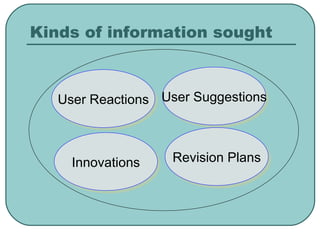
Kinds of information sought User Reactions User Suggestions Innovations Revision Plans
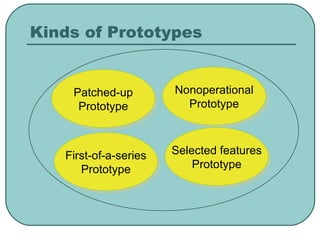
Kinds of Prototypes Patched-up Prototype Nonoperational Prototype First-of-a-series Prototype Selected features Prototype
Patched-up Prototype Breadboarding that creating a patched-together, working model of an integrated circuit. Users can interact with the system, getting accustomed to the interface and types of output available. The retrieval and storage of information may be inefficient.
Nonoperational Prototype Nonworking scale model which is set up to test certain aspects of the full design. Be produced when the applications is too extensive to prototype but when the system can be gained through the prototyping of the input and output only.
First-of-a-series Prototype Creating a first full-scale model of a system. This prototype is useful when many installations of the same information system are planned. It minimizes the cost of overcoming any problems that it presents.
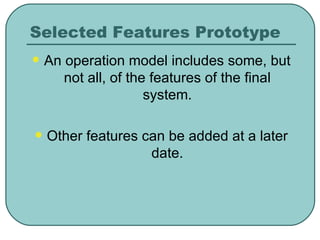
Selected Features Prototype An operation model includes some, but not all, of the features of the final system. Other features can be added at a later date.
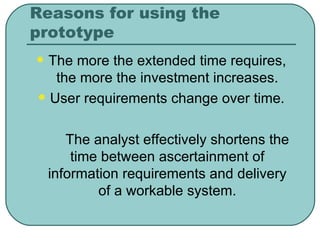
Reasons for using the prototype The more the extended time requires, the more the investment increases. User requirements change over time. The analyst effectively shortens the time between ascertainment of information requirements and delivery of a workable system.
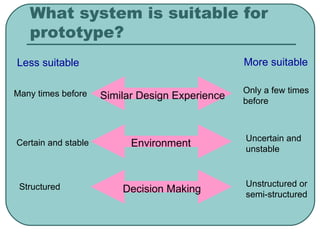
What system is suitable for prototype? Many times before Certain and stable Structured Only a few times before Uncertain and unstable Unstructured or semi-structured Similar Design Experience Environment Decision Making Less suitable More suitable
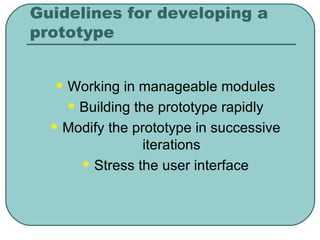
Guidelines for developing a prototype Working in manageable modules Building the prototype rapidly Modify the prototype in successive iterations Stress the user interface
Disadvantage of Prototyping Extending the prototype indefinitely also creates problems. The prototype may be accepted in its unfinished state and pressed into service without the necessary refinements.
Advantage of Prototyping Changing the system early in its development. Scrapping undesirable system. Designing a system for user’s needs and expectations.
Users’ role in prototyping Experimenting with the prototype. Giving open reactions to the prototype. Suggesting additions to and/or deletions from the prototype.
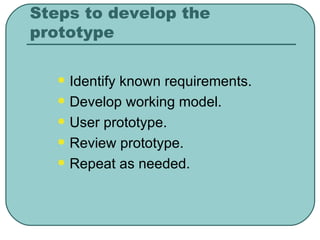
Steps to develop the prototype Identify known requirements. Develop working model. User prototype. Review prototype. Repeat as needed.

Chap 4 prototype

  • 1.
    PROTOTYPE CS343 SystemAnalysis and Design
  • 2.
    PROTOTYPE Prototype is a complex technique that requires knowledge of the entire systems development life cycle before it is successfully accomplished.
  • 3.
    Kinds of informationsought User Reactions User Suggestions Innovations Revision Plans
  • 4.
    Kinds of PrototypesPatched-up Prototype Nonoperational Prototype First-of-a-series Prototype Selected features Prototype
  • 5.
    Patched-up Prototype Breadboardingthat creating a patched-together, working model of an integrated circuit. Users can interact with the system, getting accustomed to the interface and types of output available. The retrieval and storage of information may be inefficient.
  • 6.
    Nonoperational Prototype Nonworkingscale model which is set up to test certain aspects of the full design. Be produced when the applications is too extensive to prototype but when the system can be gained through the prototyping of the input and output only.
  • 7.
    First-of-a-series Prototype Creatinga first full-scale model of a system. This prototype is useful when many installations of the same information system are planned. It minimizes the cost of overcoming any problems that it presents.
  • 8.
    Selected Features PrototypeAn operation model includes some, but not all, of the features of the final system. Other features can be added at a later date.
  • 9.
    Reasons for usingthe prototype The more the extended time requires, the more the investment increases. User requirements change over time. The analyst effectively shortens the time between ascertainment of information requirements and delivery of a workable system.
  • 10.
    What system issuitable for prototype? Many times before Certain and stable Structured Only a few times before Uncertain and unstable Unstructured or semi-structured Similar Design Experience Environment Decision Making Less suitable More suitable
  • 11.
    Guidelines for developinga prototype Working in manageable modules Building the prototype rapidly Modify the prototype in successive iterations Stress the user interface
  • 12.
    Disadvantage of PrototypingExtending the prototype indefinitely also creates problems. The prototype may be accepted in its unfinished state and pressed into service without the necessary refinements.
  • 13.
    Advantage of PrototypingChanging the system early in its development. Scrapping undesirable system. Designing a system for user’s needs and expectations.
  • 14.
    Users’ role inprototyping Experimenting with the prototype. Giving open reactions to the prototype. Suggesting additions to and/or deletions from the prototype.
  • 15.
    Steps to developthe prototype Identify known requirements. Develop working model. User prototype. Review prototype. Repeat as needed.