Classical Viewing
1
Objectives
• Introduce the classical views
• Compare and contrast image formation by computer with how
images have been formed by architects, artists, and engineers
• Learn the benefits and drawbacks of each type of view
2
Classical Viewing
• Viewing requires three basic elements
• One or more objects
• A viewer with a projection surface
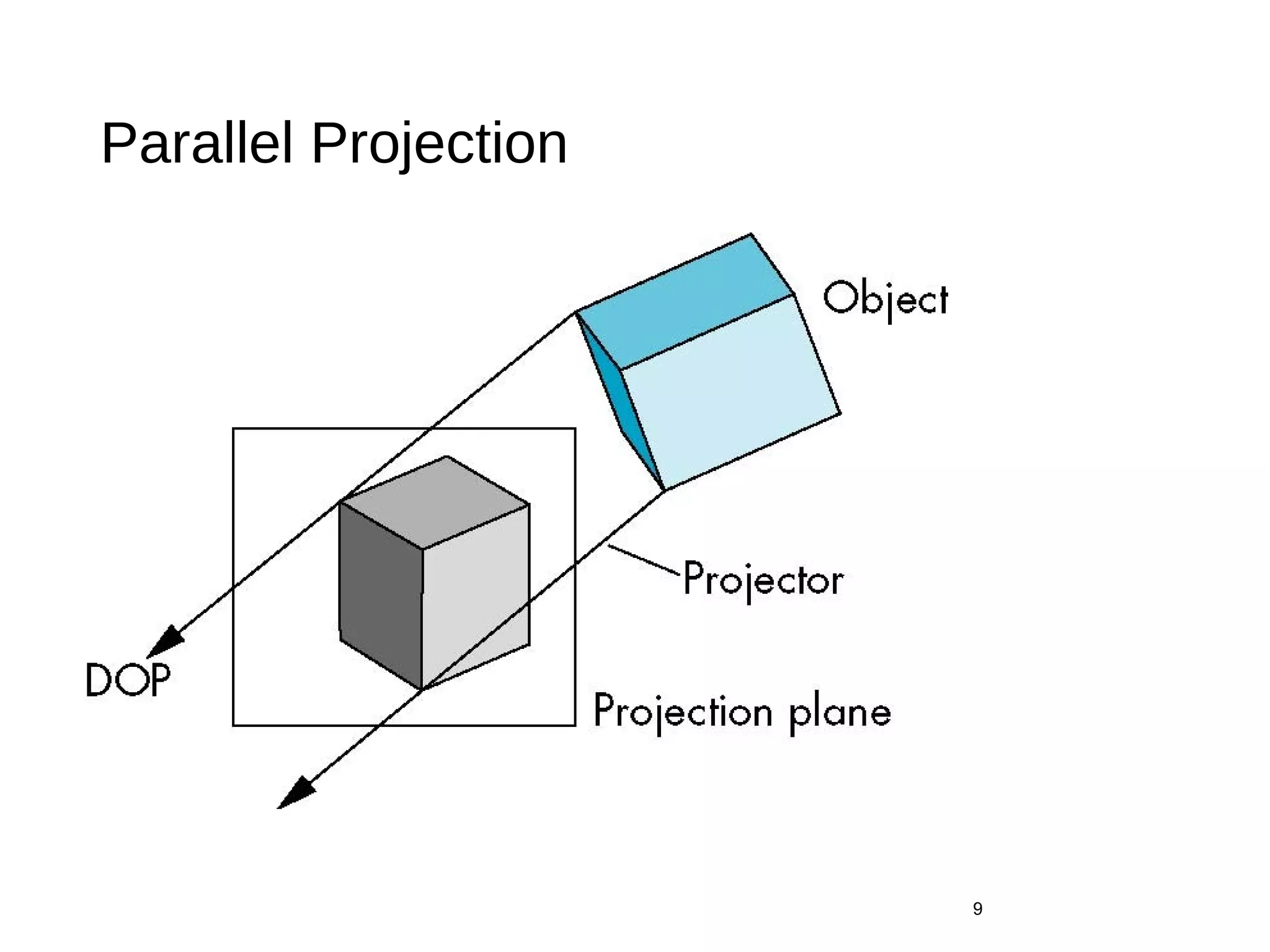
• Projectors that go from the object(s) to the projection surface
• Classical views are based on the relationship among these
elements
• The viewer picks up the object and orients it how she would
like to see it
• Each object is assumed to constructed from flat principal
faces
• Buildings, polyhedra, manufactured objects
3
Planar Geometric Projections
• Standard projections project onto a plane
• Projectors are lines that either
• converge at a center of projection
• are parallel
• Such projections preserve lines
• but not necessarily angles
• Nonplanar projections are needed for applications such as map
construction
4
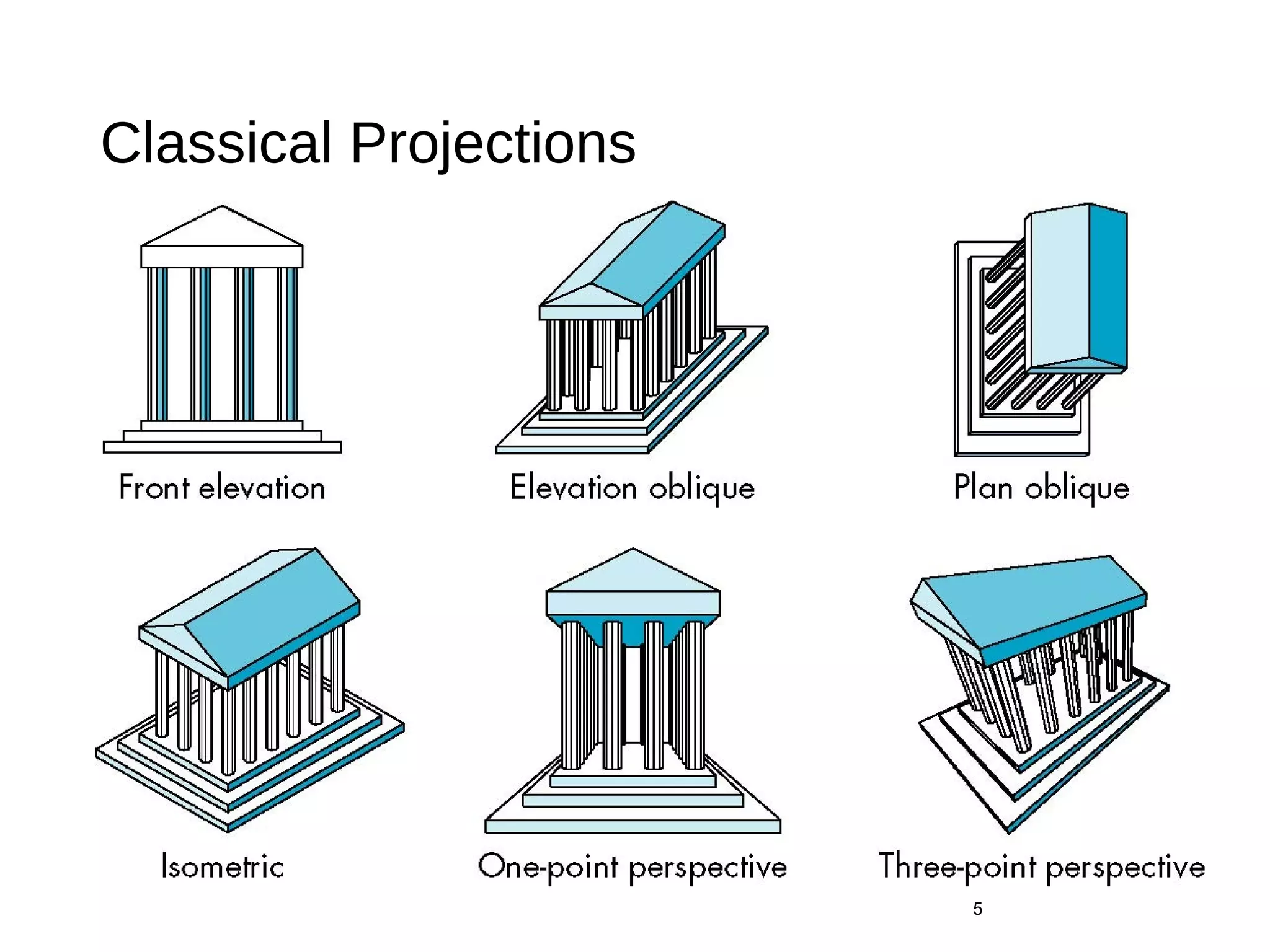
Classical Projections
5
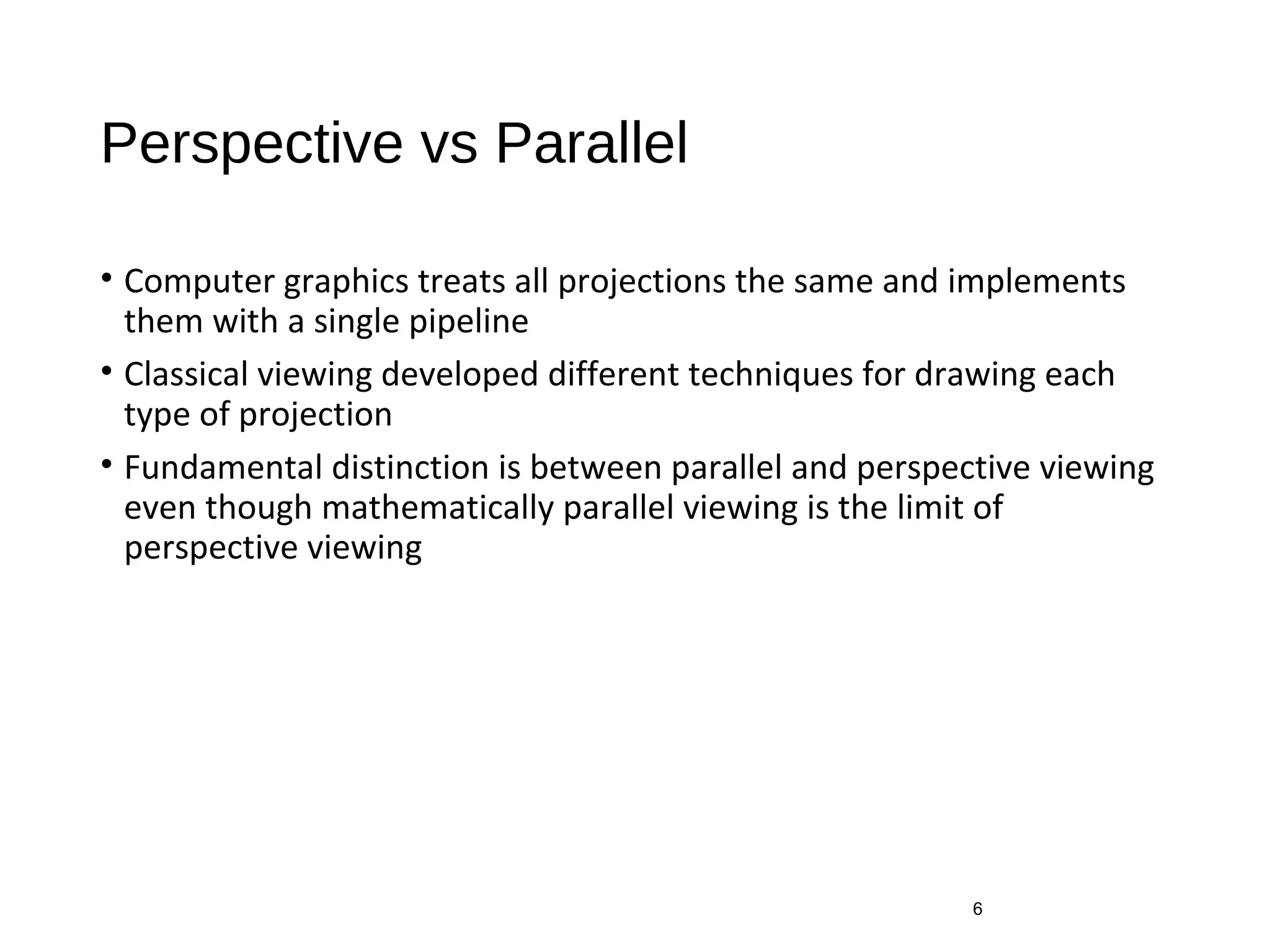
Perspective vs Parallel
• Computer graphics treats all projections the same and implements
them with a single pipeline
• Classical viewing developed different techniques for drawing each
type of projection
• Fundamental distinction is between parallel and perspective viewing
even though mathematically parallel viewing is the limit of
perspective viewing
6
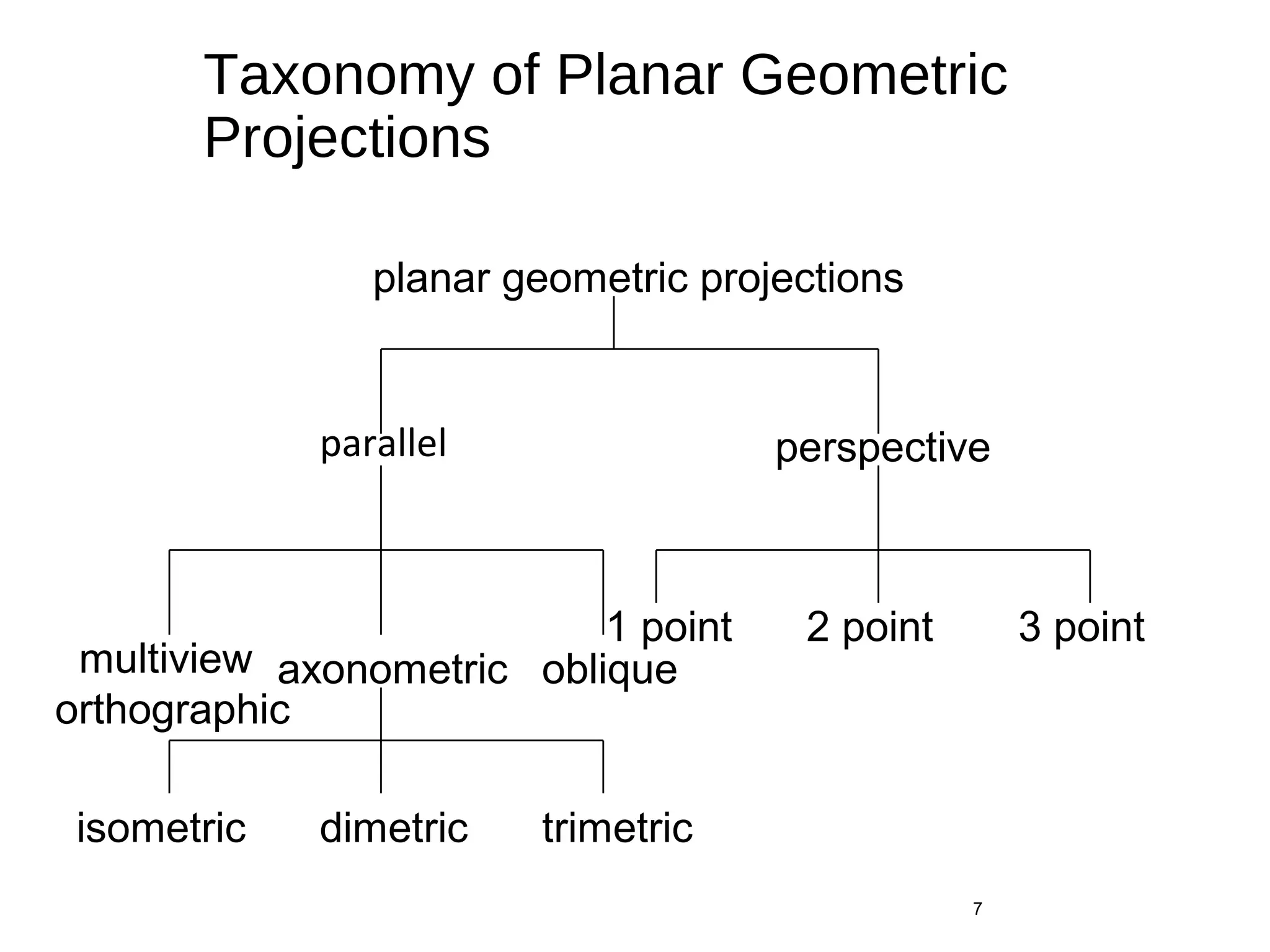
Taxonomy of Planar Geometric
Projections
parallel
7
perspective
axonometricmultiview
orthographic
oblique
isometric dimetric trimetric
2 point1 point 3 point
planar geometric projections
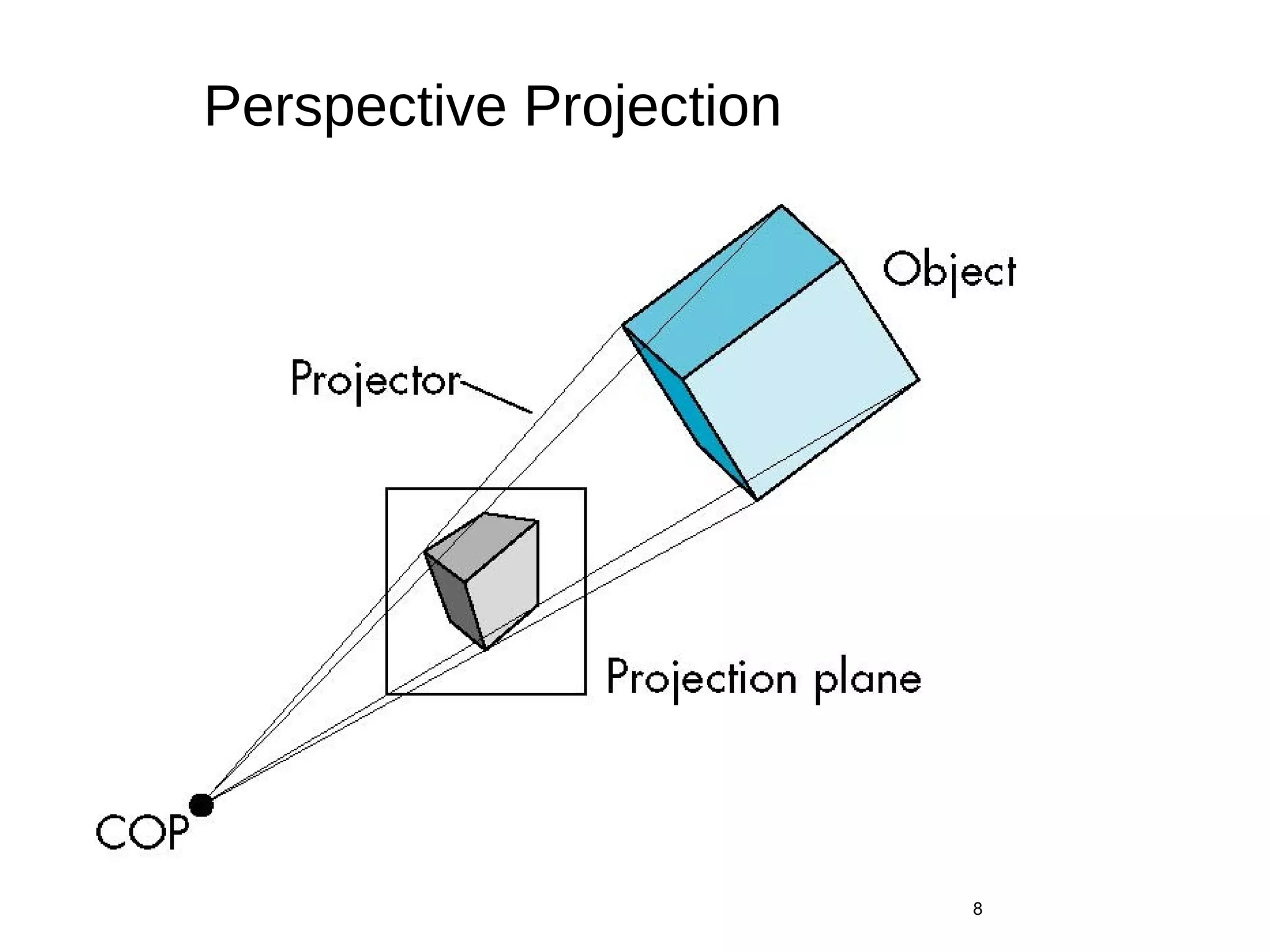
Perspective Projection
8
Parallel Projection
9
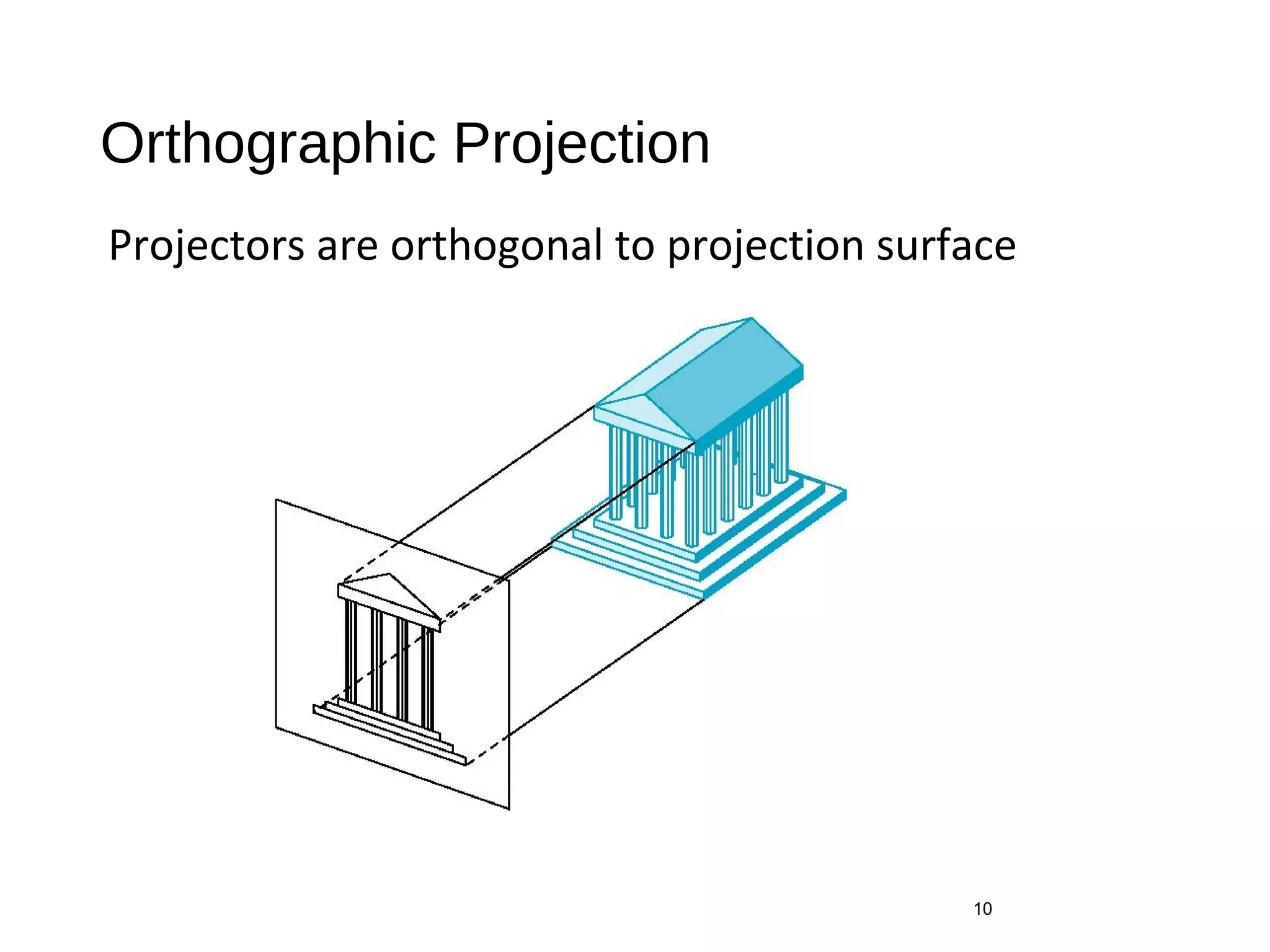
Orthographic Projection
Projectors are orthogonal to projection surface
10
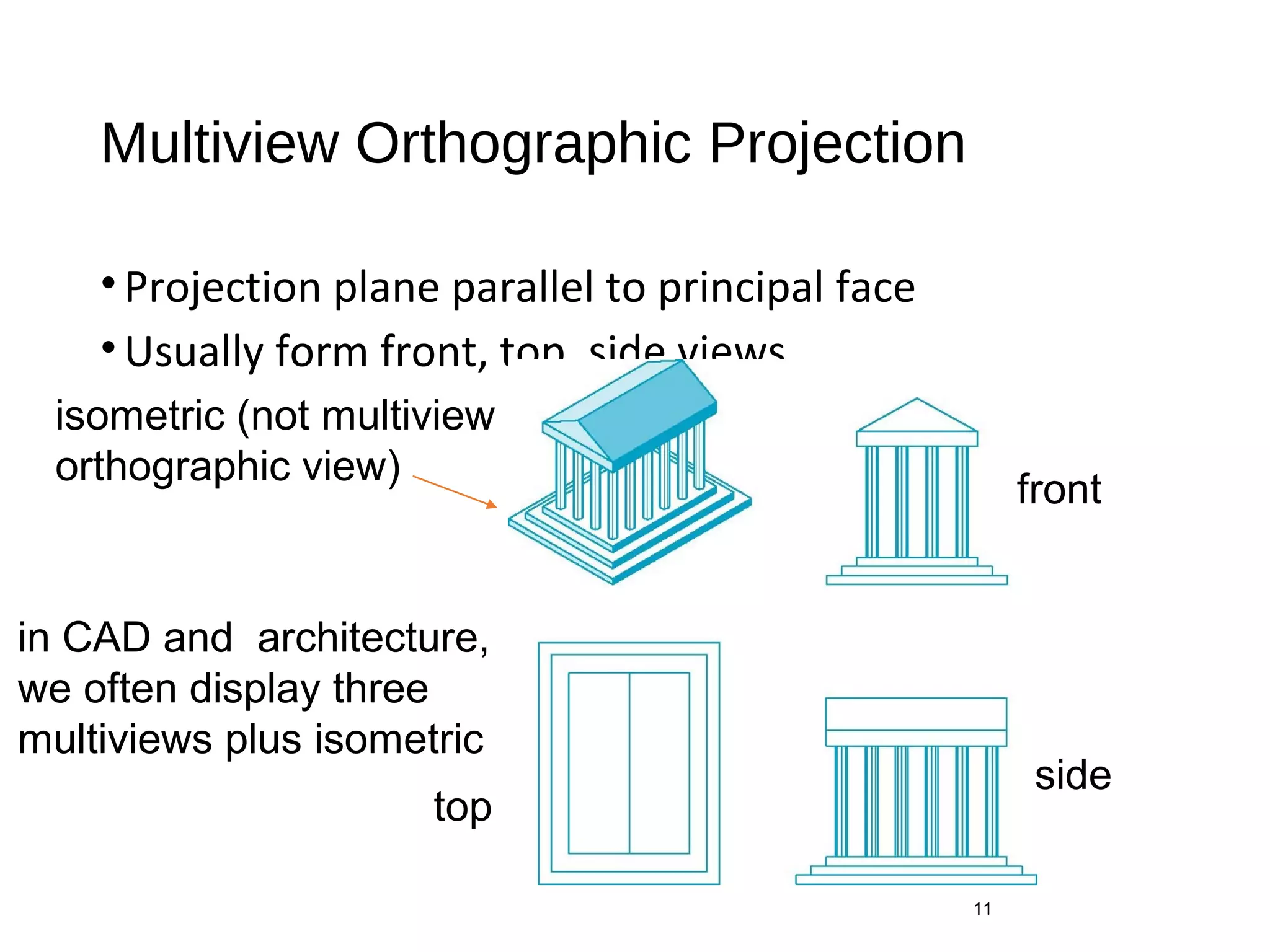
Multiview Orthographic Projection
•Projection plane parallel to principal face
•Usually form front, top, side views
11
isometric (not multiview
orthographic view)
front
side
top
in CAD and architecture,
we often display three
multiviews plus isometric
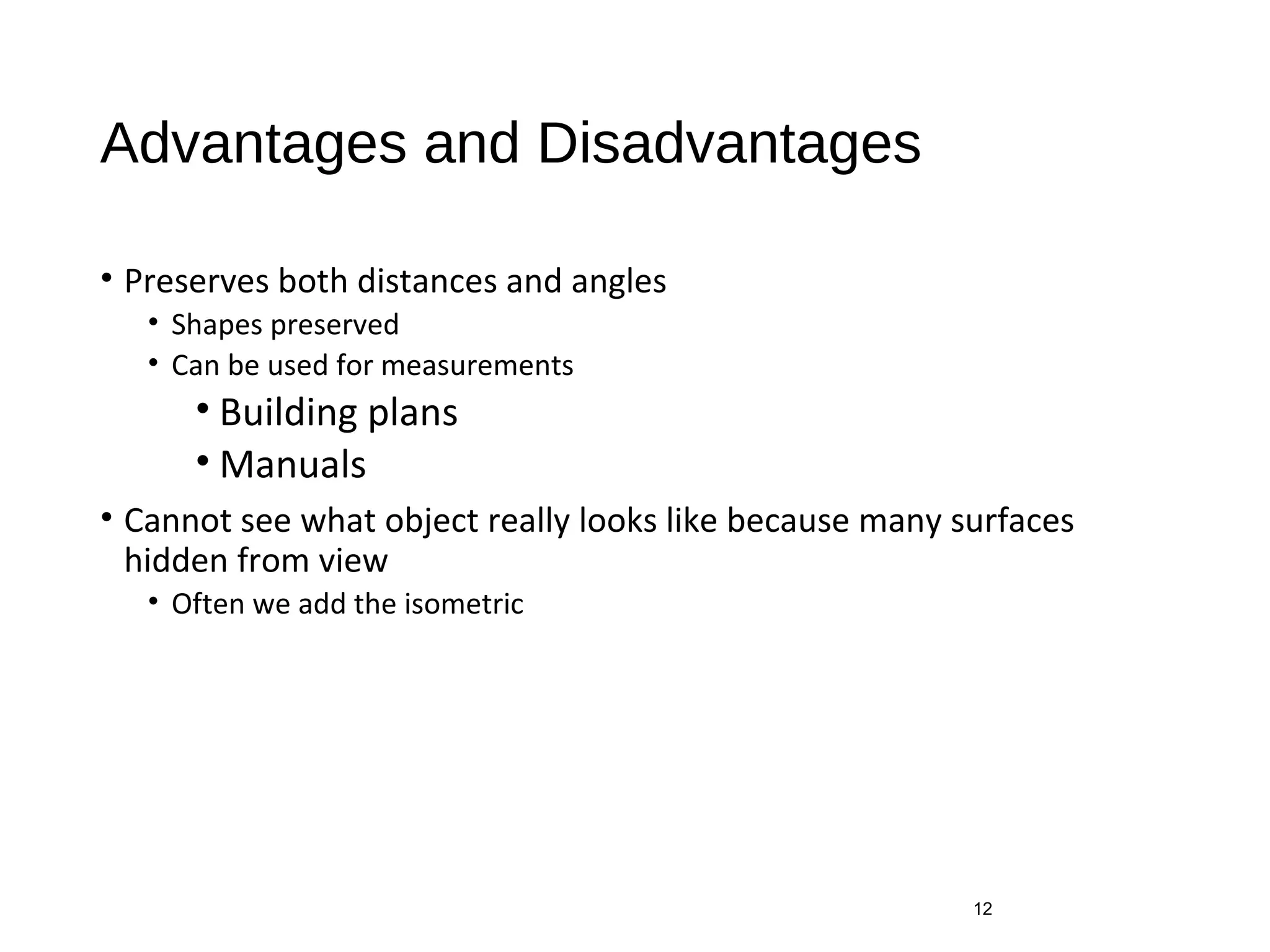
Advantages and Disadvantages
• Preserves both distances and angles
• Shapes preserved
• Can be used for measurements
• Building plans
• Manuals
• Cannot see what object really looks like because many surfaces
hidden from view
• Often we add the isometric
12
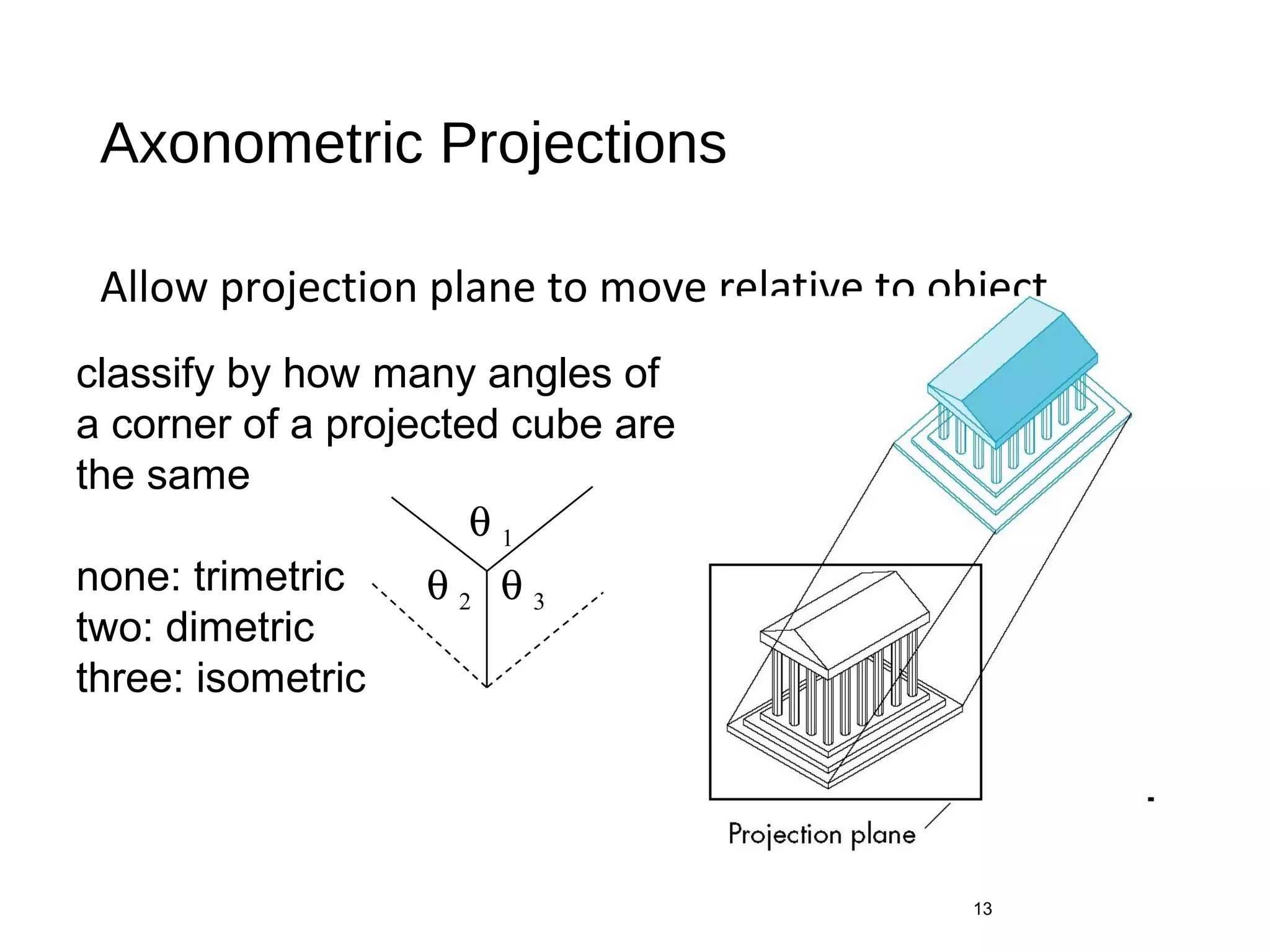
Axonometric Projections
Allow projection plane to move relative to object
13
classify by how many angles of
a corner of a projected cube are
the same
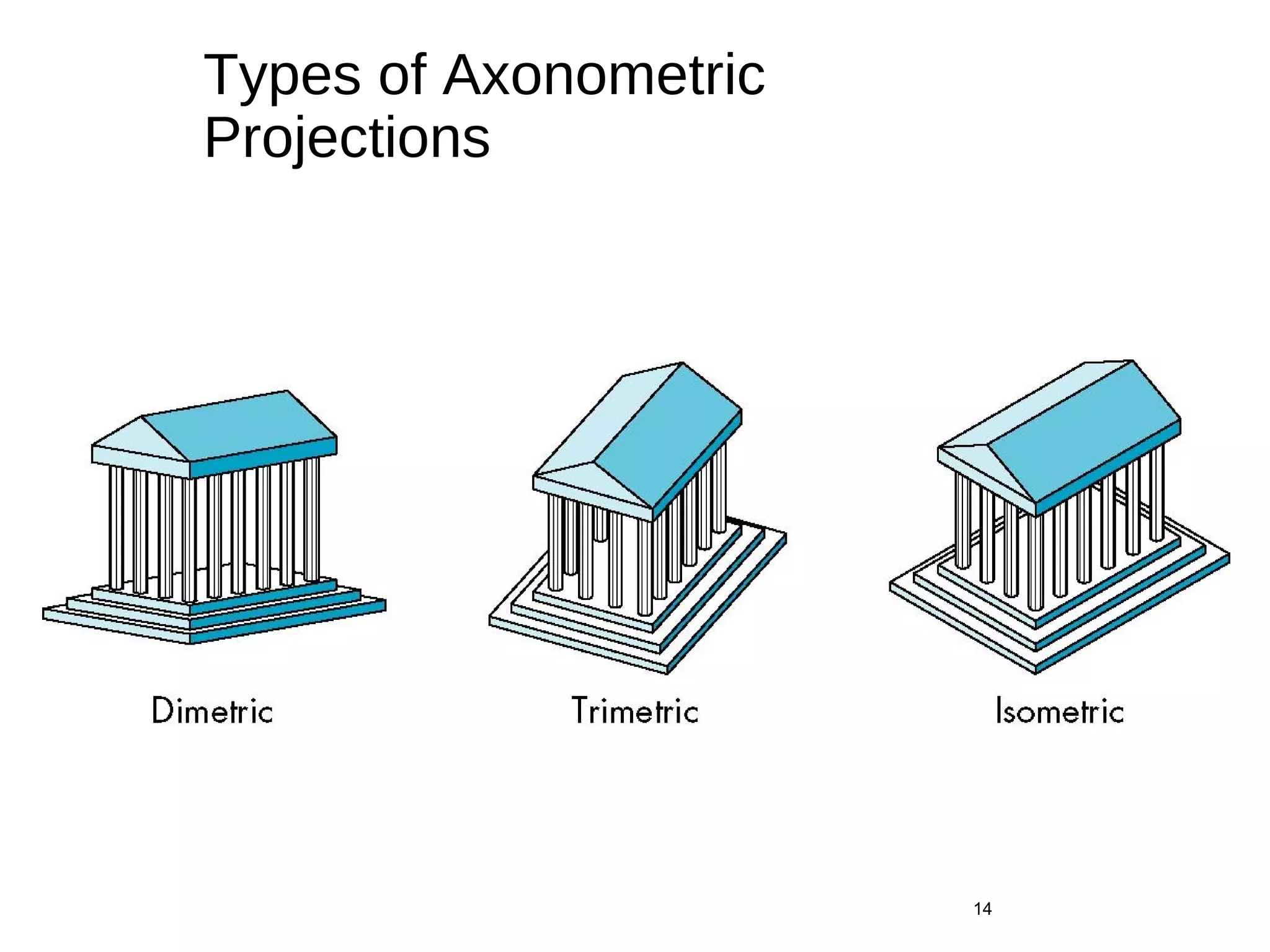
none: trimetric
two: dimetric
three: isometric
θ 1
θ 3θ 2
Types of Axonometric
Projections
14
Advantages and Disadvantages
•Lines are scaled (foreshortened) but can find scaling
factors
•Lines preserved but angles are not
• Projection of a circle in a plane not parallel to the projection
plane is an ellipse
•Can see three principal faces of a box-like object
•Some optical illusions possible
• Parallel lines appear to diverge
•Does not look real because far objects are scaled the
same as near objects
•Used in CAD applications
15
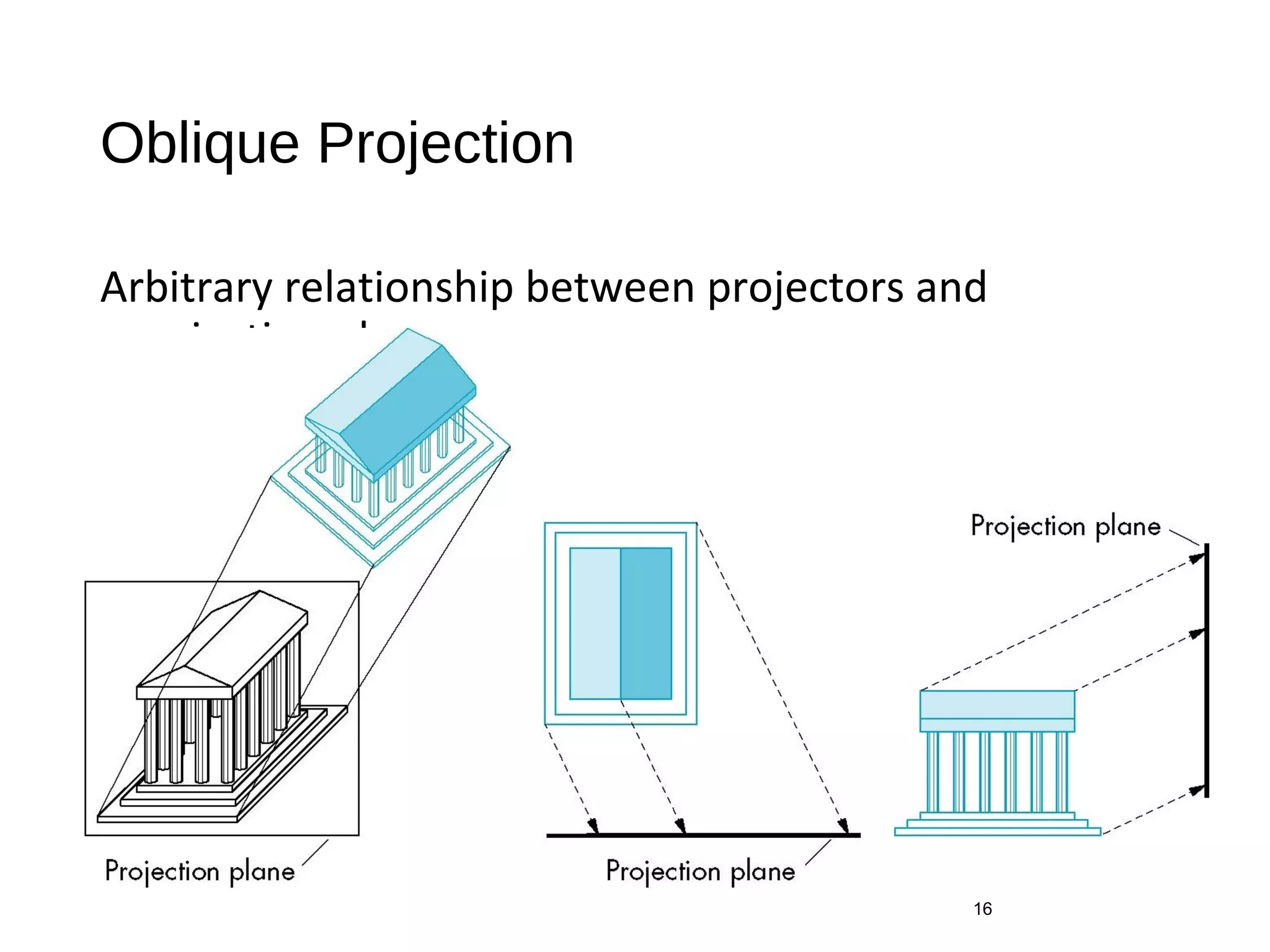
Oblique Projection
Arbitrary relationship between projectors and
projection plane
16
Advantages and Disadvantages
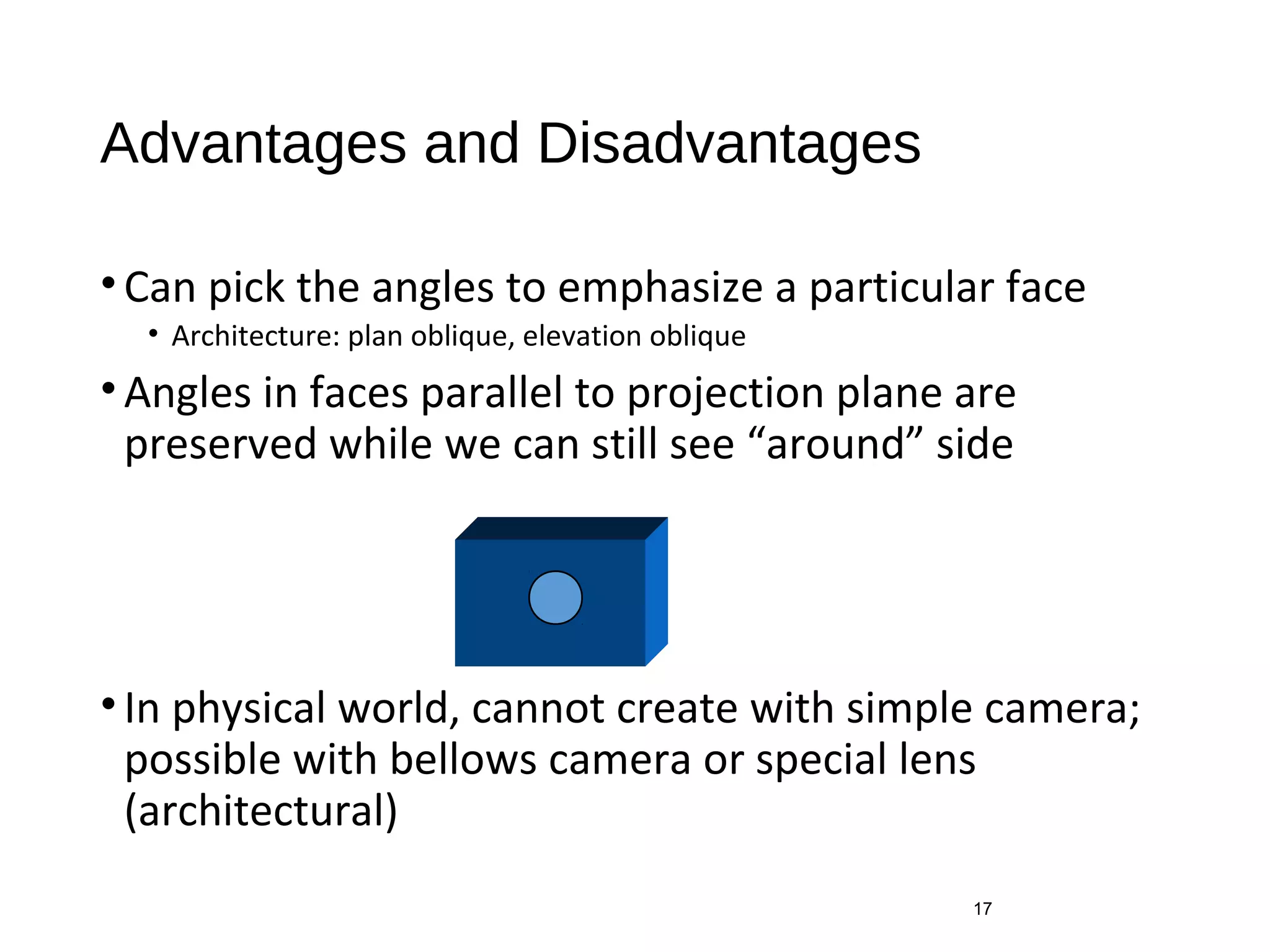
•Can pick the angles to emphasize a particular face
• Architecture: plan oblique, elevation oblique
•Angles in faces parallel to projection plane are
preserved while we can still see “around” side
•In physical world, cannot create with simple camera;
possible with bellows camera or special lens
(architectural)
17
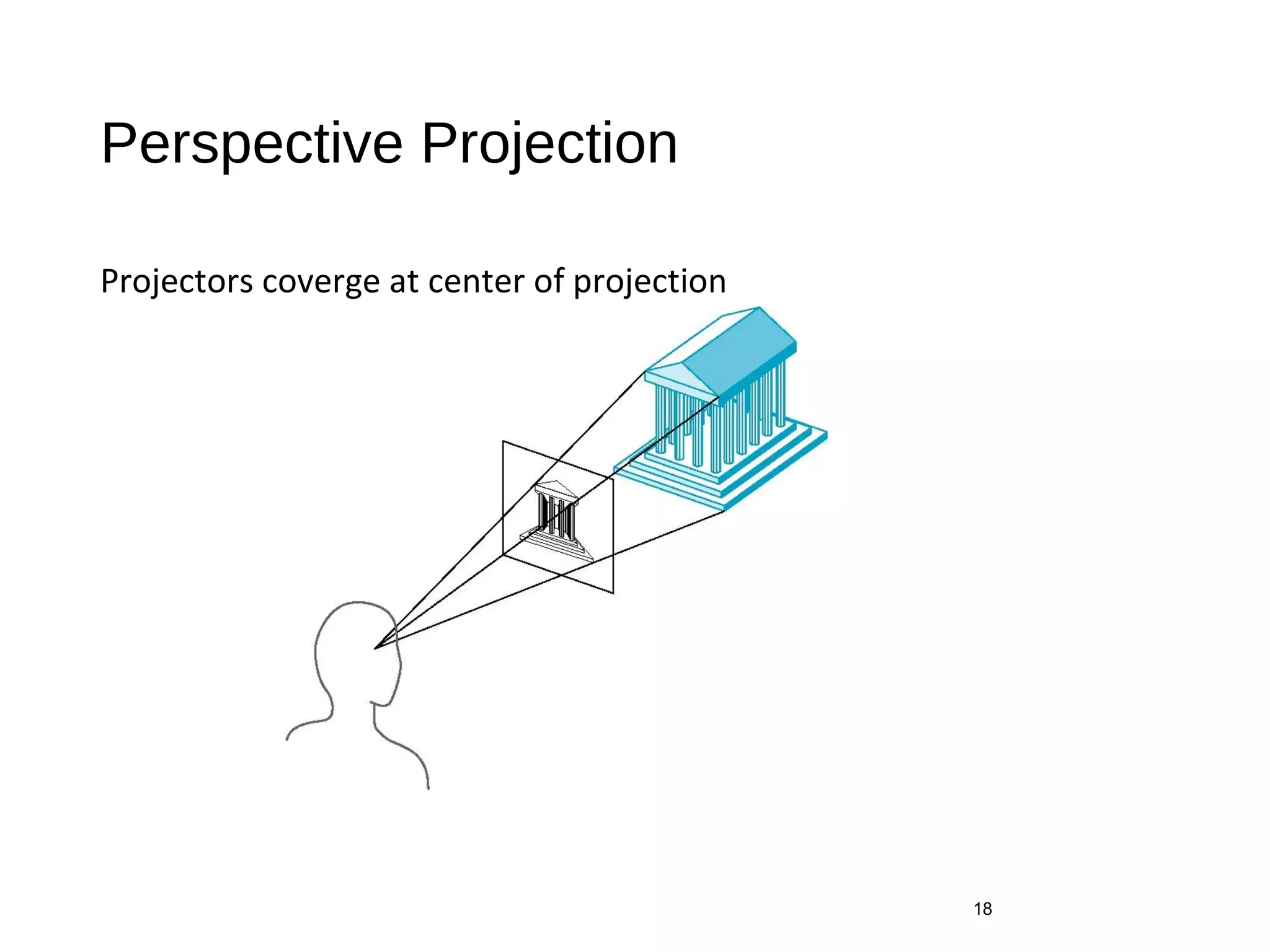
Perspective Projection
Projectors coverge at center of projection
18
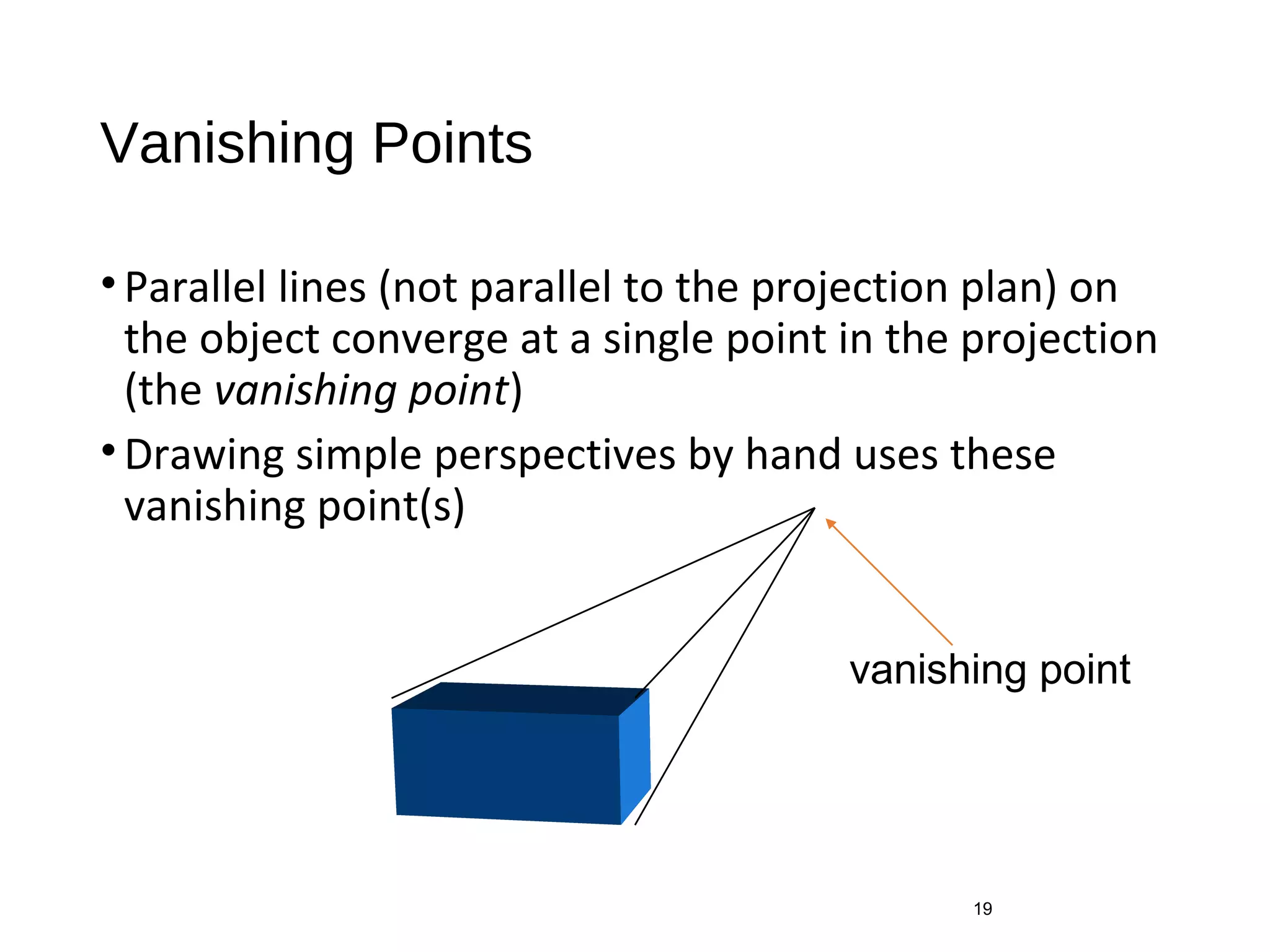
Vanishing Points
•Parallel lines (not parallel to the projection plan) on
the object converge at a single point in the projection
(the vanishing point)
•Drawing simple perspectives by hand uses these
vanishing point(s)
19
vanishing point
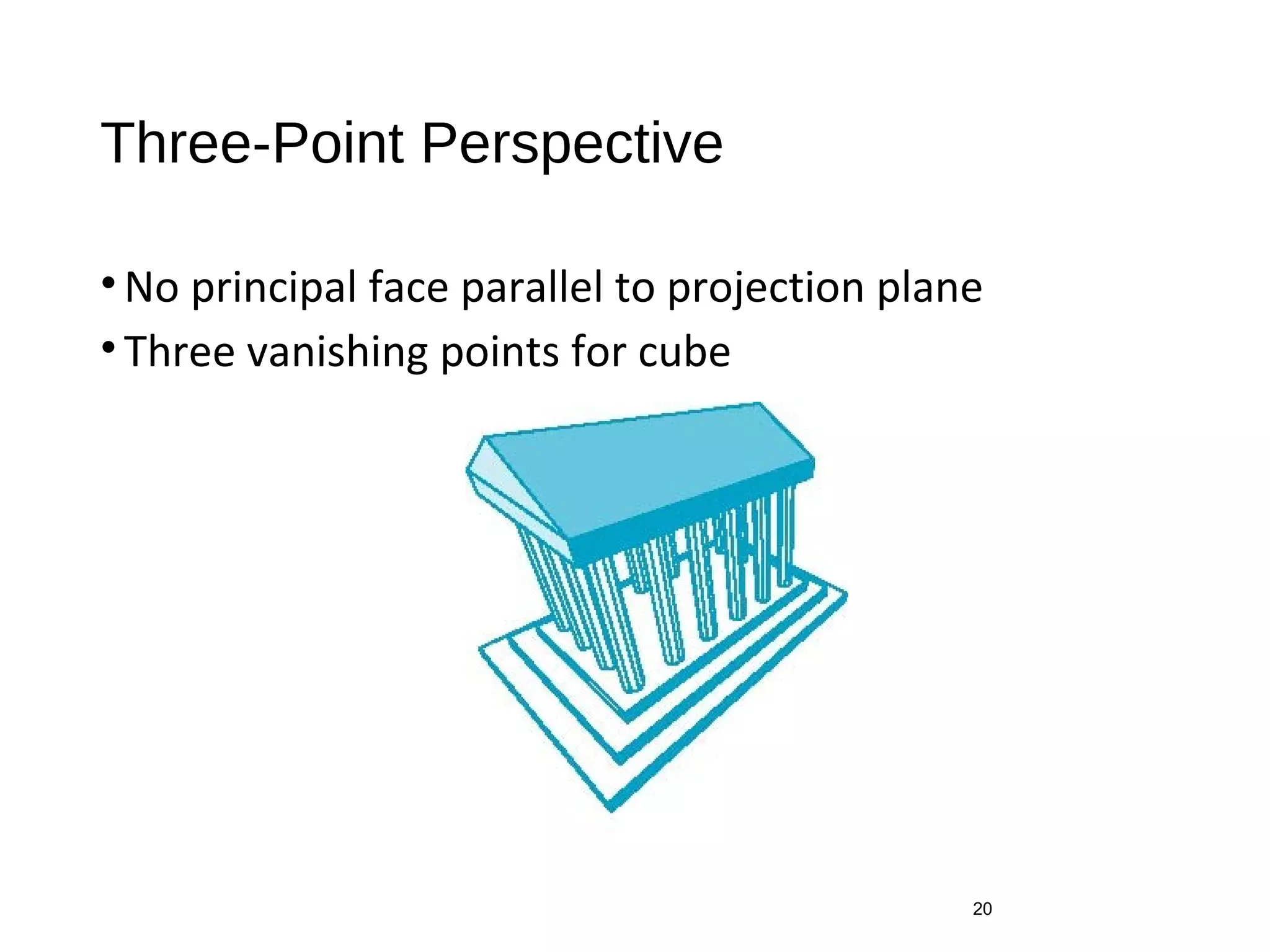
Three-Point Perspective
•No principal face parallel to projection plane
•Three vanishing points for cube
20
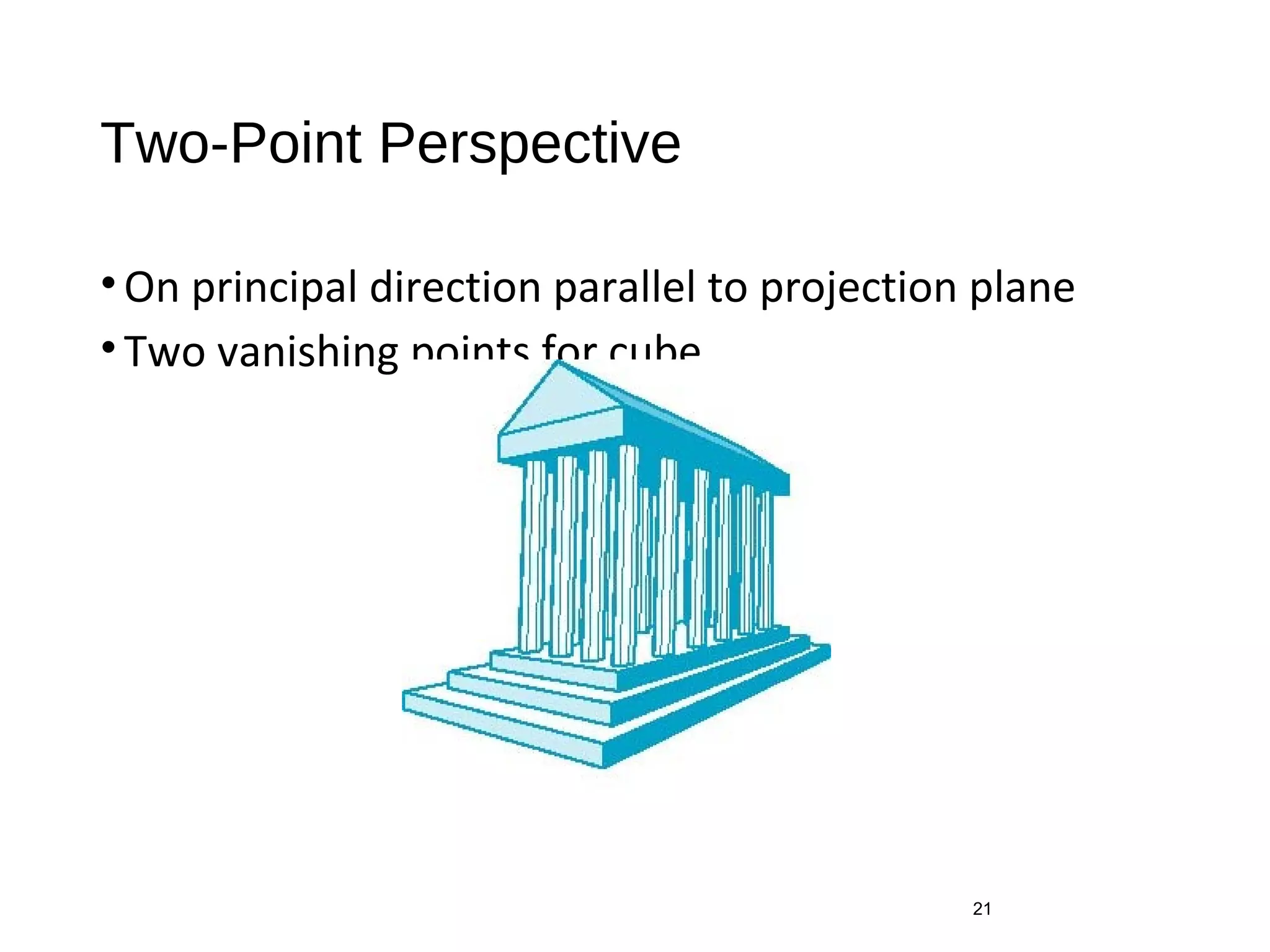
Two-Point Perspective
•On principal direction parallel to projection plane
•Two vanishing points for cube
21
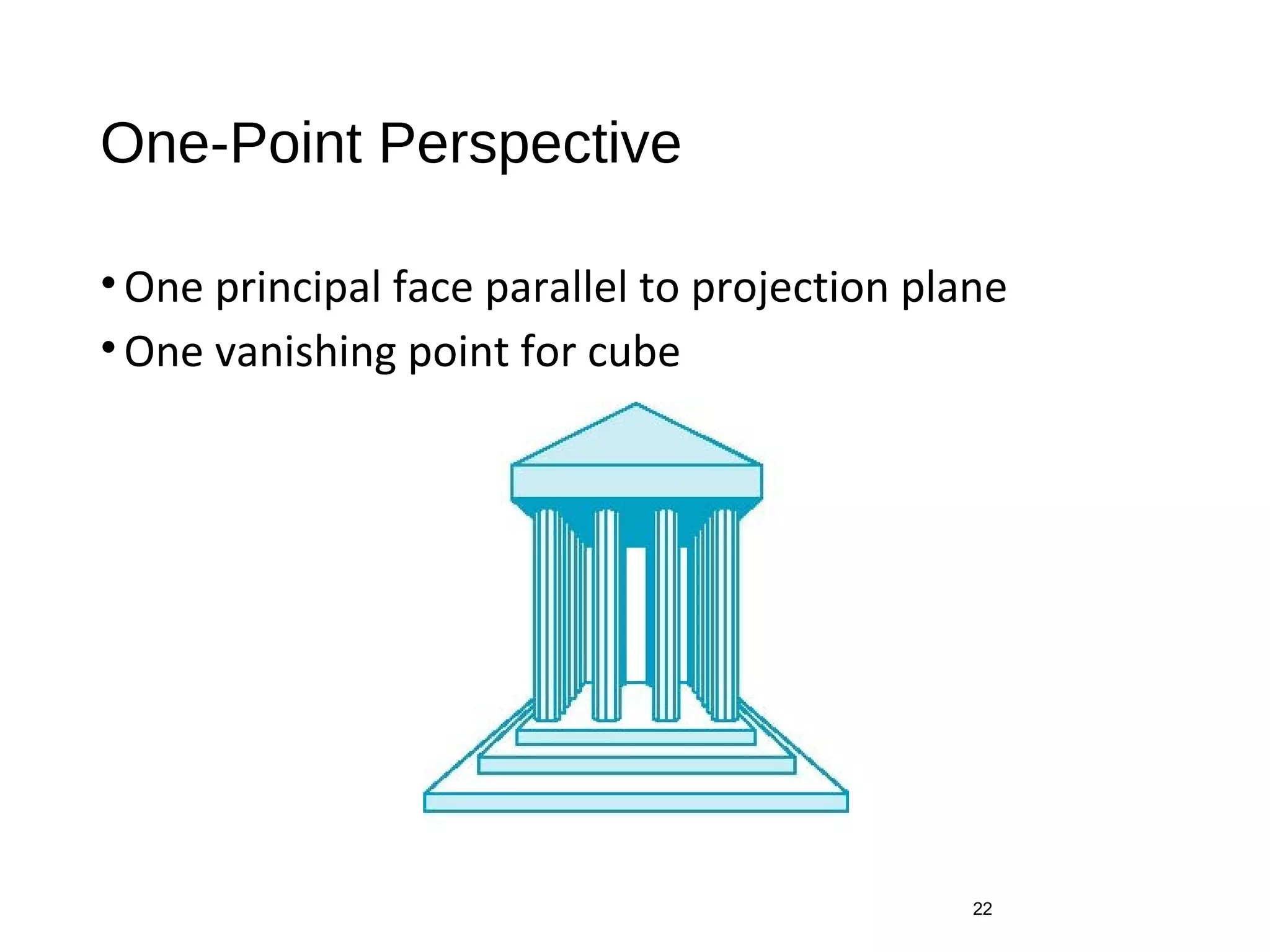
One-Point Perspective
•One principal face parallel to projection plane
•One vanishing point for cube
22
Advantages and Disadvantages
•Objects further from viewer are projected smaller
than the same sized objects closer to the viewer
(diminution)
• Looks realistic
•Equal distances along a line are not projected into
equal distances (nonuniform foreshortening)
•Angles preserved only in planes parallel to the
projection plane
•More difficult to construct by hand than parallel
projections (but not more difficult by computer)
23

Classical Viewing

  • 1.
  • 2.
    Objectives • Introduce theclassical views • Compare and contrast image formation by computer with how images have been formed by architects, artists, and engineers • Learn the benefits and drawbacks of each type of view 2
  • 3.
    Classical Viewing • Viewingrequires three basic elements • One or more objects • A viewer with a projection surface • Projectors that go from the object(s) to the projection surface • Classical views are based on the relationship among these elements • The viewer picks up the object and orients it how she would like to see it • Each object is assumed to constructed from flat principal faces • Buildings, polyhedra, manufactured objects 3
  • 4.
    Planar Geometric Projections •Standard projections project onto a plane • Projectors are lines that either • converge at a center of projection • are parallel • Such projections preserve lines • but not necessarily angles • Nonplanar projections are needed for applications such as map construction 4
  • 5.
  • 6.
    Perspective vs Parallel •Computer graphics treats all projections the same and implements them with a single pipeline • Classical viewing developed different techniques for drawing each type of projection • Fundamental distinction is between parallel and perspective viewing even though mathematically parallel viewing is the limit of perspective viewing 6
  • 7.
    Taxonomy of PlanarGeometric Projections parallel 7 perspective axonometricmultiview orthographic oblique isometric dimetric trimetric 2 point1 point 3 point planar geometric projections
  • 8.
  • 9.
  • 10.
    Orthographic Projection Projectors areorthogonal to projection surface 10
  • 11.
    Multiview Orthographic Projection •Projectionplane parallel to principal face •Usually form front, top, side views 11 isometric (not multiview orthographic view) front side top in CAD and architecture, we often display three multiviews plus isometric
  • 12.
    Advantages and Disadvantages •Preserves both distances and angles • Shapes preserved • Can be used for measurements • Building plans • Manuals • Cannot see what object really looks like because many surfaces hidden from view • Often we add the isometric 12
  • 13.
    Axonometric Projections Allow projectionplane to move relative to object 13 classify by how many angles of a corner of a projected cube are the same none: trimetric two: dimetric three: isometric θ 1 θ 3θ 2
  • 14.
  • 15.
    Advantages and Disadvantages •Linesare scaled (foreshortened) but can find scaling factors •Lines preserved but angles are not • Projection of a circle in a plane not parallel to the projection plane is an ellipse •Can see three principal faces of a box-like object •Some optical illusions possible • Parallel lines appear to diverge •Does not look real because far objects are scaled the same as near objects •Used in CAD applications 15
  • 16.
    Oblique Projection Arbitrary relationshipbetween projectors and projection plane 16
  • 17.
    Advantages and Disadvantages •Canpick the angles to emphasize a particular face • Architecture: plan oblique, elevation oblique •Angles in faces parallel to projection plane are preserved while we can still see “around” side •In physical world, cannot create with simple camera; possible with bellows camera or special lens (architectural) 17
  • 18.
  • 19.
    Vanishing Points •Parallel lines(not parallel to the projection plan) on the object converge at a single point in the projection (the vanishing point) •Drawing simple perspectives by hand uses these vanishing point(s) 19 vanishing point
  • 20.
    Three-Point Perspective •No principalface parallel to projection plane •Three vanishing points for cube 20
  • 21.
    Two-Point Perspective •On principaldirection parallel to projection plane •Two vanishing points for cube 21
  • 22.
    One-Point Perspective •One principalface parallel to projection plane •One vanishing point for cube 22
  • 23.
    Advantages and Disadvantages •Objectsfurther from viewer are projected smaller than the same sized objects closer to the viewer (diminution) • Looks realistic •Equal distances along a line are not projected into equal distances (nonuniform foreshortening) •Angles preserved only in planes parallel to the projection plane •More difficult to construct by hand than parallel projections (but not more difficult by computer) 23