Circle CI
and
Docker+Serverspec
2015-03-13 CIツール勉強会@福岡
やまだつよし
やまだつよし
➔ infra engineer
➔ twitter: @minimum2scp
➔ Debian,Ruby
about me
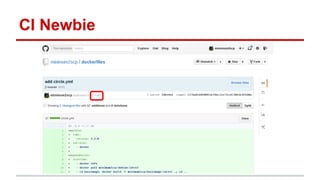
CI Newbie
Circle CI
motivation (1): chatops
● “GitHub 時代のデプロイ戦略”http://d.hatena.
ne.jp/naoya/20140502/1399027655
● “Slack / Hubot / GitHub / CircleCI による
ChatOpsなデプロイ方法”http://qiita.com/s-
kiriki/items/26bdf537169891b22653
motivation (2): Docker
● “Build and deploy Docker containers on
CircleCI” https://circleci.
com/integrations/docker
● “Continuous Integration and Delivery with
Docker” https://circleci.com/docs/docker
● Circle CIのビルドコンテナ内でのdockerの実行
をサポート
motivation (3): SSH
● “SSH access to builds” https://circleci.
com/docs/ssh-build
● GithubのSSH公開鍵でログイン
● 30分ほどで切断される
● sudo 利用可能
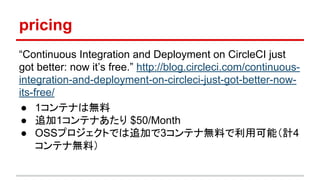
pricing
“Continuous Integration and Deployment on CircleCI just
got better: now it’s free.” http://blog.circleci.com/continuous-
integration-and-deployment-on-circleci-just-got-better-now-
its-free/
● 1コンテナは無料
● 追加1コンテナあたり $50/Month
● OSSプロジェクトでは追加で3コンテナ無料で利用可能(計4
コンテナ無料)
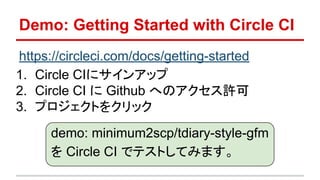
Demo: Getting Started with Circle CI
https://circleci.com/docs/getting-started
1. Circle CIにサインアップ
2. Circle CI に Github へのアクセス許可
3. プロジェクトをクリック
demo: minimum2scp/tdiary-style-gfm
を Circle CI でテストしてみます。
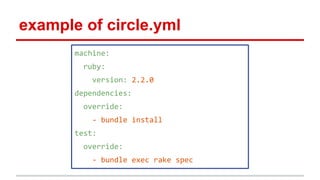
example of circle.yml
machine:
ruby:
version: 2.2.0
dependencies:
override:
- bundle install
test:
override:
- bundle exec rake spec
circle.yml how to
● “Configuring CircleCI” https://circleci.
com/docs/configuration
● “Sample circle.yml file“ https://circleci.
com/docs/config-sample
circle.yml: machine
machine:
ruby:
version: 2.2.0
services:
- elasticsearch
rvmでRuby 2.2.0を使用する
rubyの他にも nodejs, python, php, java などが使用可能です。
https://circleci.com/docs/languages
PostgreSQLやMySQL, Redis, MongoDB など
書かなくても起動しているデータベースもあります。
https://circleci.com/docs/environment#databases
データベースやサービスを起動する
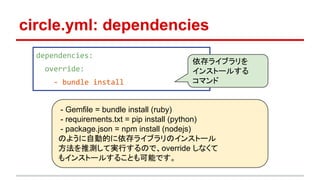
circle.yml: dependencies
dependencies:
override:
- bundle install
依存ライブラリを
インストールする
コマンド
- Gemfile = bundle install (ruby)
- requirements.txt = pip install (python)
- package.json = npm install (nodejs)
のように自動的に依存ライブラリのインストール
方法を推測して実行するので、override しなくて
もインストールすることも可能です。
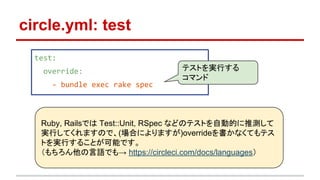
circle.yml: test
test:
override:
- bundle exec rake spec
テストを実行する
コマンド
Ruby, Railsでは Test::Unit, RSpec などのテストを自動的に推測して
実行してくれますので、(場合によりますが)overrideを書かなくてもテス
トを実行することが可能です。
(もちろん他の言語でも→ https://circleci.com/docs/languages)
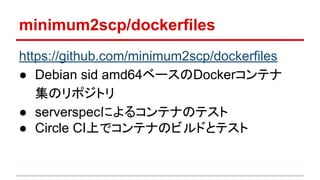
minimum2scp/dockerfiles
https://github.com/minimum2scp/dockerfiles
● Debian sid amd64ベースのDockerコンテナ
集のリポジトリ
● serverspecによるコンテナのテスト
● Circle CI上でコンテナのビルドとテスト
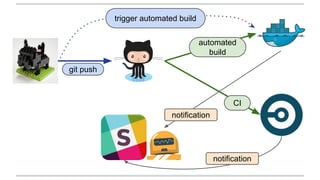
git push
automated
build
CI
notification
notification
trigger automated build
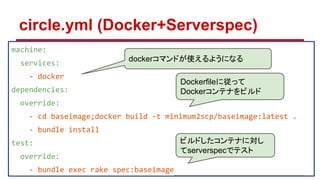
circle.yml (Docker+Serverspec)
machine:
services:
- docker
dependencies:
override:
- cd baseimage;docker build -t minimum2scp/baseimage:latest .
- bundle install
test:
override:
- bundle exec rake spec:baseimage
Dockerfileに従って
Dockerコンテナをビルド
dockerコマンドが使えるようになる
ビルドしたコンテナに対し
てserverspecでテスト
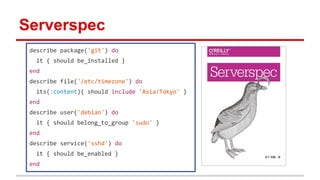
Serverspec
describe package('git') do
it { should be_installed }
end
describe file('/etc/timezone') do
its(:content){ should include 'Asia/Tokyo' }
end
describe user('debian') do
it { should belong_to_group 'sudo' }
end
describe service('sshd') do
it { should be_enabled }
end
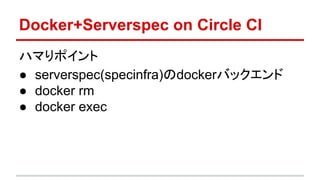
Docker+Serverspec on Circle CI
ハマりポイント
● serverspec(specinfra)のdockerバックエンド
● docker rm
● docker exec
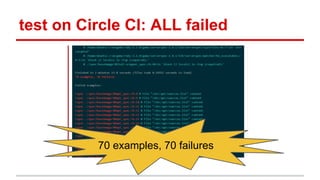
test on Circle CI: ALL failed
70 examples, 70 failures
docker backend of serverspec
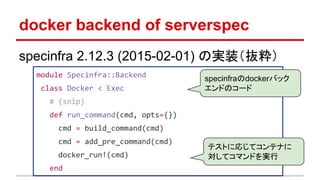
specinfra 2.12.3 (2015-02-01) の実装(抜粋)
module Specinfra::Backend
class Docker < Exec
# (snip)
def run_command(cmd, opts={})
cmd = build_command(cmd)
cmd = add_pre_command(cmd)
docker_run!(cmd)
end
specinfraのdockerバック
エンドのコード
テストに応じてコンテナに
対してコマンドを実行
def docker_run!(cmd, opts={})
opts = # (snip)
container = ::Docker::Container.create(opts)
begin
container.start
begin
stdout, stderr = container.attach(:logs => true)
result = container.wait
return CommandResult.new :stdout => stdout.join, :stderr =>
stderr.join, :exit_status => result['StatusCode']
rescue
container.kill
end
ensure
container.delete
# (snip)
コンテナの削除
ここで例外
コンテナ起動
コンテナ内での
コマンド実行結
果待ち
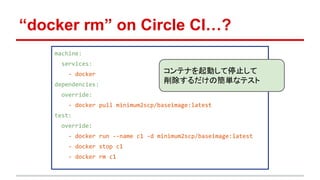
“docker rm” on Circle CI…?
machine:
services:
- docker
dependencies:
override:
- docker pull minimum2scp/baseimage:latest
test:
override:
- docker run --name c1 -d minimum2scp/baseimage:latest
- docker stop c1
- docker rm c1
コンテナを起動して停止して
削除するだけの簡単なテスト
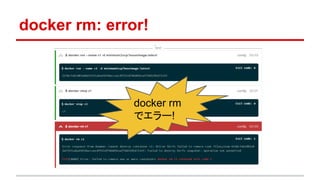
docker rm: error!
docker rm
でエラー!
docker rm: error message
$ docker rm c1
Error response from daemon: Cannot destroy container c1:
Driver btrfs failed to remove root filesystem 431a239…
(snip)…: Failed to destroy btrfs snapshot: operation not
permitted
FATA[0000] Error: failed to remove one or more containers
docker rm c1 returned exit code 1
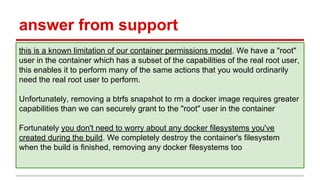
answer from support
this is a known limitation of our container permissions model. We have a "root"
user in the container which has a subset of the capabilities of the real root user,
this enables it to perform many of the same actions that you would ordinarily
need the real root user to perform.
Unfortunately, removing a btrfs snapshot to rm a docker image requires greater
capabilities than we can securely grant to the "root" user in the container
Fortunately you don't need to worry about any docker filesystems you've
created during the build. We completely destroy the container's filesystem
when the build is finished, removing any docker filesystems too
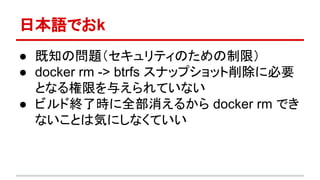
日本語でおk
● 既知の問題(セキュリティのための制限)
● docker rm -> btrfs スナップショット削除に必要
となる権限を与えられていない
● ビルド終了時に全部消えるから docker rm でき
ないことは気にしなくていい
monkey patch
## workaround for Circle CI
if ENV['CIRCLECI']
class Docker::Container
def remove(options={}); end
alias_method :delete, :remove
end
end
spec/spec_helper.rb
CircleCIではコンテナを削
除しない
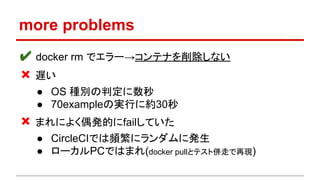
more problems
✔ docker rm でエラー→コンテナを削除しない
❌ 遅い
● OS 種別の判定に数秒
● 70exampleの実行に約30秒
❌ まれによく偶発的にfailしていた
● CircleCIでは頻繁にランダムに発生
● ローカルPCではまれ(docker pullとテスト併走で再現)
use ssh backend
require 'serverspec'
require 'docker'
container = ::Docker::Container.create({'Image' => ENV['DOCKER_IMAGE']})
container.start
set :backend, :ssh
set :host, container.json['NetworkSettings']['IPAddress']
set :ssh_options, {:user => 'debian', :password => 'debian'}
set :os, :family => 'debian', :arch => 'x86_64', :release => '8.0'
sleep 3
docker-api gemを利用し
てコンテナを起動
コンテナのIPアド
レス等設定
OSの自動判定をスキップコンテナ内のsshd起動を待つ
spec/spec_helper.rb
SSHバックエンドを使用
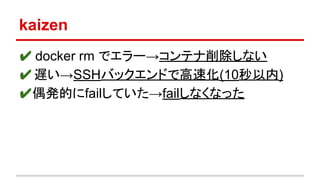
kaizen
✔ docker rm でエラー→コンテナ削除しない
✔遅い→SSHバックエンドで高速化(10秒以内)
✔偶発的にfailしていた→failしなくなった
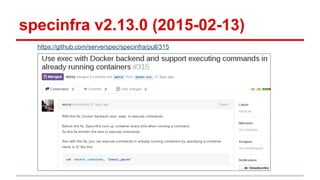
specinfra v2.13.0 (2015-02-13)
https://github.com/serverspec/specinfra/pull/315
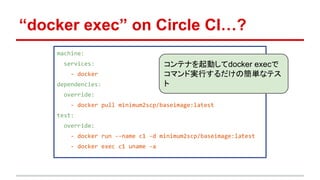
“docker exec” on Circle CI…?
machine:
services:
- docker
dependencies:
override:
- docker pull minimum2scp/baseimage:latest
test:
override:
- docker run --name c1 -d minimum2scp/baseimage:latest
- docker exec c1 uname -a
コンテナを起動してdocker execで
コマンド実行するだけの簡単なテス
ト
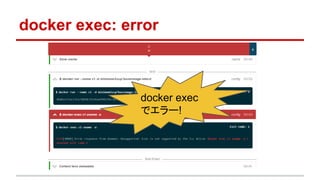
docker exec: error
docker exec
でエラー!
docker exec: error message
$ docker exec c1 uname -a
FATA[0000] Error response from daemon:
Unsupported: Exec is not supported by the
lxc driver docker exec c1 uname -a returned
exit code 1
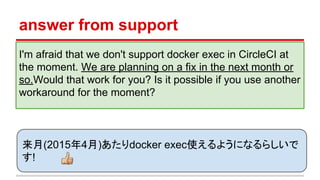
answer from support
I'm afraid that we don't support docker exec in CircleCI at
the moment. We are planning on a fix in the next month or
so.Would that work for you? Is it possible if you use another
workaround for the moment?
来月(2015年4月)あたりdocker exec使えるようになるらしいで
す!
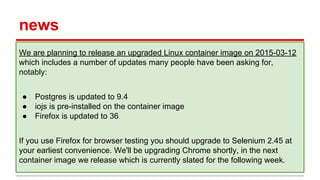
news
We are planning to release an upgraded Linux container image on 2015-03-12
which includes a number of updates many people have been asking for,
notably:
● Postgres is updated to 9.4
● iojs is pre-installed on the container image
● Firefox is updated to 36
If you use Firefox for browser testing you should upgrade to Selenium 2.45 at
your earliest convenience. We'll be upgrading Chrome shortly, in the next
container image we release which is currently slated for the following week.
see also:
“Changelog”
https://circleci.com/changelog
“The Circle Blog | Testing made easy” http:
//blog.circleci.com/
www.magellanic-clouds.com

Circle ci and docker+serverspec

  • 1.
  • 2.
    やまだつよし ➔ infra engineer ➔twitter: @minimum2scp ➔ Debian,Ruby about me
  • 3.
  • 4.
  • 5.
    motivation (1): chatops ●“GitHub 時代のデプロイ戦略”http://d.hatena. ne.jp/naoya/20140502/1399027655 ● “Slack / Hubot / GitHub / CircleCI による ChatOpsなデプロイ方法”http://qiita.com/s- kiriki/items/26bdf537169891b22653
  • 6.
    motivation (2): Docker ●“Build and deploy Docker containers on CircleCI” https://circleci. com/integrations/docker ● “Continuous Integration and Delivery with Docker” https://circleci.com/docs/docker ● Circle CIのビルドコンテナ内でのdockerの実行 をサポート
  • 7.
    motivation (3): SSH ●“SSH access to builds” https://circleci. com/docs/ssh-build ● GithubのSSH公開鍵でログイン ● 30分ほどで切断される ● sudo 利用可能
  • 8.
    pricing “Continuous Integration andDeployment on CircleCI just got better: now it’s free.” http://blog.circleci.com/continuous- integration-and-deployment-on-circleci-just-got-better-now- its-free/ ● 1コンテナは無料 ● 追加1コンテナあたり $50/Month ● OSSプロジェクトでは追加で3コンテナ無料で利用可能(計4 コンテナ無料)
  • 9.
    Demo: Getting Startedwith Circle CI https://circleci.com/docs/getting-started 1. Circle CIにサインアップ 2. Circle CI に Github へのアクセス許可 3. プロジェクトをクリック demo: minimum2scp/tdiary-style-gfm を Circle CI でテストしてみます。
  • 10.
    example of circle.yml machine: ruby: version:2.2.0 dependencies: override: - bundle install test: override: - bundle exec rake spec
  • 11.
    circle.yml how to ●“Configuring CircleCI” https://circleci. com/docs/configuration ● “Sample circle.yml file“ https://circleci. com/docs/config-sample
  • 12.
    circle.yml: machine machine: ruby: version: 2.2.0 services: -elasticsearch rvmでRuby 2.2.0を使用する rubyの他にも nodejs, python, php, java などが使用可能です。 https://circleci.com/docs/languages PostgreSQLやMySQL, Redis, MongoDB など 書かなくても起動しているデータベースもあります。 https://circleci.com/docs/environment#databases データベースやサービスを起動する
  • 13.
    circle.yml: dependencies dependencies: override: - bundleinstall 依存ライブラリを インストールする コマンド - Gemfile = bundle install (ruby) - requirements.txt = pip install (python) - package.json = npm install (nodejs) のように自動的に依存ライブラリのインストール 方法を推測して実行するので、override しなくて もインストールすることも可能です。
  • 14.
    circle.yml: test test: override: - bundleexec rake spec テストを実行する コマンド Ruby, Railsでは Test::Unit, RSpec などのテストを自動的に推測して 実行してくれますので、(場合によりますが)overrideを書かなくてもテス トを実行することが可能です。 (もちろん他の言語でも→ https://circleci.com/docs/languages)
  • 15.
    minimum2scp/dockerfiles https://github.com/minimum2scp/dockerfiles ● Debian sidamd64ベースのDockerコンテナ 集のリポジトリ ● serverspecによるコンテナのテスト ● Circle CI上でコンテナのビルドとテスト
  • 16.
  • 17.
    circle.yml (Docker+Serverspec) machine: services: - docker dependencies: override: -cd baseimage;docker build -t minimum2scp/baseimage:latest . - bundle install test: override: - bundle exec rake spec:baseimage Dockerfileに従って Dockerコンテナをビルド dockerコマンドが使えるようになる ビルドしたコンテナに対し てserverspecでテスト
  • 18.
    Serverspec describe package('git') do it{ should be_installed } end describe file('/etc/timezone') do its(:content){ should include 'Asia/Tokyo' } end describe user('debian') do it { should belong_to_group 'sudo' } end describe service('sshd') do it { should be_enabled } end
  • 19.
    Docker+Serverspec on CircleCI ハマりポイント ● serverspec(specinfra)のdockerバックエンド ● docker rm ● docker exec
  • 20.
    test on CircleCI: ALL failed 70 examples, 70 failures
  • 21.
    docker backend ofserverspec specinfra 2.12.3 (2015-02-01) の実装(抜粋) module Specinfra::Backend class Docker < Exec # (snip) def run_command(cmd, opts={}) cmd = build_command(cmd) cmd = add_pre_command(cmd) docker_run!(cmd) end specinfraのdockerバック エンドのコード テストに応じてコンテナに 対してコマンドを実行
  • 22.
    def docker_run!(cmd, opts={}) opts= # (snip) container = ::Docker::Container.create(opts) begin container.start begin stdout, stderr = container.attach(:logs => true) result = container.wait return CommandResult.new :stdout => stdout.join, :stderr => stderr.join, :exit_status => result['StatusCode'] rescue container.kill end ensure container.delete # (snip) コンテナの削除 ここで例外 コンテナ起動 コンテナ内での コマンド実行結 果待ち
  • 23.
    “docker rm” onCircle CI…? machine: services: - docker dependencies: override: - docker pull minimum2scp/baseimage:latest test: override: - docker run --name c1 -d minimum2scp/baseimage:latest - docker stop c1 - docker rm c1 コンテナを起動して停止して 削除するだけの簡単なテスト
  • 24.
    docker rm: error! dockerrm でエラー!
  • 25.
    docker rm: errormessage $ docker rm c1 Error response from daemon: Cannot destroy container c1: Driver btrfs failed to remove root filesystem 431a239… (snip)…: Failed to destroy btrfs snapshot: operation not permitted FATA[0000] Error: failed to remove one or more containers docker rm c1 returned exit code 1
  • 26.
    answer from support thisis a known limitation of our container permissions model. We have a "root" user in the container which has a subset of the capabilities of the real root user, this enables it to perform many of the same actions that you would ordinarily need the real root user to perform. Unfortunately, removing a btrfs snapshot to rm a docker image requires greater capabilities than we can securely grant to the "root" user in the container Fortunately you don't need to worry about any docker filesystems you've created during the build. We completely destroy the container's filesystem when the build is finished, removing any docker filesystems too
  • 27.
    日本語でおk ● 既知の問題(セキュリティのための制限) ● dockerrm -> btrfs スナップショット削除に必要 となる権限を与えられていない ● ビルド終了時に全部消えるから docker rm でき ないことは気にしなくていい
  • 28.
    monkey patch ## workaroundfor Circle CI if ENV['CIRCLECI'] class Docker::Container def remove(options={}); end alias_method :delete, :remove end end spec/spec_helper.rb CircleCIではコンテナを削 除しない
  • 29.
    more problems ✔ dockerrm でエラー→コンテナを削除しない ❌ 遅い ● OS 種別の判定に数秒 ● 70exampleの実行に約30秒 ❌ まれによく偶発的にfailしていた ● CircleCIでは頻繁にランダムに発生 ● ローカルPCではまれ(docker pullとテスト併走で再現)
  • 30.
    use ssh backend require'serverspec' require 'docker' container = ::Docker::Container.create({'Image' => ENV['DOCKER_IMAGE']}) container.start set :backend, :ssh set :host, container.json['NetworkSettings']['IPAddress'] set :ssh_options, {:user => 'debian', :password => 'debian'} set :os, :family => 'debian', :arch => 'x86_64', :release => '8.0' sleep 3 docker-api gemを利用し てコンテナを起動 コンテナのIPアド レス等設定 OSの自動判定をスキップコンテナ内のsshd起動を待つ spec/spec_helper.rb SSHバックエンドを使用
  • 31.
    kaizen ✔ docker rmでエラー→コンテナ削除しない ✔遅い→SSHバックエンドで高速化(10秒以内) ✔偶発的にfailしていた→failしなくなった
  • 32.
  • 33.
    “docker exec” onCircle CI…? machine: services: - docker dependencies: override: - docker pull minimum2scp/baseimage:latest test: override: - docker run --name c1 -d minimum2scp/baseimage:latest - docker exec c1 uname -a コンテナを起動してdocker execで コマンド実行するだけの簡単なテス ト
  • 34.
    docker exec: error dockerexec でエラー!
  • 35.
    docker exec: errormessage $ docker exec c1 uname -a FATA[0000] Error response from daemon: Unsupported: Exec is not supported by the lxc driver docker exec c1 uname -a returned exit code 1
  • 36.
    answer from support I'mafraid that we don't support docker exec in CircleCI at the moment. We are planning on a fix in the next month or so.Would that work for you? Is it possible if you use another workaround for the moment? 来月(2015年4月)あたりdocker exec使えるようになるらしいで す!
  • 37.
    news We are planningto release an upgraded Linux container image on 2015-03-12 which includes a number of updates many people have been asking for, notably: ● Postgres is updated to 9.4 ● iojs is pre-installed on the container image ● Firefox is updated to 36 If you use Firefox for browser testing you should upgrade to Selenium 2.45 at your earliest convenience. We'll be upgrading Chrome shortly, in the next container image we release which is currently slated for the following week.
  • 38.
    see also: “Changelog” https://circleci.com/changelog “The CircleBlog | Testing made easy” http: //blog.circleci.com/
  • 39.