Technology in the
Chinese Class
電腦在中文教學之應用

  Lily Childs 林桂秀
  (lchilds@micds.org)
  Chinese teacher, MICDS

  Teacher’s workshop 2012
  organized by Confucius Institute
                        By Lily Childs for CI 2012
Objective:
learn how to integrate technology in in-class and
  out-of-class activities with hands-on practice.

             Essential question:
what tools do I use and how to use the tools to
               design activities?
Reward:

there are 15 free tools for you to take home. Each
    tool is a task to be completed during the
                     workshop.

      Each is worth of points from 3P to 5P.

 You can earn max. of 60 points with the bonus.

              Winner(s) gets a gift.
Technology integration
Technology can not replace the role of the teachers.
      The use of computers does not devalue the
 traditional approach of writing on the board, using
   flash cards, etc. Computers are tools that bridge
    learning in the 21st century global community.
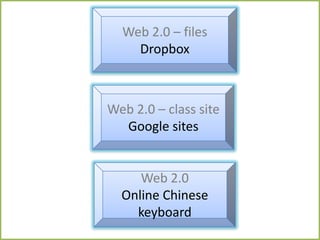
Web 2.0 – files
    Dropbox


Web 2.0 – class site
  怎么打中文
  Google sites


     Web 2.0
  Online Chinese
    keyboard
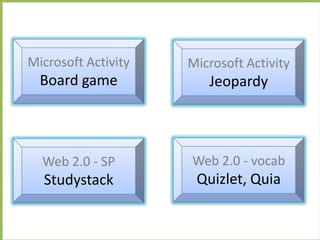
Microsoft Activity   Microsoft Activity
  Board game            Jeopardy


  Web 2.0 - SP       Web 2.0 - vocab
  Studystack          Quizlet, Quia
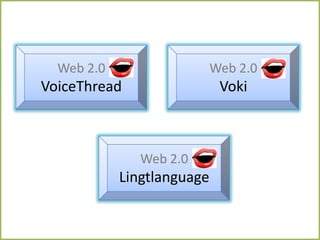
Web 2.0                   Web 2.0
VoiceThread                  Voki


               Web 2.0
            Lingtlanguage
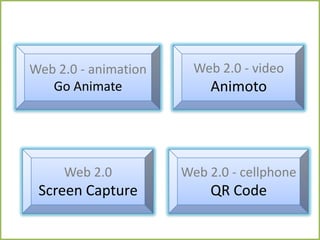
Web 2.0 - animation     Web 2.0 - video
   Go Animate             Animoto


     Web 2.0          Web 2.0 - cellphone
 Screen Capture           QR Code
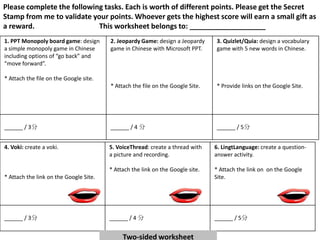
Please complete the following tasks. Each is worth of different points. Please get the Secret
Stamp from me to validate your points. Whoever gets the highest score will earn a small gift as
a reward.                   This worksheet belongs to: ___________________
1. PPT Monopoly board game: design      2. Jeopardy Game: design a Jeopardy     3. Quizlet/Quia: design a vocabulary
a simple monopoly game in Chinese       game in Chinese with Microsoft PPT.     game with 5 new words in Chinese.
including options of “go back” and
“move forward”.

* Attach the file on the Google site.
                                        * Attach the file on the Google Site.   * Provide links on the Google Site.


______ / 3分                             ______ / 4 分                            ______ / 5分


4. Voki: create a voki.                 5. VoiceThread: create a thread with    6. LingtLanguage: create a question-
                                        a picture and recording.                answer activity.

                                        * Attach the link on the Google site.   * Attach the link on on the Google
* Attach the link on the Google Site.                                           Site.


______ / 3分                             ______ / 4 分                            ______ / 5分


                                             Two-sided worksheet
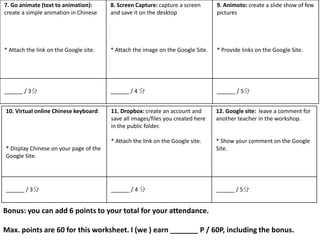
7. Go animate (text to animation):      8. Screen Capture: capture a screen      9. Animoto: create a slide show of few
create a simple animation in Chinese    and save it on the desktop               pictures


* Attach the link on the Google site.   * Attach the image on the Google Site.   * Provide links on the Google Site.


______ / 3分                             ______ / 4 分                             ______ / 5分


10. Virtual online Chinese keyboard:    11. Dropbox: create an account and       12. Google site: leave a comment for
                                        save all images/files you created here   another teacher in the workshop.
                                        in the public folder.

                                        * Attach the link on the Google site.    * Show your comment on the Google
* Display Chinese on your page of the                                            Site.
Google Site.


______ / 3分                             ______ / 4 分                             ______ / 5分


Bonus: you can add 6 points to your total for your attendance.

Max. points are 60 for this worksheet. I (we ) earn _______ P / 60P, including the bonus.
Web 2.0 – files
    Dropbox


Web 2.0 – class site
  怎么打中文
  Google sites


     Web 2.0
  Online Chinese
    keyboard
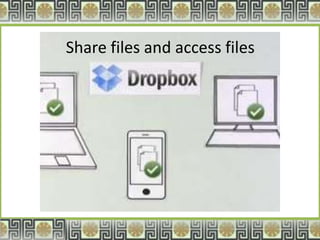
Share files and access files
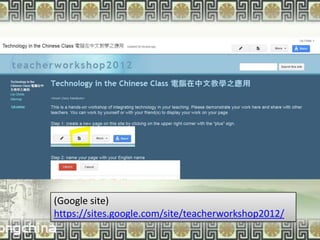
(Google site)
https://sites.google.com/site/teacherworkshop2012/
                By Lily Childs for METC 2012
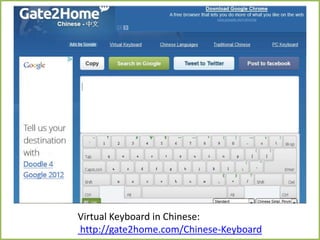
Virtual Keyboard in Chinese:
http://gate2home.com/Chinese-Keyboard
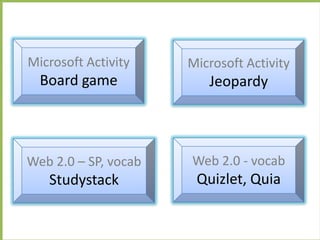
Microsoft Activity    Microsoft Activity
  Board game             Jeopardy


Web 2.0 – SP, vocab   Web 2.0 - vocab
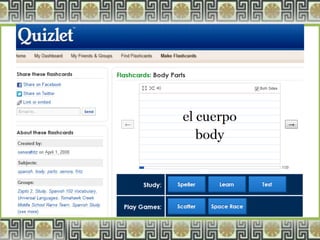
   Studystack          Quizlet, Quia
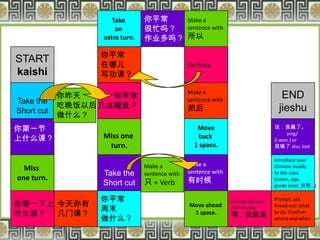
Take       你嚳常   Make a
                      an        很忙吗? sentence with
                  extra turn.   作业多吗? 所以

                 你嚳常
START            在哪儿                            Go back
kaishi           写功课?

                                                Make a
            你昨夊     你嚳常                         sentence with
                                                                                      END
Take the
            吃晚饭以后 几点睡觉?                         然后                                   jieshu
Short cut
            做什么?
你第一节                                               Move                             说:我赢了。
                                                                                          ying/
上什么课?             Miss one                         back                             (I won.) or
                   turn.                          1 space.                          我输了 shu: lost

                                                                                    Introduce your
                                Make a          Make a                              Chinese buddy
  Miss                                          sentence with
                  Take the      sentence with                                       to the class
one turn.                                       有时候
                  Short cut     只 + Verb                                            (name, age,
                                                                                    grade level, 住在…)

                 你嚳常                                                           Prompt: ask
你等一下上 今天你有                                      Move ahead
                                                                Prompt: call your
                 周末                                             friend using   friend out: what
什么课? 几门课?                                        1 space.       喂,我就是 to do. Confirm
                 做什么?                                                          where and when
                                                                   By Lily Childs for METC 2012
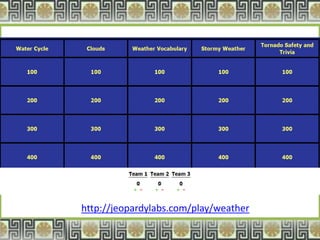
http://jeopardylabs.com/play/weather
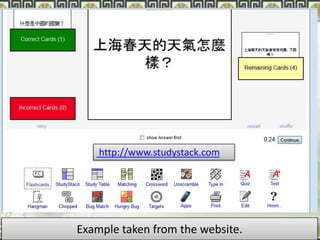
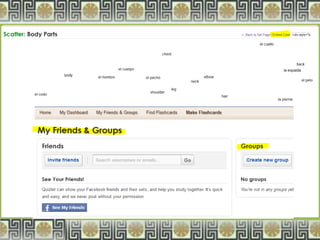
http://www.studystack.com


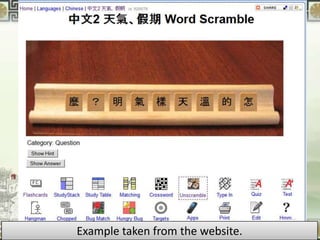
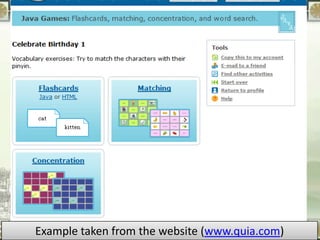
Example taken from the website.
Example taken fromLily Childs website (www.quia.com)
                 By
                    the for METC 2012
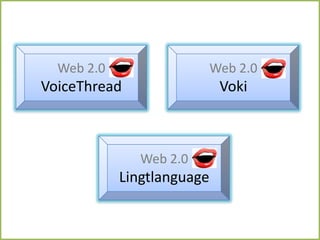
Web 2.0                   Web 2.0
VoiceThread                  Voki


               Web 2.0
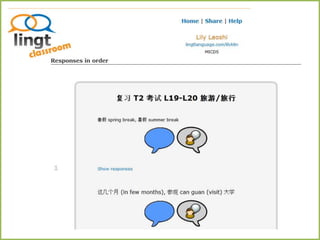
            Lingtlanguage
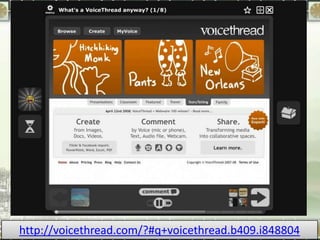
http://voicethread.com/?#q+voicethread.b409.i848804
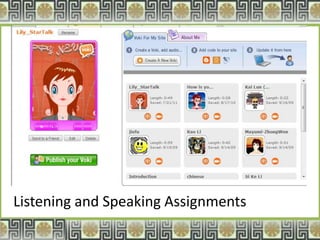
Listening and Speaking Assignments
Web 2.0 - animation     Web 2.0 - video
   Go Animate              Animoto


    Web 2.0           Web 2.0 - cellphone
Screen Capture            QR Code
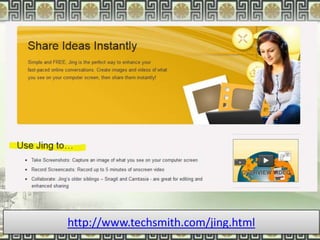
http://www.techsmith.com/jing.html
           By Lily Childs for METC 2012
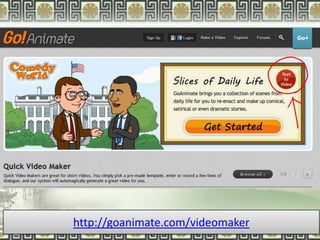
http://goanimate.com/videomaker
           By Lily Childs for METC 2012
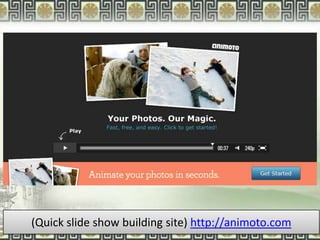
(Quick slide show building site) http://animoto.com
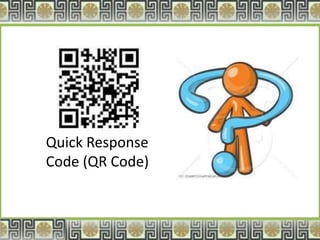
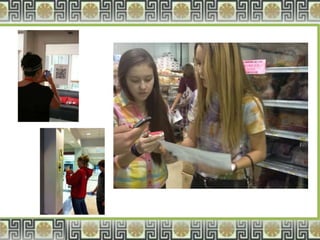
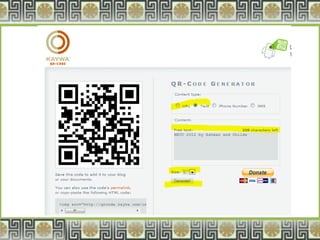
Quick Response
Code (QR Code)
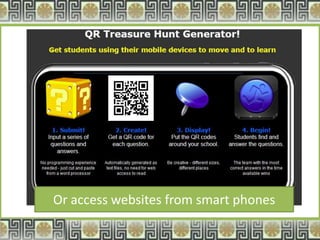
Or access websites from smart phones
Reflection
                     Objective:
learn how to integrate technology in in-class and
  out-of-class activities with hands-on practice.

             Essential question:
what tools do I use and how to use the tools to
               design activities?
&

Chinese teacher workshop march 12 by confucius institute

  • 1.
    Technology in the ChineseClass 電腦在中文教學之應用 Lily Childs 林桂秀 (lchilds@micds.org) Chinese teacher, MICDS Teacher’s workshop 2012 organized by Confucius Institute By Lily Childs for CI 2012
  • 2.
    Objective: learn how tointegrate technology in in-class and out-of-class activities with hands-on practice. Essential question: what tools do I use and how to use the tools to design activities?
  • 3.
    Reward: there are 15free tools for you to take home. Each tool is a task to be completed during the workshop. Each is worth of points from 3P to 5P. You can earn max. of 60 points with the bonus. Winner(s) gets a gift.
  • 4.
    Technology integration Technology cannot replace the role of the teachers. The use of computers does not devalue the traditional approach of writing on the board, using flash cards, etc. Computers are tools that bridge learning in the 21st century global community.
  • 5.
    Web 2.0 –files Dropbox Web 2.0 – class site 怎么打中文 Google sites Web 2.0 Online Chinese keyboard
  • 6.
    Microsoft Activity Microsoft Activity Board game Jeopardy Web 2.0 - SP Web 2.0 - vocab Studystack Quizlet, Quia
  • 7.
    Web 2.0 Web 2.0 VoiceThread Voki Web 2.0 Lingtlanguage
  • 8.
    Web 2.0 -animation Web 2.0 - video Go Animate Animoto Web 2.0 Web 2.0 - cellphone Screen Capture QR Code
  • 9.
    Please complete thefollowing tasks. Each is worth of different points. Please get the Secret Stamp from me to validate your points. Whoever gets the highest score will earn a small gift as a reward. This worksheet belongs to: ___________________ 1. PPT Monopoly board game: design 2. Jeopardy Game: design a Jeopardy 3. Quizlet/Quia: design a vocabulary a simple monopoly game in Chinese game in Chinese with Microsoft PPT. game with 5 new words in Chinese. including options of “go back” and “move forward”. * Attach the file on the Google site. * Attach the file on the Google Site. * Provide links on the Google Site. ______ / 3分 ______ / 4 分 ______ / 5分 4. Voki: create a voki. 5. VoiceThread: create a thread with 6. LingtLanguage: create a question- a picture and recording. answer activity. * Attach the link on the Google site. * Attach the link on on the Google * Attach the link on the Google Site. Site. ______ / 3分 ______ / 4 分 ______ / 5分 Two-sided worksheet
  • 10.
    7. Go animate(text to animation): 8. Screen Capture: capture a screen 9. Animoto: create a slide show of few create a simple animation in Chinese and save it on the desktop pictures * Attach the link on the Google site. * Attach the image on the Google Site. * Provide links on the Google Site. ______ / 3分 ______ / 4 分 ______ / 5分 10. Virtual online Chinese keyboard: 11. Dropbox: create an account and 12. Google site: leave a comment for save all images/files you created here another teacher in the workshop. in the public folder. * Attach the link on the Google site. * Show your comment on the Google * Display Chinese on your page of the Site. Google Site. ______ / 3分 ______ / 4 分 ______ / 5分 Bonus: you can add 6 points to your total for your attendance. Max. points are 60 for this worksheet. I (we ) earn _______ P / 60P, including the bonus.
  • 11.
    Web 2.0 –files Dropbox Web 2.0 – class site 怎么打中文 Google sites Web 2.0 Online Chinese keyboard
  • 12.
    Share files andaccess files
  • 13.
  • 14.
    Virtual Keyboard inChinese: http://gate2home.com/Chinese-Keyboard
  • 15.
    Microsoft Activity Microsoft Activity Board game Jeopardy Web 2.0 – SP, vocab Web 2.0 - vocab Studystack Quizlet, Quia
  • 16.
    Take 你平常 Make a an 很忙吗? sentence with extra turn. 作业多吗? 所以 你平常 START 在哪儿 Go back kaishi 写功课? Make a 你昨天 你平常 sentence with END Take the 吃晚饭以后 几点睡觉? 然后 jieshu Short cut 做什么? 你第一节 Move 说:我赢了。 ying/ 上什么课? Miss one back (I won.) or turn. 1 space. 我输了 shu: lost Introduce your Make a Make a Chinese buddy Miss sentence with Take the sentence with to the class one turn. 有时候 Short cut 只 + Verb (name, age, grade level, 住在…) 你平常 Prompt: ask 你等一下上 今天你有 Move ahead Prompt: call your 周末 friend using friend out: what 什么课? 几门课? 1 space. 喂,我就是 to do. Confirm 做什么? where and when By Lily Childs for METC 2012
  • 18.
  • 19.
  • 20.
    Example taken fromthe website.
  • 21.
    Example taken fromLilyChilds website (www.quia.com) By the for METC 2012
  • 24.
    Web 2.0 Web 2.0 VoiceThread Voki Web 2.0 Lingtlanguage
  • 25.
  • 26.
  • 28.
    Web 2.0 -animation Web 2.0 - video Go Animate Animoto Web 2.0 Web 2.0 - cellphone Screen Capture QR Code
  • 29.
    http://www.techsmith.com/jing.html By Lily Childs for METC 2012
  • 30.
    http://goanimate.com/videomaker By Lily Childs for METC 2012
  • 31.
    (Quick slide showbuilding site) http://animoto.com
  • 32.
  • 35.
    Or access websitesfrom smart phones
  • 36.
    Reflection Objective: learn how to integrate technology in in-class and out-of-class activities with hands-on practice. Essential question: what tools do I use and how to use the tools to design activities?
  • 37.