Is Technology a Bother to Fundraising or is it Essential? September 2009 Jay B. Love  CEO eTapestry Division of Blackbaud
A Quick Survey What do you check first after lunch? How many have: cell phone  b. email account  c. Facebook/LinkIn/My Space account  d.  Twitter  account  e.  Your own blog or podcast What is your Home Page on the Internet? a.  Search engine  b. “my page” on a search engine  c.  Facebook  d. NPO/Corp page  e. Arch of Chicago  f .  Other application Do any of your clients want to tap into the Web?
 
 
Know the Difference How To Succeed Online
The Rules Still Apply (It’s all about relationships… not technology)
Use All Your Tools  Together An Integrated Strategy In Person Meetings Phone Events Blogs Text Messaging Social Networking Sites Your Web Site E-Mail Print Other Tools
A Quick Survey What % of your names have email addresses How many collect them on Web Site?  Where? How often do you communicate via mass email? Do you have a written email strategy?
Copyright 2002 -  Gilbert Research
15% to 20% of all corporate email is marked as spam 19% is the average open-rate for nonprofit emails 4% is the average conversion rate for nonprofit emails 40% of email clickthroughs are lost at the landing page 50% of people will open an email in the first 9 hours 75% of all email is spam Sources: MarketingSherpa, Nonprofit Times, ClickZ, Wired, Blackbaud Key Facts and Figures
Why Has Email Become So Important? People are busy…they want to  communicate/interact on their  own time Email is inexpensive…or at least it  seems that way Email provides virtually instant access  to friends and supporters Email is a great equalizer Email is measurable
Reads email before snail mail More comfortable online Busy, satisfies interests on own schedule Expects information to be personalized Expects immediate feedback Demands information on progress/ stewardship Wants a way to share  experiences with others online Today’s Supporter
You must be relevant! You must be meaningful! You must be personal! The Market is Noisy
No Email List? No Problem…  Whether you have some contacts or are starting from scratch, anyone can grow a strong email list   The three most important factors in effective email list-building are: Where and how you acquire the addresses How you welcome each new subscriber  How you manage the relationship after the opt-in Source: EmailLabs
Grow Your List Online Direct staff and other close  supporters (board, volunteers, etc.)  to include subscription  links in email signatures Use Search Engine Optimization/ Marketing to increase traffic and  subscriptions Investigate alliances or partnerships with similar or complementary organizations to reach common supporters Advertise your newsletter/services/cause through a 3 rd  party list
Grow Your List Offline Ask for email addresses at  every touch point Instruct staff to capture email  addresses over phone when  appropriate  Include your website address  on all printed materials Offer an incentive to register (contest, raffle) to  collect emails
Now that I have permission… Hook them early, and keep them  engaged over time Optimize the welcome message Send follow up message within a  week (or less) After a few months of active email, survey lists to see if you are meeting expectations
Why Segmentation is Important Segmentation breaks your  audience into manageable parts If the goal is building relationships,  it helps to know who you are talking to  Segmenting your list will lead to more targeted messages If you don’t segment, you are treating every one of your recipients like they are the exact same type of person
How to be a Good Sender In your messages, always include: The purpose; why you are sending it to the  reader A clear way to unsubscribe.  Consider offering alternative ways to receive  emails, such as: Receiving newsletters monthly vs. weekly Change of address (home vs. business email) Sign up via RSS Link to your homepage Privacy policy Physical/street address of your organization Don’t get caught in spamtraps
How Important is that Header? 80% of respondents decide whether  to click on the "Report Spam" or  "Junk" button without opening the  actual message 73% based that decision on the "From" name 69% percent based the decision on the subject line Source: 2007 Email Sender and Provider Coalition (ESPC) study
Use Landing Pages to Increase Conversions So I got them to click…now what? Landing pages are a natural extension of email, regardless of message The goal of most landing pages is to persuade a visitor to complete a transaction Landing page effectiveness is measured by conversion rate You should test landing page elements like you would test email or direct mail
Example Landing Page
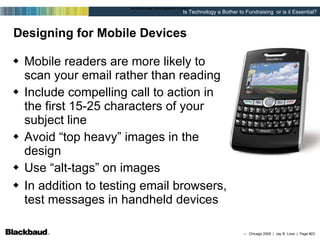
Designing for Mobile Devices Mobile readers are more likely to scan your email rather than reading Include compelling call to action in the first 15-25 characters of your subject line Avoid “top heavy” images in the design Use “alt-tags” on images In addition to testing email browsers, test messages in handheld devices Designing the email (html)
The Final Step is to Test Determine which elements you want to test Determine which segments you want to test Determine how large your sample size will be   Determine how you will keep track of results Determine method of testing you want to use
Deliverability  =  Open Rate  =  Clickthrough Rate  = Unsubscribe Rate  =  Conversion Rate  = or   The Metrics that Matter  Source: Email Marketing by the NUM8ERS # Unsubscribes   (Sent – Bounced) # Unique Clicks (Sent – Bounced) # Unique Opens (Sent – Bounced) (# Sent – Bounced) # Sent # Actions Completed   (Sent – Bounced) # Actions Completed   Unique Responders (Clicks)
 
A Few Email Design & Usage Tips Keep truly important items above the  fold Use  testimonials  on all sign-up pages Ask subscribers to add your from address to their address book Host images on your web site rather than embedding them  Links to resources and to special landing pages on your web site are powerful  (Especially  “tell a friend”  functions) Develop  your own writing style  that readers will learn to love (people adore stories, so tell many . . . )
10 Tactics for Avoiding Spam Filters Use a commercial email service (database tie in is best) Don’t use  bright   or  crazy fonts Do not yell with ALL CAPS or NUMEROUS  !!!!!!!!!!!!! Avoid words like “free”, “mortgage”, “enlarge”, “act now”, etc Make sure your WYSIWYG editor creates CLEAN HTML code Keep graphics to a safe level, equal amount of text or more Spell words properly Always use the same “From”  ALWAYS include an “opt out” option Communicate regularly (Monthly at worst, weekly is best)
Professional Email is Economical 5,000 emails $99  .02 25,000 emails $400  .016 50,000 emails $650  .013 100,000 emails $1000  .01 250,000 emails $2000  .008 500,000 emails $2500  .005 Plus 3 - 20 times the success in delivery!


Use All Your Tools  Together An Integrated Strategy In Person Meetings Phone Events Blogs Text Messaging Social Networking Sites Your Web Site E-Mail Print Other Tools
“ There’s no better, faster, easier and cheaper place to gather folks of like minds than a Web site.” Carrie Johnson, Senior Analyst Forrester Internet Research
You’ve built a website… … will they come?
They’re at your website, now what do they do? Can they engage? Can they add content? Is there a reason to return? Your goal – to get something from them!
1. Learn from your content (Start with Google Analytics to see how many unique visitors you have, how they found you, what they viewed, where they stayed the longest, and what content produced actions.)   2. Make your content easy to consume (Always offer RSS feeds in addition to various subscribe options.  Make sure they are easy to find and use.)   3. Make your content ever changing   (Be brave enough to blog, show responses, share viewpoints, and utilize forums.  New information needs to be added daily or weekly by you and your community.  Why do you think millions go to Facebook or Twitter by the minute.)   4. Make your site easy to find (Every NPO and those serving NPO’s should have a social web presence.  Facebook, MySpace, LinkedIn, YouTube, Twitter and Flickr are your outposts linking back to the web site hub!) Keys to Building a Successful Web Site
 
Email Strategy at Work!
 
 
How about a $2,500 Web Site!
Question: Should a Non Profit host it’s own web site?
Keeping it simple Prospect Website Gather Information Use Email Database Database
Tips on Improving On-Line Donations/Sign-ups Use large and colorful donate/sign-up buttons  Do not take them away from your site Have SSL in place! Ruthlessly streamline forms Give visitors only ONE action to take Avoid distractions (no other links or navigation)  Always mention the NPO’s mission Be conservative with suggested gift values Landing on Gold - Optimizing Your Donation Landing Pages to Increase Giving  Donordigital April 2009


April 2009 Data comScore Video Metrix Service 78.6% of total U.S. Internet audience viewed online video .  Average video viewer watched 385 minutes of video, or 6.4 hours  107.1 million viewers watched 6.8 billion videos on YouTube.com (63.5 videos per viewer)  49 million viewers watched 387 million videos on MySpace.com (7.9 videos per viewer) The duration of the average online video was 3.5 minutes
Video is a  Magnet for Your  Web Site! “Most viral video of all time!”   Could her story be told in any  other manner as strongly?
 
 
Blog MySpace Facebook YouTube Twitter eNews
 
“ NY Times Web Site Story”
“ Web Site Story Continued” Gift for Promotion charity: water * 11 Employees * 875,000 Followers  on Twitter * 500 Donors Cover all Admin Costs * Donors can Locate Their Well on Web via Google Earth
“ Web Site Story Continued” charity: water * Raised $250,000 via Twitterfest *  Raised $965,000 via Sept. Birthdays * Tons of Video  * Easy to Engage * Giving is Joyous * Infectious with Youth/Boomers!


charity: water Was the $250,000 raised via Twitter the key fact? Was the $975,000 raised from Sept. birthdays the key fact? Is the way they have harnessed web/video technology the key? How about how they show impact via Google Earth?  Communicating daily w/ 875,000+ followers!
Use All Your Tools  Together An Integrated Strategy In Person Meetings Phone Events Blogs Text Messaging Social Networking Sites Your Web Site E-Mail Print Other Tools


Podcasts  
Some Thoughts to Ponder on Social Networks   “ My own "ah ha!" moment came recently on my birthday. In my personal email account, I found 33 notifications from Facebook that friends had left birthday greetings on my Facebook page, but only two regular emails with birthday greetings.”  (54 yr old male) “ Most interactions now come from my social networks. Not only do my birthday greetings come via Facebook and Twitter, but almost all of them were made where other people could see them. Those public greetings prompted several others to add their own.”  (52 yr old female) “ Email messaging — the main tool of most nonprofits for "push" marketing — will need to meet a higher and higher bar in terms of relevance, or it will be increasingly ignored.”  (61 yr old male)
More Thoughts on Social Networks . . . “ When I was in sixth grade, I was crazy about the girl who sat next to me, but I didn't think she could possibly have the same feelings about me. When Mrs. Green changed everyone's seats, the girl sent me a note through an intermediary, Sherry, who was now sitting next to me. The note said, "Do you like me?" I turned around and saw her sheepishly smiling. After recovering from a brief but intense panic attack, I sent back a note that told her I did. Ah, first love!” “Last week I got another note from her. This time the intermediary was not Sherry, though. It was  Facebook .” “ Facebook  is affecting my life in ways I wouldn't have imagined just a few short months ago. In addition to the innocent hello from my first flame, I have had a dialogue with a cousin I haven't seen in 25 years.” “ When you think about the metrics that matter most to people -- audience reach, composition and engagement -- you realize that there is no site in the world that will be able to compete with  Facebook  in delivering results!”   Kevin Mannion, On-Line Publishing, February , 2009


Facebook Is Aging Fast! The over 35 group doubled in the last 60 days . . . Women over 55 are the fastest growing segment  . . . (Sharing is vital to them) Facebook has new landing pages for creating private groups . . . Communication opportunities?
2009 Facebook Demographic and Statistics Report The most troubling statistics we’ve seen are that there are 16.5% less high school users, and 21.7% less college users. There have been rumors that these younger user groups are being  alienated by their parents joining the service , and this data seems to prove it.


Social Networks Hints for Success It is not FREE, resources are required  Being present is not enough, engage Be authentic, otherwise you will be exposed fast Integrate, don’t imitate other mediums Endorsements matter, think forwarded emails! Measure  Have something to say, must be regular or it dies fast Stephanie Miller, Email Insider, 2009
 
Questions?
Thank you! Jay B. Love CEO eTapestry Division Blackbaud [email_address]
Five Things You Can Do Tomorrow
Five Things You Can Do Tomorrow  Audit one of your emails for the four Ps.  Is your value proposition clear? How about Place and Price?  (If you want someone to do something, you  need these!) Right Now 1
Five Things You Can Do Tomorrow  Plan a single item to test in your  next email.  (Hint: The subject line is easy and  sometimes has dramatic results!) Right Now 2
Five Things You Can Do Tomorrow  Run your next (or last) email through a  free spam audit like  spamcheck.sitesell.com ( bonus : Check your next (or last) email in a  different browser.) Right Now 3
Five Things You Can Do Tomorrow  Write (or rewrite) your welcome email. Does it offer something or motivate  a next action? Right Now 4
Five Things You Can Do Tomorrow  Create a new segment to test in your  next campaign. Try a completely unique message to  people who have given their email  address but never taken action. Right Now 5

Chicago Arch 2009

  • 1.
    Is Technology aBother to Fundraising or is it Essential? September 2009 Jay B. Love CEO eTapestry Division of Blackbaud
  • 2.
    A Quick SurveyWhat do you check first after lunch? How many have: cell phone b. email account c. Facebook/LinkIn/My Space account d. Twitter account e. Your own blog or podcast What is your Home Page on the Internet? a. Search engine b. “my page” on a search engine c. Facebook d. NPO/Corp page e. Arch of Chicago f . Other application Do any of your clients want to tap into the Web?
  • 3.
  • 4.
  • 5.
    Know the DifferenceHow To Succeed Online
  • 6.
    The Rules StillApply (It’s all about relationships… not technology)
  • 7.
    Use All YourTools Together An Integrated Strategy In Person Meetings Phone Events Blogs Text Messaging Social Networking Sites Your Web Site E-Mail Print Other Tools
  • 8.
    A Quick SurveyWhat % of your names have email addresses How many collect them on Web Site? Where? How often do you communicate via mass email? Do you have a written email strategy?
  • 9.
    Copyright 2002 - Gilbert Research
  • 10.
    15% to 20%of all corporate email is marked as spam 19% is the average open-rate for nonprofit emails 4% is the average conversion rate for nonprofit emails 40% of email clickthroughs are lost at the landing page 50% of people will open an email in the first 9 hours 75% of all email is spam Sources: MarketingSherpa, Nonprofit Times, ClickZ, Wired, Blackbaud Key Facts and Figures
  • 11.
    Why Has EmailBecome So Important? People are busy…they want to communicate/interact on their own time Email is inexpensive…or at least it seems that way Email provides virtually instant access to friends and supporters Email is a great equalizer Email is measurable
  • 12.
    Reads email beforesnail mail More comfortable online Busy, satisfies interests on own schedule Expects information to be personalized Expects immediate feedback Demands information on progress/ stewardship Wants a way to share experiences with others online Today’s Supporter
  • 13.
    You must berelevant! You must be meaningful! You must be personal! The Market is Noisy
  • 14.
    No Email List?No Problem… Whether you have some contacts or are starting from scratch, anyone can grow a strong email list The three most important factors in effective email list-building are: Where and how you acquire the addresses How you welcome each new subscriber How you manage the relationship after the opt-in Source: EmailLabs
  • 15.
    Grow Your ListOnline Direct staff and other close supporters (board, volunteers, etc.) to include subscription links in email signatures Use Search Engine Optimization/ Marketing to increase traffic and subscriptions Investigate alliances or partnerships with similar or complementary organizations to reach common supporters Advertise your newsletter/services/cause through a 3 rd party list
  • 16.
    Grow Your ListOffline Ask for email addresses at every touch point Instruct staff to capture email addresses over phone when appropriate Include your website address on all printed materials Offer an incentive to register (contest, raffle) to collect emails
  • 17.
    Now that Ihave permission… Hook them early, and keep them engaged over time Optimize the welcome message Send follow up message within a week (or less) After a few months of active email, survey lists to see if you are meeting expectations
  • 18.
    Why Segmentation isImportant Segmentation breaks your audience into manageable parts If the goal is building relationships, it helps to know who you are talking to Segmenting your list will lead to more targeted messages If you don’t segment, you are treating every one of your recipients like they are the exact same type of person
  • 19.
    How to bea Good Sender In your messages, always include: The purpose; why you are sending it to the reader A clear way to unsubscribe. Consider offering alternative ways to receive emails, such as: Receiving newsletters monthly vs. weekly Change of address (home vs. business email) Sign up via RSS Link to your homepage Privacy policy Physical/street address of your organization Don’t get caught in spamtraps
  • 20.
    How Important isthat Header? 80% of respondents decide whether to click on the "Report Spam" or "Junk" button without opening the actual message 73% based that decision on the "From" name 69% percent based the decision on the subject line Source: 2007 Email Sender and Provider Coalition (ESPC) study
  • 21.
    Use Landing Pagesto Increase Conversions So I got them to click…now what? Landing pages are a natural extension of email, regardless of message The goal of most landing pages is to persuade a visitor to complete a transaction Landing page effectiveness is measured by conversion rate You should test landing page elements like you would test email or direct mail
  • 22.
  • 23.
    Designing for MobileDevices Mobile readers are more likely to scan your email rather than reading Include compelling call to action in the first 15-25 characters of your subject line Avoid “top heavy” images in the design Use “alt-tags” on images In addition to testing email browsers, test messages in handheld devices Designing the email (html)
  • 24.
    The Final Stepis to Test Determine which elements you want to test Determine which segments you want to test Determine how large your sample size will be Determine how you will keep track of results Determine method of testing you want to use
  • 25.
    Deliverability = Open Rate = Clickthrough Rate = Unsubscribe Rate = Conversion Rate = or The Metrics that Matter Source: Email Marketing by the NUM8ERS # Unsubscribes (Sent – Bounced) # Unique Clicks (Sent – Bounced) # Unique Opens (Sent – Bounced) (# Sent – Bounced) # Sent # Actions Completed (Sent – Bounced) # Actions Completed Unique Responders (Clicks)
  • 26.
  • 27.
    A Few EmailDesign & Usage Tips Keep truly important items above the fold Use testimonials on all sign-up pages Ask subscribers to add your from address to their address book Host images on your web site rather than embedding them Links to resources and to special landing pages on your web site are powerful (Especially “tell a friend” functions) Develop your own writing style that readers will learn to love (people adore stories, so tell many . . . )
  • 28.
    10 Tactics forAvoiding Spam Filters Use a commercial email service (database tie in is best) Don’t use bright or crazy fonts Do not yell with ALL CAPS or NUMEROUS !!!!!!!!!!!!! Avoid words like “free”, “mortgage”, “enlarge”, “act now”, etc Make sure your WYSIWYG editor creates CLEAN HTML code Keep graphics to a safe level, equal amount of text or more Spell words properly Always use the same “From” ALWAYS include an “opt out” option Communicate regularly (Monthly at worst, weekly is best)
  • 29.
    Professional Email isEconomical 5,000 emails $99 .02 25,000 emails $400 .016 50,000 emails $650 .013 100,000 emails $1000 .01 250,000 emails $2000 .008 500,000 emails $2500 .005 Plus 3 - 20 times the success in delivery!
  • 30.
  • 31.
  • 32.
  • 33.
  • 34.
    Use All YourTools Together An Integrated Strategy In Person Meetings Phone Events Blogs Text Messaging Social Networking Sites Your Web Site E-Mail Print Other Tools
  • 35.
    “ There’s nobetter, faster, easier and cheaper place to gather folks of like minds than a Web site.” Carrie Johnson, Senior Analyst Forrester Internet Research
  • 36.
    You’ve built awebsite… … will they come?
  • 37.
    They’re at yourwebsite, now what do they do? Can they engage? Can they add content? Is there a reason to return? Your goal – to get something from them!
  • 38.
    1. Learn fromyour content (Start with Google Analytics to see how many unique visitors you have, how they found you, what they viewed, where they stayed the longest, and what content produced actions.) 2. Make your content easy to consume (Always offer RSS feeds in addition to various subscribe options. Make sure they are easy to find and use.) 3. Make your content ever changing (Be brave enough to blog, show responses, share viewpoints, and utilize forums. New information needs to be added daily or weekly by you and your community. Why do you think millions go to Facebook or Twitter by the minute.) 4. Make your site easy to find (Every NPO and those serving NPO’s should have a social web presence. Facebook, MySpace, LinkedIn, YouTube, Twitter and Flickr are your outposts linking back to the web site hub!) Keys to Building a Successful Web Site
  • 39.
  • 40.
  • 41.
  • 42.
  • 43.
    How about a$2,500 Web Site!
  • 44.
    Question: Should aNon Profit host it’s own web site?
  • 45.
    Keeping it simpleProspect Website Gather Information Use Email Database Database
  • 46.
    Tips on ImprovingOn-Line Donations/Sign-ups Use large and colorful donate/sign-up buttons Do not take them away from your site Have SSL in place! Ruthlessly streamline forms Give visitors only ONE action to take Avoid distractions (no other links or navigation) Always mention the NPO’s mission Be conservative with suggested gift values Landing on Gold - Optimizing Your Donation Landing Pages to Increase Giving Donordigital April 2009
  • 47.
  • 48.
  • 49.
  • 50.
    April 2009 DatacomScore Video Metrix Service 78.6% of total U.S. Internet audience viewed online video . Average video viewer watched 385 minutes of video, or 6.4 hours 107.1 million viewers watched 6.8 billion videos on YouTube.com (63.5 videos per viewer) 49 million viewers watched 387 million videos on MySpace.com (7.9 videos per viewer) The duration of the average online video was 3.5 minutes
  • 51.
    Video is a Magnet for Your Web Site! “Most viral video of all time!” Could her story be told in any other manner as strongly?
  • 52.
  • 53.
  • 54.
    Blog MySpace FacebookYouTube Twitter eNews
  • 55.
  • 56.
    “ NY TimesWeb Site Story”
  • 57.
    “ Web SiteStory Continued” Gift for Promotion charity: water * 11 Employees * 875,000 Followers on Twitter * 500 Donors Cover all Admin Costs * Donors can Locate Their Well on Web via Google Earth
  • 58.
    “ Web SiteStory Continued” charity: water * Raised $250,000 via Twitterfest * Raised $965,000 via Sept. Birthdays * Tons of Video * Easy to Engage * Giving is Joyous * Infectious with Youth/Boomers!
  • 59.
  • 60.
  • 61.
  • 62.
  • 63.
    charity: water Wasthe $250,000 raised via Twitter the key fact? Was the $975,000 raised from Sept. birthdays the key fact? Is the way they have harnessed web/video technology the key? How about how they show impact via Google Earth? Communicating daily w/ 875,000+ followers!
  • 64.
    Use All YourTools Together An Integrated Strategy In Person Meetings Phone Events Blogs Text Messaging Social Networking Sites Your Web Site E-Mail Print Other Tools
  • 65.
  • 66.
  • 67.
  • 68.
  • 69.
  • 70.
  • 71.
  • 72.
    Some Thoughts toPonder on Social Networks “ My own "ah ha!" moment came recently on my birthday. In my personal email account, I found 33 notifications from Facebook that friends had left birthday greetings on my Facebook page, but only two regular emails with birthday greetings.” (54 yr old male) “ Most interactions now come from my social networks. Not only do my birthday greetings come via Facebook and Twitter, but almost all of them were made where other people could see them. Those public greetings prompted several others to add their own.” (52 yr old female) “ Email messaging — the main tool of most nonprofits for "push" marketing — will need to meet a higher and higher bar in terms of relevance, or it will be increasingly ignored.” (61 yr old male)
  • 73.
    More Thoughts onSocial Networks . . . “ When I was in sixth grade, I was crazy about the girl who sat next to me, but I didn't think she could possibly have the same feelings about me. When Mrs. Green changed everyone's seats, the girl sent me a note through an intermediary, Sherry, who was now sitting next to me. The note said, "Do you like me?" I turned around and saw her sheepishly smiling. After recovering from a brief but intense panic attack, I sent back a note that told her I did. Ah, first love!” “Last week I got another note from her. This time the intermediary was not Sherry, though. It was Facebook .” “ Facebook is affecting my life in ways I wouldn't have imagined just a few short months ago. In addition to the innocent hello from my first flame, I have had a dialogue with a cousin I haven't seen in 25 years.” “ When you think about the metrics that matter most to people -- audience reach, composition and engagement -- you realize that there is no site in the world that will be able to compete with Facebook in delivering results!” Kevin Mannion, On-Line Publishing, February , 2009
  • 74.
  • 75.
  • 76.
  • 77.
  • 78.
  • 79.
  • 80.
  • 81.
  • 82.
    Facebook Is AgingFast! The over 35 group doubled in the last 60 days . . . Women over 55 are the fastest growing segment . . . (Sharing is vital to them) Facebook has new landing pages for creating private groups . . . Communication opportunities?
  • 83.
    2009 Facebook Demographicand Statistics Report The most troubling statistics we’ve seen are that there are 16.5% less high school users, and 21.7% less college users. There have been rumors that these younger user groups are being alienated by their parents joining the service , and this data seems to prove it.
  • 84.
  • 85.
  • 86.
  • 87.
  • 88.
  • 89.
  • 90.
  • 91.
  • 92.
  • 93.
    Social Networks Hintsfor Success It is not FREE, resources are required Being present is not enough, engage Be authentic, otherwise you will be exposed fast Integrate, don’t imitate other mediums Endorsements matter, think forwarded emails! Measure Have something to say, must be regular or it dies fast Stephanie Miller, Email Insider, 2009
  • 94.
  • 95.
  • 96.
    Thank you! JayB. Love CEO eTapestry Division Blackbaud [email_address]
  • 97.
    Five Things YouCan Do Tomorrow
  • 98.
    Five Things YouCan Do Tomorrow Audit one of your emails for the four Ps. Is your value proposition clear? How about Place and Price? (If you want someone to do something, you need these!) Right Now 1
  • 99.
    Five Things YouCan Do Tomorrow Plan a single item to test in your next email. (Hint: The subject line is easy and sometimes has dramatic results!) Right Now 2
  • 100.
    Five Things YouCan Do Tomorrow Run your next (or last) email through a free spam audit like spamcheck.sitesell.com ( bonus : Check your next (or last) email in a different browser.) Right Now 3
  • 101.
    Five Things YouCan Do Tomorrow Write (or rewrite) your welcome email. Does it offer something or motivate a next action? Right Now 4
  • 102.
    Five Things YouCan Do Tomorrow Create a new segment to test in your next campaign. Try a completely unique message to people who have given their email address but never taken action. Right Now 5

Editor's Notes

  • #13 In summary, online communication has created a new kind of donor. Organizations that interactively interface with their constituents find it easier to cultivate their affinity for their mission and organization. Today’s donor is more comfortable online and needs information --they read email before snail mail; they expect personalized information that’s immediate and available to them on their own schedule.
  • #14 Traditional methods of communication are overused and people are becoming immune.
  • #22 Landing pages are a natural extension of email, regardless of message So what is a landing page? A web page that appears when a user clicks on a link in an email, online advertisement, etc. Also known as a “jump” page or a lead capture page. Will usually display content and imagery that is a logical extension of the original driver. The goal of most landing pages is to persuade a visitor to complete a transaction For promotional emails, landing pages give another opportunity to convince readers to take action. For informative or retention emails, landing pages are a great way to provide additional content without cluttering the email. Landing page effectiveness is most often measured by conversion rate Conversion rate = % of visitors who completed the desired action. You should test landing page elements like you would test email or direct mail Once you have a strong “control” package for the email (opens/clicks), work on the landing page. You should see an increase in conversions over time.
  • #24 Mobile messaging/reading is on the rise and mobile email users tend to be young and wealthy According to MarketingSherpa.com, "64% of key decision makers are viewing your carefully crafted email on their Blackberrys and other mobile devices ... And, chances are, your email looks downright awful.“
  • #28 Betsy - Sometimes a 4-page direct mail letter usually works greatt, but online - yeah, right! Online audiences generally younger Writing for online appeals need to be skimable Integrated Effort – Online, direct mail, in TM scripts…emphasize same theme
  • #29 Betsy - Sometimes a 4-page direct mail letter usually works greatt, but online - yeah, right! Online audiences generally younger Writing for online appeals need to be skimable Integrated Effort – Online, direct mail, in TM scripts…emphasize same theme
  • #36 The ePhilanthropy toolbox suggests many techniques and tools for online success. Each organization should develop a strategy that is flexible to its current needs while planning for the future. Those seeking to get started are well advised to complete these four basic steps before they begin deploying an expanded ePhilanthropy strategy: 1. Establish an Informative Website – options should be shared for low cost ‘build it yourself’ approaches (i.e. http://www.homestead.com/nonprofits) and for selecting a web vendor to build a website. For most organizations the emphasis should be on building an informative website and not simply on spending a lot for all the ‘bells and whistles’. As their strategy grows and matures so should their website. 2. Collect Email Addresses and communicate with those who opt in – The ePhilanthropy Code of Ethics requires that nonprofit organizations only communicate electronically with those who ‘opt in’ or subscribe to receive such communication, it should also be noted that all such communication is also required to offer the reader the option to ‘opt out’ or unsubscribe to future communication. 3. Offer the option of online giving (encrypted) It should be noted that simply offering the option of online giving will not raise money, but the online architecture and encryption technology to support it must be in place before such a strategy can be deployed. 4. Register with Guidestar.org – As has been pointed out in this presentation registration with Guidestar serves several purposes: It gives the organization the opportunity to ‘tell its story’ using the free services of Guidestar, in a way more complete and reader friendly than the IRS 990. This will improve the information provided by Guidestar to a number of websites that use the database to promote giving to nonprofits (I.e. Fidelity’s Charitable Gift Fund, Networkforgood.org and others) Those nonprofits that submit grant proposals to Foundations are very likely to have their information on Guidestar reviewed by that Foundation, improved information could increase the chance of grant awards.
  • #47 Betsy - Sometimes a 4-page direct mail letter usually works greatt, but online - yeah, right! Online audiences generally younger Writing for online appeals need to be skimable Integrated Effort – Online, direct mail, in TM scripts…emphasize same theme
  • #88 The ePhilanthropy toolbox suggests many techniques and tools for online success. Each organization should develop a strategy that is flexible to its current needs while planning for the future. Those seeking to get started are well advised to complete these four basic steps before they begin deploying an expanded ePhilanthropy strategy: 1. Establish an Informative Website – options should be shared for low cost ‘build it yourself’ approaches (i.e. http://www.homestead.com/nonprofits) and for selecting a web vendor to build a website. For most organizations the emphasis should be on building an informative website and not simply on spending a lot for all the ‘bells and whistles’. As their strategy grows and matures so should their website. 2. Collect Email Addresses and communicate with those who opt in – The ePhilanthropy Code of Ethics requires that nonprofit organizations only communicate electronically with those who ‘opt in’ or subscribe to receive such communication, it should also be noted that all such communication is also required to offer the reader the option to ‘opt out’ or unsubscribe to future communication. 3. Offer the option of online giving (encrypted) It should be noted that simply offering the option of online giving will not raise money, but the online architecture and encryption technology to support it must be in place before such a strategy can be deployed. 4. Register with Guidestar.org – As has been pointed out in this presentation registration with Guidestar serves several purposes: It gives the organization the opportunity to ‘tell its story’ using the free services of Guidestar, in a way more complete and reader friendly than the IRS 990. This will improve the information provided by Guidestar to a number of websites that use the database to promote giving to nonprofits (I.e. Fidelity’s Charitable Gift Fund, Networkforgood.org and others) Those nonprofits that submit grant proposals to Foundations are very likely to have their information on Guidestar reviewed by that Foundation, improved information could increase the chance of grant awards.
  • #94 Betsy - Sometimes a 4-page direct mail letter usually works greatt, but online - yeah, right! Online audiences generally younger Writing for online appeals need to be skimable Integrated Effort – Online, direct mail, in TM scripts…emphasize same theme