Ice Breaker with DevOps
Mukta Aphale, DevOps Architect
Hey DevOps, where do I start with you?!
Step 1: Make A Start!
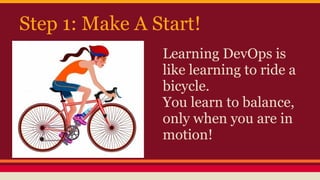
Learning DevOps is
like learning to ride a
bicycle.
You learn to balance,
only when you are in
motion!
Make A Start To Realise...
● DevOps replaces human tasks
● There are no limits to what you can
automate
● You will be creating Robots
● You need to be creative, innovative
● You need to be techy too
Step 2: Change
● Start with a clean slate
● Keep your past behind
● Be ready for change
● Understand you need to: learn-unlearn-
learn-repeat
● Keep your mind open
● Be proactive, you need to drive yourself
New Culture
● DevOps brings in a new culture
● You won't have any requirements
● You won't be given any design
● You won't be shown any problem
● A lot of ideas would be thrown at you
● And you would be called to help!
Step 3: Dehumanize!
● Follow the mantra: “Any task should be done only
once!”
● Start by writing small scripts to automate any task
you would have to do manually
● If it can't be scripted, document it
● The challenge should be: the 2nd time you have to
do the same task, it should take 10 times less time
than the first attempt!
Step 4: Understand Fundamentals
● DevOps is here to automate nearly
everything
● But you can start with some tasks which are
the bare minimum needs of DevOps
automation
● Next few slides will explain these
fundamental concepts
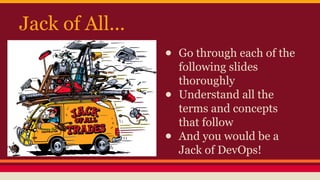
Jack of All...
● Go through each of the
following slides
thoroughly
● Understand all the
terms and concepts
that follow
● And you would be a
Jack of DevOps!
Master One Topic
● Pick up a topic that interests you more
● Take a deep dive into that topic to master
it!
Version Control
● Source Code Version Control
o Github is the most popular
● Keep in mind that “Version Control” can also
be applied to infrastructure, configuration
and databases, but this can be studied in
depth in later stages of your Learning &
Implementing DevOps!
Continuous Integration
CI enables early detection of problems in
integration. It includes several components,
explained further
●Automated Code Review
●Automated Code Analysis
●Build Tools
●Automated Unit Tests
●Automated Integration Tests
Automated Code Review and Analysis
● Dont go by the dull title. This is quite interesting when
implemented. It keeps the developer’s code on track and reduces
code quality issues!
● Tools like Gerrit can be used for setting up code review process
● Go through the concepts and explore the tools listed below
o Static Code Analysis
o Lint tools
o SonarQube
o JArchitect
o Codacy
o CodeClimate
Build Tools
Build tools convert source code to binary, create
executables (eg: jar), can run tests and create
documentation. Listed below are some popular build tools.
Understand any one build tool to know the intricacies of
building a project.
●Maven
●Gradle
●Ant
●make
Artifact Management Repository
● Artifacts are generated as a result of the builds. They can also
be called as “application” or “executables”
● Artifacts are also those libraries needed by the build (called
“dependencies”)
● We need to control the version of the dependencies
● We need to manage releases of the application
● Hence artifact management is important
● Explore the existing popular solutions:
o Artifactory (PaaS offering)
o Sonatype Nexus
CI Server
● Continuous Integration server can be
setup in-house or used as a PaaS solution.
● Try some hands-on with both CI servers
mentioned below
o Hosted Travis-CI
o Jenkins
Configuration Management
● This literally translates to “Infrastructure
Automation”
● Following are the 3 most popular CM
tools. Study 2 of them well.
o Ansible
o Puppet OR Chef
Continuous Delivery
CD is a natural extension to CI: Teams can
ensure that every change to the system is
releasable and that any version can be
released at the click of a button.
Release Management
● With the concepts we have learnt so far, you would realise that we would
end up with many versions of the build.
● We want to release the right versions, frequently, and get a feedback about
how it performs. This is release management.
● The solution to deployment and release management differs for every use
case.
○ CM tools like Ansible can be used
○ CI Server like Jenkins can be used
○ Capistrano is a standalone tool
● Understand theoretically how each of the above works. Note the
differences in each approach and which would be used in which use cases.
Monitoring
Application and System Monitoring are one
of the important tenets of DevOps. Explore
some of the tools below, try some hands-on:
●ELK Stack
●New Relic
●Server Density
Assignment: Setup a CI/CD Pipeline
● Create a HelloWorld project on github
● Use hosted Travis-CI as build server
● With every git push:
o HelloWorld build should be triggered in Travis-CI
o Run unit tests
o If they pass, save the build output to Nexus
o Trigger a playlist in Ansible, which will deploy the build to a another
machine
● With every successful deployment, relay the feedback (send emails)
● With a failure in any of the steps, send the feedback to the developer with
the details of failure
Are you ready to move deeper into DevOps?
● Document your understanding till now
● List down how you can better the CI/CD
pipeline
● List down what you think could also be
automated in your assignment
● Get set to take a deep dive into a topic that
you wish to master
Thanks!
You can get in touch with me:
Mkumar@whitehedge.com
Twitter: @manoharmanav

icebreakerwithdevops-150218112943-conversion-gate02

  • 1.
    Ice Breaker withDevOps Mukta Aphale, DevOps Architect
  • 2.
    Hey DevOps, wheredo I start with you?!
  • 3.
    Step 1: MakeA Start! Learning DevOps is like learning to ride a bicycle. You learn to balance, only when you are in motion!
  • 4.
    Make A StartTo Realise... ● DevOps replaces human tasks ● There are no limits to what you can automate ● You will be creating Robots ● You need to be creative, innovative ● You need to be techy too
  • 5.
    Step 2: Change ●Start with a clean slate ● Keep your past behind ● Be ready for change ● Understand you need to: learn-unlearn- learn-repeat ● Keep your mind open ● Be proactive, you need to drive yourself
  • 6.
    New Culture ● DevOpsbrings in a new culture ● You won't have any requirements ● You won't be given any design ● You won't be shown any problem ● A lot of ideas would be thrown at you ● And you would be called to help!
  • 7.
    Step 3: Dehumanize! ●Follow the mantra: “Any task should be done only once!” ● Start by writing small scripts to automate any task you would have to do manually ● If it can't be scripted, document it ● The challenge should be: the 2nd time you have to do the same task, it should take 10 times less time than the first attempt!
  • 8.
    Step 4: UnderstandFundamentals ● DevOps is here to automate nearly everything ● But you can start with some tasks which are the bare minimum needs of DevOps automation ● Next few slides will explain these fundamental concepts
  • 9.
    Jack of All... ●Go through each of the following slides thoroughly ● Understand all the terms and concepts that follow ● And you would be a Jack of DevOps!
  • 11.
    Master One Topic ●Pick up a topic that interests you more ● Take a deep dive into that topic to master it!
  • 12.
    Version Control ● SourceCode Version Control o Github is the most popular ● Keep in mind that “Version Control” can also be applied to infrastructure, configuration and databases, but this can be studied in depth in later stages of your Learning & Implementing DevOps!
  • 13.
    Continuous Integration CI enablesearly detection of problems in integration. It includes several components, explained further ●Automated Code Review ●Automated Code Analysis ●Build Tools ●Automated Unit Tests ●Automated Integration Tests
  • 14.
    Automated Code Reviewand Analysis ● Dont go by the dull title. This is quite interesting when implemented. It keeps the developer’s code on track and reduces code quality issues! ● Tools like Gerrit can be used for setting up code review process ● Go through the concepts and explore the tools listed below o Static Code Analysis o Lint tools o SonarQube o JArchitect o Codacy o CodeClimate
  • 15.
    Build Tools Build toolsconvert source code to binary, create executables (eg: jar), can run tests and create documentation. Listed below are some popular build tools. Understand any one build tool to know the intricacies of building a project. ●Maven ●Gradle ●Ant ●make
  • 16.
    Artifact Management Repository ●Artifacts are generated as a result of the builds. They can also be called as “application” or “executables” ● Artifacts are also those libraries needed by the build (called “dependencies”) ● We need to control the version of the dependencies ● We need to manage releases of the application ● Hence artifact management is important ● Explore the existing popular solutions: o Artifactory (PaaS offering) o Sonatype Nexus
  • 17.
    CI Server ● ContinuousIntegration server can be setup in-house or used as a PaaS solution. ● Try some hands-on with both CI servers mentioned below o Hosted Travis-CI o Jenkins
  • 18.
    Configuration Management ● Thisliterally translates to “Infrastructure Automation” ● Following are the 3 most popular CM tools. Study 2 of them well. o Ansible o Puppet OR Chef
  • 19.
    Continuous Delivery CD isa natural extension to CI: Teams can ensure that every change to the system is releasable and that any version can be released at the click of a button.
  • 20.
    Release Management ● Withthe concepts we have learnt so far, you would realise that we would end up with many versions of the build. ● We want to release the right versions, frequently, and get a feedback about how it performs. This is release management. ● The solution to deployment and release management differs for every use case. ○ CM tools like Ansible can be used ○ CI Server like Jenkins can be used ○ Capistrano is a standalone tool ● Understand theoretically how each of the above works. Note the differences in each approach and which would be used in which use cases.
  • 21.
    Monitoring Application and SystemMonitoring are one of the important tenets of DevOps. Explore some of the tools below, try some hands-on: ●ELK Stack ●New Relic ●Server Density
  • 22.
    Assignment: Setup aCI/CD Pipeline ● Create a HelloWorld project on github ● Use hosted Travis-CI as build server ● With every git push: o HelloWorld build should be triggered in Travis-CI o Run unit tests o If they pass, save the build output to Nexus o Trigger a playlist in Ansible, which will deploy the build to a another machine ● With every successful deployment, relay the feedback (send emails) ● With a failure in any of the steps, send the feedback to the developer with the details of failure
  • 23.
    Are you readyto move deeper into DevOps? ● Document your understanding till now ● List down how you can better the CI/CD pipeline ● List down what you think could also be automated in your assignment ● Get set to take a deep dive into a topic that you wish to master
  • 24.
    Thanks! You can getin touch with me: Mkumar@whitehedge.com Twitter: @manoharmanav