

CNIT 129S: Securing
Web Applications
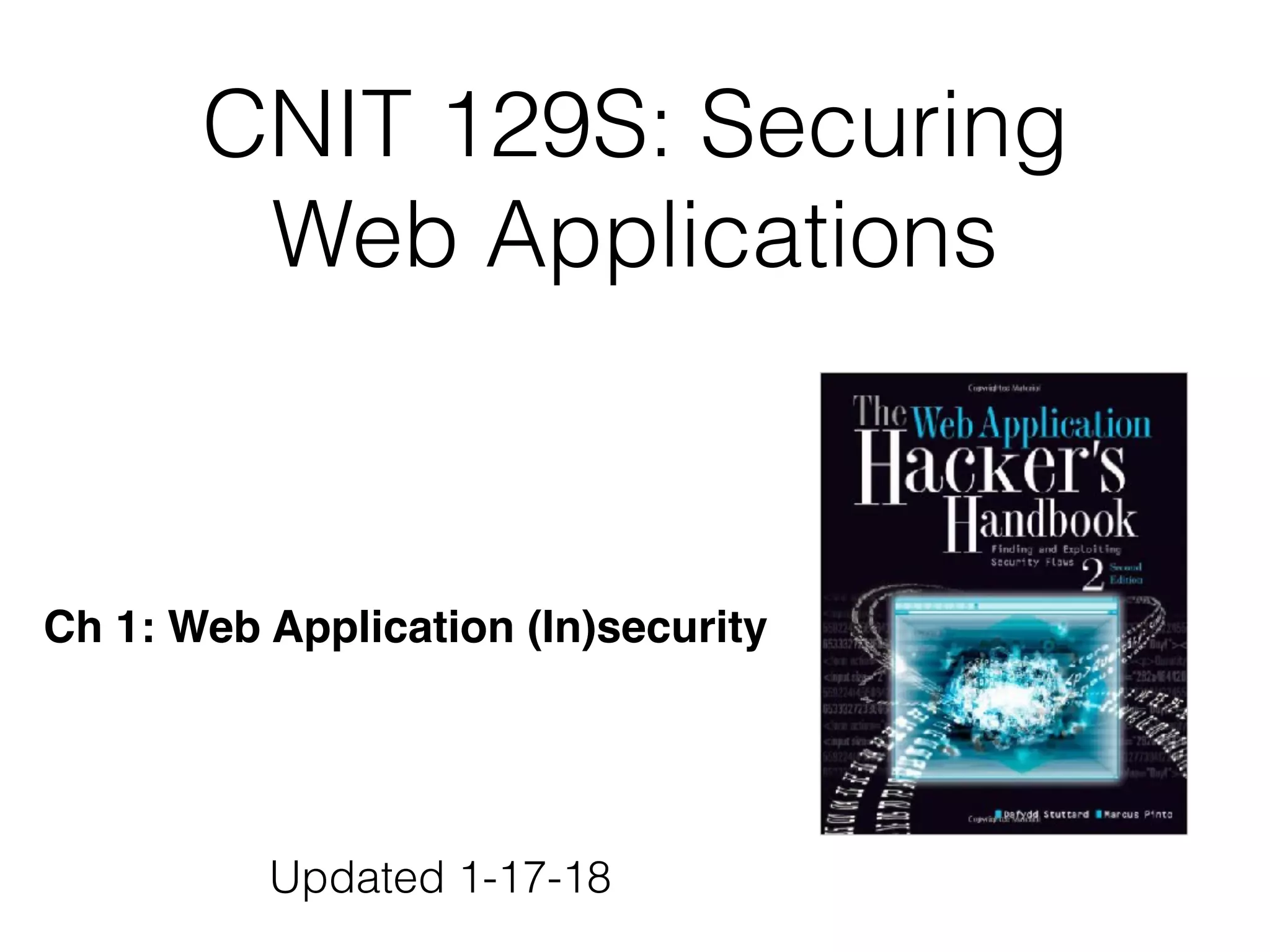
Ch 1: Web Application (In)security
Updated 1-17-18
Web Applications
• E-commerce, Social networks, Online
banking, etc.
• Fundamental security problem:
• Users can supply arbitrary input
• Malicious input can compromise the site
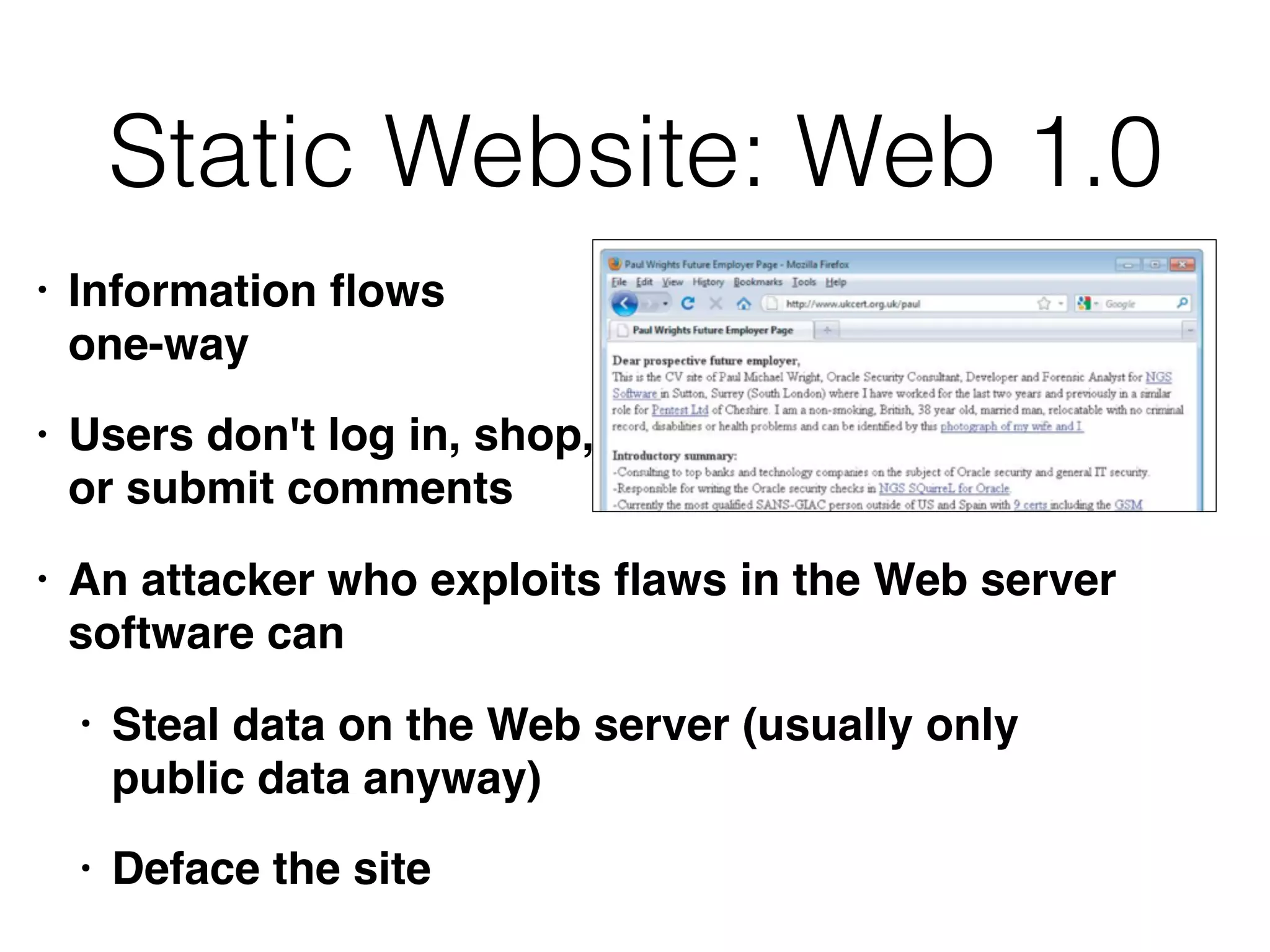
Static Website: Web 1.0
• Information flows 

one-way
• Users don't log in, shop, 

or submit comments
• An attacker who exploits flaws in the Web server
software can
• Steal data on the Web server (usually only
public data anyway)
• Deface the site
Modern Web App
• Two-way 

information flow
• Users log in, 

submit content
• Content dynamically generated and tailored for
each user
• Much data is sensitive and private (e.g. passwords)
• Most apps developed in-house
• Developers often naive about security
Common Web App
Functions
• Shopping (Amazon)
• Social networking (Facebook)
• Banking (Citibank)
• Web search (Google)
• Auctions (eBay)
• Gambling (Betfair)
• Web logs (Blogger)
• Web mail (Gmail)
• Interactive information (Wikipedia)
Internal Web Apps
("Cloud" Services)
• HR -- payroll information, performance reviews
• Admin interfaces to servers, VMs, workstations
• Collaboration software (SharePoint)
• Enterprise Resource Planning (ERP)
• Email web interfaces (Outlook Web Access)
• Office apps (Google Apps, MS Office Live)
Benefits of Web Apps
• HTTP is lightweight and connectionless
• Resilient in event of communications errors
• Can be proxied and tunneled over other
protocols
• Web browsers run on many devices, highly
functional, easy to use
• Many platforms and development tools available
Web App Security
• Breaches are common
• Attackers gets sensitive data, possibly
complete control of back-end systems
• Denial of Service at Application Level
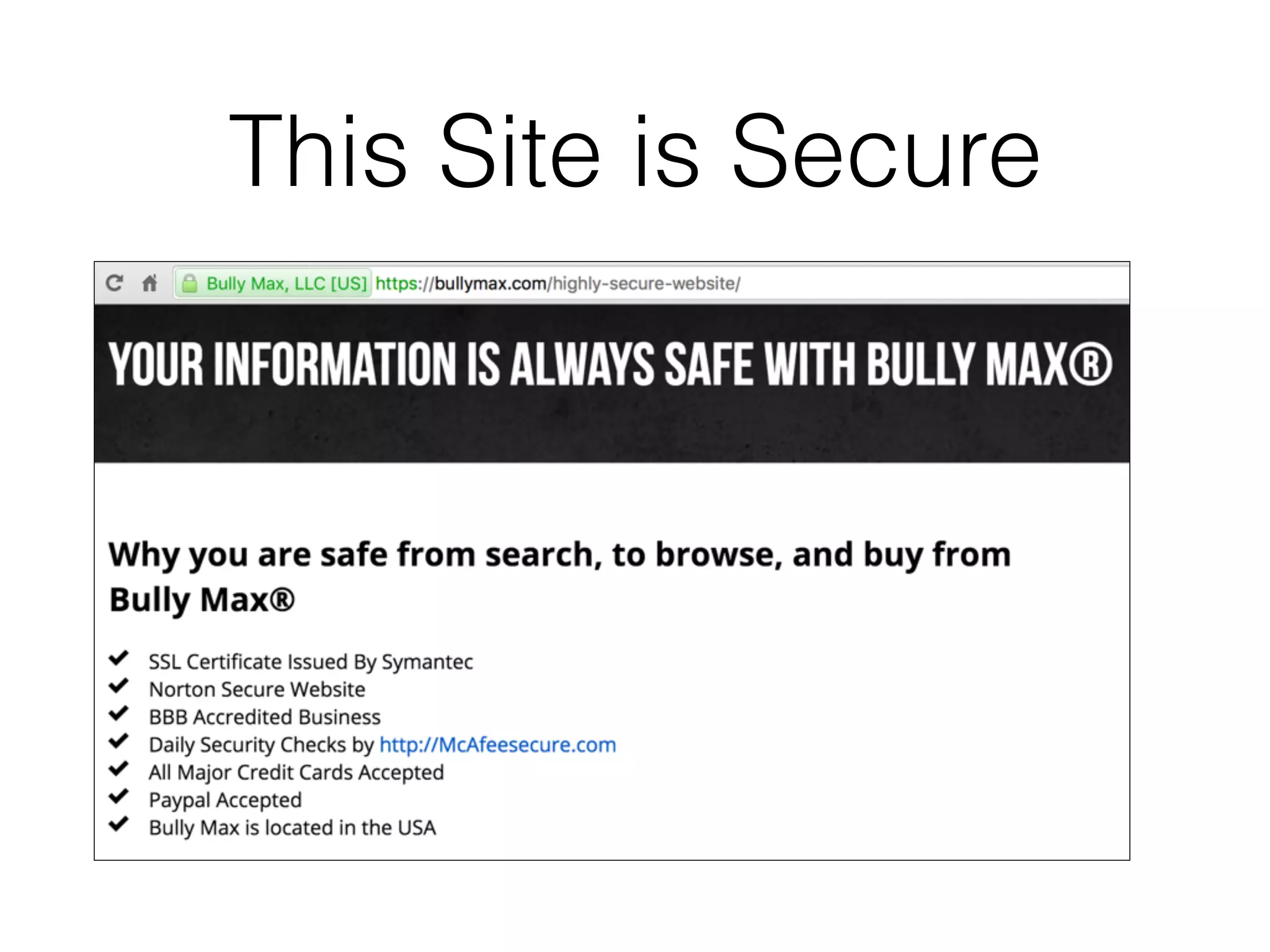
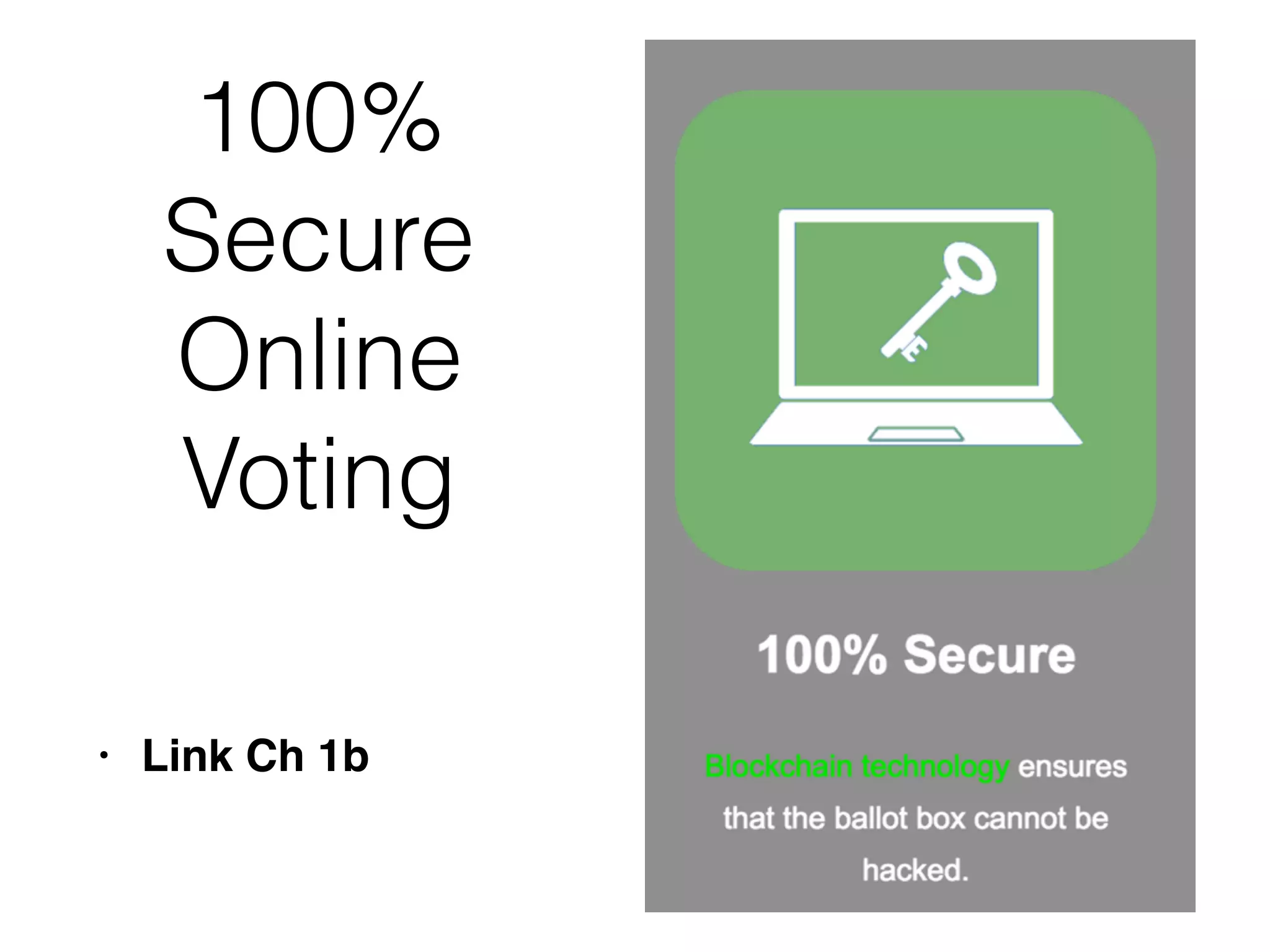
This Site is Secure
100%
Secure
Online
Voting
• Link Ch 1b
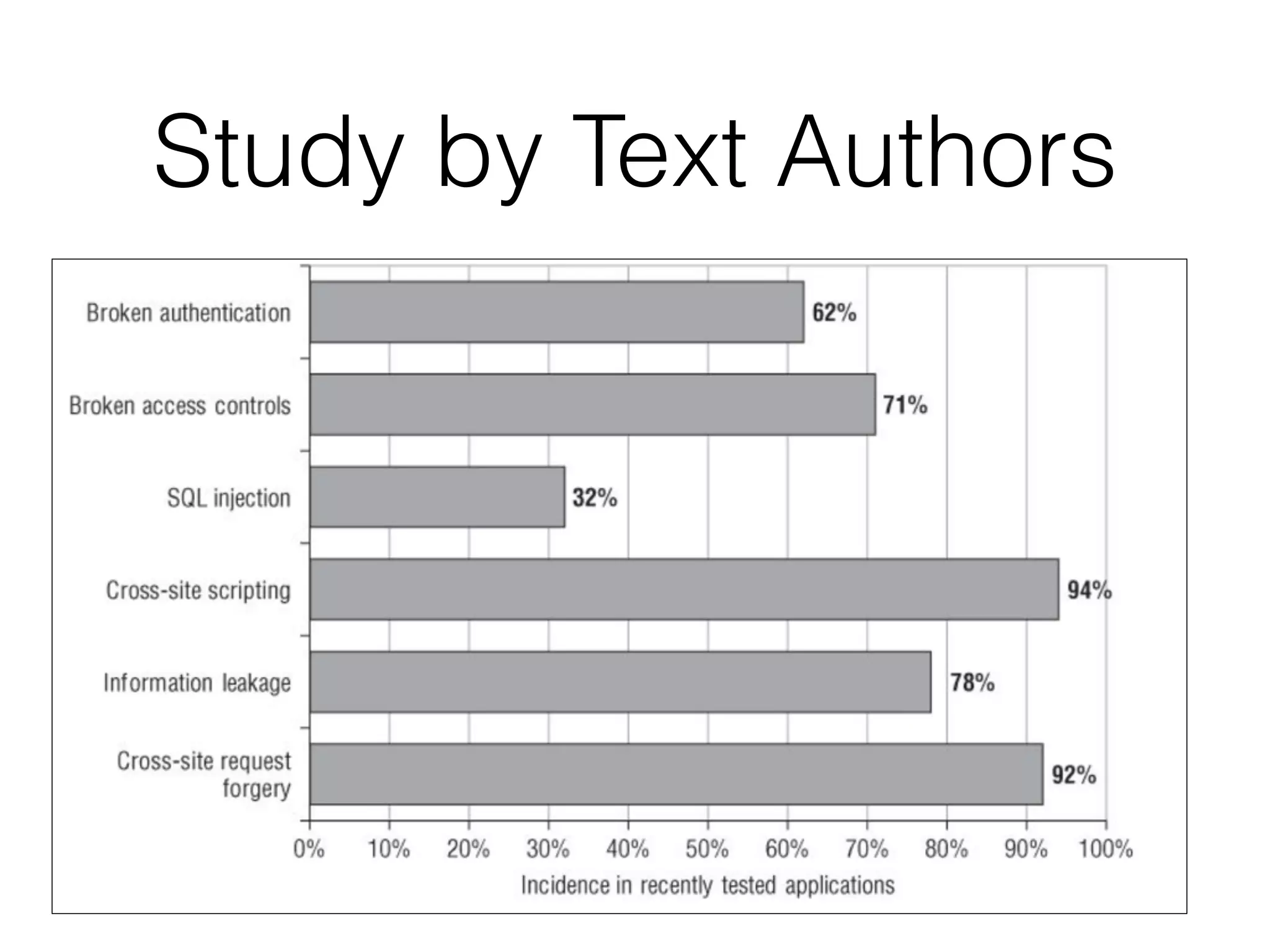
Study by Text Authors
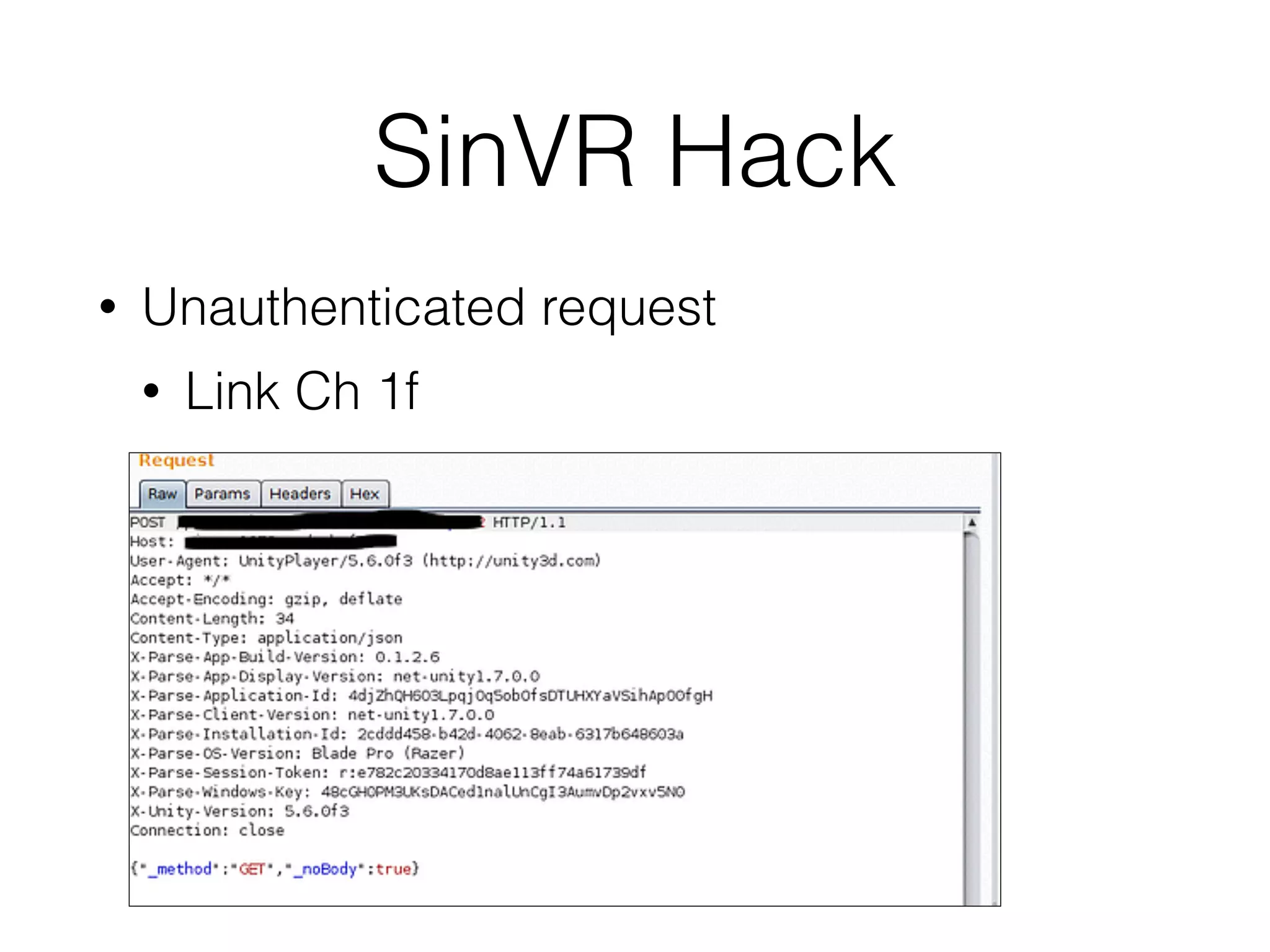
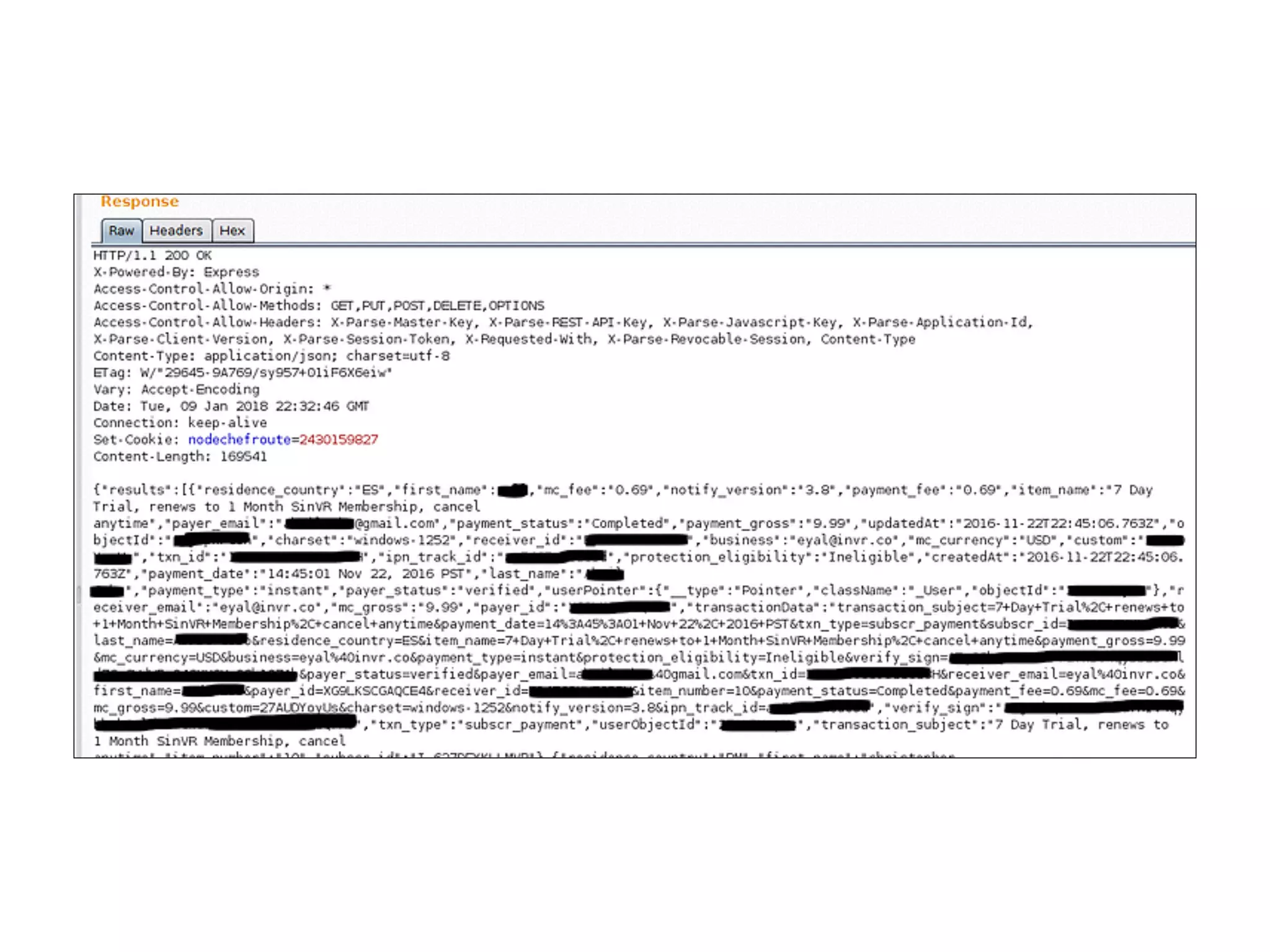
SinVR Hack
• Unauthenticated request
• Link Ch 1f
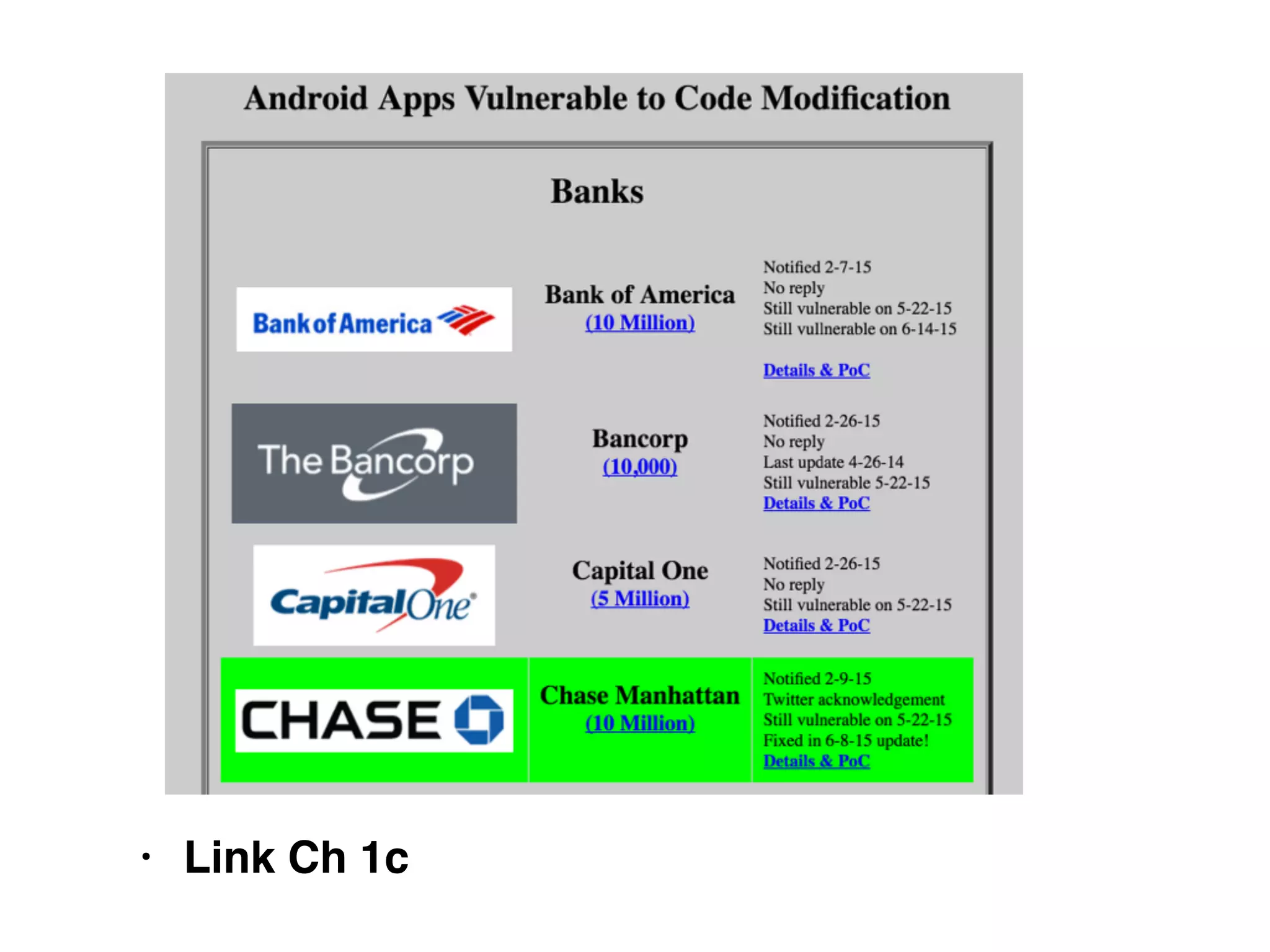
• Link Ch 1c
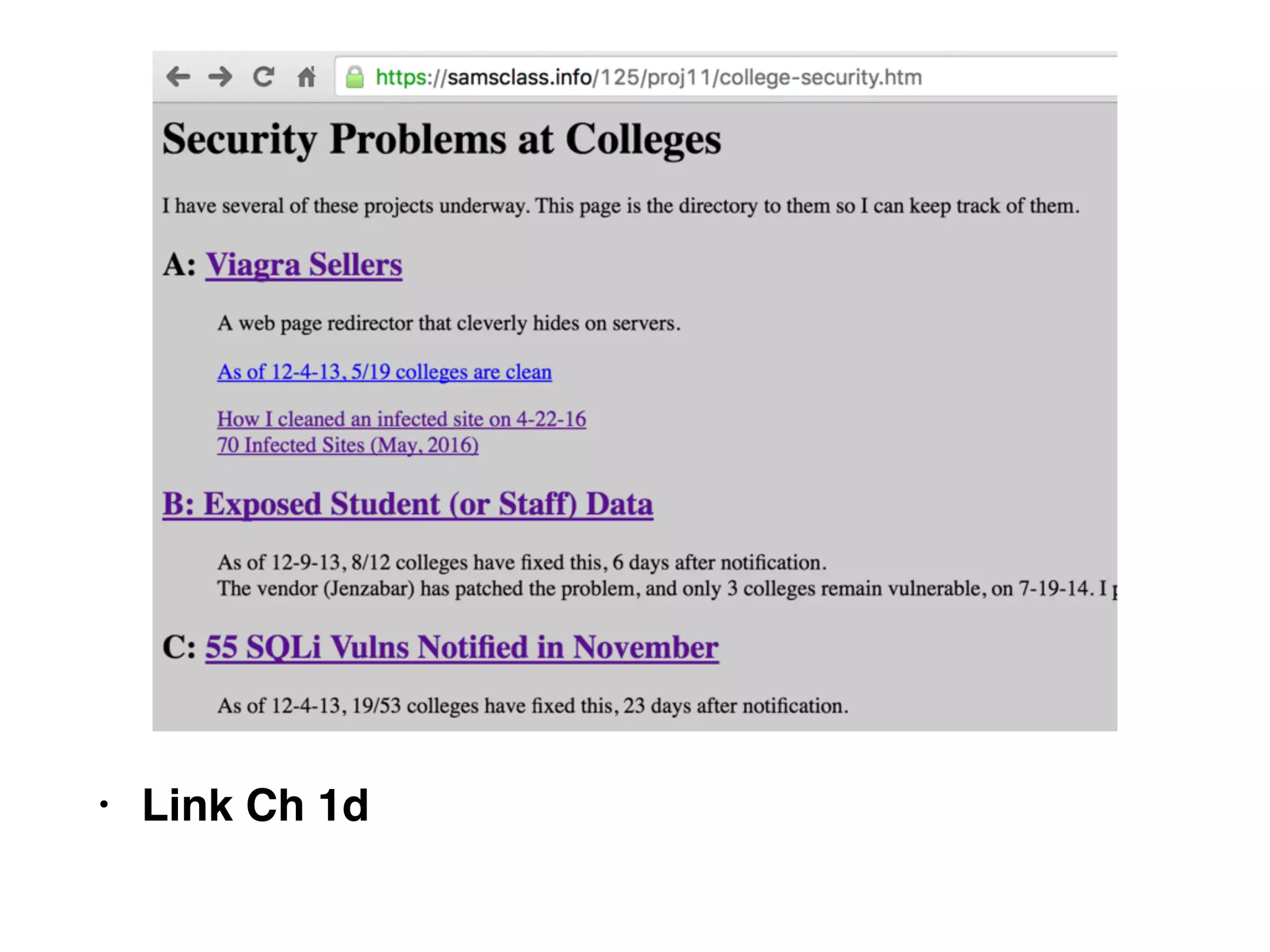
• Link Ch 1d
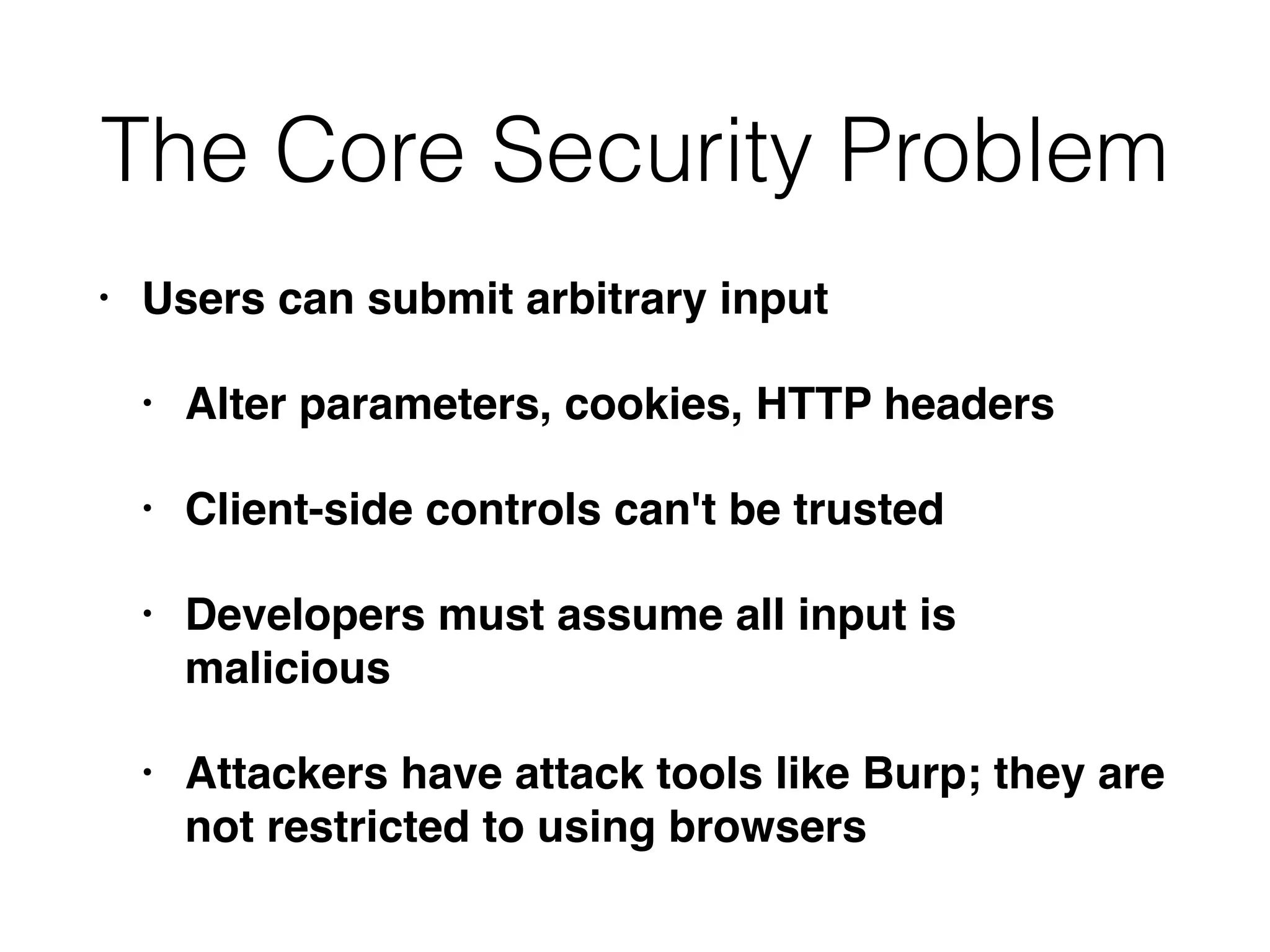
The Core Security Problem
• Users can submit arbitrary input
• Alter parameters, cookies, HTTP headers
• Client-side controls can't be trusted
• Developers must assume all input is
malicious
• Attackers have attack tools like Burp; they are
not restricted to using browsers
Possible Attacks
• Change the price of an item
• Modify a session token to enter another user's
account
• Remove parameters to exploit logic flaws
• SQL injection
• SSL doesn't stop any of these
Key Problem Factors
• Underdeveloped Security Awareness
• Custom Development
• Deceptive Simplicity
• Easy to make a website, but hard to secure it
• Rapidly Evolving Threat Profile
• Resource and Time Constraints
• Overextended Technologies
• Increasing Demands on Functionality
The New Security Perimeter
• Edge firewalls and "bastion hosts" are no longer enough
• Keeping the attacker out of critical systems
• Customers can now send transactions to servers
holding private data
• Via the Web app
• Web app must act as a security barrier
• Often it includes components from others, like widgets
• Errors by other companies can compromise your
servers
• Attackers can attack users instead of servers
• XSS, drive-by downloads, etc.
• E-mail used for password recovery
• A compromised email account exposes many
other services also
The New Security Perimeter
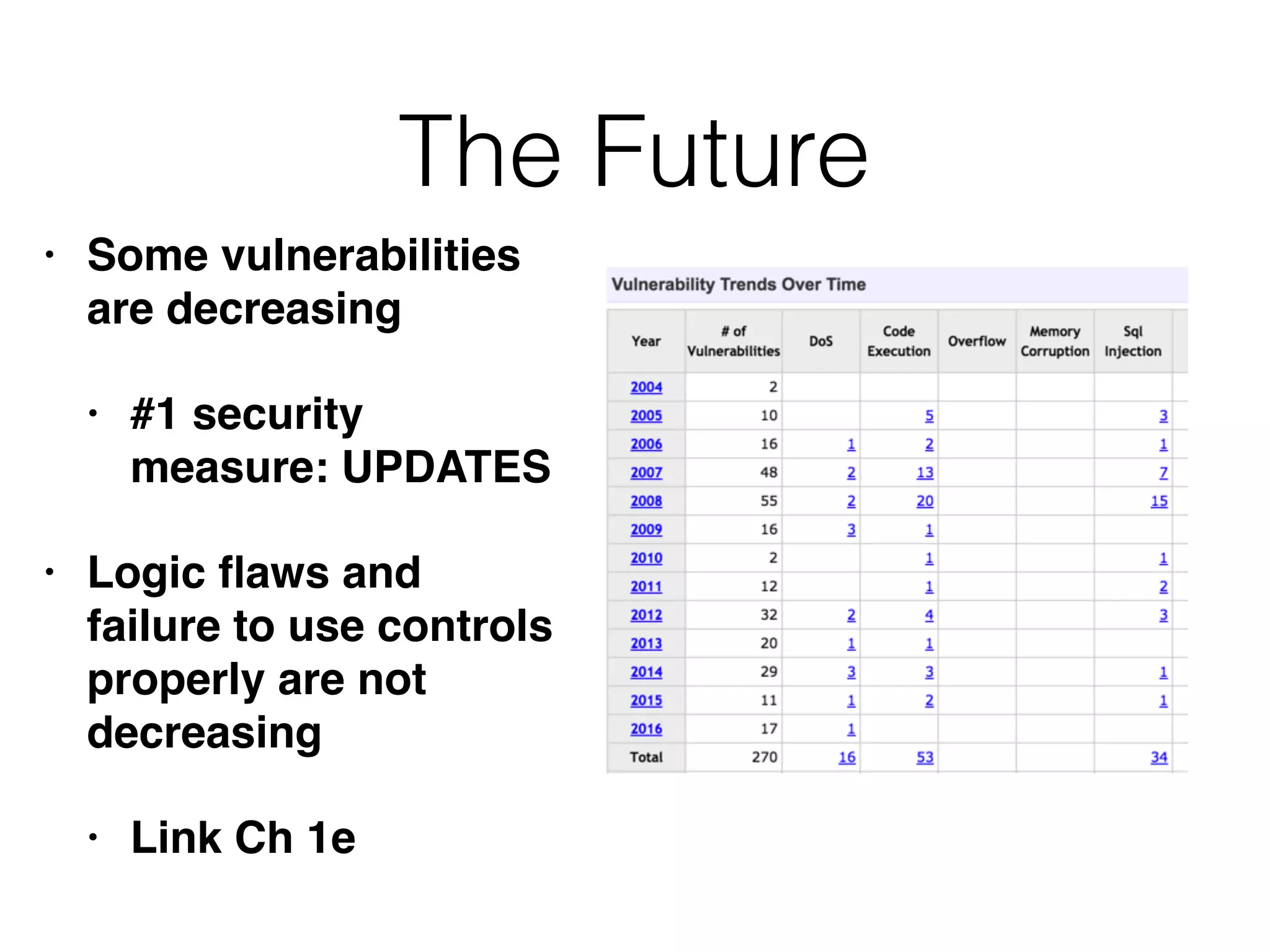
The Future
• Some vulnerabilities
are decreasing
• #1 security
measure: UPDATES
• Logic flaws and
failure to use controls
properly are not
decreasing
• Link Ch 1e
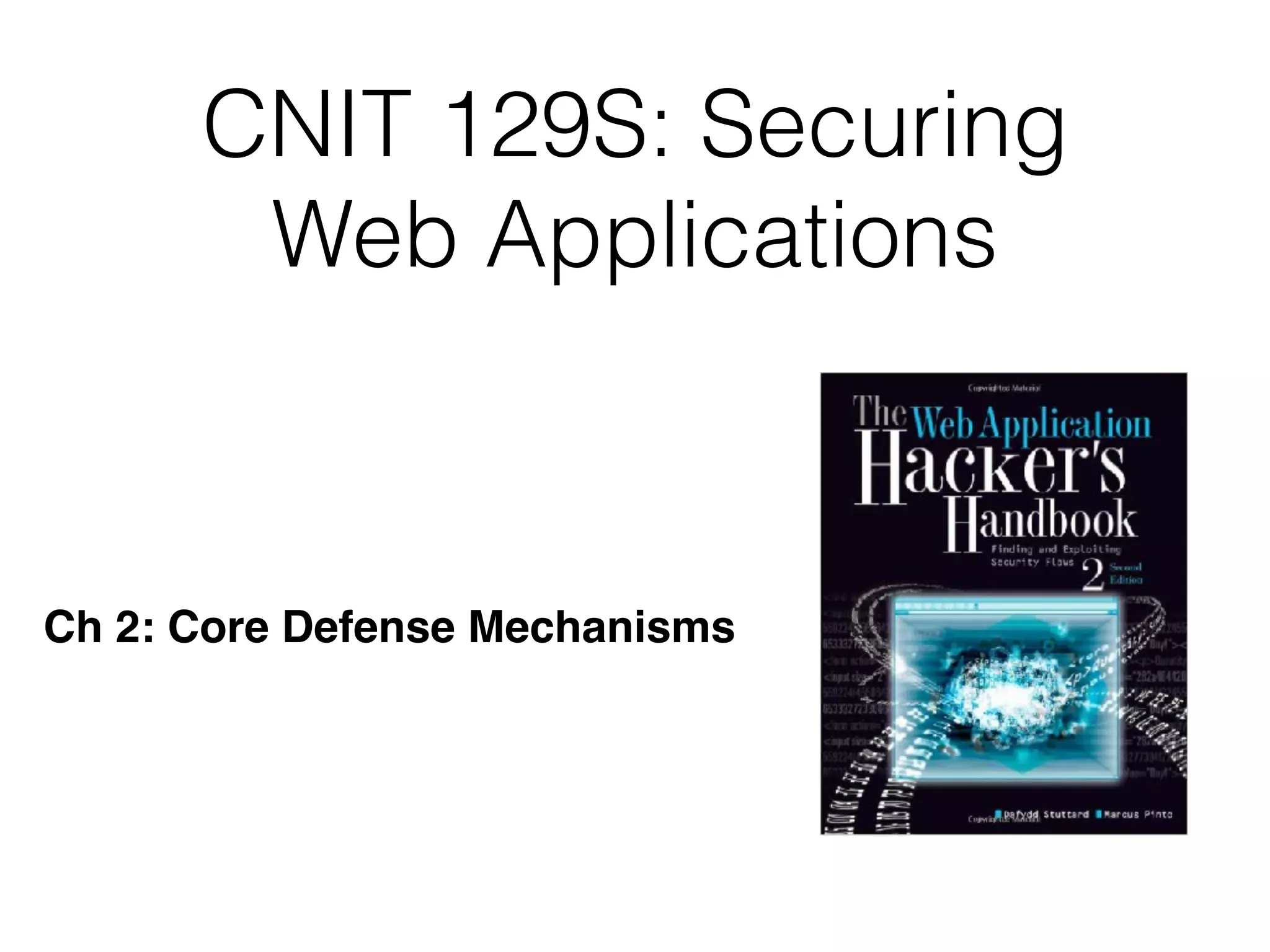
CNIT 129S: Securing
Web Applications
Ch 2: Core Defense Mechanisms
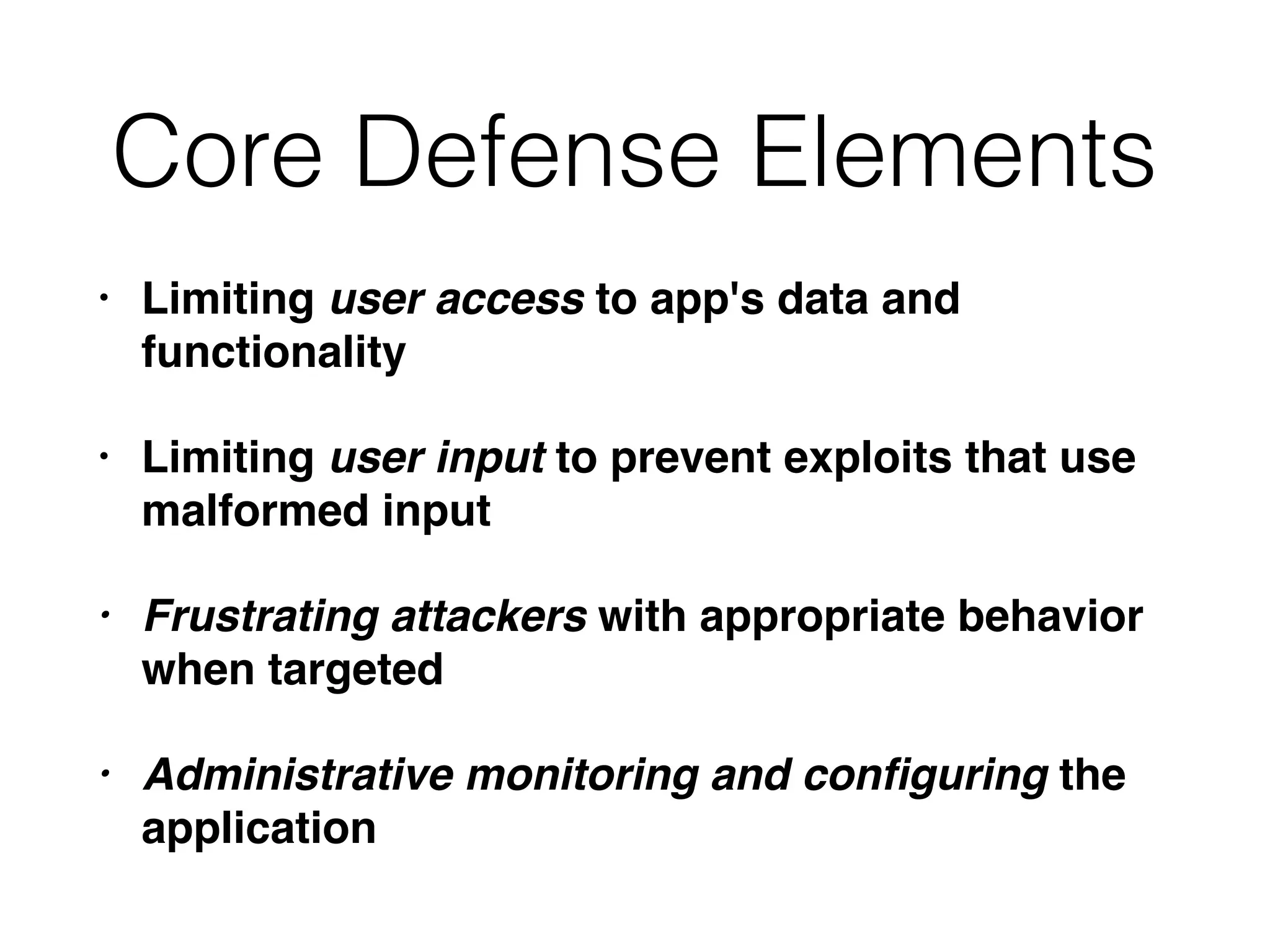
Core Defense Elements
• Limiting user access to app's data and
functionality
• Limiting user input to prevent exploits that use
malformed input
• Frustrating attackers with appropriate behavior
when targeted
• Administrative monitoring and configuring the
application
Handling User Access
• Authentication
• Session management
• Access Control
Authentication
• Username and password is most common
method
• Better: additional credentials and multistage
login
• Best: client certificates, smart cards, challenge-
response tokens
• Also: self-registration, account recovery,
password change
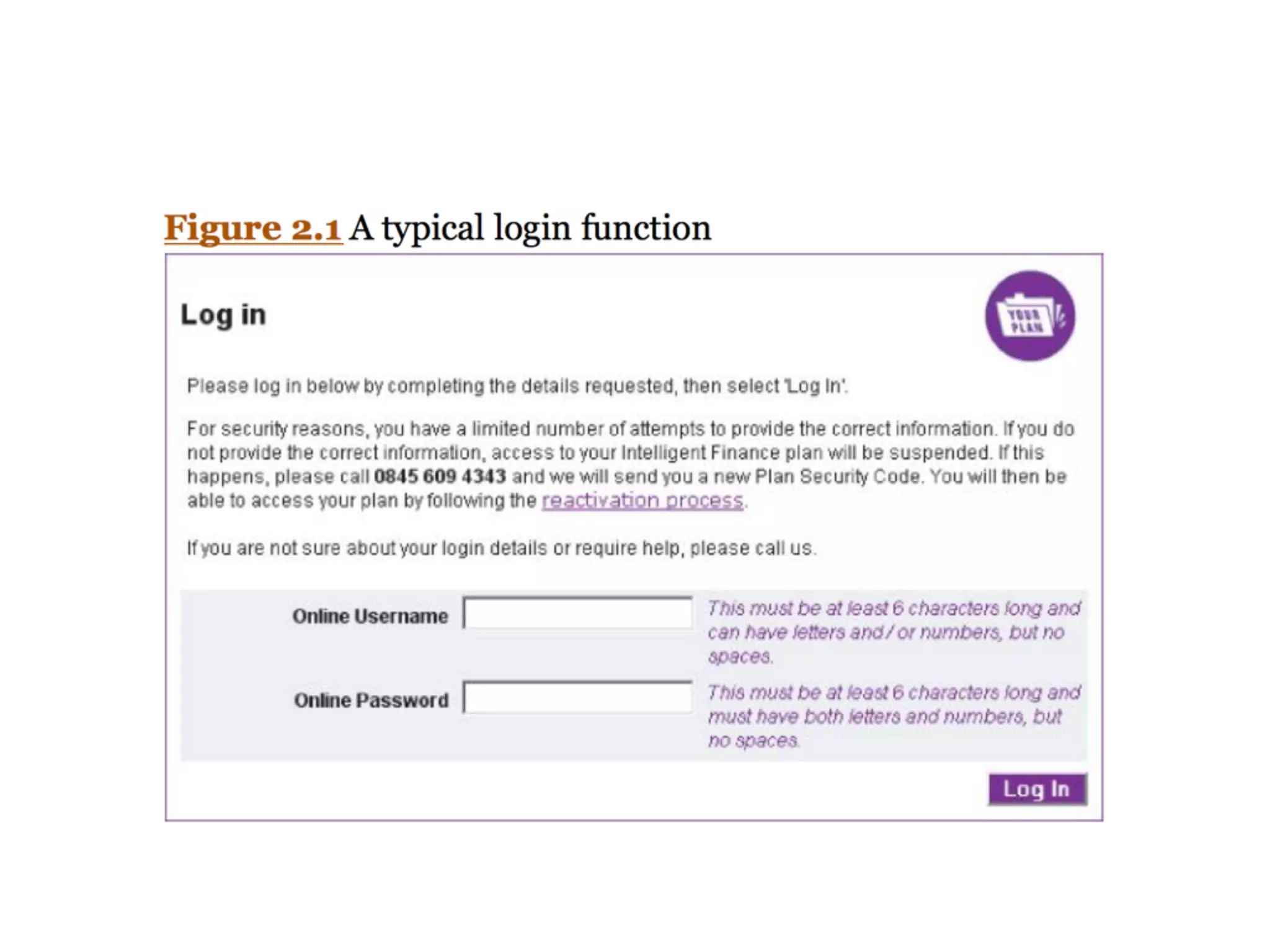
Common Login Problems
• Predictable usernames
• Password that can be guessed
• Defects in logic
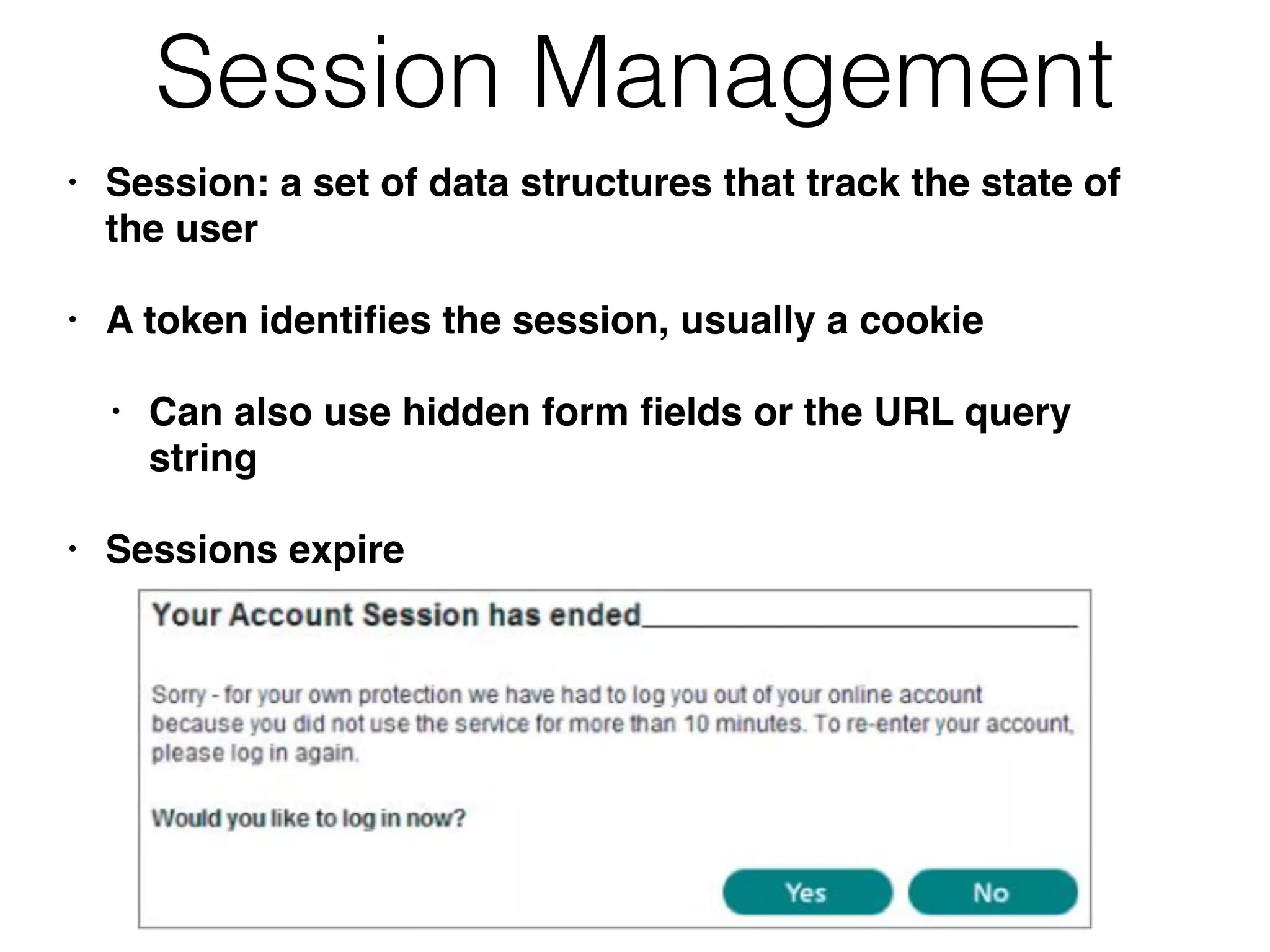
Session Management
• Session: a set of data structures that track the state of
the user
• A token identifies the session, usually a cookie
• Can also use hidden form fields or the URL query
string
• Sessions expire
Common Session Problems
• Tokens are predictable (not random)
• Tokens poorly handled, so an attacker can
capture another user's token
Access Control
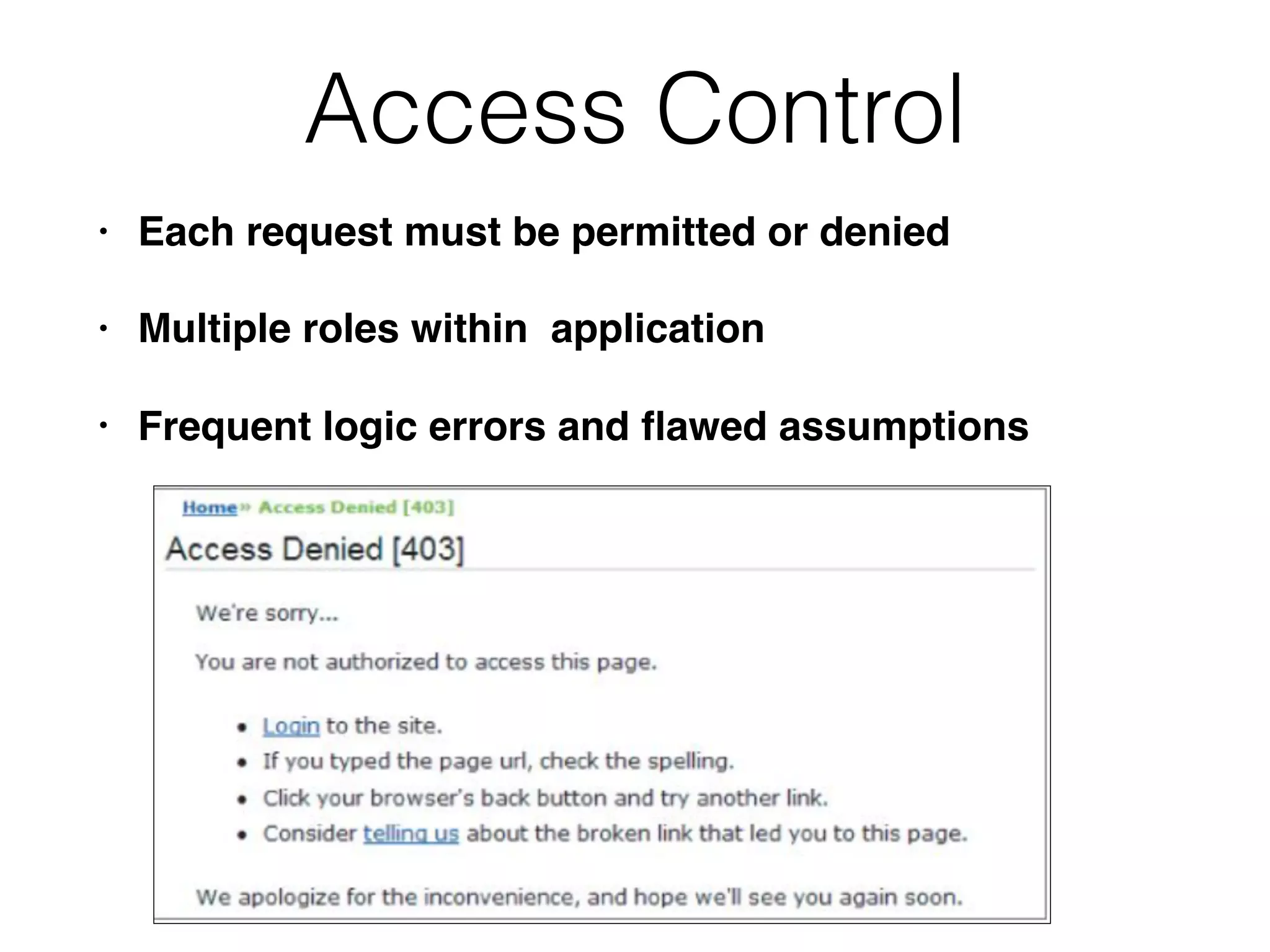
• Each request must be permitted or denied
• Multiple roles within application
• Frequent logic errors and flawed assumptions
Handling User Input
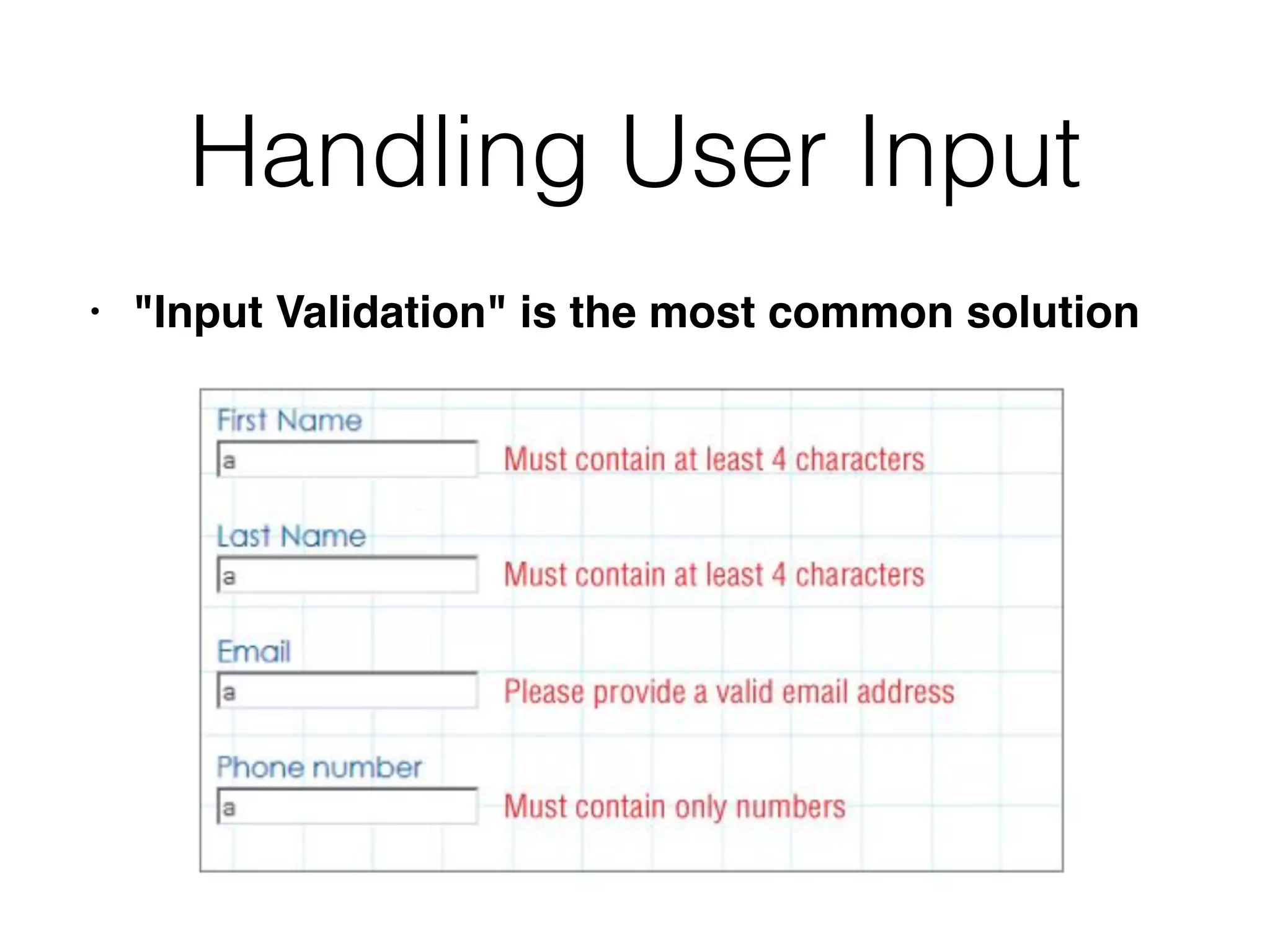
• "Input Validation" is the most common solution
Types of Input
• Arbitrary text, like blog posts
• Cookies
• Hidden form fields
• Parameters
• HTTP header fields, like User-Agent
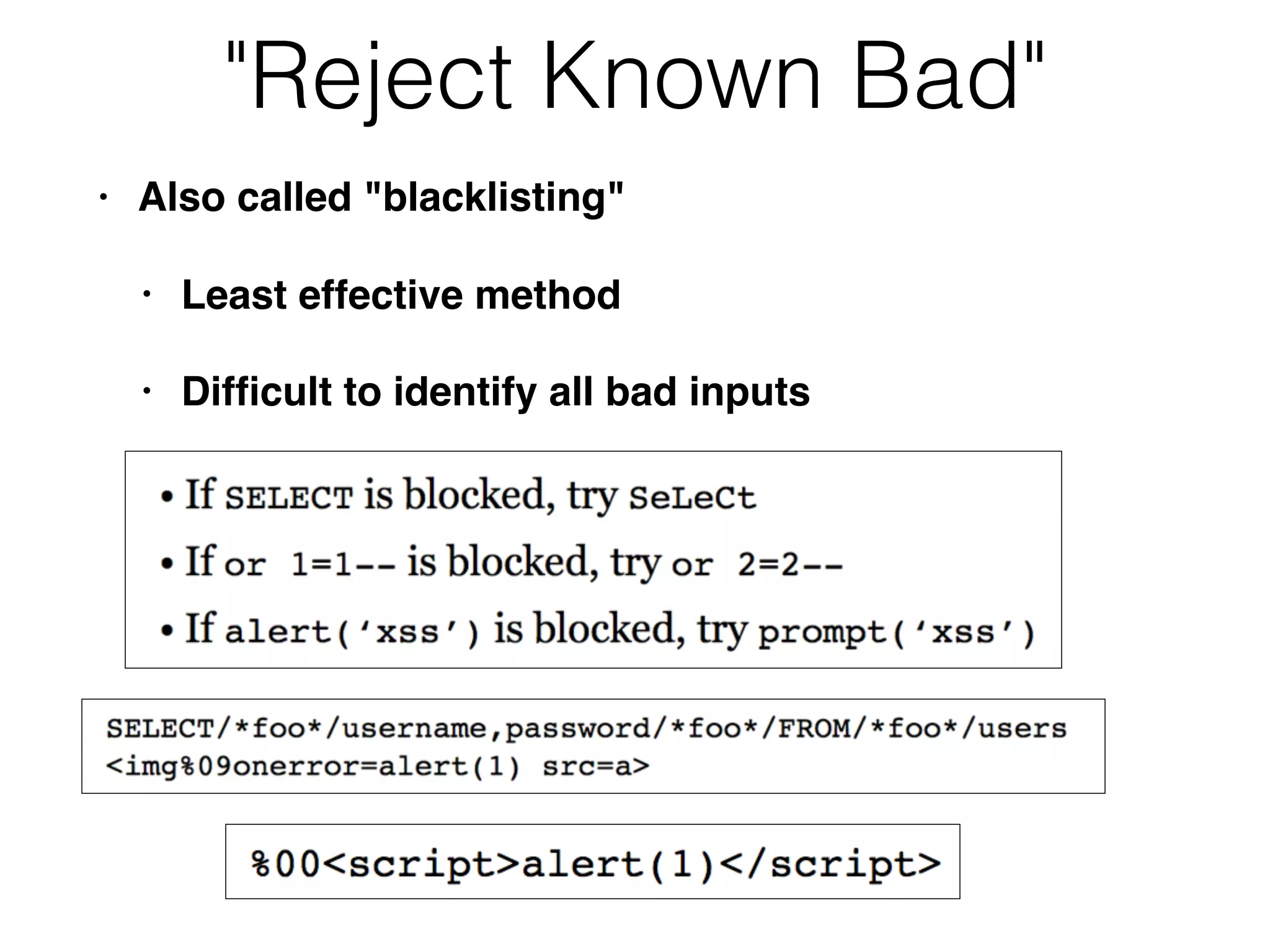
"Reject Known Bad"
• Also called "blacklisting"
• Least effective method
• Difficult to identify all bad inputs
"Accept Known Good"
• Also called "whitelisting"
• Most effective technique, where feasible
• However, sometimes you can't do it
• Human names really contain apostrophes, so
you can't filter them out
Sanitization
• Render dangerous input harmless
• HTML-Encoding: Space becomes %20, etc.
• Difficult if several kinds of data may be present
within an item of input
• Boundary validation is better (four slides
ahead)
Safe Data Handling
• Write code that can't be fooled by malicious
data
• SQL parameterized queries
• Don't pass user input to an OS command line
• Effective when it can be applied
Semantic Checks
• Some malicious input is identical to valid input
• Such as changing an account number to
another customer's number
• Data must be validated in context
• Does this account number being to the
currently logged-in user?
Difficulties with Simple Input
Validation
• Data coming from user is "bad" or "untrusted"
• The server-side app is "good" and trusted
• Many different types of input with different filtering
requirements
• Apps may chain several processing steps together
• Data may be harmless at one stage, but be
transformed into harmful data at another stage
Boundary Validation
• Trust boundary
• Divides a trusted zone from an untrusted zone
• Clean data that passes a boundary
• Such as from the user into an application
Boundary Validation
• Each component treats its input as potentially
malicious
• Data validation performed at each trust
boundary
• Not just between client and server
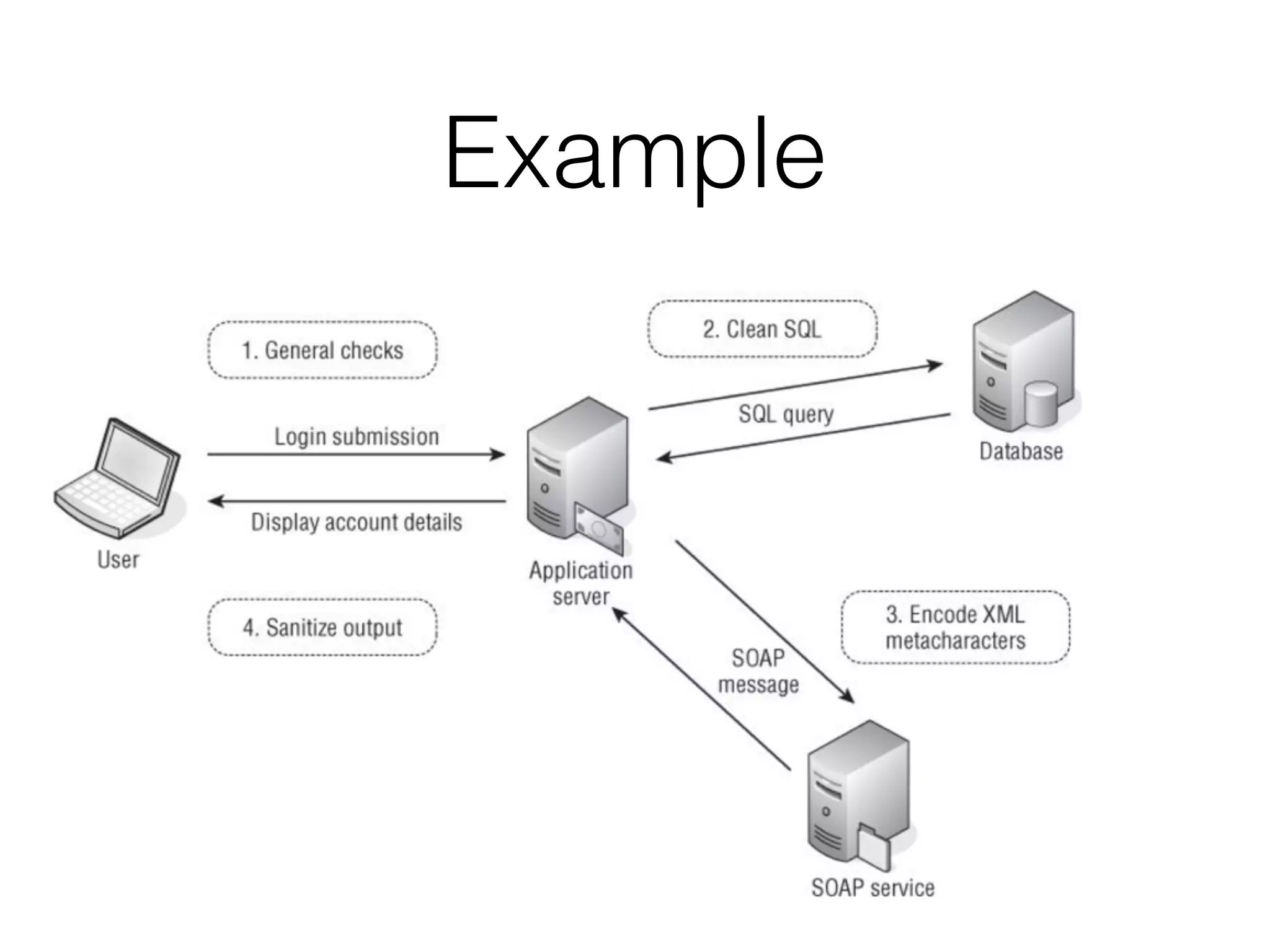
Example
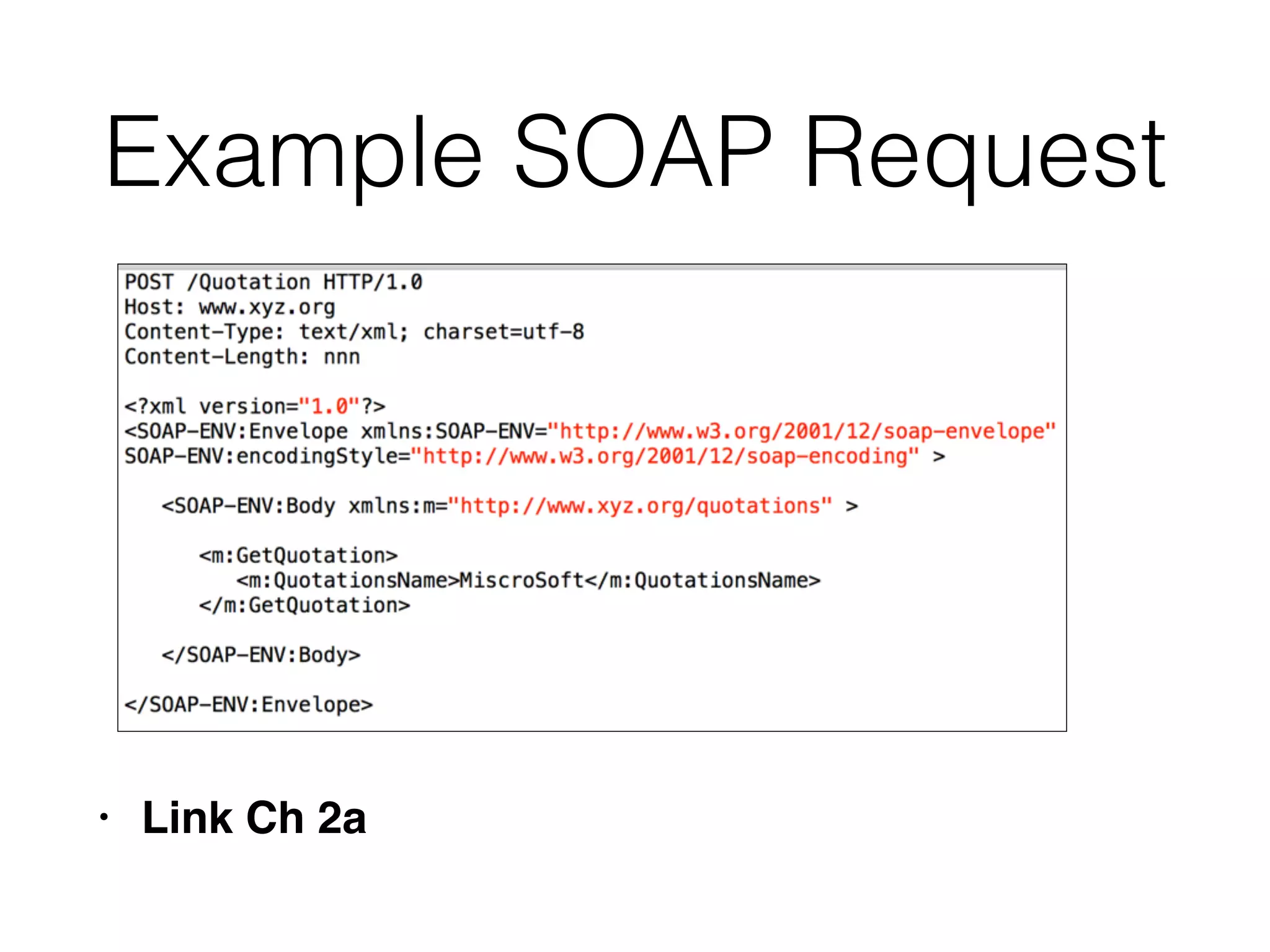
Example SOAP Request
• Link Ch 2a
Boundary Validation
Example
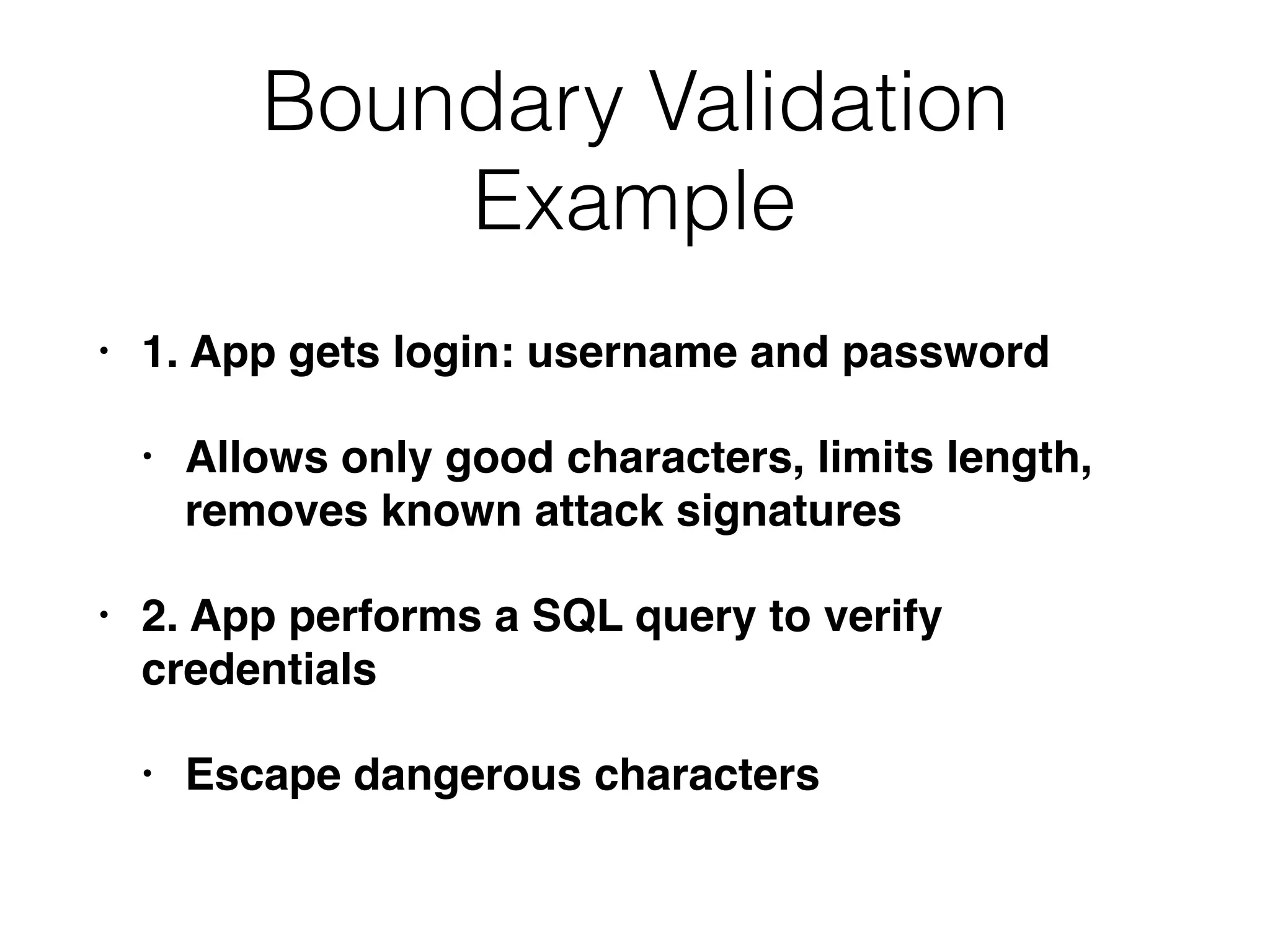
• 1. App gets login: username and password
• Allows only good characters, limits length,
removes known attack signatures
• 2. App performs a SQL query to verify
credentials
• Escape dangerous characters
Boundary Validation
Example
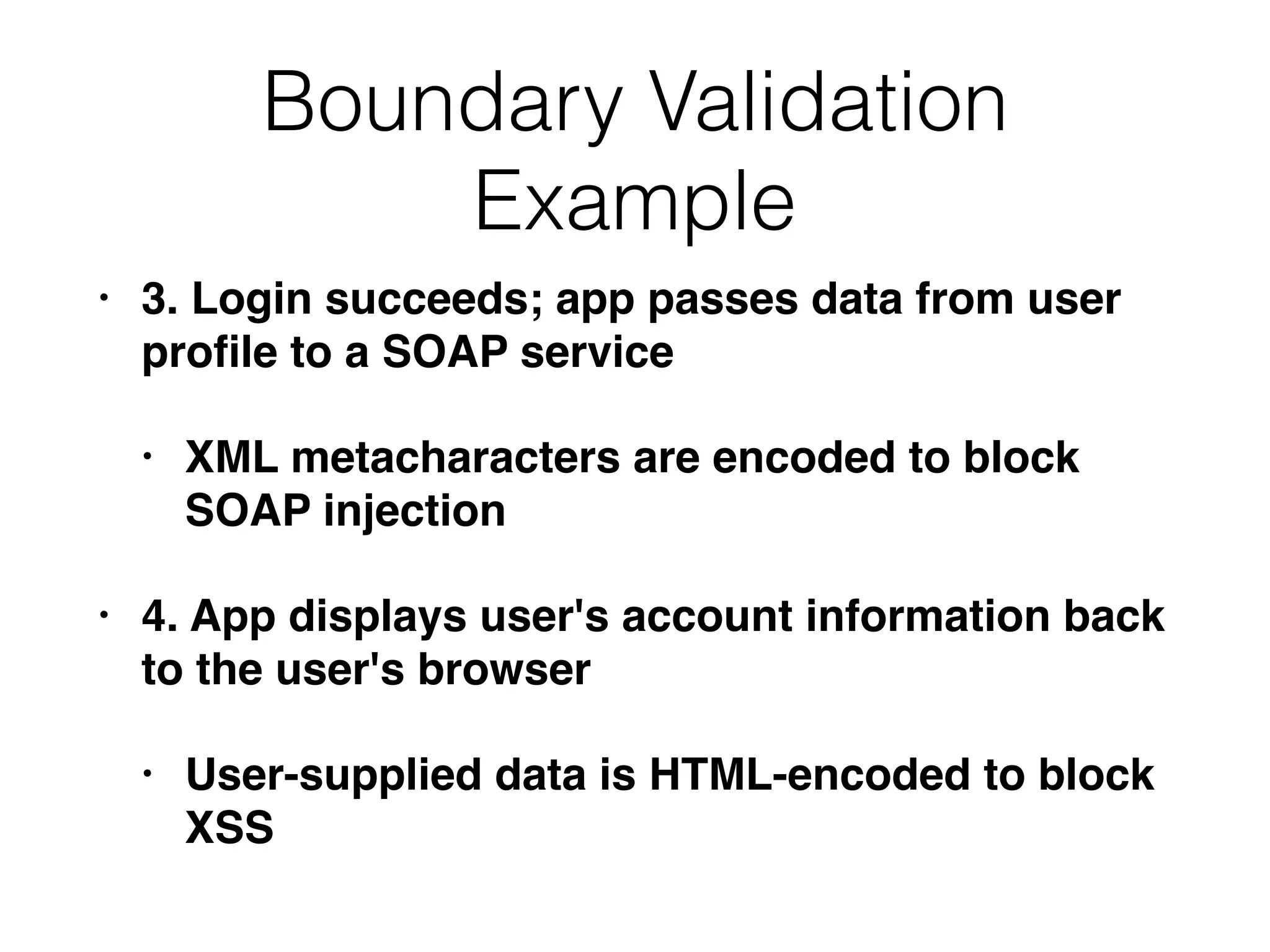
• 3. Login succeeds; app passes data from user
profile to a SOAP service
• XML metacharacters are encoded to block
SOAP injection
• 4. App displays user's account information back
to the user's browser
• User-supplied data is HTML-encoded to block
XSS
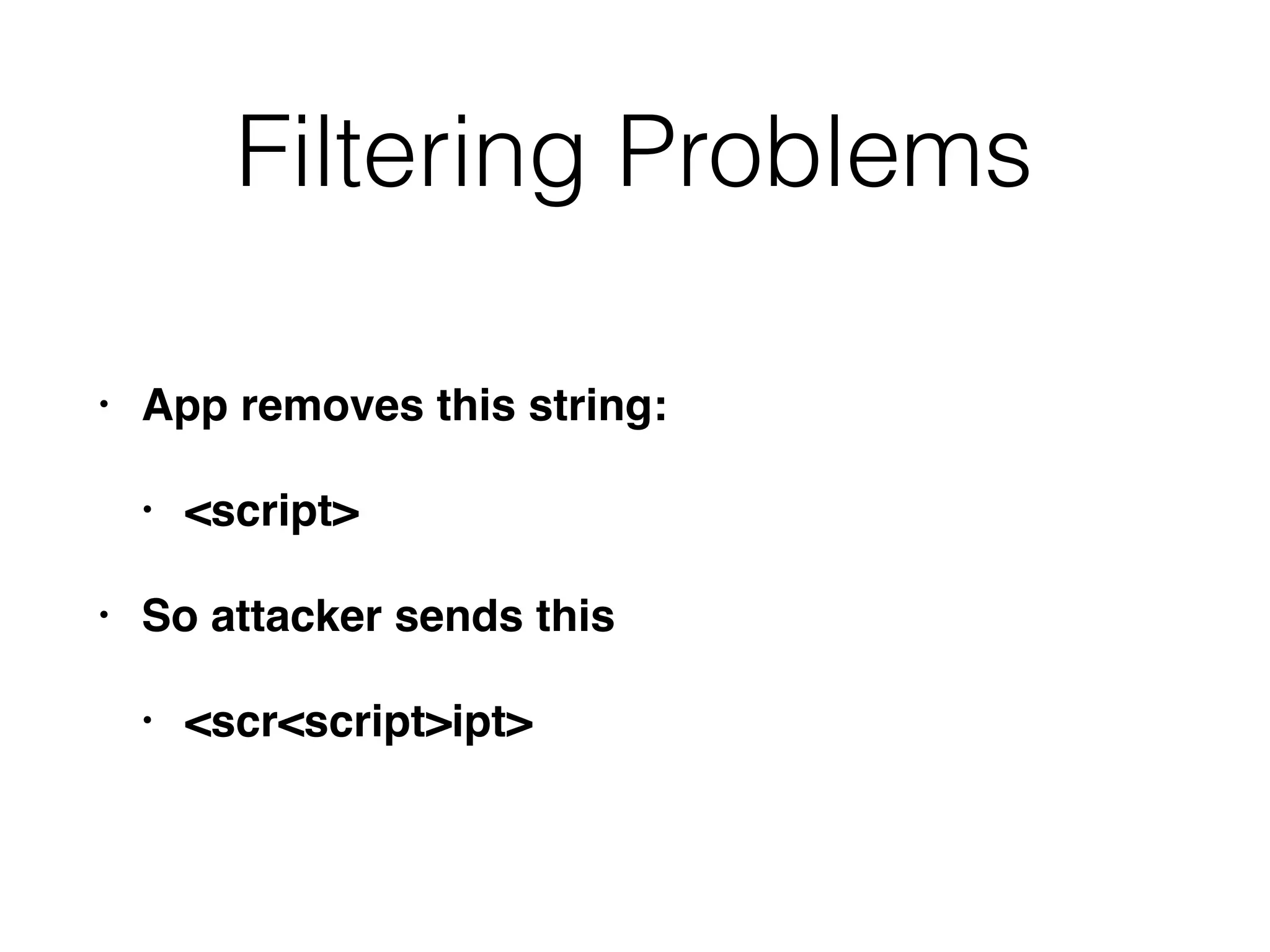
Filtering Problems
• App removes this string:
• <script>
• So attacker sends this
• <scr<script>ipt>
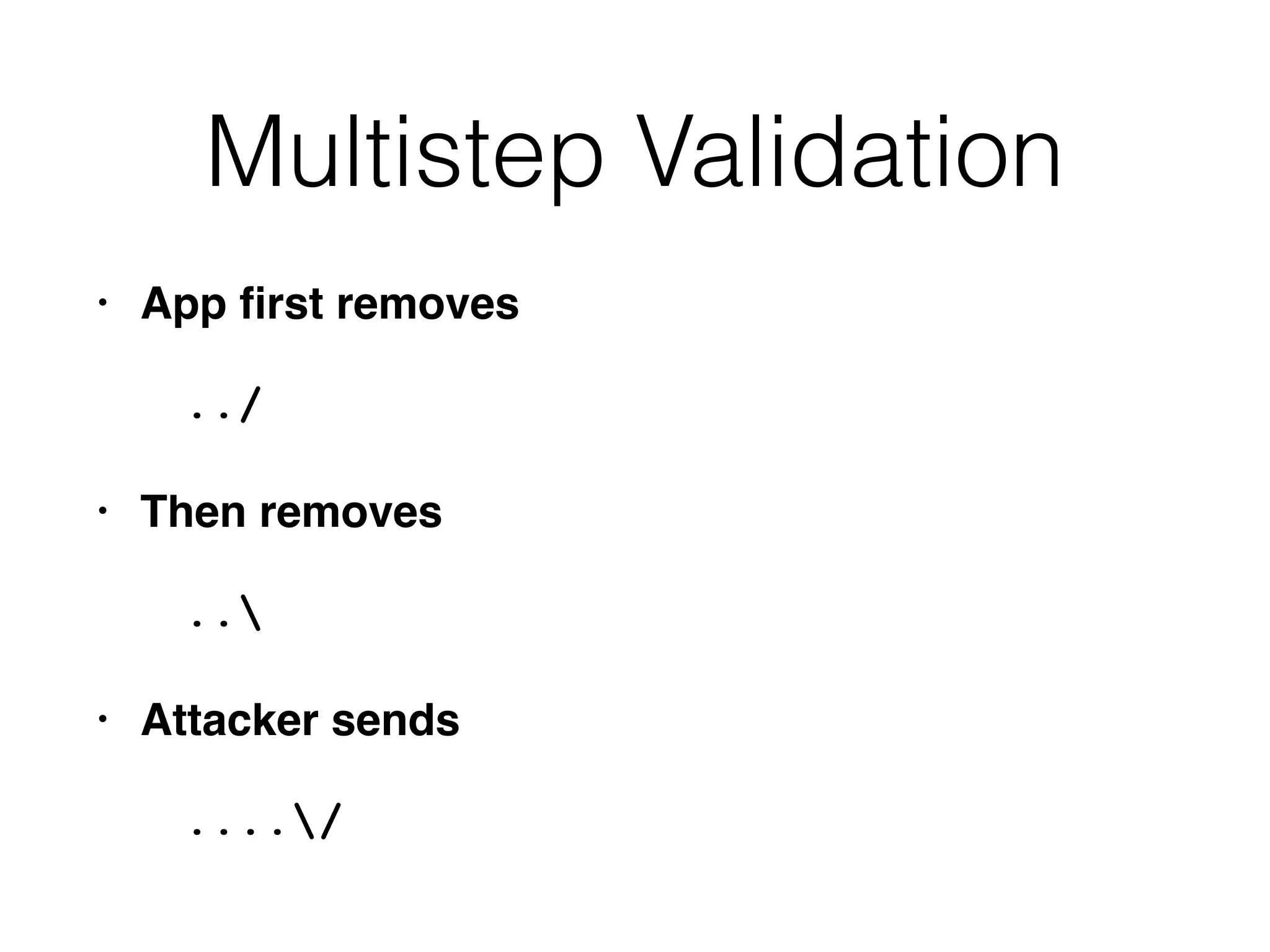
Multistep Validation
• App first removes
../
• Then removes
..
• Attacker sends
..../
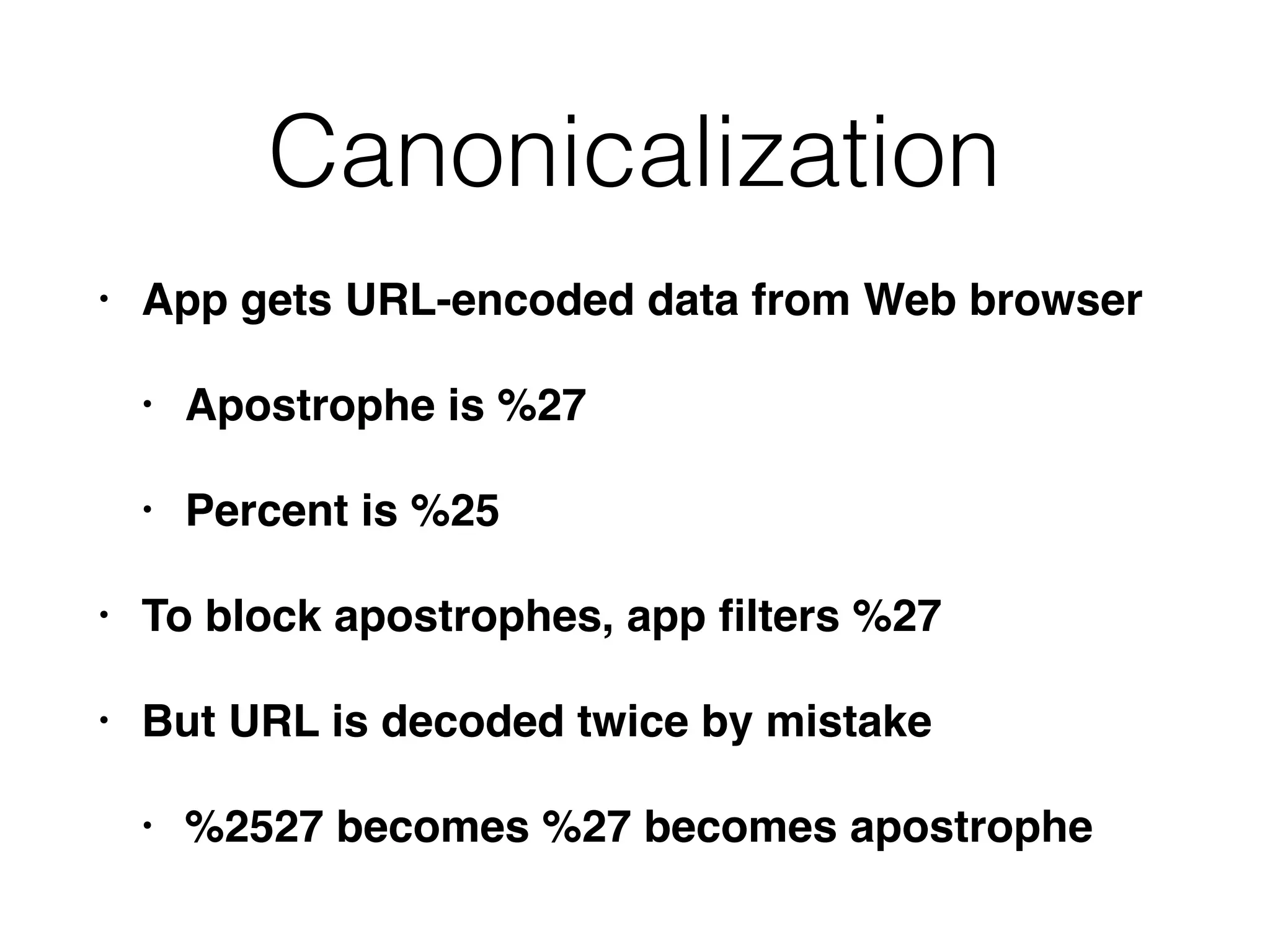
Canonicalization
• App gets URL-encoded data from Web browser
• Apostrophe is %27
• Percent is %25
• To block apostrophes, app filters %27
• But URL is decoded twice by mistake
• %2527 becomes %27 becomes apostrophe
Handling Attackers
• Handling errors
• Maintaining audit logs
• Alerting administrators
• Reacting to attacks
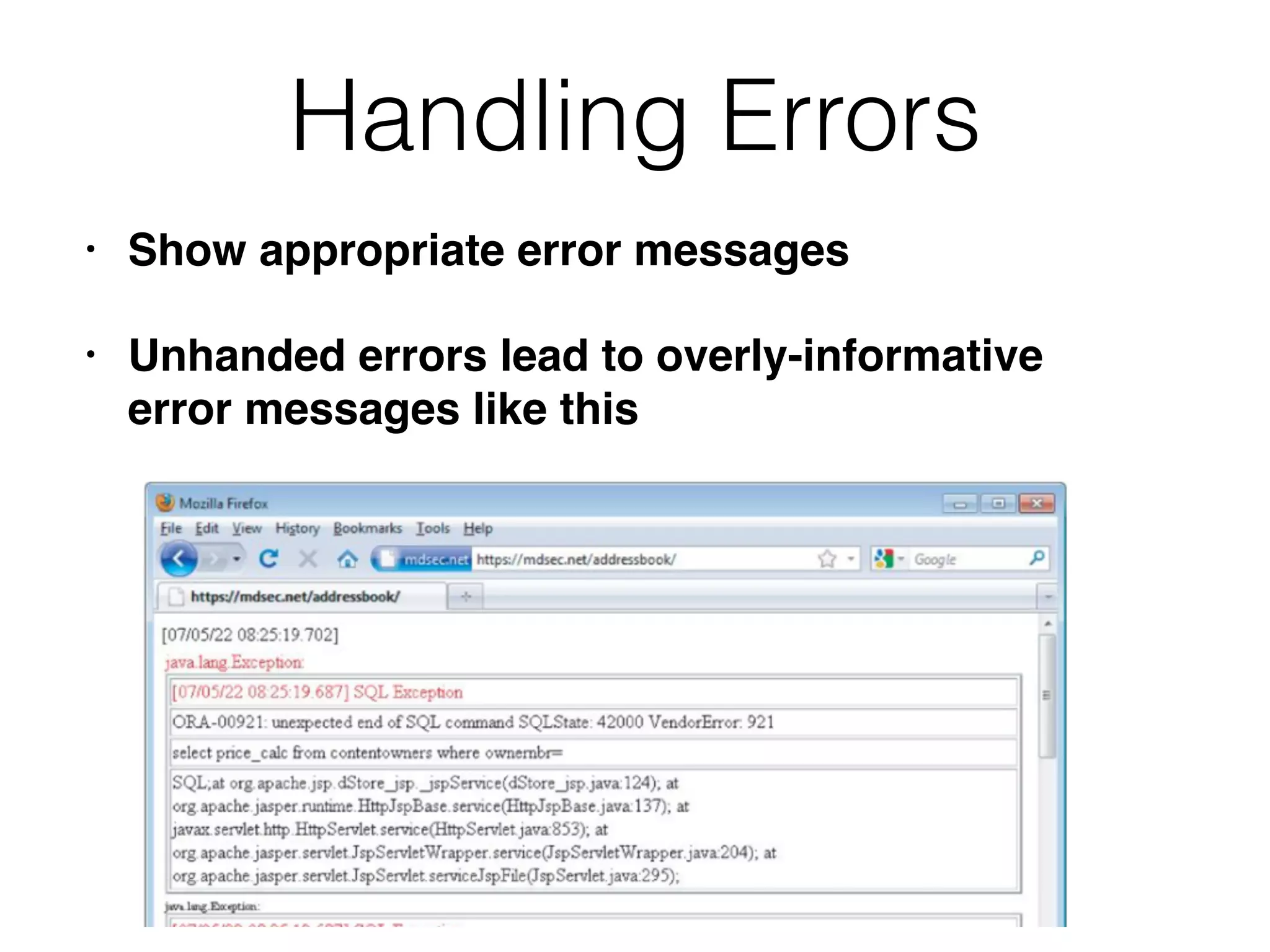
Handling Errors
• Show appropriate error messages
• Unhanded errors lead to overly-informative
error messages like this
Audit Logs
• Authentication events: login success and
failure, change of password
• Key transactions, such as credit card payments
• Access attempts that are blocked by access
control mechanisms
• Requests containing known attack strings
• For high security, log every client request in full
Protecting Logs
• Logs should contain time, IP addresses, and username
• May contain cookies and other sensitive data
• Attackers will try to erase and/or read logs
• Log must be protected
• Place on an autonomous system that only accepts
update messages
• Flush logs to write-once media
Alerting Administrators
• Usage anomalies, like a large number of
requests from the same IP address or user
• Business anomalies, such as a large number of
funds transfers to/from the same account
• Requests containing known attack strings
• Requests where hidden data has been modified
Firewalls
• Web App Firewalls can detect generic attacks
• But not subtle ones that are specific to your
app
• Most effective security control is integrated with
app's input validation mechanisms
• Check for valid values of your parameters
Reacting to Attacks
• Attackers probe for vulnerabilities
• Sending many similar requests
• Automated defenses
• Respond increasingly slowly to requests
• Terminate the attacker's session
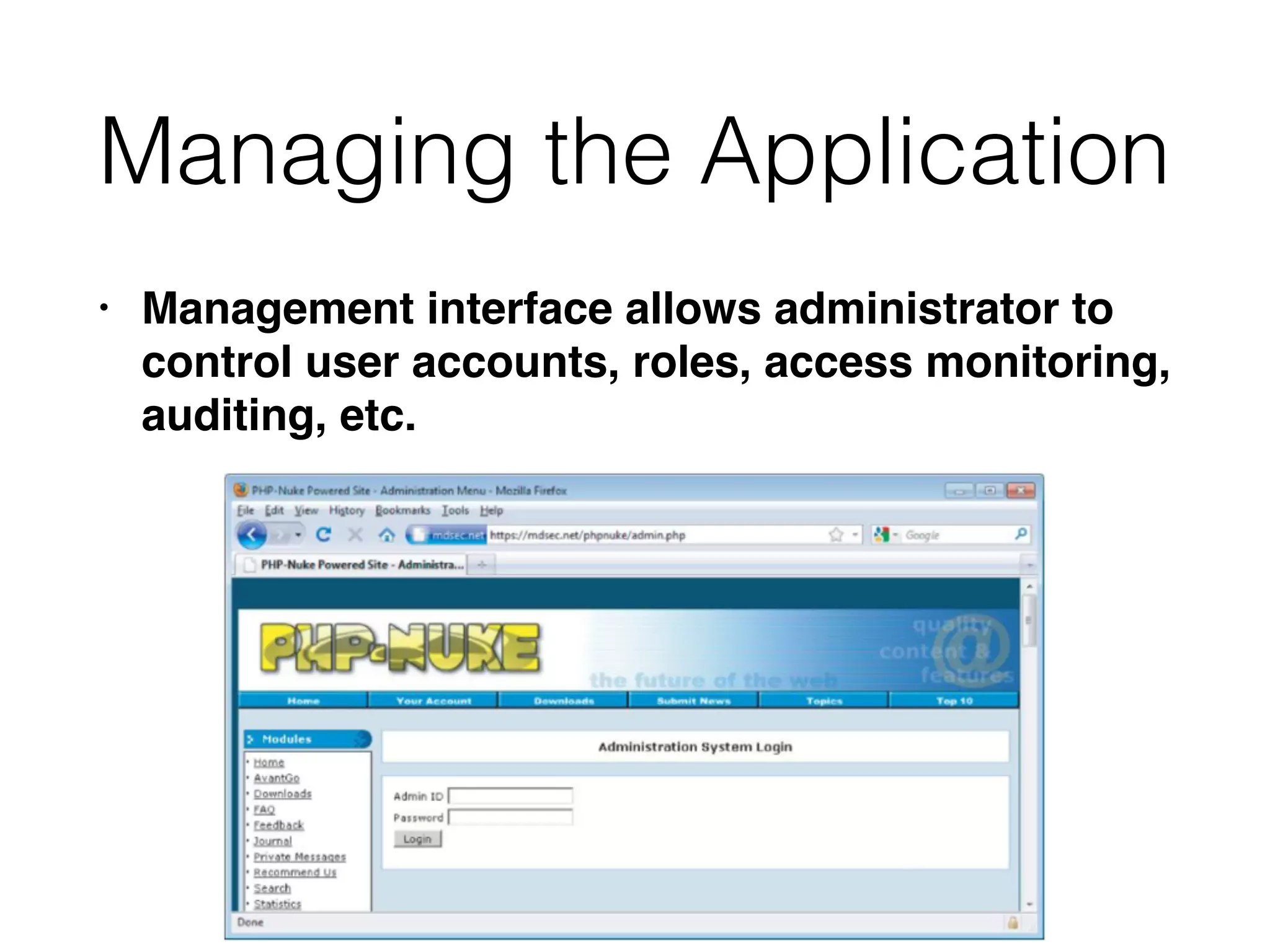
Managing the Application
• Management interface allows administrator to
control user accounts, roles, access monitoring,
auditing, etc.
Attacking the Administration
Panel
• Defeat weak authentication
• Some administrative functions might not require
high privileges
• XSS flaws can allow cookie theft and session
hijacking
Ch 1: Web Application (In)security & Ch 2: Core Defense Mechanisms

Ch 1: Web Application (In)security & Ch 2: Core Defense Mechanisms

  • 1.
    CNIT 129S: Securing WebApplications Ch 1: Web Application (In)security Updated 1-17-18
  • 2.
    Web Applications • E-commerce,Social networks, Online banking, etc. • Fundamental security problem: • Users can supply arbitrary input • Malicious input can compromise the site
  • 3.
    Static Website: Web1.0 • Information flows 
 one-way • Users don't log in, shop, 
 or submit comments • An attacker who exploits flaws in the Web server software can • Steal data on the Web server (usually only public data anyway) • Deface the site
  • 4.
    Modern Web App •Two-way 
 information flow • Users log in, 
 submit content • Content dynamically generated and tailored for each user • Much data is sensitive and private (e.g. passwords) • Most apps developed in-house • Developers often naive about security
  • 5.
    Common Web App Functions •Shopping (Amazon) • Social networking (Facebook) • Banking (Citibank) • Web search (Google) • Auctions (eBay) • Gambling (Betfair) • Web logs (Blogger) • Web mail (Gmail) • Interactive information (Wikipedia)
  • 6.
    Internal Web Apps ("Cloud"Services) • HR -- payroll information, performance reviews • Admin interfaces to servers, VMs, workstations • Collaboration software (SharePoint) • Enterprise Resource Planning (ERP) • Email web interfaces (Outlook Web Access) • Office apps (Google Apps, MS Office Live)
  • 7.
    Benefits of WebApps • HTTP is lightweight and connectionless • Resilient in event of communications errors • Can be proxied and tunneled over other protocols • Web browsers run on many devices, highly functional, easy to use • Many platforms and development tools available
  • 8.
    Web App Security •Breaches are common • Attackers gets sensitive data, possibly complete control of back-end systems • Denial of Service at Application Level
  • 9.
  • 10.
  • 11.
  • 12.
    SinVR Hack • Unauthenticatedrequest • Link Ch 1f
  • 15.
  • 16.
  • 17.
    The Core SecurityProblem • Users can submit arbitrary input • Alter parameters, cookies, HTTP headers • Client-side controls can't be trusted • Developers must assume all input is malicious • Attackers have attack tools like Burp; they are not restricted to using browsers
  • 18.
    Possible Attacks • Changethe price of an item • Modify a session token to enter another user's account • Remove parameters to exploit logic flaws • SQL injection • SSL doesn't stop any of these
  • 19.
    Key Problem Factors •Underdeveloped Security Awareness • Custom Development • Deceptive Simplicity • Easy to make a website, but hard to secure it • Rapidly Evolving Threat Profile • Resource and Time Constraints • Overextended Technologies • Increasing Demands on Functionality
  • 20.
    The New SecurityPerimeter • Edge firewalls and "bastion hosts" are no longer enough • Keeping the attacker out of critical systems • Customers can now send transactions to servers holding private data • Via the Web app • Web app must act as a security barrier • Often it includes components from others, like widgets • Errors by other companies can compromise your servers
  • 21.
    • Attackers canattack users instead of servers • XSS, drive-by downloads, etc. • E-mail used for password recovery • A compromised email account exposes many other services also The New Security Perimeter
  • 22.
    The Future • Somevulnerabilities are decreasing • #1 security measure: UPDATES • Logic flaws and failure to use controls properly are not decreasing • Link Ch 1e
  • 24.
    CNIT 129S: Securing WebApplications Ch 2: Core Defense Mechanisms
  • 25.
    Core Defense Elements •Limiting user access to app's data and functionality • Limiting user input to prevent exploits that use malformed input • Frustrating attackers with appropriate behavior when targeted • Administrative monitoring and configuring the application
  • 26.
    Handling User Access •Authentication • Session management • Access Control
  • 27.
    Authentication • Username andpassword is most common method • Better: additional credentials and multistage login • Best: client certificates, smart cards, challenge- response tokens • Also: self-registration, account recovery, password change
  • 29.
    Common Login Problems •Predictable usernames • Password that can be guessed • Defects in logic
  • 30.
    Session Management • Session:a set of data structures that track the state of the user • A token identifies the session, usually a cookie • Can also use hidden form fields or the URL query string • Sessions expire
  • 31.
    Common Session Problems •Tokens are predictable (not random) • Tokens poorly handled, so an attacker can capture another user's token
  • 32.
    Access Control • Eachrequest must be permitted or denied • Multiple roles within application • Frequent logic errors and flawed assumptions
  • 33.
    Handling User Input •"Input Validation" is the most common solution
  • 34.
    Types of Input •Arbitrary text, like blog posts • Cookies • Hidden form fields • Parameters • HTTP header fields, like User-Agent
  • 35.
    "Reject Known Bad" •Also called "blacklisting" • Least effective method • Difficult to identify all bad inputs
  • 36.
    "Accept Known Good" •Also called "whitelisting" • Most effective technique, where feasible • However, sometimes you can't do it • Human names really contain apostrophes, so you can't filter them out
  • 37.
    Sanitization • Render dangerousinput harmless • HTML-Encoding: Space becomes %20, etc. • Difficult if several kinds of data may be present within an item of input • Boundary validation is better (four slides ahead)
  • 38.
    Safe Data Handling •Write code that can't be fooled by malicious data • SQL parameterized queries • Don't pass user input to an OS command line • Effective when it can be applied
  • 39.
    Semantic Checks • Somemalicious input is identical to valid input • Such as changing an account number to another customer's number • Data must be validated in context • Does this account number being to the currently logged-in user?
  • 40.
    Difficulties with SimpleInput Validation • Data coming from user is "bad" or "untrusted" • The server-side app is "good" and trusted • Many different types of input with different filtering requirements • Apps may chain several processing steps together • Data may be harmless at one stage, but be transformed into harmful data at another stage
  • 41.
    Boundary Validation • Trustboundary • Divides a trusted zone from an untrusted zone • Clean data that passes a boundary • Such as from the user into an application
  • 42.
    Boundary Validation • Eachcomponent treats its input as potentially malicious • Data validation performed at each trust boundary • Not just between client and server
  • 43.
  • 44.
  • 45.
    Boundary Validation Example • 1.App gets login: username and password • Allows only good characters, limits length, removes known attack signatures • 2. App performs a SQL query to verify credentials • Escape dangerous characters
  • 46.
    Boundary Validation Example • 3.Login succeeds; app passes data from user profile to a SOAP service • XML metacharacters are encoded to block SOAP injection • 4. App displays user's account information back to the user's browser • User-supplied data is HTML-encoded to block XSS
  • 47.
    Filtering Problems • Appremoves this string: • <script> • So attacker sends this • <scr<script>ipt>
  • 48.
    Multistep Validation • Appfirst removes ../ • Then removes .. • Attacker sends ..../
  • 49.
    Canonicalization • App getsURL-encoded data from Web browser • Apostrophe is %27 • Percent is %25 • To block apostrophes, app filters %27 • But URL is decoded twice by mistake • %2527 becomes %27 becomes apostrophe
  • 50.
    Handling Attackers • Handlingerrors • Maintaining audit logs • Alerting administrators • Reacting to attacks
  • 51.
    Handling Errors • Showappropriate error messages • Unhanded errors lead to overly-informative error messages like this
  • 52.
    Audit Logs • Authenticationevents: login success and failure, change of password • Key transactions, such as credit card payments • Access attempts that are blocked by access control mechanisms • Requests containing known attack strings • For high security, log every client request in full
  • 53.
    Protecting Logs • Logsshould contain time, IP addresses, and username • May contain cookies and other sensitive data • Attackers will try to erase and/or read logs • Log must be protected • Place on an autonomous system that only accepts update messages • Flush logs to write-once media
  • 54.
    Alerting Administrators • Usageanomalies, like a large number of requests from the same IP address or user • Business anomalies, such as a large number of funds transfers to/from the same account • Requests containing known attack strings • Requests where hidden data has been modified
  • 55.
    Firewalls • Web AppFirewalls can detect generic attacks • But not subtle ones that are specific to your app • Most effective security control is integrated with app's input validation mechanisms • Check for valid values of your parameters
  • 56.
    Reacting to Attacks •Attackers probe for vulnerabilities • Sending many similar requests • Automated defenses • Respond increasingly slowly to requests • Terminate the attacker's session
  • 57.
    Managing the Application •Management interface allows administrator to control user accounts, roles, access monitoring, auditing, etc.
  • 58.
    Attacking the Administration Panel •Defeat weak authentication • Some administrative functions might not require high privileges • XSS flaws can allow cookie theft and session hijacking