More CSS!
       Dave Kanter
Academy of Art University
   Inside Programming
       May 1, 2012
Length Units
Can be absolute or relative.

  Relative:

     em: relative to base font

     ex: relative to the height of “x”

     px: relative to resolution of device
Absolute Units
Absolute Units:

  in: inches

  cm: centimeters

  mm: millimeters

  pt: points

  pc: picas
Absolute Size Keywords
 xx-small

 x-small

 small

 medium

 large

 x-large

 xx-large
Relative Size Keywords
 smaller

 larger
Sizing
  Set the base font:

body { font-size: small;}


  Then scale:

h1 { font-size : 150%; }
Sizing
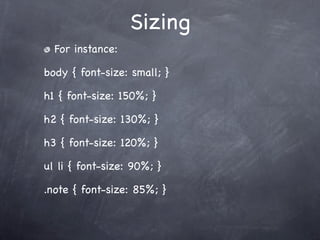
  For instance:

body { font-size: small; }

h1 { font-size: 150%; }

h2 { font-size: 130%; }

h3 { font-size: 120%; }

ul li { font-size: 90%; }

.note { font-size: 85%; }
Try it!
Create a page using the stylesheet shown on
the last page.

Create each type of text described in the
stylesheet.

Try changing things around and see what
happens!

What happens when you nest percentages?
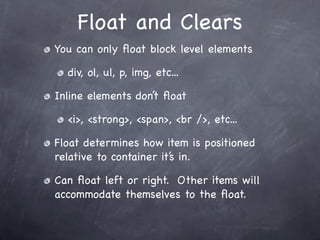
Float and Clears
You can only float block level elements

  div, ol, ul, p, img, etc...

Inline elements don’t float

  <i>, <strong>, <span>, <br />, etc...

Float determines how item is positioned
relative to container it’s in.

Can float left or right. Other items will
accommodate themselves to the float.
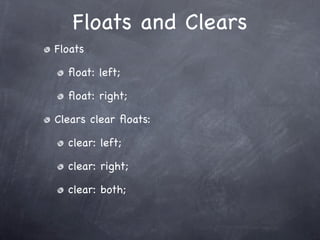
Floats and Clears
Floats

  float: left;

  float: right;

Clears clear floats:

  clear: left;

  clear: right;

  clear: both;
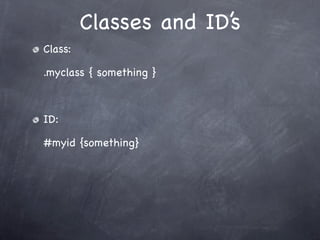
Classes and ID’s
Class:

.myclass { something }


ID:

#myid {something}
Other Effects
 Let’s round some corners!

 .boxbg { background-color:#ccc; }
 .all-round {
   border-radius:1em;
   -moz-border-radius:1em;
   -webkit-border-radius:1em;
 }

<div class=”boxbg all-round”>
Fun With Hover
.block{
  border:5px solid #ccc;
  padding:10px;
  -webkit-border-radius:5px;
}

#fade{
  opacity: 1;
  -webkit-transition: opacity 1s linear;
}

#fade:hover{opacity: 0;}

card flip

  • 1.
    More CSS! Dave Kanter Academy of Art University Inside Programming May 1, 2012
  • 2.
    Length Units Can beabsolute or relative. Relative: em: relative to base font ex: relative to the height of “x” px: relative to resolution of device
  • 3.
    Absolute Units Absolute Units: in: inches cm: centimeters mm: millimeters pt: points pc: picas
  • 4.
    Absolute Size Keywords xx-small x-small small medium large x-large xx-large
  • 5.
  • 6.
    Sizing Setthe base font: body { font-size: small;} Then scale: h1 { font-size : 150%; }
  • 7.
    Sizing Forinstance: body { font-size: small; } h1 { font-size: 150%; } h2 { font-size: 130%; } h3 { font-size: 120%; } ul li { font-size: 90%; } .note { font-size: 85%; }
  • 8.
    Try it! Create apage using the stylesheet shown on the last page. Create each type of text described in the stylesheet. Try changing things around and see what happens! What happens when you nest percentages?
  • 9.
    Float and Clears Youcan only float block level elements div, ol, ul, p, img, etc... Inline elements don’t float <i>, <strong>, <span>, <br />, etc... Float determines how item is positioned relative to container it’s in. Can float left or right. Other items will accommodate themselves to the float.
  • 10.
    Floats and Clears Floats float: left; float: right; Clears clear floats: clear: left; clear: right; clear: both;
  • 11.
    Classes and ID’s Class: .myclass{ something } ID: #myid {something}
  • 12.
    Other Effects Let’sround some corners! .boxbg { background-color:#ccc; } .all-round { border-radius:1em; -moz-border-radius:1em; -webkit-border-radius:1em; } <div class=”boxbg all-round”>
  • 13.
    Fun With Hover .block{ border:5px solid #ccc; padding:10px; -webkit-border-radius:5px; } #fade{ opacity: 1; -webkit-transition: opacity 1s linear; } #fade:hover{opacity: 0;}

Editor's Notes