CSS for Dummies
Make-up-ing your boring HTML view
Customization that you can’t do on pure HTML code
Make your front-end debugging easier
CSS IS A LANGUAGE THAT
DESCRIBES THE STYLE OF AN HTML
DOCUMENT
CSS DESCRIBES HOW HTML
ELEMENTS SHOULD BE DISPLAYED
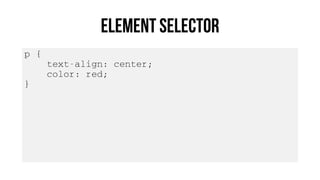
p {
text-align: center;
color: red;
}
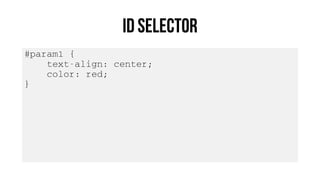
#param1 {
text-align: center;
color: red;
}
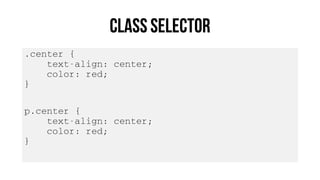
.center {
text-align: center;
color: red;
}
p.center {
text-align: center;
color: red;
}
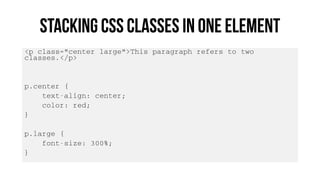
<p class="center large">This paragraph refers to two
classes.</p>
p.center {
text-align: center;
color: red;
}
p.large {
font-size: 300%;
}
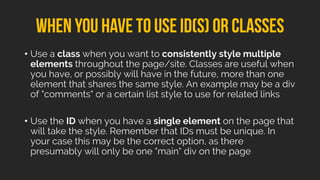
• Use a class when you want to consistently style multiple
elements throughout the page/site. Classes are useful when
you have, or possibly will have in the future, more than one
element that shares the same style. An example may be a div
of "comments" or a certain list style to use for related links
• Use the ID when you have a single element on the page that
will take the style. Remember that IDs must be unique. In
your case this may be the correct option, as there
presumably will only be one "main" div on the page
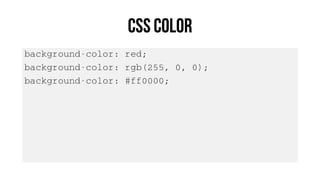
background-color: red;
background-color: rgb(255, 0, 0);
background-color: #ff0000;
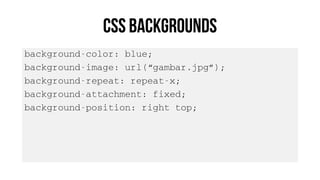
background-color: blue;
background-image: url(“gambar.jpg”);
background-repeat: repeat-x;
background-attachment: fixed;
background-position: right top;
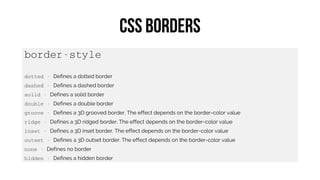
border-style
dotted - Defines a dotted border
dashed - Defines a dashed border
solid - Defines a solid border
double - Defines a double border
groove - Defines a 3D grooved border. The effect depends on the border-color value
ridge - Defines a 3D ridged border. The effect depends on the border-color value
inset - Defines a 3D inset border. The effect depends on the border-color value
outset - Defines a 3D outset border. The effect depends on the border-color value
none - Defines no border
hidden - Defines a hidden border
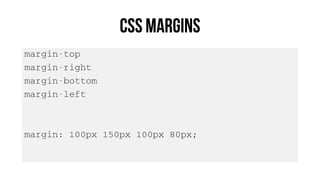
margin-top
margin-right
margin-bottom
margin-left
margin: 100px 150px 100px 80px;
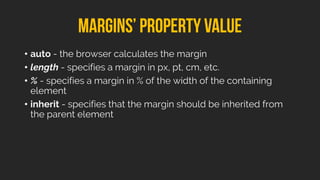
• auto - the browser calculates the margin
• length - specifies a margin in px, pt, cm, etc.
• % - specifies a margin in % of the width of the containing
element
• inherit - specifies that the margin should be inherited from
the parent element
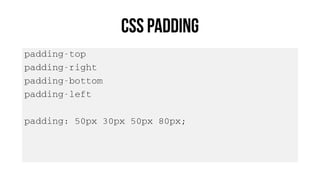
padding-top
padding-right
padding-bottom
padding-left
padding: 50px 30px 50px 80px;
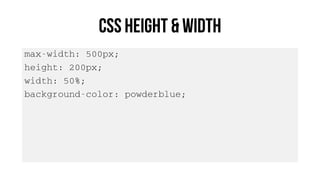
max-width: 500px;
height: 200px;
width: 50%;
background-color: powderblue;
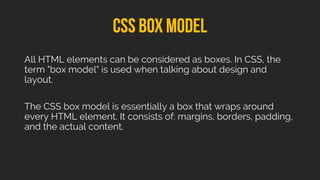
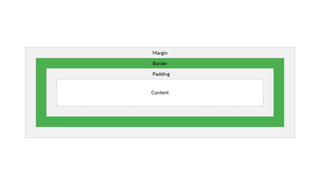
All HTML elements can be considered as boxes. In CSS, the
term "box model" is used when talking about design and
layout.
The CSS box model is essentially a box that wraps around
every HTML element. It consists of: margins, borders, padding,
and the actual content.
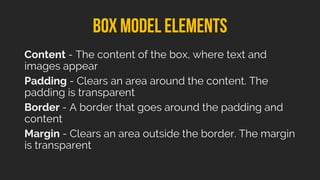
Content - The content of the box, where text and
images appear
Padding - Clears an area around the content. The
padding is transparent
Border - A border that goes around the padding and
content
Margin - Clears an area outside the border. The margin
is transparent
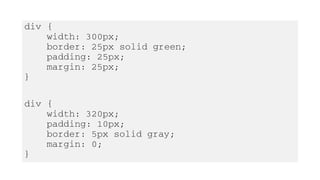
div {
width: 300px;
border: 25px solid green;
padding: 25px;
margin: 25px;
}
div {
width: 320px;
padding: 10px;
border: 5px solid gray;
margin: 0;
}
www.w3schools.com/css
stackoverflow.com
lynda.com

Pemrograman Web 2 - CSS