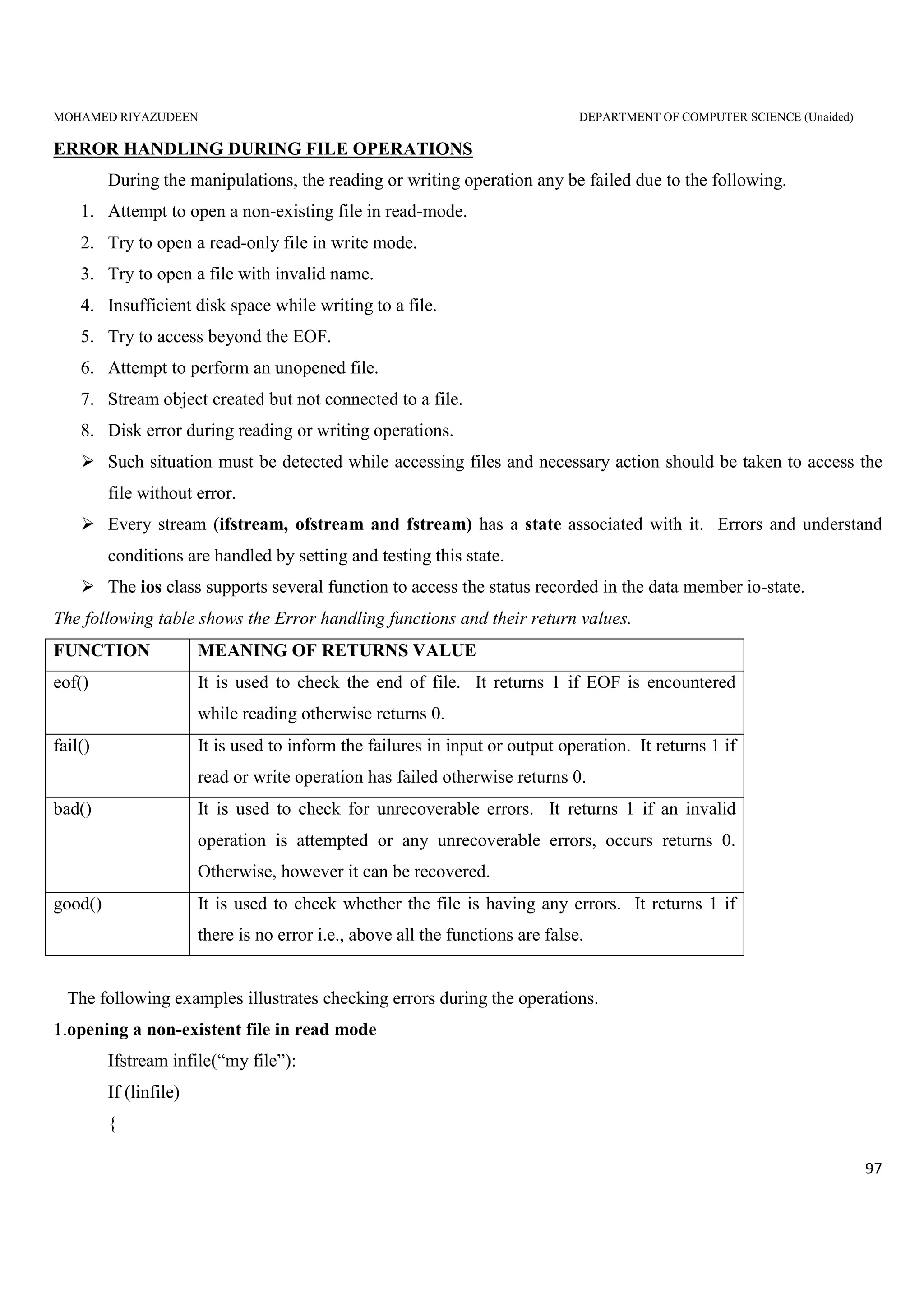
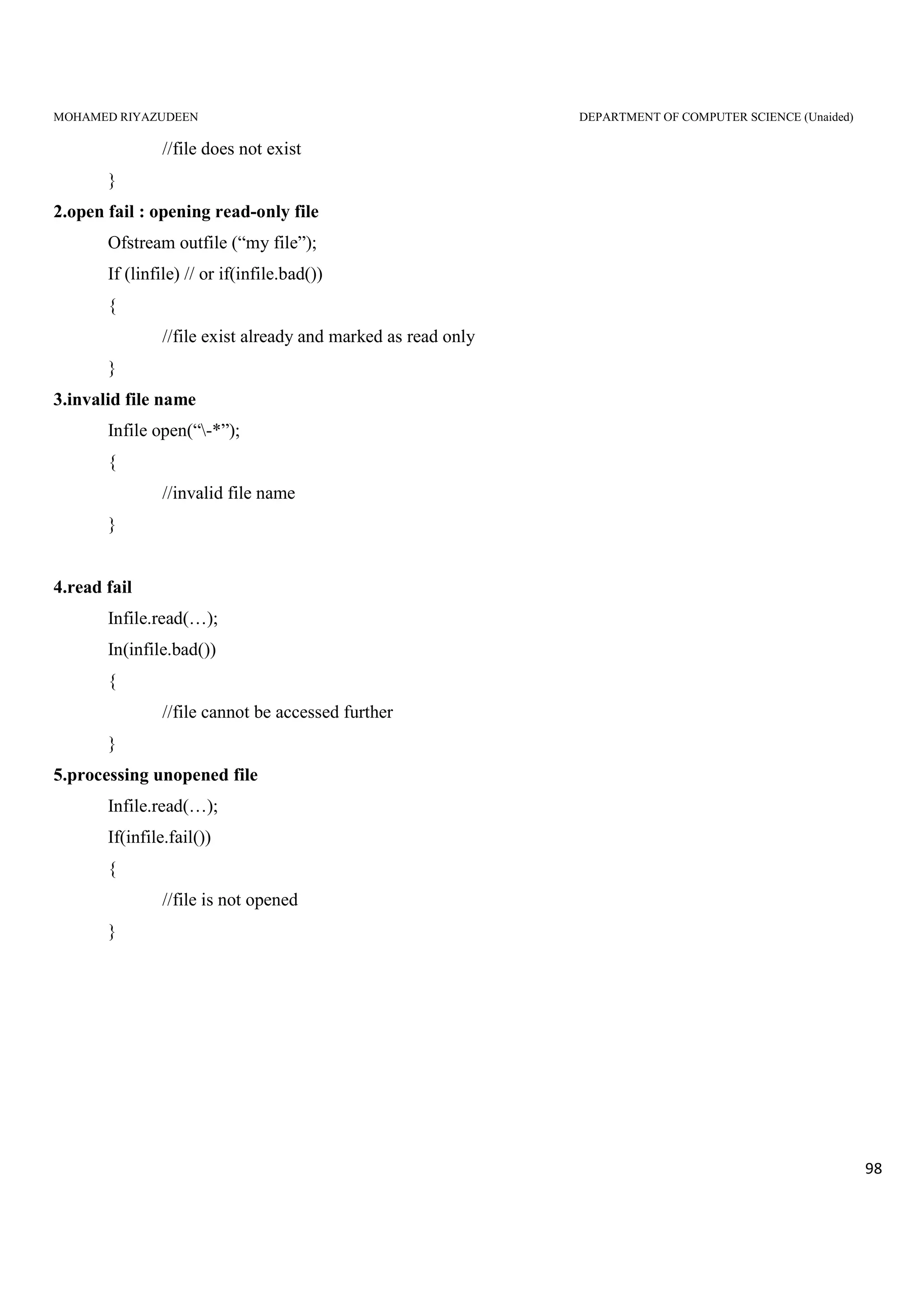
MOHAMED RIYAZUDEEN DEPARTMENT OF COMPUTER SCIENCE (Unaided)
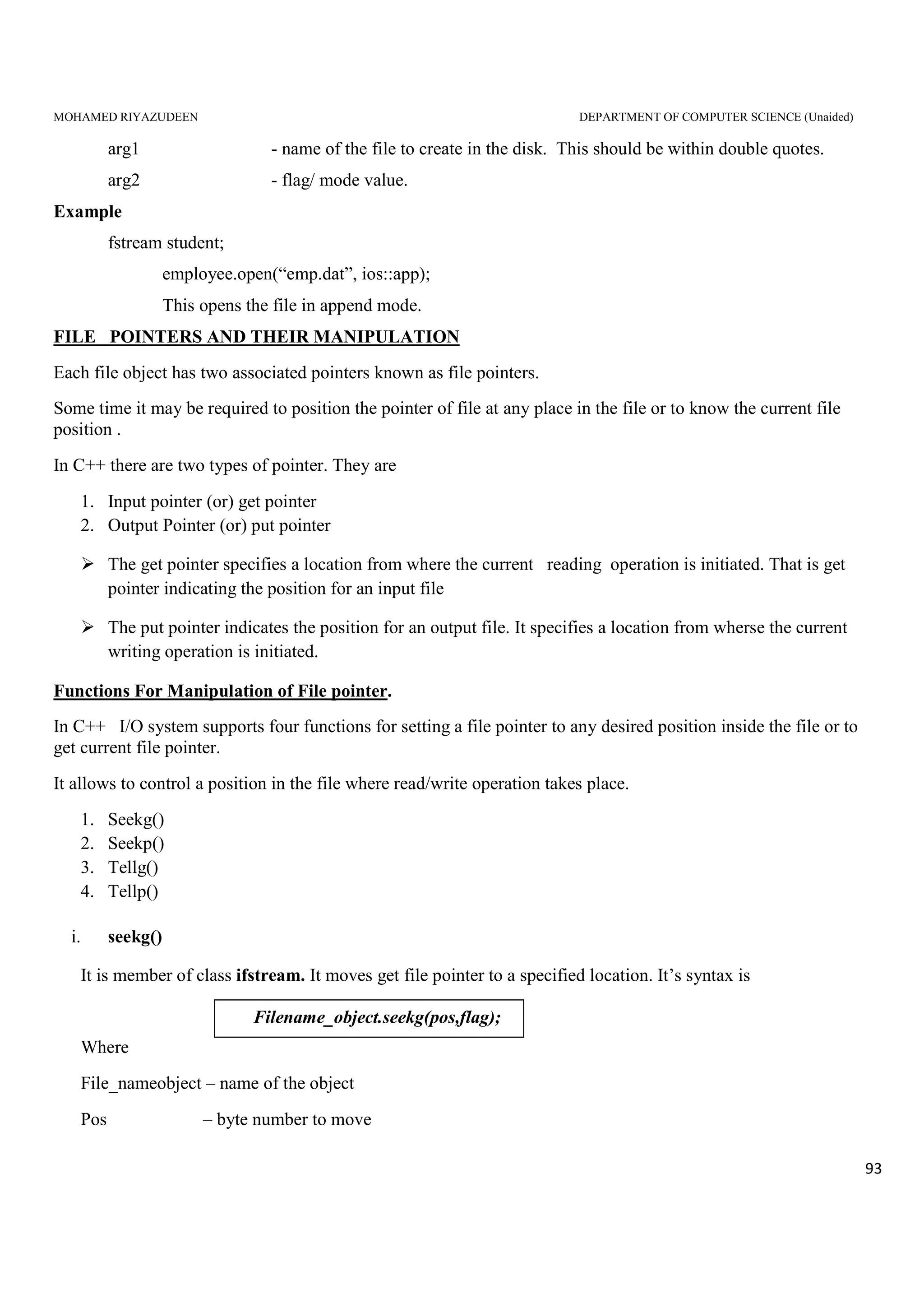
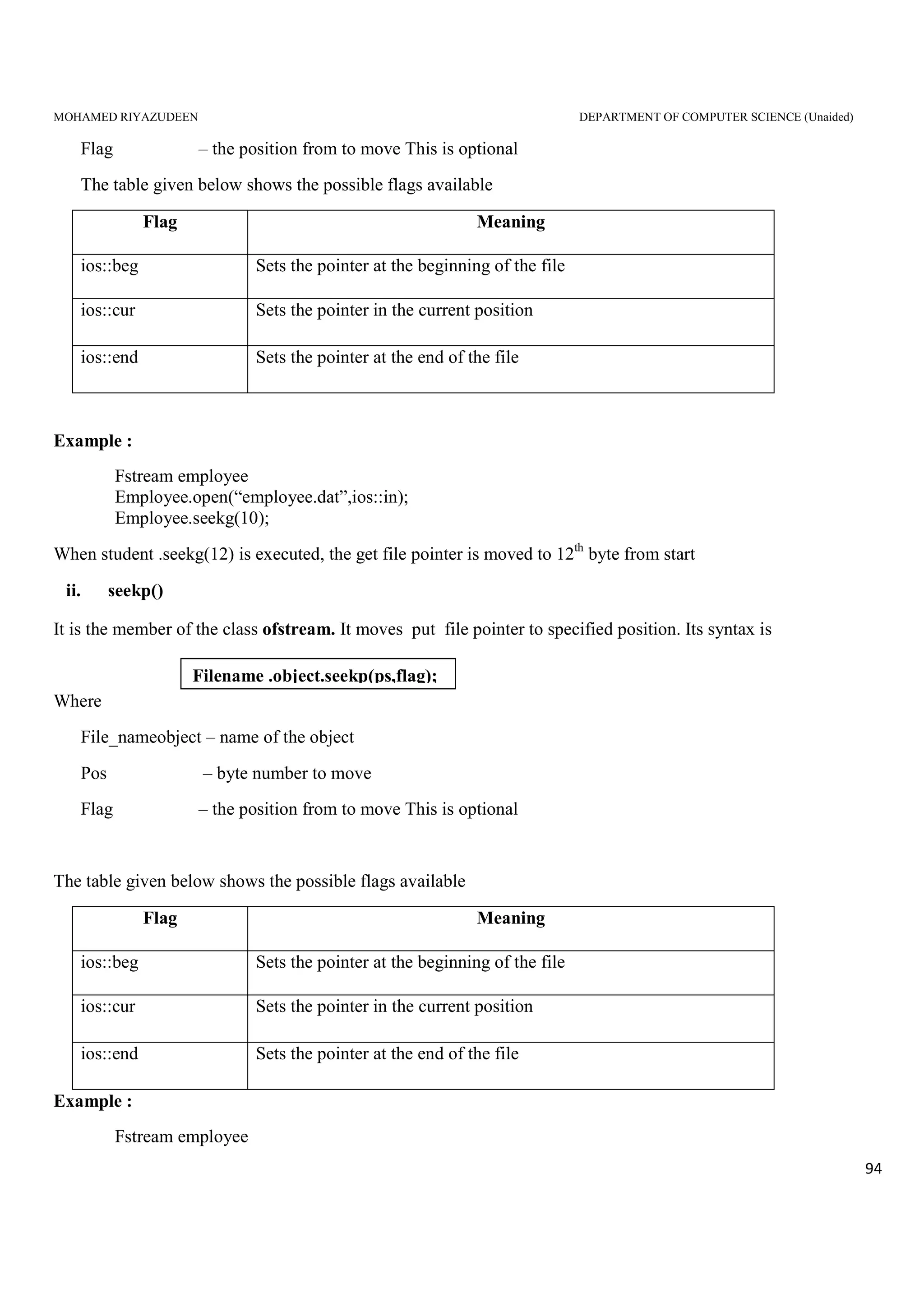
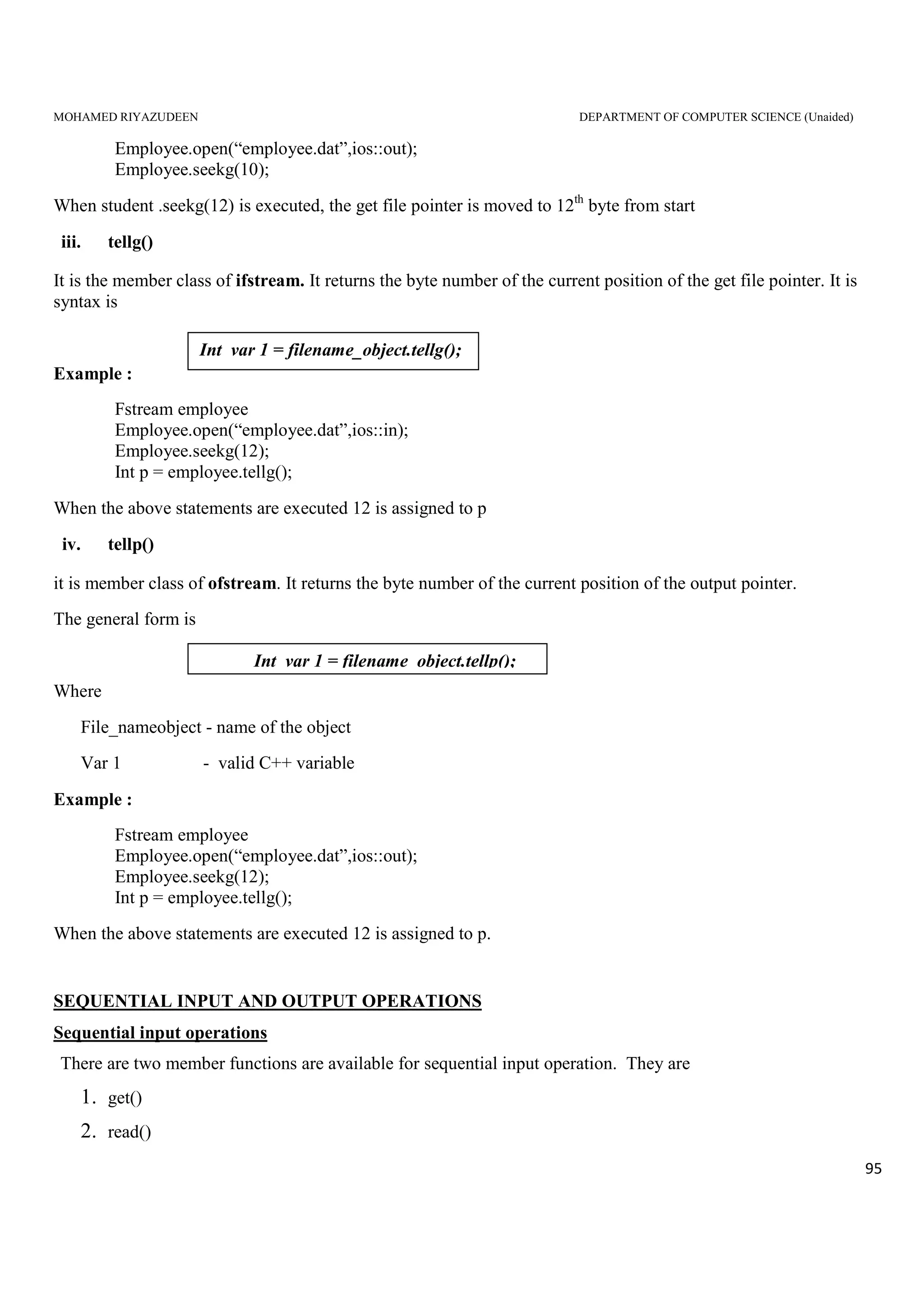
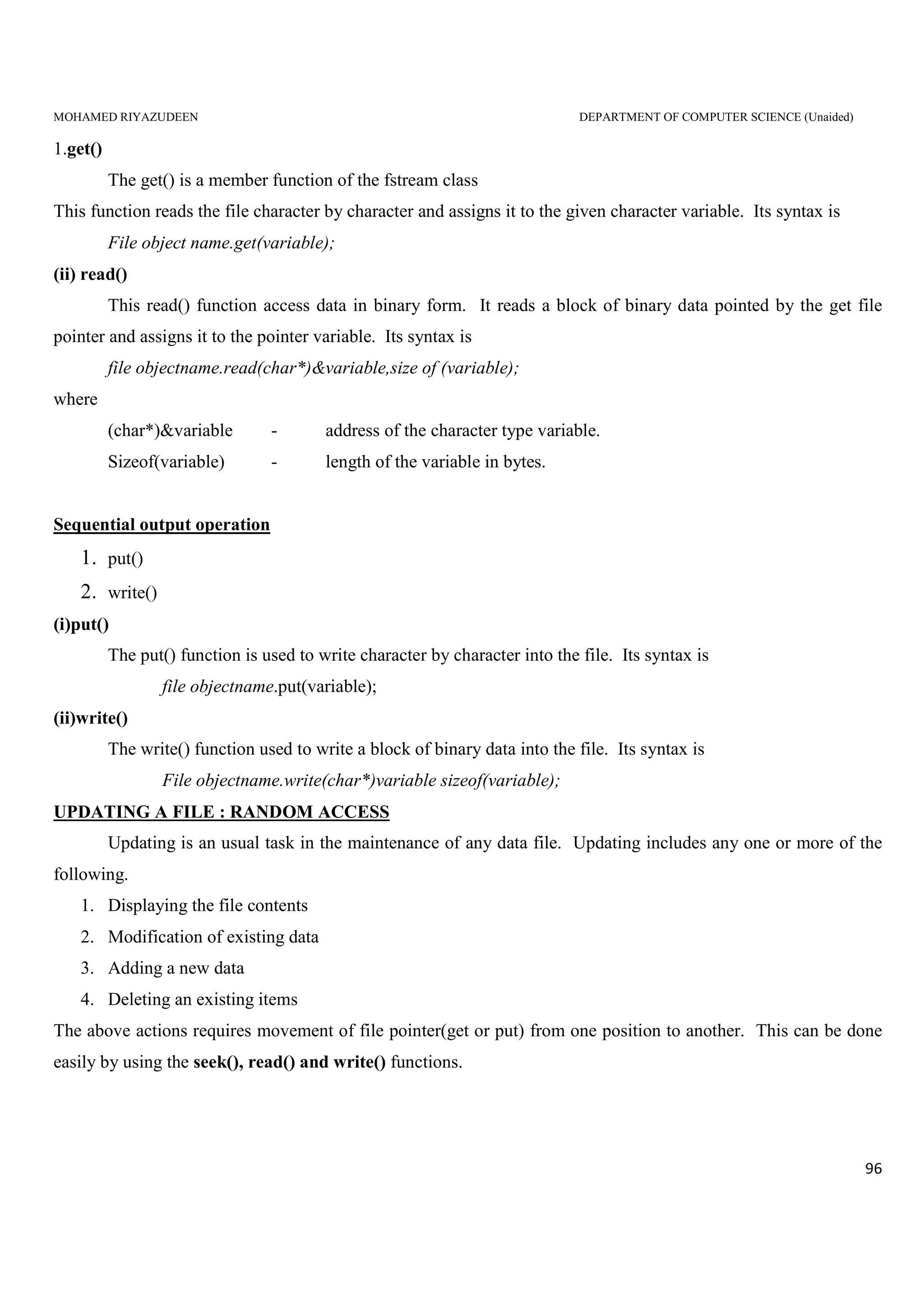
1
C Structure Revisited
We known that one of the unique feature of the C language is structures.
They provide a method for packing together data of different types.
A structure is a convenient tool for handling a group of logically related data items.
It is a user define data type with a template that serves to define its data properties.
Once the structure type has been defined, we can create variables of that type using declaration that are
similar to the built in type declaration.For example, consider the following declaration:
struct student
{
char name[20];
int roll_number;
float total_marks;
};
The keyword struct declare student as a new data type that can hold three fields of different data types.
These fields are known as structure member or elements.
The identifier student, which is referred to as structure name or structure tag, can be used to create
variables of type student.
Example:
struct student A; // C declaration
A is a variable of type student and has three member variables as defined by the template. Member
variable can be accessed using the dot or period operator as follows:
strcpy(A.name, "John");
A.roll_number = 999;
A.total_marks = 595.5;
final_total = A.total_marks + 5;
Structure can have arrays, pointer or structure as members.
Limitations of structure:
Important limitation of structures is that they do not permit data hiding.
The only difference between a structure and a class in C++ is that, by default, the members of a class are
private while, by default, the members of structures are public.
MOHAMED RIYAZUDEEN DEPARTMENT OF COMPUTER SCIENCE (Unaided)
2
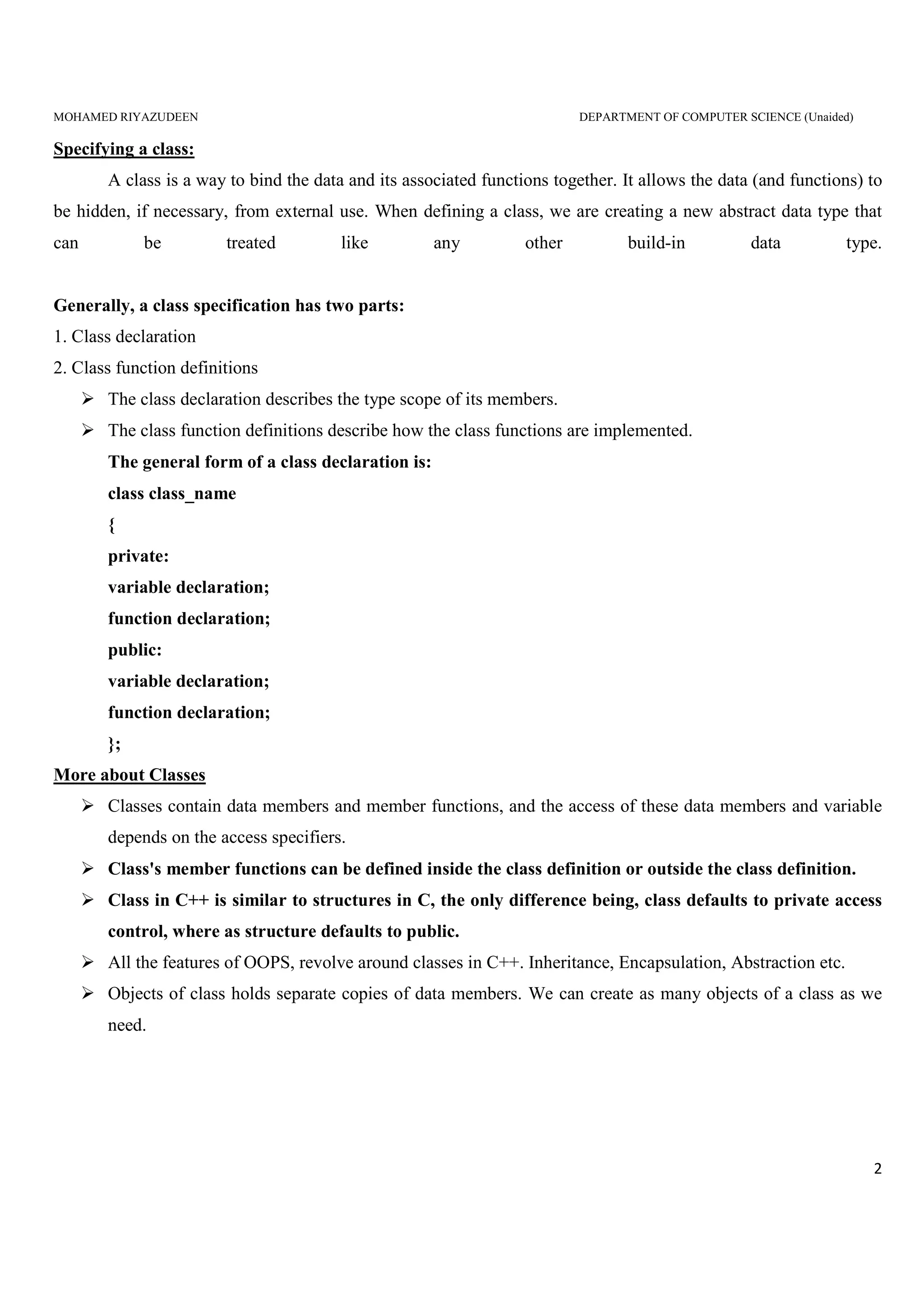
Specifying a class:
A class is a way to bind the data and its associated functions together. It allows the data (and functions) to
be hidden, if necessary, from external use. When defining a class, we are creating a new abstract data type that
can be treated like any other build-in data type.
Generally, a class specification has two parts:
1. Class declaration
2. Class function definitions
The class declaration describes the type scope of its members.
The class function definitions describe how the class functions are implemented.
The general form of a class declaration is:
class class_name
{
private:
variable declaration;
function declaration;
public:
variable declaration;
function declaration;
};
More about Classes
Classes contain data members and member functions, and the access of these data members and variable
depends on the access specifiers.
Class's member functions can be defined inside the class definition or outside the class definition.
Class in C++ is similar to structures in C, the only difference being, class defaults to private access
control, where as structure defaults to public.
All the features of OOPS, revolve around classes in C++. Inheritance, Encapsulation, Abstraction etc.
Objects of class holds separate copies of data members. We can create as many objects of a class as we
need.
MOHAMED RIYAZUDEEN DEPARTMENT OF COMPUTER SCIENCE (Unaided)
3
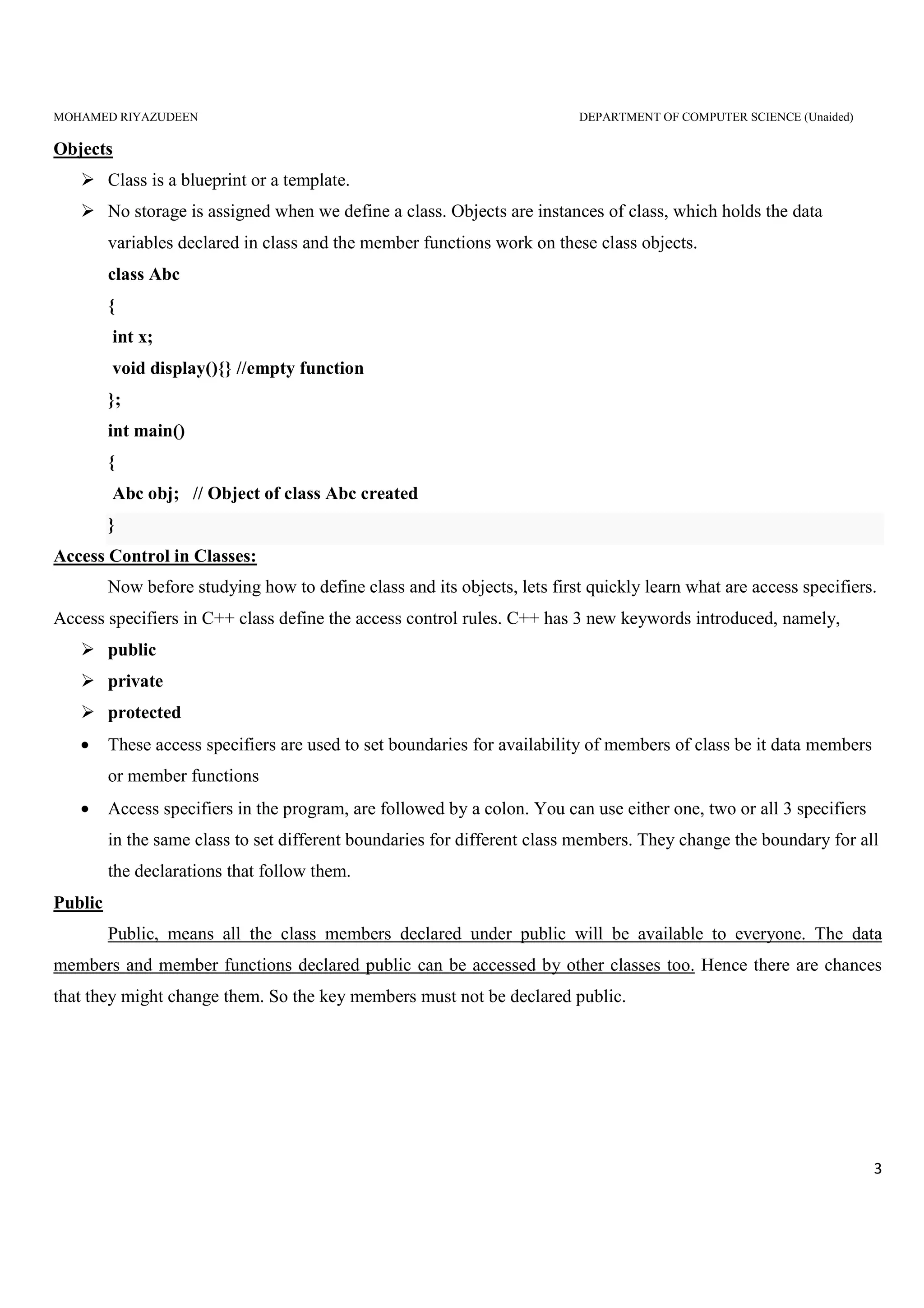
Objects
Class is a blueprint or a template.
No storage is assigned when we define a class. Objects are instances of class, which holds the data
variables declared in class and the member functions work on these class objects.
class Abc
{
int x;
void display(){} //empty function
};
int main()
{
Abc obj; // Object of class Abc created
}
Access Control in Classes:
Now before studying how to define class and its objects, lets first quickly learn what are access specifiers.
Access specifiers in C++ class define the access control rules. C++ has 3 new keywords introduced, namely,
public
private
protected
• These access specifiers are used to set boundaries for availability of members of class be it data members
or member functions
• Access specifiers in the program, are followed by a colon. You can use either one, two or all 3 specifiers
in the same class to set different boundaries for different class members. They change the boundary for all
the declarations that follow them.
Public
Public, means all the class members declared under public will be available to everyone. The data
members and member functions declared public can be accessed by other classes too. Hence there are chances
that they might change them. So the key members must not be declared public.
MOHAMED RIYAZUDEEN DEPARTMENT OF COMPUTER SCIENCE (Unaided)
4
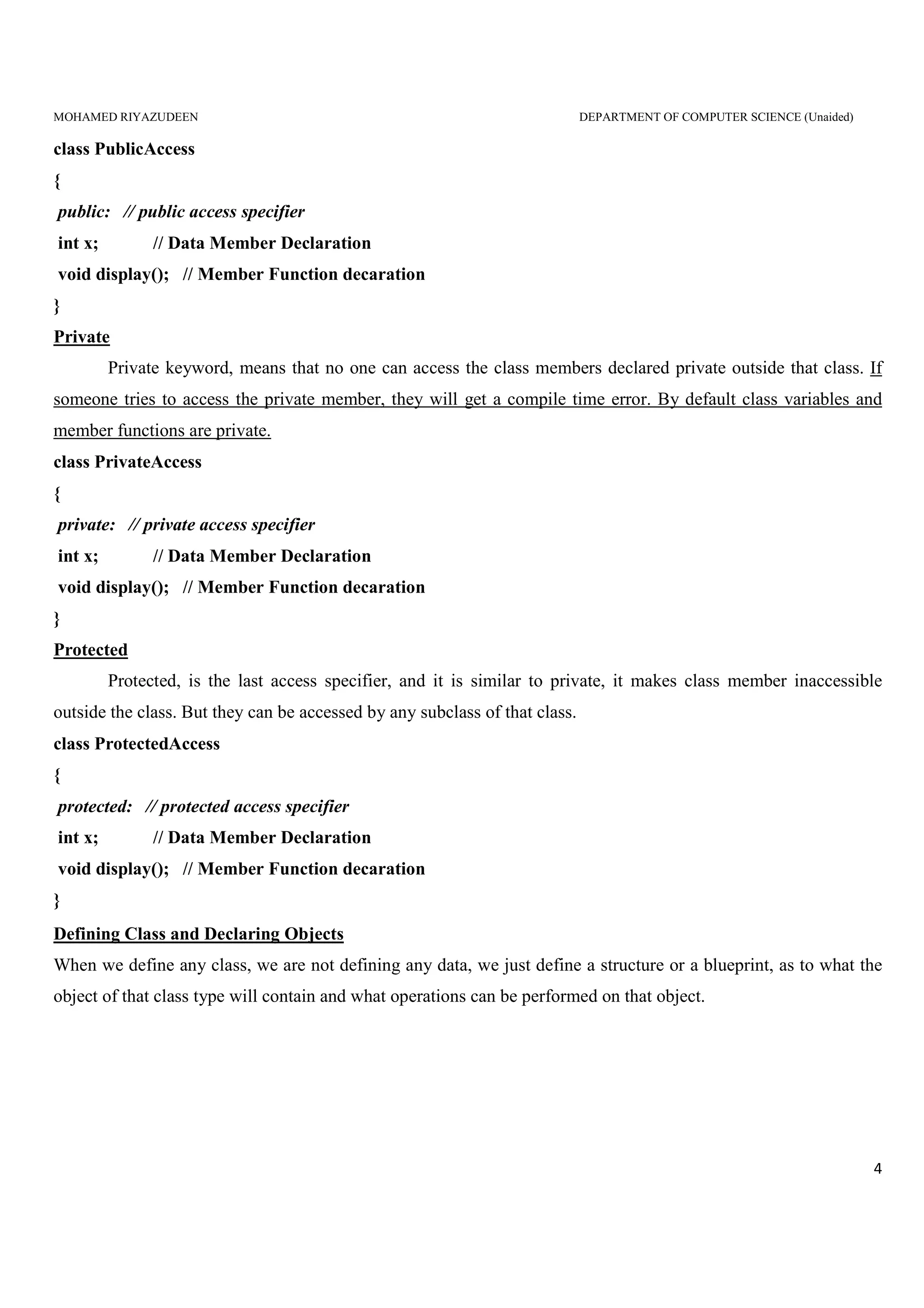
class PublicAccess
{
public: // public access specifier
int x; // Data Member Declaration
void display(); // Member Function decaration
}
Private
Private keyword, means that no one can access the class members declared private outside that class. If
someone tries to access the private member, they will get a compile time error. By default class variables and
member functions are private.
class PrivateAccess
{
private: // private access specifier
int x; // Data Member Declaration
void display(); // Member Function decaration
}
Protected
Protected, is the last access specifier, and it is similar to private, it makes class member inaccessible
outside the class. But they can be accessed by any subclass of that class.
class ProtectedAccess
{
protected: // protected access specifier
int x; // Data Member Declaration
void display(); // Member Function decaration
}
Defining Class and Declaring Objects
When we define any class, we are not defining any data, we just define a structure or a blueprint, as to what the
object of that class type will contain and what operations can be performed on that object.
MOHAMED RIYAZUDEEN DEPARTMENT OF COMPUTER SCIENCE (Unaided)
5
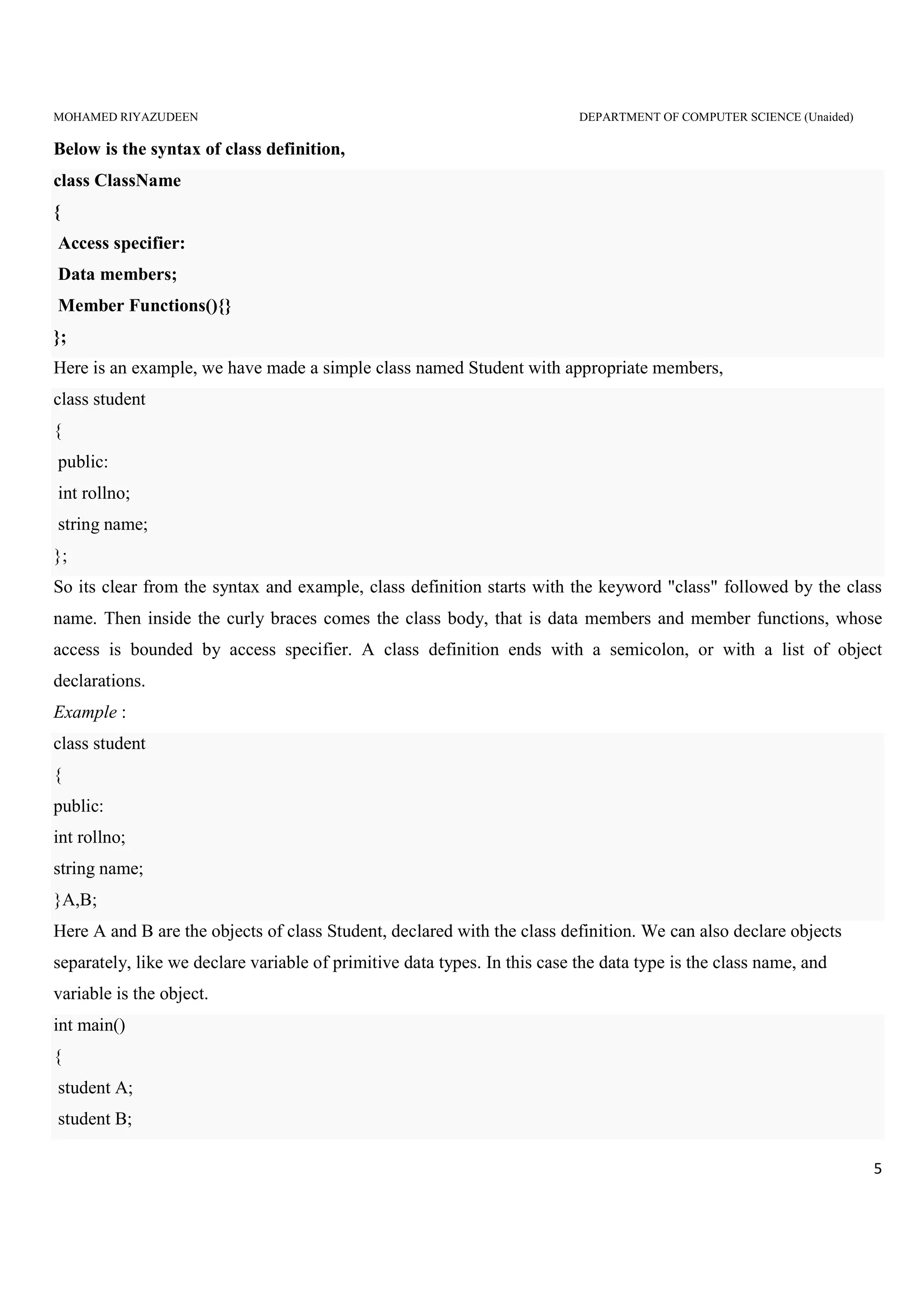
Below is the syntax of class definition,
class ClassName
{
Access specifier:
Data members;
Member Functions(){}
};
Here is an example, we have made a simple class named Student with appropriate members,
class student
{
public:
int rollno;
string name;
};
So its clear from the syntax and example, class definition starts with the keyword "class" followed by the class
name. Then inside the curly braces comes the class body, that is data members and member functions, whose
access is bounded by access specifier. A class definition ends with a semicolon, or with a list of object
declarations.
Example :
class student
{
public:
int rollno;
string name;
}A,B;
Here A and B are the objects of class Student, declared with the class definition. We can also declare objects
separately, like we declare variable of primitive data types. In this case the data type is the class name, and
variable is the object.
int main()
{
student A;
student B;
MOHAMED RIYAZUDEEN DEPARTMENT OF COMPUTER SCIENCE (Unaided)
6
}
Both A and B will have their own copies of data members.
Simple Class Program:
// Header Files
#include <iostream>
#include<conio.h>
// Class Declaration
class person
{
//Access - Specifier
public:
//Varibale Declaration
char name[20];
int number;
};
//Main Function
void main()
{
// Object Creation For Class
person obj;
//Get Input Values For Object Varibales
cout<<"Enter the Name :";
cin>>obj.name;
cout<<"Enter the Number :";
cin>>obj.number;
//Show the Output
cout << obj.name << ": " << obj.number << endl;
getch();
}
MOHAMED RIYAZUDEEN DEPARTMENT OF COMPUTER SCIENCE (Unaided)
7
Sample Output:
Enter the Name :Riya
Enter the Number :100
Riya: 100
Defining Member Functions in Classes
Member functions are the functions, which have their declaration inside the class definition and works on
the data members of the class.
The definition of member functions can be inside or outside the definition of class.
If the member function is defined inside the class definition it can be defined directly, but if its defined
outside the class, then we have to use the scope resolution :: operator along with class name along with
function name.
If we define the function inside class then we don't not need to declare it first, we can directly define the function.
Inside the class definition:
class Cube
{
public:
int side;
int getVolume()
{
return side*side*side; //returns volume of cube
}
};
But if we plan to define the member function outside the class definition then we must declare the function inside
class definition and then define it outside.
outside the class definition:
class Cube
{
public:
int side;
int getVolume();
}
MOHAMED RIYAZUDEEN DEPARTMENT OF COMPUTER SCIENCE (Unaided)
8
int Cube :: getVolume() // defined outside class definition
{
return side*side*side;
}
The main function for both the function definition will be same. Inside main() we will create object of class, and
will call the member function using dot . operator.
void main()
{
Cube C1;
C1.side=4; // setting side value
cout<< "Volume of cube C1 ="<< C1.getVolume();
}
Making an Outside Function Inline
One of the objectives of OOP is to separate the details of implementation from the class definition. It is
therefore good practice to define the member functions outside the class.
We can define a member function outside the class definition and still make it inline by just using the
qualifier inline in the header line of the function definition.
Example:
class item
{
......
......
public:
void getdata(int a,float b);
};
inline void item :: getdata(int a,float b)
{
number=a;
cost=b;
}
MOHAMED RIYAZUDEEN DEPARTMENT OF COMPUTER SCIENCE (Unaided)
9
Nesting of Member Functions
A member function of a class can be called only by an object of that class using a dot operator.
However, there is an exception to this. A member function can be called by using its name inside another
member function of the same class. This is known as nesting of member functions.
Nesting of Member Function
#include <iostream.h>
#include<conio.h>
class set
{
int m,n;
public:
void input();
void display();
int largest();
};
int set :: largest(void)
{
if(m >= n)
return(m);
else
return(n);
}
void set :: input(void)
{
cout << "Input value of m and n"<<"n";
cin >> m>>n;
}
void set :: display(void)
{
cout << "largest value=" << largest() <<"n";
}
MOHAMED RIYAZUDEEN DEPARTMENT OF COMPUTER SCIENCE (Unaided)
10
int main()
{
set A;
A.input();
A.display();
return 0;
}
The output of program would be:
Input value of m and n
25 18
Largest value=25
Private Member Functions
Although it is normal practice to place all the data items in a private section and all the function in public,
some situations may require certain function to be hidden from the outside calls. Tasks such a deleting an
account in a customer file, or providing increment to an employee are event of serious consequences and
therefore the function handling such task should have restricted access. We can place these function in the
private section.
A private member function can only be called by another function that is a member of its class. Even an
object cannot invoke a private function using the dot operator. Consider a class as defined below:
class sample
{
int m;
void read(void);
public:
void update(void);
void write(void);
};
if s1 is an object of sample, then
s1.read (); // won’t work, objects cannot access private members
However, the function read() can be called by the function update() to update the value of m.
void sample :: update(void)
MOHAMED RIYAZUDEEN DEPARTMENT OF COMPUTER SCIENCE (Unaided)
11
{
read(); // simple call; no objects used
}
Arrays within a Class
An array is a user defined data type whose members are homogeneous
Arrays are used to store huge volume of similar data types.
arrays can be easily manipulated with the help of loops
it can used as member variables in a class
Example:
#include<iostream.h>
#include<conio.h>
class student
{
int regno;
float mark[4], total;
char name[20];
public:
void getdetails();
void displaydetails();
};
void student ::getdetails()
{
cout<<"Enter the name";
cin>>name;
cout<<"Enter the Register number";
cin>>regno;;
cout<<"Enter 4 marks one by one"<<endl;
for(int i=0;i<4;i++)
{
cin>>mark[i];
total=total+mark[i];
}
MOHAMED RIYAZUDEEN DEPARTMENT OF COMPUTER SCIENCE (Unaided)
12
}
void student :: displaydetails()
{
cout<<"STUDENT DETAILS n";
cout<<" Name :"<<name<<endl;
cout<<" Register Number"<<regno<<endl;
for(int i=0;i<4;i++)
{
cout<<"Mark"<<i+1<<"="<<mark[i]<<endl;
cout<<"Total"<<total;
}
}
void main()
{
clrscr();
student s1;
s1.getdetails();
s1.displaydetails();
getch();
}
Run
Enter the name : Riya
Enter the Register number : 35
Enter 4 marks one by one :
78
80
99
89
MOHAMED RIYAZUDEEN DEPARTMENT OF COMPUTER SCIENCE (Unaided)
13
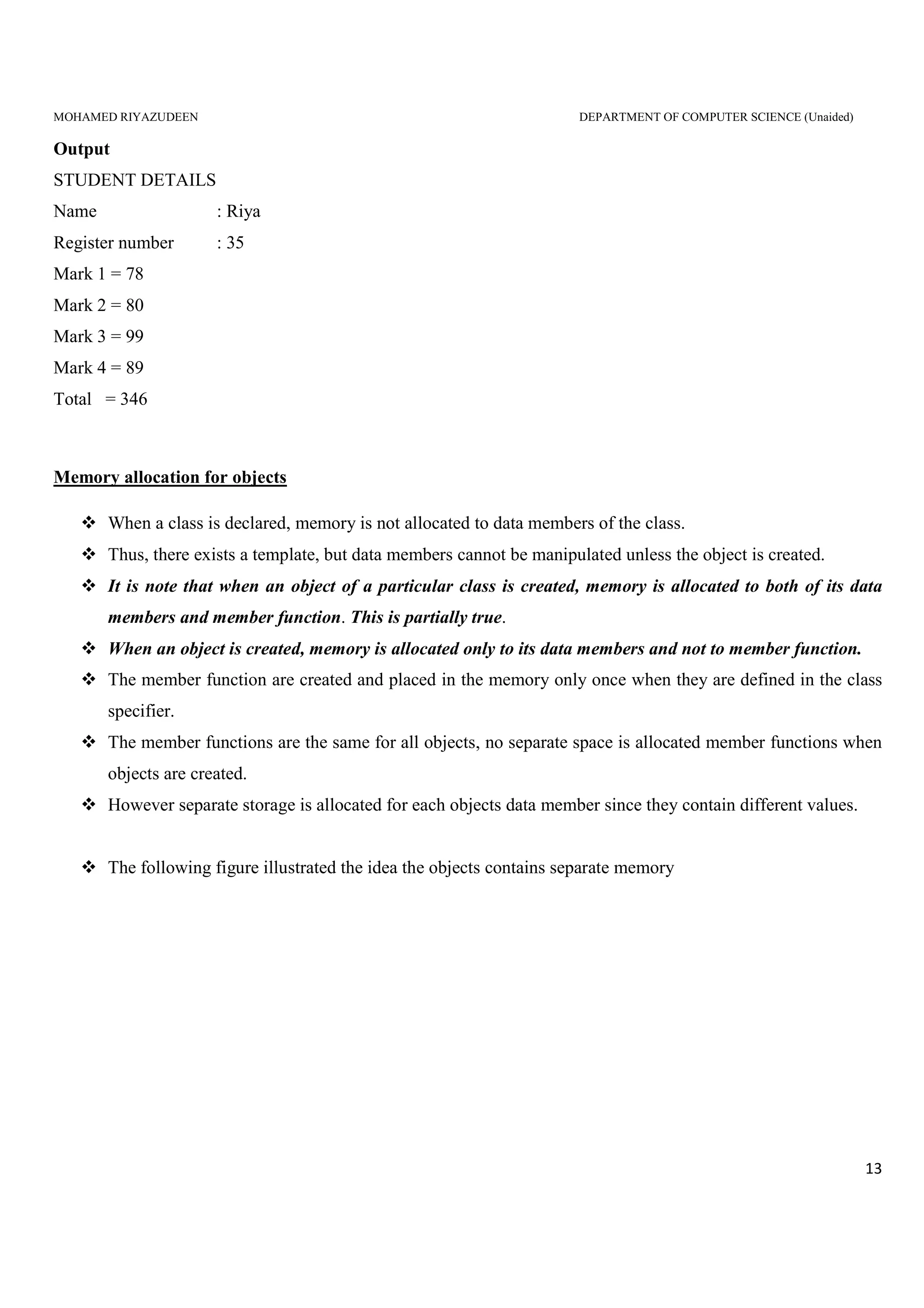
Output
STUDENT DETAILS
Name : Riya
Register number : 35
Mark 1 = 78
Mark 2 = 80
Mark 3 = 99
Mark 4 = 89
Total = 346
Memory allocation for objects
When a class is declared, memory is not allocated to data members of the class.
Thus, there exists a template, but data members cannot be manipulated unless the object is created.
It is note that when an object of a particular class is created, memory is allocated to both of its data
members and member function. This is partially true.
When an object is created, memory is allocated only to its data members and not to member function.
The member function are created and placed in the memory only once when they are defined in the class
specifier.
The member functions are the same for all objects, no separate space is allocated member functions when
objects are created.
However separate storage is allocated for each objects data member since they contain different values.
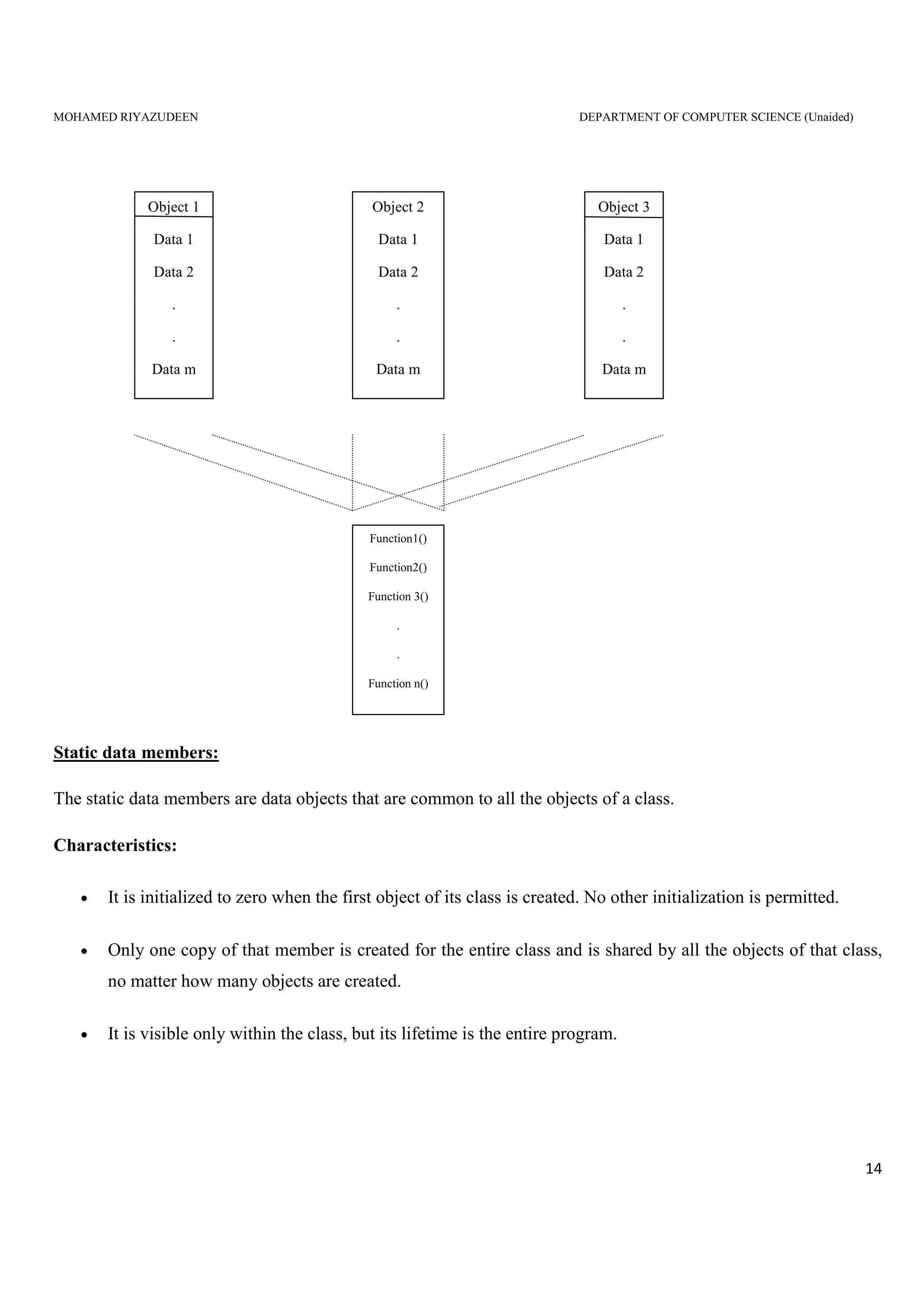
The following figure illustrated the idea the objects contains separate memory
MOHAMED RIYAZUDEEN DEPARTMENT OF COMPUTER SCIENCE (Unaided)
14
Static data members:
The static data members are data objects that are common to all the objects of a class.
Characteristics:
• It is initialized to zero when the first object of its class is created. No other initialization is permitted.
• Only one copy of that member is created for the entire class and is shared by all the objects of that class,
no matter how many objects are created.
• It is visible only within the class, but its lifetime is the entire program.
Object 2
Data 1
Data 2
.
.
Data m
Object 3
Data 1
Data 2
.
.
Data m
Object 1
Data 1
Data 2
.
.
Data m
Function1()
Function2()
Function 3()
.
.
Function n()
MOHAMED RIYAZUDEEN DEPARTMENT OF COMPUTER SCIENCE (Unaided)
15
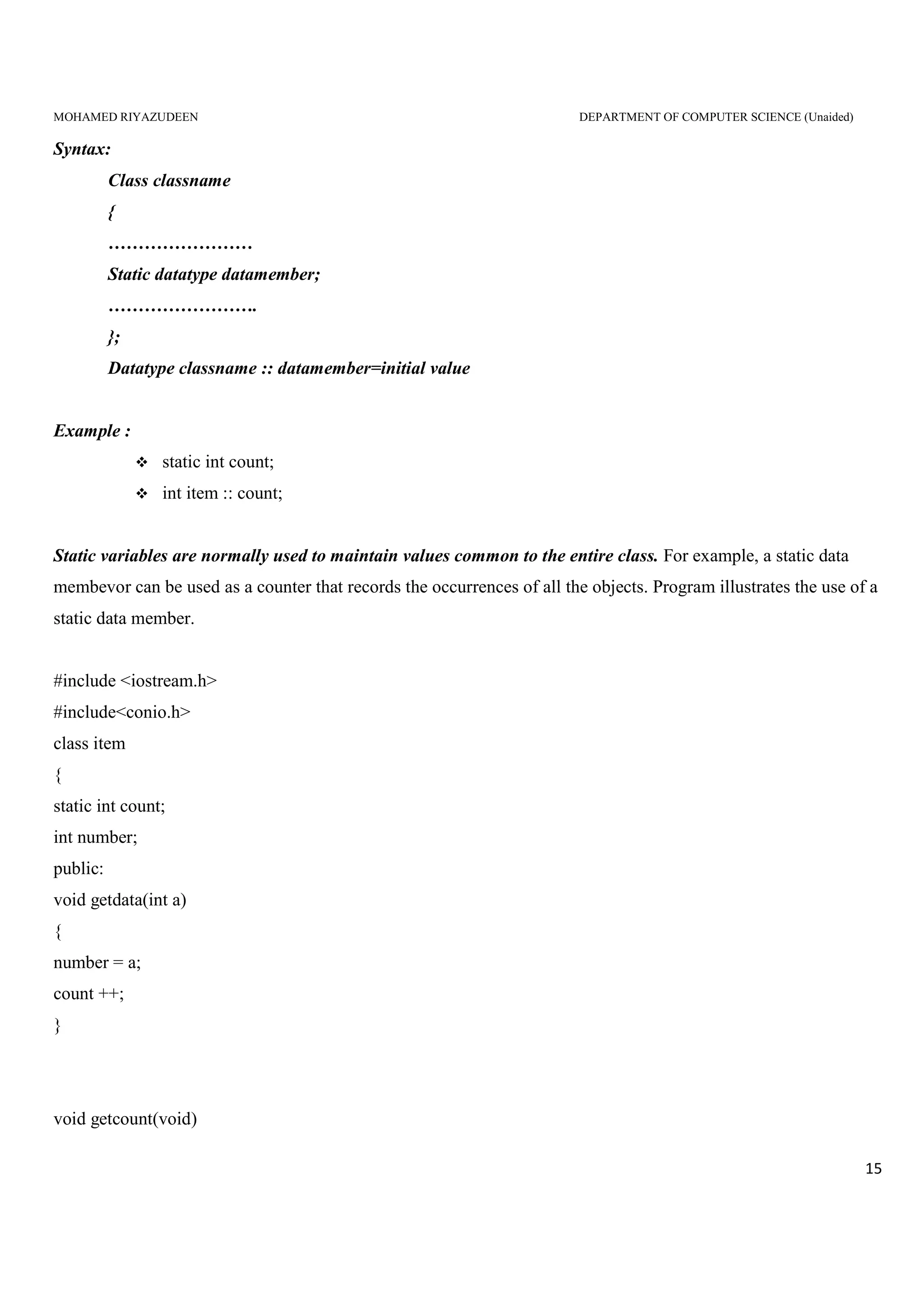
Syntax:
Class classname
{
……………………
Static datatype datamember;
…………………….
};
Datatype classname :: datamember=initial value
Example :
static int count;
int item :: count;
Static variables are normally used to maintain values common to the entire class. For example, a static data
membevor can be used as a counter that records the occurrences of all the objects. Program illustrates the use of a
static data member.
#include <iostream.h>
#include<conio.h>
class item
{
static int count;
int number;
public:
void getdata(int a)
{
number = a;
count ++;
}
void getcount(void)
MOHAMED RIYAZUDEEN DEPARTMENT OF COMPUTER SCIENCE (Unaided)
16
{
cout << "Count: ";
cout << count <<"n";
}
};
int item :: count;
void main()
{
item a,b,c;
a.getcount();
b.getcount();
c.getcount();
a.getdata(100);
b.getdata(200);
c.getdata(300);
cout << "After rea.gading data"<<"n";
a.getcount();
b.getcount();
c.getcount();
getch();
}
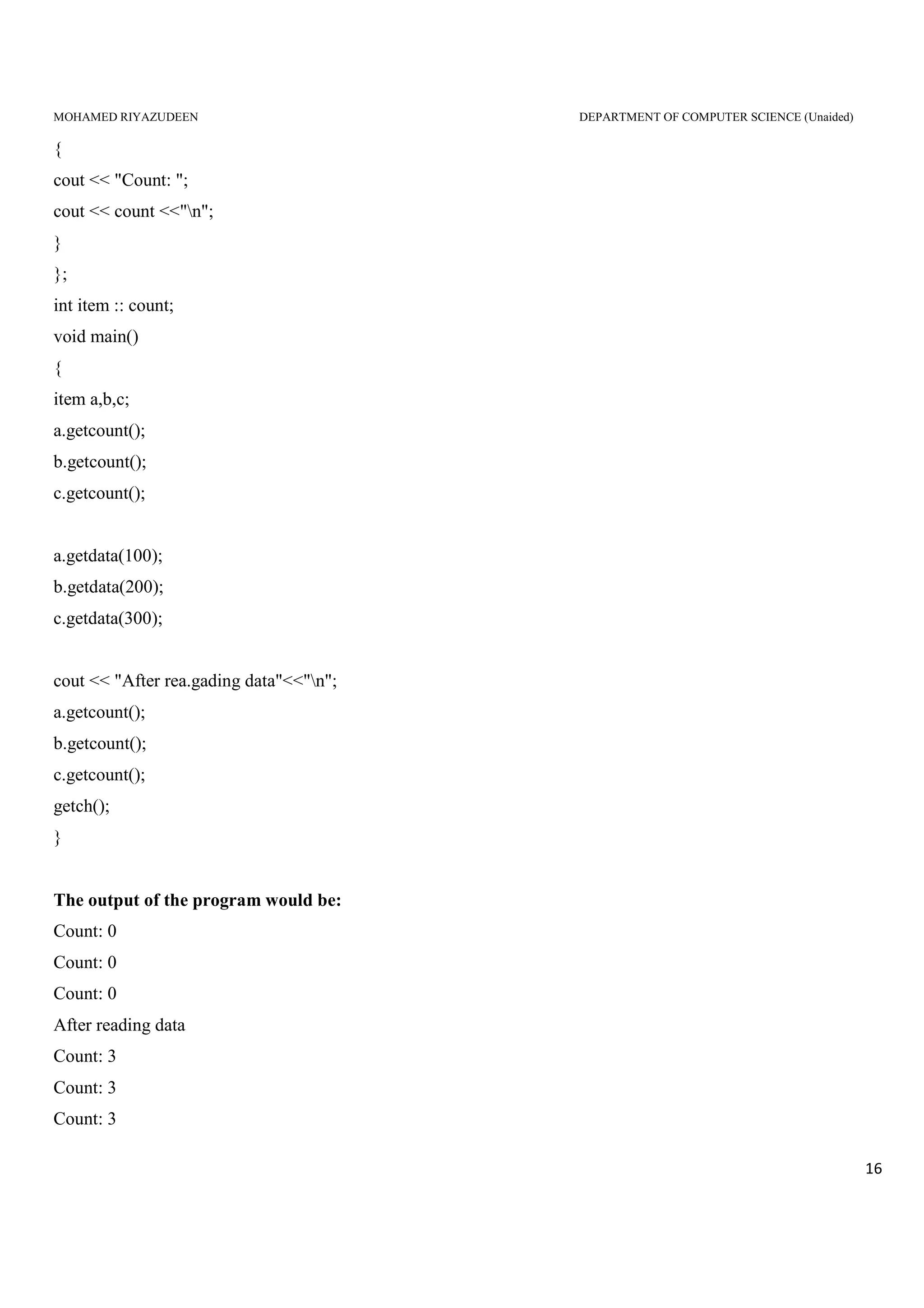
The output of the program would be:
Count: 0
Count: 0
Count: 0
After reading data
Count: 3
Count: 3
Count: 3
MOHAMED RIYAZUDEEN DEPARTMENT OF COMPUTER SCIENCE (Unaided)
17
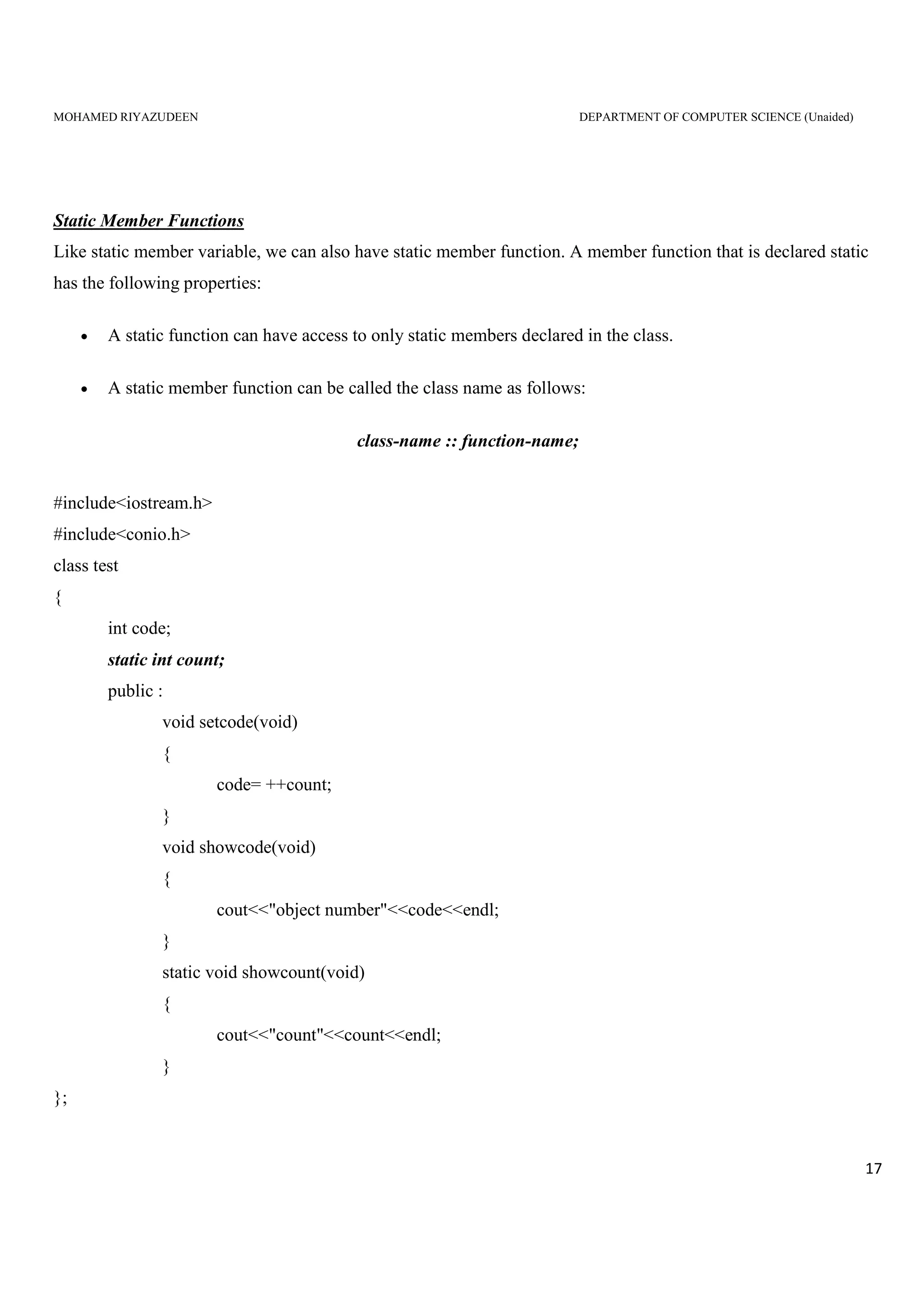
Static Member Functions
Like static member variable, we can also have static member function. A member function that is declared static
has the following properties:
• A static function can have access to only static members declared in the class.
• A static member function can be called the class name as follows:
class-name :: function-name;
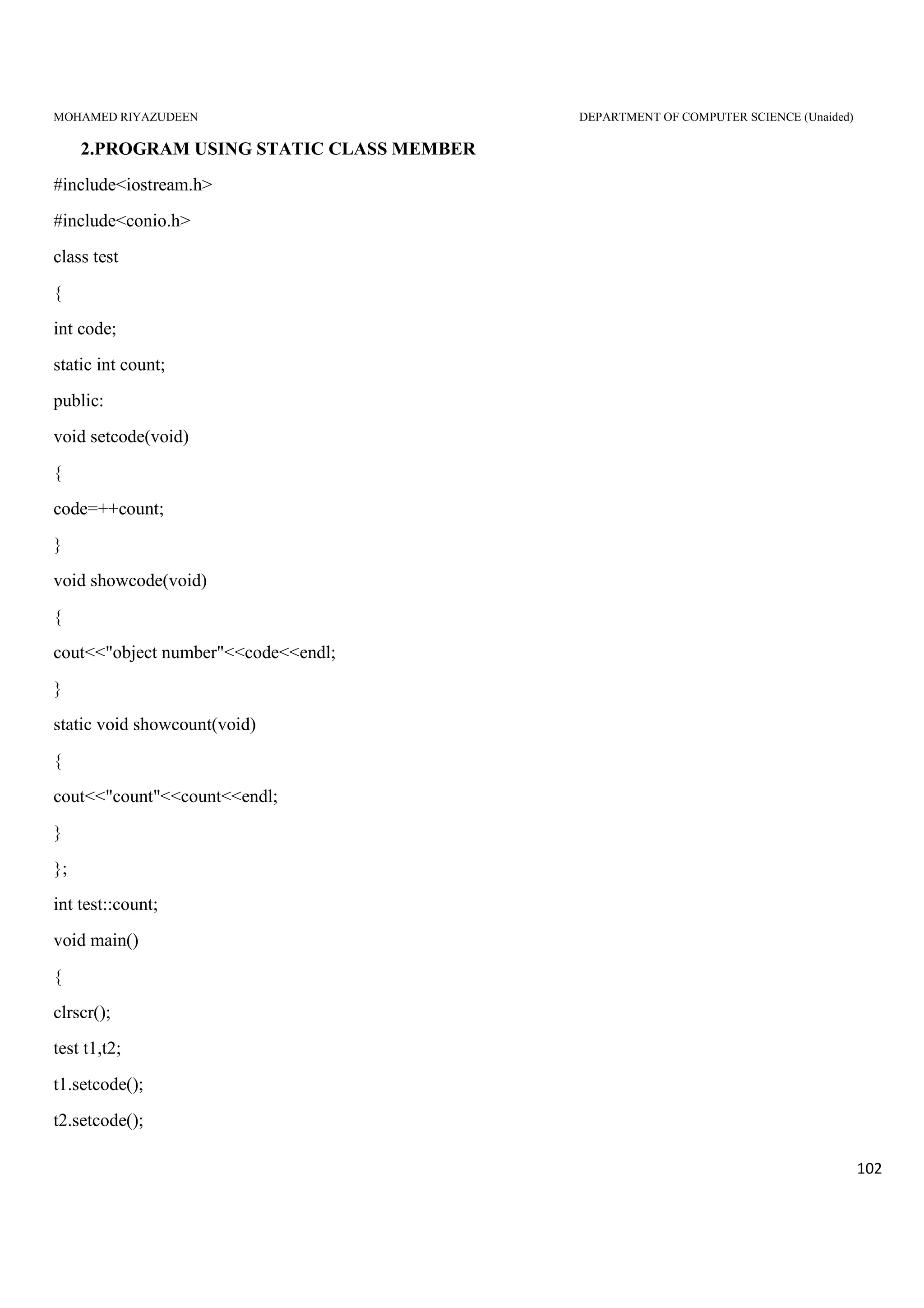
#include<iostream.h>
#include<conio.h>
class test
{
int code;
static int count;
public :
void setcode(void)
{
code= ++count;
}
void showcode(void)
{
cout<<"object number"<<code<<endl;
}
static void showcount(void)
{
cout<<"count"<<count<<endl;
}
};
MOHAMED RIYAZUDEEN DEPARTMENT OF COMPUTER SCIENCE (Unaided)
18
int test::count;
void main()
{
clrscr();
test t1,t2;
t1.setcode();
t2.setcode();
test::showcount();
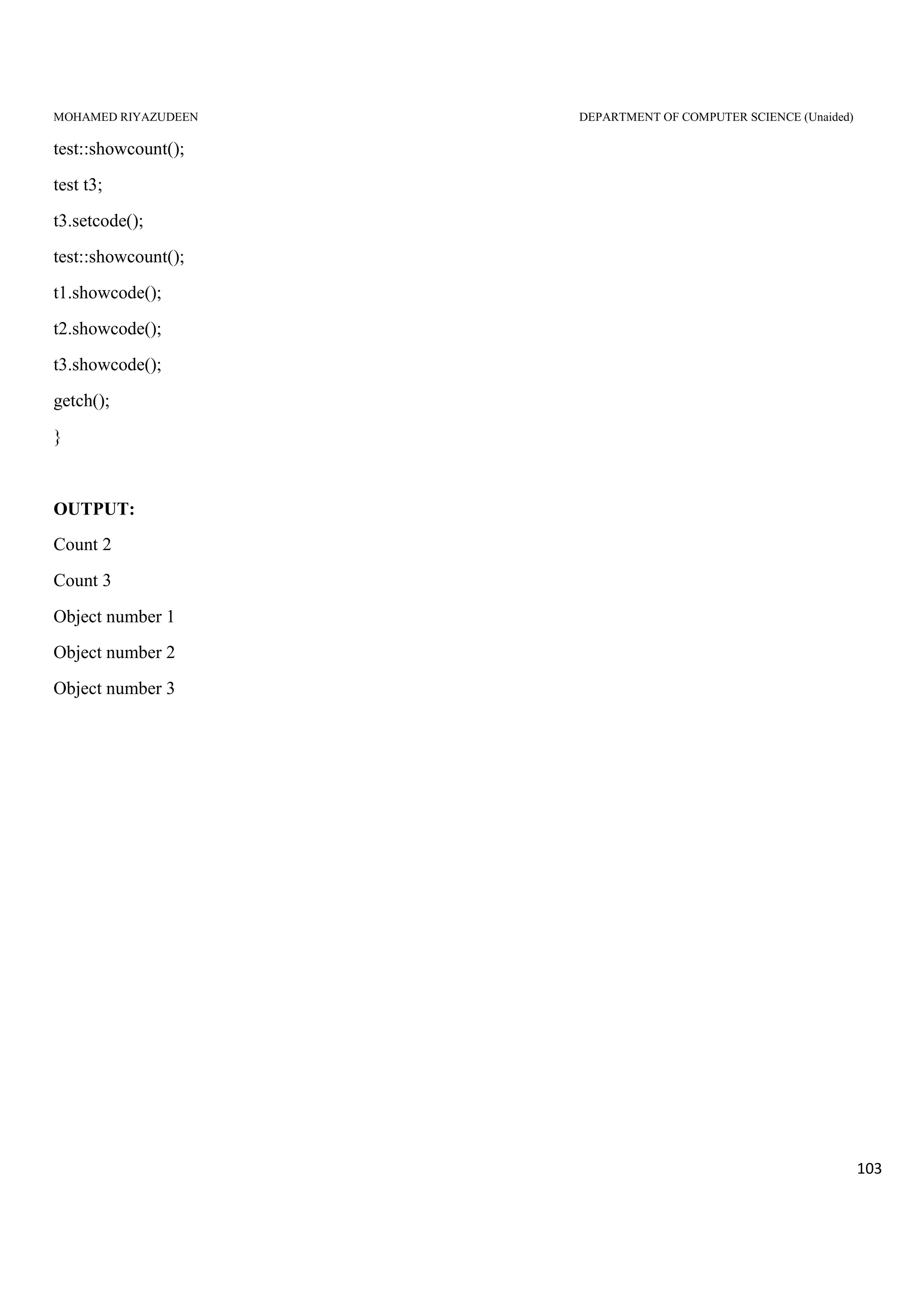
test t3;
t3.setcode();
test::showcount();
t1.showcode();
t2.showcode();
t3.showcode();
getch();
}
OUTPUT
Count 2
Count 3
Object number 1
Object number 2
Object number 3
Arrays of objects :
C++ allows to create an array of any data type including user defined data types
Thus an array of variables that are of the type class can also be defined. Such variables are called
arrays of an objects.
It is often used to handle group of object which reside contiguously in the memory.
Syntax:
Classname arrayname[size of the array]
MOHAMED RIYAZUDEEN DEPARTMENT OF COMPUTER SCIENCE (Unaided)
19
Conceptual Explanation:
Consider the following class definition
Class employee
{
Char name[30];
Float age;
Public:
Void getdata();
Void putdata();
};
The identifier employee is a user defined data type and can be used to create objects that releate to
different categories of the employees for example
employee manager[3];
employee foreman[15];
the array manager contains three objects (managers), namely,manager[0], manager[1] and manager[2], of type
employee class. Similarly, the foreman array contains 15 objects (foreman).
Example Program :
#include<iostream.h>
#include<conio.h>
class rec
{
private:
int i;
int b;
public:
rec(int a,int c)
{
MOHAMED RIYAZUDEEN DEPARTMENT OF COMPUTER SCIENCE (Unaided)
20
i=a;
b=c;
}
void put()
{
cout<<"Area is : "<<i*b <<endl;
}
};
void main()
{
clrscr();
rec obj[3]={rec(3,6),rec(2,5),rec(5,5)};
cout<<"Displaying Areas of Rectangles : n";
for(int i=0;i<3;i++)
obj[i].put();
getch();
}
Objects as function Arguments :
• Objects can be used as function arguments, by these arguments we can pass either the values of the object
or address of the object.
• An object can be used as a function argument by the following way
A copy of the entire object is passed to the function
Only the address of the object is transferred to the function
Pass-by-value:
The first method is called pass-by-value
MOHAMED RIYAZUDEEN DEPARTMENT OF COMPUTER SCIENCE (Unaided)
21
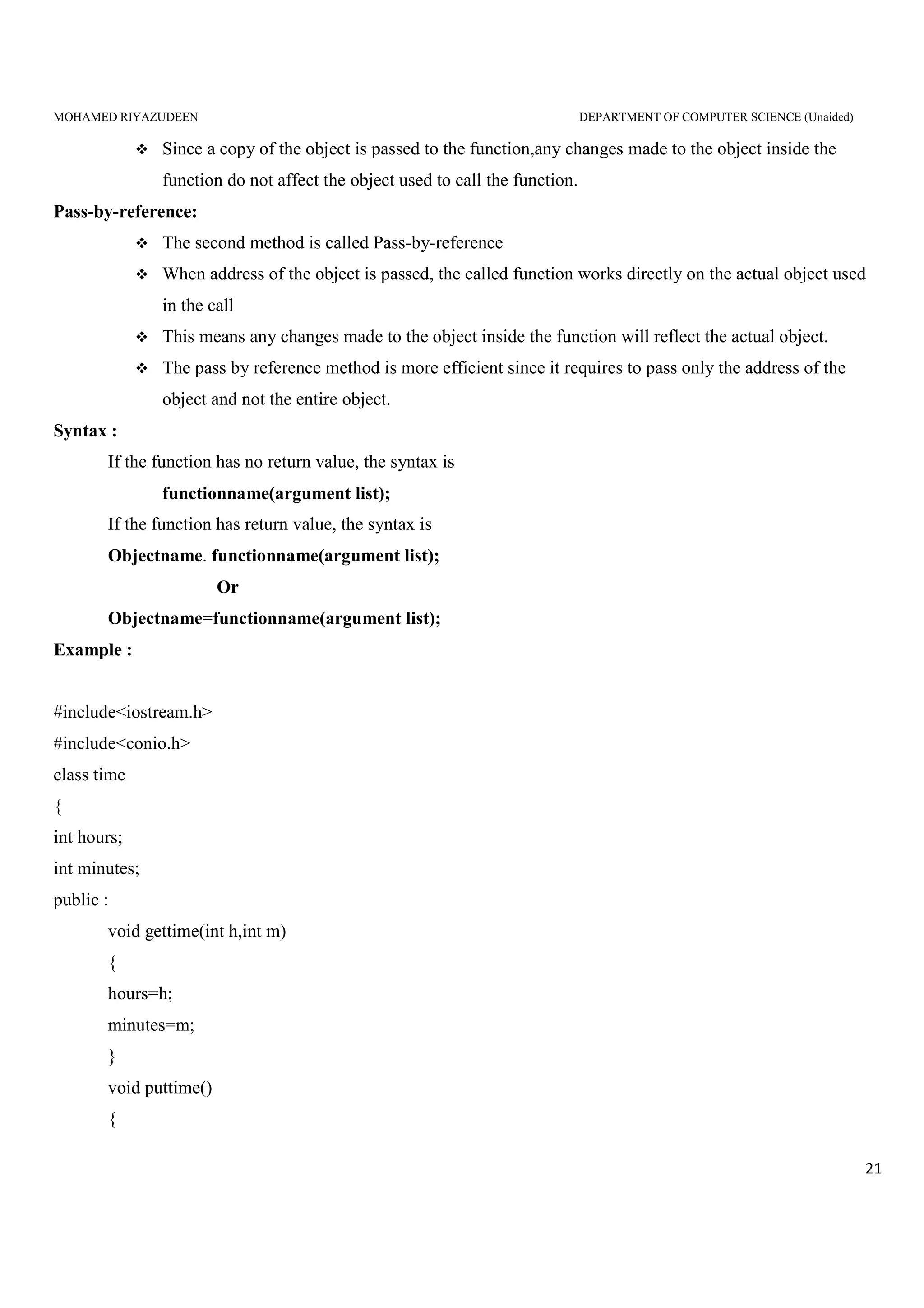
Since a copy of the object is passed to the function,any changes made to the object inside the
function do not affect the object used to call the function.
Pass-by-reference:
The second method is called Pass-by-reference
When address of the object is passed, the called function works directly on the actual object used
in the call
This means any changes made to the object inside the function will reflect the actual object.
The pass by reference method is more efficient since it requires to pass only the address of the
object and not the entire object.
Syntax :
If the function has no return value, the syntax is
functionname(argument list);
If the function has return value, the syntax is
Objectname. functionname(argument list);
Or
Objectname=functionname(argument list);
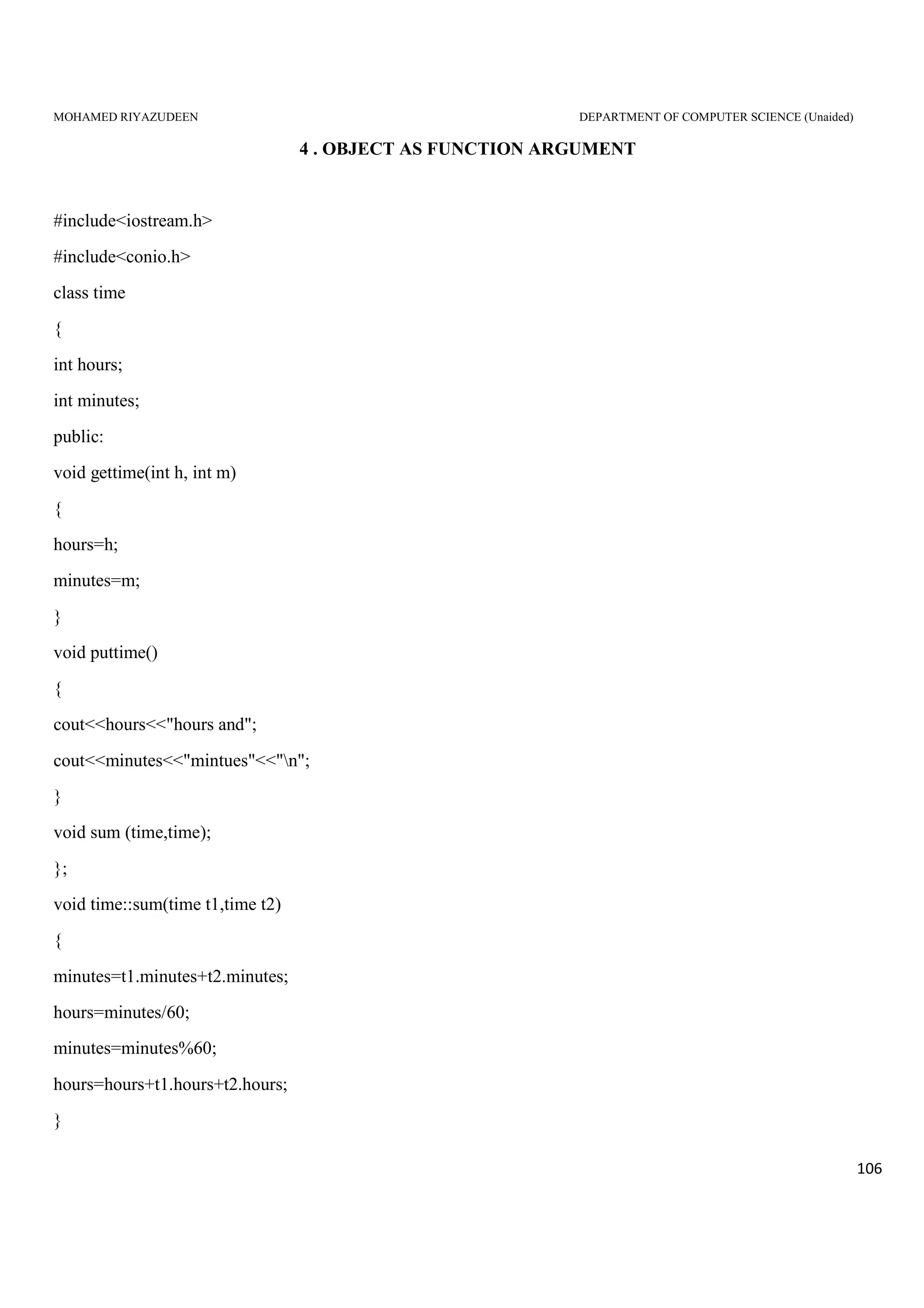
Example :
#include<iostream.h>
#include<conio.h>
class time
{
int hours;
int minutes;
public :
void gettime(int h,int m)
{
hours=h;
minutes=m;
}
void puttime()
{
MOHAMED RIYAZUDEEN DEPARTMENT OF COMPUTER SCIENCE (Unaided)
22
cout<<hours<<"hours and";
cout<<minutes<<"minutes"<''n";
}
void sum(time,time);
};
void time :: sum (time t1, time t2)
{
minutes=t1.minutes+t2.minutes;
hours=minutes/60;
minutes=minutes%60;
hours=hours+t1.hours+t2.hours;
}
void main()
{
tiem t1,t2,t3;
t1.gettime(2,45);
t2.gettime(3,30);
t3.sum(t1,t2);
cout<<"t1=";t1.puttime();
cout<<"t2=";t2.puttime();
cout<<"t3=";t3.puttime();
getch();
}
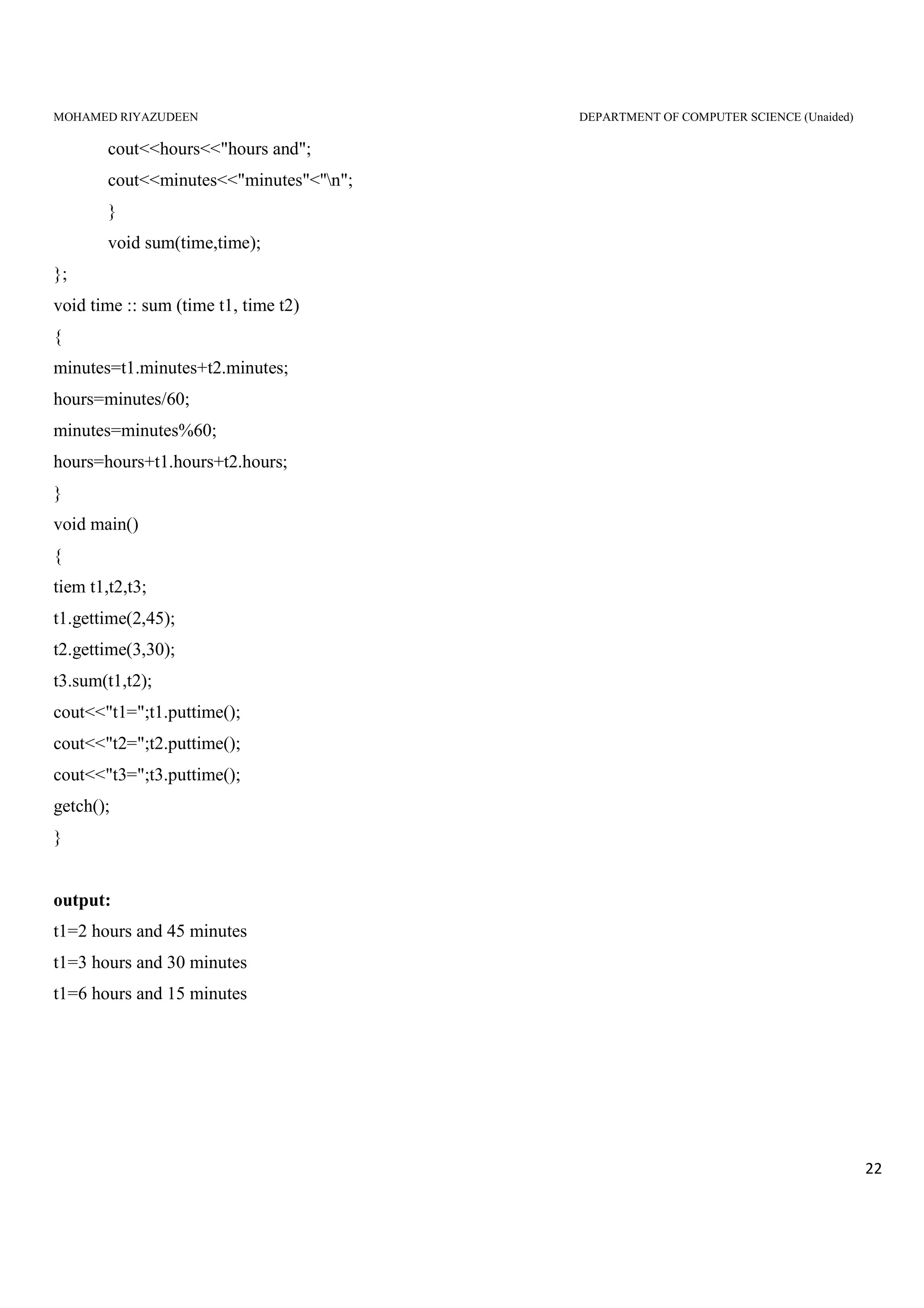
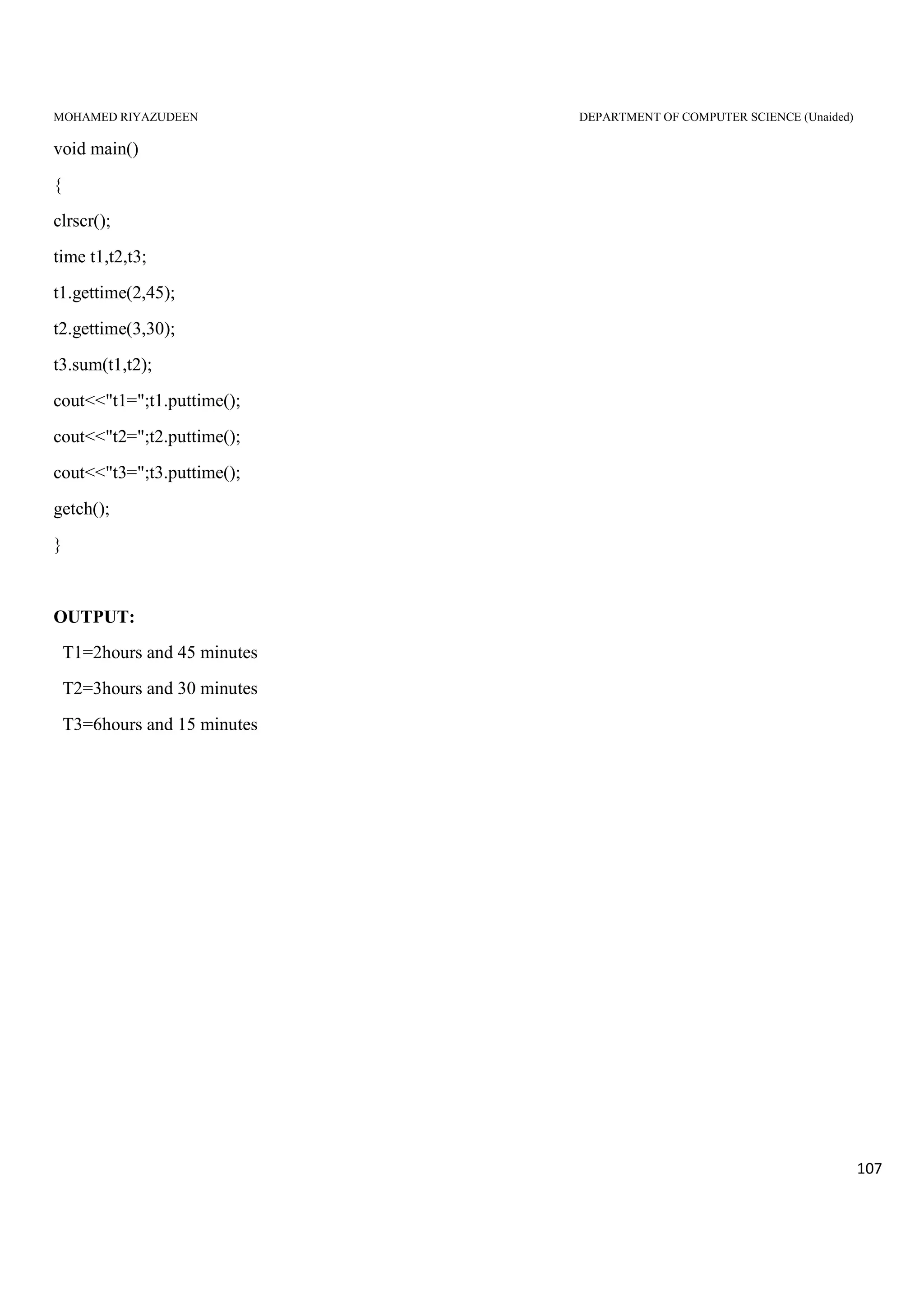
output:
t1=2 hours and 45 minutes
t1=3 hours and 30 minutes
t1=6 hours and 15 minutes
MOHAMED RIYAZUDEEN DEPARTMENT OF COMPUTER SCIENCE (Unaided)
23
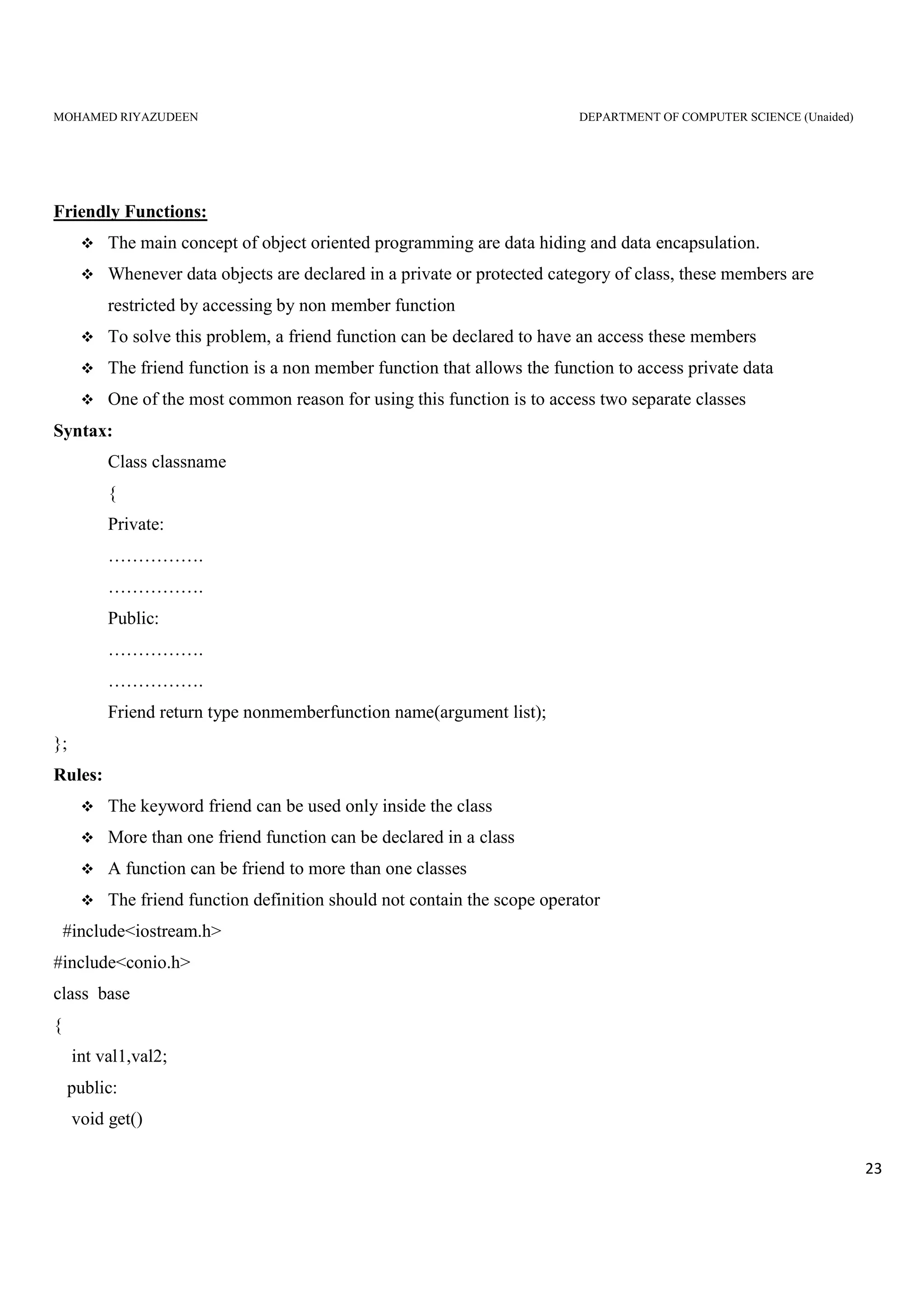
Friendly Functions:
The main concept of object oriented programming are data hiding and data encapsulation.
Whenever data objects are declared in a private or protected category of class, these members are
restricted by accessing by non member function
To solve this problem, a friend function can be declared to have an access these members
The friend function is a non member function that allows the function to access private data
One of the most common reason for using this function is to access two separate classes
Syntax:
Class classname
{
Private:
…………….
…………….
Public:
…………….
…………….
Friend return type nonmemberfunction name(argument list);
};
Rules:
The keyword friend can be used only inside the class
More than one friend function can be declared in a class
A function can be friend to more than one classes
The friend function definition should not contain the scope operator
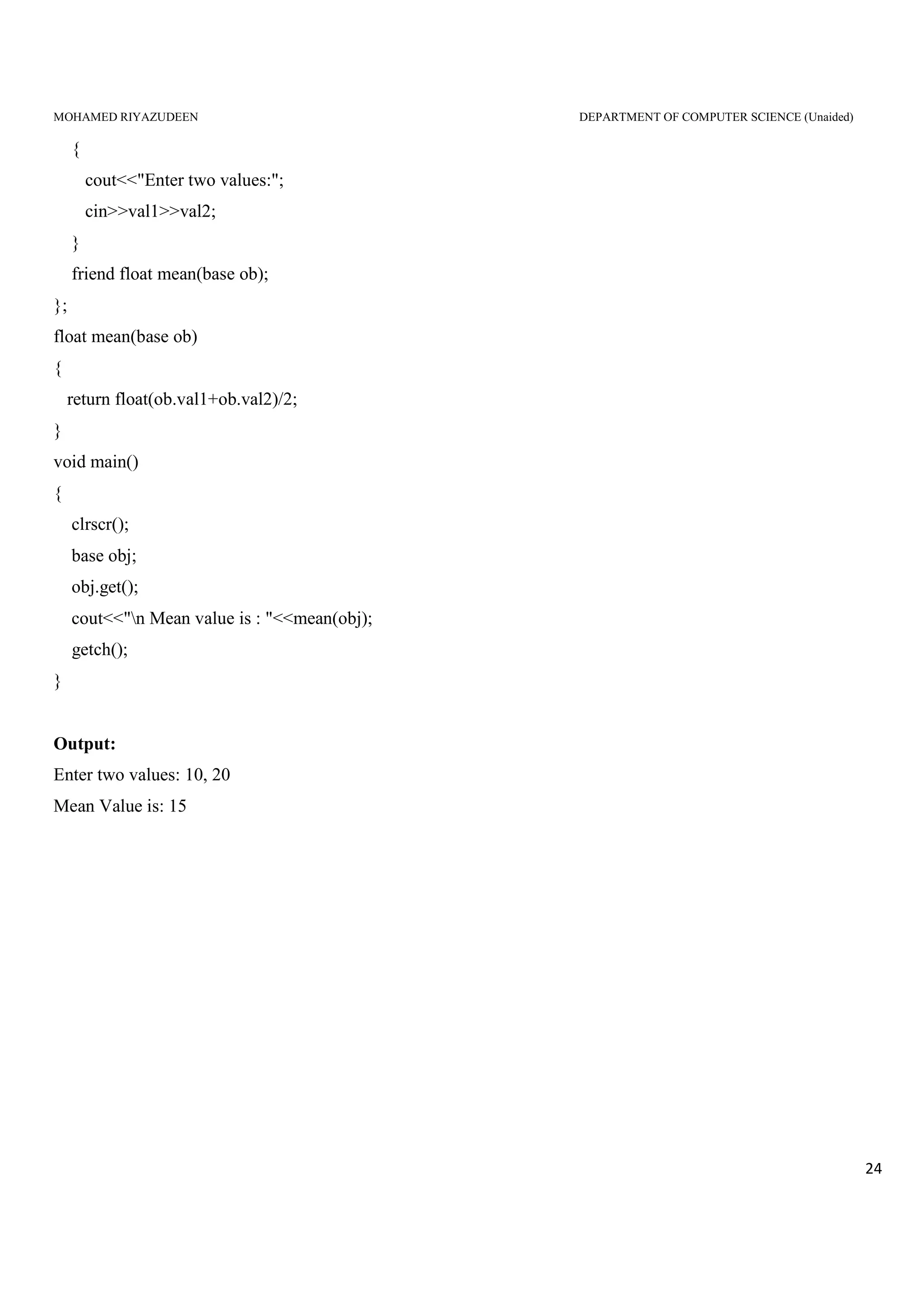
#include<iostream.h>
#include<conio.h>
class base
{
int val1,val2;
public:
void get()
MOHAMED RIYAZUDEEN DEPARTMENT OF COMPUTER SCIENCE (Unaided)
24
{
cout<<"Enter two values:";
cin>>val1>>val2;
}
friend float mean(base ob);
};
float mean(base ob)
{
return float(ob.val1+ob.val2)/2;
}
void main()
{
clrscr();
base obj;
obj.get();
cout<<"n Mean value is : "<<mean(obj);
getch();
}
Output:
Enter two values: 10, 20
Mean Value is: 15
MOHAMED RIYAZUDEEN DEPARTMENT OF COMPUTER SCIENCE (Unaided)
25
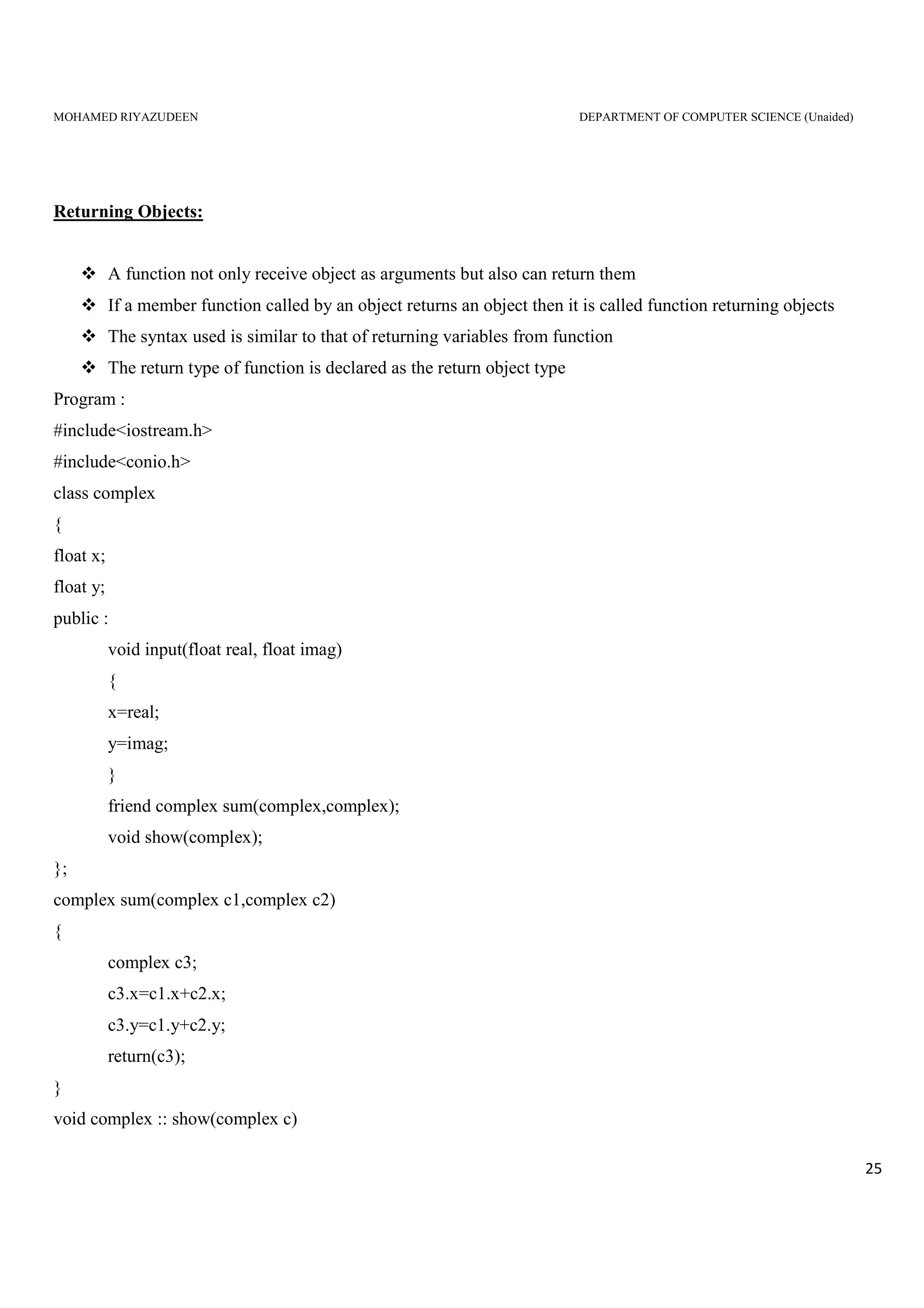
Returning Objects:
A function not only receive object as arguments but also can return them
If a member function called by an object returns an object then it is called function returning objects
The syntax used is similar to that of returning variables from function
The return type of function is declared as the return object type
Program :
#include<iostream.h>
#include<conio.h>
class complex
{
float x;
float y;
public :
void input(float real, float imag)
{
x=real;
y=imag;
}
friend complex sum(complex,complex);
void show(complex);
};
complex sum(complex c1,complex c2)
{
complex c3;
c3.x=c1.x+c2.x;
c3.y=c1.y+c2.y;
return(c3);
}
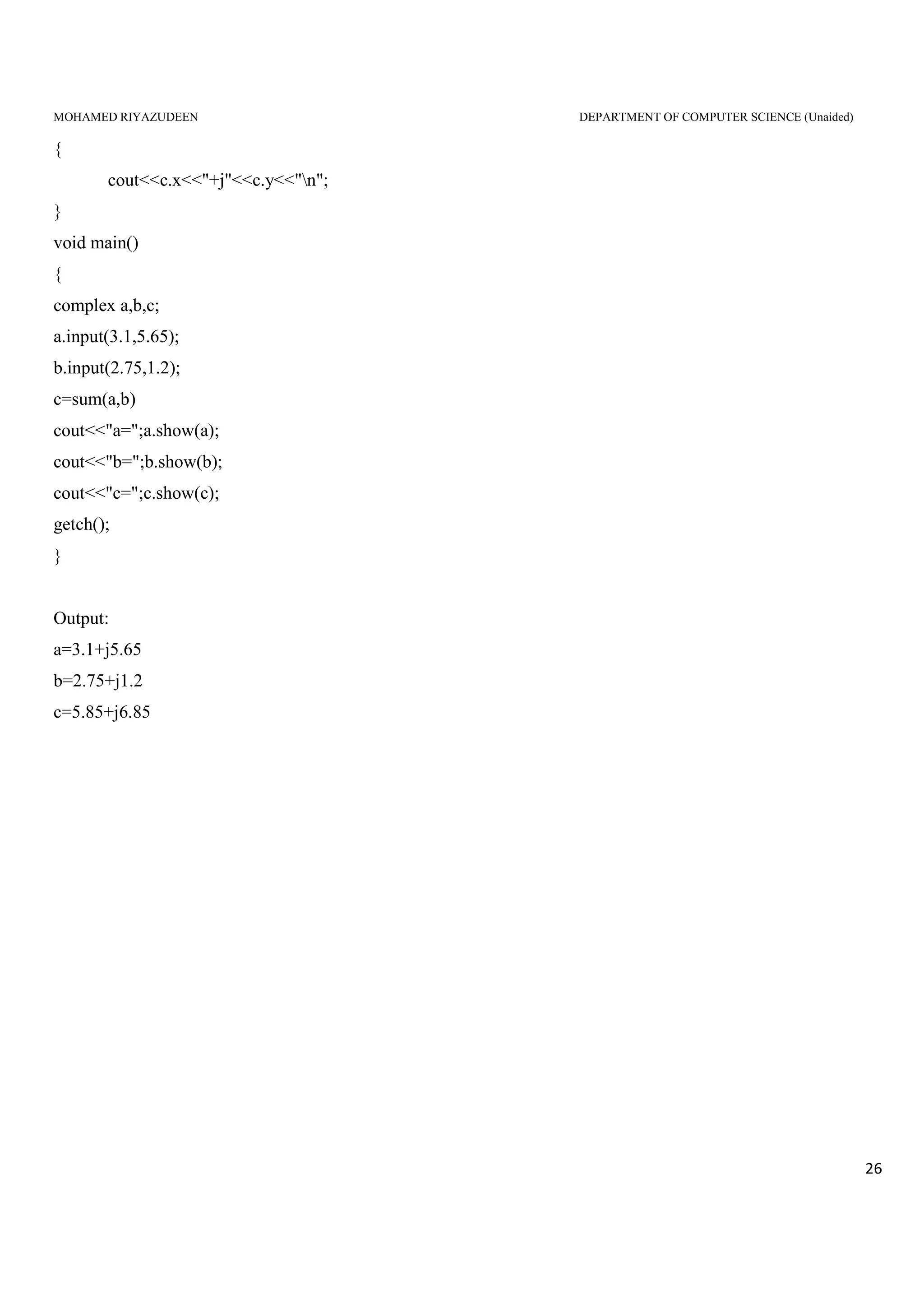
void complex :: show(complex c)
MOHAMED RIYAZUDEEN DEPARTMENT OF COMPUTER SCIENCE (Unaided)
26
{
cout<<c.x<<"+j"<<c.y<<"n";
}
void main()
{
complex a,b,c;
a.input(3.1,5.65);
b.input(2.75,1.2);
c=sum(a,b)
cout<<"a=";a.show(a);
cout<<"b=";b.show(b);
cout<<"c=";c.show(c);
getch();
}
Output:
a=3.1+j5.65
b=2.75+j1.2
c=5.85+j6.85
MOHAMED RIYAZUDEEN DEPARTMENT OF COMPUTER SCIENCE (Unaided)
27
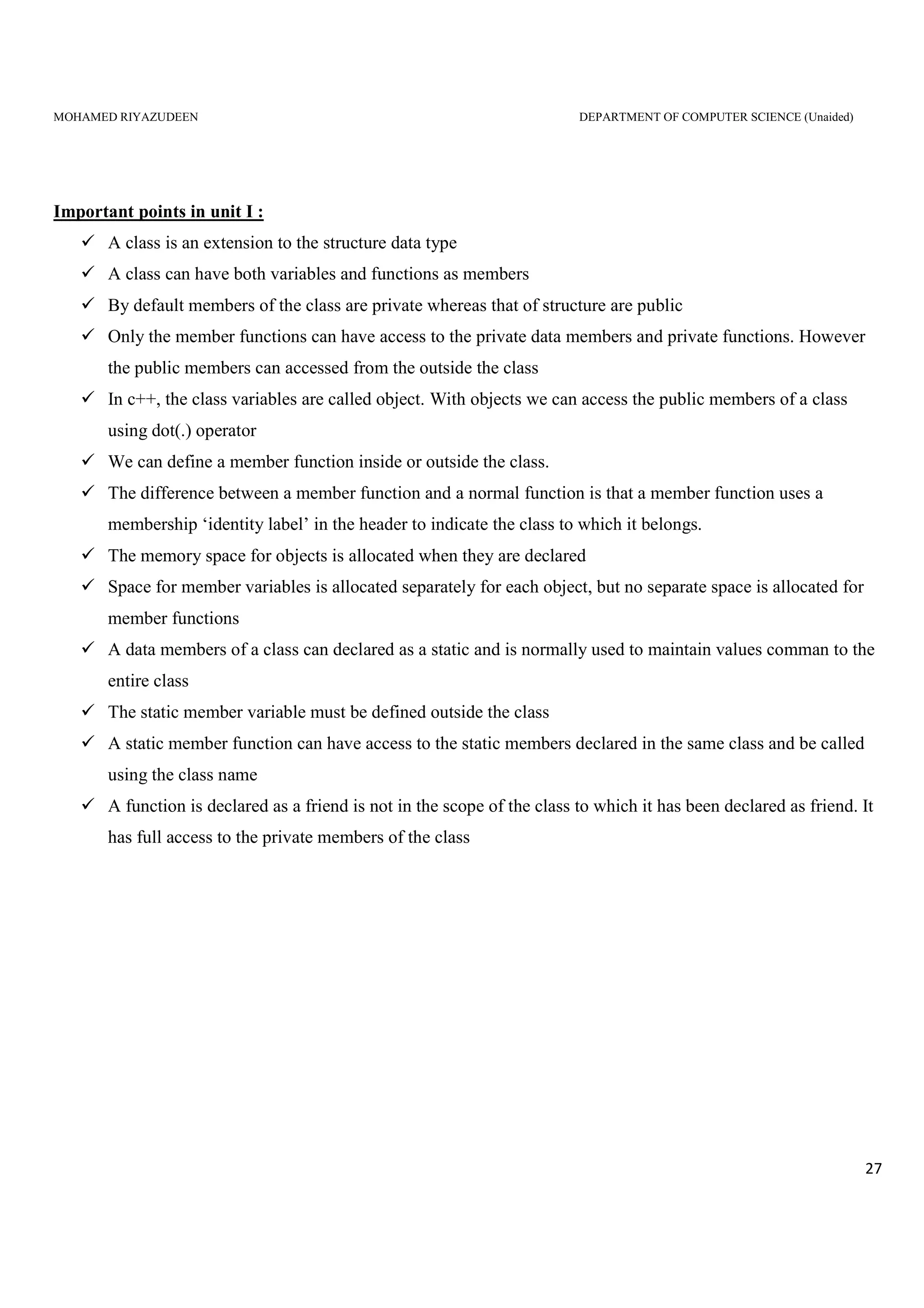
Important points in unit I :
A class is an extension to the structure data type
A class can have both variables and functions as members
By default members of the class are private whereas that of structure are public
Only the member functions can have access to the private data members and private functions. However
the public members can accessed from the outside the class
In c++, the class variables are called object. With objects we can access the public members of a class
using dot(.) operator
We can define a member function inside or outside the class.
The difference between a member function and a normal function is that a member function uses a
membership ‘identity label’ in the header to indicate the class to which it belongs.
The memory space for objects is allocated when they are declared
Space for member variables is allocated separately for each object, but no separate space is allocated for
member functions
A data members of a class can declared as a static and is normally used to maintain values comman to the
entire class
The static member variable must be defined outside the class
A static member function can have access to the static members declared in the same class and be called
using the class name
A function is declared as a friend is not in the scope of the class to which it has been declared as friend. It
has full access to the private members of the class
MOHAMED RIYAZUDEEN DEPARTMENT OF COMPUTER SCIENCE (Unaided)
28
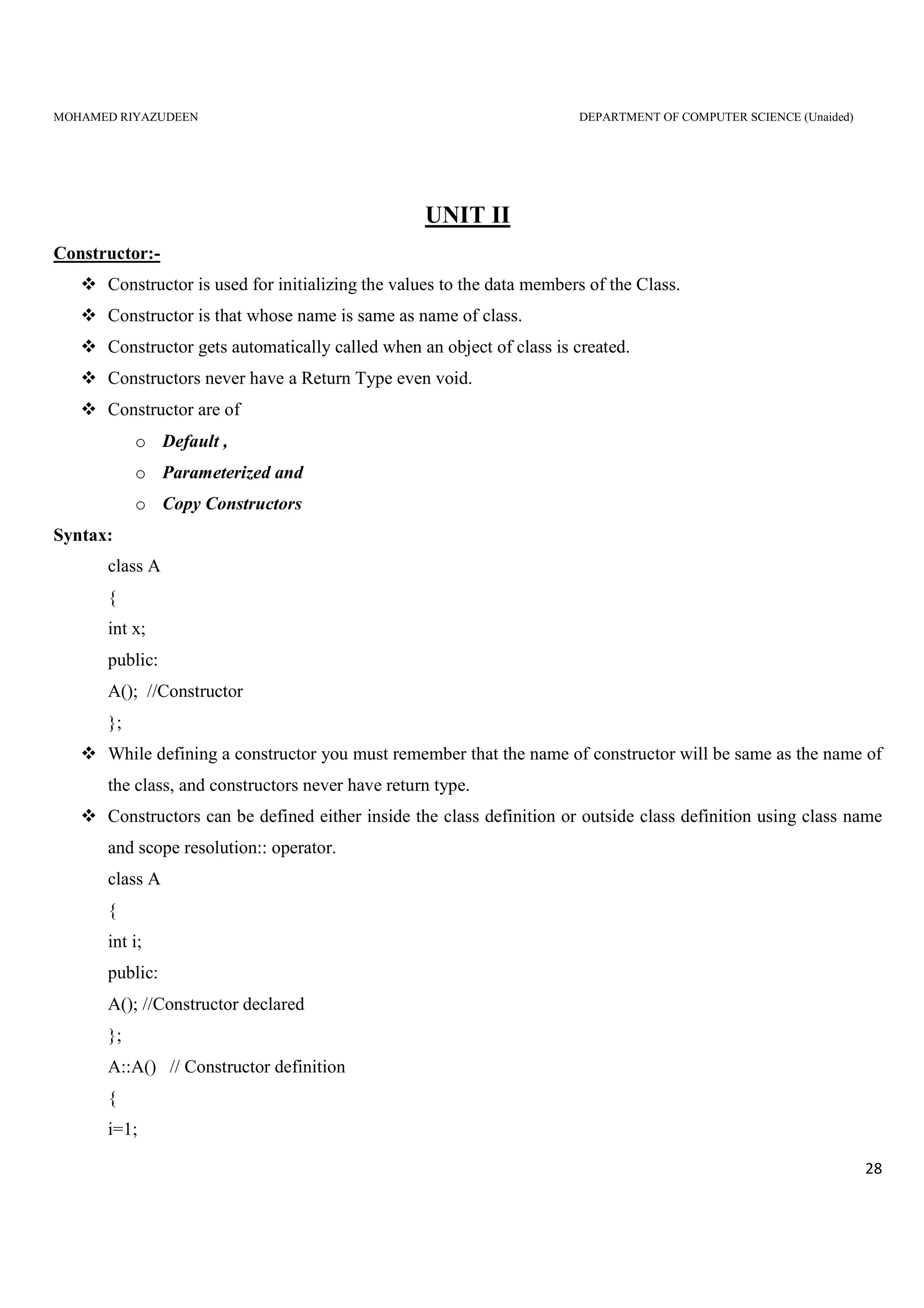
UNIT II
Constructor:-
Constructor is used for initializing the values to the data members of the Class.
Constructor is that whose name is same as name of class.
Constructor gets automatically called when an object of class is created.
Constructors never have a Return Type even void.
Constructor are of
o Default ,
o Parameterized and
o Copy Constructors
Syntax:
class A
{
int x;
public:
A(); //Constructor
};
While defining a constructor you must remember that the name of constructor will be same as the name of
the class, and constructors never have return type.
Constructors can be defined either inside the class definition or outside class definition using class name
and scope resolution:: operator.
class A
{
int i;
public:
A(); //Constructor declared
};
A::A() // Constructor definition
{
i=1;
MOHAMED RIYAZUDEEN DEPARTMENT OF COMPUTER SCIENCE (Unaided)
29
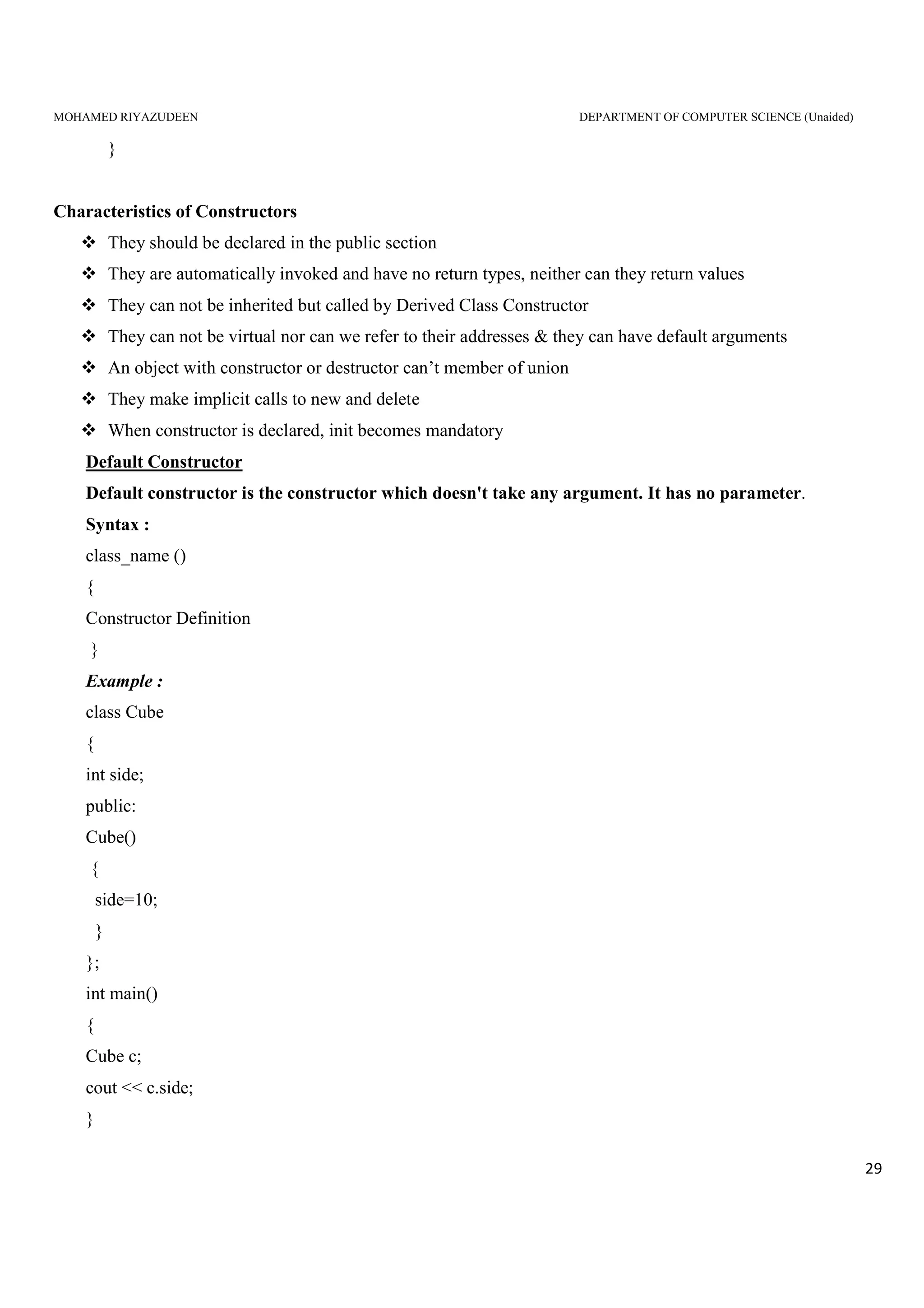
}
Characteristics of Constructors
They should be declared in the public section
They are automatically invoked and have no return types, neither can they return values
They can not be inherited but called by Derived Class Constructor
They can not be virtual nor can we refer to their addresses & they can have default arguments
An object with constructor or destructor can’t member of union
They make implicit calls to new and delete
When constructor is declared, init becomes mandatory
Default Constructor
Default constructor is the constructor which doesn't take any argument. It has no parameter.
Syntax :
class_name ()
{
Constructor Definition
}
Example :
class Cube
{
int side;
public:
Cube()
{
side=10;
}
};
int main()
{
Cube c;
cout << c.side;
}
MOHAMED RIYAZUDEEN DEPARTMENT OF COMPUTER SCIENCE (Unaided)
30
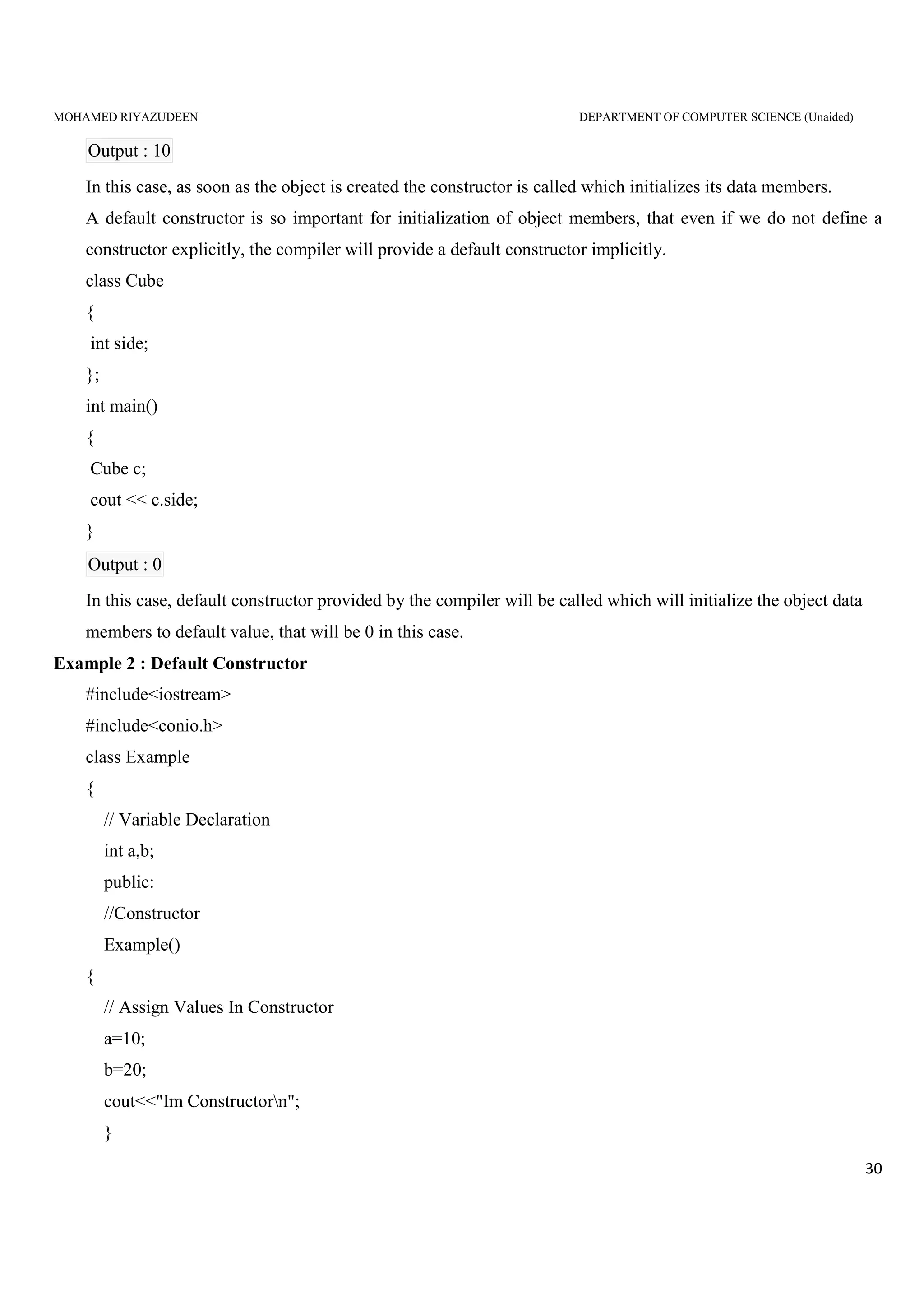
Output : 10
In this case, as soon as the object is created the constructor is called which initializes its data members.
A default constructor is so important for initialization of object members, that even if we do not define a
constructor explicitly, the compiler will provide a default constructor implicitly.
class Cube
{
int side;
};
int main()
{
Cube c;
cout << c.side;
}
Output : 0
In this case, default constructor provided by the compiler will be called which will initialize the object data
members to default value, that will be 0 in this case.
Example 2 : Default Constructor
#include<iostream>
#include<conio.h>
class Example
{
// Variable Declaration
int a,b;
public:
//Constructor
Example()
{
// Assign Values In Constructor
a=10;
b=20;
cout<<"Im Constructorn";
}
MOHAMED RIYAZUDEEN DEPARTMENT OF COMPUTER SCIENCE (Unaided)
31
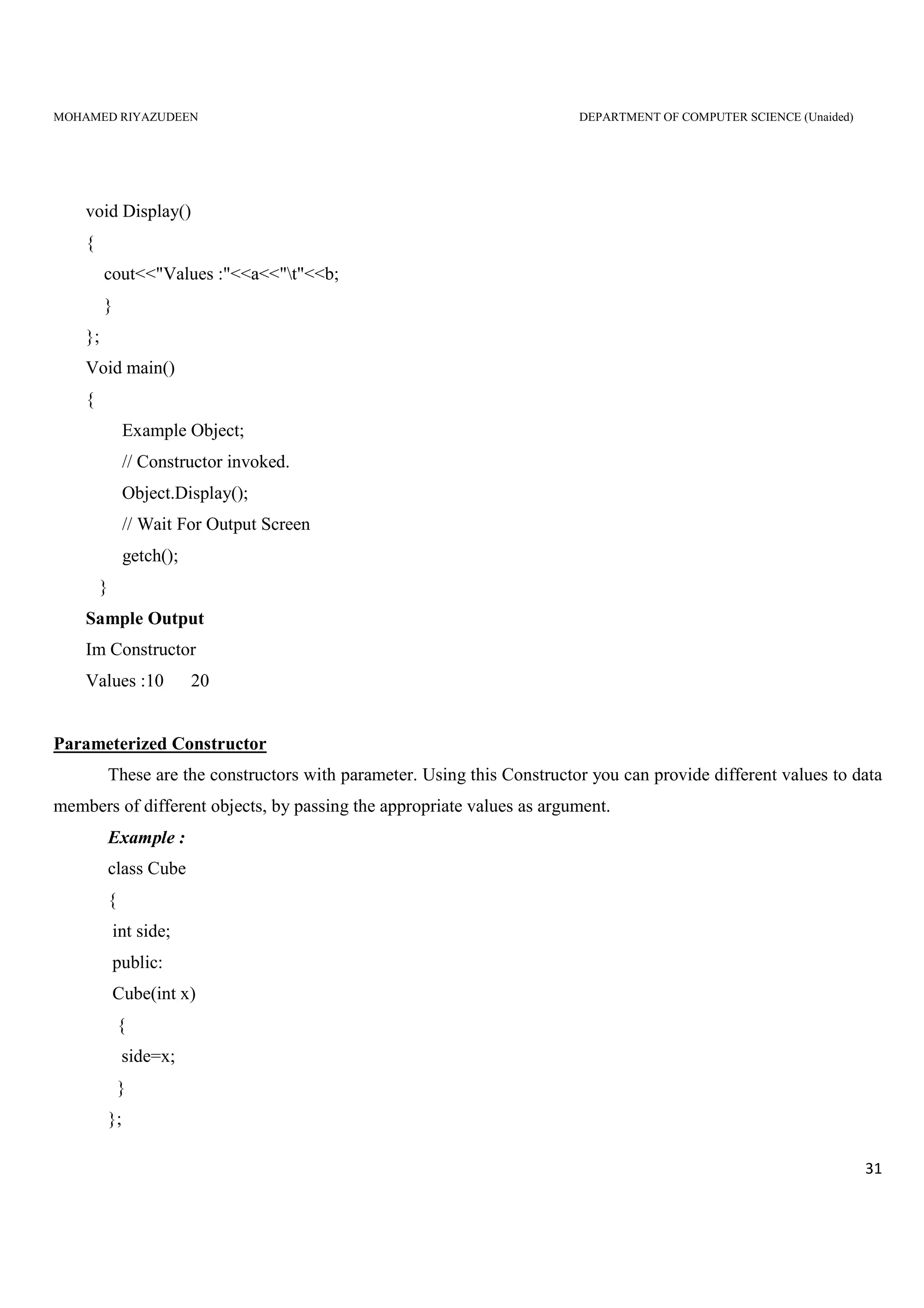
void Display()
{
cout<<"Values :"<<a<<"t"<<b;
}
};
Void main()
{
Example Object;
// Constructor invoked.
Object.Display();
// Wait For Output Screen
getch();
}
Sample Output
Im Constructor
Values :10 20
Parameterized Constructor
These are the constructors with parameter. Using this Constructor you can provide different values to data
members of different objects, by passing the appropriate values as argument.
Example :
class Cube
{
int side;
public:
Cube(int x)
{
side=x;
}
};
MOHAMED RIYAZUDEEN DEPARTMENT OF COMPUTER SCIENCE (Unaided)
32
int main()
{
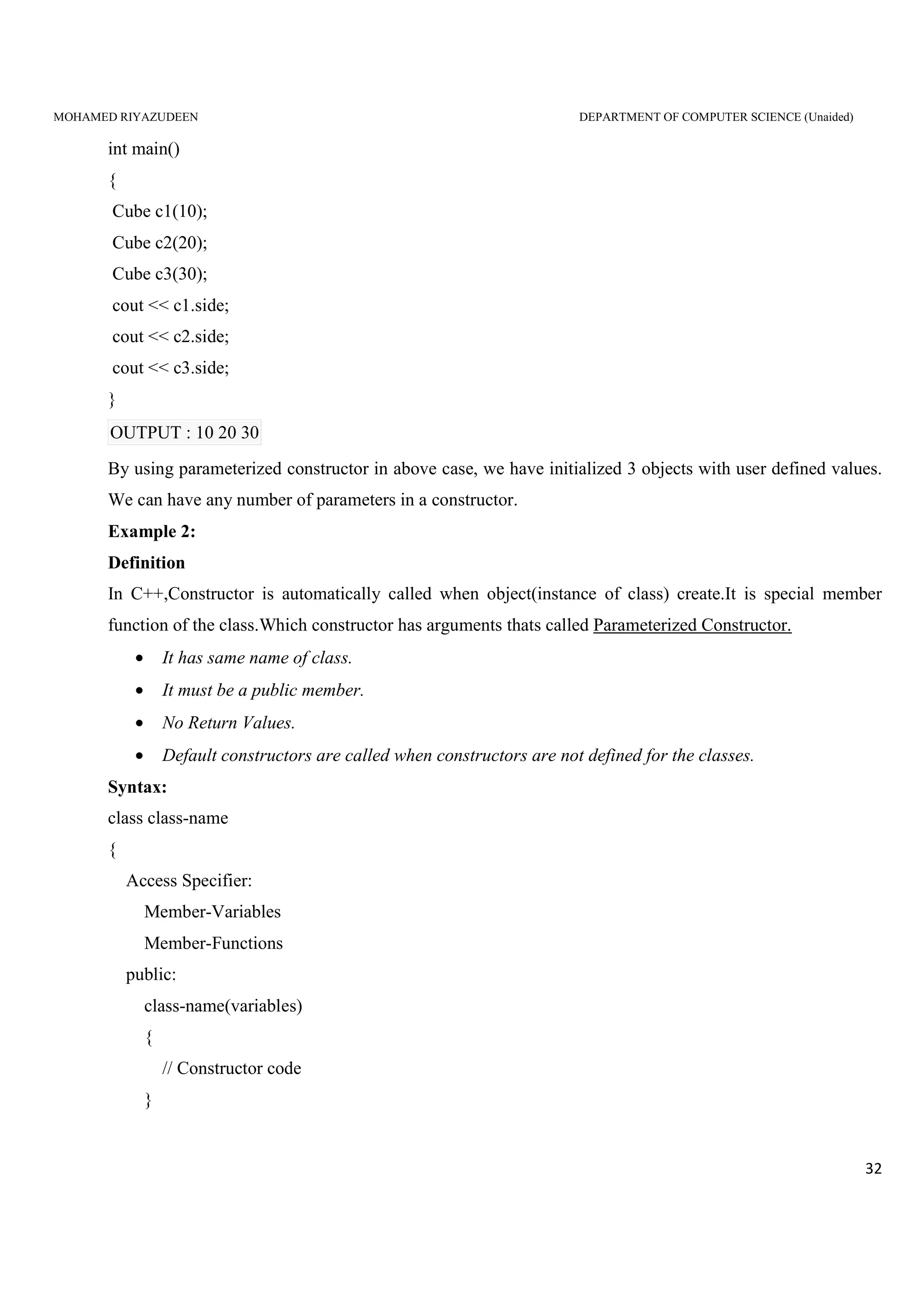
Cube c1(10);
Cube c2(20);
Cube c3(30);
cout << c1.side;
cout << c2.side;
cout << c3.side;
}
OUTPUT : 10 20 30
By using parameterized constructor in above case, we have initialized 3 objects with user defined values.
We can have any number of parameters in a constructor.
Example 2:
Definition
In C++,Constructor is automatically called when object(instance of class) create.It is special member
function of the class.Which constructor has arguments thats called Parameterized Constructor.
• It has same name of class.
• It must be a public member.
• No Return Values.
• Default constructors are called when constructors are not defined for the classes.
Syntax:
class class-name
{
Access Specifier:
Member-Variables
Member-Functions
public:
class-name(variables)
{
// Constructor code
}
MOHAMED RIYAZUDEEN DEPARTMENT OF COMPUTER SCIENCE (Unaided)
33
... other Variables & Functions
}
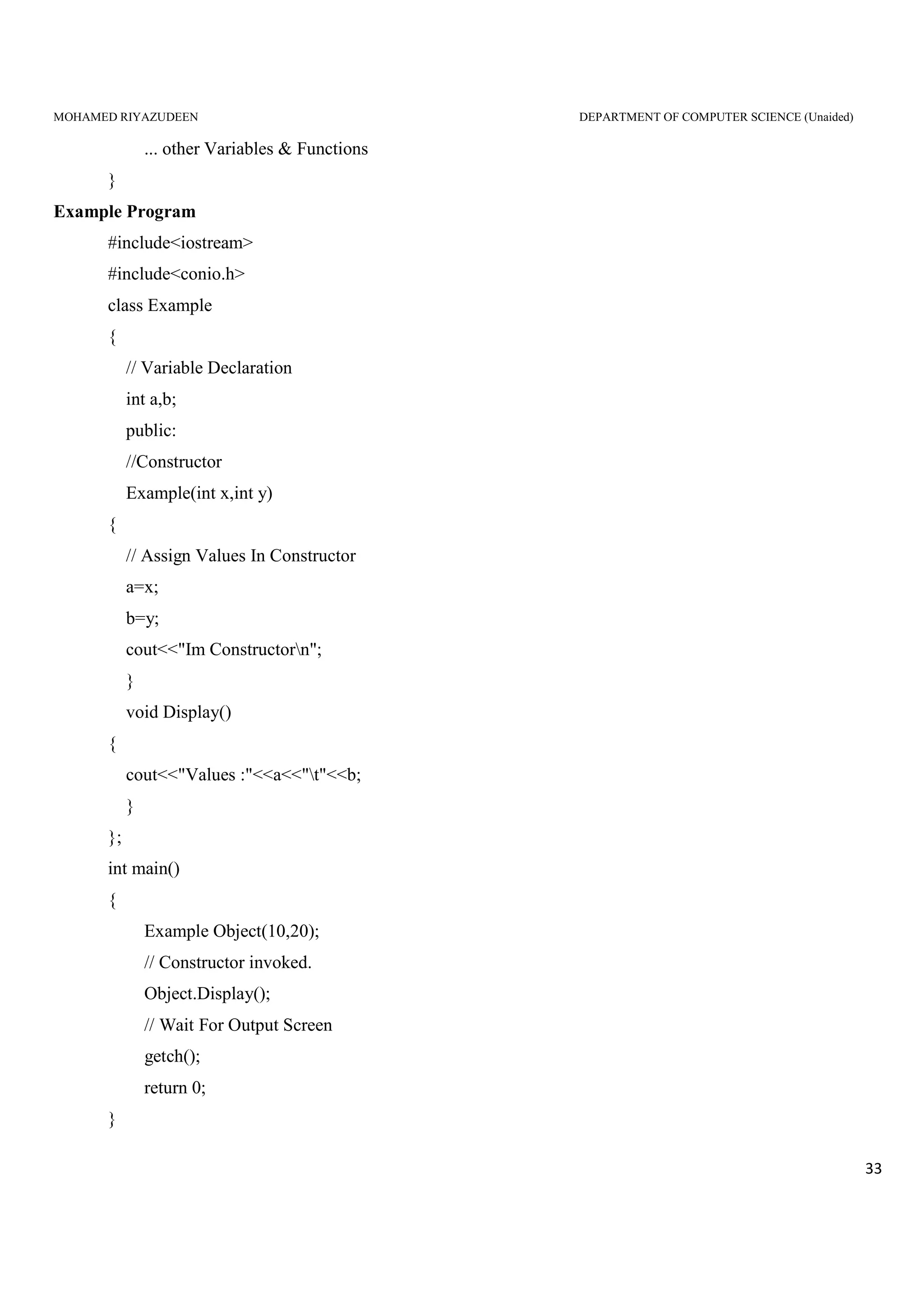
Example Program
#include<iostream>
#include<conio.h>
class Example
{
// Variable Declaration
int a,b;
public:
//Constructor
Example(int x,int y)
{
// Assign Values In Constructor
a=x;
b=y;
cout<<"Im Constructorn";
}
void Display()
{
cout<<"Values :"<<a<<"t"<<b;
}
};
int main()
{
Example Object(10,20);
// Constructor invoked.
Object.Display();
// Wait For Output Screen
getch();
return 0;
}
MOHAMED RIYAZUDEEN DEPARTMENT OF COMPUTER SCIENCE (Unaided)
34
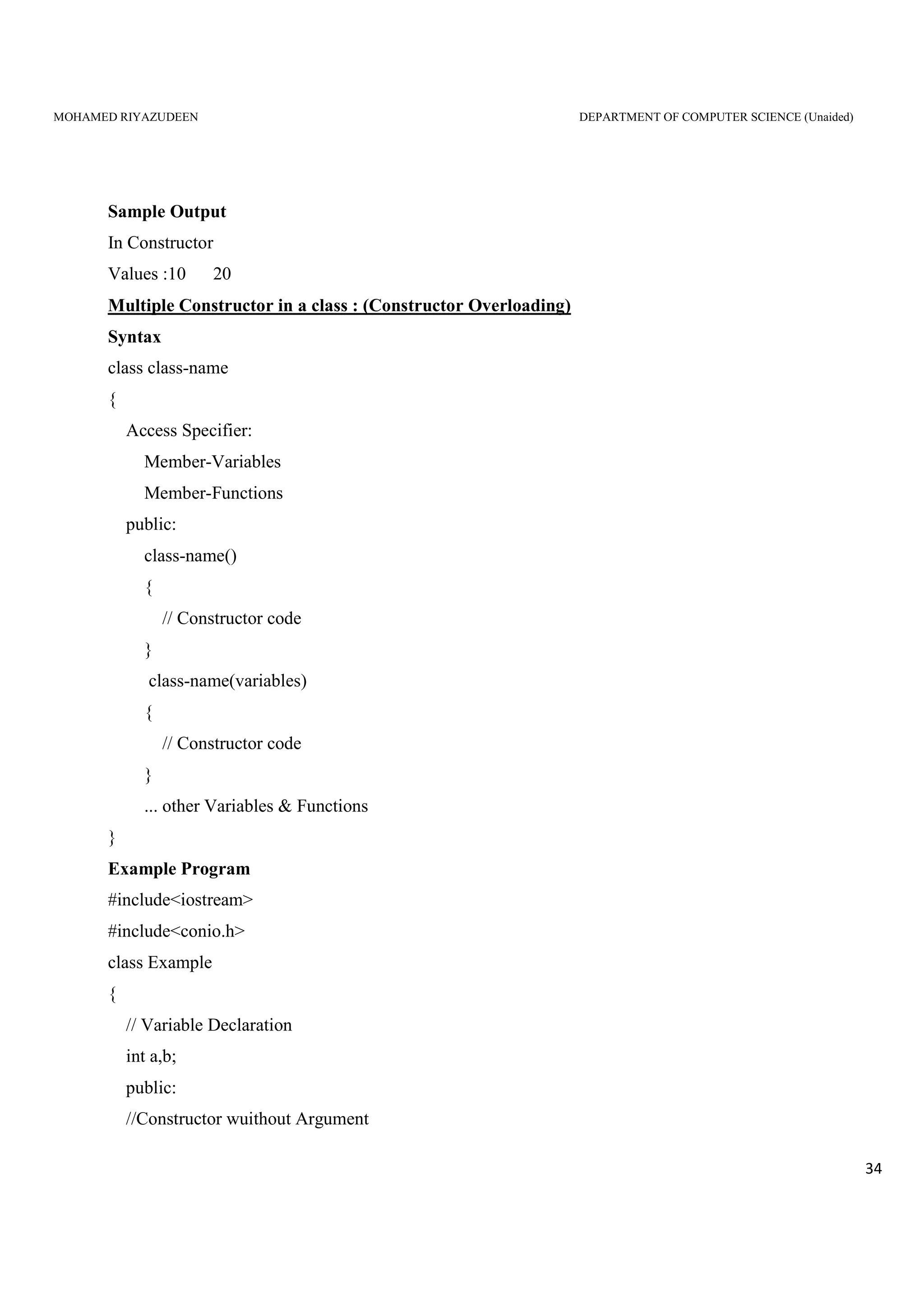
Sample Output
In Constructor
Values :10 20
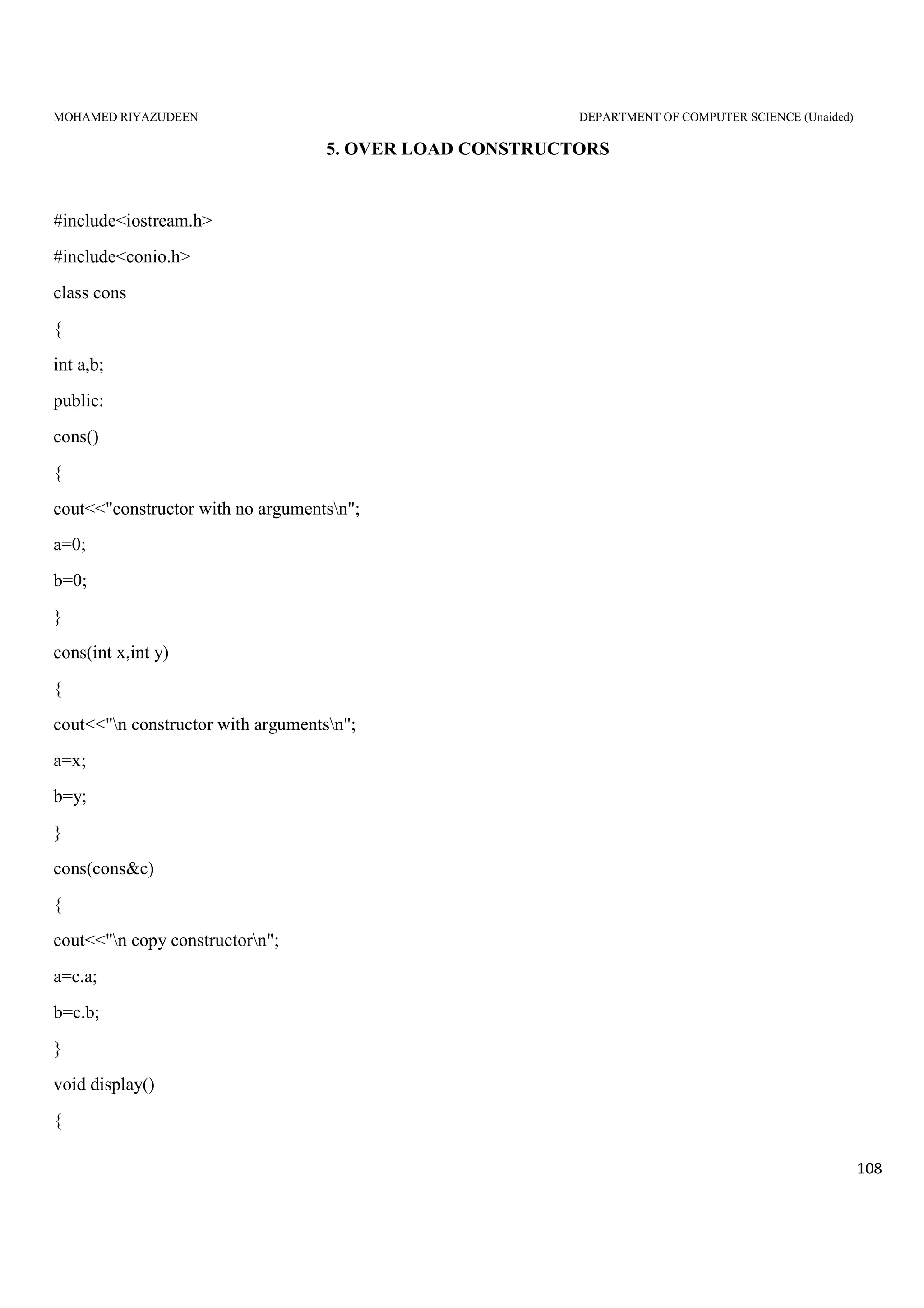
Multiple Constructor in a class : (Constructor Overloading)
Syntax
class class-name
{
Access Specifier:
Member-Variables
Member-Functions
public:
class-name()
{
// Constructor code
}
class-name(variables)
{
// Constructor code
}
... other Variables & Functions
}
Example Program
#include<iostream>
#include<conio.h>
class Example
{
// Variable Declaration
int a,b;
public:
//Constructor wuithout Argument
MOHAMED RIYAZUDEEN DEPARTMENT OF COMPUTER SCIENCE (Unaided)
35
Example()
{
// Assign Values In Constructor
a=50;
b=100;
cout<<"nIm Constructor";
}
//Constructor with Argument
Example(int x,int y)
{
// Assign Values In Constructor
a=x;
b=y;
cout<<"nIm Constructor";
}
void Display()
{
cout<<"nValues :"<<a<<"t"<<b;
}
};
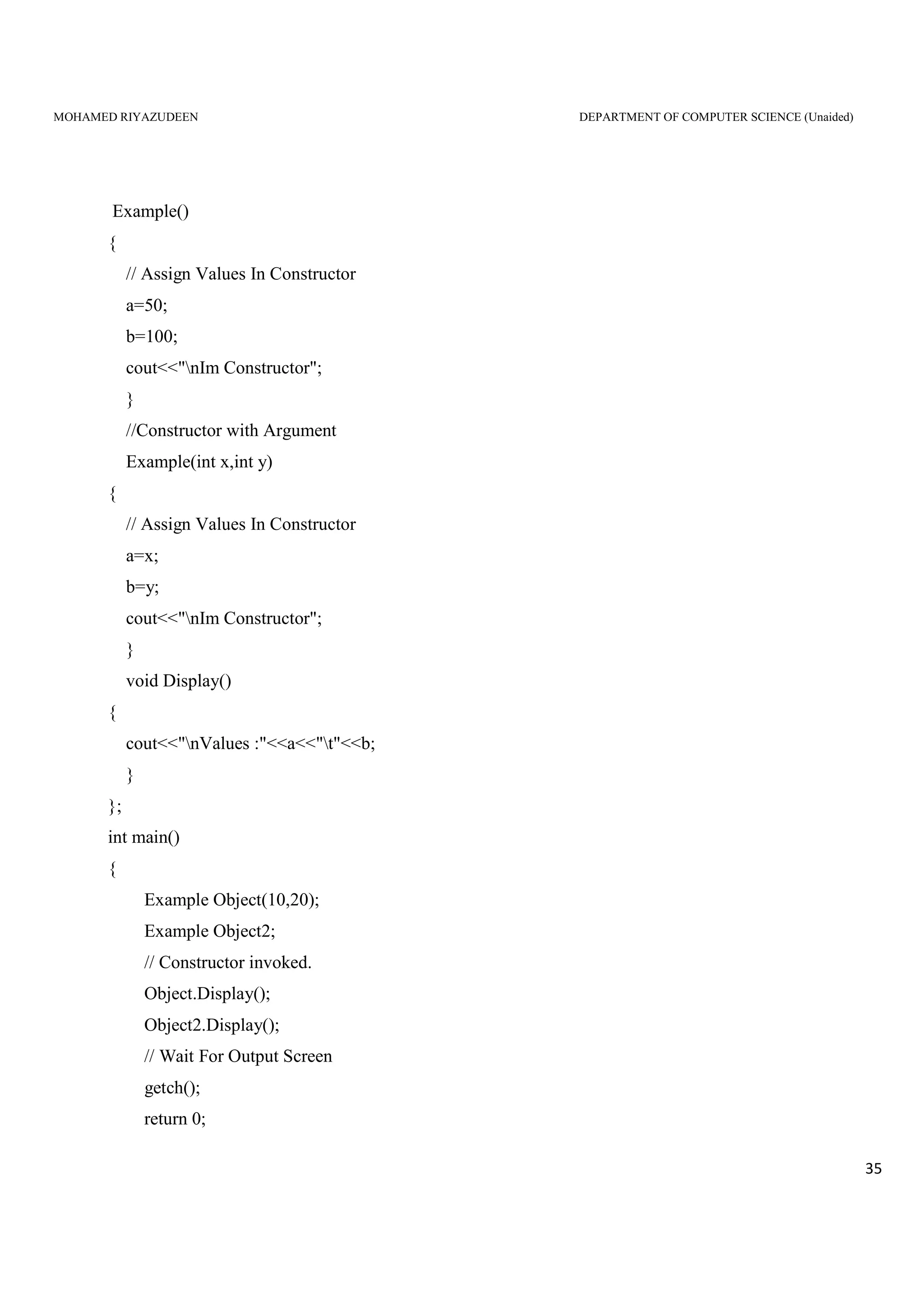
int main()
{
Example Object(10,20);
Example Object2;
// Constructor invoked.
Object.Display();
Object2.Display();
// Wait For Output Screen
getch();
return 0;
MOHAMED RIYAZUDEEN DEPARTMENT OF COMPUTER SCIENCE (Unaided)
36
}
Sample Output
In Constructor
In Constructor
Values :10 20
Values :50 100
Dynamic Initialization of Objects
One Advantage Of Dynamic Initialization is that we can Provide Various initialization formats,
using Overloaded Constructors.
This Provides The Flexibility Of using different Formats of Data at run time Depending upon the
situation
//long-term fixed deposit system
#include<iostream.h>
class Fixed_deposit
{
long int P_amount; //principal amount
int Years; //Period of investment
float Rate; //Insert rate
float R_value; //Return value of amount
public:
Fixed_deposit(){}
Fixed_deposit(long int p, int y, float r=0.12);
Fixed_deposit(long int p, int y, int r);
void display(void);
};
Fixed_deposit :: Fixed_deposit(long int p, int y, float r)
{
P_amount = p;
Years = y;
Rate = r;
MOHAMED RIYAZUDEEN DEPARTMENT OF COMPUTER SCIENCE (Unaided)
37
R_value = P_amount;
for(int i =1; i<=y; i++)
R_value = R_value * (1.0 + r);
}
Fixed_deposit :: Fixed_deposit(long int p, int y, int r)
{
P_amount = p;
Years = y;
Rate = r;
R_value = P_amount;
for(int i = 1; i<= y; i++)
R_value = R_value*(1.0+float(r)/100);
}
void Fixed_deposit :: display(void)
{
cout<<"n"
<<"Principal Amount = " <<P_amount <<"n"
<<"Return Value = " <<R_value <<"n";
}
int main()
{
Fixed_deposit FD1,FD2,FD3; //deposit created
long int p; //principal amount
int y; //investment period, years
float r; //interest rate, decimal form
int R; //interest rate, percent form
cout<< "Enter amount, peroid, interset rate(in precent)"<<"n";
cin >> p >> y >> R;
FD1 = Fixed_deposit(p,y,R);
cout<< "Enter amount, peroid, interset rate(in decimal form)"<<"n";
cin >> p >> y >> r;
MOHAMED RIYAZUDEEN DEPARTMENT OF COMPUTER SCIENCE (Unaided)
38
FD2 = Fixed_deposit(p,y,r);
cout<< "Enter amount and period"<<"/n";
cin >> p >> y;
FD3 = Fixed_deposit(p,y);
cout <<"nDeposit 1";
FD1.display();
cout <<"nDeposit 2";
FD2.display();
cout<<"nDeposit 3";
FD3.display();
return 0;
}
Output:
Enter amount, period, interest rate (in percent)
10000 3 18
Enter amount, period, interest rate (in decimal form)
10000 3 0.18
Enter amount, period, interest rate (in percent)
10000 3
Deposit 1
Principal Amount =10000
Return Value = 16430.3
Deposit 2
Principal Amount =10000
Return Value = 16430.3
Deposit 1
MOHAMED RIYAZUDEEN DEPARTMENT OF COMPUTER SCIENCE (Unaided)
39
Principal Amount =10000
Return Value = 14049.3
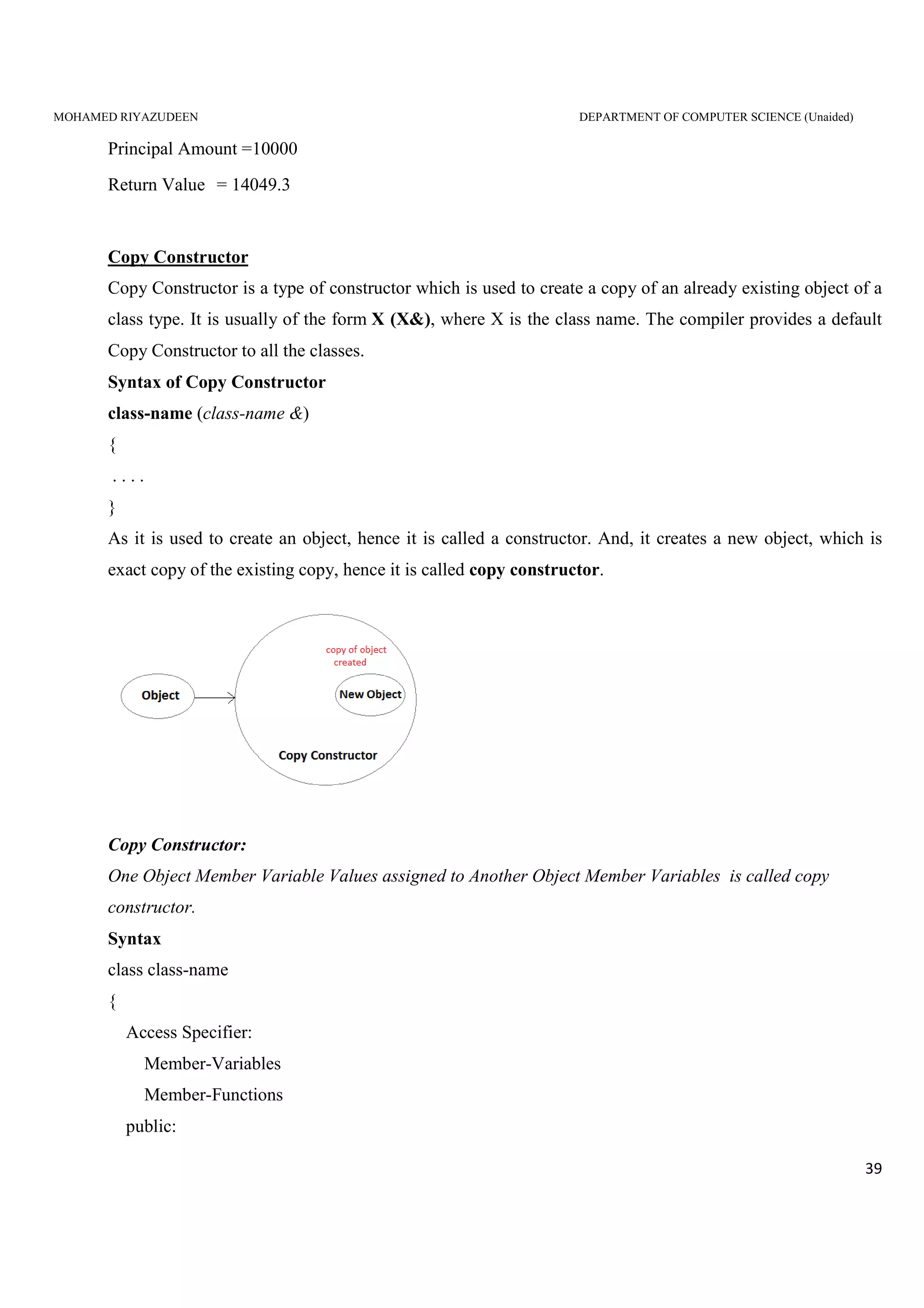
Copy Constructor
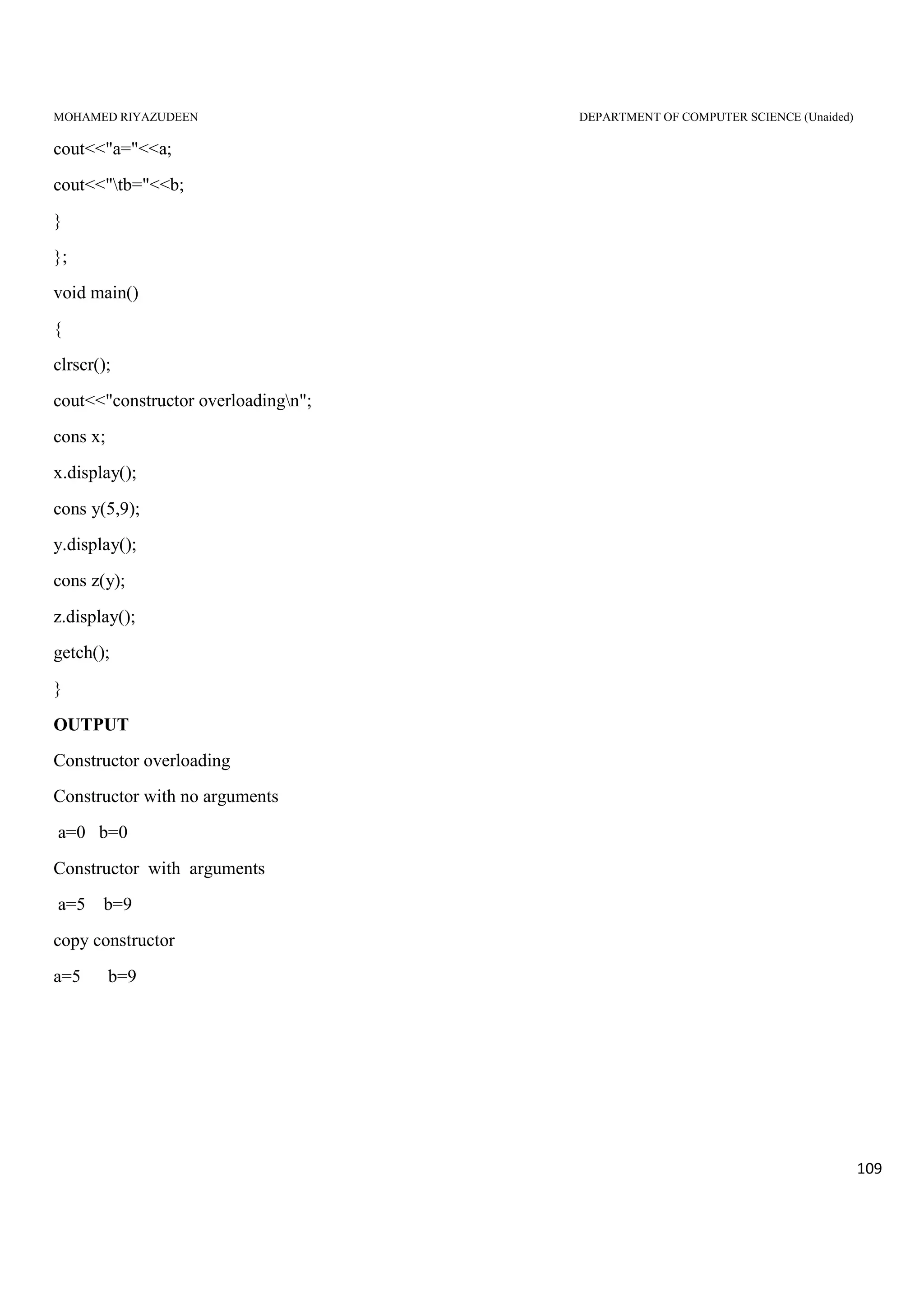
Copy Constructor is a type of constructor which is used to create a copy of an already existing object of a
class type. It is usually of the form X (X&), where X is the class name. The compiler provides a default
Copy Constructor to all the classes.
Syntax of Copy Constructor
class-name (class-name &)
{
. . . .
}
As it is used to create an object, hence it is called a constructor. And, it creates a new object, which is
exact copy of the existing copy, hence it is called copy constructor.
Copy Constructor:
One Object Member Variable Values assigned to Another Object Member Variables is called copy
constructor.
Syntax
class class-name
{
Access Specifier:
Member-Variables
Member-Functions
public:
MOHAMED RIYAZUDEEN DEPARTMENT OF COMPUTER SCIENCE (Unaided)
40
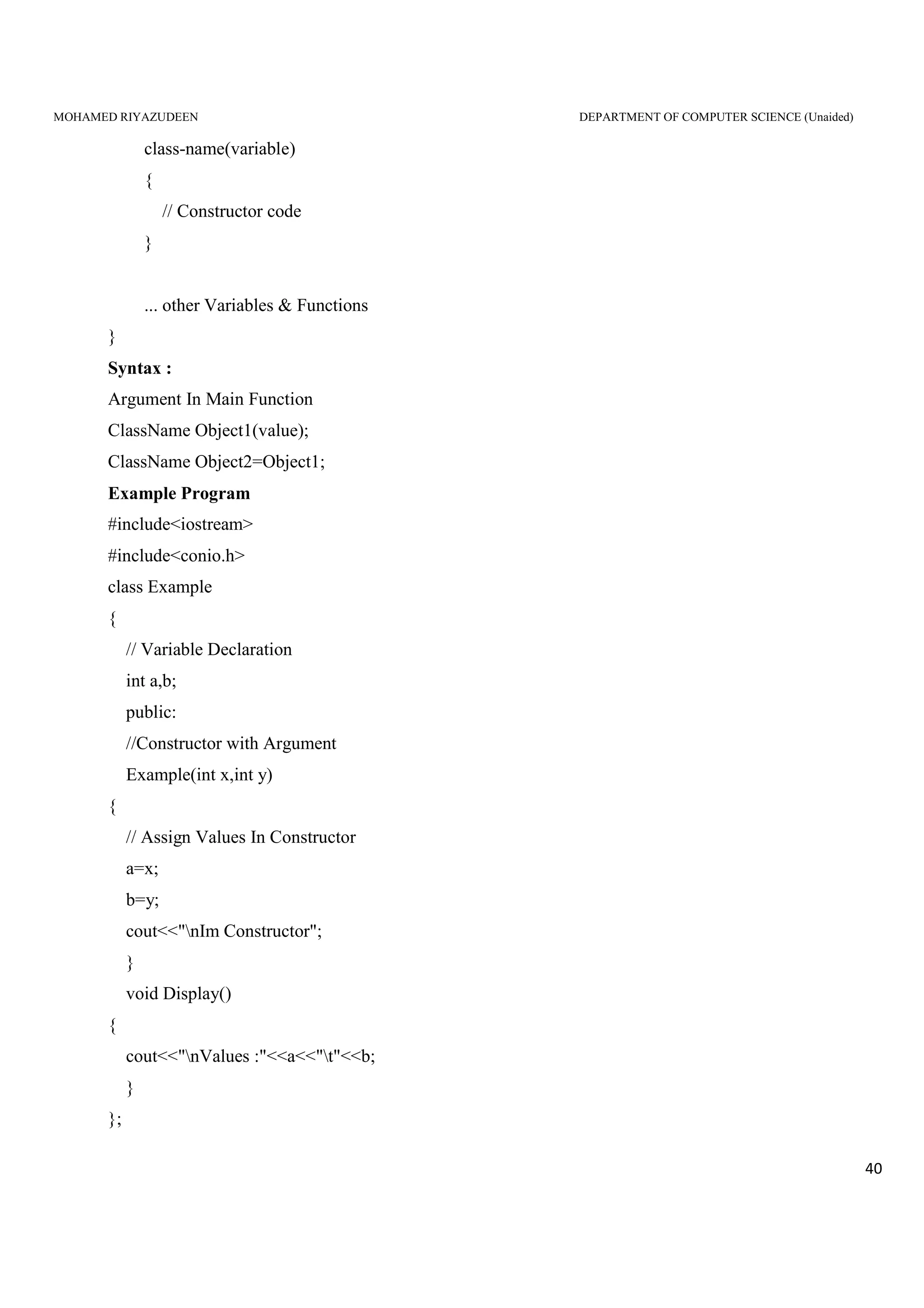
class-name(variable)
{
// Constructor code
}
... other Variables & Functions
}
Syntax :
Argument In Main Function
ClassName Object1(value);
ClassName Object2=Object1;
Example Program
#include<iostream>
#include<conio.h>
class Example
{
// Variable Declaration
int a,b;
public:
//Constructor with Argument
Example(int x,int y)
{
// Assign Values In Constructor
a=x;
b=y;
cout<<"nIm Constructor";
}
void Display()
{
cout<<"nValues :"<<a<<"t"<<b;
}
};
MOHAMED RIYAZUDEEN DEPARTMENT OF COMPUTER SCIENCE (Unaided)
41
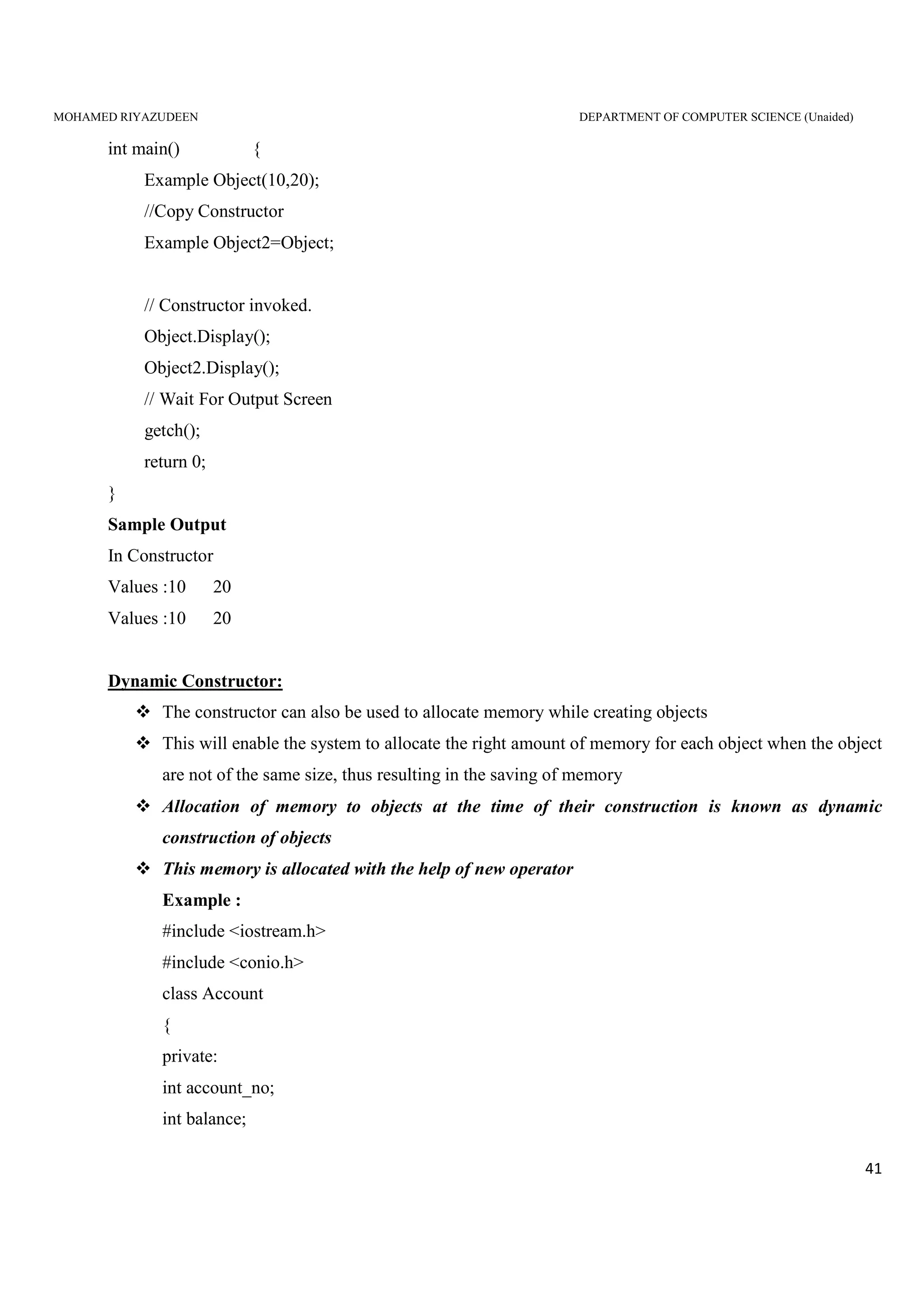
int main() {
Example Object(10,20);
//Copy Constructor
Example Object2=Object;
// Constructor invoked.
Object.Display();
Object2.Display();
// Wait For Output Screen
getch();
return 0;
}
Sample Output
In Constructor
Values :10 20
Values :10 20
Dynamic Constructor:
The constructor can also be used to allocate memory while creating objects
This will enable the system to allocate the right amount of memory for each object when the object
are not of the same size, thus resulting in the saving of memory
Allocation of memory to objects at the time of their construction is known as dynamic
construction of objects
This memory is allocated with the help of new operator
Example :
#include <iostream.h>
#include <conio.h>
class Account
{
private:
int account_no;
int balance;
MOHAMED RIYAZUDEEN DEPARTMENT OF COMPUTER SCIENCE (Unaided)
42
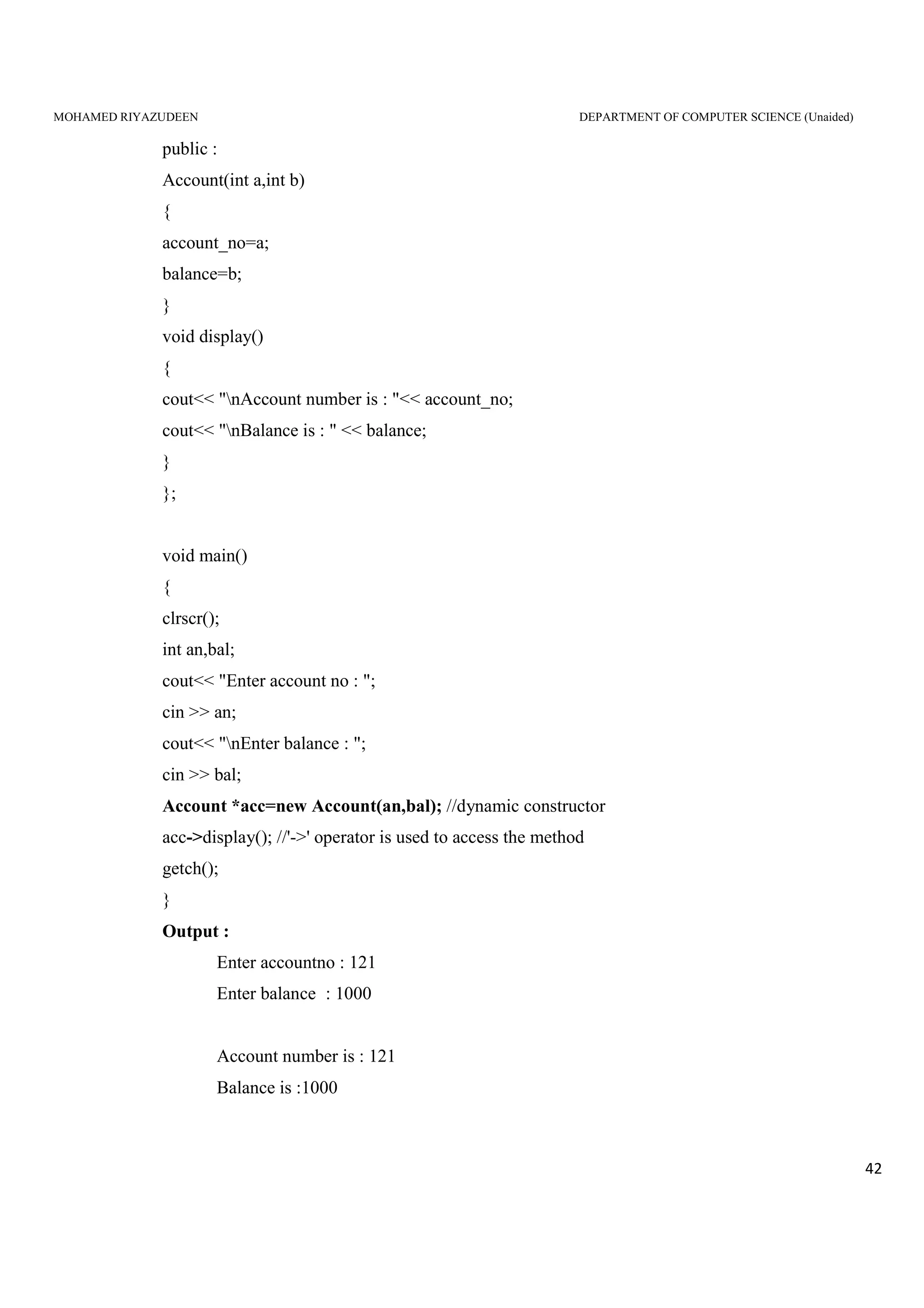
public :
Account(int a,int b)
{
account_no=a;
balance=b;
}
void display()
{
cout<< "nAccount number is : "<< account_no;
cout<< "nBalance is : " << balance;
}
};
void main()
{
clrscr();
int an,bal;
cout<< "Enter account no : ";
cin >> an;
cout<< "nEnter balance : ";
cin >> bal;
Account *acc=new Account(an,bal); //dynamic constructor
acc->display(); //'->' operator is used to access the method
getch();
}
Output :
Enter accountno : 121
Enter balance : 1000
Account number is : 121
Balance is :1000
MOHAMED RIYAZUDEEN DEPARTMENT OF COMPUTER SCIENCE (Unaided)
43
Constructing Two-dimensional Arrays:
#include<iostream.h>
#include<conio.h>
class matrix
{
int **p;
int d1,d2;
public:
matrix(int x,int y);
void getelement(int i,int j,int value)
{
p[i][j]=value;
}
int &putelement(int i,int j)
{
return p[i][j];
}
};
matrix :: matrix(int x,int y)
{
d1=x;
d2=y;
p=new int *[d1];
for(int i=0;i<d1;i++)
p[i]=new int[d2];
}
void main()
{
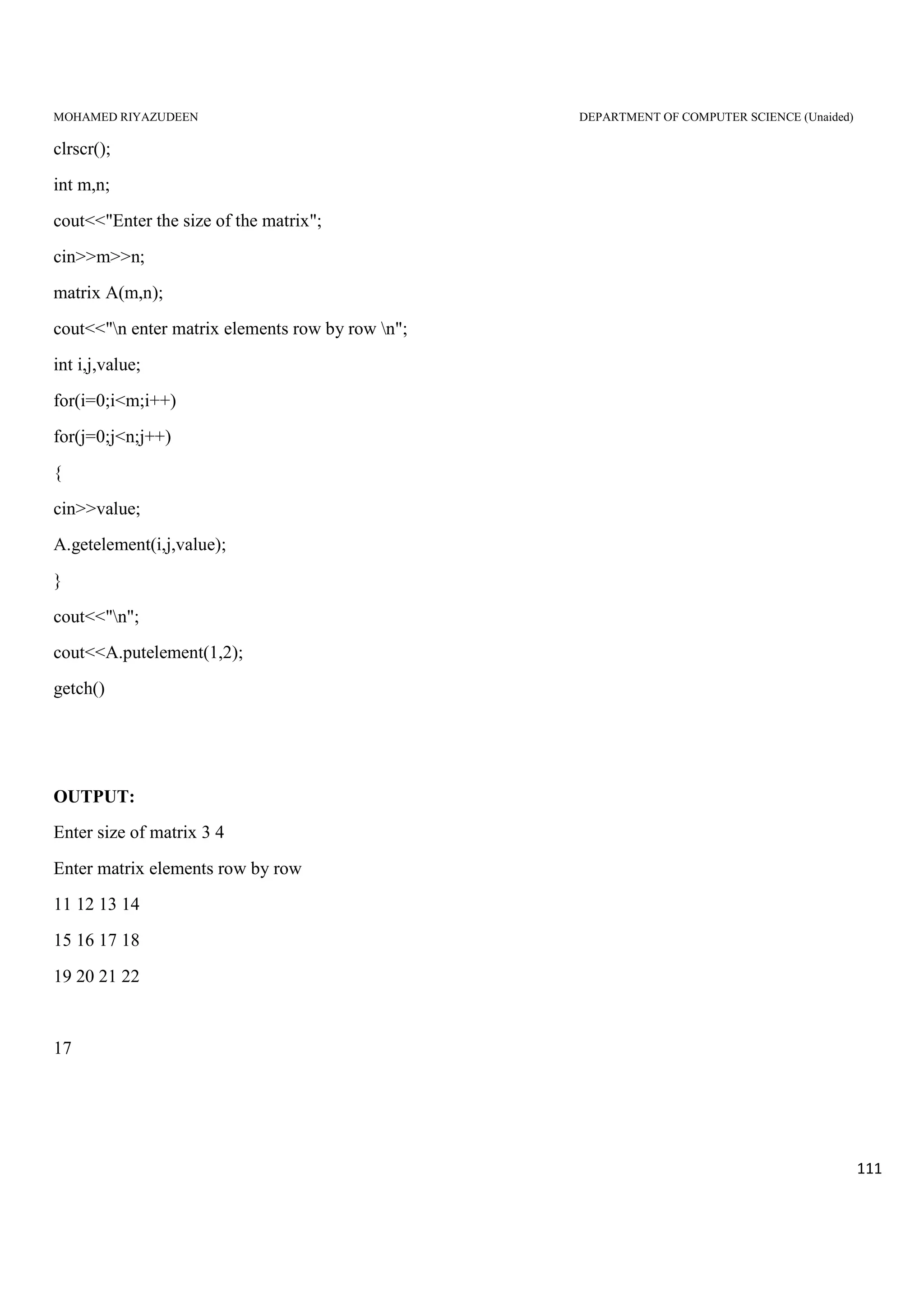
clrscr(); int m,n;
cout<<"Enter the size of the matrix";
MOHAMED RIYAZUDEEN DEPARTMENT OF COMPUTER SCIENCE (Unaided)
44
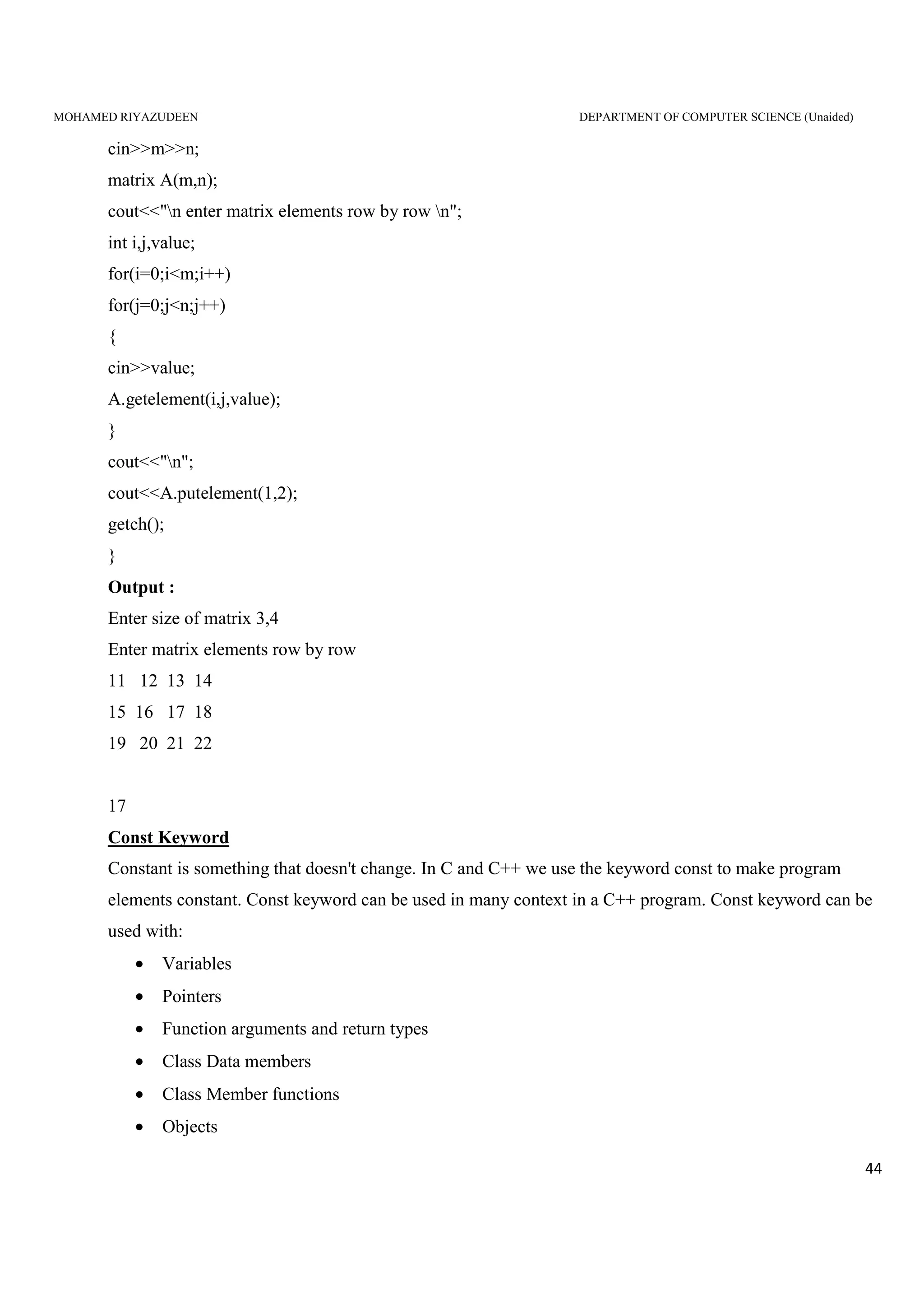
cin>>m>>n;
matrix A(m,n);
cout<<"n enter matrix elements row by row n";
int i,j,value;
for(i=0;i<m;i++)
for(j=0;j<n;j++)
{
cin>>value;
A.getelement(i,j,value);
}
cout<<"n";
cout<<A.putelement(1,2);
getch();
}
Output :
Enter size of matrix 3,4
Enter matrix elements row by row
11 12 13 14
15 16 17 18
19 20 21 22
17
Const Keyword
Constant is something that doesn't change. In C and C++ we use the keyword const to make program
elements constant. Const keyword can be used in many context in a C++ program. Const keyword can be
used with:
• Variables
• Pointers
• Function arguments and return types
• Class Data members
• Class Member functions
• Objects
MOHAMED RIYAZUDEEN DEPARTMENT OF COMPUTER SCIENCE (Unaided)
45
Const class Object
When an object is declared or created with const, its data members can never be changed, during object's
lifetime.
Syntax :
const class_name object;
Const class Member function
A const member function never modifies data members in an object.
Syntax :
return_type function_name() const;
Example for const Object and const Member function
class X
{
int i;
public:
X(int x) // Constructor
{ i=x; }
int f() const // Constant function
{ i++; }
int g()
{ i++; }
};
Void main()
{
X obj1(10); // Non const Object
const X obj2(20); // Const Object
obj1.f(); // No error
obj2.f(); // No error
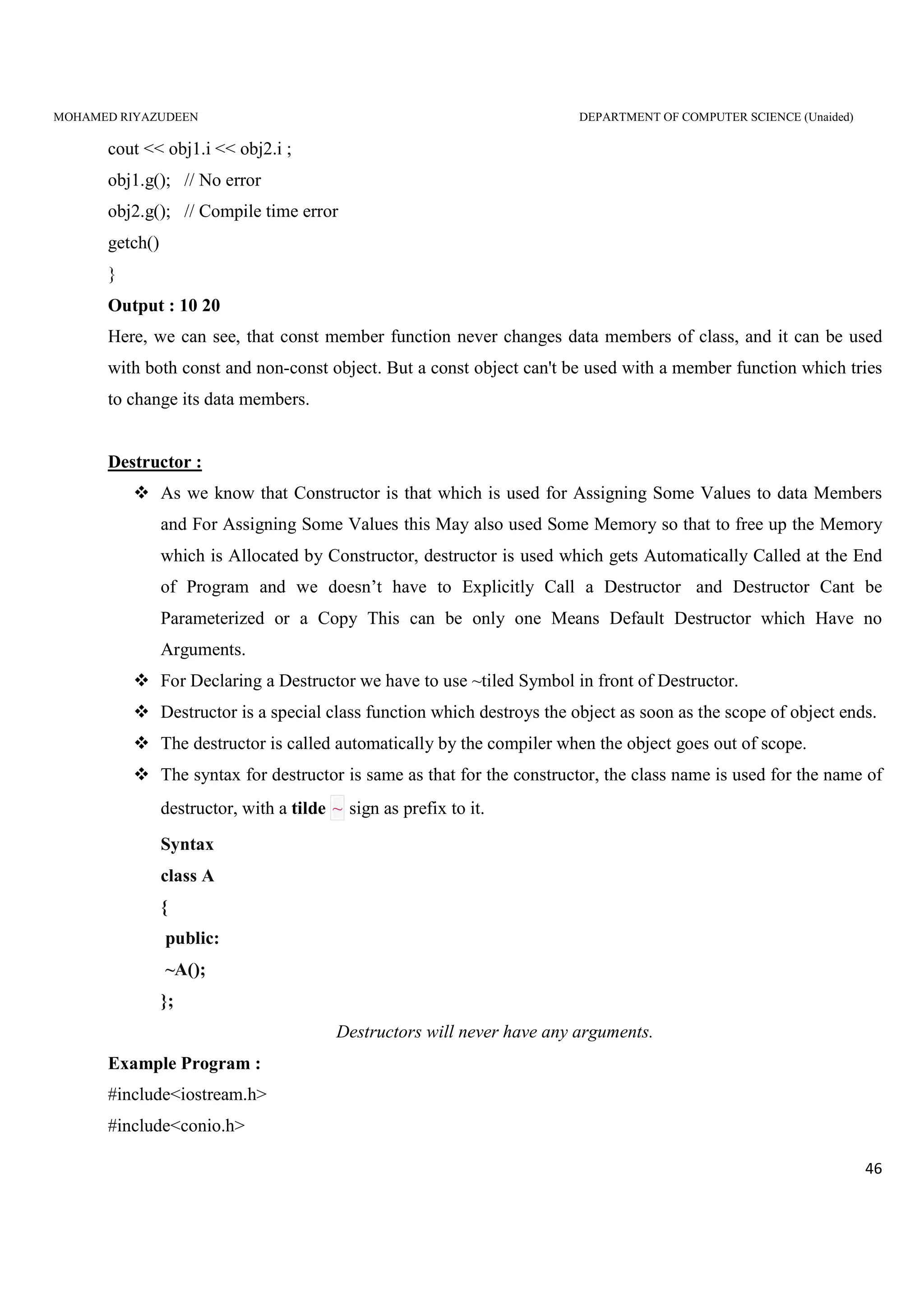
MOHAMED RIYAZUDEEN DEPARTMENT OF COMPUTER SCIENCE (Unaided)
46
cout << obj1.i << obj2.i ;
obj1.g(); // No error
obj2.g(); // Compile time error
getch()
}
Output : 10 20
Here, we can see, that const member function never changes data members of class, and it can be used
with both const and non-const object. But a const object can't be used with a member function which tries
to change its data members.
Destructor :
As we know that Constructor is that which is used for Assigning Some Values to data Members
and For Assigning Some Values this May also used Some Memory so that to free up the Memory
which is Allocated by Constructor, destructor is used which gets Automatically Called at the End
of Program and we doesn’t have to Explicitly Call a Destructor and Destructor Cant be
Parameterized or a Copy This can be only one Means Default Destructor which Have no
Arguments.
For Declaring a Destructor we have to use ~tiled Symbol in front of Destructor.
Destructor is a special class function which destroys the object as soon as the scope of object ends.
The destructor is called automatically by the compiler when the object goes out of scope.
The syntax for destructor is same as that for the constructor, the class name is used for the name of
destructor, with a tilde ~ sign as prefix to it.
Syntax
class A
{
public:
~A();
};
Destructors will never have any arguments.
Example Program :
#include<iostream.h>
#include<conio.h>
MOHAMED RIYAZUDEEN DEPARTMENT OF COMPUTER SCIENCE (Unaided)
47
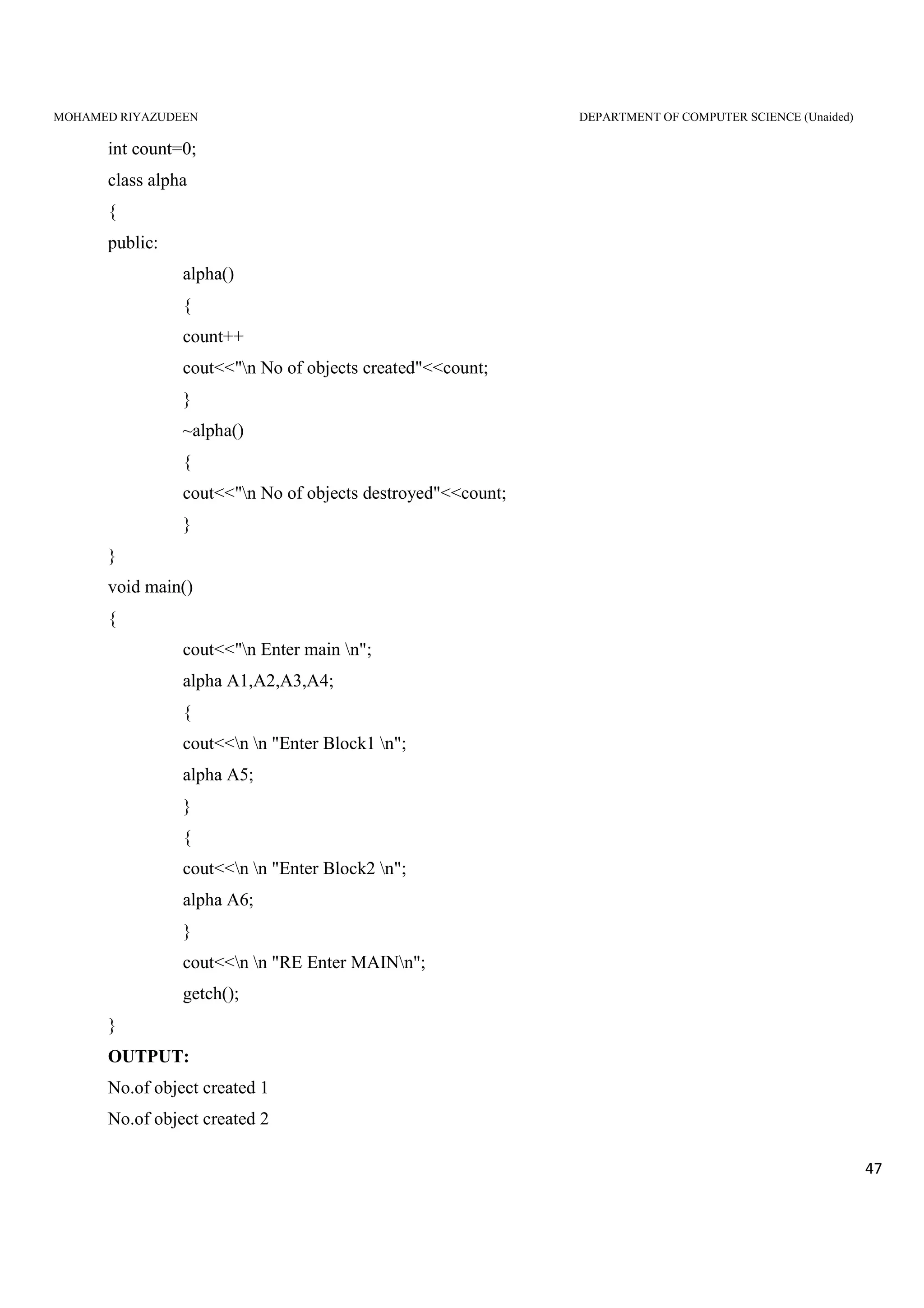
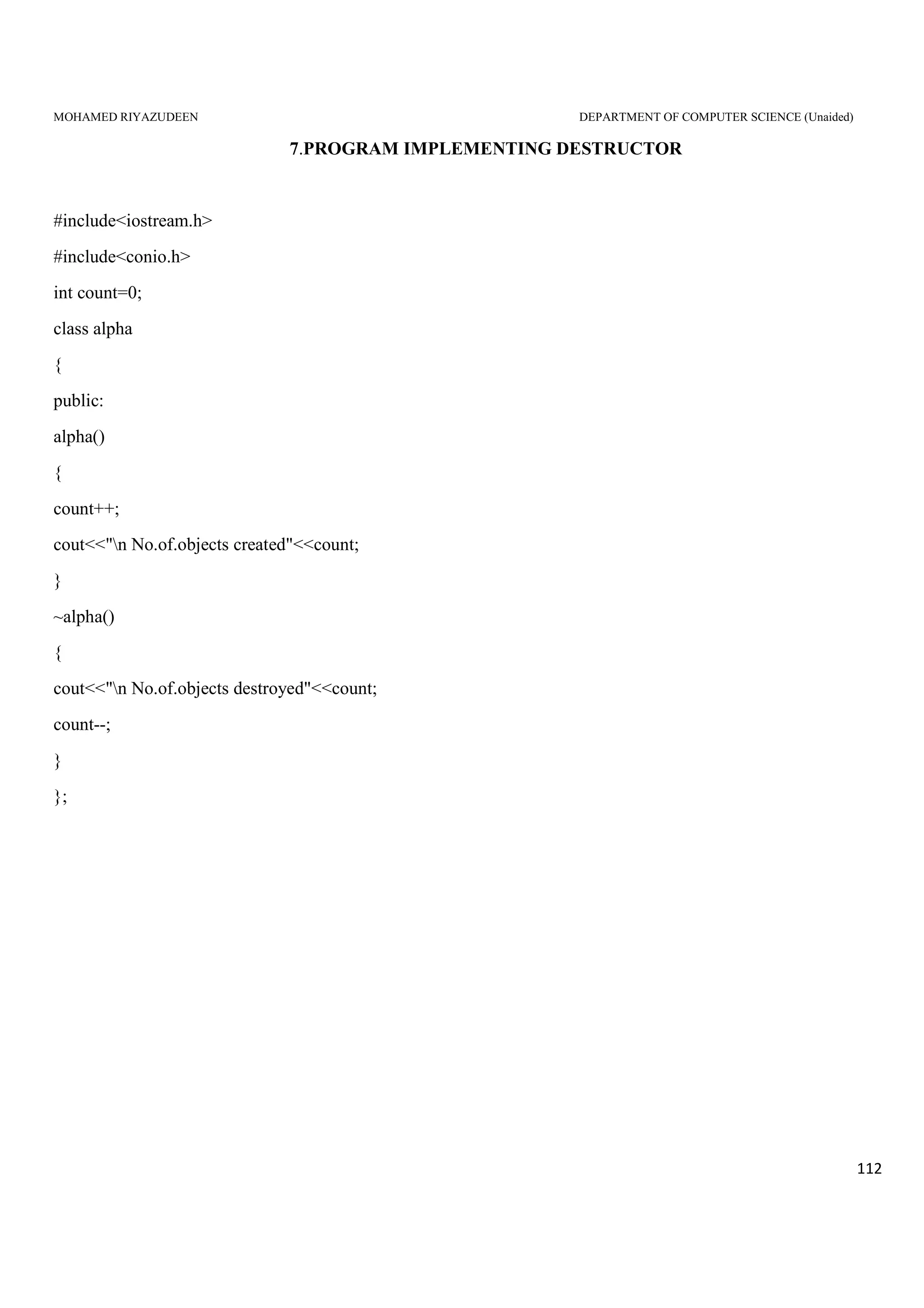
int count=0;
class alpha
{
public:
alpha()
{
count++
cout<<"n No of objects created"<<count;
}
~alpha()
{
cout<<"n No of objects destroyed"<<count;
}
}
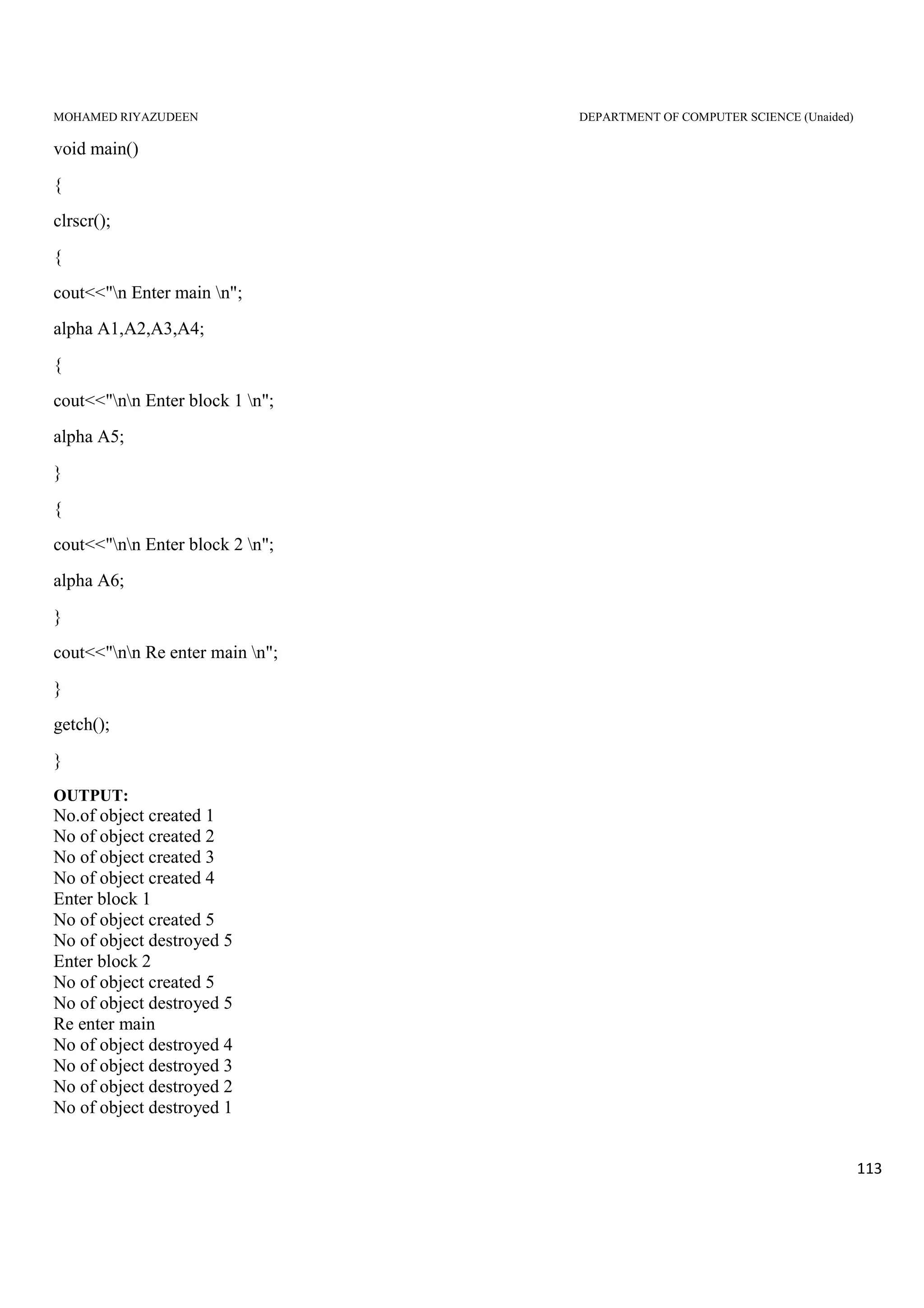
void main()
{
cout<<"n Enter main n";
alpha A1,A2,A3,A4;
{
cout<<n n "Enter Block1 n";
alpha A5;
}
{
cout<<n n "Enter Block2 n";
alpha A6;
}
cout<<n n "RE Enter MAINn";
getch();
}
OUTPUT:
No.of object created 1
No.of object created 2
MOHAMED RIYAZUDEEN DEPARTMENT OF COMPUTER SCIENCE (Unaided)
48
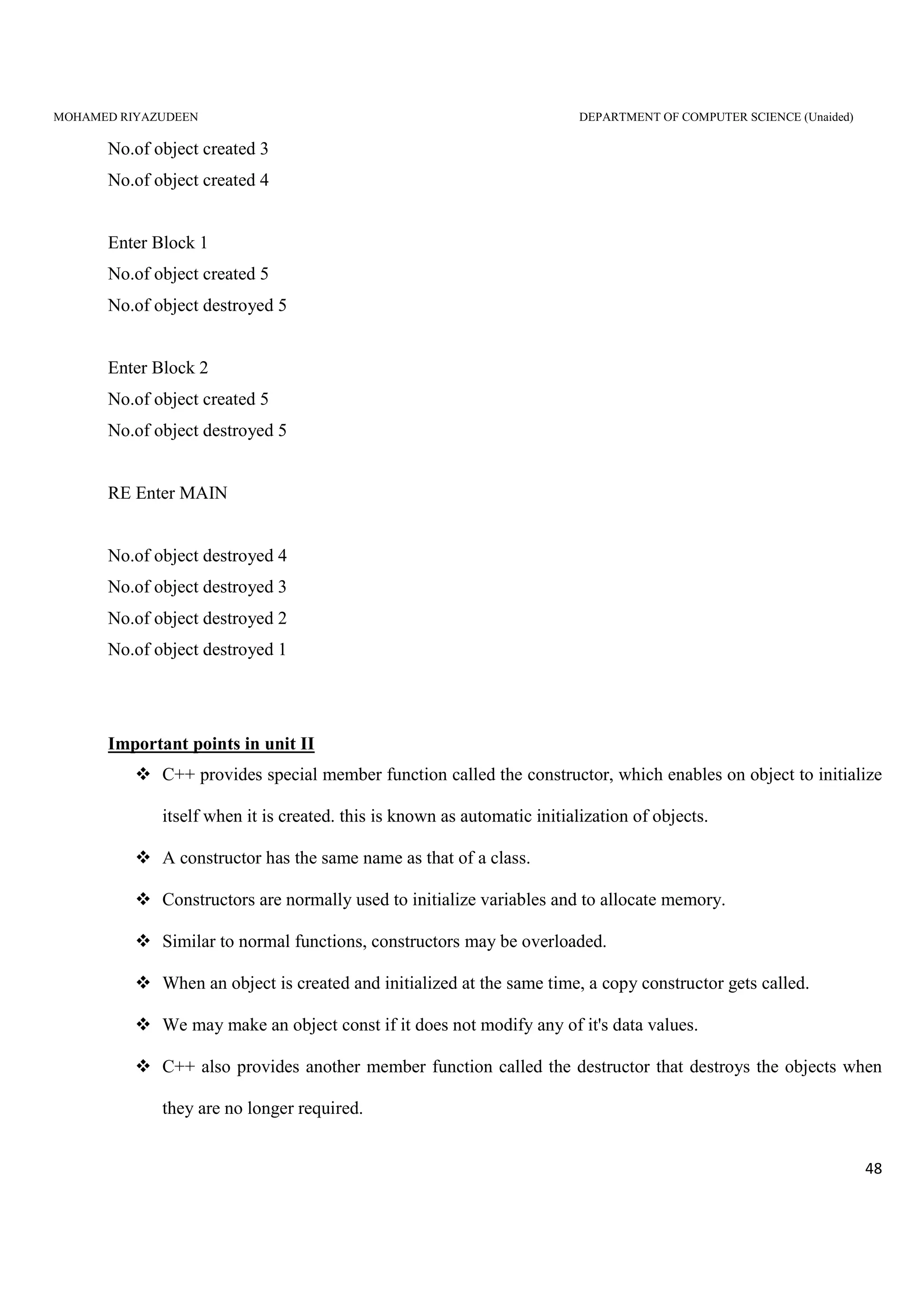
No.of object created 3
No.of object created 4
Enter Block 1
No.of object created 5
No.of object destroyed 5
Enter Block 2
No.of object created 5
No.of object destroyed 5
RE Enter MAIN
No.of object destroyed 4
No.of object destroyed 3
No.of object destroyed 2
No.of object destroyed 1
Important points in unit II
C++ provides special member function called the constructor, which enables on object to initialize
itself when it is created. this is known as automatic initialization of objects.
A constructor has the same name as that of a class.
Constructors are normally used to initialize variables and to allocate memory.
Similar to normal functions, constructors may be overloaded.
When an object is created and initialized at the same time, a copy constructor gets called.
We may make an object const if it does not modify any of it's data values.
C++ also provides another member function called the destructor that destroys the objects when
they are no longer required.
MOHAMED RIYAZUDEEN DEPARTMENT OF COMPUTER SCIENCE (Unaided)
49
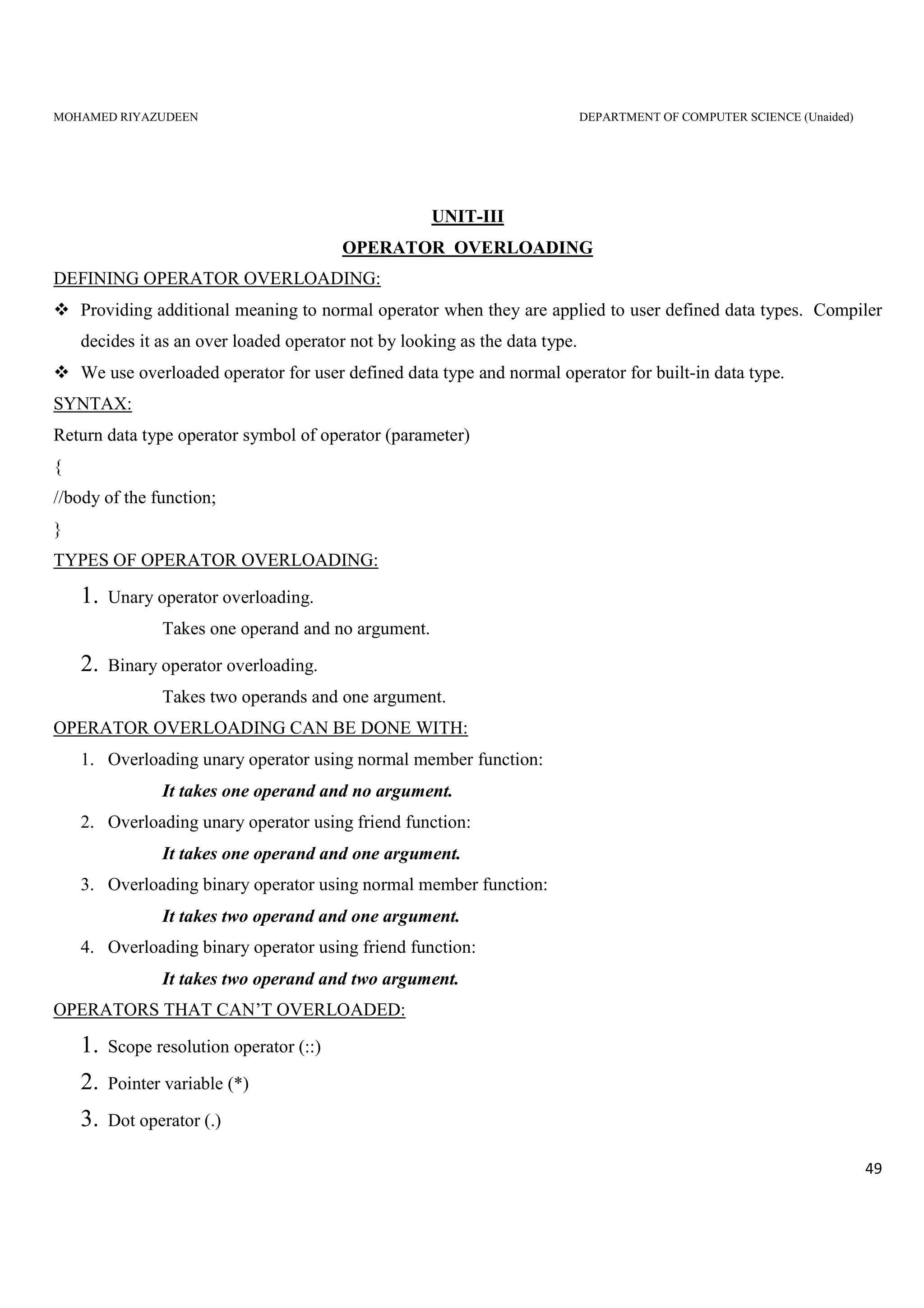
UNIT-III
OPERATOR OVERLOADING
DEFINING OPERATOR OVERLOADING:
Providing additional meaning to normal operator when they are applied to user defined data types. Compiler
decides it as an over loaded operator not by looking as the data type.
We use overloaded operator for user defined data type and normal operator for built-in data type.
SYNTAX:
Return data type operator symbol of operator (parameter)
{
//body of the function;
}
TYPES OF OPERATOR OVERLOADING:
1. Unary operator overloading.
Takes one operand and no argument.
2. Binary operator overloading.
Takes two operands and one argument.
OPERATOR OVERLOADING CAN BE DONE WITH:
1. Overloading unary operator using normal member function:
It takes one operand and no argument.
2. Overloading unary operator using friend function:
It takes one operand and one argument.
3. Overloading binary operator using normal member function:
It takes two operand and one argument.
4. Overloading binary operator using friend function:
It takes two operand and two argument.
OPERATORS THAT CAN’T OVERLOADED:
1. Scope resolution operator (::)
2. Pointer variable (*)
3. Dot operator (.)
MOHAMED RIYAZUDEEN DEPARTMENT OF COMPUTER SCIENCE (Unaided)
50
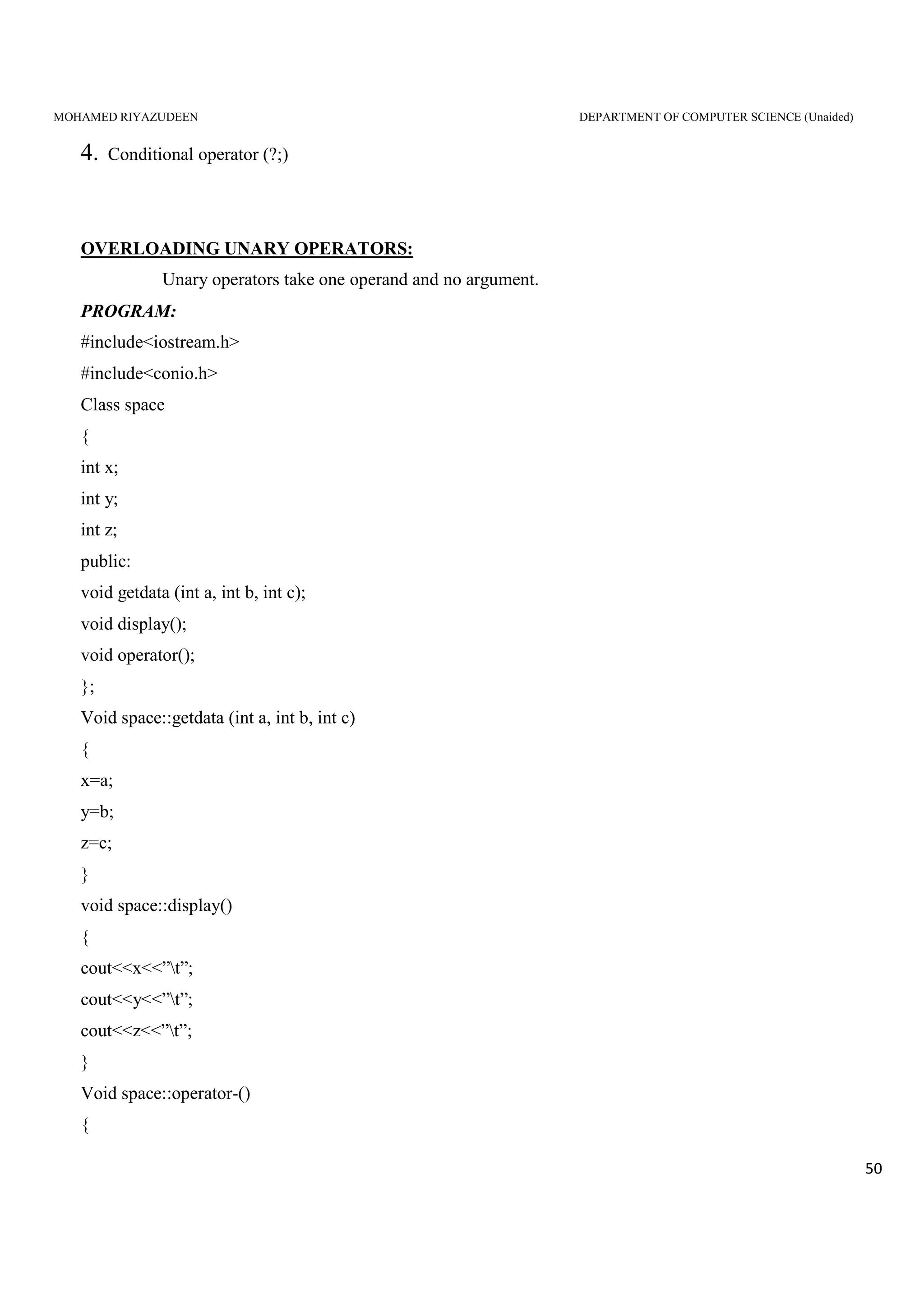
4. Conditional operator (?;)
OVERLOADING UNARY OPERATORS:
Unary operators take one operand and no argument.
PROGRAM:
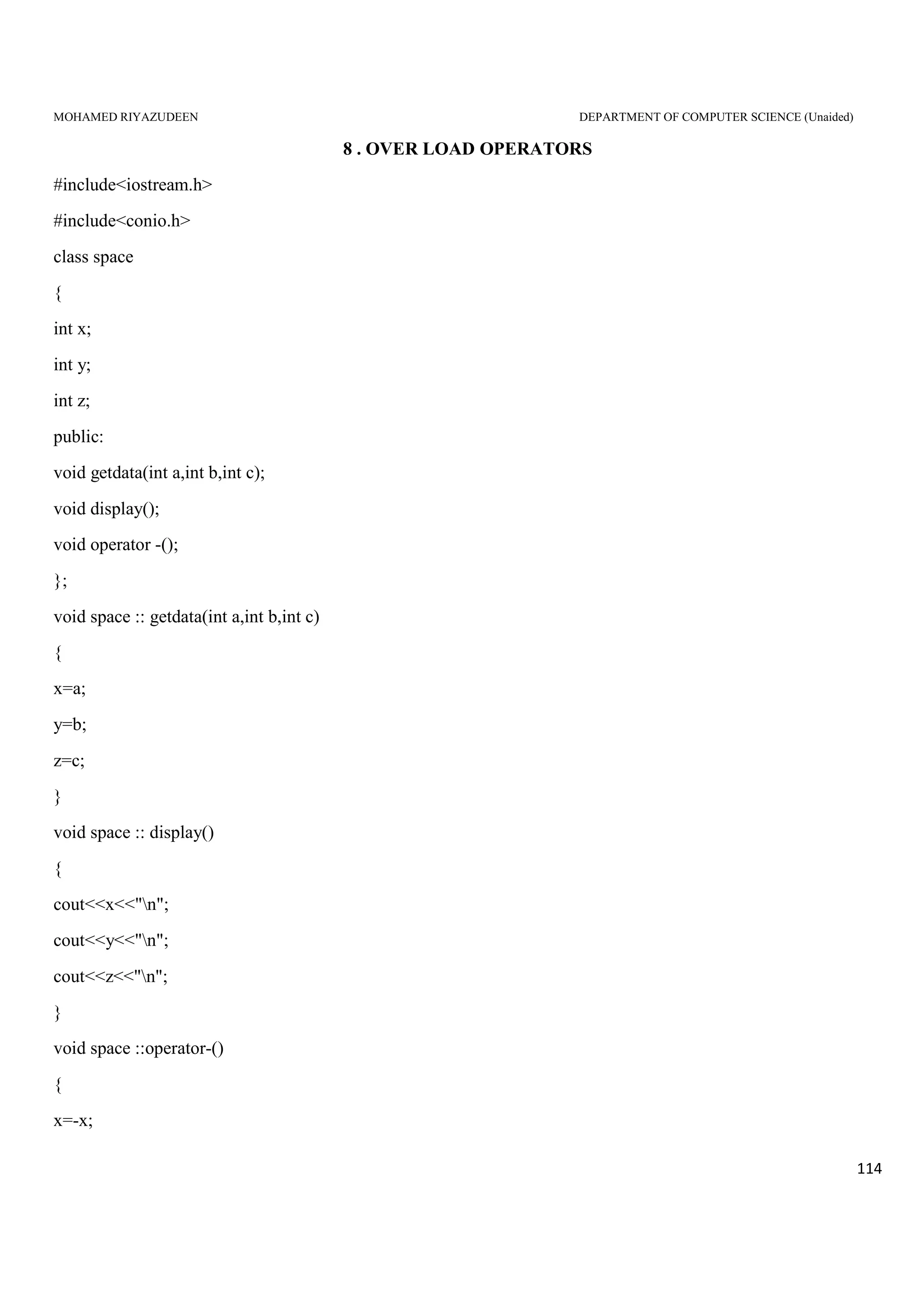
#include<iostream.h>
#include<conio.h>
Class space
{
int x;
int y;
int z;
public:
void getdata (int a, int b, int c);
void display();
void operator();
};
Void space::getdata (int a, int b, int c)
{
x=a;
y=b;
z=c;
}
void space::display()
{
cout<<x<<”t”;
cout<<y<<”t”;
cout<<z<<”t”;
}
Void space::operator-()
{
MOHAMED RIYAZUDEEN DEPARTMENT OF COMPUTER SCIENCE (Unaided)
51
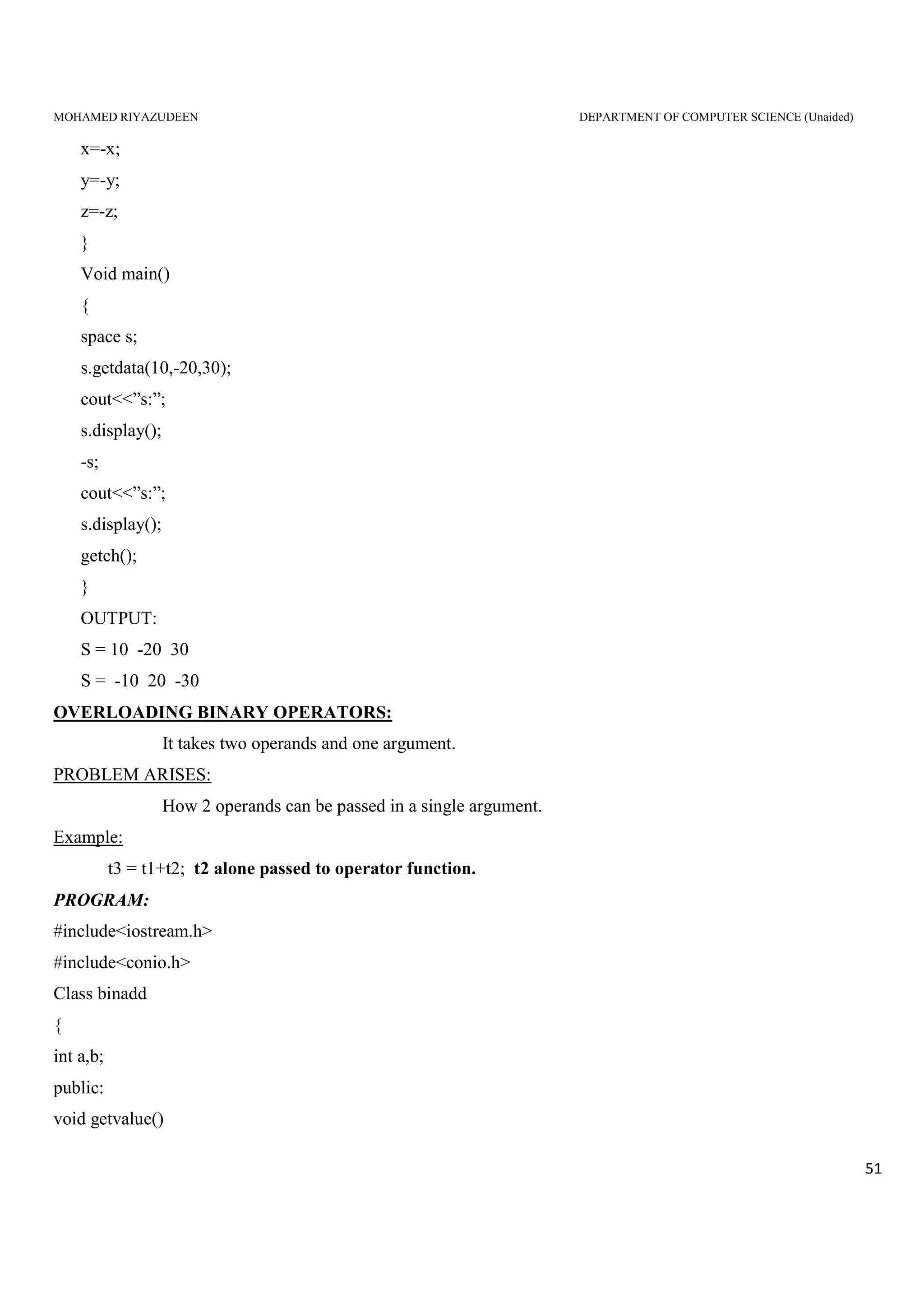
x=-x;
y=-y;
z=-z;
}
Void main()
{
space s;
s.getdata(10,-20,30);
cout<<”s:”;
s.display();
-s;
cout<<”s:”;
s.display();
getch();
}
OUTPUT:
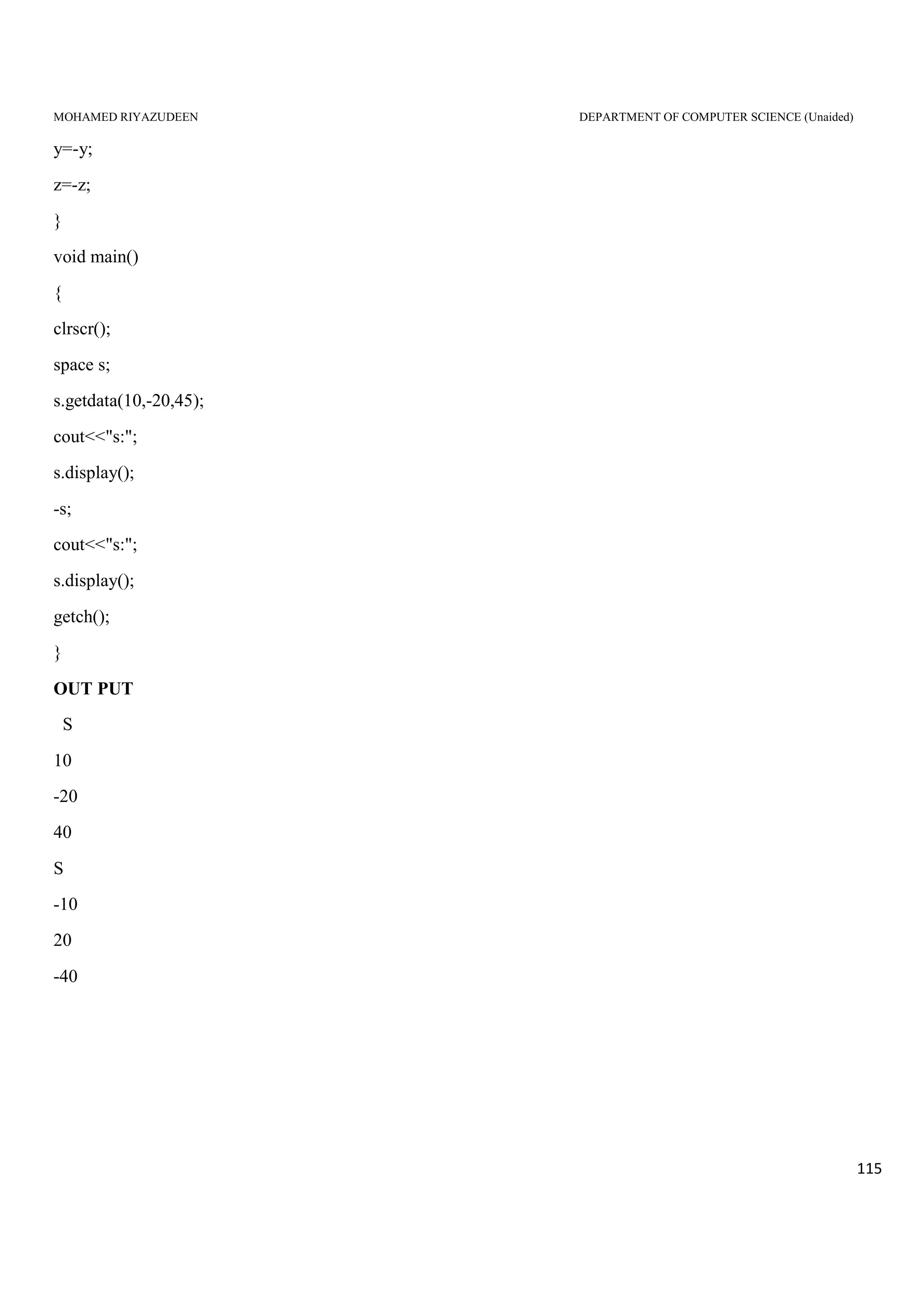
S = 10 -20 30
S = -10 20 -30
OVERLOADING BINARY OPERATORS:
It takes two operands and one argument.
PROBLEM ARISES:
How 2 operands can be passed in a single argument.
Example:
t3 = t1+t2; t2 alone passed to operator function.
PROGRAM:
#include<iostream.h>
#include<conio.h>
Class binadd
{
int a,b;
public:
void getvalue()
MOHAMED RIYAZUDEEN DEPARTMENT OF COMPUTER SCIENCE (Unaided)
52
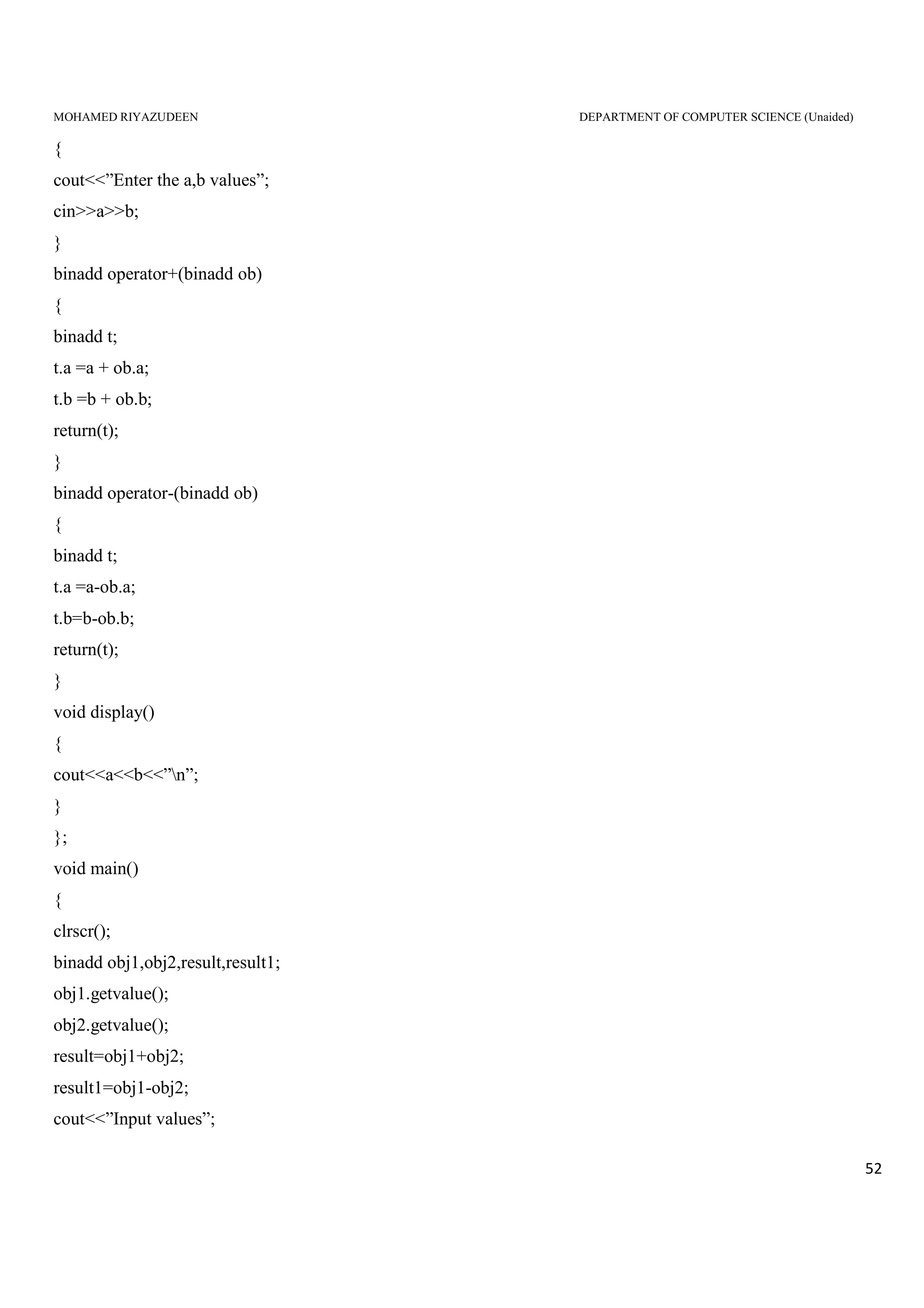
{
cout<<”Enter the a,b values”;
cin>>a>>b;
}
binadd operator+(binadd ob)
{
binadd t;
t.a =a + ob.a;
t.b =b + ob.b;
return(t);
}
binadd operator-(binadd ob)
{
binadd t;
t.a =a-ob.a;
t.b=b-ob.b;
return(t);
}
void display()
{
cout<<a<<b<<”n”;
}
};
void main()
{
clrscr();
binadd obj1,obj2,result,result1;
obj1.getvalue();
obj2.getvalue();
result=obj1+obj2;
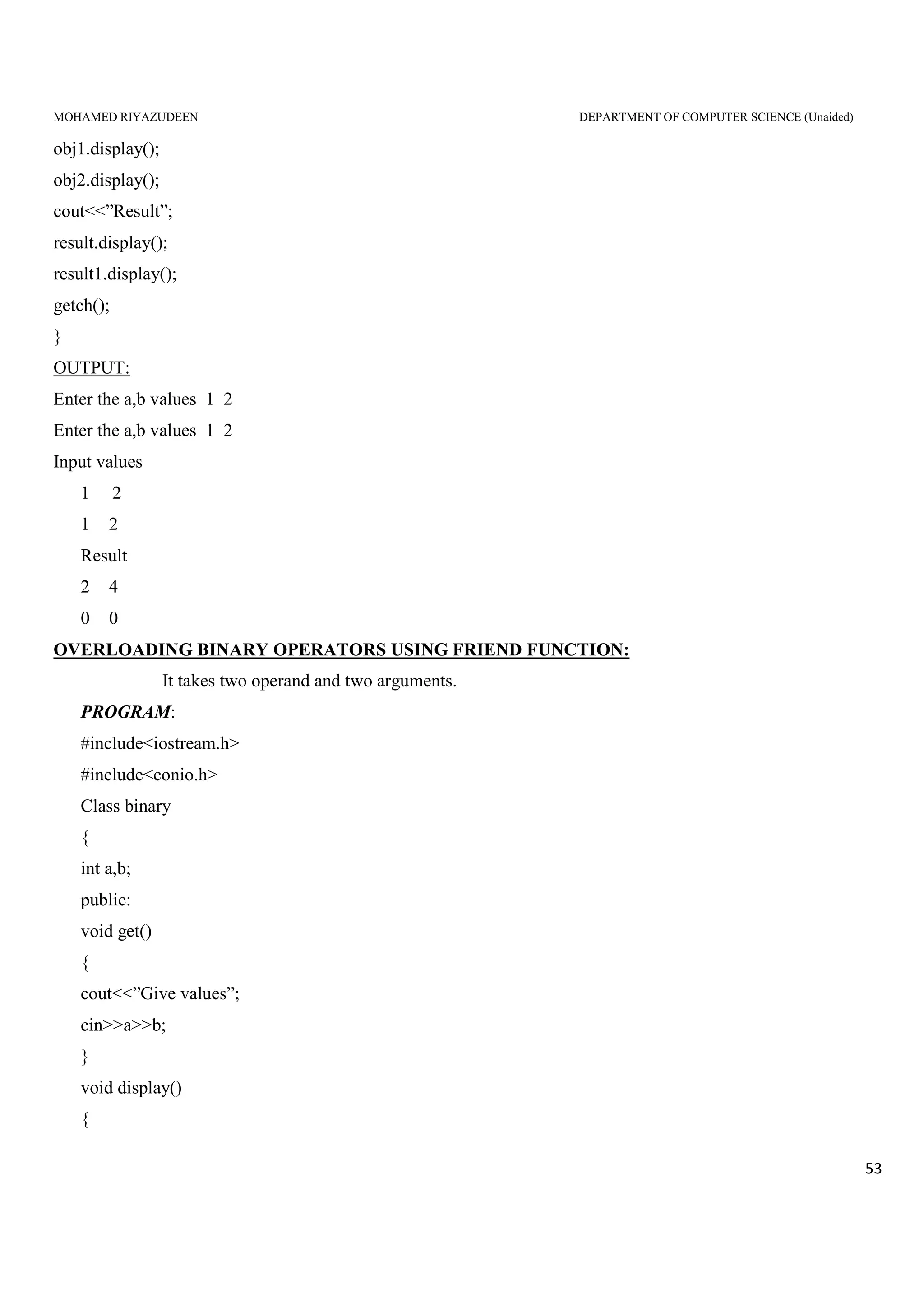
result1=obj1-obj2;
cout<<”Input values”;
MOHAMED RIYAZUDEEN DEPARTMENT OF COMPUTER SCIENCE (Unaided)
53
obj1.display();
obj2.display();
cout<<”Result”;
result.display();
result1.display();
getch();
}
OUTPUT:
Enter the a,b values 1 2
Input values
1 2
1 2
Result
2 4
0 0
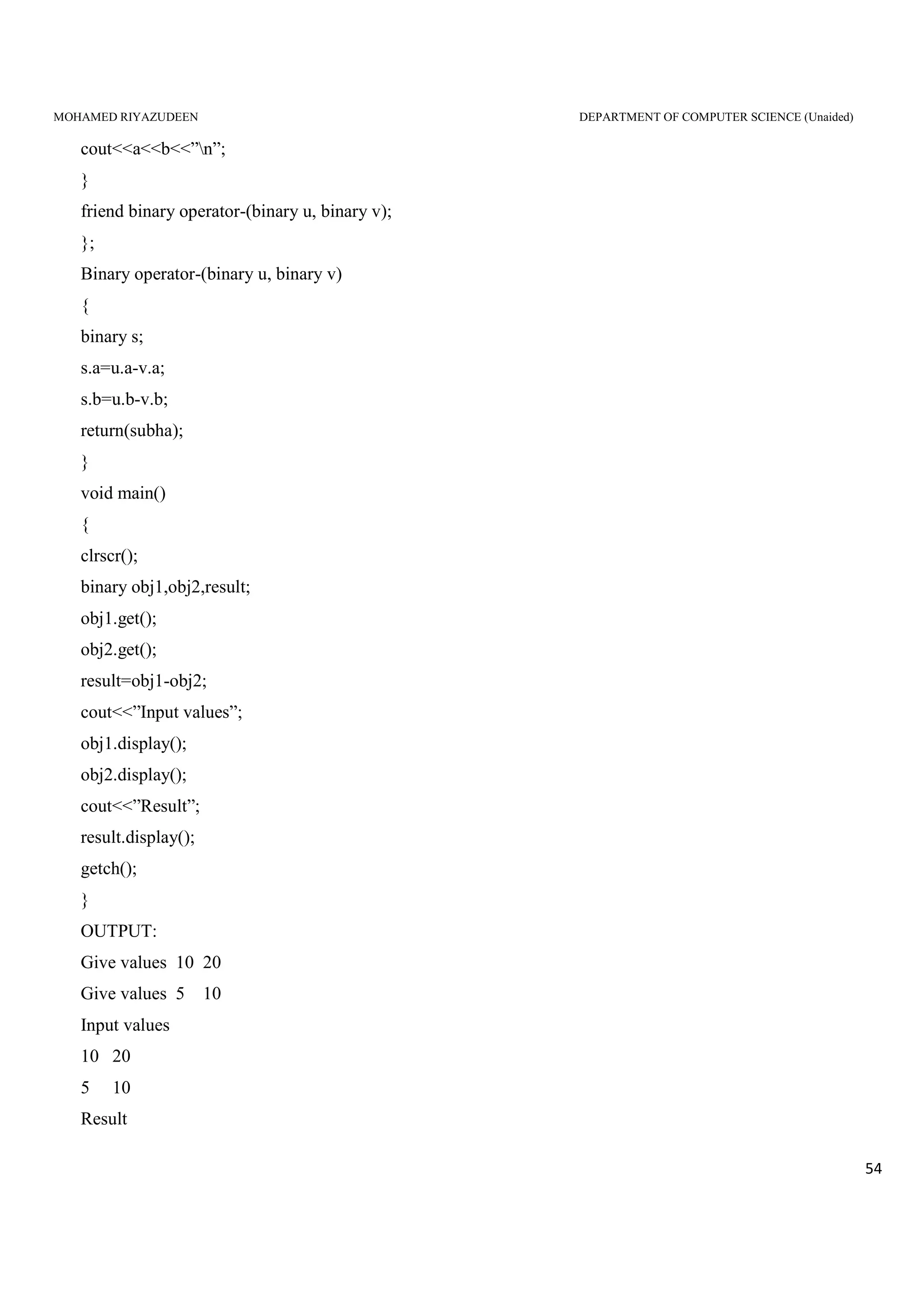
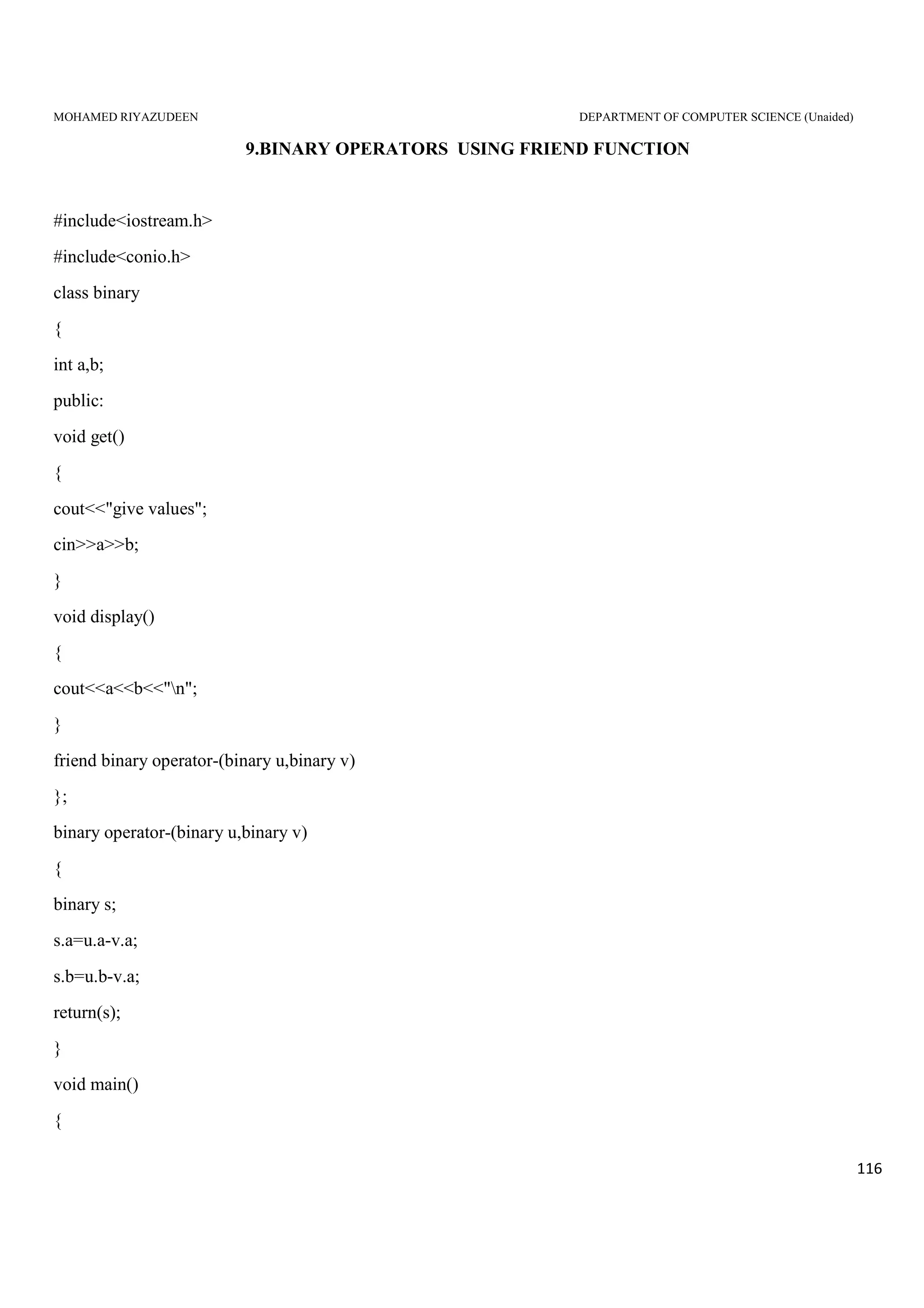
OVERLOADING BINARY OPERATORS USING FRIEND FUNCTION:
It takes two operand and two arguments.
PROGRAM:
#include<iostream.h>
#include<conio.h>
Class binary
{
int a,b;
public:
void get()
{
cout<<”Give values”;
cin>>a>>b;
}
void display()
{
MOHAMED RIYAZUDEEN DEPARTMENT OF COMPUTER SCIENCE (Unaided)
54
cout<<a<<b<<”n”;
}
friend binary operator-(binary u, binary v);
};
Binary operator-(binary u, binary v)
{
binary s;
s.a=u.a-v.a;
s.b=u.b-v.b;
return(subha);
}
void main()
{
clrscr();
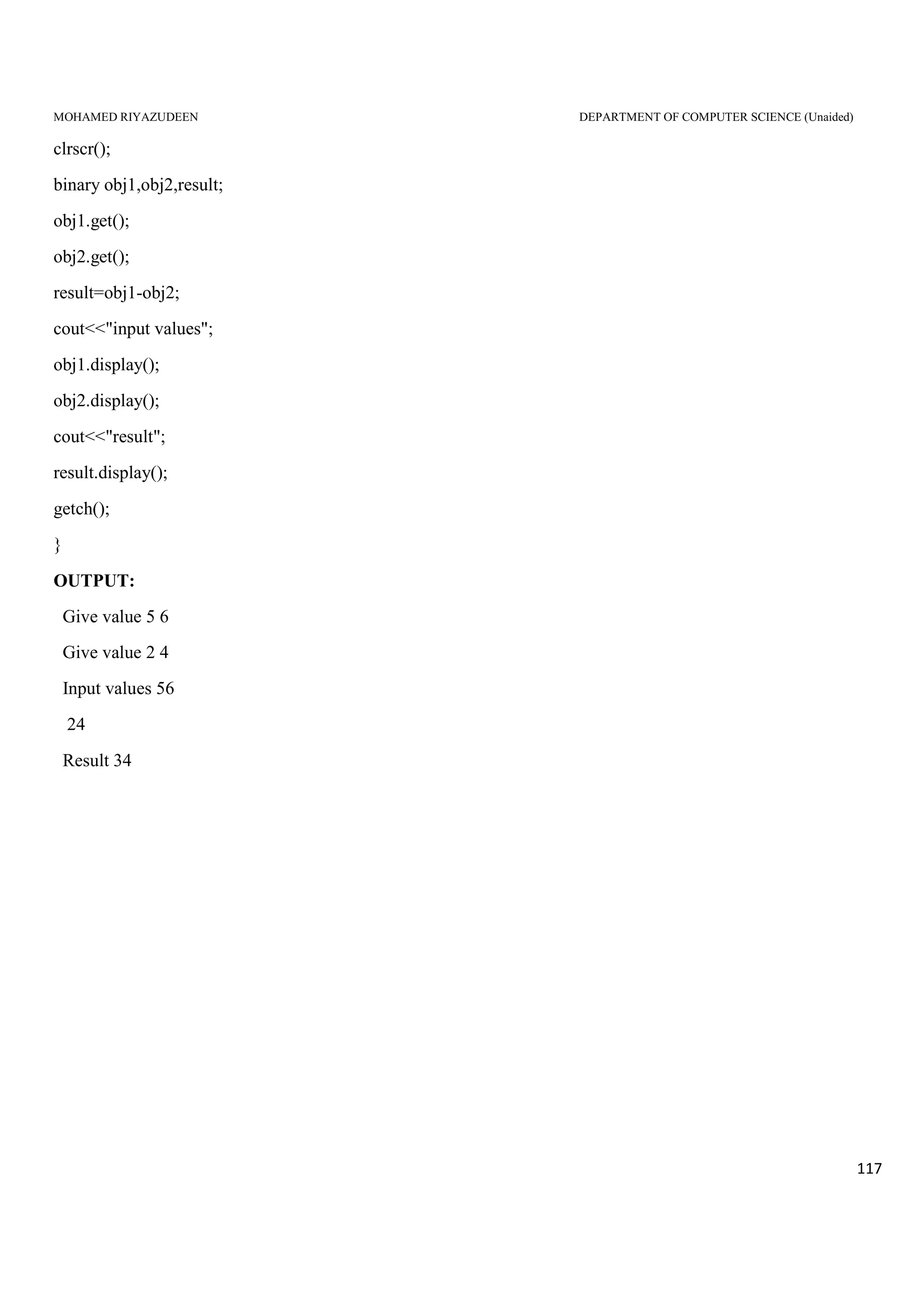
binary obj1,obj2,result;
obj1.get();
obj2.get();
result=obj1-obj2;
cout<<”Input values”;
obj1.display();
obj2.display();
cout<<”Result”;
result.display();
getch();
}
OUTPUT:
Give values 10 20
Give values 5 10
Input values
10 20
5 10
Result
MOHAMED RIYAZUDEEN DEPARTMENT OF COMPUTER SCIENCE (Unaided)
55
5 10
RULES FOR OPERATOR OVERLOADING:
1. Only existing operators can be overloaded. New operator cannot be overloaded.
2. The overloaded operator must have atleast one operand that is of user defined data type.
3. We cannot change the basic meaning of an operator. That is to say, we cannot redefine the plus(+) operator to
subtract one value from the other.
4. Overloaded operators follow the syntax rules of the original operators. They cannot be overridden.
5. There are some operators that cannot be overloaded like size of operator (size of), membership operator(.),
pointer of member operator(*), scope resolution operator(::), conditional operator(?:).
6. We cannot use “friend” function to overload certain operators. However member function can be used to
overload them. Friend functions cannot be used with assignment operator(=), function call operator(()),
subscripting operator([]), class member access operator(->).
7. Unary operators overloaded by means of a member function take no explicit arguments and return no explicit
values, but those overloaded by means of a friend function, take one reference argument. (the object of the
relevant class)
8. Binary operator overloaded through a member function take one explicit argument and those which are
overloaded through a friend function take two explicit arguments.
9. When using binary operators overloaded through a member function, the left hand operand must be an object
of the relevant class.
10. Binary arithmetic operators such as +,-,*,/ must explicitly returns a value. They must not attempt to change
their own argument.
Program to perform string manipulation using operators
#include<iostream.h>
#include<conio.h>
#include<stdio.h>
#include<string.h>
class string
{
MOHAMED RIYAZUDEEN DEPARTMENT OF COMPUTER SCIENCE (Unaided)
56
protected:
char str[25];
public:
void getstring();
void display();
string operator+(string&);
int operator==(string&);
void operator=(string&);
void operator+=(string&);
};
void string::getstring()
{
cout<<"Enter string:";
gets(str);
}
string string::operator+(string &s)
{
string temp;
if((strlen(str)+strlen(s.str))<25)
{
strcpy(temp.str,str);
strcat(temp.str,s.str);
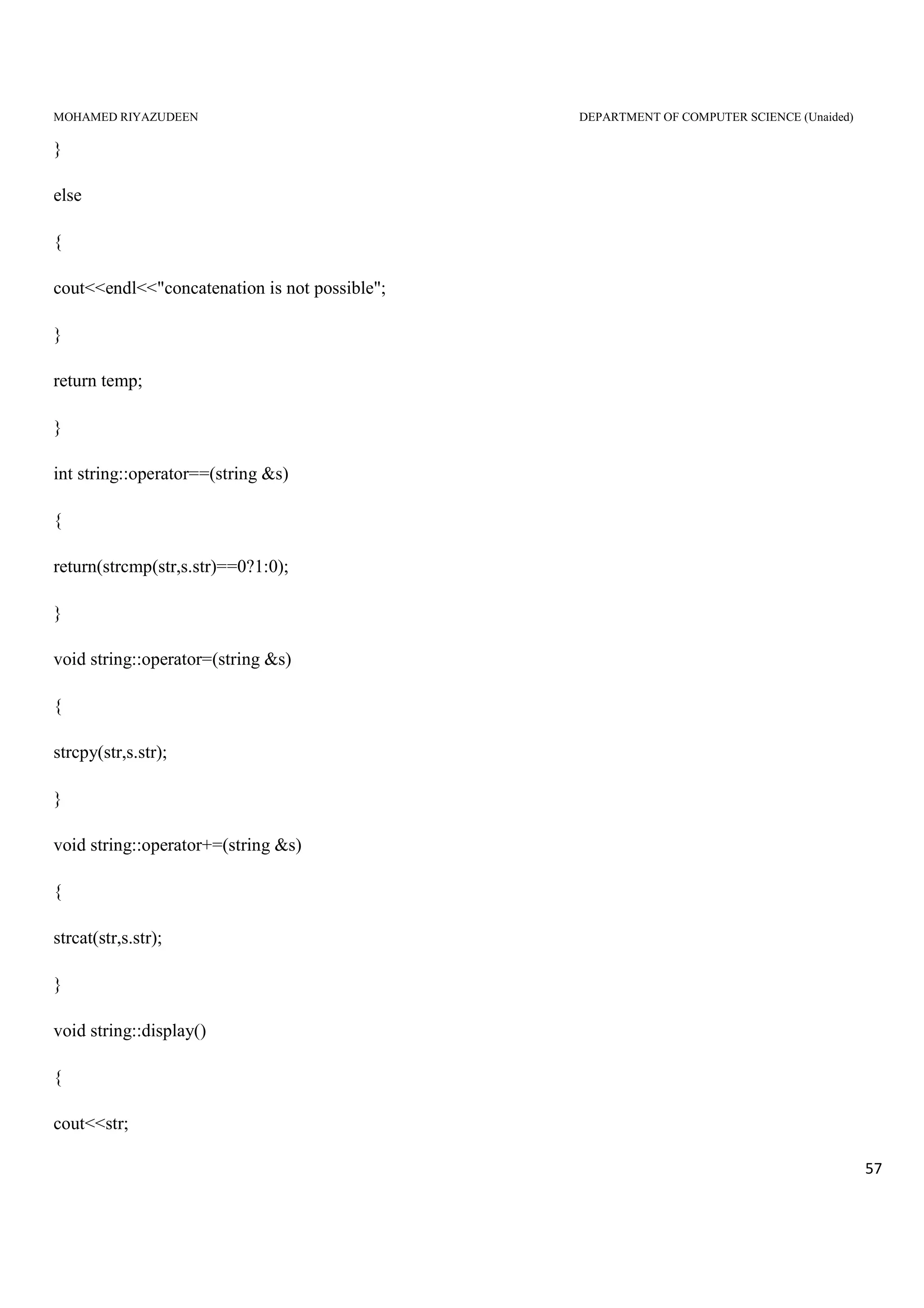
MOHAMED RIYAZUDEEN DEPARTMENT OF COMPUTER SCIENCE (Unaided)
57
}
else
{
cout<<endl<<"concatenation is not possible";
}
return temp;
}
int string::operator==(string &s)
{
return(strcmp(str,s.str)==0?1:0);
}
void string::operator=(string &s)
{
strcpy(str,s.str);
}
void string::operator+=(string &s)
{
strcat(str,s.str);
}
void string::display()
{
cout<<str;
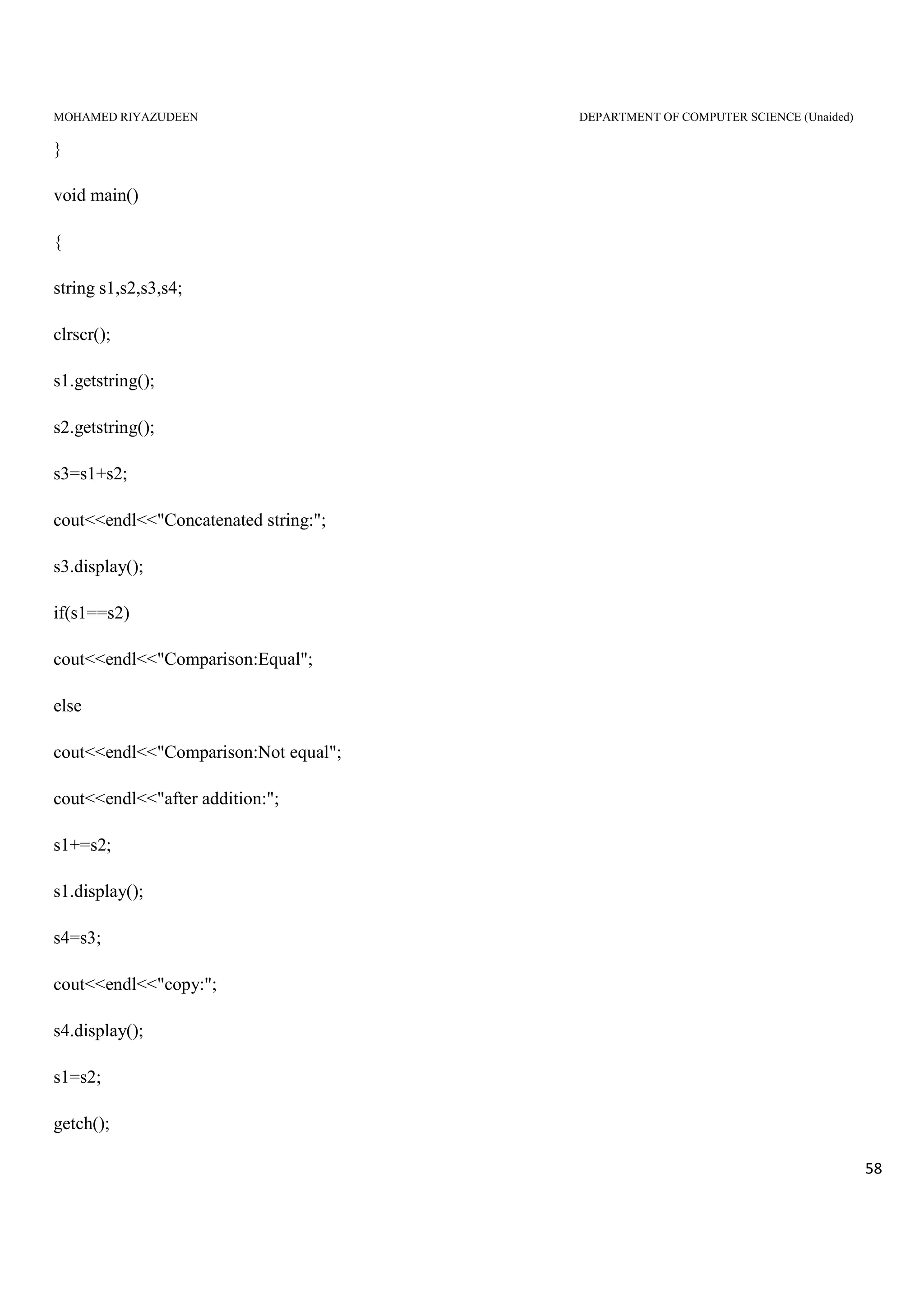
MOHAMED RIYAZUDEEN DEPARTMENT OF COMPUTER SCIENCE (Unaided)
58
}
void main()
{
string s1,s2,s3,s4;
clrscr();
s1.getstring();
s2.getstring();
s3=s1+s2;
cout<<endl<<"Concatenated string:";
s3.display();
if(s1==s2)
cout<<endl<<"Comparison:Equal";
else
cout<<endl<<"Comparison:Not equal";
cout<<endl<<"after addition:";
s1+=s2;
s1.display();
s4=s3;
cout<<endl<<"copy:";
s4.display();
s1=s2;
getch();
MOHAMED RIYAZUDEEN DEPARTMENT OF COMPUTER SCIENCE (Unaided)
59
}
Output:
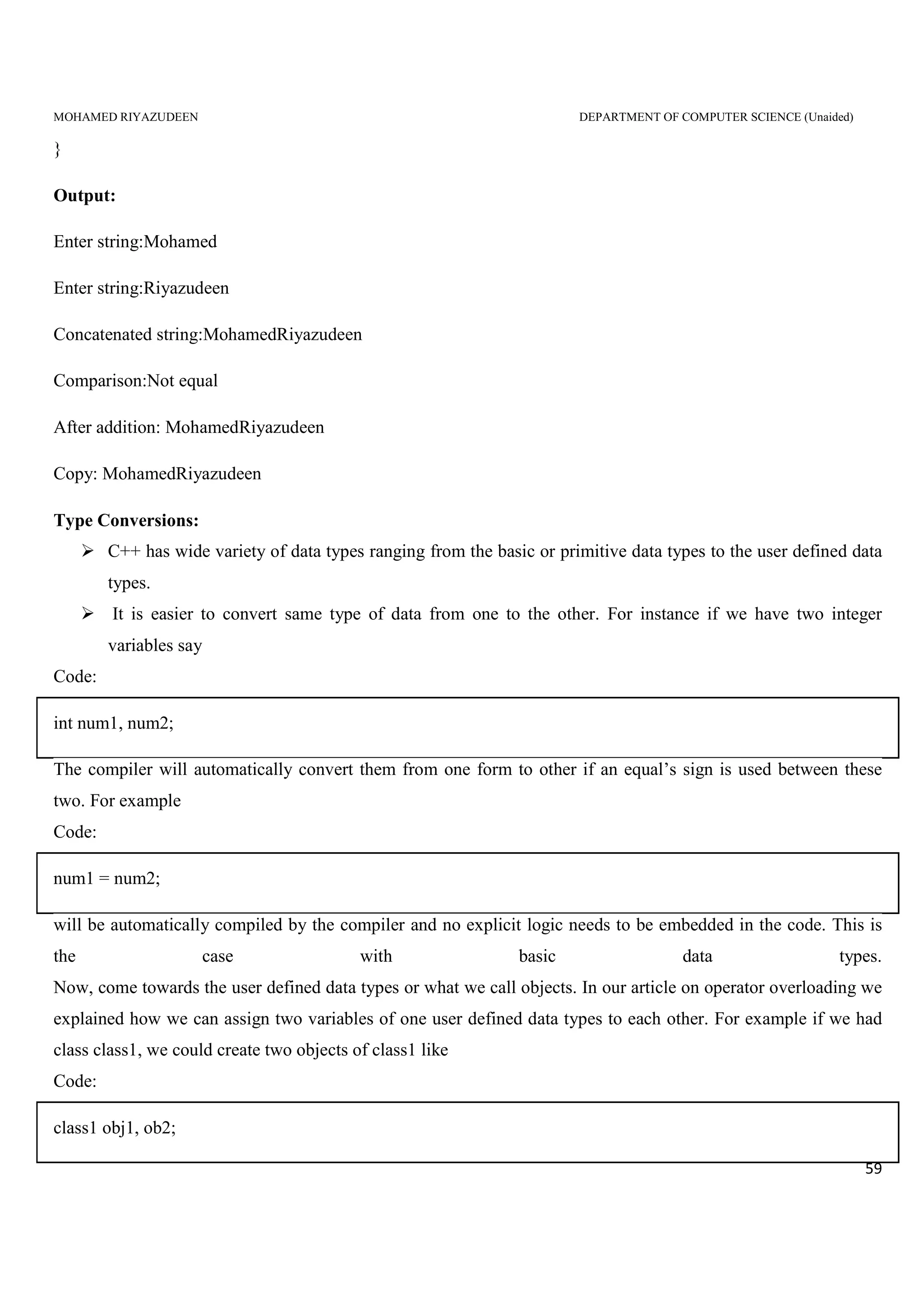
Enter string:Mohamed
Enter string:Riyazudeen
Concatenated string:MohamedRiyazudeen
Comparison:Not equal
After addition: MohamedRiyazudeen
Copy: MohamedRiyazudeen
Type Conversions:
C++ has wide variety of data types ranging from the basic or primitive data types to the user defined data
types.
It is easier to convert same type of data from one to the other. For instance if we have two integer
variables say
Code:
int num1, num2;
The compiler will automatically convert them from one form to other if an equal’s sign is used between these
two. For example
Code:
num1 = num2;
will be automatically compiled by the compiler and no explicit logic needs to be embedded in the code. This is
the case with basic data types.
Now, come towards the user defined data types or what we call objects. In our article on operator overloading we
explained how we can assign two variables of one user defined data types to each other. For example if we had
class class1, we could create two objects of class1 like
Code:
class1 obj1, ob2;
MOHAMED RIYAZUDEEN DEPARTMENT OF COMPUTER SCIENCE (Unaided)
60
obj1=obj2
In that all the values from the variables of obj2 will be copied into the corresponding variables of obj1.
In both of our examples we are storing values between variables of same data type. First we stored data from an
integer to another integer and then we stored user defined objects of class1 to another object of class1.
What if we want to store a float type data into an integer or an object of class1 into another object of class2 i.e.
the data type of both of these objects will be different.
Three types of situations might arise in the data conversion between uncompatible types
1. Conversion from basic type to class type
2. Conversion from class type to basic type.
3. Conversion from one class type to another class type.
Conversion from basic to class type:
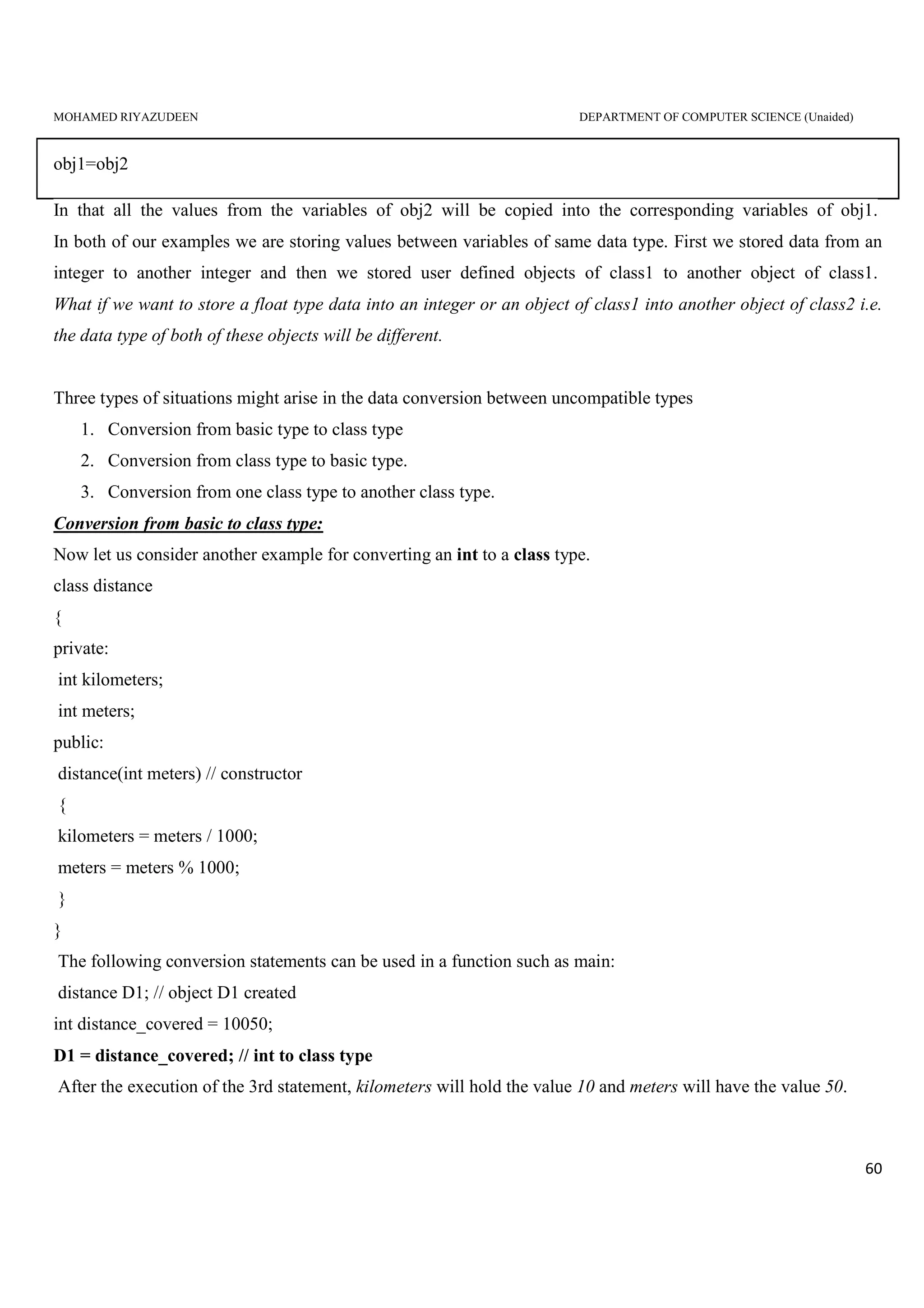
Now let us consider another example for converting an int to a class type.
class distance
{
private:
int kilometers;
int meters;
public:
distance(int meters) // constructor
{
kilometers = meters / 1000;
meters = meters % 1000;
}
}
The following conversion statements can be used in a function such as main:
distance D1; // object D1 created
int distance_covered = 10050;
D1 = distance_covered; // int to class type
After the execution of the 3rd statement, kilometers will hold the value 10 and meters will have the value 50.
MOHAMED RIYAZUDEEN DEPARTMENT OF COMPUTER SCIENCE (Unaided)
61
Thus, we see that the constructors used for the type conversion take a single argument whose type is to be
converted
Sample Program
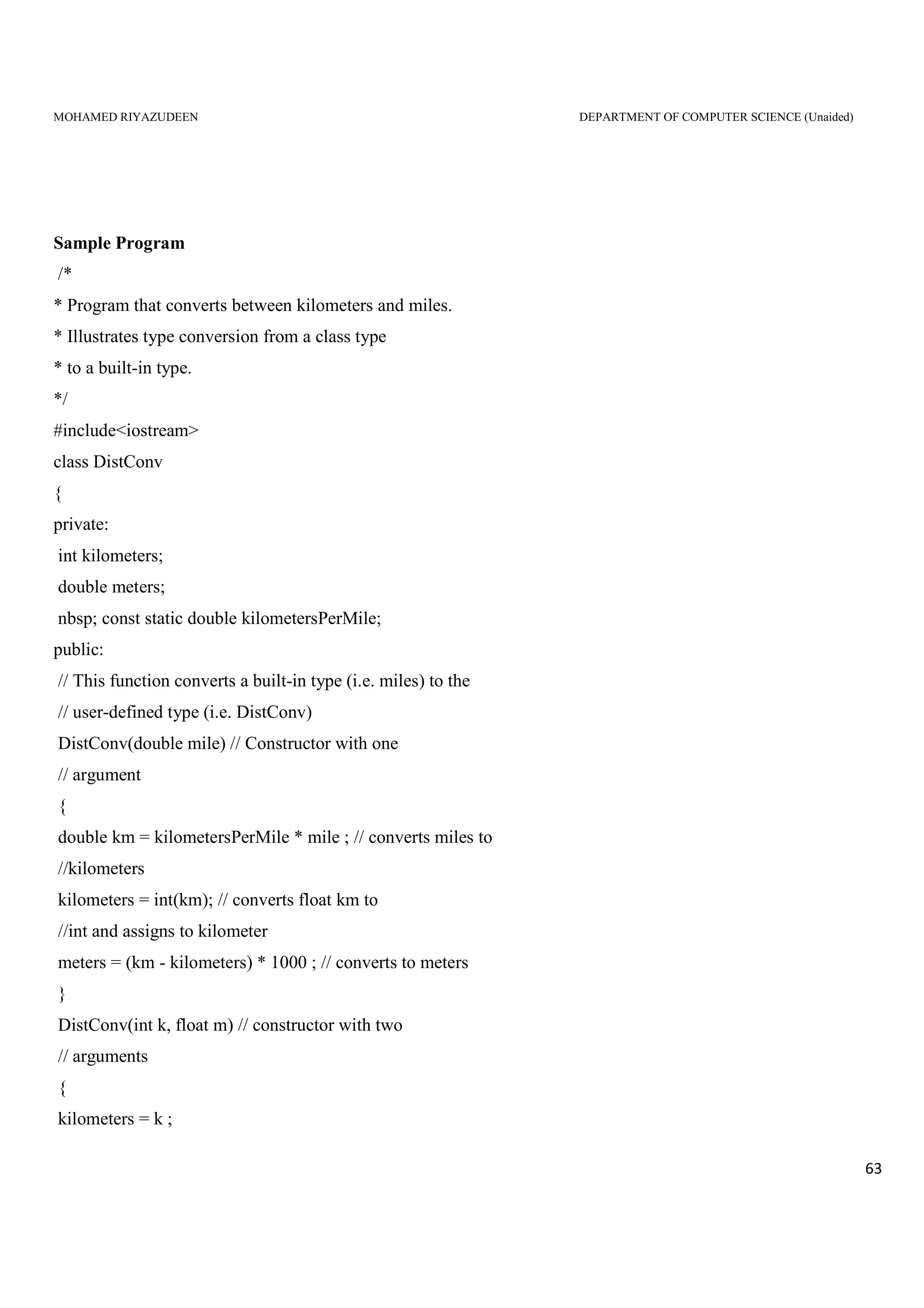
/*
* Program that converts from miles to kilometers.
* Illustrates type conversion from built-in types
* to user-defined types.
*/
#include<iostream>
using namespace std;
class DistConv
{
private:
int kilometers;
double meters;
const static double kilometersPerMile;
public:
// This function converts a built-in type (i.e. miles) to the user-defined type (i.e. Distconv)
DistConv(double mile) // Constructor with one argument
{
double km = kilometersPerMile * mile ; // converts mile to Km
kilometers = int(km); // converts float Km to int and assigns to kilometer
meters = (km - kilometers) * 1000 ; // converts to meter
}
void display(void)
{
cout << kilometers << " kilometers and " << meters << " meters n" ;
}
}; // End of the Class Definition
const double DistConv::kilometersPerMile = 1.609344;
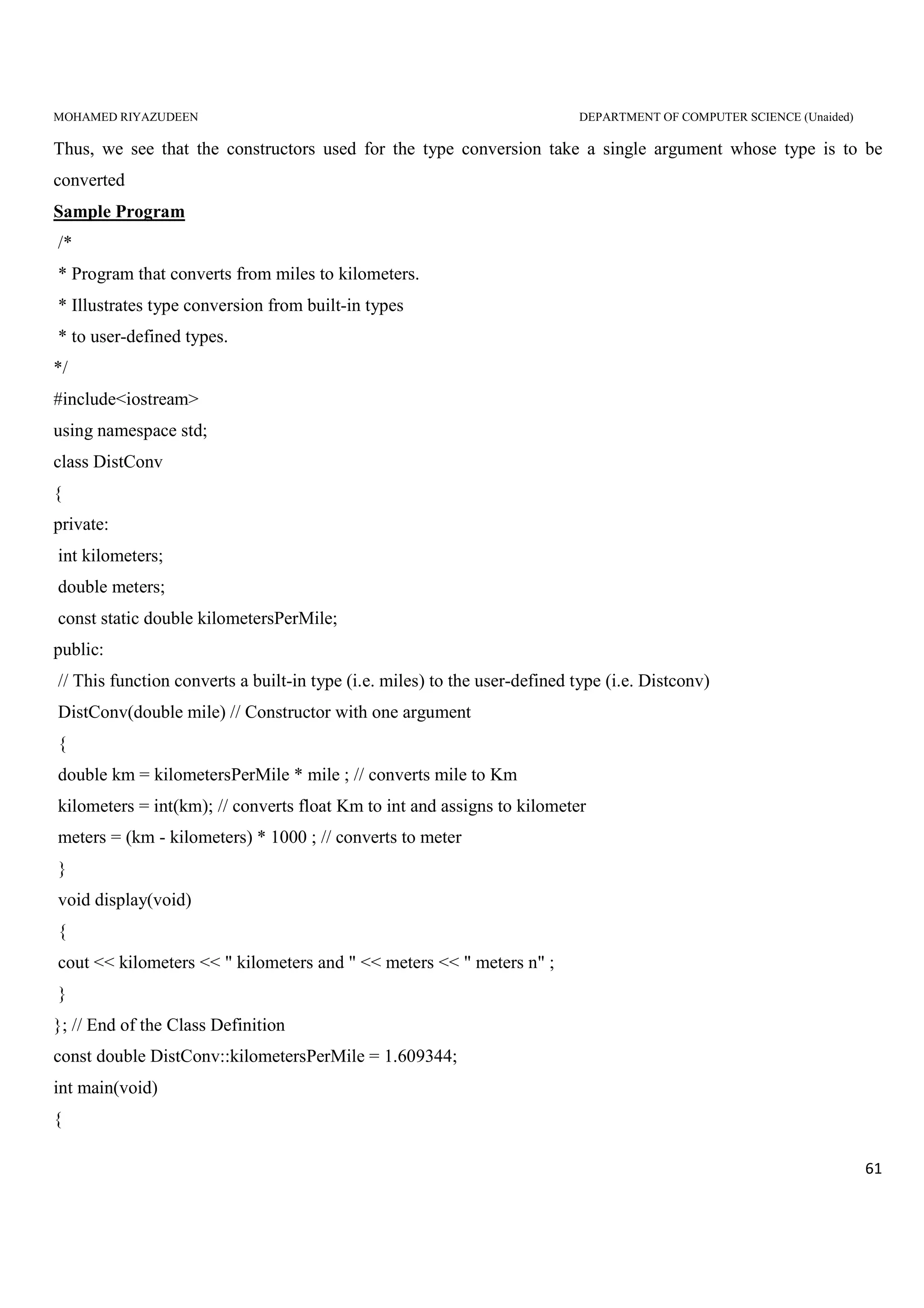
int main(void)
{
MOHAMED RIYAZUDEEN DEPARTMENT OF COMPUTER SCIENCE (Unaided)
62
DistConv d1 = 5.0 ; // Uses the constructor with one argument
cout << "5.0 miles = " ;
d1.display( ) ;
d1 = 2.0 ; // This form also uses the constructor with one argument
cout << "2.0 miles = " ;
d1.display( ) ;
}
Output
5.0 miles = 8 Kilometers and 46.72 meters
2.0 miles = 3 Kilometers and 218.688 meters
Type Conversion – Class to Basic Type
The constructor handles the task of converting basic types to class types very well.
But you cannot use constructors for converting class types to basic data types.
Instead, you can define an overloaded casting operator that can be used to convert a class data type into a
basic data type.
The general form of an overloaded casting operator function is shown below.
This function is also known as a conversion function.
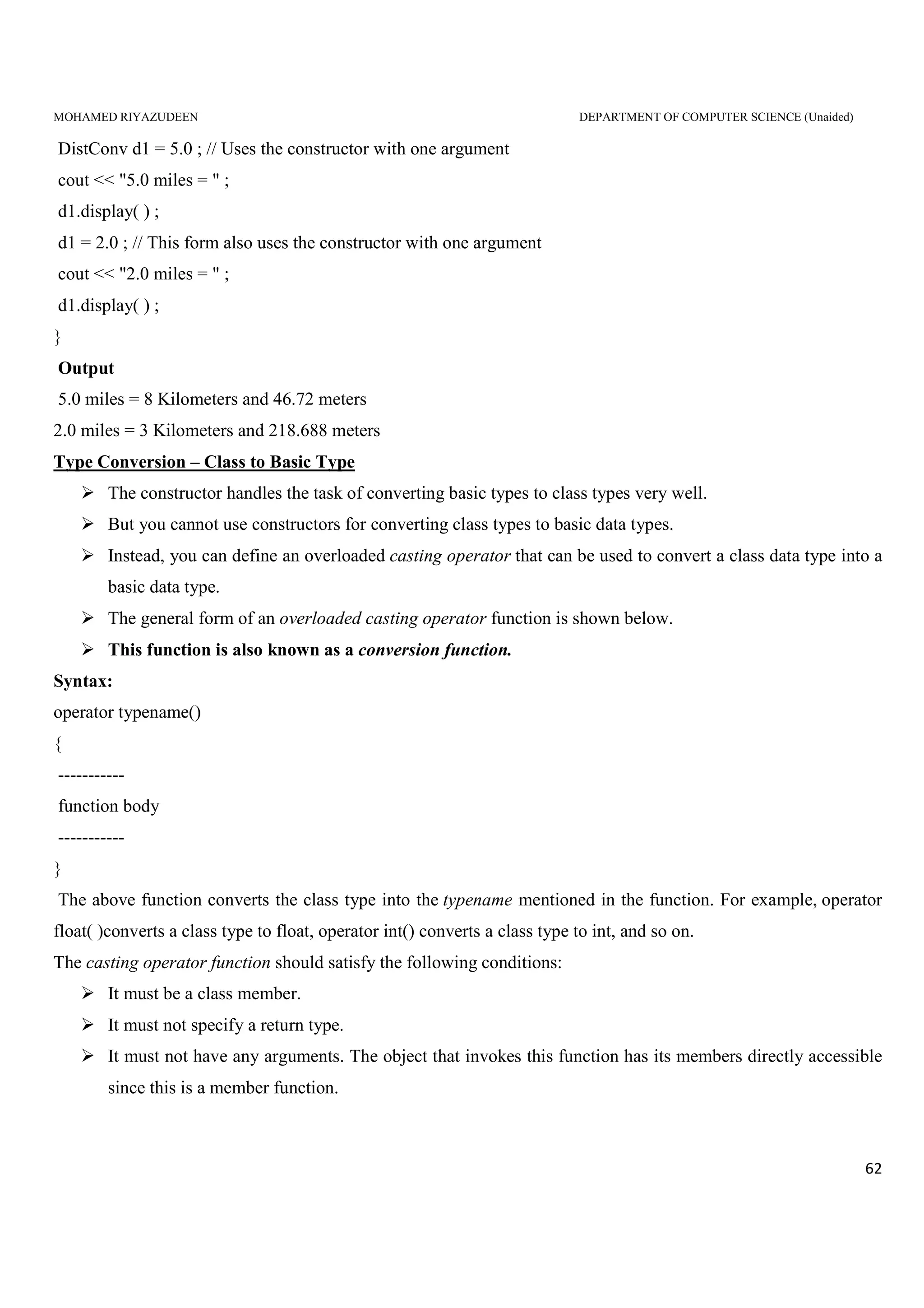
Syntax:
operator typename()
{
-----------
function body
-----------
}
The above function converts the class type into the typename mentioned in the function. For example, operator
float( )converts a class type to float, operator int() converts a class type to int, and so on.
The casting operator function should satisfy the following conditions:
It must be a class member.
It must not specify a return type.
It must not have any arguments. The object that invokes this function has its members directly accessible
since this is a member function.
MOHAMED RIYAZUDEEN DEPARTMENT OF COMPUTER SCIENCE (Unaided)
63
Sample Program
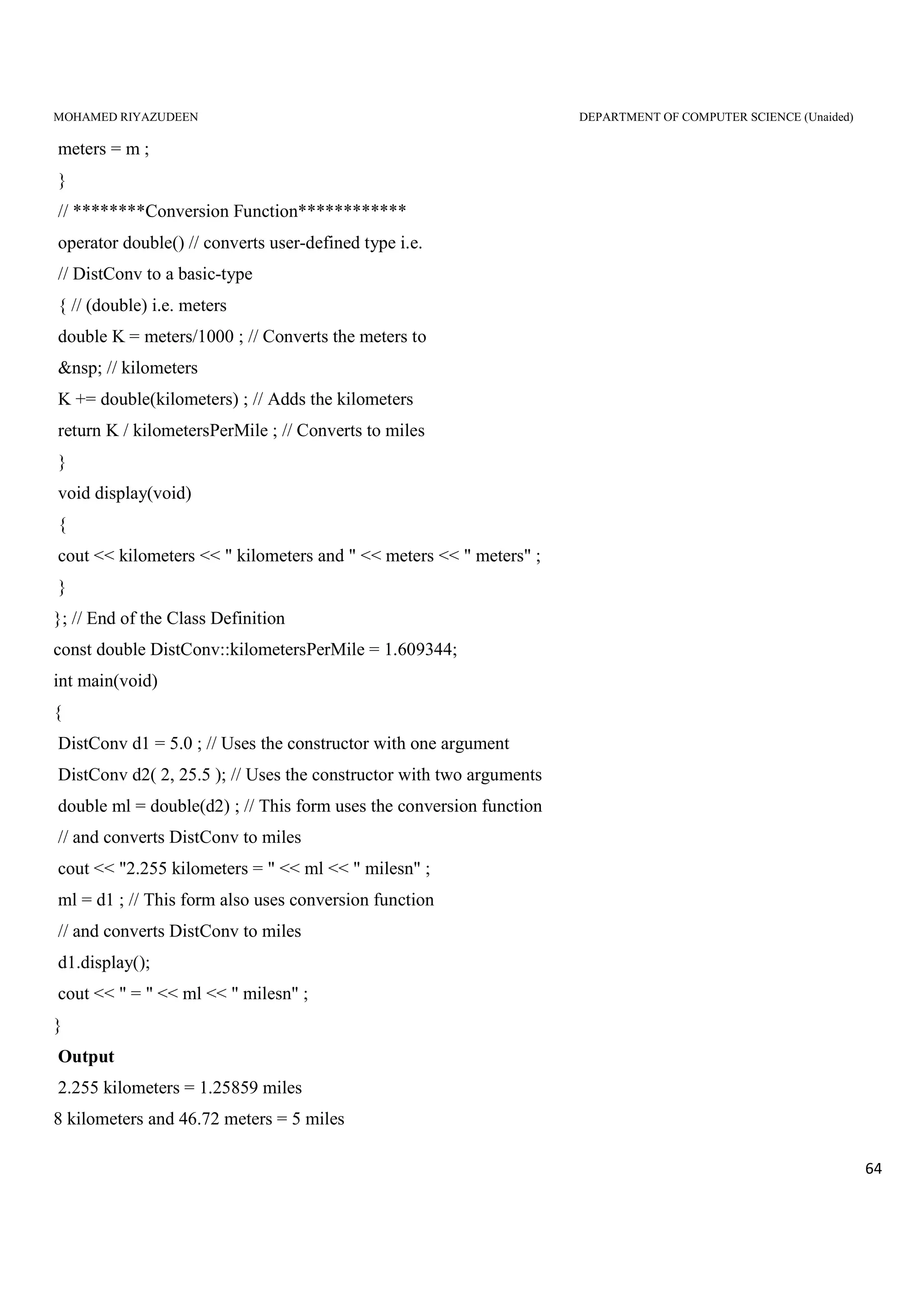
/*
* Program that converts between kilometers and miles.
* Illustrates type conversion from a class type
* to a built-in type.
*/
#include<iostream>
class DistConv
{
private:
int kilometers;
double meters;
nbsp; const static double kilometersPerMile;
public:
// This function converts a built-in type (i.e. miles) to the
// user-defined type (i.e. DistConv)
DistConv(double mile) // Constructor with one
// argument
{
double km = kilometersPerMile * mile ; // converts miles to
//kilometers
kilometers = int(km); // converts float km to
//int and assigns to kilometer
meters = (km - kilometers) * 1000 ; // converts to meters
}
DistConv(int k, float m) // constructor with two
// arguments
{
kilometers = k ;
MOHAMED RIYAZUDEEN DEPARTMENT OF COMPUTER SCIENCE (Unaided)
64
meters = m ;
}
// ********Conversion Function************
operator double() // converts user-defined type i.e.
// DistConv to a basic-type
{ // (double) i.e. meters
double K = meters/1000 ; // Converts the meters to
&nsp; // kilometers
K += double(kilometers) ; // Adds the kilometers
return K / kilometersPerMile ; // Converts to miles
}
void display(void)
{
cout << kilometers << " kilometers and " << meters << " meters" ;
}
}; // End of the Class Definition
const double DistConv::kilometersPerMile = 1.609344;
int main(void)
{
DistConv d1 = 5.0 ; // Uses the constructor with one argument
DistConv d2( 2, 25.5 ); // Uses the constructor with two arguments
double ml = double(d2) ; // This form uses the conversion function
// and converts DistConv to miles
cout << "2.255 kilometers = " << ml << " milesn" ;
ml = d1 ; // This form also uses conversion function
// and converts DistConv to miles
d1.display();
cout << " = " << ml << " milesn" ;
}
Output
2.255 kilometers = 1.25859 miles
8 kilometers and 46.72 meters = 5 miles
MOHAMED RIYAZUDEEN DEPARTMENT OF COMPUTER SCIENCE (Unaided)
65
Type Conversion – Class to Class
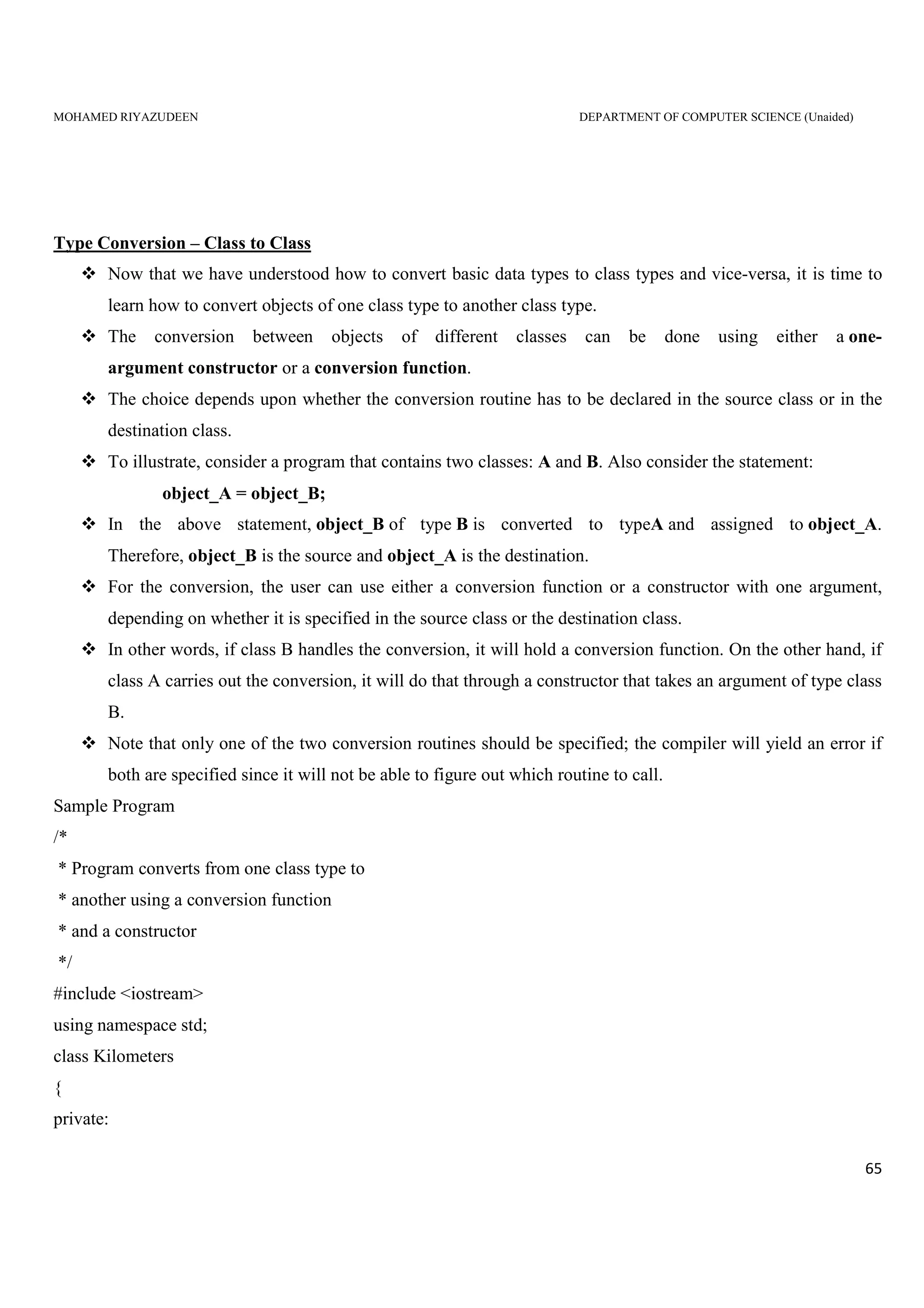
Now that we have understood how to convert basic data types to class types and vice-versa, it is time to
learn how to convert objects of one class type to another class type.
The conversion between objects of different classes can be done using either a one-
argument constructor or a conversion function.
The choice depends upon whether the conversion routine has to be declared in the source class or in the
destination class.
To illustrate, consider a program that contains two classes: A and B. Also consider the statement:
object_A = object_B;
In the above statement, object_B of type B is converted to typeA and assigned to object_A.
Therefore, object_B is the source and object_A is the destination.
For the conversion, the user can use either a conversion function or a constructor with one argument,
depending on whether it is specified in the source class or the destination class.
In other words, if class B handles the conversion, it will hold a conversion function. On the other hand, if
class A carries out the conversion, it will do that through a constructor that takes an argument of type class
B.
Note that only one of the two conversion routines should be specified; the compiler will yield an error if
both are specified since it will not be able to figure out which routine to call.
Sample Program
/*
* Program converts from one class type to
* another using a conversion function
* and a constructor
*/
#include <iostream>
using namespace std;
class Kilometers
{
private:
MOHAMED RIYAZUDEEN DEPARTMENT OF COMPUTER SCIENCE (Unaided)
66
double kilometers;
public:
Kilometers(double kilometers): kilometers(kilometers) {}
void display()
{
cout << kilometers << " kilometeres";
}
double getValue()
{
return kilometers;
}
};
class Miles
{
private:
double miles;
public:
Miles(double miles) : miles(miles) {}
void display()
{
cout << miles << " miles";
}
operator Kilometers()
{
return Kilometers(miles*1.609344);
}
Miles(Kilometers kilometers)
{
miles = kilometers.getValue()/1.609344;
}
};
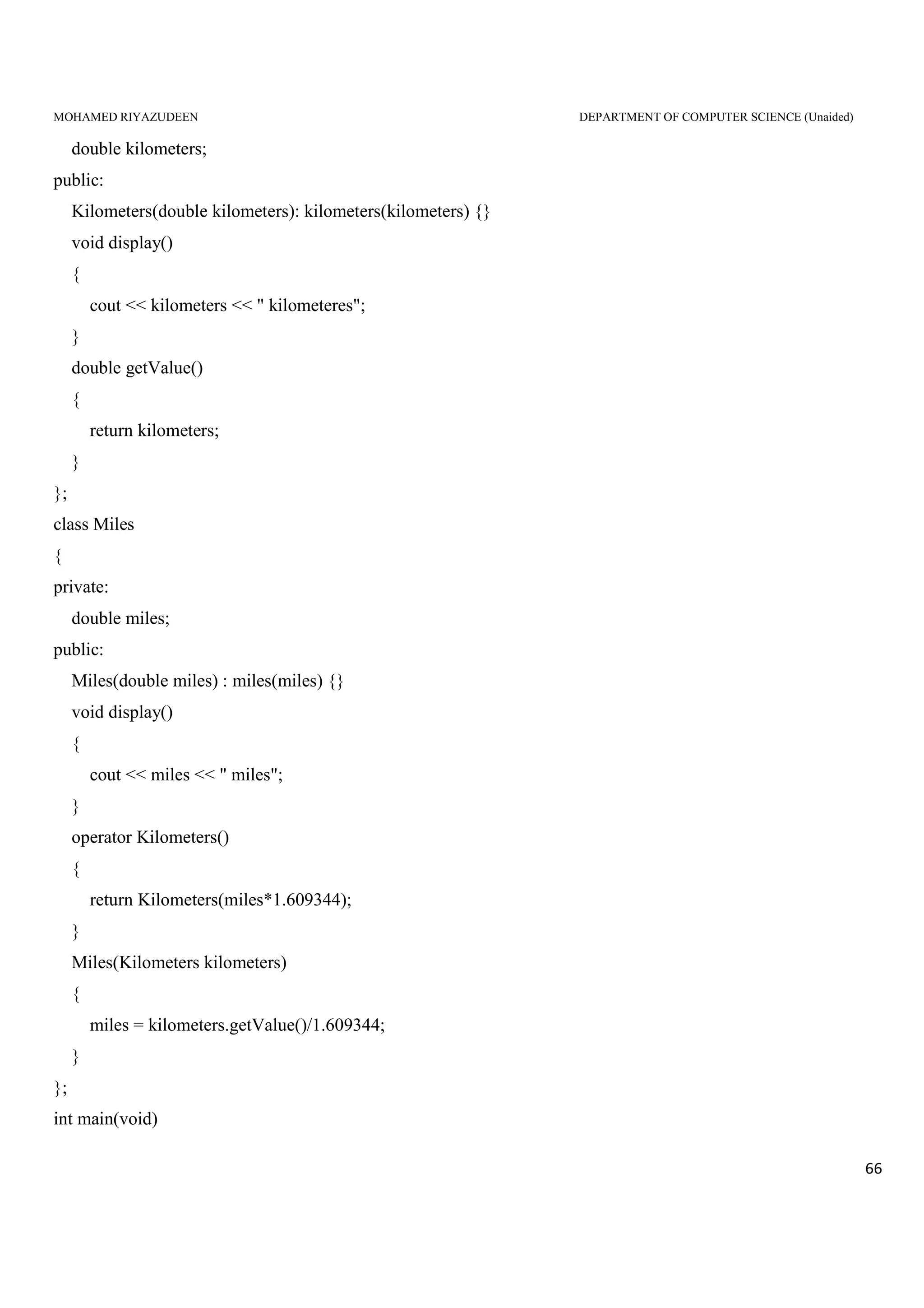
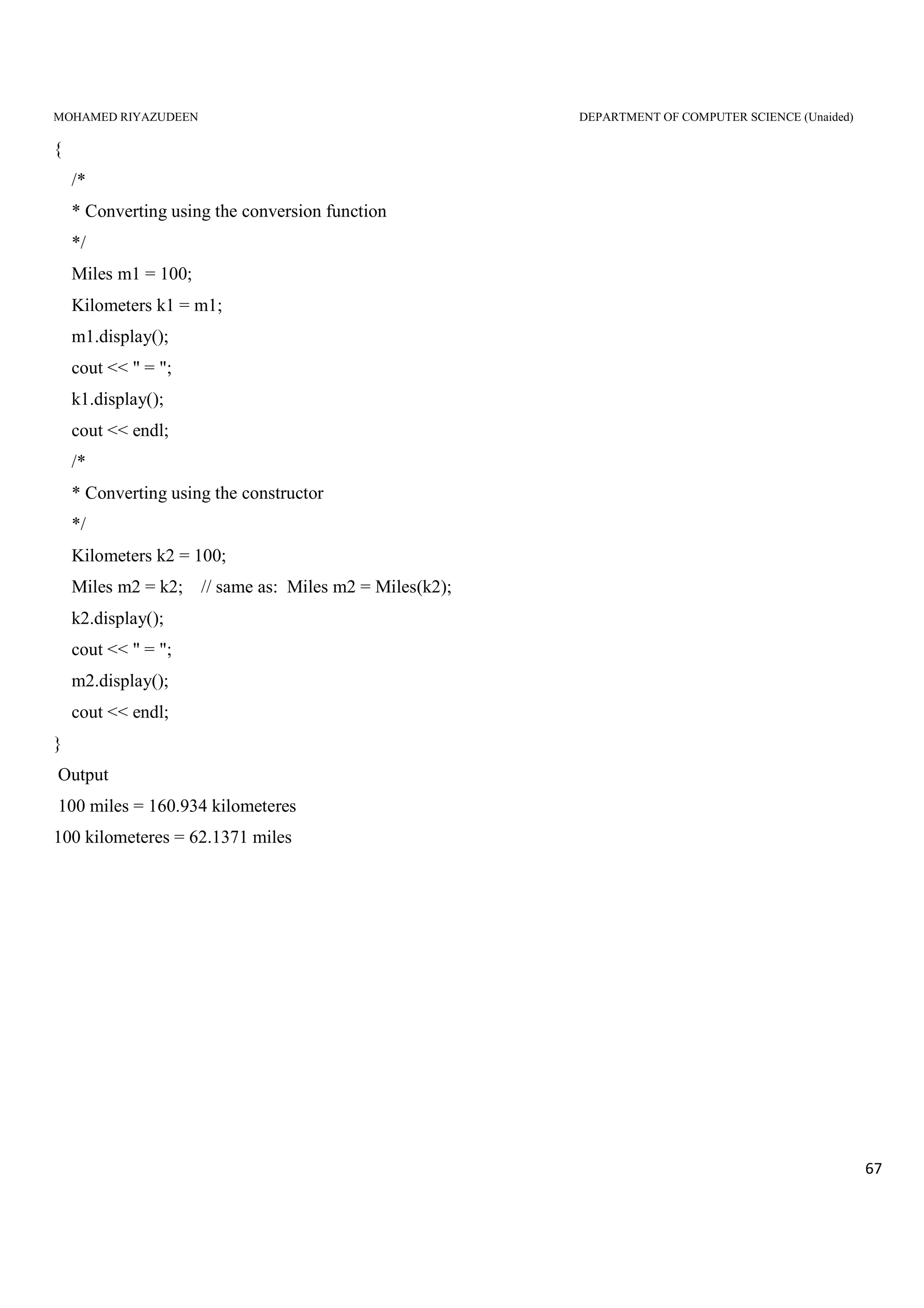
int main(void)
MOHAMED RIYAZUDEEN DEPARTMENT OF COMPUTER SCIENCE (Unaided)
67
{
/*
* Converting using the conversion function
*/
Miles m1 = 100;
Kilometers k1 = m1;
m1.display();
cout << " = ";
k1.display();
cout << endl;
/*
* Converting using the constructor
*/
Kilometers k2 = 100;
Miles m2 = k2; // same as: Miles m2 = Miles(k2);
k2.display();
cout << " = ";
m2.display();
cout << endl;
}
Output
100 miles = 160.934 kilometeres
100 kilometeres = 62.1371 miles
MOHAMED RIYAZUDEEN DEPARTMENT OF COMPUTER SCIENCE (Unaided)
68
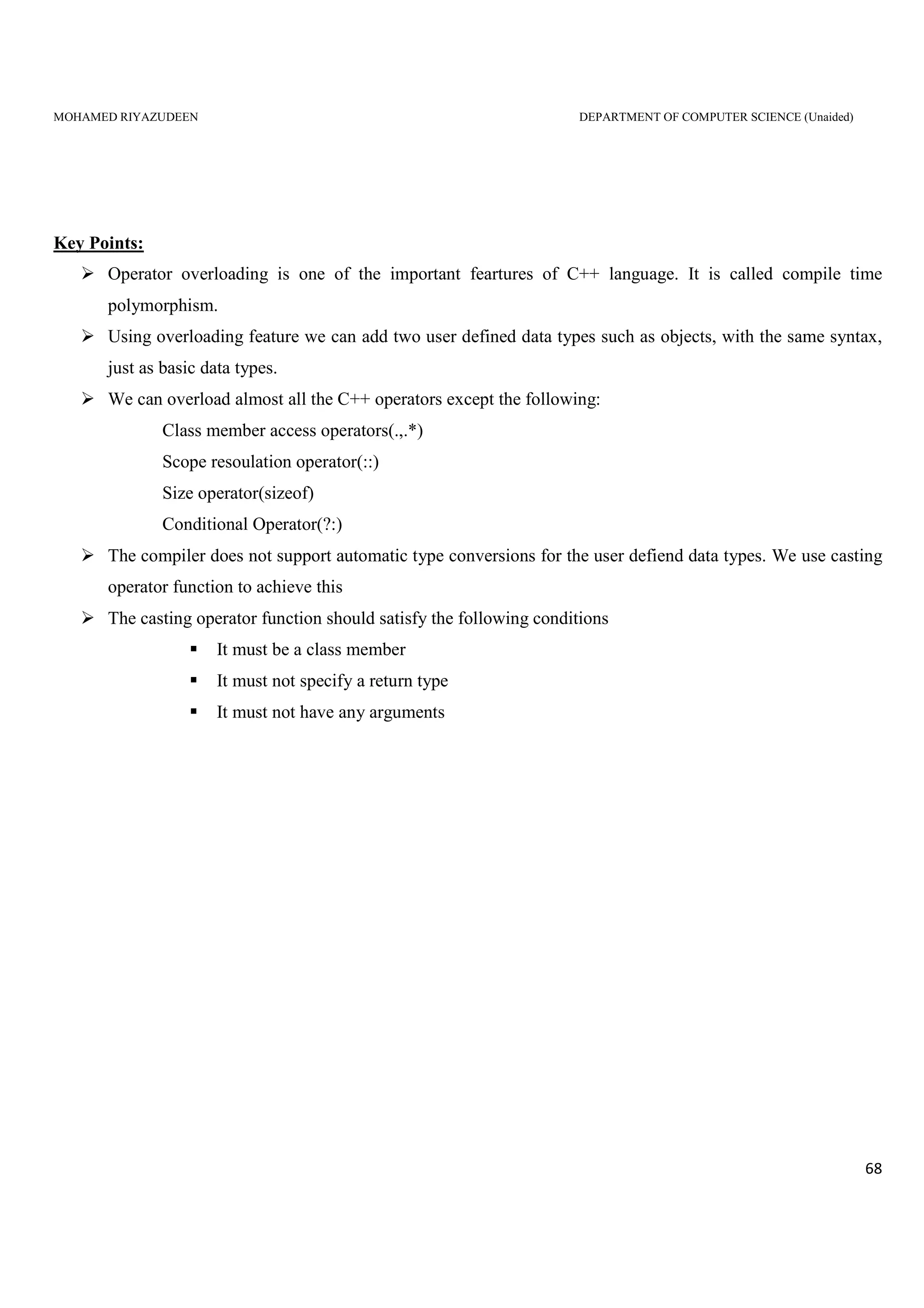
Key Points:
Operator overloading is one of the important feartures of C++ language. It is called compile time
polymorphism.
Using overloading feature we can add two user defined data types such as objects, with the same syntax,
just as basic data types.
We can overload almost all the C++ operators except the following:
Class member access operators(.,.*)
Scope resoulation operator(::)
Size operator(sizeof)
Conditional Operator(?:)
The compiler does not support automatic type conversions for the user defiend data types. We use casting
operator function to achieve this
The casting operator function should satisfy the following conditions
It must be a class member
It must not specify a return type
It must not have any arguments
MOHAMED RIYAZUDEEN DEPARTMENT OF COMPUTER SCIENCE (Unaided)
69
UNIT IV
INHERITANCE:
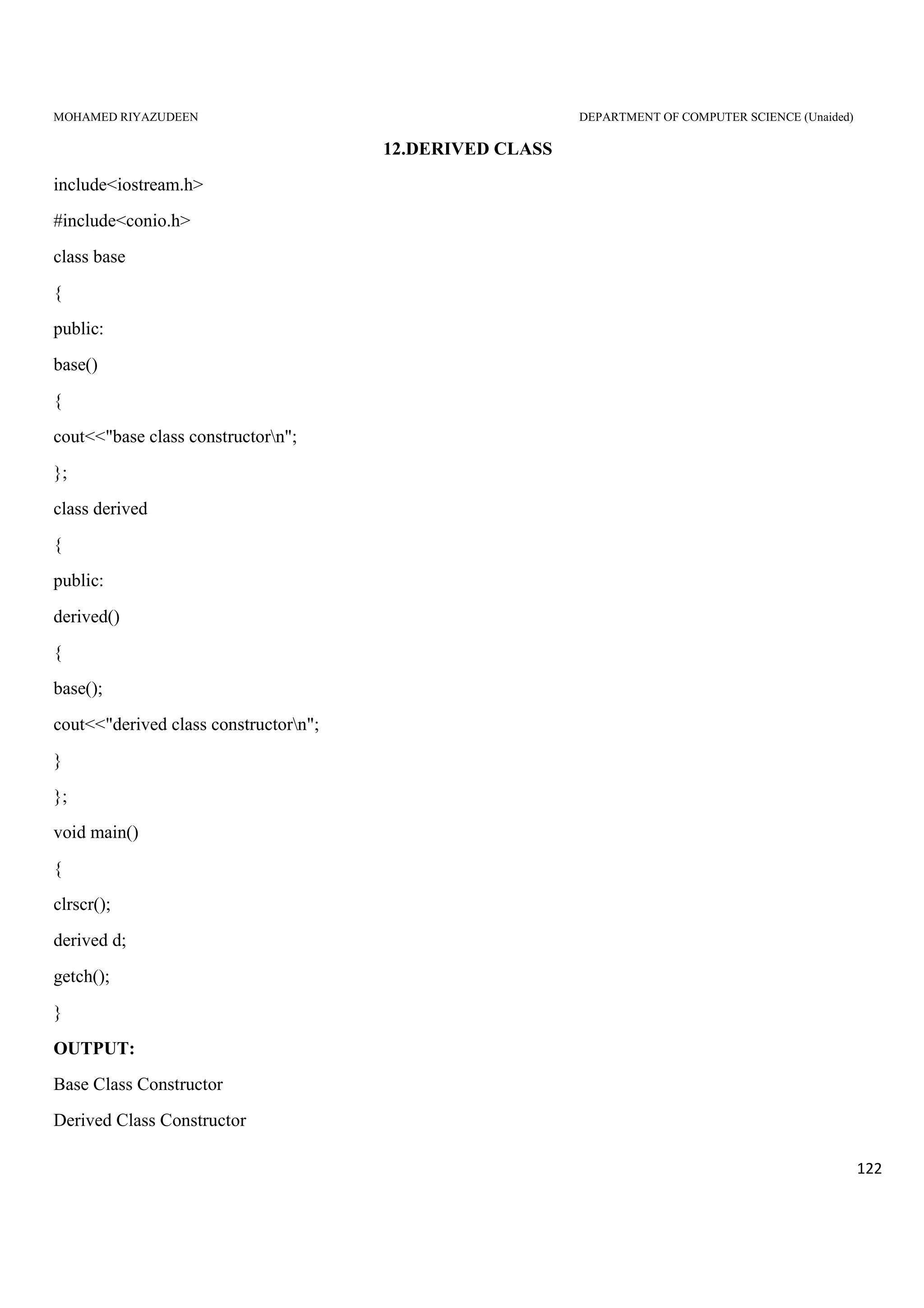
Inheritance is the process of creating new classes, called derived classes from an existing class,
called base class.
The derived class inherits all capabilities of the base class. It can also add some more features of
this class. The base class is unchanged by its process.
ADVANTAGES:
1. It permits reusability of the code.
2. Increases the reliability of the code.
3. It adds some enhancements to the base class.
Inheritance is classified into the following forms:
1. Single Inheritance.
2. Multiple Inheritance.
3. Hierarchical Inheritance.
4. Multilevel Inheritance.
5. Hybrid Inheritance.
DEFINING DERIVED CLASSES:
A derived class is defined by specifying its relationship with the base class in addition to its own features.
No memory is allocated to the declaration of a derived class, but memory is allocated when it is instantiated to
create objects.
SYNTAX:
Class derived class:[visibility mode] base class
{
// Members of derived class and can access
// Members of the base class
};
Where derived class is the derived class name. Visibility mode is the inheritance type. It may be public or
private. The default is private. Base class is the base class name. The Colon(:) indicates the derivation of
derived class from the base class.
MOHAMED RIYAZUDEEN DEPARTMENT OF COMPUTER SCIENCE (Unaided)
70
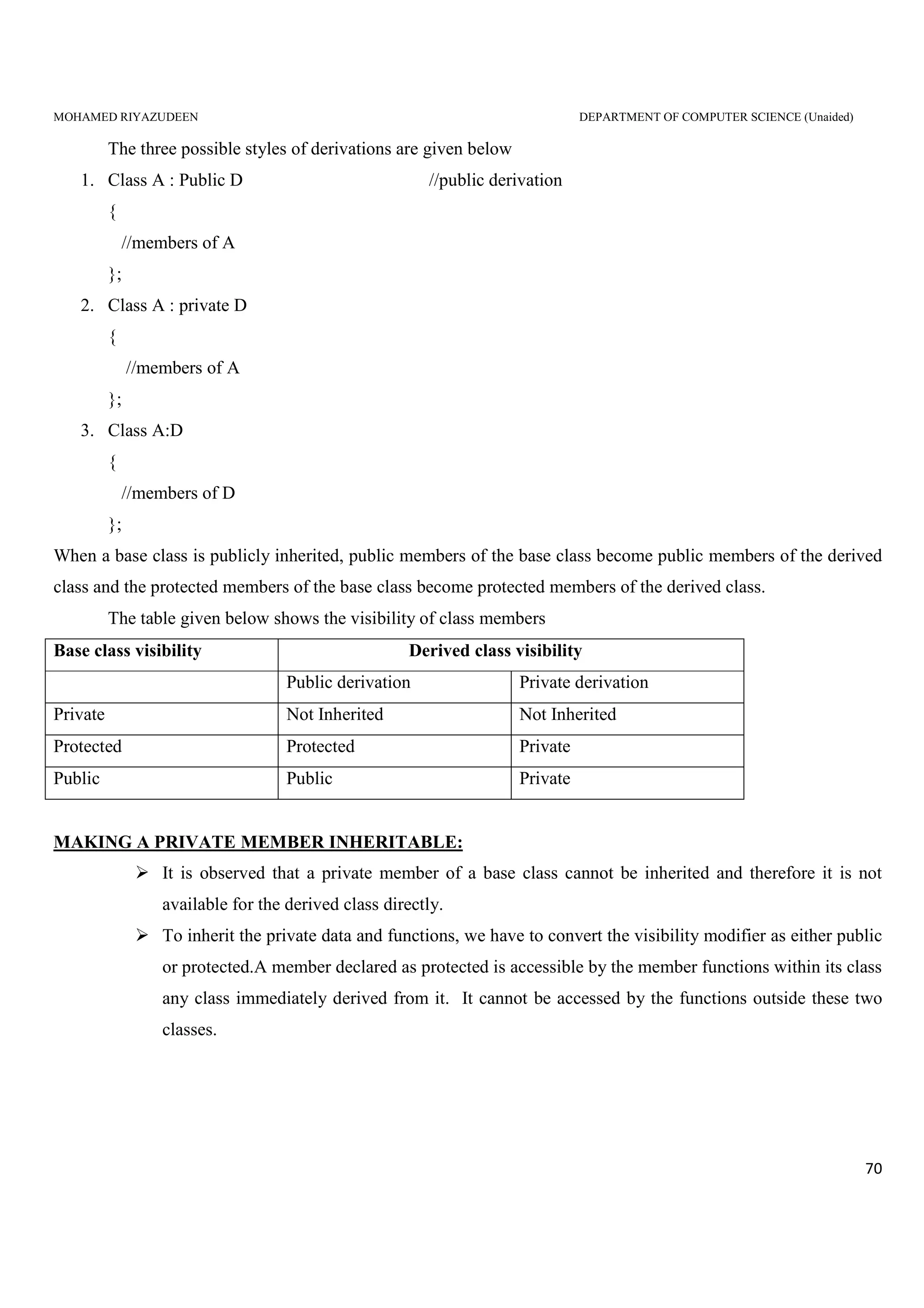
The three possible styles of derivations are given below
1. Class A : Public D //public derivation
{
//members of A
};
2. Class A : private D
{
//members of A
};
3. Class A:D
{
//members of D
};
When a base class is publicly inherited, public members of the base class become public members of the derived
class and the protected members of the base class become protected members of the derived class.
The table given below shows the visibility of class members
Base class visibility Derived class visibility
Public derivation Private derivation
Private Not Inherited Not Inherited
Protected Protected Private
Public Public Private
MAKING A PRIVATE MEMBER INHERITABLE:
It is observed that a private member of a base class cannot be inherited and therefore it is not
available for the derived class directly.
To inherit the private data and functions, we have to convert the visibility modifier as either public
or protected.A member declared as protected is accessible by the member functions within its class
any class immediately derived from it. It cannot be accessed by the functions outside these two
classes.
MOHAMED RIYAZUDEEN DEPARTMENT OF COMPUTER SCIENCE (Unaided)
71
A class can now use all the three visibility modes as illustrate here.
Class sample
{
Private: //optional
…………. //visible to member function within its class
Protected:
………….. //visible to member functions of its own and derived class
Public:
…………… //visible to all functions in the program
};
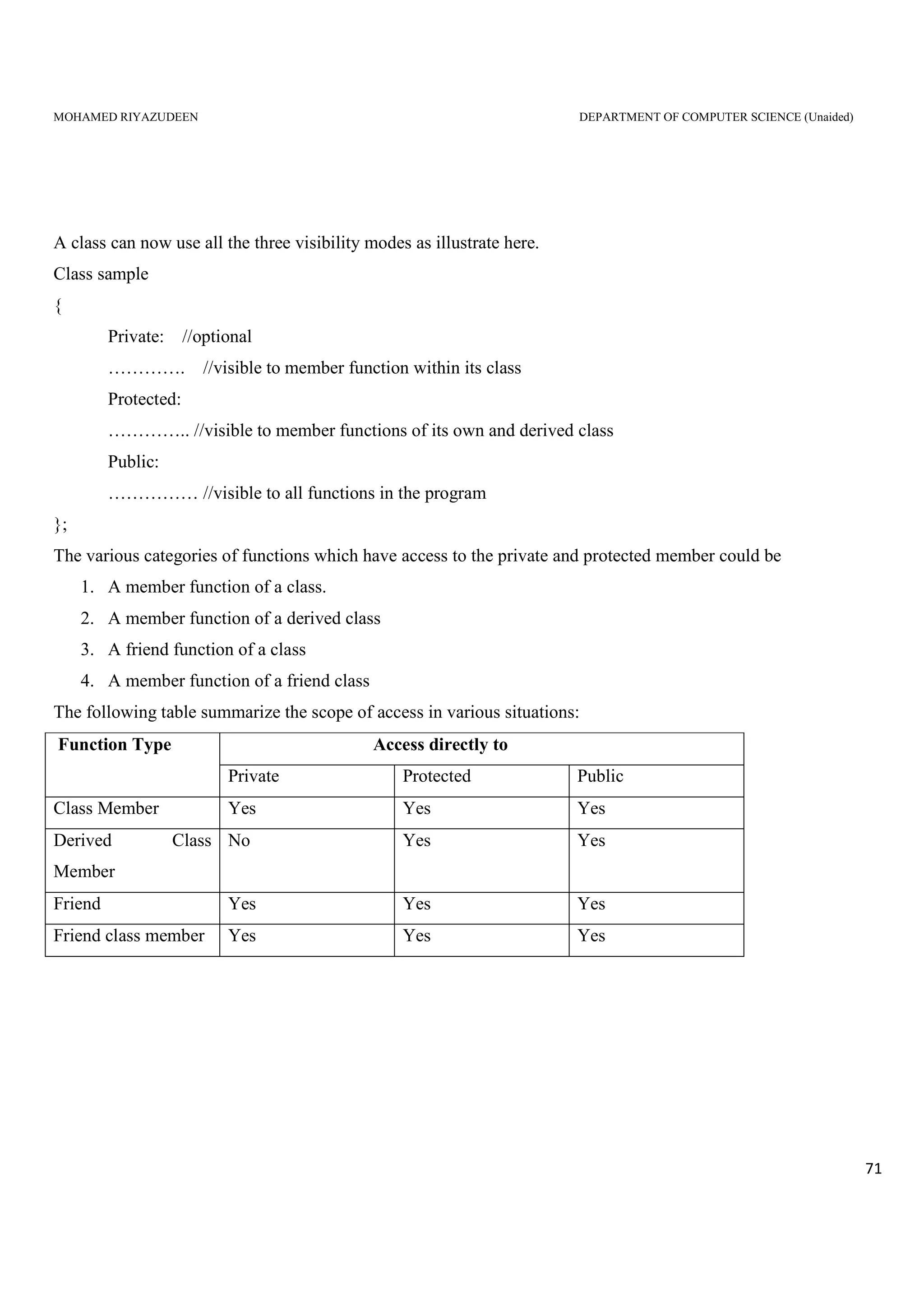
The various categories of functions which have access to the private and protected member could be
1. A member function of a class.
2. A member function of a derived class
3. A friend function of a class
4. A member function of a friend class
The following table summarize the scope of access in various situations:
Function Type Access directly to
Private Protected Public
Class Member Yes Yes Yes
Derived Class
Member
No Yes Yes
Friend Yes Yes Yes
Friend class member Yes Yes Yes
MOHAMED RIYAZUDEEN DEPARTMENT OF COMPUTER SCIENCE (Unaided)
72
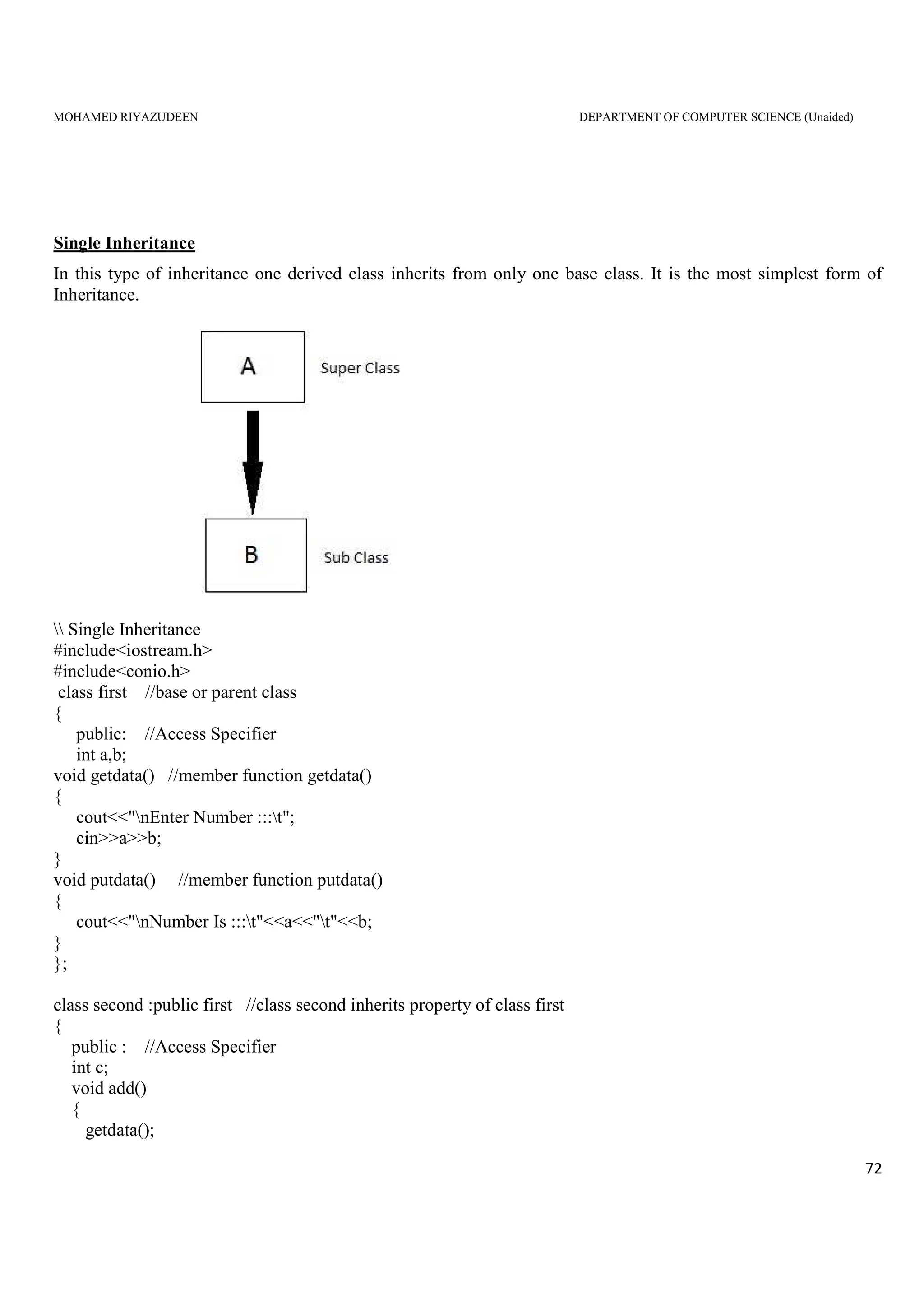
Single Inheritance
In this type of inheritance one derived class inherits from only one base class. It is the most simplest form of
Inheritance.
 Single Inheritance
#include<iostream.h>
#include<conio.h>
class first //base or parent class
{
public: //Access Specifier
int a,b;
void getdata() //member function getdata()
{
cout<<"nEnter Number :::t";
cin>>a>>b;
}
void putdata() //member function putdata()
{
cout<<"nNumber Is :::t"<<a<<"t"<<b;
}
};
class second :public first //class second inherits property of class first
{
public : //Access Specifier
int c;
void add()
{
getdata();
MOHAMED RIYAZUDEEN DEPARTMENT OF COMPUTER SCIENCE (Unaided)
73
putdata();
c=a+b;
cout<<"nnAnswer :::t"<<c;
}
};
int main()
{
clrscr();
second s1; //s1 is object of class second
s1.add();
getch();
}
Output:
Enter Number ::: 10 50
Number is ::: 10 50
Answer ::: 60
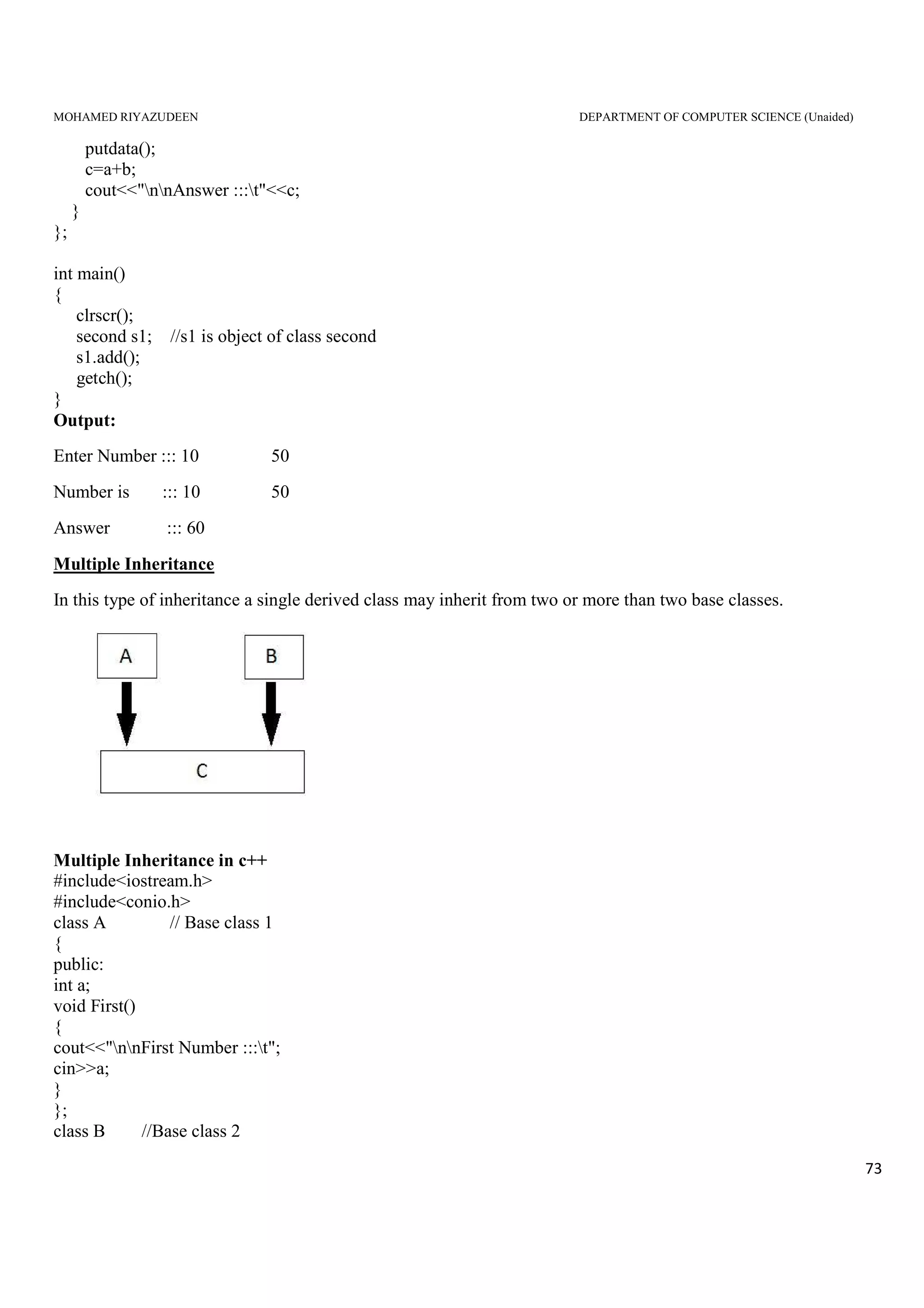
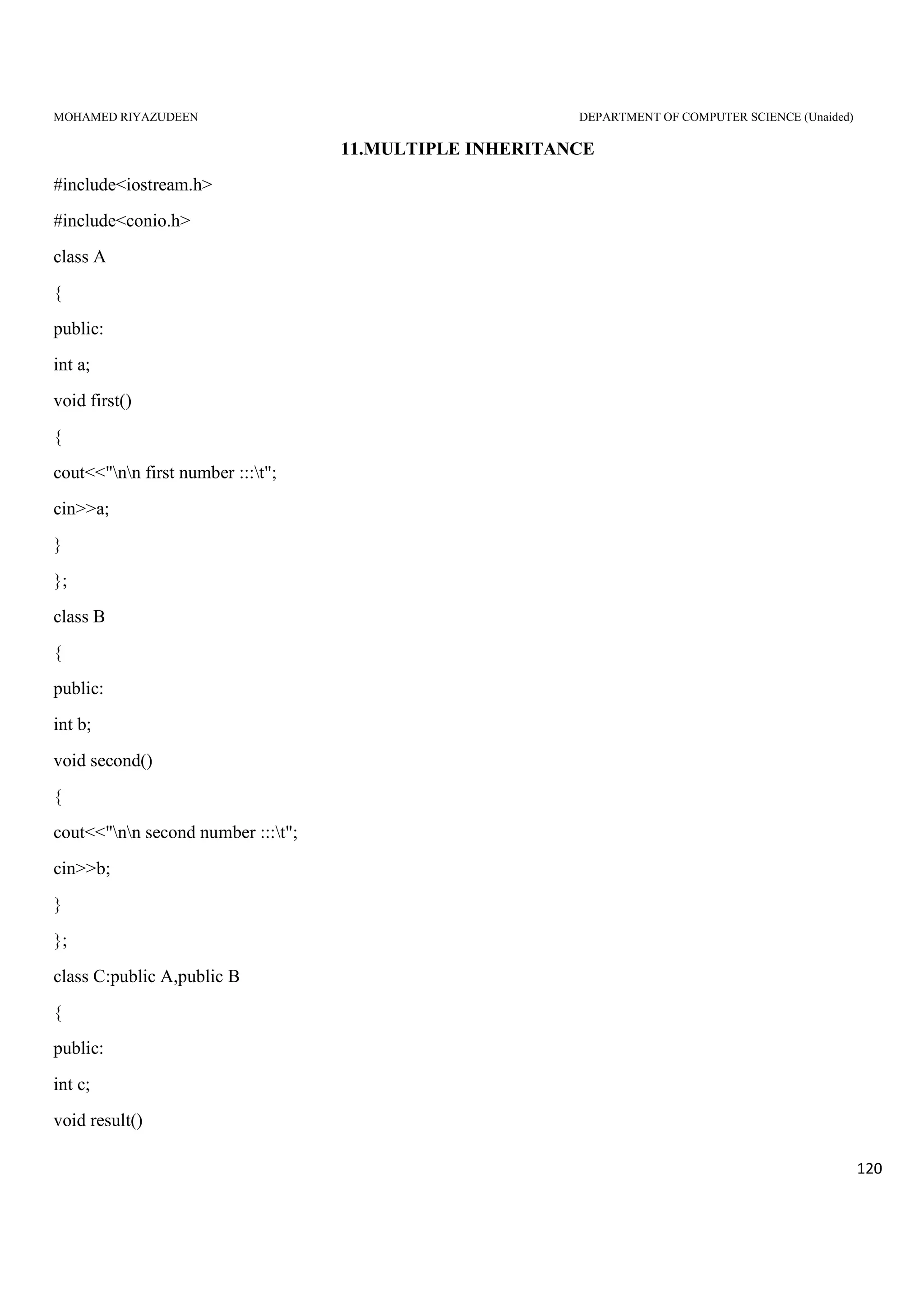
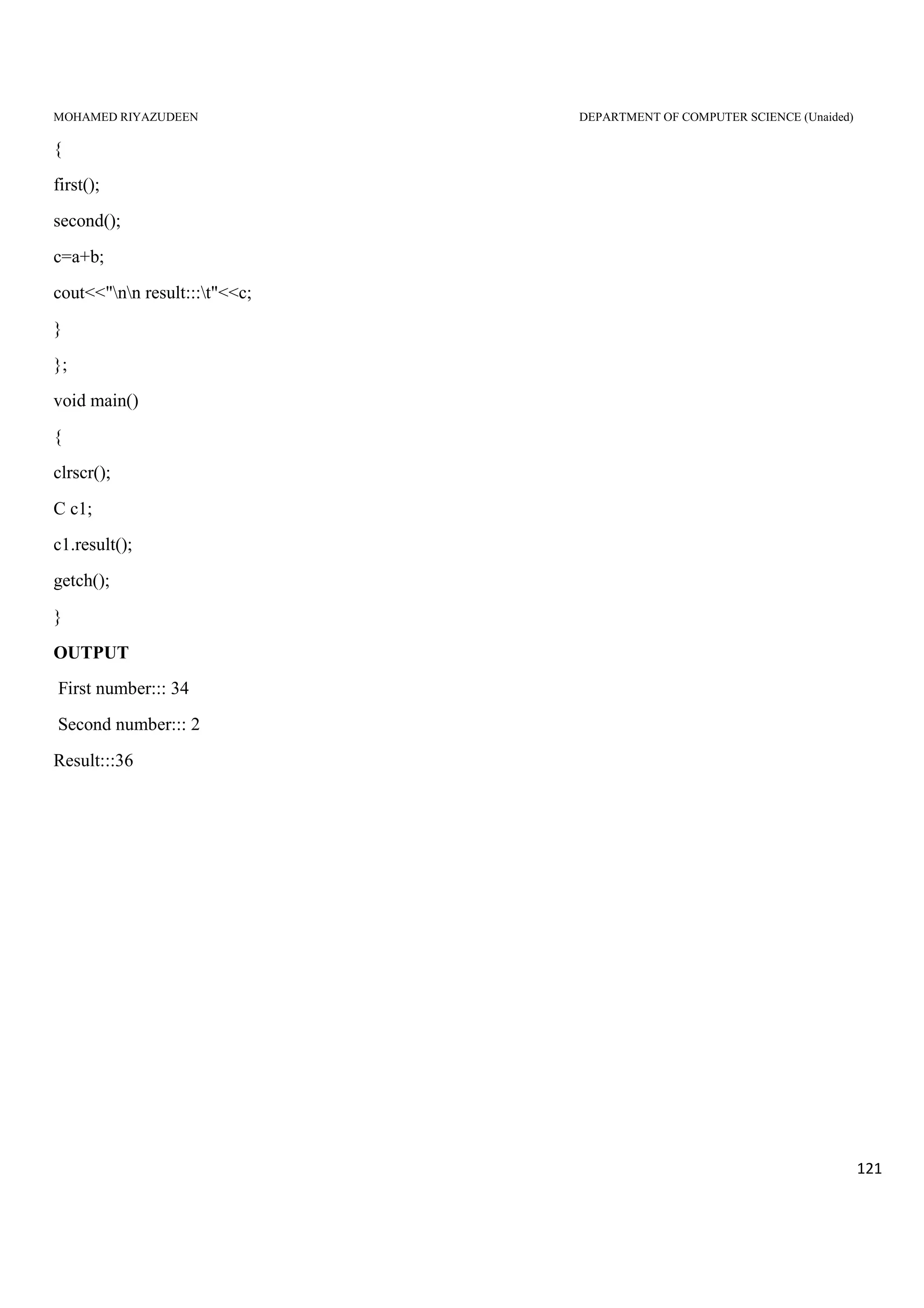
Multiple Inheritance
In this type of inheritance a single derived class may inherit from two or more than two base classes.
Multiple Inheritance in c++
#include<iostream.h>
#include<conio.h>
class A // Base class 1
{
public:
int a;
void First()
{
cout<<"nnFirst Number :::t";
cin>>a;
}
};
class B //Base class 2
MOHAMED RIYAZUDEEN DEPARTMENT OF COMPUTER SCIENCE (Unaided)
74
{
public:
int b;
void second()
{
cout<<"nnSecond Number :::t";
cin>>b;
}
};
//Multiple Inheritance Level
class C :public A,public B // Class C is derived class
{
public:
int c;
void result()
{
First();
second();
c=a+b;
cout<<"nnResult :::t"<<c;
}
};
int main()
{
clrscr();
C c1;
c1.result();
getch();
}
Output:
First Number ::: 40
Number is ::: 20
Answer ::: 60
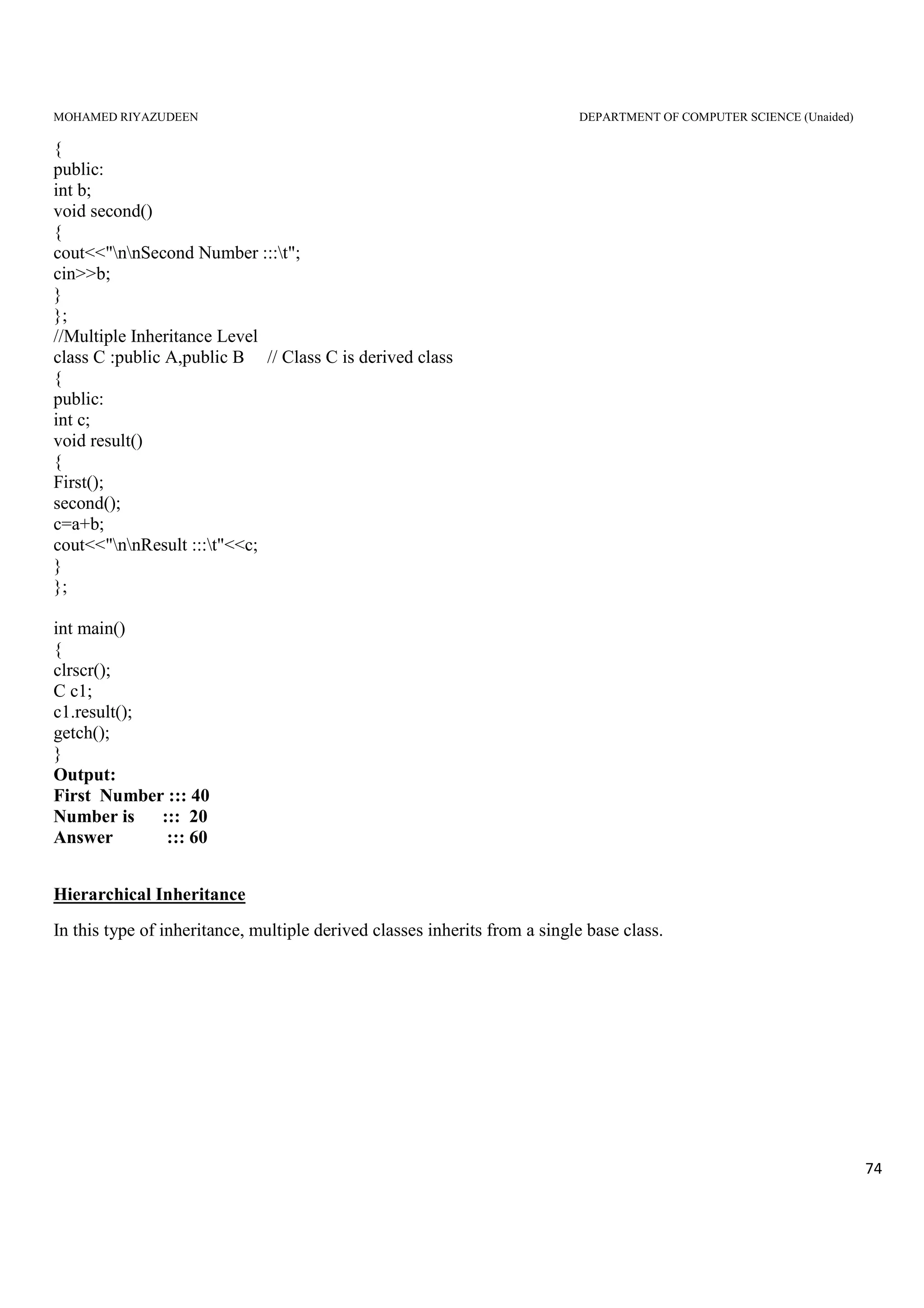
Hierarchical Inheritance
In this type of inheritance, multiple derived classes inherits from a single base class.
MOHAMED RIYAZUDEEN DEPARTMENT OF COMPUTER SCIENCE (Unaided)
75
Hierarchical inheritance in c++
#include<iostream.h>
#include<conio.h>
class A //Base Class
{
public:
int a,b;
void getnumber()
{
cout<<"nnEnter Number :::t";
cin>>a;
}
};
class B : public A //Derived Class 1
{
public:
void square()
{
getnumber(); //Call Base class property
cout<<"nntSquare of the number :::t"<<(a*a);
cout<<"nnt----------------------------------------------------";
}
};
class C :public A //Derived Class 2
{
public:
void cube()
{
getnumber(); //Call Base class property
cout<<"nntCube of the number :::t"<<(a*a*a);
cout<<"nnt----------------------------------------------------";
}
MOHAMED RIYAZUDEEN DEPARTMENT OF COMPUTER SCIENCE (Unaided)
76
};
int main()
{
clrscr();
B b1; //b1 is object of Derived class 1
b1.square(); //call member function of class B
C c1; //c1 is object of Derived class 2
c1.cube(); //call member function of class C
getch();
}
Output:
Enter the Number 2
Square Number :::4
……………………………………………………
Enter the Number 3
Cube Number ::: 27
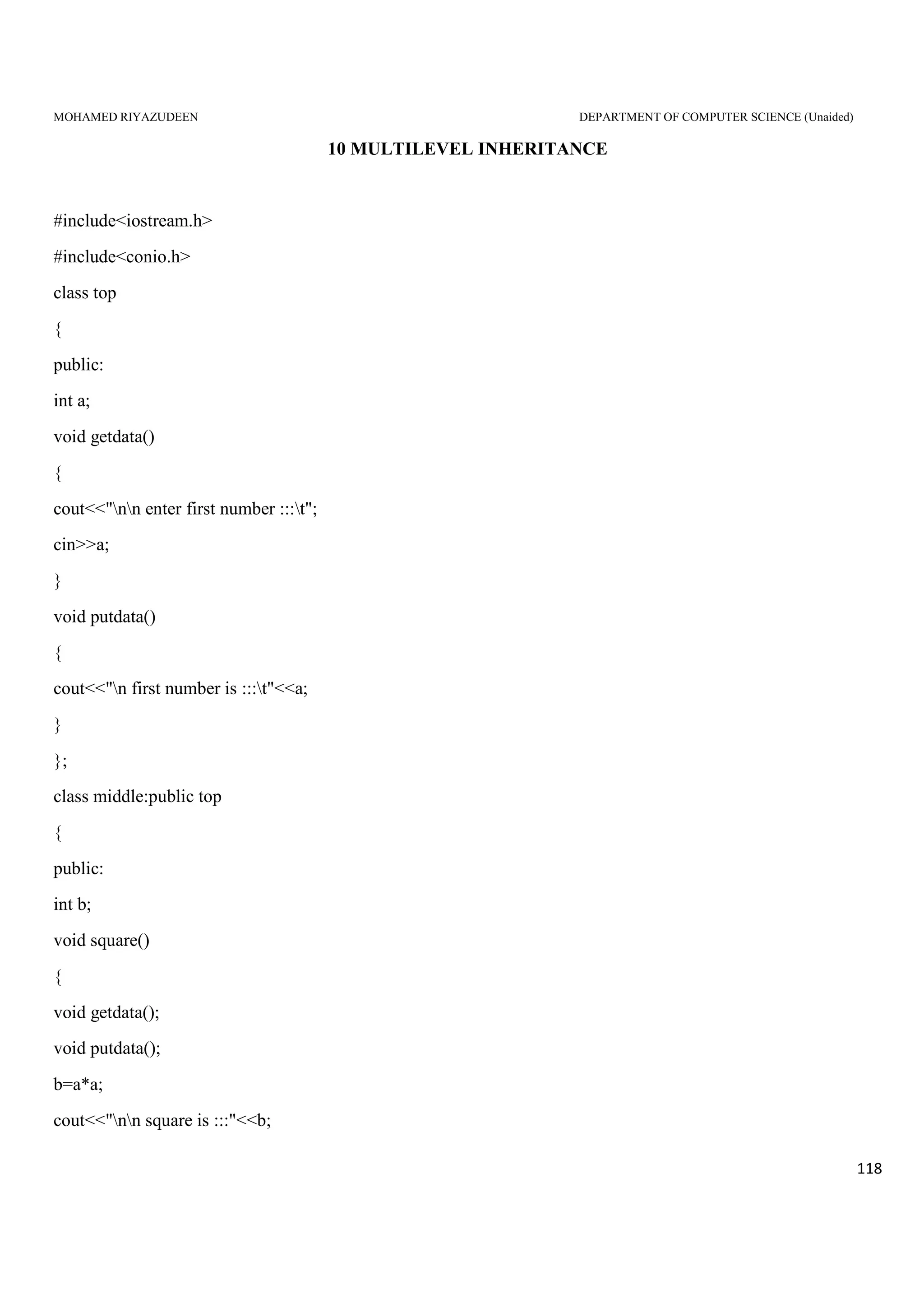
Multilevel Inheritance
In this type of inheritance the derived class inherits from a class, which in turn inherits from some other class.
The Super class for one, is sub class for the other.
Multilevel Inheritance in c++
#include<iostream.h>
#include<conio.h>
class top //base class
{
public :
int a;
void getdata()
MOHAMED RIYAZUDEEN DEPARTMENT OF COMPUTER SCIENCE (Unaided)
77
{
cout<<"nnEnter first Number :::t";
cin>>a;
}
void putdata()
{
cout<<"nFirst Number Is :::t"<<a;
}
};
//First level inheritance
class middle :public top // class middle is derived_1
{
public:
int b;
void square()
{
getdata();
b=a*a;
cout<<"nnSquare Is :::"<<b;
}
};
//Second level inheritance
class bottom :public middle // class bottom is derived_2
{
public:
int c;
void cube()
{
square();
c=b*a;
cout<<"nnCube :::t"<<c;
}
};
int main()
{
clrscr();
bottom b1;
b1.cube();
getch();
}
OUTPUT
ENTER THE NUMBER ::: 4
SQUARE IS::: 16
CUBE IS ::: 64
MOHAMED RIYAZUDEEN DEPARTMENT OF COMPUTER SCIENCE (Unaided)
78
Hybrid (Virtual) Inheritance
Hybrid Inheritance is combination of Hierarchical and Mutilevel Inheritance.
Hybrid inheritance is combination of two or more inheritances such as single, multiple, multilevel or
Hierarchical inheritances.
In the above program class B inherits property(member function) of class A which is base class and class
D inherits property from class B and class C.
#include<iostream.h>
#include<conio.h>
class A //Base class
{
public:
int l;
void len()
{
cout<<"nnLenght :::t";
cin>>l; //Lenght is enter by user
}
};
class B :public A //Inherits property of class A
{
public:
MOHAMED RIYAZUDEEN DEPARTMENT OF COMPUTER SCIENCE (Unaided)
79
int b,c;
void l_into_b()
{
len();
cout<<"nnBreadth :::t";
cin>>b; //Breadth is enter by user
c=b*l; //c stores value of lenght * Breadth i.e. (l*b) .
}
};
class C
{
public:
int h;
void height()
{
cout<<"nnHeight :::t";
cin>>h; //Height is enter by user
}
};
//Hybrid Inheritance Level
class D:public B,public C
{
public:
int res;
void result()
{
l_into_b();
height();
res=h*c; //res stores value of c*h where c=l*b and h is height which is enter by user
cout<<"nnResult (l*b*h) :::t"<<res;
}
};
int main()
{
clrscr();
D d1;
d1.result();
getch();
}
irtual Base Class:
Why we need virtual base Class:
we have already discussed on “Inheritance” that multiple inheritance is a process of creating a new classes
which is derived from more than one base classes.
Output:
Length : : : 20
Breath : : : 30
Height : : : 40
Result (l*b*h) : ; : 24000
MOHAMED RIYAZUDEEN DEPARTMENT OF COMPUTER SCIENCE (Unaided)
80
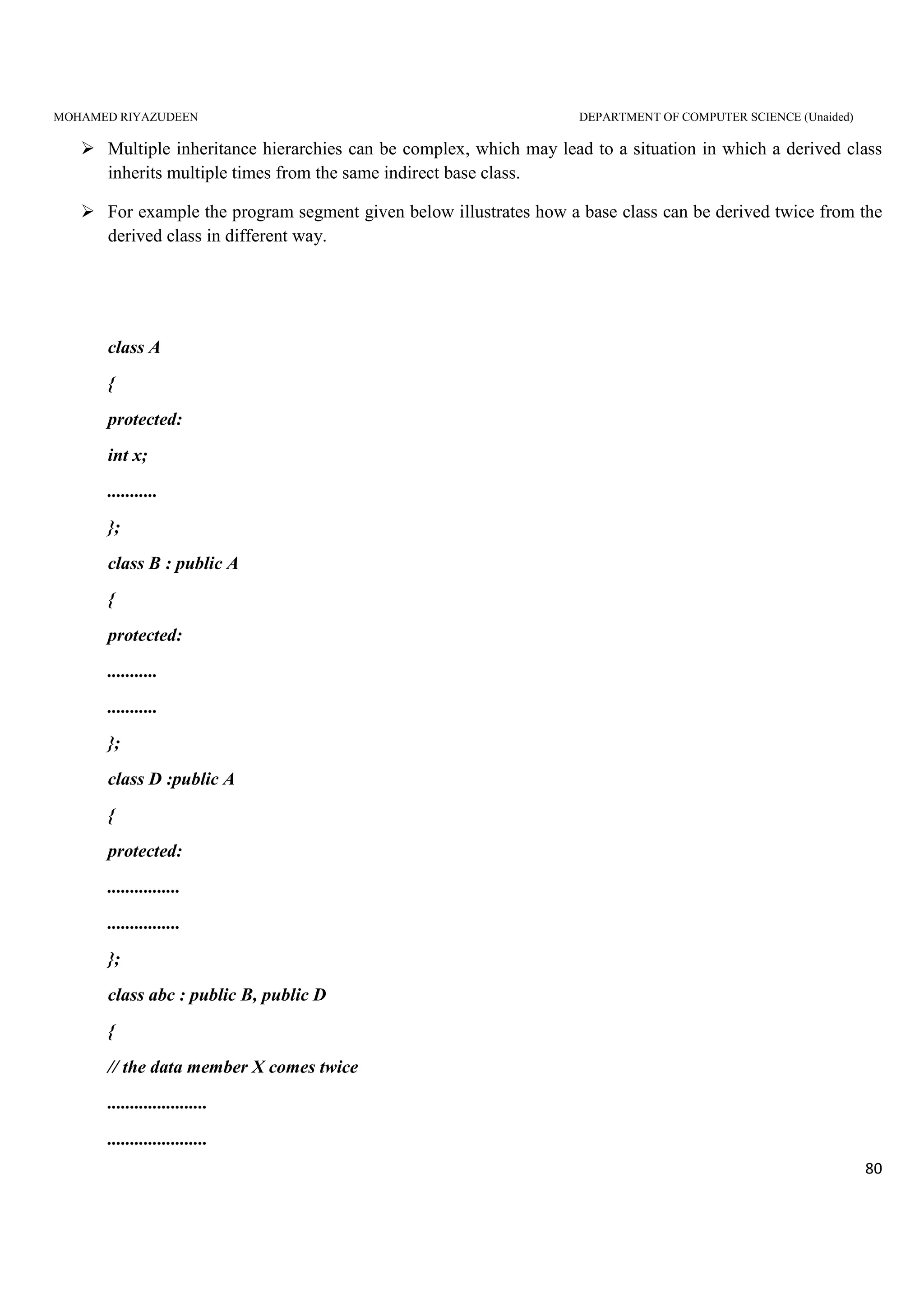
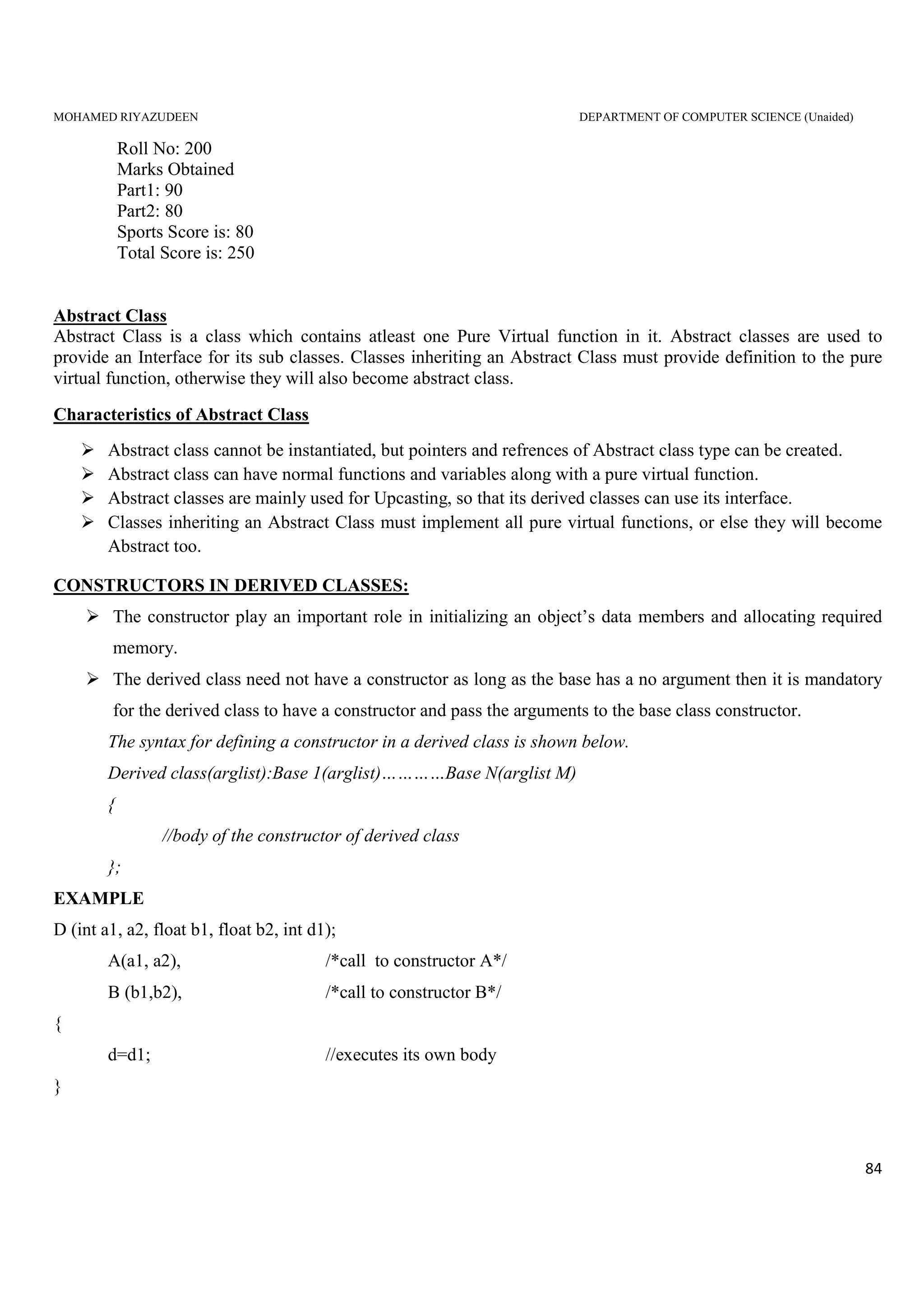
Multiple inheritance hierarchies can be complex, which may lead to a situation in which a derived class
inherits multiple times from the same indirect base class.
For example the program segment given below illustrates how a base class can be derived twice from the
derived class in different way.
class A
{
protected:
int x;
...........
};
class B : public A
{
protected:
...........
...........
};
class D :public A
{
protected:
................
................
};
class abc : public B, public D
{
// the data member X comes twice
......................
......................
MOHAMED RIYAZUDEEN DEPARTMENT OF COMPUTER SCIENCE (Unaided)
81
};
The data member X is inherited in the derived class abc, one through the derived class B and again
through D. this is waste and confusing.
The above multiple repetition of the data can be corrected by changing the derived class B and D into
virtual base classes.
Virtual Base Classes:
Any base class which is declared using the keyword virtual is called a virtual base class. It is important to
avoid unnecessary reputation of the same data member in the multiple inheritance hierarchies
class A
{
protected:
int x;
...........
};
class B : virtual A
{
protected:
...........
...........
};
class D :virtual A
{
protected:
................
................
};
class abc : public B, public D
{
// the data member X comes only once
MOHAMED RIYAZUDEEN DEPARTMENT OF COMPUTER SCIENCE (Unaided)
82
......................
......................
};
By making B and D into virtual base classes for abc, a copy of the datamember X is available only
once.
A class may be both an ordinary and virtual base in the same inheritance structure
#include<iostream.h>
#include<conio.h>
class student
{
int rno;
public:
void getnumber()
{
cout<<"Enter Roll No:";
cin>>rno;
}
void putnumber()
{
cout<<"nntRoll No:"<<rno<<"n";
}
};
class test:virtual public student
{
public:
int part1,part2;
void getmarks()
{
cout<<"Enter Marksn";
cout<<"Part1:";
cin>>part1;
cout<<"Part2:";
cin>>part2;
}
void putmarks()
{
cout<<"tMarks Obtainedn";
cout<<"ntPart1:"<<part1;
cout<<"ntPart2:"<<part2;
}
};
MOHAMED RIYAZUDEEN DEPARTMENT OF COMPUTER SCIENCE (Unaided)
83
class sports:public virtual student
{
public:
int score;
void getscore()
{
cout<<"Enter Sports Score:";
cin>>score;
}
void putscore()
{
cout<<"ntSports Score is:"<<score;
}
};
class result:public test,public sports
{
int total;
public:
void display()
{
total=part1+part2+score;
putnumber();
putmarks();
putscore();
cout<<"ntTotal Score:"<<total;
}
};
void main()
{
result obj;
clrscr();
obj.getnumber();
obj.getmarks();
obj.getscore();
obj.display();
getch();
}
Output:
Enter Roll No: 200
Enter Marks
Part1: 90
Part2: 80
Enter Sports Score: 80
MOHAMED RIYAZUDEEN DEPARTMENT OF COMPUTER SCIENCE (Unaided)
84
Roll No: 200
Marks Obtained
Part1: 90
Part2: 80
Sports Score is: 80
Total Score is: 250
Abstract Class
Abstract Class is a class which contains atleast one Pure Virtual function in it. Abstract classes are used to
provide an Interface for its sub classes. Classes inheriting an Abstract Class must provide definition to the pure
virtual function, otherwise they will also become abstract class.
Characteristics of Abstract Class
Abstract class cannot be instantiated, but pointers and refrences of Abstract class type can be created.
Abstract class can have normal functions and variables along with a pure virtual function.
Abstract classes are mainly used for Upcasting, so that its derived classes can use its interface.
Classes inheriting an Abstract Class must implement all pure virtual functions, or else they will become
Abstract too.
CONSTRUCTORS IN DERIVED CLASSES:
The constructor play an important role in initializing an object’s data members and allocating required
memory.
The derived class need not have a constructor as long as the base has a no argument then it is mandatory
for the derived class to have a constructor and pass the arguments to the base class constructor.
The syntax for defining a constructor in a derived class is shown below.
Derived class(arglist):Base 1(arglist)…………Base N(arglist M)
{
//body of the constructor of derived class
};
EXAMPLE
D (int a1, a2, float b1, float b2, int d1);
A(a1, a2), /*call to constructor A*/
B (b1,b2), /*call to constructor B*/
{
d=d1; //executes its own body
}
MOHAMED RIYAZUDEEN DEPARTMENT OF COMPUTER SCIENCE (Unaided)
85
A(a1,a2) invokes the base constructor A() and B(b1,b2) invokes another base constructor B(). The constructor
D() supplies the values for these four arguments. In addition it has one argument of its own. The constructor D()
has a total of five arguments. D() may be invoked as follows.
……………………….
D obj D (15, 72, 2.5, 17.54, 30);
……………………….
These values are assigned to various parameters by the constructor D() as follows.
15 a1
72 a2
2.5 b1
17.54 b1
30 d1
The following table shows the order of invocation of constructors in a derived class.
Method of inheritance Order of execution
Class D:public B
{
………………………
};
B() : base constructor
D() : derived constructor
Class D:public B1,public B2
{
………………….
};
B1() : base constructor
B2() : base constructor
D() : derived constructor
Class D1:public B1, virtual B2
{
……………………
};
B2() : virtual base constructor
B1() : base consructor
D() derived constructor
Class D1:public B
{
…………………………
MOHAMED RIYAZUDEEN DEPARTMENT OF COMPUTER SCIENCE (Unaided)
86
};
Class D2:public D1
{
…………………………
};
B():super base constructor
D1() : base constructor
D2(): derived constructor
MEMBER CLASSES – NESTING OF CLASSES
When a class is declared and defined as a member of another class, it is known as a nested class.
C++ allows to have an object of a class as a member of another class.
When an object of a class is declared as a member of another class, it is called as container class.
EXAMPLE
Class C
{
………….
A a;
B b;
Public:
C (arglist): a(arglist 1), b( arglist 2)
{
//constructor body
}
};
Arglist is the list of arguments that is to be supplied when C object is defined. These are used to initialize
the members of C.
Arglist1 & arglist2 may or may not use the arguments from arglist, a&b are function calls and therefore
the argument do not contain the data types
Key Points :
The mechanism of deriving a new class from an old class is called inheritance. Inheritance provides the
concept of reusability. The C++ classes can be reused using inheritance.
A private member of class cannot be inherited either in public mode or private mode.
A protected member inherited in public mode becomes protected, whereas inherited in private mode
becomes private in the derived class.
A public member inherited in public mode becomes public, whereas inherited in private mode becomes
private in the derived class.
MOHAMED RIYAZUDEEN DEPARTMENT OF COMPUTER SCIENCE (Unaided)
87
The friend function and the member functions of a friend class can directly access the private and
protected data.
A class can contain object of other class. This is known as containership or nesting
UNIT V
INTRODUCTION
A file is a collection of related information. A file is referred by its name. A file contains a
collecting of related data stored in a particular area on the disk.
The operating system provides most of the essential file manipulation services such as create,
open, write, read, rewind, close and delete.
A program invokes either or both of the following data communications.
1. Data transfer between the console unit and the program.
2. Data transfer between the program and a disk file.
In C++ I/O system takes care of file operations. The file streams are moving between the disk and the
program. The movement of data between the disk files and IO stream in a program is shown in below:
Read Data
Data Input
Write Data Data Output
The input stream supplies data to the program and the output stream receives data from the program.
CLASSES FOR FILE STREAM OPERATIONS
In C++ the I/O stream contains a set of classes to define the file handling methods. There are three classes
for handling files. They are
1. ifstream - handling input files
2. ostream - handling output files
3. fstream - for both input&output files
Input Stream
Output Stream
Disk
Files
Programs
MOHAMED RIYAZUDEEN DEPARTMENT OF COMPUTER SCIENCE (Unaided)
88
The actions performed by classes related to file management are given below:
filebuf:
Sets the file buffer to read and write.
It contains openprot constant used in open() of file stream class and also contains close() as
member.
fstreambase:
Supports operations common to the file streams.
It is the base class for ifstream, ofstream and fstream classes.
It contains open() and close() member functions.
ifstream:
Support input operations.
It contains open() with default mode and inherits get(), getline(), read(), seekg() and tellg()
functions from istream.
ofstream:
Supports output operations.
It contains open() with default output mode and inherits put(), seekp(), tellp() and writer()
functions from ostream.
fstream:
Supports I/O operations.
It contains open() with default input mode and inherits all the functions from istream and ostream
through iostream.
OPENING AND CLOSING OF FILES
In C++, a file can be opened in two ways
1. using constructors
2. using the function open() of the class
After processing an operand file, it must be closed.
It can be closed either by explicitly using the close() member function of the class or it is
automatically closed by the destructor of the class, when the file stream object goes out of scope.
1. OPENING FILES USING CONSTRUCTORS
Constructor is a member function. It initializes the objects.
SYNTAX:
MOHAMED RIYAZUDEEN DEPARTMENT OF COMPUTER SCIENCE (Unaided)
89
Class objectname(value);
Where class may be ofstream or ifstream
objectname is the valid C++ variable
variable is the string of characters within””.
OPENING A OUTPUT FILE
SYNTAX:
Ofstream fileobject(“filename”);
OPENING A INPUT FILE
SYNTAX:
Ifstream fileobject(“filename”);
where ifstream is the class name
fileobject is the input file object name
filename is the input file to be created
Example: ifstream employee(“emp.dat”);
CLOSING A FILE
All the opened files must be closed before the end of the program.
SYNTAX
fileobject.close();
Example: employee.close();
WRITING AND READING FILES
To write data into the opened output file, the following syntax may be used.
Fileobject<<data1<<data2<<………<<dataN;
To read from the opened input file, the following syntax may be used.
Fileobject>>data1>>data2>>……..dataN;
Where
Fileobject – is the file object name of the opened output/input file
>>(or)<< - overloaded operator
Data1, data2,…..dataN – data to write into the file or data to read from the file.
PROGRAM
Program to create a file student.out using constructor and writes student details into it.
/*Student file, creating file with constructor*/
MOHAMED RIYAZUDEEN DEPARTMENT OF COMPUTER SCIENCE (Unaided)
90
#include<fstream.h>
void main()
{
char name[30];
int marks;
ofstream fout(“student.out”)
cout<<”Enter Name:”; //read first students details
cin>>name;
cout<<”Enter marks secure:”;
cin>>marks;
fout<<name<<endl; //write to a file
fout<<marks<<endl;
cout<<”Enter Name:”; //read second student details
cin>>name;
cout<<”Enter marks secure:”;
cin>>marks;
fout<<name<<endl; //write to a file
fout<<marks<<endl;
}
Output:
Enter Name : Ajjai
Enter Marks Secured : 95
Enter Name : Aravind
Enter marks Secured : 90
Ajjai
95
Aravind
90
2.OPENING FILES USING OPEN()
The function open() can be used to open multiple files that use the same stream object.
To open an output file, the syntax is
MOHAMED RIYAZUDEEN DEPARTMENT OF COMPUTER SCIENCE (Unaided)
91
Ofstream fileobject:
Fileobject.open(“filename”);
Example:
ofstream employee:
employee.open(“emp.dat”);
To open an input file, the syntax is:
Ifstream fileobject;
Fileobject.open(“filename”);
DETECTING END OF FILES
Detection of the end-of-file condition is necessary to prevent any further attempt to read data from file.
This can be done in two ways.
They are
1. using the member function “eof”
2. using objects
USING MEMBER FUNCTION
eof() is a member function of ios. It is used to detect the end of file condition. It returns non-zero value at
the end of file condition is encountered and a zero otherwise.
SYNTAX:
Objectname.eof()!=0
Where object is the objectname used in the open command.
USING OBJECTS
Another indirect way for detecting the end-of-file conditions is that the file object itself has to be tested. It
returns value of zero, if any error occurs in the file operation, including the end-of-file condition. If the eof
condition is reached, it is considered as an error. Hence value 0 is returned. Thus the file object can be used to
check the condition.
SYNTAX:
While(objectname)
{
………………….
…………………
}
where objectname is the object name used in the open command.
MOHAMED RIYAZUDEEN DEPARTMENT OF COMPUTER SCIENCE (Unaided)
92
FILE MODES
C++ provides a facility to open a file in different modes, in which case the argument must be explicitly
passed. The table shows the list of file modes with mode value and their meaning
Mode value Effect on the mode
ios::in Open for reading
ios::out Open for writing
ios::ate File pointer goes to the end of file
ios::app Open the file in append mode
ios::trunk Truncate the file if it is already exist
ios::nocreate Open fails if the file does not exist
ios::noreplace Open fails if the file exists already
ios::binary Open as a binary file
The mode of the file must be specified at the time of opening.
Its syntax are:
(i)using constructor
fstream fileobjectname(arg1, arg2);
where
fstream -classname
fileobjectname-name of the object
arg1 - name of the file to create in the disk. This should be within double
quotes
arg2 - flag/mode value
Example
fstream employee(“emp.dat”,ios::in);
This opens the file in input mode.
(ii)using member function
Fstream fileobjectname;
Fileobjectname.open(arg1, arg2)
where
fstream - class name
fileobjectname- name of the object
MOHAMED RIYAZUDEEN DEPARTMENT OF COMPUTER SCIENCE (Unaided)
93
arg1 - name of the file to create in the disk. This should be within double quotes.
arg2 - flag/ mode value.
Example
fstream student;
employee.open(“emp.dat”, ios::app);
This opens the file in append mode.
FILE POINTERS AND THEIR MANIPULATION
Each file object has two associated pointers known as file pointers.
Some time it may be required to position the pointer of file at any place in the file or to know the current file
position .
In C++ there are two types of pointer. They are
1. Input pointer (or) get pointer
2. Output Pointer (or) put pointer
The get pointer specifies a location from where the current reading operation is initiated. That is get
pointer indicating the position for an input file
The put pointer indicates the position for an output file. It specifies a location from wherse the current
writing operation is initiated.
Functions For Manipulation of File pointer.
In C++ I/O system supports four functions for setting a file pointer to any desired position inside the file or to
get current file pointer.
It allows to control a position in the file where read/write operation takes place.
1. Seekg()
2. Seekp()
3. Tellg()
4. Tellp()
i. seekg()
It is member of class ifstream. It moves get file pointer to a specified location. It’s syntax is
Where
File_nameobject – name of the object
Pos – byte number to move
Filename_object.seekg(pos,flag);
MOHAMED RIYAZUDEEN DEPARTMENT OF COMPUTER SCIENCE (Unaided)
94
Flag – the position from to move This is optional
The table given below shows the possible flags available
Flag Meaning
ios::beg Sets the pointer at the beginning of the file
ios::cur Sets the pointer in the current position
ios::end Sets the pointer at the end of the file
Example :
Fstream employee
Employee.open(“employee.dat”,ios::in);
Employee.seekg(10);
When student .seekg(12) is executed, the get file pointer is moved to 12th
byte from start
ii. seekp()
It is the member of the class ofstream. It moves put file pointer to specified position. Its syntax is
Where
File_nameobject – name of the object
Pos – byte number to move
Flag – the position from to move This is optional
The table given below shows the possible flags available
Flag Meaning
ios::beg Sets the pointer at the beginning of the file
ios::cur Sets the pointer in the current position
ios::end Sets the pointer at the end of the file
Example :
Fstream employee
Filename .object.seekp(ps,flag);
MOHAMED RIYAZUDEEN DEPARTMENT OF COMPUTER SCIENCE (Unaided)
95
Employee.open(“employee.dat”,ios::out);
Employee.seekg(10);
When student .seekg(12) is executed, the get file pointer is moved to 12th
byte from start
iii. tellg()
It is the member class of ifstream. It returns the byte number of the current position of the get file pointer. It is
syntax is
Example :
Fstream employee
Employee.open(“employee.dat”,ios::in);
Employee.seekg(12);
Int p = employee.tellg();
When the above statements are executed 12 is assigned to p
iv. tellp()
it is member class of ofstream. It returns the byte number of the current position of the output pointer.
The general form is
Where
File_nameobject - name of the object
Var 1 - valid C++ variable
Example :
Fstream employee
Employee.open(“employee.dat”,ios::out);
Employee.seekg(12);
Int p = employee.tellg();
When the above statements are executed 12 is assigned to p.
SEQUENTIAL INPUT AND OUTPUT OPERATIONS
Sequential input operations
There are two member functions are available for sequential input operation. They are
1. get()
2. read()
Int var 1 = filename_object.tellp();
Int var 1 = filename_object.tellg();
MOHAMED RIYAZUDEEN DEPARTMENT OF COMPUTER SCIENCE (Unaided)
96
1.get()
The get() is a member function of the fstream class
This function reads the file character by character and assigns it to the given character variable. Its syntax is
File object name.get(variable);
(ii) read()
This read() function access data in binary form. It reads a block of binary data pointed by the get file
pointer and assigns it to the pointer variable. Its syntax is
file objectname.read(char*)&variable,size of (variable);
where
(char*)&variable - address of the character type variable.
Sizeof(variable) - length of the variable in bytes.
Sequential output operation
1. put()
2. write()
(i)put()
The put() function is used to write character by character into the file. Its syntax is
file objectname.put(variable);
(ii)write()
The write() function used to write a block of binary data into the file. Its syntax is
File objectname.write(char*)variable sizeof(variable);
UPDATING A FILE : RANDOM ACCESS
Updating is an usual task in the maintenance of any data file. Updating includes any one or more of the
following.
1. Displaying the file contents
2. Modification of existing data
3. Adding a new data
4. Deleting an existing items
The above actions requires movement of file pointer(get or put) from one position to another. This can be done
easily by using the seek(), read() and write() functions.
MOHAMED RIYAZUDEEN DEPARTMENT OF COMPUTER SCIENCE (Unaided)
97
ERROR HANDLING DURING FILE OPERATIONS
During the manipulations, the reading or writing operation any be failed due to the following.
1. Attempt to open a non-existing file in read-mode.
2. Try to open a read-only file in write mode.
3. Try to open a file with invalid name.
4. Insufficient disk space while writing to a file.
5. Try to access beyond the EOF.
6. Attempt to perform an unopened file.
7. Stream object created but not connected to a file.
8. Disk error during reading or writing operations.
Such situation must be detected while accessing files and necessary action should be taken to access the
file without error.
Every stream (ifstream, ofstream and fstream) has a state associated with it. Errors and understand
conditions are handled by setting and testing this state.
The ios class supports several function to access the status recorded in the data member io-state.
The following table shows the Error handling functions and their return values.
FUNCTION MEANING OF RETURNS VALUE
eof() It is used to check the end of file. It returns 1 if EOF is encountered
while reading otherwise returns 0.
fail() It is used to inform the failures in input or output operation. It returns 1 if
read or write operation has failed otherwise returns 0.
bad() It is used to check for unrecoverable errors. It returns 1 if an invalid
operation is attempted or any unrecoverable errors, occurs returns 0.
Otherwise, however it can be recovered.
good() It is used to check whether the file is having any errors. It returns 1 if
there is no error i.e., above all the functions are false.
The following examples illustrates checking errors during the operations.
1.opening a non-existent file in read mode
Ifstream infile(“my file”):
If (linfile)
{
MOHAMED RIYAZUDEEN DEPARTMENT OF COMPUTER SCIENCE (Unaided)
98
//file does not exist
}
2.open fail : opening read-only file
Ofstream outfile (“my file”);
If (linfile) // or if(infile.bad())
{
//file exist already and marked as read only
}
3.invalid file name
Infile open(“-*”);
{
//invalid file name
}
4.read fail
Infile.read(…);
In(infile.bad())
{
//file cannot be accessed further
}
5.processing unopened file
Infile.read(…);
If(infile.fail())
{
//file is not opened
}
MOHAMED RIYAZUDEEN DEPARTMENT OF COMPUTER SCIENCE (Unaided)
99
COMMAND LINE ARGUMENTS
Command line arguments are arguments that allows parameters to be passed to main() from shell prompt.
There are two arguments available. They are
1. argc - it is an integer variable
2. argr - it is an array of pointers to characters.
For instance,
Main(int argc, char*argv[])
The first argument argc(known as argument counter)represents the number of arguments in the command line.
The second argument argv(known as argument vector) is an array of char type pointers that point to the
command line arguments. The size of the array will be equal to the value of argc.
Suppose our program is sample, if we execute the file in the command prompt as
c:>sample file1 file2 file3
then the value of argc would be 4 and the argv would be array of 4 pointer to string as
argv[0] -> sample(always represents the command name)
argv[1] -> file1
argv[2] -> file2
argv[3] -> file3
MOHAMED RIYAZUDEEN DEPARTMENT OF COMPUTER SCIENCE (Unaided)
100
PRACTICAL PROGRAMS WITH OUTPUT
1. PROGRAM USING ARRAYS WITHIN ACLASS
#include<iostream.h>
#include<conio.h>
class student
{
int regno;
float mark[4],total;
char name[20];
public:
void getdetails();
void displaydetails();
};
void student::getdetails()
{
cout<<"enter the name";
cin>>name;
cout<<"enter the register number";
cin>>regno;
cout <<"enter 4 marks one by one"<<endl;
for(int i=0;i<4;i++)
{
cin>>mark[i];
total=total+mark[i];
}
}
MOHAMED RIYAZUDEEN DEPARTMENT OF COMPUTER SCIENCE (Unaided)
101
void student::displaydetails()
{
cout<<"STUDENT DETAILSn";
cout<<"Name:"<<name<<endl;
cout<<"register number"<<regno<<endl;
for(int i=0;i<4;i++)
{
cout<<"Mark"<<i+1<<"="<<mark[i]<<endl;
}
cout<<"Total"<<total;
}
void main()
{
clrscr();
student s1;
s1.getdetails();
s1.displaydetails();
getch();
}
OUT PUT:
enter the name shaji
enter the register number 4
enter 4 marks one by one
mark1=78
mark2=90
mark3=100
mark4=79
total=347
MOHAMED RIYAZUDEEN DEPARTMENT OF COMPUTER SCIENCE (Unaided)
102
2.PROGRAM USING STATIC CLASS MEMBER
#include<iostream.h>
#include<conio.h>
class test
{
int code;
static int count;
public:
void setcode(void)
{
code=++count;
}
void showcode(void)
{
cout<<"object number"<<code<<endl;
}
static void showcount(void)
{
cout<<"count"<<count<<endl;
}
};
int test::count;
void main()
{
clrscr();
test t1,t2;
t1.setcode();
t2.setcode();
MOHAMED RIYAZUDEEN DEPARTMENT OF COMPUTER SCIENCE (Unaided)
103
test::showcount();
test t3;
t3.setcode();
test::showcount();
t1.showcode();
t2.showcode();
t3.showcode();
getch();
}
OUTPUT:
Count 2
Count 3
Object number 1
Object number 2
Object number 3
MOHAMED RIYAZUDEEN DEPARTMENT OF COMPUTER SCIENCE (Unaided)
104
3.PROGRAM USING ARRAYS OF OBJECT
#include<iostream.h>
#include<conio.h>
class rec
{
private:
int i;
int b;
public:
rec(int a,int c)
{
i=a;
b=c;
}
void put()
{
cout<<"area is:"<<i*b<<endl;
}
};
void main()
{
clrscr();
rec obj[3]={rec(3,6),rec(2,5),rec(5,5)};
cout<<"displaying areas of rectangles:n";
for(int i=0;i<3;i++)
obj[i].put();
getch();
}
MOHAMED RIYAZUDEEN DEPARTMENT OF COMPUTER SCIENCE (Unaided)
105
OUTPUT:
Displaying area of rectangle :
Area is:18
Area is:10
Area is:25
MOHAMED RIYAZUDEEN DEPARTMENT OF COMPUTER SCIENCE (Unaided)
106
4 . OBJECT AS FUNCTION ARGUMENT
#include<iostream.h>
#include<conio.h>
class time
{
int hours;
int minutes;
public:
void gettime(int h, int m)
{
hours=h;
minutes=m;
}
void puttime()
{
cout<<hours<<"hours and";
cout<<minutes<<"mintues"<<"n";
}
void sum (time,time);
};
void time::sum(time t1,time t2)
{
minutes=t1.minutes+t2.minutes;
hours=minutes/60;
minutes=minutes%60;
hours=hours+t1.hours+t2.hours;
}
MOHAMED RIYAZUDEEN DEPARTMENT OF COMPUTER SCIENCE (Unaided)
107
void main()
{
clrscr();
time t1,t2,t3;
t1.gettime(2,45);
t2.gettime(3,30);
t3.sum(t1,t2);
cout<<"t1=";t1.puttime();
cout<<"t2=";t2.puttime();
cout<<"t3=";t3.puttime();
getch();
}
OUTPUT:
T1=2hours and 45 minutes
T2=3hours and 30 minutes
T3=6hours and 15 minutes
MOHAMED RIYAZUDEEN DEPARTMENT OF COMPUTER SCIENCE (Unaided)
108
5. OVER LOAD CONSTRUCTORS
#include<iostream.h>
#include<conio.h>
class cons
{
int a,b;
public:
cons()
{
cout<<"constructor with no argumentsn";
a=0;
b=0;
}
cons(int x,int y)
{
cout<<"n constructor with argumentsn";
a=x;
b=y;
}
cons(cons&c)
{
cout<<"n copy constructorn";
a=c.a;
b=c.b;
}
void display()
{
MOHAMED RIYAZUDEEN DEPARTMENT OF COMPUTER SCIENCE (Unaided)
109
cout<<"a="<<a;
cout<<"tb="<<b;
}
};
void main()
{
clrscr();
cout<<"constructor overloadingn";
cons x;
x.display();
cons y(5,9);
y.display();
cons z(y);
z.display();
getch();
}
OUTPUT
Constructor overloading
Constructor with no arguments
a=0 b=0
Constructor with arguments
a=5 b=9
copy constructor
a=5 b=9
MOHAMED RIYAZUDEEN DEPARTMENT OF COMPUTER SCIENCE (Unaided)
110
6 .PROGRAM IMPLEMENTING TWO DIMENSIONAL ARRAYS
#include<iostream.h>
#include<conio.h>
class matrix
{
int **p;
int d1,d2;
public:
matrix(int x,int y);
void getelement(int i,int j,int value)
{
p[i][j]=value;
}
int&putelement(int i,int j)
{
return p[i][j];
}
};
matrix::matrix(int x,int y)
{
d1=x;
d2=y;
p=new int*[d1];
for(int i=0;i<d1;i++)
p[i]=new int[d2];
}
void main()
{
MOHAMED RIYAZUDEEN DEPARTMENT OF COMPUTER SCIENCE (Unaided)
111
clrscr();
int m,n;
cout<<"Enter the size of the matrix";
cin>>m>>n;
matrix A(m,n);
cout<<"n enter matrix elements row by row n";
int i,j,value;
for(i=0;i<m;i++)
for(j=0;j<n;j++)
{
cin>>value;
A.getelement(i,j,value);
}
cout<<"n";
cout<<A.putelement(1,2);
getch()
OUTPUT:
Enter size of matrix 3 4
Enter matrix elements row by row
11 12 13 14
15 16 17 18
19 20 21 22
17
MOHAMED RIYAZUDEEN DEPARTMENT OF COMPUTER SCIENCE (Unaided)
112
7.PROGRAM IMPLEMENTING DESTRUCTOR
#include<iostream.h>
#include<conio.h>
int count=0;
class alpha
{
public:
alpha()
{
count++;
cout<<"n No.of.objects created"<<count;
}
~alpha()
{
cout<<"n No.of.objects destroyed"<<count;
count--;
}
};
MOHAMED RIYAZUDEEN DEPARTMENT OF COMPUTER SCIENCE (Unaided)
113
void main()
{
clrscr();
{
cout<<"n Enter main n";
alpha A1,A2,A3,A4;
{
cout<<"nn Enter block 1 n";
alpha A5;
}
{
cout<<"nn Enter block 2 n";
alpha A6;
}
cout<<"nn Re enter main n";
}
getch();
}
OUTPUT:
No.of object created 1
No of object created 2
No of object created 3
No of object created 4
Enter block 1
No of object created 5
No of object destroyed 5
Enter block 2
No of object created 5
No of object destroyed 5
Re enter main
No of object destroyed 4
No of object destroyed 3
No of object destroyed 2
No of object destroyed 1
MOHAMED RIYAZUDEEN DEPARTMENT OF COMPUTER SCIENCE (Unaided)
114
8 . OVER LOAD OPERATORS
#include<iostream.h>
#include<conio.h>
class space
{
int x;
int y;
int z;
public:
void getdata(int a,int b,int c);
void display();
void operator -();
};
void space :: getdata(int a,int b,int c)
{
x=a;
y=b;
z=c;
}
void space :: display()
{
cout<<x<<"n";
cout<<y<<"n";
cout<<z<<"n";
}
void space ::operator-()
{
x=-x;
MOHAMED RIYAZUDEEN DEPARTMENT OF COMPUTER SCIENCE (Unaided)
115
y=-y;
z=-z;
}
void main()
{
clrscr();
space s;
s.getdata(10,-20,45);
cout<<"s:";
s.display();
-s;
cout<<"s:";
s.display();
getch();
}
OUT PUT
S
10
-20
40
S
-10
20
-40
MOHAMED RIYAZUDEEN DEPARTMENT OF COMPUTER SCIENCE (Unaided)
116
9.BINARY OPERATORS USING FRIEND FUNCTION
#include<iostream.h>
#include<conio.h>
class binary
{
int a,b;
public:
void get()
{
cout<<"give values";
cin>>a>>b;
}
void display()
{
cout<<a<<b<<"n";
}
friend binary operator-(binary u,binary v)
};
binary operator-(binary u,binary v)
{
binary s;
s.a=u.a-v.a;
s.b=u.b-v.a;
return(s);
}
void main()
{
MOHAMED RIYAZUDEEN DEPARTMENT OF COMPUTER SCIENCE (Unaided)
117
clrscr();
binary obj1,obj2,result;
obj1.get();
obj2.get();
result=obj1-obj2;
cout<<"input values";
obj1.display();
obj2.display();
cout<<"result";
result.display();
getch();
}
OUTPUT:
Give value 5 6
Give value 2 4
Input values 56
24
Result 34
MOHAMED RIYAZUDEEN DEPARTMENT OF COMPUTER SCIENCE (Unaided)
118
10 MULTILEVEL INHERITANCE
#include<iostream.h>
#include<conio.h>
class top
{
public:
int a;
void getdata()
{
cout<<"nn enter first number :::t";
cin>>a;
}
void putdata()
{
cout<<"n first number is :::t"<<a;
}
};
class middle:public top
{
public:
int b;
void square()
{
void getdata();
void putdata();
b=a*a;
cout<<"nn square is :::"<<b;
MOHAMED RIYAZUDEEN DEPARTMENT OF COMPUTER SCIENCE (Unaided)
119
}
};
class bottom:public middle
{
public:
int c;
void cube()
{
void getdata();
void putdata();
square();
c=b*a;
cout<<"nn cube :::t"<<c;
}
};
void main()
{
clrscr();
bottom b1;
b1.cube();
getch();
}
OUTPUT:
Enter first number:::4
Square is:::16
Cube:::64
MOHAMED RIYAZUDEEN DEPARTMENT OF COMPUTER SCIENCE (Unaided)
120
11.MULTIPLE INHERITANCE
#include<iostream.h>
#include<conio.h>
class A
{
public:
int a;
void first()
{
cout<<"nn first number :::t";
cin>>a;
}
};
class B
{
public:
int b;
void second()
{
cout<<"nn second number :::t";
cin>>b;
}
};
class C:public A,public B
{
public:
int c;
void result()
MOHAMED RIYAZUDEEN DEPARTMENT OF COMPUTER SCIENCE (Unaided)
121
{
first();
second();
c=a+b;
cout<<"nn result:::t"<<c;
}
};
void main()
{
clrscr();
C c1;
c1.result();
getch();
}
OUTPUT
First number::: 34
Second number::: 2
Result:::36
MOHAMED RIYAZUDEEN DEPARTMENT OF COMPUTER SCIENCE (Unaided)
122
12.DERIVED CLASS
include<iostream.h>
#include<conio.h>
class base
{
public:
base()
{
cout<<"base class constructorn";
};
class derived
{
public:
derived()
{
base();
cout<<"derived class constructorn";
}
};
void main()
{
clrscr();
derived d;
getch();
}
OUTPUT:
Base Class Constructor
Derived Class Constructor
MOHAMED RIYAZUDEEN DEPARTMENT OF COMPUTER SCIENCE (Unaided)
123
13.CREAT A FILE
#include<iostream.h>
#include<stdio.h>
#include<conio.h>
#include<fstream.h>
void main()
{
char c,fname[10];
ofstream out;
clrscr();
cout<<"enter file name:";
cin>>fname;
out.open(fname);
cout<<"enter the contents for file (enter #at end):n";
while((c=getchar()!='#'))
{
out<<c;
}
out.close();
cout<<"file created";
getch();
}
OUTPUT:
Enter file name:ab.txt
Enter the contents for file(enter # at end)
Master of computer applications #
File created
MOHAMED RIYAZUDEEN DEPARTMENT OF COMPUTER SCIENCE (Unaided)
124
14.MULTIPLE FILES
include<iostream.h>
#include<conio.h>
#include<fstream.h>
void main()
{
char c,sname[10],dname[10];
clrscr();
cout<<"enter source file name:";
cin>>sname;
ifstream in(sname);
if(!in)
{
cout<<"source file does not exist:";
getch();
return;
}
cout<<"enter destinaton file name:";
cin>>dname;
ofstream out(dname);
cout<<"n";
while(in.eof()==0)
{
in.get(c);
out.put(c);
}
cout<<"file copied";
getch();
}
MOHAMED RIYAZUDEEN DEPARTMENT OF COMPUTER SCIENCE (Unaided)
125
OUTPUT:
Enter source fie name:mk.txt
Enter source file name:af.txt
File copied
14.SEQUENTIAL I/O OPERATIONS
#include<iostream.h>
#include<conio.h>
#include<fstream.h>
void main()
{
char c,sname[10],dname[10];
clrscr();
cout<<"enter source file name";
cin>>sname;
ifstream in(sname);
if(!in)
{
cout<<"source file does not exist:";
getch();
return;
}
cout<<"enter destination file name:";
cin>>dname;
ofstream out(dname);
cout<<"n";
while(in.eof()==0)
{
in.get(c);
MOHAMED RIYAZUDEEN DEPARTMENT OF COMPUTER SCIENCE (Unaided)
126
out.put(c);
}
cout<<"file copied";
getch();
}
OUTPUT:
Enter source file name:mk.txt
Enter source file name:af.txt
File copied
MOHAMED RIYAZUDEEN DEPARTMENT OF COMPUTER SCIENCE (Unaided)
127
2 MARKS MODEL QUESTIONS
UNIT - I
1. DEFINE ENCAPSULATION.
Encapsulation is the process of combining data and functions into a single unit called class. Using
the method of encapsulation, the programmer cannot directly access the data. Data is only accessible through the
functions present inside the class.
2. DEFINE A CLASS.
Class is a collection of data members with its member functions. Classes are data types based on
which objects are created. Objects with similar properties and methods are grouped together to form a Class.
3. WHAT IS AN OBJECT?
An object is an instance of a class. Any real world entity such as pen, book, bird, student etc.,
can be termed as an object. They may also represent user-defined data. They contain both data and code.
4. WHAT ARE THE DIFFERENCES BETWEEN STRUCTURAL AND OBJECT ORIENTED
PROGRAMMING?
STRUCTURAL PROGRAMMING:
1. Importance is given to functions.
2. Reusability of code is not possible.
3. Does not provide abstraction.
OBJECT ORIENTED PROGRAMMING:
1. Importance is given to data.
2. Reusability is possible through inheritance.
3. Provides class level and object level abstraction.
MOHAMED RIYAZUDEEN DEPARTMENT OF COMPUTER SCIENCE (Unaided)
128
5. WHAT IS THE USE OF THE SPECIFIER ‘CONST’?
The “const” specifier before a variable makes it a constant whose value cannot be changed
during the program. Similarly if it is specified before a pointer, the address contained in the pointer cannot be
modified.
6. WHAT DOES THE “VOLATILE” QUALIFIER SPECIFY?
A variable or object declared with the volatile keyword may be modified externally from the
declaring object. Variables declared to be volatile will not be optimized by the compiler because the compiler
must assume that their values can change at any time.
7. WHAT ARE STATIC DATA MEMBERS?
Static variables are normally used to maintain values common to the entire class.
Properties are:
* It is initialized to zero when the first object is created and no other
initialization is permitted.
* Only one copy of that member is created and shared by all the objects of that class.
* It is visible only within the class, but the life time is the entire program.
8. WHAT ARE FRIEND FUNCTIONS?
The function declaration should be preceded by the keyword friend. A friend function is used
for accessing the non-public members from outside of the class. A class can allow non-member functions and
other classes to access its own private data, by making them as friends.
9. WHAT ARE THE VARIOUS ACCESS SPECIFIERS AVAILABLE IN C++?
The various access specifiers available in C++ are private, public and protected.
MOHAMED RIYAZUDEEN DEPARTMENT OF COMPUTER SCIENCE (Unaided)
129
10. WHAT ARE METHODS?
Methods are functions or procedures that can operate upon the data members of a Class.
11. WHAT ARE THE ADVANTAGES OF OBJECT ORIENTED PROGRAMMING?
a. It is a natural way of programming.
b. It allows reusability of code through inheritance.
c. Writing even large programs is easy.
d. Testing and managing code are also made easy.
12. WHAT ARE ABSTRACT CLASSES?
Classes containing at least one pure virtual function become abstract classes. Classes
inheriting abstract classes must redefine the pure virtual functions; otherwise the derived classes also will become
abstract. Abstract classes cannot be instantiated.
13. WHAT IS THE USE OF DEFAULT ARGUMENTS?
Default arguments are used when a default value is to be supplied when the user does not
provide any values. The default values can be overridden by the values supplied by the user. The function assigns
a default value to the parameter which does not have a matching argument in the function call.
14. DEFINE OOP.
Object Oriented Programming (OOP) is a method of implementation in which programs are
organized as a collection of objects. OOP is a methodology that allows the association of data structures with its
operations.
15. WHAT ARE THE FEATURES OF OOP AVAILABLE?
The features of OOP are classes, objects, encapsulation, data abstraction, inheritance,
delegation (or) object composition, polymorphism, dynamic binding, message communication and abstract
classes.
16. WHAT IS POINTER TO AN OBJECT?
Pointer to an object is the process of storing the address of an object into its particular
memory location.
MOHAMED RIYAZUDEEN DEPARTMENT OF COMPUTER SCIENCE (Unaided)
130
17. DEFINE NESTED CLASS.
A Class which is declared inside the declaration of another one class. That is, an inside
class is declared inside the outside class.
18. DEFINE LOCAL CLASS.
A Class is to be defined inside the member function is called local class. The function in
which the class is defined is not a member function of the class.
19. GIVE ANY FOUR APPLICATIONS OF OOP.
* Real time systems.
* Simulation and modeling.
* Object oriented databases.
* AI and expert systems.
20. WHAT IS A SCOPE RESOLUTION OPERATOR?
A variable declared in an inner block cannot be accessed outside the block.
To resolve this problem the scope resolution operator is used. It can be used to uncover a hidden variable. This
operator allows access to the global version of the variable.
Syntax:
return type class name :: function name
Eg:
void sample:: get data()
21. WHAT ARE REFERENCE VARIABLES?
A reference variable provides an alternative name (alias) for a previously
defined variable. A reference is, exactly as the name suggests, a reference or pointer to another object.
Its syntax is given by,
data-type & reference-name = variable-name;
Eg : int &ptr = rupee;
MOHAMED RIYAZUDEEN DEPARTMENT OF COMPUTER SCIENCE (Unaided)
131
22. WHAT IS AN INLINE FUNCTION?
An inline function is a function that is expanded in line when it is invoked. Here, the
compiler replaces the function call with the corresponding function code.
The inline function is defined as,
inline function-header
{
function body
}
MOHAMED RIYAZUDEEN DEPARTMENT OF COMPUTER SCIENCE (Unaided)
132
UNIT – II
1. DEFINE CONSTRUCTOR.
A constructor is a special member function whose task is to initialize the objects of its class. It
has the same name as the class. It gets invoked whenever an object is created to that class.
Eg: class sample //class class name
{
Public:
Sample (); // class name(); constructor declaration
}
2. LIST SOME OF THE SPECIAL CHARACTERISTICS OF CONSTRUCTOR.
• Constructors should be declared in the public section.
• They are invoked automatically when the objects are created.
• They do not have return types
• They cannot be inherited.
3. GIVE THE VARIOUS TYPES OF CONSTRUCTORS.
There are four types of constructors. They are,
• Default constructors – A constructor that accepts no parameters.
• Parameterized constructors – The constructors that can take arguments.
• Copy constructor – It takes a reference to an object of the same class as
itself as an argument.
• Dynamic constructors – Used to allocate memory while creating objects.
MOHAMED RIYAZUDEEN DEPARTMENT OF COMPUTER SCIENCE (Unaided)
133
4. WHAT ARE THE WAYS IN WHICH A CONSTRUCTOR CAN BE CALLED?
The constructor can be called by two ways. They are,
• By calling the constructor explicitly.
e.g., student cricket = student (90, “caching”);
• By calling the constructor implicitly.
e.g., student cricket (90, “sachin”);
5. STATE DYNAMIC INITIALIZATION OF OBJECTS.
Class objects can be initialized dynamically. The initial values of an object may be provided during run
time. The advantage of dynamic initialization is that various initialization formats can be used.
6. DEFINE DESTRUCTOR.
A destructor is used to destroy the objects that have been created by a constructor. It is a special
member function whose name is same as the class and is preceded by a tilde ‘~’ symbol. When an object goes out
from object creation, automatically destructor will be executed.
Example:
class File {
public:
~File(); //destructor declaration
};
File::~File()
{
close(); // destructor definition
}
7. LIST SOME OF THE RULES FOR OPERATOR OVERLOADING.
• Only existing operators can be overloaded.
• We cannot change the basic meaning of an operator.
• The overloaded operator must have at least one operand.
MOHAMED RIYAZUDEEN DEPARTMENT OF COMPUTER SCIENCE (Unaided)
134
• Overloaded operators follow the syntax rules of the original operators.
8. WHAT ARE THE TYPES OF TYPE CONVERSIONS?
There are three types of conversions. They are
• Conversion from basic type to class type – done using constructor
• Conversion from class type to basic type – done using a casting operator
• Conversion from one class type to another – done using constructor or
Casting operator
9. WHAT ARE THE CONDITIONS SHOULD A CASTING OPERATOR SATISFY?
The conditions that a casting operator should satisfy are,
• It must be a class member.
• It must not specify a return type.
• It must not have any arguments.
10. DEFINE PARAMETERIZED CONSTRUCTOR.
Constructor with arguments is called parameterized constructor.
Eg:
Class Student
{
int m, n;
Public:
Student (int x, int y)
{ m=x; n=y;
}
MOHAMED RIYAZUDEEN DEPARTMENT OF COMPUTER SCIENCE (Unaided)
135
11. WHAT ARE THE CHARACTERISTICS OF DESTRUCTOR?
* A destructor must be declared in the public section of a class.
* A class cannot have more than one destructor.
* It has no return type.
* It is incorrect to even declare a void return type.
12. DEFINE OPERATOR OVERLOADING.
C++ has the ability to provide the operators with a special meaning to an operator is known as
Operator Overloading. It is one of the methods of realizing polymorphism.
13. WHAT ARE THE OPERATORS THAT CANNOT BE OVERLOADED?
* Class member access operator (. , .*)
* Scope resolution operator (::)
* Size operator (size of)
* Conditional operator (? :)
14. DEFINE DEFAULT CONSTRUCTOR.
The constructor with no arguments is called default constructor.
Eg:
Class integer
{
int m, n;
Public:
integer ( ); // default constructor
};
MOHAMED RIYAZUDEEN DEPARTMENT OF COMPUTER SCIENCE (Unaided)
136
15. DEFINE COPY CONSTRUCTOR
A copy constructor is used to declare and initialize an object from another object. It takes a
reference to an object of the same class as an argument
Eg: integer i2 (i1);
Would define the object i2 at the same time initialize it to the values of i1.
16. WHAT IS COPY INITIALIZATION PROCESS?
The process of initializing an object through a copy constructor is known as
Copy initialization.
Eg: integer i2=i1;
17. DEFINE DYNAMIC CONSTRUCTOR.
Allocation of memory to objects at time of their construction is known as dynamic constructor.
The memory is allocated with the help of the NEW operator.
Eg: Class string
{
char *name;
public: string( )
{
name = new char[length +1];
}
MOHAMED RIYAZUDEEN DEPARTMENT OF COMPUTER SCIENCE (Unaided)
137
18. WRITE AT LEAST FOUR RULES FOR OPERATOR OVERLOADING.
* Only the existing operators can be overloaded.
* The overloaded operator must have at least one operand that is of user defined data type.
* The basic meaning of the operator should not be changed.
* Overloaded operators follow the syntax rules of the original operators. They cannot be
overridden.
19. DEFINE BINARY OPERATOR OVERLOADING.
Binary operator overloading performs its operation by using 2 objects. The first object is passed as
an implicit operand and the second object is passed explicitly.
20. DEFINE EXPLICIT CONSTRUCTOR.
Constructor can be defined explicitly by using the keyword “explicit” is known as an explicit
constructor. The explicit constructor will be executed when we call the constructor explicitly.
Ex:
explicit brother (string name)
{
Body of the explicit constructor
}
Note: brother is a class name.
21. HOW WILL YOU OVERLOAD UNARY AND BINARY OPERATOR USING FRIEND
FUNCTION?
When unary operators are overloaded using friend function, it takes one reference argument
(object of the relevant class). When binary operators are overloaded using friend function, it takes two explicit
arguments.
22. DEFINE TYPE CONVERSION. WHAT ARE ITS TWO TYPES?
Type conversion is the process of converting one type into another type.
MOHAMED RIYAZUDEEN DEPARTMENT OF COMPUTER SCIENCE (Unaided)
138
It may be 1. One data type into another data type
2. One data type into an object (basic type to class type)
3. An object into data type (class type to basic type)
4. One class into another class.
23. WHAT IS TYPE CASTING?
A casting operator is a function. It must be a class member. It must not specify a return type. It
must not have any arguments.
The general form of overloaded casting operator is,
operator type name ( )
{
function statements
}
24. EXPLAIN BASIC TYPE TO CLASS TYPE WITH AN EXAMPLE.
Conversion from basic data type to class type can be done in destination class.
Using constructors does it. Constructor takes a single argument whose type is to be converted. Eg: Converting
from int type to class complex
Complex (int r1, int i1) // conversion from int data type into the class complex
{
real = float(r1);
imag = float(i1);
}
real and imag are the objects of the class complex.
MOHAMED RIYAZUDEEN DEPARTMENT OF COMPUTER SCIENCE (Unaided)
139
25. EXPLAIN CLASS TYPE TO BASIC TYPE WITH AN EXAMPLE.
Using Type Casting operator, conversion from class to basic type conversion can be done. It is
done in the source class itself. To perform this type of conversion, the conversion function should be defined in
the form of an operator function.
Eg: operator double () // conversion of the objects real and imag to the data type double
{
double s;
s = double (real) + double (imag);
return (s);
}
UNIT- III
1) What is operator overloading?
C++ has the ability to provide the operators with a special meaning for a data type. This mechanism of giving
such special meanings to an operator is known as Operator overloading. It provides a flexible option for the
creation of new definitions for C++ operators.
2) List out the operators that cannot be overloaded.
• Class member access operator (. , .*)
• Scope resolution operator (::)
• Size operator ( sizeof )
• Conditional operator (?:)
3) What is the purpose of using operator function? Write its syntax.
To define an additional task to an operator, we must specify what it means in relation to the class to which the
operator is applied. This is done by Operator function , which describes the task. Operator functions are either
member functions or friend functions. The general form is
return type classname :: operator (op-arglist )
{
function body
}
where return type is the type of value returned by specified operation.
Op- operator being overloaded. The op is preceded by a keyword operator. operator op is
the function name.
MOHAMED RIYAZUDEEN DEPARTMENT OF COMPUTER SCIENCE (Unaided)
140
4) Write at least four rules for Operator overloading.
• Only the existing operators can be overloaded.
• The overloaded operator must have at least one operand that is of user defined data type.
• The basic meaning of the operator should not be changed.
• Overloaded operators follow the syntax rules of the original operators. They cannot be overridden.
5) How will you overload Unary & Binary operator using member functions?
When unary operators are overloaded using member functions it takes no explicit arguments and return no
explicit values. When binary operators are overloaded using member functions, it takes one explicit argument.
Also the left hand side operand must be an object of the relevant class.
6) How will you overload Unary and Binary operator using Friend functions?
When unary operators are overloaded using friend function, it takes one reference argument (object of the
relevant class) When binary operators are overloaded using friend function, it takes two explicit
arguments.
7) How an overloaded operator can be invoked using member functions?
In case of Unary operators, overloaded operator can be invoked as op object_name or object_name op
In case of binary operators, it would be invoked as Object . operator op(y)
where op is the overloaded operator and y is the argument.
8) How an overloaded operator can be invoked using Friend functions?
In case of unary operators, overloaded operator can be invoked as Operator op (x);
In case of binary operators, overloaded operator can be invoked as Operator op (x , y)
9) List out the operators that cannot be overloaded using Friend function.
• Assignment operator =
• Function call operator ( )
• Subscripting operator [ ]
• Class member access operator
10) Explain basic to class type conversion with an example.
Conversion from basic data type to class type can be done in destination class.
Using constructors does it. Constructor takes a single argument whose type is to be converted.
Eg: Converting int type to class type
class time
{
int hrs,mins;
public:
………….
Time ( int t) //constructor
{
hours= t/60 ; //t in minutes
mins =t % 60;
}
};
Constructor will be called automatically while creating objects so that this conversion is done automatically.
MOHAMED RIYAZUDEEN DEPARTMENT OF COMPUTER SCIENCE (Unaided)
141
11) Explain class to basic type conversion with an example.
Using Type Casting operator, conversion from class to basic type conversion can be done. It is done in the source
class itself.
Eg: vector : : operator double( )
{
double sum=0;
for(int I=0;I<size;I++)
sum=sum+v[ i ] *u[ i ] ;
return sqrt ( sum ) ;
}
This function converts a vector to the corresponding scalar magnitude.
12) Explain one class to another class conversion with an example.
Conversion from one class type to another is the combination of class to basic and basic to class type conversion.
Here constructor is used in destination class and casting operator function is used in source class.
Eg: objX = objY
objX is the object of class X and objY is an object of class Y. The class Y type data is converted into class X type
data and the converted value is assigned to the obj X. Here class Y is the source class and class X is the
destination class.
UNIT- IV
1. DEFINE INHERITANCE.
Inheritance is the most important property of object oriented programming. It is a
mechanism of creating a new class from an already defined class. The old class is referred to as base
class. And the new one is called derived class.
2. WHAT ARE THE ADVANTAGES OF AN INHERITANCE?
* Inheritance is used for extending the functionality of an existing class.
* By using this, we have multiple classes with some attributes common to them.
* We HAVE to avoid problems between the common attributes.
* It is used to model a real-world hierarchy in our program.
3. HOW TO DERIVE A DERIVED CLASS FROM THE BASE CLASS?
A Derived class is defined by specifying its relationship with the base class in addition to
its own class.
Syntax is,
class derivedclassname : visibilitymode baseclassname
{
// members of derivedclass
};
4. WHAT IS PROTECTED DERIVATION?
In case of protected derivation, the protected members of the baseclass become protected
members of the derived class. The public members of the base class also become the protected
members of the derived class.
A member is declared as protected is accessible by the member functions within its.
MOHAMED RIYAZUDEEN DEPARTMENT OF COMPUTER SCIENCE (Unaided)
142
5. DEFINE MULTIPLE INHERITANCE.
A single derived class is derived from more than one base classes is called multiple
inheritance.
Syntax:
class derivedclassname : visibilitymode baseclass1, visibilitymode baseclass2
{
body of the derivedclass
}
6. DEFINE MULTIPATH INHERITANCE OR VIRTUAL BASECLASS.
This form of inheritance derives a new class by multiple inheritance of baseclasses which
are derived earlier from the baseclass is known as multipath inheritance.
It involves more than one form of inheritance namely multilevel, multiple and hierarchical.
7. DEFINE VIRTUAL FUNCTION.
Virtual functions allow programmers to declare functions in a baseclass, which can be
defined in each derived class. A pointer to an object of a base class can also point to the objects of its
derived class.
8. DEFINE PURE VIRTUAL FUNCTION.
Pure virtual function is declared as a function with its declaration followed by = 0. Virtual
functions are defined with a null body. It has no definition. These are similar to do nothing or dummy
function.
9. WHAT IS THE SYNTAX USED FOR WRITING PURE VIRTUAL FUNCTION?
class myclass
{
public:
virtual returntype functionname(args) = 0 ;
};
MOHAMED RIYAZUDEEN DEPARTMENT OF COMPUTER SCIENCE (Unaided)
143
10. WHAT ARE THE PROPERTIES OF PURE VIRTUAL FUNCTION?
* A pure virtual function has no implementation in the base class.
* A class with pure virtual function cannot be instantiated.
* It acts like an empty bucket that the derived class is supposed to fill.
* A pure virtual member function can be invoked by its derived class.
11. DEFINE OBJECT COMPOSITION AND COMPOSITE OBJECTS.
A class can contain objects of other classes as its members. This kind of relationship is
called object composition or containership or nesting or has a relationship.
12. DEFINE POLYMORPHISM.
Polymorphism means the ability to take more than one form. That means it performs more
than one operation by using a single operator. Polymorphism is implemented using the overloaded
functions and operators.
13. DEFINE POINTER TO AN OBJECT.
Pointer to an object is a variable containing an address of an object. It is similar to a pointer
to any other variable.
Syntax:
Classname *ptr-to-object;
Ptr-to-object = &object;
Ptr-to-object = new classname;
14. DEFINE THIS POINTER.
This pointer is a pointer to an object invoked by the member function. Thus member function of
every object has access to a pointer named “this”, which points to the object itself.
15. DEFINE RTTI.
MOHAMED RIYAZUDEEN DEPARTMENT OF COMPUTER SCIENCE (Unaided)
144
Run Time Type Information (RTTI) is a very powerful tool in C++ for finding out the type
of an object at run time. RTTI also impacts the performance of the system. Most of the compilers provide
RTTI, but disable it by default.
16. WHAT IS TYPEID?
typeid is an operator that returns the type of object in a specific form(the type info object).
17.WHAT IS DYNAMIC_CASTING?
Dynamic_casting is a new type of operator which enables us to cast polymorphic object in a
“safe way”. It casts the source type to destination type only if valid.
18. WHAT ARE POLYMORPHIC OBJECTS?
We are able to point to any object of a derived class using a base pointer and can manipulate
that object by using virtual functions. Such objects are known as polymorphic objects.
19. WHAT IS TYPE_INFO OBJECT?
The type info object contains the information about the object. This object is automatically
created and associated with every data type used in the program when RTTI is enabled.
20. WHAT ARE THE ATTRIBUTES OF THE TYPE_INFO OBJECT?
* Name () function- this function returns the type name in a string format.
* Operator = = using this operator we can compare the types of two different type_info
objects.
* operator ! = this operator compares two types of objects and returns if they are of different
types.
21. WHAT IS CROSS CASTING?
Cross casting refers to casting or converting from derived class to proper base class when
there are multiple base classes in case of multiple inheritance.
22. WHAT IS DOWN CASTING?
Down casting is the process of casting from a base class pointer to derived class pointer.
Because always the base class pointer actually points to the derived class object.
MOHAMED RIYAZUDEEN DEPARTMENT OF COMPUTER SCIENCE (Unaided)
145
UNIT- V
1. DEFINE STREAM.
A Stream is a sequence of bytes. It acts either as a source for obtaining the input data or as a
destination for sending the output data.
2. WHAT IS AN INPUT STREAM?
The source stream that provides the input data to the program is called input stream.
3. WHAT IS AN OUTPUT STREAM?
The destination stream that receives the output data from the program.
4. WHAT ARE THE UNFORMATTED INPUT/OUTPUT OPERATIONS ARE USED?
* put ()
* get ()
* getline ()
* write ()
5. WHAT IS PUT () FUNCTION?
put () function is used to display a character to the output device.
Example:
Cout.put (‘x’); displays the character x.
Cout.put (ch); displays the value of variable ch.
6. WHAT IS GET () FUNCTION?
get () function is used to read a character from the input device.
Example:
get (char x) assign the input character to its argument x.
get void) it returns the input character.
7. WHAT IS GET LINE () FUNCTION?
get line() function reads a whole line of text that ends with a new line character is transmitted by
the return key.
Syntax:
cin.getline(line, size);
This function reads character input into the variable line.
MOHAMED RIYAZUDEEN DEPARTMENT OF COMPUTER SCIENCE (Unaided)
146
8. WHAT IS WRITE () FUNCTION?
write () function is used to display the name of the string.
Syntax:
cout.write(line ,size);
line the name of the string to be displayed.
size number of characters to display.
9. WHAT IS THE FORMATTED CONSOLE INPUT/OUTPUT OPERATIONS ARE USED?
* width () – to specify the required field size for displaying an output value.
* precision () – to display the number of digits to be displayed after the decimal point of a float
value.
* fill () – to specify a character that is used to fill the unused portions of a field.
* setf () – to specify formal flags that can control the form of output display.
*unset () – to clear the flags specified.
10. DEFINE MANIPULATOR.
The header file iomanip provides a set of functions called manipulators which can be used to
manipulate the output formats. They provide the same features as that of the ios member functions and flags.
11. WHAT ARE THE MANIPULATORS ARE USED?
* setw (int width) – sets the field width.
* setprecision (int prec) – sets the floating point precision.
* setfill (int char) – sets the conversion base.
* setiosflags (long flags) – sets the formal flags.
* resetiosflags (long flags) – resets the formal flags.
12. DEFINE FILES.
A file is a collection of related data stored in a particular area on a disk. Programs can be designed
to perform the read and write operations on these files.
13. WHAT ARE THE METHODS FOR OPENING A FILE?
1. Opening files using constructor.
2. Opening files using open () method.
14. HOW TO OPEN A FILE USING CONSTRUCTOR?
Steps:
1. Create a filestream object to manage the stream using the appropriate class.
2. Initialize the object with desired file name.
Example:
ofstream outfile (“results”);
ofstream the name of an outputstream.
outfile the name of an object.
results the name of the file.
MOHAMED RIYAZUDEEN DEPARTMENT OF COMPUTER SCIENCE (Unaided)
147
15. HOW TO OPEN A FILE USING OPEN () METHOD?
File can be opened by using open () function.
Syntax:
filestream streamobject;
streamobject.open(“filename”);
example:
ofstream outfile;
outfile.open(“data”);
…………..
…………..
Outfile.close(); // every file must be closed with close() function.
16. HOW TO DETECT THE END OF FILE?
Example 1: while (fin)
It returns a value of 0 if any error occurs in the file operation including the end of file
condition.
Example 2: if (fin1.eof ()! = 0) {exit (1) ;}
eof() is a member function of ios class. It returns a non zero value if the end of file
condition is encountered and zero otherwise.
17. WHAT ARE THE FILE MODES ARE USED IN FILES?
* ios :: in open file for reading only
* ios :: out open file for writing only
* ios :: app append to end of file
* ios :: ate go to end of file on opening
* ios :: binary opens as binary file
* ios :: nocreate open fails if the file does not exist
* ios :: noreplace open fails if the file already exist
* ios :: trunk delete the contents of files if it exist
18. WHAT ARE TWO FILE POINTERS?
* Input pointer used for reading the contents of a given file operation.
* Output pointer used for writing to a given file location
19. WHAT ARE FUNCTIONS FOR MANIPULATION OF FILE POINTERS?
* seekg() moves get pointer to a specified location
* seekp() moves put pointer to a specified location
* tellg() gives the current location of the get pointer
* tellp() gives the current location of the put pointer
MOHAMED RIYAZUDEEN DEPARTMENT OF COMPUTER SCIENCE (Unaided)
148
20. WHAT IS THE USE OF Std NAM SPACE.
Std is a name space where the standard library routines are defined. We can use objects like cout
or cin without any qualification if we write using namespace std in the beginning of our program. We can use
elements of std using qualifier std ::
21. WHAT ARE THE OPERATIONS ARE PERFORMED ON STRING OBJECTS?
* Creating strings
* substring operations
* Comparison between C++ strings and C strings
22. WHAT ARE THE WAYS FOR CREATING STRING OBJECTS?
* Defining a string object in a normal way
* Defining a string object using initialization
* Defining a string object using a constructor
23. WHAT ARE SUBSTRING OPERATIONS?
* Find location of a sub string or a character in a given string
* find the character at a given location in a given string
* insert a specific substring at a specific place
* replacing specific characters by other characters
* append substring to a string
24. DEFINE STANDARD TEMPLATE LIBRARY (STL).
Standard Template Library (STL) is collection of generic software components and generic
algorithms, glued by objects called iterators.
25. WHAT ARE THE ADVANTAGES OF USING STL CONTAINERS?
* Automatically adjusting growth
* Similar behavior to Built-in types
* Extensibility
MOHAMED RIYAZUDEEN DEPARTMENT OF COMPUTER SCIENCE (Unaided)
149
SUB.CODE:15UCSC21
B.Sc DEGREE EXAMINATIONS-MODEL QUESTION PAPER
COMPUTER SCIENCE
SEMESTER :II CORE Max.Marks:75
Time:3Hrs
C++ PROGRAMMING
SECTION-A 10 X 2 =20
Answer ALL the Questions
1. What is an object?
2. Define a class
3. List some of the special characteristics of constructor.
4. Define destructor.
5. List some of the rules for operator overloading.
6. What are the types of type conversions?
7. What are the advantages of an inheritance?
8. Define multipath inheritance.
9. What are the methods for opening a file?
10. How to detect the end of file?
SECTION-B 5 X 5 =25
Answer ALL the Questions
11) a) Write short note on Array of objects
(OR)
b) Explain with example, private member function
12) a) Write short note on parameterized constructors.
(OR)
b) Explain the role of destructor () in C++ programming
13) a) Write a C++ program to overload ++ operator
(OR)
b) Write a brief note on type conversion between objects
14) a) Explain single Inheritance with an example
(OR)
b) Explain the benefits of Inheritance
MOHAMED RIYAZUDEEN DEPARTMENT OF COMPUTER SCIENCE (Unaided)
150
15) a) Write down the role of file mode parameters
(OR)
b) Explain the functions for manipulating file pointers
SECTION-C 3 X 10 =30
Answer Any three of the following Questions
16. What is a friend function? Explain the friendly function of two different classes.
17. Define constructor. Explain the characteristics of constructors with an example.
18. Describe the binary operator overloading with an example
19. Explain Multiple Inheritances with suitable program
20. Discuss the two ways of opening a file with an example

C++ Notes

  • 1.
    MOHAMED RIYAZUDEEN DEPARTMENTOF COMPUTER SCIENCE (Unaided) 1 C Structure Revisited We known that one of the unique feature of the C language is structures. They provide a method for packing together data of different types. A structure is a convenient tool for handling a group of logically related data items. It is a user define data type with a template that serves to define its data properties. Once the structure type has been defined, we can create variables of that type using declaration that are similar to the built in type declaration.For example, consider the following declaration: struct student { char name[20]; int roll_number; float total_marks; }; The keyword struct declare student as a new data type that can hold three fields of different data types. These fields are known as structure member or elements. The identifier student, which is referred to as structure name or structure tag, can be used to create variables of type student. Example: struct student A; // C declaration A is a variable of type student and has three member variables as defined by the template. Member variable can be accessed using the dot or period operator as follows: strcpy(A.name, "John"); A.roll_number = 999; A.total_marks = 595.5; final_total = A.total_marks + 5; Structure can have arrays, pointer or structure as members. Limitations of structure: Important limitation of structures is that they do not permit data hiding. The only difference between a structure and a class in C++ is that, by default, the members of a class are private while, by default, the members of structures are public.
  • 2.
    MOHAMED RIYAZUDEEN DEPARTMENTOF COMPUTER SCIENCE (Unaided) 2 Specifying a class: A class is a way to bind the data and its associated functions together. It allows the data (and functions) to be hidden, if necessary, from external use. When defining a class, we are creating a new abstract data type that can be treated like any other build-in data type. Generally, a class specification has two parts: 1. Class declaration 2. Class function definitions The class declaration describes the type scope of its members. The class function definitions describe how the class functions are implemented. The general form of a class declaration is: class class_name { private: variable declaration; function declaration; public: variable declaration; function declaration; }; More about Classes Classes contain data members and member functions, and the access of these data members and variable depends on the access specifiers. Class's member functions can be defined inside the class definition or outside the class definition. Class in C++ is similar to structures in C, the only difference being, class defaults to private access control, where as structure defaults to public. All the features of OOPS, revolve around classes in C++. Inheritance, Encapsulation, Abstraction etc. Objects of class holds separate copies of data members. We can create as many objects of a class as we need.
  • 3.
    MOHAMED RIYAZUDEEN DEPARTMENTOF COMPUTER SCIENCE (Unaided) 3 Objects Class is a blueprint or a template. No storage is assigned when we define a class. Objects are instances of class, which holds the data variables declared in class and the member functions work on these class objects. class Abc { int x; void display(){} //empty function }; int main() { Abc obj; // Object of class Abc created } Access Control in Classes: Now before studying how to define class and its objects, lets first quickly learn what are access specifiers. Access specifiers in C++ class define the access control rules. C++ has 3 new keywords introduced, namely, public private protected • These access specifiers are used to set boundaries for availability of members of class be it data members or member functions • Access specifiers in the program, are followed by a colon. You can use either one, two or all 3 specifiers in the same class to set different boundaries for different class members. They change the boundary for all the declarations that follow them. Public Public, means all the class members declared under public will be available to everyone. The data members and member functions declared public can be accessed by other classes too. Hence there are chances that they might change them. So the key members must not be declared public.
  • 4.
    MOHAMED RIYAZUDEEN DEPARTMENTOF COMPUTER SCIENCE (Unaided) 4 class PublicAccess { public: // public access specifier int x; // Data Member Declaration void display(); // Member Function decaration } Private Private keyword, means that no one can access the class members declared private outside that class. If someone tries to access the private member, they will get a compile time error. By default class variables and member functions are private. class PrivateAccess { private: // private access specifier int x; // Data Member Declaration void display(); // Member Function decaration } Protected Protected, is the last access specifier, and it is similar to private, it makes class member inaccessible outside the class. But they can be accessed by any subclass of that class. class ProtectedAccess { protected: // protected access specifier int x; // Data Member Declaration void display(); // Member Function decaration } Defining Class and Declaring Objects When we define any class, we are not defining any data, we just define a structure or a blueprint, as to what the object of that class type will contain and what operations can be performed on that object.
  • 5.
    MOHAMED RIYAZUDEEN DEPARTMENTOF COMPUTER SCIENCE (Unaided) 5 Below is the syntax of class definition, class ClassName { Access specifier: Data members; Member Functions(){} }; Here is an example, we have made a simple class named Student with appropriate members, class student { public: int rollno; string name; }; So its clear from the syntax and example, class definition starts with the keyword "class" followed by the class name. Then inside the curly braces comes the class body, that is data members and member functions, whose access is bounded by access specifier. A class definition ends with a semicolon, or with a list of object declarations. Example : class student { public: int rollno; string name; }A,B; Here A and B are the objects of class Student, declared with the class definition. We can also declare objects separately, like we declare variable of primitive data types. In this case the data type is the class name, and variable is the object. int main() { student A; student B;
  • 6.
    MOHAMED RIYAZUDEEN DEPARTMENTOF COMPUTER SCIENCE (Unaided) 6 } Both A and B will have their own copies of data members. Simple Class Program: // Header Files #include <iostream> #include<conio.h> // Class Declaration class person { //Access - Specifier public: //Varibale Declaration char name[20]; int number; }; //Main Function void main() { // Object Creation For Class person obj; //Get Input Values For Object Varibales cout<<"Enter the Name :"; cin>>obj.name; cout<<"Enter the Number :"; cin>>obj.number; //Show the Output cout << obj.name << ": " << obj.number << endl; getch(); }
  • 7.
    MOHAMED RIYAZUDEEN DEPARTMENTOF COMPUTER SCIENCE (Unaided) 7 Sample Output: Enter the Name :Riya Enter the Number :100 Riya: 100 Defining Member Functions in Classes Member functions are the functions, which have their declaration inside the class definition and works on the data members of the class. The definition of member functions can be inside or outside the definition of class. If the member function is defined inside the class definition it can be defined directly, but if its defined outside the class, then we have to use the scope resolution :: operator along with class name along with function name. If we define the function inside class then we don't not need to declare it first, we can directly define the function. Inside the class definition: class Cube { public: int side; int getVolume() { return side*side*side; //returns volume of cube } }; But if we plan to define the member function outside the class definition then we must declare the function inside class definition and then define it outside. outside the class definition: class Cube { public: int side; int getVolume(); }
  • 8.
    MOHAMED RIYAZUDEEN DEPARTMENTOF COMPUTER SCIENCE (Unaided) 8 int Cube :: getVolume() // defined outside class definition { return side*side*side; } The main function for both the function definition will be same. Inside main() we will create object of class, and will call the member function using dot . operator. void main() { Cube C1; C1.side=4; // setting side value cout<< "Volume of cube C1 ="<< C1.getVolume(); } Making an Outside Function Inline One of the objectives of OOP is to separate the details of implementation from the class definition. It is therefore good practice to define the member functions outside the class. We can define a member function outside the class definition and still make it inline by just using the qualifier inline in the header line of the function definition. Example: class item { ...... ...... public: void getdata(int a,float b); }; inline void item :: getdata(int a,float b) { number=a; cost=b; }
  • 9.
    MOHAMED RIYAZUDEEN DEPARTMENTOF COMPUTER SCIENCE (Unaided) 9 Nesting of Member Functions A member function of a class can be called only by an object of that class using a dot operator. However, there is an exception to this. A member function can be called by using its name inside another member function of the same class. This is known as nesting of member functions. Nesting of Member Function #include <iostream.h> #include<conio.h> class set { int m,n; public: void input(); void display(); int largest(); }; int set :: largest(void) { if(m >= n) return(m); else return(n); } void set :: input(void) { cout << "Input value of m and n"<<"n"; cin >> m>>n; } void set :: display(void) { cout << "largest value=" << largest() <<"n"; }
  • 10.
    MOHAMED RIYAZUDEEN DEPARTMENTOF COMPUTER SCIENCE (Unaided) 10 int main() { set A; A.input(); A.display(); return 0; } The output of program would be: Input value of m and n 25 18 Largest value=25 Private Member Functions Although it is normal practice to place all the data items in a private section and all the function in public, some situations may require certain function to be hidden from the outside calls. Tasks such a deleting an account in a customer file, or providing increment to an employee are event of serious consequences and therefore the function handling such task should have restricted access. We can place these function in the private section. A private member function can only be called by another function that is a member of its class. Even an object cannot invoke a private function using the dot operator. Consider a class as defined below: class sample { int m; void read(void); public: void update(void); void write(void); }; if s1 is an object of sample, then s1.read (); // won’t work, objects cannot access private members However, the function read() can be called by the function update() to update the value of m. void sample :: update(void)
  • 11.
    MOHAMED RIYAZUDEEN DEPARTMENTOF COMPUTER SCIENCE (Unaided) 11 { read(); // simple call; no objects used } Arrays within a Class An array is a user defined data type whose members are homogeneous Arrays are used to store huge volume of similar data types. arrays can be easily manipulated with the help of loops it can used as member variables in a class Example: #include<iostream.h> #include<conio.h> class student { int regno; float mark[4], total; char name[20]; public: void getdetails(); void displaydetails(); }; void student ::getdetails() { cout<<"Enter the name"; cin>>name; cout<<"Enter the Register number"; cin>>regno;; cout<<"Enter 4 marks one by one"<<endl; for(int i=0;i<4;i++) { cin>>mark[i]; total=total+mark[i]; }
  • 12.
    MOHAMED RIYAZUDEEN DEPARTMENTOF COMPUTER SCIENCE (Unaided) 12 } void student :: displaydetails() { cout<<"STUDENT DETAILS n"; cout<<" Name :"<<name<<endl; cout<<" Register Number"<<regno<<endl; for(int i=0;i<4;i++) { cout<<"Mark"<<i+1<<"="<<mark[i]<<endl; cout<<"Total"<<total; } } void main() { clrscr(); student s1; s1.getdetails(); s1.displaydetails(); getch(); } Run Enter the name : Riya Enter the Register number : 35 Enter 4 marks one by one : 78 80 99 89
  • 13.
    MOHAMED RIYAZUDEEN DEPARTMENTOF COMPUTER SCIENCE (Unaided) 13 Output STUDENT DETAILS Name : Riya Register number : 35 Mark 1 = 78 Mark 2 = 80 Mark 3 = 99 Mark 4 = 89 Total = 346 Memory allocation for objects When a class is declared, memory is not allocated to data members of the class. Thus, there exists a template, but data members cannot be manipulated unless the object is created. It is note that when an object of a particular class is created, memory is allocated to both of its data members and member function. This is partially true. When an object is created, memory is allocated only to its data members and not to member function. The member function are created and placed in the memory only once when they are defined in the class specifier. The member functions are the same for all objects, no separate space is allocated member functions when objects are created. However separate storage is allocated for each objects data member since they contain different values. The following figure illustrated the idea the objects contains separate memory
  • 14.
    MOHAMED RIYAZUDEEN DEPARTMENTOF COMPUTER SCIENCE (Unaided) 14 Static data members: The static data members are data objects that are common to all the objects of a class. Characteristics: • It is initialized to zero when the first object of its class is created. No other initialization is permitted. • Only one copy of that member is created for the entire class and is shared by all the objects of that class, no matter how many objects are created. • It is visible only within the class, but its lifetime is the entire program. Object 2 Data 1 Data 2 . . Data m Object 3 Data 1 Data 2 . . Data m Object 1 Data 1 Data 2 . . Data m Function1() Function2() Function 3() . . Function n()
  • 15.
    MOHAMED RIYAZUDEEN DEPARTMENTOF COMPUTER SCIENCE (Unaided) 15 Syntax: Class classname { …………………… Static datatype datamember; ……………………. }; Datatype classname :: datamember=initial value Example : static int count; int item :: count; Static variables are normally used to maintain values common to the entire class. For example, a static data membevor can be used as a counter that records the occurrences of all the objects. Program illustrates the use of a static data member. #include <iostream.h> #include<conio.h> class item { static int count; int number; public: void getdata(int a) { number = a; count ++; } void getcount(void)
  • 16.
    MOHAMED RIYAZUDEEN DEPARTMENTOF COMPUTER SCIENCE (Unaided) 16 { cout << "Count: "; cout << count <<"n"; } }; int item :: count; void main() { item a,b,c; a.getcount(); b.getcount(); c.getcount(); a.getdata(100); b.getdata(200); c.getdata(300); cout << "After rea.gading data"<<"n"; a.getcount(); b.getcount(); c.getcount(); getch(); } The output of the program would be: Count: 0 Count: 0 Count: 0 After reading data Count: 3 Count: 3 Count: 3
  • 17.
    MOHAMED RIYAZUDEEN DEPARTMENTOF COMPUTER SCIENCE (Unaided) 17 Static Member Functions Like static member variable, we can also have static member function. A member function that is declared static has the following properties: • A static function can have access to only static members declared in the class. • A static member function can be called the class name as follows: class-name :: function-name; #include<iostream.h> #include<conio.h> class test { int code; static int count; public : void setcode(void) { code= ++count; } void showcode(void) { cout<<"object number"<<code<<endl; } static void showcount(void) { cout<<"count"<<count<<endl; } };
  • 18.
    MOHAMED RIYAZUDEEN DEPARTMENTOF COMPUTER SCIENCE (Unaided) 18 int test::count; void main() { clrscr(); test t1,t2; t1.setcode(); t2.setcode(); test::showcount(); test t3; t3.setcode(); test::showcount(); t1.showcode(); t2.showcode(); t3.showcode(); getch(); } OUTPUT Count 2 Count 3 Object number 1 Object number 2 Object number 3 Arrays of objects : C++ allows to create an array of any data type including user defined data types Thus an array of variables that are of the type class can also be defined. Such variables are called arrays of an objects. It is often used to handle group of object which reside contiguously in the memory. Syntax: Classname arrayname[size of the array]
  • 19.
    MOHAMED RIYAZUDEEN DEPARTMENTOF COMPUTER SCIENCE (Unaided) 19 Conceptual Explanation: Consider the following class definition Class employee { Char name[30]; Float age; Public: Void getdata(); Void putdata(); }; The identifier employee is a user defined data type and can be used to create objects that releate to different categories of the employees for example employee manager[3]; employee foreman[15]; the array manager contains three objects (managers), namely,manager[0], manager[1] and manager[2], of type employee class. Similarly, the foreman array contains 15 objects (foreman). Example Program : #include<iostream.h> #include<conio.h> class rec { private: int i; int b; public: rec(int a,int c) {
  • 20.
    MOHAMED RIYAZUDEEN DEPARTMENTOF COMPUTER SCIENCE (Unaided) 20 i=a; b=c; } void put() { cout<<"Area is : "<<i*b <<endl; } }; void main() { clrscr(); rec obj[3]={rec(3,6),rec(2,5),rec(5,5)}; cout<<"Displaying Areas of Rectangles : n"; for(int i=0;i<3;i++) obj[i].put(); getch(); } Objects as function Arguments : • Objects can be used as function arguments, by these arguments we can pass either the values of the object or address of the object. • An object can be used as a function argument by the following way A copy of the entire object is passed to the function Only the address of the object is transferred to the function Pass-by-value: The first method is called pass-by-value
  • 21.
    MOHAMED RIYAZUDEEN DEPARTMENTOF COMPUTER SCIENCE (Unaided) 21 Since a copy of the object is passed to the function,any changes made to the object inside the function do not affect the object used to call the function. Pass-by-reference: The second method is called Pass-by-reference When address of the object is passed, the called function works directly on the actual object used in the call This means any changes made to the object inside the function will reflect the actual object. The pass by reference method is more efficient since it requires to pass only the address of the object and not the entire object. Syntax : If the function has no return value, the syntax is functionname(argument list); If the function has return value, the syntax is Objectname. functionname(argument list); Or Objectname=functionname(argument list); Example : #include<iostream.h> #include<conio.h> class time { int hours; int minutes; public : void gettime(int h,int m) { hours=h; minutes=m; } void puttime() {
  • 22.
    MOHAMED RIYAZUDEEN DEPARTMENTOF COMPUTER SCIENCE (Unaided) 22 cout<<hours<<"hours and"; cout<<minutes<<"minutes"<''n"; } void sum(time,time); }; void time :: sum (time t1, time t2) { minutes=t1.minutes+t2.minutes; hours=minutes/60; minutes=minutes%60; hours=hours+t1.hours+t2.hours; } void main() { tiem t1,t2,t3; t1.gettime(2,45); t2.gettime(3,30); t3.sum(t1,t2); cout<<"t1=";t1.puttime(); cout<<"t2=";t2.puttime(); cout<<"t3=";t3.puttime(); getch(); } output: t1=2 hours and 45 minutes t1=3 hours and 30 minutes t1=6 hours and 15 minutes
  • 23.
    MOHAMED RIYAZUDEEN DEPARTMENTOF COMPUTER SCIENCE (Unaided) 23 Friendly Functions: The main concept of object oriented programming are data hiding and data encapsulation. Whenever data objects are declared in a private or protected category of class, these members are restricted by accessing by non member function To solve this problem, a friend function can be declared to have an access these members The friend function is a non member function that allows the function to access private data One of the most common reason for using this function is to access two separate classes Syntax: Class classname { Private: ……………. ……………. Public: ……………. ……………. Friend return type nonmemberfunction name(argument list); }; Rules: The keyword friend can be used only inside the class More than one friend function can be declared in a class A function can be friend to more than one classes The friend function definition should not contain the scope operator #include<iostream.h> #include<conio.h> class base { int val1,val2; public: void get()
  • 24.
    MOHAMED RIYAZUDEEN DEPARTMENTOF COMPUTER SCIENCE (Unaided) 24 { cout<<"Enter two values:"; cin>>val1>>val2; } friend float mean(base ob); }; float mean(base ob) { return float(ob.val1+ob.val2)/2; } void main() { clrscr(); base obj; obj.get(); cout<<"n Mean value is : "<<mean(obj); getch(); } Output: Enter two values: 10, 20 Mean Value is: 15
  • 25.
    MOHAMED RIYAZUDEEN DEPARTMENTOF COMPUTER SCIENCE (Unaided) 25 Returning Objects: A function not only receive object as arguments but also can return them If a member function called by an object returns an object then it is called function returning objects The syntax used is similar to that of returning variables from function The return type of function is declared as the return object type Program : #include<iostream.h> #include<conio.h> class complex { float x; float y; public : void input(float real, float imag) { x=real; y=imag; } friend complex sum(complex,complex); void show(complex); }; complex sum(complex c1,complex c2) { complex c3; c3.x=c1.x+c2.x; c3.y=c1.y+c2.y; return(c3); } void complex :: show(complex c)
  • 26.
    MOHAMED RIYAZUDEEN DEPARTMENTOF COMPUTER SCIENCE (Unaided) 26 { cout<<c.x<<"+j"<<c.y<<"n"; } void main() { complex a,b,c; a.input(3.1,5.65); b.input(2.75,1.2); c=sum(a,b) cout<<"a=";a.show(a); cout<<"b=";b.show(b); cout<<"c=";c.show(c); getch(); } Output: a=3.1+j5.65 b=2.75+j1.2 c=5.85+j6.85
  • 27.
    MOHAMED RIYAZUDEEN DEPARTMENTOF COMPUTER SCIENCE (Unaided) 27 Important points in unit I : A class is an extension to the structure data type A class can have both variables and functions as members By default members of the class are private whereas that of structure are public Only the member functions can have access to the private data members and private functions. However the public members can accessed from the outside the class In c++, the class variables are called object. With objects we can access the public members of a class using dot(.) operator We can define a member function inside or outside the class. The difference between a member function and a normal function is that a member function uses a membership ‘identity label’ in the header to indicate the class to which it belongs. The memory space for objects is allocated when they are declared Space for member variables is allocated separately for each object, but no separate space is allocated for member functions A data members of a class can declared as a static and is normally used to maintain values comman to the entire class The static member variable must be defined outside the class A static member function can have access to the static members declared in the same class and be called using the class name A function is declared as a friend is not in the scope of the class to which it has been declared as friend. It has full access to the private members of the class
  • 28.
    MOHAMED RIYAZUDEEN DEPARTMENTOF COMPUTER SCIENCE (Unaided) 28 UNIT II Constructor:- Constructor is used for initializing the values to the data members of the Class. Constructor is that whose name is same as name of class. Constructor gets automatically called when an object of class is created. Constructors never have a Return Type even void. Constructor are of o Default , o Parameterized and o Copy Constructors Syntax: class A { int x; public: A(); //Constructor }; While defining a constructor you must remember that the name of constructor will be same as the name of the class, and constructors never have return type. Constructors can be defined either inside the class definition or outside class definition using class name and scope resolution:: operator. class A { int i; public: A(); //Constructor declared }; A::A() // Constructor definition { i=1;
  • 29.
    MOHAMED RIYAZUDEEN DEPARTMENTOF COMPUTER SCIENCE (Unaided) 29 } Characteristics of Constructors They should be declared in the public section They are automatically invoked and have no return types, neither can they return values They can not be inherited but called by Derived Class Constructor They can not be virtual nor can we refer to their addresses & they can have default arguments An object with constructor or destructor can’t member of union They make implicit calls to new and delete When constructor is declared, init becomes mandatory Default Constructor Default constructor is the constructor which doesn't take any argument. It has no parameter. Syntax : class_name () { Constructor Definition } Example : class Cube { int side; public: Cube() { side=10; } }; int main() { Cube c; cout << c.side; }
  • 30.
    MOHAMED RIYAZUDEEN DEPARTMENTOF COMPUTER SCIENCE (Unaided) 30 Output : 10 In this case, as soon as the object is created the constructor is called which initializes its data members. A default constructor is so important for initialization of object members, that even if we do not define a constructor explicitly, the compiler will provide a default constructor implicitly. class Cube { int side; }; int main() { Cube c; cout << c.side; } Output : 0 In this case, default constructor provided by the compiler will be called which will initialize the object data members to default value, that will be 0 in this case. Example 2 : Default Constructor #include<iostream> #include<conio.h> class Example { // Variable Declaration int a,b; public: //Constructor Example() { // Assign Values In Constructor a=10; b=20; cout<<"Im Constructorn"; }
  • 31.
    MOHAMED RIYAZUDEEN DEPARTMENTOF COMPUTER SCIENCE (Unaided) 31 void Display() { cout<<"Values :"<<a<<"t"<<b; } }; Void main() { Example Object; // Constructor invoked. Object.Display(); // Wait For Output Screen getch(); } Sample Output Im Constructor Values :10 20 Parameterized Constructor These are the constructors with parameter. Using this Constructor you can provide different values to data members of different objects, by passing the appropriate values as argument. Example : class Cube { int side; public: Cube(int x) { side=x; } };
  • 32.
    MOHAMED RIYAZUDEEN DEPARTMENTOF COMPUTER SCIENCE (Unaided) 32 int main() { Cube c1(10); Cube c2(20); Cube c3(30); cout << c1.side; cout << c2.side; cout << c3.side; } OUTPUT : 10 20 30 By using parameterized constructor in above case, we have initialized 3 objects with user defined values. We can have any number of parameters in a constructor. Example 2: Definition In C++,Constructor is automatically called when object(instance of class) create.It is special member function of the class.Which constructor has arguments thats called Parameterized Constructor. • It has same name of class. • It must be a public member. • No Return Values. • Default constructors are called when constructors are not defined for the classes. Syntax: class class-name { Access Specifier: Member-Variables Member-Functions public: class-name(variables) { // Constructor code }
  • 33.
    MOHAMED RIYAZUDEEN DEPARTMENTOF COMPUTER SCIENCE (Unaided) 33 ... other Variables & Functions } Example Program #include<iostream> #include<conio.h> class Example { // Variable Declaration int a,b; public: //Constructor Example(int x,int y) { // Assign Values In Constructor a=x; b=y; cout<<"Im Constructorn"; } void Display() { cout<<"Values :"<<a<<"t"<<b; } }; int main() { Example Object(10,20); // Constructor invoked. Object.Display(); // Wait For Output Screen getch(); return 0; }
  • 34.
    MOHAMED RIYAZUDEEN DEPARTMENTOF COMPUTER SCIENCE (Unaided) 34 Sample Output In Constructor Values :10 20 Multiple Constructor in a class : (Constructor Overloading) Syntax class class-name { Access Specifier: Member-Variables Member-Functions public: class-name() { // Constructor code } class-name(variables) { // Constructor code } ... other Variables & Functions } Example Program #include<iostream> #include<conio.h> class Example { // Variable Declaration int a,b; public: //Constructor wuithout Argument
  • 35.
    MOHAMED RIYAZUDEEN DEPARTMENTOF COMPUTER SCIENCE (Unaided) 35 Example() { // Assign Values In Constructor a=50; b=100; cout<<"nIm Constructor"; } //Constructor with Argument Example(int x,int y) { // Assign Values In Constructor a=x; b=y; cout<<"nIm Constructor"; } void Display() { cout<<"nValues :"<<a<<"t"<<b; } }; int main() { Example Object(10,20); Example Object2; // Constructor invoked. Object.Display(); Object2.Display(); // Wait For Output Screen getch(); return 0;
  • 36.
    MOHAMED RIYAZUDEEN DEPARTMENTOF COMPUTER SCIENCE (Unaided) 36 } Sample Output In Constructor In Constructor Values :10 20 Values :50 100 Dynamic Initialization of Objects One Advantage Of Dynamic Initialization is that we can Provide Various initialization formats, using Overloaded Constructors. This Provides The Flexibility Of using different Formats of Data at run time Depending upon the situation //long-term fixed deposit system #include<iostream.h> class Fixed_deposit { long int P_amount; //principal amount int Years; //Period of investment float Rate; //Insert rate float R_value; //Return value of amount public: Fixed_deposit(){} Fixed_deposit(long int p, int y, float r=0.12); Fixed_deposit(long int p, int y, int r); void display(void); }; Fixed_deposit :: Fixed_deposit(long int p, int y, float r) { P_amount = p; Years = y; Rate = r;
  • 37.
    MOHAMED RIYAZUDEEN DEPARTMENTOF COMPUTER SCIENCE (Unaided) 37 R_value = P_amount; for(int i =1; i<=y; i++) R_value = R_value * (1.0 + r); } Fixed_deposit :: Fixed_deposit(long int p, int y, int r) { P_amount = p; Years = y; Rate = r; R_value = P_amount; for(int i = 1; i<= y; i++) R_value = R_value*(1.0+float(r)/100); } void Fixed_deposit :: display(void) { cout<<"n" <<"Principal Amount = " <<P_amount <<"n" <<"Return Value = " <<R_value <<"n"; } int main() { Fixed_deposit FD1,FD2,FD3; //deposit created long int p; //principal amount int y; //investment period, years float r; //interest rate, decimal form int R; //interest rate, percent form cout<< "Enter amount, peroid, interset rate(in precent)"<<"n"; cin >> p >> y >> R; FD1 = Fixed_deposit(p,y,R); cout<< "Enter amount, peroid, interset rate(in decimal form)"<<"n"; cin >> p >> y >> r;
  • 38.
    MOHAMED RIYAZUDEEN DEPARTMENTOF COMPUTER SCIENCE (Unaided) 38 FD2 = Fixed_deposit(p,y,r); cout<< "Enter amount and period"<<"/n"; cin >> p >> y; FD3 = Fixed_deposit(p,y); cout <<"nDeposit 1"; FD1.display(); cout <<"nDeposit 2"; FD2.display(); cout<<"nDeposit 3"; FD3.display(); return 0; } Output: Enter amount, period, interest rate (in percent) 10000 3 18 Enter amount, period, interest rate (in decimal form) 10000 3 0.18 Enter amount, period, interest rate (in percent) 10000 3 Deposit 1 Principal Amount =10000 Return Value = 16430.3 Deposit 2 Principal Amount =10000 Return Value = 16430.3 Deposit 1
  • 39.
    MOHAMED RIYAZUDEEN DEPARTMENTOF COMPUTER SCIENCE (Unaided) 39 Principal Amount =10000 Return Value = 14049.3 Copy Constructor Copy Constructor is a type of constructor which is used to create a copy of an already existing object of a class type. It is usually of the form X (X&), where X is the class name. The compiler provides a default Copy Constructor to all the classes. Syntax of Copy Constructor class-name (class-name &) { . . . . } As it is used to create an object, hence it is called a constructor. And, it creates a new object, which is exact copy of the existing copy, hence it is called copy constructor. Copy Constructor: One Object Member Variable Values assigned to Another Object Member Variables is called copy constructor. Syntax class class-name { Access Specifier: Member-Variables Member-Functions public:
  • 40.
    MOHAMED RIYAZUDEEN DEPARTMENTOF COMPUTER SCIENCE (Unaided) 40 class-name(variable) { // Constructor code } ... other Variables & Functions } Syntax : Argument In Main Function ClassName Object1(value); ClassName Object2=Object1; Example Program #include<iostream> #include<conio.h> class Example { // Variable Declaration int a,b; public: //Constructor with Argument Example(int x,int y) { // Assign Values In Constructor a=x; b=y; cout<<"nIm Constructor"; } void Display() { cout<<"nValues :"<<a<<"t"<<b; } };
  • 41.
    MOHAMED RIYAZUDEEN DEPARTMENTOF COMPUTER SCIENCE (Unaided) 41 int main() { Example Object(10,20); //Copy Constructor Example Object2=Object; // Constructor invoked. Object.Display(); Object2.Display(); // Wait For Output Screen getch(); return 0; } Sample Output In Constructor Values :10 20 Values :10 20 Dynamic Constructor: The constructor can also be used to allocate memory while creating objects This will enable the system to allocate the right amount of memory for each object when the object are not of the same size, thus resulting in the saving of memory Allocation of memory to objects at the time of their construction is known as dynamic construction of objects This memory is allocated with the help of new operator Example : #include <iostream.h> #include <conio.h> class Account { private: int account_no; int balance;
  • 42.
    MOHAMED RIYAZUDEEN DEPARTMENTOF COMPUTER SCIENCE (Unaided) 42 public : Account(int a,int b) { account_no=a; balance=b; } void display() { cout<< "nAccount number is : "<< account_no; cout<< "nBalance is : " << balance; } }; void main() { clrscr(); int an,bal; cout<< "Enter account no : "; cin >> an; cout<< "nEnter balance : "; cin >> bal; Account *acc=new Account(an,bal); //dynamic constructor acc->display(); //'->' operator is used to access the method getch(); } Output : Enter accountno : 121 Enter balance : 1000 Account number is : 121 Balance is :1000
  • 43.
    MOHAMED RIYAZUDEEN DEPARTMENTOF COMPUTER SCIENCE (Unaided) 43 Constructing Two-dimensional Arrays: #include<iostream.h> #include<conio.h> class matrix { int **p; int d1,d2; public: matrix(int x,int y); void getelement(int i,int j,int value) { p[i][j]=value; } int &putelement(int i,int j) { return p[i][j]; } }; matrix :: matrix(int x,int y) { d1=x; d2=y; p=new int *[d1]; for(int i=0;i<d1;i++) p[i]=new int[d2]; } void main() { clrscr(); int m,n; cout<<"Enter the size of the matrix";
  • 44.
    MOHAMED RIYAZUDEEN DEPARTMENTOF COMPUTER SCIENCE (Unaided) 44 cin>>m>>n; matrix A(m,n); cout<<"n enter matrix elements row by row n"; int i,j,value; for(i=0;i<m;i++) for(j=0;j<n;j++) { cin>>value; A.getelement(i,j,value); } cout<<"n"; cout<<A.putelement(1,2); getch(); } Output : Enter size of matrix 3,4 Enter matrix elements row by row 11 12 13 14 15 16 17 18 19 20 21 22 17 Const Keyword Constant is something that doesn't change. In C and C++ we use the keyword const to make program elements constant. Const keyword can be used in many context in a C++ program. Const keyword can be used with: • Variables • Pointers • Function arguments and return types • Class Data members • Class Member functions • Objects
  • 45.
    MOHAMED RIYAZUDEEN DEPARTMENTOF COMPUTER SCIENCE (Unaided) 45 Const class Object When an object is declared or created with const, its data members can never be changed, during object's lifetime. Syntax : const class_name object; Const class Member function A const member function never modifies data members in an object. Syntax : return_type function_name() const; Example for const Object and const Member function class X { int i; public: X(int x) // Constructor { i=x; } int f() const // Constant function { i++; } int g() { i++; } }; Void main() { X obj1(10); // Non const Object const X obj2(20); // Const Object obj1.f(); // No error obj2.f(); // No error
  • 46.
    MOHAMED RIYAZUDEEN DEPARTMENTOF COMPUTER SCIENCE (Unaided) 46 cout << obj1.i << obj2.i ; obj1.g(); // No error obj2.g(); // Compile time error getch() } Output : 10 20 Here, we can see, that const member function never changes data members of class, and it can be used with both const and non-const object. But a const object can't be used with a member function which tries to change its data members. Destructor : As we know that Constructor is that which is used for Assigning Some Values to data Members and For Assigning Some Values this May also used Some Memory so that to free up the Memory which is Allocated by Constructor, destructor is used which gets Automatically Called at the End of Program and we doesn’t have to Explicitly Call a Destructor and Destructor Cant be Parameterized or a Copy This can be only one Means Default Destructor which Have no Arguments. For Declaring a Destructor we have to use ~tiled Symbol in front of Destructor. Destructor is a special class function which destroys the object as soon as the scope of object ends. The destructor is called automatically by the compiler when the object goes out of scope. The syntax for destructor is same as that for the constructor, the class name is used for the name of destructor, with a tilde ~ sign as prefix to it. Syntax class A { public: ~A(); }; Destructors will never have any arguments. Example Program : #include<iostream.h> #include<conio.h>
  • 47.
    MOHAMED RIYAZUDEEN DEPARTMENTOF COMPUTER SCIENCE (Unaided) 47 int count=0; class alpha { public: alpha() { count++ cout<<"n No of objects created"<<count; } ~alpha() { cout<<"n No of objects destroyed"<<count; } } void main() { cout<<"n Enter main n"; alpha A1,A2,A3,A4; { cout<<n n "Enter Block1 n"; alpha A5; } { cout<<n n "Enter Block2 n"; alpha A6; } cout<<n n "RE Enter MAINn"; getch(); } OUTPUT: No.of object created 1 No.of object created 2
  • 48.
    MOHAMED RIYAZUDEEN DEPARTMENTOF COMPUTER SCIENCE (Unaided) 48 No.of object created 3 No.of object created 4 Enter Block 1 No.of object created 5 No.of object destroyed 5 Enter Block 2 No.of object created 5 No.of object destroyed 5 RE Enter MAIN No.of object destroyed 4 No.of object destroyed 3 No.of object destroyed 2 No.of object destroyed 1 Important points in unit II C++ provides special member function called the constructor, which enables on object to initialize itself when it is created. this is known as automatic initialization of objects. A constructor has the same name as that of a class. Constructors are normally used to initialize variables and to allocate memory. Similar to normal functions, constructors may be overloaded. When an object is created and initialized at the same time, a copy constructor gets called. We may make an object const if it does not modify any of it's data values. C++ also provides another member function called the destructor that destroys the objects when they are no longer required.
  • 49.
    MOHAMED RIYAZUDEEN DEPARTMENTOF COMPUTER SCIENCE (Unaided) 49 UNIT-III OPERATOR OVERLOADING DEFINING OPERATOR OVERLOADING: Providing additional meaning to normal operator when they are applied to user defined data types. Compiler decides it as an over loaded operator not by looking as the data type. We use overloaded operator for user defined data type and normal operator for built-in data type. SYNTAX: Return data type operator symbol of operator (parameter) { //body of the function; } TYPES OF OPERATOR OVERLOADING: 1. Unary operator overloading. Takes one operand and no argument. 2. Binary operator overloading. Takes two operands and one argument. OPERATOR OVERLOADING CAN BE DONE WITH: 1. Overloading unary operator using normal member function: It takes one operand and no argument. 2. Overloading unary operator using friend function: It takes one operand and one argument. 3. Overloading binary operator using normal member function: It takes two operand and one argument. 4. Overloading binary operator using friend function: It takes two operand and two argument. OPERATORS THAT CAN’T OVERLOADED: 1. Scope resolution operator (::) 2. Pointer variable (*) 3. Dot operator (.)
  • 50.
    MOHAMED RIYAZUDEEN DEPARTMENTOF COMPUTER SCIENCE (Unaided) 50 4. Conditional operator (?;) OVERLOADING UNARY OPERATORS: Unary operators take one operand and no argument. PROGRAM: #include<iostream.h> #include<conio.h> Class space { int x; int y; int z; public: void getdata (int a, int b, int c); void display(); void operator(); }; Void space::getdata (int a, int b, int c) { x=a; y=b; z=c; } void space::display() { cout<<x<<”t”; cout<<y<<”t”; cout<<z<<”t”; } Void space::operator-() {
  • 51.
    MOHAMED RIYAZUDEEN DEPARTMENTOF COMPUTER SCIENCE (Unaided) 51 x=-x; y=-y; z=-z; } Void main() { space s; s.getdata(10,-20,30); cout<<”s:”; s.display(); -s; cout<<”s:”; s.display(); getch(); } OUTPUT: S = 10 -20 30 S = -10 20 -30 OVERLOADING BINARY OPERATORS: It takes two operands and one argument. PROBLEM ARISES: How 2 operands can be passed in a single argument. Example: t3 = t1+t2; t2 alone passed to operator function. PROGRAM: #include<iostream.h> #include<conio.h> Class binadd { int a,b; public: void getvalue()
  • 52.
    MOHAMED RIYAZUDEEN DEPARTMENTOF COMPUTER SCIENCE (Unaided) 52 { cout<<”Enter the a,b values”; cin>>a>>b; } binadd operator+(binadd ob) { binadd t; t.a =a + ob.a; t.b =b + ob.b; return(t); } binadd operator-(binadd ob) { binadd t; t.a =a-ob.a; t.b=b-ob.b; return(t); } void display() { cout<<a<<b<<”n”; } }; void main() { clrscr(); binadd obj1,obj2,result,result1; obj1.getvalue(); obj2.getvalue(); result=obj1+obj2; result1=obj1-obj2; cout<<”Input values”;
  • 53.
    MOHAMED RIYAZUDEEN DEPARTMENTOF COMPUTER SCIENCE (Unaided) 53 obj1.display(); obj2.display(); cout<<”Result”; result.display(); result1.display(); getch(); } OUTPUT: Enter the a,b values 1 2 Enter the a,b values 1 2 Input values 1 2 1 2 Result 2 4 0 0 OVERLOADING BINARY OPERATORS USING FRIEND FUNCTION: It takes two operand and two arguments. PROGRAM: #include<iostream.h> #include<conio.h> Class binary { int a,b; public: void get() { cout<<”Give values”; cin>>a>>b; } void display() {
  • 54.
    MOHAMED RIYAZUDEEN DEPARTMENTOF COMPUTER SCIENCE (Unaided) 54 cout<<a<<b<<”n”; } friend binary operator-(binary u, binary v); }; Binary operator-(binary u, binary v) { binary s; s.a=u.a-v.a; s.b=u.b-v.b; return(subha); } void main() { clrscr(); binary obj1,obj2,result; obj1.get(); obj2.get(); result=obj1-obj2; cout<<”Input values”; obj1.display(); obj2.display(); cout<<”Result”; result.display(); getch(); } OUTPUT: Give values 10 20 Give values 5 10 Input values 10 20 5 10 Result
  • 55.
    MOHAMED RIYAZUDEEN DEPARTMENTOF COMPUTER SCIENCE (Unaided) 55 5 10 RULES FOR OPERATOR OVERLOADING: 1. Only existing operators can be overloaded. New operator cannot be overloaded. 2. The overloaded operator must have atleast one operand that is of user defined data type. 3. We cannot change the basic meaning of an operator. That is to say, we cannot redefine the plus(+) operator to subtract one value from the other. 4. Overloaded operators follow the syntax rules of the original operators. They cannot be overridden. 5. There are some operators that cannot be overloaded like size of operator (size of), membership operator(.), pointer of member operator(*), scope resolution operator(::), conditional operator(?:). 6. We cannot use “friend” function to overload certain operators. However member function can be used to overload them. Friend functions cannot be used with assignment operator(=), function call operator(()), subscripting operator([]), class member access operator(->). 7. Unary operators overloaded by means of a member function take no explicit arguments and return no explicit values, but those overloaded by means of a friend function, take one reference argument. (the object of the relevant class) 8. Binary operator overloaded through a member function take one explicit argument and those which are overloaded through a friend function take two explicit arguments. 9. When using binary operators overloaded through a member function, the left hand operand must be an object of the relevant class. 10. Binary arithmetic operators such as +,-,*,/ must explicitly returns a value. They must not attempt to change their own argument. Program to perform string manipulation using operators #include<iostream.h> #include<conio.h> #include<stdio.h> #include<string.h> class string {
  • 56.
    MOHAMED RIYAZUDEEN DEPARTMENTOF COMPUTER SCIENCE (Unaided) 56 protected: char str[25]; public: void getstring(); void display(); string operator+(string&); int operator==(string&); void operator=(string&); void operator+=(string&); }; void string::getstring() { cout<<"Enter string:"; gets(str); } string string::operator+(string &s) { string temp; if((strlen(str)+strlen(s.str))<25) { strcpy(temp.str,str); strcat(temp.str,s.str);
  • 57.
    MOHAMED RIYAZUDEEN DEPARTMENTOF COMPUTER SCIENCE (Unaided) 57 } else { cout<<endl<<"concatenation is not possible"; } return temp; } int string::operator==(string &s) { return(strcmp(str,s.str)==0?1:0); } void string::operator=(string &s) { strcpy(str,s.str); } void string::operator+=(string &s) { strcat(str,s.str); } void string::display() { cout<<str;
  • 58.
    MOHAMED RIYAZUDEEN DEPARTMENTOF COMPUTER SCIENCE (Unaided) 58 } void main() { string s1,s2,s3,s4; clrscr(); s1.getstring(); s2.getstring(); s3=s1+s2; cout<<endl<<"Concatenated string:"; s3.display(); if(s1==s2) cout<<endl<<"Comparison:Equal"; else cout<<endl<<"Comparison:Not equal"; cout<<endl<<"after addition:"; s1+=s2; s1.display(); s4=s3; cout<<endl<<"copy:"; s4.display(); s1=s2; getch();
  • 59.
    MOHAMED RIYAZUDEEN DEPARTMENTOF COMPUTER SCIENCE (Unaided) 59 } Output: Enter string:Mohamed Enter string:Riyazudeen Concatenated string:MohamedRiyazudeen Comparison:Not equal After addition: MohamedRiyazudeen Copy: MohamedRiyazudeen Type Conversions: C++ has wide variety of data types ranging from the basic or primitive data types to the user defined data types. It is easier to convert same type of data from one to the other. For instance if we have two integer variables say Code: int num1, num2; The compiler will automatically convert them from one form to other if an equal’s sign is used between these two. For example Code: num1 = num2; will be automatically compiled by the compiler and no explicit logic needs to be embedded in the code. This is the case with basic data types. Now, come towards the user defined data types or what we call objects. In our article on operator overloading we explained how we can assign two variables of one user defined data types to each other. For example if we had class class1, we could create two objects of class1 like Code: class1 obj1, ob2;
  • 60.
    MOHAMED RIYAZUDEEN DEPARTMENTOF COMPUTER SCIENCE (Unaided) 60 obj1=obj2 In that all the values from the variables of obj2 will be copied into the corresponding variables of obj1. In both of our examples we are storing values between variables of same data type. First we stored data from an integer to another integer and then we stored user defined objects of class1 to another object of class1. What if we want to store a float type data into an integer or an object of class1 into another object of class2 i.e. the data type of both of these objects will be different. Three types of situations might arise in the data conversion between uncompatible types 1. Conversion from basic type to class type 2. Conversion from class type to basic type. 3. Conversion from one class type to another class type. Conversion from basic to class type: Now let us consider another example for converting an int to a class type. class distance { private: int kilometers; int meters; public: distance(int meters) // constructor { kilometers = meters / 1000; meters = meters % 1000; } } The following conversion statements can be used in a function such as main: distance D1; // object D1 created int distance_covered = 10050; D1 = distance_covered; // int to class type After the execution of the 3rd statement, kilometers will hold the value 10 and meters will have the value 50.
  • 61.
    MOHAMED RIYAZUDEEN DEPARTMENTOF COMPUTER SCIENCE (Unaided) 61 Thus, we see that the constructors used for the type conversion take a single argument whose type is to be converted Sample Program /* * Program that converts from miles to kilometers. * Illustrates type conversion from built-in types * to user-defined types. */ #include<iostream> using namespace std; class DistConv { private: int kilometers; double meters; const static double kilometersPerMile; public: // This function converts a built-in type (i.e. miles) to the user-defined type (i.e. Distconv) DistConv(double mile) // Constructor with one argument { double km = kilometersPerMile * mile ; // converts mile to Km kilometers = int(km); // converts float Km to int and assigns to kilometer meters = (km - kilometers) * 1000 ; // converts to meter } void display(void) { cout << kilometers << " kilometers and " << meters << " meters n" ; } }; // End of the Class Definition const double DistConv::kilometersPerMile = 1.609344; int main(void) {
  • 62.
    MOHAMED RIYAZUDEEN DEPARTMENTOF COMPUTER SCIENCE (Unaided) 62 DistConv d1 = 5.0 ; // Uses the constructor with one argument cout << "5.0 miles = " ; d1.display( ) ; d1 = 2.0 ; // This form also uses the constructor with one argument cout << "2.0 miles = " ; d1.display( ) ; } Output 5.0 miles = 8 Kilometers and 46.72 meters 2.0 miles = 3 Kilometers and 218.688 meters Type Conversion – Class to Basic Type The constructor handles the task of converting basic types to class types very well. But you cannot use constructors for converting class types to basic data types. Instead, you can define an overloaded casting operator that can be used to convert a class data type into a basic data type. The general form of an overloaded casting operator function is shown below. This function is also known as a conversion function. Syntax: operator typename() { ----------- function body ----------- } The above function converts the class type into the typename mentioned in the function. For example, operator float( )converts a class type to float, operator int() converts a class type to int, and so on. The casting operator function should satisfy the following conditions: It must be a class member. It must not specify a return type. It must not have any arguments. The object that invokes this function has its members directly accessible since this is a member function.
  • 63.
    MOHAMED RIYAZUDEEN DEPARTMENTOF COMPUTER SCIENCE (Unaided) 63 Sample Program /* * Program that converts between kilometers and miles. * Illustrates type conversion from a class type * to a built-in type. */ #include<iostream> class DistConv { private: int kilometers; double meters; nbsp; const static double kilometersPerMile; public: // This function converts a built-in type (i.e. miles) to the // user-defined type (i.e. DistConv) DistConv(double mile) // Constructor with one // argument { double km = kilometersPerMile * mile ; // converts miles to //kilometers kilometers = int(km); // converts float km to //int and assigns to kilometer meters = (km - kilometers) * 1000 ; // converts to meters } DistConv(int k, float m) // constructor with two // arguments { kilometers = k ;
  • 64.
    MOHAMED RIYAZUDEEN DEPARTMENTOF COMPUTER SCIENCE (Unaided) 64 meters = m ; } // ********Conversion Function************ operator double() // converts user-defined type i.e. // DistConv to a basic-type { // (double) i.e. meters double K = meters/1000 ; // Converts the meters to &nsp; // kilometers K += double(kilometers) ; // Adds the kilometers return K / kilometersPerMile ; // Converts to miles } void display(void) { cout << kilometers << " kilometers and " << meters << " meters" ; } }; // End of the Class Definition const double DistConv::kilometersPerMile = 1.609344; int main(void) { DistConv d1 = 5.0 ; // Uses the constructor with one argument DistConv d2( 2, 25.5 ); // Uses the constructor with two arguments double ml = double(d2) ; // This form uses the conversion function // and converts DistConv to miles cout << "2.255 kilometers = " << ml << " milesn" ; ml = d1 ; // This form also uses conversion function // and converts DistConv to miles d1.display(); cout << " = " << ml << " milesn" ; } Output 2.255 kilometers = 1.25859 miles 8 kilometers and 46.72 meters = 5 miles
  • 65.
    MOHAMED RIYAZUDEEN DEPARTMENTOF COMPUTER SCIENCE (Unaided) 65 Type Conversion – Class to Class Now that we have understood how to convert basic data types to class types and vice-versa, it is time to learn how to convert objects of one class type to another class type. The conversion between objects of different classes can be done using either a one- argument constructor or a conversion function. The choice depends upon whether the conversion routine has to be declared in the source class or in the destination class. To illustrate, consider a program that contains two classes: A and B. Also consider the statement: object_A = object_B; In the above statement, object_B of type B is converted to typeA and assigned to object_A. Therefore, object_B is the source and object_A is the destination. For the conversion, the user can use either a conversion function or a constructor with one argument, depending on whether it is specified in the source class or the destination class. In other words, if class B handles the conversion, it will hold a conversion function. On the other hand, if class A carries out the conversion, it will do that through a constructor that takes an argument of type class B. Note that only one of the two conversion routines should be specified; the compiler will yield an error if both are specified since it will not be able to figure out which routine to call. Sample Program /* * Program converts from one class type to * another using a conversion function * and a constructor */ #include <iostream> using namespace std; class Kilometers { private:
  • 66.
    MOHAMED RIYAZUDEEN DEPARTMENTOF COMPUTER SCIENCE (Unaided) 66 double kilometers; public: Kilometers(double kilometers): kilometers(kilometers) {} void display() { cout << kilometers << " kilometeres"; } double getValue() { return kilometers; } }; class Miles { private: double miles; public: Miles(double miles) : miles(miles) {} void display() { cout << miles << " miles"; } operator Kilometers() { return Kilometers(miles*1.609344); } Miles(Kilometers kilometers) { miles = kilometers.getValue()/1.609344; } }; int main(void)
  • 67.
    MOHAMED RIYAZUDEEN DEPARTMENTOF COMPUTER SCIENCE (Unaided) 67 { /* * Converting using the conversion function */ Miles m1 = 100; Kilometers k1 = m1; m1.display(); cout << " = "; k1.display(); cout << endl; /* * Converting using the constructor */ Kilometers k2 = 100; Miles m2 = k2; // same as: Miles m2 = Miles(k2); k2.display(); cout << " = "; m2.display(); cout << endl; } Output 100 miles = 160.934 kilometeres 100 kilometeres = 62.1371 miles
  • 68.
    MOHAMED RIYAZUDEEN DEPARTMENTOF COMPUTER SCIENCE (Unaided) 68 Key Points: Operator overloading is one of the important feartures of C++ language. It is called compile time polymorphism. Using overloading feature we can add two user defined data types such as objects, with the same syntax, just as basic data types. We can overload almost all the C++ operators except the following: Class member access operators(.,.*) Scope resoulation operator(::) Size operator(sizeof) Conditional Operator(?:) The compiler does not support automatic type conversions for the user defiend data types. We use casting operator function to achieve this The casting operator function should satisfy the following conditions It must be a class member It must not specify a return type It must not have any arguments
  • 69.
    MOHAMED RIYAZUDEEN DEPARTMENTOF COMPUTER SCIENCE (Unaided) 69 UNIT IV INHERITANCE: Inheritance is the process of creating new classes, called derived classes from an existing class, called base class. The derived class inherits all capabilities of the base class. It can also add some more features of this class. The base class is unchanged by its process. ADVANTAGES: 1. It permits reusability of the code. 2. Increases the reliability of the code. 3. It adds some enhancements to the base class. Inheritance is classified into the following forms: 1. Single Inheritance. 2. Multiple Inheritance. 3. Hierarchical Inheritance. 4. Multilevel Inheritance. 5. Hybrid Inheritance. DEFINING DERIVED CLASSES: A derived class is defined by specifying its relationship with the base class in addition to its own features. No memory is allocated to the declaration of a derived class, but memory is allocated when it is instantiated to create objects. SYNTAX: Class derived class:[visibility mode] base class { // Members of derived class and can access // Members of the base class }; Where derived class is the derived class name. Visibility mode is the inheritance type. It may be public or private. The default is private. Base class is the base class name. The Colon(:) indicates the derivation of derived class from the base class.
  • 70.
    MOHAMED RIYAZUDEEN DEPARTMENTOF COMPUTER SCIENCE (Unaided) 70 The three possible styles of derivations are given below 1. Class A : Public D //public derivation { //members of A }; 2. Class A : private D { //members of A }; 3. Class A:D { //members of D }; When a base class is publicly inherited, public members of the base class become public members of the derived class and the protected members of the base class become protected members of the derived class. The table given below shows the visibility of class members Base class visibility Derived class visibility Public derivation Private derivation Private Not Inherited Not Inherited Protected Protected Private Public Public Private MAKING A PRIVATE MEMBER INHERITABLE: It is observed that a private member of a base class cannot be inherited and therefore it is not available for the derived class directly. To inherit the private data and functions, we have to convert the visibility modifier as either public or protected.A member declared as protected is accessible by the member functions within its class any class immediately derived from it. It cannot be accessed by the functions outside these two classes.
  • 71.
    MOHAMED RIYAZUDEEN DEPARTMENTOF COMPUTER SCIENCE (Unaided) 71 A class can now use all the three visibility modes as illustrate here. Class sample { Private: //optional …………. //visible to member function within its class Protected: ………….. //visible to member functions of its own and derived class Public: …………… //visible to all functions in the program }; The various categories of functions which have access to the private and protected member could be 1. A member function of a class. 2. A member function of a derived class 3. A friend function of a class 4. A member function of a friend class The following table summarize the scope of access in various situations: Function Type Access directly to Private Protected Public Class Member Yes Yes Yes Derived Class Member No Yes Yes Friend Yes Yes Yes Friend class member Yes Yes Yes
  • 72.
    MOHAMED RIYAZUDEEN DEPARTMENTOF COMPUTER SCIENCE (Unaided) 72 Single Inheritance In this type of inheritance one derived class inherits from only one base class. It is the most simplest form of Inheritance. Single Inheritance #include<iostream.h> #include<conio.h> class first //base or parent class { public: //Access Specifier int a,b; void getdata() //member function getdata() { cout<<"nEnter Number :::t"; cin>>a>>b; } void putdata() //member function putdata() { cout<<"nNumber Is :::t"<<a<<"t"<<b; } }; class second :public first //class second inherits property of class first { public : //Access Specifier int c; void add() { getdata();
  • 73.
    MOHAMED RIYAZUDEEN DEPARTMENTOF COMPUTER SCIENCE (Unaided) 73 putdata(); c=a+b; cout<<"nnAnswer :::t"<<c; } }; int main() { clrscr(); second s1; //s1 is object of class second s1.add(); getch(); } Output: Enter Number ::: 10 50 Number is ::: 10 50 Answer ::: 60 Multiple Inheritance In this type of inheritance a single derived class may inherit from two or more than two base classes. Multiple Inheritance in c++ #include<iostream.h> #include<conio.h> class A // Base class 1 { public: int a; void First() { cout<<"nnFirst Number :::t"; cin>>a; } }; class B //Base class 2
  • 74.
    MOHAMED RIYAZUDEEN DEPARTMENTOF COMPUTER SCIENCE (Unaided) 74 { public: int b; void second() { cout<<"nnSecond Number :::t"; cin>>b; } }; //Multiple Inheritance Level class C :public A,public B // Class C is derived class { public: int c; void result() { First(); second(); c=a+b; cout<<"nnResult :::t"<<c; } }; int main() { clrscr(); C c1; c1.result(); getch(); } Output: First Number ::: 40 Number is ::: 20 Answer ::: 60 Hierarchical Inheritance In this type of inheritance, multiple derived classes inherits from a single base class.
  • 75.
    MOHAMED RIYAZUDEEN DEPARTMENTOF COMPUTER SCIENCE (Unaided) 75 Hierarchical inheritance in c++ #include<iostream.h> #include<conio.h> class A //Base Class { public: int a,b; void getnumber() { cout<<"nnEnter Number :::t"; cin>>a; } }; class B : public A //Derived Class 1 { public: void square() { getnumber(); //Call Base class property cout<<"nntSquare of the number :::t"<<(a*a); cout<<"nnt----------------------------------------------------"; } }; class C :public A //Derived Class 2 { public: void cube() { getnumber(); //Call Base class property cout<<"nntCube of the number :::t"<<(a*a*a); cout<<"nnt----------------------------------------------------"; }
  • 76.
    MOHAMED RIYAZUDEEN DEPARTMENTOF COMPUTER SCIENCE (Unaided) 76 }; int main() { clrscr(); B b1; //b1 is object of Derived class 1 b1.square(); //call member function of class B C c1; //c1 is object of Derived class 2 c1.cube(); //call member function of class C getch(); } Output: Enter the Number 2 Square Number :::4 …………………………………………………… Enter the Number 3 Cube Number ::: 27 Multilevel Inheritance In this type of inheritance the derived class inherits from a class, which in turn inherits from some other class. The Super class for one, is sub class for the other. Multilevel Inheritance in c++ #include<iostream.h> #include<conio.h> class top //base class { public : int a; void getdata()
  • 77.
    MOHAMED RIYAZUDEEN DEPARTMENTOF COMPUTER SCIENCE (Unaided) 77 { cout<<"nnEnter first Number :::t"; cin>>a; } void putdata() { cout<<"nFirst Number Is :::t"<<a; } }; //First level inheritance class middle :public top // class middle is derived_1 { public: int b; void square() { getdata(); b=a*a; cout<<"nnSquare Is :::"<<b; } }; //Second level inheritance class bottom :public middle // class bottom is derived_2 { public: int c; void cube() { square(); c=b*a; cout<<"nnCube :::t"<<c; } }; int main() { clrscr(); bottom b1; b1.cube(); getch(); } OUTPUT ENTER THE NUMBER ::: 4 SQUARE IS::: 16 CUBE IS ::: 64
  • 78.
    MOHAMED RIYAZUDEEN DEPARTMENTOF COMPUTER SCIENCE (Unaided) 78 Hybrid (Virtual) Inheritance Hybrid Inheritance is combination of Hierarchical and Mutilevel Inheritance. Hybrid inheritance is combination of two or more inheritances such as single, multiple, multilevel or Hierarchical inheritances. In the above program class B inherits property(member function) of class A which is base class and class D inherits property from class B and class C. #include<iostream.h> #include<conio.h> class A //Base class { public: int l; void len() { cout<<"nnLenght :::t"; cin>>l; //Lenght is enter by user } }; class B :public A //Inherits property of class A { public:
  • 79.
    MOHAMED RIYAZUDEEN DEPARTMENTOF COMPUTER SCIENCE (Unaided) 79 int b,c; void l_into_b() { len(); cout<<"nnBreadth :::t"; cin>>b; //Breadth is enter by user c=b*l; //c stores value of lenght * Breadth i.e. (l*b) . } }; class C { public: int h; void height() { cout<<"nnHeight :::t"; cin>>h; //Height is enter by user } }; //Hybrid Inheritance Level class D:public B,public C { public: int res; void result() { l_into_b(); height(); res=h*c; //res stores value of c*h where c=l*b and h is height which is enter by user cout<<"nnResult (l*b*h) :::t"<<res; } }; int main() { clrscr(); D d1; d1.result(); getch(); } irtual Base Class: Why we need virtual base Class: we have already discussed on “Inheritance” that multiple inheritance is a process of creating a new classes which is derived from more than one base classes. Output: Length : : : 20 Breath : : : 30 Height : : : 40 Result (l*b*h) : ; : 24000
  • 80.
    MOHAMED RIYAZUDEEN DEPARTMENTOF COMPUTER SCIENCE (Unaided) 80 Multiple inheritance hierarchies can be complex, which may lead to a situation in which a derived class inherits multiple times from the same indirect base class. For example the program segment given below illustrates how a base class can be derived twice from the derived class in different way. class A { protected: int x; ........... }; class B : public A { protected: ........... ........... }; class D :public A { protected: ................ ................ }; class abc : public B, public D { // the data member X comes twice ...................... ......................
  • 81.
    MOHAMED RIYAZUDEEN DEPARTMENTOF COMPUTER SCIENCE (Unaided) 81 }; The data member X is inherited in the derived class abc, one through the derived class B and again through D. this is waste and confusing. The above multiple repetition of the data can be corrected by changing the derived class B and D into virtual base classes. Virtual Base Classes: Any base class which is declared using the keyword virtual is called a virtual base class. It is important to avoid unnecessary reputation of the same data member in the multiple inheritance hierarchies class A { protected: int x; ........... }; class B : virtual A { protected: ........... ........... }; class D :virtual A { protected: ................ ................ }; class abc : public B, public D { // the data member X comes only once
  • 82.
    MOHAMED RIYAZUDEEN DEPARTMENTOF COMPUTER SCIENCE (Unaided) 82 ...................... ...................... }; By making B and D into virtual base classes for abc, a copy of the datamember X is available only once. A class may be both an ordinary and virtual base in the same inheritance structure #include<iostream.h> #include<conio.h> class student { int rno; public: void getnumber() { cout<<"Enter Roll No:"; cin>>rno; } void putnumber() { cout<<"nntRoll No:"<<rno<<"n"; } }; class test:virtual public student { public: int part1,part2; void getmarks() { cout<<"Enter Marksn"; cout<<"Part1:"; cin>>part1; cout<<"Part2:"; cin>>part2; } void putmarks() { cout<<"tMarks Obtainedn"; cout<<"ntPart1:"<<part1; cout<<"ntPart2:"<<part2; } };
  • 83.
    MOHAMED RIYAZUDEEN DEPARTMENTOF COMPUTER SCIENCE (Unaided) 83 class sports:public virtual student { public: int score; void getscore() { cout<<"Enter Sports Score:"; cin>>score; } void putscore() { cout<<"ntSports Score is:"<<score; } }; class result:public test,public sports { int total; public: void display() { total=part1+part2+score; putnumber(); putmarks(); putscore(); cout<<"ntTotal Score:"<<total; } }; void main() { result obj; clrscr(); obj.getnumber(); obj.getmarks(); obj.getscore(); obj.display(); getch(); } Output: Enter Roll No: 200 Enter Marks Part1: 90 Part2: 80 Enter Sports Score: 80
  • 84.
    MOHAMED RIYAZUDEEN DEPARTMENTOF COMPUTER SCIENCE (Unaided) 84 Roll No: 200 Marks Obtained Part1: 90 Part2: 80 Sports Score is: 80 Total Score is: 250 Abstract Class Abstract Class is a class which contains atleast one Pure Virtual function in it. Abstract classes are used to provide an Interface for its sub classes. Classes inheriting an Abstract Class must provide definition to the pure virtual function, otherwise they will also become abstract class. Characteristics of Abstract Class Abstract class cannot be instantiated, but pointers and refrences of Abstract class type can be created. Abstract class can have normal functions and variables along with a pure virtual function. Abstract classes are mainly used for Upcasting, so that its derived classes can use its interface. Classes inheriting an Abstract Class must implement all pure virtual functions, or else they will become Abstract too. CONSTRUCTORS IN DERIVED CLASSES: The constructor play an important role in initializing an object’s data members and allocating required memory. The derived class need not have a constructor as long as the base has a no argument then it is mandatory for the derived class to have a constructor and pass the arguments to the base class constructor. The syntax for defining a constructor in a derived class is shown below. Derived class(arglist):Base 1(arglist)…………Base N(arglist M) { //body of the constructor of derived class }; EXAMPLE D (int a1, a2, float b1, float b2, int d1); A(a1, a2), /*call to constructor A*/ B (b1,b2), /*call to constructor B*/ { d=d1; //executes its own body }
  • 85.
    MOHAMED RIYAZUDEEN DEPARTMENTOF COMPUTER SCIENCE (Unaided) 85 A(a1,a2) invokes the base constructor A() and B(b1,b2) invokes another base constructor B(). The constructor D() supplies the values for these four arguments. In addition it has one argument of its own. The constructor D() has a total of five arguments. D() may be invoked as follows. ………………………. D obj D (15, 72, 2.5, 17.54, 30); ………………………. These values are assigned to various parameters by the constructor D() as follows. 15 a1 72 a2 2.5 b1 17.54 b1 30 d1 The following table shows the order of invocation of constructors in a derived class. Method of inheritance Order of execution Class D:public B { ……………………… }; B() : base constructor D() : derived constructor Class D:public B1,public B2 { …………………. }; B1() : base constructor B2() : base constructor D() : derived constructor Class D1:public B1, virtual B2 { …………………… }; B2() : virtual base constructor B1() : base consructor D() derived constructor Class D1:public B { …………………………
  • 86.
    MOHAMED RIYAZUDEEN DEPARTMENTOF COMPUTER SCIENCE (Unaided) 86 }; Class D2:public D1 { ………………………… }; B():super base constructor D1() : base constructor D2(): derived constructor MEMBER CLASSES – NESTING OF CLASSES When a class is declared and defined as a member of another class, it is known as a nested class. C++ allows to have an object of a class as a member of another class. When an object of a class is declared as a member of another class, it is called as container class. EXAMPLE Class C { …………. A a; B b; Public: C (arglist): a(arglist 1), b( arglist 2) { //constructor body } }; Arglist is the list of arguments that is to be supplied when C object is defined. These are used to initialize the members of C. Arglist1 & arglist2 may or may not use the arguments from arglist, a&b are function calls and therefore the argument do not contain the data types Key Points : The mechanism of deriving a new class from an old class is called inheritance. Inheritance provides the concept of reusability. The C++ classes can be reused using inheritance. A private member of class cannot be inherited either in public mode or private mode. A protected member inherited in public mode becomes protected, whereas inherited in private mode becomes private in the derived class. A public member inherited in public mode becomes public, whereas inherited in private mode becomes private in the derived class.
  • 87.
    MOHAMED RIYAZUDEEN DEPARTMENTOF COMPUTER SCIENCE (Unaided) 87 The friend function and the member functions of a friend class can directly access the private and protected data. A class can contain object of other class. This is known as containership or nesting UNIT V INTRODUCTION A file is a collection of related information. A file is referred by its name. A file contains a collecting of related data stored in a particular area on the disk. The operating system provides most of the essential file manipulation services such as create, open, write, read, rewind, close and delete. A program invokes either or both of the following data communications. 1. Data transfer between the console unit and the program. 2. Data transfer between the program and a disk file. In C++ I/O system takes care of file operations. The file streams are moving between the disk and the program. The movement of data between the disk files and IO stream in a program is shown in below: Read Data Data Input Write Data Data Output The input stream supplies data to the program and the output stream receives data from the program. CLASSES FOR FILE STREAM OPERATIONS In C++ the I/O stream contains a set of classes to define the file handling methods. There are three classes for handling files. They are 1. ifstream - handling input files 2. ostream - handling output files 3. fstream - for both input&output files Input Stream Output Stream Disk Files Programs
  • 88.
    MOHAMED RIYAZUDEEN DEPARTMENTOF COMPUTER SCIENCE (Unaided) 88 The actions performed by classes related to file management are given below: filebuf: Sets the file buffer to read and write. It contains openprot constant used in open() of file stream class and also contains close() as member. fstreambase: Supports operations common to the file streams. It is the base class for ifstream, ofstream and fstream classes. It contains open() and close() member functions. ifstream: Support input operations. It contains open() with default mode and inherits get(), getline(), read(), seekg() and tellg() functions from istream. ofstream: Supports output operations. It contains open() with default output mode and inherits put(), seekp(), tellp() and writer() functions from ostream. fstream: Supports I/O operations. It contains open() with default input mode and inherits all the functions from istream and ostream through iostream. OPENING AND CLOSING OF FILES In C++, a file can be opened in two ways 1. using constructors 2. using the function open() of the class After processing an operand file, it must be closed. It can be closed either by explicitly using the close() member function of the class or it is automatically closed by the destructor of the class, when the file stream object goes out of scope. 1. OPENING FILES USING CONSTRUCTORS Constructor is a member function. It initializes the objects. SYNTAX:
  • 89.
    MOHAMED RIYAZUDEEN DEPARTMENTOF COMPUTER SCIENCE (Unaided) 89 Class objectname(value); Where class may be ofstream or ifstream objectname is the valid C++ variable variable is the string of characters within””. OPENING A OUTPUT FILE SYNTAX: Ofstream fileobject(“filename”); OPENING A INPUT FILE SYNTAX: Ifstream fileobject(“filename”); where ifstream is the class name fileobject is the input file object name filename is the input file to be created Example: ifstream employee(“emp.dat”); CLOSING A FILE All the opened files must be closed before the end of the program. SYNTAX fileobject.close(); Example: employee.close(); WRITING AND READING FILES To write data into the opened output file, the following syntax may be used. Fileobject<<data1<<data2<<………<<dataN; To read from the opened input file, the following syntax may be used. Fileobject>>data1>>data2>>……..dataN; Where Fileobject – is the file object name of the opened output/input file >>(or)<< - overloaded operator Data1, data2,…..dataN – data to write into the file or data to read from the file. PROGRAM Program to create a file student.out using constructor and writes student details into it. /*Student file, creating file with constructor*/
  • 90.
    MOHAMED RIYAZUDEEN DEPARTMENTOF COMPUTER SCIENCE (Unaided) 90 #include<fstream.h> void main() { char name[30]; int marks; ofstream fout(“student.out”) cout<<”Enter Name:”; //read first students details cin>>name; cout<<”Enter marks secure:”; cin>>marks; fout<<name<<endl; //write to a file fout<<marks<<endl; cout<<”Enter Name:”; //read second student details cin>>name; cout<<”Enter marks secure:”; cin>>marks; fout<<name<<endl; //write to a file fout<<marks<<endl; } Output: Enter Name : Ajjai Enter Marks Secured : 95 Enter Name : Aravind Enter marks Secured : 90 Ajjai 95 Aravind 90 2.OPENING FILES USING OPEN() The function open() can be used to open multiple files that use the same stream object. To open an output file, the syntax is
  • 91.
    MOHAMED RIYAZUDEEN DEPARTMENTOF COMPUTER SCIENCE (Unaided) 91 Ofstream fileobject: Fileobject.open(“filename”); Example: ofstream employee: employee.open(“emp.dat”); To open an input file, the syntax is: Ifstream fileobject; Fileobject.open(“filename”); DETECTING END OF FILES Detection of the end-of-file condition is necessary to prevent any further attempt to read data from file. This can be done in two ways. They are 1. using the member function “eof” 2. using objects USING MEMBER FUNCTION eof() is a member function of ios. It is used to detect the end of file condition. It returns non-zero value at the end of file condition is encountered and a zero otherwise. SYNTAX: Objectname.eof()!=0 Where object is the objectname used in the open command. USING OBJECTS Another indirect way for detecting the end-of-file conditions is that the file object itself has to be tested. It returns value of zero, if any error occurs in the file operation, including the end-of-file condition. If the eof condition is reached, it is considered as an error. Hence value 0 is returned. Thus the file object can be used to check the condition. SYNTAX: While(objectname) { …………………. ………………… } where objectname is the object name used in the open command.
  • 92.
    MOHAMED RIYAZUDEEN DEPARTMENTOF COMPUTER SCIENCE (Unaided) 92 FILE MODES C++ provides a facility to open a file in different modes, in which case the argument must be explicitly passed. The table shows the list of file modes with mode value and their meaning Mode value Effect on the mode ios::in Open for reading ios::out Open for writing ios::ate File pointer goes to the end of file ios::app Open the file in append mode ios::trunk Truncate the file if it is already exist ios::nocreate Open fails if the file does not exist ios::noreplace Open fails if the file exists already ios::binary Open as a binary file The mode of the file must be specified at the time of opening. Its syntax are: (i)using constructor fstream fileobjectname(arg1, arg2); where fstream -classname fileobjectname-name of the object arg1 - name of the file to create in the disk. This should be within double quotes arg2 - flag/mode value Example fstream employee(“emp.dat”,ios::in); This opens the file in input mode. (ii)using member function Fstream fileobjectname; Fileobjectname.open(arg1, arg2) where fstream - class name fileobjectname- name of the object
  • 93.
    MOHAMED RIYAZUDEEN DEPARTMENTOF COMPUTER SCIENCE (Unaided) 93 arg1 - name of the file to create in the disk. This should be within double quotes. arg2 - flag/ mode value. Example fstream student; employee.open(“emp.dat”, ios::app); This opens the file in append mode. FILE POINTERS AND THEIR MANIPULATION Each file object has two associated pointers known as file pointers. Some time it may be required to position the pointer of file at any place in the file or to know the current file position . In C++ there are two types of pointer. They are 1. Input pointer (or) get pointer 2. Output Pointer (or) put pointer The get pointer specifies a location from where the current reading operation is initiated. That is get pointer indicating the position for an input file The put pointer indicates the position for an output file. It specifies a location from wherse the current writing operation is initiated. Functions For Manipulation of File pointer. In C++ I/O system supports four functions for setting a file pointer to any desired position inside the file or to get current file pointer. It allows to control a position in the file where read/write operation takes place. 1. Seekg() 2. Seekp() 3. Tellg() 4. Tellp() i. seekg() It is member of class ifstream. It moves get file pointer to a specified location. It’s syntax is Where File_nameobject – name of the object Pos – byte number to move Filename_object.seekg(pos,flag);
  • 94.
    MOHAMED RIYAZUDEEN DEPARTMENTOF COMPUTER SCIENCE (Unaided) 94 Flag – the position from to move This is optional The table given below shows the possible flags available Flag Meaning ios::beg Sets the pointer at the beginning of the file ios::cur Sets the pointer in the current position ios::end Sets the pointer at the end of the file Example : Fstream employee Employee.open(“employee.dat”,ios::in); Employee.seekg(10); When student .seekg(12) is executed, the get file pointer is moved to 12th byte from start ii. seekp() It is the member of the class ofstream. It moves put file pointer to specified position. Its syntax is Where File_nameobject – name of the object Pos – byte number to move Flag – the position from to move This is optional The table given below shows the possible flags available Flag Meaning ios::beg Sets the pointer at the beginning of the file ios::cur Sets the pointer in the current position ios::end Sets the pointer at the end of the file Example : Fstream employee Filename .object.seekp(ps,flag);
  • 95.
    MOHAMED RIYAZUDEEN DEPARTMENTOF COMPUTER SCIENCE (Unaided) 95 Employee.open(“employee.dat”,ios::out); Employee.seekg(10); When student .seekg(12) is executed, the get file pointer is moved to 12th byte from start iii. tellg() It is the member class of ifstream. It returns the byte number of the current position of the get file pointer. It is syntax is Example : Fstream employee Employee.open(“employee.dat”,ios::in); Employee.seekg(12); Int p = employee.tellg(); When the above statements are executed 12 is assigned to p iv. tellp() it is member class of ofstream. It returns the byte number of the current position of the output pointer. The general form is Where File_nameobject - name of the object Var 1 - valid C++ variable Example : Fstream employee Employee.open(“employee.dat”,ios::out); Employee.seekg(12); Int p = employee.tellg(); When the above statements are executed 12 is assigned to p. SEQUENTIAL INPUT AND OUTPUT OPERATIONS Sequential input operations There are two member functions are available for sequential input operation. They are 1. get() 2. read() Int var 1 = filename_object.tellp(); Int var 1 = filename_object.tellg();
  • 96.
    MOHAMED RIYAZUDEEN DEPARTMENTOF COMPUTER SCIENCE (Unaided) 96 1.get() The get() is a member function of the fstream class This function reads the file character by character and assigns it to the given character variable. Its syntax is File object name.get(variable); (ii) read() This read() function access data in binary form. It reads a block of binary data pointed by the get file pointer and assigns it to the pointer variable. Its syntax is file objectname.read(char*)&variable,size of (variable); where (char*)&variable - address of the character type variable. Sizeof(variable) - length of the variable in bytes. Sequential output operation 1. put() 2. write() (i)put() The put() function is used to write character by character into the file. Its syntax is file objectname.put(variable); (ii)write() The write() function used to write a block of binary data into the file. Its syntax is File objectname.write(char*)variable sizeof(variable); UPDATING A FILE : RANDOM ACCESS Updating is an usual task in the maintenance of any data file. Updating includes any one or more of the following. 1. Displaying the file contents 2. Modification of existing data 3. Adding a new data 4. Deleting an existing items The above actions requires movement of file pointer(get or put) from one position to another. This can be done easily by using the seek(), read() and write() functions.
  • 97.
    MOHAMED RIYAZUDEEN DEPARTMENTOF COMPUTER SCIENCE (Unaided) 97 ERROR HANDLING DURING FILE OPERATIONS During the manipulations, the reading or writing operation any be failed due to the following. 1. Attempt to open a non-existing file in read-mode. 2. Try to open a read-only file in write mode. 3. Try to open a file with invalid name. 4. Insufficient disk space while writing to a file. 5. Try to access beyond the EOF. 6. Attempt to perform an unopened file. 7. Stream object created but not connected to a file. 8. Disk error during reading or writing operations. Such situation must be detected while accessing files and necessary action should be taken to access the file without error. Every stream (ifstream, ofstream and fstream) has a state associated with it. Errors and understand conditions are handled by setting and testing this state. The ios class supports several function to access the status recorded in the data member io-state. The following table shows the Error handling functions and their return values. FUNCTION MEANING OF RETURNS VALUE eof() It is used to check the end of file. It returns 1 if EOF is encountered while reading otherwise returns 0. fail() It is used to inform the failures in input or output operation. It returns 1 if read or write operation has failed otherwise returns 0. bad() It is used to check for unrecoverable errors. It returns 1 if an invalid operation is attempted or any unrecoverable errors, occurs returns 0. Otherwise, however it can be recovered. good() It is used to check whether the file is having any errors. It returns 1 if there is no error i.e., above all the functions are false. The following examples illustrates checking errors during the operations. 1.opening a non-existent file in read mode Ifstream infile(“my file”): If (linfile) {
  • 98.
    MOHAMED RIYAZUDEEN DEPARTMENTOF COMPUTER SCIENCE (Unaided) 98 //file does not exist } 2.open fail : opening read-only file Ofstream outfile (“my file”); If (linfile) // or if(infile.bad()) { //file exist already and marked as read only } 3.invalid file name Infile open(“-*”); { //invalid file name } 4.read fail Infile.read(…); In(infile.bad()) { //file cannot be accessed further } 5.processing unopened file Infile.read(…); If(infile.fail()) { //file is not opened }
  • 99.
    MOHAMED RIYAZUDEEN DEPARTMENTOF COMPUTER SCIENCE (Unaided) 99 COMMAND LINE ARGUMENTS Command line arguments are arguments that allows parameters to be passed to main() from shell prompt. There are two arguments available. They are 1. argc - it is an integer variable 2. argr - it is an array of pointers to characters. For instance, Main(int argc, char*argv[]) The first argument argc(known as argument counter)represents the number of arguments in the command line. The second argument argv(known as argument vector) is an array of char type pointers that point to the command line arguments. The size of the array will be equal to the value of argc. Suppose our program is sample, if we execute the file in the command prompt as c:>sample file1 file2 file3 then the value of argc would be 4 and the argv would be array of 4 pointer to string as argv[0] -> sample(always represents the command name) argv[1] -> file1 argv[2] -> file2 argv[3] -> file3
  • 100.
    MOHAMED RIYAZUDEEN DEPARTMENTOF COMPUTER SCIENCE (Unaided) 100 PRACTICAL PROGRAMS WITH OUTPUT 1. PROGRAM USING ARRAYS WITHIN ACLASS #include<iostream.h> #include<conio.h> class student { int regno; float mark[4],total; char name[20]; public: void getdetails(); void displaydetails(); }; void student::getdetails() { cout<<"enter the name"; cin>>name; cout<<"enter the register number"; cin>>regno; cout <<"enter 4 marks one by one"<<endl; for(int i=0;i<4;i++) { cin>>mark[i]; total=total+mark[i]; } }
  • 101.
    MOHAMED RIYAZUDEEN DEPARTMENTOF COMPUTER SCIENCE (Unaided) 101 void student::displaydetails() { cout<<"STUDENT DETAILSn"; cout<<"Name:"<<name<<endl; cout<<"register number"<<regno<<endl; for(int i=0;i<4;i++) { cout<<"Mark"<<i+1<<"="<<mark[i]<<endl; } cout<<"Total"<<total; } void main() { clrscr(); student s1; s1.getdetails(); s1.displaydetails(); getch(); } OUT PUT: enter the name shaji enter the register number 4 enter 4 marks one by one mark1=78 mark2=90 mark3=100 mark4=79 total=347
  • 102.
    MOHAMED RIYAZUDEEN DEPARTMENTOF COMPUTER SCIENCE (Unaided) 102 2.PROGRAM USING STATIC CLASS MEMBER #include<iostream.h> #include<conio.h> class test { int code; static int count; public: void setcode(void) { code=++count; } void showcode(void) { cout<<"object number"<<code<<endl; } static void showcount(void) { cout<<"count"<<count<<endl; } }; int test::count; void main() { clrscr(); test t1,t2; t1.setcode(); t2.setcode();
  • 103.
    MOHAMED RIYAZUDEEN DEPARTMENTOF COMPUTER SCIENCE (Unaided) 103 test::showcount(); test t3; t3.setcode(); test::showcount(); t1.showcode(); t2.showcode(); t3.showcode(); getch(); } OUTPUT: Count 2 Count 3 Object number 1 Object number 2 Object number 3
  • 104.
    MOHAMED RIYAZUDEEN DEPARTMENTOF COMPUTER SCIENCE (Unaided) 104 3.PROGRAM USING ARRAYS OF OBJECT #include<iostream.h> #include<conio.h> class rec { private: int i; int b; public: rec(int a,int c) { i=a; b=c; } void put() { cout<<"area is:"<<i*b<<endl; } }; void main() { clrscr(); rec obj[3]={rec(3,6),rec(2,5),rec(5,5)}; cout<<"displaying areas of rectangles:n"; for(int i=0;i<3;i++) obj[i].put(); getch(); }
  • 105.
    MOHAMED RIYAZUDEEN DEPARTMENTOF COMPUTER SCIENCE (Unaided) 105 OUTPUT: Displaying area of rectangle : Area is:18 Area is:10 Area is:25
  • 106.
    MOHAMED RIYAZUDEEN DEPARTMENTOF COMPUTER SCIENCE (Unaided) 106 4 . OBJECT AS FUNCTION ARGUMENT #include<iostream.h> #include<conio.h> class time { int hours; int minutes; public: void gettime(int h, int m) { hours=h; minutes=m; } void puttime() { cout<<hours<<"hours and"; cout<<minutes<<"mintues"<<"n"; } void sum (time,time); }; void time::sum(time t1,time t2) { minutes=t1.minutes+t2.minutes; hours=minutes/60; minutes=minutes%60; hours=hours+t1.hours+t2.hours; }
  • 107.
    MOHAMED RIYAZUDEEN DEPARTMENTOF COMPUTER SCIENCE (Unaided) 107 void main() { clrscr(); time t1,t2,t3; t1.gettime(2,45); t2.gettime(3,30); t3.sum(t1,t2); cout<<"t1=";t1.puttime(); cout<<"t2=";t2.puttime(); cout<<"t3=";t3.puttime(); getch(); } OUTPUT: T1=2hours and 45 minutes T2=3hours and 30 minutes T3=6hours and 15 minutes
  • 108.
    MOHAMED RIYAZUDEEN DEPARTMENTOF COMPUTER SCIENCE (Unaided) 108 5. OVER LOAD CONSTRUCTORS #include<iostream.h> #include<conio.h> class cons { int a,b; public: cons() { cout<<"constructor with no argumentsn"; a=0; b=0; } cons(int x,int y) { cout<<"n constructor with argumentsn"; a=x; b=y; } cons(cons&c) { cout<<"n copy constructorn"; a=c.a; b=c.b; } void display() {
  • 109.
    MOHAMED RIYAZUDEEN DEPARTMENTOF COMPUTER SCIENCE (Unaided) 109 cout<<"a="<<a; cout<<"tb="<<b; } }; void main() { clrscr(); cout<<"constructor overloadingn"; cons x; x.display(); cons y(5,9); y.display(); cons z(y); z.display(); getch(); } OUTPUT Constructor overloading Constructor with no arguments a=0 b=0 Constructor with arguments a=5 b=9 copy constructor a=5 b=9
  • 110.
    MOHAMED RIYAZUDEEN DEPARTMENTOF COMPUTER SCIENCE (Unaided) 110 6 .PROGRAM IMPLEMENTING TWO DIMENSIONAL ARRAYS #include<iostream.h> #include<conio.h> class matrix { int **p; int d1,d2; public: matrix(int x,int y); void getelement(int i,int j,int value) { p[i][j]=value; } int&putelement(int i,int j) { return p[i][j]; } }; matrix::matrix(int x,int y) { d1=x; d2=y; p=new int*[d1]; for(int i=0;i<d1;i++) p[i]=new int[d2]; } void main() {
  • 111.
    MOHAMED RIYAZUDEEN DEPARTMENTOF COMPUTER SCIENCE (Unaided) 111 clrscr(); int m,n; cout<<"Enter the size of the matrix"; cin>>m>>n; matrix A(m,n); cout<<"n enter matrix elements row by row n"; int i,j,value; for(i=0;i<m;i++) for(j=0;j<n;j++) { cin>>value; A.getelement(i,j,value); } cout<<"n"; cout<<A.putelement(1,2); getch() OUTPUT: Enter size of matrix 3 4 Enter matrix elements row by row 11 12 13 14 15 16 17 18 19 20 21 22 17
  • 112.
    MOHAMED RIYAZUDEEN DEPARTMENTOF COMPUTER SCIENCE (Unaided) 112 7.PROGRAM IMPLEMENTING DESTRUCTOR #include<iostream.h> #include<conio.h> int count=0; class alpha { public: alpha() { count++; cout<<"n No.of.objects created"<<count; } ~alpha() { cout<<"n No.of.objects destroyed"<<count; count--; } };
  • 113.
    MOHAMED RIYAZUDEEN DEPARTMENTOF COMPUTER SCIENCE (Unaided) 113 void main() { clrscr(); { cout<<"n Enter main n"; alpha A1,A2,A3,A4; { cout<<"nn Enter block 1 n"; alpha A5; } { cout<<"nn Enter block 2 n"; alpha A6; } cout<<"nn Re enter main n"; } getch(); } OUTPUT: No.of object created 1 No of object created 2 No of object created 3 No of object created 4 Enter block 1 No of object created 5 No of object destroyed 5 Enter block 2 No of object created 5 No of object destroyed 5 Re enter main No of object destroyed 4 No of object destroyed 3 No of object destroyed 2 No of object destroyed 1
  • 114.
    MOHAMED RIYAZUDEEN DEPARTMENTOF COMPUTER SCIENCE (Unaided) 114 8 . OVER LOAD OPERATORS #include<iostream.h> #include<conio.h> class space { int x; int y; int z; public: void getdata(int a,int b,int c); void display(); void operator -(); }; void space :: getdata(int a,int b,int c) { x=a; y=b; z=c; } void space :: display() { cout<<x<<"n"; cout<<y<<"n"; cout<<z<<"n"; } void space ::operator-() { x=-x;
  • 115.
    MOHAMED RIYAZUDEEN DEPARTMENTOF COMPUTER SCIENCE (Unaided) 115 y=-y; z=-z; } void main() { clrscr(); space s; s.getdata(10,-20,45); cout<<"s:"; s.display(); -s; cout<<"s:"; s.display(); getch(); } OUT PUT S 10 -20 40 S -10 20 -40
  • 116.
    MOHAMED RIYAZUDEEN DEPARTMENTOF COMPUTER SCIENCE (Unaided) 116 9.BINARY OPERATORS USING FRIEND FUNCTION #include<iostream.h> #include<conio.h> class binary { int a,b; public: void get() { cout<<"give values"; cin>>a>>b; } void display() { cout<<a<<b<<"n"; } friend binary operator-(binary u,binary v) }; binary operator-(binary u,binary v) { binary s; s.a=u.a-v.a; s.b=u.b-v.a; return(s); } void main() {
  • 117.
    MOHAMED RIYAZUDEEN DEPARTMENTOF COMPUTER SCIENCE (Unaided) 117 clrscr(); binary obj1,obj2,result; obj1.get(); obj2.get(); result=obj1-obj2; cout<<"input values"; obj1.display(); obj2.display(); cout<<"result"; result.display(); getch(); } OUTPUT: Give value 5 6 Give value 2 4 Input values 56 24 Result 34
  • 118.
    MOHAMED RIYAZUDEEN DEPARTMENTOF COMPUTER SCIENCE (Unaided) 118 10 MULTILEVEL INHERITANCE #include<iostream.h> #include<conio.h> class top { public: int a; void getdata() { cout<<"nn enter first number :::t"; cin>>a; } void putdata() { cout<<"n first number is :::t"<<a; } }; class middle:public top { public: int b; void square() { void getdata(); void putdata(); b=a*a; cout<<"nn square is :::"<<b;
  • 119.
    MOHAMED RIYAZUDEEN DEPARTMENTOF COMPUTER SCIENCE (Unaided) 119 } }; class bottom:public middle { public: int c; void cube() { void getdata(); void putdata(); square(); c=b*a; cout<<"nn cube :::t"<<c; } }; void main() { clrscr(); bottom b1; b1.cube(); getch(); } OUTPUT: Enter first number:::4 Square is:::16 Cube:::64
  • 120.
    MOHAMED RIYAZUDEEN DEPARTMENTOF COMPUTER SCIENCE (Unaided) 120 11.MULTIPLE INHERITANCE #include<iostream.h> #include<conio.h> class A { public: int a; void first() { cout<<"nn first number :::t"; cin>>a; } }; class B { public: int b; void second() { cout<<"nn second number :::t"; cin>>b; } }; class C:public A,public B { public: int c; void result()
  • 121.
    MOHAMED RIYAZUDEEN DEPARTMENTOF COMPUTER SCIENCE (Unaided) 121 { first(); second(); c=a+b; cout<<"nn result:::t"<<c; } }; void main() { clrscr(); C c1; c1.result(); getch(); } OUTPUT First number::: 34 Second number::: 2 Result:::36
  • 122.
    MOHAMED RIYAZUDEEN DEPARTMENTOF COMPUTER SCIENCE (Unaided) 122 12.DERIVED CLASS include<iostream.h> #include<conio.h> class base { public: base() { cout<<"base class constructorn"; }; class derived { public: derived() { base(); cout<<"derived class constructorn"; } }; void main() { clrscr(); derived d; getch(); } OUTPUT: Base Class Constructor Derived Class Constructor
  • 123.
    MOHAMED RIYAZUDEEN DEPARTMENTOF COMPUTER SCIENCE (Unaided) 123 13.CREAT A FILE #include<iostream.h> #include<stdio.h> #include<conio.h> #include<fstream.h> void main() { char c,fname[10]; ofstream out; clrscr(); cout<<"enter file name:"; cin>>fname; out.open(fname); cout<<"enter the contents for file (enter #at end):n"; while((c=getchar()!='#')) { out<<c; } out.close(); cout<<"file created"; getch(); } OUTPUT: Enter file name:ab.txt Enter the contents for file(enter # at end) Master of computer applications # File created
  • 124.
    MOHAMED RIYAZUDEEN DEPARTMENTOF COMPUTER SCIENCE (Unaided) 124 14.MULTIPLE FILES include<iostream.h> #include<conio.h> #include<fstream.h> void main() { char c,sname[10],dname[10]; clrscr(); cout<<"enter source file name:"; cin>>sname; ifstream in(sname); if(!in) { cout<<"source file does not exist:"; getch(); return; } cout<<"enter destinaton file name:"; cin>>dname; ofstream out(dname); cout<<"n"; while(in.eof()==0) { in.get(c); out.put(c); } cout<<"file copied"; getch(); }
  • 125.
    MOHAMED RIYAZUDEEN DEPARTMENTOF COMPUTER SCIENCE (Unaided) 125 OUTPUT: Enter source fie name:mk.txt Enter source file name:af.txt File copied 14.SEQUENTIAL I/O OPERATIONS #include<iostream.h> #include<conio.h> #include<fstream.h> void main() { char c,sname[10],dname[10]; clrscr(); cout<<"enter source file name"; cin>>sname; ifstream in(sname); if(!in) { cout<<"source file does not exist:"; getch(); return; } cout<<"enter destination file name:"; cin>>dname; ofstream out(dname); cout<<"n"; while(in.eof()==0) { in.get(c);
  • 126.
    MOHAMED RIYAZUDEEN DEPARTMENTOF COMPUTER SCIENCE (Unaided) 126 out.put(c); } cout<<"file copied"; getch(); } OUTPUT: Enter source file name:mk.txt Enter source file name:af.txt File copied
  • 127.
    MOHAMED RIYAZUDEEN DEPARTMENTOF COMPUTER SCIENCE (Unaided) 127 2 MARKS MODEL QUESTIONS UNIT - I 1. DEFINE ENCAPSULATION. Encapsulation is the process of combining data and functions into a single unit called class. Using the method of encapsulation, the programmer cannot directly access the data. Data is only accessible through the functions present inside the class. 2. DEFINE A CLASS. Class is a collection of data members with its member functions. Classes are data types based on which objects are created. Objects with similar properties and methods are grouped together to form a Class. 3. WHAT IS AN OBJECT? An object is an instance of a class. Any real world entity such as pen, book, bird, student etc., can be termed as an object. They may also represent user-defined data. They contain both data and code. 4. WHAT ARE THE DIFFERENCES BETWEEN STRUCTURAL AND OBJECT ORIENTED PROGRAMMING? STRUCTURAL PROGRAMMING: 1. Importance is given to functions. 2. Reusability of code is not possible. 3. Does not provide abstraction. OBJECT ORIENTED PROGRAMMING: 1. Importance is given to data. 2. Reusability is possible through inheritance. 3. Provides class level and object level abstraction.
  • 128.
    MOHAMED RIYAZUDEEN DEPARTMENTOF COMPUTER SCIENCE (Unaided) 128 5. WHAT IS THE USE OF THE SPECIFIER ‘CONST’? The “const” specifier before a variable makes it a constant whose value cannot be changed during the program. Similarly if it is specified before a pointer, the address contained in the pointer cannot be modified. 6. WHAT DOES THE “VOLATILE” QUALIFIER SPECIFY? A variable or object declared with the volatile keyword may be modified externally from the declaring object. Variables declared to be volatile will not be optimized by the compiler because the compiler must assume that their values can change at any time. 7. WHAT ARE STATIC DATA MEMBERS? Static variables are normally used to maintain values common to the entire class. Properties are: * It is initialized to zero when the first object is created and no other initialization is permitted. * Only one copy of that member is created and shared by all the objects of that class. * It is visible only within the class, but the life time is the entire program. 8. WHAT ARE FRIEND FUNCTIONS? The function declaration should be preceded by the keyword friend. A friend function is used for accessing the non-public members from outside of the class. A class can allow non-member functions and other classes to access its own private data, by making them as friends. 9. WHAT ARE THE VARIOUS ACCESS SPECIFIERS AVAILABLE IN C++? The various access specifiers available in C++ are private, public and protected.
  • 129.
    MOHAMED RIYAZUDEEN DEPARTMENTOF COMPUTER SCIENCE (Unaided) 129 10. WHAT ARE METHODS? Methods are functions or procedures that can operate upon the data members of a Class. 11. WHAT ARE THE ADVANTAGES OF OBJECT ORIENTED PROGRAMMING? a. It is a natural way of programming. b. It allows reusability of code through inheritance. c. Writing even large programs is easy. d. Testing and managing code are also made easy. 12. WHAT ARE ABSTRACT CLASSES? Classes containing at least one pure virtual function become abstract classes. Classes inheriting abstract classes must redefine the pure virtual functions; otherwise the derived classes also will become abstract. Abstract classes cannot be instantiated. 13. WHAT IS THE USE OF DEFAULT ARGUMENTS? Default arguments are used when a default value is to be supplied when the user does not provide any values. The default values can be overridden by the values supplied by the user. The function assigns a default value to the parameter which does not have a matching argument in the function call. 14. DEFINE OOP. Object Oriented Programming (OOP) is a method of implementation in which programs are organized as a collection of objects. OOP is a methodology that allows the association of data structures with its operations. 15. WHAT ARE THE FEATURES OF OOP AVAILABLE? The features of OOP are classes, objects, encapsulation, data abstraction, inheritance, delegation (or) object composition, polymorphism, dynamic binding, message communication and abstract classes. 16. WHAT IS POINTER TO AN OBJECT? Pointer to an object is the process of storing the address of an object into its particular memory location.
  • 130.
    MOHAMED RIYAZUDEEN DEPARTMENTOF COMPUTER SCIENCE (Unaided) 130 17. DEFINE NESTED CLASS. A Class which is declared inside the declaration of another one class. That is, an inside class is declared inside the outside class. 18. DEFINE LOCAL CLASS. A Class is to be defined inside the member function is called local class. The function in which the class is defined is not a member function of the class. 19. GIVE ANY FOUR APPLICATIONS OF OOP. * Real time systems. * Simulation and modeling. * Object oriented databases. * AI and expert systems. 20. WHAT IS A SCOPE RESOLUTION OPERATOR? A variable declared in an inner block cannot be accessed outside the block. To resolve this problem the scope resolution operator is used. It can be used to uncover a hidden variable. This operator allows access to the global version of the variable. Syntax: return type class name :: function name Eg: void sample:: get data() 21. WHAT ARE REFERENCE VARIABLES? A reference variable provides an alternative name (alias) for a previously defined variable. A reference is, exactly as the name suggests, a reference or pointer to another object. Its syntax is given by, data-type & reference-name = variable-name; Eg : int &ptr = rupee;
  • 131.
    MOHAMED RIYAZUDEEN DEPARTMENTOF COMPUTER SCIENCE (Unaided) 131 22. WHAT IS AN INLINE FUNCTION? An inline function is a function that is expanded in line when it is invoked. Here, the compiler replaces the function call with the corresponding function code. The inline function is defined as, inline function-header { function body }
  • 132.
    MOHAMED RIYAZUDEEN DEPARTMENTOF COMPUTER SCIENCE (Unaided) 132 UNIT – II 1. DEFINE CONSTRUCTOR. A constructor is a special member function whose task is to initialize the objects of its class. It has the same name as the class. It gets invoked whenever an object is created to that class. Eg: class sample //class class name { Public: Sample (); // class name(); constructor declaration } 2. LIST SOME OF THE SPECIAL CHARACTERISTICS OF CONSTRUCTOR. • Constructors should be declared in the public section. • They are invoked automatically when the objects are created. • They do not have return types • They cannot be inherited. 3. GIVE THE VARIOUS TYPES OF CONSTRUCTORS. There are four types of constructors. They are, • Default constructors – A constructor that accepts no parameters. • Parameterized constructors – The constructors that can take arguments. • Copy constructor – It takes a reference to an object of the same class as itself as an argument. • Dynamic constructors – Used to allocate memory while creating objects.
  • 133.
    MOHAMED RIYAZUDEEN DEPARTMENTOF COMPUTER SCIENCE (Unaided) 133 4. WHAT ARE THE WAYS IN WHICH A CONSTRUCTOR CAN BE CALLED? The constructor can be called by two ways. They are, • By calling the constructor explicitly. e.g., student cricket = student (90, “caching”); • By calling the constructor implicitly. e.g., student cricket (90, “sachin”); 5. STATE DYNAMIC INITIALIZATION OF OBJECTS. Class objects can be initialized dynamically. The initial values of an object may be provided during run time. The advantage of dynamic initialization is that various initialization formats can be used. 6. DEFINE DESTRUCTOR. A destructor is used to destroy the objects that have been created by a constructor. It is a special member function whose name is same as the class and is preceded by a tilde ‘~’ symbol. When an object goes out from object creation, automatically destructor will be executed. Example: class File { public: ~File(); //destructor declaration }; File::~File() { close(); // destructor definition } 7. LIST SOME OF THE RULES FOR OPERATOR OVERLOADING. • Only existing operators can be overloaded. • We cannot change the basic meaning of an operator. • The overloaded operator must have at least one operand.
  • 134.
    MOHAMED RIYAZUDEEN DEPARTMENTOF COMPUTER SCIENCE (Unaided) 134 • Overloaded operators follow the syntax rules of the original operators. 8. WHAT ARE THE TYPES OF TYPE CONVERSIONS? There are three types of conversions. They are • Conversion from basic type to class type – done using constructor • Conversion from class type to basic type – done using a casting operator • Conversion from one class type to another – done using constructor or Casting operator 9. WHAT ARE THE CONDITIONS SHOULD A CASTING OPERATOR SATISFY? The conditions that a casting operator should satisfy are, • It must be a class member. • It must not specify a return type. • It must not have any arguments. 10. DEFINE PARAMETERIZED CONSTRUCTOR. Constructor with arguments is called parameterized constructor. Eg: Class Student { int m, n; Public: Student (int x, int y) { m=x; n=y; }
  • 135.
    MOHAMED RIYAZUDEEN DEPARTMENTOF COMPUTER SCIENCE (Unaided) 135 11. WHAT ARE THE CHARACTERISTICS OF DESTRUCTOR? * A destructor must be declared in the public section of a class. * A class cannot have more than one destructor. * It has no return type. * It is incorrect to even declare a void return type. 12. DEFINE OPERATOR OVERLOADING. C++ has the ability to provide the operators with a special meaning to an operator is known as Operator Overloading. It is one of the methods of realizing polymorphism. 13. WHAT ARE THE OPERATORS THAT CANNOT BE OVERLOADED? * Class member access operator (. , .*) * Scope resolution operator (::) * Size operator (size of) * Conditional operator (? :) 14. DEFINE DEFAULT CONSTRUCTOR. The constructor with no arguments is called default constructor. Eg: Class integer { int m, n; Public: integer ( ); // default constructor };
  • 136.
    MOHAMED RIYAZUDEEN DEPARTMENTOF COMPUTER SCIENCE (Unaided) 136 15. DEFINE COPY CONSTRUCTOR A copy constructor is used to declare and initialize an object from another object. It takes a reference to an object of the same class as an argument Eg: integer i2 (i1); Would define the object i2 at the same time initialize it to the values of i1. 16. WHAT IS COPY INITIALIZATION PROCESS? The process of initializing an object through a copy constructor is known as Copy initialization. Eg: integer i2=i1; 17. DEFINE DYNAMIC CONSTRUCTOR. Allocation of memory to objects at time of their construction is known as dynamic constructor. The memory is allocated with the help of the NEW operator. Eg: Class string { char *name; public: string( ) { name = new char[length +1]; }
  • 137.
    MOHAMED RIYAZUDEEN DEPARTMENTOF COMPUTER SCIENCE (Unaided) 137 18. WRITE AT LEAST FOUR RULES FOR OPERATOR OVERLOADING. * Only the existing operators can be overloaded. * The overloaded operator must have at least one operand that is of user defined data type. * The basic meaning of the operator should not be changed. * Overloaded operators follow the syntax rules of the original operators. They cannot be overridden. 19. DEFINE BINARY OPERATOR OVERLOADING. Binary operator overloading performs its operation by using 2 objects. The first object is passed as an implicit operand and the second object is passed explicitly. 20. DEFINE EXPLICIT CONSTRUCTOR. Constructor can be defined explicitly by using the keyword “explicit” is known as an explicit constructor. The explicit constructor will be executed when we call the constructor explicitly. Ex: explicit brother (string name) { Body of the explicit constructor } Note: brother is a class name. 21. HOW WILL YOU OVERLOAD UNARY AND BINARY OPERATOR USING FRIEND FUNCTION? When unary operators are overloaded using friend function, it takes one reference argument (object of the relevant class). When binary operators are overloaded using friend function, it takes two explicit arguments. 22. DEFINE TYPE CONVERSION. WHAT ARE ITS TWO TYPES? Type conversion is the process of converting one type into another type.
  • 138.
    MOHAMED RIYAZUDEEN DEPARTMENTOF COMPUTER SCIENCE (Unaided) 138 It may be 1. One data type into another data type 2. One data type into an object (basic type to class type) 3. An object into data type (class type to basic type) 4. One class into another class. 23. WHAT IS TYPE CASTING? A casting operator is a function. It must be a class member. It must not specify a return type. It must not have any arguments. The general form of overloaded casting operator is, operator type name ( ) { function statements } 24. EXPLAIN BASIC TYPE TO CLASS TYPE WITH AN EXAMPLE. Conversion from basic data type to class type can be done in destination class. Using constructors does it. Constructor takes a single argument whose type is to be converted. Eg: Converting from int type to class complex Complex (int r1, int i1) // conversion from int data type into the class complex { real = float(r1); imag = float(i1); } real and imag are the objects of the class complex.
  • 139.
    MOHAMED RIYAZUDEEN DEPARTMENTOF COMPUTER SCIENCE (Unaided) 139 25. EXPLAIN CLASS TYPE TO BASIC TYPE WITH AN EXAMPLE. Using Type Casting operator, conversion from class to basic type conversion can be done. It is done in the source class itself. To perform this type of conversion, the conversion function should be defined in the form of an operator function. Eg: operator double () // conversion of the objects real and imag to the data type double { double s; s = double (real) + double (imag); return (s); } UNIT- III 1) What is operator overloading? C++ has the ability to provide the operators with a special meaning for a data type. This mechanism of giving such special meanings to an operator is known as Operator overloading. It provides a flexible option for the creation of new definitions for C++ operators. 2) List out the operators that cannot be overloaded. • Class member access operator (. , .*) • Scope resolution operator (::) • Size operator ( sizeof ) • Conditional operator (?:) 3) What is the purpose of using operator function? Write its syntax. To define an additional task to an operator, we must specify what it means in relation to the class to which the operator is applied. This is done by Operator function , which describes the task. Operator functions are either member functions or friend functions. The general form is return type classname :: operator (op-arglist ) { function body } where return type is the type of value returned by specified operation. Op- operator being overloaded. The op is preceded by a keyword operator. operator op is the function name.
  • 140.
    MOHAMED RIYAZUDEEN DEPARTMENTOF COMPUTER SCIENCE (Unaided) 140 4) Write at least four rules for Operator overloading. • Only the existing operators can be overloaded. • The overloaded operator must have at least one operand that is of user defined data type. • The basic meaning of the operator should not be changed. • Overloaded operators follow the syntax rules of the original operators. They cannot be overridden. 5) How will you overload Unary & Binary operator using member functions? When unary operators are overloaded using member functions it takes no explicit arguments and return no explicit values. When binary operators are overloaded using member functions, it takes one explicit argument. Also the left hand side operand must be an object of the relevant class. 6) How will you overload Unary and Binary operator using Friend functions? When unary operators are overloaded using friend function, it takes one reference argument (object of the relevant class) When binary operators are overloaded using friend function, it takes two explicit arguments. 7) How an overloaded operator can be invoked using member functions? In case of Unary operators, overloaded operator can be invoked as op object_name or object_name op In case of binary operators, it would be invoked as Object . operator op(y) where op is the overloaded operator and y is the argument. 8) How an overloaded operator can be invoked using Friend functions? In case of unary operators, overloaded operator can be invoked as Operator op (x); In case of binary operators, overloaded operator can be invoked as Operator op (x , y) 9) List out the operators that cannot be overloaded using Friend function. • Assignment operator = • Function call operator ( ) • Subscripting operator [ ] • Class member access operator 10) Explain basic to class type conversion with an example. Conversion from basic data type to class type can be done in destination class. Using constructors does it. Constructor takes a single argument whose type is to be converted. Eg: Converting int type to class type class time { int hrs,mins; public: …………. Time ( int t) //constructor { hours= t/60 ; //t in minutes mins =t % 60; } }; Constructor will be called automatically while creating objects so that this conversion is done automatically.
  • 141.
    MOHAMED RIYAZUDEEN DEPARTMENTOF COMPUTER SCIENCE (Unaided) 141 11) Explain class to basic type conversion with an example. Using Type Casting operator, conversion from class to basic type conversion can be done. It is done in the source class itself. Eg: vector : : operator double( ) { double sum=0; for(int I=0;I<size;I++) sum=sum+v[ i ] *u[ i ] ; return sqrt ( sum ) ; } This function converts a vector to the corresponding scalar magnitude. 12) Explain one class to another class conversion with an example. Conversion from one class type to another is the combination of class to basic and basic to class type conversion. Here constructor is used in destination class and casting operator function is used in source class. Eg: objX = objY objX is the object of class X and objY is an object of class Y. The class Y type data is converted into class X type data and the converted value is assigned to the obj X. Here class Y is the source class and class X is the destination class. UNIT- IV 1. DEFINE INHERITANCE. Inheritance is the most important property of object oriented programming. It is a mechanism of creating a new class from an already defined class. The old class is referred to as base class. And the new one is called derived class. 2. WHAT ARE THE ADVANTAGES OF AN INHERITANCE? * Inheritance is used for extending the functionality of an existing class. * By using this, we have multiple classes with some attributes common to them. * We HAVE to avoid problems between the common attributes. * It is used to model a real-world hierarchy in our program. 3. HOW TO DERIVE A DERIVED CLASS FROM THE BASE CLASS? A Derived class is defined by specifying its relationship with the base class in addition to its own class. Syntax is, class derivedclassname : visibilitymode baseclassname { // members of derivedclass }; 4. WHAT IS PROTECTED DERIVATION? In case of protected derivation, the protected members of the baseclass become protected members of the derived class. The public members of the base class also become the protected members of the derived class. A member is declared as protected is accessible by the member functions within its.
  • 142.
    MOHAMED RIYAZUDEEN DEPARTMENTOF COMPUTER SCIENCE (Unaided) 142 5. DEFINE MULTIPLE INHERITANCE. A single derived class is derived from more than one base classes is called multiple inheritance. Syntax: class derivedclassname : visibilitymode baseclass1, visibilitymode baseclass2 { body of the derivedclass } 6. DEFINE MULTIPATH INHERITANCE OR VIRTUAL BASECLASS. This form of inheritance derives a new class by multiple inheritance of baseclasses which are derived earlier from the baseclass is known as multipath inheritance. It involves more than one form of inheritance namely multilevel, multiple and hierarchical. 7. DEFINE VIRTUAL FUNCTION. Virtual functions allow programmers to declare functions in a baseclass, which can be defined in each derived class. A pointer to an object of a base class can also point to the objects of its derived class. 8. DEFINE PURE VIRTUAL FUNCTION. Pure virtual function is declared as a function with its declaration followed by = 0. Virtual functions are defined with a null body. It has no definition. These are similar to do nothing or dummy function. 9. WHAT IS THE SYNTAX USED FOR WRITING PURE VIRTUAL FUNCTION? class myclass { public: virtual returntype functionname(args) = 0 ; };
  • 143.
    MOHAMED RIYAZUDEEN DEPARTMENTOF COMPUTER SCIENCE (Unaided) 143 10. WHAT ARE THE PROPERTIES OF PURE VIRTUAL FUNCTION? * A pure virtual function has no implementation in the base class. * A class with pure virtual function cannot be instantiated. * It acts like an empty bucket that the derived class is supposed to fill. * A pure virtual member function can be invoked by its derived class. 11. DEFINE OBJECT COMPOSITION AND COMPOSITE OBJECTS. A class can contain objects of other classes as its members. This kind of relationship is called object composition or containership or nesting or has a relationship. 12. DEFINE POLYMORPHISM. Polymorphism means the ability to take more than one form. That means it performs more than one operation by using a single operator. Polymorphism is implemented using the overloaded functions and operators. 13. DEFINE POINTER TO AN OBJECT. Pointer to an object is a variable containing an address of an object. It is similar to a pointer to any other variable. Syntax: Classname *ptr-to-object; Ptr-to-object = &object; Ptr-to-object = new classname; 14. DEFINE THIS POINTER. This pointer is a pointer to an object invoked by the member function. Thus member function of every object has access to a pointer named “this”, which points to the object itself. 15. DEFINE RTTI.
  • 144.
    MOHAMED RIYAZUDEEN DEPARTMENTOF COMPUTER SCIENCE (Unaided) 144 Run Time Type Information (RTTI) is a very powerful tool in C++ for finding out the type of an object at run time. RTTI also impacts the performance of the system. Most of the compilers provide RTTI, but disable it by default. 16. WHAT IS TYPEID? typeid is an operator that returns the type of object in a specific form(the type info object). 17.WHAT IS DYNAMIC_CASTING? Dynamic_casting is a new type of operator which enables us to cast polymorphic object in a “safe way”. It casts the source type to destination type only if valid. 18. WHAT ARE POLYMORPHIC OBJECTS? We are able to point to any object of a derived class using a base pointer and can manipulate that object by using virtual functions. Such objects are known as polymorphic objects. 19. WHAT IS TYPE_INFO OBJECT? The type info object contains the information about the object. This object is automatically created and associated with every data type used in the program when RTTI is enabled. 20. WHAT ARE THE ATTRIBUTES OF THE TYPE_INFO OBJECT? * Name () function- this function returns the type name in a string format. * Operator = = using this operator we can compare the types of two different type_info objects. * operator ! = this operator compares two types of objects and returns if they are of different types. 21. WHAT IS CROSS CASTING? Cross casting refers to casting or converting from derived class to proper base class when there are multiple base classes in case of multiple inheritance. 22. WHAT IS DOWN CASTING? Down casting is the process of casting from a base class pointer to derived class pointer. Because always the base class pointer actually points to the derived class object.
  • 145.
    MOHAMED RIYAZUDEEN DEPARTMENTOF COMPUTER SCIENCE (Unaided) 145 UNIT- V 1. DEFINE STREAM. A Stream is a sequence of bytes. It acts either as a source for obtaining the input data or as a destination for sending the output data. 2. WHAT IS AN INPUT STREAM? The source stream that provides the input data to the program is called input stream. 3. WHAT IS AN OUTPUT STREAM? The destination stream that receives the output data from the program. 4. WHAT ARE THE UNFORMATTED INPUT/OUTPUT OPERATIONS ARE USED? * put () * get () * getline () * write () 5. WHAT IS PUT () FUNCTION? put () function is used to display a character to the output device. Example: Cout.put (‘x’); displays the character x. Cout.put (ch); displays the value of variable ch. 6. WHAT IS GET () FUNCTION? get () function is used to read a character from the input device. Example: get (char x) assign the input character to its argument x. get void) it returns the input character. 7. WHAT IS GET LINE () FUNCTION? get line() function reads a whole line of text that ends with a new line character is transmitted by the return key. Syntax: cin.getline(line, size); This function reads character input into the variable line.
  • 146.
    MOHAMED RIYAZUDEEN DEPARTMENTOF COMPUTER SCIENCE (Unaided) 146 8. WHAT IS WRITE () FUNCTION? write () function is used to display the name of the string. Syntax: cout.write(line ,size); line the name of the string to be displayed. size number of characters to display. 9. WHAT IS THE FORMATTED CONSOLE INPUT/OUTPUT OPERATIONS ARE USED? * width () – to specify the required field size for displaying an output value. * precision () – to display the number of digits to be displayed after the decimal point of a float value. * fill () – to specify a character that is used to fill the unused portions of a field. * setf () – to specify formal flags that can control the form of output display. *unset () – to clear the flags specified. 10. DEFINE MANIPULATOR. The header file iomanip provides a set of functions called manipulators which can be used to manipulate the output formats. They provide the same features as that of the ios member functions and flags. 11. WHAT ARE THE MANIPULATORS ARE USED? * setw (int width) – sets the field width. * setprecision (int prec) – sets the floating point precision. * setfill (int char) – sets the conversion base. * setiosflags (long flags) – sets the formal flags. * resetiosflags (long flags) – resets the formal flags. 12. DEFINE FILES. A file is a collection of related data stored in a particular area on a disk. Programs can be designed to perform the read and write operations on these files. 13. WHAT ARE THE METHODS FOR OPENING A FILE? 1. Opening files using constructor. 2. Opening files using open () method. 14. HOW TO OPEN A FILE USING CONSTRUCTOR? Steps: 1. Create a filestream object to manage the stream using the appropriate class. 2. Initialize the object with desired file name. Example: ofstream outfile (“results”); ofstream the name of an outputstream. outfile the name of an object. results the name of the file.
  • 147.
    MOHAMED RIYAZUDEEN DEPARTMENTOF COMPUTER SCIENCE (Unaided) 147 15. HOW TO OPEN A FILE USING OPEN () METHOD? File can be opened by using open () function. Syntax: filestream streamobject; streamobject.open(“filename”); example: ofstream outfile; outfile.open(“data”); ………….. ………….. Outfile.close(); // every file must be closed with close() function. 16. HOW TO DETECT THE END OF FILE? Example 1: while (fin) It returns a value of 0 if any error occurs in the file operation including the end of file condition. Example 2: if (fin1.eof ()! = 0) {exit (1) ;} eof() is a member function of ios class. It returns a non zero value if the end of file condition is encountered and zero otherwise. 17. WHAT ARE THE FILE MODES ARE USED IN FILES? * ios :: in open file for reading only * ios :: out open file for writing only * ios :: app append to end of file * ios :: ate go to end of file on opening * ios :: binary opens as binary file * ios :: nocreate open fails if the file does not exist * ios :: noreplace open fails if the file already exist * ios :: trunk delete the contents of files if it exist 18. WHAT ARE TWO FILE POINTERS? * Input pointer used for reading the contents of a given file operation. * Output pointer used for writing to a given file location 19. WHAT ARE FUNCTIONS FOR MANIPULATION OF FILE POINTERS? * seekg() moves get pointer to a specified location * seekp() moves put pointer to a specified location * tellg() gives the current location of the get pointer * tellp() gives the current location of the put pointer
  • 148.
    MOHAMED RIYAZUDEEN DEPARTMENTOF COMPUTER SCIENCE (Unaided) 148 20. WHAT IS THE USE OF Std NAM SPACE. Std is a name space where the standard library routines are defined. We can use objects like cout or cin without any qualification if we write using namespace std in the beginning of our program. We can use elements of std using qualifier std :: 21. WHAT ARE THE OPERATIONS ARE PERFORMED ON STRING OBJECTS? * Creating strings * substring operations * Comparison between C++ strings and C strings 22. WHAT ARE THE WAYS FOR CREATING STRING OBJECTS? * Defining a string object in a normal way * Defining a string object using initialization * Defining a string object using a constructor 23. WHAT ARE SUBSTRING OPERATIONS? * Find location of a sub string or a character in a given string * find the character at a given location in a given string * insert a specific substring at a specific place * replacing specific characters by other characters * append substring to a string 24. DEFINE STANDARD TEMPLATE LIBRARY (STL). Standard Template Library (STL) is collection of generic software components and generic algorithms, glued by objects called iterators. 25. WHAT ARE THE ADVANTAGES OF USING STL CONTAINERS? * Automatically adjusting growth * Similar behavior to Built-in types * Extensibility
  • 149.
    MOHAMED RIYAZUDEEN DEPARTMENTOF COMPUTER SCIENCE (Unaided) 149 SUB.CODE:15UCSC21 B.Sc DEGREE EXAMINATIONS-MODEL QUESTION PAPER COMPUTER SCIENCE SEMESTER :II CORE Max.Marks:75 Time:3Hrs C++ PROGRAMMING SECTION-A 10 X 2 =20 Answer ALL the Questions 1. What is an object? 2. Define a class 3. List some of the special characteristics of constructor. 4. Define destructor. 5. List some of the rules for operator overloading. 6. What are the types of type conversions? 7. What are the advantages of an inheritance? 8. Define multipath inheritance. 9. What are the methods for opening a file? 10. How to detect the end of file? SECTION-B 5 X 5 =25 Answer ALL the Questions 11) a) Write short note on Array of objects (OR) b) Explain with example, private member function 12) a) Write short note on parameterized constructors. (OR) b) Explain the role of destructor () in C++ programming 13) a) Write a C++ program to overload ++ operator (OR) b) Write a brief note on type conversion between objects 14) a) Explain single Inheritance with an example (OR) b) Explain the benefits of Inheritance
  • 150.
    MOHAMED RIYAZUDEEN DEPARTMENTOF COMPUTER SCIENCE (Unaided) 150 15) a) Write down the role of file mode parameters (OR) b) Explain the functions for manipulating file pointers SECTION-C 3 X 10 =30 Answer Any three of the following Questions 16. What is a friend function? Explain the friendly function of two different classes. 17. Define constructor. Explain the characteristics of constructors with an example. 18. Describe the binary operator overloading with an example 19. Explain Multiple Inheritances with suitable program 20. Discuss the two ways of opening a file with an example