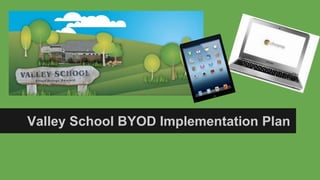
Valley School BYOD Implementation Plan
Our students in action
Digital Learning
● Over 70% of schools in New Zealand are currently positioned to implement
digital learning
● 2014 report by the 20/20 Communications Trust show that digital devices
in classrooms are having a positive effect on the student’s achievement
● The report shows the positive impact that digitally-blended education is
beginning to have on all New Zealand students
Today’s Students
● They are digital natives
● They live in a multimedia world
● Their media is all colour
● They prioritize visual learning
● They demand creativity
● They learn best through trial and error
● They constantly connect and collaborate
● They can access information easily
Valley School Charter
“eLearning will be maximised in the school to
supplement traditional ways of teaching and to
open up new and different ways of learning for
all students”
New Zealand Curriculum
states we need students to be “confident,
connected, actively-involved, lifelong learners”
prepared to realise their potential and
contribute to society and the workforce.
Implementation Plan
● Intensive digital citizenship education will be taught
● Using the right tool for the job - we’re not getting rid of
pens and paper
● Mathletics / Reading Eggs / Spellcity
● Google Apps / Teacher Dashboard for a variety of
learning tasks
● Education around effective and safe use of digital
devices in the classroom
Devices - Our recommendation
● Chromebooks (School preference)
Acceptable
● iPads - 2nd generation or later
FAQ
Does my child have to bring a device?
No your child does not have to bring a device if you or your child do not want to. Your child will still
have access to all our class devices so they will not be at any disadvantage if they do not bring a
device.
What is considered to be a personal device?
For the purpose of BYOD at our school “device” means a privately owned wireless portable piece of
equipment which includes laptops, netbooks, tablet computers, and iPads. This does not include smart
phones.
How will their device be kept safe?
Devices will be brought straight to class in the morning (8.30am) and put into a lockable cupboard.
They will remain there until needed and be locked up again during morning tea and lunch. Students
may have their own passcode lock on their device for further security.
FAQ
Do I have to buy new apps?
No. We will only be using apps that are free from the Apple Store or Google Play store. However, if
you do wish to purchase any apps we are happy to give recommendations. Any downloading or
updates for apps and software does need to be done at home.
Will there be Internet access?
Yes. Your child will be able to access the Internet using our school network. We do not allow students
to use their own 3G network should their device have this capability.
Can students charge their devices at school?
No. Personal devices should be charged prior to bringing them to school and should be capable of
running off their own battery while at school.
FAQ
What happens if a student is not using a device appropriately?
The school rules and the digital citizenship guidelines will be followed. A copy of this is available on
request. The school reserves the right to inspect the student’s personal device if there is reason to
believe that the student has violated the schools rules or digital citizenship guidelines.
What happens if someone mistakes a device as their own?
On the permission slip we ask that you note down the serial number of the device your child owns.
This is something that can not be changed or removed and is unique to the device. This will help us
identify devices (see school website for instructions). Other ways to make identification easier are by
selecting unique cases or by putting a name label on the device.
What happens if a device is missing / damaged?
The school can not be held responsible for the loss of or any damage to any devices. The device
should be covered by the owner’s insurance.
FAQ
Are there any other risks?
Yes. Because we are a Mac/Apple based school viruses are less likely to be introduced. However, non
Apple devices may contain viruses that could be spread across the network. Please ensure your
device has virus protection.
What if I have any other questions / concerns?
If you would like more information or have any questions feel free to contact us, via email, and we will
get back to you. office@valley.school.nz There is also more information, including the instructions on
finding the serial number, on our BYOD webpage.
http://www.valley.school.nz

Byod parent presentation copy of

  • 1.
    Valley School BYODImplementation Plan
  • 2.
  • 3.
    Digital Learning ● Over70% of schools in New Zealand are currently positioned to implement digital learning ● 2014 report by the 20/20 Communications Trust show that digital devices in classrooms are having a positive effect on the student’s achievement ● The report shows the positive impact that digitally-blended education is beginning to have on all New Zealand students
  • 4.
    Today’s Students ● Theyare digital natives ● They live in a multimedia world ● Their media is all colour ● They prioritize visual learning ● They demand creativity ● They learn best through trial and error ● They constantly connect and collaborate ● They can access information easily
  • 5.
    Valley School Charter “eLearningwill be maximised in the school to supplement traditional ways of teaching and to open up new and different ways of learning for all students”
  • 6.
    New Zealand Curriculum stateswe need students to be “confident, connected, actively-involved, lifelong learners” prepared to realise their potential and contribute to society and the workforce.
  • 7.
    Implementation Plan ● Intensivedigital citizenship education will be taught ● Using the right tool for the job - we’re not getting rid of pens and paper ● Mathletics / Reading Eggs / Spellcity ● Google Apps / Teacher Dashboard for a variety of learning tasks ● Education around effective and safe use of digital devices in the classroom
  • 8.
    Devices - Ourrecommendation ● Chromebooks (School preference) Acceptable ● iPads - 2nd generation or later
  • 9.
    FAQ Does my childhave to bring a device? No your child does not have to bring a device if you or your child do not want to. Your child will still have access to all our class devices so they will not be at any disadvantage if they do not bring a device. What is considered to be a personal device? For the purpose of BYOD at our school “device” means a privately owned wireless portable piece of equipment which includes laptops, netbooks, tablet computers, and iPads. This does not include smart phones. How will their device be kept safe? Devices will be brought straight to class in the morning (8.30am) and put into a lockable cupboard. They will remain there until needed and be locked up again during morning tea and lunch. Students may have their own passcode lock on their device for further security.
  • 10.
    FAQ Do I haveto buy new apps? No. We will only be using apps that are free from the Apple Store or Google Play store. However, if you do wish to purchase any apps we are happy to give recommendations. Any downloading or updates for apps and software does need to be done at home. Will there be Internet access? Yes. Your child will be able to access the Internet using our school network. We do not allow students to use their own 3G network should their device have this capability. Can students charge their devices at school? No. Personal devices should be charged prior to bringing them to school and should be capable of running off their own battery while at school.
  • 11.
    FAQ What happens ifa student is not using a device appropriately? The school rules and the digital citizenship guidelines will be followed. A copy of this is available on request. The school reserves the right to inspect the student’s personal device if there is reason to believe that the student has violated the schools rules or digital citizenship guidelines. What happens if someone mistakes a device as their own? On the permission slip we ask that you note down the serial number of the device your child owns. This is something that can not be changed or removed and is unique to the device. This will help us identify devices (see school website for instructions). Other ways to make identification easier are by selecting unique cases or by putting a name label on the device. What happens if a device is missing / damaged? The school can not be held responsible for the loss of or any damage to any devices. The device should be covered by the owner’s insurance.
  • 12.
    FAQ Are there anyother risks? Yes. Because we are a Mac/Apple based school viruses are less likely to be introduced. However, non Apple devices may contain viruses that could be spread across the network. Please ensure your device has virus protection. What if I have any other questions / concerns? If you would like more information or have any questions feel free to contact us, via email, and we will get back to you. office@valley.school.nz There is also more information, including the instructions on finding the serial number, on our BYOD webpage. http://www.valley.school.nz

Editor's Notes

  • #9 Classroom iPads/Devices