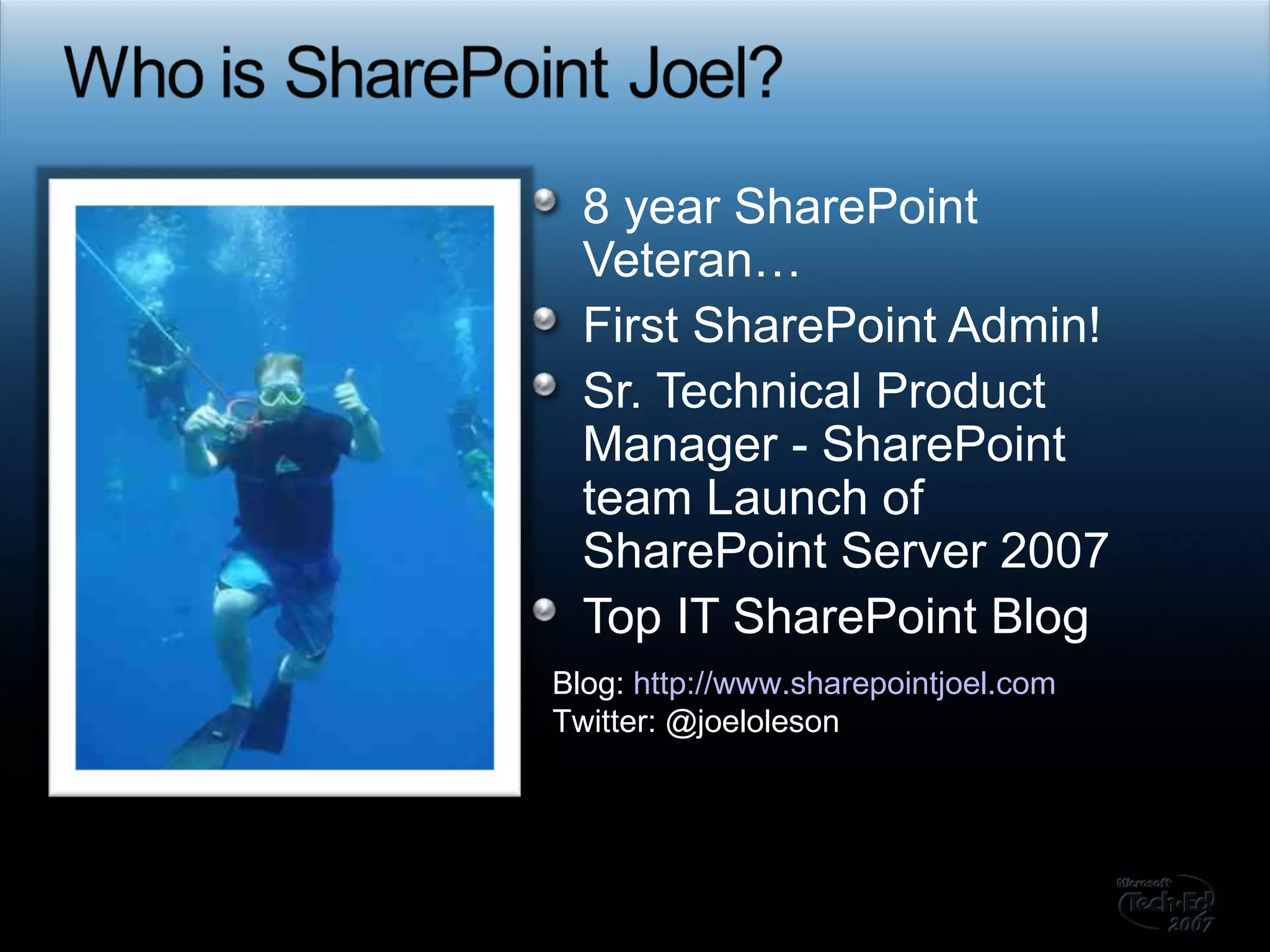
8 year SharePoint Veteran… First SharePoint Admin! Sr. Technical Product Manager - SharePoint team Launch of SharePoint Server 2007 Top IT SharePoint Blog Blog:  http://www.sharepointjoel.com Twitter: @joeloleson
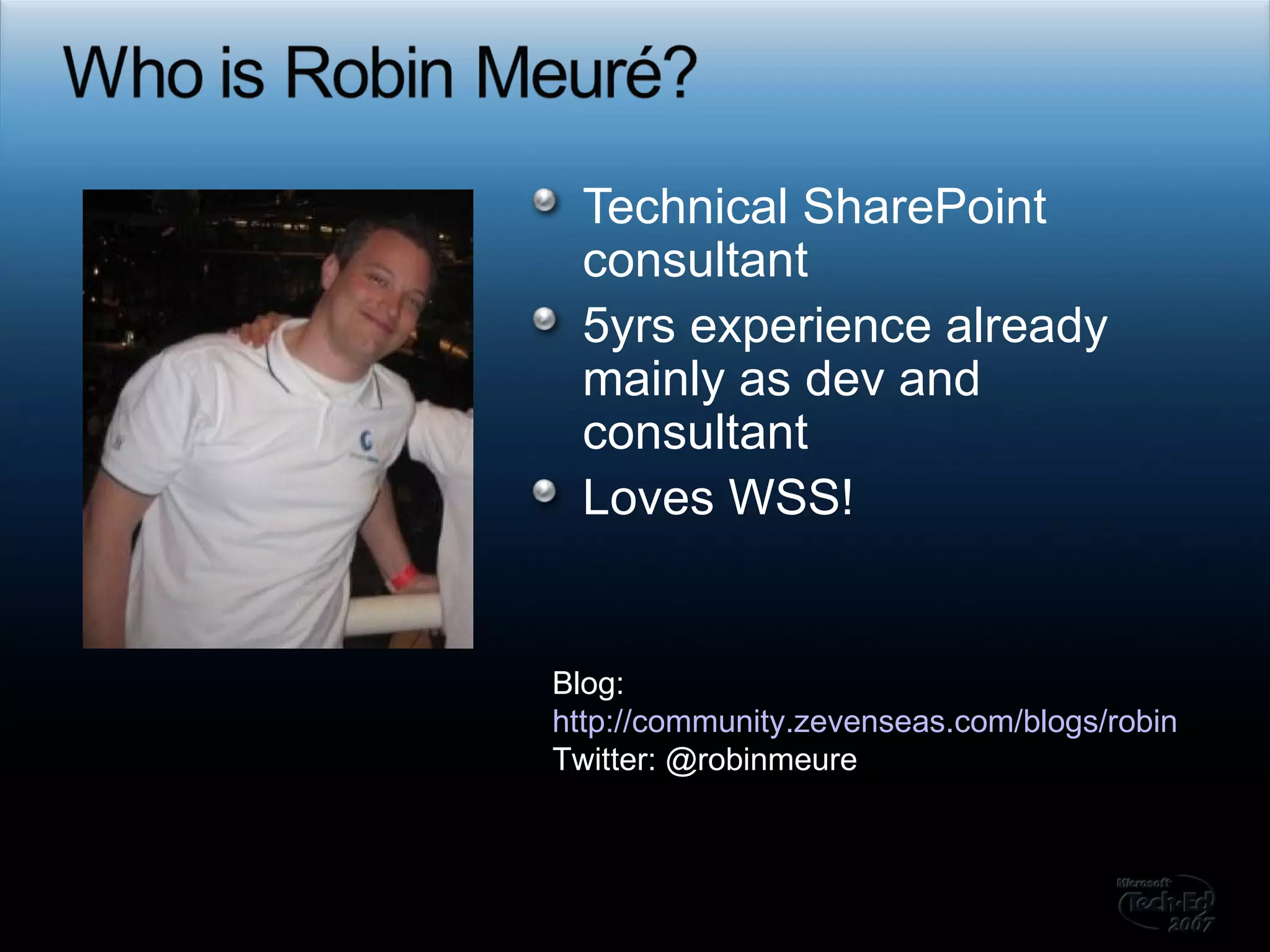
Technical SharePoint consultant 5yrs experience already mainly as dev and consultant Loves WSS! Blog:  http://community.zevenseas.com/blogs/robin Twitter: @robinmeure
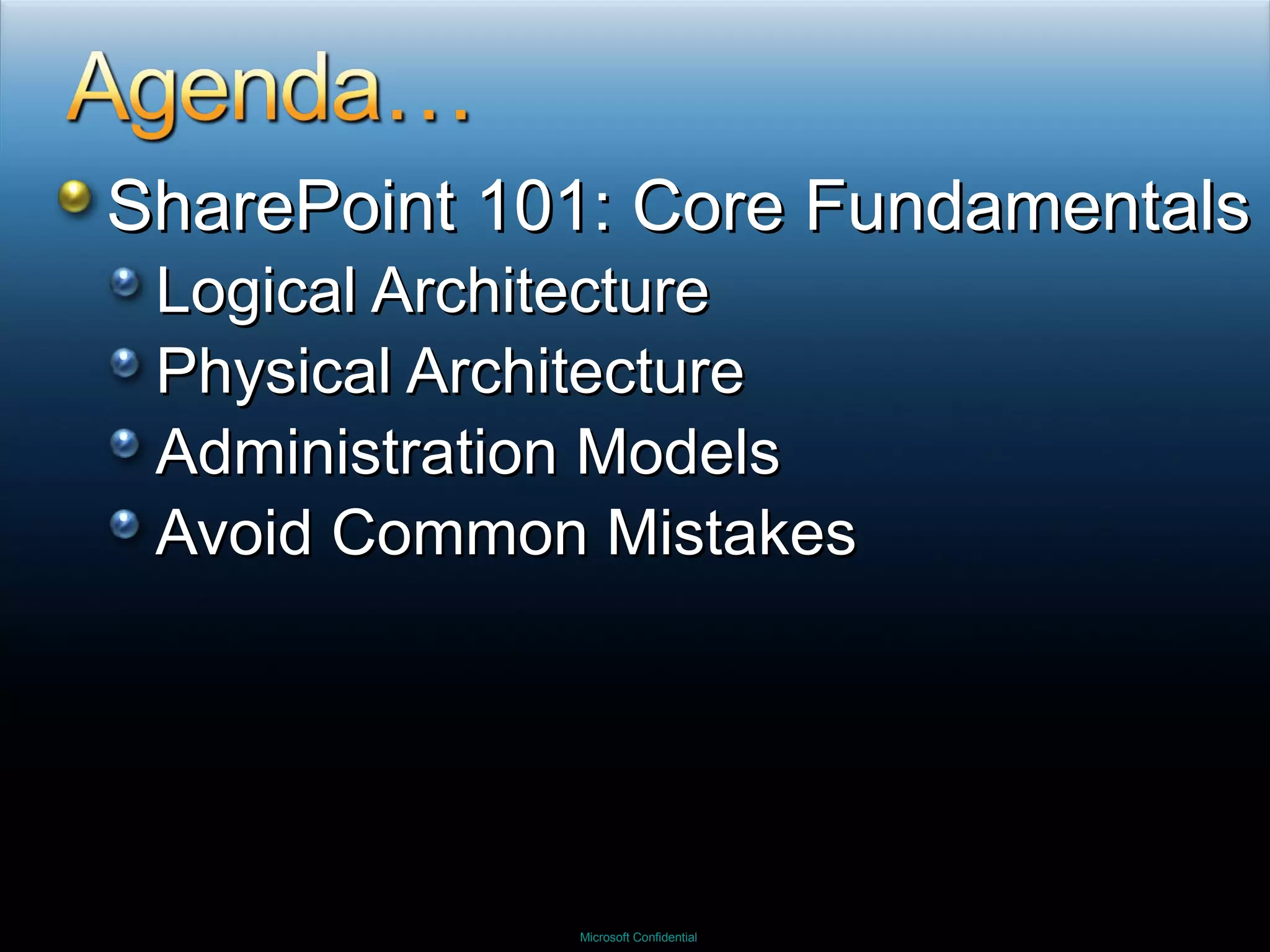
SharePoint 101: Core Fundamentals Logical Architecture Physical Architecture Administration Models Avoid Common Mistakes
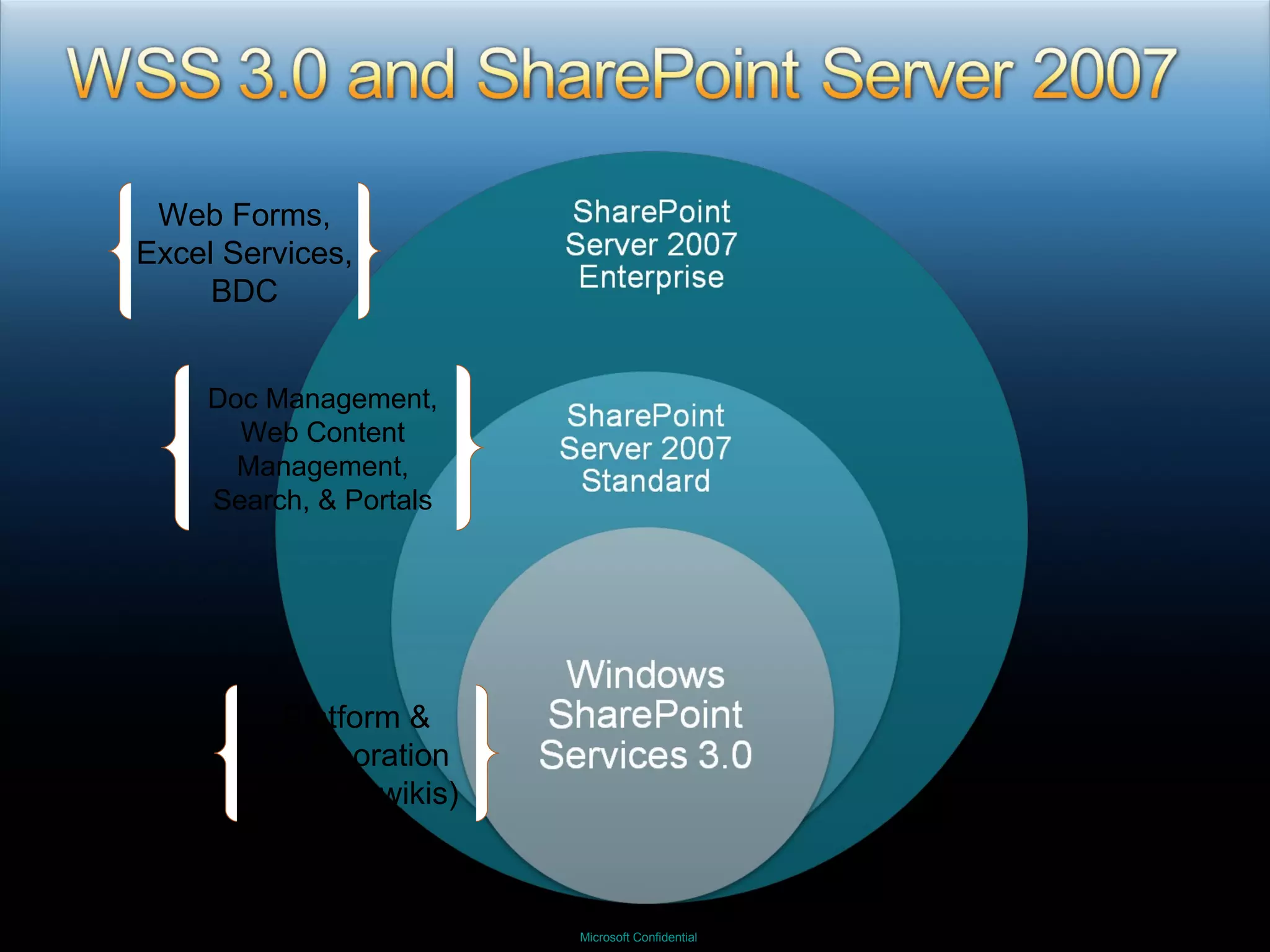
Platform & Collaboration (blogs & wikis) Doc Management, Web Content Management, Search, & Portals Web Forms, Excel Services, BDC
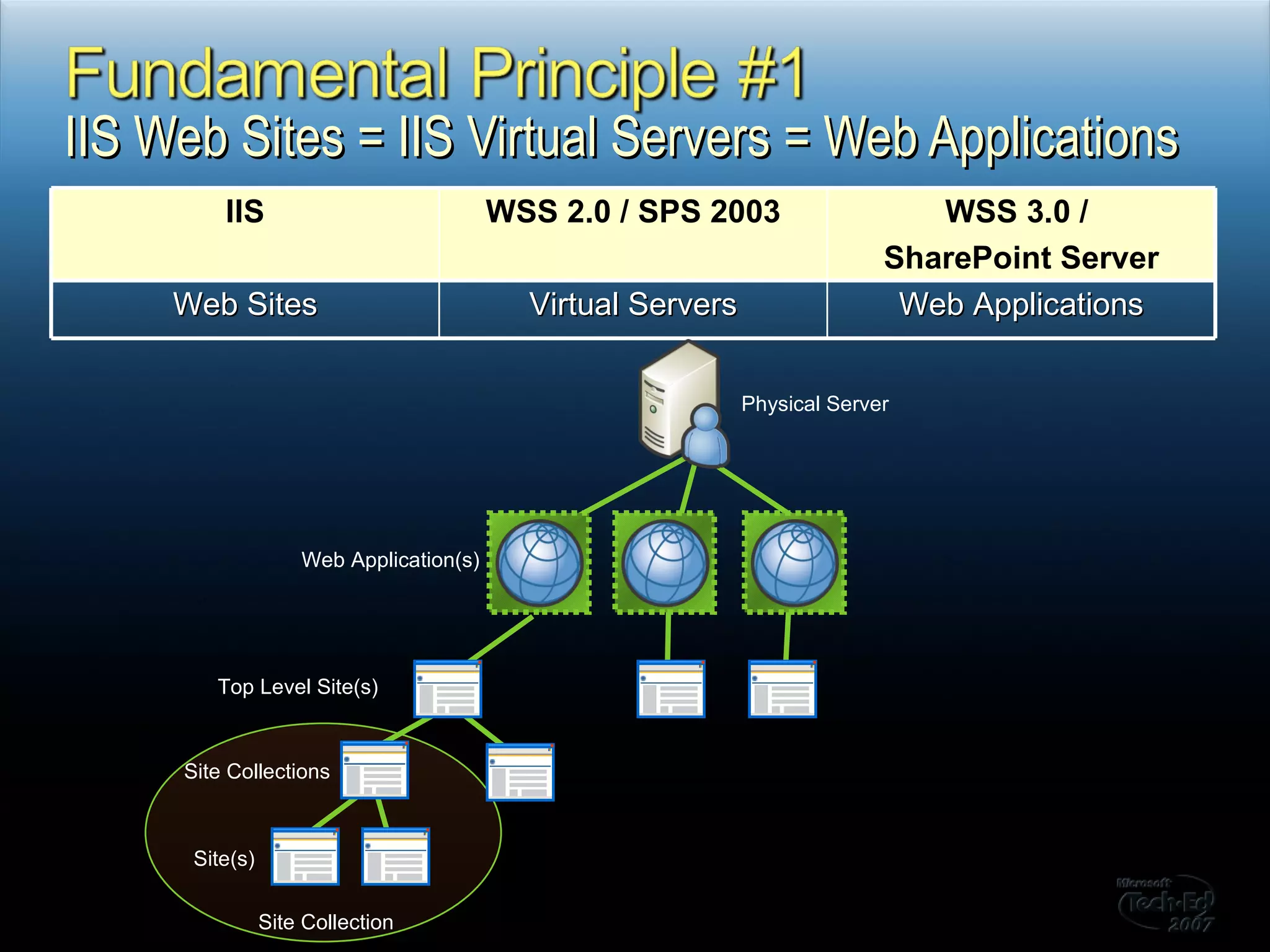
IIS Web Sites = IIS Virtual Servers = Web Applications Physical Server Web Application(s) Top Level Site(s) Site Collections Site(s) Site Collection IIS WSS 2.0 / SPS 2003 WSS 3.0 /  SharePoint Server Web Sites Virtual Servers Web Applications
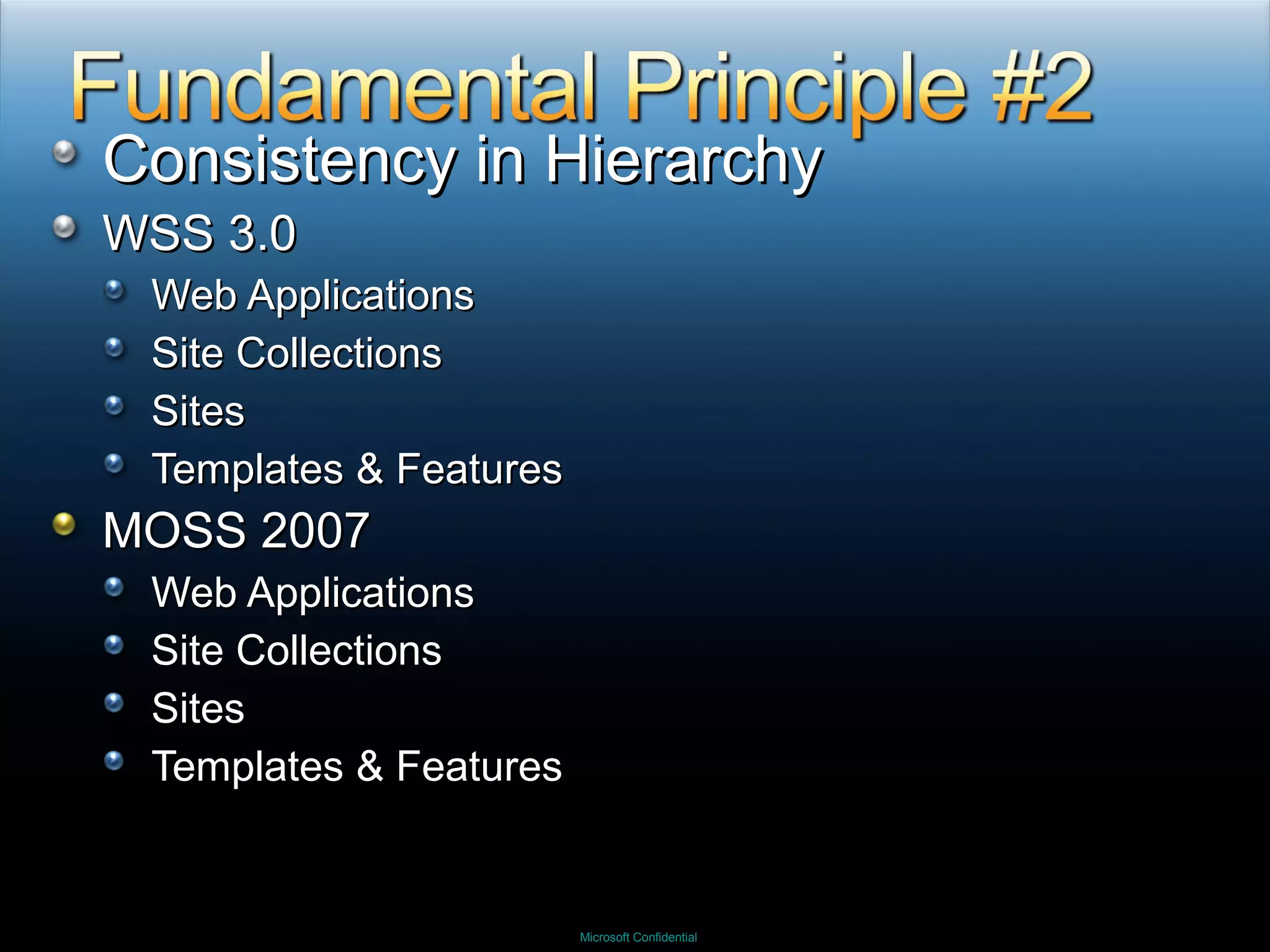
Consistency in Hierarchy WSS 3.0 Web Applications Site Collections Sites Templates & Features MOSS 2007 Web Applications Site Collections Sites Templates & Features
 
What do Holland and SharePoint have in common?
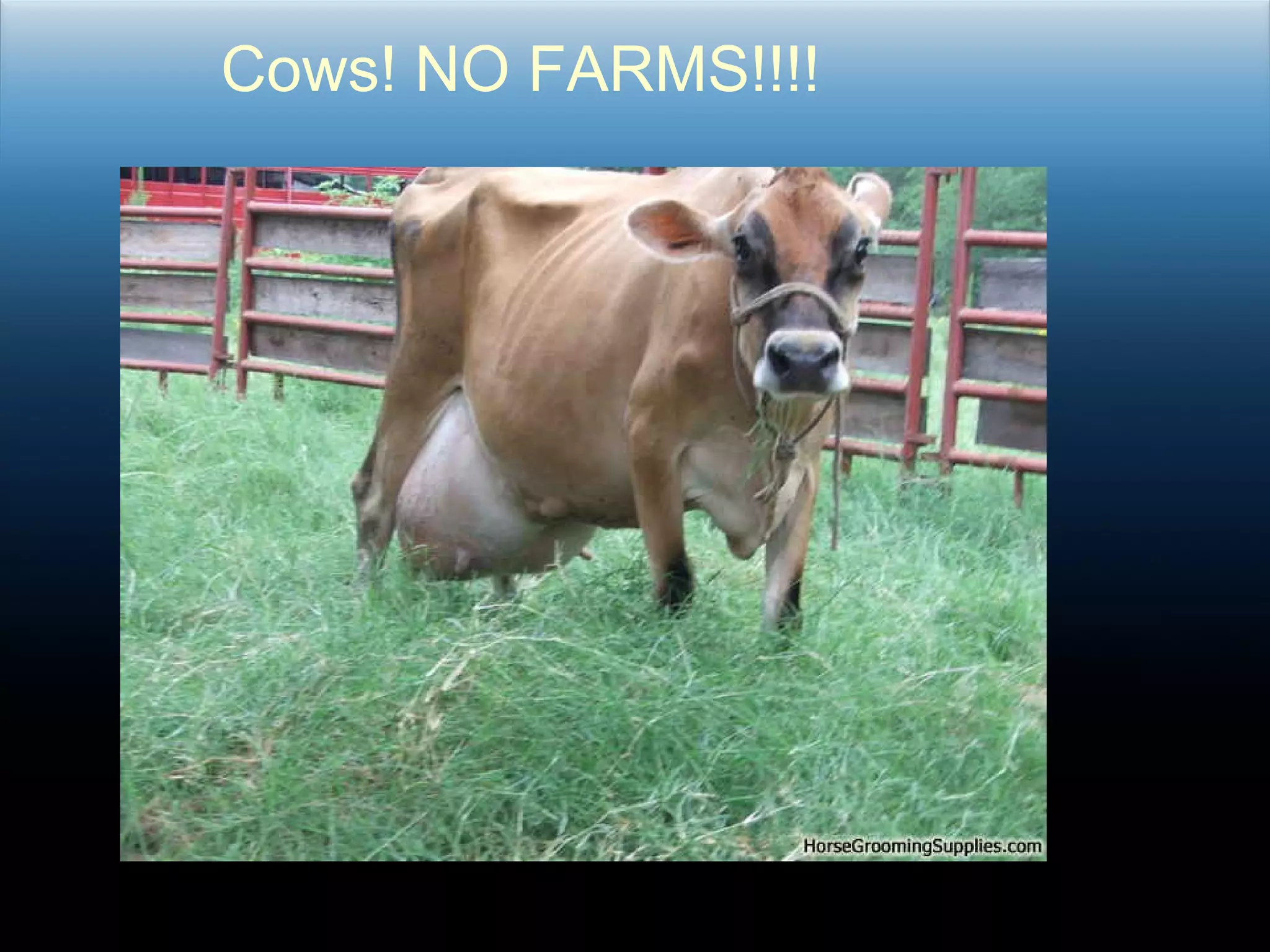
Cows! NO FARMS!!!!
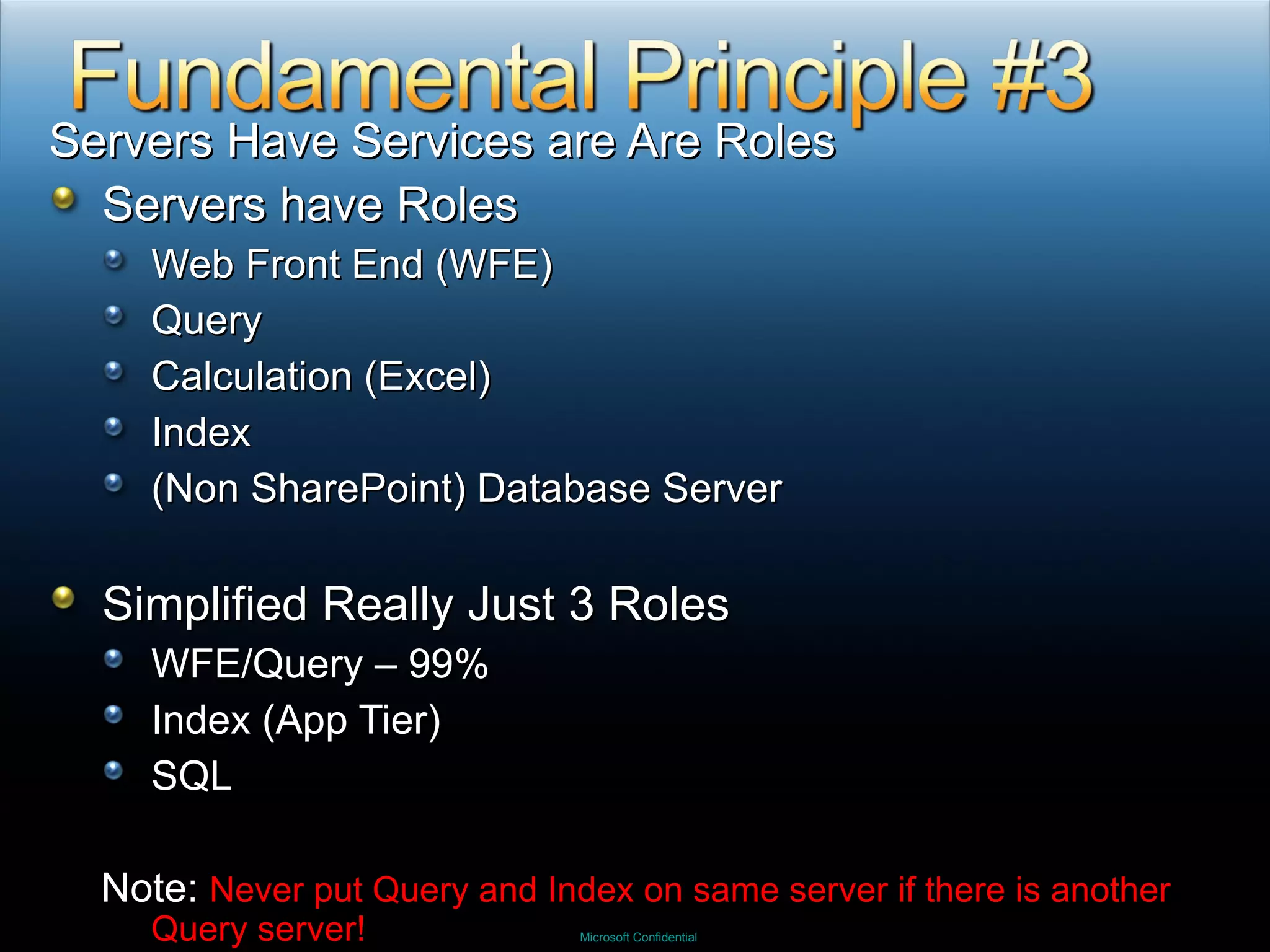
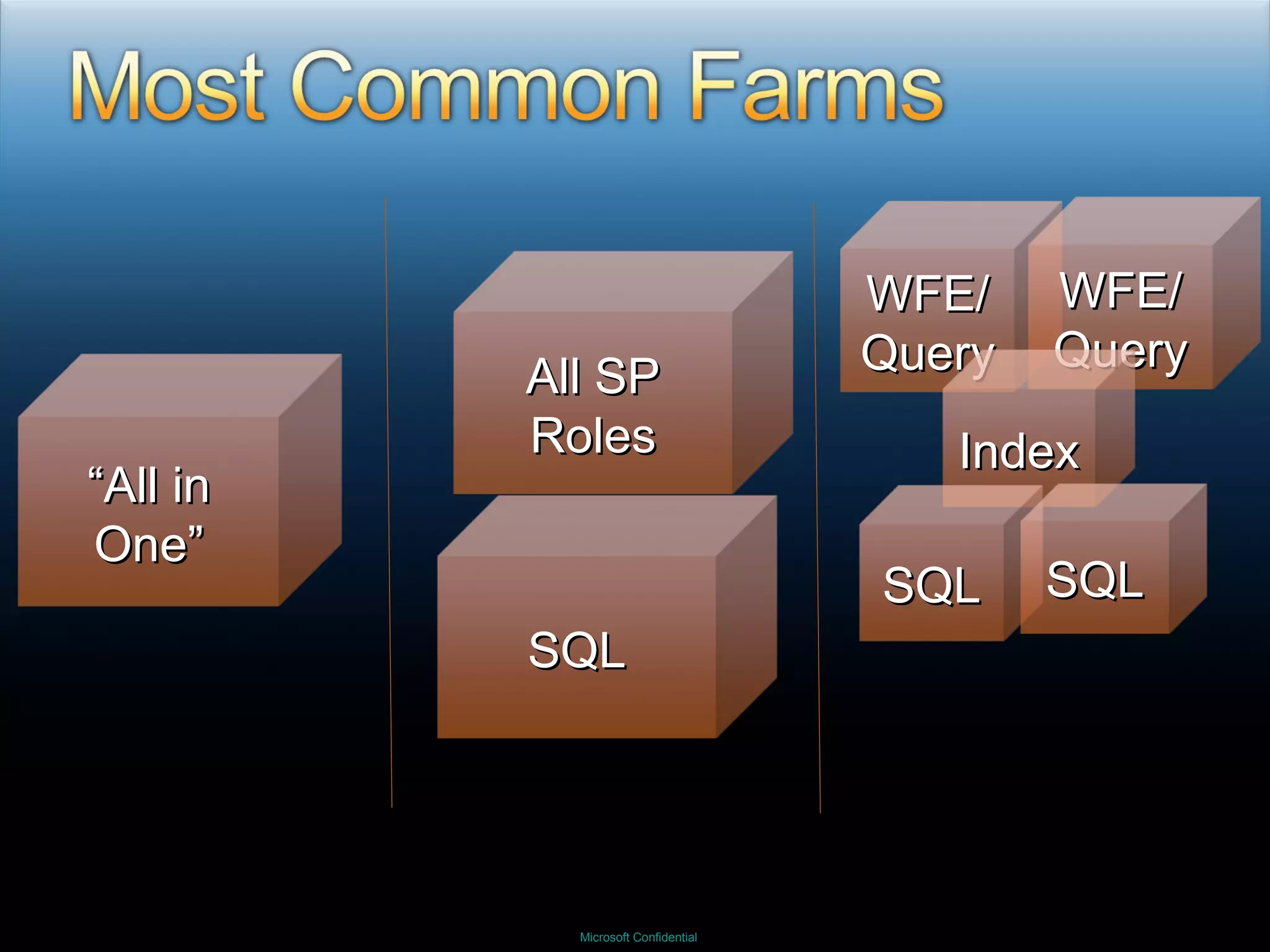
Servers Have Services are Are Roles Servers have Roles Web Front End (WFE) Query Calculation (Excel) Index (Non SharePoint) Database Server Simplified Really Just 3 Roles WFE/Query – 99% Index (App Tier) SQL Note:  Never put Query and Index on same server if there is another Query server!
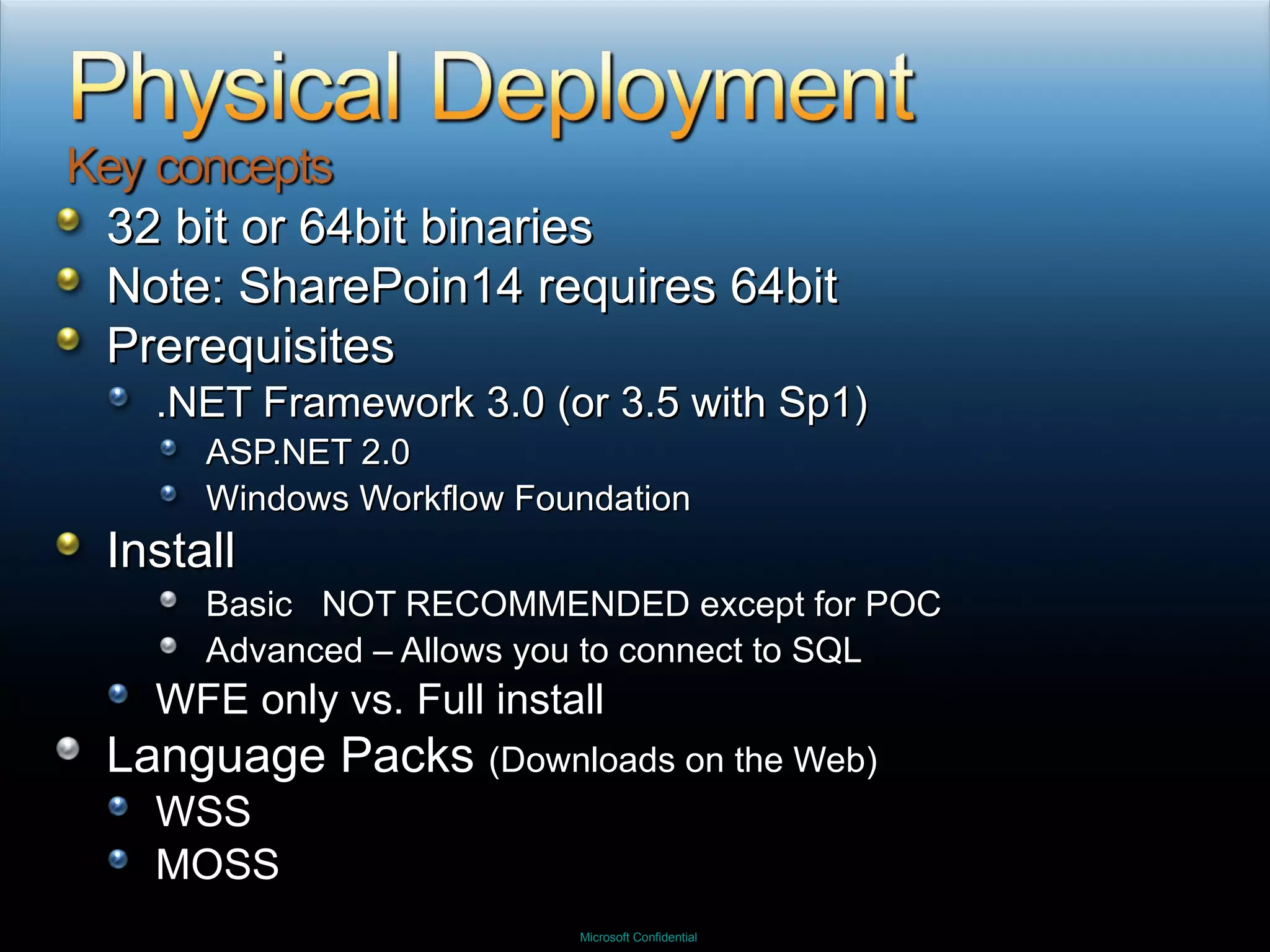
32 bit or 64bit binaries Note: SharePoin14 requires 64bit Prerequisites .NET Framework 3.0 (or 3.5 with Sp1) ASP.NET 2.0 Windows Workflow Foundation Install Basic  NOT RECOMMENDED except for POC Advanced – Allows you to connect to SQL WFE only vs. Full install Language Packs  (Downloads on the Web) WSS MOSS
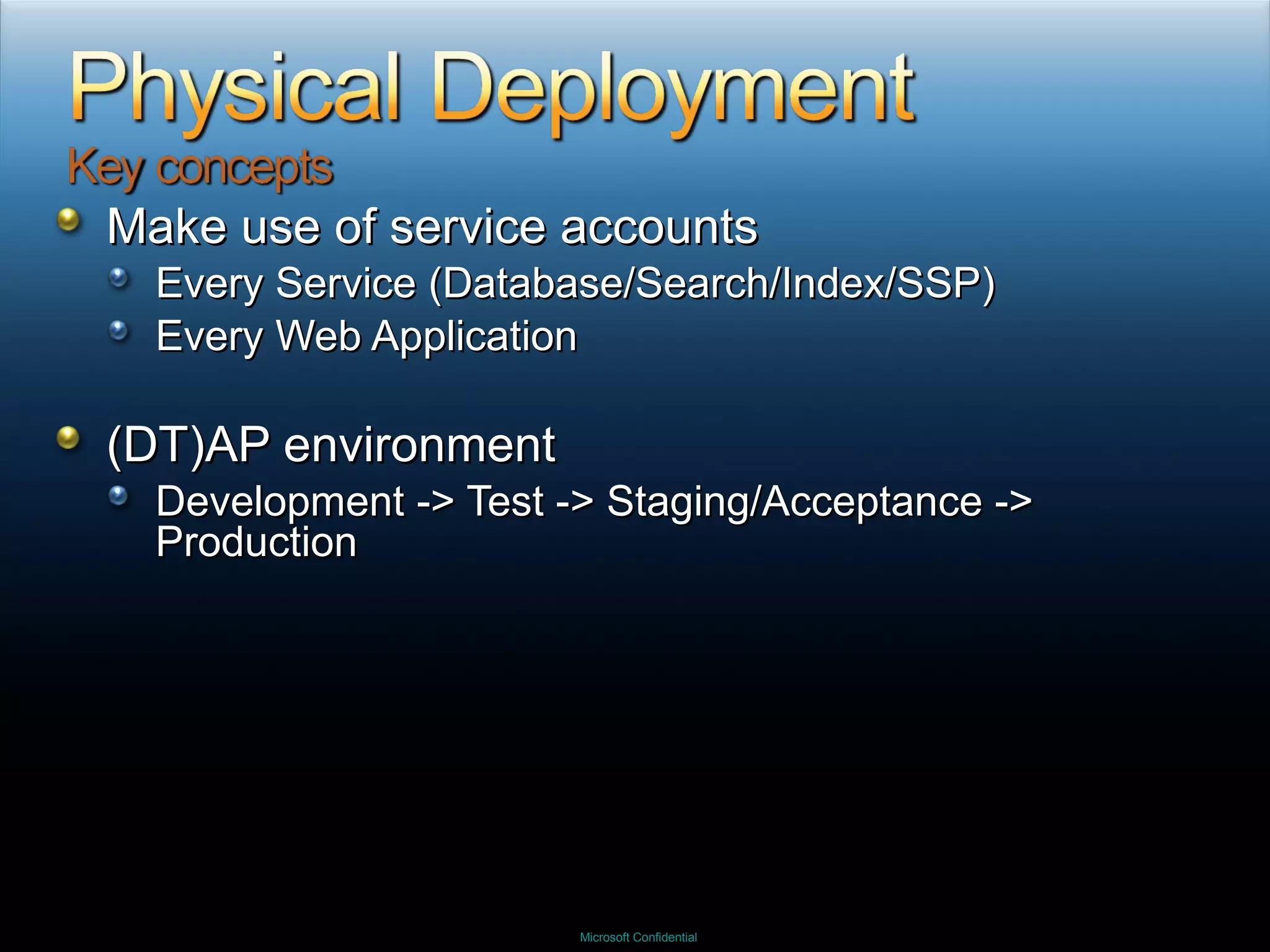
Make use of service accounts Every Service (Database/Search/Index/SSP) Every Web Application (DT)AP environment Development -> Test -> Staging/Acceptance -> Production
WFE/Query “ All in One” WFE/Query Index SQL SQL All SP Roles SQL
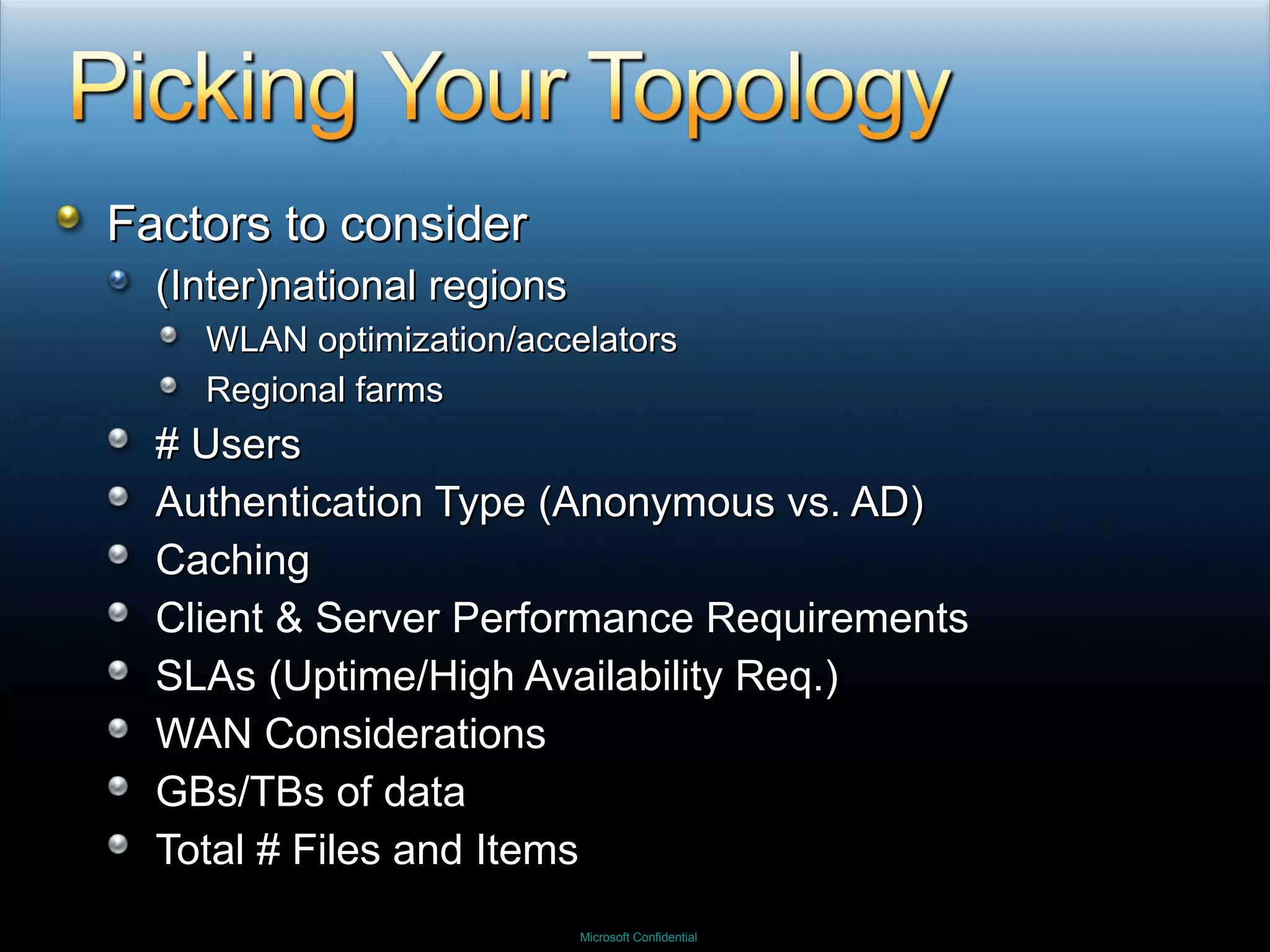
Factors to consider (Inter)national regions WLAN optimization/accelators Regional farms # Users Authentication Type (Anonymous vs. AD) Caching Client & Server Performance Requirements SLAs (Uptime/High Availability Req.) WAN Considerations GBs/TBs of data  Total # Files and Items
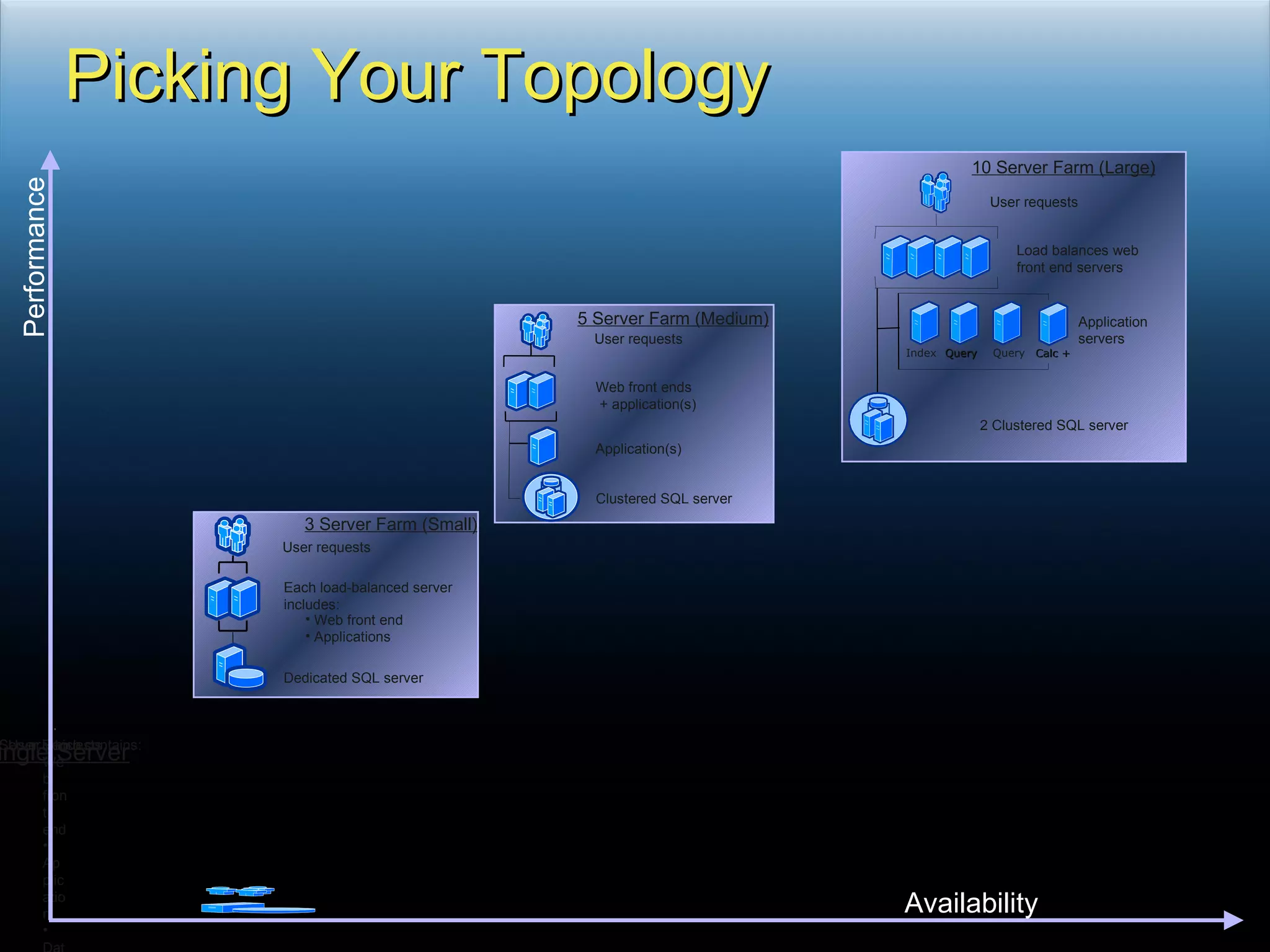
Picking Your Topology Availability Performance User requests Load balances web front end servers Application servers 2 Clustered SQL server Index Query Query Calc + 10 Server Farm (Large) User requests Web front ends + application(s) Application(s) Clustered SQL server 5 Server Farm (Medium) 3 Server Farm (Small) User requests Each load-balanced server  includes: Web front end Applications Dedicated SQL server Single Server Web front end  Application  Database One Server which contains: User Requests
LOLCATS.COM
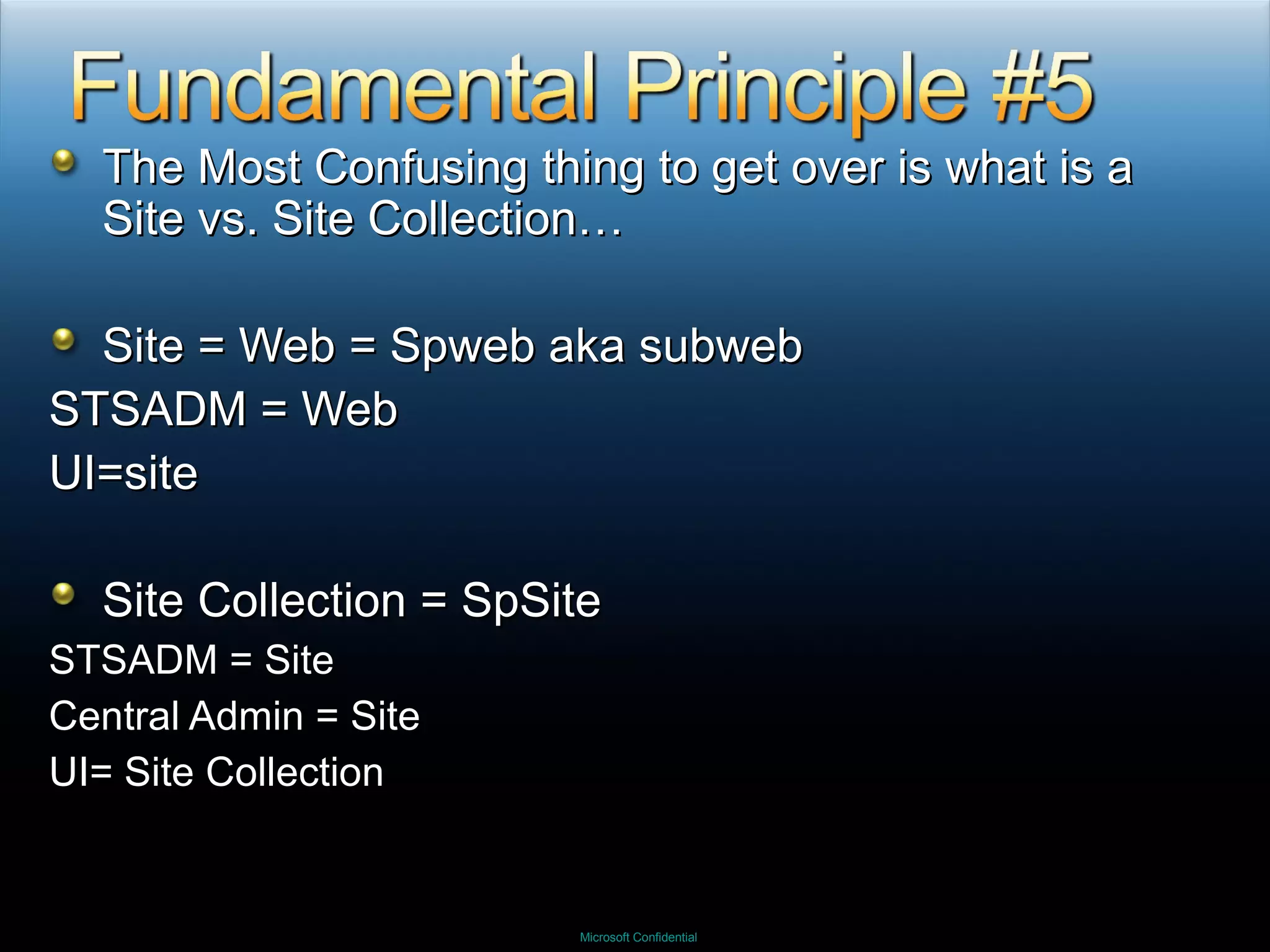
The Most Confusing thing to get over is what is a Site vs. Site Collection… Site = Web = Spweb aka subweb STSADM = Web UI=site Site Collection = SpSite STSADM = Site Central Admin = Site UI= Site Collection
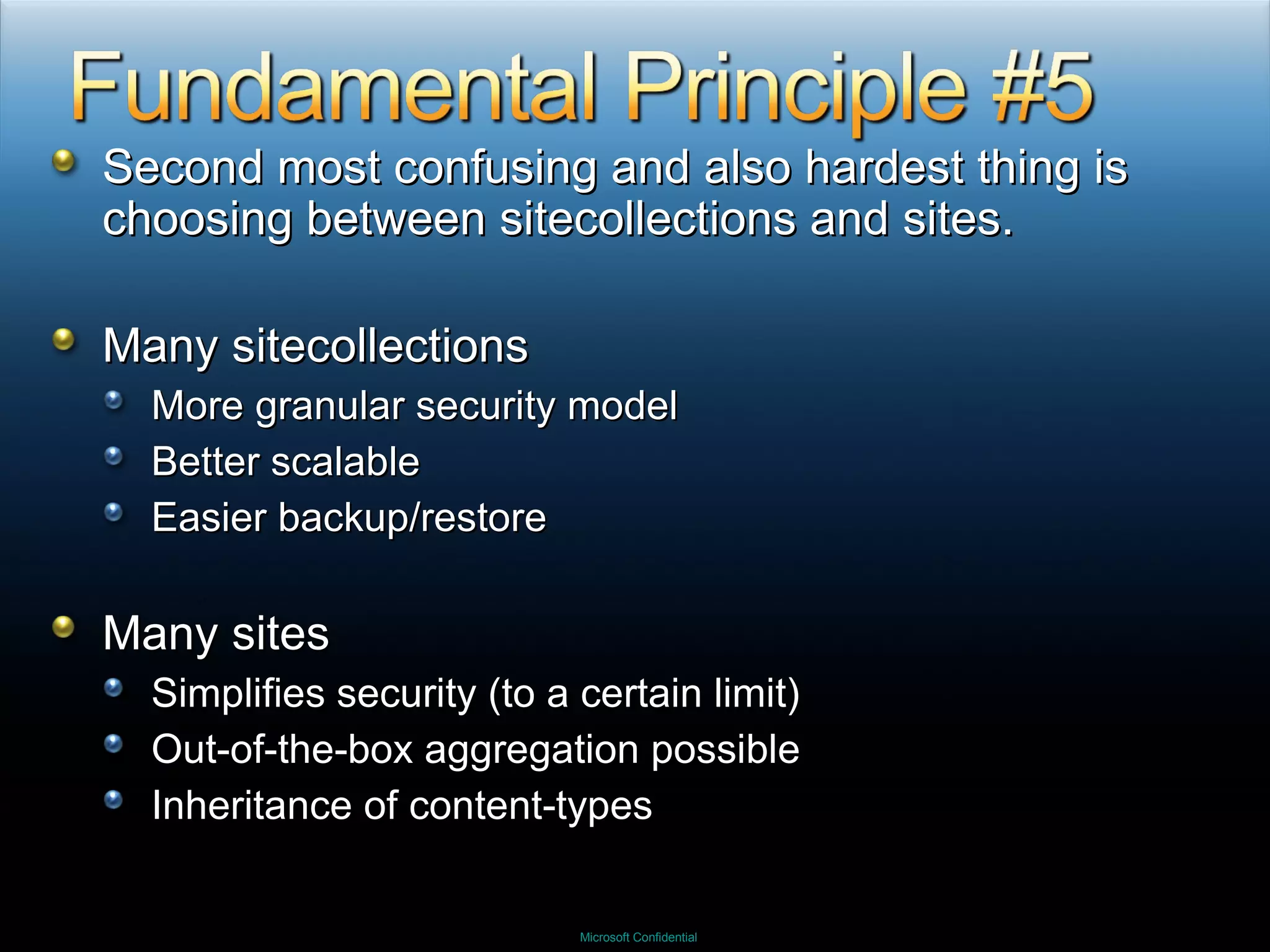
Second most confusing and also hardest thing is choosing between sitecollections and sites. Many sitecollections More granular security model Better scalable Easier backup/restore Many sites Simplifies security (to a certain limit) Out-of-the-box aggregation possible Inheritance of content-types
 
 
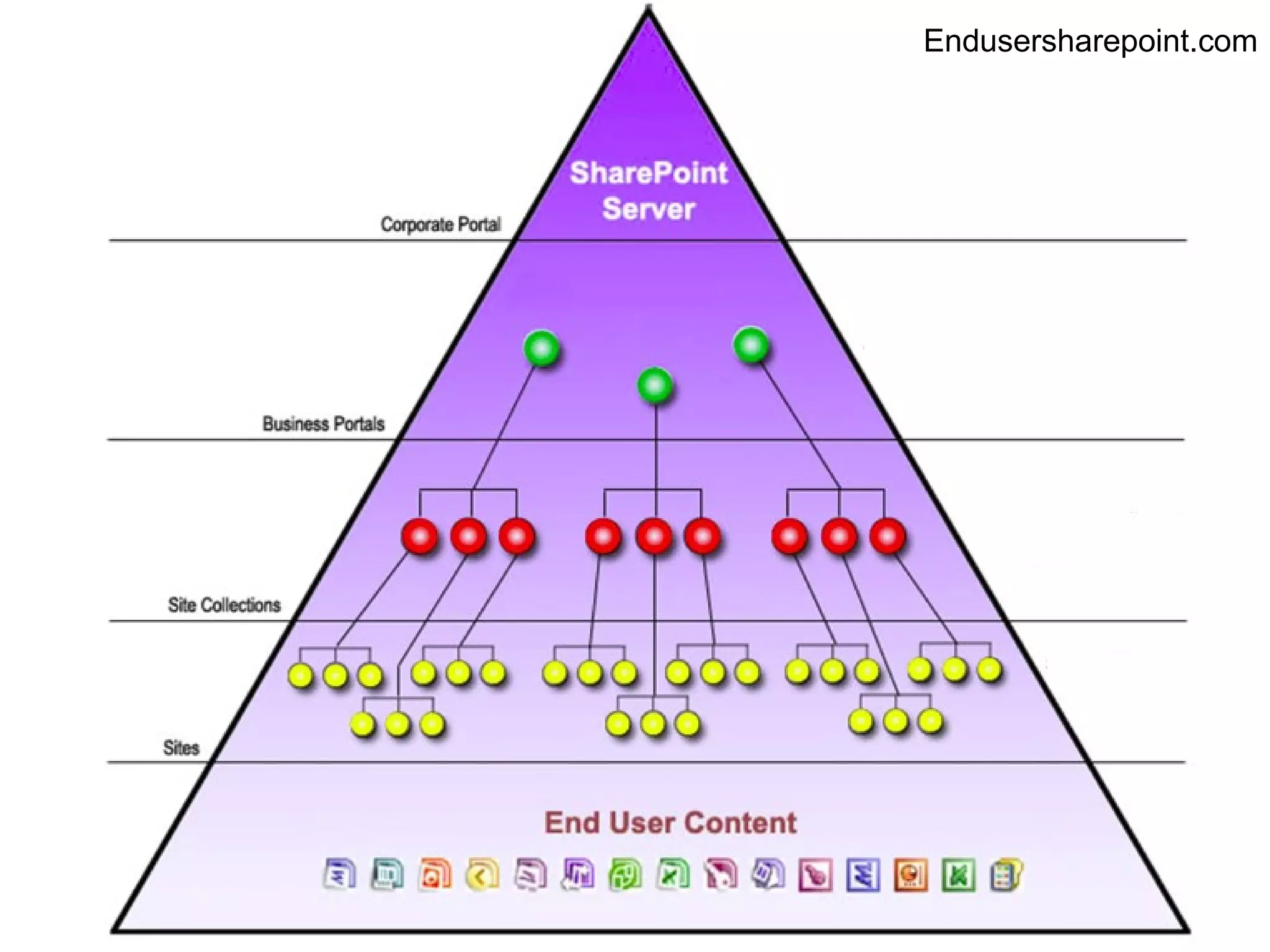
Endusersharepoint.com
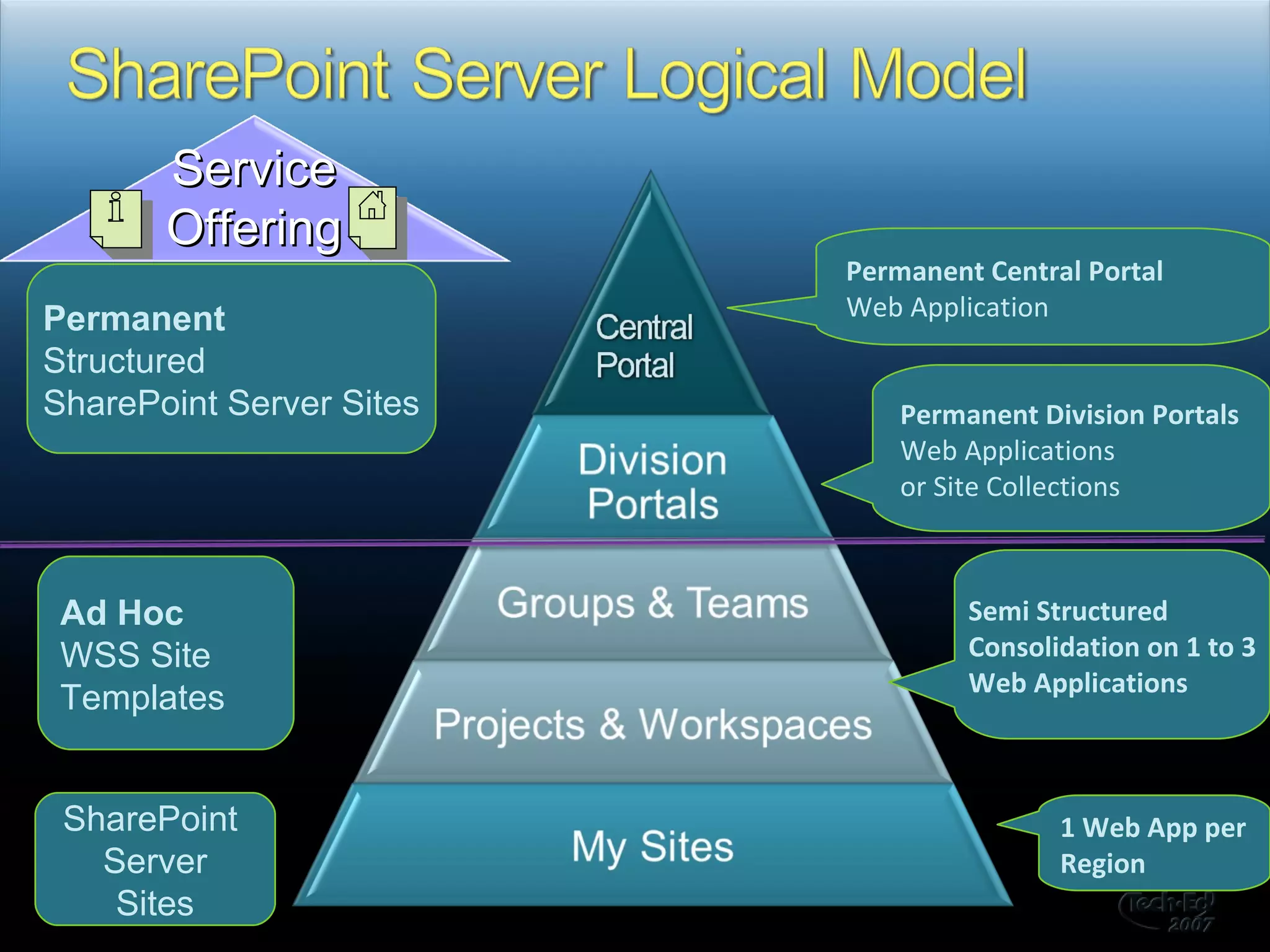
  Permanent Central Portal Web Application Permanent Structured  SharePoint Server Sites SharePoint  Server Sites Ad Hoc WSS Site Templates Permanent Division Portals Web Applications  or Site Collections Semi Structured Consolidation on 1 to 3 Web Applications 1 Web App per Region Service Offering
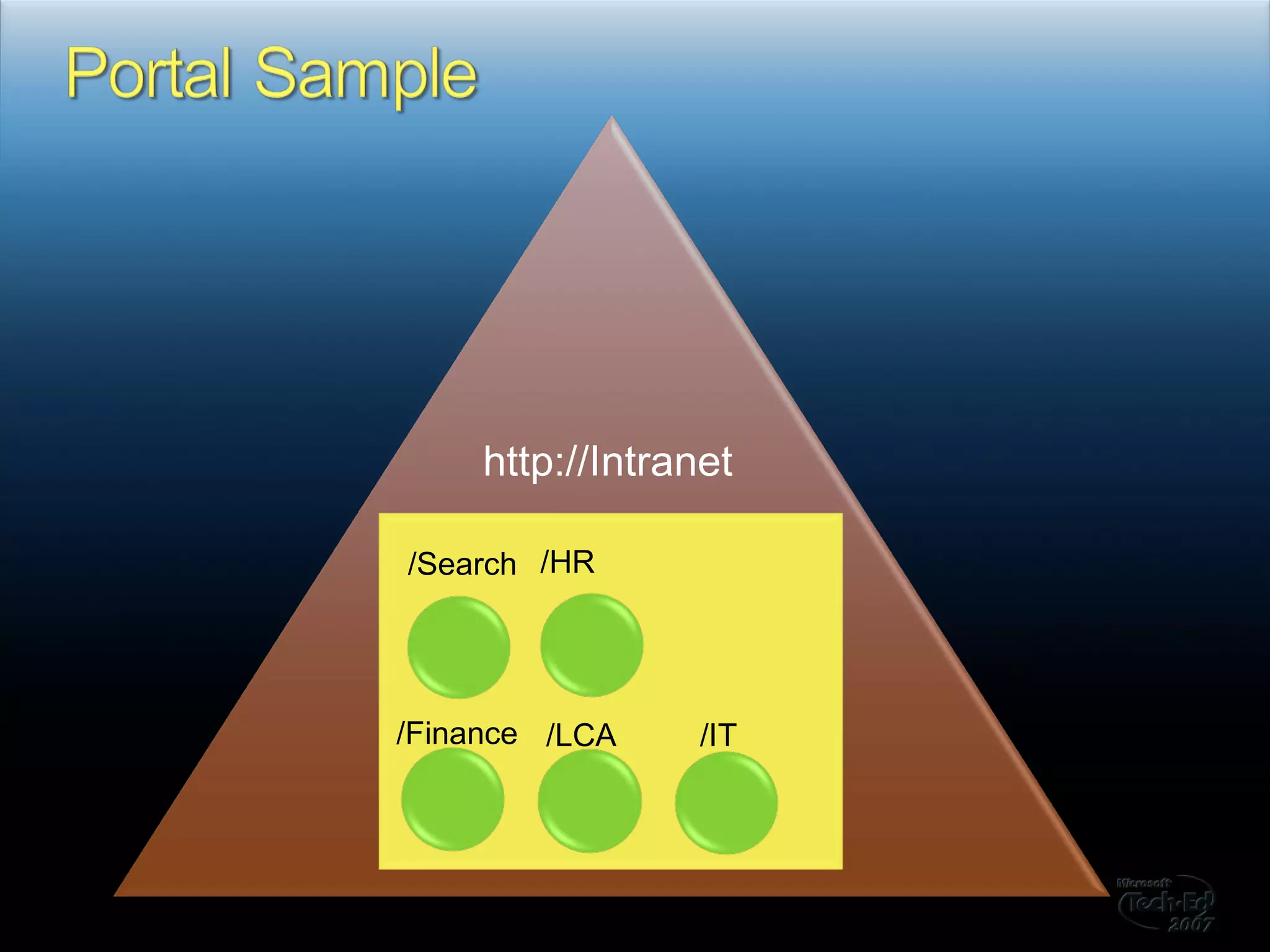
http://Intranet /Search /HR /Finance /LCA /IT
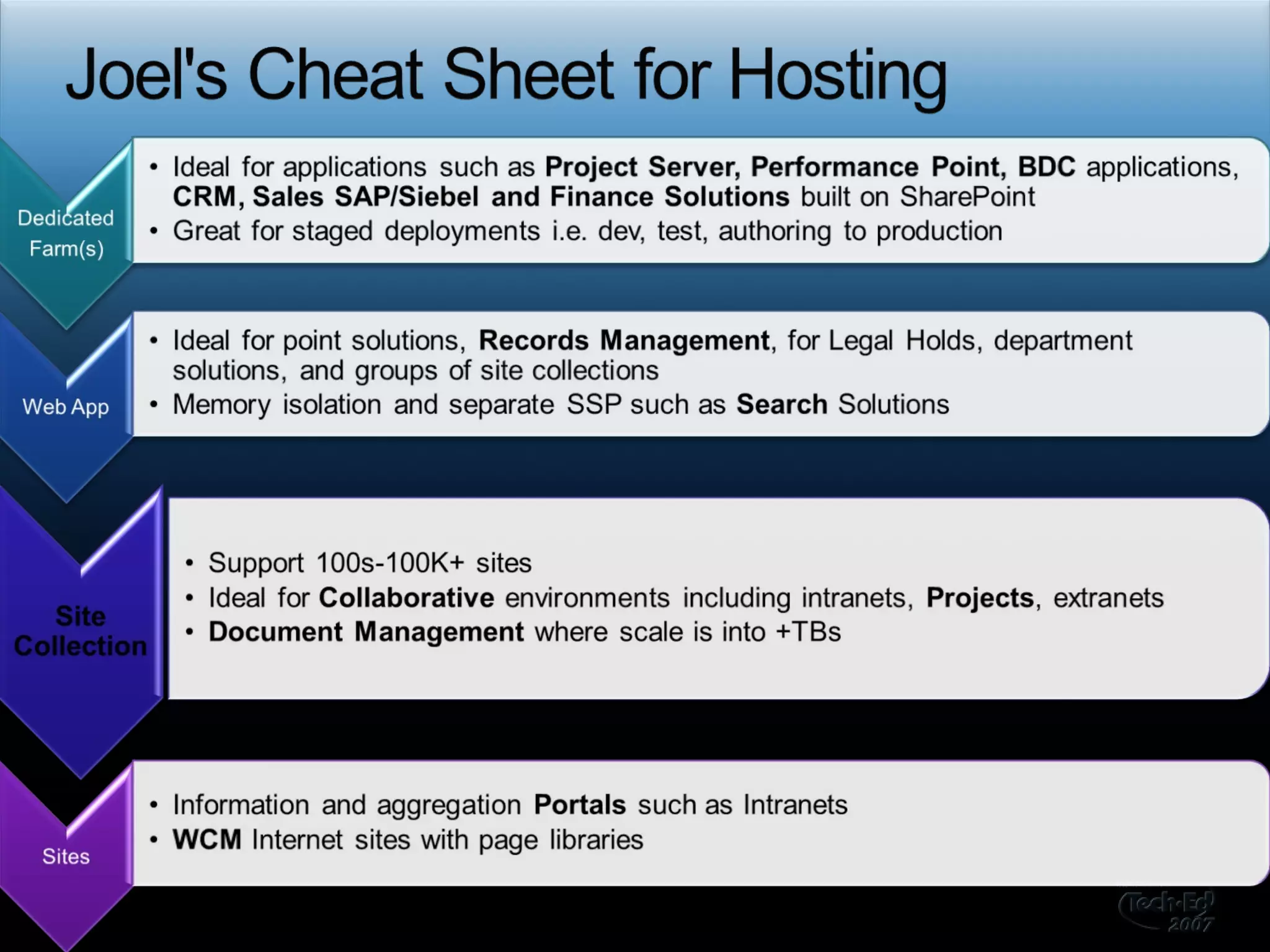
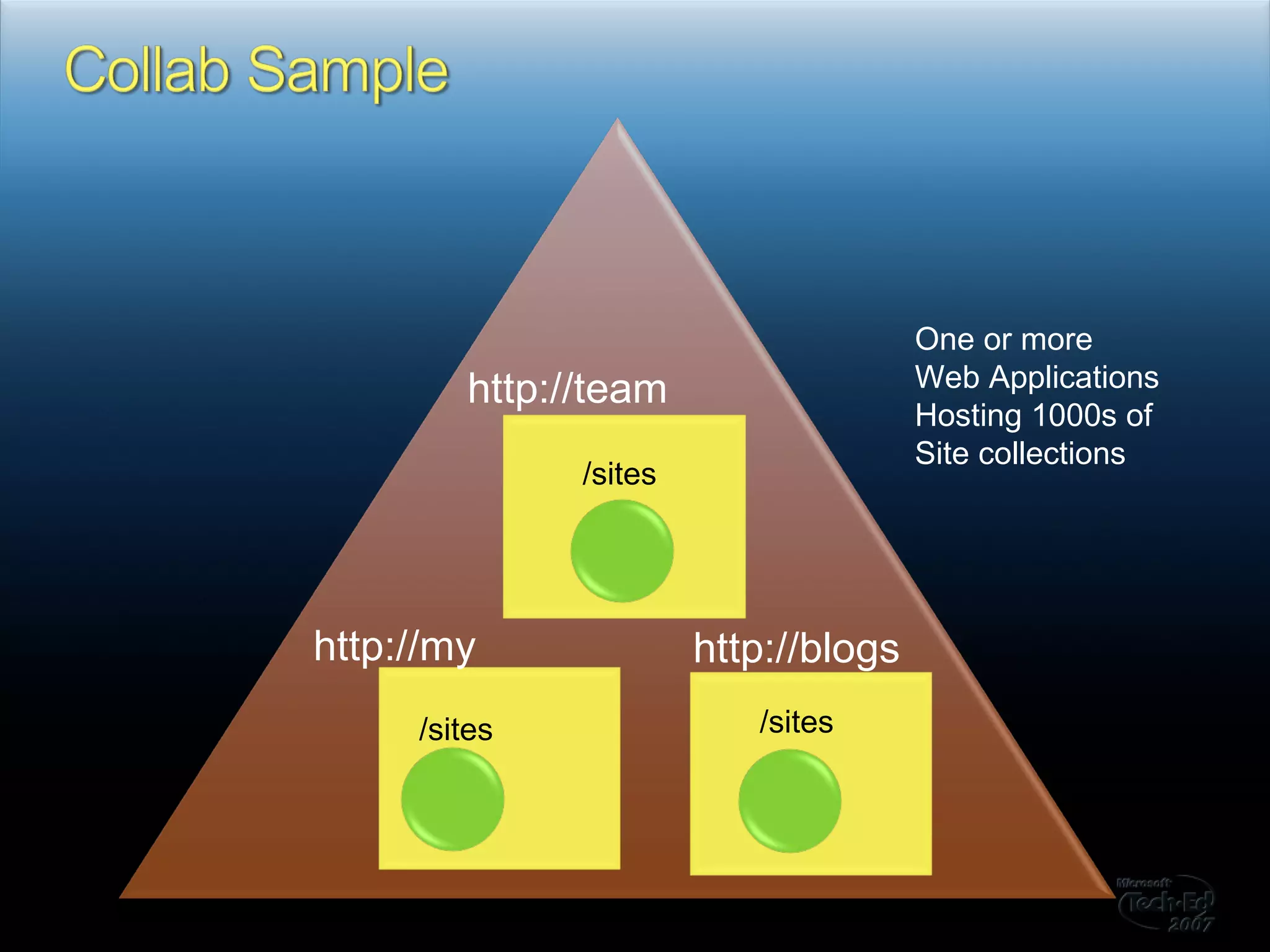
http://team /sites /sites /IT /sites http://blogs http://my One or more Web Applications Hosting 1000s of  Site collections
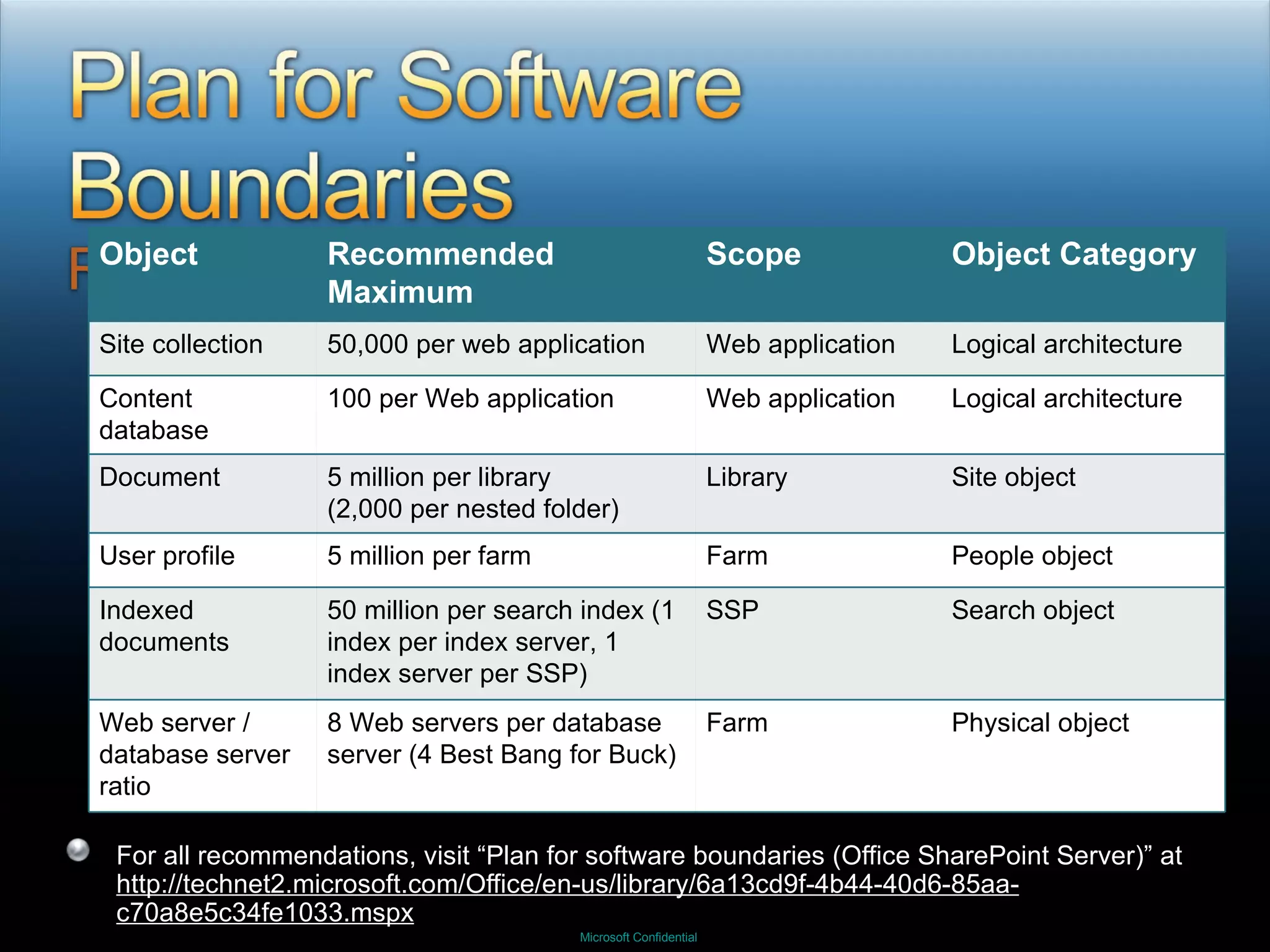
For all recommendations, visit “Plan for software boundaries (Office SharePoint Server)” at  http://technet2.microsoft.com/Office/en-us/library/6a13cd9f-4b44-40d6-85aa-c70a8e5c34fe1033.mspx Object Recommended Maximum Scope Object Category Site collection 50,000 per web application Web application Logical architecture Content database 100 per Web application Web application Logical architecture Document 5 million per library  (2,000 per nested folder) Library Site object User profile 5 million per farm Farm People object Indexed documents 50 million per search index (1 index per index server, 1 index server per SSP) SSP Search object Web server / database server ratio 8 Web servers per database server (4 Best Bang for Buck) Farm Physical object
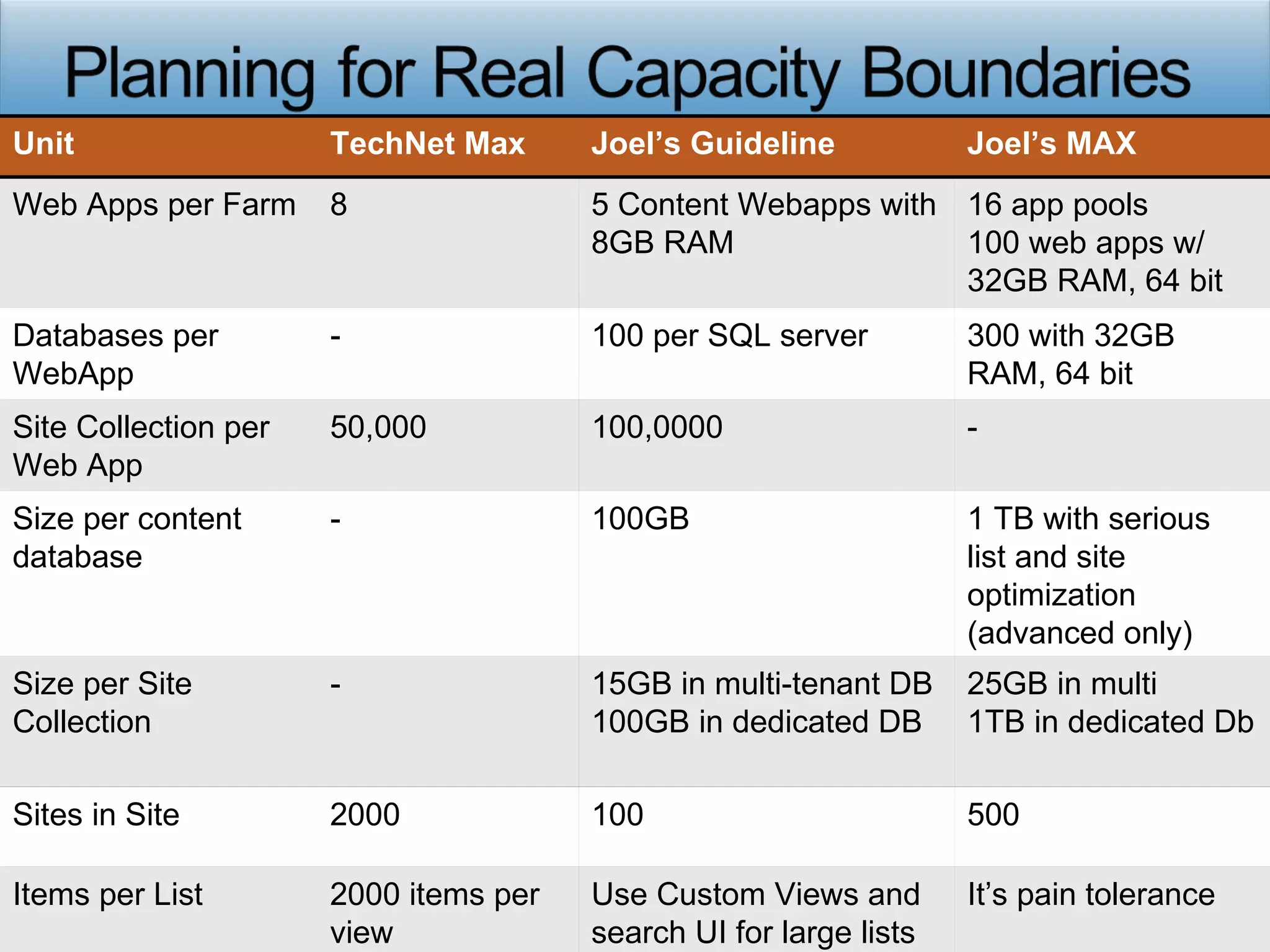
Unit TechNet Max Joel’s Guideline Joel’s MAX Web Apps per Farm 8 5 Content Webapps with 8GB RAM 16 app pools 100 web apps w/ 32GB RAM, 64 bit Databases per WebApp - 100 per SQL server 300 with 32GB RAM, 64 bit Site Collection per Web App 50,000 100,0000 - Size per content database - 100GB 1 TB with serious list and site optimization (advanced only) Size per Site Collection - 15GB in multi-tenant DB 100GB in dedicated DB 25GB in multi 1TB in dedicated Db Sites in Site 2000 100 500 Items per List 2000 items per view Use Custom Views and search UI for large lists It’s pain tolerance
 
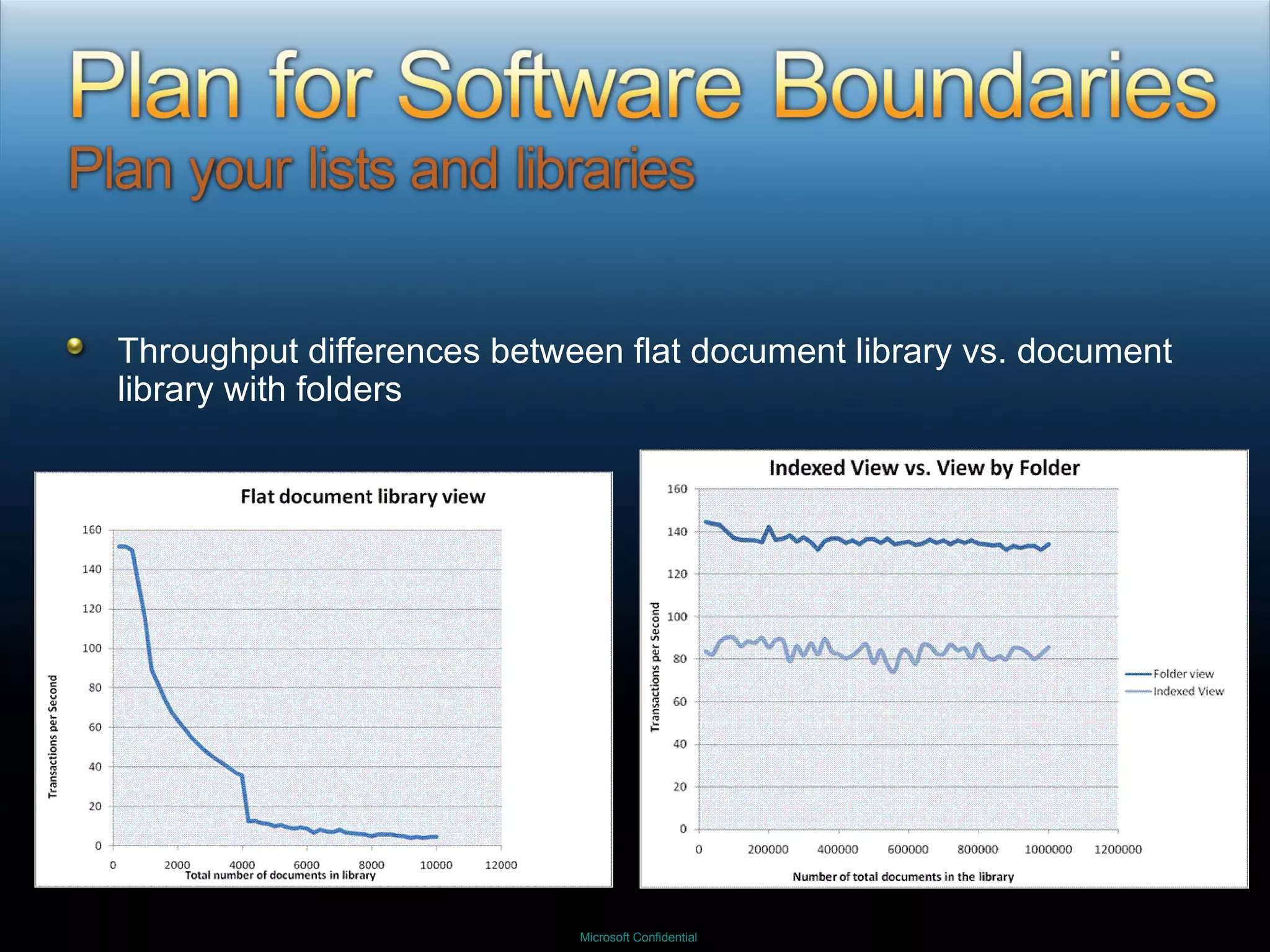
Throughput differences between flat document library vs. document library with folders
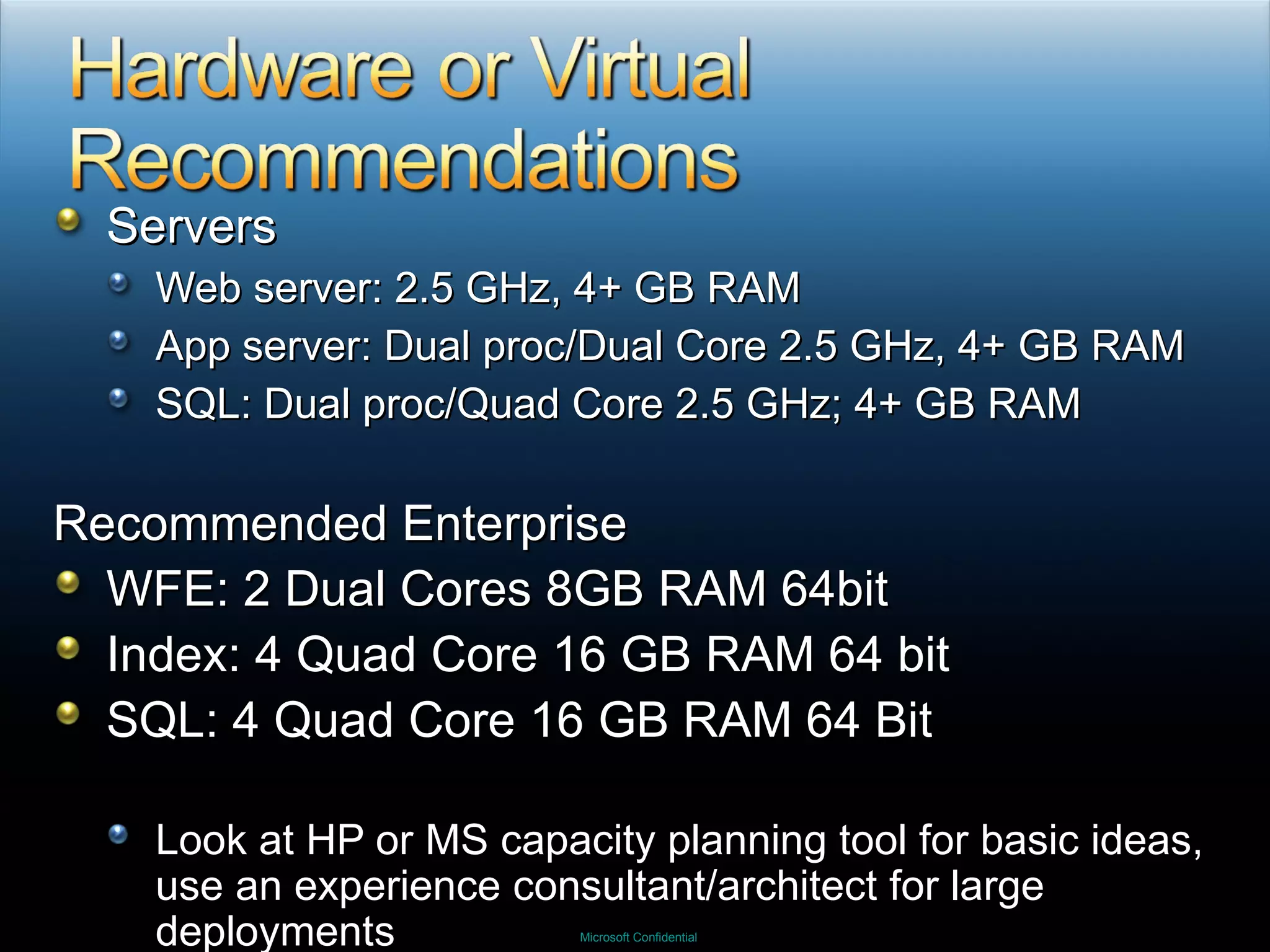
Servers Web server: 2.5 GHz, 4+ GB RAM App server: Dual proc/Dual Core 2.5 GHz, 4+ GB RAM SQL: Dual proc/Quad Core 2.5 GHz; 4+ GB RAM Recommended Enterprise WFE: 2 Dual Cores 8GB RAM 64bit Index: 4 Quad Core 16 GB RAM 64 bit SQL: 4 Quad Core 16 GB RAM 64 Bit Look at HP or MS capacity planning tool for basic ideas, use an experience consultant/architect for large deployments
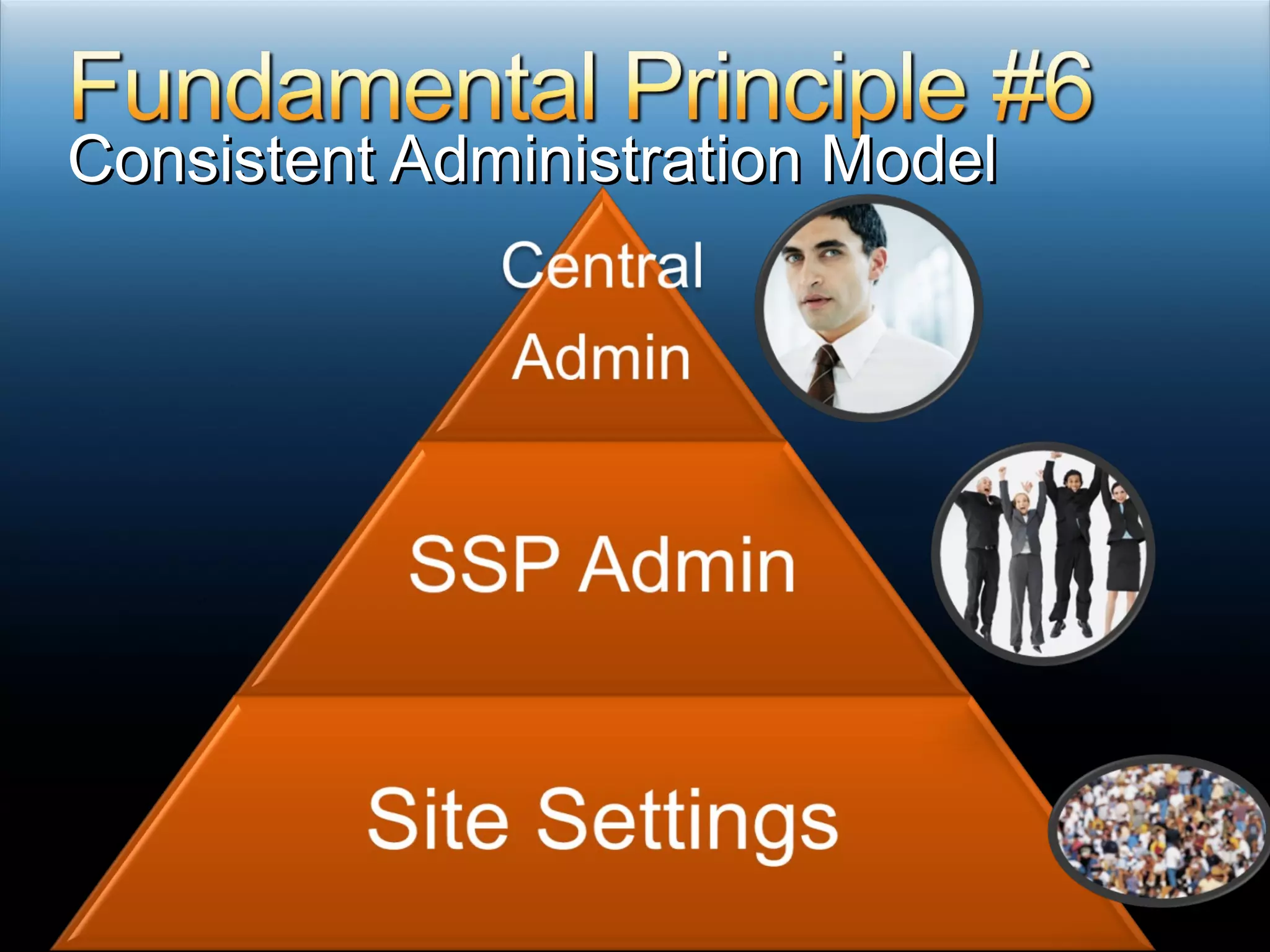
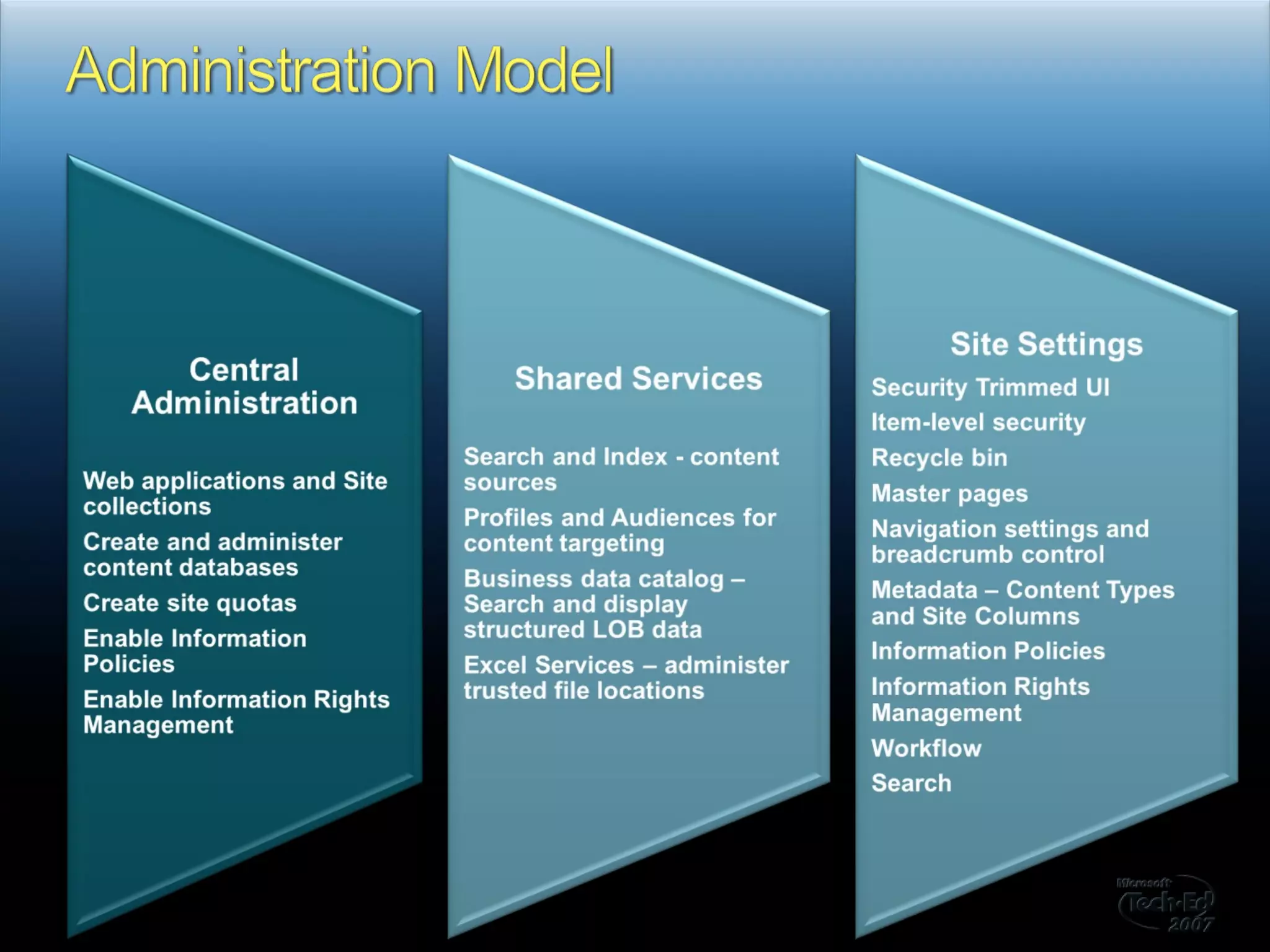
Consistent Administration Model


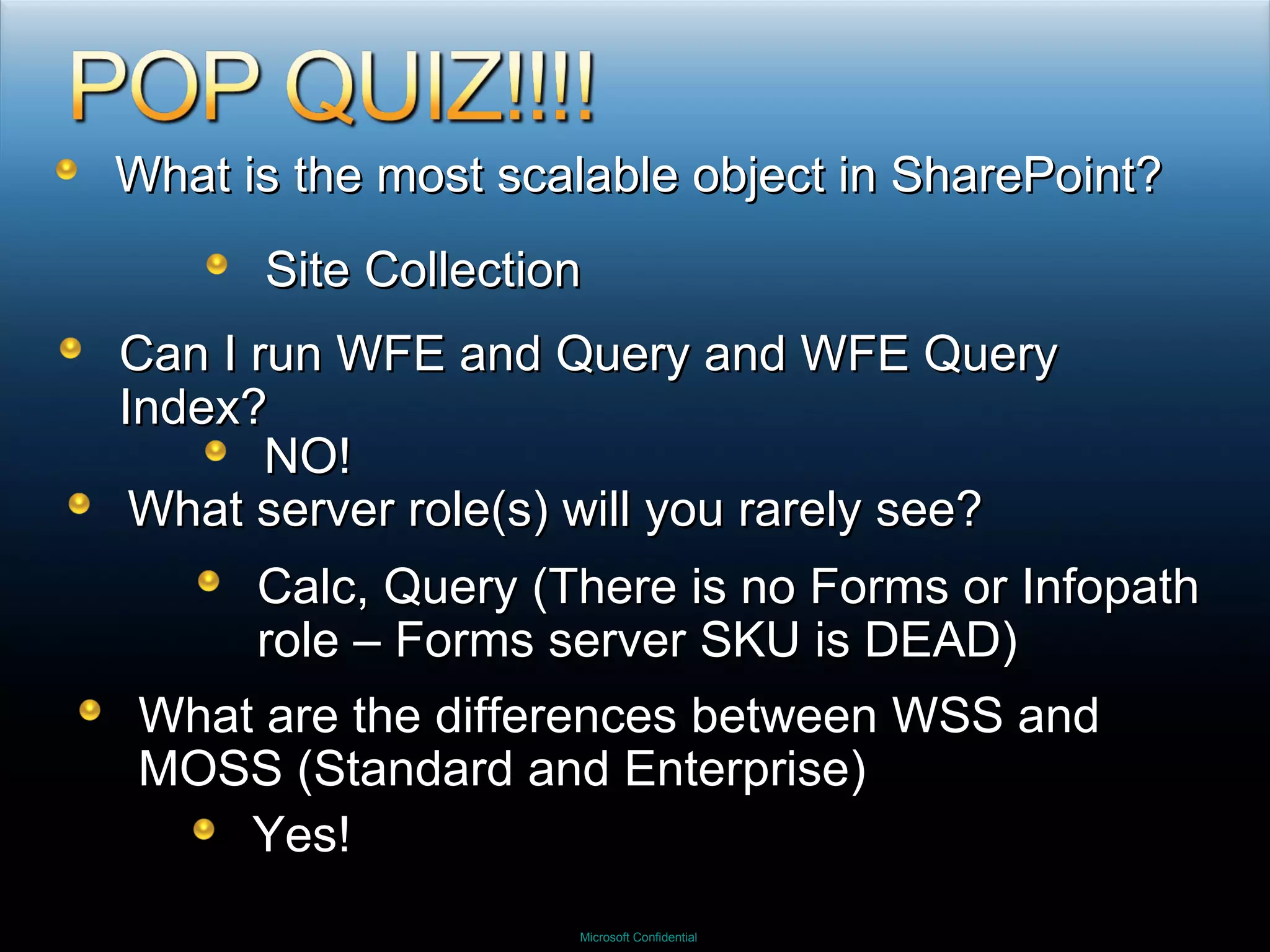
What is the most scalable object in SharePoint? Site Collection Can I run WFE and Query and WFE Query Index? NO! What server role(s) will you rarely see? Calc, Query (There is no Forms or Infopath role – Forms server SKU is DEAD)  What are the differences between WSS and MOSS (Standard and Enterprise) Yes!
 
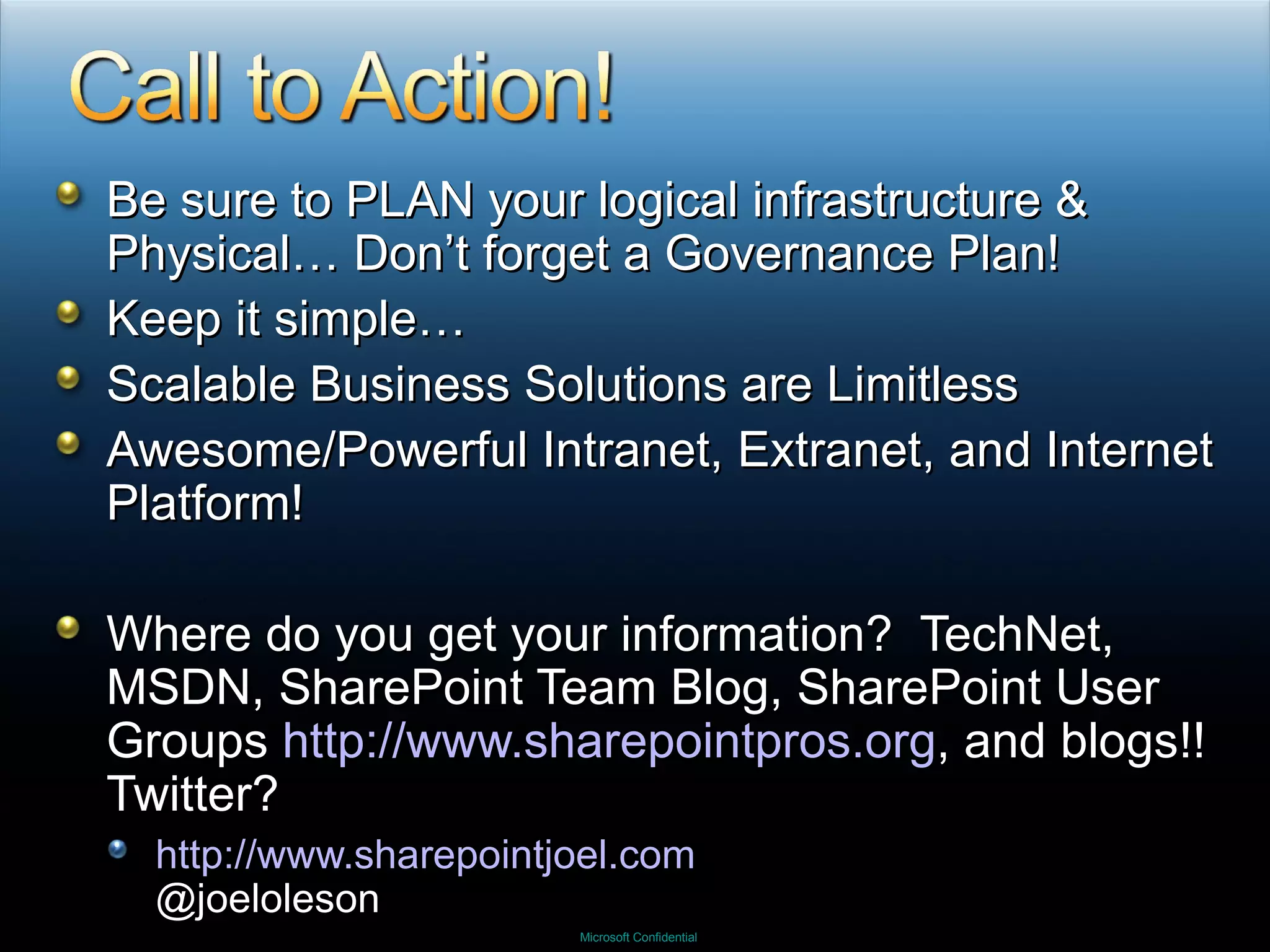
Be sure to PLAN your logical infrastructure & Physical… Don’t forget a Governance Plan! Keep it simple… Scalable Business Solutions are Limitless Awesome/Powerful Intranet, Extranet, and Internet Platform! Where do you get your information?  TechNet, MSDN, SharePoint Team Blog, SharePoint User Groups  http://www.sharepointpros.org , and blogs!!  Twitter? http://www.sharepointjoel.com @joeloleson
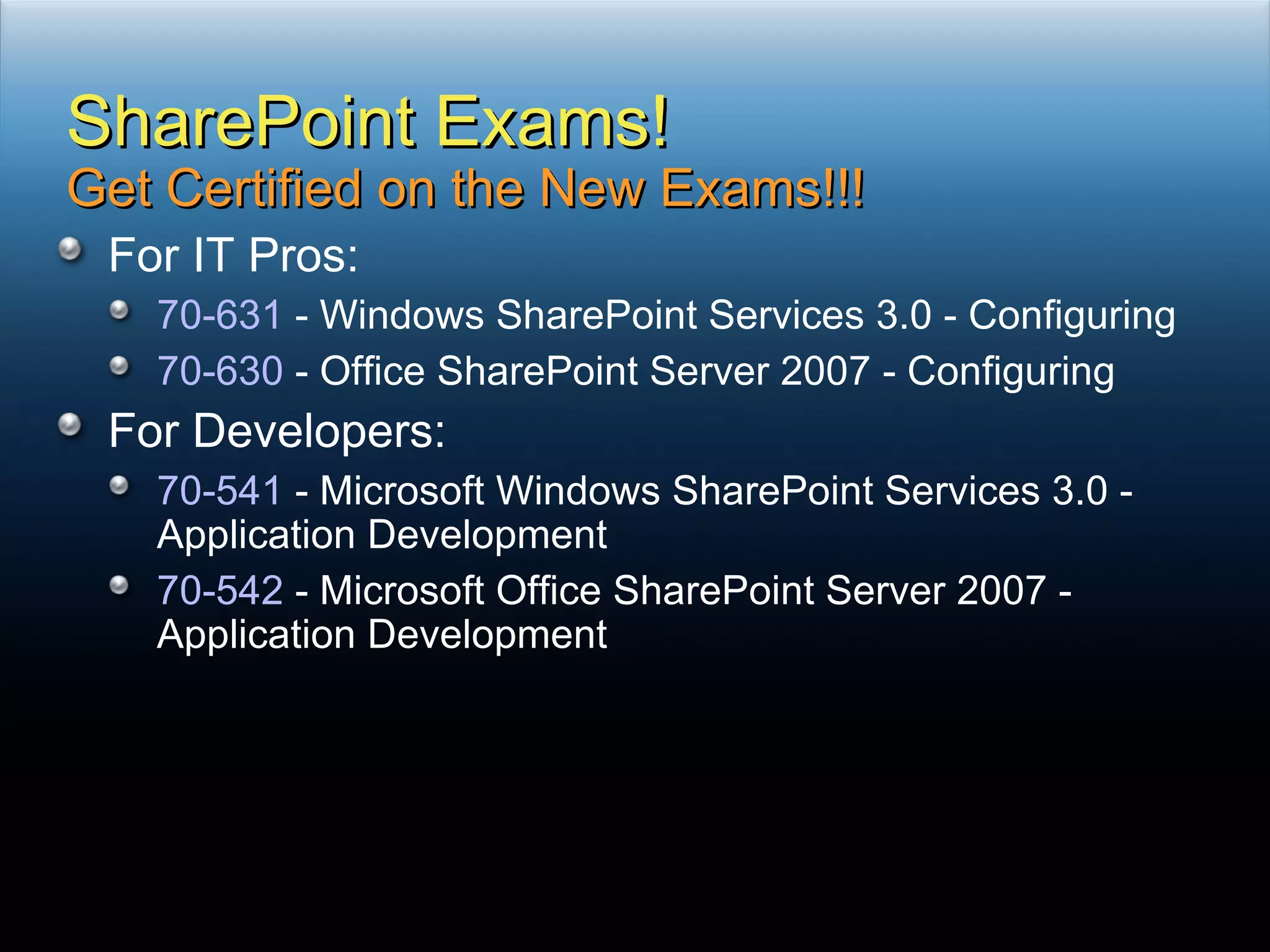
For IT Pros: 70-631  - Windows SharePoint Services 3.0 - Configuring 70-630  - Office SharePoint Server 2007 - Configuring For Developers: 70-541  - Microsoft Windows SharePoint Services 3.0 - Application Development 70-542  - Microsoft Office SharePoint Server 2007 - Application Development SharePoint Exams! Get Certified on the New Exams!!!
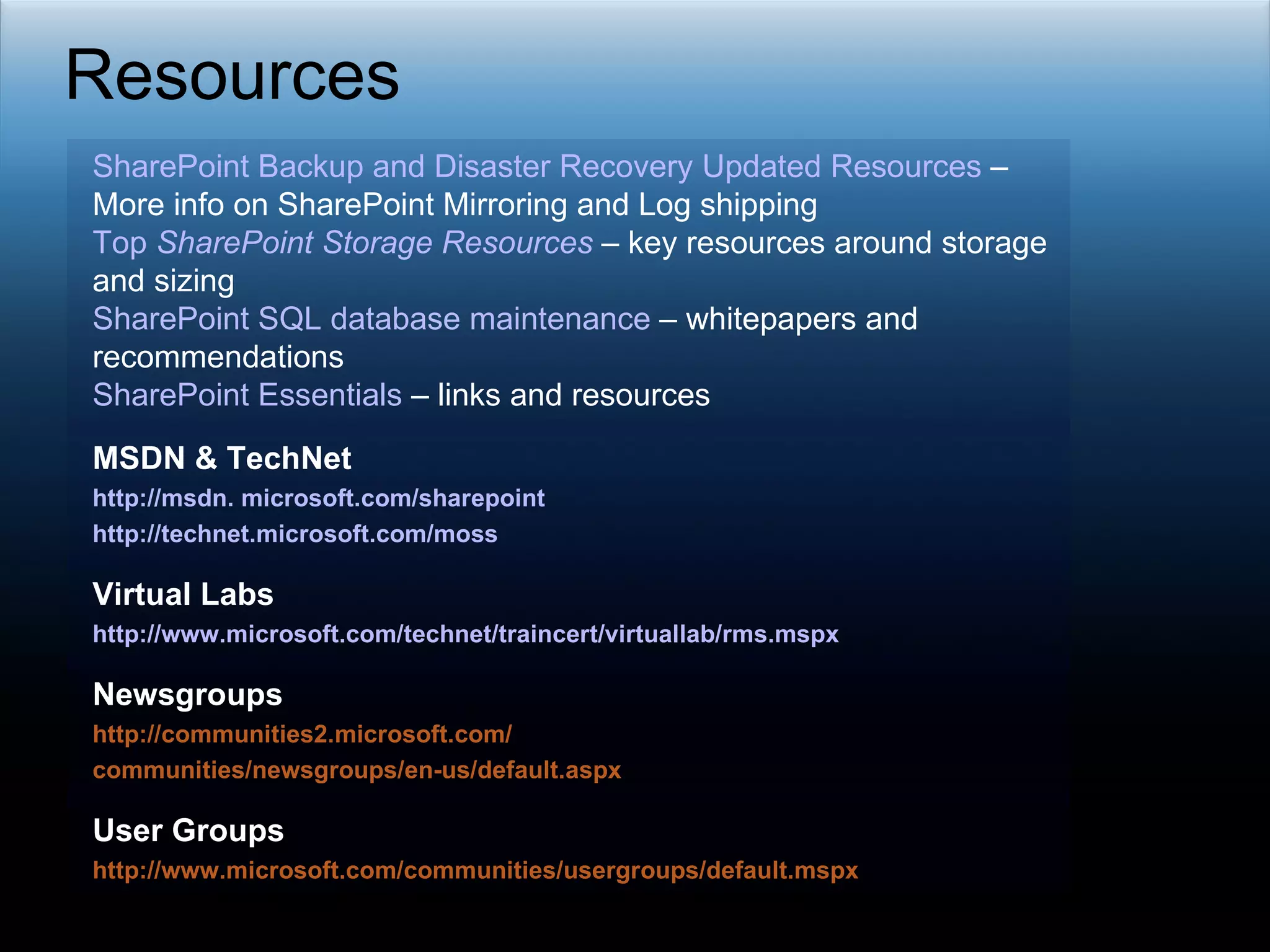
Resources SharePoint Backup and Disaster Recovery Updated Resources  – More info on SharePoint Mirroring and Log shipping  Top  SharePoint  Storage Resources  – key resources around storage and sizing  SharePoint SQL database maintenance  – whitepapers and recommendations SharePoint Essentials  – links and resources MSDN & TechNet  http://msdn. microsoft.com/sharepoint http://technet.microsoft.com/moss Virtual Labs http://www.microsoft.com/technet/traincert/virtuallab/rms.mspx Newsgroups http://communities2.microsoft.com/ communities/newsgroups/en-us/default.aspx User Groups http://www.microsoft.com/communities/usergroups/default.mspx
 
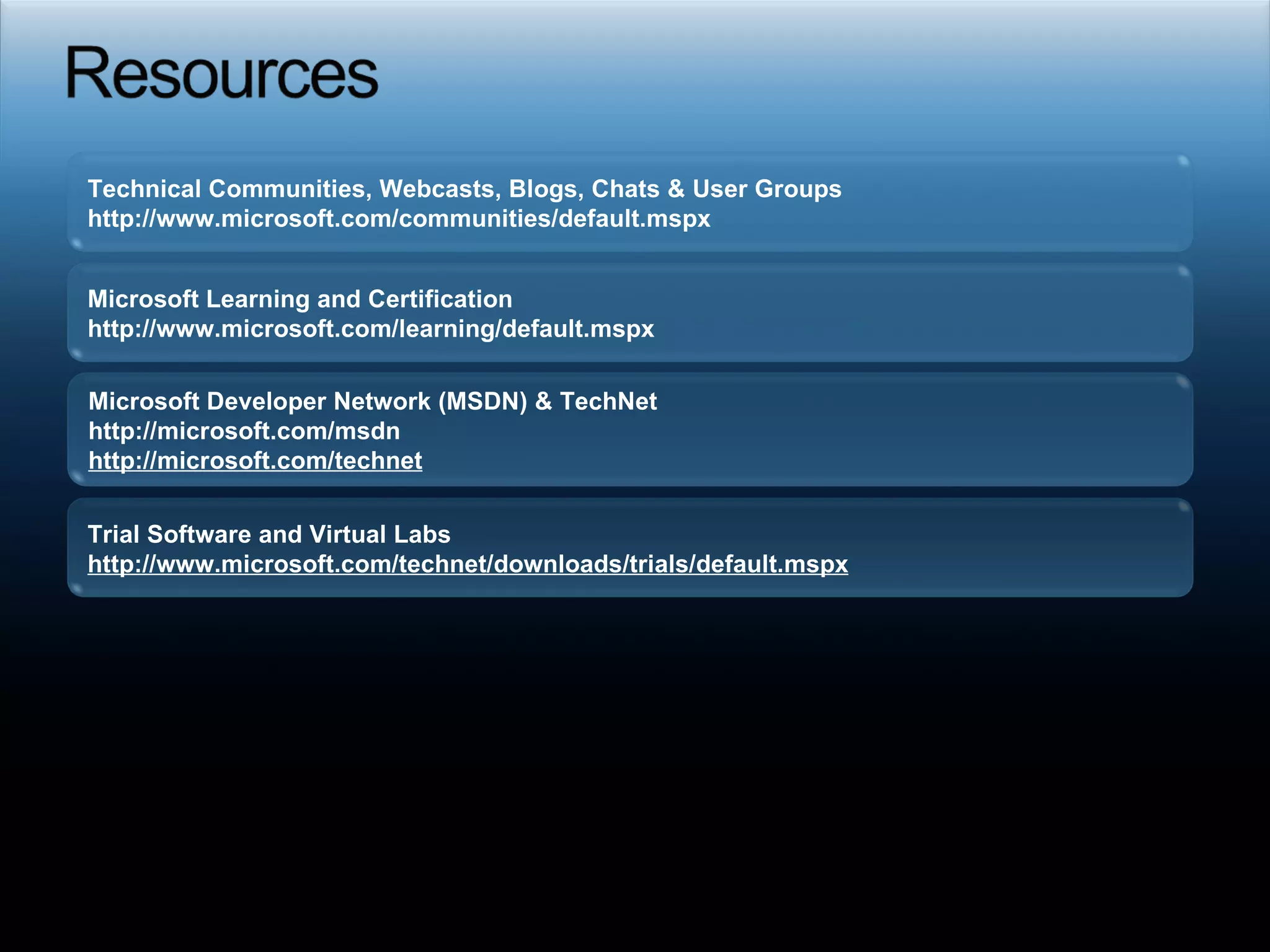
Required slide Technical Communities, Webcasts, Blogs, Chats & User Groups http://www.microsoft.com/communities/default.mspx  Microsoft Developer Network (MSDN) & TechNet  http://microsoft.com/msdn  http://microsoft.com/technet   Trial Software and Virtual Labs http://www.microsoft.com/technet/downloads/trials/default.mspx   Microsoft Learning and Certification http://www.microsoft.com/learning/default.mspx

Back to the Basics: SharePoint Fundamentals by Joel Oleson

  • 1.
  • 2.
    8 year SharePointVeteran… First SharePoint Admin! Sr. Technical Product Manager - SharePoint team Launch of SharePoint Server 2007 Top IT SharePoint Blog Blog: http://www.sharepointjoel.com Twitter: @joeloleson
  • 3.
    Technical SharePoint consultant5yrs experience already mainly as dev and consultant Loves WSS! Blog: http://community.zevenseas.com/blogs/robin Twitter: @robinmeure
  • 4.
    SharePoint 101: CoreFundamentals Logical Architecture Physical Architecture Administration Models Avoid Common Mistakes
  • 5.
    Platform & Collaboration(blogs & wikis) Doc Management, Web Content Management, Search, & Portals Web Forms, Excel Services, BDC
  • 6.
    IIS Web Sites= IIS Virtual Servers = Web Applications Physical Server Web Application(s) Top Level Site(s) Site Collections Site(s) Site Collection IIS WSS 2.0 / SPS 2003 WSS 3.0 / SharePoint Server Web Sites Virtual Servers Web Applications
  • 7.
    Consistency in HierarchyWSS 3.0 Web Applications Site Collections Sites Templates & Features MOSS 2007 Web Applications Site Collections Sites Templates & Features
  • 8.
  • 9.
    What do Hollandand SharePoint have in common?
  • 10.
  • 11.
    Servers Have Servicesare Are Roles Servers have Roles Web Front End (WFE) Query Calculation (Excel) Index (Non SharePoint) Database Server Simplified Really Just 3 Roles WFE/Query – 99% Index (App Tier) SQL Note: Never put Query and Index on same server if there is another Query server!
  • 12.
    32 bit or64bit binaries Note: SharePoin14 requires 64bit Prerequisites .NET Framework 3.0 (or 3.5 with Sp1) ASP.NET 2.0 Windows Workflow Foundation Install Basic NOT RECOMMENDED except for POC Advanced – Allows you to connect to SQL WFE only vs. Full install Language Packs (Downloads on the Web) WSS MOSS
  • 13.
    Make use ofservice accounts Every Service (Database/Search/Index/SSP) Every Web Application (DT)AP environment Development -> Test -> Staging/Acceptance -> Production
  • 14.
    WFE/Query “ Allin One” WFE/Query Index SQL SQL All SP Roles SQL
  • 15.
    Factors to consider(Inter)national regions WLAN optimization/accelators Regional farms # Users Authentication Type (Anonymous vs. AD) Caching Client & Server Performance Requirements SLAs (Uptime/High Availability Req.) WAN Considerations GBs/TBs of data Total # Files and Items
  • 16.
    Picking Your TopologyAvailability Performance User requests Load balances web front end servers Application servers 2 Clustered SQL server Index Query Query Calc + 10 Server Farm (Large) User requests Web front ends + application(s) Application(s) Clustered SQL server 5 Server Farm (Medium) 3 Server Farm (Small) User requests Each load-balanced server includes: Web front end Applications Dedicated SQL server Single Server Web front end Application Database One Server which contains: User Requests
  • 17.
  • 18.
    The Most Confusingthing to get over is what is a Site vs. Site Collection… Site = Web = Spweb aka subweb STSADM = Web UI=site Site Collection = SpSite STSADM = Site Central Admin = Site UI= Site Collection
  • 19.
    Second most confusingand also hardest thing is choosing between sitecollections and sites. Many sitecollections More granular security model Better scalable Easier backup/restore Many sites Simplifies security (to a certain limit) Out-of-the-box aggregation possible Inheritance of content-types
  • 20.
  • 21.
  • 22.
  • 23.
      Permanent CentralPortal Web Application Permanent Structured SharePoint Server Sites SharePoint Server Sites Ad Hoc WSS Site Templates Permanent Division Portals Web Applications or Site Collections Semi Structured Consolidation on 1 to 3 Web Applications 1 Web App per Region Service Offering
  • 24.
    http://Intranet /Search /HR/Finance /LCA /IT
  • 25.
    http://team /sites /sites/IT /sites http://blogs http://my One or more Web Applications Hosting 1000s of Site collections
  • 26.
    For all recommendations,visit “Plan for software boundaries (Office SharePoint Server)” at http://technet2.microsoft.com/Office/en-us/library/6a13cd9f-4b44-40d6-85aa-c70a8e5c34fe1033.mspx Object Recommended Maximum Scope Object Category Site collection 50,000 per web application Web application Logical architecture Content database 100 per Web application Web application Logical architecture Document 5 million per library (2,000 per nested folder) Library Site object User profile 5 million per farm Farm People object Indexed documents 50 million per search index (1 index per index server, 1 index server per SSP) SSP Search object Web server / database server ratio 8 Web servers per database server (4 Best Bang for Buck) Farm Physical object
  • 27.
    Unit TechNet MaxJoel’s Guideline Joel’s MAX Web Apps per Farm 8 5 Content Webapps with 8GB RAM 16 app pools 100 web apps w/ 32GB RAM, 64 bit Databases per WebApp - 100 per SQL server 300 with 32GB RAM, 64 bit Site Collection per Web App 50,000 100,0000 - Size per content database - 100GB 1 TB with serious list and site optimization (advanced only) Size per Site Collection - 15GB in multi-tenant DB 100GB in dedicated DB 25GB in multi 1TB in dedicated Db Sites in Site 2000 100 500 Items per List 2000 items per view Use Custom Views and search UI for large lists It’s pain tolerance
  • 28.
  • 29.
    Throughput differences betweenflat document library vs. document library with folders
  • 30.
    Servers Web server:2.5 GHz, 4+ GB RAM App server: Dual proc/Dual Core 2.5 GHz, 4+ GB RAM SQL: Dual proc/Quad Core 2.5 GHz; 4+ GB RAM Recommended Enterprise WFE: 2 Dual Cores 8GB RAM 64bit Index: 4 Quad Core 16 GB RAM 64 bit SQL: 4 Quad Core 16 GB RAM 64 Bit Look at HP or MS capacity planning tool for basic ideas, use an experience consultant/architect for large deployments
  • 31.
  • 32.
  • 33.
  • 34.
  • 35.
  • 36.
  • 37.
  • 38.
  • 39.
    What is themost scalable object in SharePoint? Site Collection Can I run WFE and Query and WFE Query Index? NO! What server role(s) will you rarely see? Calc, Query (There is no Forms or Infopath role – Forms server SKU is DEAD) What are the differences between WSS and MOSS (Standard and Enterprise) Yes!
  • 40.
  • 41.
    Be sure toPLAN your logical infrastructure & Physical… Don’t forget a Governance Plan! Keep it simple… Scalable Business Solutions are Limitless Awesome/Powerful Intranet, Extranet, and Internet Platform! Where do you get your information? TechNet, MSDN, SharePoint Team Blog, SharePoint User Groups http://www.sharepointpros.org , and blogs!! Twitter? http://www.sharepointjoel.com @joeloleson
  • 42.
    For IT Pros:70-631 - Windows SharePoint Services 3.0 - Configuring 70-630 - Office SharePoint Server 2007 - Configuring For Developers: 70-541 - Microsoft Windows SharePoint Services 3.0 - Application Development 70-542 - Microsoft Office SharePoint Server 2007 - Application Development SharePoint Exams! Get Certified on the New Exams!!!
  • 43.
    Resources SharePoint Backupand Disaster Recovery Updated Resources – More info on SharePoint Mirroring and Log shipping Top SharePoint Storage Resources – key resources around storage and sizing SharePoint SQL database maintenance – whitepapers and recommendations SharePoint Essentials – links and resources MSDN & TechNet http://msdn. microsoft.com/sharepoint http://technet.microsoft.com/moss Virtual Labs http://www.microsoft.com/technet/traincert/virtuallab/rms.mspx Newsgroups http://communities2.microsoft.com/ communities/newsgroups/en-us/default.aspx User Groups http://www.microsoft.com/communities/usergroups/default.mspx
  • 44.
  • 45.
    Required slide TechnicalCommunities, Webcasts, Blogs, Chats & User Groups http://www.microsoft.com/communities/default.mspx Microsoft Developer Network (MSDN) & TechNet http://microsoft.com/msdn http://microsoft.com/technet Trial Software and Virtual Labs http://www.microsoft.com/technet/downloads/trials/default.mspx Microsoft Learning and Certification http://www.microsoft.com/learning/default.mspx

Editor's Notes

  • #2 06/08/09 10:40 © 2007 Microsoft Corporation. All rights reserved. Microsoft, Windows, Windows Vista and other product names are or may be registered trademarks and/or trademarks in the U.S. and/or other countries. The information herein is for informational purposes only and represents the current view of Microsoft Corporation as of the date of this presentation. Because Microsoft must respond to changing market conditions, it should not be interpreted to be a commitment on the part of Microsoft, and Microsoft cannot guarantee the accuracy of any information provided after the date of this presentation. MICROSOFT MAKES NO WARRANTIES, EXPRESS, IMPLIED OR STATUTORY, AS TO THE INFORMATION IN THIS PRESENTATION.