Building “Native” Experiences
with Electron
Ben Gotow (@bengotow)
Building “Native” Experiences
with Electron
Beautiful apps that behave the way users expect
Ben Gotow (@bengotow)
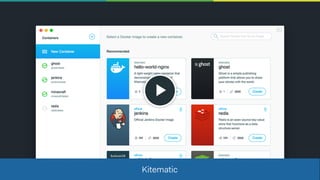
Kitematic
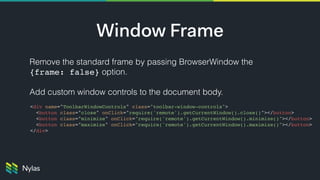
Window Frame
Remove the standard frame by passing BrowserWindow the

{frame: false} option.

Add custom window controls to the document body.

<div name="ToolbarWindowControls" class="toolbar-window-controls">
<button class="close" onClick="require('remote').getCurrentWindow().close()"></button>
<button class="minimize" onClick="require('remote').getCurrentWindow().minimize()"></button>
<button class="maximize" onClick="require('remote').getCurrentWindow().maximize()"></button>
</div>
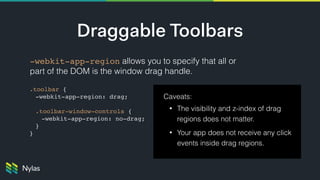
Draggable Toolbars
-webkit-app-region allows you to specify that all or
part of the DOM is the window drag handle.
Caveats:
• The visibility and z-index of drag
regions does not matter.
• Your app does not receive any click
events inside drag regions.
.toolbar {
-webkit-app-region: drag;
.toolbar-window-controls {
-webkit-app-region: no-drag;
}
}
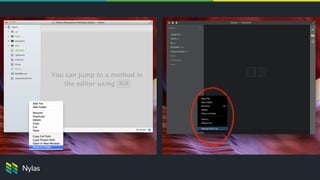
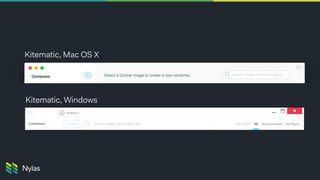
Kitematic, Mac OS X
Kitematic, Windows
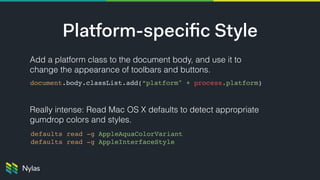
Add a platform class to the document body, and use it to
change the appearance of toolbars and buttons.


Really intense: Read Mac OS X defaults to detect appropriate
gumdrop colors and styles.
Platform-specific Style
document.body.classList.add(“platform" + process.platform)
defaults read -g AppleAquaColorVariant
defaults read -g AppleInterfaceStyle
Focus
Focus
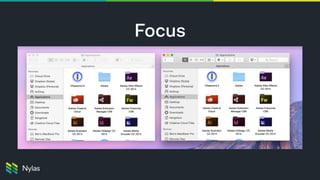
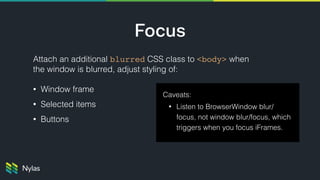
Attach an additional blurred CSS class to <body> when
the window is blurred, adjust styling of:
• Window frame
• Selected items
• Buttons
Caveats:
• Listen to BrowserWindow blur/
focus, not window blur/focus, which
triggers when you focus iFrames.
Focus
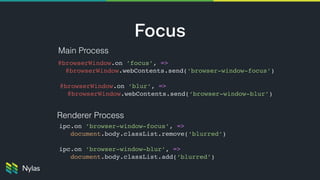
Main Process
Renderer Process
@browserWindow.on ’focus’, =>

@browserWindow.webContents.send(‘browser-window-focus’)
@browserWindow.on ’blur’, =>

@browserWindow.webContents.send(‘browser-window-blur’)
ipc.on ’browser-window-focus’, =>

document.body.classList.remove(‘blurred’)

ipc.on ’browser-window-blur’, =>

document.body.classList.add(‘blurred’)
First Mouse
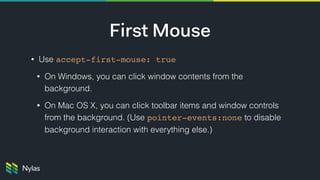
• Use accept-first-mouse: true
• On Windows, you can click window contents from the
background.
• On Mac OS X, you can click toolbar items and window controls
from the background. (Use pointer-events:none to disable
background interaction with everything else.)
Cursor Considerations for Mac OS X
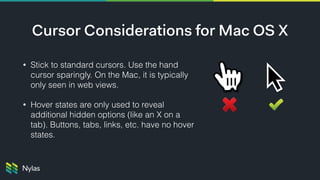
• Stick to standard cursors. Use the hand
cursor sparingly. On the Mac, it is typically
only seen in web views.
• Hover states are only used to reveal
additional hidden options (like an X on a
tab). Buttons, tabs, links, etc. have no hover
states.
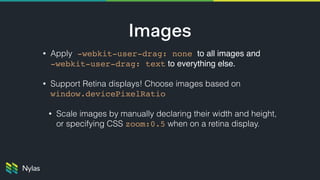
Images
• Apply -webkit-user-drag: none to all images and 

-webkit-user-drag: text to everything else.
• Support Retina displays! Choose images based on
window.devicePixelRatio

• Scale images by manually declaring their width and height,
or specifying CSS zoom:0.5 when on a retina display.


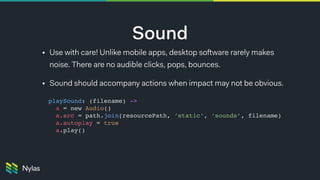
Sound
• Use with care! Unlike mobile apps, desktop software rarely makes
noise. There are no audible clicks, pops, bounces.
• Sound should accompany actions when impact may not be obvious.
playSound: (filename) ->

a = new Audio()
a.src = path.join(resourcePath, ‘static’, ‘sounds’, filename)
a.autoplay = true
a.play()
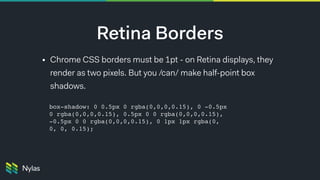
Retina Borders
• Chrome CSS borders must be 1pt - on Retina displays, they
render as two pixels. But you /can/ make half-point box
shadows.
box-shadow: 0 0.5px 0 rgba(0,0,0,0.15), 0 -0.5px
0 rgba(0,0,0,0.15), 0.5px 0 0 rgba(0,0,0,0.15),
-0.5px 0 0 rgba(0,0,0,0.15), 0 1px 1px rgba(0,
0, 0, 0.15);
ben@nylas.com
Meet user expectations, or
communicate new expectations?
Meet user expectations, or
communicate new expectations?
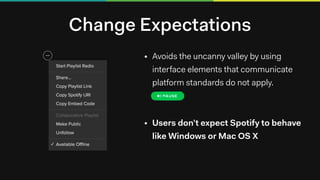
Change Expectations
• Avoids the uncanny valley by using
interface elements that communicate
platform standards do not apply.
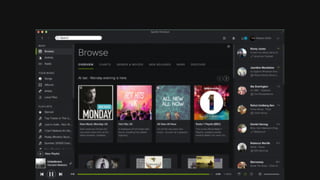
• Users don’t expect Spotify to behave
like Windows or Mac OS X

Building Native Experiences with Electron

  • 1.
    Building “Native” Experiences withElectron Ben Gotow (@bengotow)
  • 2.
    Building “Native” Experiences withElectron Beautiful apps that behave the way users expect Ben Gotow (@bengotow)
  • 4.
  • 5.
    Window Frame Remove thestandard frame by passing BrowserWindow the
 {frame: false} option.
 Add custom window controls to the document body. 
<div name="ToolbarWindowControls" class="toolbar-window-controls"> <button class="close" onClick="require('remote').getCurrentWindow().close()"></button> <button class="minimize" onClick="require('remote').getCurrentWindow().minimize()"></button> <button class="maximize" onClick="require('remote').getCurrentWindow().maximize()"></button> </div>
  • 6.
    Draggable Toolbars -webkit-app-region allowsyou to specify that all or part of the DOM is the window drag handle. Caveats: • The visibility and z-index of drag regions does not matter. • Your app does not receive any click events inside drag regions. .toolbar { -webkit-app-region: drag; .toolbar-window-controls { -webkit-app-region: no-drag; } }
  • 7.
    Kitematic, Mac OSX Kitematic, Windows
  • 8.
    Add a platformclass to the document body, and use it to change the appearance of toolbars and buttons.
 
 Really intense: Read Mac OS X defaults to detect appropriate gumdrop colors and styles. Platform-specific Style document.body.classList.add(“platform" + process.platform) defaults read -g AppleAquaColorVariant defaults read -g AppleInterfaceStyle
  • 9.
  • 10.
    Focus Attach an additionalblurred CSS class to <body> when the window is blurred, adjust styling of: • Window frame • Selected items • Buttons Caveats: • Listen to BrowserWindow blur/ focus, not window blur/focus, which triggers when you focus iFrames.
  • 11.
    Focus Main Process Renderer Process @browserWindow.on’focus’, =>
 @browserWindow.webContents.send(‘browser-window-focus’) @browserWindow.on ’blur’, =>
 @browserWindow.webContents.send(‘browser-window-blur’) ipc.on ’browser-window-focus’, =>
 document.body.classList.remove(‘blurred’)
 ipc.on ’browser-window-blur’, =>
 document.body.classList.add(‘blurred’)
  • 12.
    First Mouse • Useaccept-first-mouse: true • On Windows, you can click window contents from the background. • On Mac OS X, you can click toolbar items and window controls from the background. (Use pointer-events:none to disable background interaction with everything else.)
  • 13.
    Cursor Considerations forMac OS X • Stick to standard cursors. Use the hand cursor sparingly. On the Mac, it is typically only seen in web views. • Hover states are only used to reveal additional hidden options (like an X on a tab). Buttons, tabs, links, etc. have no hover states.
  • 14.
    Images • Apply -webkit-user-drag:none to all images and 
 -webkit-user-drag: text to everything else. • Support Retina displays! Choose images based on window.devicePixelRatio
 • Scale images by manually declaring their width and height, or specifying CSS zoom:0.5 when on a retina display. 

  • 15.
    Sound • Use withcare! Unlike mobile apps, desktop software rarely makes noise. There are no audible clicks, pops, bounces. • Sound should accompany actions when impact may not be obvious. playSound: (filename) ->
 a = new Audio() a.src = path.join(resourcePath, ‘static’, ‘sounds’, filename) a.autoplay = true a.play()
  • 16.
    Retina Borders • ChromeCSS borders must be 1pt - on Retina displays, they render as two pixels. But you /can/ make half-point box shadows. box-shadow: 0 0.5px 0 rgba(0,0,0,0.15), 0 -0.5px 0 rgba(0,0,0,0.15), 0.5px 0 0 rgba(0,0,0,0.15), -0.5px 0 0 rgba(0,0,0,0.15), 0 1px 1px rgba(0, 0, 0, 0.15);
  • 17.
  • 18.
    Meet user expectations,or communicate new expectations?
  • 19.
    Meet user expectations,or communicate new expectations?
  • 20.
    Change Expectations • Avoidsthe uncanny valley by using interface elements that communicate platform standards do not apply. • Users don’t expect Spotify to behave like Windows or Mac OS X