Lets Build Some Widgets!
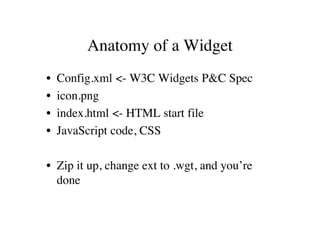
Anatomy of a Widget
•   Config.xml <- W3C Widgets P&C Spec
•   icon.png
•   index.html <- HTML start file
•   JavaScript code, CSS

• Zip it up, change ext to .wgt, and you’re
  done
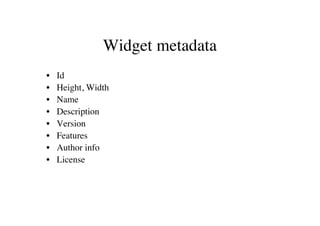
Widget metadata
•   Id
•   Height, Width
•   Name
•   Description
•   Version
•   Features
•   Author info
•   License
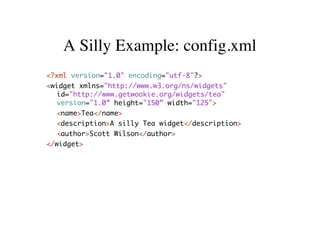
A Silly Example: config.xml
<?xml version="1.0" encoding="utf-8"?>
<widget xmlns="http://www.w3.org/ns/widgets"
   id="http://www.getwookie.org/widgets/tea"
   version="1.0” height="150” width="125">
  <name>Tea</name>
  <description>A silly Tea widget</description>
   <author>Scott Wilson</author>
</widget>
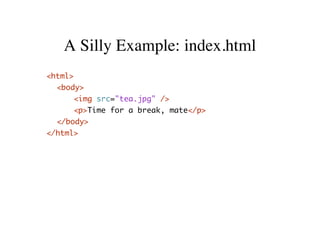
A Silly Example: index.html
<html>
  <body>
     <img src="tea.jpg" />
     <p>Time for a break, mate</p>
  </body>
</html>
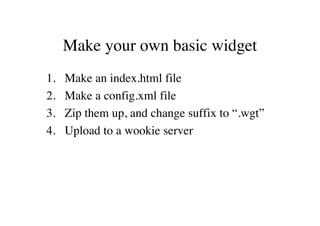
Make your own basic widget
1.   Make an index.html file
2.   Make a config.xml file
3.   Zip them up, and change suffix to “.wgt”
4.   Upload to a wookie server
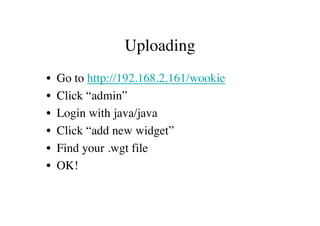
Uploading
•   Go to http://192.168.2.161/wookie
•   Click “admin”
•   Login with java/java
•   Click “add new widget”
•   Find your .wgt file
•   OK!
Previewing a widget
•   Go to 192.168.2.161:8080/wookie
•   Click “View Widget Gallery”
•   Click the “demo” link under your widget
•   Your widget will show
Preferences
• You can store preferences for an instance of
  a widget using:

widget.preferences.setItem(“key”, “value”)
widget.preferences.getItem(“key”)
Collaborative Widgets
• State and Participants

• State is shared across widgets with the same
  IRI in the same shared context.
• State is propagated to related widgets using
  an event callback
• State is set by submitting deltas
State example
wave.setStateCallback(stateUpdated);

stateUpdated = function(){
 var keys = wave.getState().getKeys();
 for (var i = 0; i < keys.length; i++) {
   alert(wave.getState().get(keys[i]));
 }
};

wave.getState().submitValue(“key”, “value”);
Participants
• Register callbacks with:
  wave.setParticipantCallback(myfunction);

• Methods:
   – getViewer() - get the current user
   – getParticipants() - get map of all participants

• Model:
   – getId(), getDisplayName(), getThumbnailUrl()
Making a collaborative app
•   This requires some more planning

1. Draw up a design
2. Create a working test page
3. Implement models, action handlers and
   event handlers
4. Create the config.xml, icon.png, zip it up
   and run it
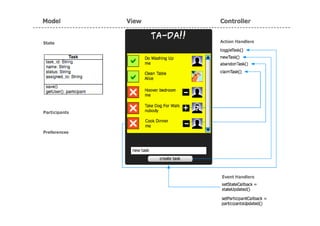
Design
• Start with the view - what the widget looks
  like
• Create the model - what are the objects in
  the state model?
• Add the actions - how you interact with it
• Wire it all up…
Prototyping
• Make a regular html page to test out your
  view. Populate it with fake model, and don’t
  wire up the actions yet
• You can reuse this for the real widget - just
  take out your fake state info sections
Implementing
• Create a “Model” object for your state
  model
• Create a “Controller” object, and a method
  in it for each action
• Register the participant and state event
  handlers with an “update view” method that
  populates the view when running
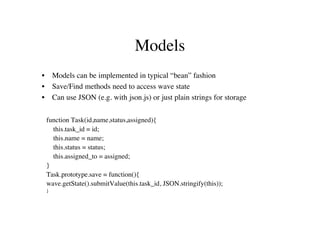
Models
•       Models can be implemented in typical “bean” fashion
•       Save/Find methods need to access wave state
•       Can use JSON (e.g. with json.js) or just plain strings for storage

    function Task(id,name,status,assigned){
      this.task_id = id;
      this.name = name;
      this.status = status;
      this.assigned_to = assigned;
    }
    Task.prototype.save = function(){
    wave.getState().submitValue(this.task_id, JSON.stringify(this));
    }
Static model methods
Task.create = function(json){
      var obj = JSON.parse(json);
     var task = new Task(obj.task_id,
      obj.name,obj.status,obj.assigned_to);
    return task;
                                                                   • Typically need
}
                                                                     methods to turn state
Task.find = function(task_id){
    var keys = wave.getState().getKeys();
    for (var i = 0; i < keys.length; i++) {
                                                                     strings back into
       var key = keys[i];
       if (key == task_id){
                                                                     model instances
          return Task.create(task_id, wave.getState().get(key));

    }
       }                                                           • Also finder methods to
}
    return null;
                                                                     get a particular model
Task.findAll = function(){                                           object
  var tasks = {};
     var keys = wave.getState().getKeys();
     for (var i = 0; i < keys.length; i++) {                       • This isn’t the only way
     var key = keys[i];
     var task = Task.create(key, wave.getState().get(key));
     tasks[key] = task;
                                                                     to do this, but is an
  }
  return tasks;
                                                                     OK pattern
}
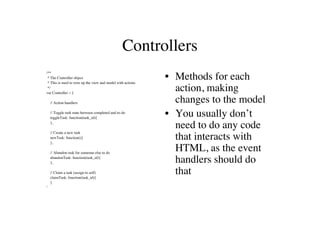
Controllers
/**
 * The Controller object
 * This is used to wire up the view and model with actions
                                                             • Methods for each
 */
var Controller = {
                                                               action, making
    // Action handlers                                         changes to the model
    // Toggle task state between completed and to-do
    toggleTask: function(task_id){
                                                             • You usually don’t
    },
                                                               need to do any code
    // Create a new task
    newTask: function(){
    },
                                                               that interacts with
    // Abandon task for someone else to do
                                                               HTML, as the event
    abandonTask: function(task_id){
    },                                                         handlers should do
    // Claim a task (assign to self)
    claimTask: function(task_id){
                                                               that
    }
}
Event Handlers
// Update the view when state has been updated               These fire whenever the state or participants
   stateUpdated: function(){                                    are updated (e.g. by another instance).
      var tasks = Task.findAll();
      if (tasks && tasks != null){
         var tasklist = "";                                  Event handlers need to be registered like so:
         for (key in tasks) {
            var task = tasks[key];                           wave.setStateCallback(Controller.stateUpdated);
                                                             wave.setParticipantCallback(Controller.participantsUpdated);
            tasklist += // the task stuff to show
         dwr.util.setValue("tasklist", tasklist, {
       escapeHtml:false });                                  Also useful to have these methods called
         var objDiv = document.getElementById("tasklist");       from onLoad() in an init() function to
         objDiv.scrollTop = objDiv.scrollHeight;                 create initial view
      }
   },
   participantsUpdated: function(){                          You can import JQuery if you like for
      Controller.updateUser();                                  setting the view content, or do it using
   }                                                            DOM
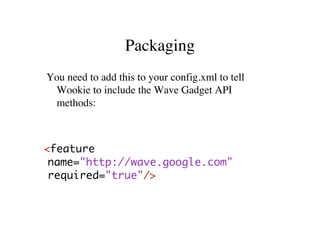
Packaging
You need to add this to your config.xml to tell
 Wookie to include the Wave Gadget API
 methods:


<feature
 name="http://wave.google.com"
 required="true"/>
Uploading, debugging and testing
• You need a             • I’ve set up a Moodle
  collaborative            instance at:
  environment to test
  your widget properly   192.168.2.XXX

                         Login as ws1,ws2,ws3,
                           or ws4
Other stuff…
• AJAX                         • Camera access
If you want to call            If you want to access the
   external sites from            user’s camera from a
   within the widget, call        widget, there is an
   myurl =
                                  example of how to do
   widget.proxify(url)
   first to call it via proxy.    this in the moodle
   Also need to add the           course (topic 3)
   site to the server
   whitelist.

Build Widgets

  • 1.
  • 2.
    Anatomy of aWidget • Config.xml <- W3C Widgets P&C Spec • icon.png • index.html <- HTML start file • JavaScript code, CSS • Zip it up, change ext to .wgt, and you’re done
  • 3.
    Widget metadata • Id • Height, Width • Name • Description • Version • Features • Author info • License
  • 4.
    A Silly Example:config.xml <?xml version="1.0" encoding="utf-8"?> <widget xmlns="http://www.w3.org/ns/widgets" id="http://www.getwookie.org/widgets/tea" version="1.0” height="150” width="125"> <name>Tea</name> <description>A silly Tea widget</description> <author>Scott Wilson</author> </widget>
  • 5.
    A Silly Example:index.html <html> <body> <img src="tea.jpg" /> <p>Time for a break, mate</p> </body> </html>
  • 6.
    Make your ownbasic widget 1. Make an index.html file 2. Make a config.xml file 3. Zip them up, and change suffix to “.wgt” 4. Upload to a wookie server
  • 7.
    Uploading • Go to http://192.168.2.161/wookie • Click “admin” • Login with java/java • Click “add new widget” • Find your .wgt file • OK!
  • 8.
    Previewing a widget • Go to 192.168.2.161:8080/wookie • Click “View Widget Gallery” • Click the “demo” link under your widget • Your widget will show
  • 9.
    Preferences • You canstore preferences for an instance of a widget using: widget.preferences.setItem(“key”, “value”) widget.preferences.getItem(“key”)
  • 10.
    Collaborative Widgets • Stateand Participants • State is shared across widgets with the same IRI in the same shared context. • State is propagated to related widgets using an event callback • State is set by submitting deltas
  • 11.
    State example wave.setStateCallback(stateUpdated); stateUpdated =function(){ var keys = wave.getState().getKeys(); for (var i = 0; i < keys.length; i++) { alert(wave.getState().get(keys[i])); } }; wave.getState().submitValue(“key”, “value”);
  • 12.
    Participants • Register callbackswith: wave.setParticipantCallback(myfunction); • Methods: – getViewer() - get the current user – getParticipants() - get map of all participants • Model: – getId(), getDisplayName(), getThumbnailUrl()
  • 13.
    Making a collaborativeapp • This requires some more planning 1. Draw up a design 2. Create a working test page 3. Implement models, action handlers and event handlers 4. Create the config.xml, icon.png, zip it up and run it
  • 14.
    Design • Start withthe view - what the widget looks like • Create the model - what are the objects in the state model? • Add the actions - how you interact with it • Wire it all up…
  • 16.
    Prototyping • Make aregular html page to test out your view. Populate it with fake model, and don’t wire up the actions yet • You can reuse this for the real widget - just take out your fake state info sections
  • 17.
    Implementing • Create a“Model” object for your state model • Create a “Controller” object, and a method in it for each action • Register the participant and state event handlers with an “update view” method that populates the view when running
  • 18.
    Models • Models can be implemented in typical “bean” fashion • Save/Find methods need to access wave state • Can use JSON (e.g. with json.js) or just plain strings for storage function Task(id,name,status,assigned){ this.task_id = id; this.name = name; this.status = status; this.assigned_to = assigned; } Task.prototype.save = function(){ wave.getState().submitValue(this.task_id, JSON.stringify(this)); }
  • 19.
    Static model methods Task.create= function(json){ var obj = JSON.parse(json); var task = new Task(obj.task_id, obj.name,obj.status,obj.assigned_to); return task; • Typically need } methods to turn state Task.find = function(task_id){ var keys = wave.getState().getKeys(); for (var i = 0; i < keys.length; i++) { strings back into var key = keys[i]; if (key == task_id){ model instances return Task.create(task_id, wave.getState().get(key)); } } • Also finder methods to } return null; get a particular model Task.findAll = function(){ object var tasks = {}; var keys = wave.getState().getKeys(); for (var i = 0; i < keys.length; i++) { • This isn’t the only way var key = keys[i]; var task = Task.create(key, wave.getState().get(key)); tasks[key] = task; to do this, but is an } return tasks; OK pattern }
  • 20.
    Controllers /** * TheController object * This is used to wire up the view and model with actions • Methods for each */ var Controller = { action, making // Action handlers changes to the model // Toggle task state between completed and to-do toggleTask: function(task_id){ • You usually don’t }, need to do any code // Create a new task newTask: function(){ }, that interacts with // Abandon task for someone else to do HTML, as the event abandonTask: function(task_id){ }, handlers should do // Claim a task (assign to self) claimTask: function(task_id){ that } }
  • 21.
    Event Handlers // Updatethe view when state has been updated These fire whenever the state or participants stateUpdated: function(){ are updated (e.g. by another instance). var tasks = Task.findAll(); if (tasks && tasks != null){ var tasklist = ""; Event handlers need to be registered like so: for (key in tasks) { var task = tasks[key]; wave.setStateCallback(Controller.stateUpdated); wave.setParticipantCallback(Controller.participantsUpdated); tasklist += // the task stuff to show dwr.util.setValue("tasklist", tasklist, { escapeHtml:false }); Also useful to have these methods called var objDiv = document.getElementById("tasklist"); from onLoad() in an init() function to objDiv.scrollTop = objDiv.scrollHeight; create initial view } }, participantsUpdated: function(){ You can import JQuery if you like for Controller.updateUser(); setting the view content, or do it using } DOM
  • 22.
    Packaging You need toadd this to your config.xml to tell Wookie to include the Wave Gadget API methods: <feature name="http://wave.google.com" required="true"/>
  • 23.
    Uploading, debugging andtesting • You need a • I’ve set up a Moodle collaborative instance at: environment to test your widget properly 192.168.2.XXX Login as ws1,ws2,ws3, or ws4
  • 24.
    Other stuff… • AJAX • Camera access If you want to call If you want to access the external sites from user’s camera from a within the widget, call widget, there is an myurl = example of how to do widget.proxify(url) first to call it via proxy. this in the moodle Also need to add the course (topic 3) site to the server whitelist.