Broadcast Music – Release Automation
Rockstars!
Jim Harvey
Senior Director of Business Analysis and Quality Assurance, Broadcast Music
JHarvey@bmi.com
Greg Hodgkinson
Practice Director - Lifecycle Tools and Methodology, Prolifics
ghodgkin@prolifics.com
1874A
© 2013 IBM Corporation
Session Objectives
 Describe how to use Rational to automate your release
process
 Demonstrate flexibility of the Rational architecture in
automating a range of different DevOps tasks
 Share a bit of the technical stuff on how to achieve
automation on these different tasks
 Share some of our “release stories”
 Give you some ideas to get started
2
One! Two! Three! Four!
3
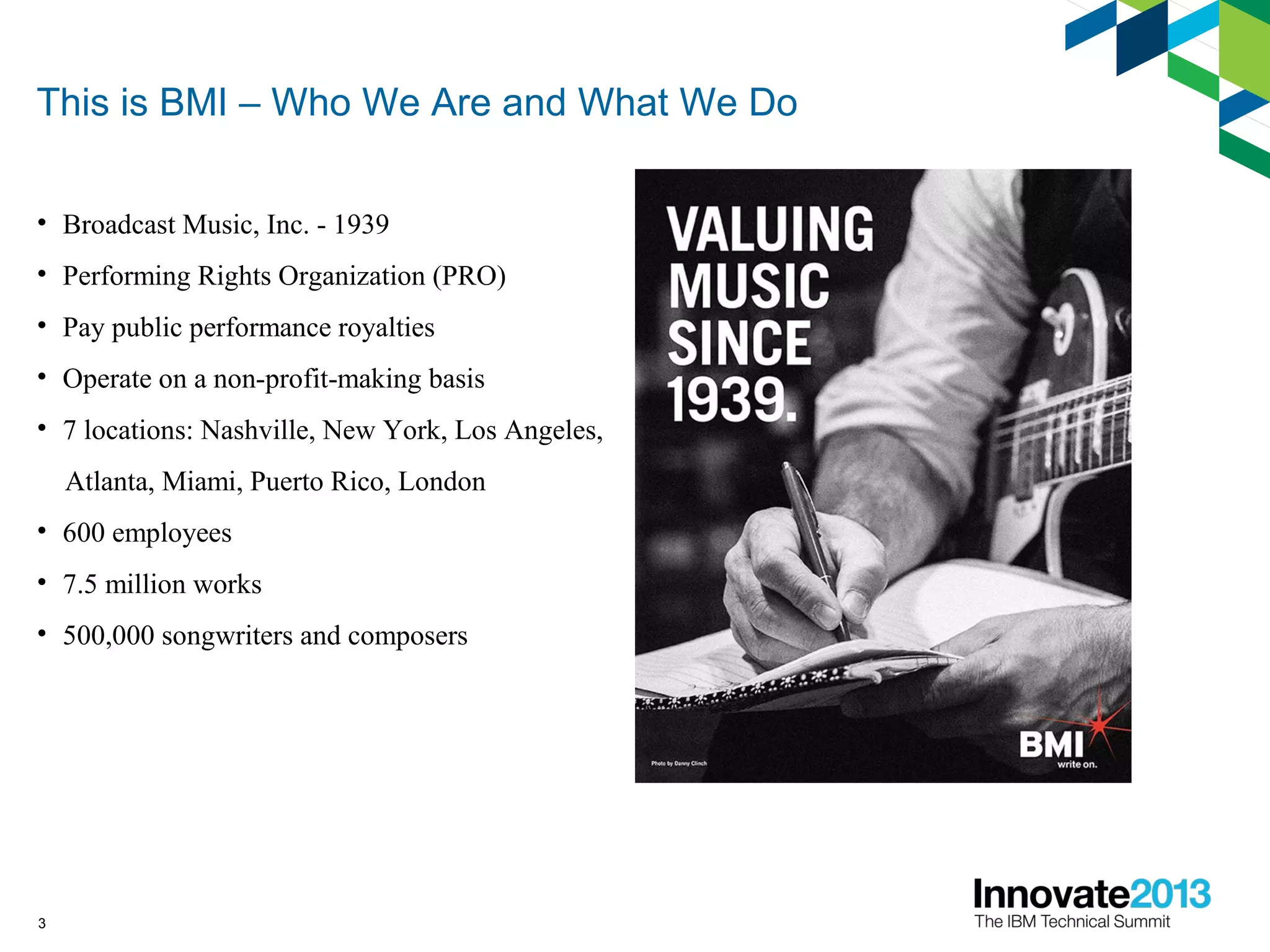
This is BMI – Who We Are and What We Do
• Broadcast Music, Inc. - 1939
• Performing Rights Organization (PRO)
• Pay public performance royalties
• Operate on a non-profit-making basis
• 7 locations: Nashville, New York, Los Angeles,
Atlanta, Miami, Puerto Rico, London
• 600 employees
• 7.5 million works
• 500,000 songwriters and composers
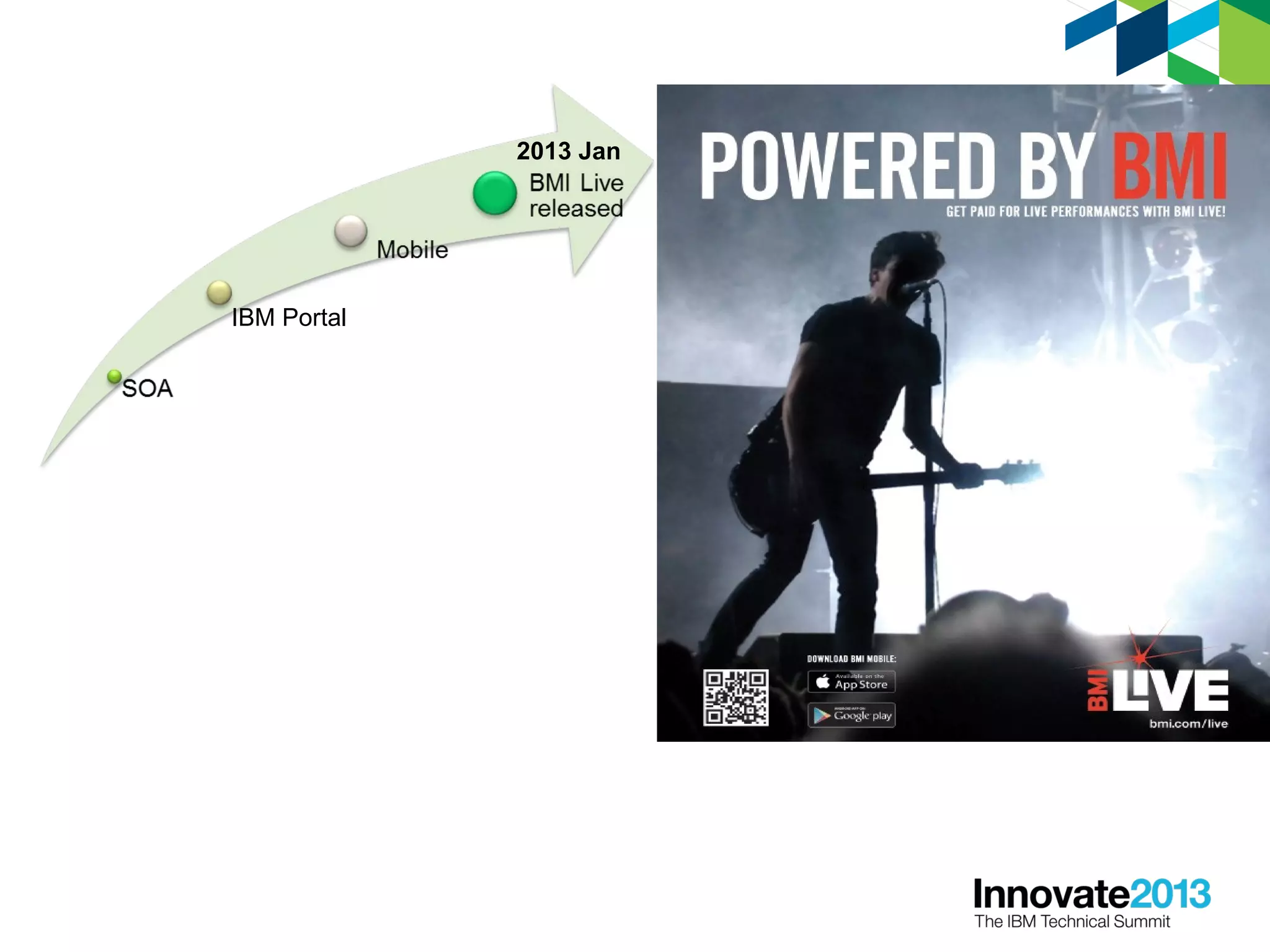
IBM Portal
2013 Jan
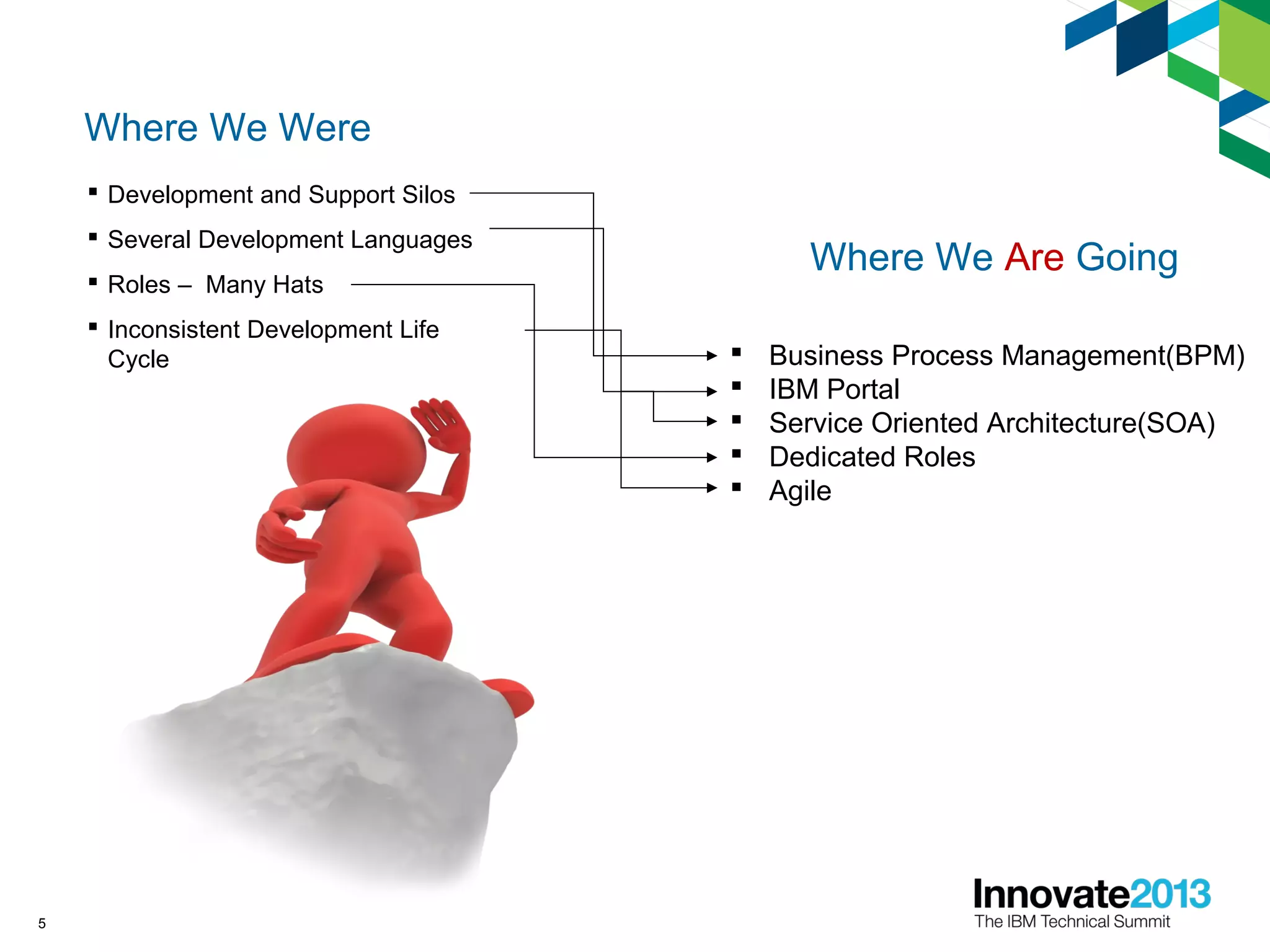
Where We Were
 Development and Support Silos
 Several Development Languages
 Roles – Many Hats
 Inconsistent Development Life
Cycle
5
Where We Are Going
 Business Process Management(BPM)
 IBM Portal
 Service Oriented Architecture(SOA)
 Dedicated Roles
 Agile
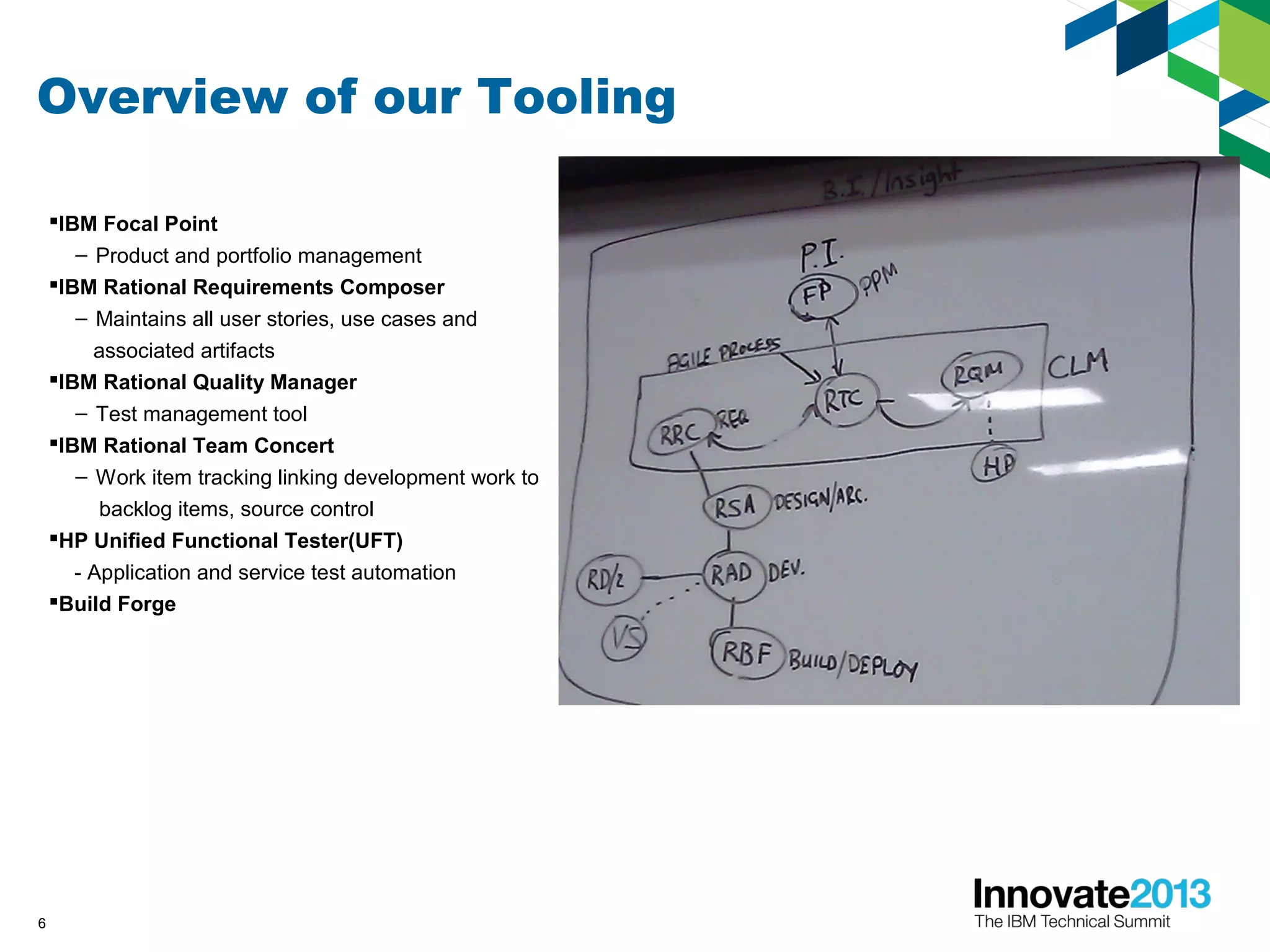
Overview of our Tooling
IBM Focal Point
– Product and portfolio management
IBM Rational Requirements Composer
– Maintains all user stories, use cases and
associated artifacts
IBM Rational Quality Manager
– Test management tool
IBM Rational Team Concert
– Work item tracking linking development work to
backlog items, source control
HP Unified Functional Tester(UFT)
- Application and service test automation
Build Forge
6
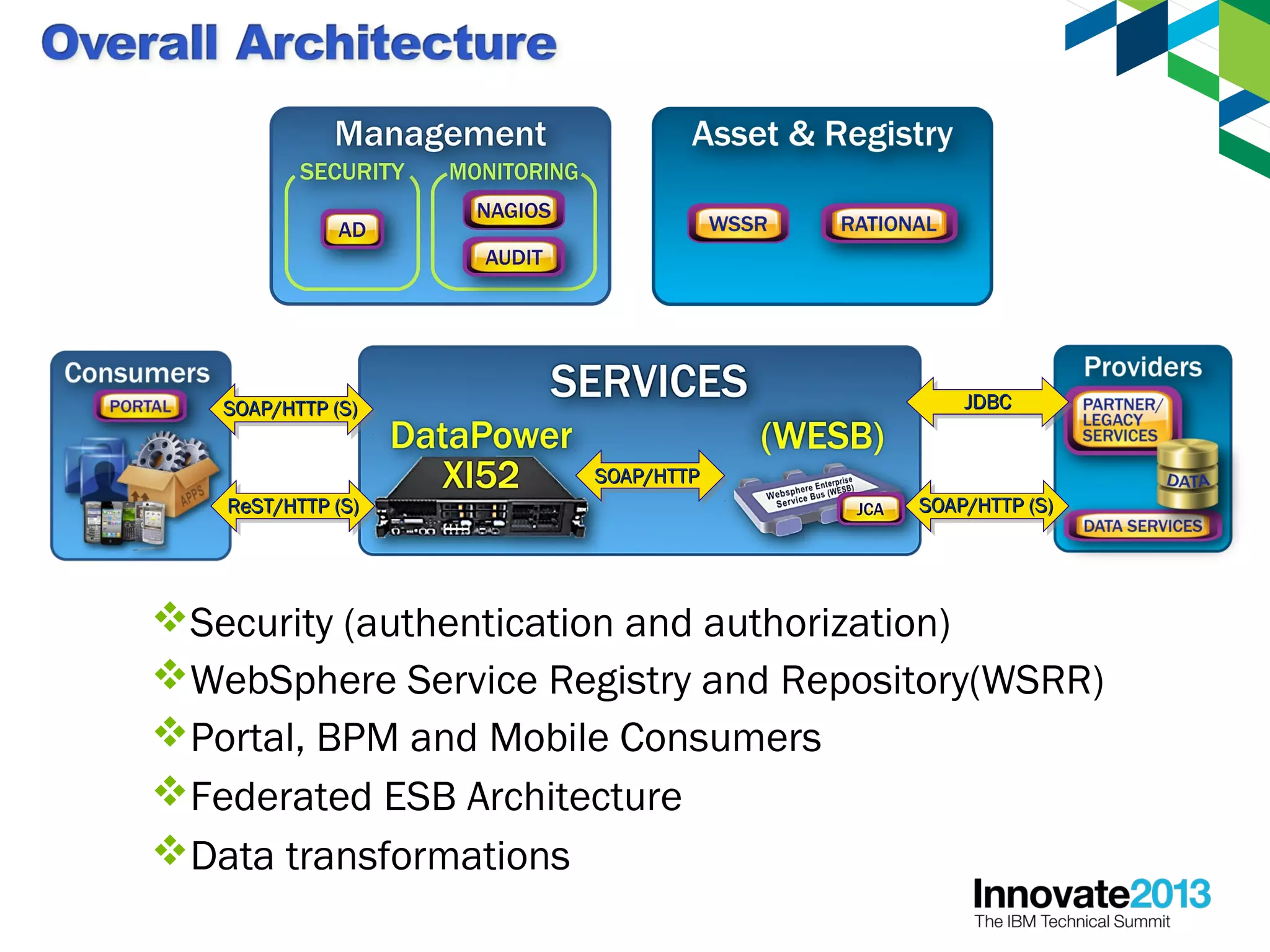
SOAP/HTTPSOAP/HTTP
Federated ESB Architecture
WebSphere Service Registry and Repository(WSRR)
Data transformations
Portal, BPM and Mobile Consumers
SOAP/HTTP (S)SOAP/HTTP (S)
ReST/HTTP (S)ReST/HTTP (S)
JDBCJDBC
SOAP/HTTP (S)SOAP/HTTP (S)
Security (authentication and authorization)
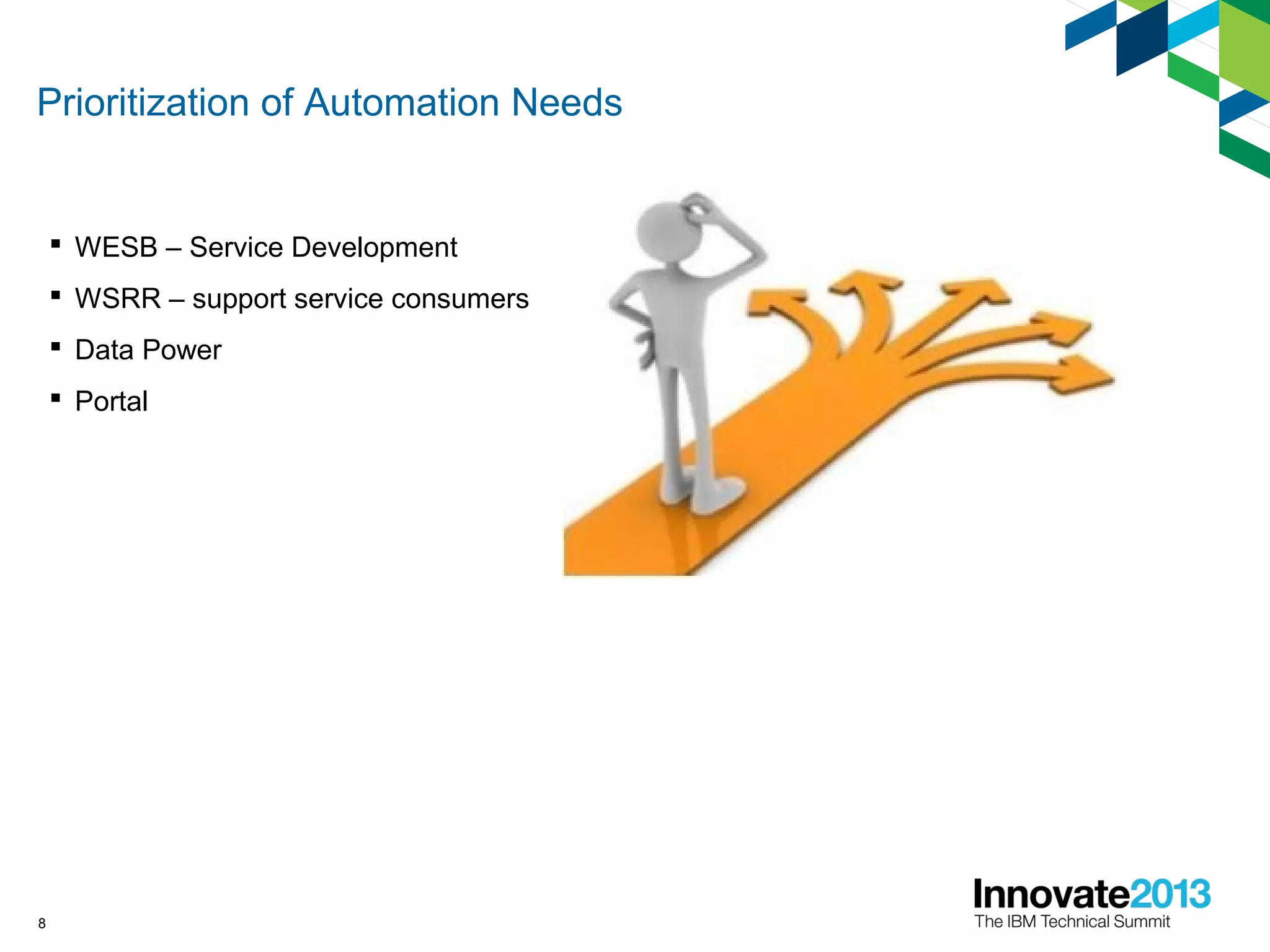
Prioritization of Automation Needs
 WESB – Service Development
 WSRR – support service consumers
 Data Power
 Portal
8
Choosing a Partner
 IBM Rational Expertise
 Best Practices
 Guidance
 Implementation
 Enablement
9
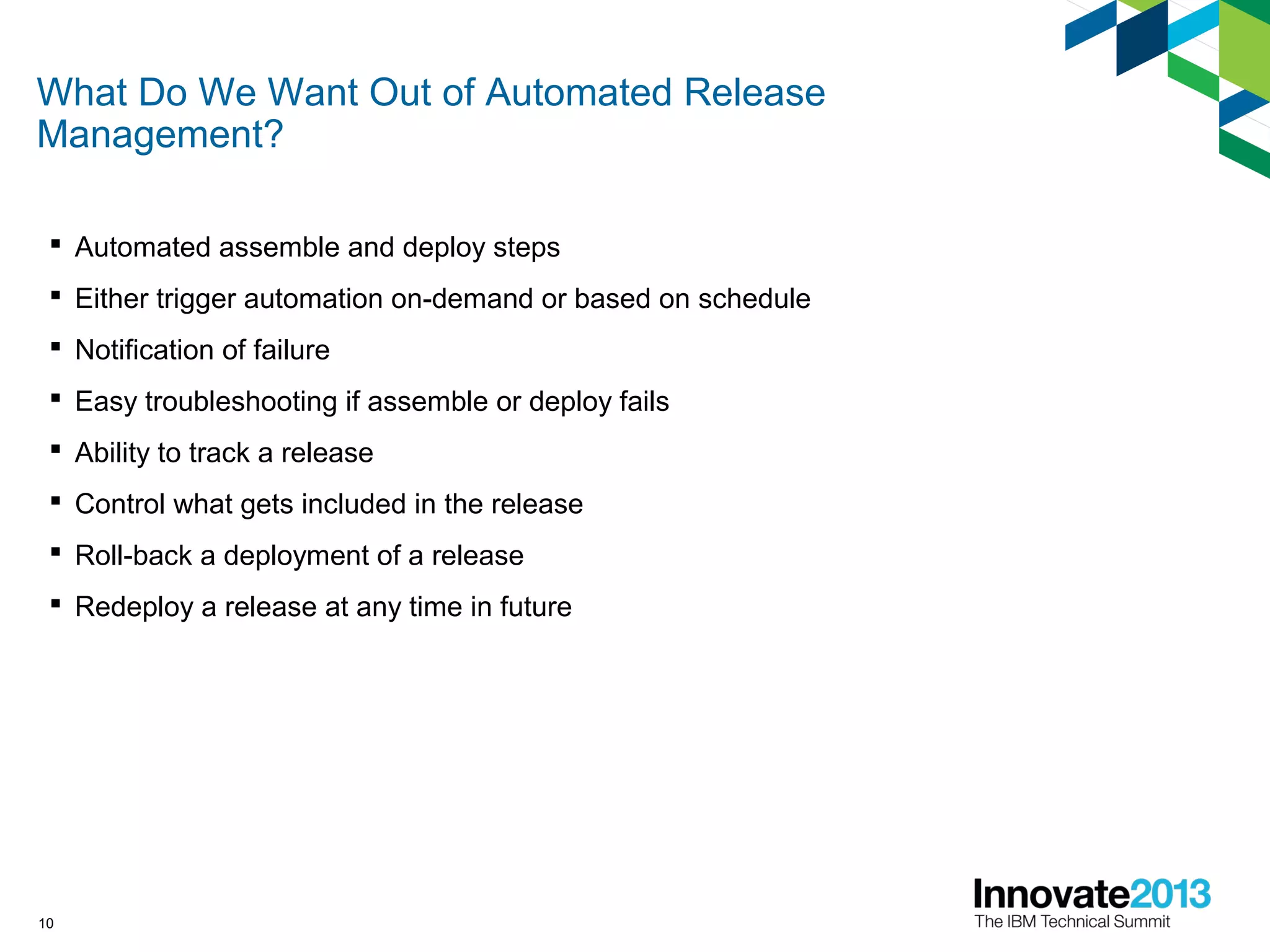
What Do We Want Out of Automated Release
Management?
 Automated assemble and deploy steps
 Either trigger automation on-demand or based on schedule
 Notification of failure
 Easy troubleshooting if assemble or deploy fails
 Ability to track a release
 Control what gets included in the release
 Roll-back a deployment of a release
 Redeploy a release at any time in future
10
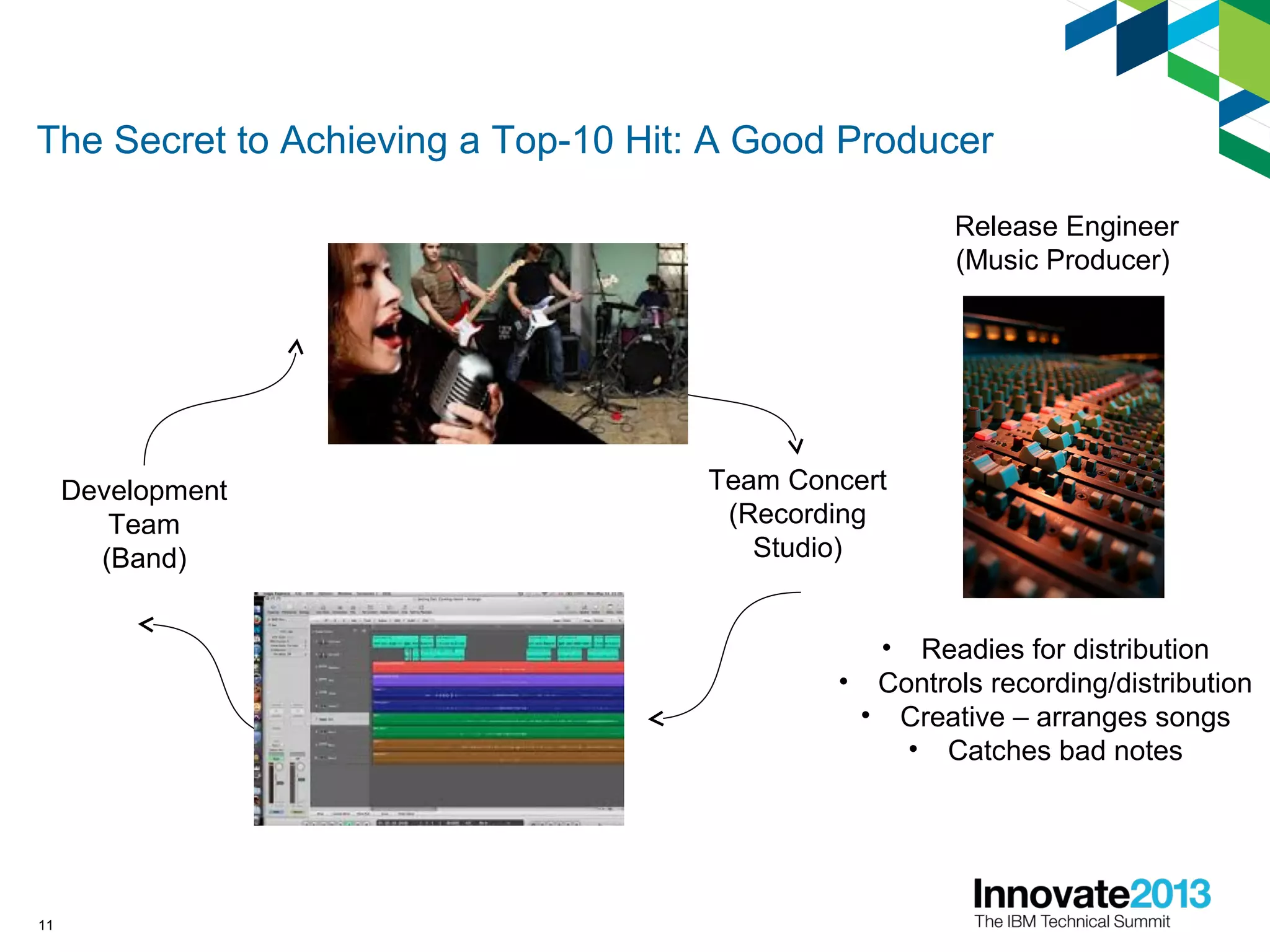
The Secret to Achieving a Top-10 Hit: A Good Producer
Release Engineer
(Music Producer)
Development
Team
(Band)
Team Concert
(Recording
Studio)
• Readies for distribution
• Controls recording/distribution
• Creative – arranges songs
• Catches bad notes
11
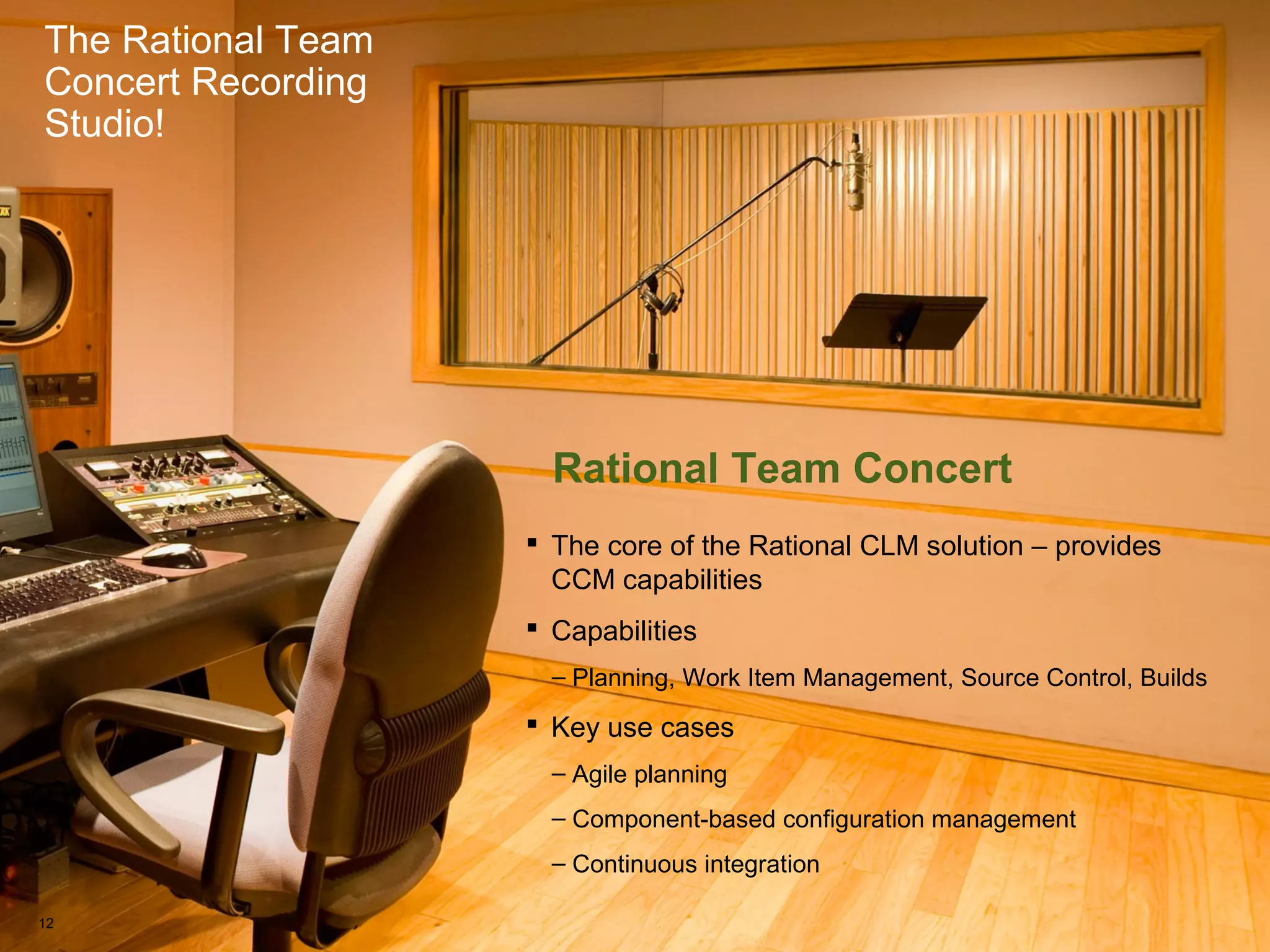
The Rational Team Concert Recording Studio!
The Rational Team
Concert Recording
Studio!
Rational Team Concert
 The core of the Rational CLM solution – provides
CCM capabilities
 Capabilities
– Planning, Work Item Management, Source Control, Builds
 Key use cases
– Agile planning
– Component-based configuration management
– Continuous integration
12
The Rational Team Concert Recording Studio!
The Rational Team
Concert Recording
Studio!
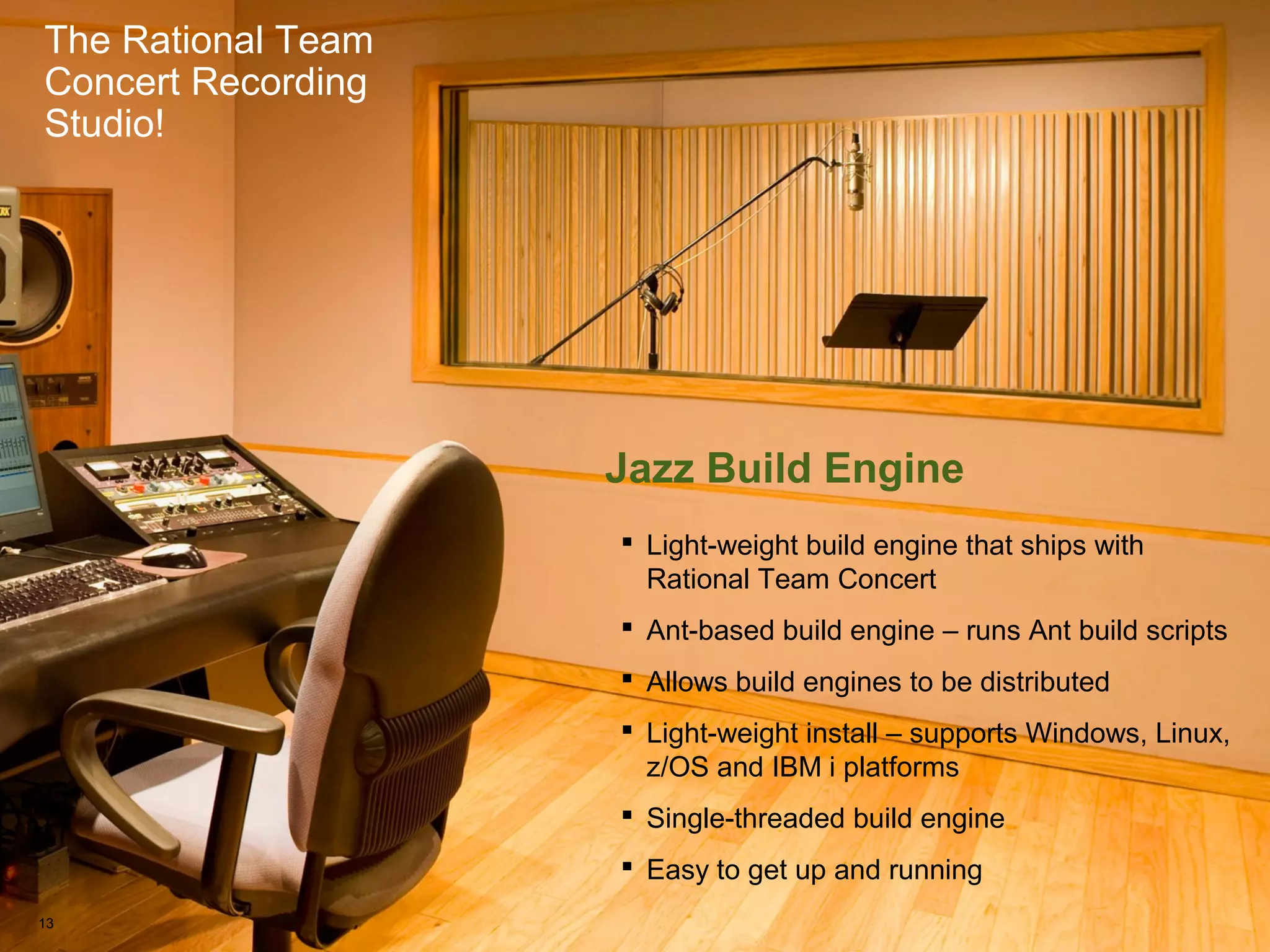
Jazz Build Engine
 Light-weight build engine that ships with
Rational Team Concert
 Ant-based build engine – runs Ant build scripts
 Allows build engines to be distributed
 Light-weight install – supports Windows, Linux,
z/OS and IBM i platforms
 Single-threaded build engine
 Easy to get up and running
13
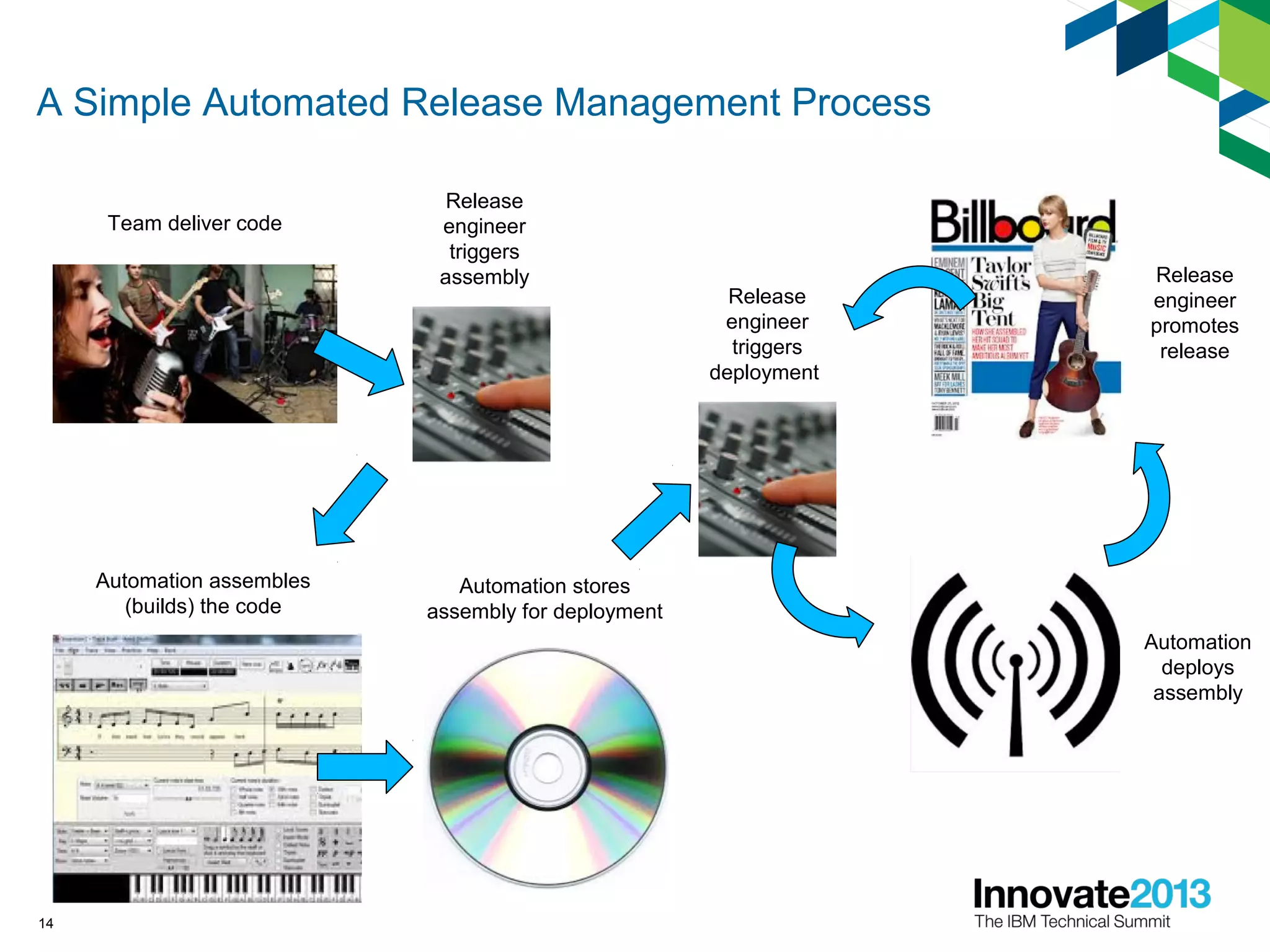
A Simple Automated Release Management Process
Team deliver code
Automation stores
assembly for deployment
Automation assembles
(builds) the code
Release
engineer
triggers
assembly Release
engineer
promotes
release
Release
engineer
triggers
deployment
Automation
deploys
assembly
14
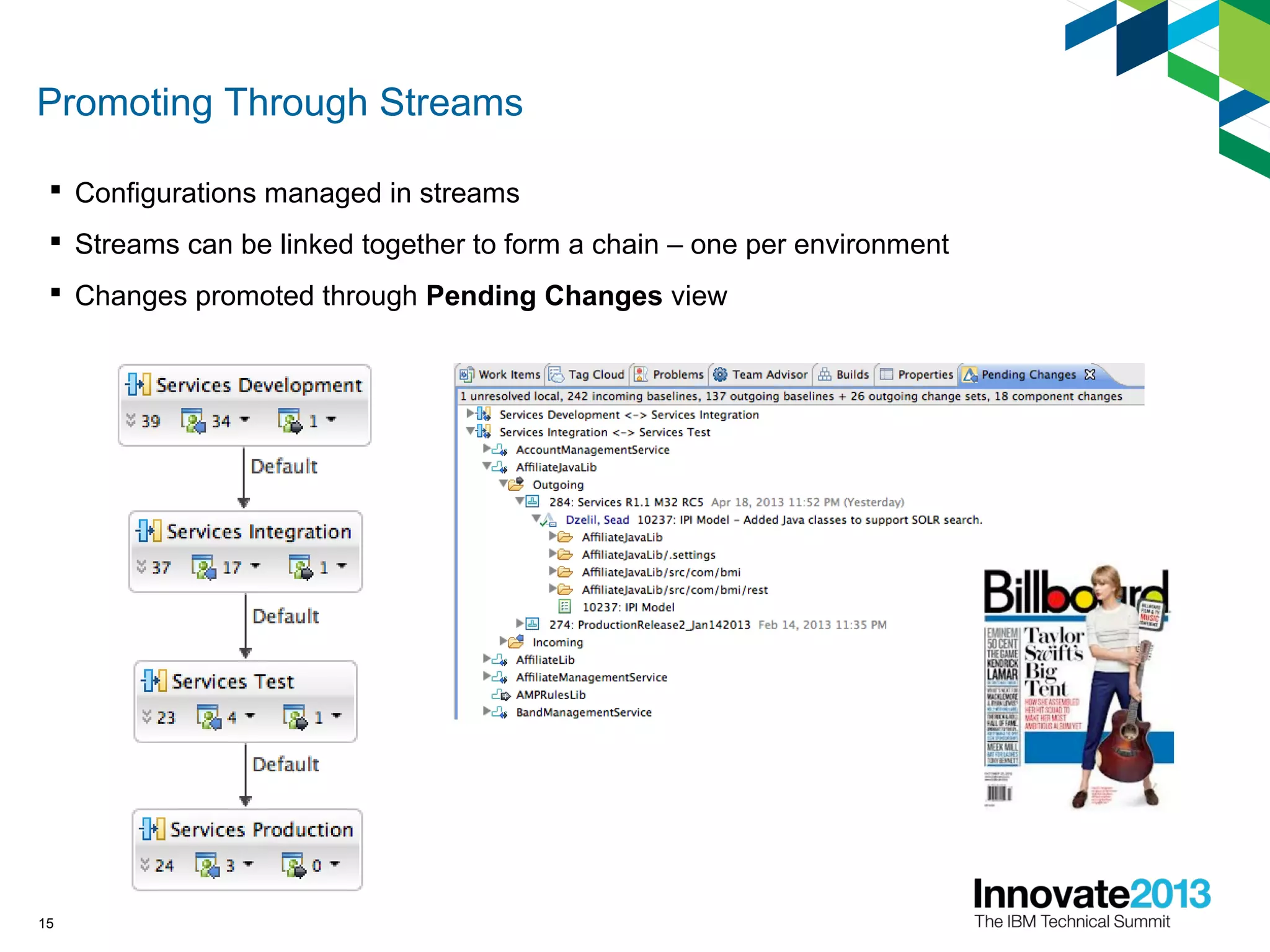
Promoting Through Streams
 Configurations managed in streams
 Streams can be linked together to form a chain – one per environment
 Changes promoted through Pending Changes view
15
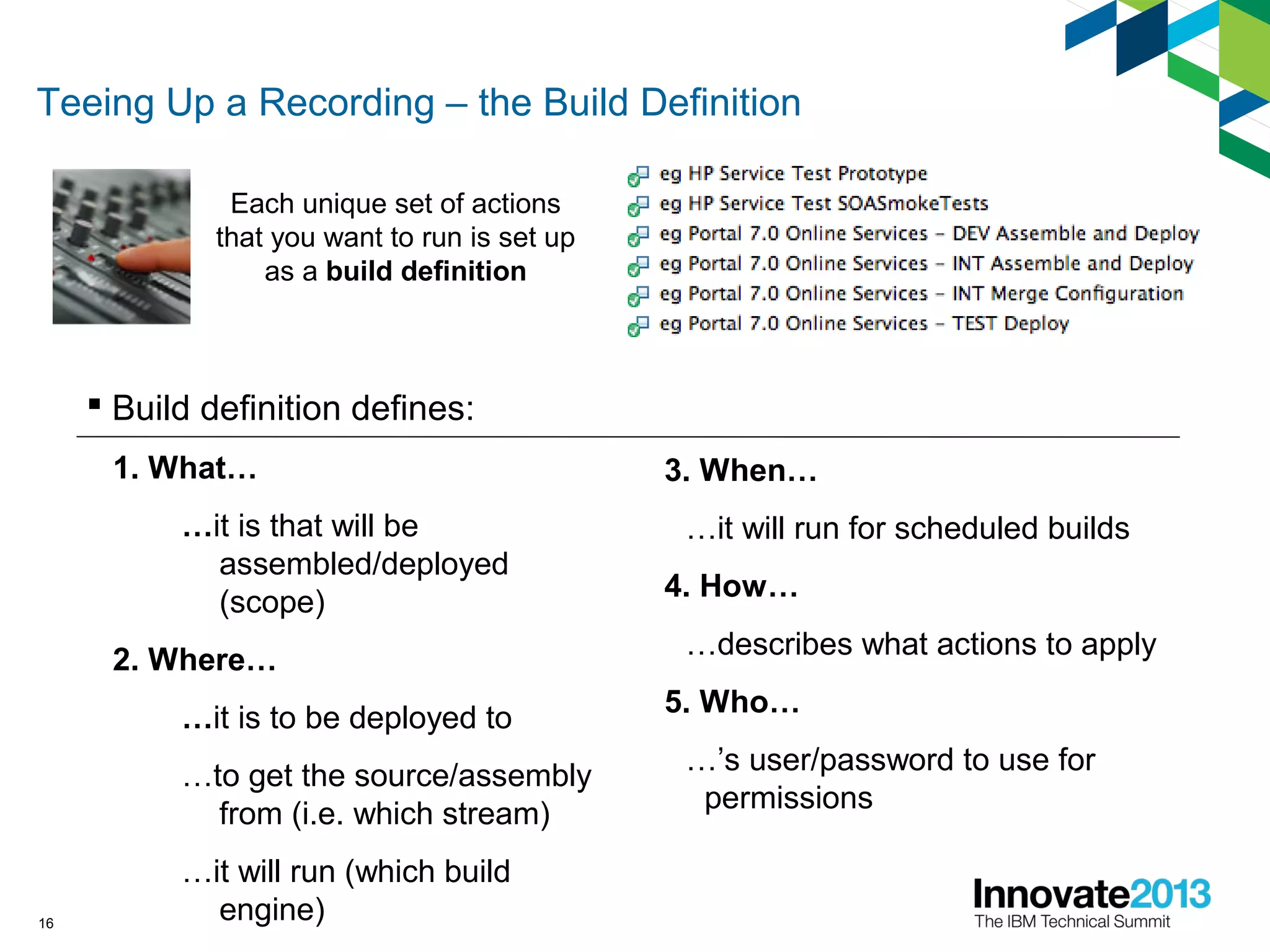
Teeing Up a Recording – the Build Definition
 Build definition defines:
1. What…
…it is that will be
assembled/deployed
(scope)
2. Where…
…it is to be deployed to
…to get the source/assembly
from (i.e. which stream)
…it will run (which build
engine)16
Each unique set of actions
that you want to run is set up
as a build definition
3. When…
…it will run for scheduled builds
4. How…
…describes what actions to apply
5. Who…
…’s user/password to use for
permissions
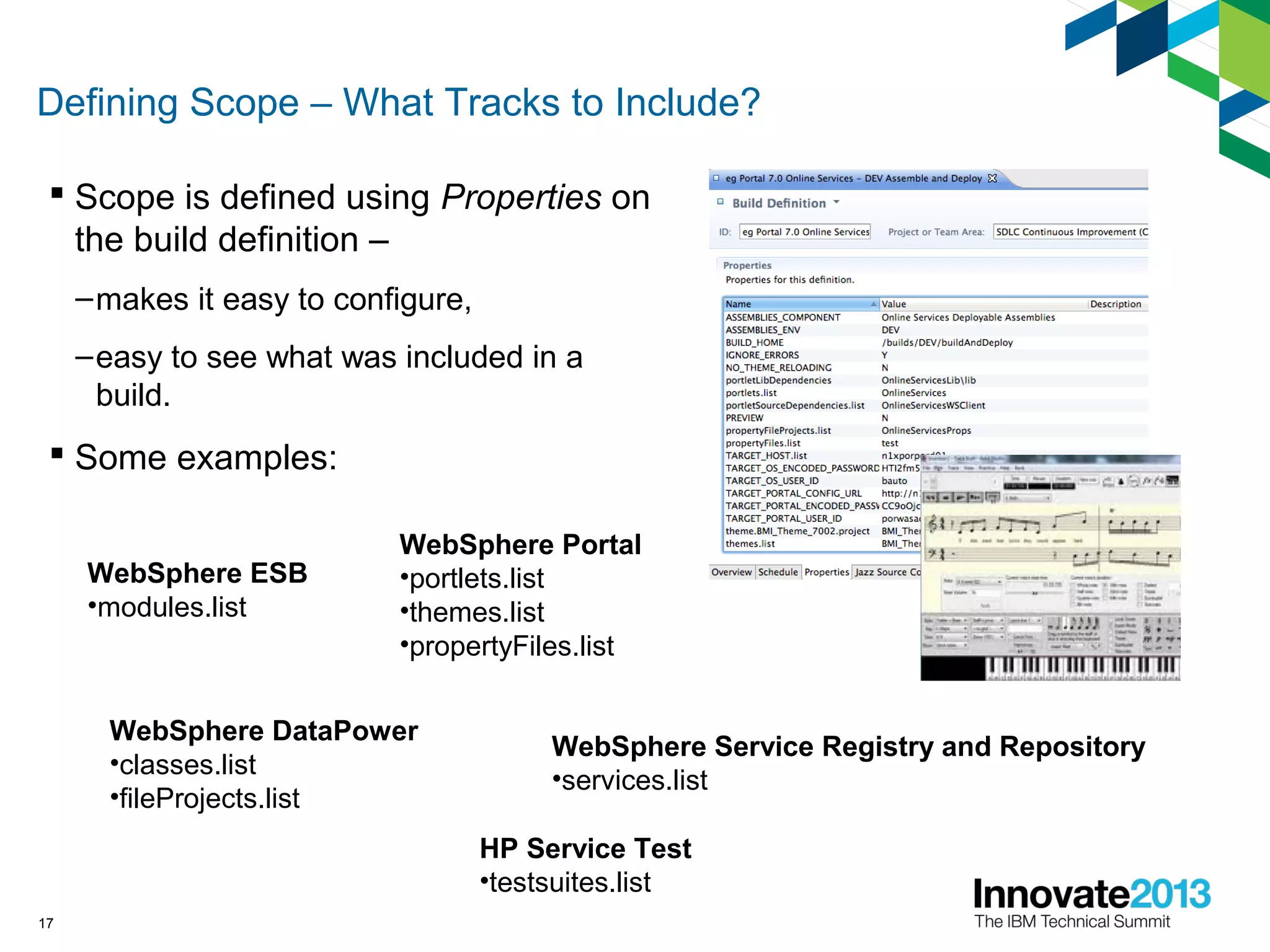
Defining Scope – What Tracks to Include?
 Scope is defined using Properties on
the build definition –
–makes it easy to configure,
–easy to see what was included in a
build.
 Some examples:
17
WebSphere Portal
•portlets.list
•themes.list
•propertyFiles.list
WebSphere ESB
•modules.list
WebSphere DataPower
•classes.list
•fileProjects.list
WebSphere Service Registry and Repository
•services.list
HP Service Test
•testsuites.list
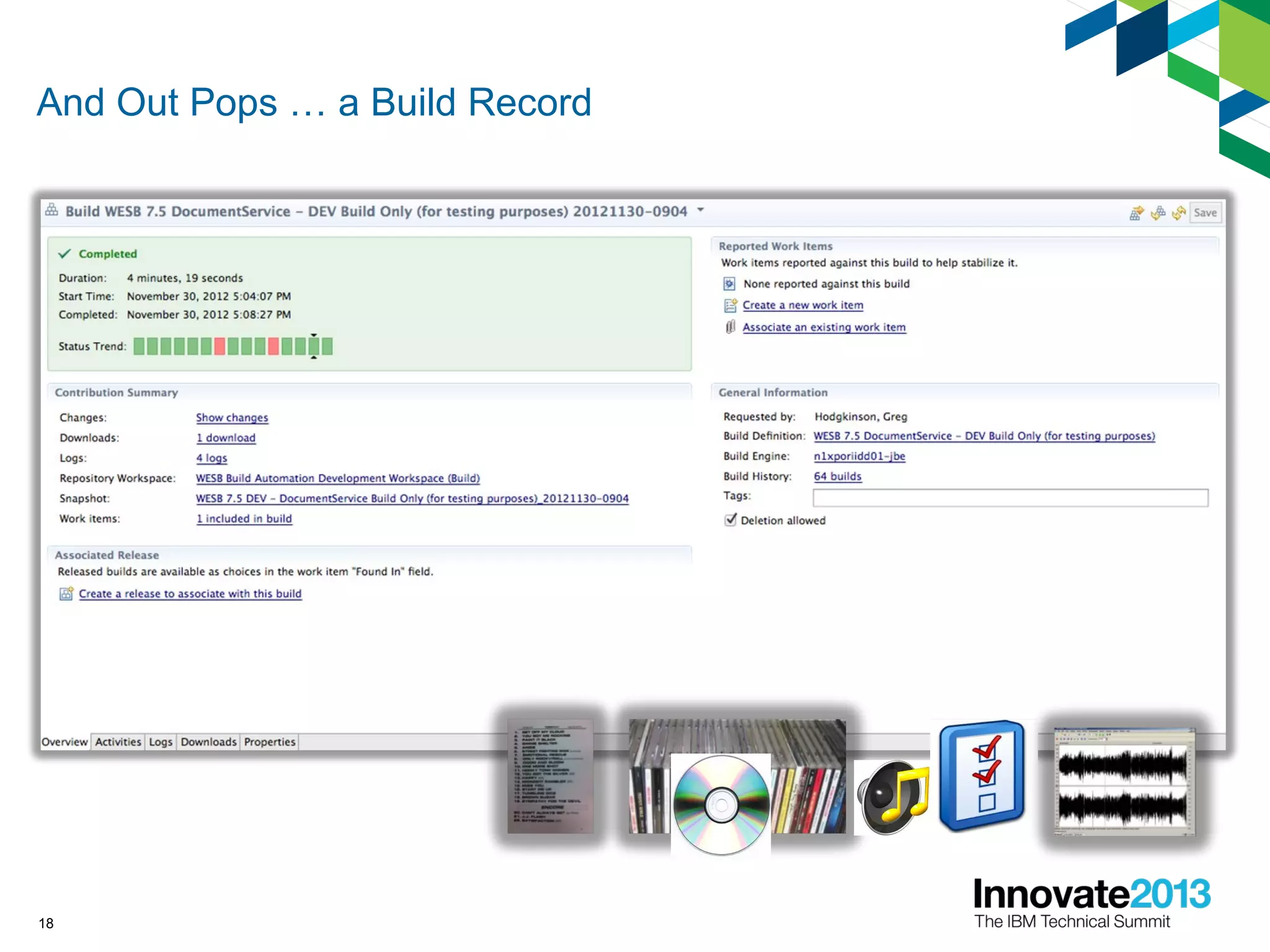
And Out Pops … a Build Record
18
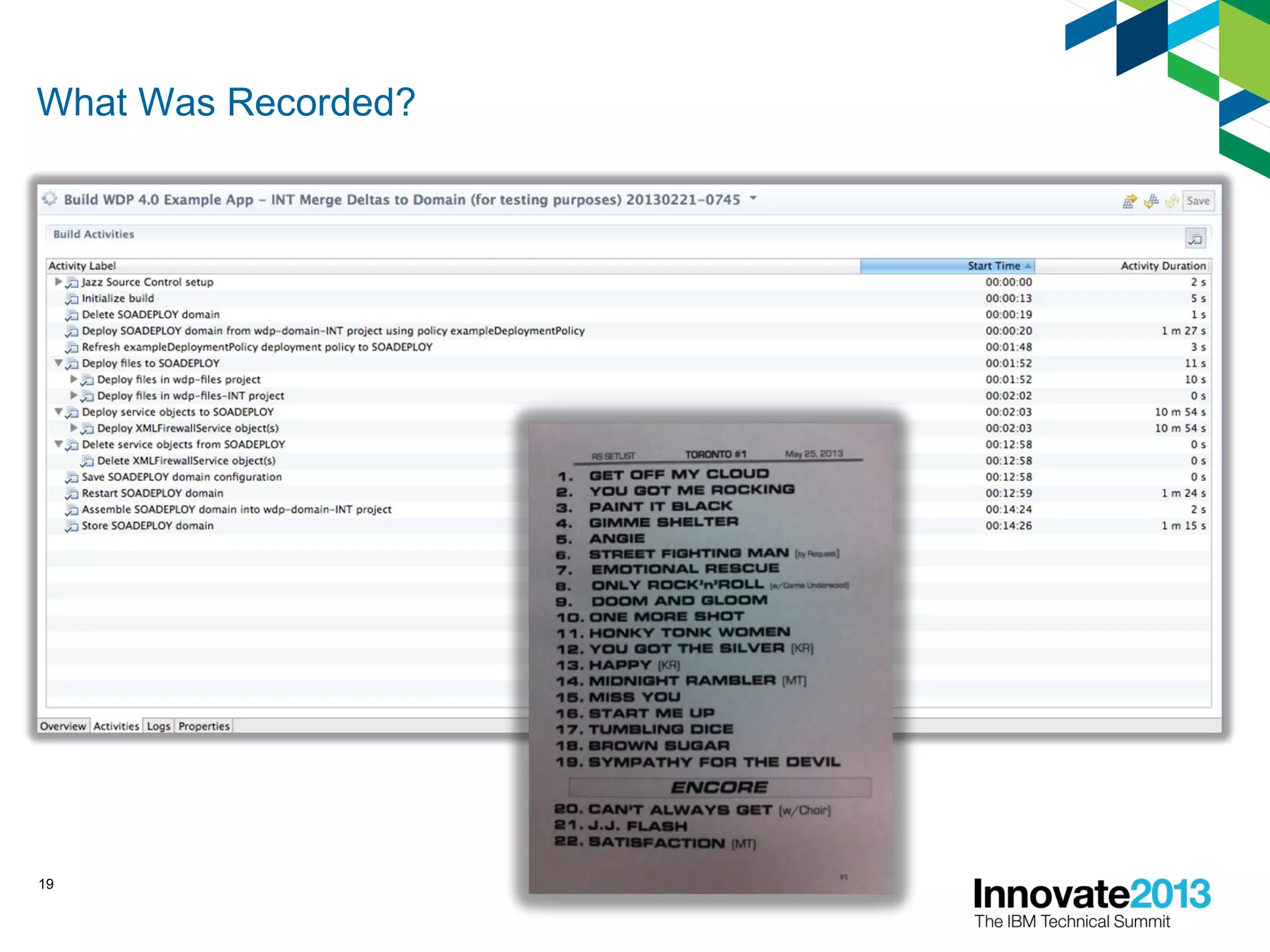
What Was Recorded?
19
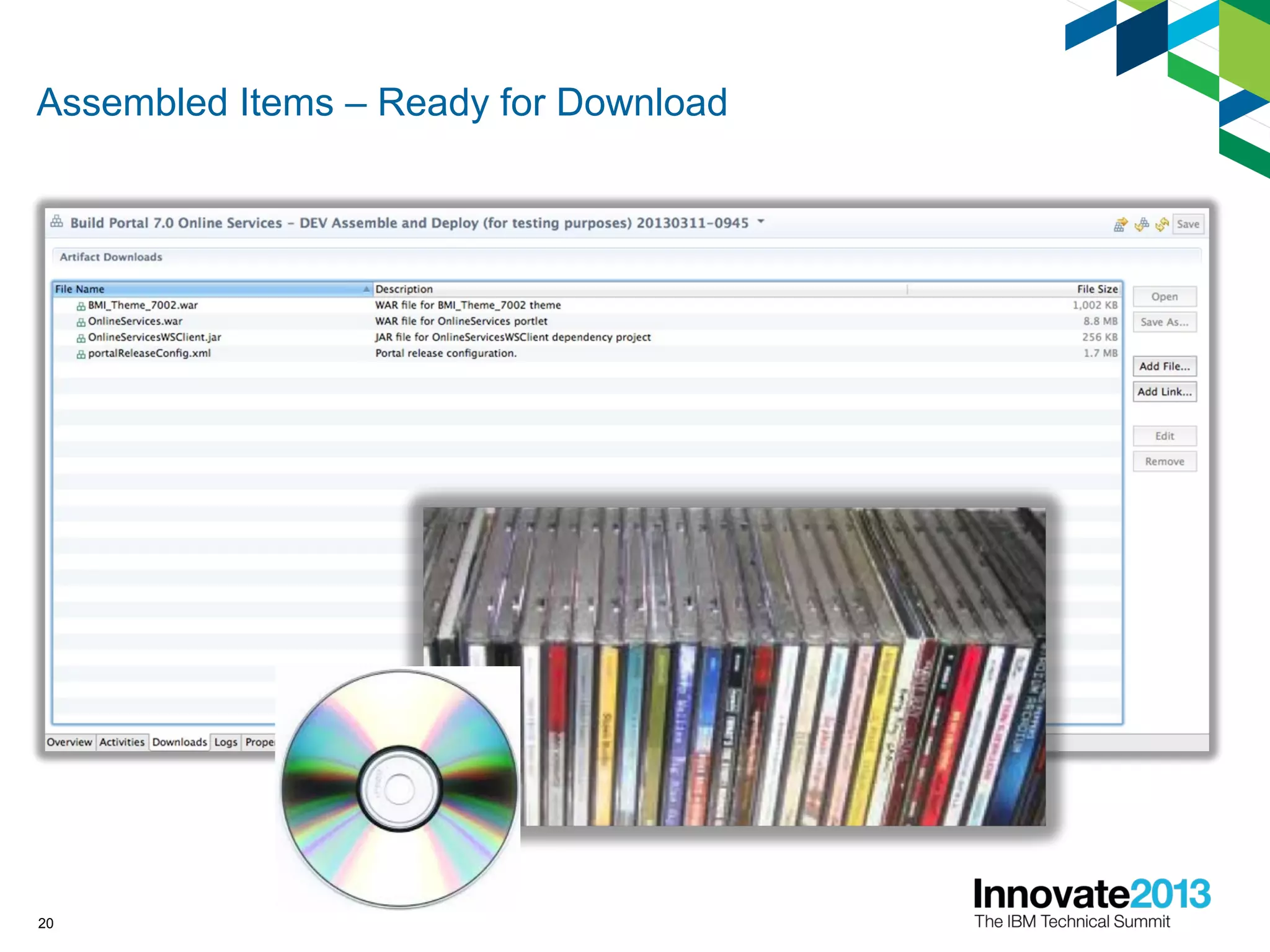
Assembled Items – Ready for Download
20
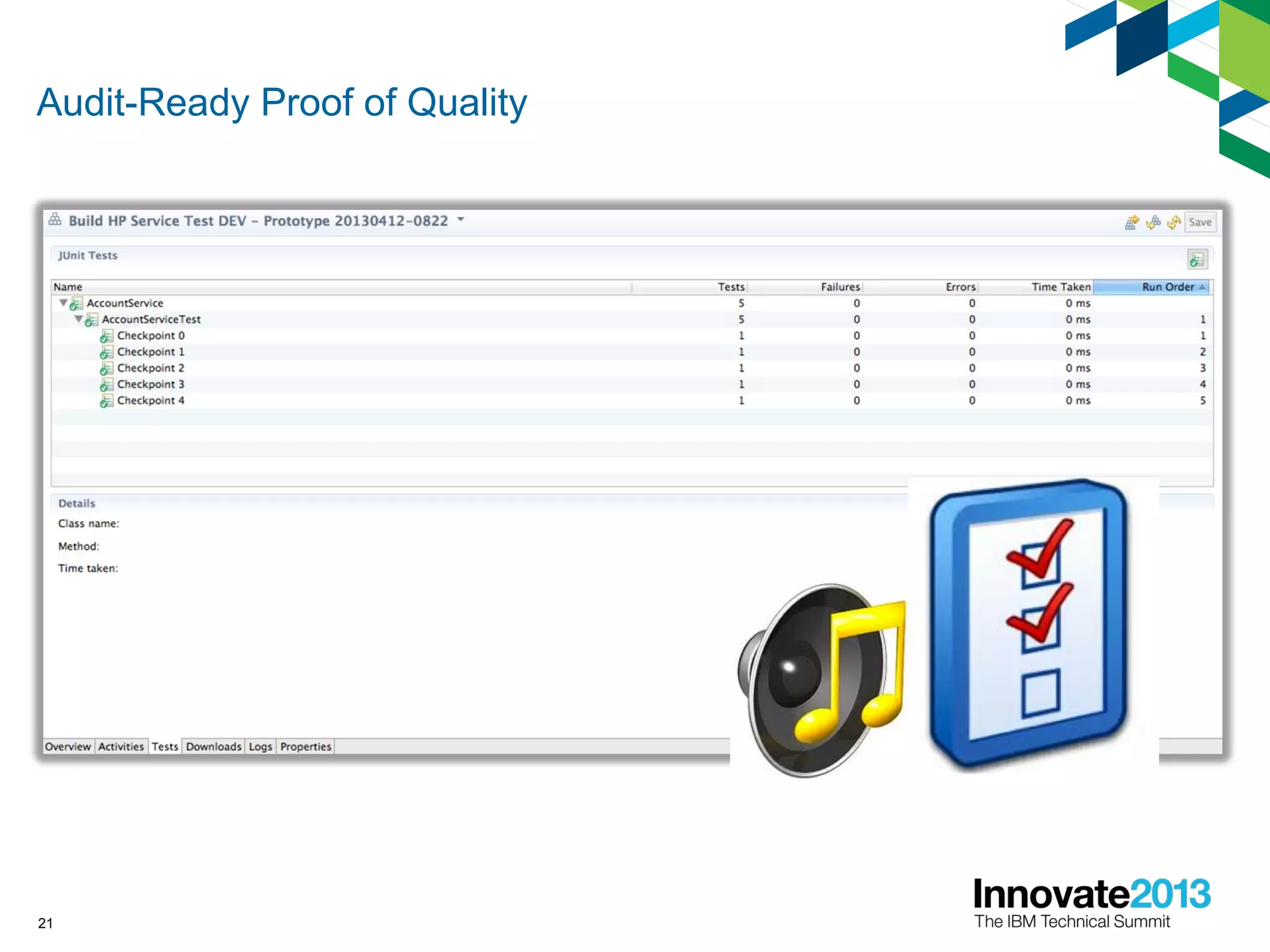
Audit-Ready Proof of Quality
21
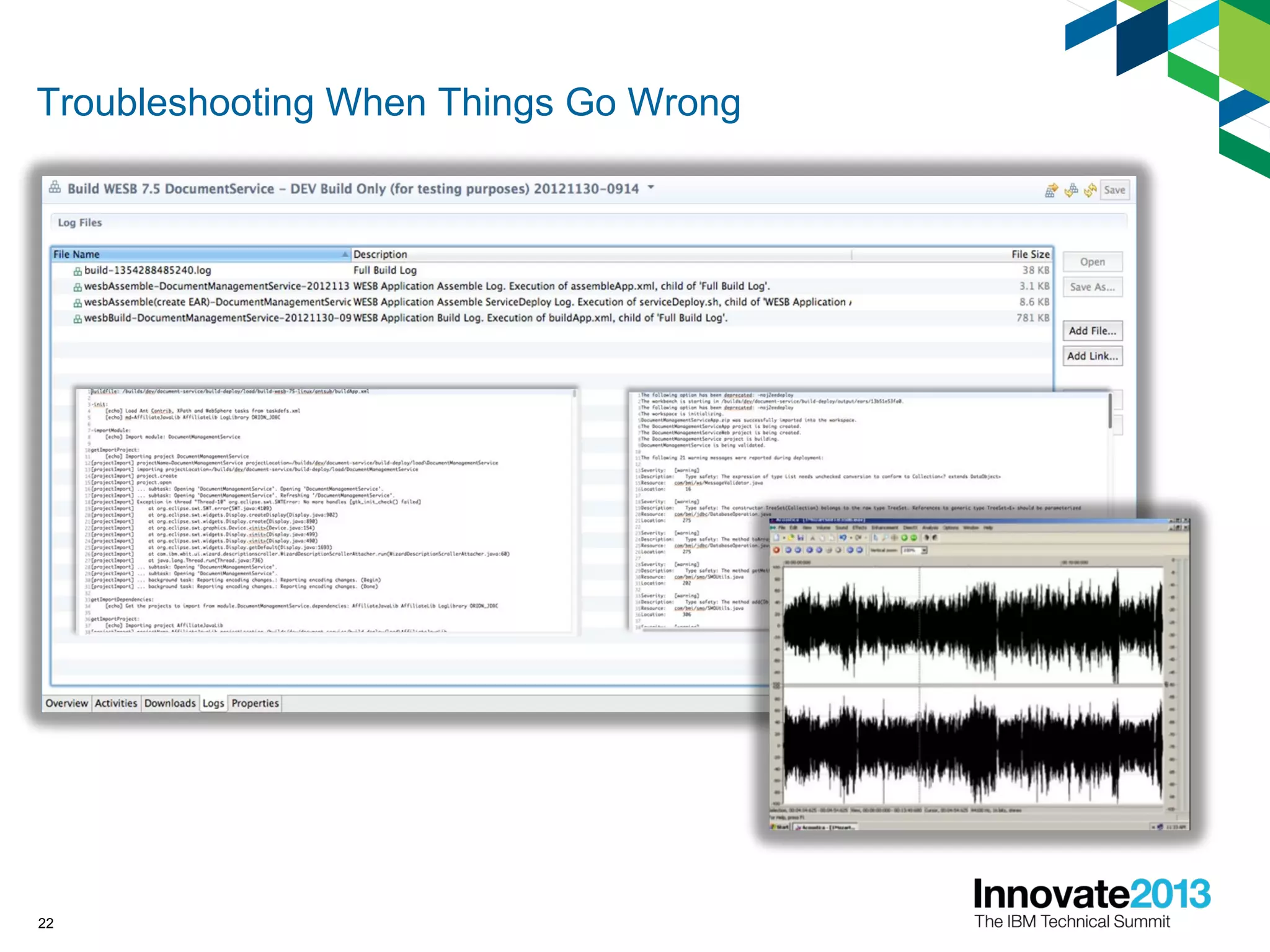
Troubleshooting When Things Go Wrong
22
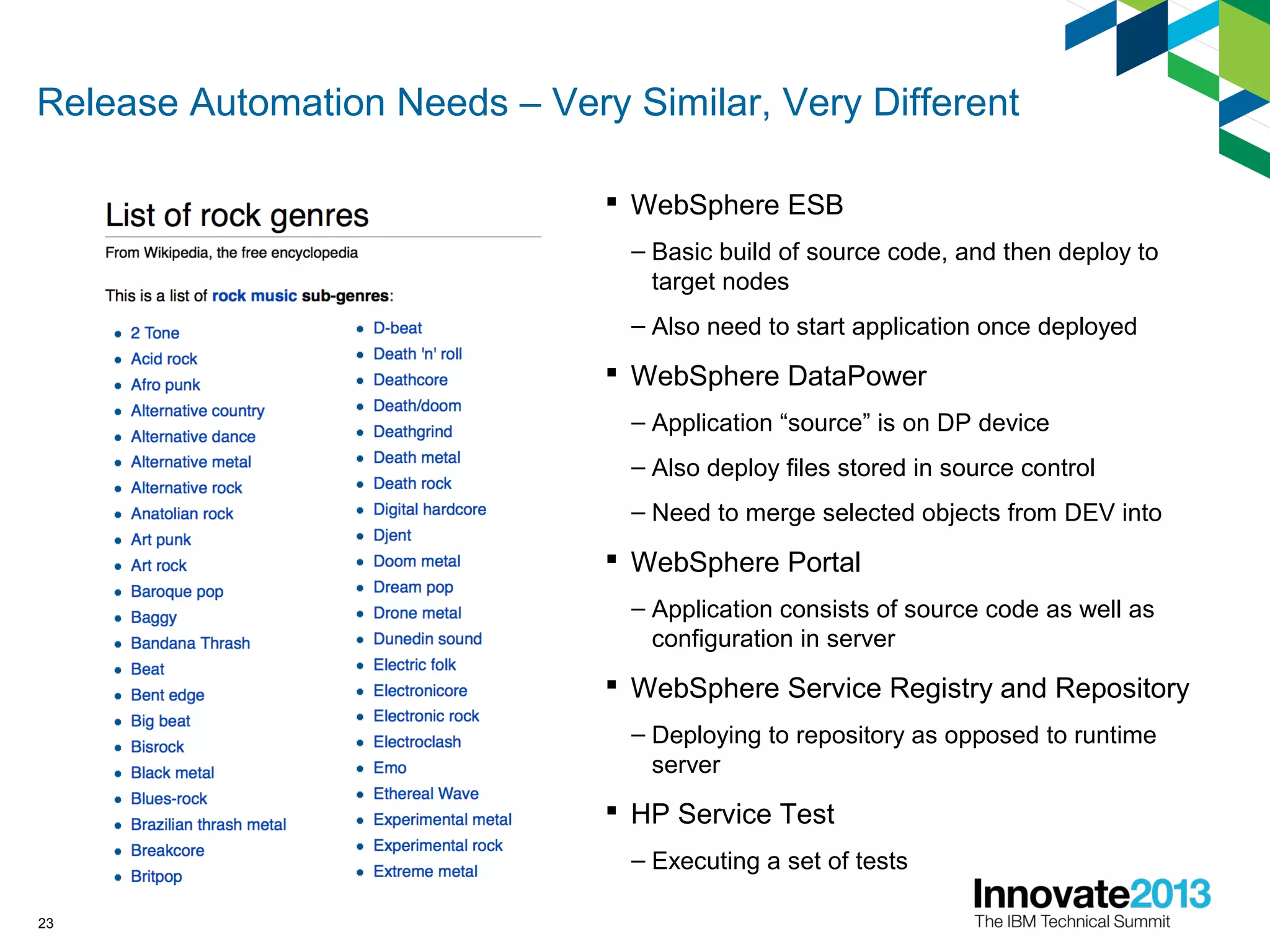
Release Automation Needs – Very Similar, Very Different
 WebSphere ESB
– Basic build of source code, and then deploy to
target nodes
– Also need to start application once deployed
 WebSphere DataPower
– Application “source” is on DP device
– Also deploy files stored in source control
– Need to merge selected objects from DEV into
 WebSphere Portal
– Application consists of source code as well as
configuration in server
 WebSphere Service Registry and Repository
– Deploying to repository as opposed to runtime
server
 HP Service Test
– Executing a set of tests
23
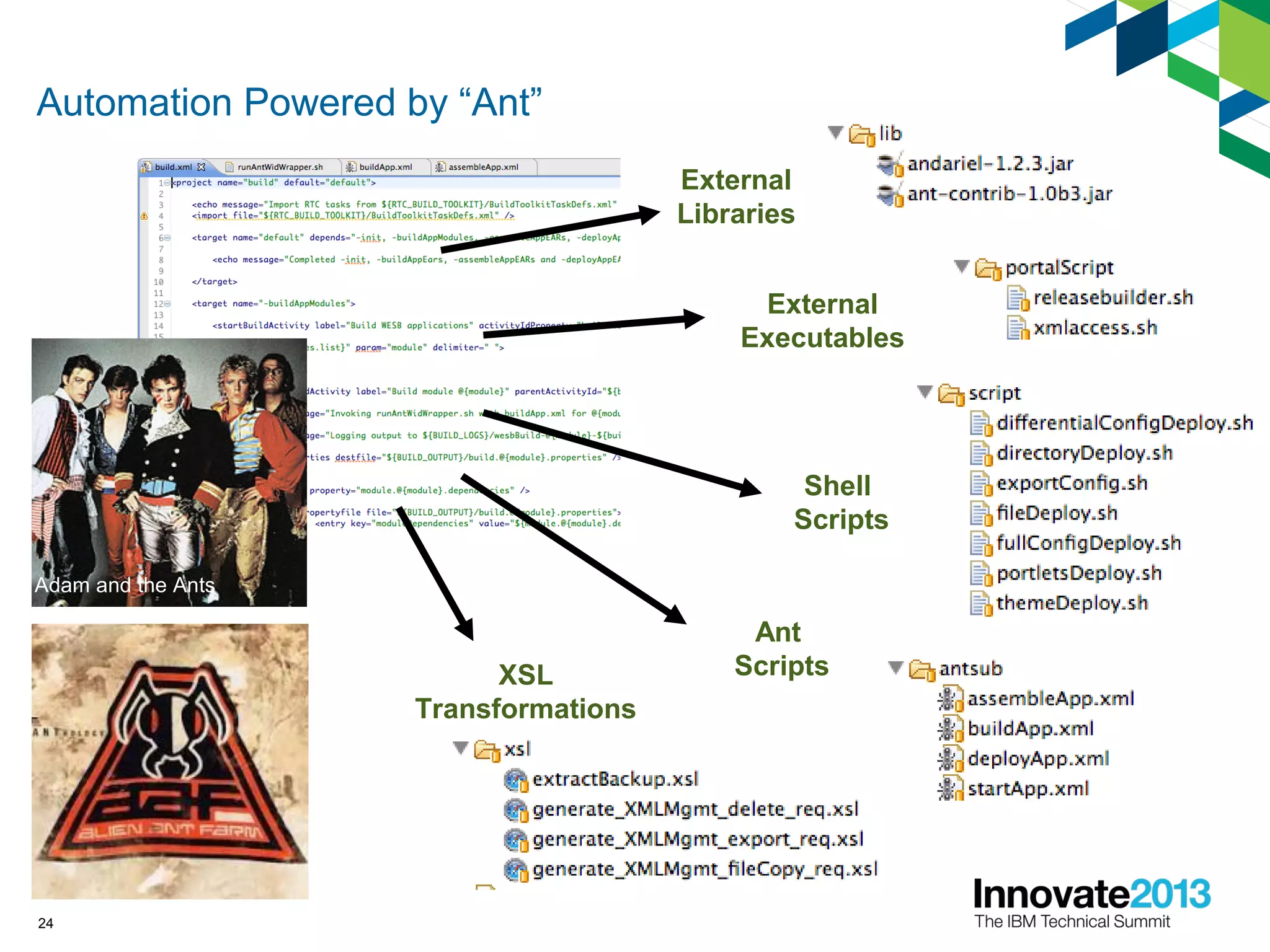
Automation Powered by “Ant”
24
External
Libraries
External
Executables
Shell
Scripts
Ant
ScriptsXSL
Transformations
Adam and the Ants
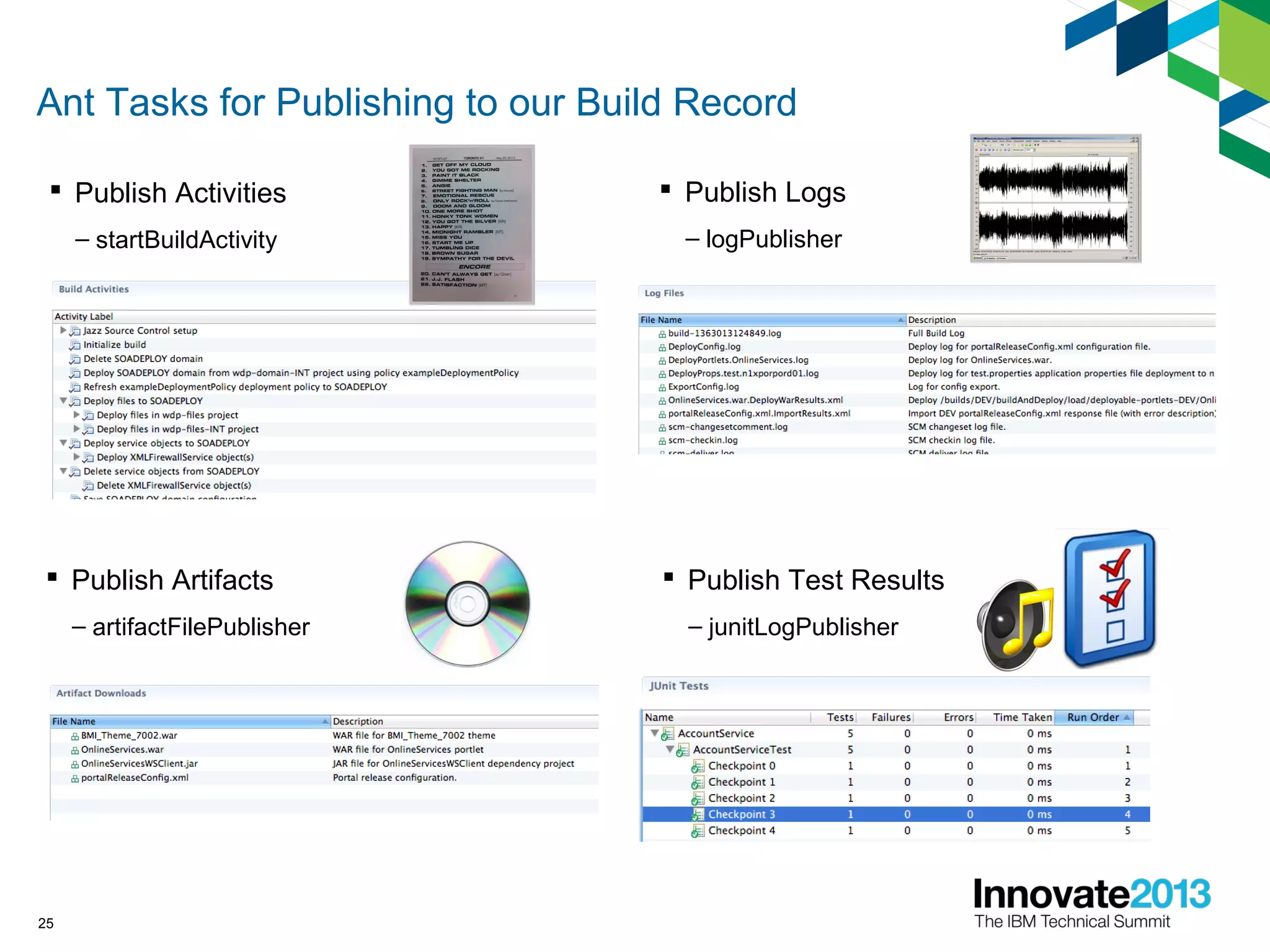
Ant Tasks for Publishing to our Build Record
 Publish Activities
– startBuildActivity
25
 Publish Logs
– logPublisher
 Publish Artifacts
– artifactFilePublisher
 Publish Test Results
– junitLogPublisher
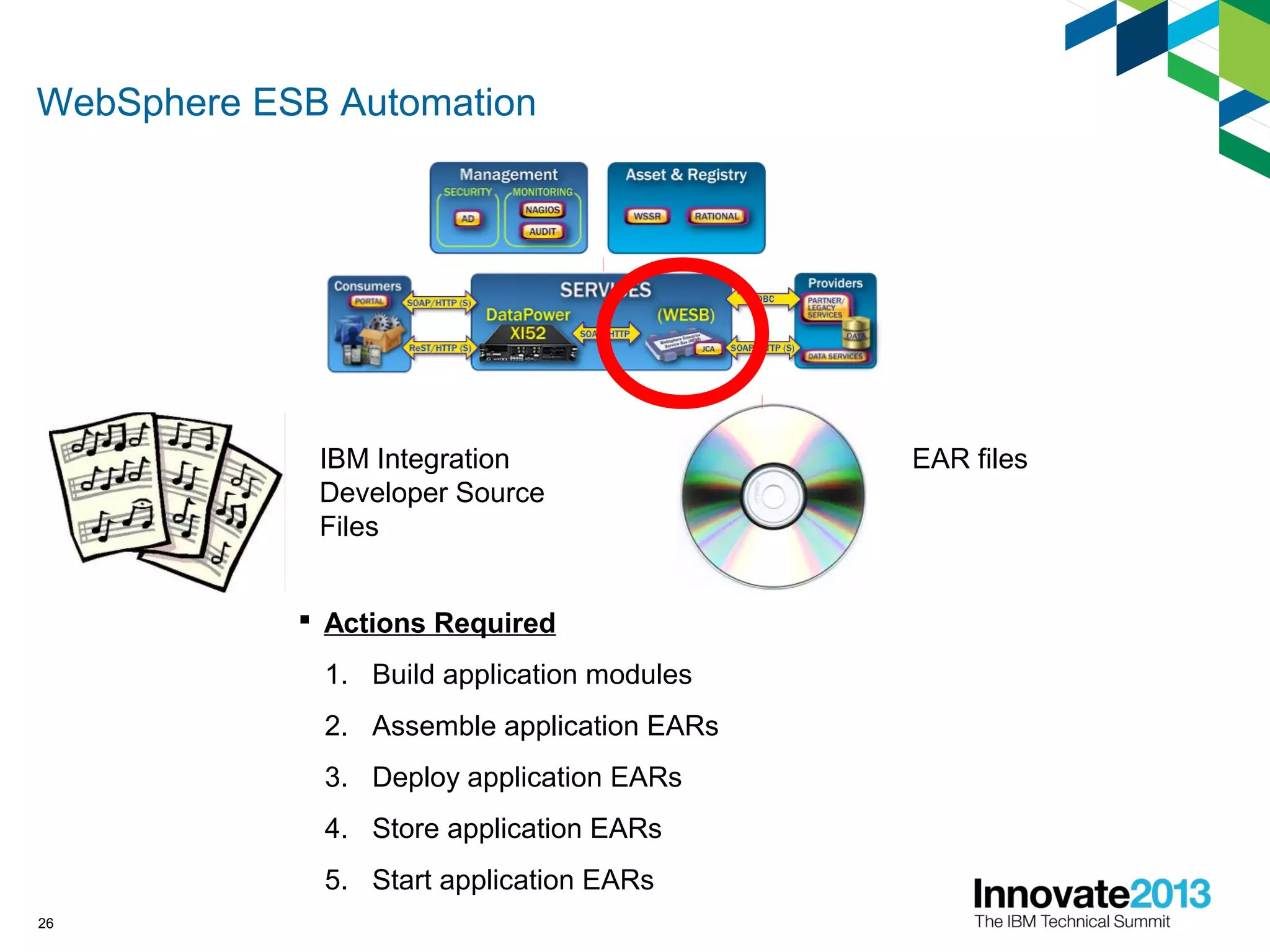
WebSphere ESB Automation
26
IBM Integration
Developer Source
Files
EAR files
 Actions Required
1. Build application modules
2. Assemble application EARs
3. Deploy application EARs
4. Store application EARs
5. Start application EARs
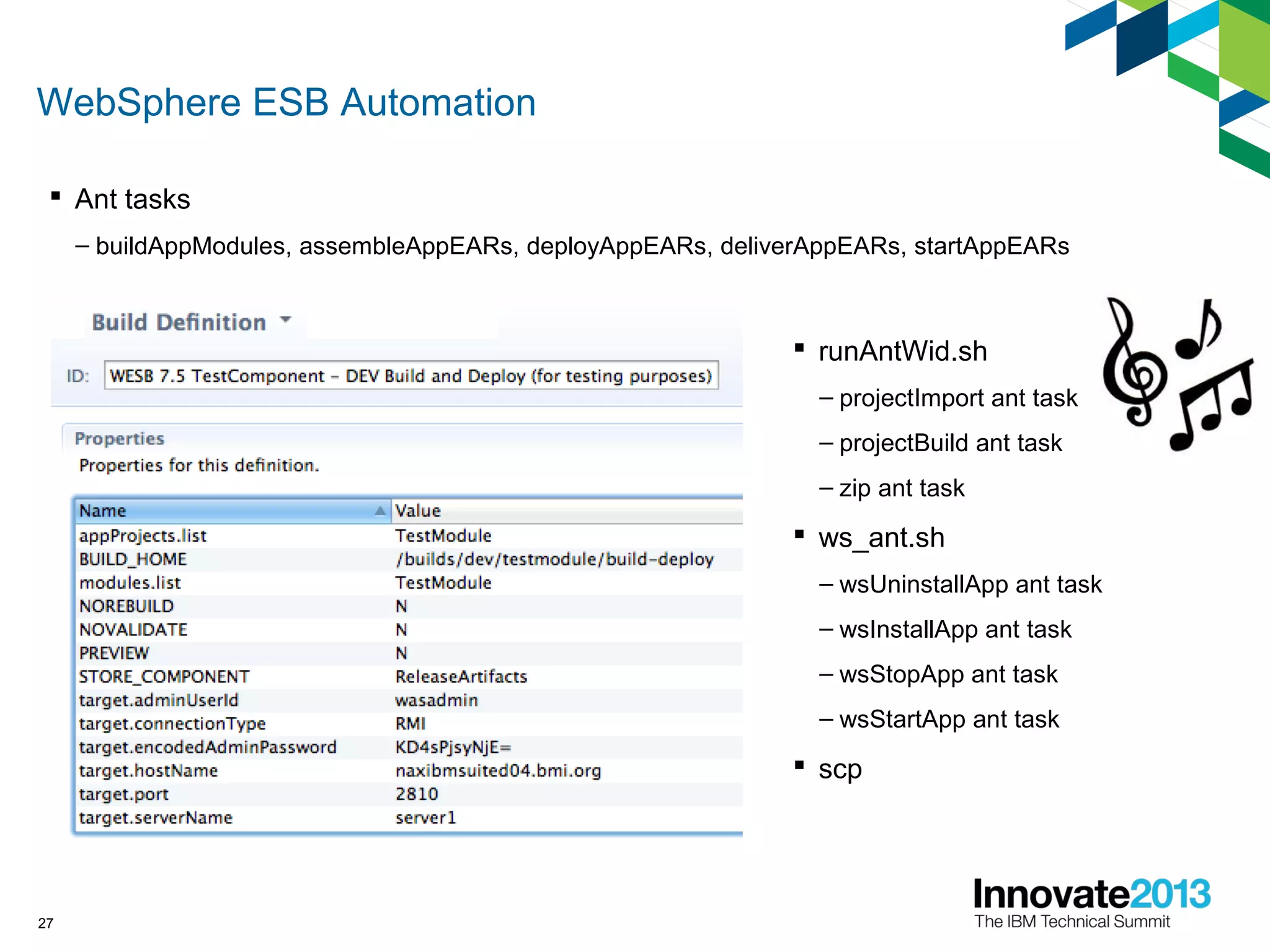
WebSphere ESB Automation
 Ant tasks
– buildAppModules, assembleAppEARs, deployAppEARs, deliverAppEARs, startAppEARs
27
 runAntWid.sh
– projectImport ant task
– projectBuild ant task
– zip ant task
 ws_ant.sh
– wsUninstallApp ant task
– wsInstallApp ant task
– wsStopApp ant task
– wsStartApp ant task
 scp
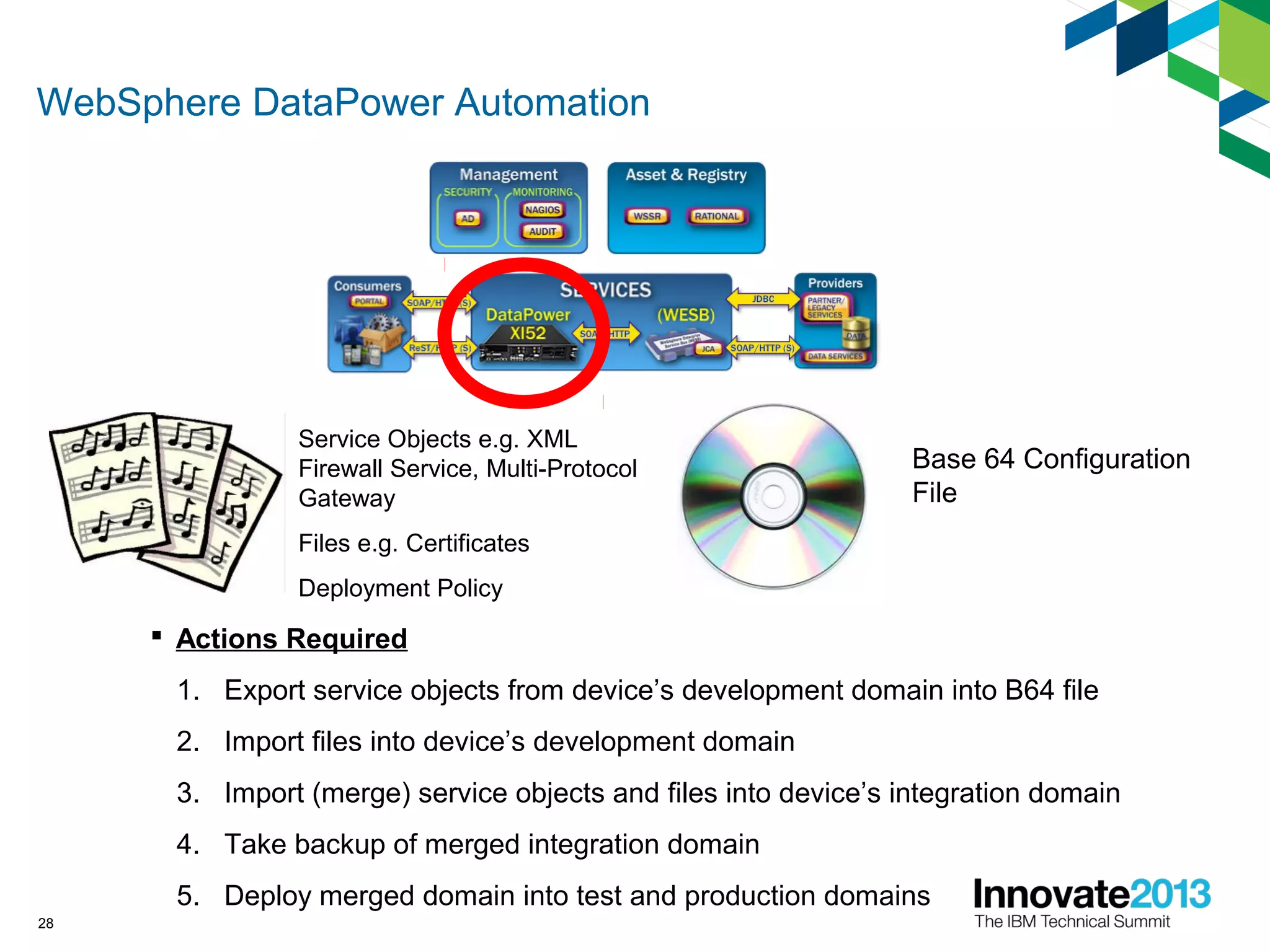
WebSphere DataPower Automation
28
Service Objects e.g. XML
Firewall Service, Multi-Protocol
Gateway
Files e.g. Certificates
Deployment Policy
Base 64 Configuration
File
 Actions Required
1. Export service objects from device’s development domain into B64 file
2. Import files into device’s development domain
3. Import (merge) service objects and files into device’s integration domain
4. Take backup of merged integration domain
5. Deploy merged domain into test and production domains
WebSphere DataPower Automation
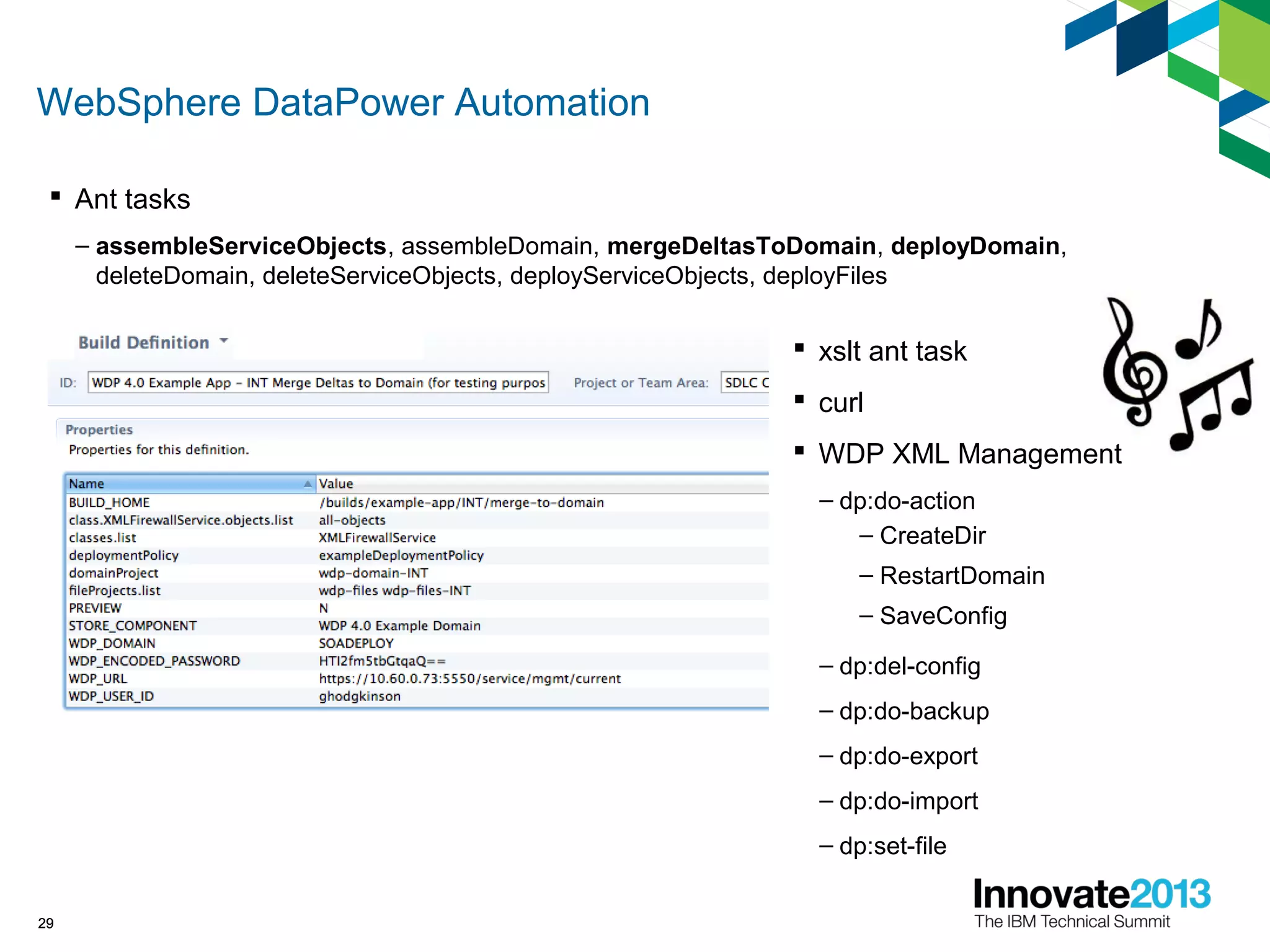
29
 Ant tasks
– assembleServiceObjects, assembleDomain, mergeDeltasToDomain, deployDomain,
deleteDomain, deleteServiceObjects, deployServiceObjects, deployFiles
29
 xslt ant task
 curl
 WDP XML Management
– dp:do-action
– CreateDir
– RestartDomain
– SaveConfig
– dp:del-config
– dp:do-backup
– dp:do-export
– dp:do-import
– dp:set-file
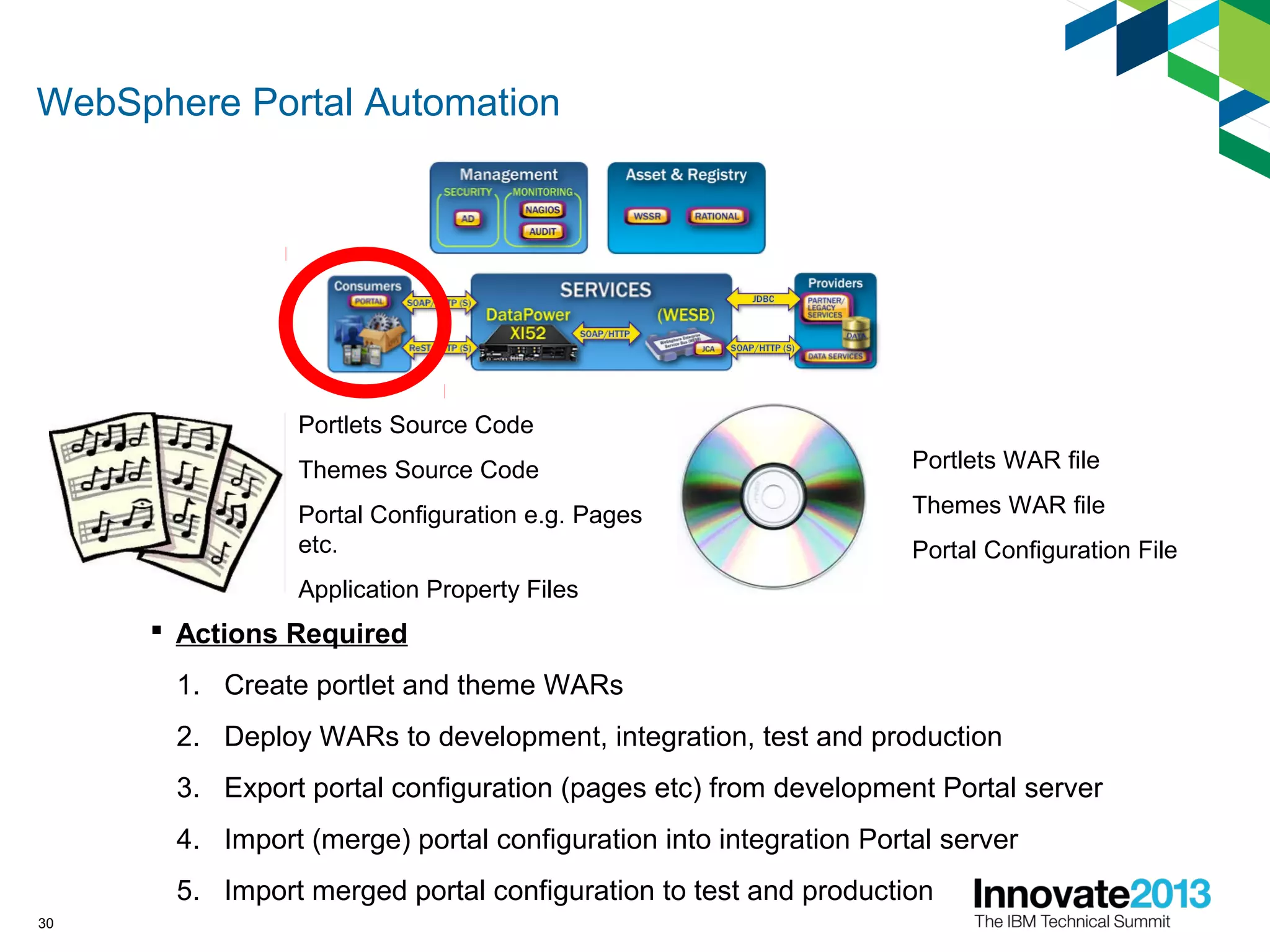
WebSphere Portal Automation
30
Portlets Source Code
Themes Source Code
Portal Configuration e.g. Pages
etc.
Application Property Files
Portlets WAR file
Themes WAR file
Portal Configuration File
 Actions Required
1. Create portlet and theme WARs
2. Deploy WARs to development, integration, test and production
3. Export portal configuration (pages etc) from development Portal server
4. Import (merge) portal configuration into integration Portal server
5. Import merged portal configuration to test and production
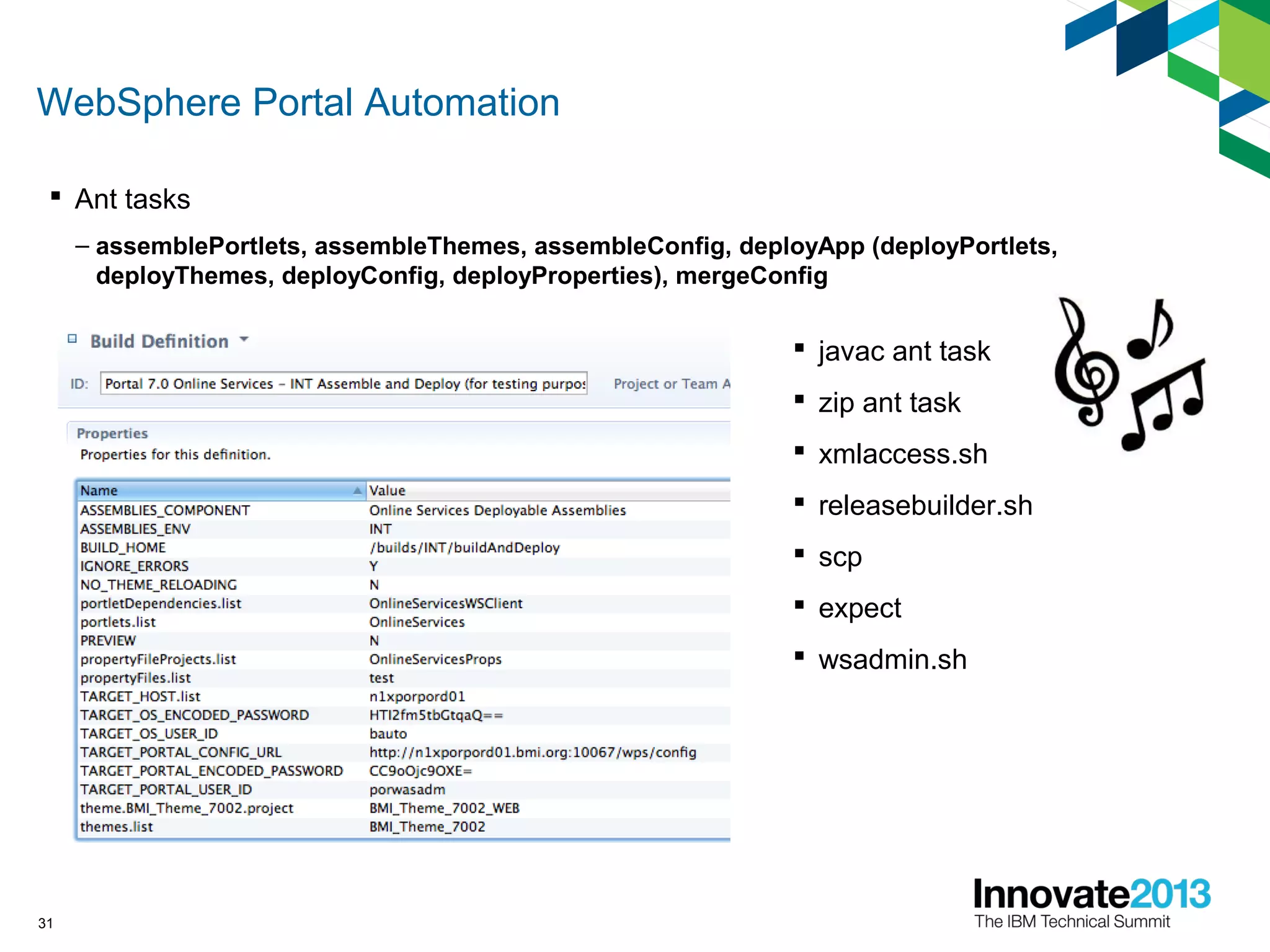
WebSphere Portal Automation
31
 Ant tasks
– assemblePortlets, assembleThemes, assembleConfig, deployApp (deployPortlets,
deployThemes, deployConfig, deployProperties), mergeConfig
 javac ant task
 zip ant task
 xmlaccess.sh
 releasebuilder.sh
 scp
 expect
 wsadmin.sh
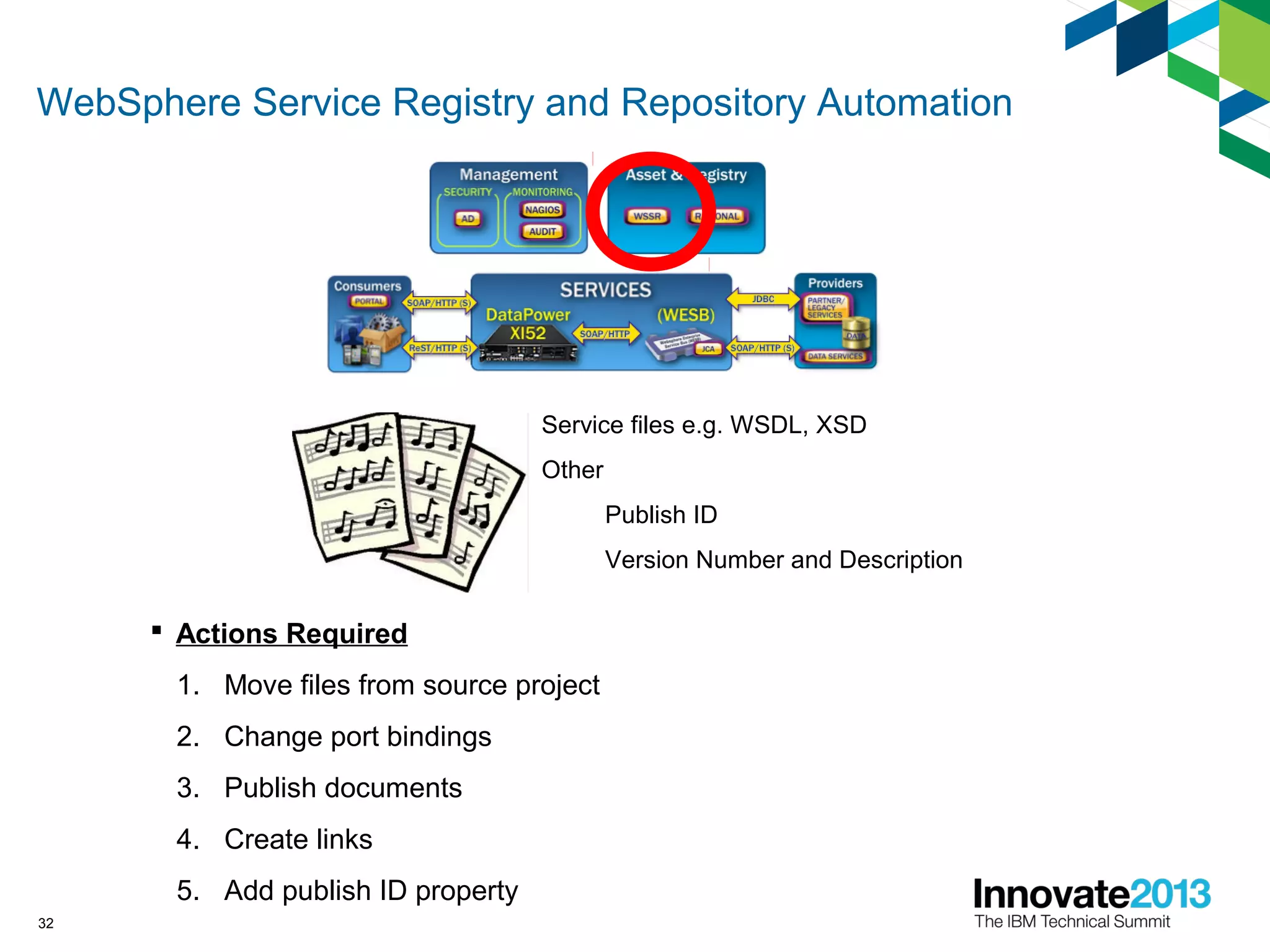
WebSphere Service Registry and Repository Automation
32
Service files e.g. WSDL, XSD
Other
Publish ID
Version Number and Description
 Actions Required
1. Move files from source project
2. Change port bindings
3. Publish documents
4. Create links
5. Add publish ID property
WebSphere Service Registry and Repository Automation
33
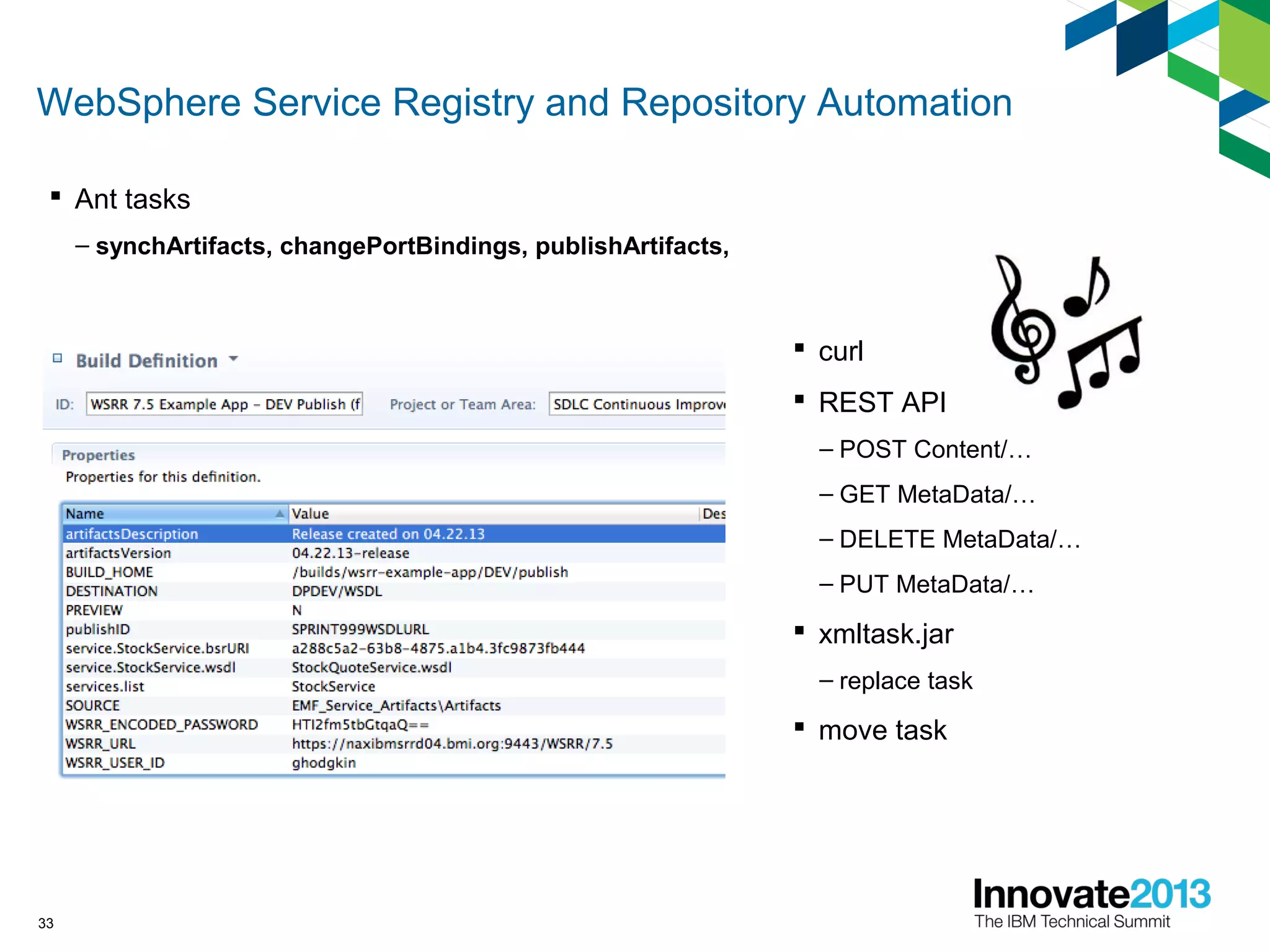
 Ant tasks
– synchArtifacts, changePortBindings, publishArtifacts,
 curl
 REST API
– POST Content/…
– GET MetaData/…
– DELETE MetaData/…
– PUT MetaData/…
 xmltask.jar
– replace task
 move task
HP Service Test Automation
34
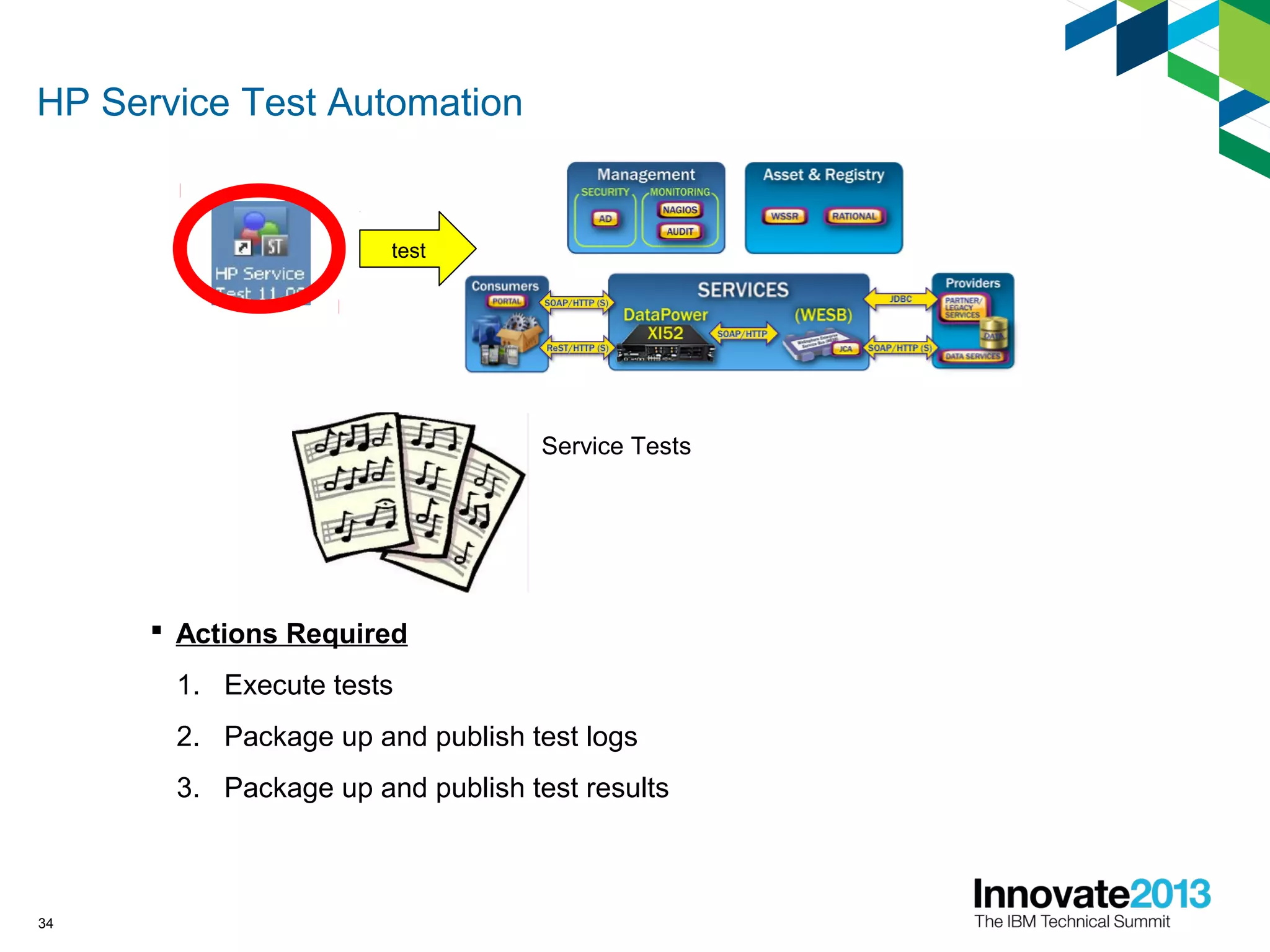
Service Tests
 Actions Required
1. Execute tests
2. Package up and publish test logs
3. Package up and publish test results
test
HP Service Test Automation
35
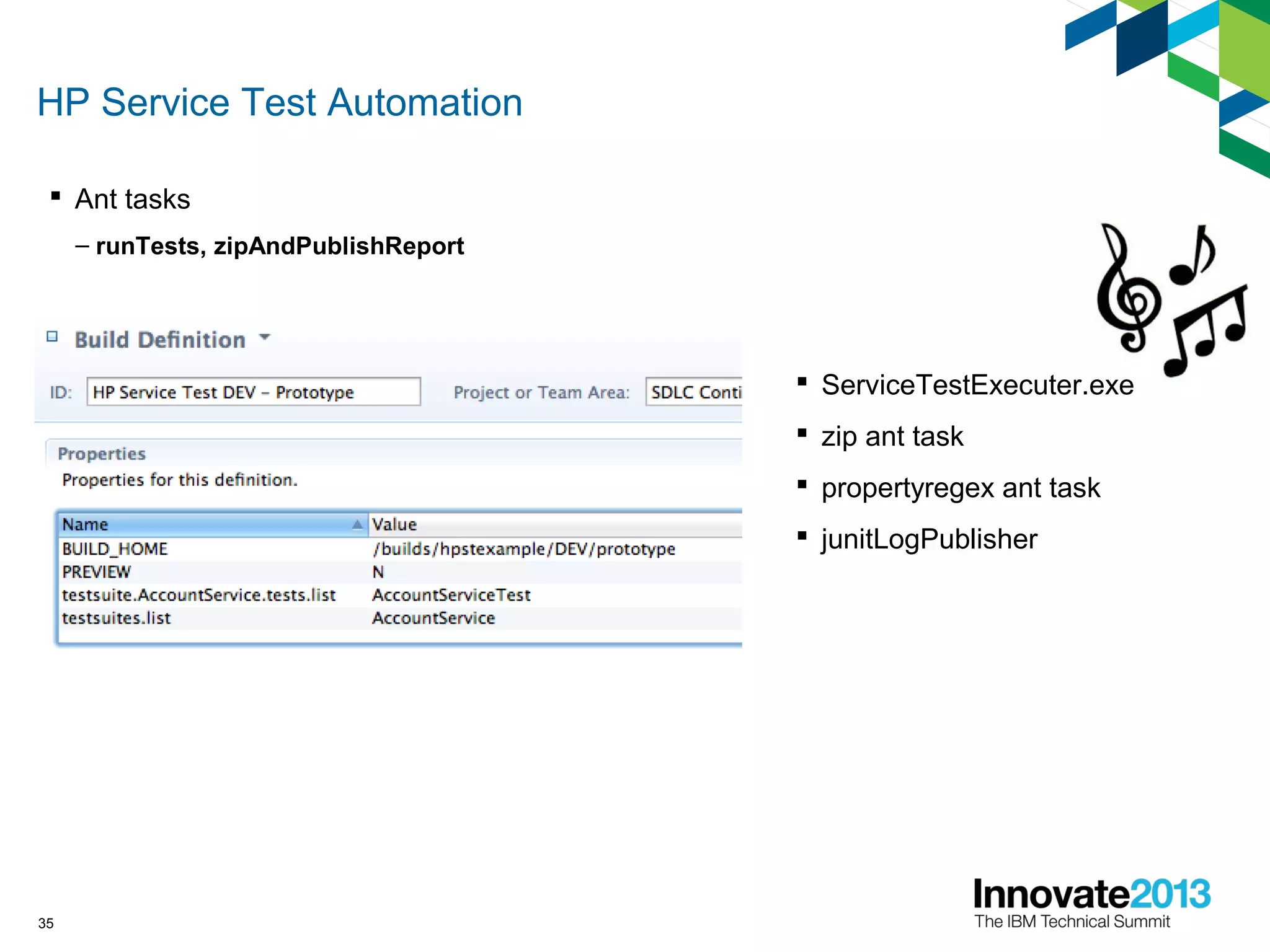
 Ant tasks
– runTests, zipAndPublishReport
 ServiceTestExecuter.exe
 zip ant task
 propertyregex ant task
 junitLogPublisher
Some Additional Tweaks: Storing Assemblies
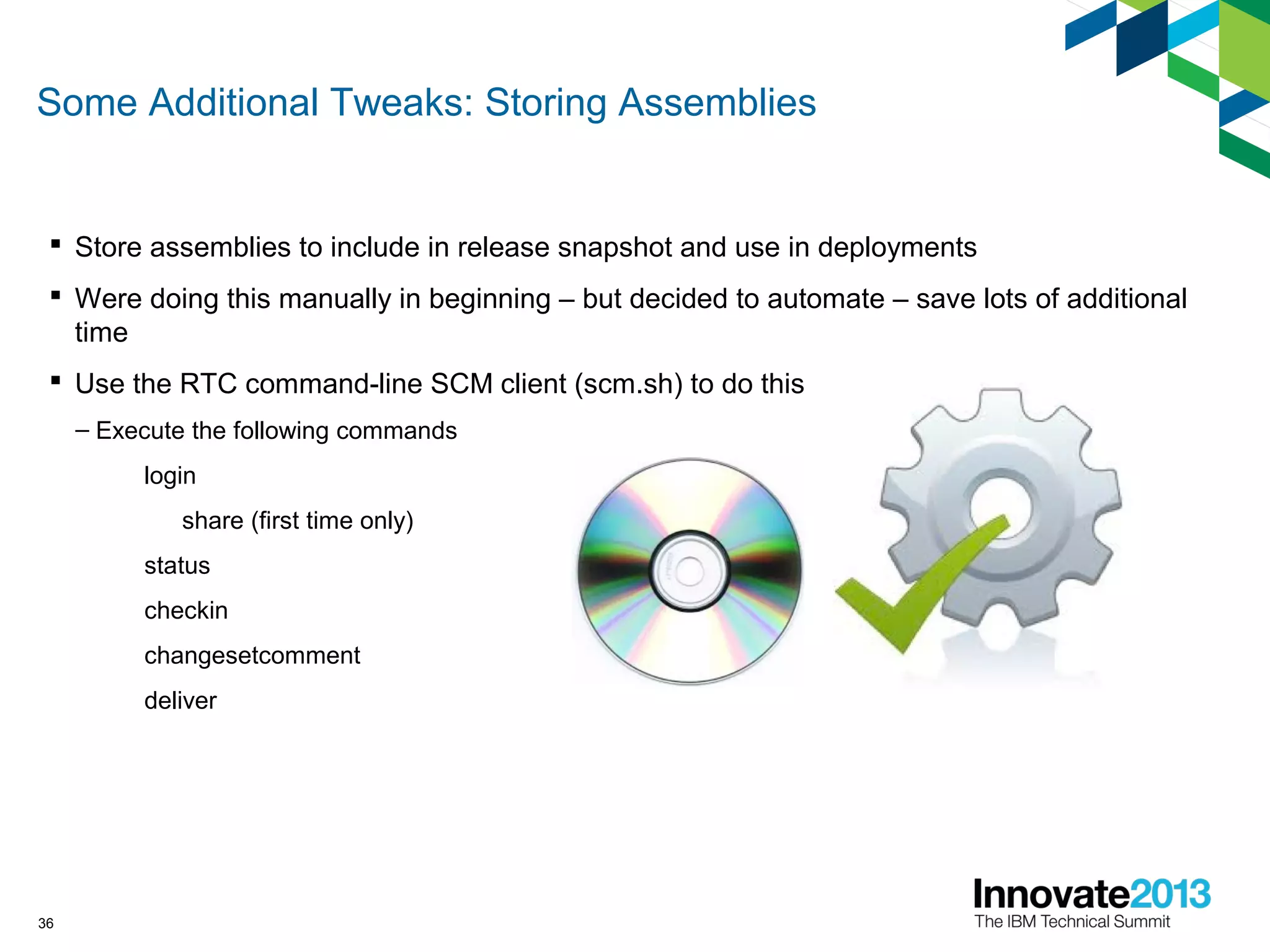
 Store assemblies to include in release snapshot and use in deployments
 Were doing this manually in beginning – but decided to automate – save lots of additional
time
 Use the RTC command-line SCM client (scm.sh) to do this
– Execute the following commands
login
share (first time only)
status
checkin
changesetcomment
deliver
36
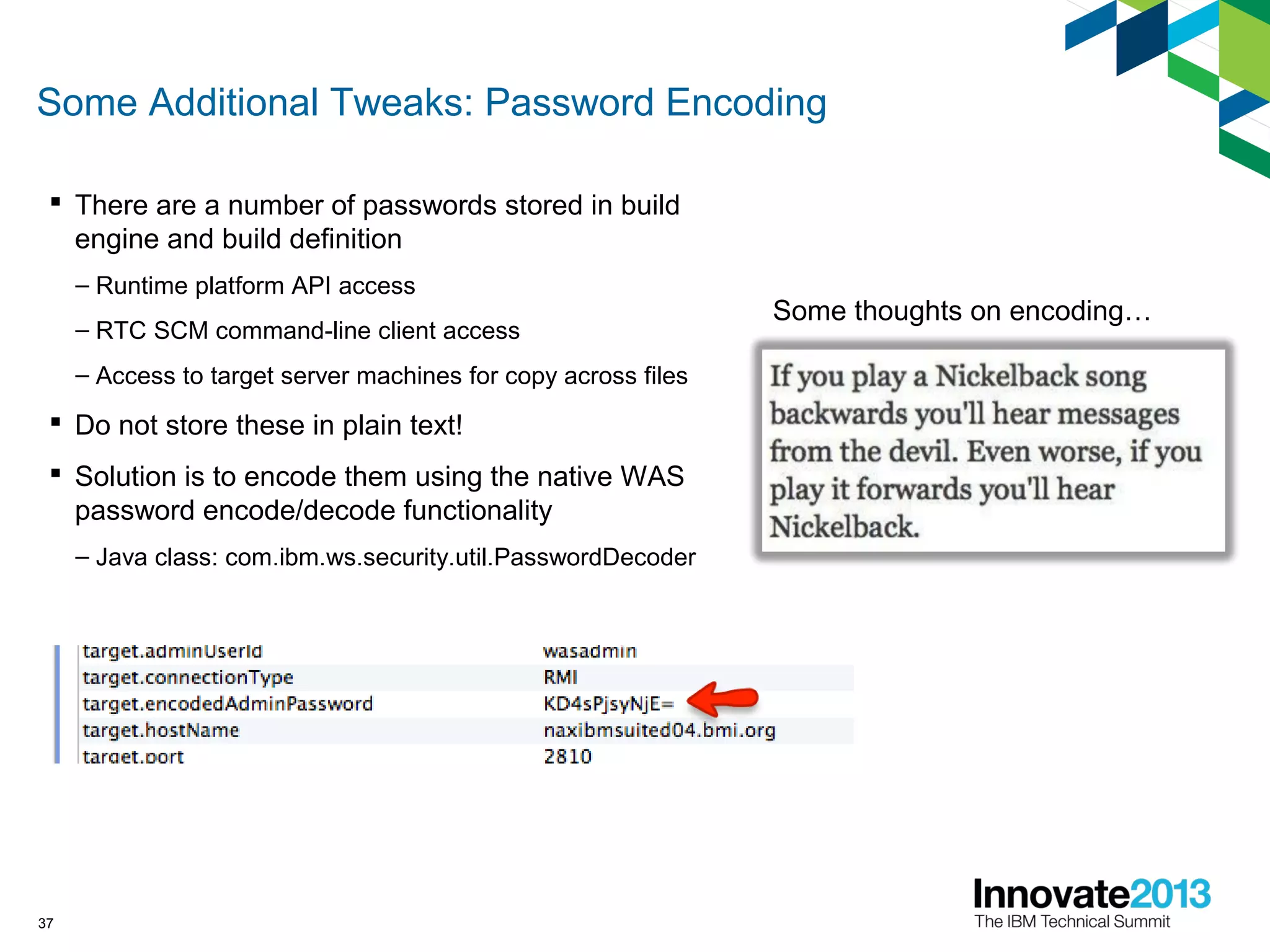
Some Additional Tweaks: Password Encoding
 There are a number of passwords stored in build
engine and build definition
– Runtime platform API access
– RTC SCM command-line client access
– Access to target server machines for copy across files
 Do not store these in plain text!
 Solution is to encode them using the native WAS
password encode/decode functionality
– Java class: com.ibm.ws.security.util.PasswordDecoder
37
Some thoughts on encoding…
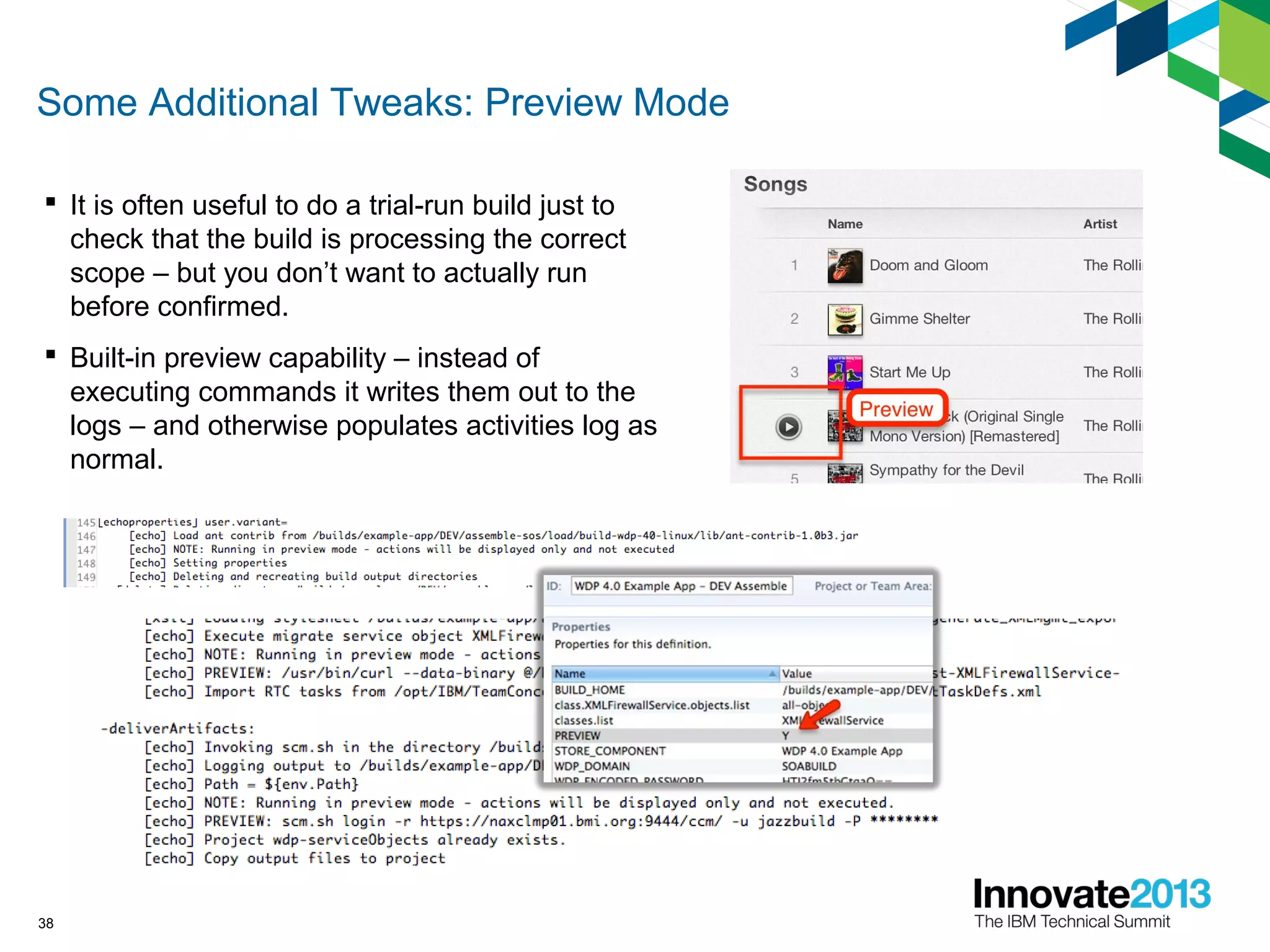
Some Additional Tweaks: Preview Mode
 It is often useful to do a trial-run build just to
check that the build is processing the correct
scope – but you don’t want to actually run
before confirmed.
 Built-in preview capability – instead of
executing commands it writes them out to the
logs – and otherwise populates activities log as
normal.
38
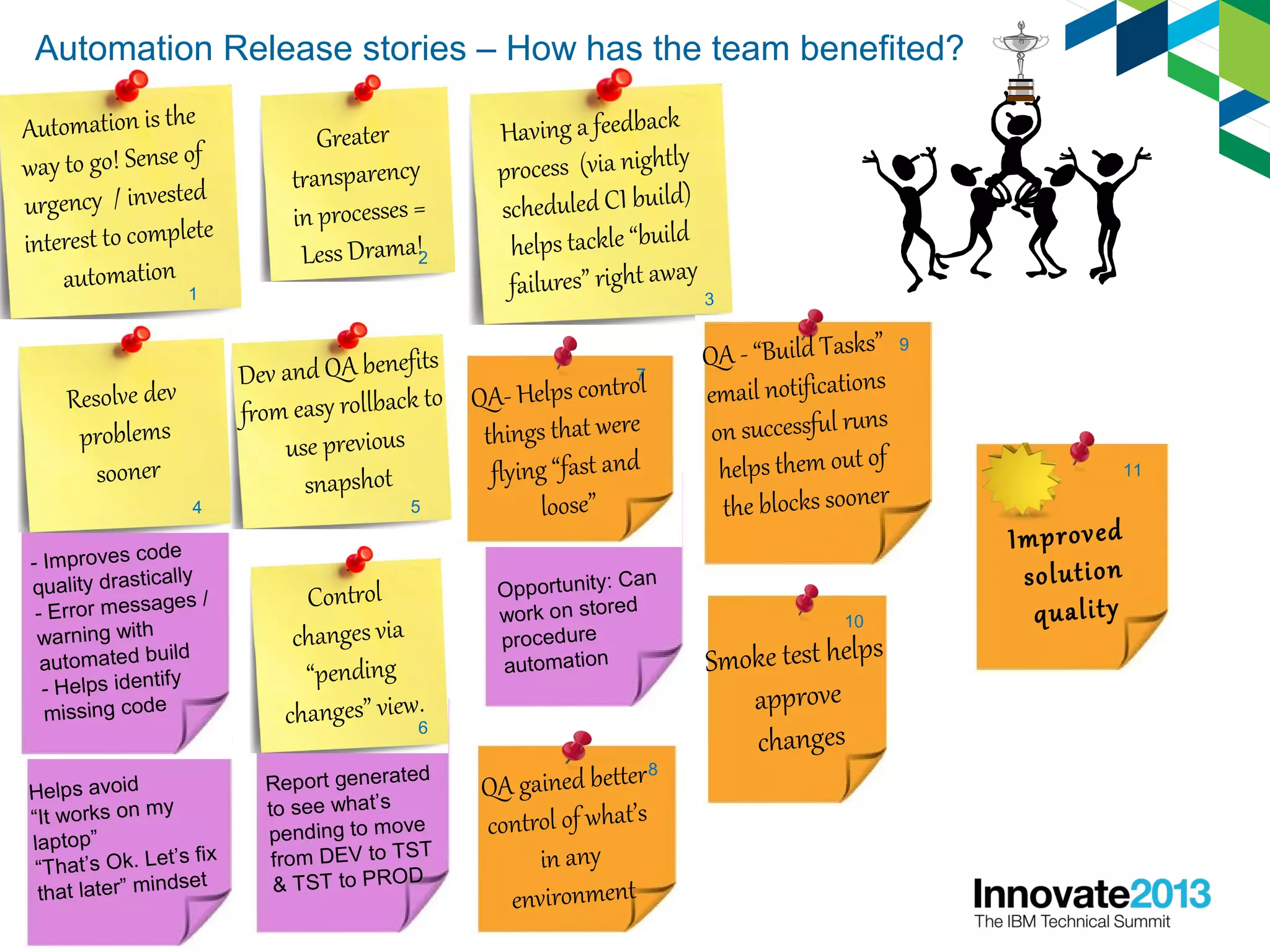
Automation Release stories – How has the team benefited?
39
Automation is the
way to go! Sense of
urgency / invested
interest to complete
automation
1
Greater
transparency
in processes =
Less Drama!2
Having a feedback
process (via nightly
scheduled CI build)
helps tackle “build
failures” right away
3
Resolve dev
problems
sooner
- Improves code
quality drastically
- Error messages /
warning with
automated build
- Helps identify
missing code
Helps avoid
“It works on my
laptop”
“That’s Ok. Let’s fix
that later” mindset
4
Dev and QA benefits
from easy rollback to
use previous
snapshot
5
Control
changes via
“pending
changes” view.
Report generated
to see what’s
pending to move
from DEV to TST
& TST to PROD
6
QA- Helps control
things that were
flying “fast and
loose”
Opportunity: Can
work on stored
procedure
automation
7
QA gained better
control of what’s
in any
environment
8
QA - “Build Tasks”
email notifications
on successful runs
helps them out of
the blocks sooner
9
Improved
solution
quality
11
Smoke test helps
approve
changes
10
This Is Good So What Is Missing?
• Scripts have grown in complexity and sharing
and maintaining them is becoming an issue
• Hard to reuse parts of scripts
• How to combine scripts easily?
• Not trivial to combine scripts e.g. build then test
• Single-threaded build engines
• Although we have a number of build machines and
build engines, the more the automation is used
the more we encounter wait conditions
• Application deployment is no longer a bottleneck
– but what about environments?
• sometimes we hit an environment provisioning
bottleneck, esp. for new projects
40
Introducing an Enterprise Automation Solution
 Rational Build Forge can plug into Rational Team
Concert as a replacement for the simple Jazz build
engine
 Still get the integration between build data and SCM
and work item data
 Now also benefit from….
1. No more single threaded limitation on a build engine
2. Automation scripts are more easily managed
3. Can share common script pieces easily between scripts
4. Get better reuse of script components
5. Can easily combine scripts to create superscripts!
41
Going Gold – Automated Environment Provision
 Added the Rational Automation Framework to add
automated provisioning of environments
 Reduced bottleneck of setup time for new environments
 Ability to quickly configure environment based on predefined
configurations
 Can now quickly stand up a totally new test environment from
the ground up – all automated
 Vastly less effort required to stand up new environments –
frees up team for more important work
 Environment plans are a lot more predictable
42
You Too Can Be A Release Rockstar!
5 Tips to Get Started
1.Identify and automate the activities that take up time
in your release process – either because of complexity,
or because time consuming to do, or because cause
many problems that are time consuming to fix.
2.Start simple with the Jazz Build Engine – and move to
Build Forge once your automation increases in scale
and complexity.
3.Prioritize automation requirements using RTC agile
planning – and track defects the same way.
4.Deliver automation scripts using RTC’s SCM – and
use component-and-stream-based structure to deliver
scripts alongside code.
5.Work with team to assess effectiveness of
automation, and identify improvements for next
release/sprint.
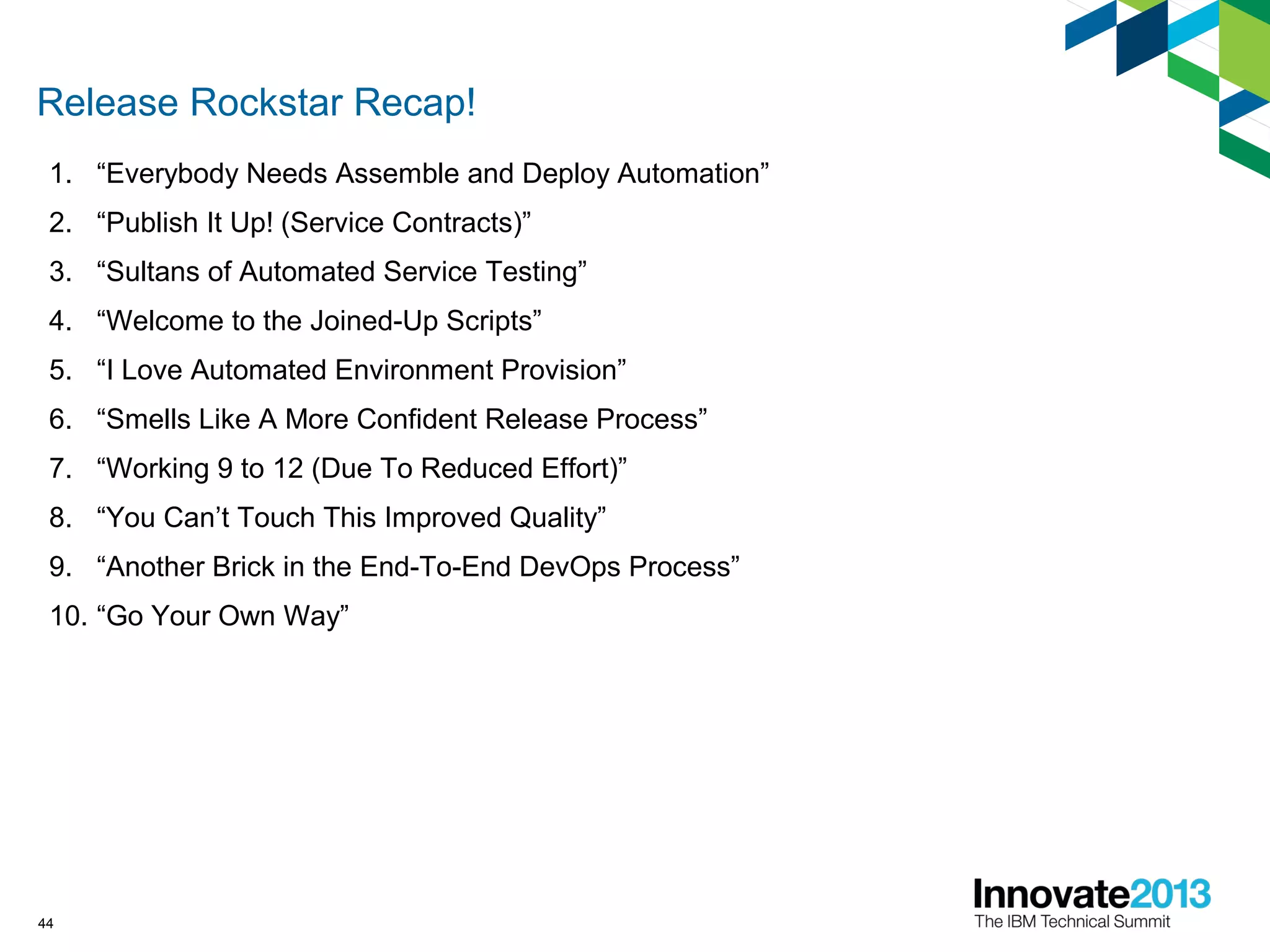
Release Rockstar Recap!
1. “Everybody Needs Assemble and Deploy Automation”
2. “Publish It Up! (Service Contracts)”
3. “Sultans of Automated Service Testing”
4. “Welcome to the Joined-Up Scripts”
5. “I Love Automated Environment Provision”
6. “Smells Like A More Confident Release Process”
7. “Working 9 to 12 (Due To Reduced Effort)”
8. “You Can’t Touch This Improved Quality”
9. “Another Brick in the End-To-End DevOps Process”
10. “Go Your Own Way”
44
45
46
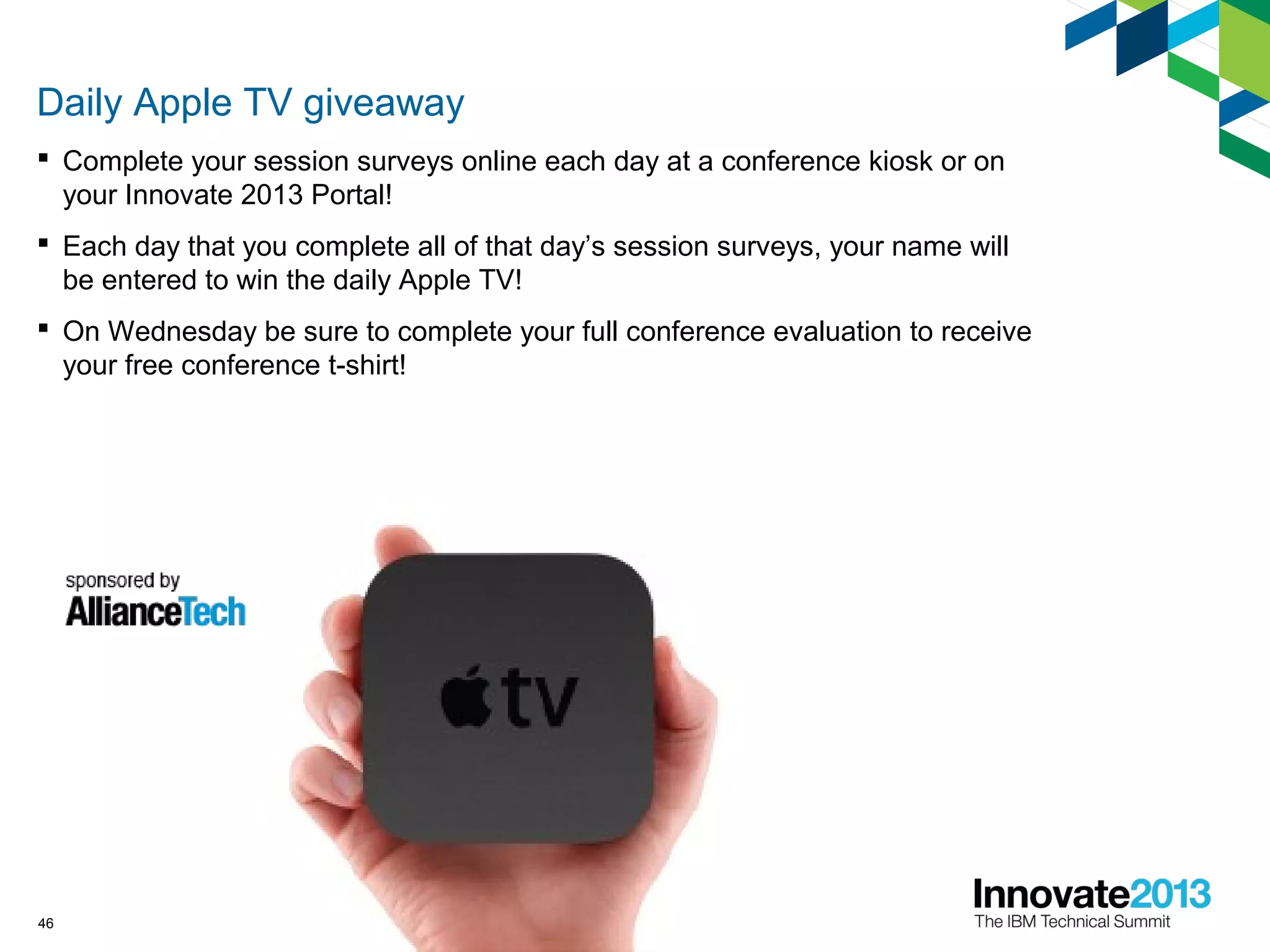
Daily Apple TV giveaway
 Complete your session surveys online each day at a conference kiosk or on
your Innovate 2013 Portal!
 Each day that you complete all of that day’s session surveys, your name will
be entered to win the daily Apple TV!
 On Wednesday be sure to complete your full conference evaluation to receive
your free conference t-shirt!
47
Acknowledgements and disclaimers
© Copyright IBM Corporation 2013. All rights reserved.
– U.S. Government Users Restricted Rights - Use, duplication or disclosure restricted by GSA ADP Schedule Contract with IBM Corp.
IBM, the IBM logo, ibm.com, Rational, the Rational logo, Telelogic, the Telelogic logo, Green Hat, the Green Hat logo, and other IBM products
and services are trademarks or registered trademarks of International Business Machines Corporation in the United States, other countries, or
both. If these and other IBM trademarked terms are marked on their first occurrence in this information with a trademark symbol (® or ™), these
symbols indicate U.S. registered or common law trademarks owned by IBM at the time this information was published. Such trademarks may
also be registered or common law trademarks in other countries. A current list of IBM trademarks is available on the Web at “Copyright and
trademark information” at www.ibm.com/legal/copytrade.shtml
If you have mentioned trademarks that are not from IBM, please update and add the following lines:
[Insert any special third-party trademark names/attributions here]
Other company, product, or service names may be trademarks or service marks of others.
Availability: References in this presentation to IBM products, programs, or services do not imply that they will be available in all countries
in which IBM operates.
The workshops, sessions and materials have been prepared by IBM or the session speakers and reflect their own views. They are provided
for informational purposes only, and are neither intended to, nor shall have the effect of being, legal or other guidance or advice to any
participant. While efforts were made to verify the completeness and accuracy of the information contained in this presentation, it is provided
AS-IS without warranty of any kind, express or implied. IBM shall not be responsible for any damages arising out of the use of, or otherwise
related to, this presentation or any other materials. Nothing contained in this presentation is intended to, nor shall have the effect of, creating
any warranties or representations from IBM or its suppliers or licensors, or altering the terms and conditions of the applicable license
agreement governing the use of IBM software.
All customer examples described are presented as illustrations of how those customers have used IBM products and the results they may
have achieved. Actual environmental costs and performance characteristics may vary by customer. Nothing contained in these materials is
intended to, nor shall have the effect of, stating or implying that any activities undertaken by you will result in any specific sales, revenue
growth or other results.
48
© Copyright IBM Corporation 2013. All rights reserved. The information
contained in these materials is provided for informational purposes only, and is
provided AS IS without warranty of any kind, express or implied. IBM shall not be
responsible for any damages arising out of the use of, or otherwise related to,
these materials. Nothing contained in these materials is intended to, nor shall
have the effect of, creating any warranties or representations from IBM or its
suppliers or licensors, or altering the terms and conditions of the applicable license
agreement governing the use of IBM software. References in these materials to
IBM products, programs, or services do not imply that they will be available in all
countries in which IBM operates. Product release dates and/or capabilities
referenced in these materials may change at any time at IBM’s sole discretion
based on market opportunities or other factors, and are not intended to be a
commitment to future product or feature availability in any way. IBM, the IBM logo,
Rational, the Rational logo, Telelogic, the Telelogic logo, and other IBM products
and services are trademarks of the International Business Machines Corporation,
in the United States, other countries or both. Other company, product, or service
names may be trademarks or service marks of others.
49
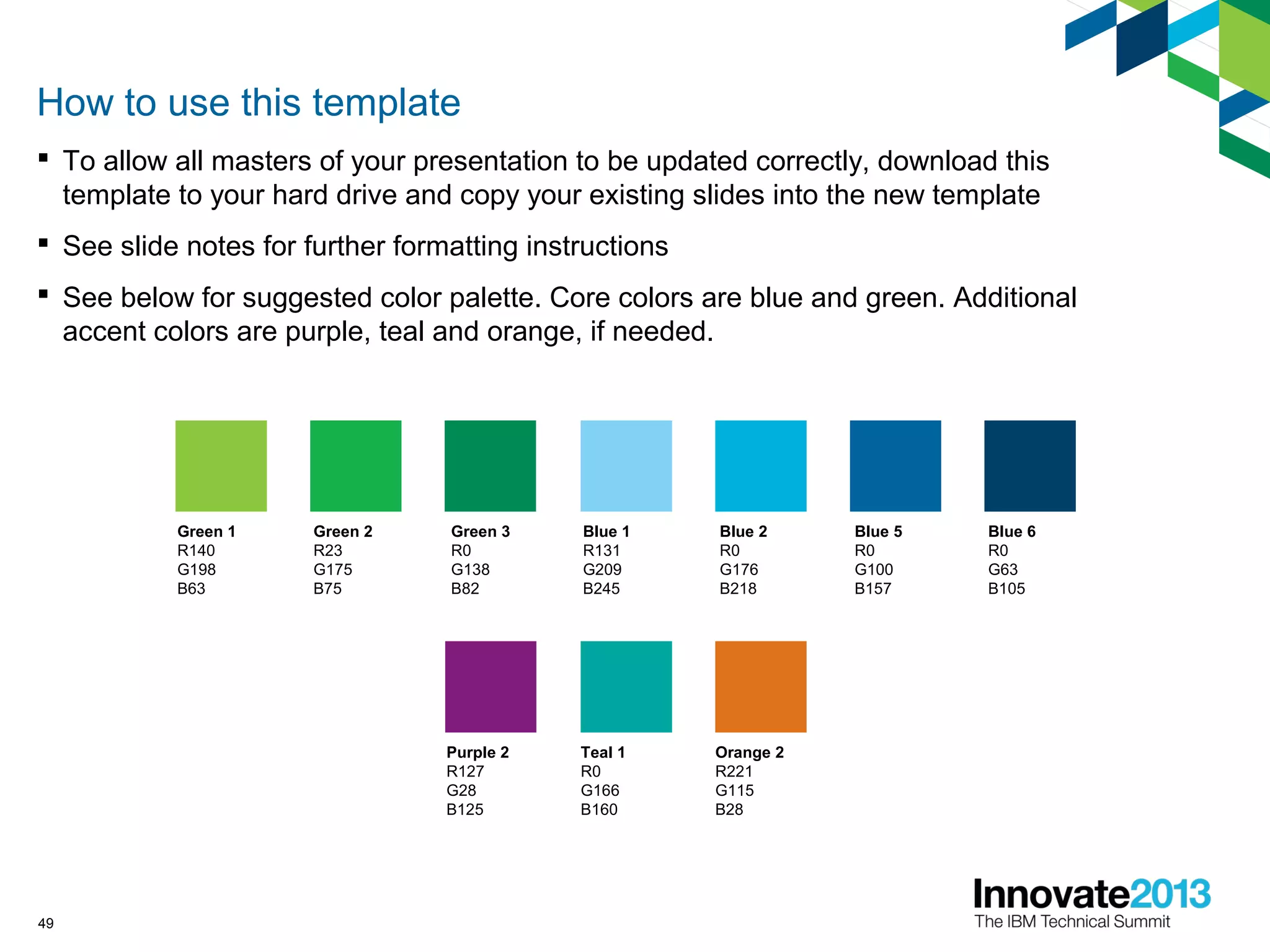
How to use this template
 To allow all masters of your presentation to be updated correctly, download this
template to your hard drive and copy your existing slides into the new template
 See slide notes for further formatting instructions
 See below for suggested color palette. Core colors are blue and green. Additional
accent colors are purple, teal and orange, if needed.
Blue 2
R0
G176
B218
Blue 5
R0
G100
B157
Blue 6
R0
G63
B105
Blue 1
R131
G209
B245
Orange 2
R221
G115
B28
Purple 2
R127
G28
B125
Teal 1
R0
G166
B160
Green 1
R140
G198
B63
Green 2
R23
G175
B75
Green 3
R0
G138
B82

Broadcast Music Inc - Release Automation Rockstars!

  • 1.
    Broadcast Music –Release Automation Rockstars! Jim Harvey Senior Director of Business Analysis and Quality Assurance, Broadcast Music JHarvey@bmi.com Greg Hodgkinson Practice Director - Lifecycle Tools and Methodology, Prolifics ghodgkin@prolifics.com 1874A © 2013 IBM Corporation
  • 2.
    Session Objectives  Describehow to use Rational to automate your release process  Demonstrate flexibility of the Rational architecture in automating a range of different DevOps tasks  Share a bit of the technical stuff on how to achieve automation on these different tasks  Share some of our “release stories”  Give you some ideas to get started 2 One! Two! Three! Four!
  • 3.
    3 This is BMI– Who We Are and What We Do • Broadcast Music, Inc. - 1939 • Performing Rights Organization (PRO) • Pay public performance royalties • Operate on a non-profit-making basis • 7 locations: Nashville, New York, Los Angeles, Atlanta, Miami, Puerto Rico, London • 600 employees • 7.5 million works • 500,000 songwriters and composers
  • 4.
  • 5.
    Where We Were Development and Support Silos  Several Development Languages  Roles – Many Hats  Inconsistent Development Life Cycle 5 Where We Are Going  Business Process Management(BPM)  IBM Portal  Service Oriented Architecture(SOA)  Dedicated Roles  Agile
  • 6.
    Overview of ourTooling IBM Focal Point – Product and portfolio management IBM Rational Requirements Composer – Maintains all user stories, use cases and associated artifacts IBM Rational Quality Manager – Test management tool IBM Rational Team Concert – Work item tracking linking development work to backlog items, source control HP Unified Functional Tester(UFT) - Application and service test automation Build Forge 6
  • 7.
    SOAP/HTTPSOAP/HTTP Federated ESB Architecture WebSphereService Registry and Repository(WSRR) Data transformations Portal, BPM and Mobile Consumers SOAP/HTTP (S)SOAP/HTTP (S) ReST/HTTP (S)ReST/HTTP (S) JDBCJDBC SOAP/HTTP (S)SOAP/HTTP (S) Security (authentication and authorization)
  • 8.
    Prioritization of AutomationNeeds  WESB – Service Development  WSRR – support service consumers  Data Power  Portal 8
  • 9.
    Choosing a Partner IBM Rational Expertise  Best Practices  Guidance  Implementation  Enablement 9
  • 10.
    What Do WeWant Out of Automated Release Management?  Automated assemble and deploy steps  Either trigger automation on-demand or based on schedule  Notification of failure  Easy troubleshooting if assemble or deploy fails  Ability to track a release  Control what gets included in the release  Roll-back a deployment of a release  Redeploy a release at any time in future 10
  • 11.
    The Secret toAchieving a Top-10 Hit: A Good Producer Release Engineer (Music Producer) Development Team (Band) Team Concert (Recording Studio) • Readies for distribution • Controls recording/distribution • Creative – arranges songs • Catches bad notes 11
  • 12.
    The Rational TeamConcert Recording Studio! The Rational Team Concert Recording Studio! Rational Team Concert  The core of the Rational CLM solution – provides CCM capabilities  Capabilities – Planning, Work Item Management, Source Control, Builds  Key use cases – Agile planning – Component-based configuration management – Continuous integration 12
  • 13.
    The Rational TeamConcert Recording Studio! The Rational Team Concert Recording Studio! Jazz Build Engine  Light-weight build engine that ships with Rational Team Concert  Ant-based build engine – runs Ant build scripts  Allows build engines to be distributed  Light-weight install – supports Windows, Linux, z/OS and IBM i platforms  Single-threaded build engine  Easy to get up and running 13
  • 14.
    A Simple AutomatedRelease Management Process Team deliver code Automation stores assembly for deployment Automation assembles (builds) the code Release engineer triggers assembly Release engineer promotes release Release engineer triggers deployment Automation deploys assembly 14
  • 15.
    Promoting Through Streams Configurations managed in streams  Streams can be linked together to form a chain – one per environment  Changes promoted through Pending Changes view 15
  • 16.
    Teeing Up aRecording – the Build Definition  Build definition defines: 1. What… …it is that will be assembled/deployed (scope) 2. Where… …it is to be deployed to …to get the source/assembly from (i.e. which stream) …it will run (which build engine)16 Each unique set of actions that you want to run is set up as a build definition 3. When… …it will run for scheduled builds 4. How… …describes what actions to apply 5. Who… …’s user/password to use for permissions
  • 17.
    Defining Scope –What Tracks to Include?  Scope is defined using Properties on the build definition – –makes it easy to configure, –easy to see what was included in a build.  Some examples: 17 WebSphere Portal •portlets.list •themes.list •propertyFiles.list WebSphere ESB •modules.list WebSphere DataPower •classes.list •fileProjects.list WebSphere Service Registry and Repository •services.list HP Service Test •testsuites.list
  • 18.
    And Out Pops… a Build Record 18
  • 19.
  • 20.
    Assembled Items –Ready for Download 20
  • 21.
  • 22.
  • 23.
    Release Automation Needs– Very Similar, Very Different  WebSphere ESB – Basic build of source code, and then deploy to target nodes – Also need to start application once deployed  WebSphere DataPower – Application “source” is on DP device – Also deploy files stored in source control – Need to merge selected objects from DEV into  WebSphere Portal – Application consists of source code as well as configuration in server  WebSphere Service Registry and Repository – Deploying to repository as opposed to runtime server  HP Service Test – Executing a set of tests 23
  • 24.
    Automation Powered by“Ant” 24 External Libraries External Executables Shell Scripts Ant ScriptsXSL Transformations Adam and the Ants
  • 25.
    Ant Tasks forPublishing to our Build Record  Publish Activities – startBuildActivity 25  Publish Logs – logPublisher  Publish Artifacts – artifactFilePublisher  Publish Test Results – junitLogPublisher
  • 26.
    WebSphere ESB Automation 26 IBMIntegration Developer Source Files EAR files  Actions Required 1. Build application modules 2. Assemble application EARs 3. Deploy application EARs 4. Store application EARs 5. Start application EARs
  • 27.
    WebSphere ESB Automation Ant tasks – buildAppModules, assembleAppEARs, deployAppEARs, deliverAppEARs, startAppEARs 27  runAntWid.sh – projectImport ant task – projectBuild ant task – zip ant task  ws_ant.sh – wsUninstallApp ant task – wsInstallApp ant task – wsStopApp ant task – wsStartApp ant task  scp
  • 28.
    WebSphere DataPower Automation 28 ServiceObjects e.g. XML Firewall Service, Multi-Protocol Gateway Files e.g. Certificates Deployment Policy Base 64 Configuration File  Actions Required 1. Export service objects from device’s development domain into B64 file 2. Import files into device’s development domain 3. Import (merge) service objects and files into device’s integration domain 4. Take backup of merged integration domain 5. Deploy merged domain into test and production domains
  • 29.
    WebSphere DataPower Automation 29 Ant tasks – assembleServiceObjects, assembleDomain, mergeDeltasToDomain, deployDomain, deleteDomain, deleteServiceObjects, deployServiceObjects, deployFiles 29  xslt ant task  curl  WDP XML Management – dp:do-action – CreateDir – RestartDomain – SaveConfig – dp:del-config – dp:do-backup – dp:do-export – dp:do-import – dp:set-file
  • 30.
    WebSphere Portal Automation 30 PortletsSource Code Themes Source Code Portal Configuration e.g. Pages etc. Application Property Files Portlets WAR file Themes WAR file Portal Configuration File  Actions Required 1. Create portlet and theme WARs 2. Deploy WARs to development, integration, test and production 3. Export portal configuration (pages etc) from development Portal server 4. Import (merge) portal configuration into integration Portal server 5. Import merged portal configuration to test and production
  • 31.
    WebSphere Portal Automation 31 Ant tasks – assemblePortlets, assembleThemes, assembleConfig, deployApp (deployPortlets, deployThemes, deployConfig, deployProperties), mergeConfig  javac ant task  zip ant task  xmlaccess.sh  releasebuilder.sh  scp  expect  wsadmin.sh
  • 32.
    WebSphere Service Registryand Repository Automation 32 Service files e.g. WSDL, XSD Other Publish ID Version Number and Description  Actions Required 1. Move files from source project 2. Change port bindings 3. Publish documents 4. Create links 5. Add publish ID property
  • 33.
    WebSphere Service Registryand Repository Automation 33  Ant tasks – synchArtifacts, changePortBindings, publishArtifacts,  curl  REST API – POST Content/… – GET MetaData/… – DELETE MetaData/… – PUT MetaData/…  xmltask.jar – replace task  move task
  • 34.
    HP Service TestAutomation 34 Service Tests  Actions Required 1. Execute tests 2. Package up and publish test logs 3. Package up and publish test results test
  • 35.
    HP Service TestAutomation 35  Ant tasks – runTests, zipAndPublishReport  ServiceTestExecuter.exe  zip ant task  propertyregex ant task  junitLogPublisher
  • 36.
    Some Additional Tweaks:Storing Assemblies  Store assemblies to include in release snapshot and use in deployments  Were doing this manually in beginning – but decided to automate – save lots of additional time  Use the RTC command-line SCM client (scm.sh) to do this – Execute the following commands login share (first time only) status checkin changesetcomment deliver 36
  • 37.
    Some Additional Tweaks:Password Encoding  There are a number of passwords stored in build engine and build definition – Runtime platform API access – RTC SCM command-line client access – Access to target server machines for copy across files  Do not store these in plain text!  Solution is to encode them using the native WAS password encode/decode functionality – Java class: com.ibm.ws.security.util.PasswordDecoder 37 Some thoughts on encoding…
  • 38.
    Some Additional Tweaks:Preview Mode  It is often useful to do a trial-run build just to check that the build is processing the correct scope – but you don’t want to actually run before confirmed.  Built-in preview capability – instead of executing commands it writes them out to the logs – and otherwise populates activities log as normal. 38
  • 39.
    Automation Release stories– How has the team benefited? 39 Automation is the way to go! Sense of urgency / invested interest to complete automation 1 Greater transparency in processes = Less Drama!2 Having a feedback process (via nightly scheduled CI build) helps tackle “build failures” right away 3 Resolve dev problems sooner - Improves code quality drastically - Error messages / warning with automated build - Helps identify missing code Helps avoid “It works on my laptop” “That’s Ok. Let’s fix that later” mindset 4 Dev and QA benefits from easy rollback to use previous snapshot 5 Control changes via “pending changes” view. Report generated to see what’s pending to move from DEV to TST & TST to PROD 6 QA- Helps control things that were flying “fast and loose” Opportunity: Can work on stored procedure automation 7 QA gained better control of what’s in any environment 8 QA - “Build Tasks” email notifications on successful runs helps them out of the blocks sooner 9 Improved solution quality 11 Smoke test helps approve changes 10
  • 40.
    This Is GoodSo What Is Missing? • Scripts have grown in complexity and sharing and maintaining them is becoming an issue • Hard to reuse parts of scripts • How to combine scripts easily? • Not trivial to combine scripts e.g. build then test • Single-threaded build engines • Although we have a number of build machines and build engines, the more the automation is used the more we encounter wait conditions • Application deployment is no longer a bottleneck – but what about environments? • sometimes we hit an environment provisioning bottleneck, esp. for new projects 40
  • 41.
    Introducing an EnterpriseAutomation Solution  Rational Build Forge can plug into Rational Team Concert as a replacement for the simple Jazz build engine  Still get the integration between build data and SCM and work item data  Now also benefit from…. 1. No more single threaded limitation on a build engine 2. Automation scripts are more easily managed 3. Can share common script pieces easily between scripts 4. Get better reuse of script components 5. Can easily combine scripts to create superscripts! 41
  • 42.
    Going Gold –Automated Environment Provision  Added the Rational Automation Framework to add automated provisioning of environments  Reduced bottleneck of setup time for new environments  Ability to quickly configure environment based on predefined configurations  Can now quickly stand up a totally new test environment from the ground up – all automated  Vastly less effort required to stand up new environments – frees up team for more important work  Environment plans are a lot more predictable 42
  • 43.
    You Too CanBe A Release Rockstar! 5 Tips to Get Started 1.Identify and automate the activities that take up time in your release process – either because of complexity, or because time consuming to do, or because cause many problems that are time consuming to fix. 2.Start simple with the Jazz Build Engine – and move to Build Forge once your automation increases in scale and complexity. 3.Prioritize automation requirements using RTC agile planning – and track defects the same way. 4.Deliver automation scripts using RTC’s SCM – and use component-and-stream-based structure to deliver scripts alongside code. 5.Work with team to assess effectiveness of automation, and identify improvements for next release/sprint.
  • 44.
    Release Rockstar Recap! 1.“Everybody Needs Assemble and Deploy Automation” 2. “Publish It Up! (Service Contracts)” 3. “Sultans of Automated Service Testing” 4. “Welcome to the Joined-Up Scripts” 5. “I Love Automated Environment Provision” 6. “Smells Like A More Confident Release Process” 7. “Working 9 to 12 (Due To Reduced Effort)” 8. “You Can’t Touch This Improved Quality” 9. “Another Brick in the End-To-End DevOps Process” 10. “Go Your Own Way” 44
  • 45.
  • 46.
    46 Daily Apple TVgiveaway  Complete your session surveys online each day at a conference kiosk or on your Innovate 2013 Portal!  Each day that you complete all of that day’s session surveys, your name will be entered to win the daily Apple TV!  On Wednesday be sure to complete your full conference evaluation to receive your free conference t-shirt!
  • 47.
    47 Acknowledgements and disclaimers ©Copyright IBM Corporation 2013. All rights reserved. – U.S. Government Users Restricted Rights - Use, duplication or disclosure restricted by GSA ADP Schedule Contract with IBM Corp. IBM, the IBM logo, ibm.com, Rational, the Rational logo, Telelogic, the Telelogic logo, Green Hat, the Green Hat logo, and other IBM products and services are trademarks or registered trademarks of International Business Machines Corporation in the United States, other countries, or both. If these and other IBM trademarked terms are marked on their first occurrence in this information with a trademark symbol (® or ™), these symbols indicate U.S. registered or common law trademarks owned by IBM at the time this information was published. Such trademarks may also be registered or common law trademarks in other countries. A current list of IBM trademarks is available on the Web at “Copyright and trademark information” at www.ibm.com/legal/copytrade.shtml If you have mentioned trademarks that are not from IBM, please update and add the following lines: [Insert any special third-party trademark names/attributions here] Other company, product, or service names may be trademarks or service marks of others. Availability: References in this presentation to IBM products, programs, or services do not imply that they will be available in all countries in which IBM operates. The workshops, sessions and materials have been prepared by IBM or the session speakers and reflect their own views. They are provided for informational purposes only, and are neither intended to, nor shall have the effect of being, legal or other guidance or advice to any participant. While efforts were made to verify the completeness and accuracy of the information contained in this presentation, it is provided AS-IS without warranty of any kind, express or implied. IBM shall not be responsible for any damages arising out of the use of, or otherwise related to, this presentation or any other materials. Nothing contained in this presentation is intended to, nor shall have the effect of, creating any warranties or representations from IBM or its suppliers or licensors, or altering the terms and conditions of the applicable license agreement governing the use of IBM software. All customer examples described are presented as illustrations of how those customers have used IBM products and the results they may have achieved. Actual environmental costs and performance characteristics may vary by customer. Nothing contained in these materials is intended to, nor shall have the effect of, stating or implying that any activities undertaken by you will result in any specific sales, revenue growth or other results.
  • 48.
    48 © Copyright IBMCorporation 2013. All rights reserved. The information contained in these materials is provided for informational purposes only, and is provided AS IS without warranty of any kind, express or implied. IBM shall not be responsible for any damages arising out of the use of, or otherwise related to, these materials. Nothing contained in these materials is intended to, nor shall have the effect of, creating any warranties or representations from IBM or its suppliers or licensors, or altering the terms and conditions of the applicable license agreement governing the use of IBM software. References in these materials to IBM products, programs, or services do not imply that they will be available in all countries in which IBM operates. Product release dates and/or capabilities referenced in these materials may change at any time at IBM’s sole discretion based on market opportunities or other factors, and are not intended to be a commitment to future product or feature availability in any way. IBM, the IBM logo, Rational, the Rational logo, Telelogic, the Telelogic logo, and other IBM products and services are trademarks of the International Business Machines Corporation, in the United States, other countries or both. Other company, product, or service names may be trademarks or service marks of others.
  • 49.
    49 How to usethis template  To allow all masters of your presentation to be updated correctly, download this template to your hard drive and copy your existing slides into the new template  See slide notes for further formatting instructions  See below for suggested color palette. Core colors are blue and green. Additional accent colors are purple, teal and orange, if needed. Blue 2 R0 G176 B218 Blue 5 R0 G100 B157 Blue 6 R0 G63 B105 Blue 1 R131 G209 B245 Orange 2 R221 G115 B28 Purple 2 R127 G28 B125 Teal 1 R0 G166 B160 Green 1 R140 G198 B63 Green 2 R23 G175 B75 Green 3 R0 G138 B82

Editor's Notes

  • #2 Author Notes: This is the PowerPoint template for the Innovate 2013 Track Sessions This template has been built in PowerPoint 2003. If you’re using PowerPoint 2007 or above, you may experience different usability results than what is provided as guidance here. To allow all masters of your exiting presentation to be updated correctly, download this template to your hard drive and copy your existing slides into the new template using slide sorter. IBMers can find additional information on presentation guidelines and resources at:https://w3-connections.ibm.com/wikis/home?lang=en-us#!/wiki/Rational%20Presentation%20Templates,%20Guidelines,%20and%20Resources IBM Rational presenters can leverage existing brand-level assets and sparklers (including Rational Brand Messaging Slides, Client Success Slides and Client Quotes, Statistics) from SSW’s Brand Content Page:https://w3-03.sso.ibm.com/software/xl/myportal/content?synKey=R789607U42052O71 Imagery guidelines: Avoid using cartoon like clip-art, use photo-art instead. Third party material cannot be used in a presentation without written permission (this includes product and Web page screen shots, and photos). Images must be acquired from a ‘royalty-free to use’ source such as: Microsoft or Lotus Symphony Clip Art library http://www.freebyte.com/clipart_images_photos_icons/#freevectorgraphics http://www.freedigitalphotos.net/ IBMers can use royalty-free images from the following repositories: IBM Brand Systems Center / Assets / PhotographyLogin instructions: https://w3-connections.ibm.com/forums/html/topic?id=c1082624-e54c-4e04-bad1-ddb150ac7540 IBM Software Story Imageshttps://w3-connections.ibm.com/files/app#/collection/b7570645-b2f8-4450-a27f-9269a163fc2d IBM Rational Presentation Image Library: https://w3-connections.ibm.com/wikis/home?lang=en_US#!/wiki/Rational%20Presentation%20Templates,%20Guidelines,%20and%20Resources/page/Presentation%20Image%20Library
  • #7 Build Digram
  • #8 Federated ESB with WESB and DataPower SOA Governance with WSRR and DataPower Build, test, and deployment automation driving quality with Rational tools Numerous frameworks supporting security, logging, and monitoring
  • #9 WESB – SOA was a starting point. First development effort to support our up coming applications WSRR – Provides access to the WSDL for the soap user. We need to be up to date with our model changes. Data power – more complicated to automate. More time consuming. There are several steps and different component configuration considerations. Portal – Dependent on SOA pieces.
  • #10 Hand off
  • #12 Produces the recording ready for distribution Part of the creative process – selecting/arranging songs Sometimes write part of the material Provide feedback on recordings and help tweak performance
  • #46 Optional slide. Graphic is available in English only.
  • #47 Giveaway Slide
  • #48 Mandatory closing slide (1 of 2) Acknowledgements and disclaimers IBMers must include This mandatory “Acknowledgements and Disclaimers” slide at the end of your presentation before the closing “Thank You” slide. - You will need to customize the “Acknowledgements and Disclaimers” text in red appropriately.
  • #49 Mandatory closing slide (2 of 2) Thank You Slide (available in English only).
  • #50 Author Notes: This template has been built in PowerPoint 2003. If you’re using PowerPoint 2007 or above, you may experience different usability results than what is provided as guidance here. Depending on how the source file was formatted, some slides will not ideally reformat once the template is applied. Therefore, some reformatting will be necessary. Reapply slide layouts: Task Pane / Slide Layout Can be applied thru normal or slide sorter view May have to reapply the layouts more than once in order to take effect Limit altering slide layout attributes on your slide (fonts, positioning, text box anchoring, positioning, etc.), this will create less reformatting rework when switching templates in the future or repurposing this slide in other presentations. Use “shift returns” if text wraps are needed to wrap around imagery. If slide layout customization is needed, it’s advised to break the customized text box from the slide layout by selecting the bounding box of the altered text box and cutting it from the slide, apply either the title slide layout or the blank layout, and then paste the text box back onto the slide. Your custom-formatting of the text layout will then be retained for future repurposing in other presentations. Slide numbers may be duplicated in the footer of your slides. You’ll have to delete the page numbers on the left manually for each slide. Recolor graphics if needed by using the embedded color palette swatches already in this template. The color palette is also specified on the slide above. Slide text: Don’t create long sentences or paragraphs on slides. Use concise bulleted list format. Use speaker notes for supporting bulleted content to avoid slides that are too text heavy. Use sentence case capitalization for presentation titles, slide titles, category labels and bullets: Format / Change Case / Sentence Case. Initial capitalization is limited to our products and offerings. When referring to IBM products, use the correct full name, do not abbreviate. Imagery guidelines: Avoid using cartoon like clip-art, use photo-art instead. Third party material cannot be used in a presentation without written permission (this includes product and Web page screen shots, and photos). Images must be acquired from a ‘royalty-free to use’ source such as: Microsoft or Lotus Symphony Clip Art library http://www.freebyte.com/clipart_images_photos_icons/#freevectorgraphics http://www.freedigitalphotos.net/ IBMers can use royalty-free images from the following repositories: IBM Brand Systems Center / Assets / PhotographyLogin instructions: https://w3-connections.ibm.com/forums/html/topic?id=c1082624-e54c-4e04-bad1-ddb150ac7540 IBM Software Story Imageshttps://w3-connections.ibm.com/files/app#/collection/b7570645-b2f8-4450-a27f-9269a163fc2d IBM Rational Presentation Image Library: https://w3-connections.ibm.com/wikis/home?lang=en_US#!/wiki/Rational%20Presentation%20Templates,%20Guidelines,%20and%20Resources/page/Presentation%20Image%20Library