DARWIN IT-PROFESSIONALS
IT Driven Evolution
InstallFMW ‘MostlyScripted’
Why and How
Agenda
• Who we are
• Why scripted installation
• Target architecture
• Prepare machine
• Install software
• Create Repository
• Create domain
• Post configuration
• DevOps
• Q & A 2© Darwin IT-Professionals B.V.
Who we are
3© Darwin IT-Professionals B.V.
Application Development
Framework
Who we are
4© Darwin IT-Professionals B.V.
Agenda
• Who we are
• Why scripted installation
• Target architecture
• Prepare machine
• Install software
• Create Repository
• Create domain
• Post configuration
• DevOps
• Q & A
5© Darwin IT-Professionals B.V.
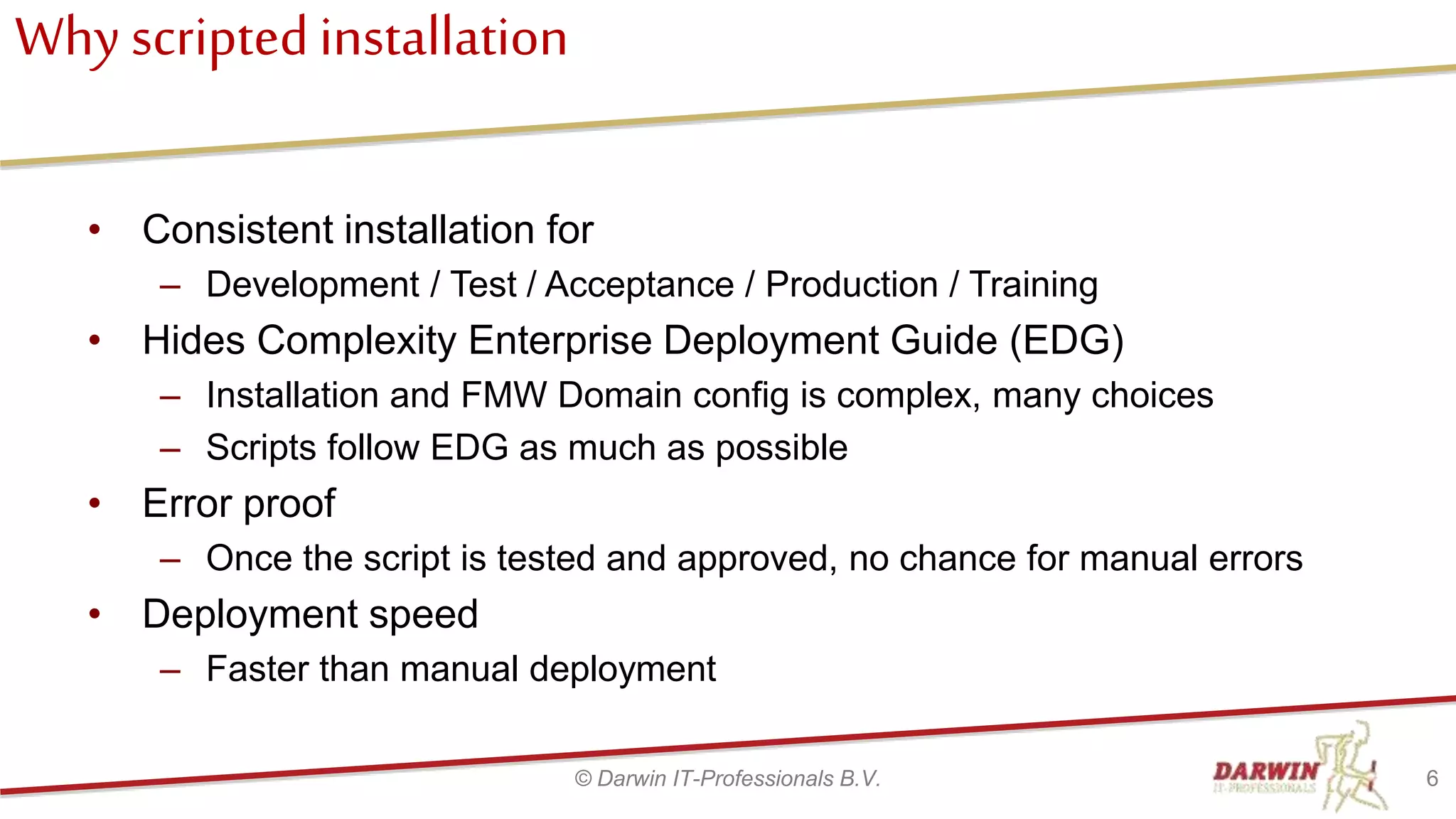
Why scriptedinstallation
• Consistent installation for
– Development / Test / Acceptance / Production / Training
• Hides Complexity Enterprise Deployment Guide (EDG)
– Installation and FMW Domain config is complex, many choices
– Scripts follow EDG as much as possible
• Error proof
– Once the script is tested and approved, no chance for manual errors
• Deployment speed
– Faster than manual deployment
6© Darwin IT-Professionals B.V.
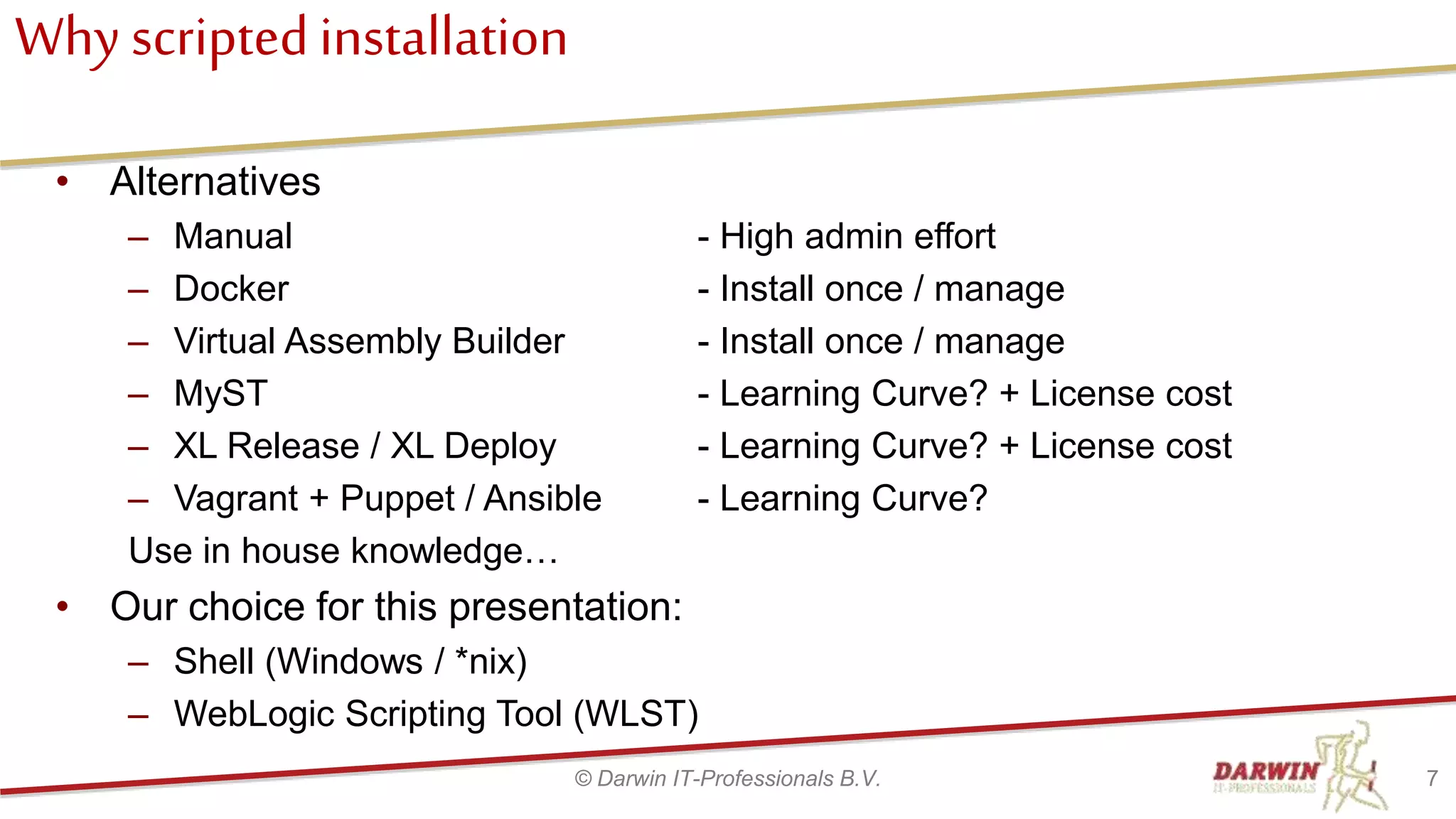
Why scriptedinstallation
• Alternatives
– Manual - High admin effort
– Docker - Install once / manage
– Virtual Assembly Builder - Install once / manage
– MyST - Learning Curve? + License cost
– XL Release / XL Deploy - Learning Curve? + License cost
– Vagrant + Puppet / Ansible - Learning Curve?
Use in house knowledge…
• Our choice for this presentation:
– Shell (Windows / *nix)
– WebLogic Scripting Tool (WLST)
7© Darwin IT-Professionals B.V.
Agenda
• Who we are
• Why scripted installation
• Target architecture
• Prepare machine
• Install software
• Create Repository
• Create domain
• Post configuration
• DevOps
• Q & A
8© Darwin IT-Professionals B.V.
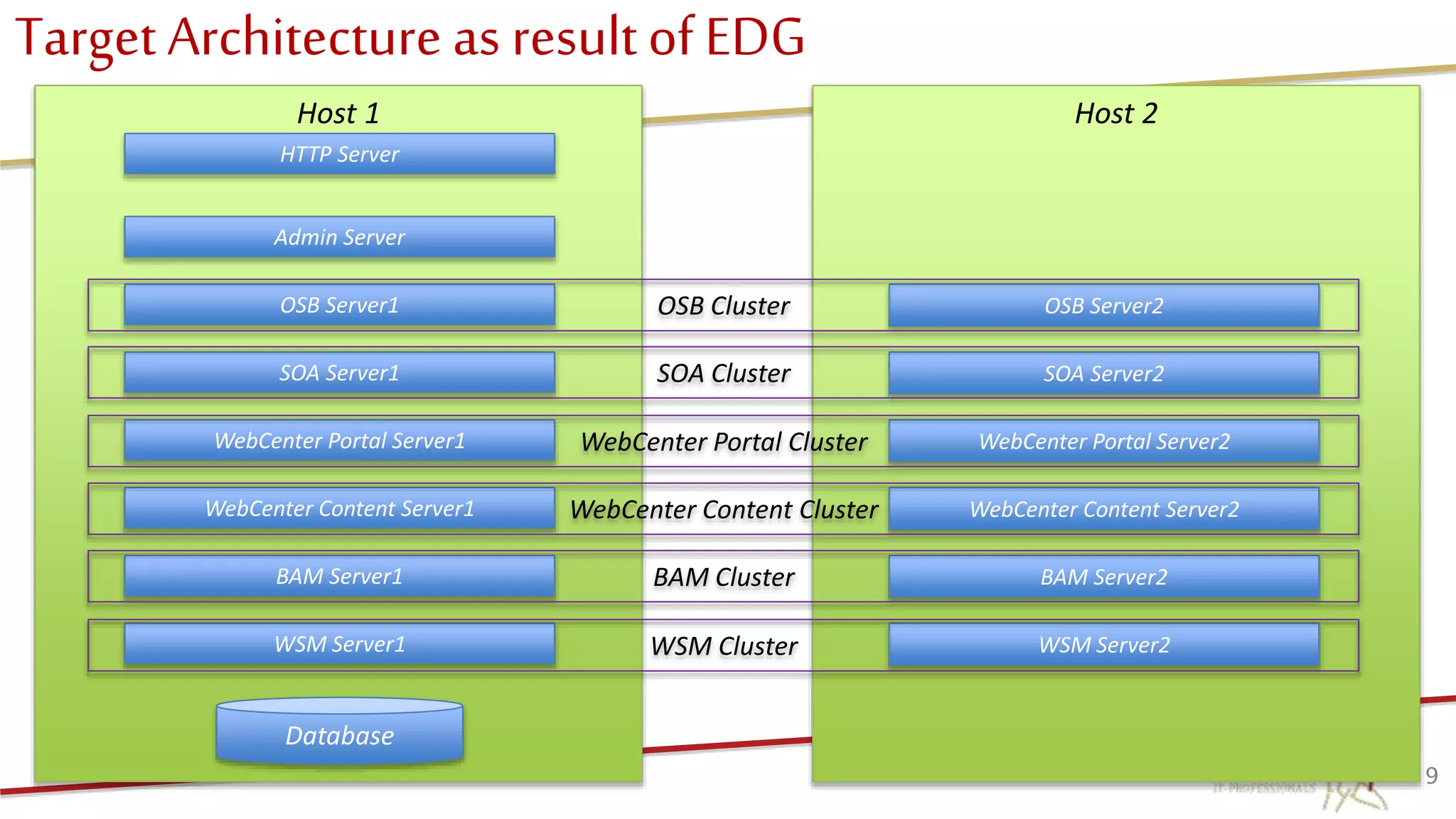
Target Architecture as resultof EDG
9
Host 1
HTTP Server
Host 2
OSB Server1
WebCenter Portal Server1
Admin Server
SOA Server1
WebCenter Content Server1
BAM Server1
WSM Server1
Database
OSB Server2
WebCenter Portal Server2
SOA Server2
WebCenter Content Server2
BAM Server2
WSM Server2
OSB Cluster
WebCenter Portal Cluster
SOA Cluster
WebCenter Content Cluster
BAM Cluster
WSM Cluster
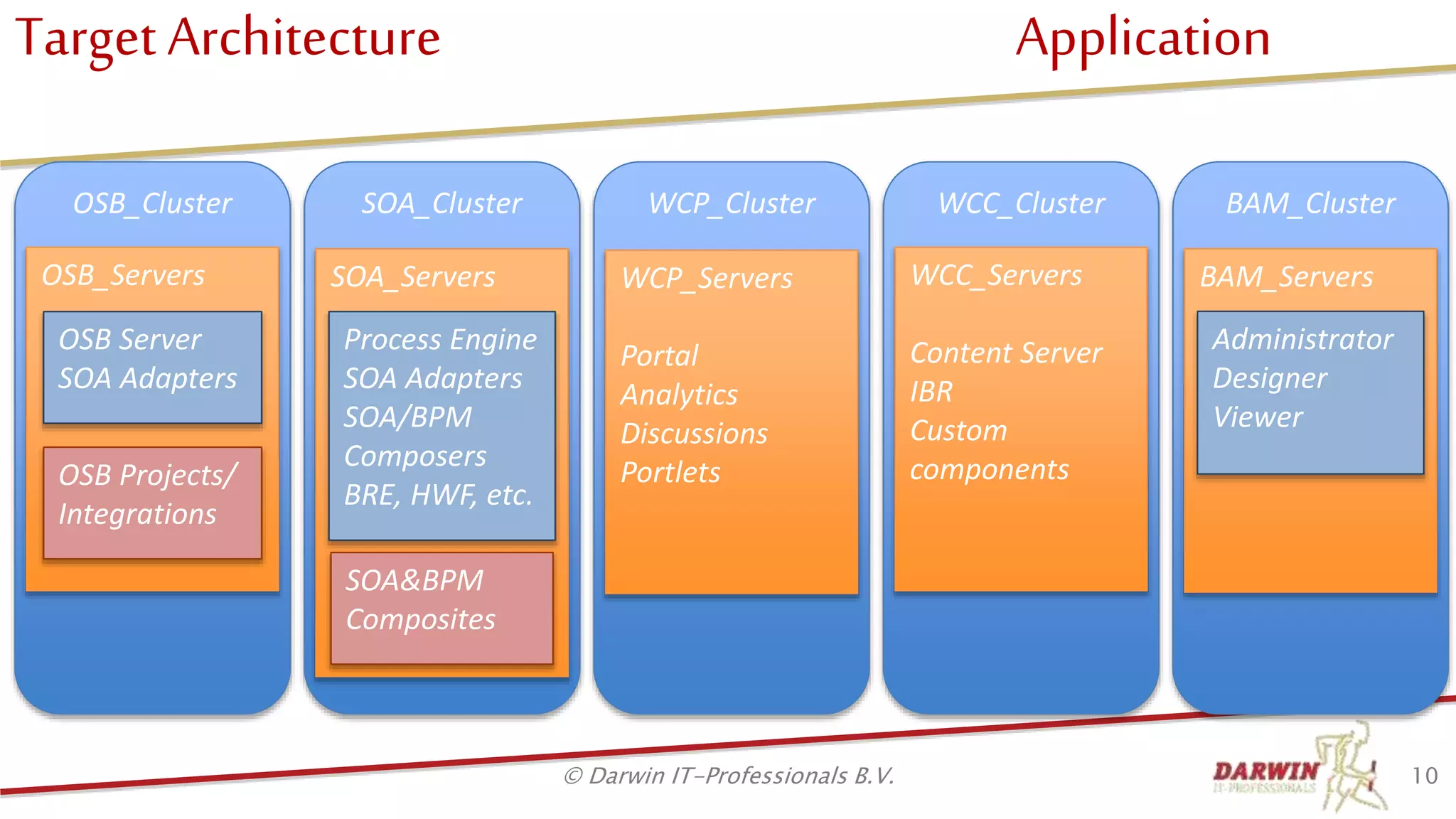
Target Architecture Application
10© Darwin IT-Professionals B.V.
WCP_Cluster
WCP_Servers
Portal
Analytics
Discussions
Portlets
WCC_Cluster
WCC_Servers
Content Server
IBR
Custom
components
OSB_Cluster
OSB_Servers
OSB Projects/
Integrations
OSB Server
SOA Adapters
SOA_Cluster
SOA_Servers
SOA&BPM
Composites
Process Engine
SOA Adapters
SOA/BPM
Composers
BRE, HWF, etc.
BAM_Cluster
BAM_Servers
Administrator
Designer
Viewer
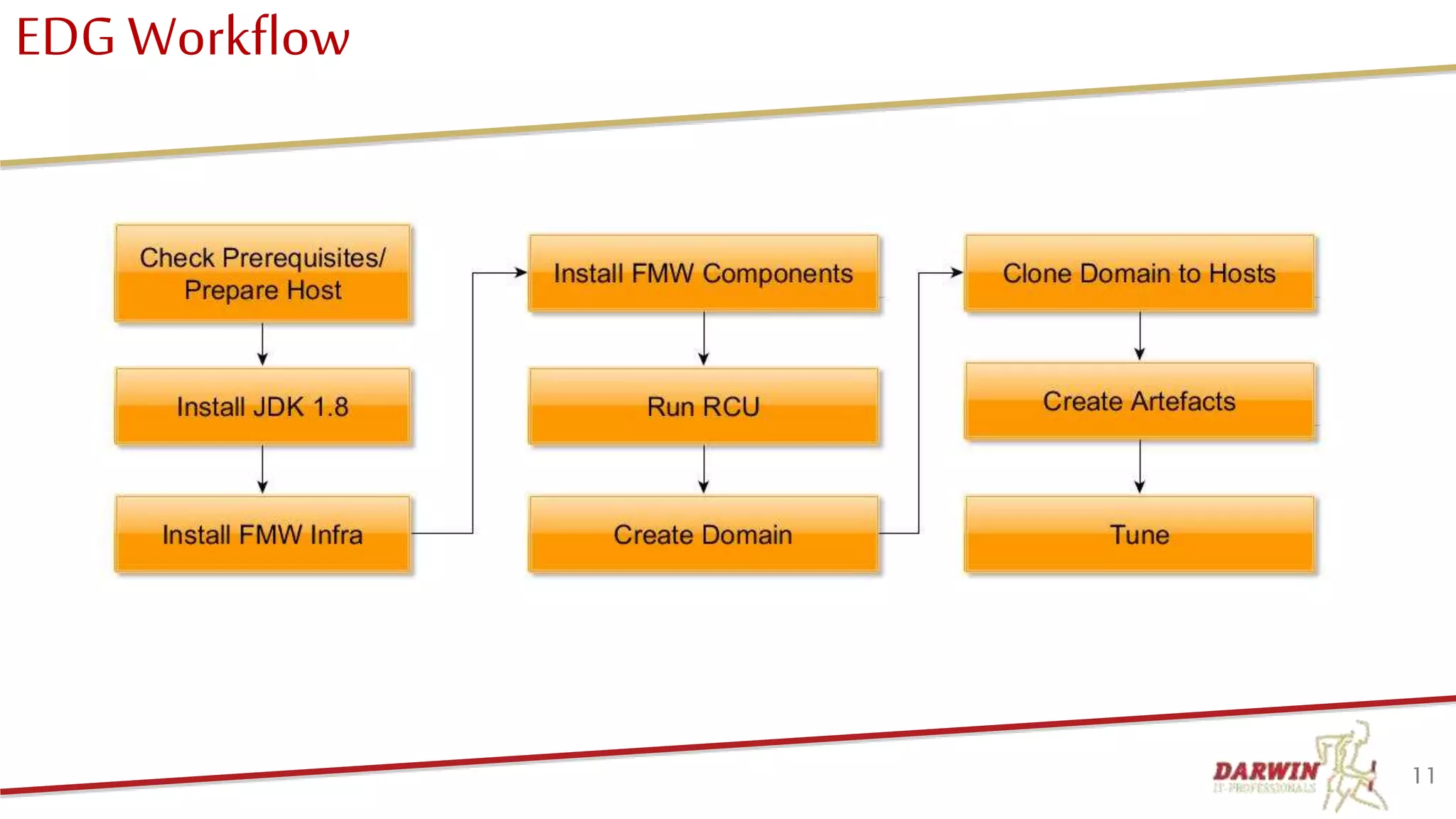
EDG Workflow
11
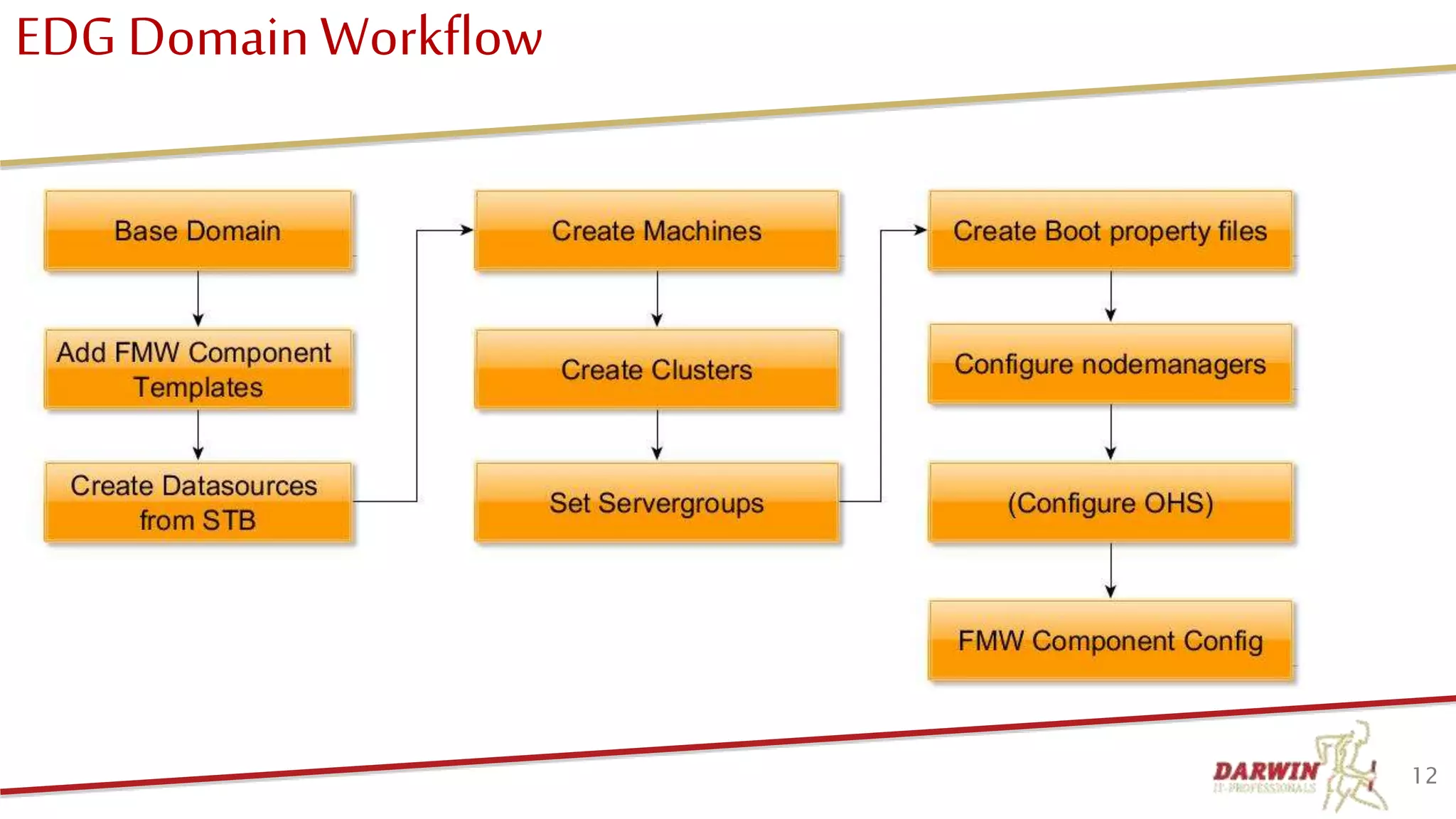
EDG DomainWorkflow
12
Agenda
• Who we are
• Why scripted installation
• Target architecture
• Prepare machine
• Install software
• Create Repository
• Create domain
• Create Post configuration
• DevOps
• Q & A
13© Darwin IT-Professionals B.V.
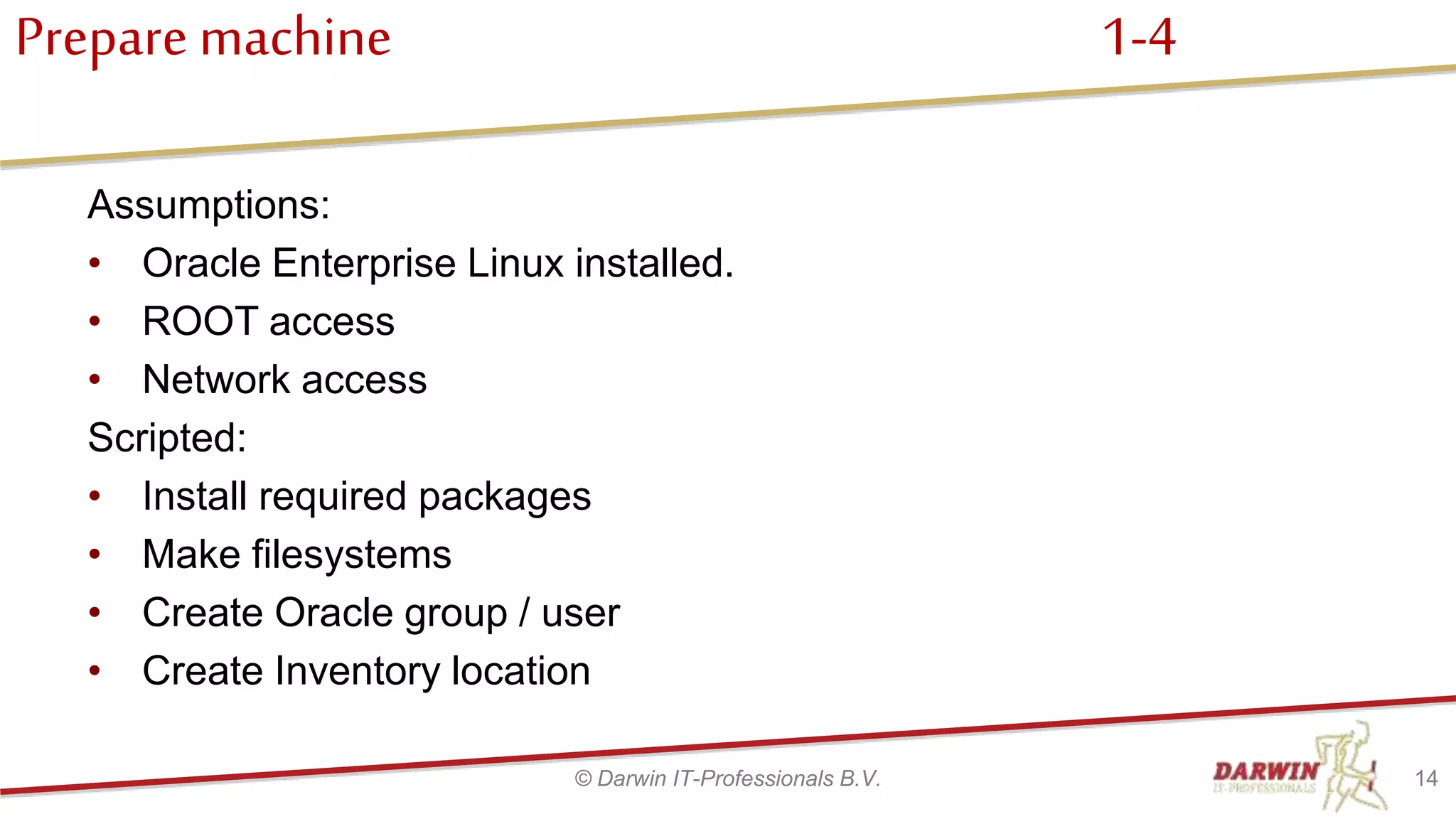
Prepare machine 1-4
Assumptions:
• Oracle Enterprise Linux installed.
• ROOT access
• Network access
Scripted:
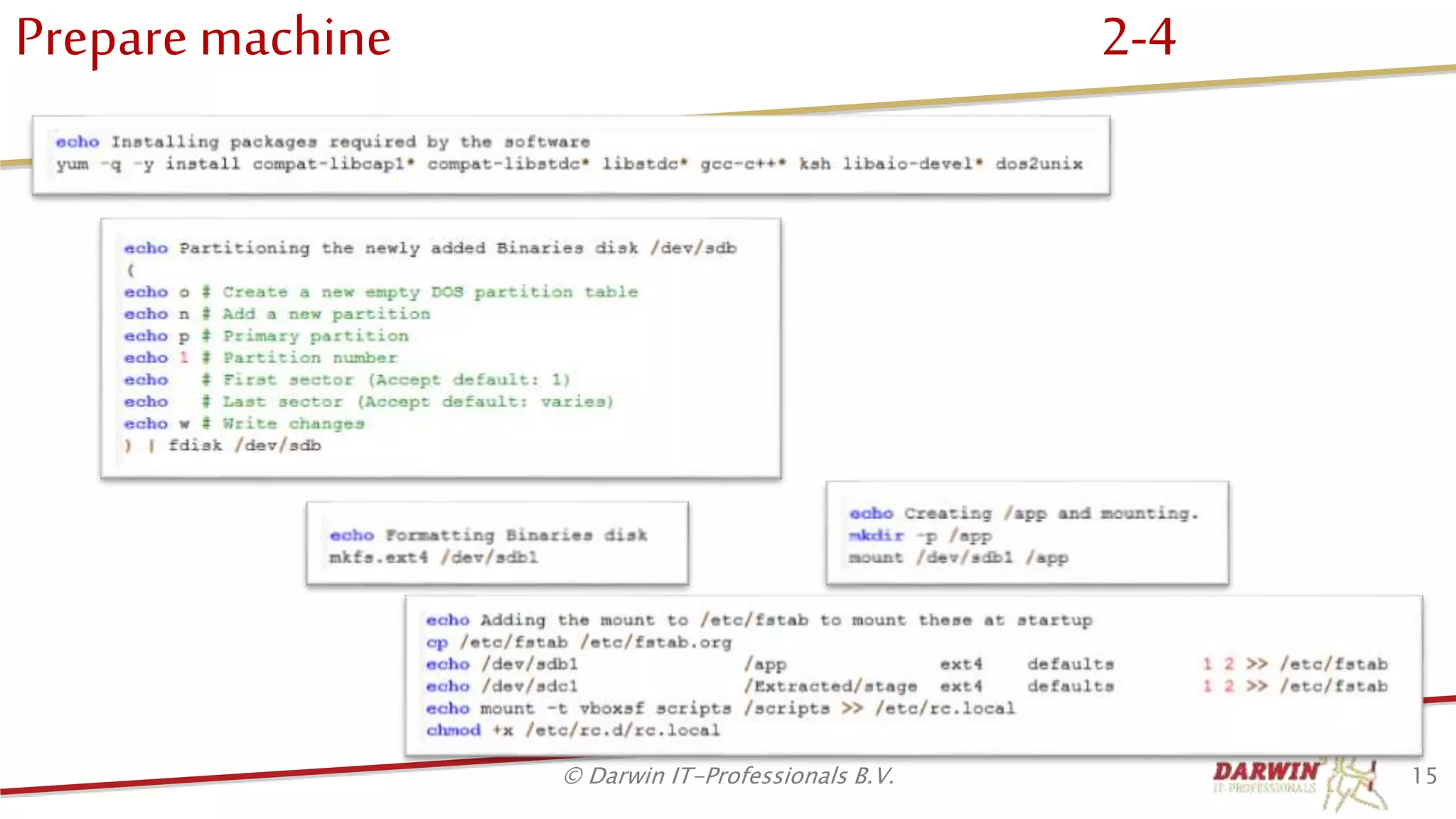
• Install required packages
• Make filesystems
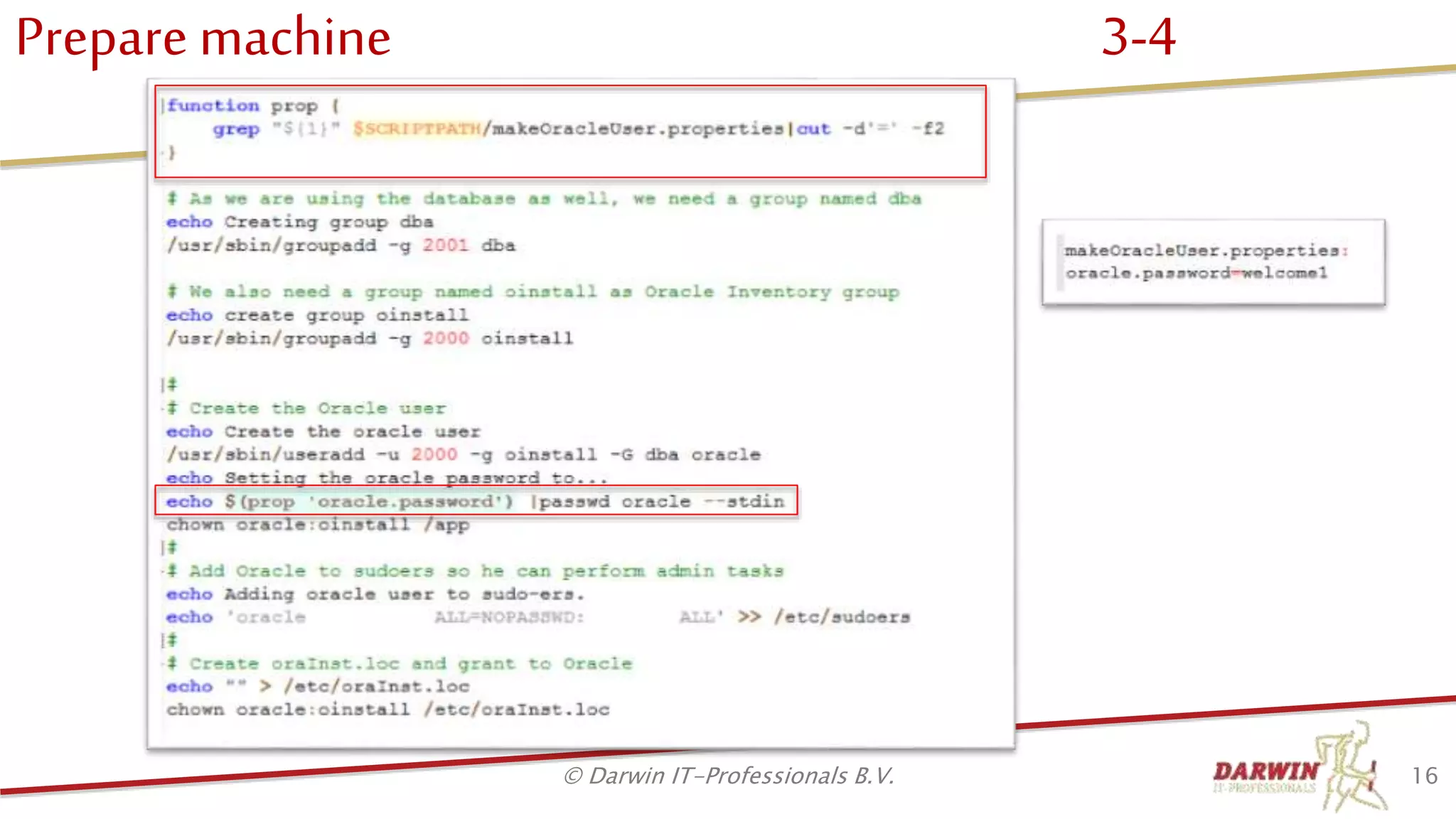
• Create Oracle group / user
• Create Inventory location
14© Darwin IT-Professionals B.V.
Prepare machine 2-4
15© Darwin IT-Professionals B.V.
Prepare machine 3-4
16© Darwin IT-Professionals B.V.
Prepare machine 4-4
17© Darwin IT-Professionals B.V.
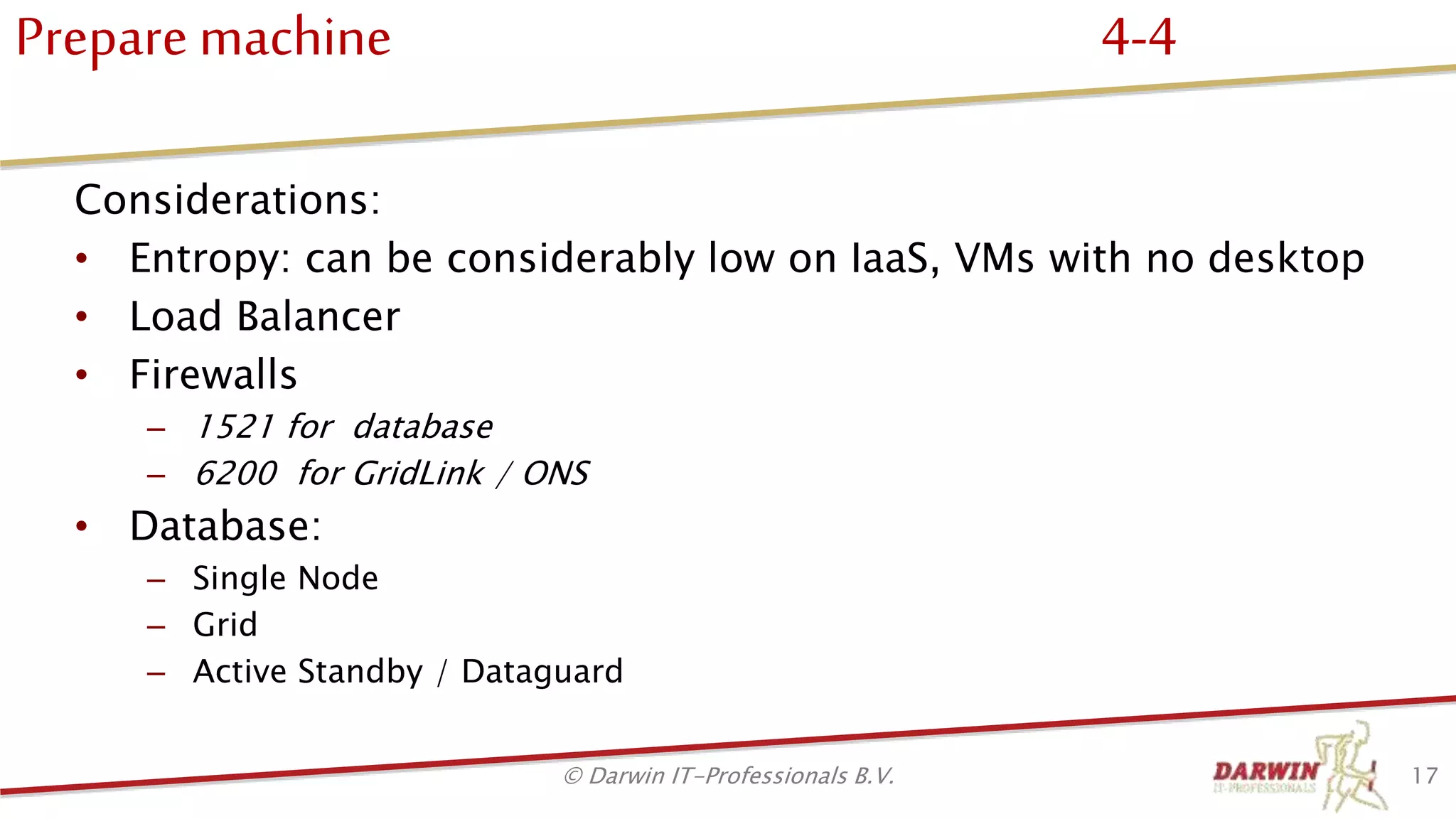
Considerations:
• Entropy: can be considerably low on IaaS, VMs with no desktop
• Load Balancer
• Firewalls
– 1521 for database
– 6200 for GridLink / ONS
• Database:
– Single Node
– Grid
– Active Standby / Dataguard
Agenda
• Who we are
• Why scripted installation
• Target architecture
• Prepare machine
• Install software
• Create Repository
• Create domain
• Post configuration
• DevOps
• Q & A
18© Darwin IT-Professionals B.V.
InstallSoftware
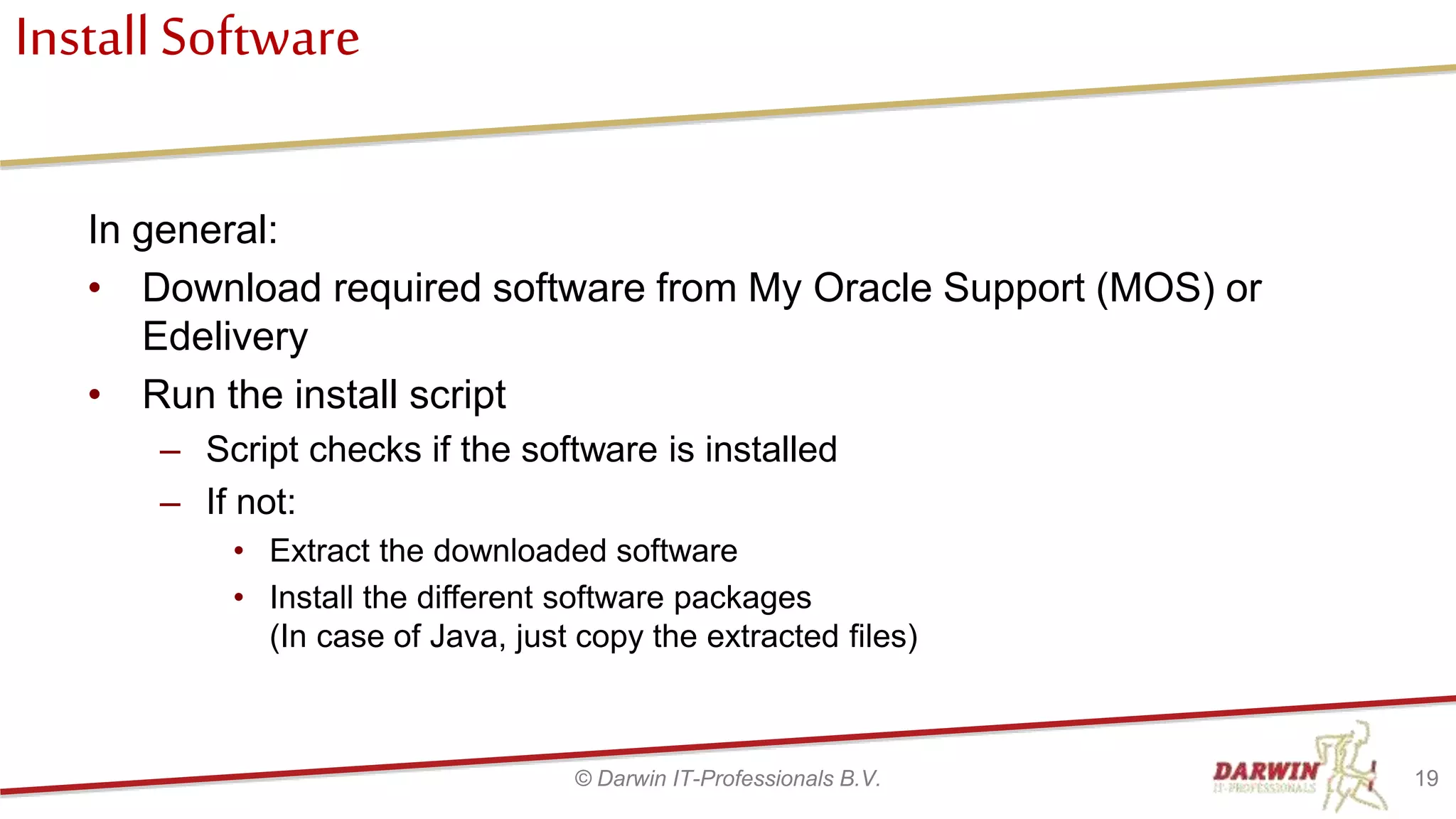
In general:
• Download required software from My Oracle Support (MOS) or
Edelivery
• Run the install script
– Script checks if the software is installed
– If not:
• Extract the downloaded software
• Install the different software packages
(In case of Java, just copy the extracted files)
19© Darwin IT-Professionals B.V.
Install Software Java
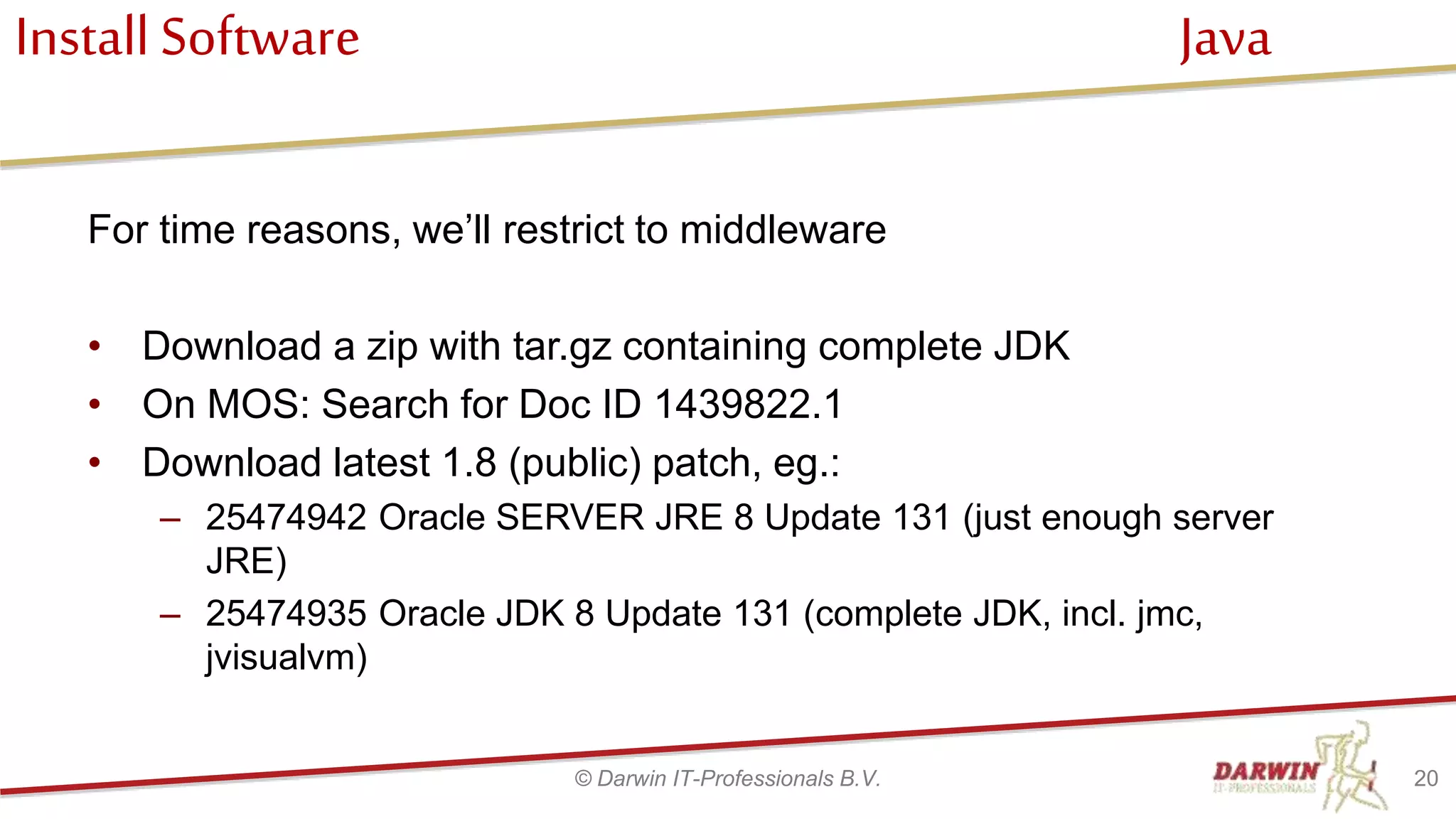
For time reasons, we’ll restrict to middleware
• Download a zip with tar.gz containing complete JDK
• On MOS: Search for Doc ID 1439822.1
• Download latest 1.8 (public) patch, eg.:
– 25474942 Oracle SERVER JRE 8 Update 131 (just enough server
JRE)
– 25474935 Oracle JDK 8 Update 131 (complete JDK, incl. jmc,
jvisualvm)
20© Darwin IT-Professionals B.V.
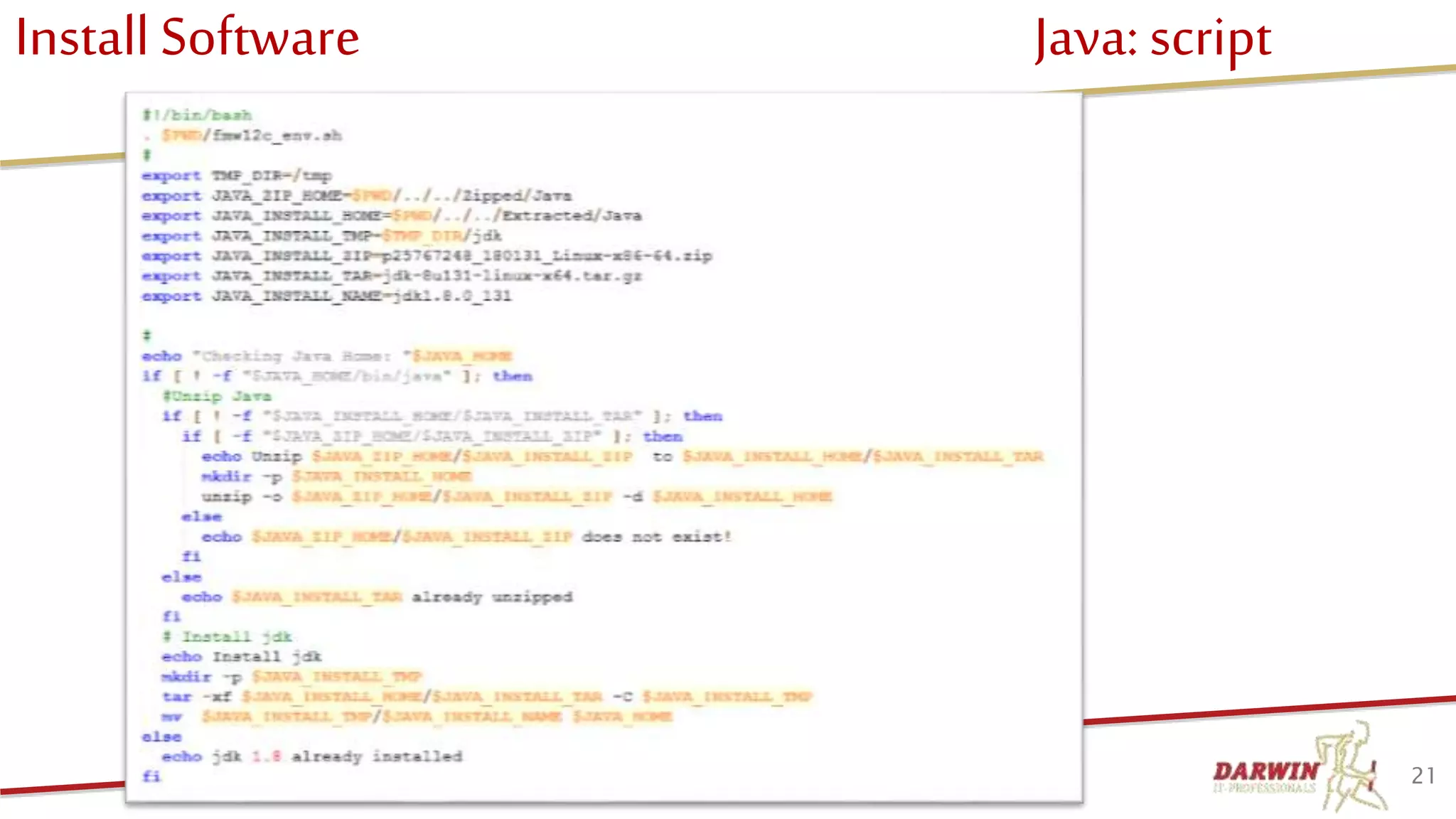
Install Software Java: script
21© Darwin IT-Professionals B.V.
Install Software FMW Infrastructure
• FMW Specific delivery/package of Weblogic, including a
base Repository Creation Utility (RCU) and generic
packages specific to FMW
• Do not install generic WLS, as this is not sufficient for
FMW.
• Contains fmw_12.2.1.2.0_infrastructure.jar for the
installer.
• RCU is expanded with each FMW product.
22© Darwin IT-Professionals B.V.
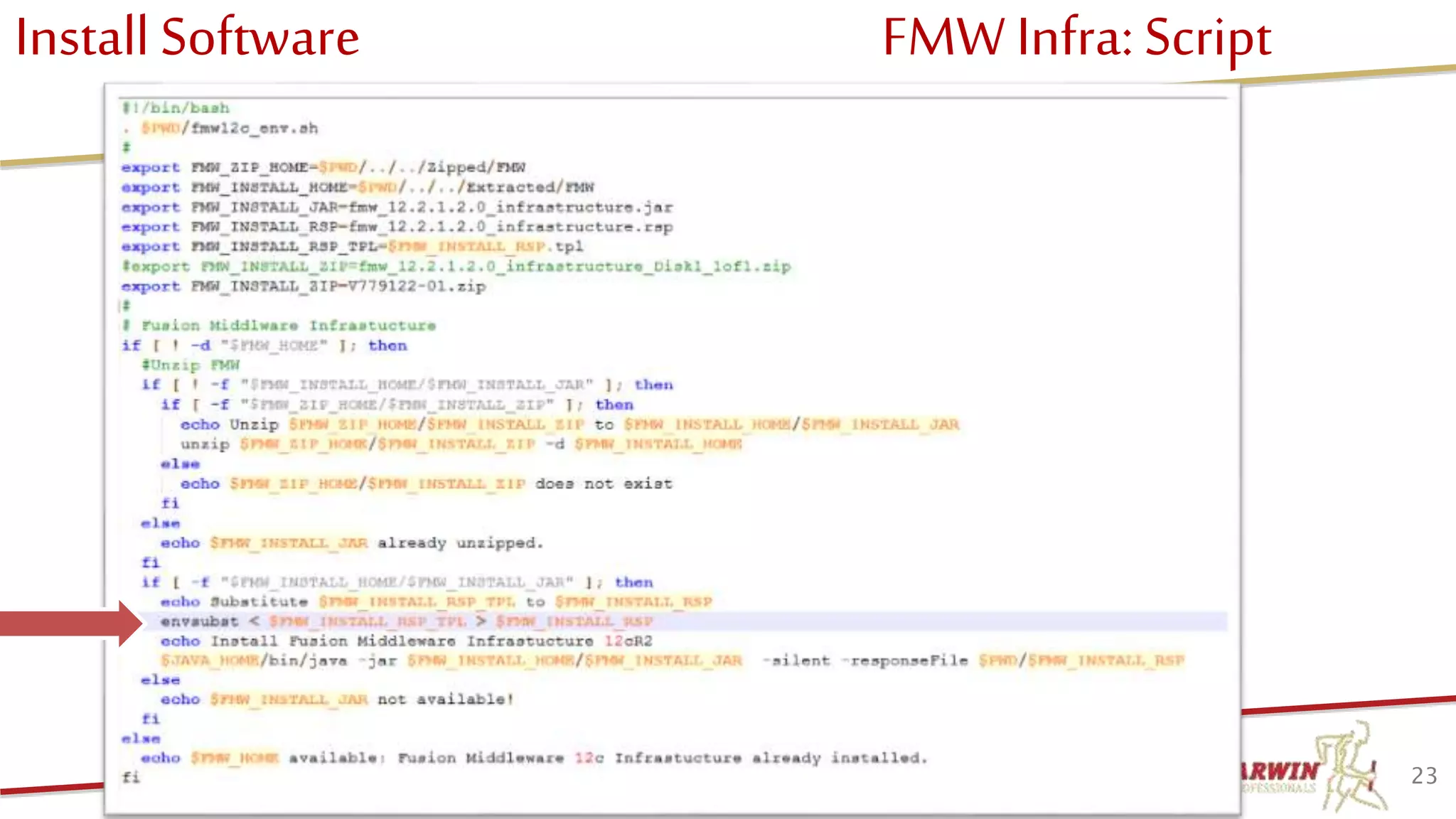
Install Software FMW Infra: Script
23© Darwin IT-Professionals B.V.
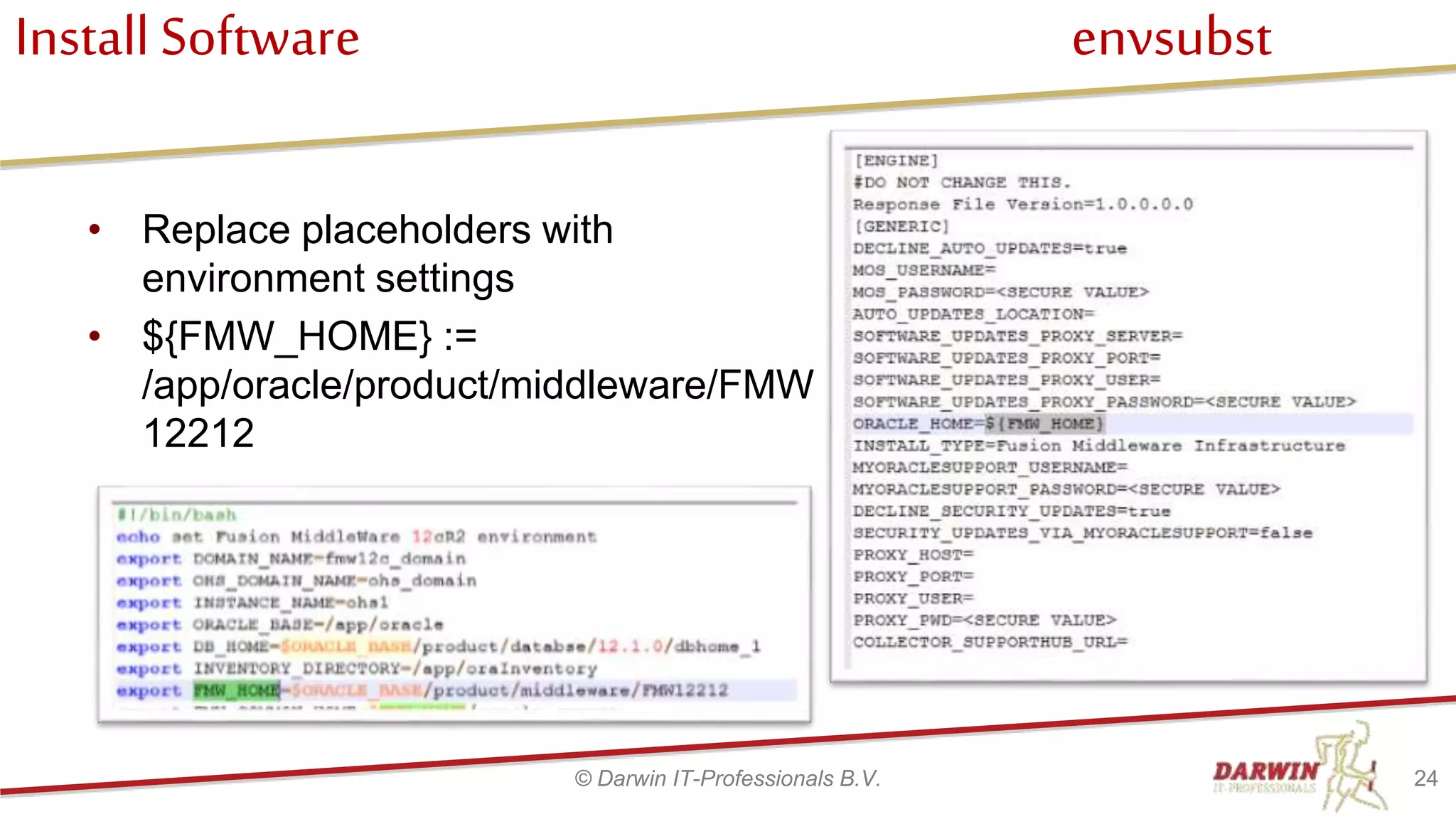
Install Software envsubst
• Replace placeholders with
environment settings
• ${FMW_HOME} :=
/app/oracle/product/middleware/FMW
12212
24© Darwin IT-Professionals B.V.
Install Software SOA/BPM
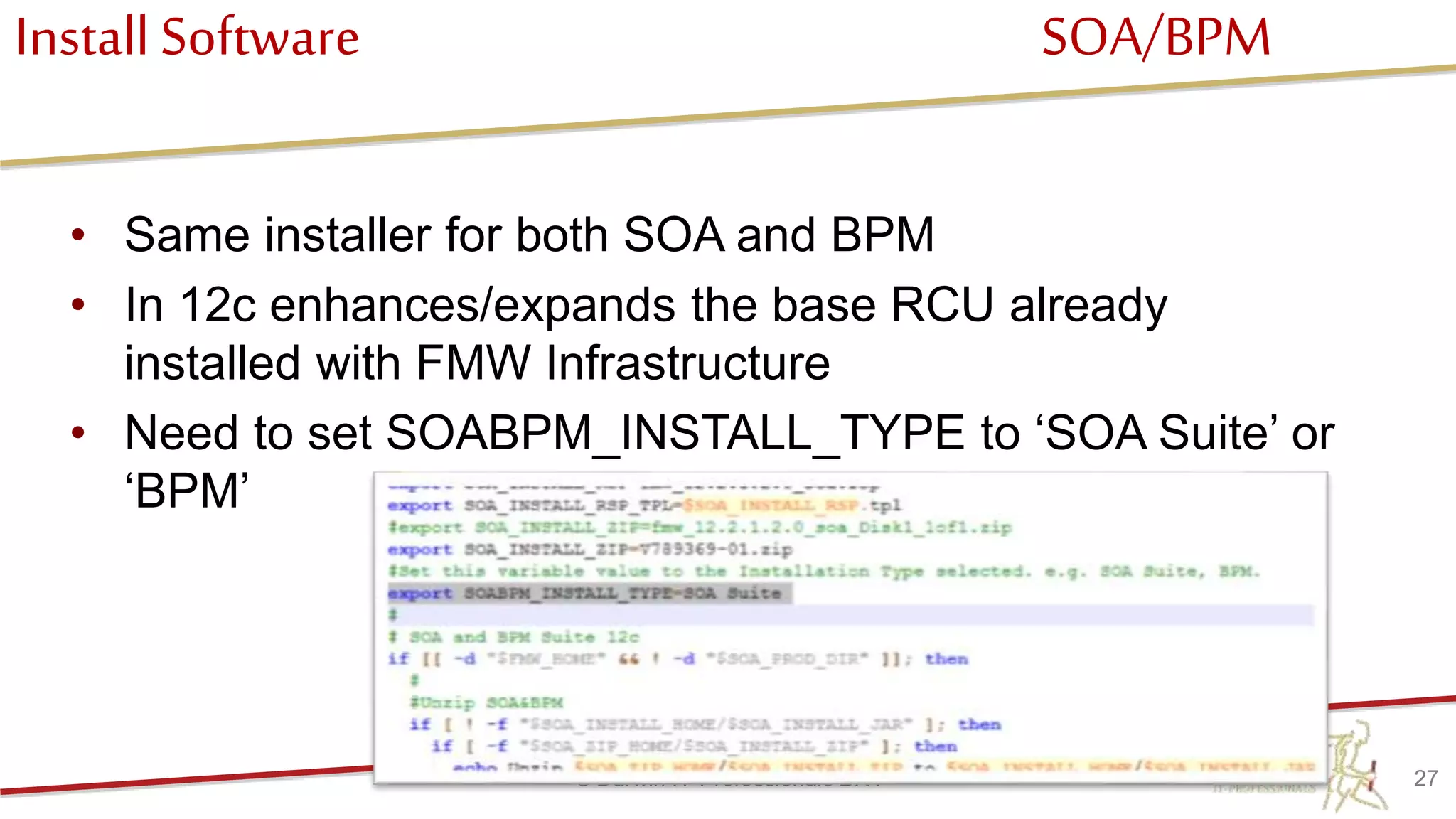
• Same installer for both SOA and BPM
• In 12c enhances/expands the base RCU already
installed with FMW Infrastructure
• Need to set SOABPM_INSTALL_TYPE to ‘SOA Suite’ or
‘BPM’
27© Darwin IT-Professionals B.V.
Install Software Rest
• Repeat these steps for
– Oracle Service Bus
– WebCenter Content
– WebCenter Portal
– Oracle HTTP Server
– Development tools
• BPM Quickstart
• JDeveloper
28© Darwin IT-Professionals B.V.
Agenda
• Who we are
• Why scripted installation
• Target architecture
• Prepare machine
• Install software
• Create Repository
• Create domain
• Post configuration
• DevOps
• Q & A
29© Darwin IT-Professionals B.V.
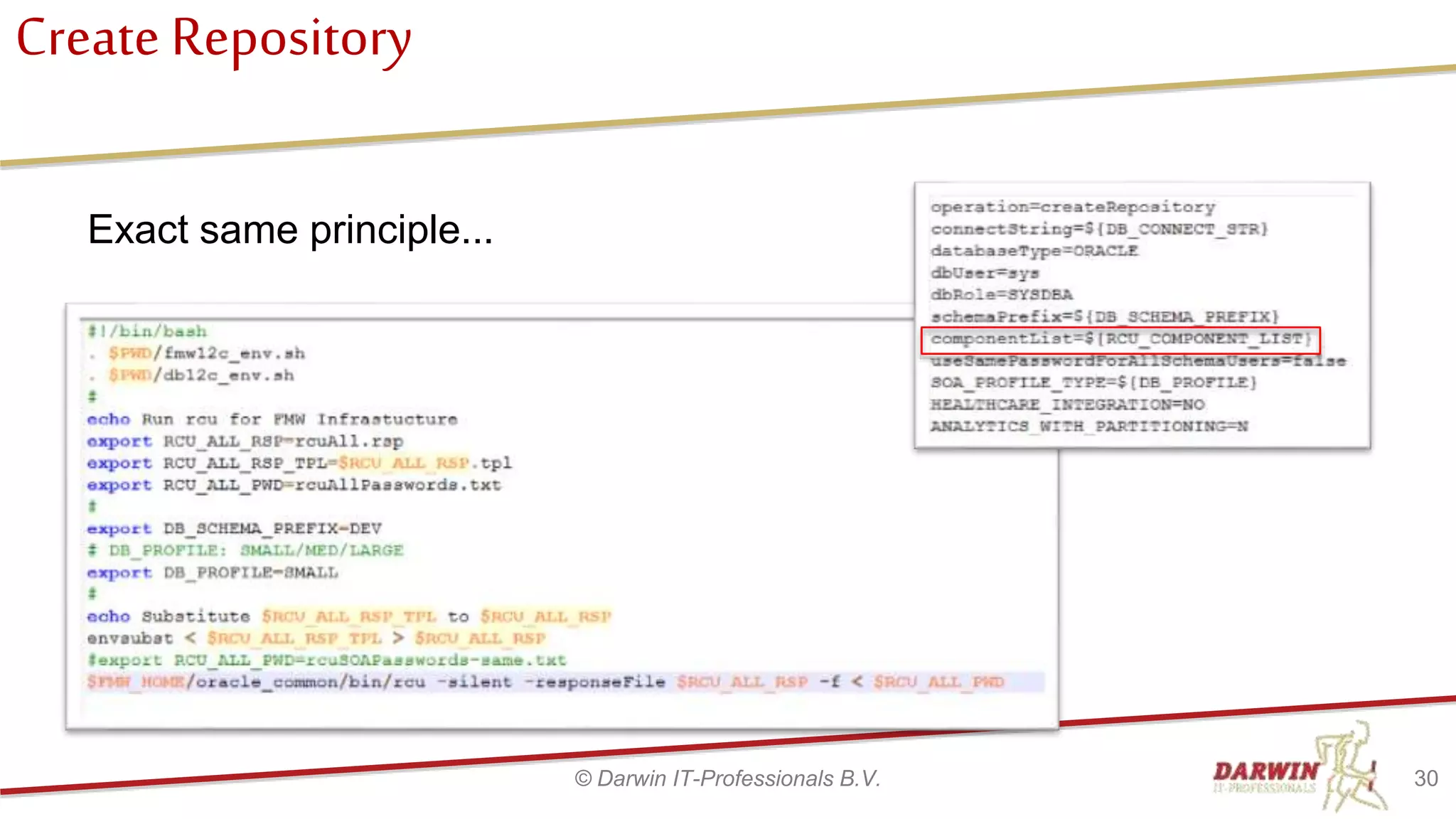
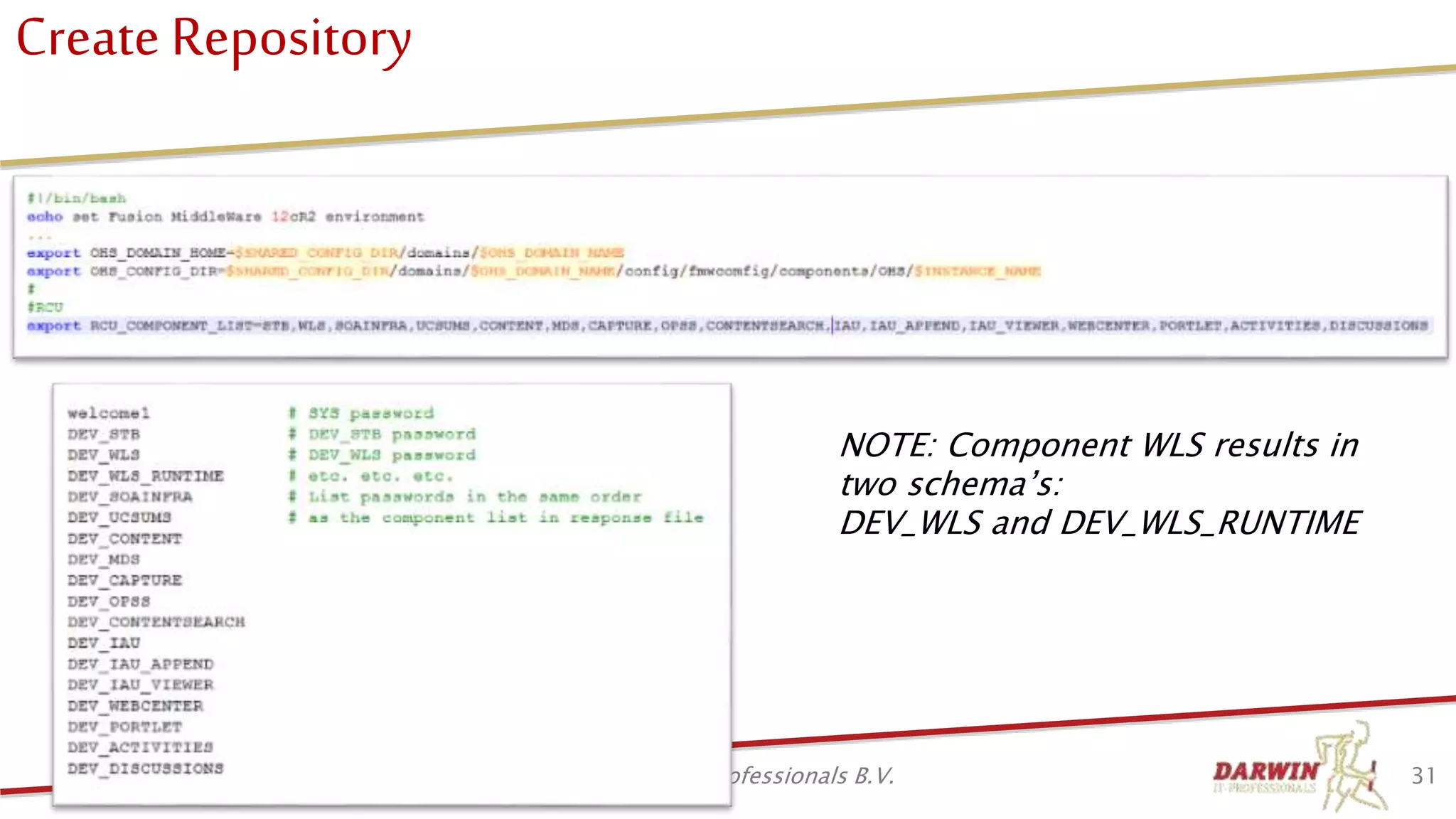
Create Repository
Exact same principle...
30© Darwin IT-Professionals B.V.
Create Repository
31© Darwin IT-Professionals B.V.
NOTE: Component WLS results in
two schema’s:
DEV_WLS and DEV_WLS_RUNTIME
Agenda
• Who we are
• Why scripted installation
• Target architecture
• Prepare machine
• Install software
• Create Repository
• Create domain
• Create Post configuration
• DevOps
• Q & A
32© Darwin IT-Professionals B.V.
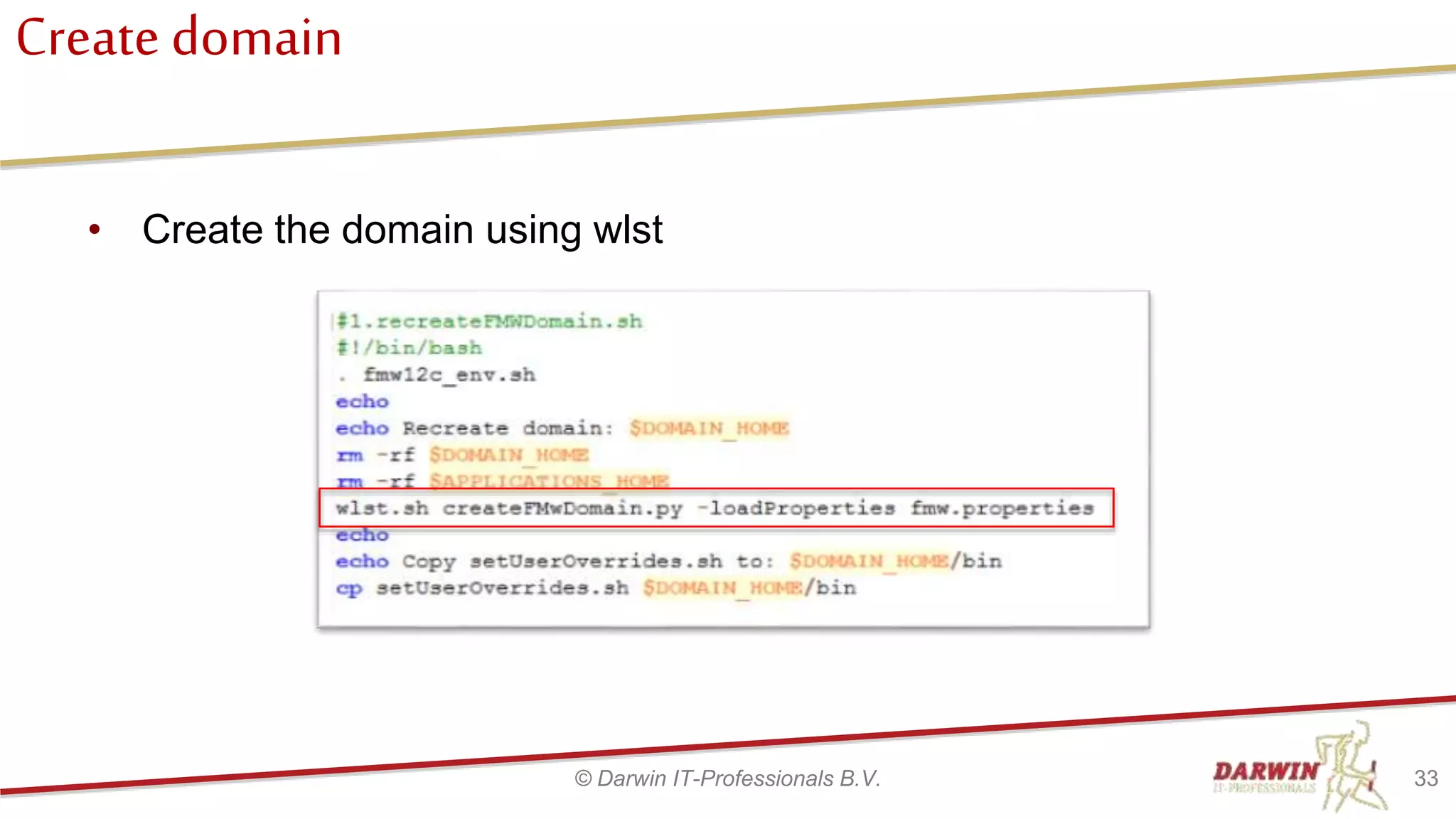
Create domain
• Create the domain using wlst
33© Darwin IT-Professionals B.V.
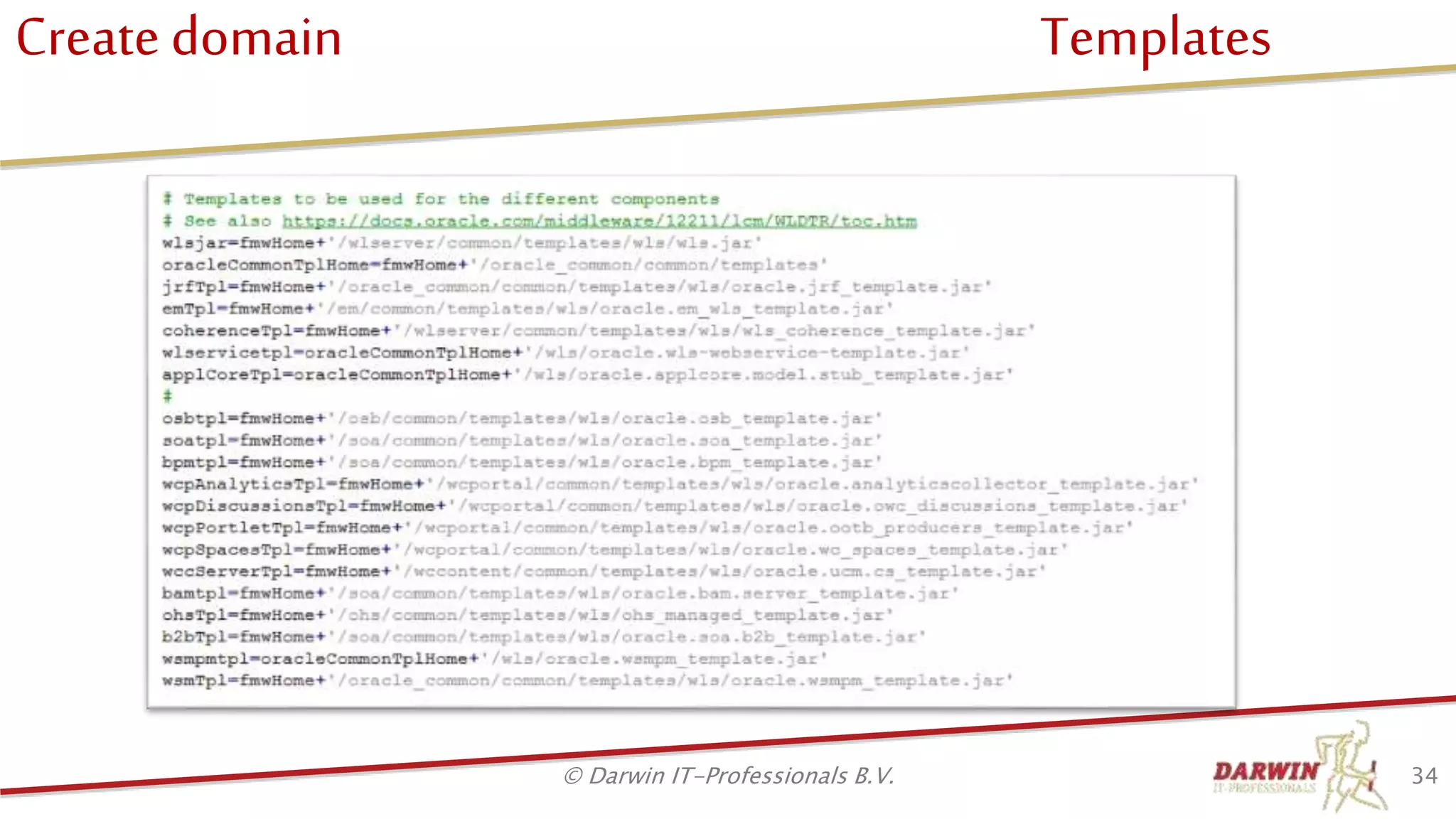
Create domain Templates
34© Darwin IT-Professionals B.V.
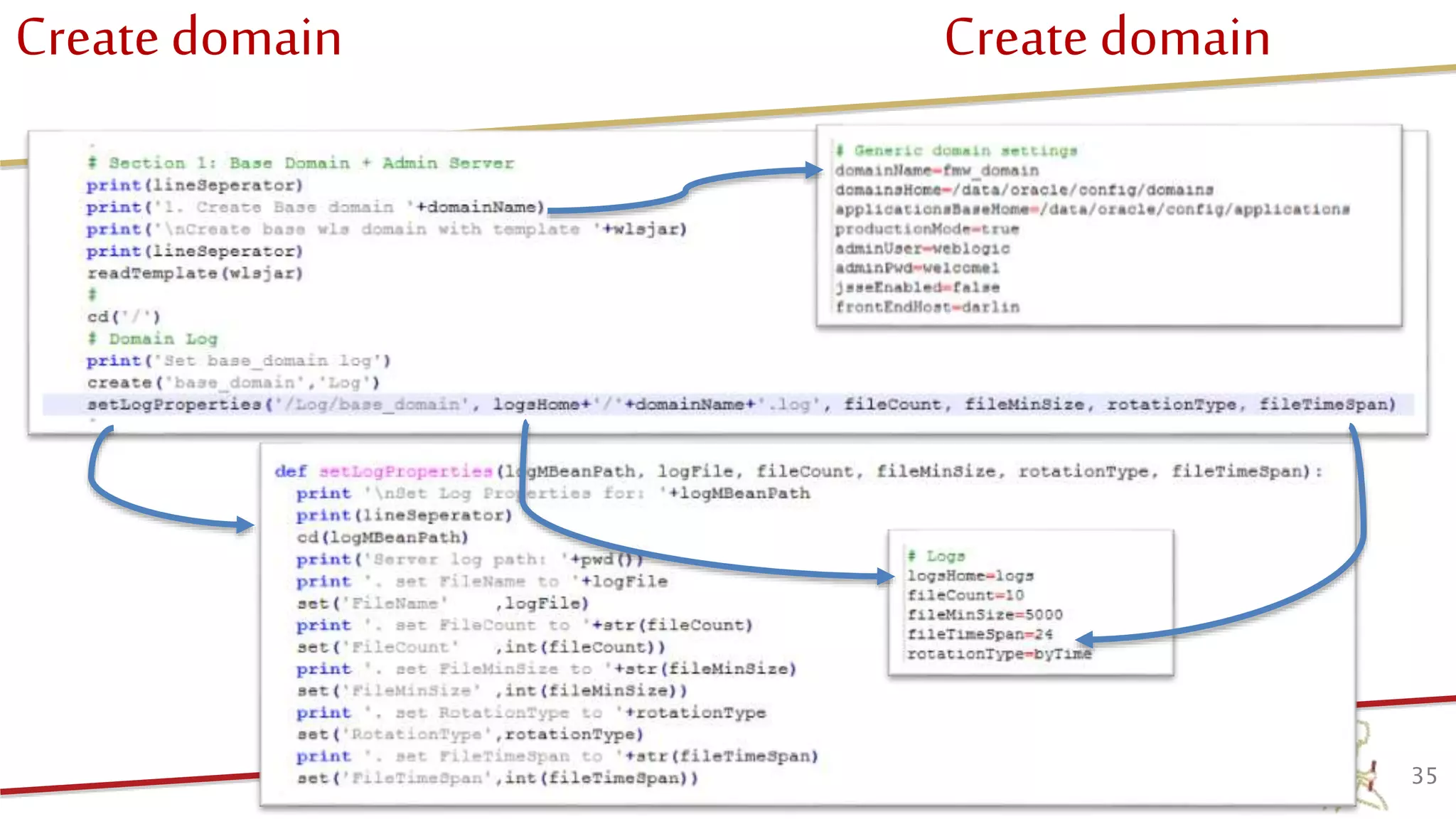
Create domain Create domain
35© Darwin IT-Professionals B.V.
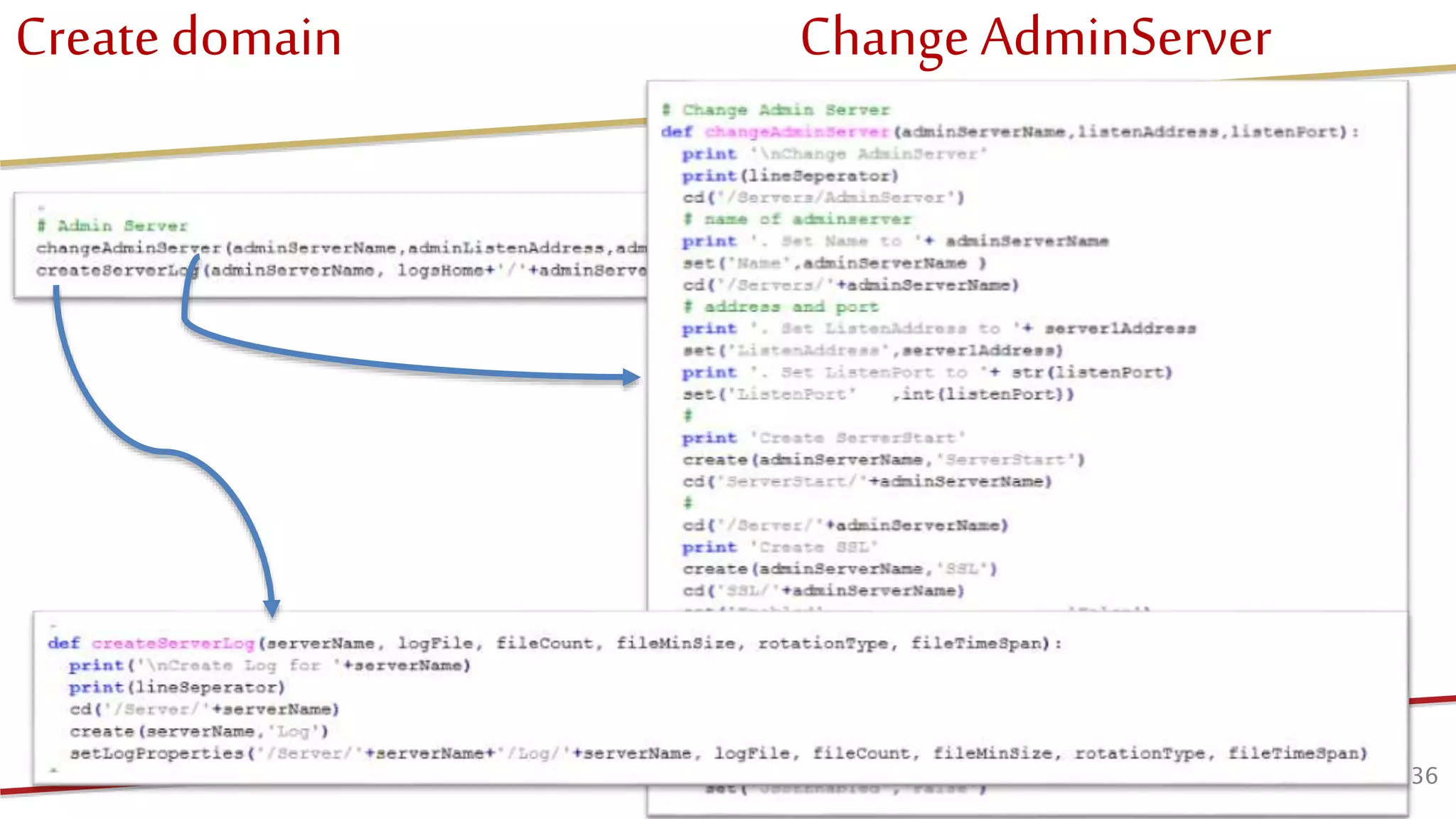
Create domain Change AdminServer
36© Darwin IT-Professionals B.V.
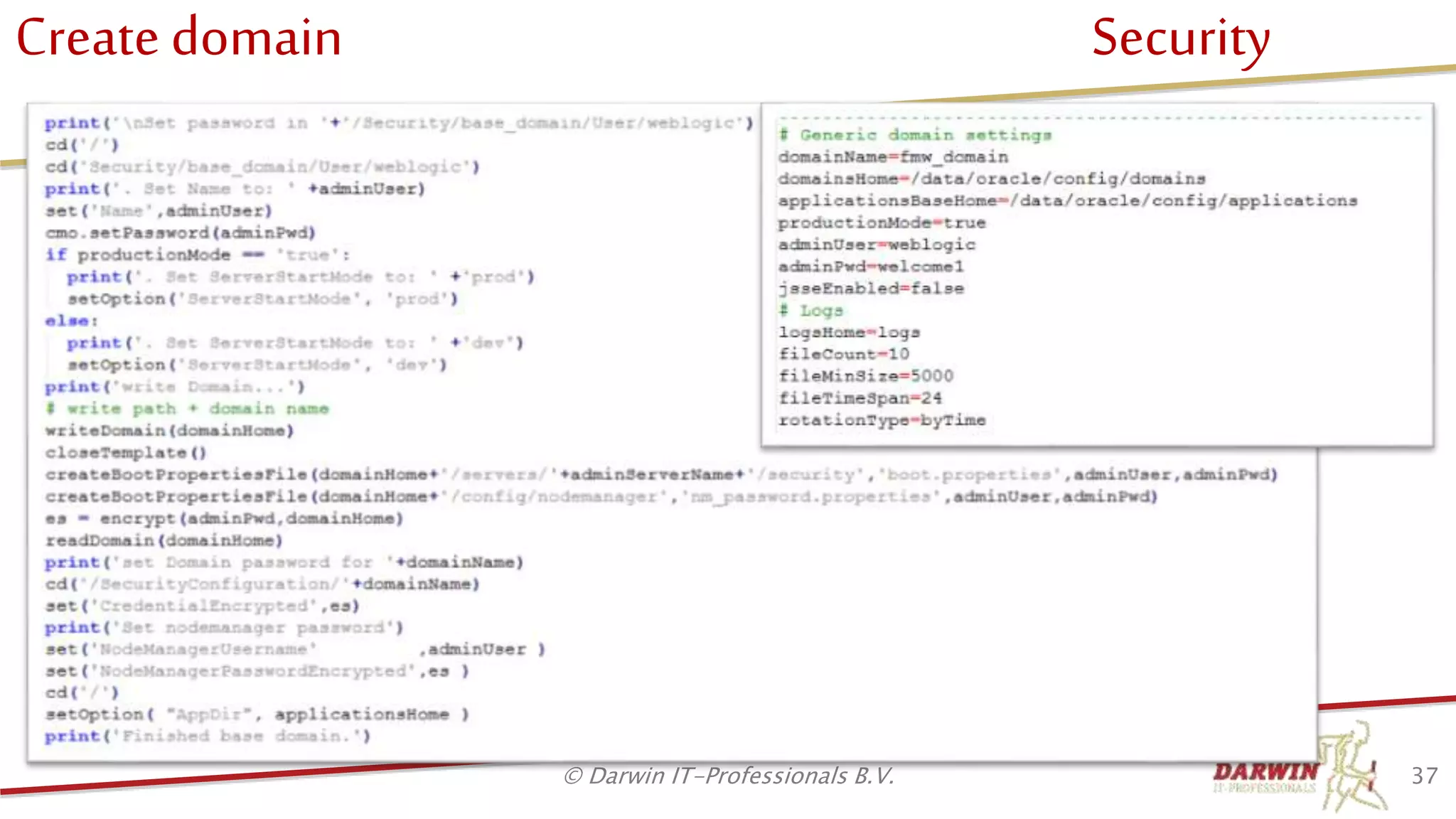
Create domain Security
37© Darwin IT-Professionals B.V.
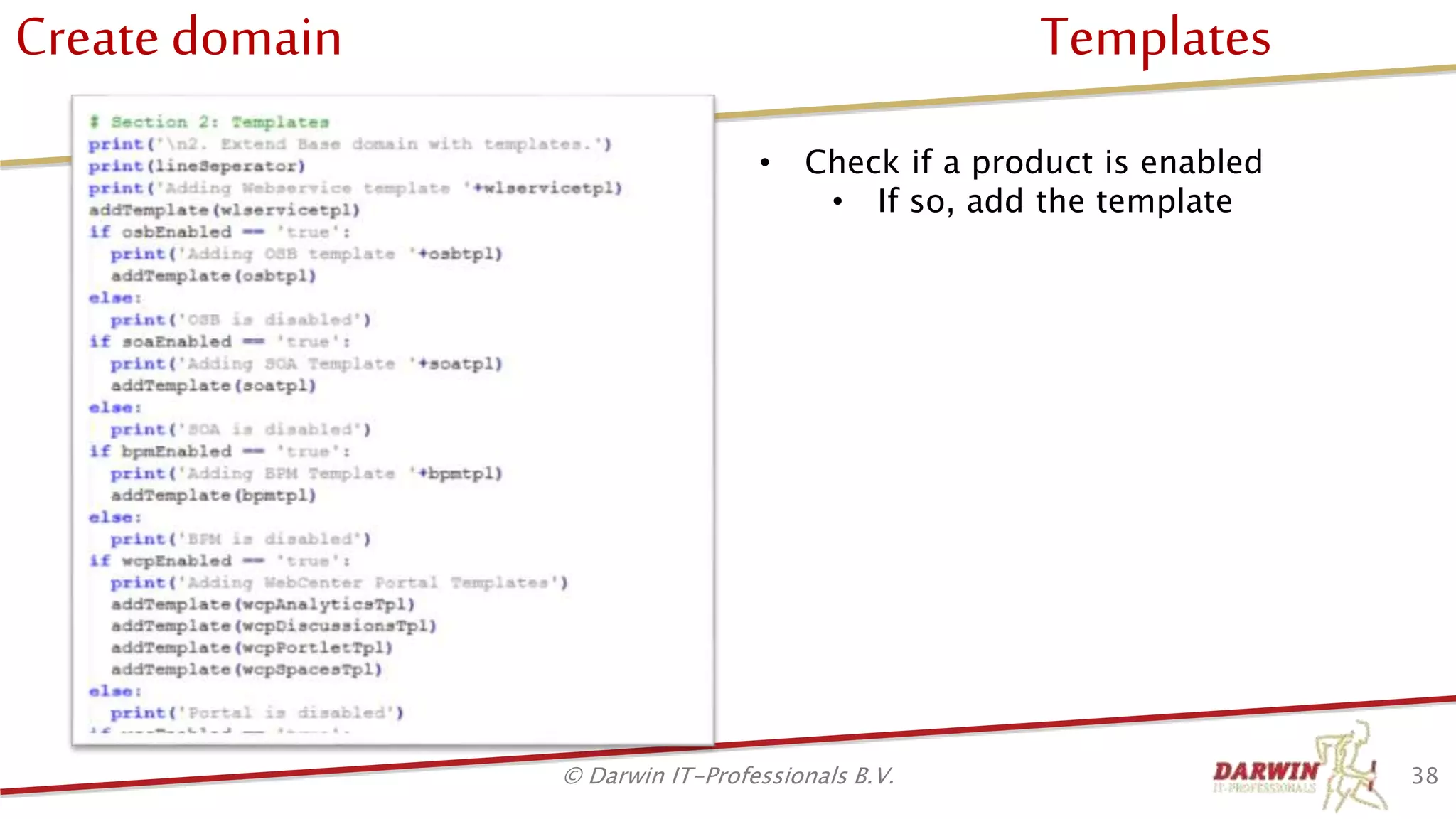
Create domain Templates
38© Darwin IT-Professionals B.V.
• Check if a product is enabled
• If so, add the template
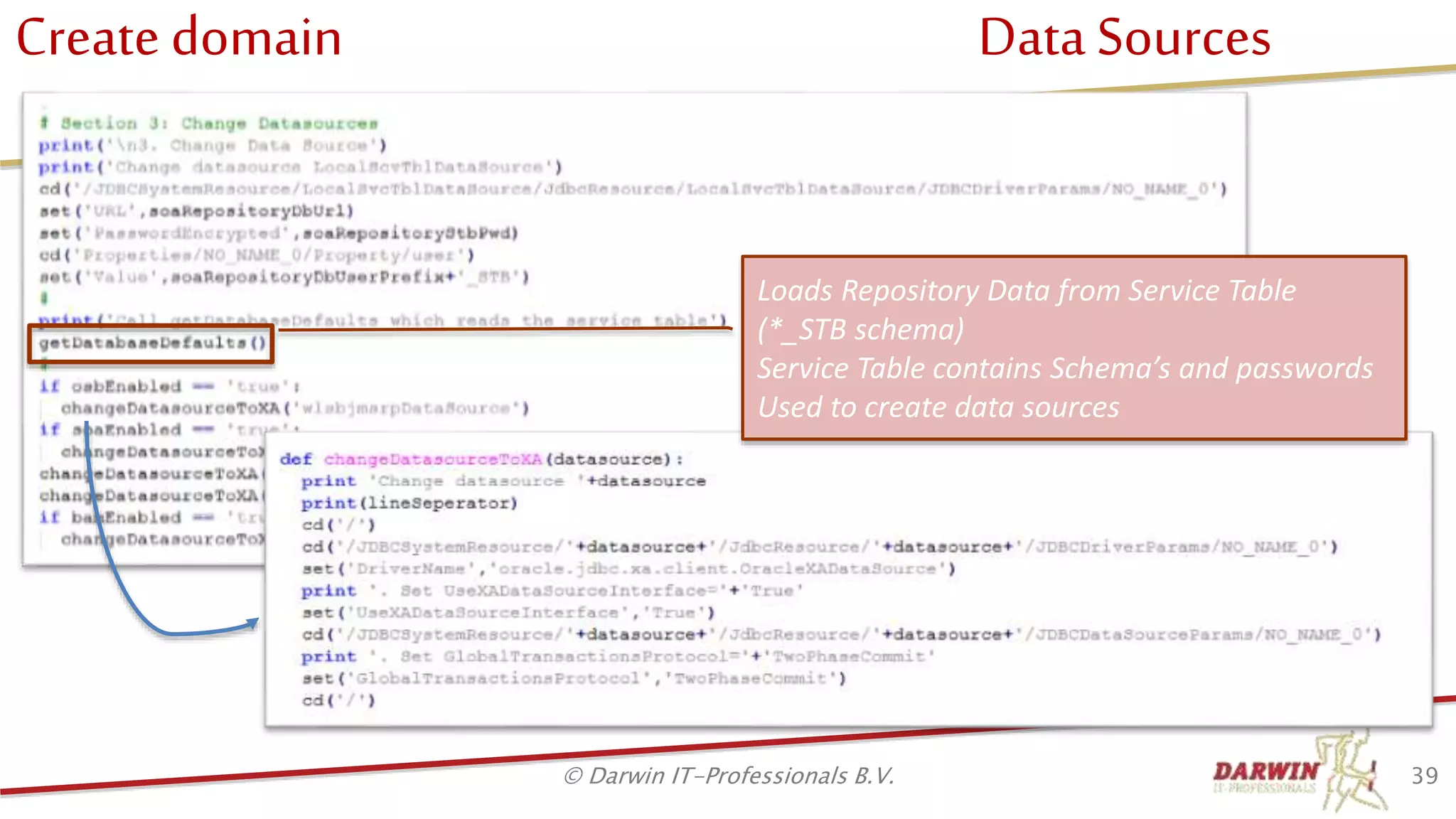
Create domain Data Sources
39© Darwin IT-Professionals B.V.
Loads Repository Data from Service Table
(*_STB schema)
Service Table contains Schema’s and passwords
Used to create data sources
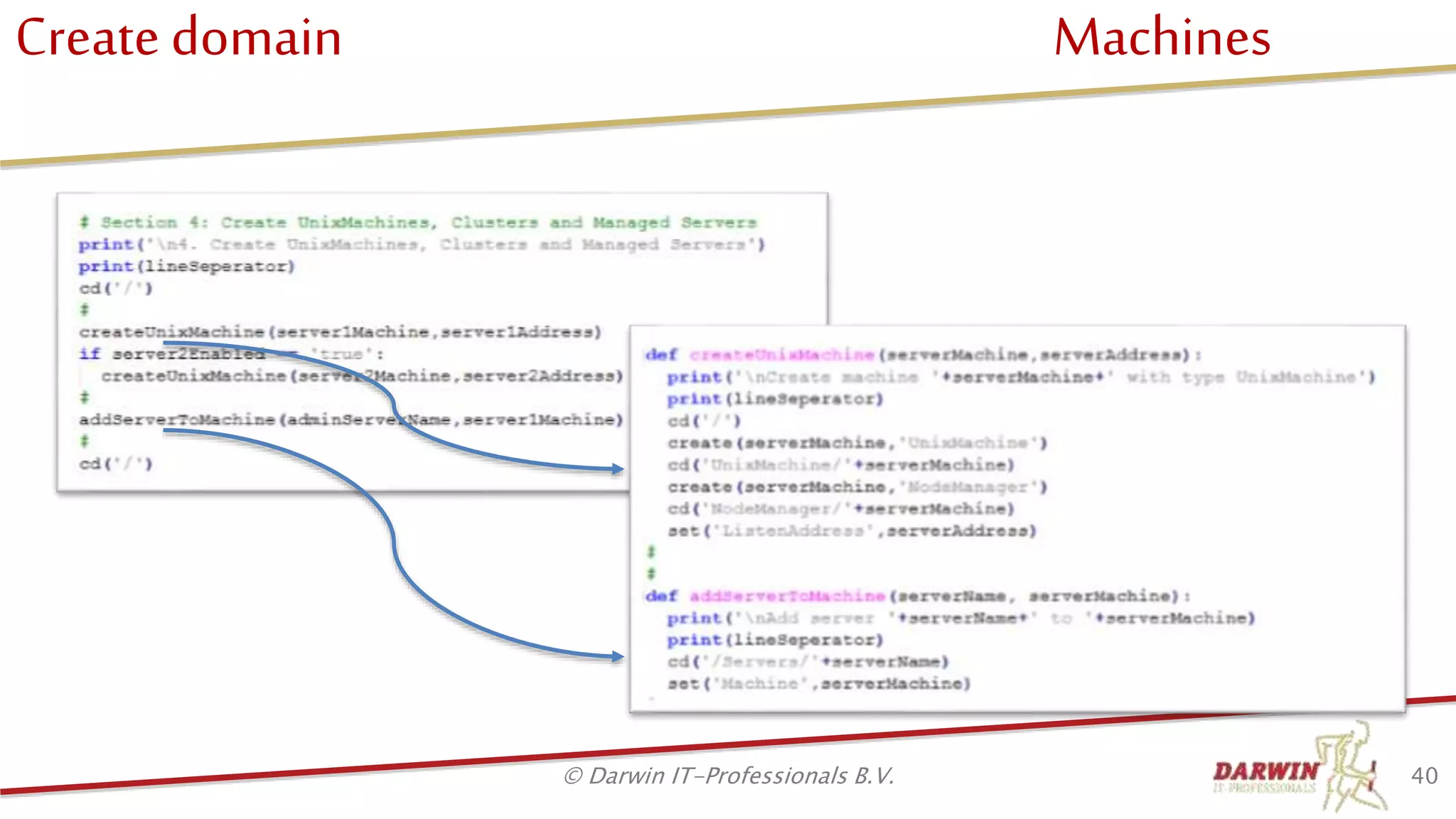
Create domain Machines
40© Darwin IT-Professionals B.V.
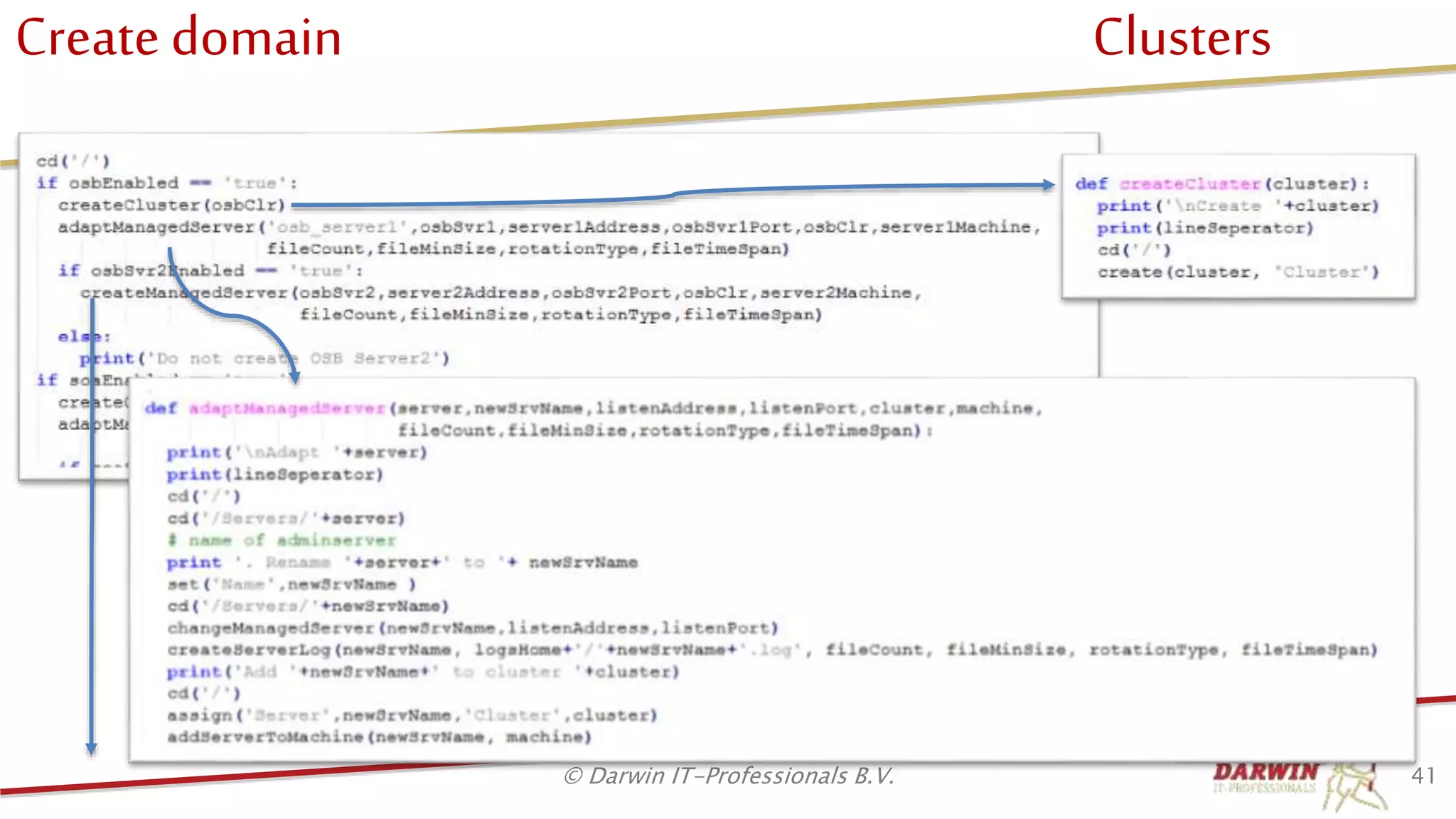
Create domain Clusters
41© Darwin IT-Professionals B.V.
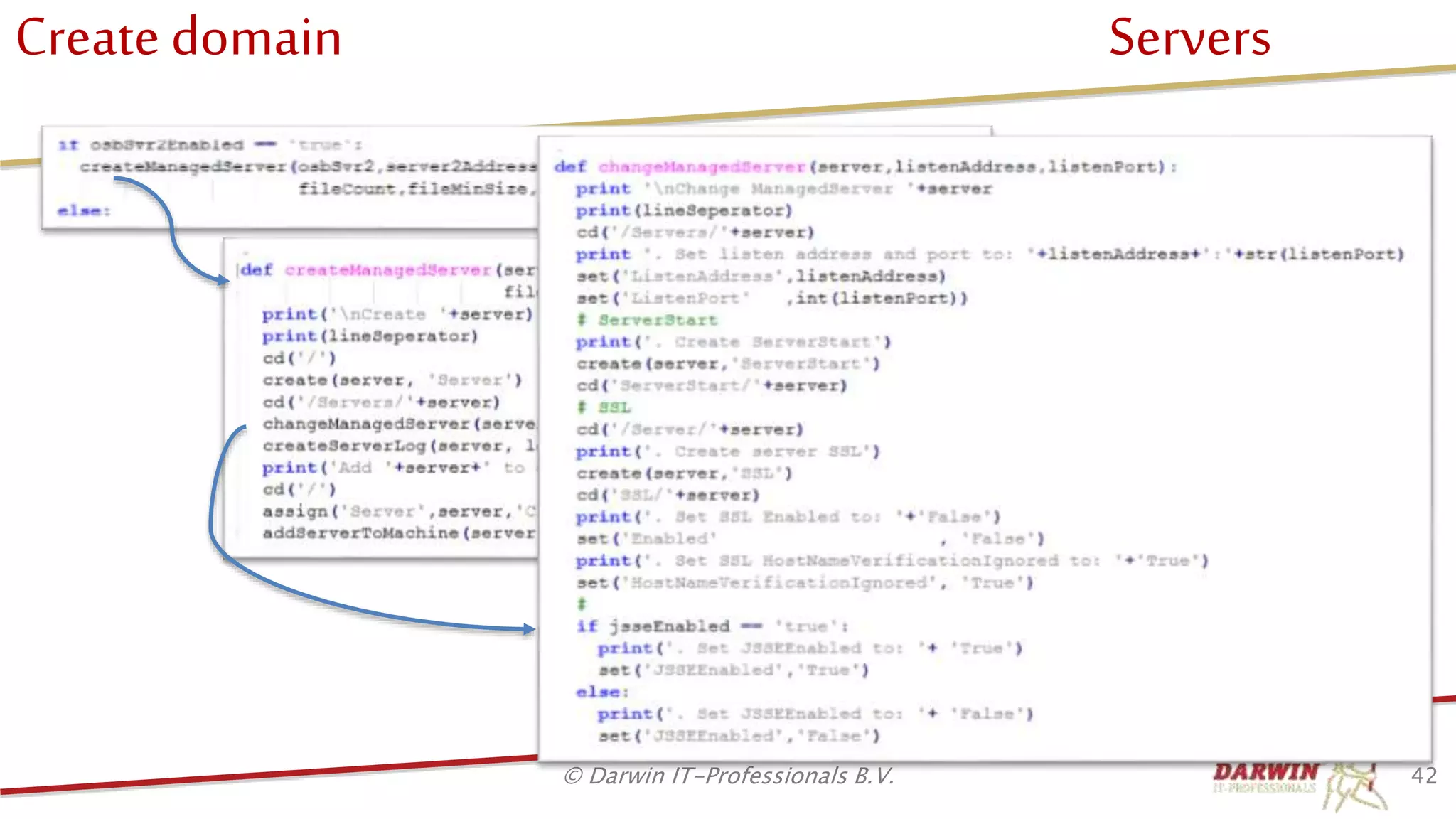
Create domain Servers
42© Darwin IT-Professionals B.V.
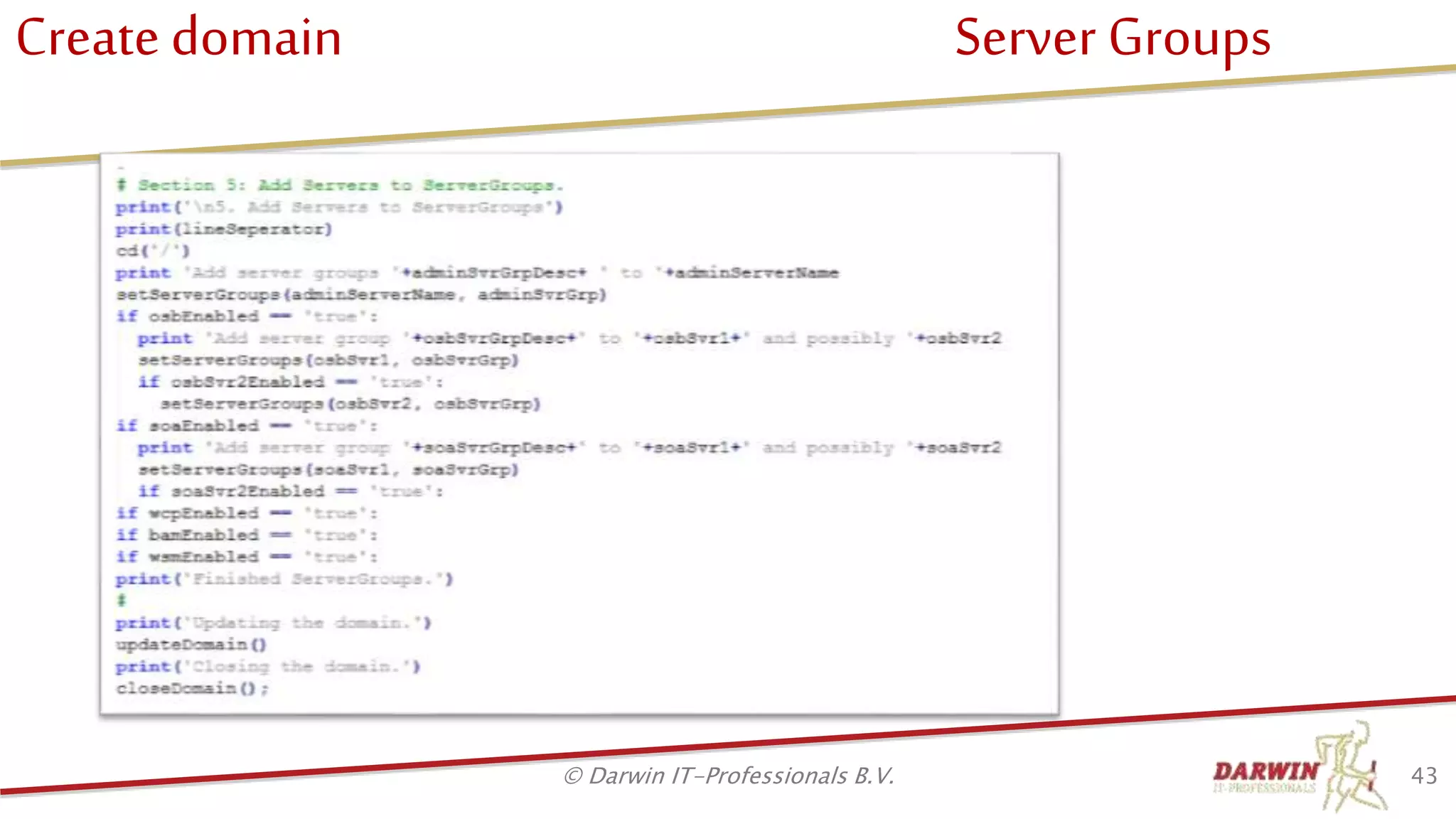
Create domain Server Groups
43© Darwin IT-Professionals B.V.
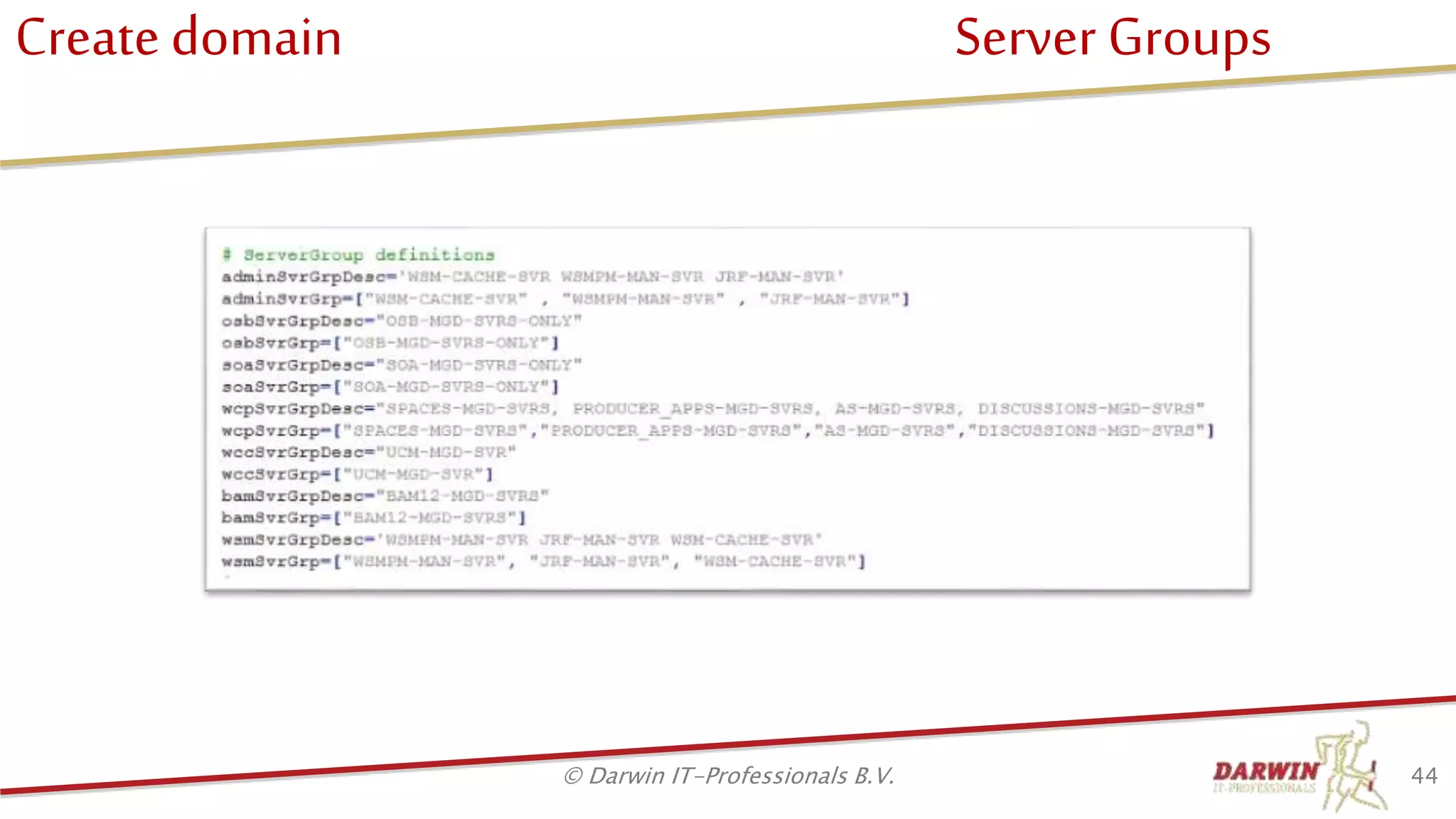
Create domain Server Groups
44© Darwin IT-Professionals B.V.
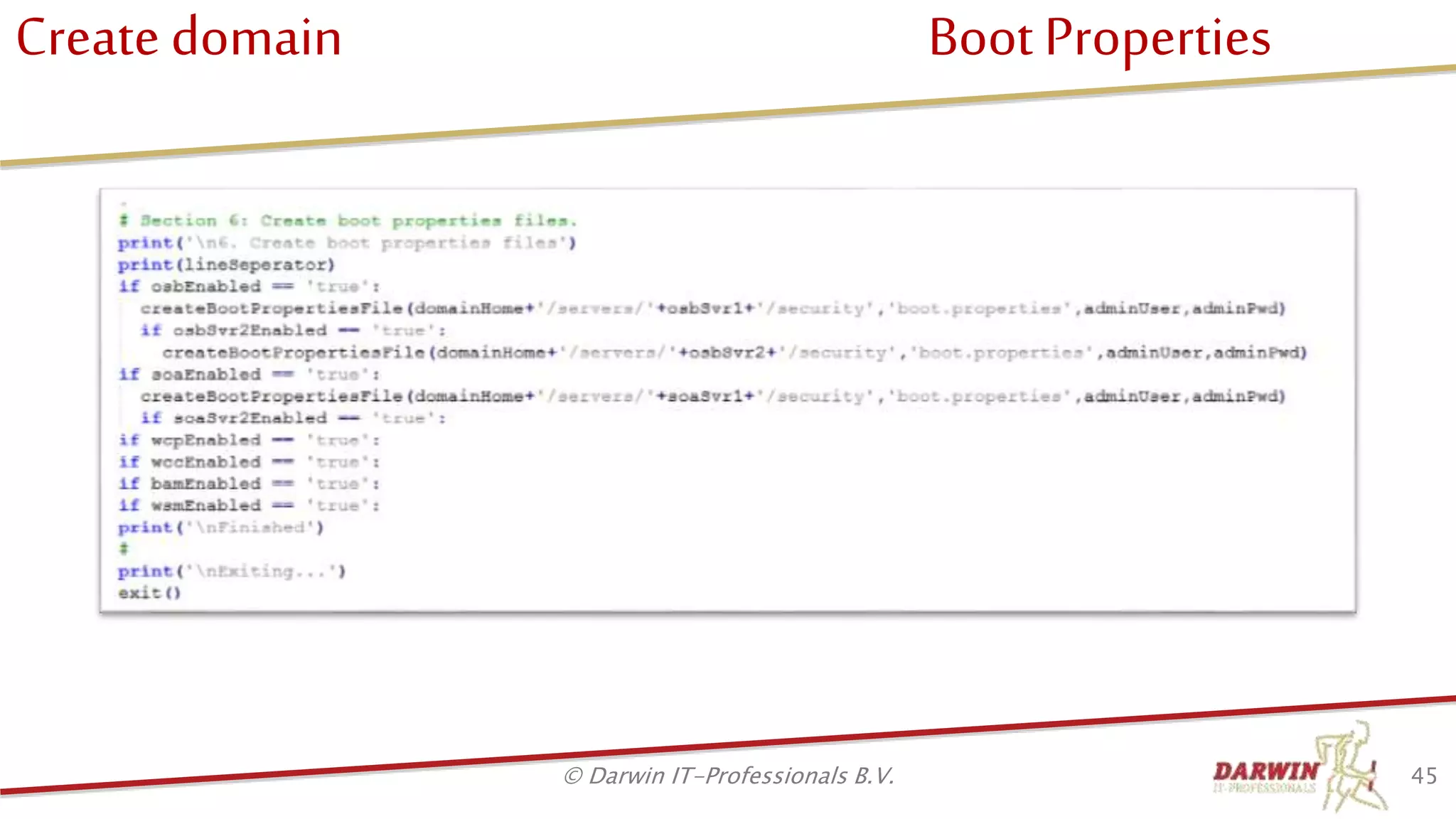
Create domain Boot Properties
45© Darwin IT-Professionals B.V.
Agenda
• Who we are
• Why scripted installation
• Target architecture
• Prepare machine
• Install software
• Create Repository
• Create domain
• Post configuration
• DevOps
• Q & A
46© Darwin IT-Professionals B.V.
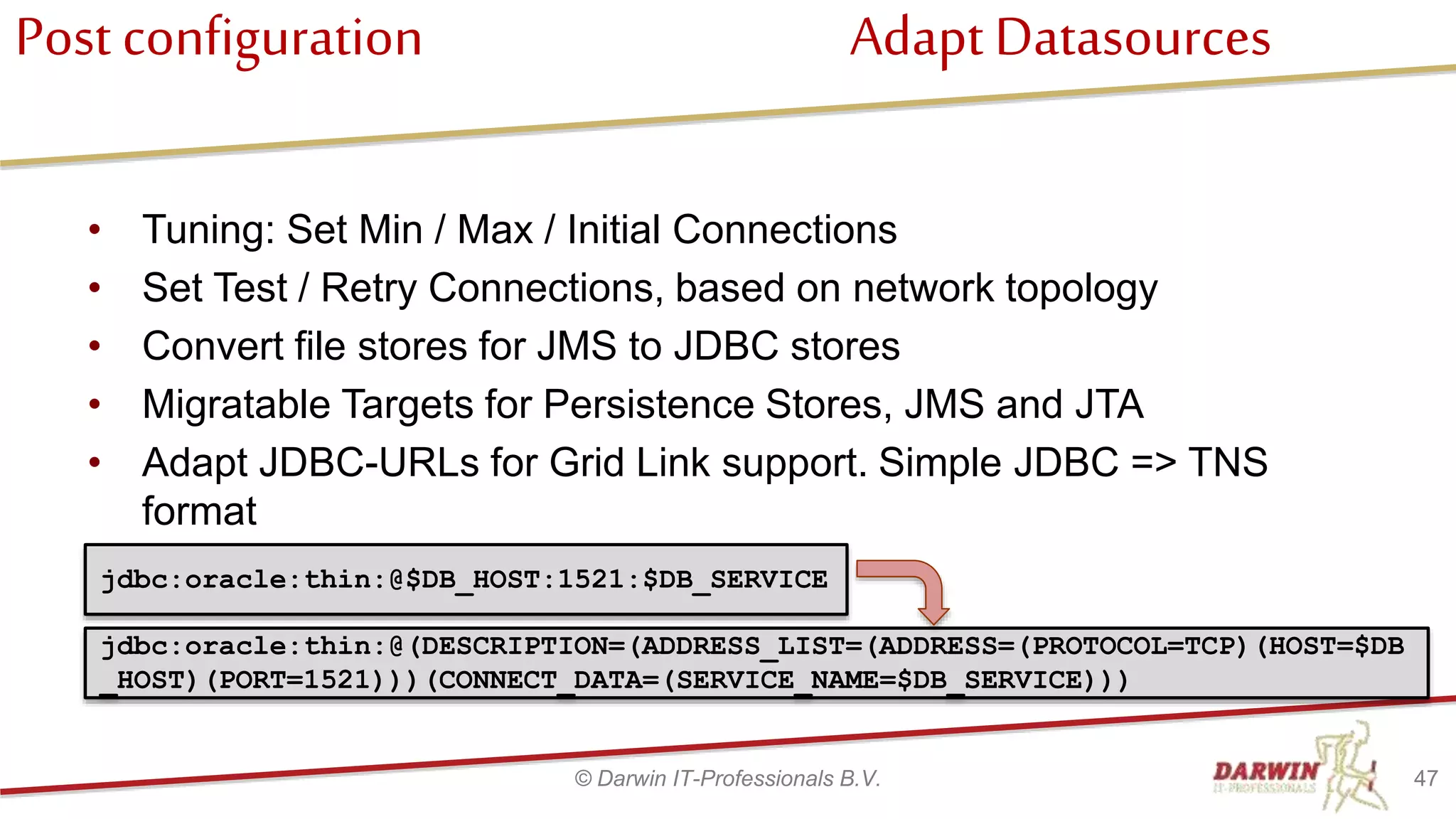
Post configuration Adapt Datasources
• Tuning: Set Min / Max / Initial Connections
• Set Test / Retry Connections, based on network topology
• Convert file stores for JMS to JDBC stores
• Migratable Targets for Persistence Stores, JMS and JTA
• Adapt JDBC-URLs for Grid Link support. Simple JDBC => TNS
format
47© Darwin IT-Professionals B.V.
jdbc:oracle:thin:@(DESCRIPTION=(ADDRESS_LIST=(ADDRESS=(PROTOCOL=TCP)(HOST=$DB
_HOST)(PORT=1521)))(CONNECT_DATA=(SERVICE_NAME=$DB_SERVICE)))
jdbc:oracle:thin:@$DB_HOST:1521:$DB_SERVICE
Post configuration
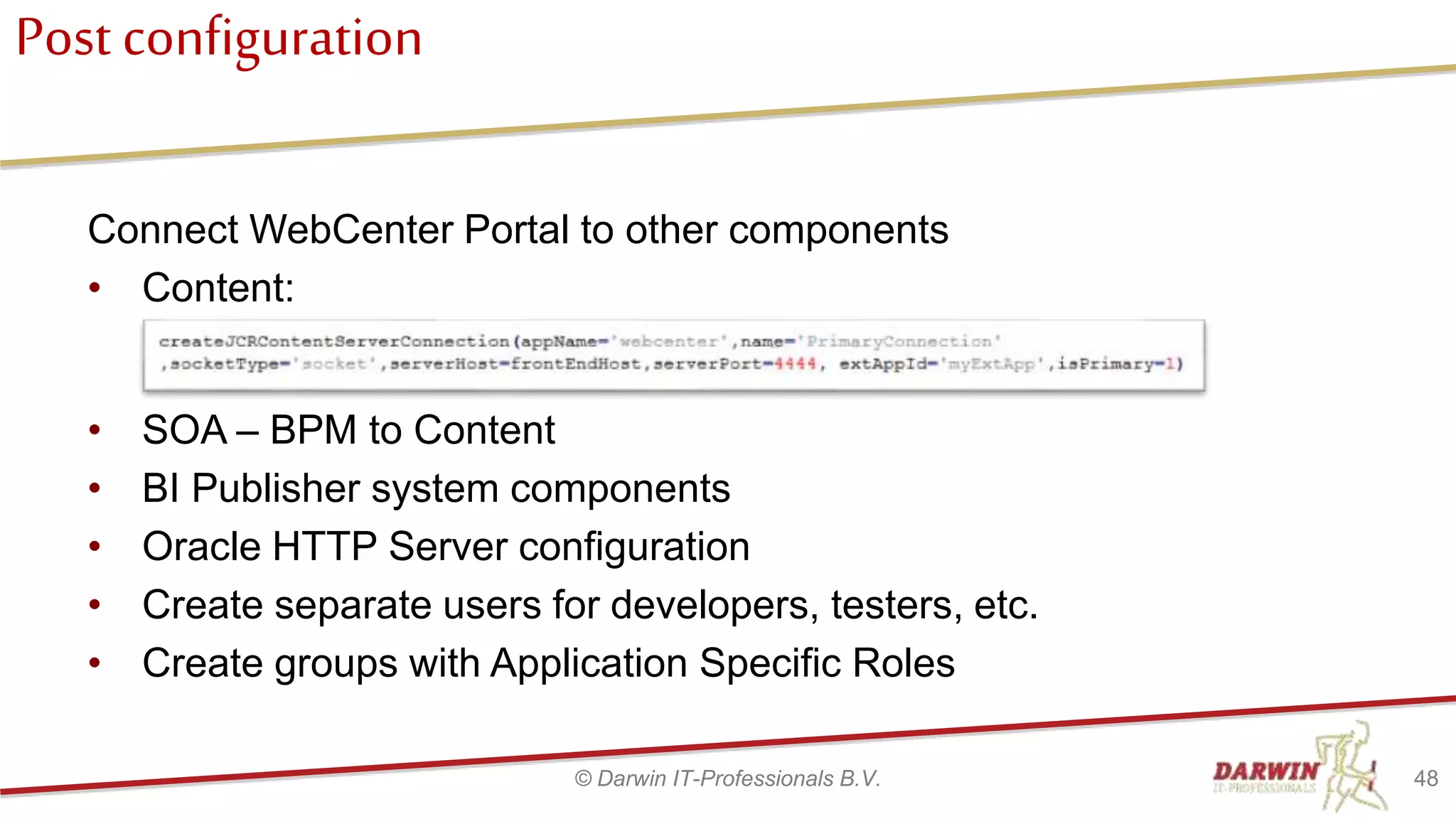
Connect WebCenter Portal to other components
• Content:
48© Darwin IT-Professionals B.V.
• SOA – BPM to Content
• BI Publisher system components
• Oracle HTTP Server configuration
• Create separate users for developers, testers, etc.
• Create groups with Application Specific Roles
Agenda
• Who we are
• Why scripted installation
• Target architecture
• Prepare machine
• Install software
• Create Repository
• Create domain
• Post configuration
• DevOps
• Q & A
49© Darwin IT-Professionals B.V.
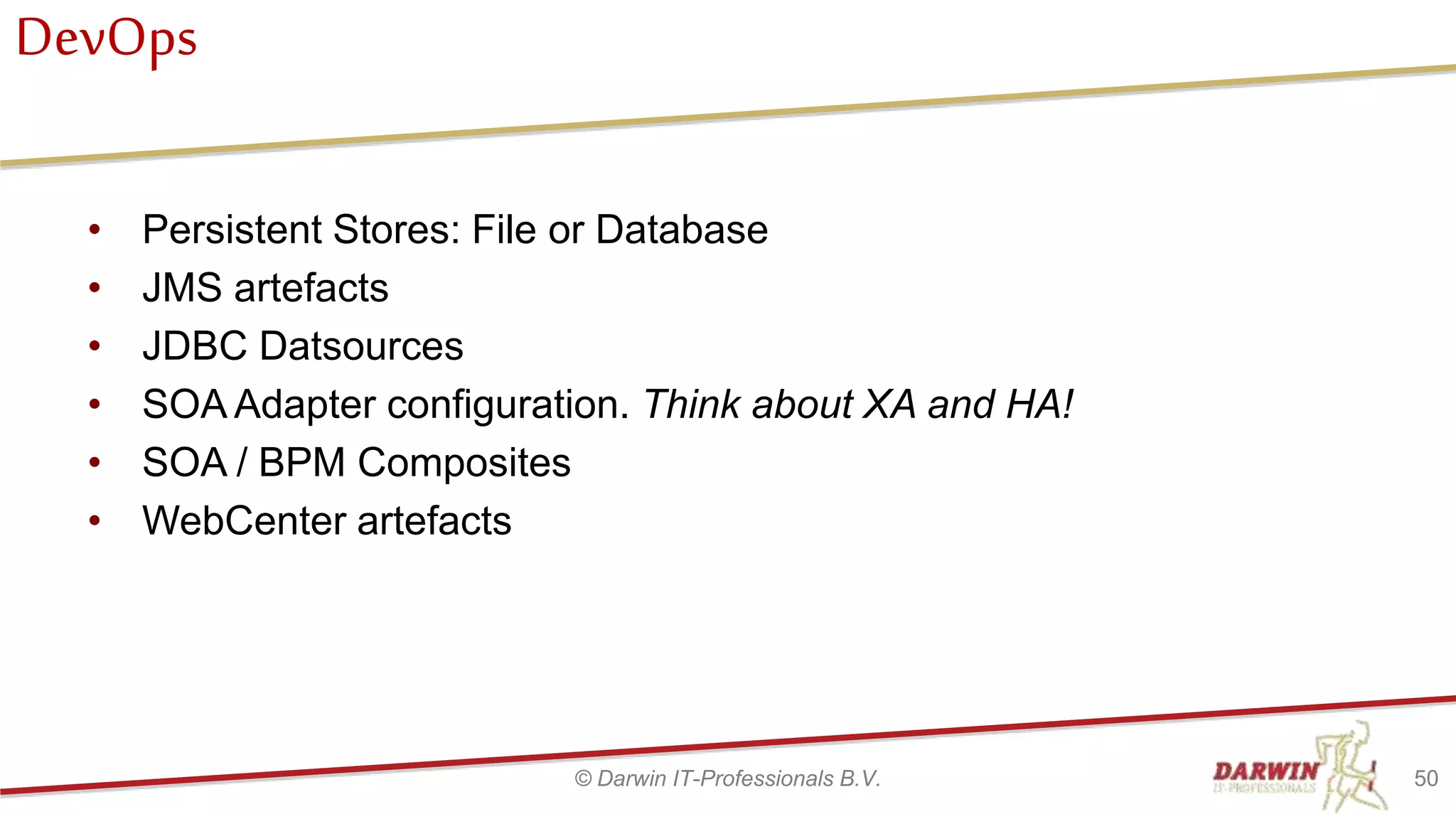
DevOps
• Persistent Stores: File or Database
• JMS artefacts
• JDBC Datsources
• SOA Adapter configuration. Think about XA and HA!
• SOA / BPM Composites
• WebCenter artefacts
50© Darwin IT-Professionals B.V.
Q & A
52© Darwin IT-Professionals B.V.

Install Oracle FMW - 'Mostly Scripted'

  • 1.
    DARWIN IT-PROFESSIONALS IT DrivenEvolution InstallFMW ‘MostlyScripted’ Why and How
  • 2.
    Agenda • Who weare • Why scripted installation • Target architecture • Prepare machine • Install software • Create Repository • Create domain • Post configuration • DevOps • Q & A 2© Darwin IT-Professionals B.V.
  • 3.
    Who we are 3©Darwin IT-Professionals B.V. Application Development Framework
  • 4.
    Who we are 4©Darwin IT-Professionals B.V.
  • 5.
    Agenda • Who weare • Why scripted installation • Target architecture • Prepare machine • Install software • Create Repository • Create domain • Post configuration • DevOps • Q & A 5© Darwin IT-Professionals B.V.
  • 6.
    Why scriptedinstallation • Consistentinstallation for – Development / Test / Acceptance / Production / Training • Hides Complexity Enterprise Deployment Guide (EDG) – Installation and FMW Domain config is complex, many choices – Scripts follow EDG as much as possible • Error proof – Once the script is tested and approved, no chance for manual errors • Deployment speed – Faster than manual deployment 6© Darwin IT-Professionals B.V.
  • 7.
    Why scriptedinstallation • Alternatives –Manual - High admin effort – Docker - Install once / manage – Virtual Assembly Builder - Install once / manage – MyST - Learning Curve? + License cost – XL Release / XL Deploy - Learning Curve? + License cost – Vagrant + Puppet / Ansible - Learning Curve? Use in house knowledge… • Our choice for this presentation: – Shell (Windows / *nix) – WebLogic Scripting Tool (WLST) 7© Darwin IT-Professionals B.V.
  • 8.
    Agenda • Who weare • Why scripted installation • Target architecture • Prepare machine • Install software • Create Repository • Create domain • Post configuration • DevOps • Q & A 8© Darwin IT-Professionals B.V.
  • 9.
    Target Architecture asresultof EDG 9 Host 1 HTTP Server Host 2 OSB Server1 WebCenter Portal Server1 Admin Server SOA Server1 WebCenter Content Server1 BAM Server1 WSM Server1 Database OSB Server2 WebCenter Portal Server2 SOA Server2 WebCenter Content Server2 BAM Server2 WSM Server2 OSB Cluster WebCenter Portal Cluster SOA Cluster WebCenter Content Cluster BAM Cluster WSM Cluster
  • 10.
    Target Architecture Application 10©Darwin IT-Professionals B.V. WCP_Cluster WCP_Servers Portal Analytics Discussions Portlets WCC_Cluster WCC_Servers Content Server IBR Custom components OSB_Cluster OSB_Servers OSB Projects/ Integrations OSB Server SOA Adapters SOA_Cluster SOA_Servers SOA&BPM Composites Process Engine SOA Adapters SOA/BPM Composers BRE, HWF, etc. BAM_Cluster BAM_Servers Administrator Designer Viewer
  • 11.
  • 12.
  • 13.
    Agenda • Who weare • Why scripted installation • Target architecture • Prepare machine • Install software • Create Repository • Create domain • Create Post configuration • DevOps • Q & A 13© Darwin IT-Professionals B.V.
  • 14.
    Prepare machine 1-4 Assumptions: •Oracle Enterprise Linux installed. • ROOT access • Network access Scripted: • Install required packages • Make filesystems • Create Oracle group / user • Create Inventory location 14© Darwin IT-Professionals B.V.
  • 15.
    Prepare machine 2-4 15©Darwin IT-Professionals B.V.
  • 16.
    Prepare machine 3-4 16©Darwin IT-Professionals B.V.
  • 17.
    Prepare machine 4-4 17©Darwin IT-Professionals B.V. Considerations: • Entropy: can be considerably low on IaaS, VMs with no desktop • Load Balancer • Firewalls – 1521 for database – 6200 for GridLink / ONS • Database: – Single Node – Grid – Active Standby / Dataguard
  • 18.
    Agenda • Who weare • Why scripted installation • Target architecture • Prepare machine • Install software • Create Repository • Create domain • Post configuration • DevOps • Q & A 18© Darwin IT-Professionals B.V.
  • 19.
    InstallSoftware In general: • Downloadrequired software from My Oracle Support (MOS) or Edelivery • Run the install script – Script checks if the software is installed – If not: • Extract the downloaded software • Install the different software packages (In case of Java, just copy the extracted files) 19© Darwin IT-Professionals B.V.
  • 20.
    Install Software Java Fortime reasons, we’ll restrict to middleware • Download a zip with tar.gz containing complete JDK • On MOS: Search for Doc ID 1439822.1 • Download latest 1.8 (public) patch, eg.: – 25474942 Oracle SERVER JRE 8 Update 131 (just enough server JRE) – 25474935 Oracle JDK 8 Update 131 (complete JDK, incl. jmc, jvisualvm) 20© Darwin IT-Professionals B.V.
  • 21.
    Install Software Java:script 21© Darwin IT-Professionals B.V.
  • 22.
    Install Software FMWInfrastructure • FMW Specific delivery/package of Weblogic, including a base Repository Creation Utility (RCU) and generic packages specific to FMW • Do not install generic WLS, as this is not sufficient for FMW. • Contains fmw_12.2.1.2.0_infrastructure.jar for the installer. • RCU is expanded with each FMW product. 22© Darwin IT-Professionals B.V.
  • 23.
    Install Software FMWInfra: Script 23© Darwin IT-Professionals B.V.
  • 24.
    Install Software envsubst •Replace placeholders with environment settings • ${FMW_HOME} := /app/oracle/product/middleware/FMW 12212 24© Darwin IT-Professionals B.V.
  • 25.
    Install Software SOA/BPM •Same installer for both SOA and BPM • In 12c enhances/expands the base RCU already installed with FMW Infrastructure • Need to set SOABPM_INSTALL_TYPE to ‘SOA Suite’ or ‘BPM’ 27© Darwin IT-Professionals B.V.
  • 26.
    Install Software Rest •Repeat these steps for – Oracle Service Bus – WebCenter Content – WebCenter Portal – Oracle HTTP Server – Development tools • BPM Quickstart • JDeveloper 28© Darwin IT-Professionals B.V.
  • 27.
    Agenda • Who weare • Why scripted installation • Target architecture • Prepare machine • Install software • Create Repository • Create domain • Post configuration • DevOps • Q & A 29© Darwin IT-Professionals B.V.
  • 28.
    Create Repository Exact sameprinciple... 30© Darwin IT-Professionals B.V.
  • 29.
    Create Repository 31© DarwinIT-Professionals B.V. NOTE: Component WLS results in two schema’s: DEV_WLS and DEV_WLS_RUNTIME
  • 30.
    Agenda • Who weare • Why scripted installation • Target architecture • Prepare machine • Install software • Create Repository • Create domain • Create Post configuration • DevOps • Q & A 32© Darwin IT-Professionals B.V.
  • 31.
    Create domain • Createthe domain using wlst 33© Darwin IT-Professionals B.V.
  • 32.
    Create domain Templates 34©Darwin IT-Professionals B.V.
  • 33.
    Create domain Createdomain 35© Darwin IT-Professionals B.V.
  • 34.
    Create domain ChangeAdminServer 36© Darwin IT-Professionals B.V.
  • 35.
    Create domain Security 37©Darwin IT-Professionals B.V.
  • 36.
    Create domain Templates 38©Darwin IT-Professionals B.V. • Check if a product is enabled • If so, add the template
  • 37.
    Create domain DataSources 39© Darwin IT-Professionals B.V. Loads Repository Data from Service Table (*_STB schema) Service Table contains Schema’s and passwords Used to create data sources
  • 38.
    Create domain Machines 40©Darwin IT-Professionals B.V.
  • 39.
    Create domain Clusters 41©Darwin IT-Professionals B.V.
  • 40.
    Create domain Servers 42©Darwin IT-Professionals B.V.
  • 41.
    Create domain ServerGroups 43© Darwin IT-Professionals B.V.
  • 42.
    Create domain ServerGroups 44© Darwin IT-Professionals B.V.
  • 43.
    Create domain BootProperties 45© Darwin IT-Professionals B.V.
  • 44.
    Agenda • Who weare • Why scripted installation • Target architecture • Prepare machine • Install software • Create Repository • Create domain • Post configuration • DevOps • Q & A 46© Darwin IT-Professionals B.V.
  • 45.
    Post configuration AdaptDatasources • Tuning: Set Min / Max / Initial Connections • Set Test / Retry Connections, based on network topology • Convert file stores for JMS to JDBC stores • Migratable Targets for Persistence Stores, JMS and JTA • Adapt JDBC-URLs for Grid Link support. Simple JDBC => TNS format 47© Darwin IT-Professionals B.V. jdbc:oracle:thin:@(DESCRIPTION=(ADDRESS_LIST=(ADDRESS=(PROTOCOL=TCP)(HOST=$DB _HOST)(PORT=1521)))(CONNECT_DATA=(SERVICE_NAME=$DB_SERVICE))) jdbc:oracle:thin:@$DB_HOST:1521:$DB_SERVICE
  • 46.
    Post configuration Connect WebCenterPortal to other components • Content: 48© Darwin IT-Professionals B.V. • SOA – BPM to Content • BI Publisher system components • Oracle HTTP Server configuration • Create separate users for developers, testers, etc. • Create groups with Application Specific Roles
  • 47.
    Agenda • Who weare • Why scripted installation • Target architecture • Prepare machine • Install software • Create Repository • Create domain • Post configuration • DevOps • Q & A 49© Darwin IT-Professionals B.V.
  • 48.
    DevOps • Persistent Stores:File or Database • JMS artefacts • JDBC Datsources • SOA Adapter configuration. Think about XA and HA! • SOA / BPM Composites • WebCenter artefacts 50© Darwin IT-Professionals B.V.
  • 49.
    Q & A 52©Darwin IT-Professionals B.V.

Editor's Notes

  • #7 With manual installation/configuration it is hard to keep up with constistent naming and locations. Many names have to be configured for servers, clusters, machines, listen-addresses. When using Loadbalancer and/or OHS (Colocated) these addresses need to be filled in in the configs consistently. One simple copy&paste mistake may cause hours of debugging and/or strange behaviour. A FMW installation/configuration is very complex. With lots of choices to make. The Enterprise Deployment Guide is a companion in making these choises based on the best-practice-recommendation of Oracle. But it is a large set of documents, covering all the FMW products, including Clustering, High Availability, Loadbalancing and OHS config. Translating the target architecture into scripts will translate this complexity into a technical solution where only the differences in naming of the target environment has to be tweaked. Often the different environments aren’t created by the same people. Often a project team does the setup of O & T, being the basis of A & P that are done by the team of administrators (often outsourced) that are responsible for the production systems. But those people aren’t necessarly involved in making the initial choices or know the target architecture. They have to follow installation documents delivered by the development team. But O&T often differ from A&P in HA & sizing. So translation have to be made. And therefor introducing several possible points-of-errors. Doing an FMW installation manually can easily last 2 days for one environment. Using a script it can be done in one or two hours…
  • #8 We use Bash/Shell for the installation of the binaries, running the installers and RCU. These are run in silent mode with the use of preconfigured Response files. The shell scripts are driven by a separate env-script to set Environment Variables. Response files are expanded to set FMW_HOME, and other variables. WLST is used for creating the domain, since the domain config does not support the use of a Response file. The wlst script is driven by a property file containing all the choices, toggles and names, to drive the script. The Oracle installers are based on Java Alternatives Docker is a virtualization solution to contain a complete target installation Virtual Assembly Builder is an Oracle Solution to declaratively create an Oracle VM Image Maven/Hudson/Jenkins: mostly DevOps tooling to build&deploy custom development artefacts, like ADF, OSB Configs, SOA/BPM Composites, Database DDL, including datasources, JMS Queus, etc. Not so much for installations. XL Deploy is mostly used in combination with DevOps build tools like Maven, Hudson/Jenkins. Workflow and Repo to keep track on what is developed and deployed on which target environment. Less meant for installations. Vagrant is a tool to create, config and start/stop VMs based on templates. Puppet/Ansible are scripting tools to do OS Config, and perform parameterized installations and configurations. Work on recipies that can work out derived properties and use those in the scripts. Can call WLST and shell.
  • #10 Als alles is geinstalleerd op shared storage: - Installeer de software eenmaal (of tweemaal indien de software niet op shared storage staat) - Creeer het domein en start alles. Indien geen shared storage: - Installeer de software tweemaal - Creeer het domein - Pack / unpack het domein en start alles
  • #11 Producten invullen en animeren to een passend scherm (liefst leesbaar bij print / PDF) Volgorde: OSB, WSM, SOA, BAM, WCP en WCC
  • #12 Dit is globaal de stappen die volgens de EDG worden doorlopen
  • #13 Voor het creeëren van het domain worden deze stappen doorlopen.
  • #16 Animatie toevoegen Globaal uitleggen per stap
  • #17 Functie kort uitleggen en hoe deze gebruikt wordt bij het zetten van het wachtwoord
  • #18 Scripting is often used in virtualized environments (like IaaS). We noticed that a lot of encryption / decryption is done. A low entropy setting may cause delays for this (en/de)crytion causing long running installation / configuration. 12c is using encrypted communication by default, so this should be raised often. When you get higher in the OTAP installations, you want to use a hardware load balancer / OTD This should be set up seprately! Firewalls should be configured as required. Also setup seperately!
  • #20 We did not script the download as this is a single time action. The downloaded software can be copied to a share / ... To be used during installation.
  • #21 Oracle recommends installing Critical Patch Updates Latest builds with ‘one off’ patches: 25767260 Oracle SERVER JRE 8 Update 131 b31 (just enough server JRE) 25767257 Oracle JRE 8 Update 131 b31 (small package, JRE-only) 25767248 Oracle JDK 8 Update 131 b31 (complete JDK, incl. jmc, jvisualvm)
  • #24 Envsubst takes in a file and replaces all occurrences of a Environment Variable with it’s value. This way we can parameterize the RSP with a template file and fill in the FMW_HOME for instance.
  • #29 Oracle HTTP Server hadden we al genoemd. Zou ik direct na FMW Infrastructure plaatsen.
  • #35 Tijdens de installatie van de diverse FMW producten worden de templates op de ‘juiste’ plaats neergezet. Tijdens het aanmaken en extenden van het domeein woerden deze gebruikt in de WLST code. Het aanmaken van het domein gebeurt op basis van het basis template (wlsjar) en het uitbreiden met de template(s) voor de geselecteerde producten. Sommige templates selecteren automatisch ook andere templates
  • #36 Deze dienen voor...
  • #37 Deze dienen voor...
  • #38 Deze dienen voor...
  • #39 Deze dienen voor...
  • #40 Deze dienen voor...
  • #41 Een (Unix)machine representeert de host waarop de servers draaien en is feitelijk een abstractie naar de NodeManager. Dus door Servers aan een Machine toe te voegen, ‘weet’ de AdminServer welke nodemanager te benaderen om een betreffende Server te kunnen starten/stoppen/killen. In de machine configuratie worden de betreffende connectiegegevens van de Node manager opgeslagen.
  • #42 Create Cluster en het toevoegen van de managed servers aan het cluster, zorgt er voor dat de deployments worden geretarget naar cluster niveau. Vervolgens kunnen er meerdere managed servers aan toegevoegd worden die automatisch de deployments mee krijgen. ToDo: clusters bevatten ook de FrontEnd host/port van de load balancer. Wordt nu (nog) niet gezet. Dit zorgt voor een rewrite van de URL naar de loadbalancer/OHS. Adapt ManagegServer zorgt ervoor dat een bestaande ManagedServer aan het betreffende cluster en machine wordt toegevoegd. Zet verder de listenadres en hernoemt het naar de geconfigureerde naam. Bij het toevoegen van meeste FMW Templates wordt automatisch een server aangemaakt. Die moet dan hernoemd worden naar de betreffende naam uit de fmw.properties. Dit geldt niet voor alle FMW product templates. M.n. bijvoorbeeld WSM, omdat de WSM Policy Manager soms opgenomen worden in SOA of OSB servers.
  • #43 Bij meeste templates wordt automatisch al een eerste server aangemaakt. Deze wordt hernoemd volgens de fmw.properties. Maar voor uitbreiding van het cluster kunnen extra managed servers worden aangepast. ChangeManagedServer is een functie die wordt hergebruikt voor het bijwerken van bestaande als ook nieuw gecreëerde servers.
  • #44 Het begrip Server Groups is iets nieuws in WLS 12c. En zorgt voor een default deployment van de servers. Voor SOA en OSB kun je bijvoorbeeld kiezen voor gecombineerde servers die ook de WSM Policy Manager bevatten (‘SOA-MGD-SVRS’, ‘OSB-MGD-SVRS-COMBINED ‘) of voor een separate WSM-PM cluster zodat SOA en OSB clusters de WSM-PM niet hoeven te bevatten (‘SOA-MGD-SVRS-ONLY’, ‘OSB-MGD-SVRS-ONLY’) Daarnaast is in 12c de startup scripting aangepast. WLS 11g had alleen een setDomainEnv.sh, waarin voor alle servers dezelfde memory settings wordt gedaan. In 12c is er een setStartupEnv.sh bijgekomen, waarin op basis van server groups specifieke settings worden bepaald. Waar onder de USER_MEM_ARGS. In een zelf aan te maken setUserOverrides.sh script kun je dat verder bij werken, door te checken op de servergroups. ToDo: In het script wordt hier helaas nog geen onderscheid in gemaakt…. Hier zou dus de servergroups moeten worden gezet op basis van de wsm-enabled toggle!
  • #45 Deze dienen voor...
  • #46 Hier wordt per server een boot.properties file aangemaakt met de weblogic username/password. Zodat deze niet hoeft te worden gevraagd als de server wordt gestart.
  • #48 Min en max datasources worden gezet op basis van de Repository Size (SOA_PROFILE_TYPE=SMALL/MEDIUM/LARGE) setting bij het draaien van RCU. Maar vaak niet juist. Correct zetten van de min/max/initial connections is van grote invloed op de performance. Firewalls zijn soms ‘connection-breakers’ voor lang lopende database connecties. Configureer de Test On Reserve of Test Frequency om te zorgen dat connections worden gecheckt. Zet Connection Frequency op de helft van de tijd van een Firewall connection time-out. In WLS 12c wil een server soms niet starten als bij startup omdat de database connecties niet te maken zijn. Dit kan voorkomen worden door een connection retry van bijv. 300 sec (5 min) op te geven.