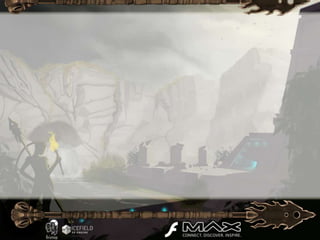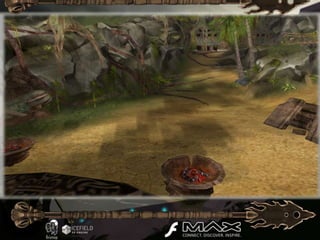
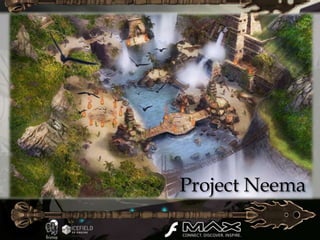
Project Neema
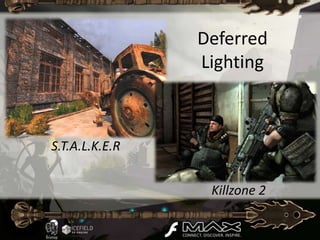
Deferred
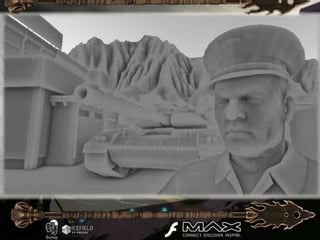
                Lighting


S.T.A.L.K.E.R


                 Killzone 2
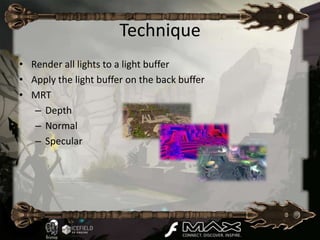
Technique
• Render all lights to a light buffer
• Apply the light buffer on the back buffer
• MRT
   – Depth
   – Normal
   – Specular
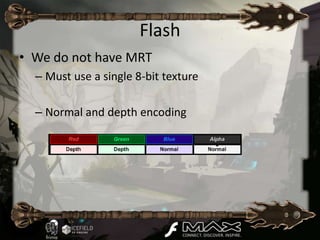
Flash
• We do not have MRT
  – Must use a single 8-bit texture

  – Normal and depth encoding
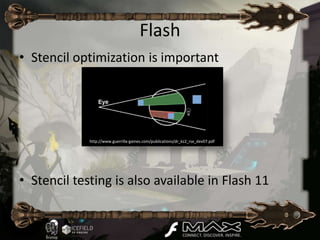
Flash
• Stencil optimization is important


             http://www.guerrilla-games.com/publications/dr_kz2_rsx_dev07.pdf


• Stencil testing is also available in Flash 11
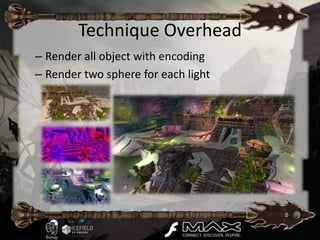
Technique Overhead
– Render all object with encoding
– Render two sphere for each light
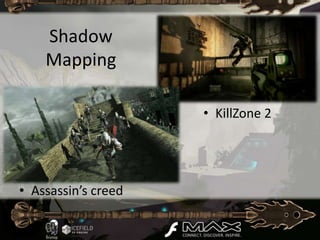
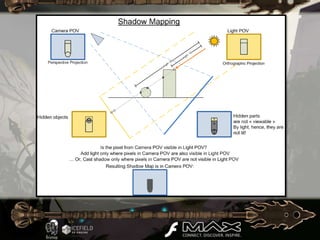
Shadow
    Mapping

                     • KillZone 2


• Assassin’s creed
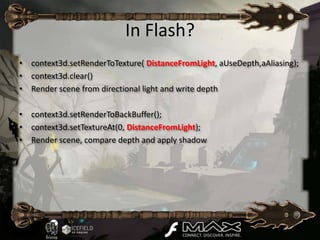
In Flash?
• context3d.setRenderToTexture( DistanceFromLight, aUseDepth,aAliasing);
• context3d.clear()
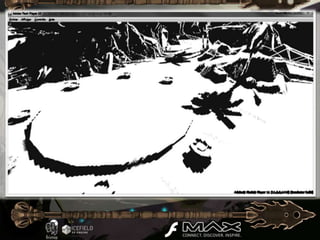
• Render scene from directional light and write depth

• context3d.setRenderToBackBuffer();
• context3d.setTextureAt(0, DistanceFromLight);
• Render scene, compare depth and apply shadow
Finding Next-Gen CryEngine2
                                    [Siggraph07]


GPU Gems Convolution Blur
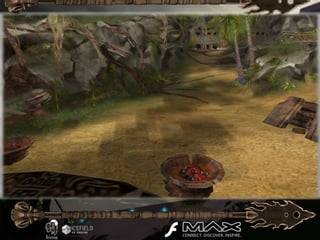
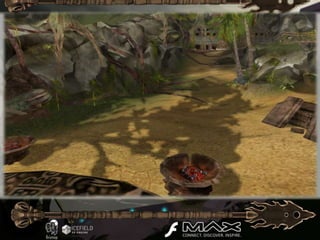
Cascade Shadow Map
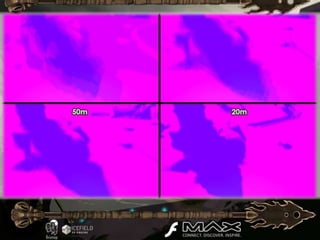
•   Screen 4 écrans
Cascade Shadow Map
•   Screen 4 écrans
Cascade Shadow Map
•   Screen 4 écrans
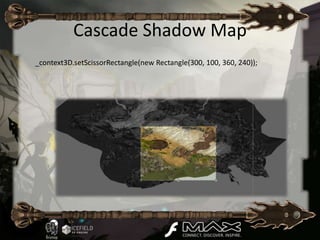
Cascade Shadow Map
_context3D.setScissorRectangle(new Rectangle(300, 100, 360, 240));
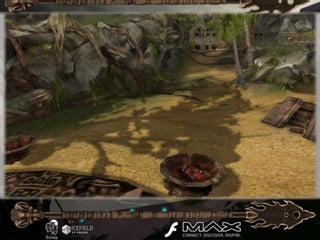
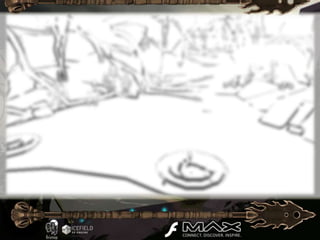
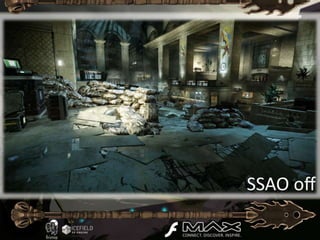
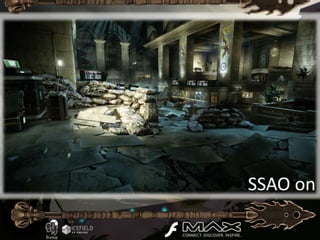
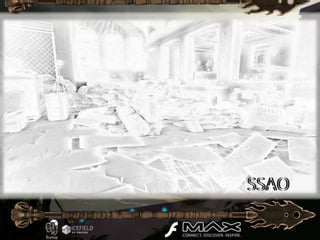
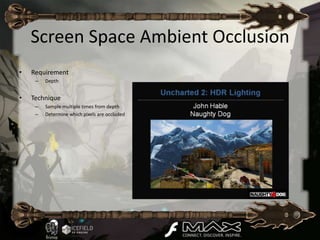
Screen Space Ambient Occlusion
•   Requirement
     –   Depth


•   Technique
     –   Sample multiple times from depth
     –   Determine which pixels are occluded
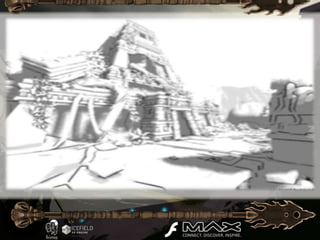
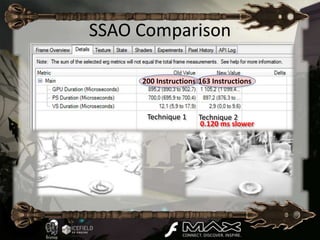
SSAO Comparison

     200 Instructions 163 Instructions


      Technique 1     Technique 2
                      0.120 ms slower
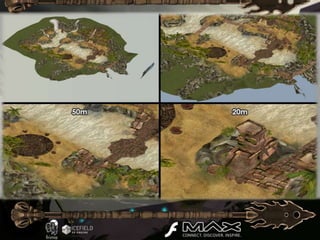
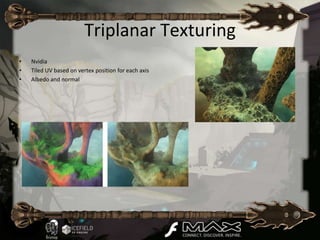
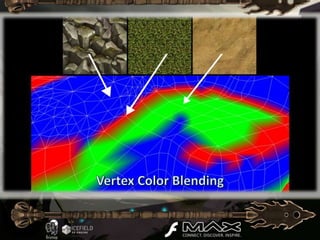
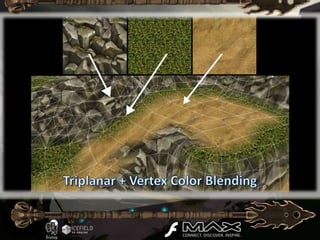
Triplanar Texturing
•   Nvidia
•   Tiled UV based on vertex position for each axis
•   Albedo and normal
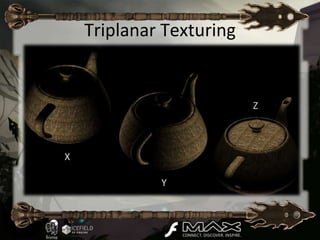
Triplanar Texturing


                          Z


X

             Y
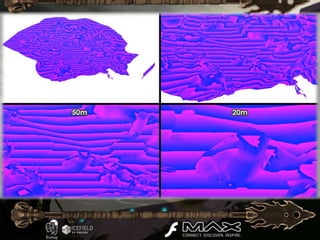
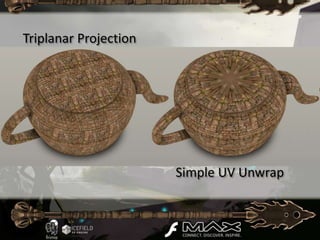
Triplanar Projection


                       Simple UV Unwrap
Flash
• Shader with a lot of instructions
• Lots of sampling

• GT8600:           3 ms
• Radeon HD 2400: 1.2 ms
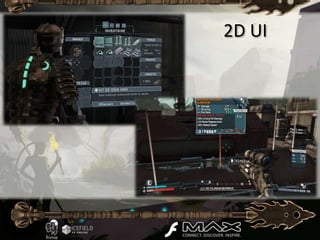
2D UI
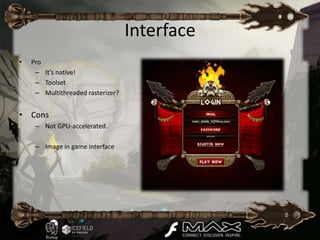
Interface
•   Pro
     – It’s native!
     – Toolset
     – Multithreaded rasterizer?


• Cons
     – Not GPU-accelerated.

     – Image in game interface
++2D UI
•   Complementing Flash 11 3D
•   Technique
     – Projecting 2D elements in the scene
     – Keeping mouse events
     – Keeping vector animations and blends
     – Native text rendering
     – Game design & art helper tools
     – Easy to integrate, debug Minimal Components

•   Result in Flash
     – Final
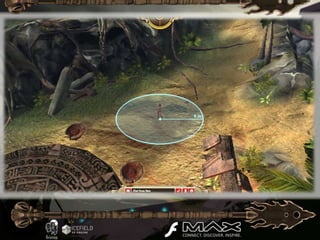
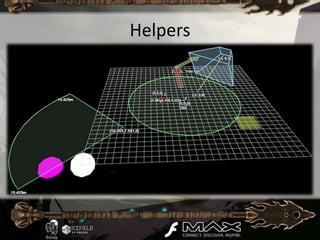
Helpers
Helpers
• (In-game image/video)
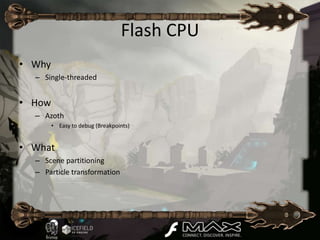
Flash CPU
• Why
  – Single-threaded


• How
  – Azoth
        • Easy to debug (Breakpoints)


• What
  – Scene partitioning
  – Particle transformation
Alchemy
• Alchemy allows C and C++ code to run in the ActionScript
  Virtual Machine (AVM2).
• The C/C++ code is converted to AS3 using a special compiler,
  and then built into a SWC.
• This enables the porting of several existing solid and proven
  libraries.
• The compiler also performs a lot of optimization to make the
  code run faster by using fast memory access.
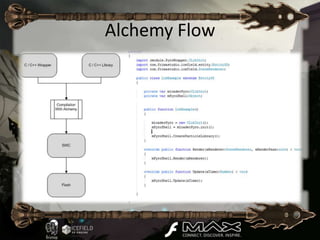
Alchemy Flow
What is Bullet
• Physics engine
• Simple
   –   Dynamic and static volume and mesh
   –   Apply force and impulse
   –   Generate collision callback
   –   Character controller
• But also
   – Dynamic constraint
   – Clothing
   – More…
Bullet Physics
• Open Source
• Who uses Bullet?
          Games              Movies    Software
    Grand Theft Auto IV     Megamind    Blender
   Red Dead Redemption        Bolt     Softimage
        Free Realms           2012      Irrlicht
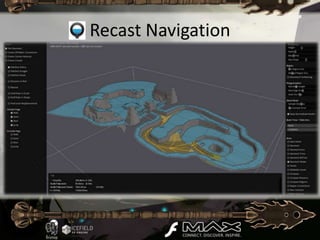
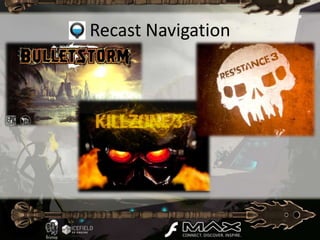
Recast Navigation
Recast Navigation
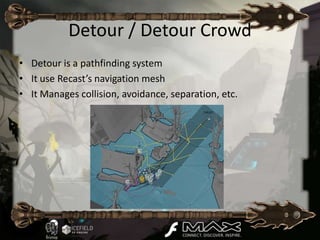
Detour / Detour Crowd
• Detour is a pathfinding system
• It use Recast’s navigation mesh
• It Manages collision, avoidance, separation, etc.
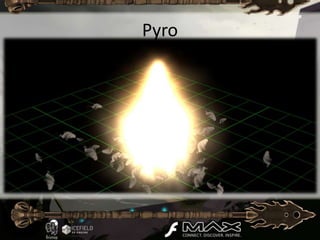
Pyro
What is Pyro
• It’s user friendly
• It manage properties such as:
   – Life, number, size, velocity, weight, spin, motion rand
   – Wind, Angular velocity, attraction, zoom, visibility, tint
   – Sub-Emiters and a lot more!
• Support variation over time of properties
• « Per title » License
Pyro
• (In-game image/video)
From Flash to Flash 3D
• There is no such thing as Display List Management
• There is no time line
    –   No clip animation
    –   No script on frames
    –   No label and dispatch
    –   No gotoAndPlay()
• No library
    – No exported symbol
    – No centralized asset list


• Testing collision is a bit more difficult than the DisplayObject.HitTest()
From Flash to Flash3D
• Several 3D frameworks already exist for Flash 11:
    –   Alternativa
    –   Minko
    –   Flare3D
    –   Away3D
    –   Yogurt3D
    –   Frima Icefield.


• There are also several existing Flash helpers (Flash.MathUtils, Flash.Math.Utils3d)
• Concepts you will need to learn:
    – 3D space coordinates
    – Object transformation using Matrix3D and Vector3D
    – Shaders open new door to wonderful effects
From 3D to Flash 3D
• FP11 targets desktops, tablets and mobiles!
   – API limited to OpenGL ES 2.0 definition
   – Limit of 200 shader instructions
   – Limited shader instructions (no branching, no MAD, etc.)
• Overhead on Change Target (20%)
   – Auto MipMapping
   – Loss of depth
• Anti-aliasing only on BackBuffer
• Only support 8-bit textures (HDR)
• No MRT
From Anyone to Flash3D
•   Single-threaded
•   No mouse lock (FPS)
•   Limited keyboard in fullscreen
•   Streamable content (Web-based)
    –   Files download weight
    –   Load only when needed
    –   Limited browser cache
    –   Async resource loading
• Can use the regular Flash 2D interfaces
Tech Demo Reel
• Show all interesting elements
• Very short video of each
• “Epic music”
You might ask
• Why not using Unity ?

• What about HTML5 ?
• Alchemy is still beta, would you consider
  using it in production?
• Are you single ?
Contacts
• Jean-Philippe Doiron
  – jpd@frimastudio.com
  – @jphildoiron

• Jean-Philippe Auclair
  – jpauclair@frimastudio.com
  – @jpauclair
  – jpauclair.net
References
•   http://www.guerrilla-games.com/publications/dr_kz2_rsx_dev07.pdf
•   http://http.developer.nvidia.com/GPUGems2/gpugems2_chapter09.html
•   http://http.developer.nvidia.com/GPUGems/gpugems_ch21.html
•   http://http.developer.nvidia.com/GPUGems3/gpugems3_ch01.html
Turn in your surveys for a chance to WIN!
• Hand in your surveys to the room
  monitors

• One survey per session will be selected
  as a winner of an Adobe Press e-book or
  Video
   Introduction to Adobe Edge
   Web Design with Muse (code name) from
   Adobe
   Android App Development and Design:
   Learn by Video

• Winners will be notified via e-mail at the
  end of each day

Developing Next-Generation Games with Stage3D (Molehill)

  • 4.
  • 5.
    Deferred Lighting S.T.A.L.K.E.R Killzone 2
  • 6.
    Technique • Render alllights to a light buffer • Apply the light buffer on the back buffer • MRT – Depth – Normal – Specular
  • 7.
    Flash • We donot have MRT – Must use a single 8-bit texture – Normal and depth encoding
  • 8.
    Flash • Stencil optimizationis important http://www.guerrilla-games.com/publications/dr_kz2_rsx_dev07.pdf • Stencil testing is also available in Flash 11
  • 9.
    Technique Overhead – Renderall object with encoding – Render two sphere for each light
  • 12.
    Shadow Mapping • KillZone 2 • Assassin’s creed
  • 14.
    In Flash? • context3d.setRenderToTexture(DistanceFromLight, aUseDepth,aAliasing); • context3d.clear() • Render scene from directional light and write depth • context3d.setRenderToBackBuffer(); • context3d.setTextureAt(0, DistanceFromLight); • Render scene, compare depth and apply shadow
  • 17.
    Finding Next-Gen CryEngine2 [Siggraph07] GPU Gems Convolution Blur
  • 20.
    Cascade Shadow Map • Screen 4 écrans
  • 21.
    Cascade Shadow Map • Screen 4 écrans
  • 22.
    Cascade Shadow Map • Screen 4 écrans
  • 23.
  • 31.
    Screen Space AmbientOcclusion • Requirement – Depth • Technique – Sample multiple times from depth – Determine which pixels are occluded
  • 36.
    SSAO Comparison 200 Instructions 163 Instructions Technique 1 Technique 2 0.120 ms slower
  • 40.
    Triplanar Texturing • Nvidia • Tiled UV based on vertex position for each axis • Albedo and normal
  • 41.
  • 42.
    Triplanar Projection Simple UV Unwrap
  • 45.
    Flash • Shader witha lot of instructions • Lots of sampling • GT8600: 3 ms • Radeon HD 2400: 1.2 ms
  • 46.
  • 47.
    Interface • Pro – It’s native! – Toolset – Multithreaded rasterizer? • Cons – Not GPU-accelerated. – Image in game interface
  • 48.
    ++2D UI • Complementing Flash 11 3D • Technique – Projecting 2D elements in the scene – Keeping mouse events – Keeping vector animations and blends – Native text rendering – Game design & art helper tools – Easy to integrate, debug Minimal Components • Result in Flash – Final
  • 51.
  • 52.
  • 53.
    Flash CPU • Why – Single-threaded • How – Azoth • Easy to debug (Breakpoints) • What – Scene partitioning – Particle transformation
  • 54.
    Alchemy • Alchemy allowsC and C++ code to run in the ActionScript Virtual Machine (AVM2). • The C/C++ code is converted to AS3 using a special compiler, and then built into a SWC. • This enables the porting of several existing solid and proven libraries. • The compiler also performs a lot of optimization to make the code run faster by using fast memory access.
  • 55.
  • 57.
    What is Bullet •Physics engine • Simple – Dynamic and static volume and mesh – Apply force and impulse – Generate collision callback – Character controller • But also – Dynamic constraint – Clothing – More…
  • 58.
    Bullet Physics • OpenSource • Who uses Bullet? Games Movies Software Grand Theft Auto IV Megamind Blender Red Dead Redemption Bolt Softimage Free Realms 2012 Irrlicht
  • 61.
  • 62.
  • 64.
    Detour / DetourCrowd • Detour is a pathfinding system • It use Recast’s navigation mesh • It Manages collision, avoidance, separation, etc.
  • 66.
  • 67.
    What is Pyro •It’s user friendly • It manage properties such as: – Life, number, size, velocity, weight, spin, motion rand – Wind, Angular velocity, attraction, zoom, visibility, tint – Sub-Emiters and a lot more! • Support variation over time of properties • « Per title » License
  • 69.
  • 70.
    From Flash toFlash 3D • There is no such thing as Display List Management • There is no time line – No clip animation – No script on frames – No label and dispatch – No gotoAndPlay() • No library – No exported symbol – No centralized asset list • Testing collision is a bit more difficult than the DisplayObject.HitTest()
  • 71.
    From Flash toFlash3D • Several 3D frameworks already exist for Flash 11: – Alternativa – Minko – Flare3D – Away3D – Yogurt3D – Frima Icefield. • There are also several existing Flash helpers (Flash.MathUtils, Flash.Math.Utils3d) • Concepts you will need to learn: – 3D space coordinates – Object transformation using Matrix3D and Vector3D – Shaders open new door to wonderful effects
  • 72.
    From 3D toFlash 3D • FP11 targets desktops, tablets and mobiles! – API limited to OpenGL ES 2.0 definition – Limit of 200 shader instructions – Limited shader instructions (no branching, no MAD, etc.) • Overhead on Change Target (20%) – Auto MipMapping – Loss of depth • Anti-aliasing only on BackBuffer • Only support 8-bit textures (HDR) • No MRT
  • 73.
    From Anyone toFlash3D • Single-threaded • No mouse lock (FPS) • Limited keyboard in fullscreen • Streamable content (Web-based) – Files download weight – Load only when needed – Limited browser cache – Async resource loading • Can use the regular Flash 2D interfaces
  • 74.
    Tech Demo Reel •Show all interesting elements • Very short video of each • “Epic music”
  • 75.
    You might ask •Why not using Unity ? • What about HTML5 ? • Alchemy is still beta, would you consider using it in production? • Are you single ?
  • 76.
    Contacts • Jean-Philippe Doiron – jpd@frimastudio.com – @jphildoiron • Jean-Philippe Auclair – jpauclair@frimastudio.com – @jpauclair – jpauclair.net
  • 77.
    References • http://www.guerrilla-games.com/publications/dr_kz2_rsx_dev07.pdf • http://http.developer.nvidia.com/GPUGems2/gpugems2_chapter09.html • http://http.developer.nvidia.com/GPUGems/gpugems_ch21.html • http://http.developer.nvidia.com/GPUGems3/gpugems3_ch01.html
  • 78.
    Turn in yoursurveys for a chance to WIN! • Hand in your surveys to the room monitors • One survey per session will be selected as a winner of an Adobe Press e-book or Video Introduction to Adobe Edge Web Design with Muse (code name) from Adobe Android App Development and Design: Learn by Video • Winners will be notified via e-mail at the end of each day

Editor's Notes

  • #79 This slide will be sent to all speakers as a separate attachment. If you could please include as your final slide in your presentations, this will help get more attendees to respond.