Bootstrapping
an App for Launch
A rapid, low-cost, server-less approach to app development
@craigphares
sixoverground.com
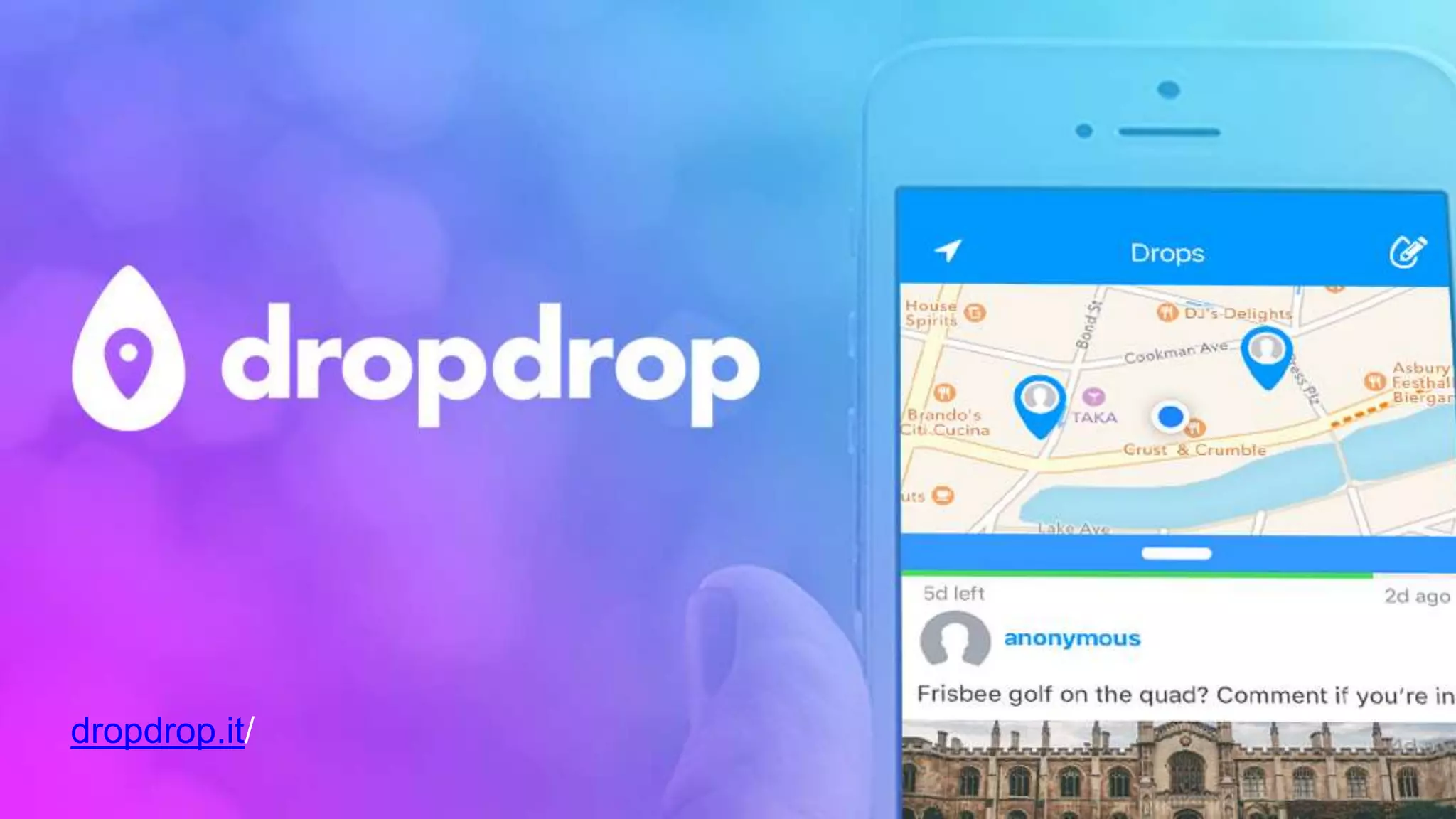
dropdrop.it/
Developer
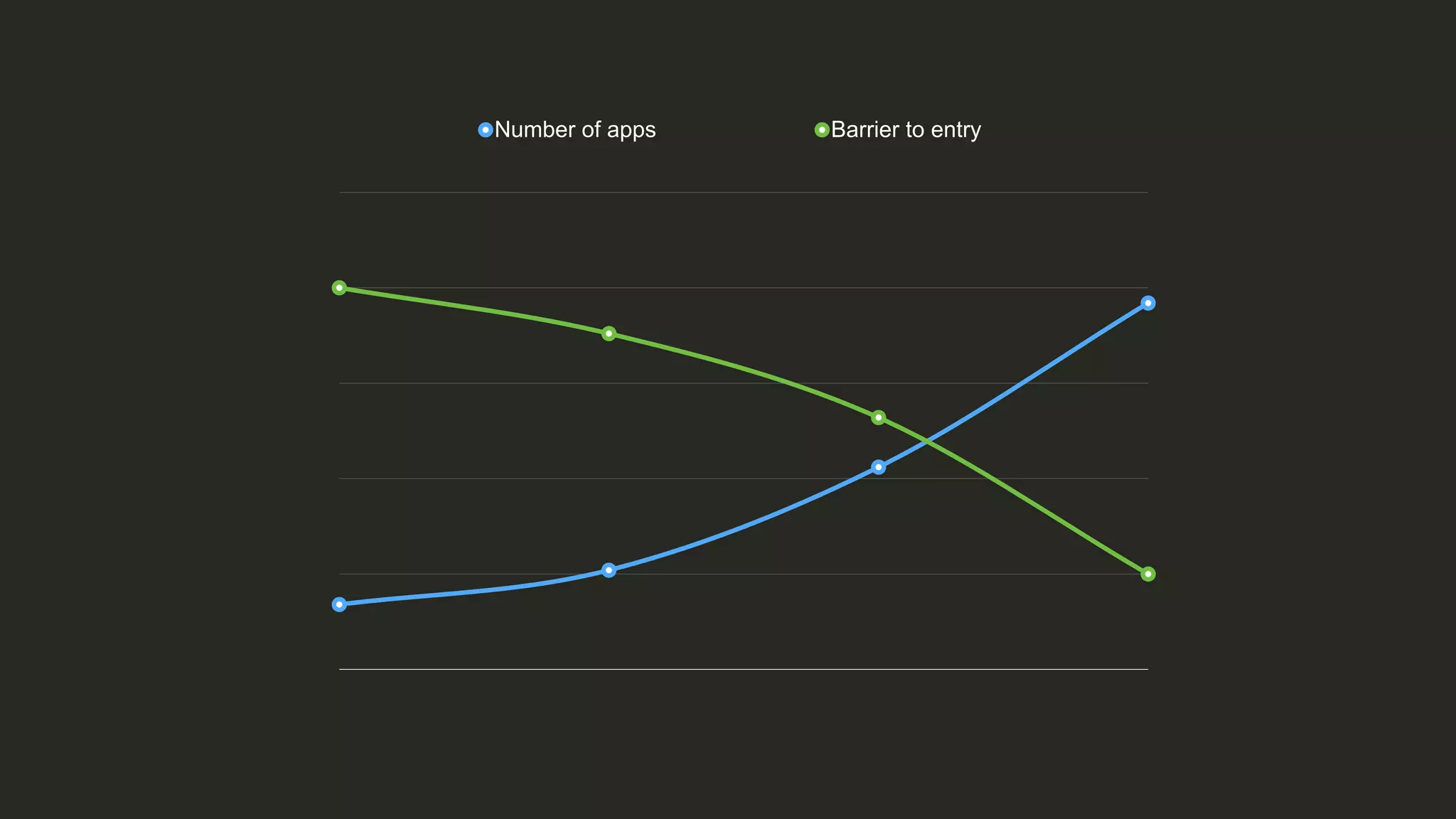
There’s never been a better
time to be a developer
Number of apps Barrier to entry
App store markets are
over-saturated
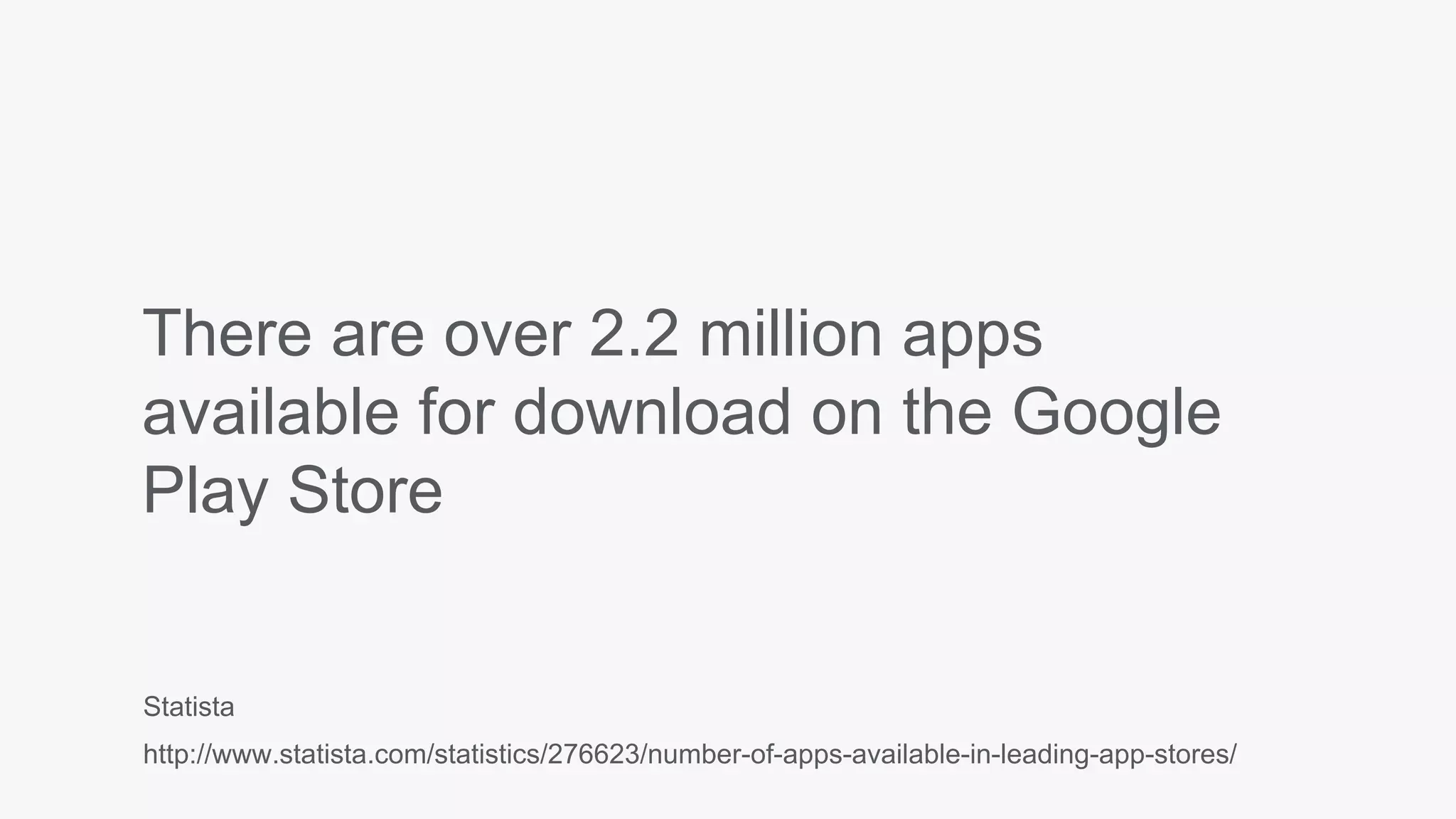
There are over 2.2 million apps
available for download on the Google
Play Store
Statista
http://www.statista.com/statistics/276623/number-of-apps-available-in-leading-app-stores/
Just building a great product isn’t
enough
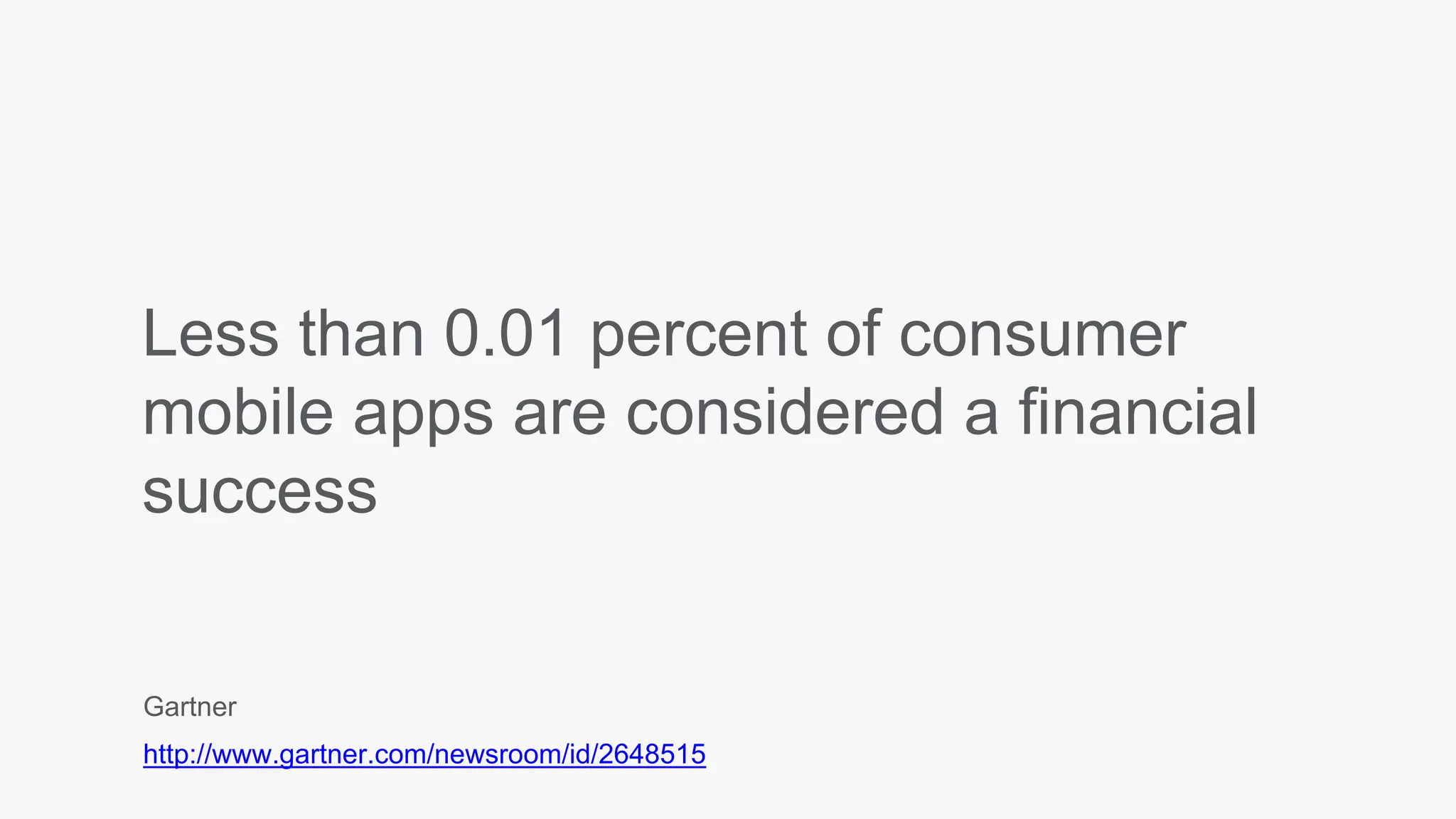
Less than 0.01 percent of consumer
mobile apps are considered a financial
success
Gartner
http://www.gartner.com/newsroom/id/2648515
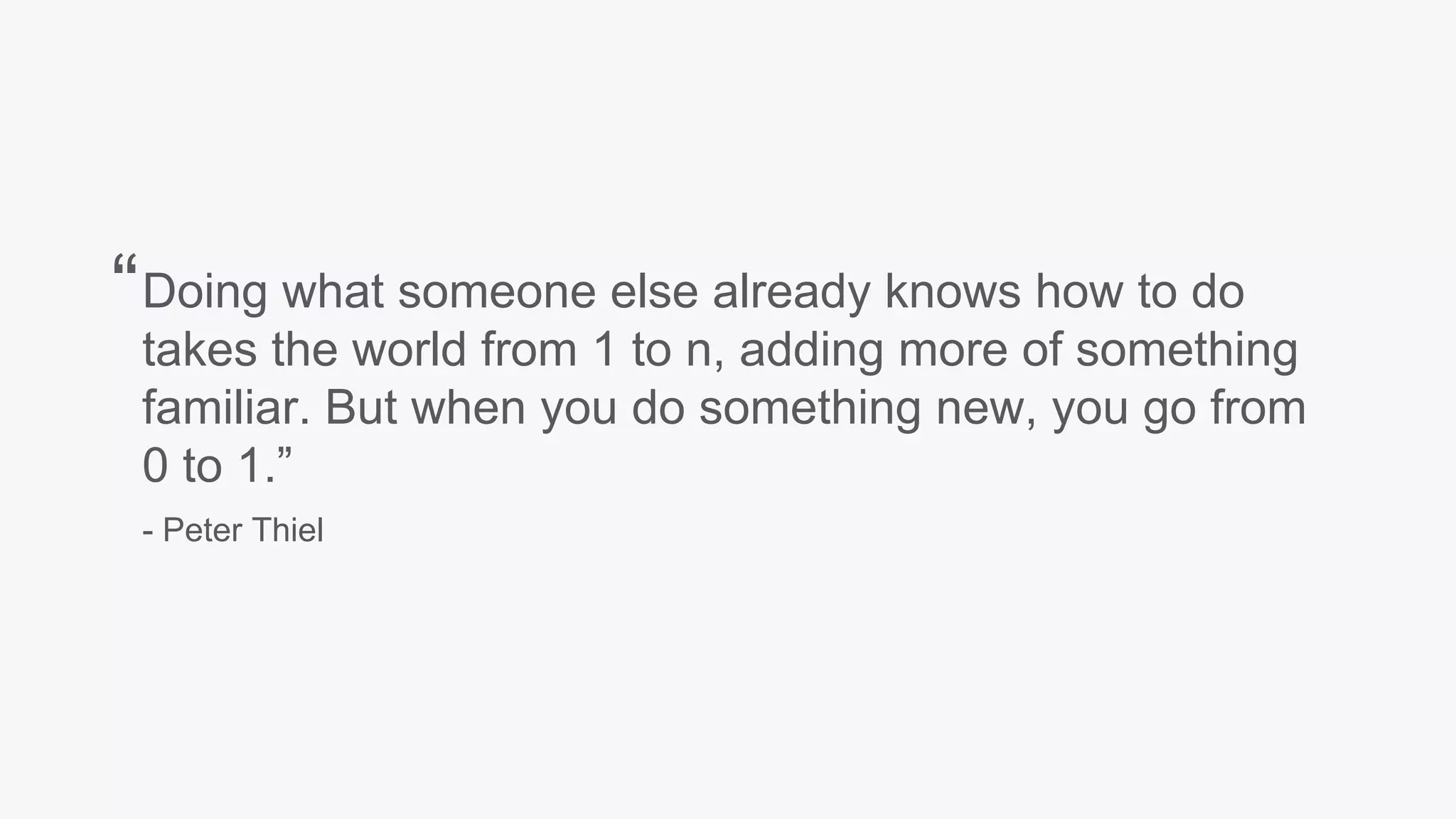
Doing what someone else already knows how to do
takes the world from 1 to n, adding more of something
familiar. But when you do something new, you go from
0 to 1.”
- Peter Thiel
“
Apps need to stand out
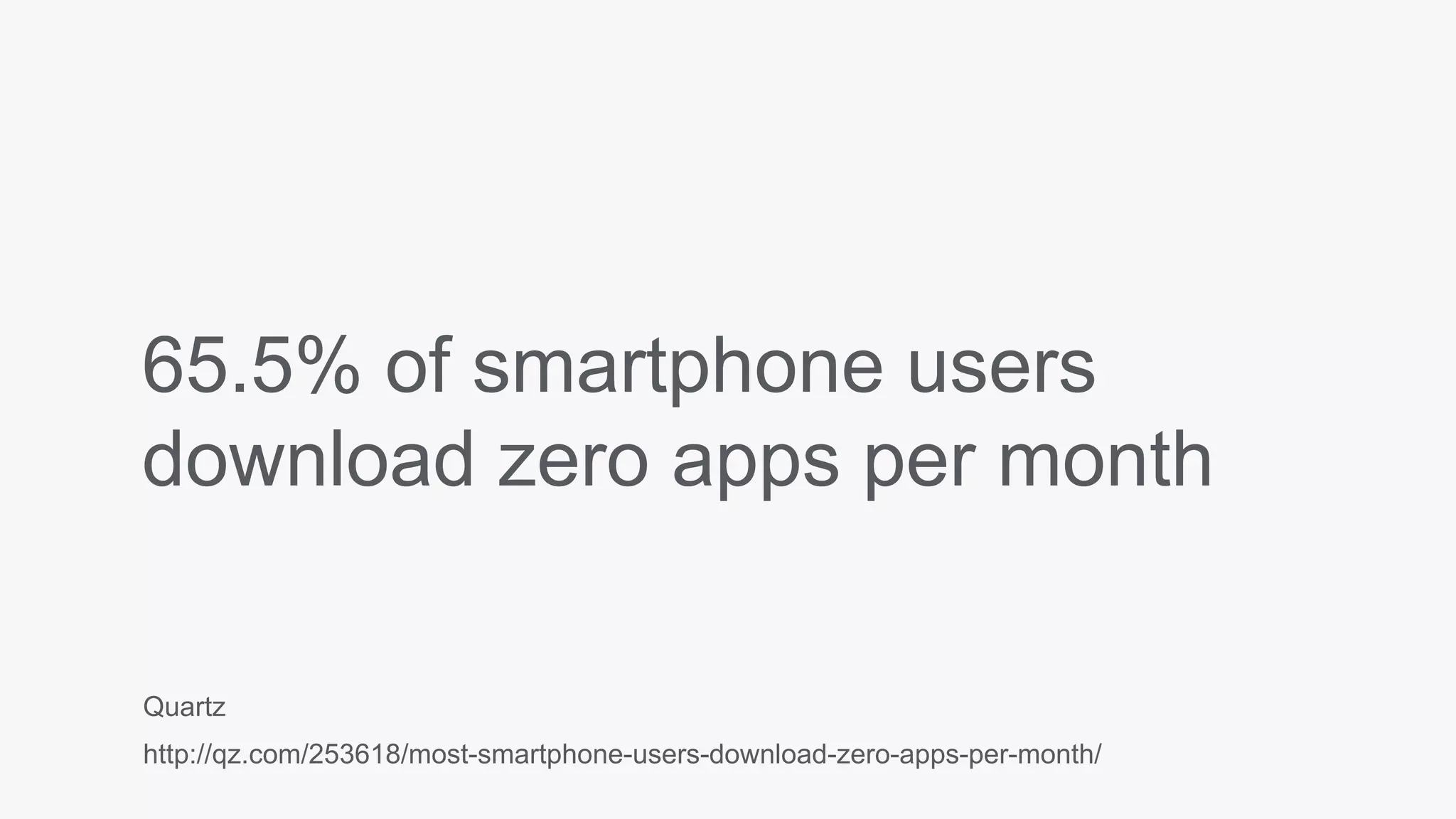
65.5% of smartphone users
download zero apps per month
Quartz
http://qz.com/253618/most-smartphone-users-download-zero-apps-per-month/
After launch,
It can take years to reach product/market fit
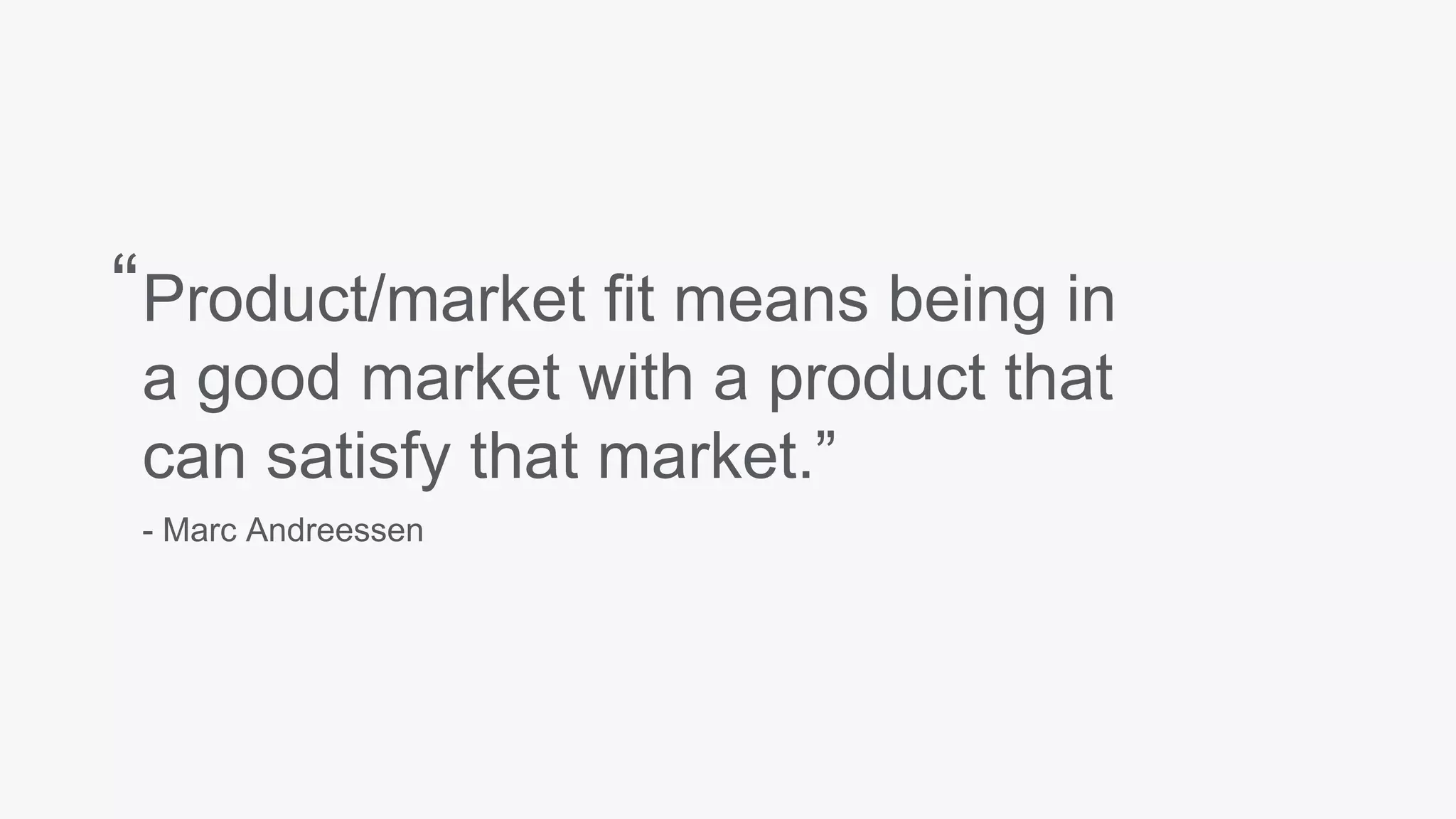
Product/market fit means being in
a good market with a product that
can satisfy that market.”
- Marc Andreessen
“
Prepare to pivot
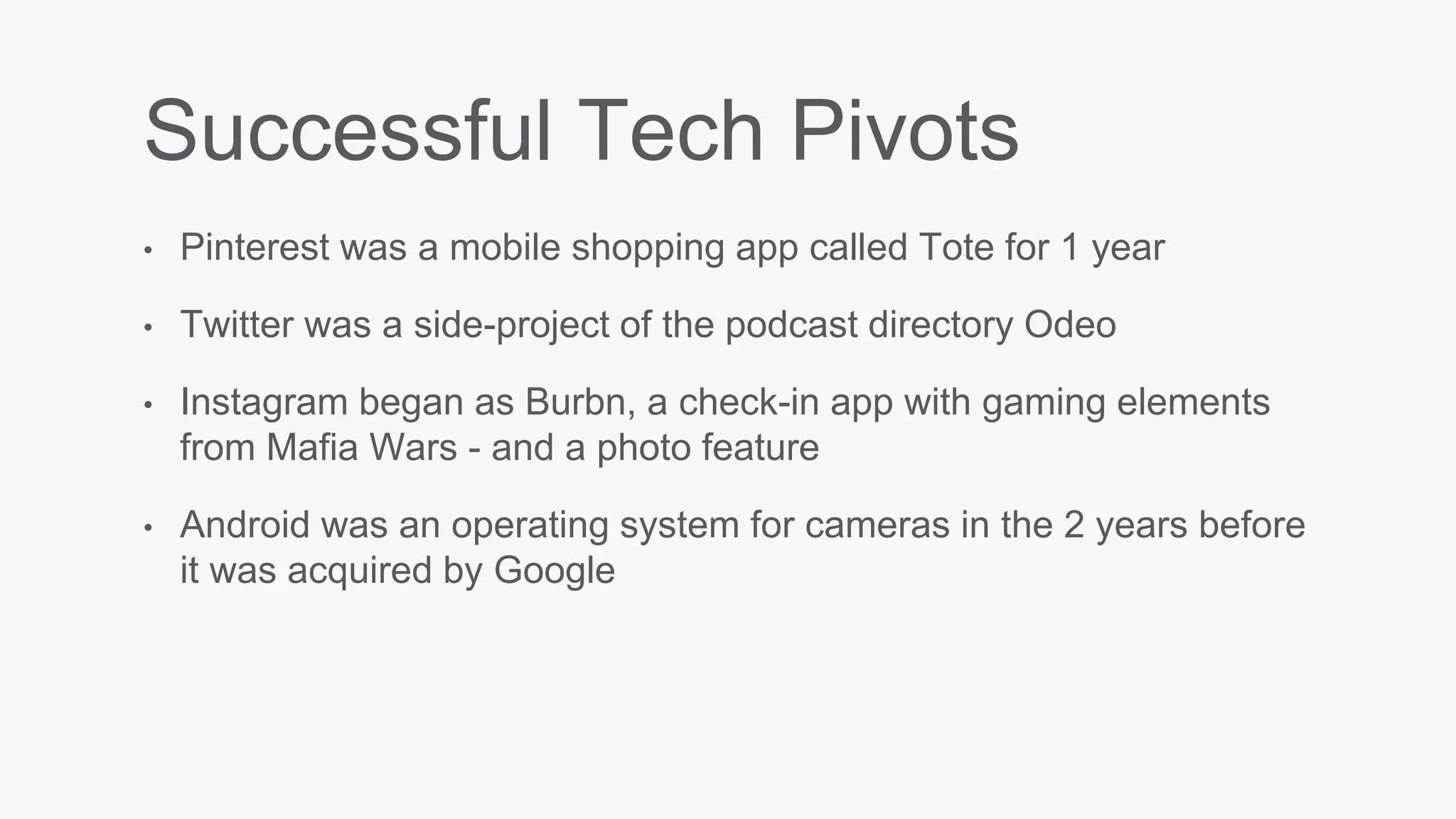
Successful Tech Pivots
• Pinterest was a mobile shopping app called Tote for 1 year
• Twitter was a side-project of the podcast directory Odeo
• Instagram began as Burbn, a check-in app with gaming elements
from Mafia Wars - and a photo feature
• Android was an operating system for cameras in the 2 years before
it was acquired by Google
Monthly overhead
55% of companies will increase their
content marketing budget this year
Content Marketing Institute
http://contentmarketinginstitute.com/wp-content/uploads/2014/10/2015_B2B_Research.pdf
Apps are expensive
to make
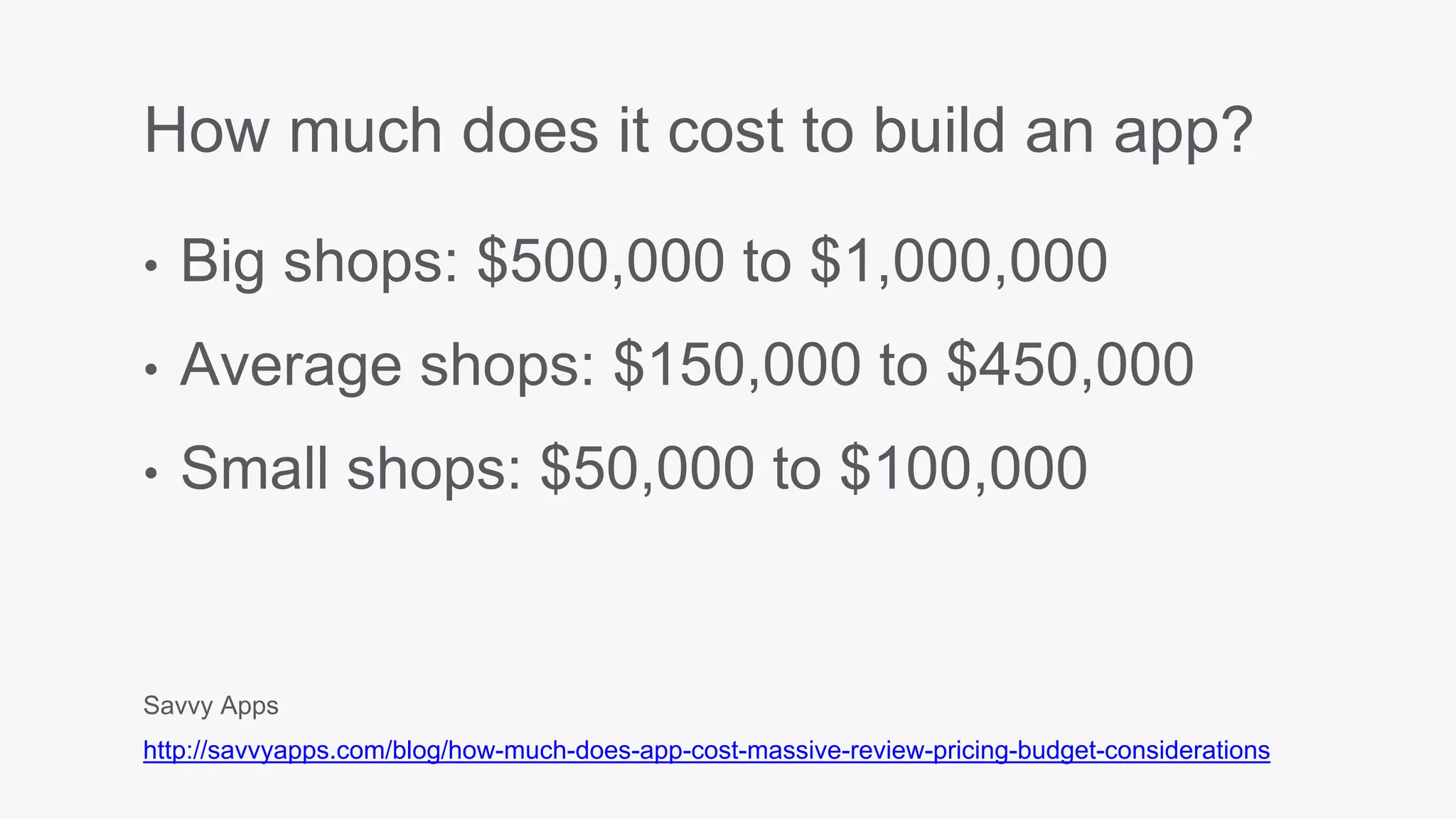
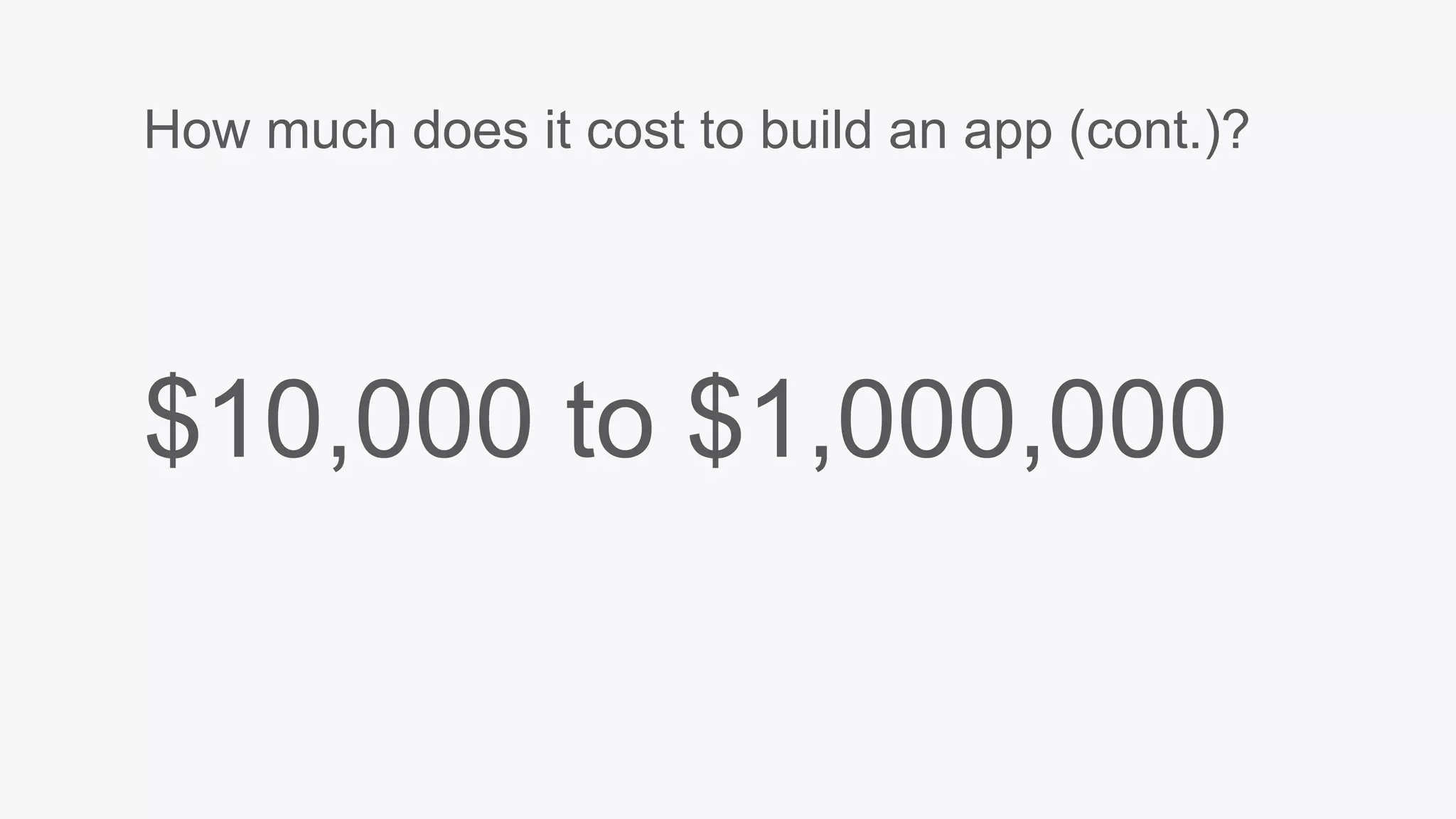
How much does it cost to build an app?
• Big shops: $500,000 to $1,000,000
• Average shops: $150,000 to $450,000
• Small shops: $50,000 to $100,000
Savvy Apps
http://savvyapps.com/blog/how-much-does-app-cost-massive-review-pricing-budget-considerations
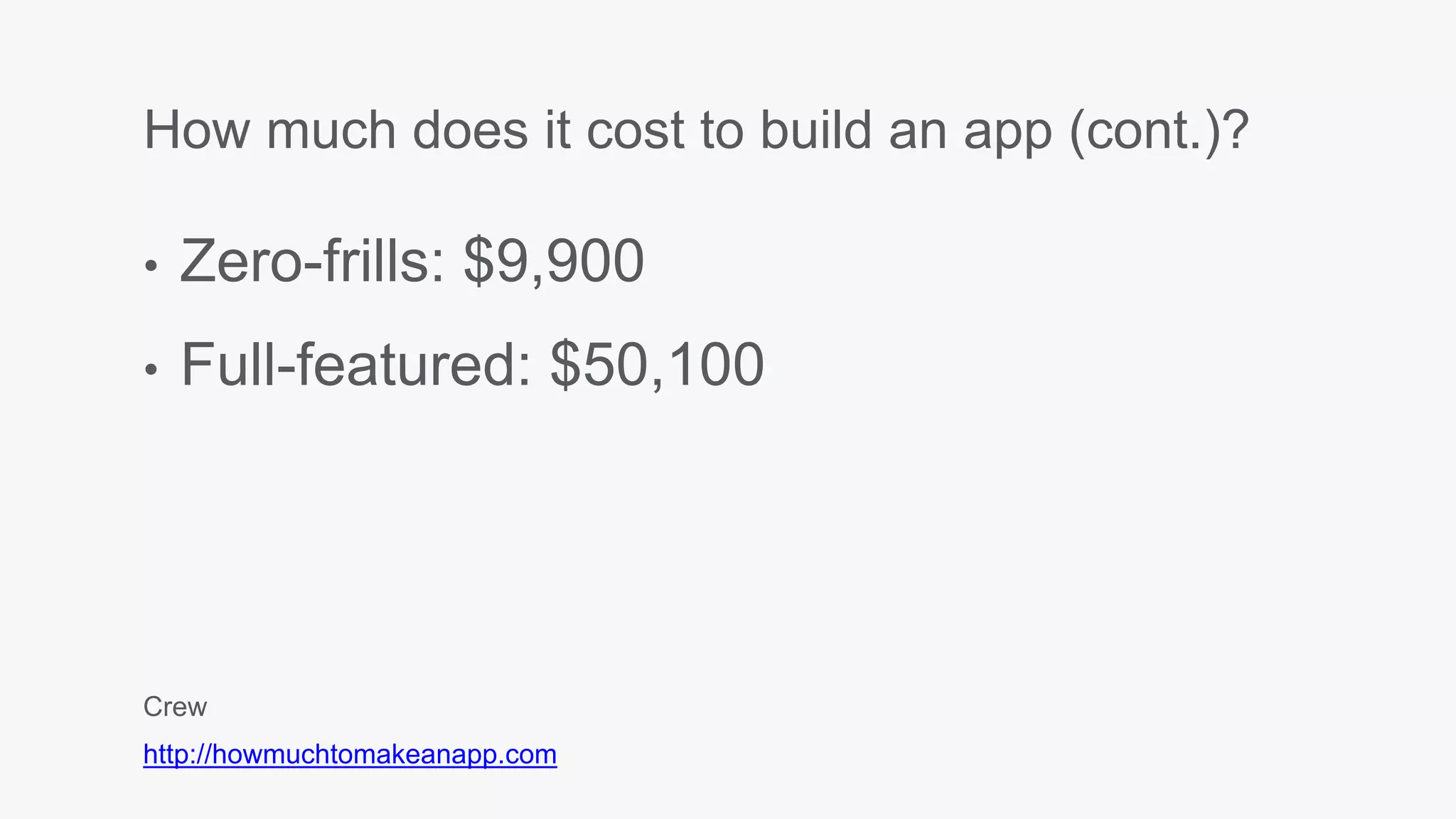
How much does it cost to build an app (cont.)?
• Zero-frills: $9,900
• Full-featured: $50,100
Crew
http://howmuchtomakeanapp.com
How much does it cost to build an app (cont.)?
$10,000 to $1,000,000
Talent
Designer
Graphic Designer
$51,360/year = $25/hour
Glassdoor
https://www.glassdoor.com/Salaries/graphic-designer-salary-SRCH_KO0,16.htm
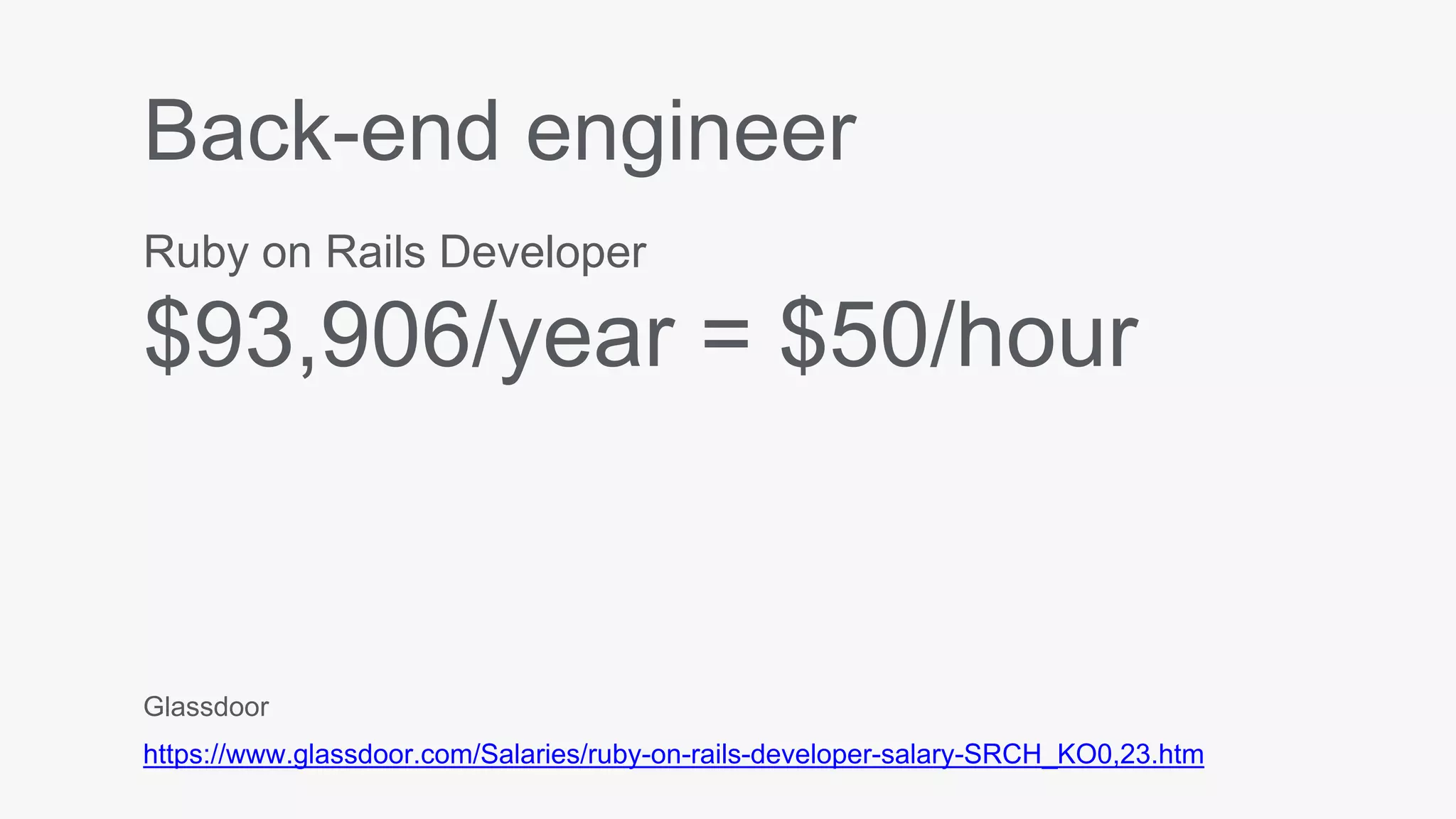
Back-end engineer
Ruby on Rails Developer
$93,906/year = $50/hour
Glassdoor
https://www.glassdoor.com/Salaries/ruby-on-rails-developer-salary-SRCH_KO0,23.htm
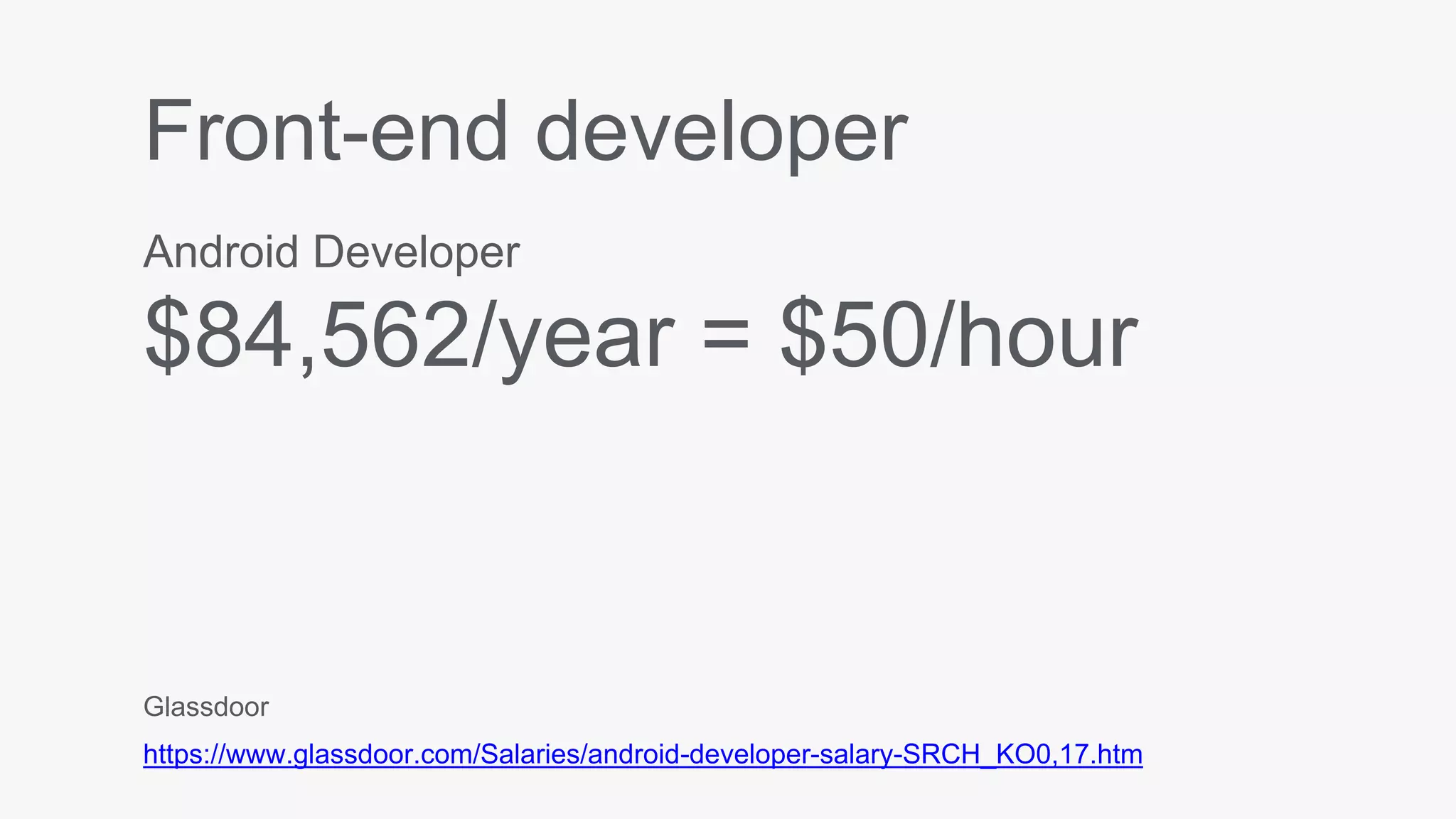
Front-end developer
Android Developer
$84,562/year = $50/hour
Glassdoor
https://www.glassdoor.com/Salaries/android-developer-salary-SRCH_KO0,17.htm
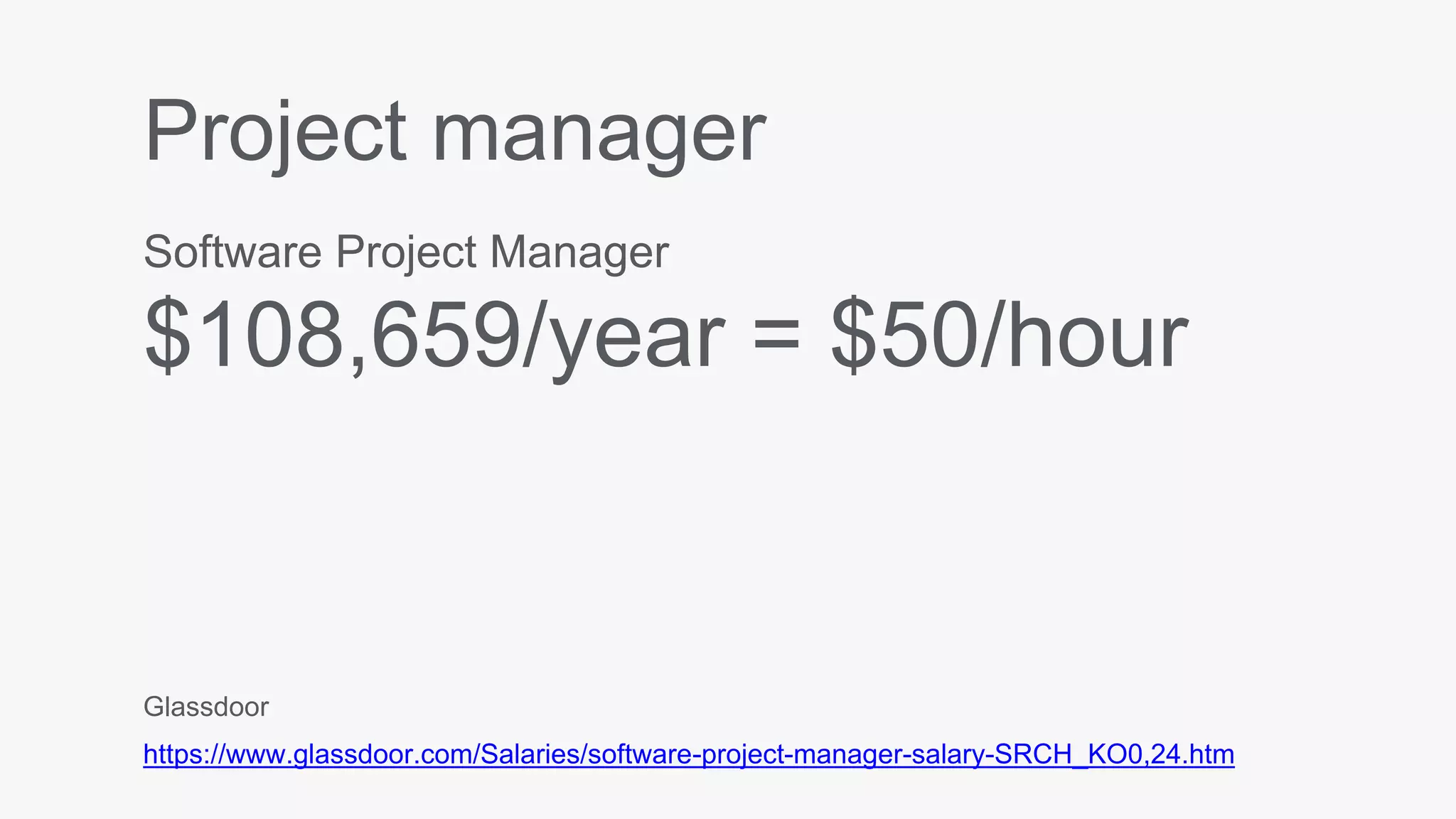
Project manager
Software Project Manager
$108,659/year = $50/hour
Glassdoor
https://www.glassdoor.com/Salaries/software-project-manager-salary-SRCH_KO0,24.htm
Server costs
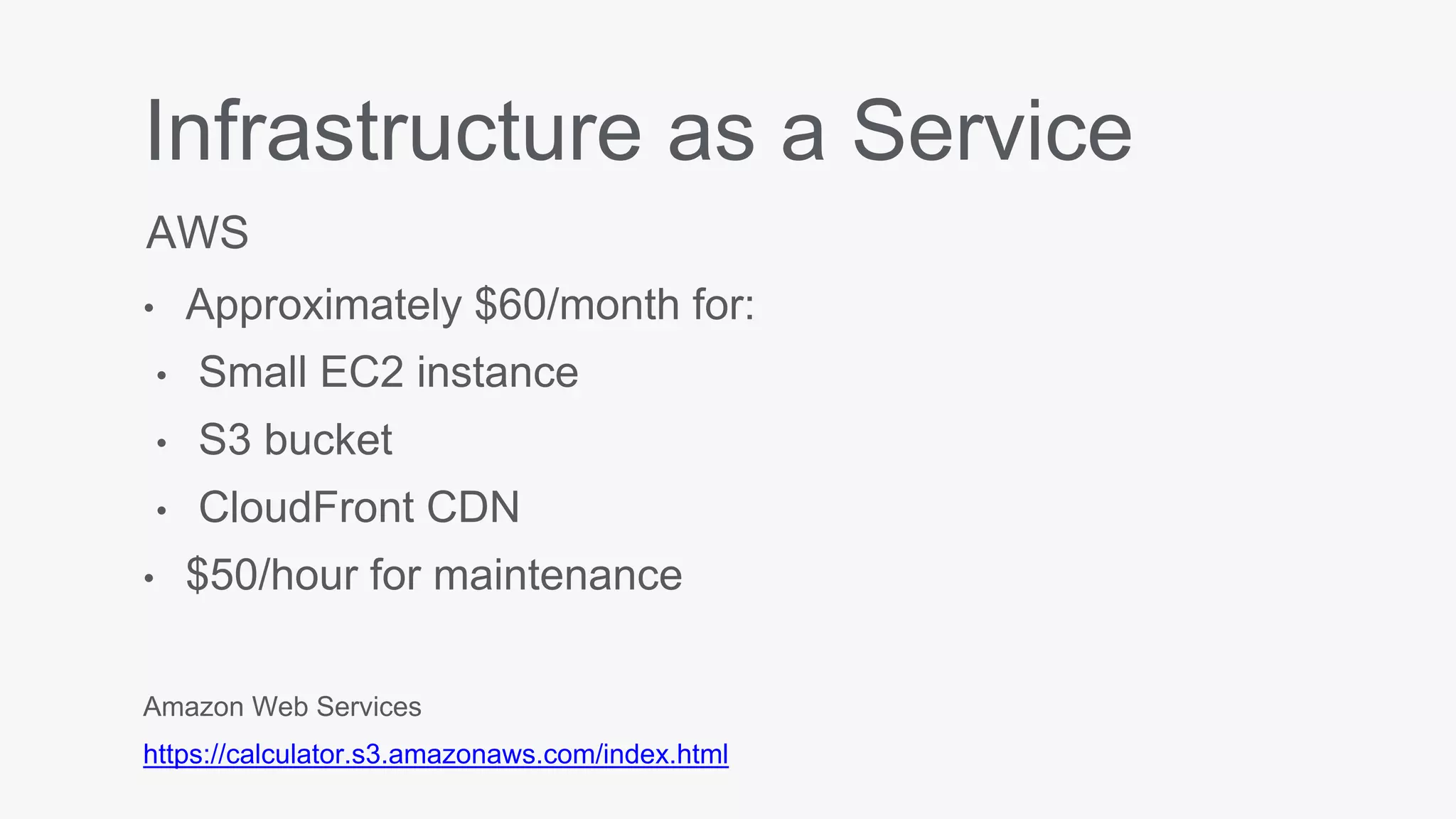
Infrastructure as a Service
• Approximately $60/month for:
• Small EC2 instance
• S3 bucket
• CloudFront CDN
• $50/hour for maintenance
AWS
Amazon Web Services
https://calculator.s3.amazonaws.com/index.html
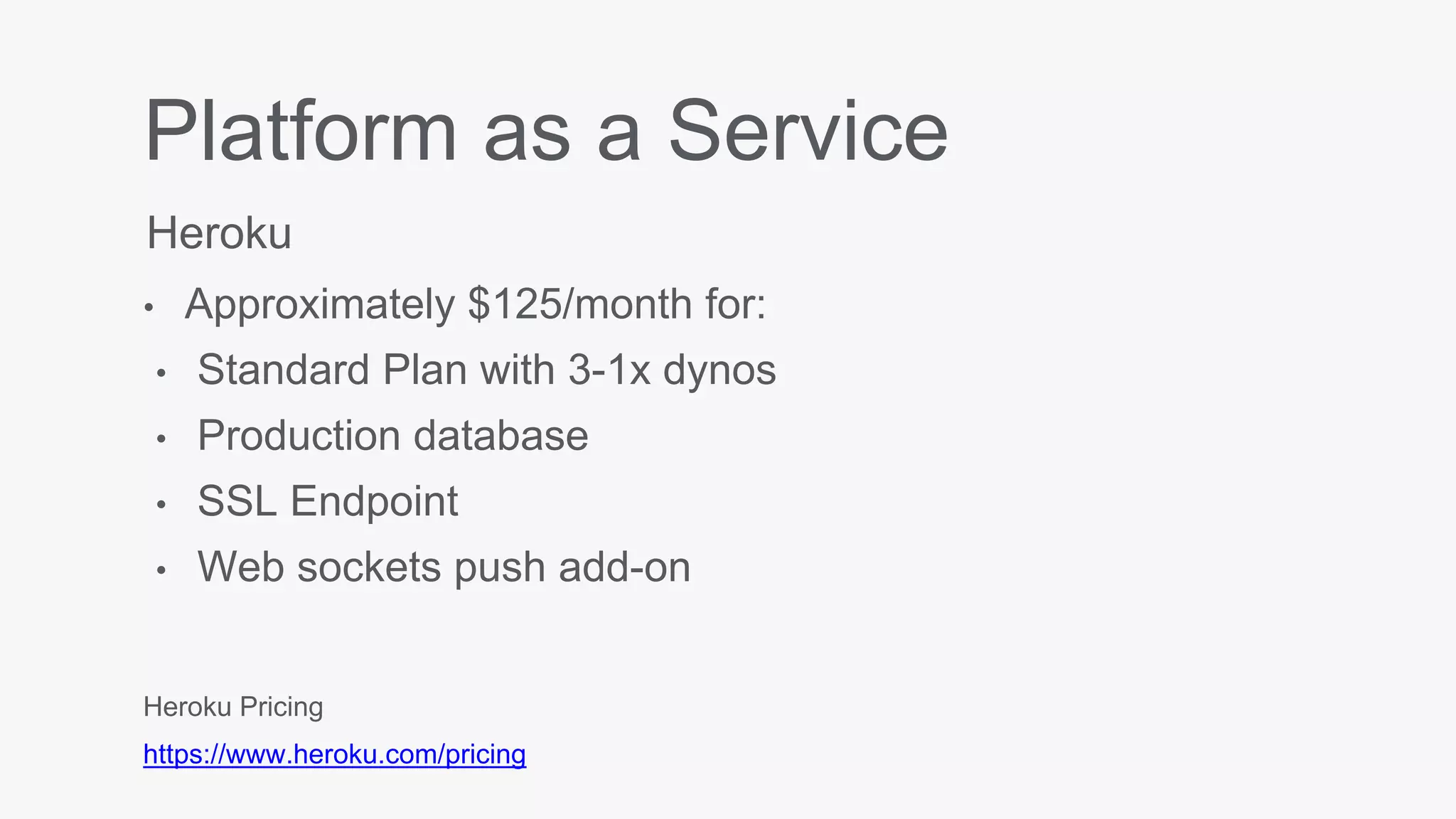
Platform as a Service
• Approximately $125/month for:
• Standard Plan with 3-1x dynos
• Production database
• SSL Endpoint
• Web sockets push add-on
Heroku
Heroku Pricing
https://www.heroku.com/pricing
So… how much?
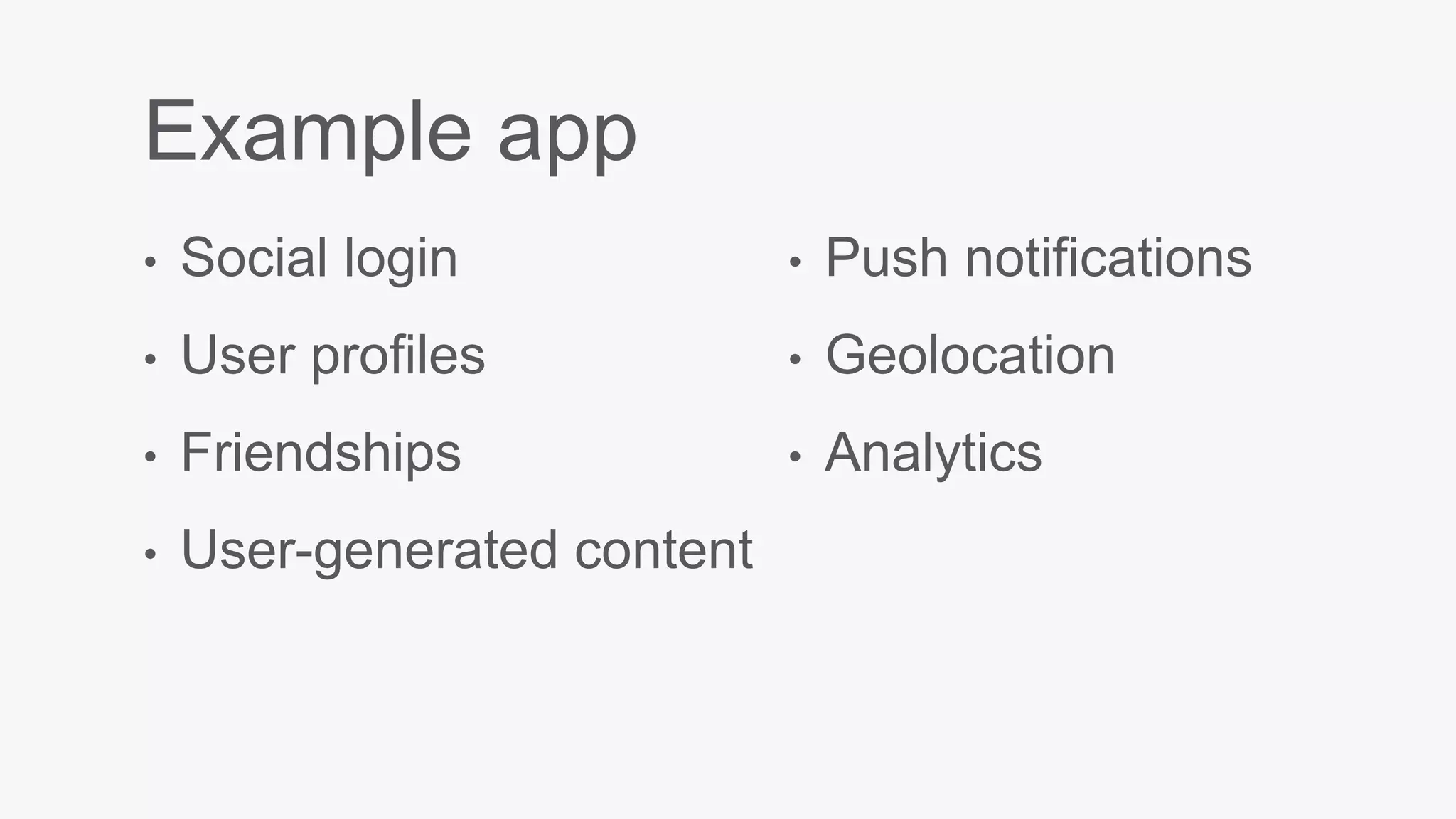
Example app
• Social login
• User profiles
• Friendships
• User-generated content
• Push notifications
• Geolocation
• Analytics
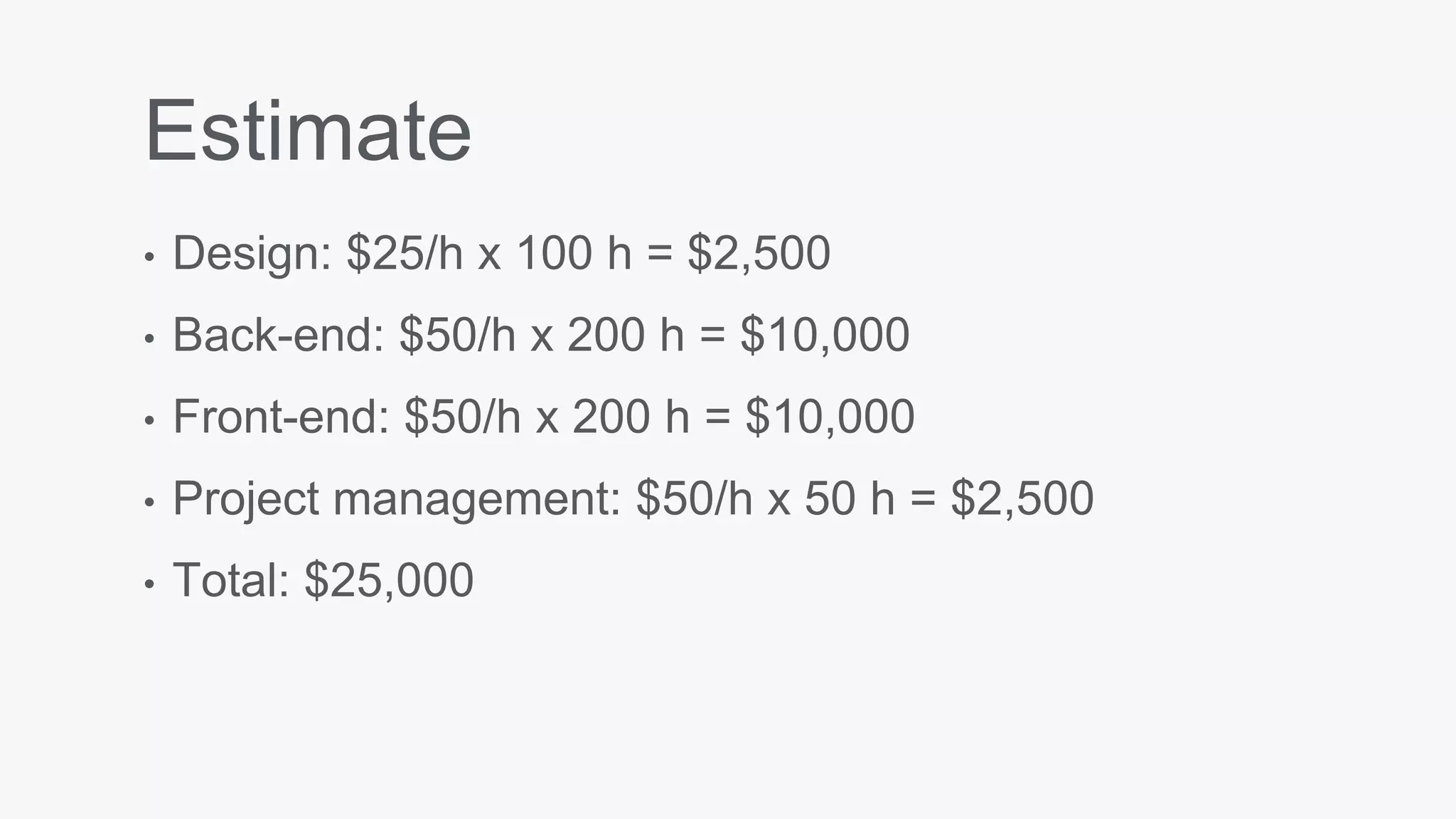
Estimate
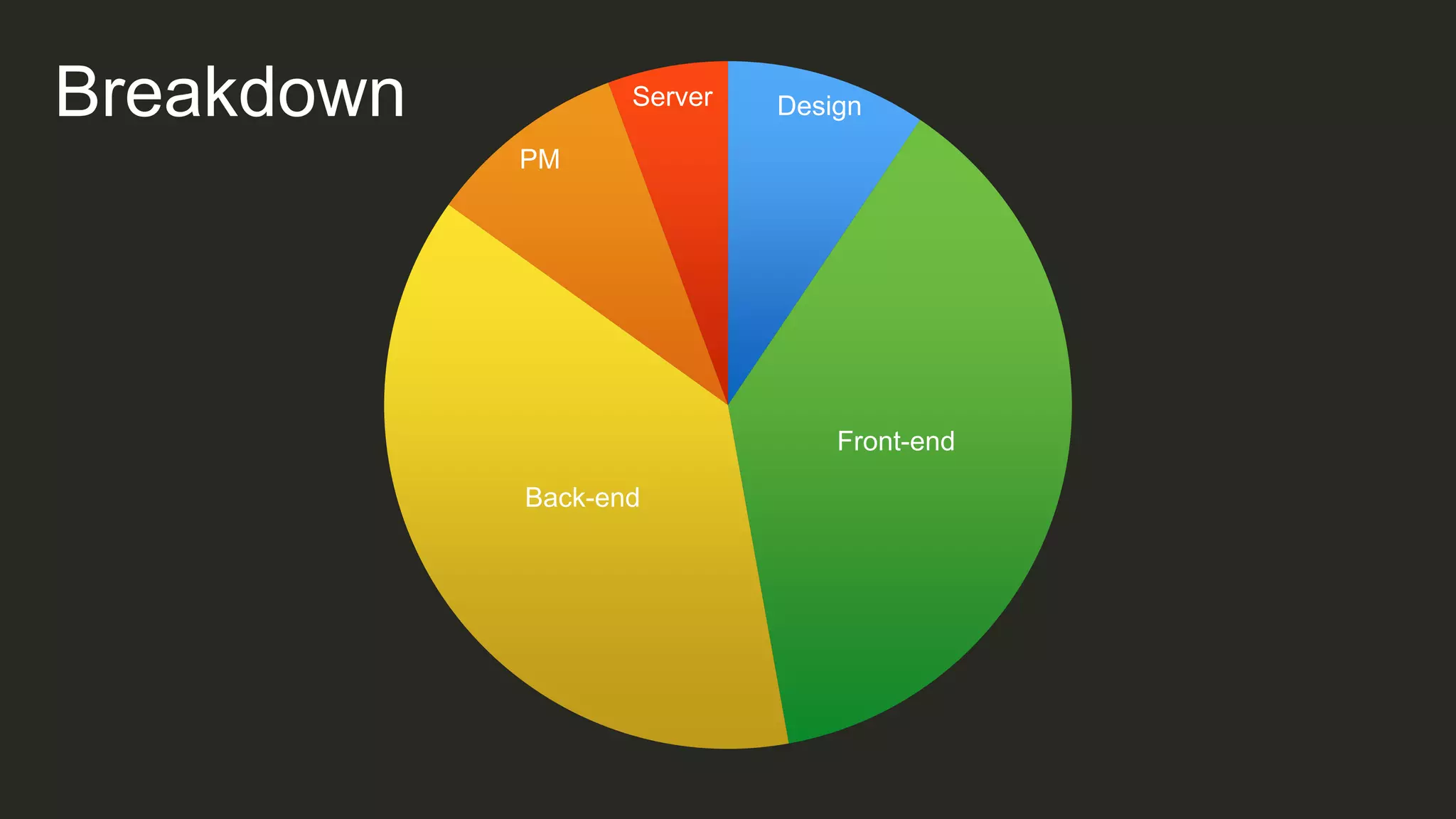
• Design: $25/h x 100 h = $2,500
• Back-end: $50/h x 200 h = $10,000
• Front-end: $50/h x 200 h = $10,000
• Project management: $50/h x 50 h = $2,500
• Total: $25,000
Design
Front-end
Back-end
PM
ServerBreakdown
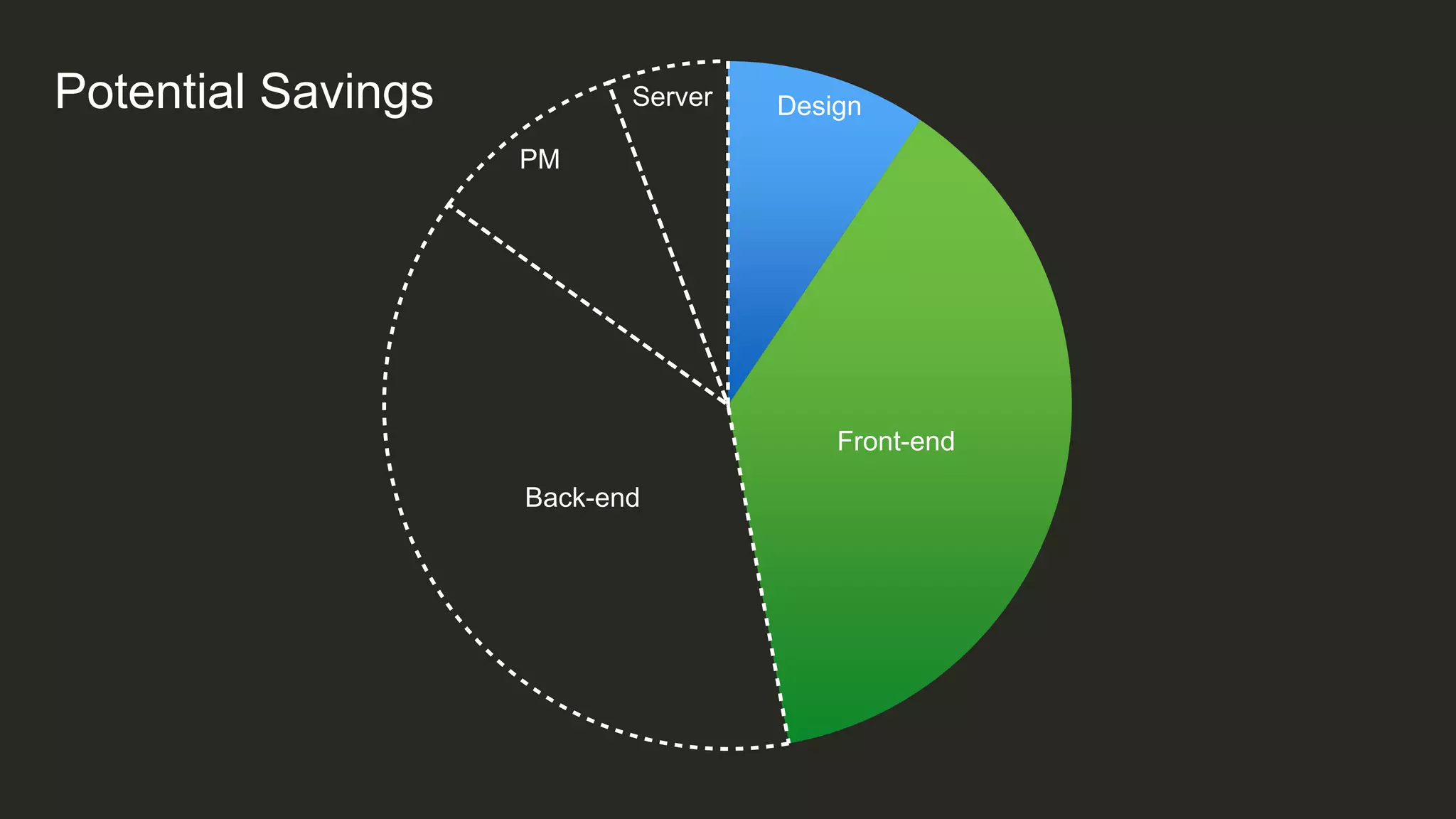
Design
Front-end
Back-end
PM
ServerPotential Savings
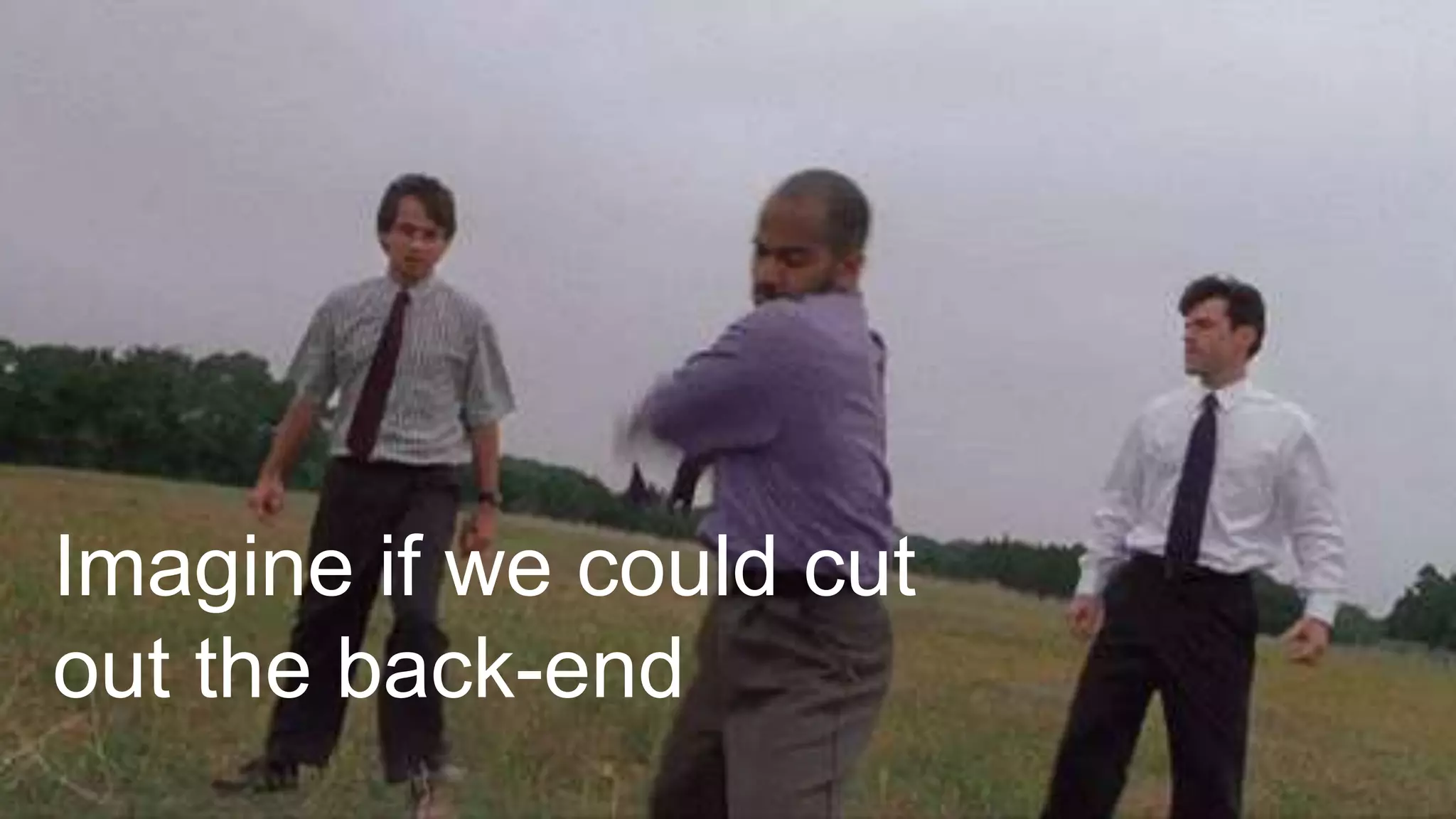
Imagine if we could cut
out the back-end
Imagine if we could focus on
making the app awesome
Imagine if our overhead was zero,
and we could scale as needed
Here’s how we get there
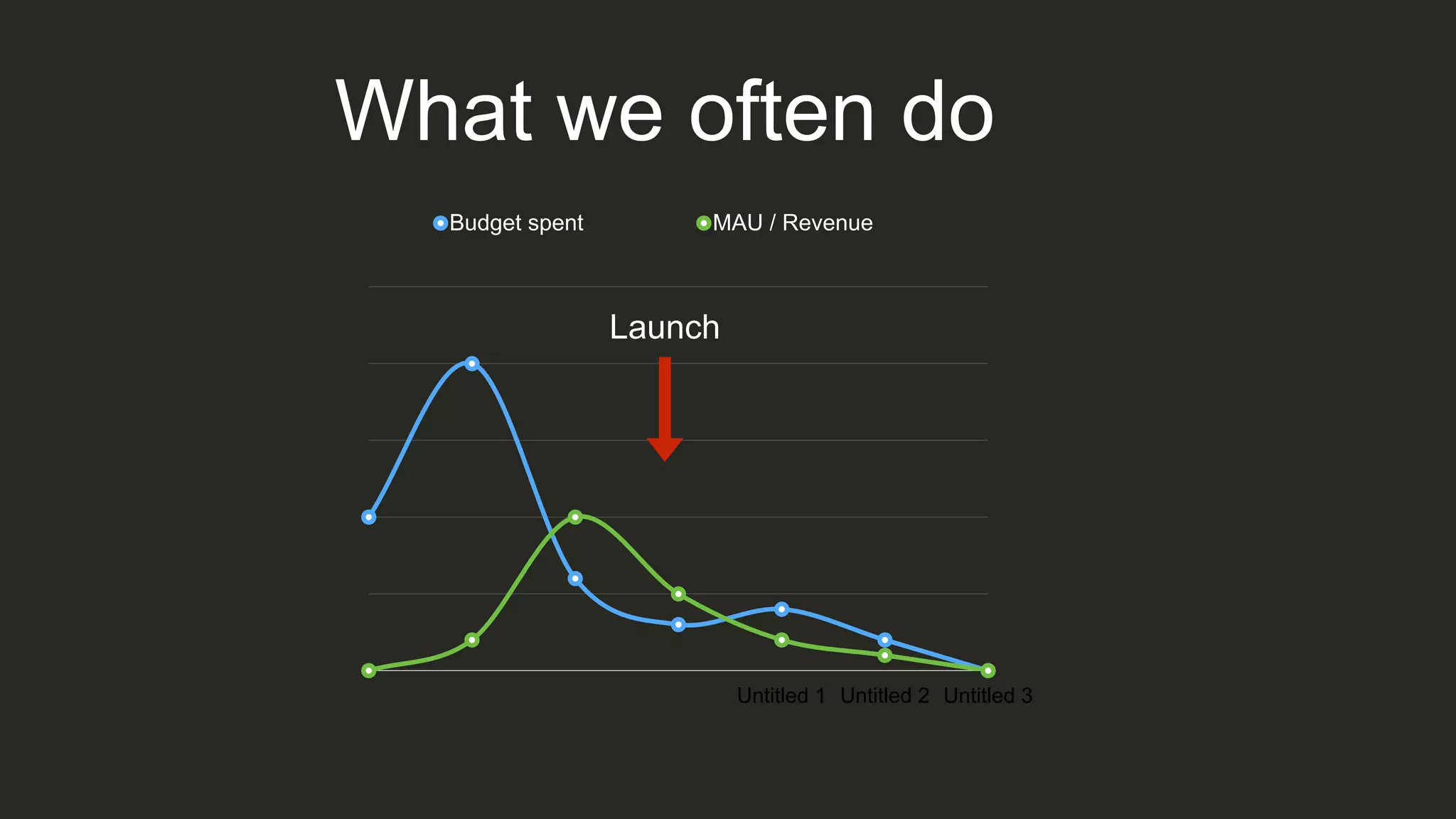
What we often do
Untitled 1 Untitled 2 Untitled 3
Budget spent MAU / Revenue
Launch
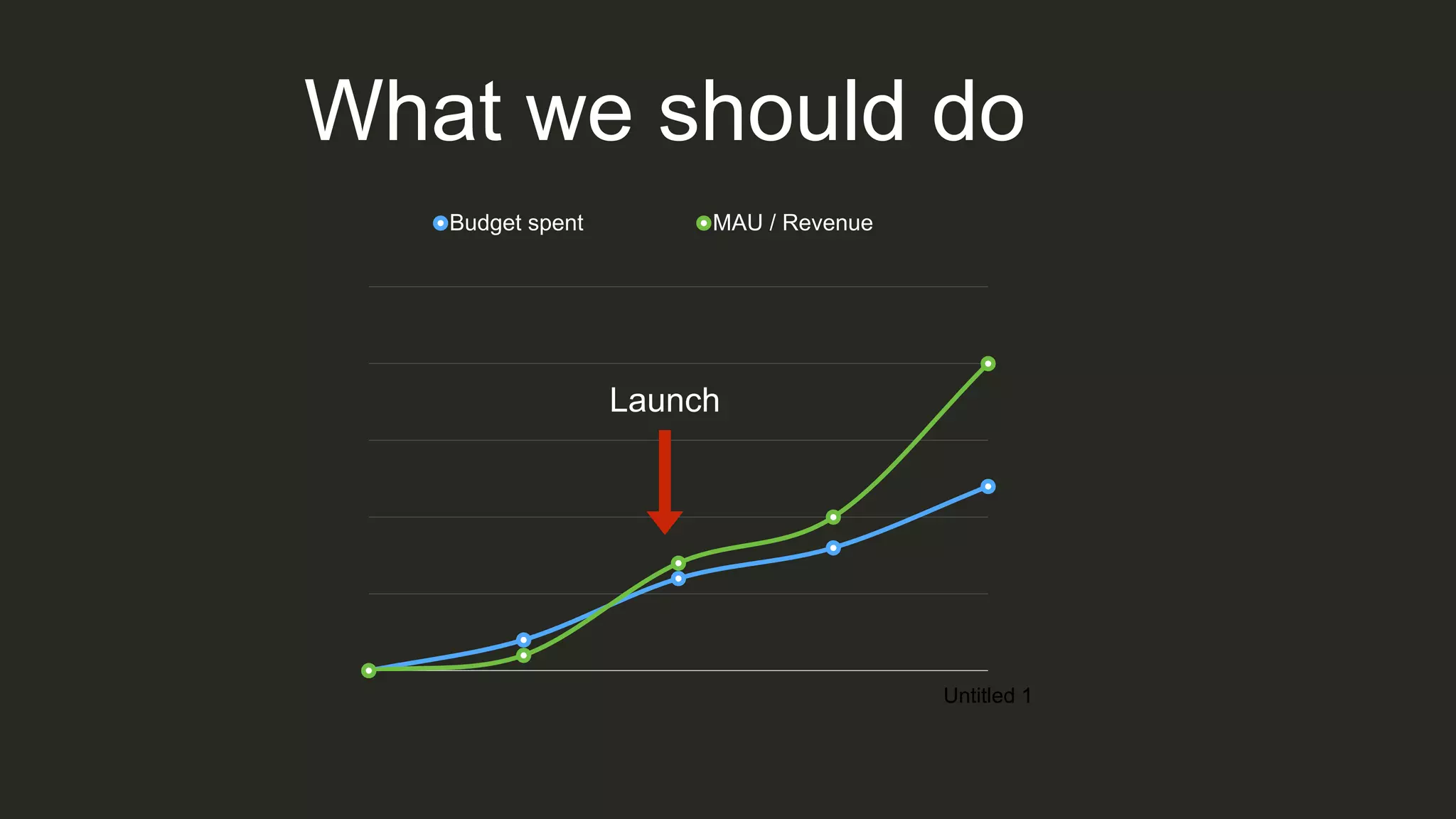
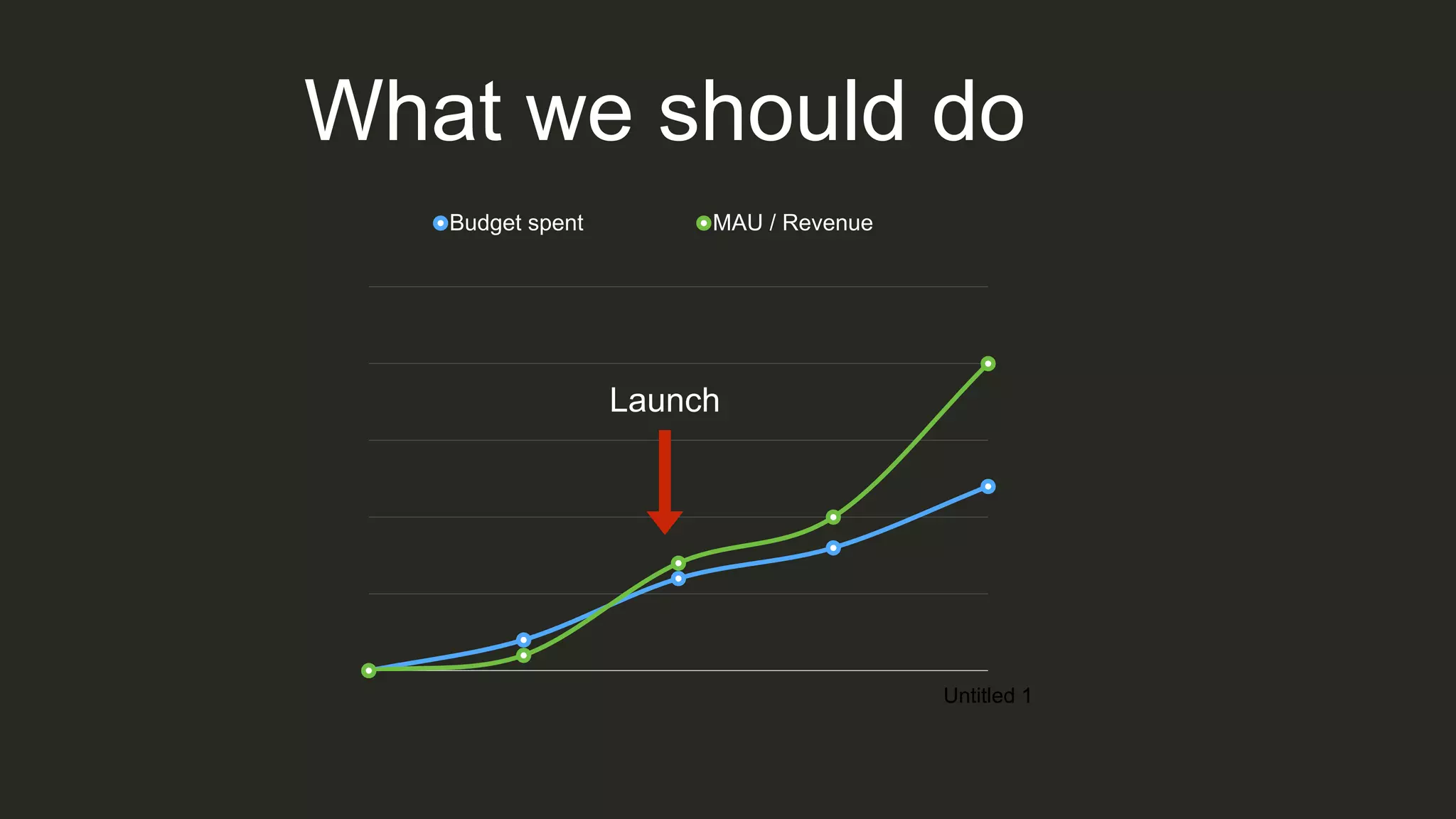
What we should do
Untitled 1
Budget spent MAU / Revenue
Launch
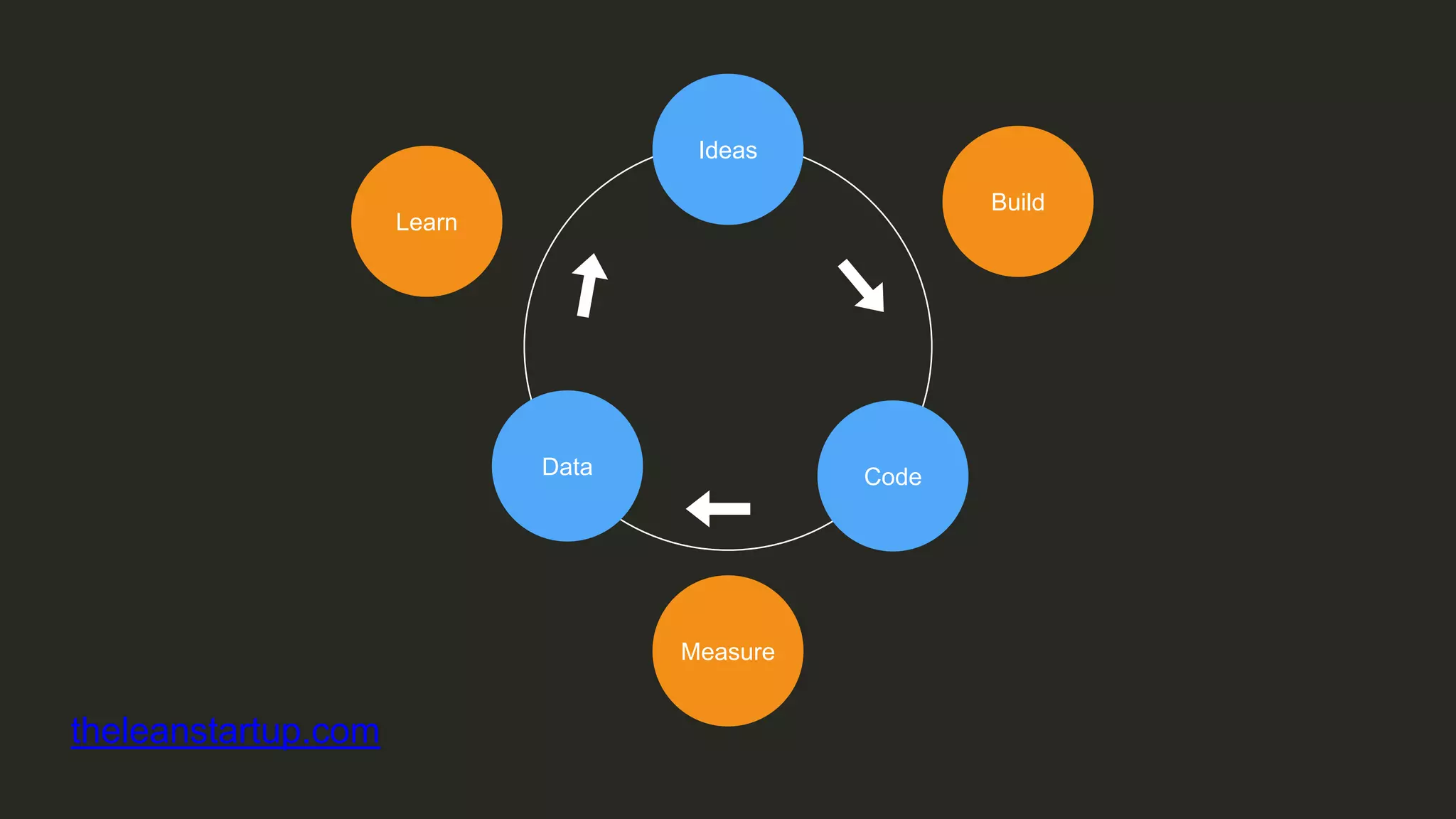
MVP
(Minimum Viable Product)
Ideas
CodeData
Learn
Build
Measure
theleanstartup.com
Back-end as a Service
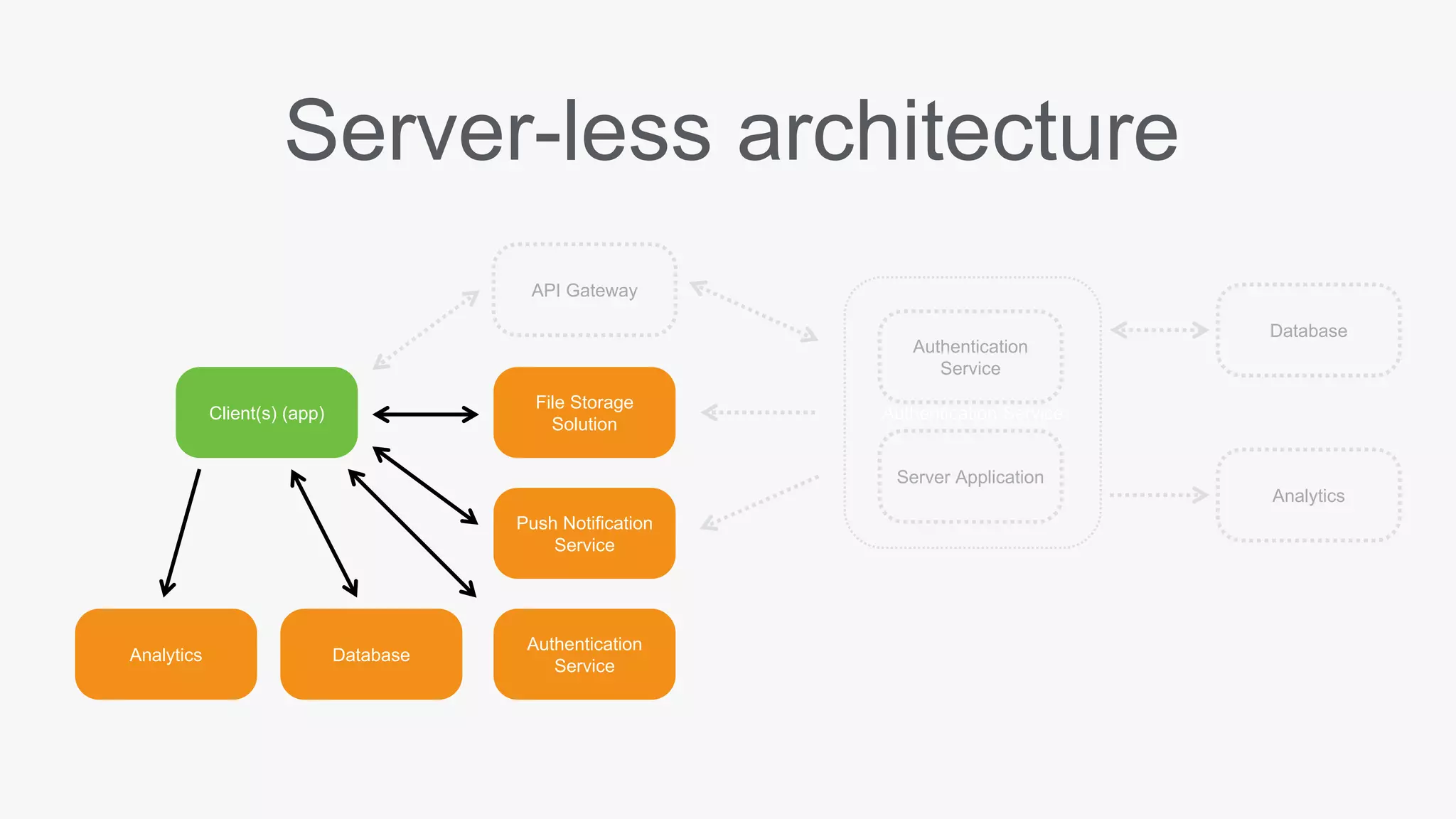
Server-less is at its most
simple an outsourcing solution
Authentication Service
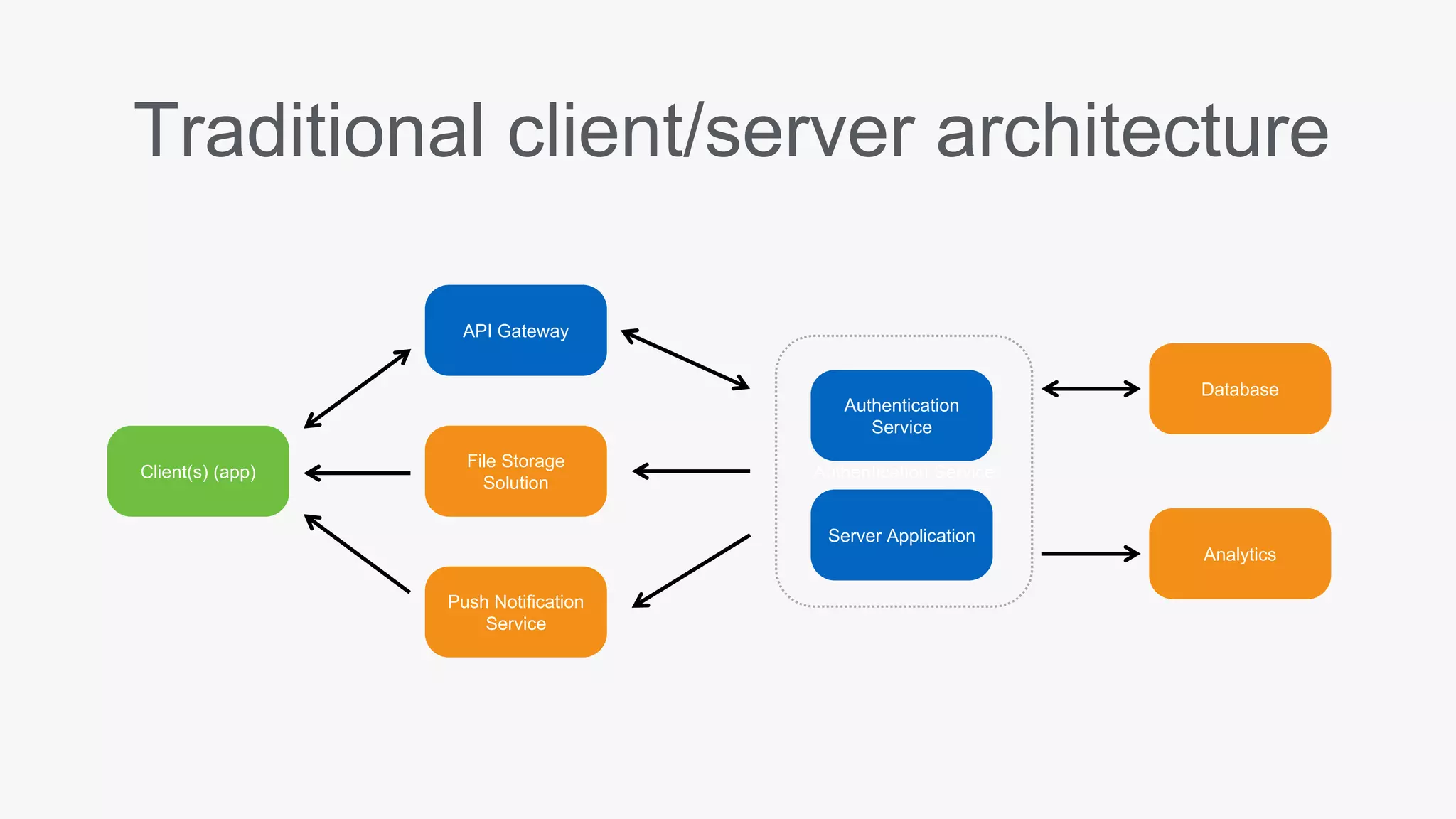
Traditional client/server architecture
Client(s) (app)
Authentication
Service
API Gateway
Database
Server Application
Push Notification
Service
File Storage
Solution
Analytics
Authentication Service
Server-less architecture
Client(s) (app)
Authentication
Service
API Gateway
Database
Server Application
Push Notification
Service
File Storage
Solution
Analytics
Authentication
Service
Analytics Database
But… why?
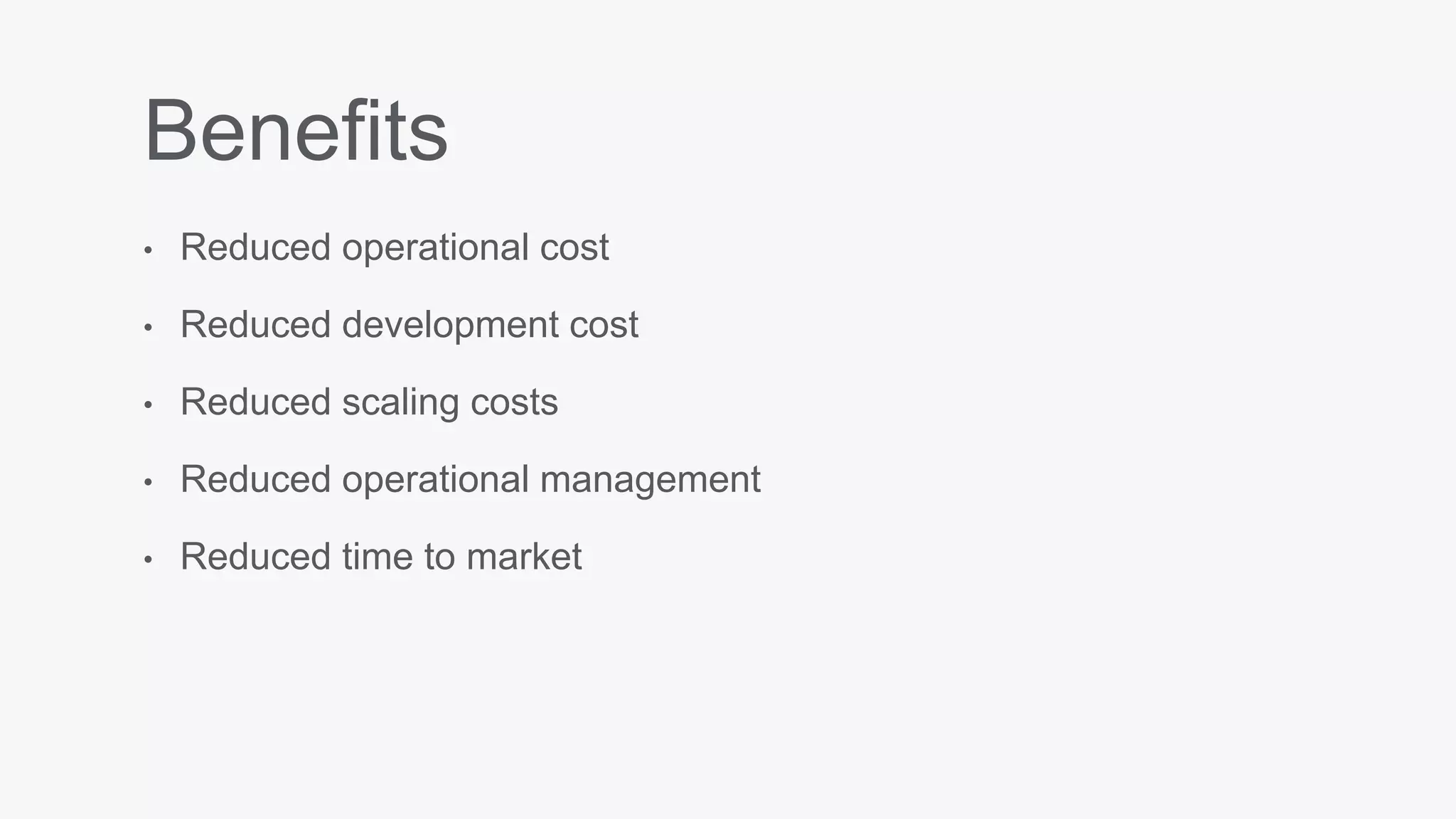
Benefits
• Reduced operational cost
• Reduced development cost
• Reduced scaling costs
• Reduced operational management
• Reduced time to market
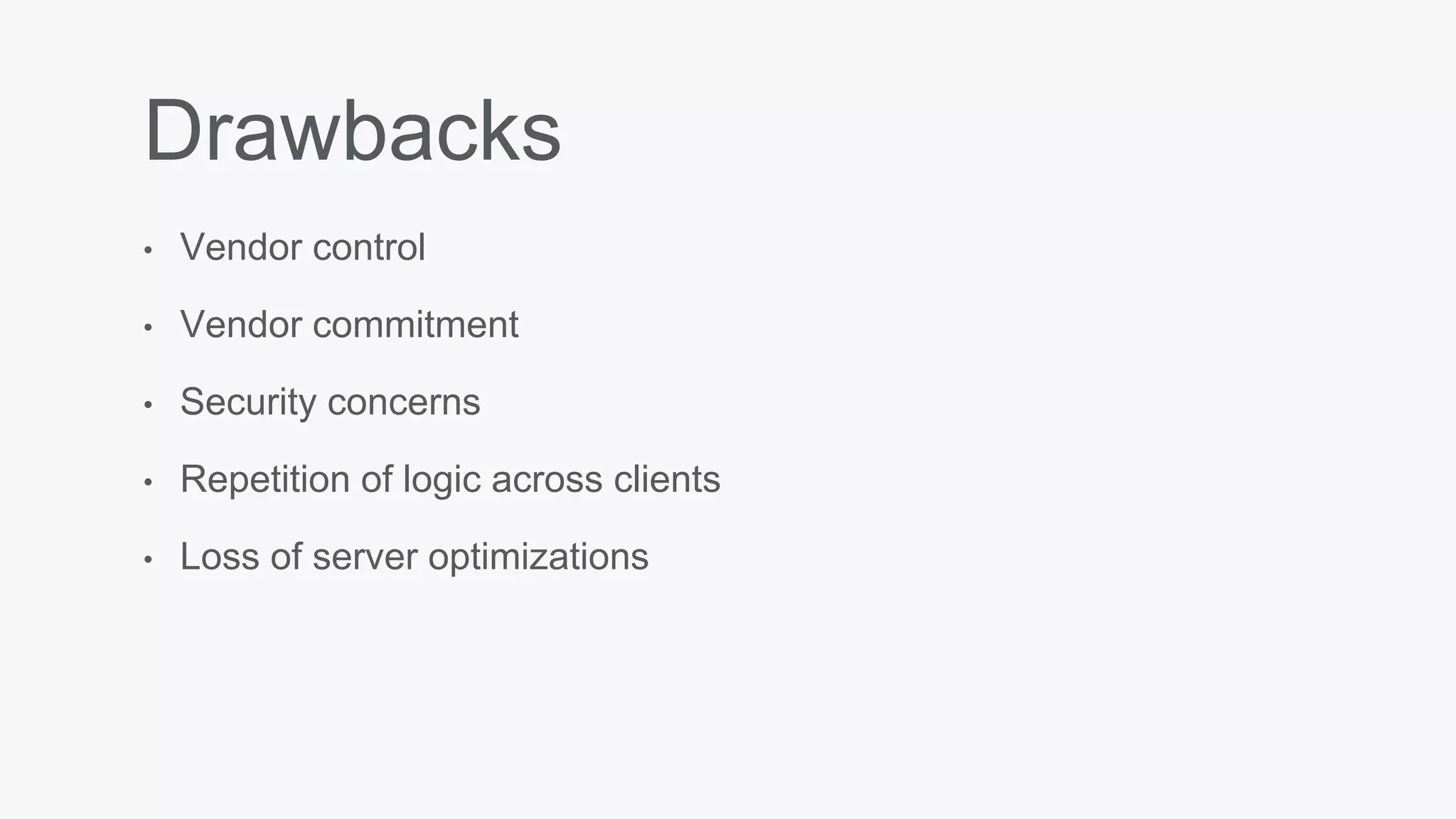
Drawbacks
• Vendor control
• Vendor commitment
• Security concerns
• Repetition of logic across clients
• Loss of server optimizations
Okay, great.
Back-end services
With free tiers
File storage
Cloudinary Filestack
Analytics
Flurry
Localytics
Segment
Fabric
Real-time Push /
Push notifications
Urban Airship
OneSignal
PubNub
Mobile BaaS (MBaaS)
Back-end as a service, built specifically for mobile apps
Parse
Sunset by Facebook
Host your own from the GitHub repo:
https://github.com/ParsePlatform/parse-server
Kinvey
Authorization
Data storage
File storage with CDN
Push/SMS
Analytics
AWS Mobile Services
Authentication
Data storage
Cloud logic
NoSQL database
Analytics
Push notifications
Firebase
Recently overhauled by Google
Realtime database
Authentication
Push notifications
File storage
Remote config
Analytics
Live coding
Let’s build Instagram (Lite)
• Facebook login
Post photos
News feed
Comments
Likes
Activity feed
Follow friends
Push notifications
Firebase
Bittypic
github.com/sixoverground/bittypic-android
An itty bitty photo sharing app
Create a project
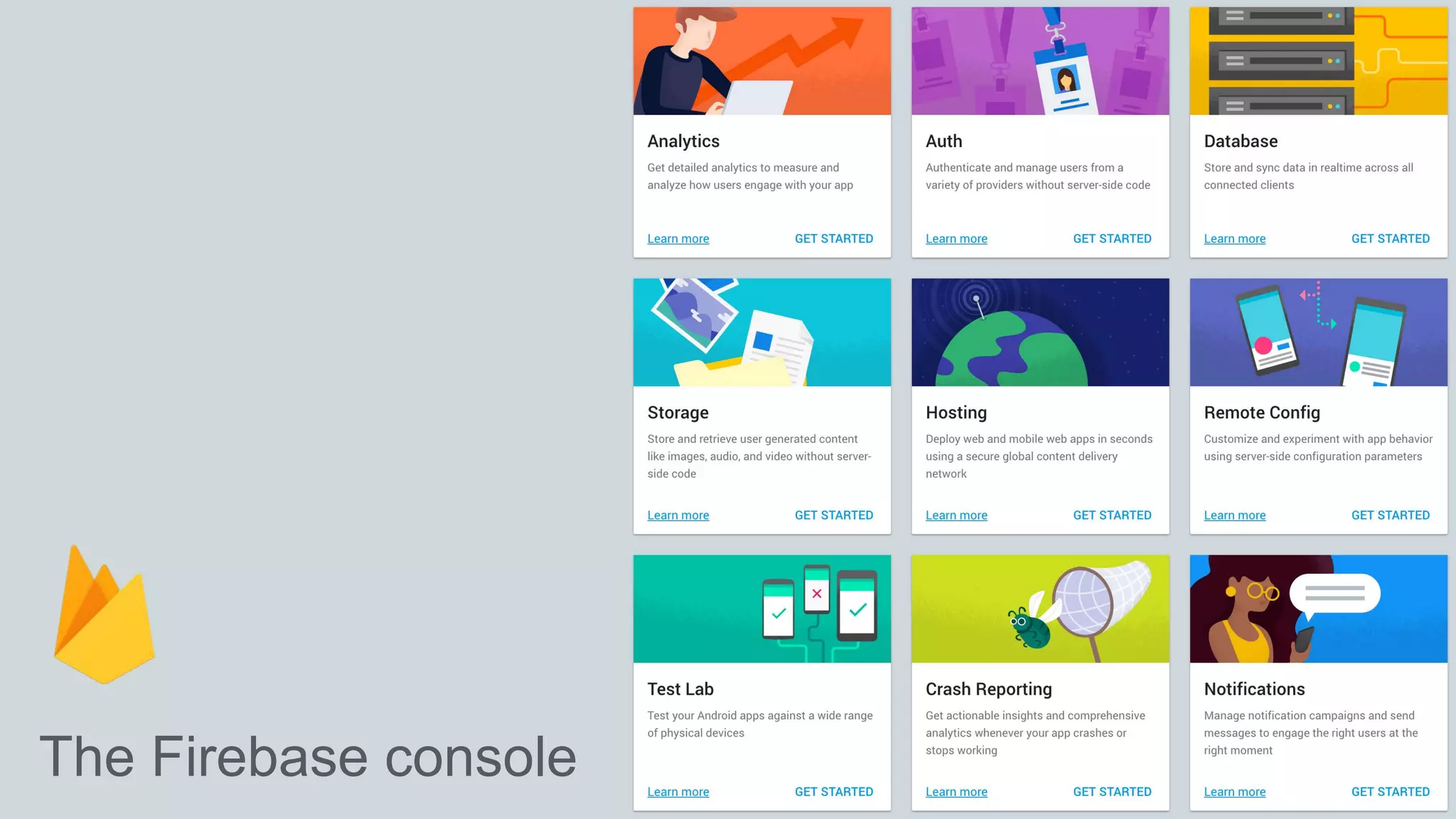
The Firebase console
Add the SDK
buildscript {
// ...
dependencies {
// ...
classpath 'com.google.gms:google-services:3.0.0'
}
}
build.gradle
Add the SDK (cont.)
apply plugin: 'com.android.application'
android {
// ...
}
dependencies {
// ...
compile 'com.google.firebase:firebase-core:9.2.1'
}
// ADD THIS AT THE BOTTOM
apply plugin: 'com.google.gms.google-services'
Available libraries
Analytics
Realtime Database
Storage
Crash Reporting
Authentication
Cloud Messaging / Notifications
Remote Config
Invites / Dynamic Links
AdMob
App Indexing
app/build.gradle
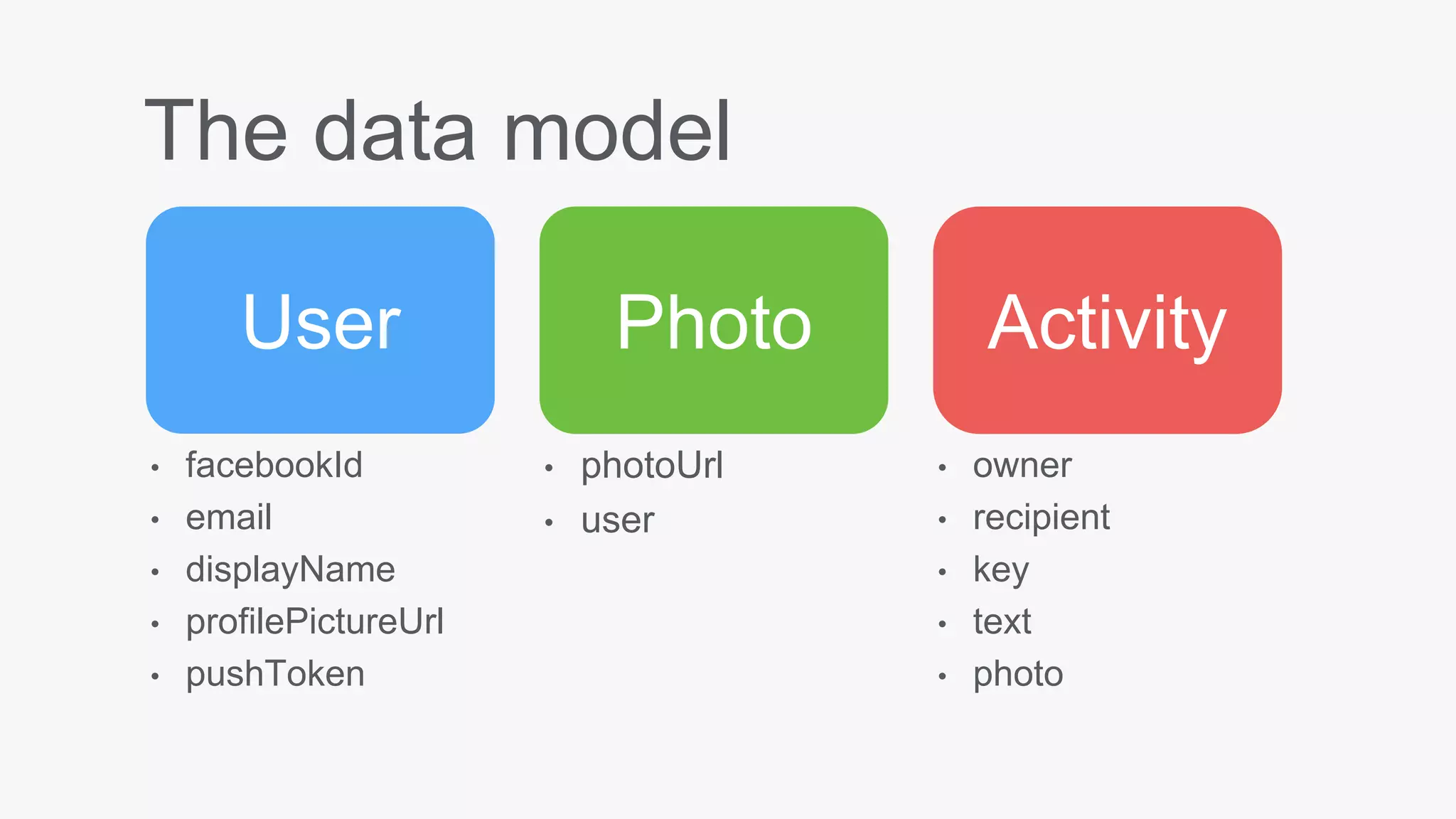
The data model
User Photo Activity
• facebookId
• email
• displayName
• profilePictureUrl
• pushToken
• photoUrl
• user
• owner
• recipient
• key
• text
• photo
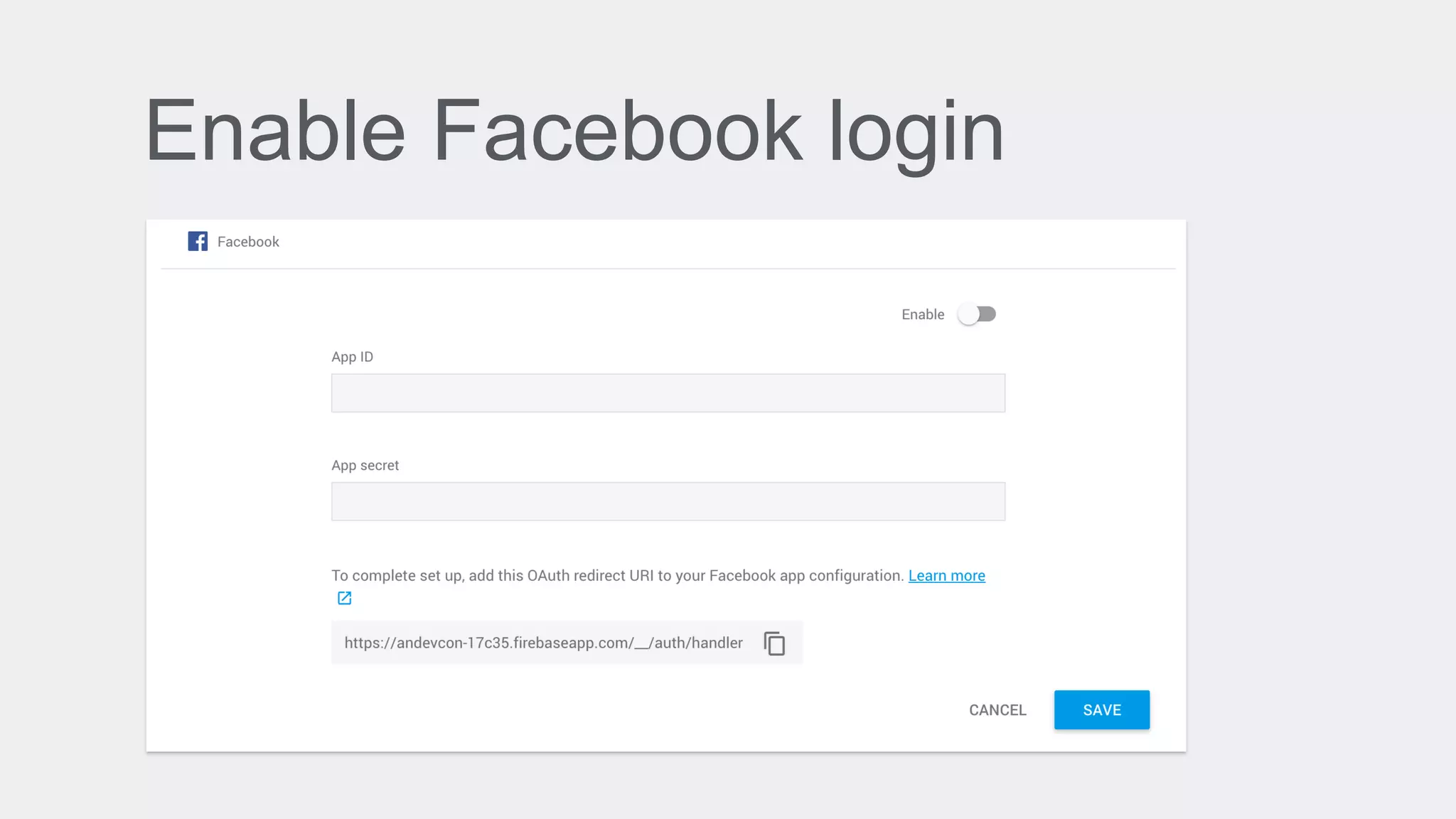
Enable Facebook login
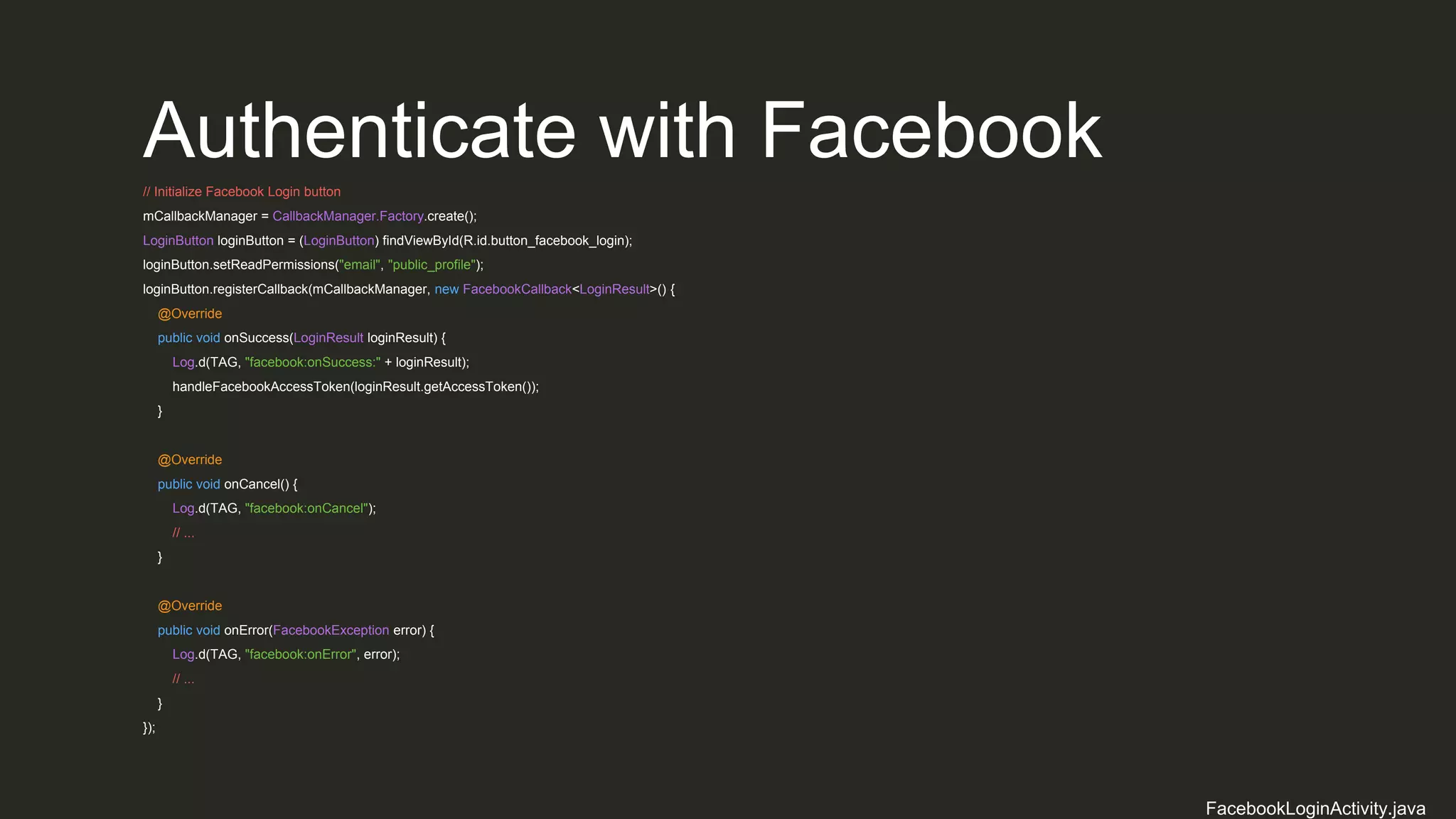
Authenticate with Facebook
// Initialize Facebook Login button
mCallbackManager = CallbackManager.Factory.create();
LoginButton loginButton = (LoginButton) findViewById(R.id.button_facebook_login);
loginButton.setReadPermissions("email", "public_profile");
loginButton.registerCallback(mCallbackManager, new FacebookCallback<LoginResult>() {
@Override
public void onSuccess(LoginResult loginResult) {
Log.d(TAG, "facebook:onSuccess:" + loginResult);
handleFacebookAccessToken(loginResult.getAccessToken());
}
@Override
public void onCancel() {
Log.d(TAG, "facebook:onCancel");
// ...
}
@Override
public void onError(FacebookException error) {
Log.d(TAG, "facebook:onError", error);
// ...
}
});
FacebookLoginActivity.java
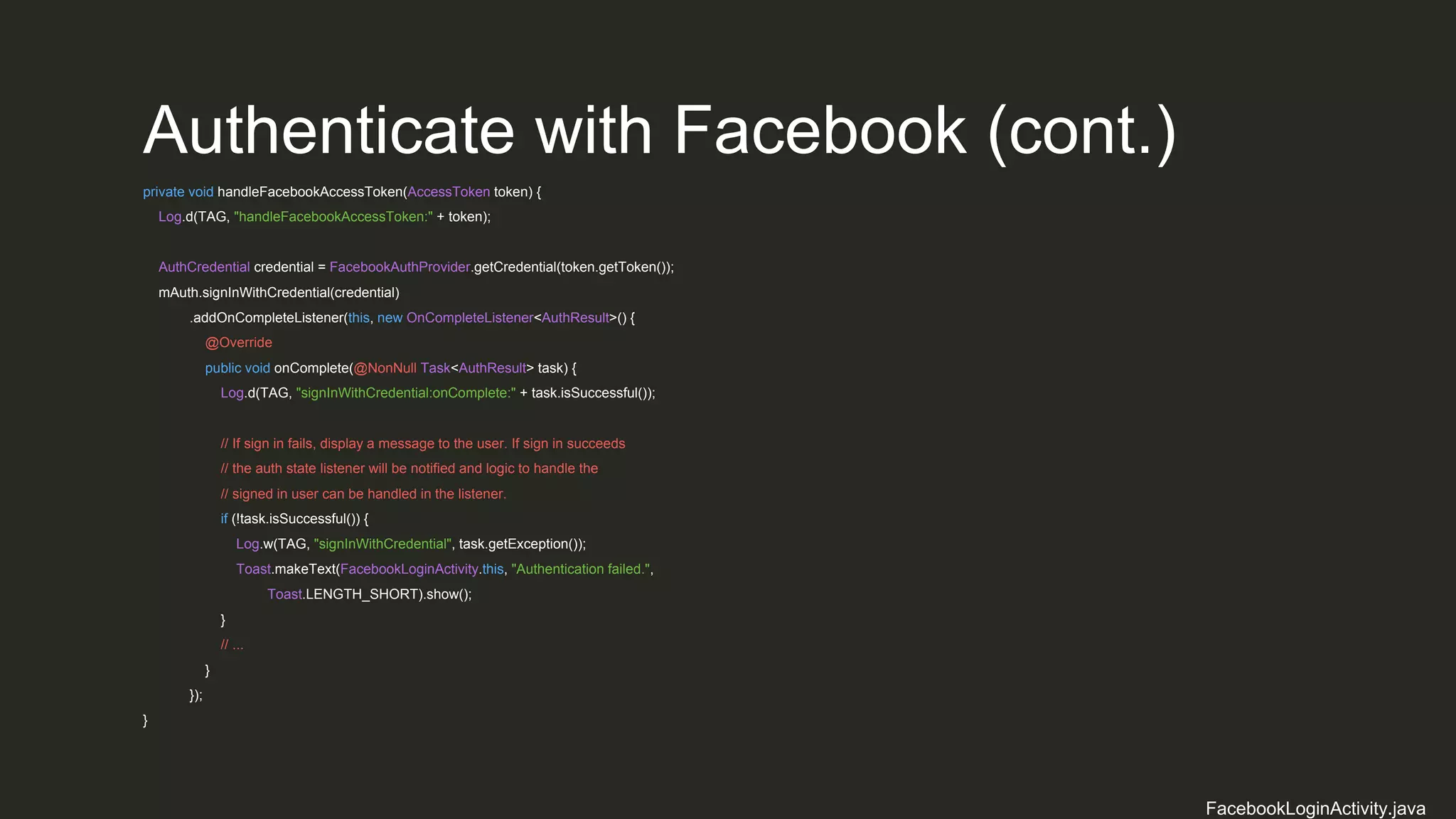
Authenticate with Facebook (cont.)
private void handleFacebookAccessToken(AccessToken token) {
Log.d(TAG, "handleFacebookAccessToken:" + token);
AuthCredential credential = FacebookAuthProvider.getCredential(token.getToken());
mAuth.signInWithCredential(credential)
.addOnCompleteListener(this, new OnCompleteListener<AuthResult>() {
@Override
public void onComplete(@NonNull Task<AuthResult> task) {
Log.d(TAG, "signInWithCredential:onComplete:" + task.isSuccessful());
// If sign in fails, display a message to the user. If sign in succeeds
// the auth state listener will be notified and logic to handle the
// signed in user can be handled in the listener.
if (!task.isSuccessful()) {
Log.w(TAG, "signInWithCredential", task.getException());
Toast.makeText(FacebookLoginActivity.this, "Authentication failed.",
Toast.LENGTH_SHORT).show();
}
// ...
}
});
}
FacebookLoginActivity.java
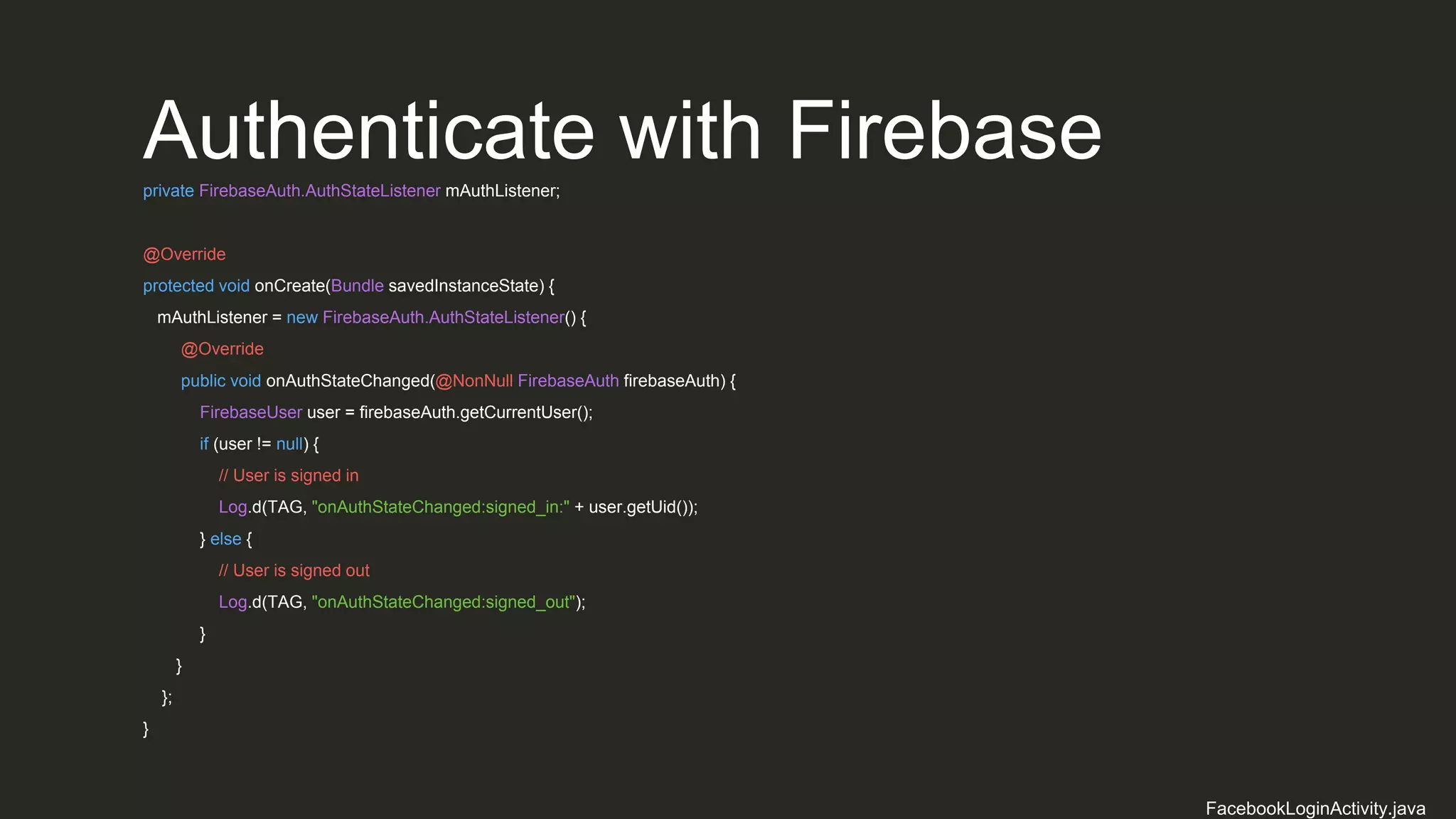
Authenticate with Firebaseprivate FirebaseAuth.AuthStateListener mAuthListener;
@Override
protected void onCreate(Bundle savedInstanceState) {
mAuthListener = new FirebaseAuth.AuthStateListener() {
@Override
public void onAuthStateChanged(@NonNull FirebaseAuth firebaseAuth) {
FirebaseUser user = firebaseAuth.getCurrentUser();
if (user != null) {
// User is signed in
Log.d(TAG, "onAuthStateChanged:signed_in:" + user.getUid());
} else {
// User is signed out
Log.d(TAG, "onAuthStateChanged:signed_out");
}
}
};
}
FacebookLoginActivity.java
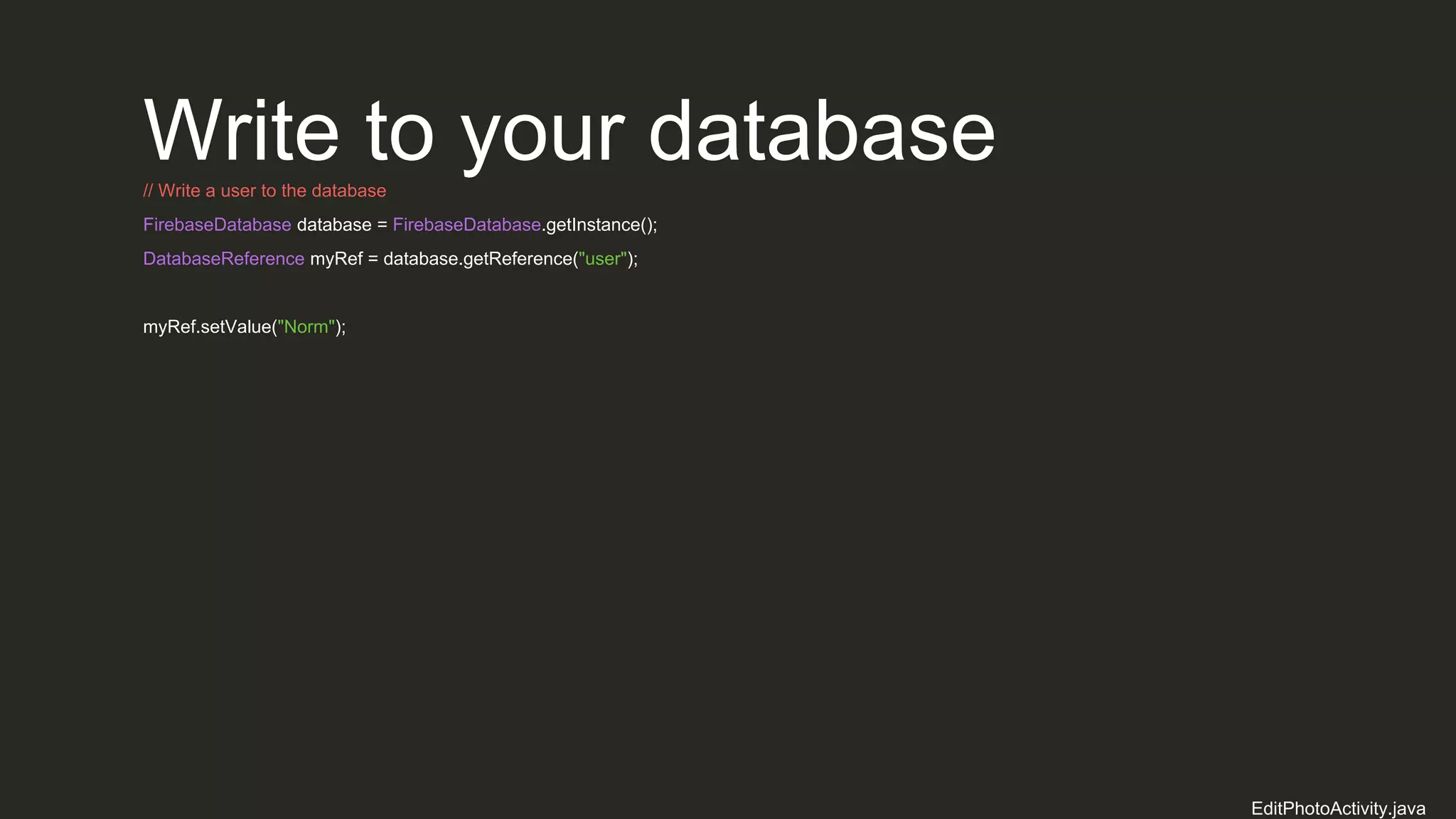
Write to your database// Write a user to the database
FirebaseDatabase database = FirebaseDatabase.getInstance();
DatabaseReference myRef = database.getReference("user");
myRef.setValue("Norm");
EditPhotoActivity.java
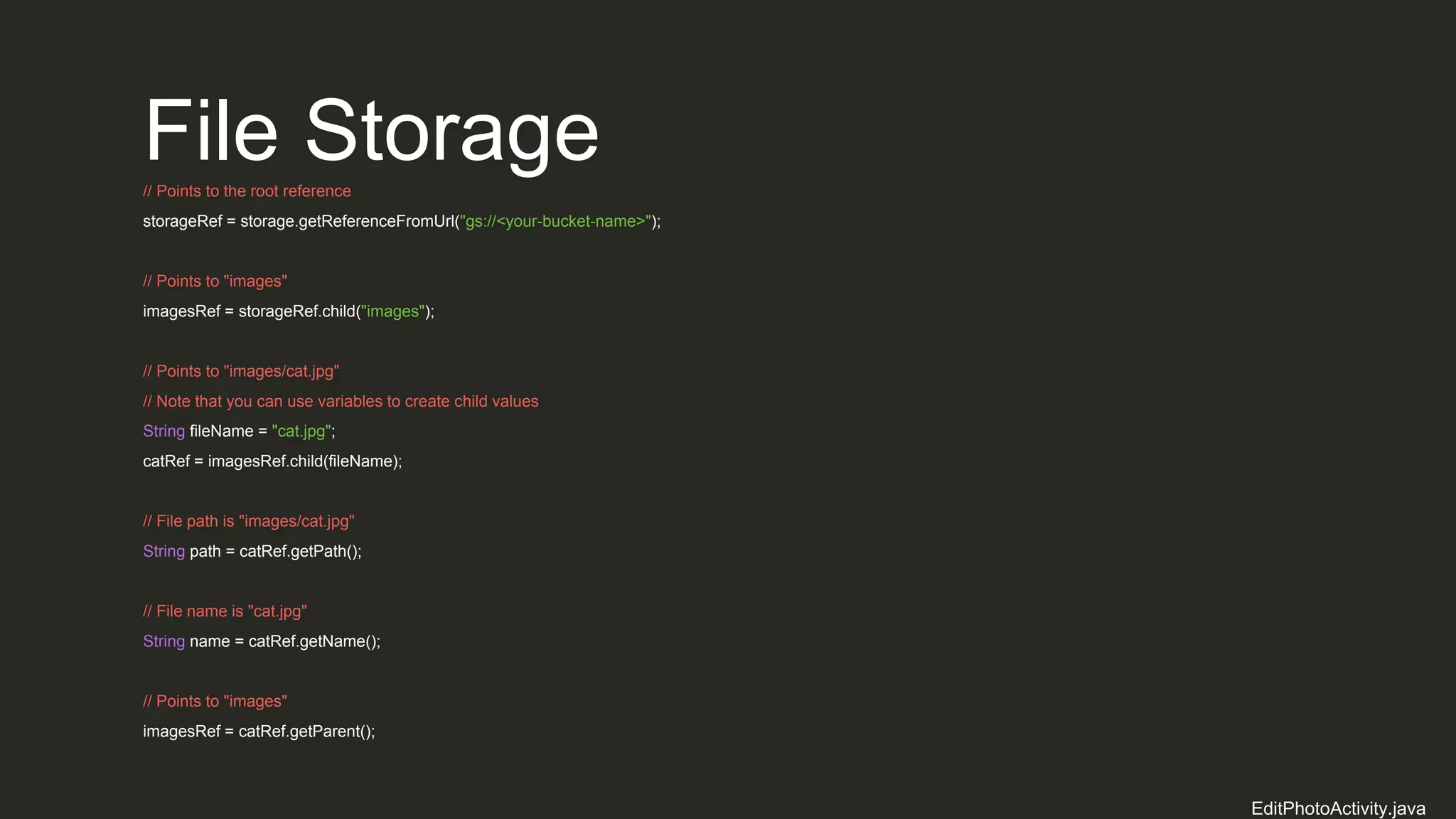
File Storage// Points to the root reference
storageRef = storage.getReferenceFromUrl("gs://<your-bucket-name>");
// Points to "images"
imagesRef = storageRef.child("images");
// Points to "images/cat.jpg"
// Note that you can use variables to create child values
String fileName = "cat.jpg";
catRef = imagesRef.child(fileName);
// File path is "images/cat.jpg"
String path = catRef.getPath();
// File name is "cat.jpg"
String name = catRef.getName();
// Points to "images"
imagesRef = catRef.getParent();
EditPhotoActivity.java
Upload Files// Get the data from an ImageView as bytes
imageView.setDrawingCacheEnabled(true);
imageView.buildDrawingCache();
Bitmap bitmap = imageView.getDrawingCache();
ByteArrayOutputStream baos = new ByteArrayOutputStream();
bitmap.compress(Bitmap.CompressFormat.JPEG, 100, baos);
byte[] data = baos.toByteArray();
UploadTask uploadTask = photoRef.putBytes(data);
uploadTask.addOnFailureListener(new OnFailureListener() {
@Override
public void onFailure(@NonNull Exception exception) {
// Handle unsuccessful uploads
}
}).addOnSuccessListener(new OnSuccessListener<UploadTask.TaskSnapshot>() {
@Override
public void onSuccess(UploadTask.TaskSnapshot taskSnapshot) {
// taskSnapshot.getMetadata() contains file metadata such as size, content-type, and download URL.
Uri downloadUrl = taskSnapshot.getDownloadUrl();
}
});
EditPhotoActivity.java
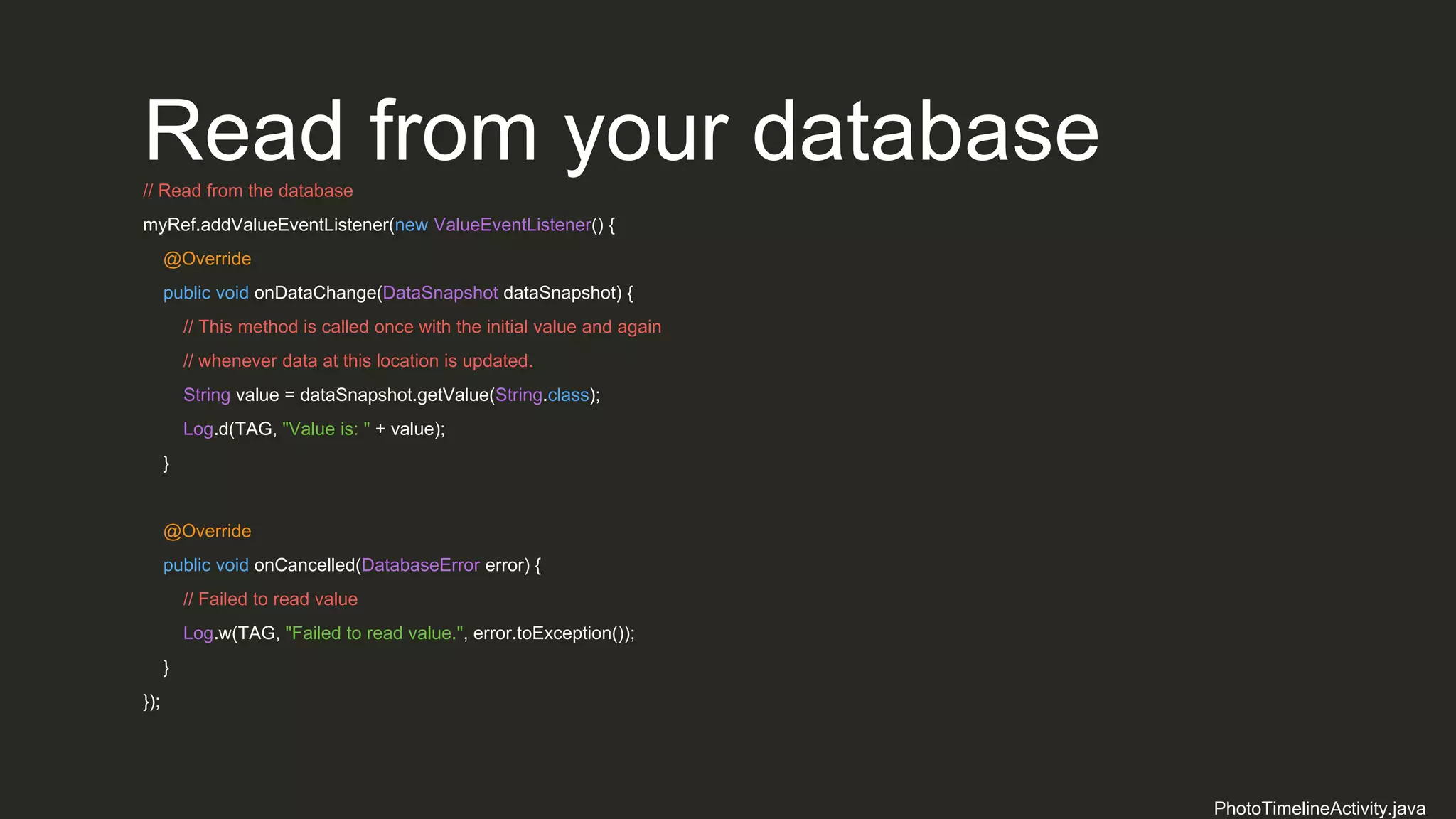
Read from your database// Read from the database
myRef.addValueEventListener(new ValueEventListener() {
@Override
public void onDataChange(DataSnapshot dataSnapshot) {
// This method is called once with the initial value and again
// whenever data at this location is updated.
String value = dataSnapshot.getValue(String.class);
Log.d(TAG, "Value is: " + value);
}
@Override
public void onCancelled(DatabaseError error) {
// Failed to read value
Log.w(TAG, "Failed to read value.", error.toException());
}
});
PhotoTimelineActivity.java
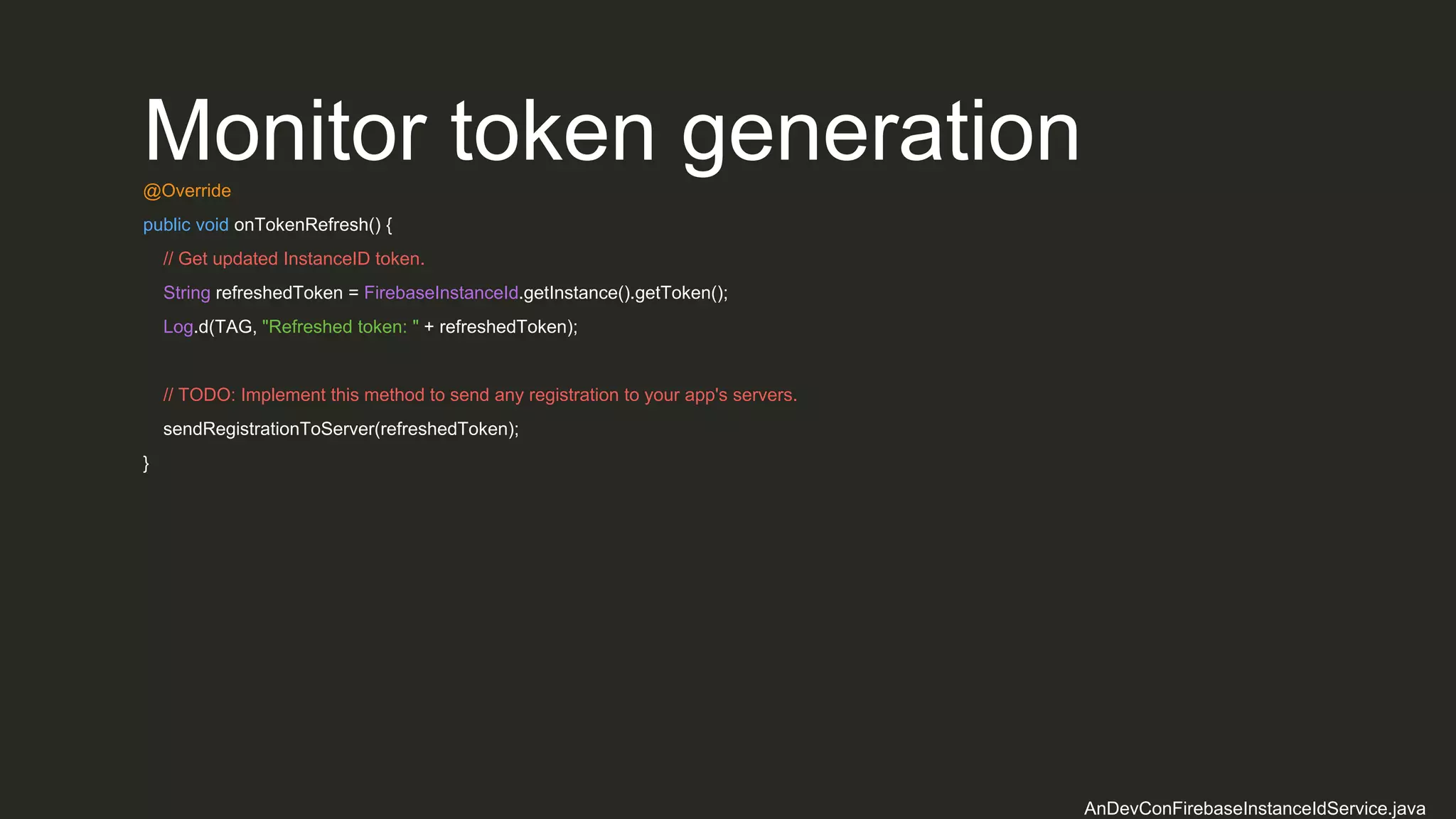
Monitor token generation@Override
public void onTokenRefresh() {
// Get updated InstanceID token.
String refreshedToken = FirebaseInstanceId.getInstance().getToken();
Log.d(TAG, "Refreshed token: " + refreshedToken);
// TODO: Implement this method to send any registration to your app's servers.
sendRegistrationToServer(refreshedToken);
}
AnDevConFirebaseInstanceIdService.java
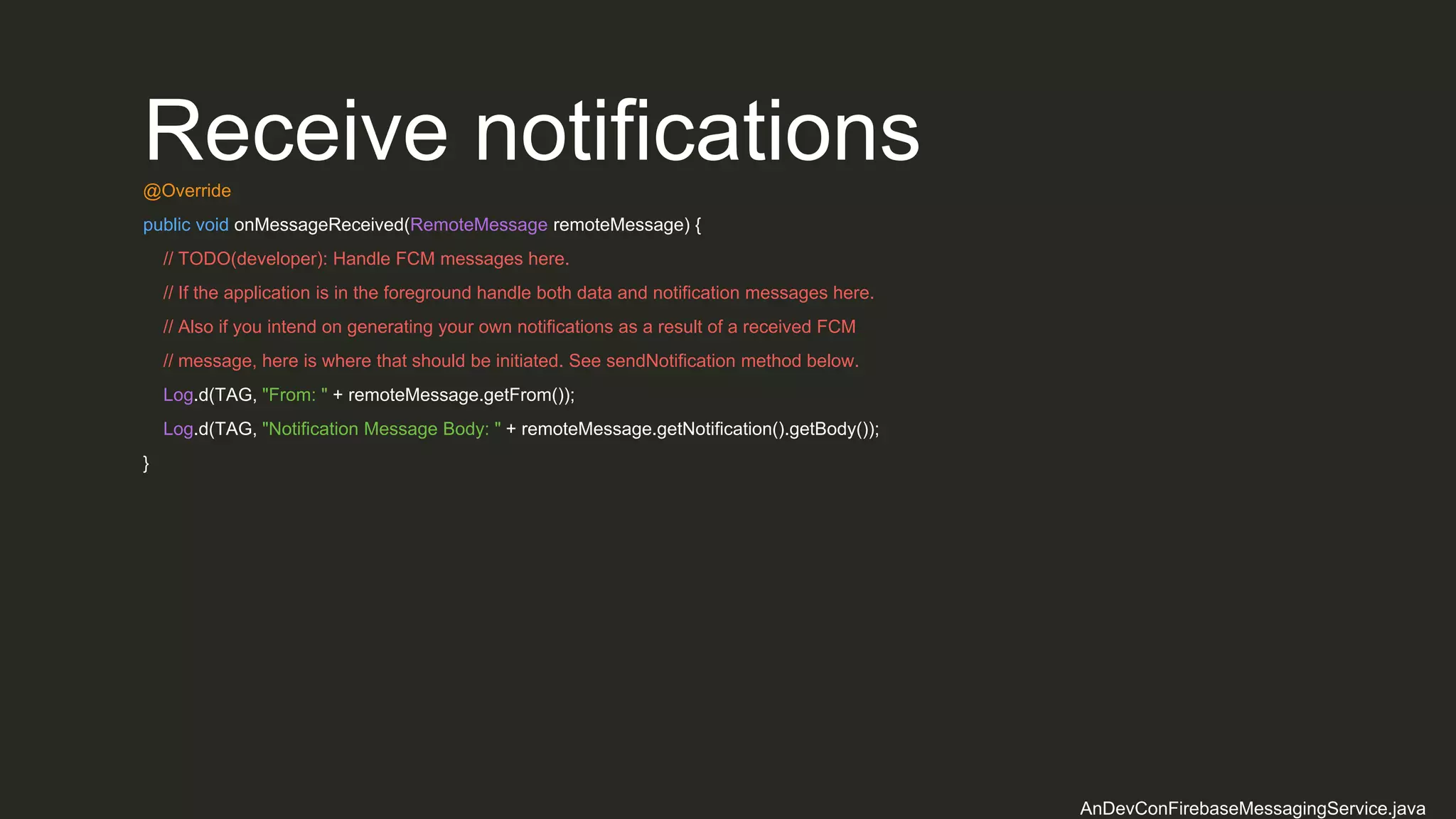
Receive notifications@Override
public void onMessageReceived(RemoteMessage remoteMessage) {
// TODO(developer): Handle FCM messages here.
// If the application is in the foreground handle both data and notification messages here.
// Also if you intend on generating your own notifications as a result of a received FCM
// message, here is where that should be initiated. See sendNotification method below.
Log.d(TAG, "From: " + remoteMessage.getFrom());
Log.d(TAG, "Notification Message Body: " + remoteMessage.getNotification().getBody());
}
AnDevConFirebaseMessagingService.java
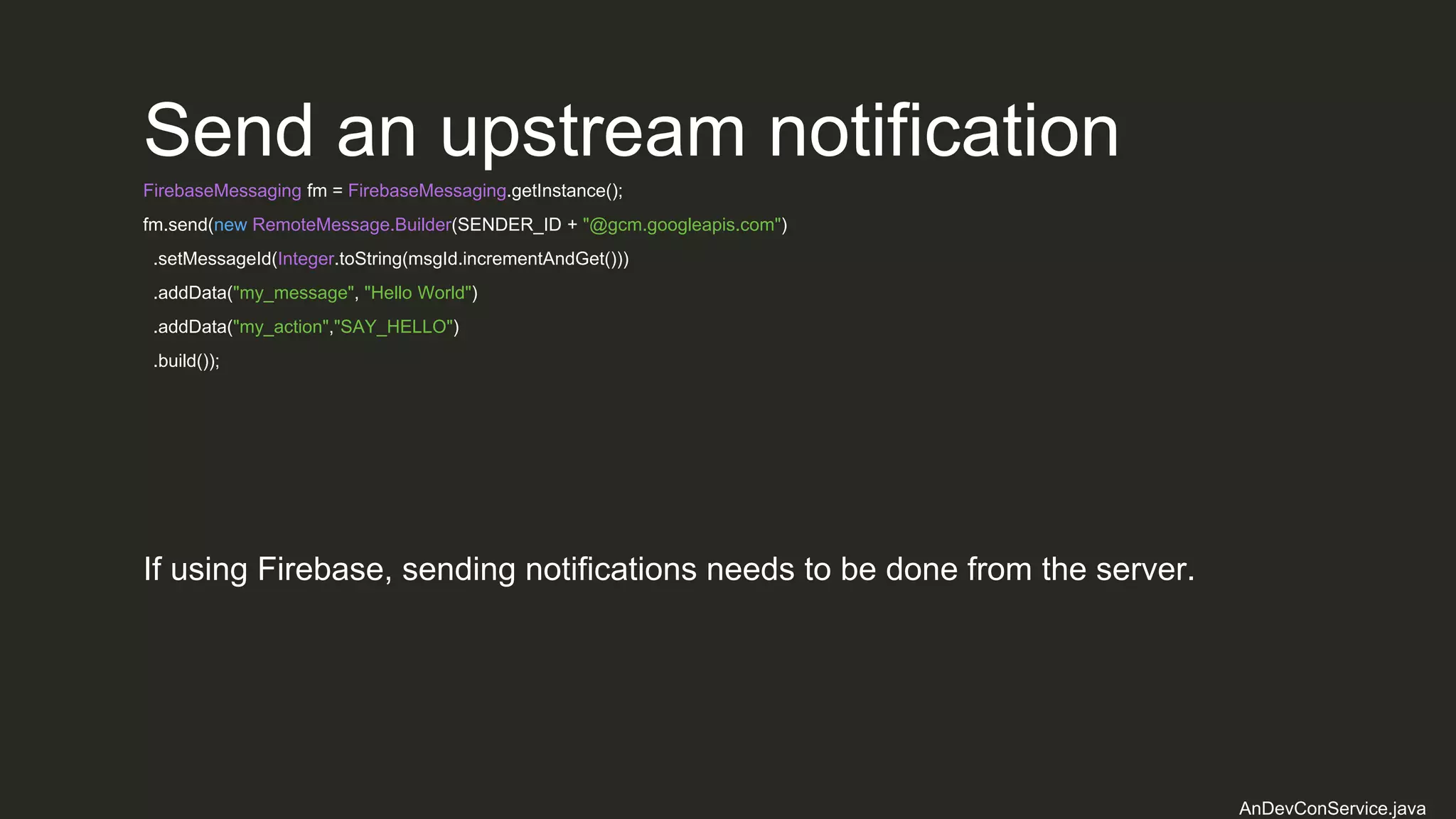
Send an upstream notification
FirebaseMessaging fm = FirebaseMessaging.getInstance();
fm.send(new RemoteMessage.Builder(SENDER_ID + "@gcm.googleapis.com")
.setMessageId(Integer.toString(msgId.incrementAndGet()))
.addData("my_message", "Hello World")
.addData("my_action","SAY_HELLO")
.build());
AnDevConService.java
If using Firebase, sending notifications needs to be done from the server.
Launch party!
What we should do
Untitled 1
Budget spent MAU / Revenue
Launch
Create a Landing Page
Social Presence
Choose a launch date
thunderclap.it/
Test test test
Communities
slacklist.info/
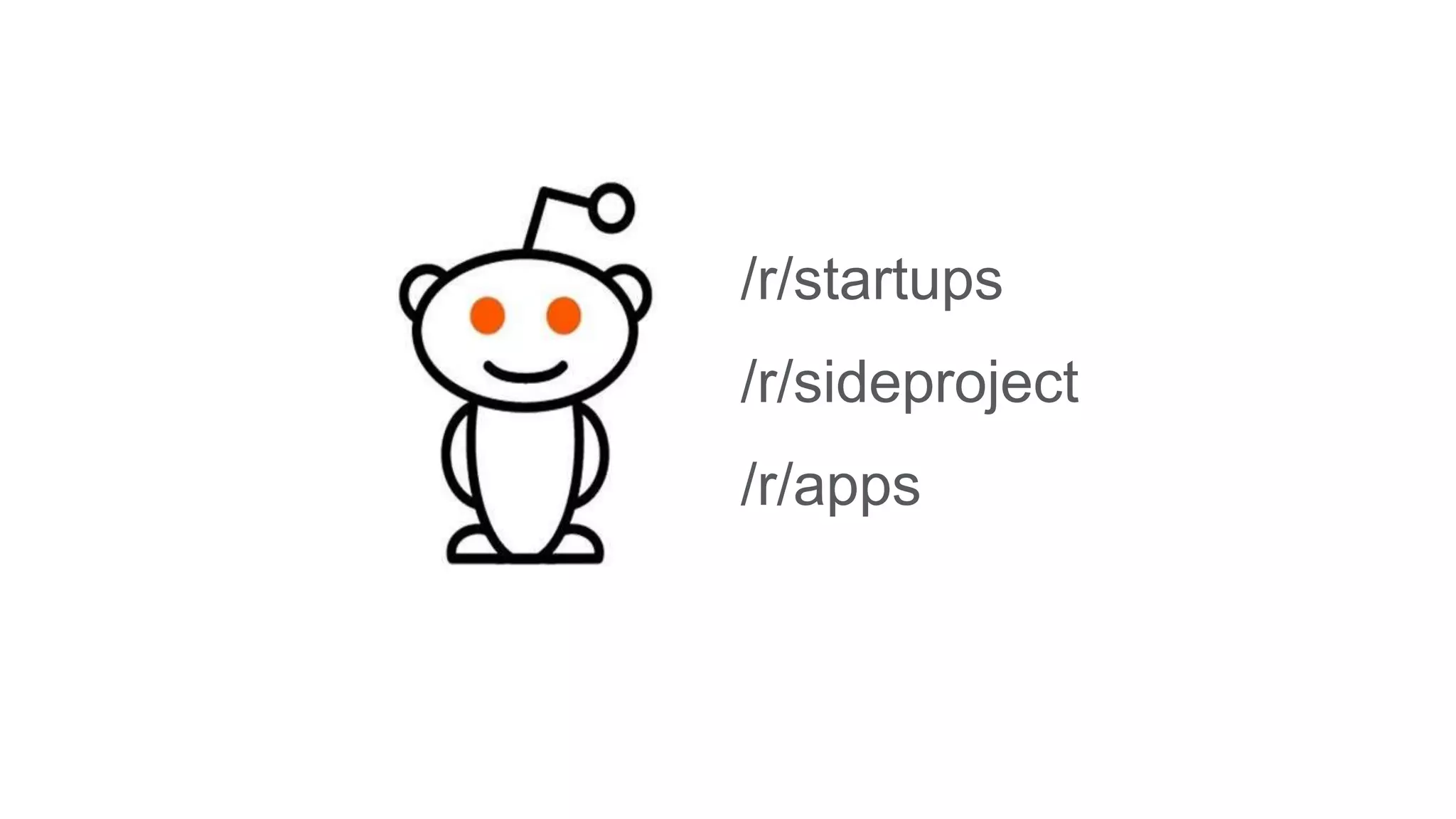
/r/startups
/r/sideproject
/r/apps
news.ycombinator.com/
helpareporter.com/
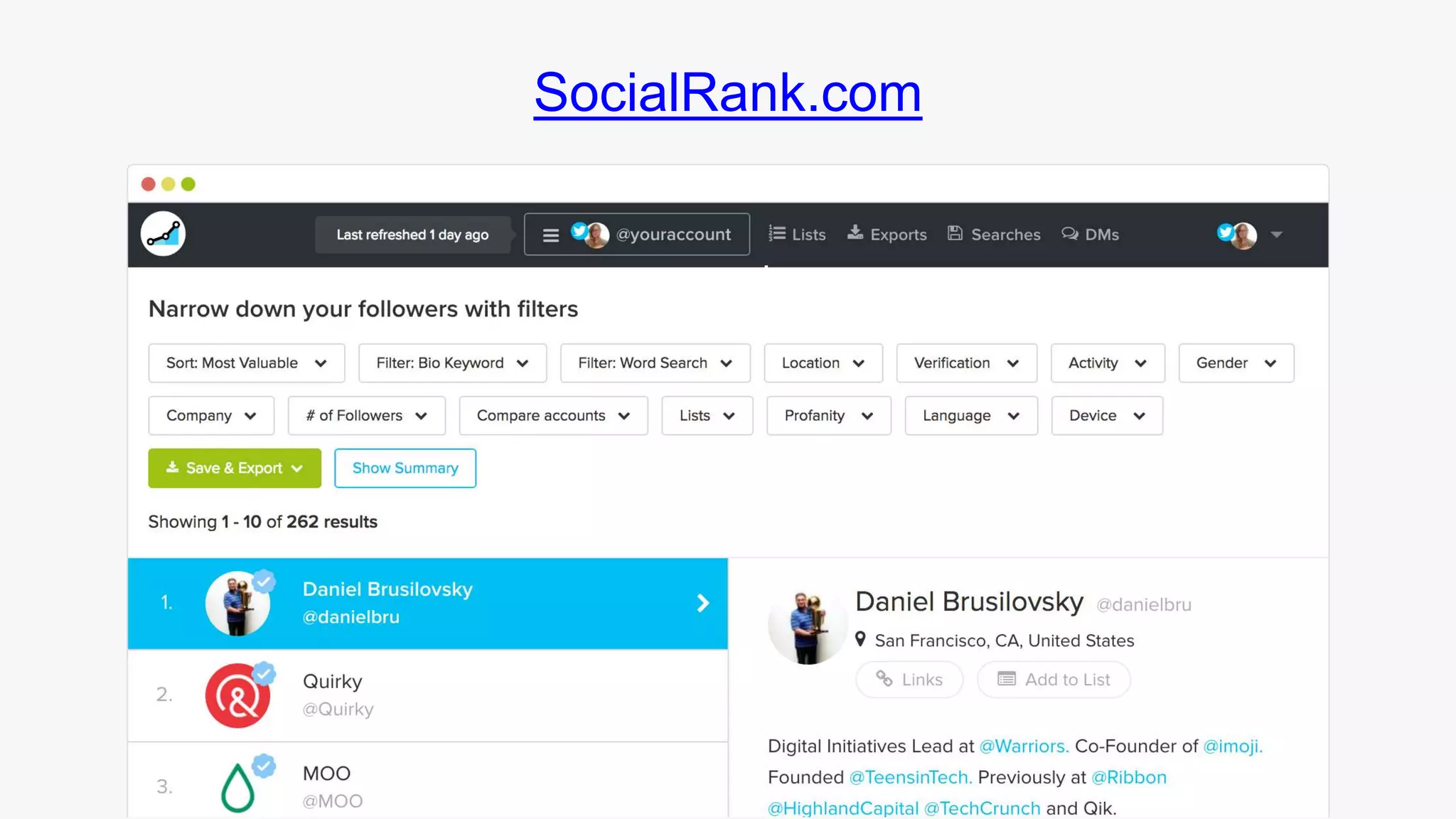
SocialRank.com
uberhunters.com/
Let’s review
• Cut-out over half the development budget with no back-end
• Outsource any server effort with MBaaS
• Spend less time programming the plumbing
• Spend more time making the app stand out
• On-board tons of beta testers prior to launch to receive critical feedback
• Generate buzz leading up to launch through influencers and free services
• Bring the app to market quickly
• Keep overhead to zero until reaching product/market fit
• Iterate - learn, tweak, build, test
Launch party!
@craigphares
sixoverground.com
github.com/sixoverground/bittypic-android/
Thank you!
Bootstrapping an App for Launch

Bootstrapping an App for Launch

  • 1.
    Bootstrapping an App forLaunch A rapid, low-cost, server-less approach to app development @craigphares sixoverground.com
  • 3.
  • 4.
  • 5.
    There’s never beena better time to be a developer
  • 7.
    Number of appsBarrier to entry
  • 8.
    App store marketsare over-saturated
  • 9.
    There are over2.2 million apps available for download on the Google Play Store Statista http://www.statista.com/statistics/276623/number-of-apps-available-in-leading-app-stores/
  • 10.
    Just building agreat product isn’t enough
  • 11.
    Less than 0.01percent of consumer mobile apps are considered a financial success Gartner http://www.gartner.com/newsroom/id/2648515
  • 13.
    Doing what someoneelse already knows how to do takes the world from 1 to n, adding more of something familiar. But when you do something new, you go from 0 to 1.” - Peter Thiel “
  • 14.
    Apps need tostand out
  • 15.
    65.5% of smartphoneusers download zero apps per month Quartz http://qz.com/253618/most-smartphone-users-download-zero-apps-per-month/
  • 16.
    After launch, It cantake years to reach product/market fit
  • 17.
    Product/market fit meansbeing in a good market with a product that can satisfy that market.” - Marc Andreessen “
  • 18.
  • 19.
    Successful Tech Pivots •Pinterest was a mobile shopping app called Tote for 1 year • Twitter was a side-project of the podcast directory Odeo • Instagram began as Burbn, a check-in app with gaming elements from Mafia Wars - and a photo feature • Android was an operating system for cameras in the 2 years before it was acquired by Google
  • 20.
  • 21.
    55% of companieswill increase their content marketing budget this year Content Marketing Institute http://contentmarketinginstitute.com/wp-content/uploads/2014/10/2015_B2B_Research.pdf
  • 22.
  • 23.
    How much doesit cost to build an app? • Big shops: $500,000 to $1,000,000 • Average shops: $150,000 to $450,000 • Small shops: $50,000 to $100,000 Savvy Apps http://savvyapps.com/blog/how-much-does-app-cost-massive-review-pricing-budget-considerations
  • 24.
    How much doesit cost to build an app (cont.)? • Zero-frills: $9,900 • Full-featured: $50,100 Crew http://howmuchtomakeanapp.com
  • 25.
    How much doesit cost to build an app (cont.)? $10,000 to $1,000,000
  • 26.
  • 27.
    Designer Graphic Designer $51,360/year =$25/hour Glassdoor https://www.glassdoor.com/Salaries/graphic-designer-salary-SRCH_KO0,16.htm
  • 28.
    Back-end engineer Ruby onRails Developer $93,906/year = $50/hour Glassdoor https://www.glassdoor.com/Salaries/ruby-on-rails-developer-salary-SRCH_KO0,23.htm
  • 29.
    Front-end developer Android Developer $84,562/year= $50/hour Glassdoor https://www.glassdoor.com/Salaries/android-developer-salary-SRCH_KO0,17.htm
  • 30.
    Project manager Software ProjectManager $108,659/year = $50/hour Glassdoor https://www.glassdoor.com/Salaries/software-project-manager-salary-SRCH_KO0,24.htm
  • 31.
  • 32.
    Infrastructure as aService • Approximately $60/month for: • Small EC2 instance • S3 bucket • CloudFront CDN • $50/hour for maintenance AWS Amazon Web Services https://calculator.s3.amazonaws.com/index.html
  • 33.
    Platform as aService • Approximately $125/month for: • Standard Plan with 3-1x dynos • Production database • SSL Endpoint • Web sockets push add-on Heroku Heroku Pricing https://www.heroku.com/pricing
  • 34.
  • 35.
    Example app • Sociallogin • User profiles • Friendships • User-generated content • Push notifications • Geolocation • Analytics
  • 36.
    Estimate • Design: $25/hx 100 h = $2,500 • Back-end: $50/h x 200 h = $10,000 • Front-end: $50/h x 200 h = $10,000 • Project management: $50/h x 50 h = $2,500 • Total: $25,000
  • 37.
  • 38.
  • 39.
    Imagine if wecould cut out the back-end
  • 40.
    Imagine if wecould focus on making the app awesome
  • 41.
    Imagine if ouroverhead was zero, and we could scale as needed
  • 42.
    Here’s how weget there
  • 43.
    What we oftendo Untitled 1 Untitled 2 Untitled 3 Budget spent MAU / Revenue Launch
  • 44.
    What we shoulddo Untitled 1 Budget spent MAU / Revenue Launch
  • 45.
  • 46.
  • 47.
  • 48.
    Server-less is atits most simple an outsourcing solution
  • 50.
    Authentication Service Traditional client/serverarchitecture Client(s) (app) Authentication Service API Gateway Database Server Application Push Notification Service File Storage Solution Analytics
  • 51.
    Authentication Service Server-less architecture Client(s)(app) Authentication Service API Gateway Database Server Application Push Notification Service File Storage Solution Analytics Authentication Service Analytics Database
  • 52.
  • 53.
    Benefits • Reduced operationalcost • Reduced development cost • Reduced scaling costs • Reduced operational management • Reduced time to market
  • 54.
    Drawbacks • Vendor control •Vendor commitment • Security concerns • Repetition of logic across clients • Loss of server optimizations
  • 55.
  • 56.
  • 57.
  • 58.
  • 59.
    Real-time Push / Pushnotifications Urban Airship OneSignal PubNub
  • 60.
    Mobile BaaS (MBaaS) Back-endas a service, built specifically for mobile apps
  • 61.
    Parse Sunset by Facebook Hostyour own from the GitHub repo: https://github.com/ParsePlatform/parse-server
  • 62.
  • 63.
    AWS Mobile Services Authentication Datastorage Cloud logic NoSQL database Analytics Push notifications
  • 64.
    Firebase Recently overhauled byGoogle Realtime database Authentication Push notifications File storage Remote config Analytics
  • 65.
    Live coding Let’s buildInstagram (Lite)
  • 66.
    • Facebook login Postphotos News feed Comments Likes Activity feed Follow friends Push notifications
  • 67.
  • 68.
  • 69.
  • 70.
  • 71.
    Add the SDK buildscript{ // ... dependencies { // ... classpath 'com.google.gms:google-services:3.0.0' } } build.gradle
  • 72.
    Add the SDK(cont.) apply plugin: 'com.android.application' android { // ... } dependencies { // ... compile 'com.google.firebase:firebase-core:9.2.1' } // ADD THIS AT THE BOTTOM apply plugin: 'com.google.gms.google-services' Available libraries Analytics Realtime Database Storage Crash Reporting Authentication Cloud Messaging / Notifications Remote Config Invites / Dynamic Links AdMob App Indexing app/build.gradle
  • 73.
    The data model UserPhoto Activity • facebookId • email • displayName • profilePictureUrl • pushToken • photoUrl • user • owner • recipient • key • text • photo
  • 74.
  • 75.
    Authenticate with Facebook //Initialize Facebook Login button mCallbackManager = CallbackManager.Factory.create(); LoginButton loginButton = (LoginButton) findViewById(R.id.button_facebook_login); loginButton.setReadPermissions("email", "public_profile"); loginButton.registerCallback(mCallbackManager, new FacebookCallback<LoginResult>() { @Override public void onSuccess(LoginResult loginResult) { Log.d(TAG, "facebook:onSuccess:" + loginResult); handleFacebookAccessToken(loginResult.getAccessToken()); } @Override public void onCancel() { Log.d(TAG, "facebook:onCancel"); // ... } @Override public void onError(FacebookException error) { Log.d(TAG, "facebook:onError", error); // ... } }); FacebookLoginActivity.java
  • 76.
    Authenticate with Facebook(cont.) private void handleFacebookAccessToken(AccessToken token) { Log.d(TAG, "handleFacebookAccessToken:" + token); AuthCredential credential = FacebookAuthProvider.getCredential(token.getToken()); mAuth.signInWithCredential(credential) .addOnCompleteListener(this, new OnCompleteListener<AuthResult>() { @Override public void onComplete(@NonNull Task<AuthResult> task) { Log.d(TAG, "signInWithCredential:onComplete:" + task.isSuccessful()); // If sign in fails, display a message to the user. If sign in succeeds // the auth state listener will be notified and logic to handle the // signed in user can be handled in the listener. if (!task.isSuccessful()) { Log.w(TAG, "signInWithCredential", task.getException()); Toast.makeText(FacebookLoginActivity.this, "Authentication failed.", Toast.LENGTH_SHORT).show(); } // ... } }); } FacebookLoginActivity.java
  • 77.
    Authenticate with FirebaseprivateFirebaseAuth.AuthStateListener mAuthListener; @Override protected void onCreate(Bundle savedInstanceState) { mAuthListener = new FirebaseAuth.AuthStateListener() { @Override public void onAuthStateChanged(@NonNull FirebaseAuth firebaseAuth) { FirebaseUser user = firebaseAuth.getCurrentUser(); if (user != null) { // User is signed in Log.d(TAG, "onAuthStateChanged:signed_in:" + user.getUid()); } else { // User is signed out Log.d(TAG, "onAuthStateChanged:signed_out"); } } }; } FacebookLoginActivity.java
  • 78.
    Write to yourdatabase// Write a user to the database FirebaseDatabase database = FirebaseDatabase.getInstance(); DatabaseReference myRef = database.getReference("user"); myRef.setValue("Norm"); EditPhotoActivity.java
  • 79.
    File Storage// Pointsto the root reference storageRef = storage.getReferenceFromUrl("gs://<your-bucket-name>"); // Points to "images" imagesRef = storageRef.child("images"); // Points to "images/cat.jpg" // Note that you can use variables to create child values String fileName = "cat.jpg"; catRef = imagesRef.child(fileName); // File path is "images/cat.jpg" String path = catRef.getPath(); // File name is "cat.jpg" String name = catRef.getName(); // Points to "images" imagesRef = catRef.getParent(); EditPhotoActivity.java
  • 80.
    Upload Files// Getthe data from an ImageView as bytes imageView.setDrawingCacheEnabled(true); imageView.buildDrawingCache(); Bitmap bitmap = imageView.getDrawingCache(); ByteArrayOutputStream baos = new ByteArrayOutputStream(); bitmap.compress(Bitmap.CompressFormat.JPEG, 100, baos); byte[] data = baos.toByteArray(); UploadTask uploadTask = photoRef.putBytes(data); uploadTask.addOnFailureListener(new OnFailureListener() { @Override public void onFailure(@NonNull Exception exception) { // Handle unsuccessful uploads } }).addOnSuccessListener(new OnSuccessListener<UploadTask.TaskSnapshot>() { @Override public void onSuccess(UploadTask.TaskSnapshot taskSnapshot) { // taskSnapshot.getMetadata() contains file metadata such as size, content-type, and download URL. Uri downloadUrl = taskSnapshot.getDownloadUrl(); } }); EditPhotoActivity.java
  • 81.
    Read from yourdatabase// Read from the database myRef.addValueEventListener(new ValueEventListener() { @Override public void onDataChange(DataSnapshot dataSnapshot) { // This method is called once with the initial value and again // whenever data at this location is updated. String value = dataSnapshot.getValue(String.class); Log.d(TAG, "Value is: " + value); } @Override public void onCancelled(DatabaseError error) { // Failed to read value Log.w(TAG, "Failed to read value.", error.toException()); } }); PhotoTimelineActivity.java
  • 82.
    Monitor token generation@Override publicvoid onTokenRefresh() { // Get updated InstanceID token. String refreshedToken = FirebaseInstanceId.getInstance().getToken(); Log.d(TAG, "Refreshed token: " + refreshedToken); // TODO: Implement this method to send any registration to your app's servers. sendRegistrationToServer(refreshedToken); } AnDevConFirebaseInstanceIdService.java
  • 83.
    Receive notifications@Override public voidonMessageReceived(RemoteMessage remoteMessage) { // TODO(developer): Handle FCM messages here. // If the application is in the foreground handle both data and notification messages here. // Also if you intend on generating your own notifications as a result of a received FCM // message, here is where that should be initiated. See sendNotification method below. Log.d(TAG, "From: " + remoteMessage.getFrom()); Log.d(TAG, "Notification Message Body: " + remoteMessage.getNotification().getBody()); } AnDevConFirebaseMessagingService.java
  • 84.
    Send an upstreamnotification FirebaseMessaging fm = FirebaseMessaging.getInstance(); fm.send(new RemoteMessage.Builder(SENDER_ID + "@gcm.googleapis.com") .setMessageId(Integer.toString(msgId.incrementAndGet())) .addData("my_message", "Hello World") .addData("my_action","SAY_HELLO") .build()); AnDevConService.java If using Firebase, sending notifications needs to be done from the server.
  • 85.
  • 86.
    What we shoulddo Untitled 1 Budget spent MAU / Revenue Launch
  • 87.
  • 89.
  • 90.
  • 91.
  • 92.
  • 94.
  • 95.
  • 96.
  • 97.
  • 98.
  • 99.
  • 100.
  • 101.
    Let’s review • Cut-outover half the development budget with no back-end • Outsource any server effort with MBaaS • Spend less time programming the plumbing • Spend more time making the app stand out • On-board tons of beta testers prior to launch to receive critical feedback • Generate buzz leading up to launch through influencers and free services • Bring the app to market quickly • Keep overhead to zero until reaching product/market fit • Iterate - learn, tweak, build, test
  • 102.
  • 103.