
Tech Talk
Jan, 8th 2016
Presented By: Dharmendra Sharma
Copyright 2015 – Automated Logical Software Pvt. Ltd.
Firebase - An Introduction
What is firebase ?
Firebase is a scalable, real-time cloud data service. It
is designed for building real-time, collaborative
applications. Data in Firebase is standard JSON, and
developers can access it using a client library or the
REST API. When accessed through a client library,
changes to data are synchronized in real-time to
clients within milliseconds.
Advantages
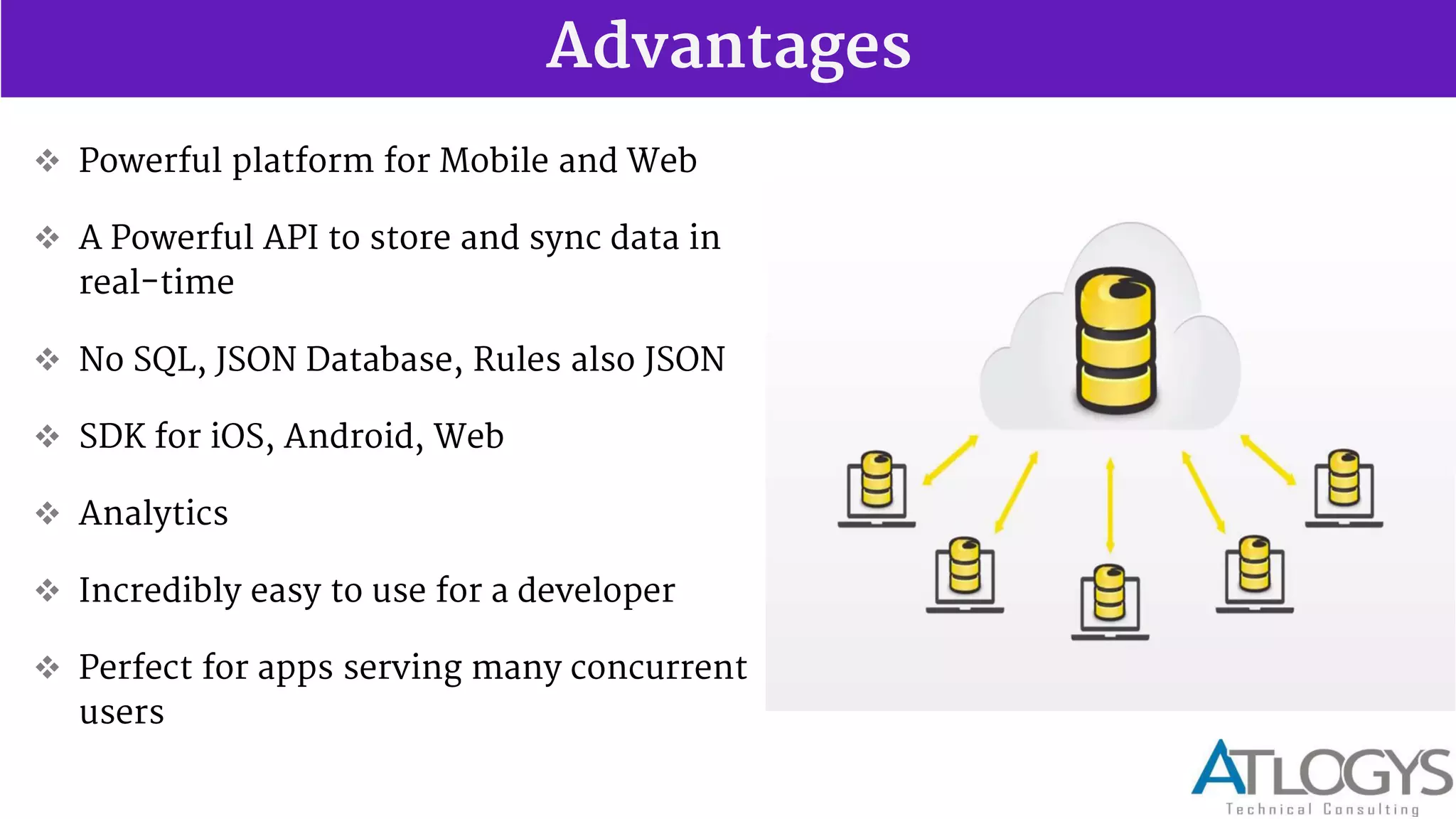
 Powerful platform for Mobile and Web
 A Powerful API to store and sync data in
real-time
 No SQL, JSON Database, Rules also JSON
 SDK for iOS, Android, Web
 Analytics
 Incredibly easy to use for a developer
 Perfect for apps serving many concurrent
users
Advantages
 Big Servers, Software, Installation, CDN, Infrastructure NOT
REQUIRED - so save big cost and worry
 More With LESS
 Just concentrate on front end great user experience
 3 way data bindings, angular itself have 2 way data bindings which help
content to refresh on the page without page re-load
 Store resources in memory to prevent having to request data from
firebase as often
Advantages
 Easy setup
 Fast and Responsive
 Realtime backend made easy
 Great documentation & customer support
 Reliable
 Angular adaptor
 Good authorization support (i.e. who gets to see what)
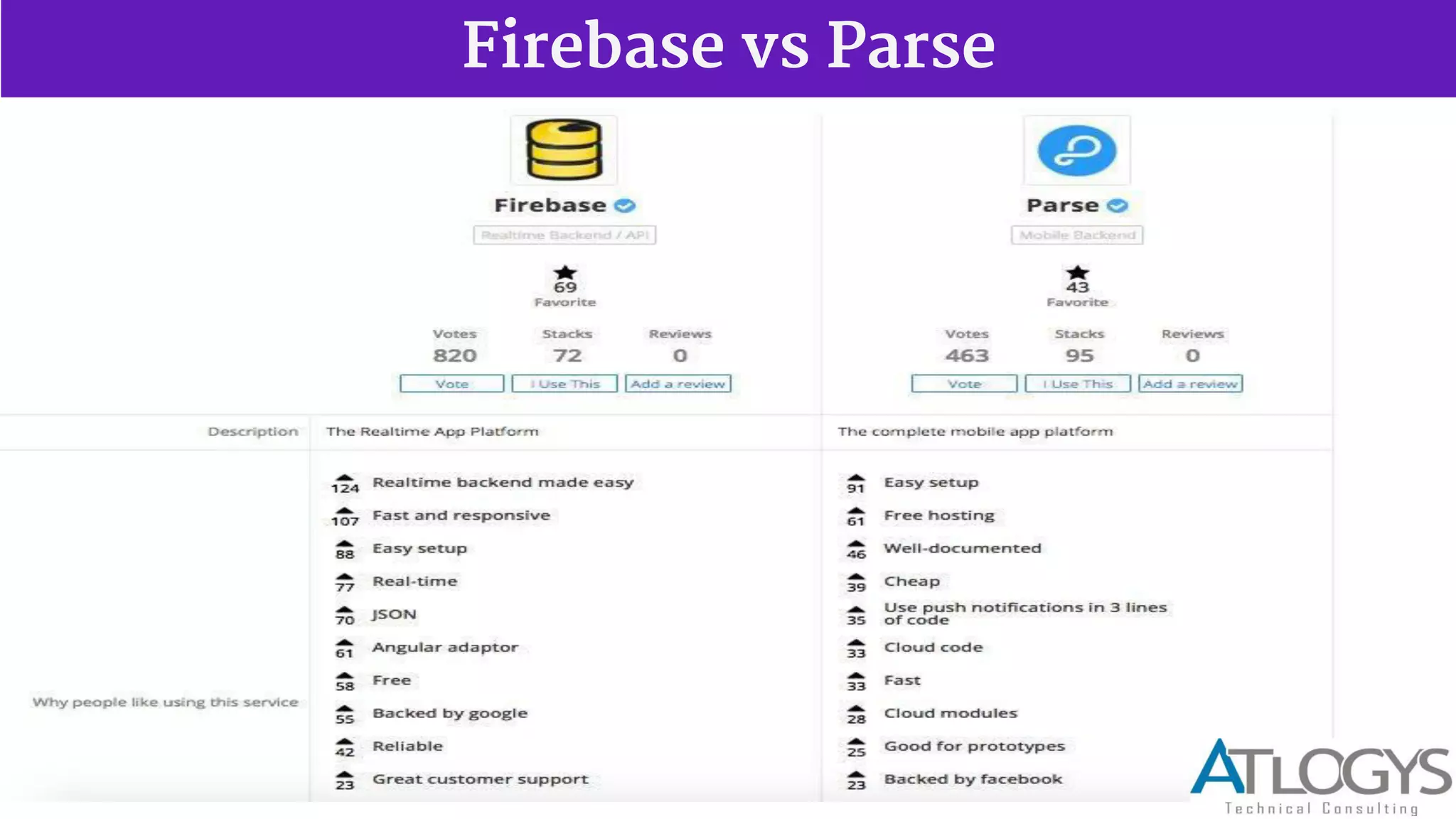
Firebase vs Parse
Services - Real time Database
Automatically scales App - When your app is a breakout hit, you don't have to worry about
scaling your server code or provisioning extra capacity Firebase handles that automatically for
you. Our servers manage millions of concurrent connections and billions of operations per
month.
First-class security features - All of your data is transferred over a secure SSL connection with a
2048-bit certificate. Database access and validation is controlled at a granular level using our
flexible security rules language. All of your data security logic is centralized in one place making
it easy to update and verify.
Works offline - Your Firebase app will remain responsive regardless of network latency or
Internet connectivity. All writes to a Firebase database will trigger local events immediately,
before any data has been written to the server. Once connectivity is re-established, the client
will receive any changes it missed, synchronizing it with the current server state.
Services - Real time Database
Firebase provides a realtime database and backend as a service. The
service provides application developers an API that allows application data
to be synchronized across clients and stored on Firebase cloud. The
company provides client libraries that enable integration with Android,
iOS, JavaScript, Java, Objective-C and Node.js applications. The database is
also accessible through a REST API and bindings for several JavaScript
frameworks such as AngularJS, React, Ember.js and Backbone.js. The REST
API uses the Server-Sent Events protocol, which is an API for creating
HTTP connections for receiving push notifications from a server.
Developers using the realtime database can secure their data by using the
company's server-side-enforced.
Services - Hosting
Firebase Hosting is a static asset web hosting service. It supports hosting
static files such as CSS, HTML, JavaScript and other files that do not
change dynamically. The service delivers files over a content delivery
network (CDN) through HTTP Secure (HTTPS) and Secure Sockets Layer
encryption (SSL). Firebase partners with Fastly, a CDN, to provide the CDN
backing Firebase Hosting.
Services - Firebase Auth
Firebase Auth is a service that can authenticate users using only client-side
code. It supports social login providers
 Facebook,
 GitHub,
 Twitter and
 Google.
 Additionally, it includes a user management system whereby developers
can enable user authentication with email and password login stored with
Firebase, also can use token based authentication.
Why should I choose Firebase ?
Firebase is a versatile backend with a lot of good uses. When building a project, if I desire
one of the three following things, I'll typically consider it a good time to use Firebase.
I want short development time. It doesn't matter if it's a prototype or something I just
want done tonight. If I want it fast, I know I can use Firebase to cut down development
time and avoid messing with servers and data storage.
I want my data in realtime. Any time I deal with real time data synchronization in my
applications, it slows development down and forces me to draw my focus away from the
application. Firebase fixes this and allows me to make anything I want work in realtime
without a second thought. This is huge to me.
I want my application to scale. This is pretty straight forward. If I want my application to
scale well, I can trust that Firebase will handle all my data without missing a step.
Where does Firebase fit in your app?
Firebase isn t just any ordinary database. As a real-time, scalable backend, which
provides the tools you need to quickly build rich, collaborative applications that can
serve millions of users.
Build Better Mobile Apps with Firebase UI
Designed to help native mobile developers quickly and easily develop Firebase apps, FirebaseUI
eliminates bloat in your application code by providing native bindings to common UI controls.
Firebase UI adds support to quickly hook a Firebase database reference or query to a ListView,
GridView, RecyclerView on Android or a UITableView and UICollectionView iOS.
Clients:
CodeAcademy, InVision, CITRIX, CarrerBuilder, InstaCart App, SkyNews
Pattern 1: 100% Firebase-powered apps
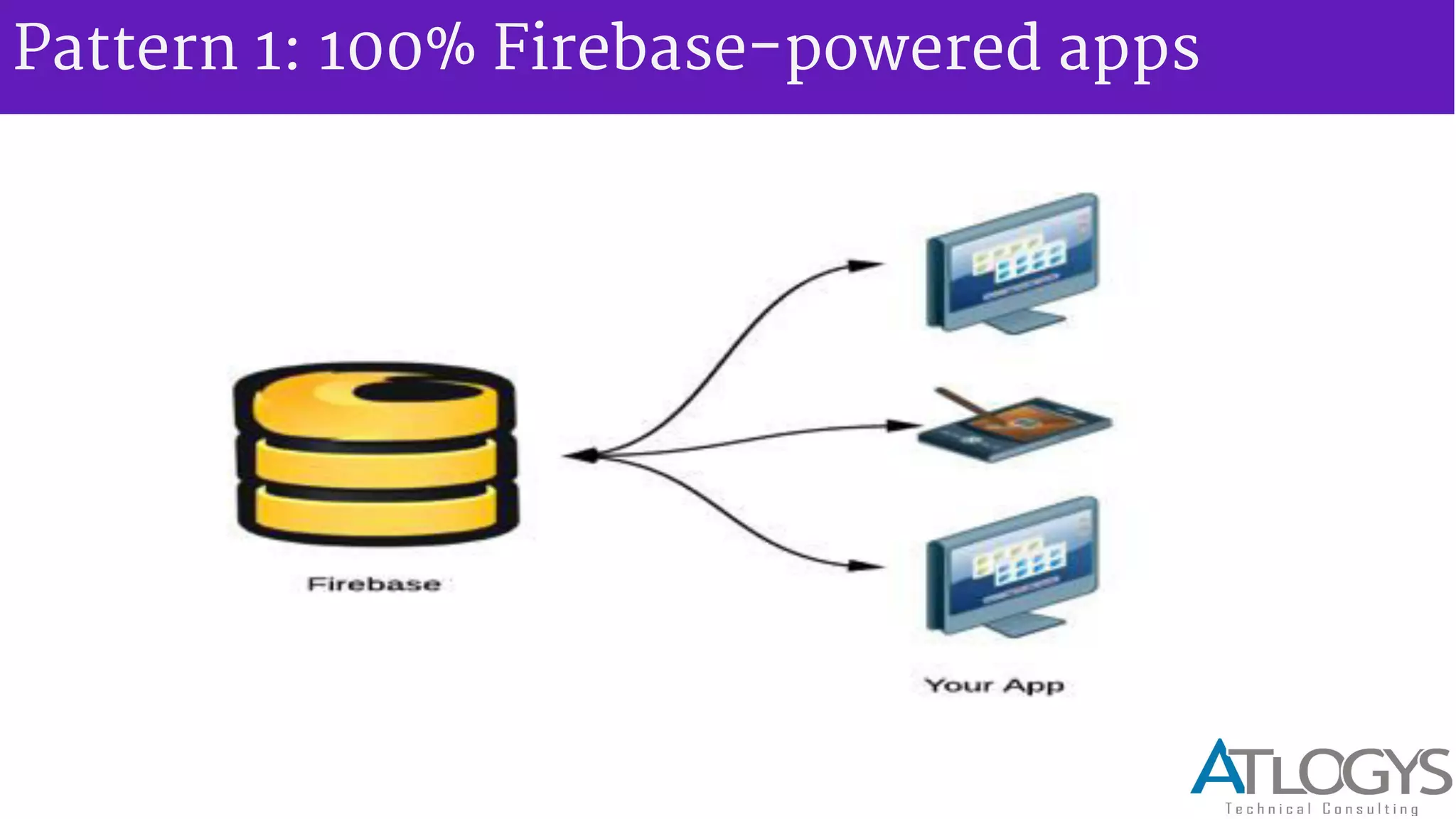
Many Firebase-powered apps consist of only client code, and don t need anything
other than Firebase and a way to distribute your app to work. They re ideal if:
 You re developing a brand new application, or rewriting an existing one from
scratch.
 Your application needs minimal integration with legacy systems or other third
party services.
 Your app doesn t have heavy data processing needs or complex user authentication
requirements.
 In this architecture, your app only consists of static content and assets, and all your
dynamic content and user data is stored and retrieved from Firebase.
Pattern 1: 100% Firebase-powered apps
Pattern 2: Firebase-powered app with server code
In some cases it s not possible to get away with only client code. Let s look at a few
examples:
 You want your app to integrate with third party APIs (like Twilio to send an SMS, or
SendGrid to send an email).
 You have advanced authentication requirements. For example, LDAP integration, or
authentication against a service not supported by Simple Login or a Firebase third party
partner (like Singly).
 Your app has computationally intensive code that you can t run on a client, or requires
code to run on a trusted server.
Pattern 2: Firebase-powered app with server code
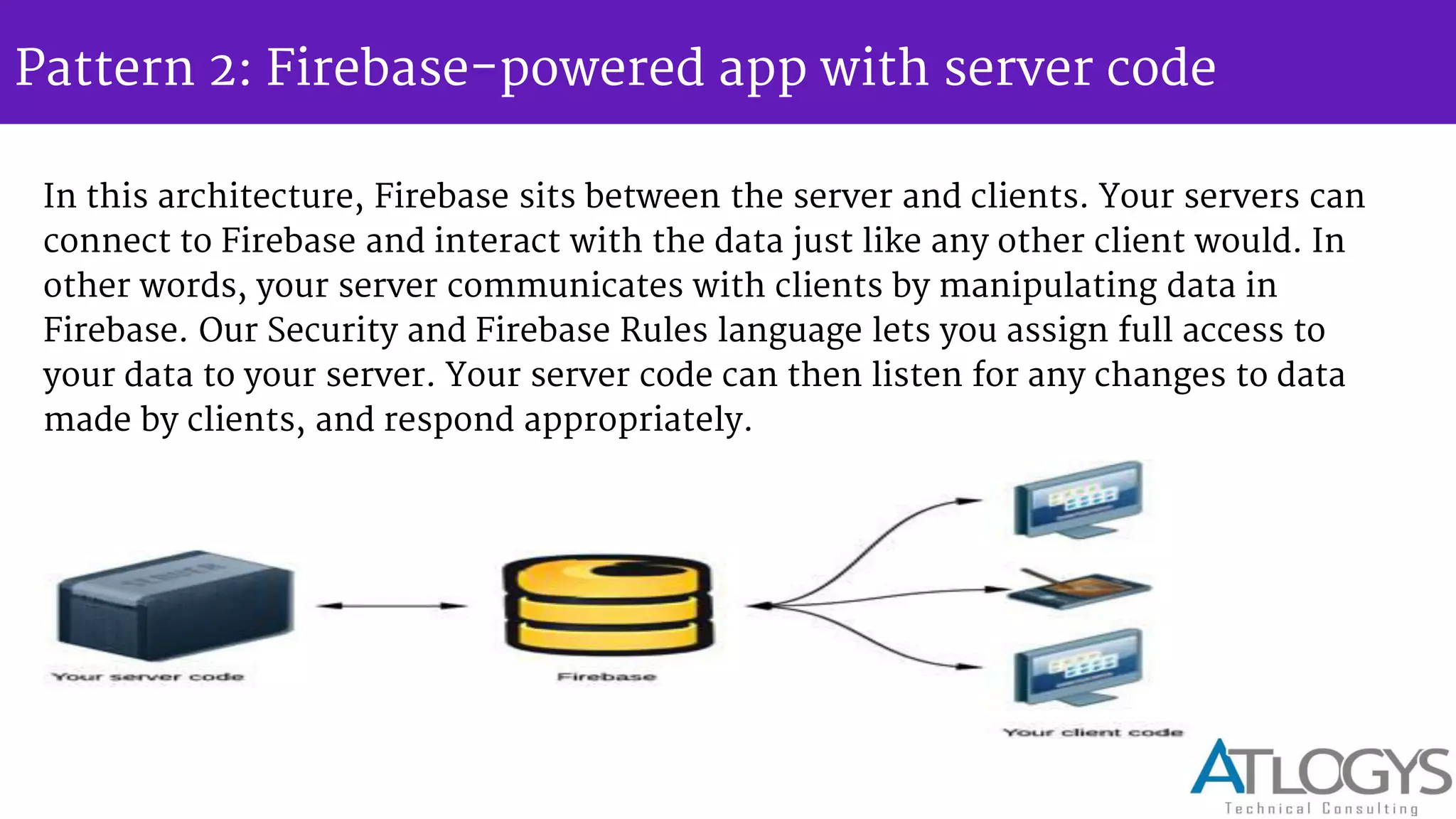
In this architecture, Firebase sits between the server and clients. Your servers can
connect to Firebase and interact with the data just like any other client would. In
other words, your server communicates with clients by manipulating data in
Firebase. Our Security and Firebase Rules language lets you assign full access to
your data to your server. Your server code can then listen for any changes to data
made by clients, and respond appropriately.
Pattern 2: Firebase-powered app with server code
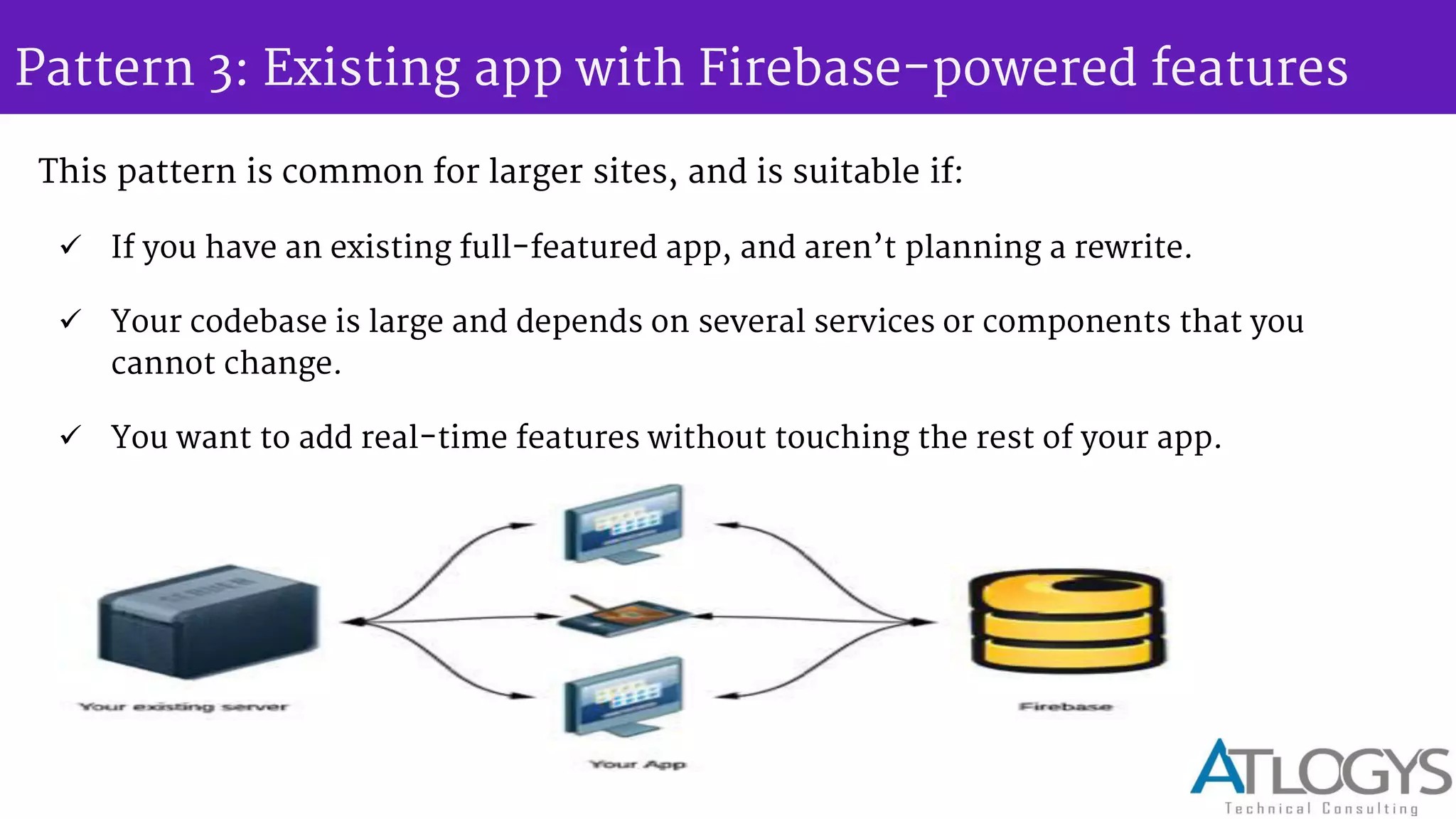
In this configuration, even though you re still running a server, Firebase is
handling all of the heavy lifting of scale and real-time updates.
If you re writing your server code in Node.JS, integrating with Firebase is easy.
If you re integrating an existing user authentication system with Firebase on your
server, we also provide Auth Token Generators for a variety of languages.
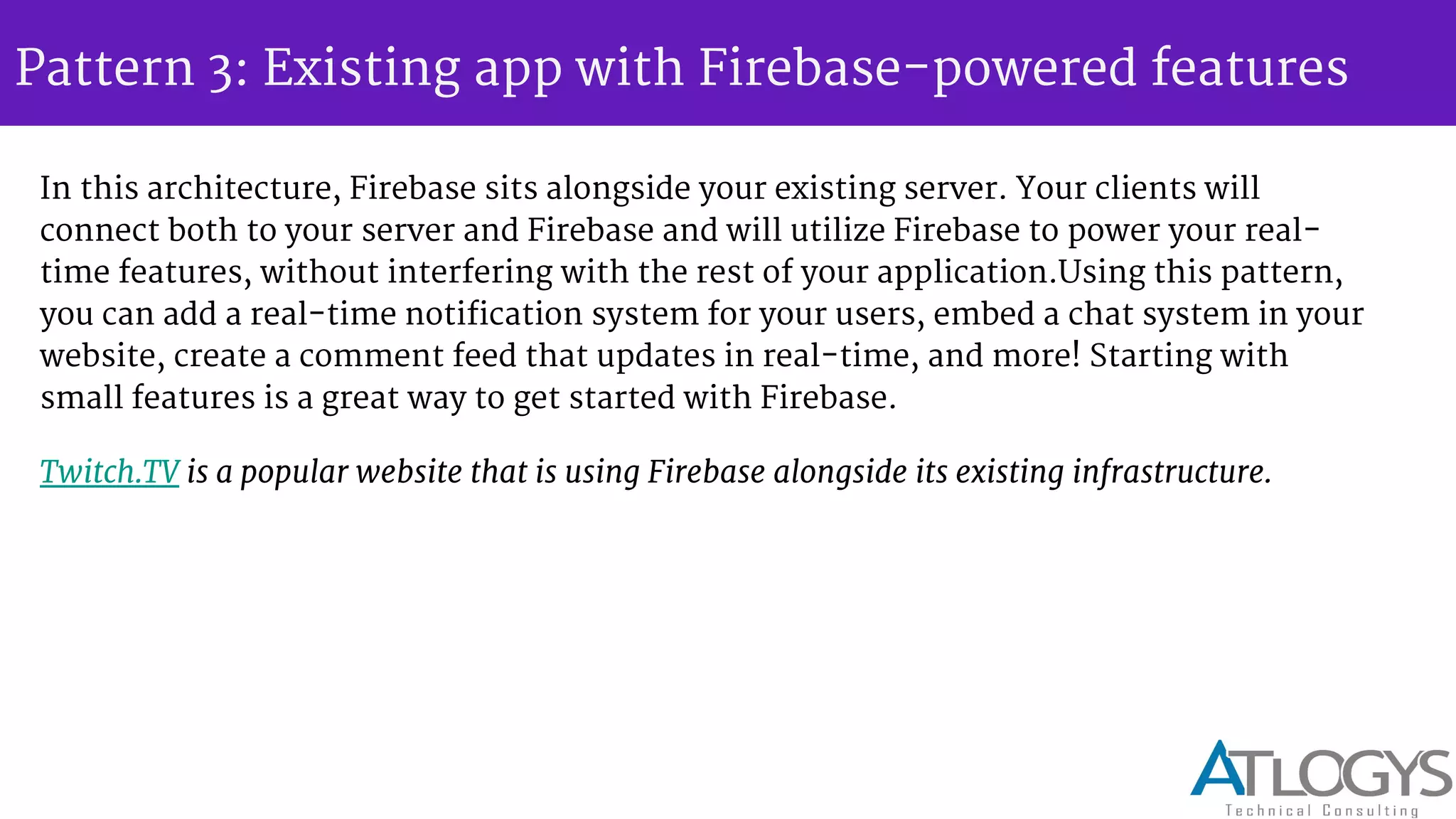
Pattern 3: Existing app with Firebase-powered features
This pattern is common for larger sites, and is suitable if:
 If you have an existing full-featured app, and aren t planning a rewrite.
 Your codebase is large and depends on several services or components that you
cannot change.
 You want to add real-time features without touching the rest of your app.
Pattern 3: Existing app with Firebase-powered features
In this architecture, Firebase sits alongside your existing server. Your clients will
connect both to your server and Firebase and will utilize Firebase to power your real-
time features, without interfering with the rest of your application.Using this pattern,
you can add a real-time notification system for your users, embed a chat system in your
website, create a comment feed that updates in real-time, and more! Starting with
small features is a great way to get started with Firebase.
Twitch.TV is a popular website that is using Firebase alongside its existing infrastructure.
Firebase - Overall
With Firebase you can avoid a lot of backend code, so it helps in a sense
that people can focus on Front End instead of backend and it abstracts
the complexity of the server side synchronization. It's very simple for
new people to use so they can learn very quickly how to build a real time
app.
It integrates nicely with frameworks like Angular JS. So it's very useful
and allows you to create a app in a very short time.it's backend as a
service, but more importantly it also handles syncing data between
clients. So it's an excellent choice for chat or collaborations apps
without writing any backend code.
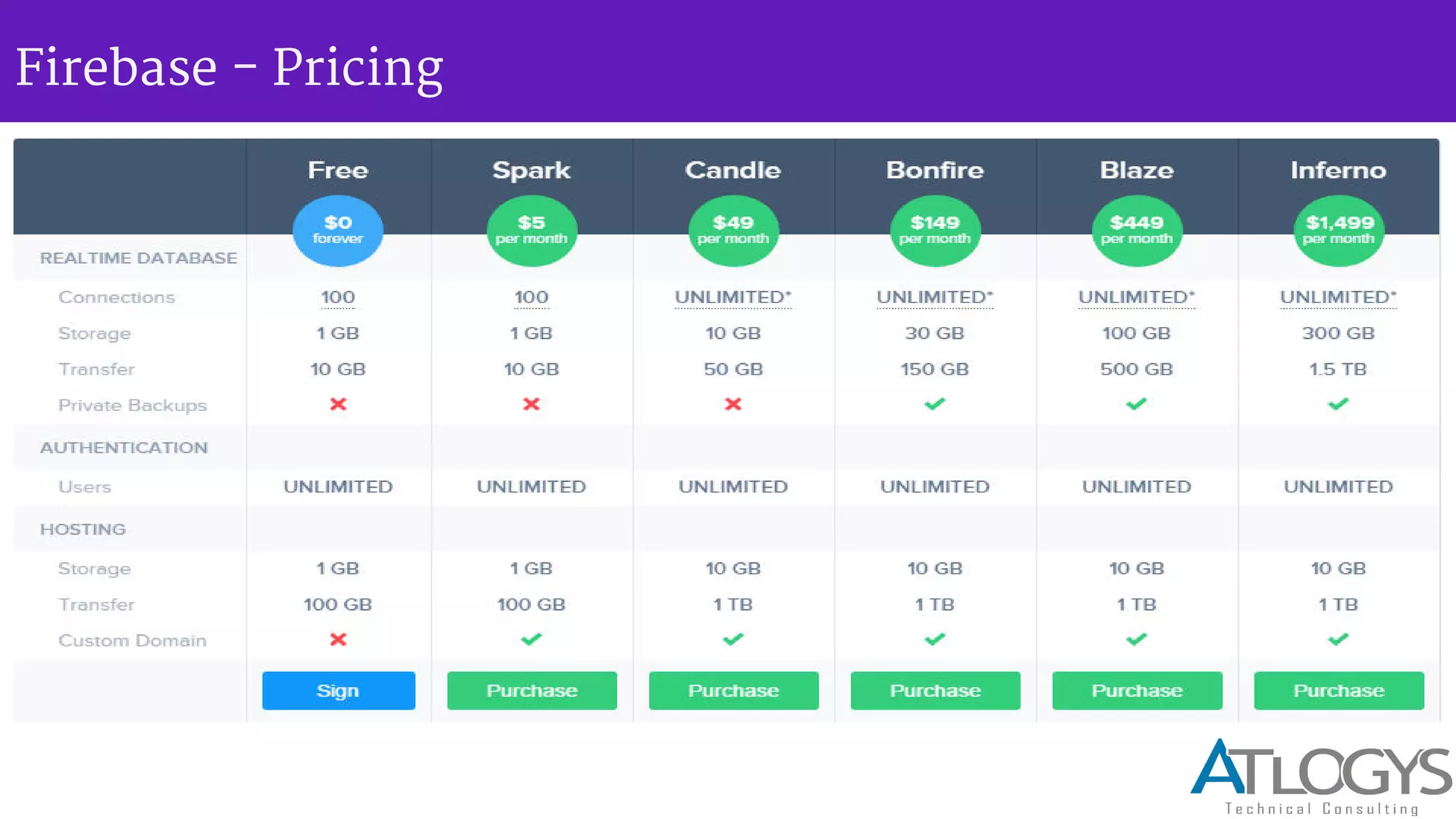
Firebase - Pricing
Let’s configure the
Firebase !!
Firebase - configuration(for mac OSX and ios app )
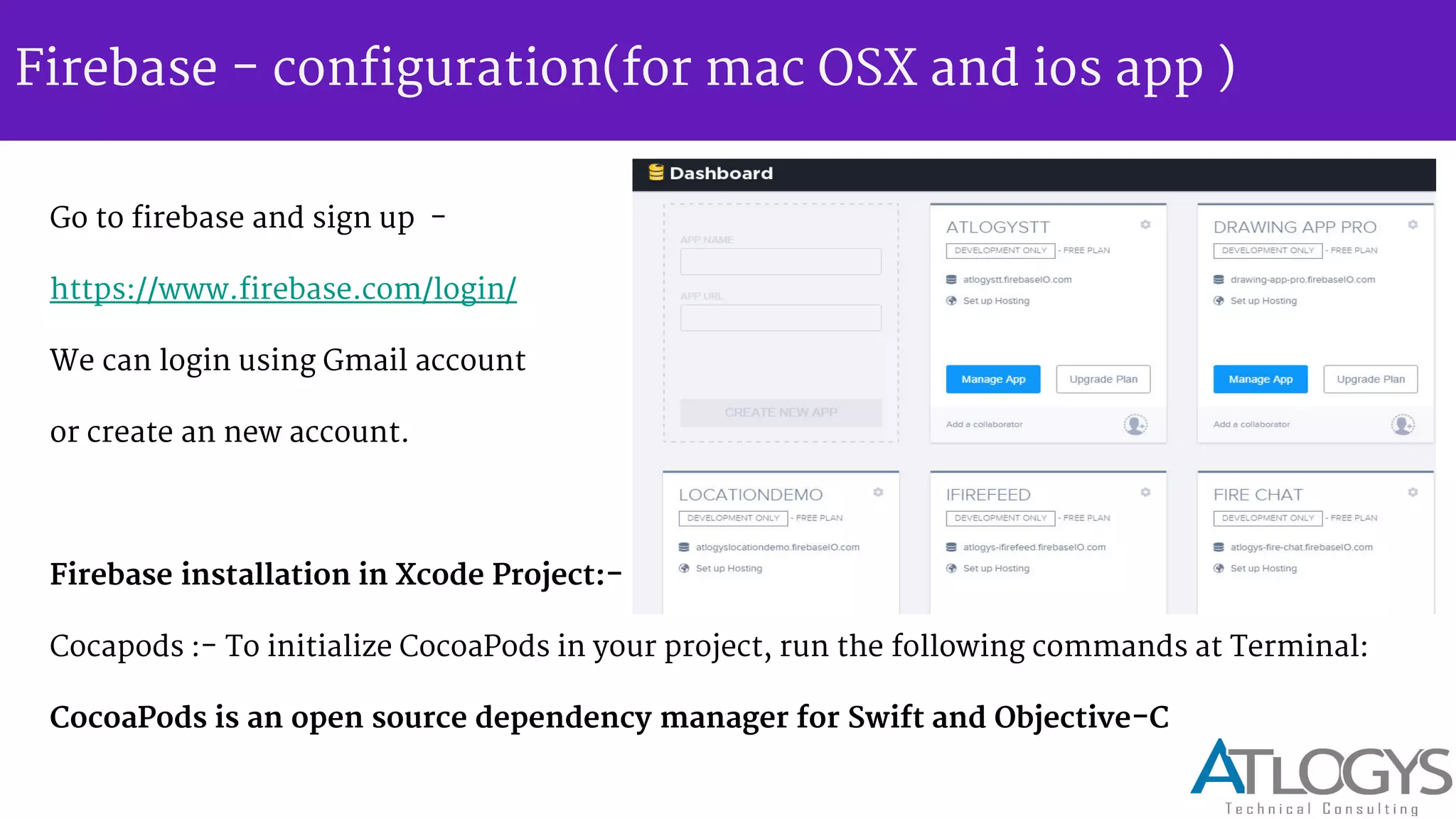
Go to firebase and sign up -
https://www.firebase.com/login/
We can login using Gmail account
or create an new account.
Firebase installation in Xcode Project:-
Cocapods :- To initialize CocoaPods in your project, run the following commands at Terminal:
CocoaPods is an open source dependency manager for Swift and Objective-C
Firebase - configuration(for mac OSX and ios app )
cd project-Directory
pod init
open -a xcode Podfile // open your PodFile in xcode
pod Firebase >=2.5.0 // Add Firebase pod to PodFile.
pod install
Getting started in Xcode :-
Include Firebase header in app
import Firebase // Controller
Firebase - Saving data
1) Create a reference to firebase using our URL end point -
Firebase(url: "https://atlogystt.firebaseio.com/web/saving-data/fireblog")
2) Write any valid JSON object to it using setValue -
myRootRef.setValue("Do you have data? You'll love Firebase.")
Example -
var userDetail = ["full_name": "Alan Turing", "date_of_birth": "June 23, 1912"]
var usersRef = userDetail.childByAppendingPath("users")
var users = [" userDetail ": userDetail, "gracehop": gracehop]
usersRef.setValue(users)
Firebase - Saving data
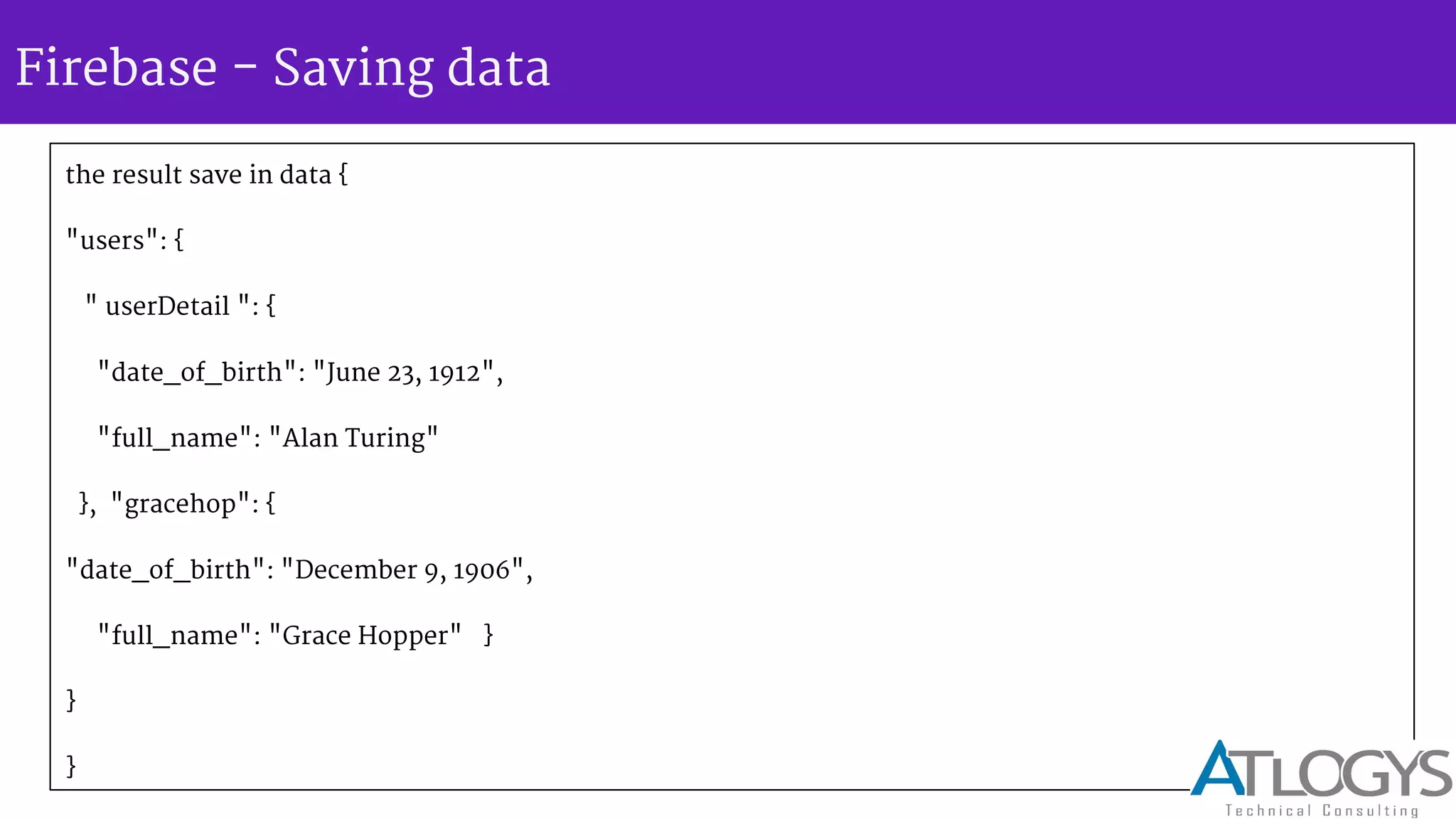
the result save in data {
"users": {
" userDetail ": {
"date_of_birth": "June 23, 1912",
"full_name": "Alan Turing"
}, "gracehop": {
"date_of_birth": "December 9, 1906",
"full_name": "Grace Hopper" }
}
}
Firebase - Retrieving data
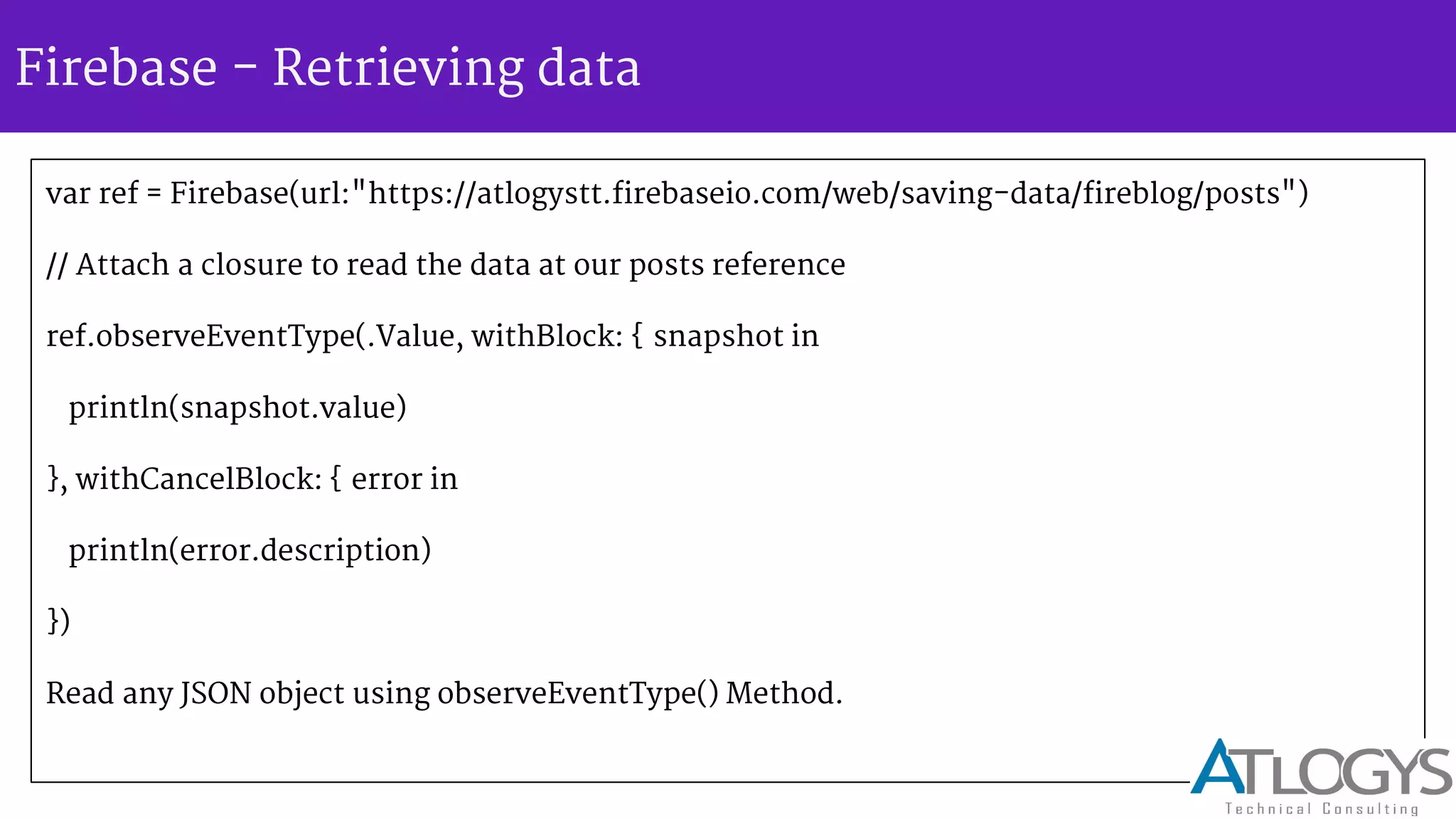
var ref = Firebase(url:"https://atlogystt.firebaseio.com/web/saving-data/fireblog/posts")
// Attach a closure to read the data at our posts reference
ref.observeEventType(.Value, withBlock: { snapshot in
println(snapshot.value)
}, withCancelBlock: { error in
println(error.description)
})
Read any JSON object using observeEventType() Method.
Firebase - Security and Authentication
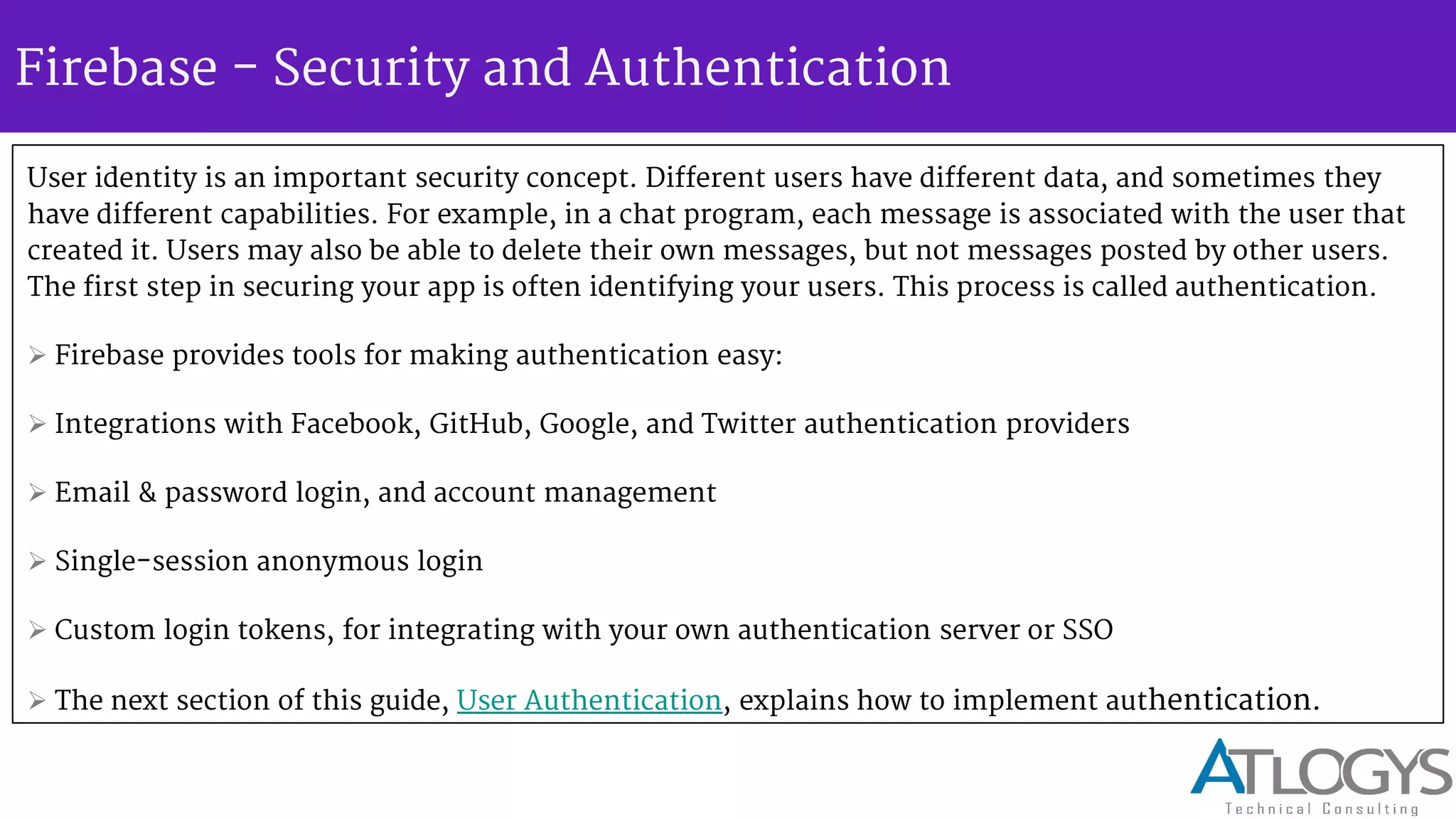
User identity is an important security concept. Different users have different data, and sometimes they
have different capabilities. For example, in a chat program, each message is associated with the user that
created it. Users may also be able to delete their own messages, but not messages posted by other users.
The first step in securing your app is often identifying your users. This process is called authentication.
 Firebase provides tools for making authentication easy:
 Integrations with Facebook, GitHub, Google, and Twitter authentication providers
 Email & password login, and account management
 Single-session anonymous login
 Custom login tokens, for integrating with your own authentication server or SSO
 The next section of this guide, User Authentication, explains how to implement authentication.
Firebase - Disk persistence
Firebase apps automatically handle temporary network interruptions for
you. Cached data will still be available while offline and your writes will be
resent when network connectivity is recovered. Enabling disk persistence
allows our app to also keep all of its state even after an app restart. We can
enable disk persistence with just one line of code.
[Firebase defaultConfig].persistenceEnabled = YES;
Firebase - Authentication Provider
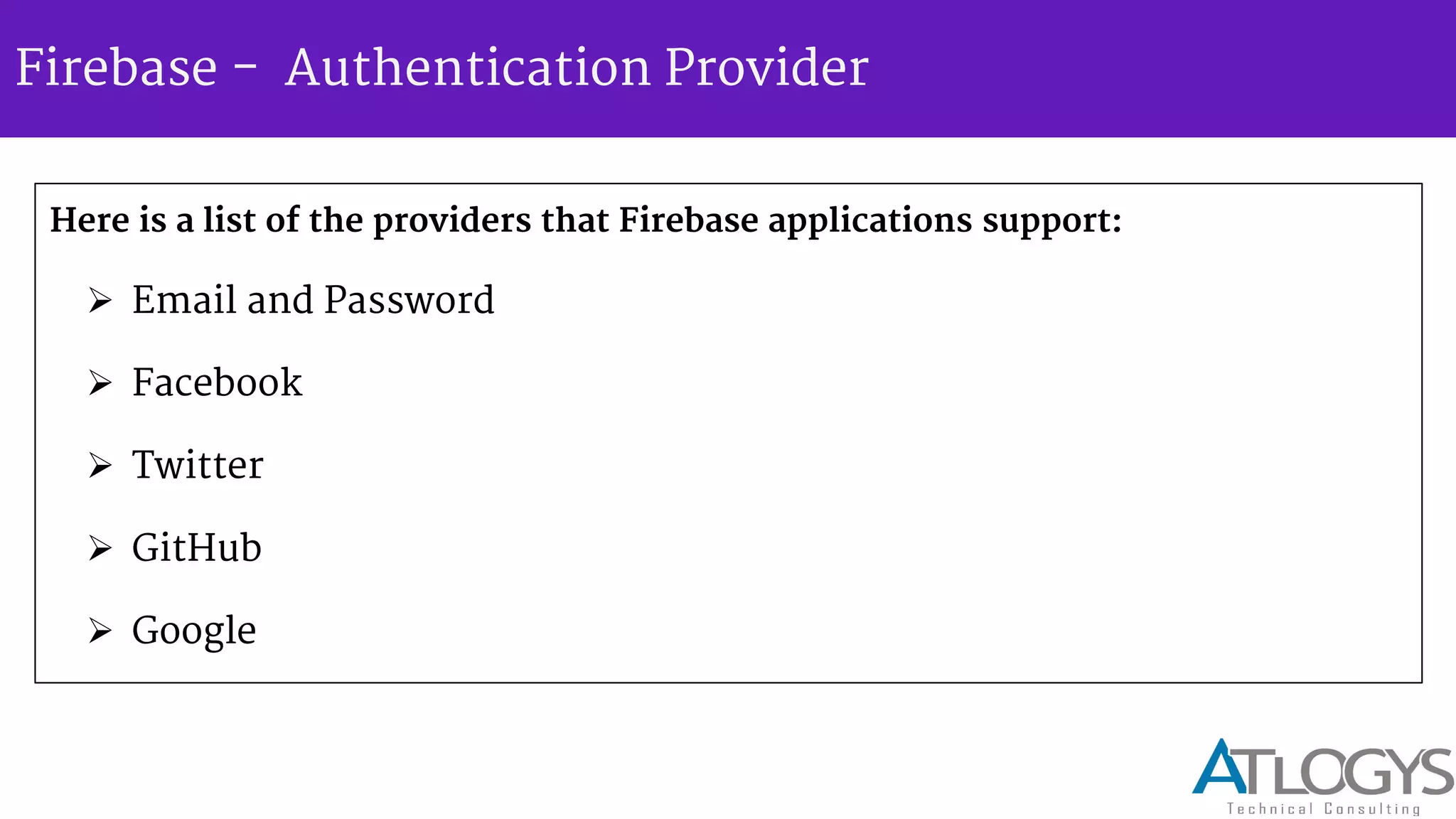
Here is a list of the providers that Firebase applications support:
 Email and Password
 Facebook
 Twitter
 GitHub
 Google
Firebase - Authentication Provider
To enable provider, do the following -
Go to the Account Dashboard.
• Select your Firebase app.
• Choose the Login & Auth tab.
• Find the Authentication Providers section.
• Select a tab for a provider and enable authentication.
• If you're using a social login provider, like Facebook, copy your client ID and
secret into the form.
Firebase - authenticate new user
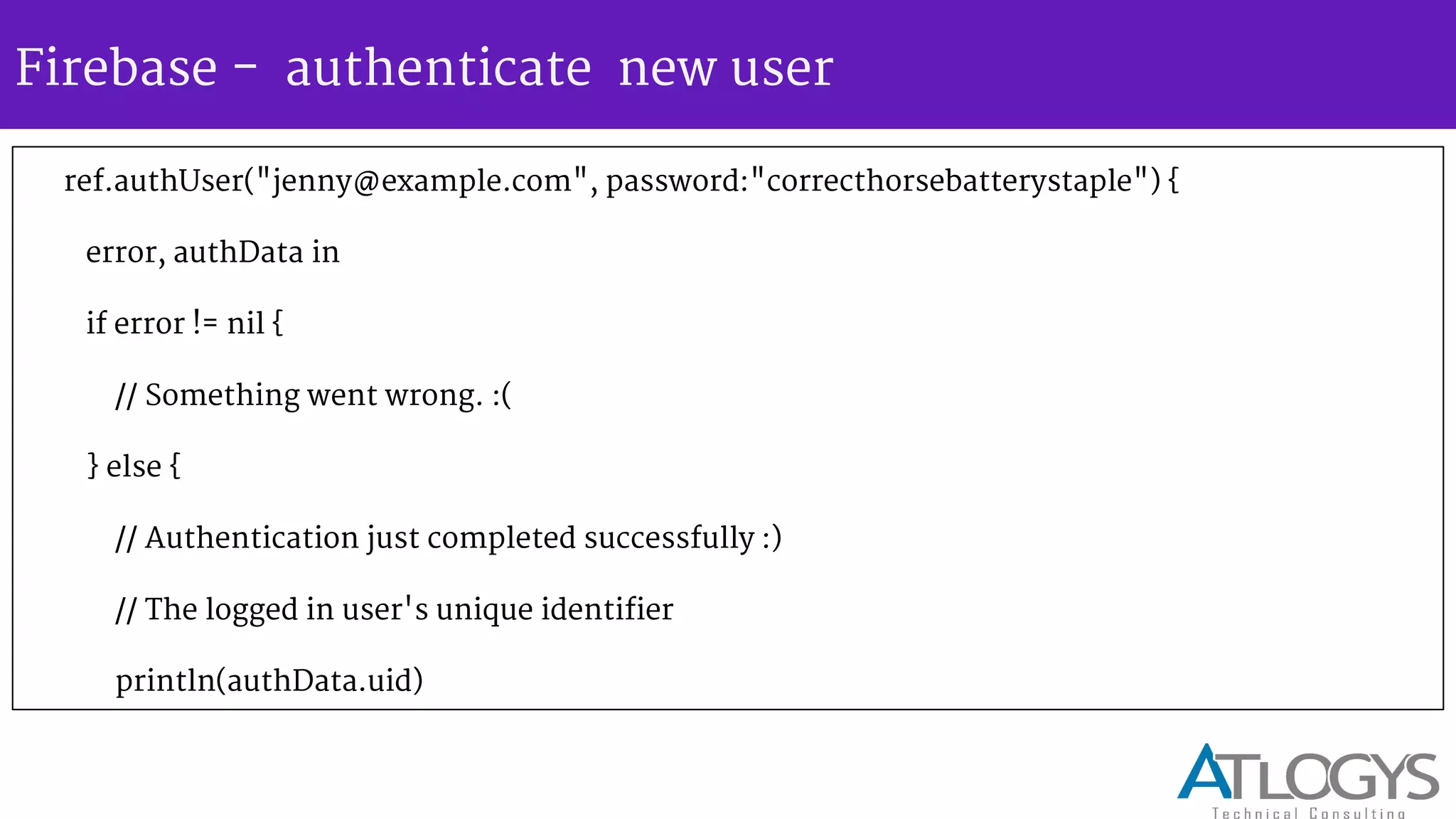
ref.authUser("jenny@example.com", password:"correcthorsebatterystaple") {
error, authData in
if error != nil {
// Something went wrong. :(
} else {
// Authentication just completed successfully :)
// The logged in user's unique identifier
println(authData.uid)
Firebase - authenticate new user
// Create a new user dictionary accessing the user's info // provided by the authData parameter
let newUser = [
"provider": authData.provider,
"displayName": authData.providerData["displayName"] as? NSString as? String
]
// Create a child path with a key set to the uid underneath the "users" node
// This creates a URL path like the following: // - https://<YOUR-FIREBASE-APP>.firebaseio.com/users/<uid>
ref.childByAppendingPath("users")
.childByAppendingPath(authData.uid).setValue(newUser)
}
}
Firebase - authenticate new user
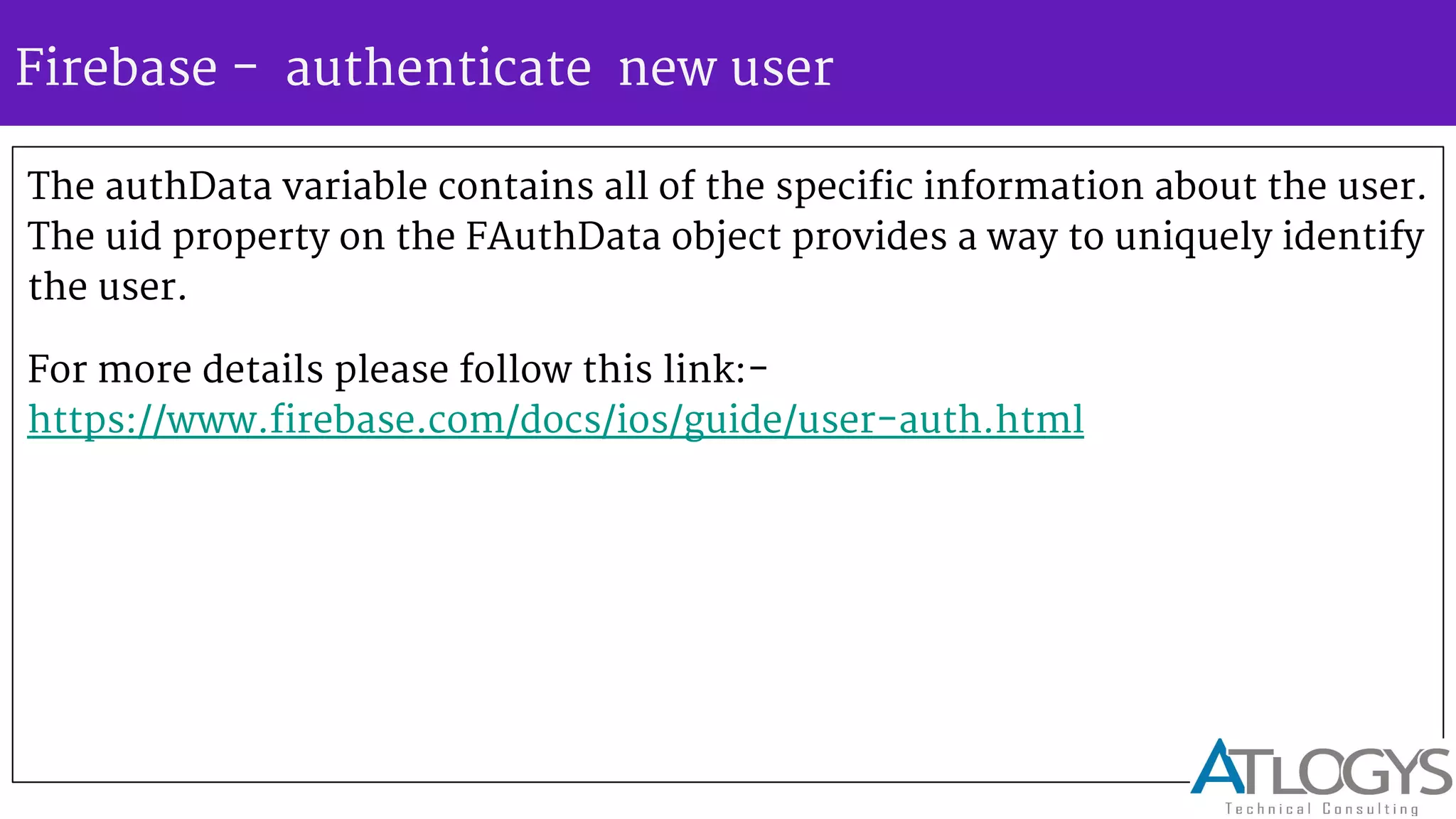
The authData variable contains all of the specific information about the user.
The uid property on the FAuthData object provides a way to uniquely identify
the user.
For more details please follow this link:-
https://www.firebase.com/docs/ios/guide/user-auth.html
Firebase - Pros
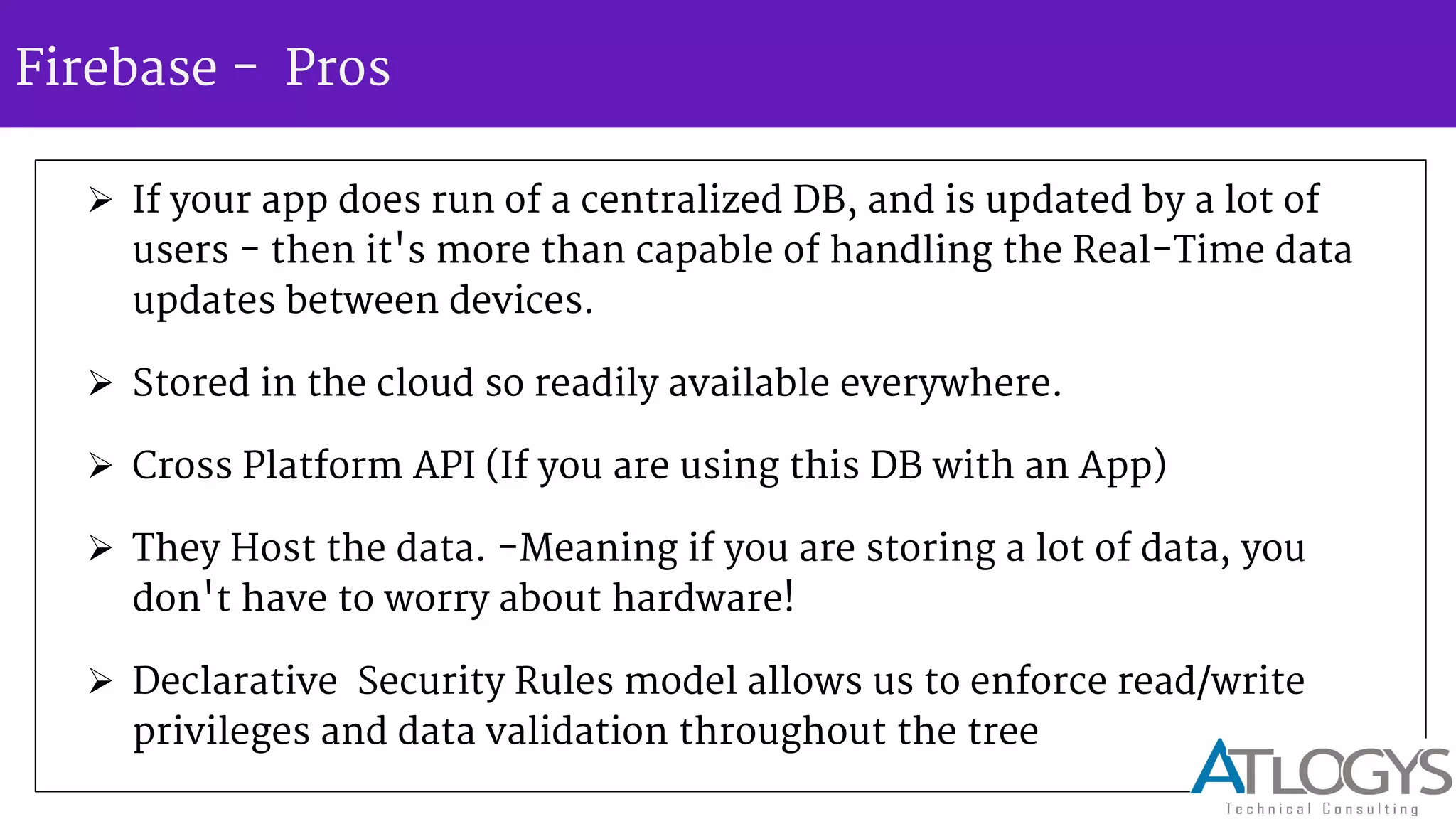
 If your app does run of a centralized DB, and is updated by a lot of
users - then it's more than capable of handling the Real-Time data
updates between devices.
 Stored in the cloud so readily available everywhere.
 Cross Platform API (If you are using this DB with an App)
 They Host the data. -Meaning if you are storing a lot of data, you
don't have to worry about hardware!
 Declarative Security Rules model allows us to enforce read/write
privileges and data validation throughout the tree
Firebase - Cons
 Unless your app runs of one centralized database updated by a vast quantity of
users, it's a major overkill.
 Storage format is entirely different to that of SQL, (Firebase uses JSON) so you
wouldn't be able to migrate that easily.
 Reporting tools won't be anywhere near the ones of standard SQL.
 Costs! -Limited to 100 Connections and 1 GB of Storage and 10 GB of transfer!
 Can t upload the image more than 10 mb .
 Does not support push notification .
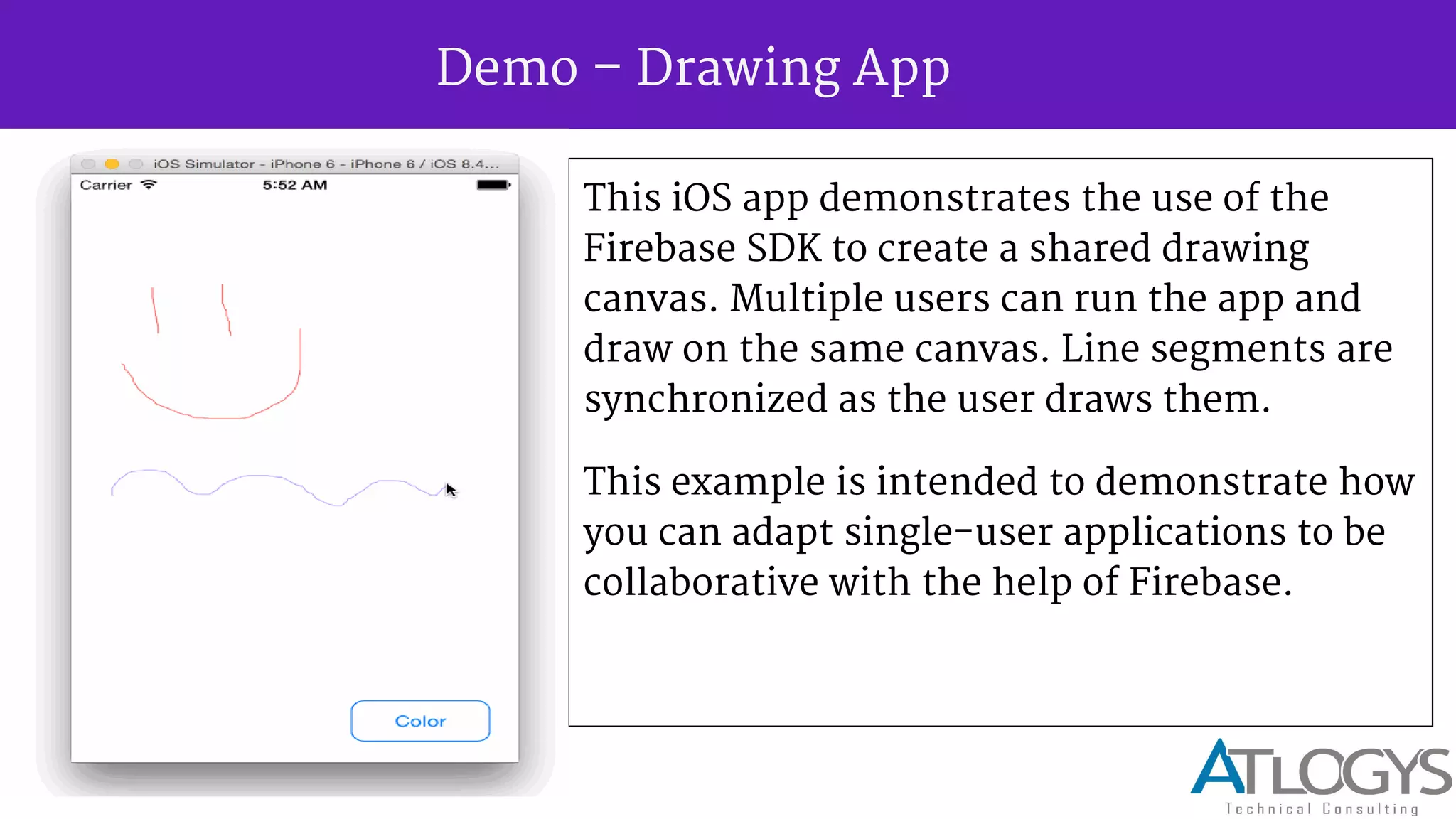
Demo Drawing App
This iOS app demonstrates the use of the
Firebase SDK to create a shared drawing
canvas. Multiple users can run the app and
draw on the same canvas. Line segments are
synchronized as the user draws them.
This example is intended to demonstrate how
you can adapt single-user applications to be
collaborative with the help of Firebase.
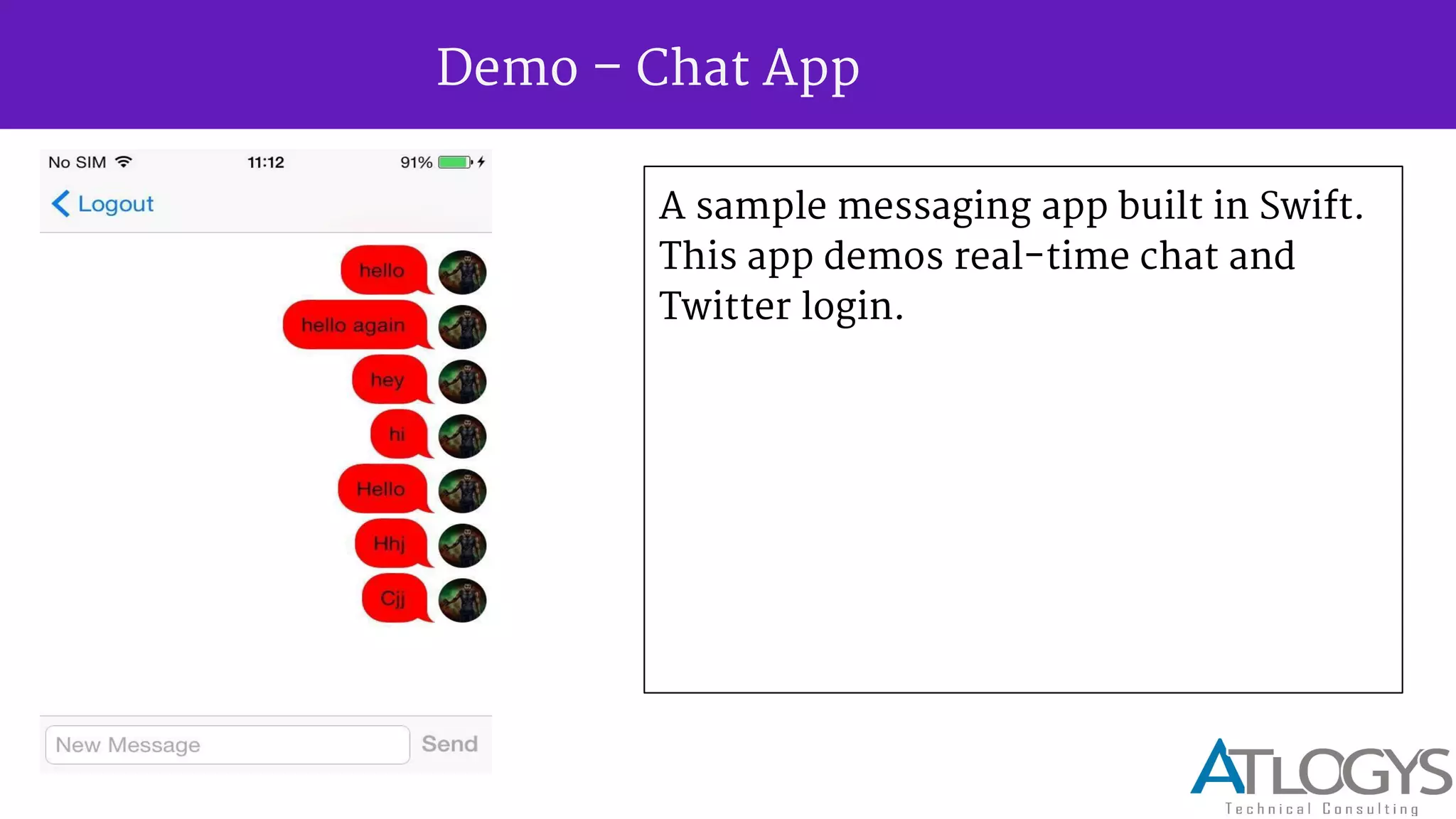
Demo Chat App
A sample messaging app built in Swift.
This app demos real-time chat and
Twitter login.
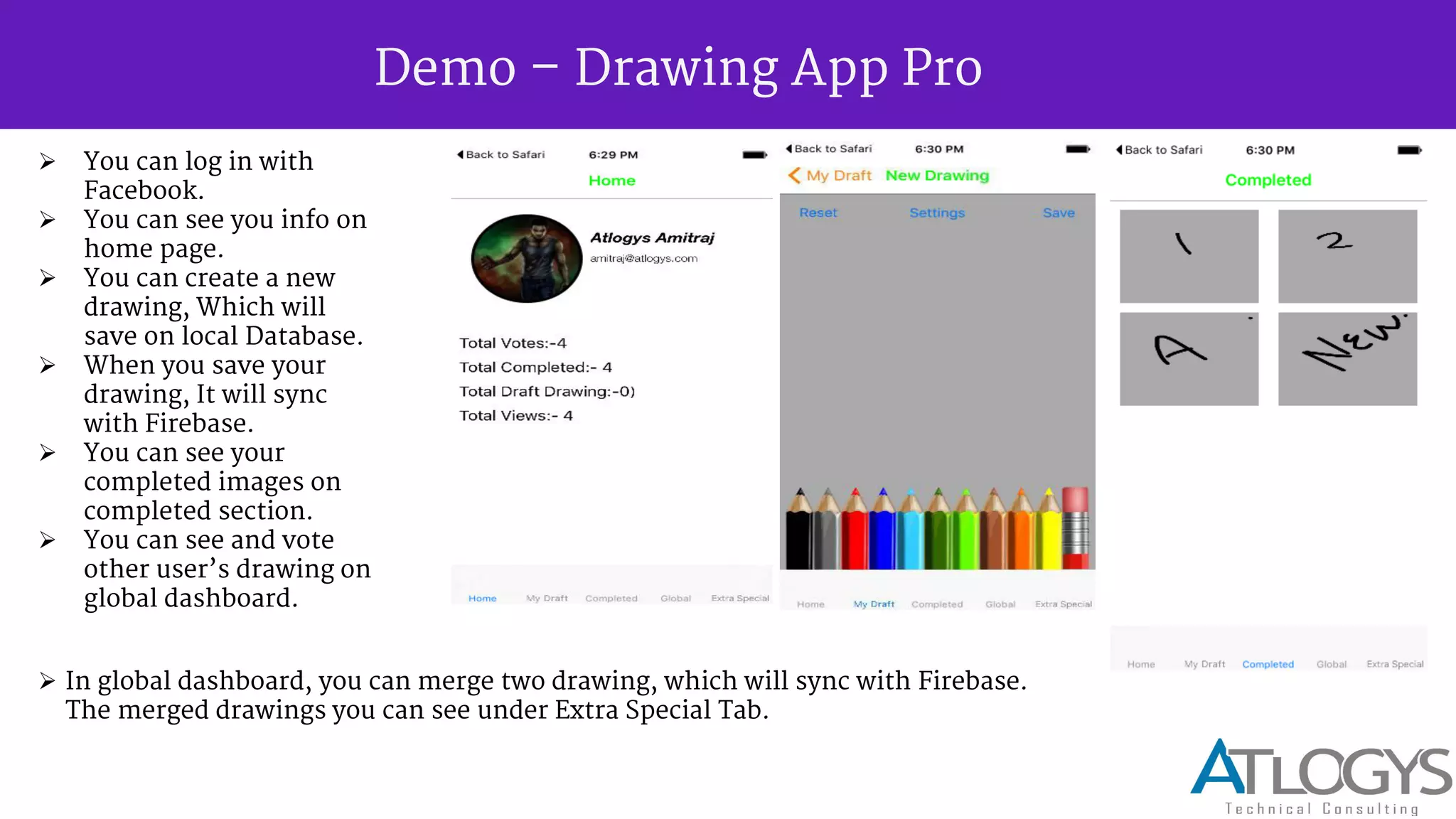
Demo Drawing App Pro
 You can log in with
Facebook.
 You can see you info on
home page.
 You can create a new
drawing, Which will
save on local Database.
 When you save your
drawing, It will sync
with Firebase.
 You can see your
completed images on
completed section.
 You can see and vote
other user s drawing on
global dashboard.
 In global dashboard, you can merge two drawing, which will sync with Firebase.
The merged drawings you can see under Extra Special Tab.
Lets meet again for another session on Firebase……..soon !!

Firebase Tech Talk By Atlogys

  • 1.
    Tech Talk Jan, 8th2016 Presented By: Dharmendra Sharma Copyright 2015 – Automated Logical Software Pvt. Ltd.
  • 2.
    Firebase - AnIntroduction
  • 3.
    What is firebase? Firebase is a scalable, real-time cloud data service. It is designed for building real-time, collaborative applications. Data in Firebase is standard JSON, and developers can access it using a client library or the REST API. When accessed through a client library, changes to data are synchronized in real-time to clients within milliseconds.
  • 4.
    Advantages  Powerful platformfor Mobile and Web  A Powerful API to store and sync data in real-time  No SQL, JSON Database, Rules also JSON  SDK for iOS, Android, Web  Analytics  Incredibly easy to use for a developer  Perfect for apps serving many concurrent users
  • 5.
    Advantages  Big Servers,Software, Installation, CDN, Infrastructure NOT REQUIRED - so save big cost and worry  More With LESS  Just concentrate on front end great user experience  3 way data bindings, angular itself have 2 way data bindings which help content to refresh on the page without page re-load  Store resources in memory to prevent having to request data from firebase as often
  • 6.
    Advantages  Easy setup Fast and Responsive  Realtime backend made easy  Great documentation & customer support  Reliable  Angular adaptor  Good authorization support (i.e. who gets to see what)
  • 7.
  • 8.
    Services - Realtime Database Automatically scales App - When your app is a breakout hit, you don't have to worry about scaling your server code or provisioning extra capacity Firebase handles that automatically for you. Our servers manage millions of concurrent connections and billions of operations per month. First-class security features - All of your data is transferred over a secure SSL connection with a 2048-bit certificate. Database access and validation is controlled at a granular level using our flexible security rules language. All of your data security logic is centralized in one place making it easy to update and verify. Works offline - Your Firebase app will remain responsive regardless of network latency or Internet connectivity. All writes to a Firebase database will trigger local events immediately, before any data has been written to the server. Once connectivity is re-established, the client will receive any changes it missed, synchronizing it with the current server state.
  • 9.
    Services - Realtime Database Firebase provides a realtime database and backend as a service. The service provides application developers an API that allows application data to be synchronized across clients and stored on Firebase cloud. The company provides client libraries that enable integration with Android, iOS, JavaScript, Java, Objective-C and Node.js applications. The database is also accessible through a REST API and bindings for several JavaScript frameworks such as AngularJS, React, Ember.js and Backbone.js. The REST API uses the Server-Sent Events protocol, which is an API for creating HTTP connections for receiving push notifications from a server. Developers using the realtime database can secure their data by using the company's server-side-enforced.
  • 10.
    Services - Hosting FirebaseHosting is a static asset web hosting service. It supports hosting static files such as CSS, HTML, JavaScript and other files that do not change dynamically. The service delivers files over a content delivery network (CDN) through HTTP Secure (HTTPS) and Secure Sockets Layer encryption (SSL). Firebase partners with Fastly, a CDN, to provide the CDN backing Firebase Hosting.
  • 11.
    Services - FirebaseAuth Firebase Auth is a service that can authenticate users using only client-side code. It supports social login providers  Facebook,  GitHub,  Twitter and  Google.  Additionally, it includes a user management system whereby developers can enable user authentication with email and password login stored with Firebase, also can use token based authentication.
  • 12.
    Why should Ichoose Firebase ? Firebase is a versatile backend with a lot of good uses. When building a project, if I desire one of the three following things, I'll typically consider it a good time to use Firebase. I want short development time. It doesn't matter if it's a prototype or something I just want done tonight. If I want it fast, I know I can use Firebase to cut down development time and avoid messing with servers and data storage. I want my data in realtime. Any time I deal with real time data synchronization in my applications, it slows development down and forces me to draw my focus away from the application. Firebase fixes this and allows me to make anything I want work in realtime without a second thought. This is huge to me. I want my application to scale. This is pretty straight forward. If I want my application to scale well, I can trust that Firebase will handle all my data without missing a step.
  • 13.
    Where does Firebasefit in your app? Firebase isn t just any ordinary database. As a real-time, scalable backend, which provides the tools you need to quickly build rich, collaborative applications that can serve millions of users. Build Better Mobile Apps with Firebase UI Designed to help native mobile developers quickly and easily develop Firebase apps, FirebaseUI eliminates bloat in your application code by providing native bindings to common UI controls. Firebase UI adds support to quickly hook a Firebase database reference or query to a ListView, GridView, RecyclerView on Android or a UITableView and UICollectionView iOS. Clients: CodeAcademy, InVision, CITRIX, CarrerBuilder, InstaCart App, SkyNews
  • 14.
    Pattern 1: 100%Firebase-powered apps Many Firebase-powered apps consist of only client code, and don t need anything other than Firebase and a way to distribute your app to work. They re ideal if:  You re developing a brand new application, or rewriting an existing one from scratch.  Your application needs minimal integration with legacy systems or other third party services.  Your app doesn t have heavy data processing needs or complex user authentication requirements.  In this architecture, your app only consists of static content and assets, and all your dynamic content and user data is stored and retrieved from Firebase.
  • 15.
    Pattern 1: 100%Firebase-powered apps
  • 16.
    Pattern 2: Firebase-poweredapp with server code In some cases it s not possible to get away with only client code. Let s look at a few examples:  You want your app to integrate with third party APIs (like Twilio to send an SMS, or SendGrid to send an email).  You have advanced authentication requirements. For example, LDAP integration, or authentication against a service not supported by Simple Login or a Firebase third party partner (like Singly).  Your app has computationally intensive code that you can t run on a client, or requires code to run on a trusted server.
  • 17.
    Pattern 2: Firebase-poweredapp with server code In this architecture, Firebase sits between the server and clients. Your servers can connect to Firebase and interact with the data just like any other client would. In other words, your server communicates with clients by manipulating data in Firebase. Our Security and Firebase Rules language lets you assign full access to your data to your server. Your server code can then listen for any changes to data made by clients, and respond appropriately.
  • 18.
    Pattern 2: Firebase-poweredapp with server code In this configuration, even though you re still running a server, Firebase is handling all of the heavy lifting of scale and real-time updates. If you re writing your server code in Node.JS, integrating with Firebase is easy. If you re integrating an existing user authentication system with Firebase on your server, we also provide Auth Token Generators for a variety of languages.
  • 19.
    Pattern 3: Existingapp with Firebase-powered features This pattern is common for larger sites, and is suitable if:  If you have an existing full-featured app, and aren t planning a rewrite.  Your codebase is large and depends on several services or components that you cannot change.  You want to add real-time features without touching the rest of your app.
  • 20.
    Pattern 3: Existingapp with Firebase-powered features In this architecture, Firebase sits alongside your existing server. Your clients will connect both to your server and Firebase and will utilize Firebase to power your real- time features, without interfering with the rest of your application.Using this pattern, you can add a real-time notification system for your users, embed a chat system in your website, create a comment feed that updates in real-time, and more! Starting with small features is a great way to get started with Firebase. Twitch.TV is a popular website that is using Firebase alongside its existing infrastructure.
  • 21.
    Firebase - Overall WithFirebase you can avoid a lot of backend code, so it helps in a sense that people can focus on Front End instead of backend and it abstracts the complexity of the server side synchronization. It's very simple for new people to use so they can learn very quickly how to build a real time app. It integrates nicely with frameworks like Angular JS. So it's very useful and allows you to create a app in a very short time.it's backend as a service, but more importantly it also handles syncing data between clients. So it's an excellent choice for chat or collaborations apps without writing any backend code.
  • 22.
  • 23.
  • 24.
    Firebase - configuration(formac OSX and ios app ) Go to firebase and sign up - https://www.firebase.com/login/ We can login using Gmail account or create an new account. Firebase installation in Xcode Project:- Cocapods :- To initialize CocoaPods in your project, run the following commands at Terminal: CocoaPods is an open source dependency manager for Swift and Objective-C
  • 25.
    Firebase - configuration(formac OSX and ios app ) cd project-Directory pod init open -a xcode Podfile // open your PodFile in xcode pod Firebase >=2.5.0 // Add Firebase pod to PodFile. pod install Getting started in Xcode :- Include Firebase header in app import Firebase // Controller
  • 26.
    Firebase - Savingdata 1) Create a reference to firebase using our URL end point - Firebase(url: "https://atlogystt.firebaseio.com/web/saving-data/fireblog") 2) Write any valid JSON object to it using setValue - myRootRef.setValue("Do you have data? You'll love Firebase.") Example - var userDetail = ["full_name": "Alan Turing", "date_of_birth": "June 23, 1912"] var usersRef = userDetail.childByAppendingPath("users") var users = [" userDetail ": userDetail, "gracehop": gracehop] usersRef.setValue(users)
  • 27.
    Firebase - Savingdata the result save in data { "users": { " userDetail ": { "date_of_birth": "June 23, 1912", "full_name": "Alan Turing" }, "gracehop": { "date_of_birth": "December 9, 1906", "full_name": "Grace Hopper" } } }
  • 28.
    Firebase - Retrievingdata var ref = Firebase(url:"https://atlogystt.firebaseio.com/web/saving-data/fireblog/posts") // Attach a closure to read the data at our posts reference ref.observeEventType(.Value, withBlock: { snapshot in println(snapshot.value) }, withCancelBlock: { error in println(error.description) }) Read any JSON object using observeEventType() Method.
  • 29.
    Firebase - Securityand Authentication User identity is an important security concept. Different users have different data, and sometimes they have different capabilities. For example, in a chat program, each message is associated with the user that created it. Users may also be able to delete their own messages, but not messages posted by other users. The first step in securing your app is often identifying your users. This process is called authentication.  Firebase provides tools for making authentication easy:  Integrations with Facebook, GitHub, Google, and Twitter authentication providers  Email & password login, and account management  Single-session anonymous login  Custom login tokens, for integrating with your own authentication server or SSO  The next section of this guide, User Authentication, explains how to implement authentication.
  • 30.
    Firebase - Diskpersistence Firebase apps automatically handle temporary network interruptions for you. Cached data will still be available while offline and your writes will be resent when network connectivity is recovered. Enabling disk persistence allows our app to also keep all of its state even after an app restart. We can enable disk persistence with just one line of code. [Firebase defaultConfig].persistenceEnabled = YES;
  • 31.
    Firebase - AuthenticationProvider Here is a list of the providers that Firebase applications support:  Email and Password  Facebook  Twitter  GitHub  Google
  • 32.
    Firebase - AuthenticationProvider To enable provider, do the following - Go to the Account Dashboard. • Select your Firebase app. • Choose the Login & Auth tab. • Find the Authentication Providers section. • Select a tab for a provider and enable authentication. • If you're using a social login provider, like Facebook, copy your client ID and secret into the form.
  • 33.
    Firebase - authenticatenew user ref.authUser("jenny@example.com", password:"correcthorsebatterystaple") { error, authData in if error != nil { // Something went wrong. :( } else { // Authentication just completed successfully :) // The logged in user's unique identifier println(authData.uid)
  • 34.
    Firebase - authenticatenew user // Create a new user dictionary accessing the user's info // provided by the authData parameter let newUser = [ "provider": authData.provider, "displayName": authData.providerData["displayName"] as? NSString as? String ] // Create a child path with a key set to the uid underneath the "users" node // This creates a URL path like the following: // - https://<YOUR-FIREBASE-APP>.firebaseio.com/users/<uid> ref.childByAppendingPath("users") .childByAppendingPath(authData.uid).setValue(newUser) } }
  • 35.
    Firebase - authenticatenew user The authData variable contains all of the specific information about the user. The uid property on the FAuthData object provides a way to uniquely identify the user. For more details please follow this link:- https://www.firebase.com/docs/ios/guide/user-auth.html
  • 36.
    Firebase - Pros If your app does run of a centralized DB, and is updated by a lot of users - then it's more than capable of handling the Real-Time data updates between devices.  Stored in the cloud so readily available everywhere.  Cross Platform API (If you are using this DB with an App)  They Host the data. -Meaning if you are storing a lot of data, you don't have to worry about hardware!  Declarative Security Rules model allows us to enforce read/write privileges and data validation throughout the tree
  • 37.
    Firebase - Cons Unless your app runs of one centralized database updated by a vast quantity of users, it's a major overkill.  Storage format is entirely different to that of SQL, (Firebase uses JSON) so you wouldn't be able to migrate that easily.  Reporting tools won't be anywhere near the ones of standard SQL.  Costs! -Limited to 100 Connections and 1 GB of Storage and 10 GB of transfer!  Can t upload the image more than 10 mb .  Does not support push notification .
  • 38.
    Demo Drawing App ThisiOS app demonstrates the use of the Firebase SDK to create a shared drawing canvas. Multiple users can run the app and draw on the same canvas. Line segments are synchronized as the user draws them. This example is intended to demonstrate how you can adapt single-user applications to be collaborative with the help of Firebase.
  • 39.
    Demo Chat App Asample messaging app built in Swift. This app demos real-time chat and Twitter login.
  • 40.
    Demo Drawing AppPro  You can log in with Facebook.  You can see you info on home page.  You can create a new drawing, Which will save on local Database.  When you save your drawing, It will sync with Firebase.  You can see your completed images on completed section.  You can see and vote other user s drawing on global dashboard.  In global dashboard, you can merge two drawing, which will sync with Firebase. The merged drawings you can see under Extra Special Tab.
  • 41.
    Lets meet againfor another session on Firebase……..soon !!