Diagramming Your
QuickBase Apps
How to create blueprints for
your app before you build
Benjamin Buday
Sales Engineer, Intuit QuickBase
#EMPOWER2015
Benjamin Buday
Sales Engineer, Intuit QuickBase
From Boston, Massachusetts
Two years with Intuit QuickBase
Trains users, builds proof-of-concept apps
May have seen/heard him on QuickBase webinars!
#EMPOWER2015
Diagramming a QuickBase App
Agenda
• What is diagramming?
• Why should you diagram your app idea?
• What are some ways I can diagram?
• Defining Basic QuickBase Terms
• Diagramming Examples
#EMPOWER2015
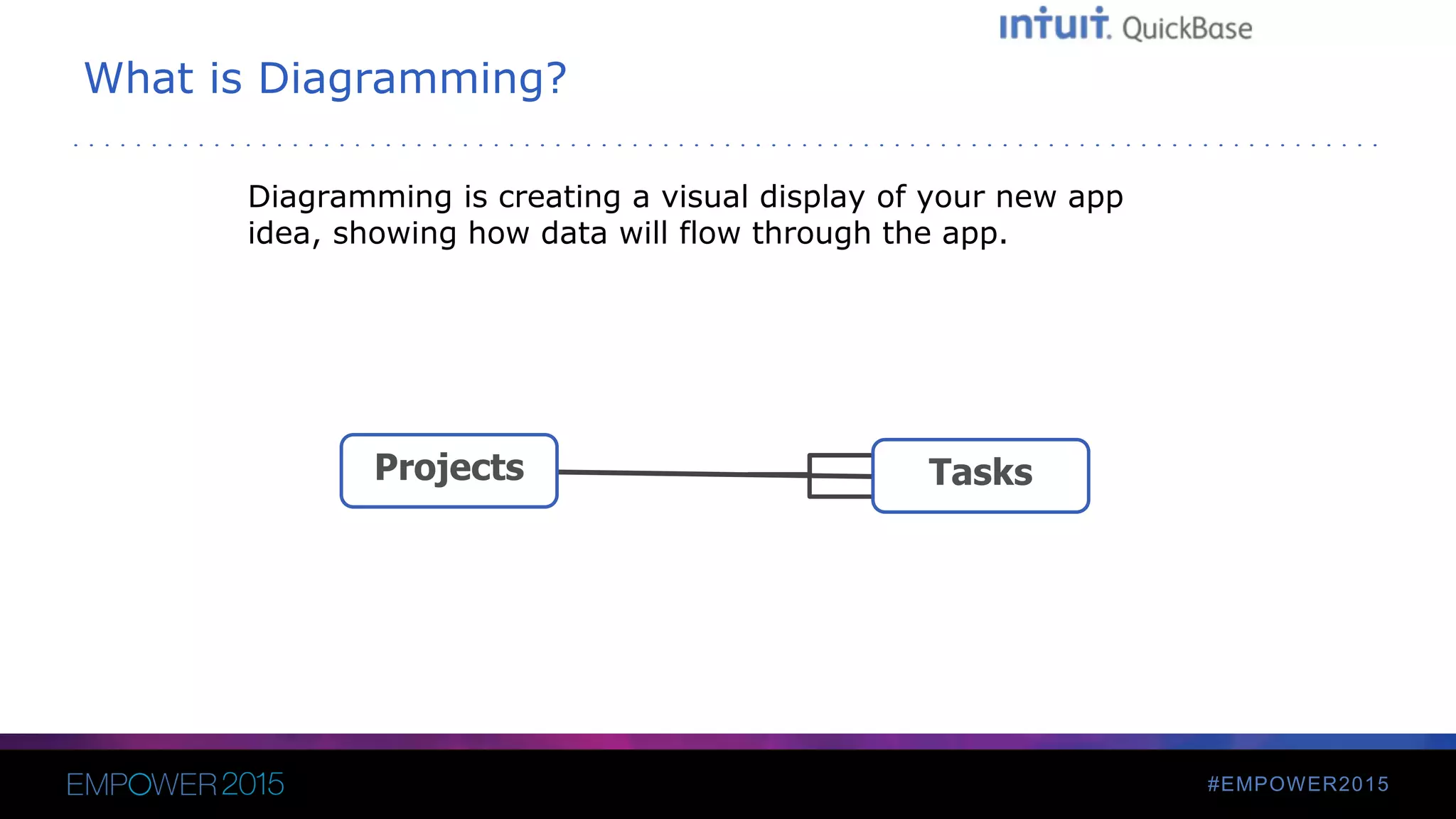
What is Diagramming?
Diagramming is creating a visual display of your new app
idea, showing how data will flow through the app.
TasksProjects
#EMPOWER2015
Why Diagram an Idea First?
• Helps you decide what tables you’ll need
• Helps you decide how to relate them
• Helps you avoid unnecessary relationships, tables and fields
• Helps you decide in what tables fields should go
• Provides blueprints to any future owners/builders
• Can be used as reference to help new builders start their own
apps
#EMPOWER2015
What are some ways I can diagram?
• Software
– Microsoft Visio
– Gliffy
• By hand
– Paper
– Whiteboard
#EMPOWER2015
Defining Terms
• Tables
• Records
• Fields
• Relationships
- Special Fields
• Lookup Fields
• Summary Fields
#EMPOWER2015
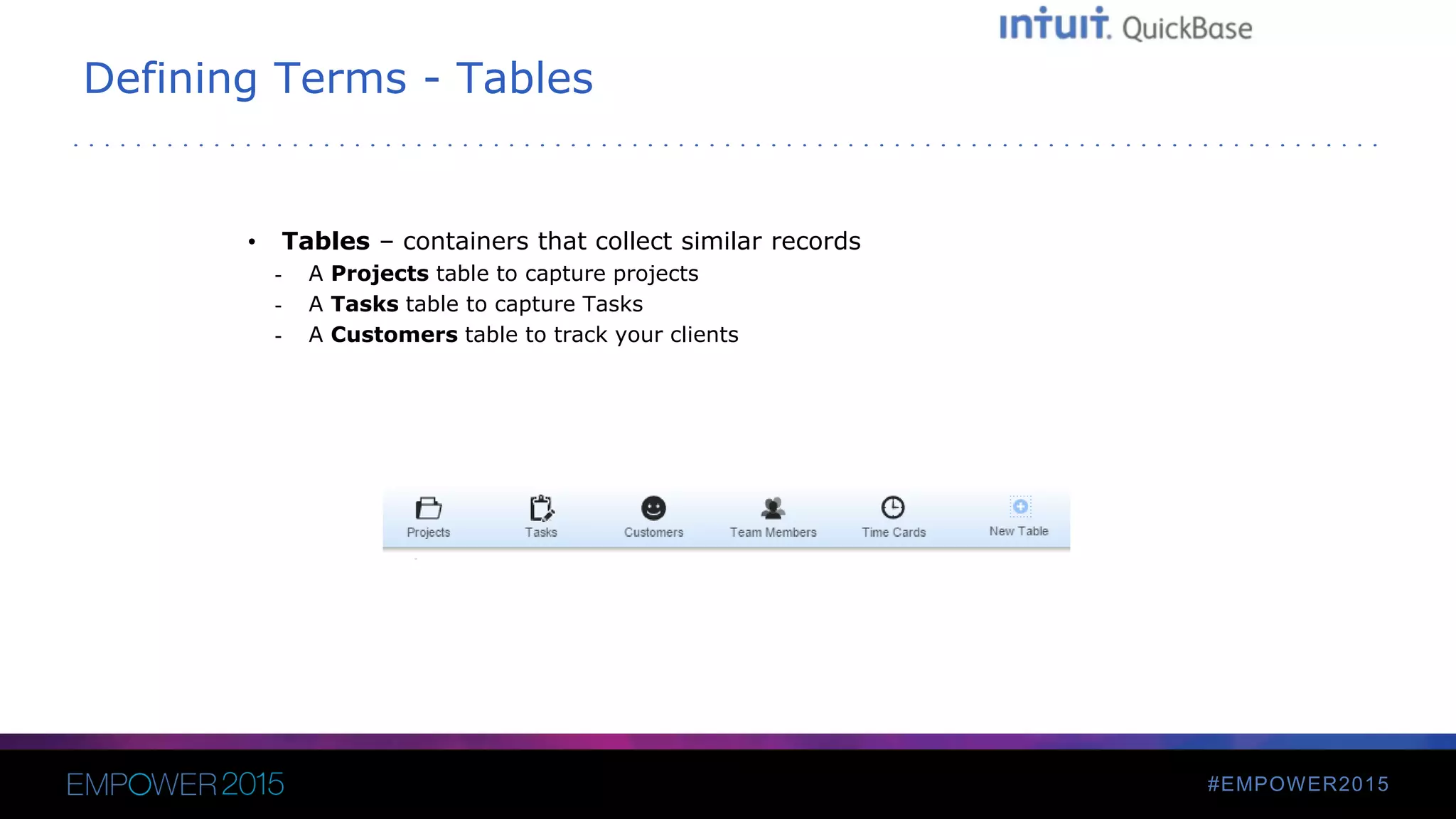
Defining Terms - Tables
• Tables – containers that collect similar records
- A Projects table to capture projects
- A Tasks table to capture Tasks
- A Customers table to track your clients
#EMPOWER2015
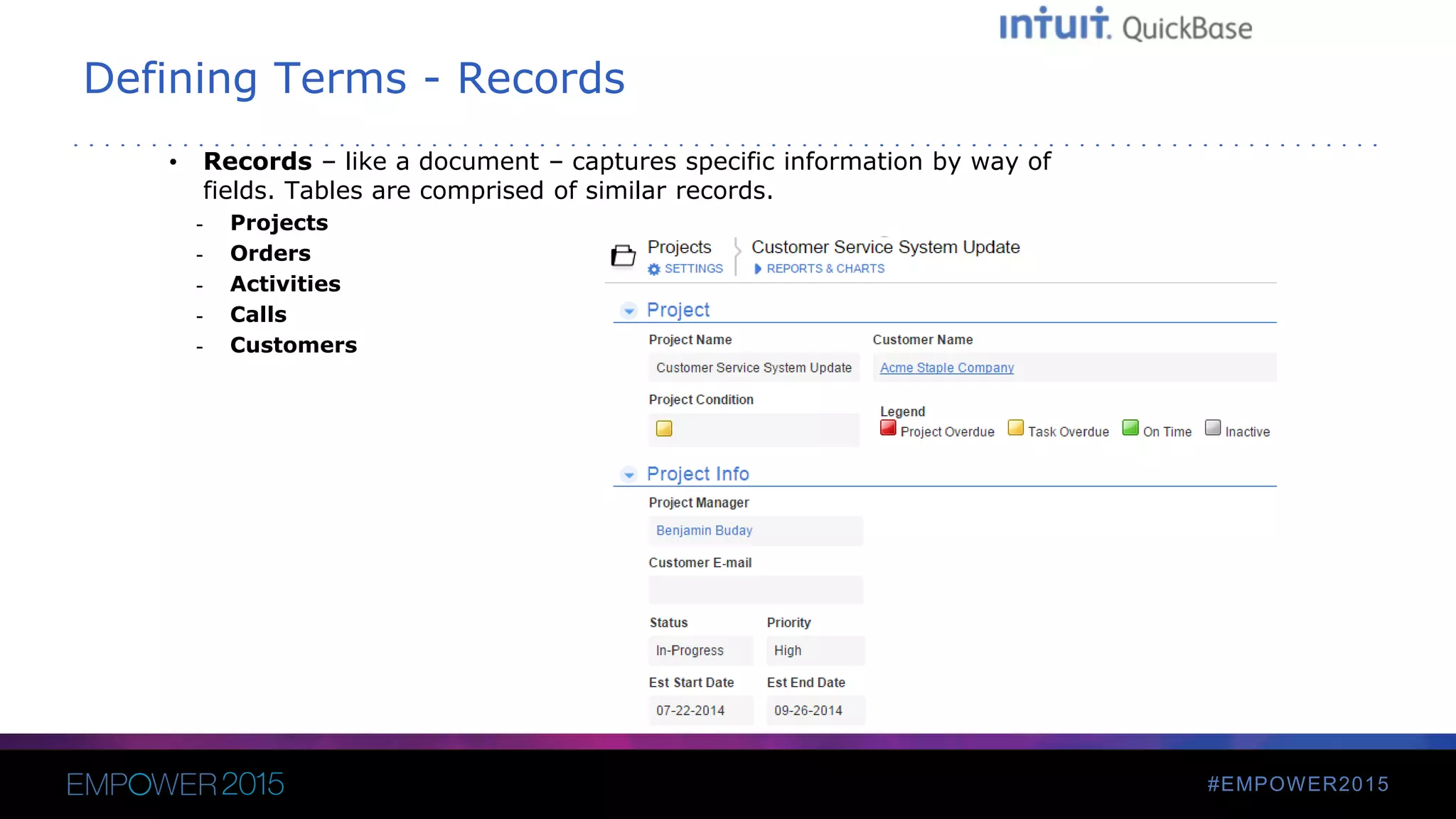
Defining Terms - Records
• Records – like a document – captures specific information by way of
fields. Tables are comprised of similar records.
- Projects
- Orders
- Activities
- Calls
- Customers
#EMPOWER2015
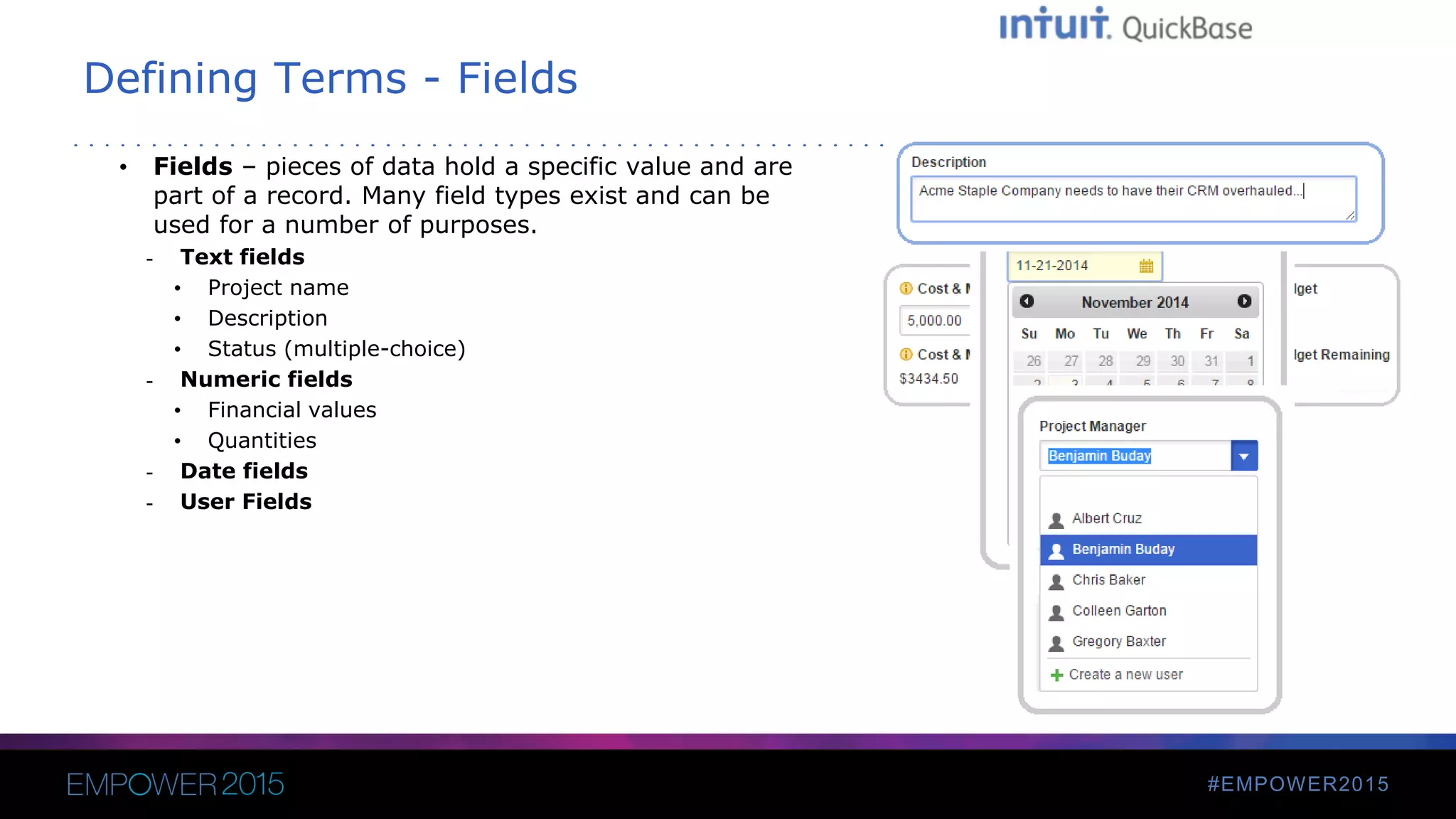
Defining Terms - Fields
• Fields – pieces of data hold a specific value and are
part of a record. Many field types exist and can be
used for a number of purposes.
- Text fields
• Project name
• Description
• Status (multiple-choice)
- Numeric fields
• Financial values
• Quantities
- Date fields
- User Fields
#EMPOWER2015
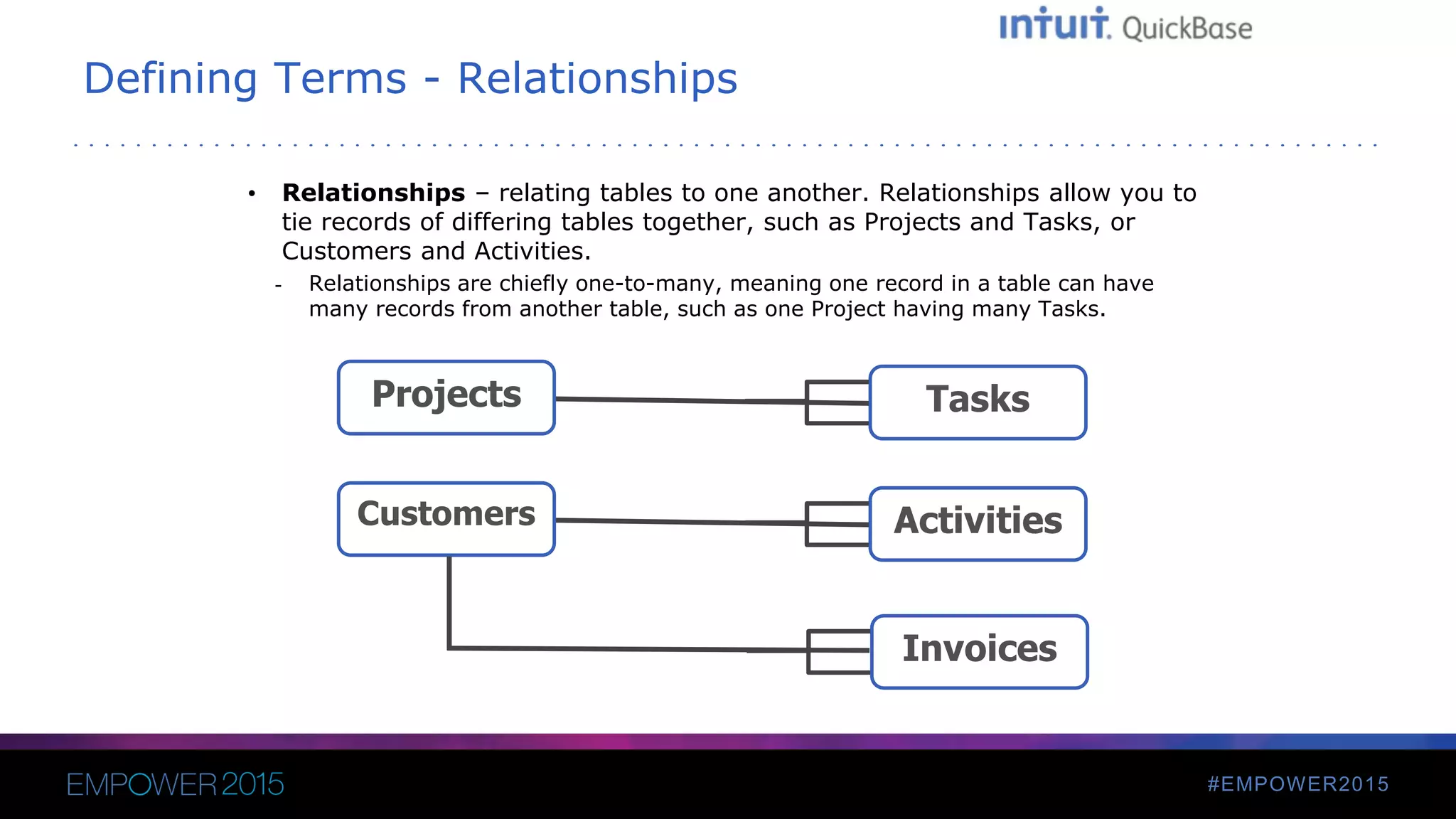
Defining Terms - Relationships
• Relationships – relating tables to one another. Relationships allow you to
tie records of differing tables together, such as Projects and Tasks, or
Customers and Activities.
- Relationships are chiefly one-to-many, meaning one record in a table can have
many records from another table, such as one Project having many Tasks.
TasksProjects
ActivitiesCustomers
Invoices
#EMPOWER2015
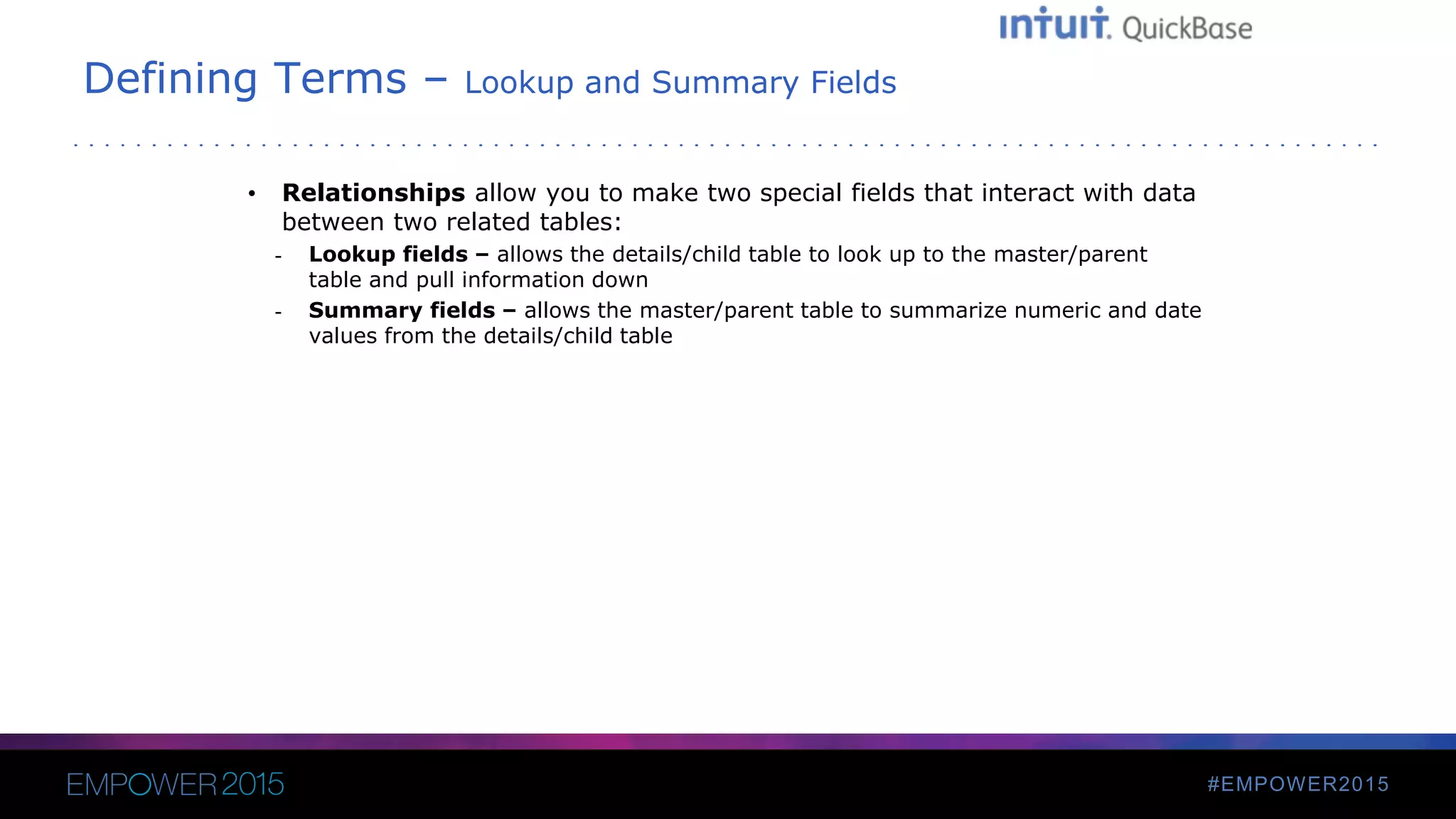
Defining Terms – Lookup and Summary Fields
• Relationships allow you to make two special fields that interact with data
between two related tables:
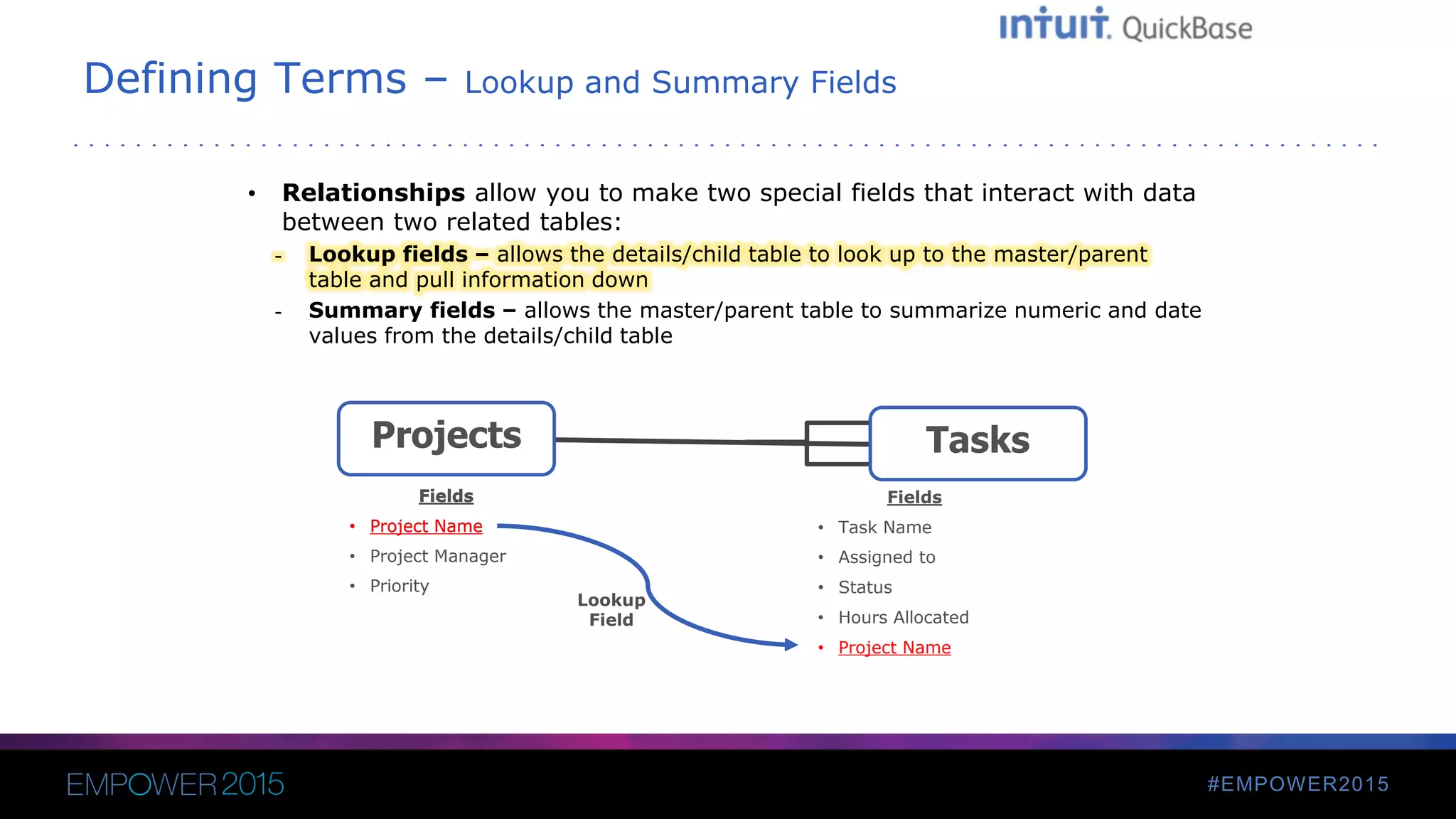
- Lookup fields – allows the details/child table to look up to the master/parent
table and pull information down
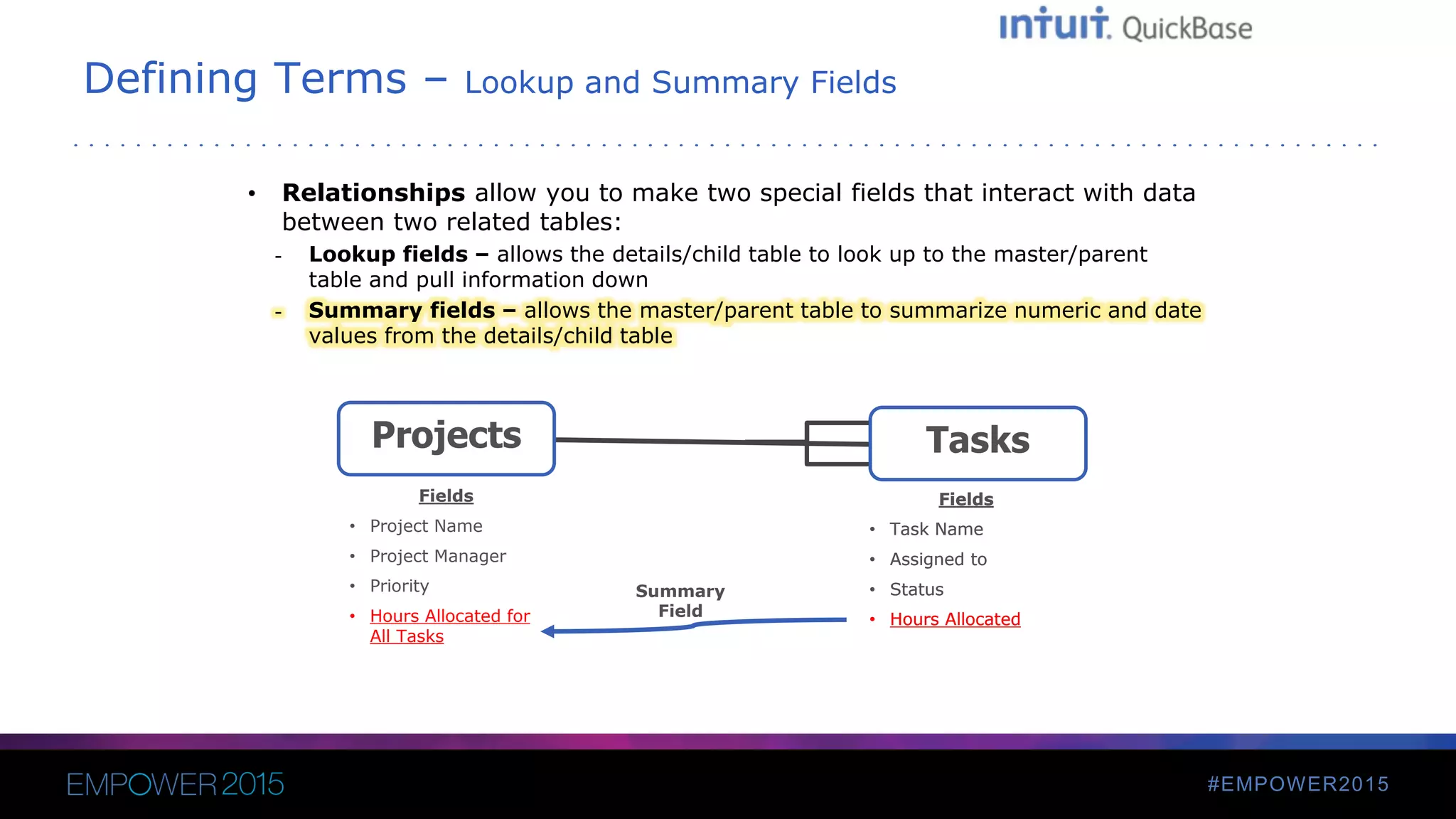
- Summary fields – allows the master/parent table to summarize numeric and date
values from the details/child table
#EMPOWER2015
Defining Terms – Lookup and Summary Fields
• Relationships allow you to make two special fields that interact with data
between two related tables:
- Lookup fields – allows the details/child table to look up to the master/parent
table and pull information down
- Summary fields – allows the master/parent table to summarize numeric and date
values from the details/child table
TasksProjects
Fields
• Project Name
• Project Manager
• Priority
Fields
• Task Name
• Assigned to
• Status
• Hours Allocated
• Project Name
Fields
• Project Name
Lookup
Field
#EMPOWER2015
Defining Terms – Lookup and Summary Fields
• Relationships allow you to make two special fields that interact with data
between two related tables:
- Lookup fields – allows the details/child table to look up to the master/parent
table and pull information down
- Summary fields – allows the master/parent table to summarize numeric and date
values from the details/child table
TasksProjects
Fields
• Project Name
• Project Manager
• Priority
• Hours Allocated for
All Tasks
Fields
• Task Name
• Assigned to
• Status
• Hours Allocated
Summary
Field
Fields
• Task Name
• Assigned to
• Status
• Hours Allocated
#EMPOWER2015
Apply Your Knowledge
• Thinking of building a new app? Try diagramming it first and see what
your preferred diagramming style is – your methods will evolve the more
you diagram
• Have an existing app? Try diagramming it. Since app diagrams can be
good blueprints for future app managers, try taking an existing app you
built or inherited diagramming it out.
• Get some more ideas from QuickBase experts. QuickBase Sales
Engineers will be on-hand during Empower and would be happy to help
you get started with diagramming. Also, our QuickBase Service Providers
would be happy to help.
THANK YOU

Blueprinting Your QuickBase Apps

  • 2.
    Diagramming Your QuickBase Apps Howto create blueprints for your app before you build Benjamin Buday Sales Engineer, Intuit QuickBase
  • 3.
    #EMPOWER2015 Benjamin Buday Sales Engineer,Intuit QuickBase From Boston, Massachusetts Two years with Intuit QuickBase Trains users, builds proof-of-concept apps May have seen/heard him on QuickBase webinars!
  • 4.
    #EMPOWER2015 Diagramming a QuickBaseApp Agenda • What is diagramming? • Why should you diagram your app idea? • What are some ways I can diagram? • Defining Basic QuickBase Terms • Diagramming Examples
  • 5.
    #EMPOWER2015 What is Diagramming? Diagrammingis creating a visual display of your new app idea, showing how data will flow through the app. TasksProjects
  • 6.
    #EMPOWER2015 Why Diagram anIdea First? • Helps you decide what tables you’ll need • Helps you decide how to relate them • Helps you avoid unnecessary relationships, tables and fields • Helps you decide in what tables fields should go • Provides blueprints to any future owners/builders • Can be used as reference to help new builders start their own apps
  • 7.
    #EMPOWER2015 What are someways I can diagram? • Software – Microsoft Visio – Gliffy • By hand – Paper – Whiteboard
  • 8.
    #EMPOWER2015 Defining Terms • Tables •Records • Fields • Relationships - Special Fields • Lookup Fields • Summary Fields
  • 9.
    #EMPOWER2015 Defining Terms -Tables • Tables – containers that collect similar records - A Projects table to capture projects - A Tasks table to capture Tasks - A Customers table to track your clients
  • 10.
    #EMPOWER2015 Defining Terms -Records • Records – like a document – captures specific information by way of fields. Tables are comprised of similar records. - Projects - Orders - Activities - Calls - Customers
  • 11.
    #EMPOWER2015 Defining Terms -Fields • Fields – pieces of data hold a specific value and are part of a record. Many field types exist and can be used for a number of purposes. - Text fields • Project name • Description • Status (multiple-choice) - Numeric fields • Financial values • Quantities - Date fields - User Fields
  • 12.
    #EMPOWER2015 Defining Terms -Relationships • Relationships – relating tables to one another. Relationships allow you to tie records of differing tables together, such as Projects and Tasks, or Customers and Activities. - Relationships are chiefly one-to-many, meaning one record in a table can have many records from another table, such as one Project having many Tasks. TasksProjects ActivitiesCustomers Invoices
  • 13.
    #EMPOWER2015 Defining Terms –Lookup and Summary Fields • Relationships allow you to make two special fields that interact with data between two related tables: - Lookup fields – allows the details/child table to look up to the master/parent table and pull information down - Summary fields – allows the master/parent table to summarize numeric and date values from the details/child table
  • 14.
    #EMPOWER2015 Defining Terms –Lookup and Summary Fields • Relationships allow you to make two special fields that interact with data between two related tables: - Lookup fields – allows the details/child table to look up to the master/parent table and pull information down - Summary fields – allows the master/parent table to summarize numeric and date values from the details/child table TasksProjects Fields • Project Name • Project Manager • Priority Fields • Task Name • Assigned to • Status • Hours Allocated • Project Name Fields • Project Name Lookup Field
  • 15.
    #EMPOWER2015 Defining Terms –Lookup and Summary Fields • Relationships allow you to make two special fields that interact with data between two related tables: - Lookup fields – allows the details/child table to look up to the master/parent table and pull information down - Summary fields – allows the master/parent table to summarize numeric and date values from the details/child table TasksProjects Fields • Project Name • Project Manager • Priority • Hours Allocated for All Tasks Fields • Task Name • Assigned to • Status • Hours Allocated Summary Field Fields • Task Name • Assigned to • Status • Hours Allocated
  • 16.
    #EMPOWER2015 Apply Your Knowledge •Thinking of building a new app? Try diagramming it first and see what your preferred diagramming style is – your methods will evolve the more you diagram • Have an existing app? Try diagramming it. Since app diagrams can be good blueprints for future app managers, try taking an existing app you built or inherited diagramming it out. • Get some more ideas from QuickBase experts. QuickBase Sales Engineers will be on-hand during Empower and would be happy to help you get started with diagramming. Also, our QuickBase Service Providers would be happy to help.
  • 17.