Finish Strong - Successfully
Rolling Out Your Killer App
John Head - Director of Enterprise Collaboration
Ken Lamey – Engagement Manager
PSC Group, LLC
#EMPOWER2015
① About Us
② Overview
③ Key Project Phases
④ Polish
⑤ Customer Feedback
⑥ Wrap-up
1 About Us
#EMPOWER2015© 2013 IBM Corporation
John Head
jhead@psclistens.com
1051 Perimeter Drive
Suite 500
Schaumburg, IL 60173
(847) 517-7200
(847) 517-7600 fax
Facebook.com/PSCGroup
Twitter.com/PSCGroup
Linkedin.com/company/psc-group-llc
Slideshare.com/PSCGroup
Youtube.com/PSCGroup
Facebook.com/johndhead
Twitter.com/johnhead
LinkedIN.com/in/johndhead
Slideshare.com/johnhead
Youtube.com/johnhead
www.johndavidhead.com
www.pscgroup.com
#EMPOWER2015
Kenneth L. Lamey
klamey@psclistens.com
1051 Perimeter Drive
Suite 500
Schaumburg, IL 60173
(847) 517-7200
(847) 517-7600 fax
(224) 659-3054 cell
Facebook.com/PSCGroup
Twitter.com/PSCGroup
Linkedin.com/company/psc-group-llc
Twitter.com/KLLamey
Linkedin.com/in/kenlamey
Kenneth L. Lamey
www.pscgroup.com
Engagement Manager
#EMPOWER2015
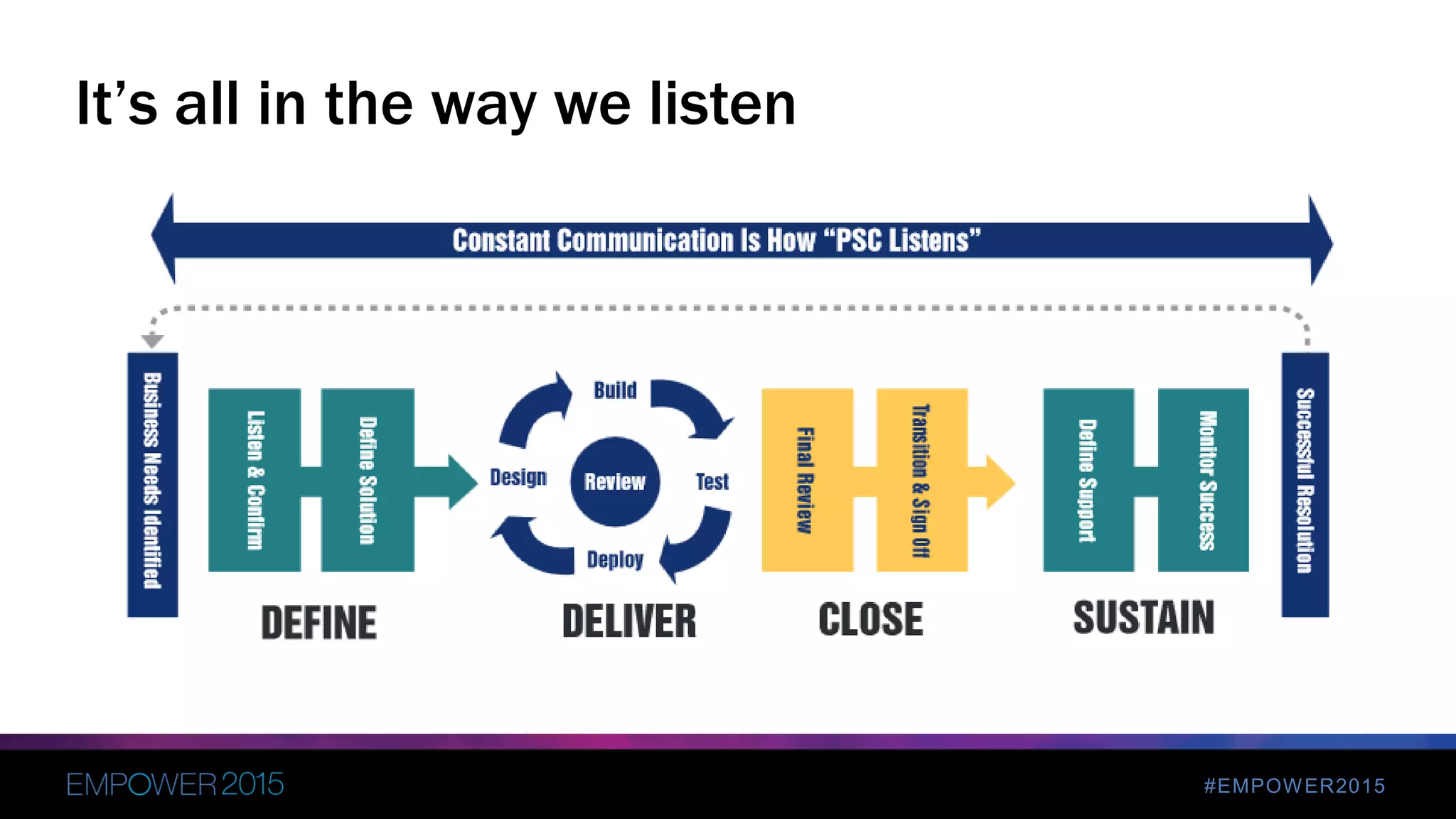
It’s all in the way we listen
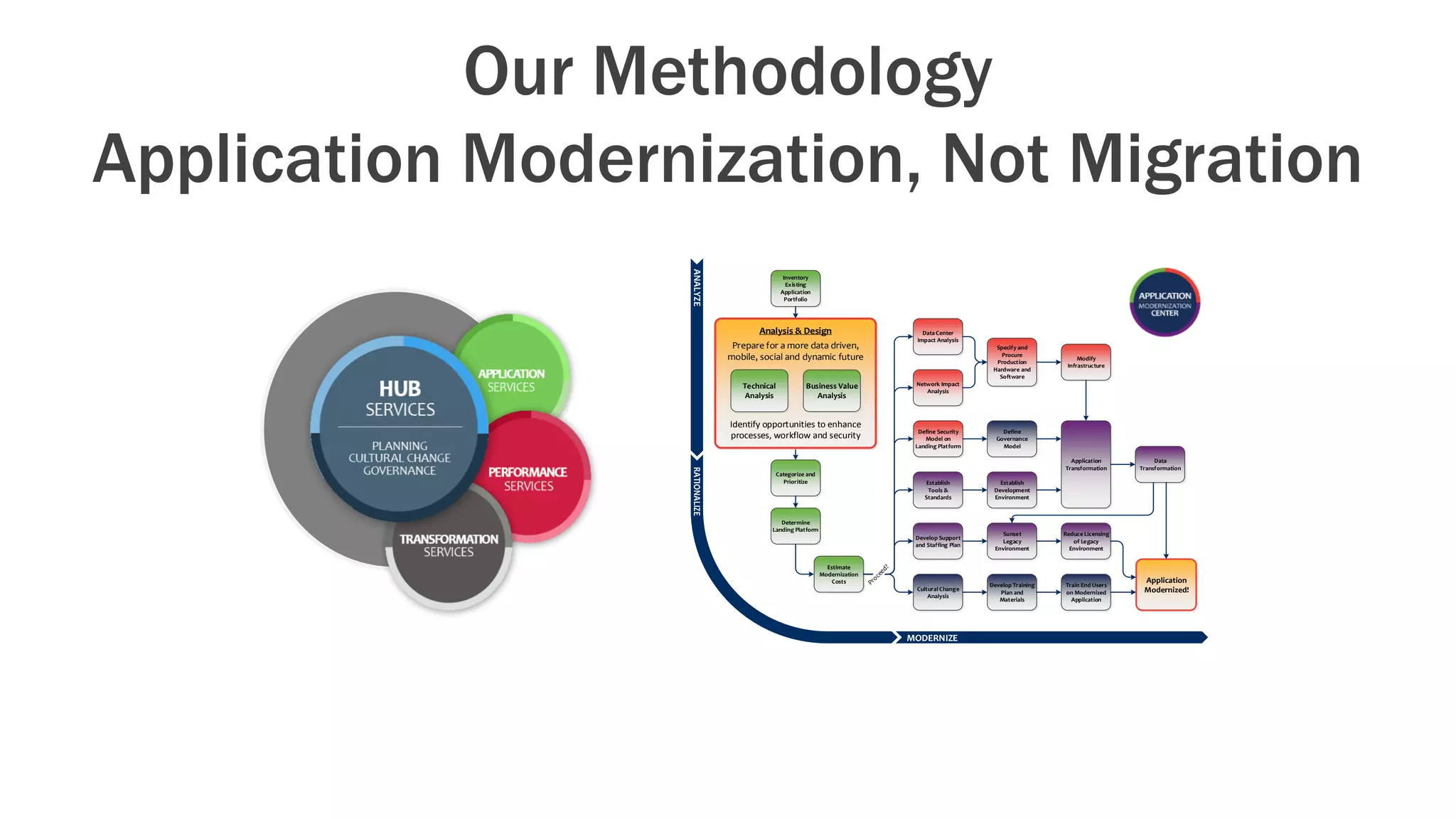
Our Methodology
Application Modernization, Not Migration
Inventory
Existing
Application
Portfolio
Categorize and
Prioritize
Estimate
Modernization
Costs
Determine
Landing Platform
Network Impact
Analysis
Data Center
Impact Analysis
Define Security
Model on
Landing Platform
Establish
Tools &
Standards
Application
Transformation
Data
Transformation
Sunset
Legacy
Environment
Develop Support
and Staffing Plan
Application
Modernized!
Reduce Licensing
of Legacy
Environment
Define
Governance
Model
Modify
Infrastructure
Establish
Development
Environment
Specify and
Procure
Production
Hardware and
Software
Analysis & Design
Prepare for a more data driven,
mobile, social and dynamic future
Identify opportunities to enhance
processes, workflow and security
Technical
Analysis
Business Value
Analysis
Cultural Change
Analysis
Develop Training
Plan and
Materials
Train End Users
on Modernized
Application
ANALYZE
MODERNIZE
Overview
2
#EMPOWER2015
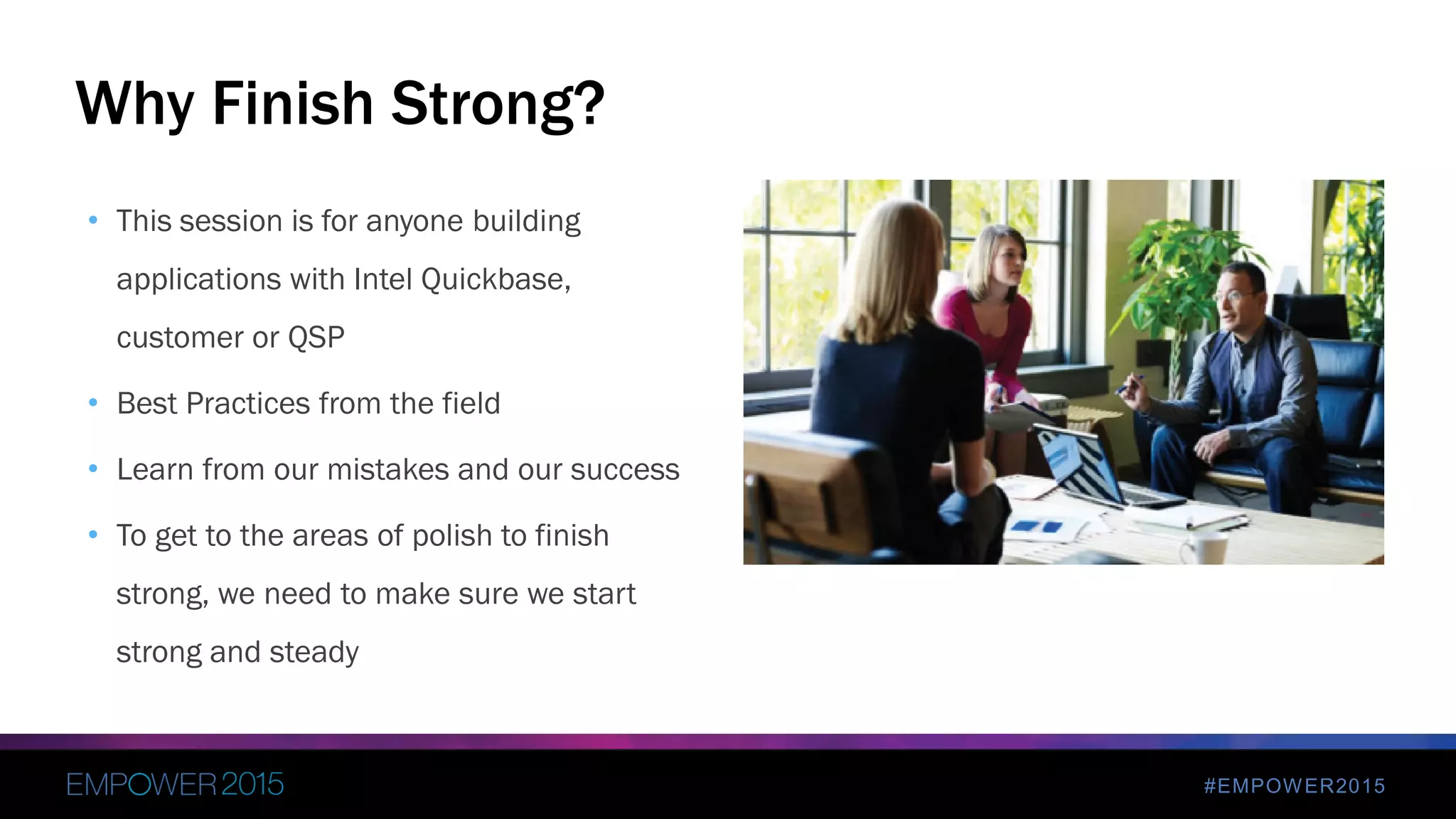
• This session is for anyone building
applications with Intel Quickbase,
customer or QSP
• Best Practices from the field
• Learn from our mistakes and our success
• To get to the areas of polish to finish
strong, we need to make sure we start
strong and steady
Why Finish Strong?
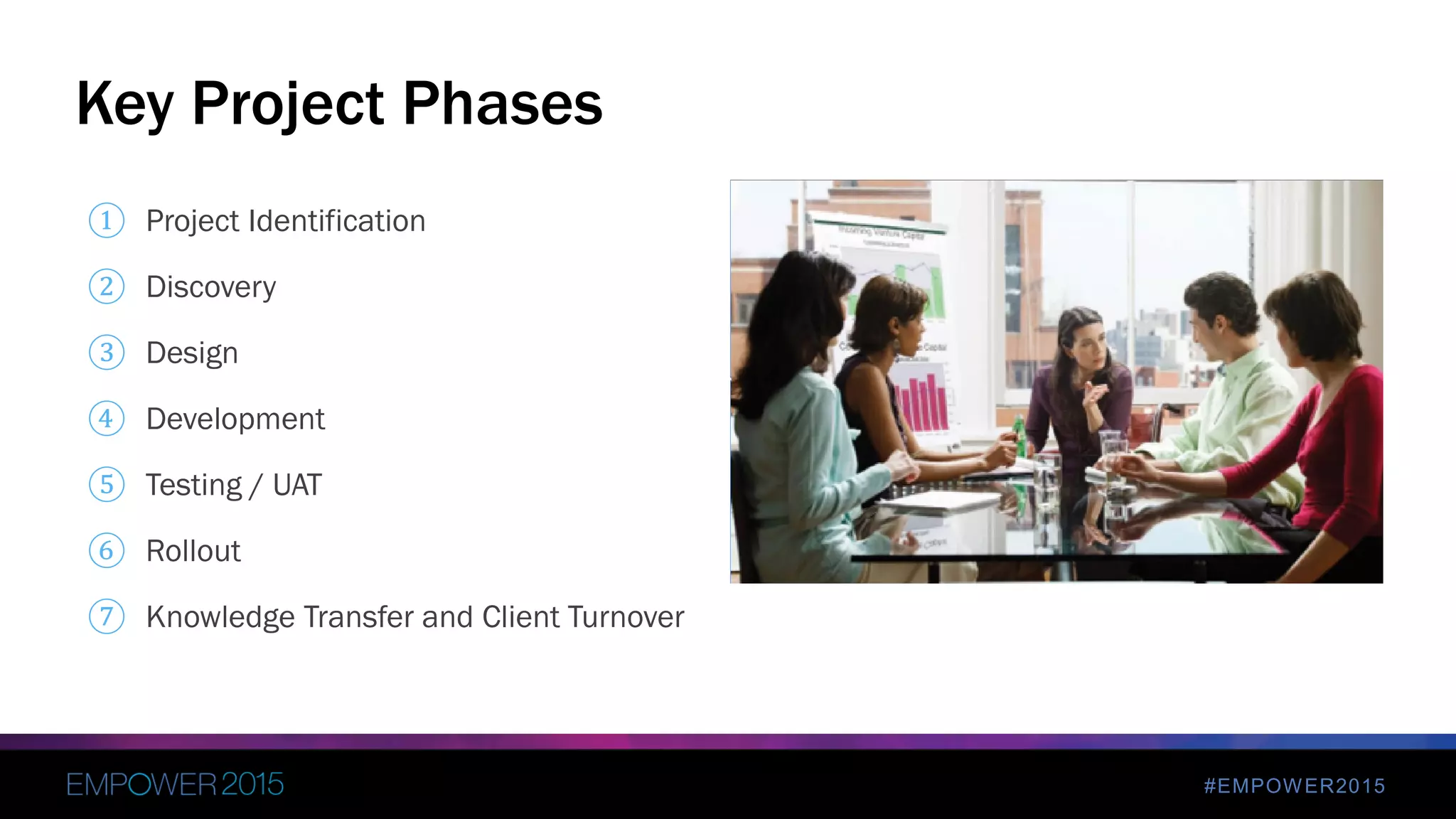
Key Project Phases
3
#EMPOWER2015
① Project Identification
② Discovery
③ Design
④ Development
⑤ Testing / UAT
⑥ Rollout
⑦ Knowledge Transfer and Client Turnover
Key Project Phases
#EMPOWER2015
 Listen to the client
 Document everything
 Have clear understanding of how client does business
 Billing procedures clearly understood
 Client/Company sponsor vs. Project sponsor vs. Project Figurehead
 Setting Expectations
1. Project Identification
#EMPOWER2015
• One of the world's largest and highest valued semiconductor chip makers, based on
revenue
• Initial Client Engagement
• Non-technical Client Project Team
• Diverse Geographic Locations and Time Zones
• All Client Contact Is Remote
• Manage Scope
Client Overview
#EMPOWER2015
• Process Efficiency Gains
• Improved Visibility Into
• Coach request status
• Coach/Client relationship
• Coach/Client metrics
Overall Project Goals
#EMPOWER2015
 Deep dive into current state
 Deep dive into desired state at end of project
 Client interviews
2. Discovery
#EMPOWER2015
• Scout/Coach Source
• Previous CMS Did Not Work
• User Interface Was Not Easy To Use
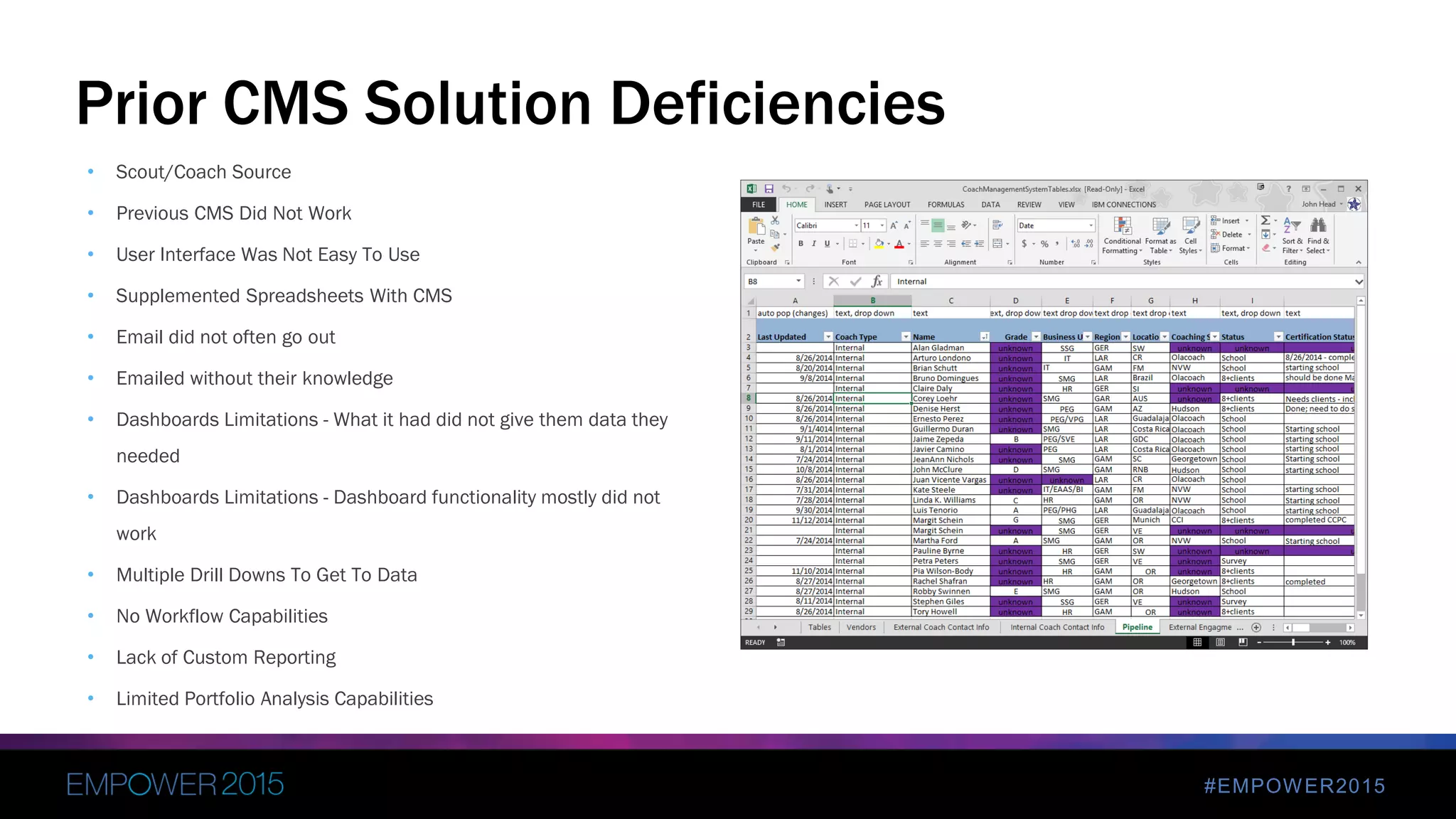
• Supplemented Spreadsheets With CMS
• Email did not often go out
• Emailed without their knowledge
• Dashboards Limitations - What it had did not give them data they
needed
• Dashboards Limitations - Dashboard functionality mostly did not
work
• Multiple Drill Downs To Get To Data
• No Workflow Capabilities
• Lack of Custom Reporting
• Limited Portfolio Analysis Capabilities
Prior CMS Solution Deficiencies
#EMPOWER2015
• Coaching Management System
• Allows for multiple roles
• Workflow
• Automated email notifications
• Replace Existing Spreadsheets
• Portfolio Analysis Capabilities
Project Scope
#EMPOWER2015
• All Tasks for the Project
• Created Before the Project “Really” Begins
• Includes Ramp Up Tasks too
• Not Just Development Activities
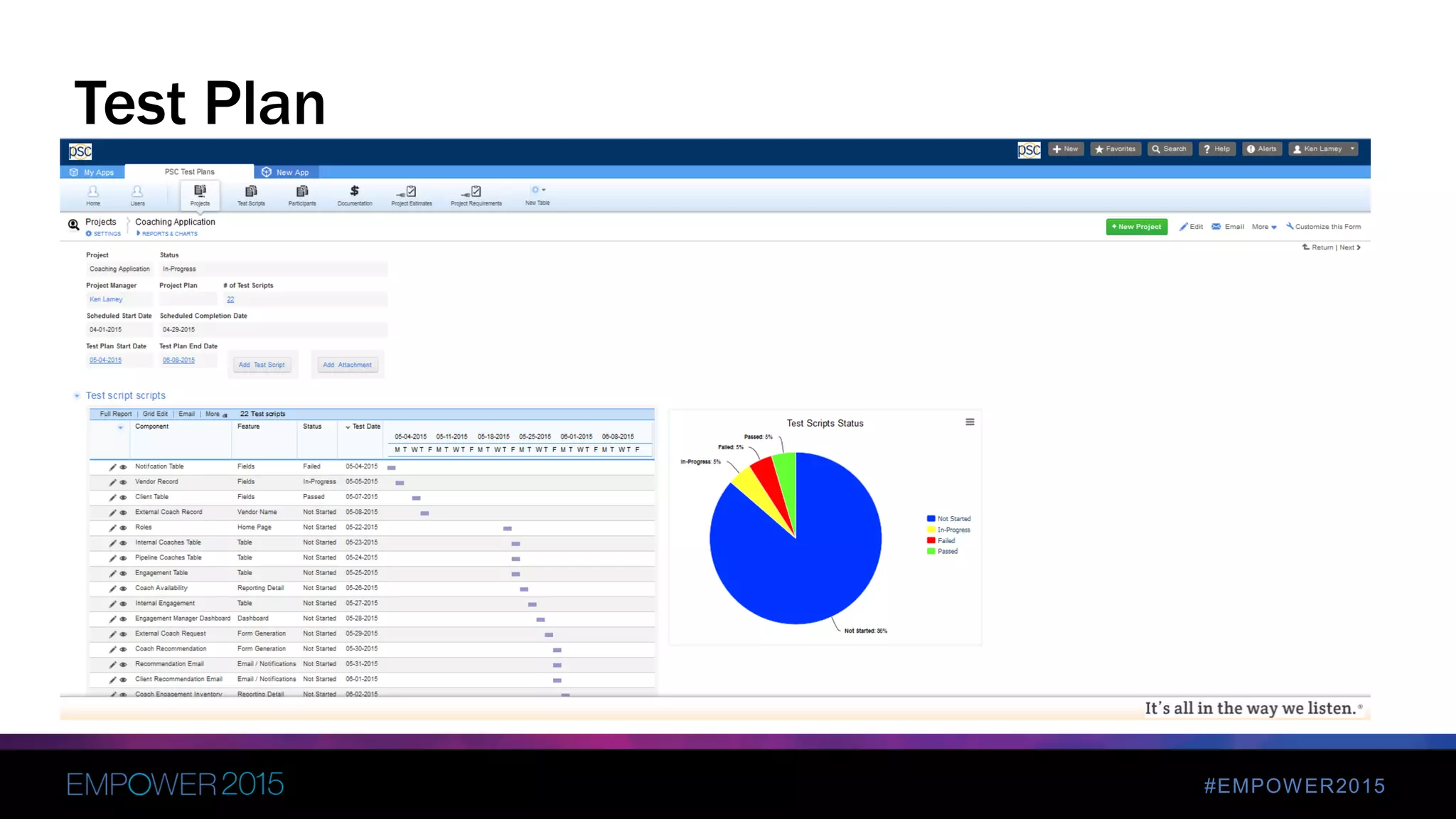
• Test Plan Creation and Execution
• Roll Out Activities
• Project Closure
Project Plan
#EMPOWER2015
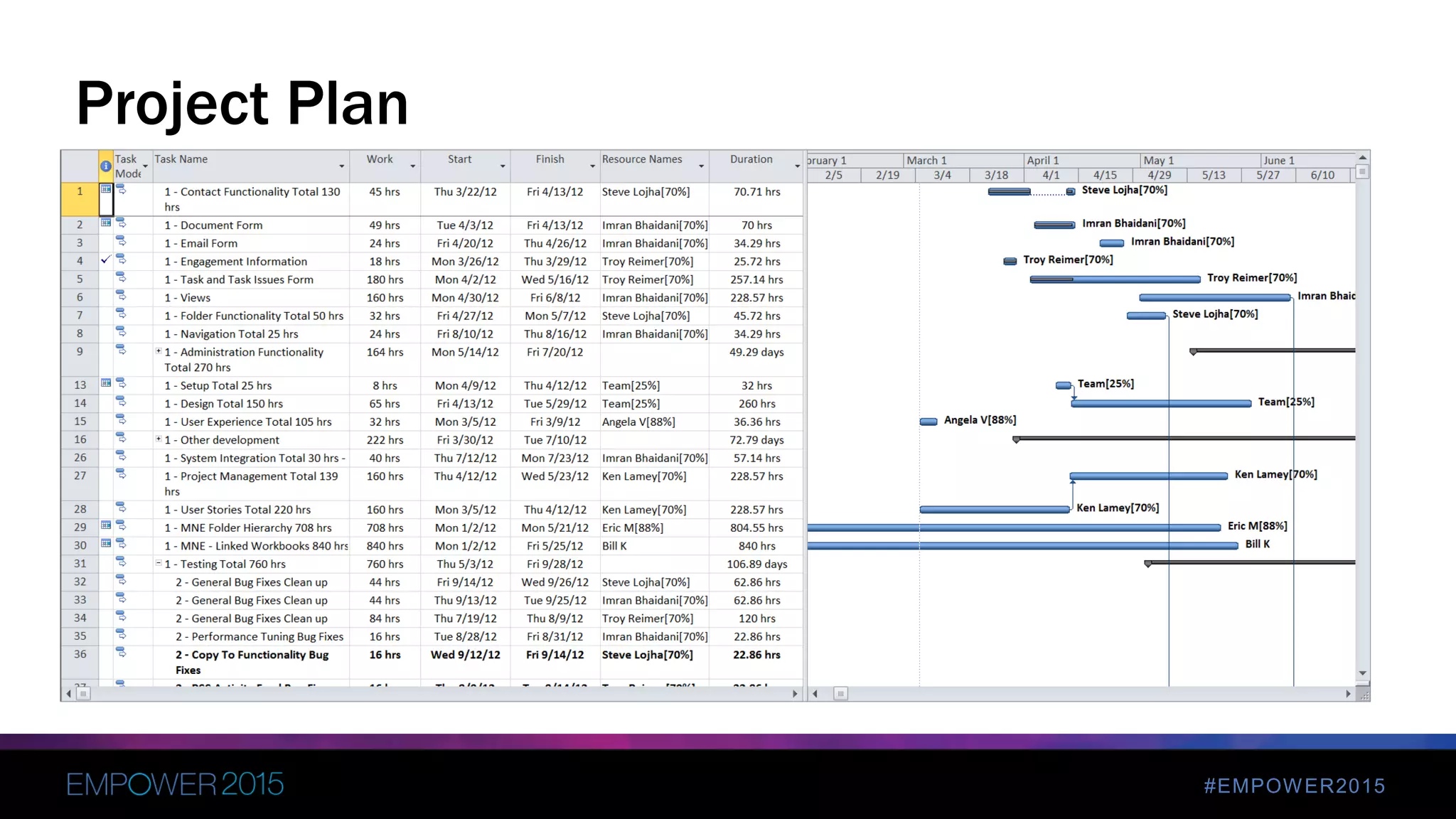
Project Plan
#EMPOWER2015
 Complete application architecture
 Design Document
 Wireframes / Mock-ups
 Workflow (Visio)
 Prototype Dashboard / Reporting
 Project Sponsor Signature / Buy-in
3. Design
#EMPOWER2015
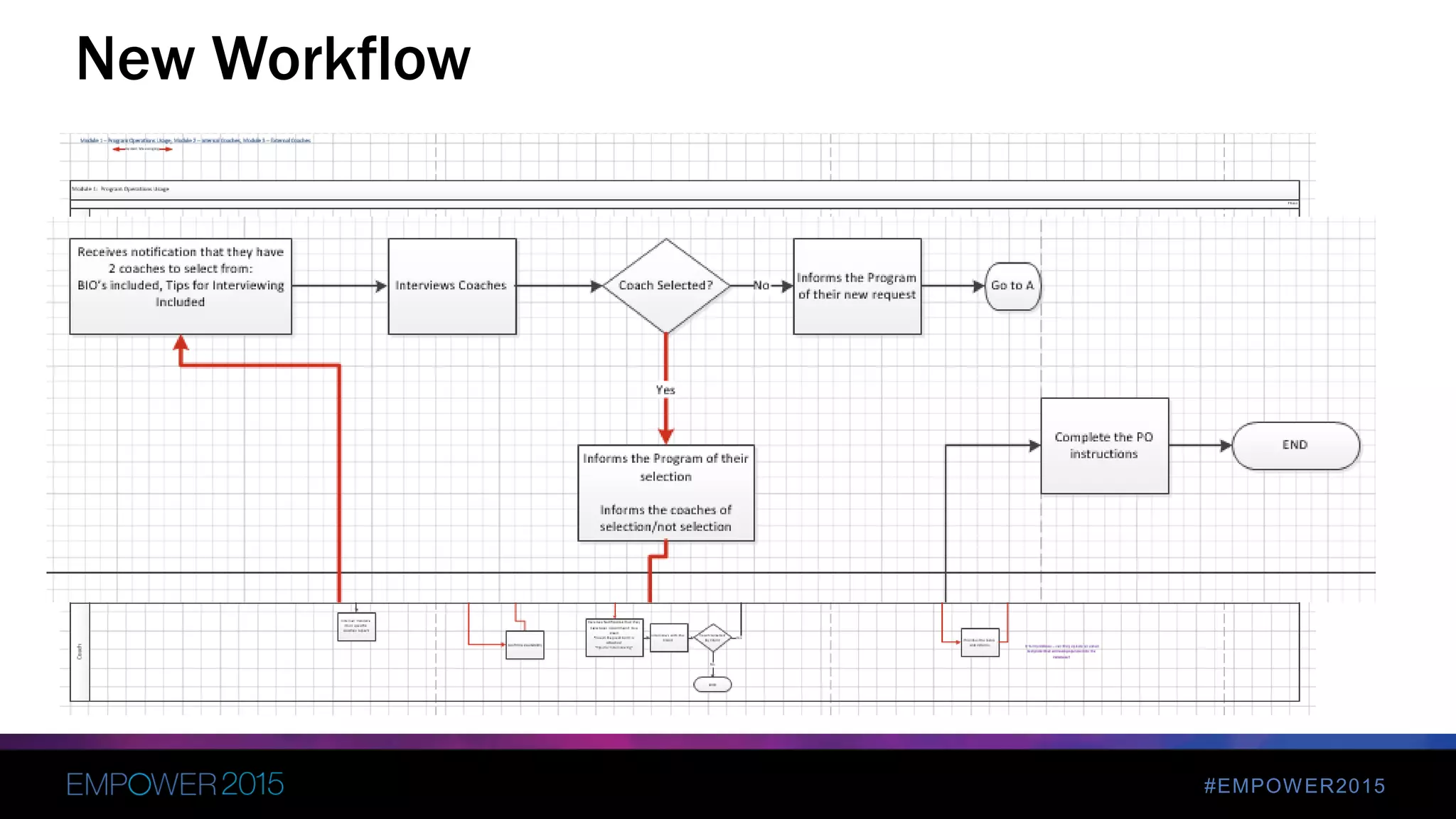
New Workflow
#EMPOWER2015
 Waterfall vs. Agile
 Constant interaction with client
 User Stories
 Daily Stand-up
 Weekly Status Meetings
 Weekly Demo with Entire Team
 Max two week sprints
 Client testing each sprint
4. Development
#EMPOWER2015
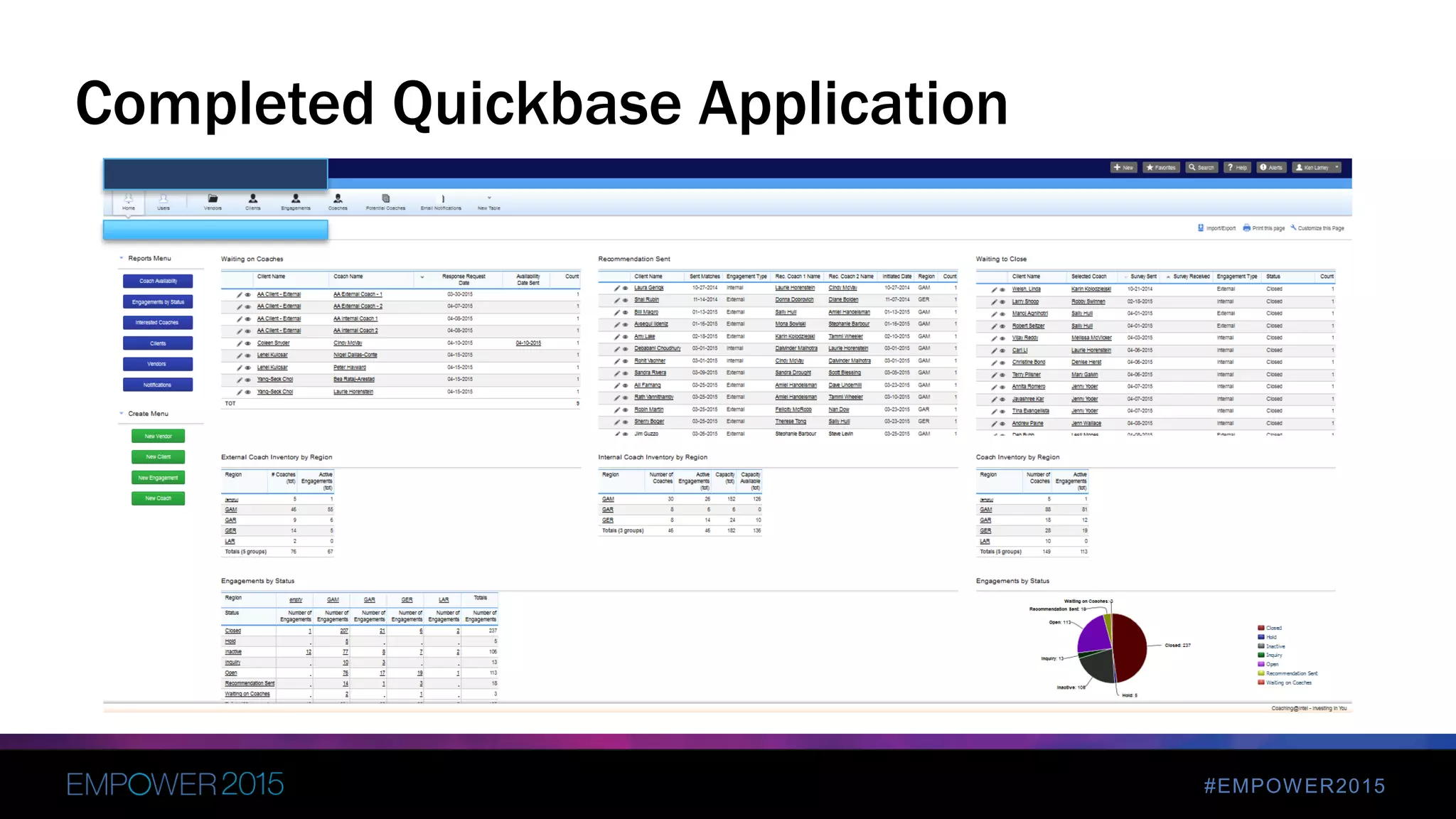
Completed Quickbase Application
#EMPOWER2015
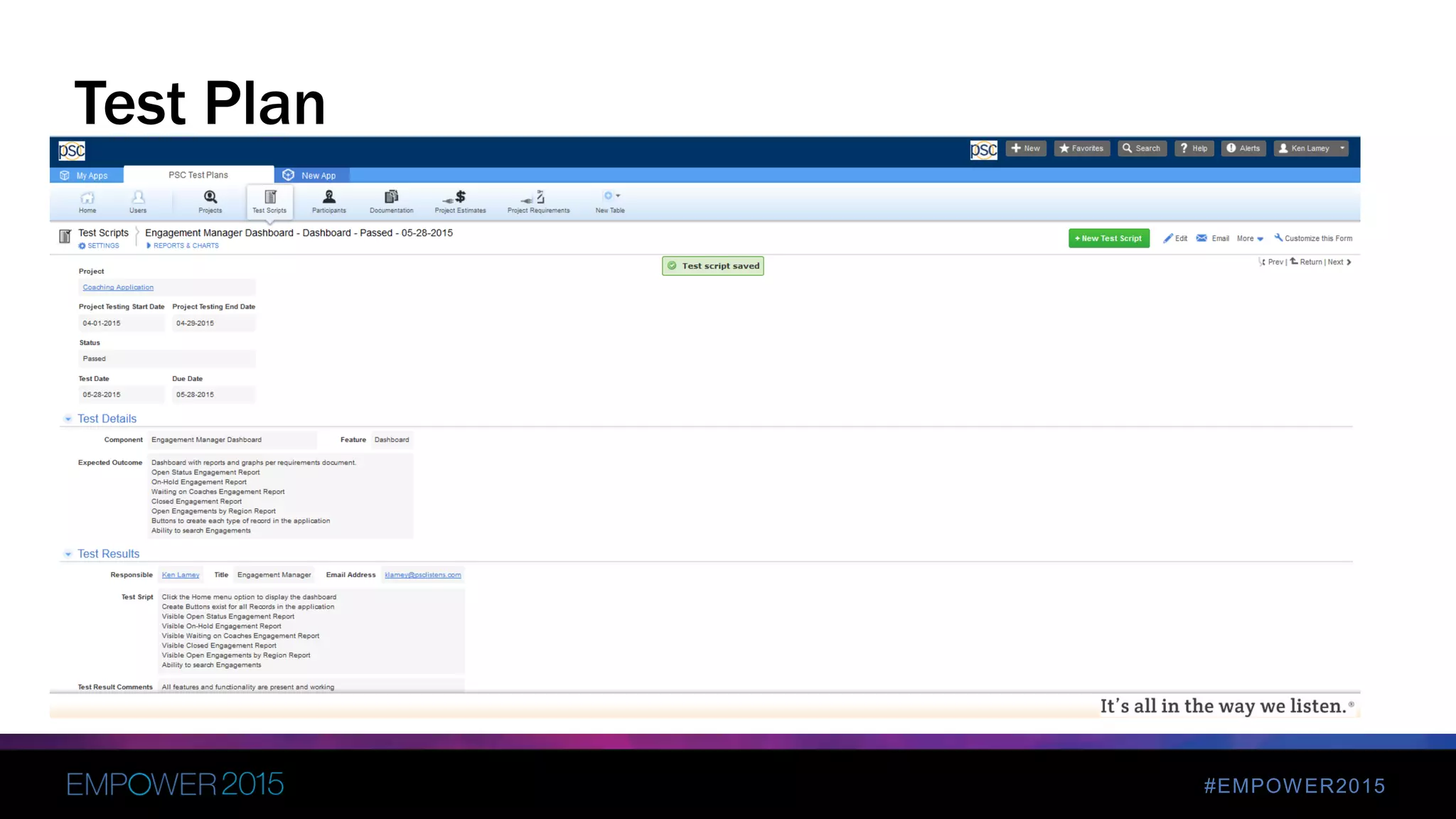
 Testing takes place during every phase
 User Story test plans
 Focused Testing phase
 Developer Testing
 Client Testing
 Pilot Phase
 All projects have bugs/fixes during UAT
5. Testing / UAT
#EMPOWER2015
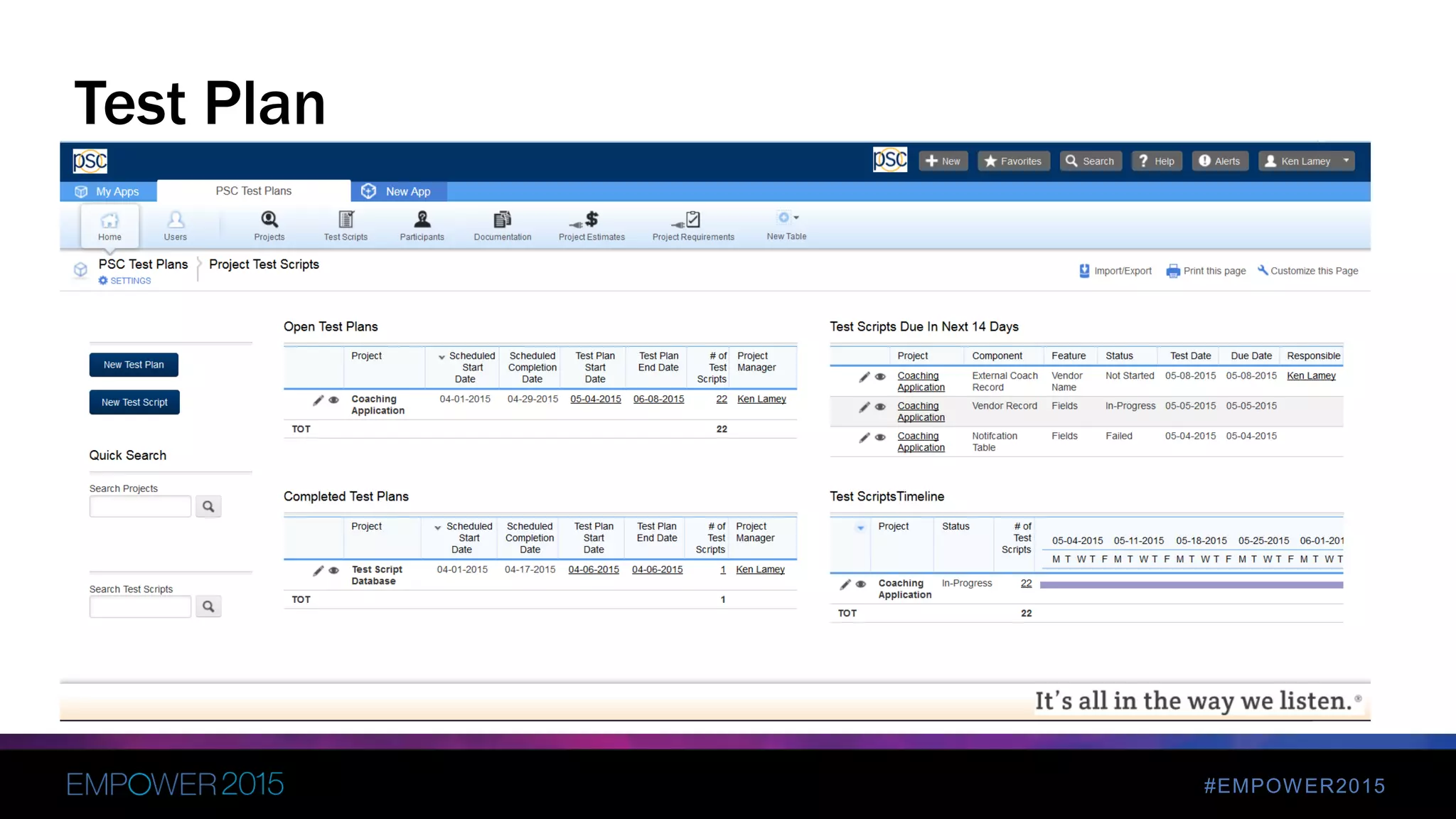
Test Plan
#EMPOWER2015
Test Plan
#EMPOWER2015
Test Plan
#EMPOWER2015
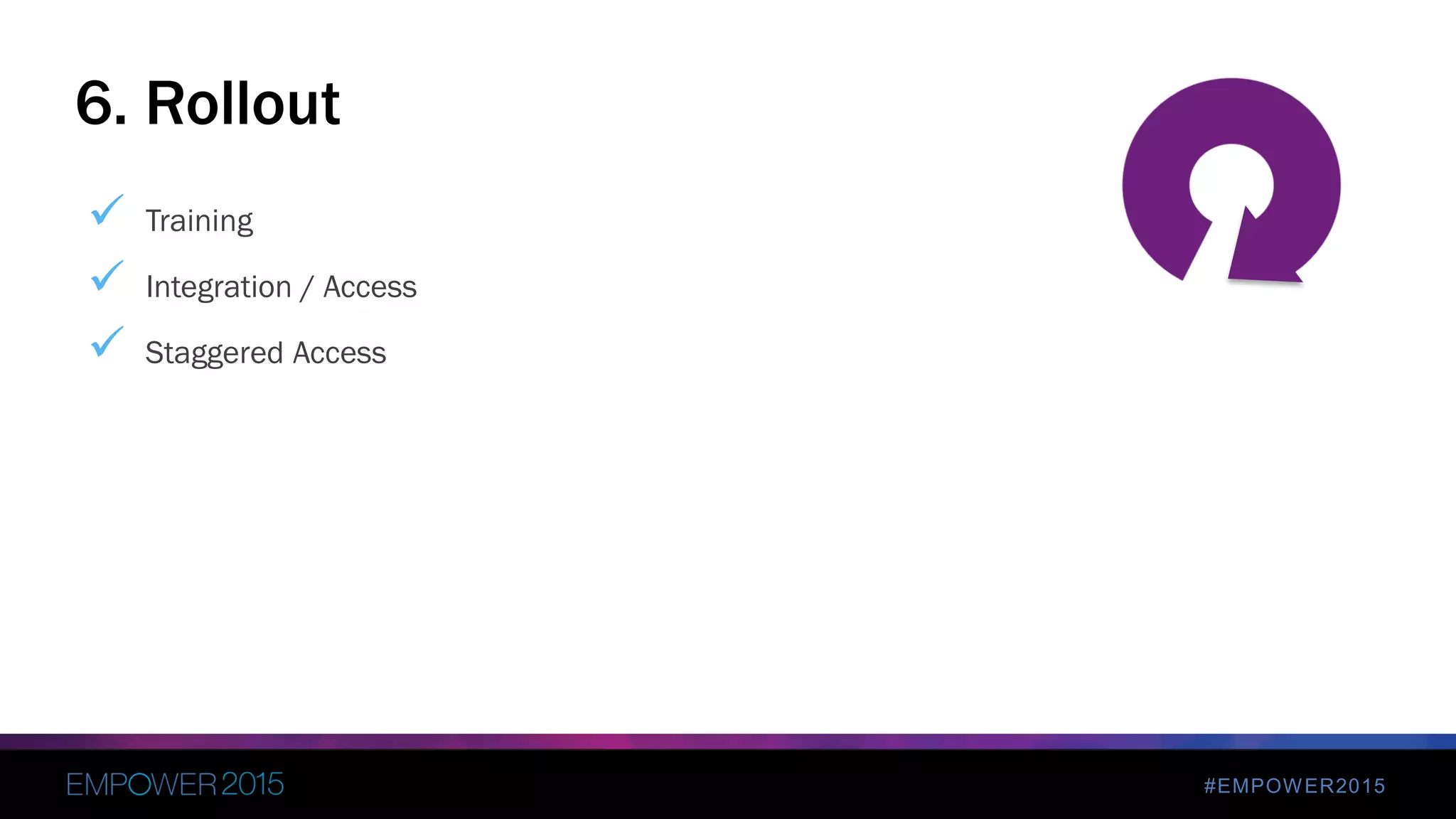
 Training
 Integration / Access
 Staggered Access
6. Rollout
#EMPOWER2015
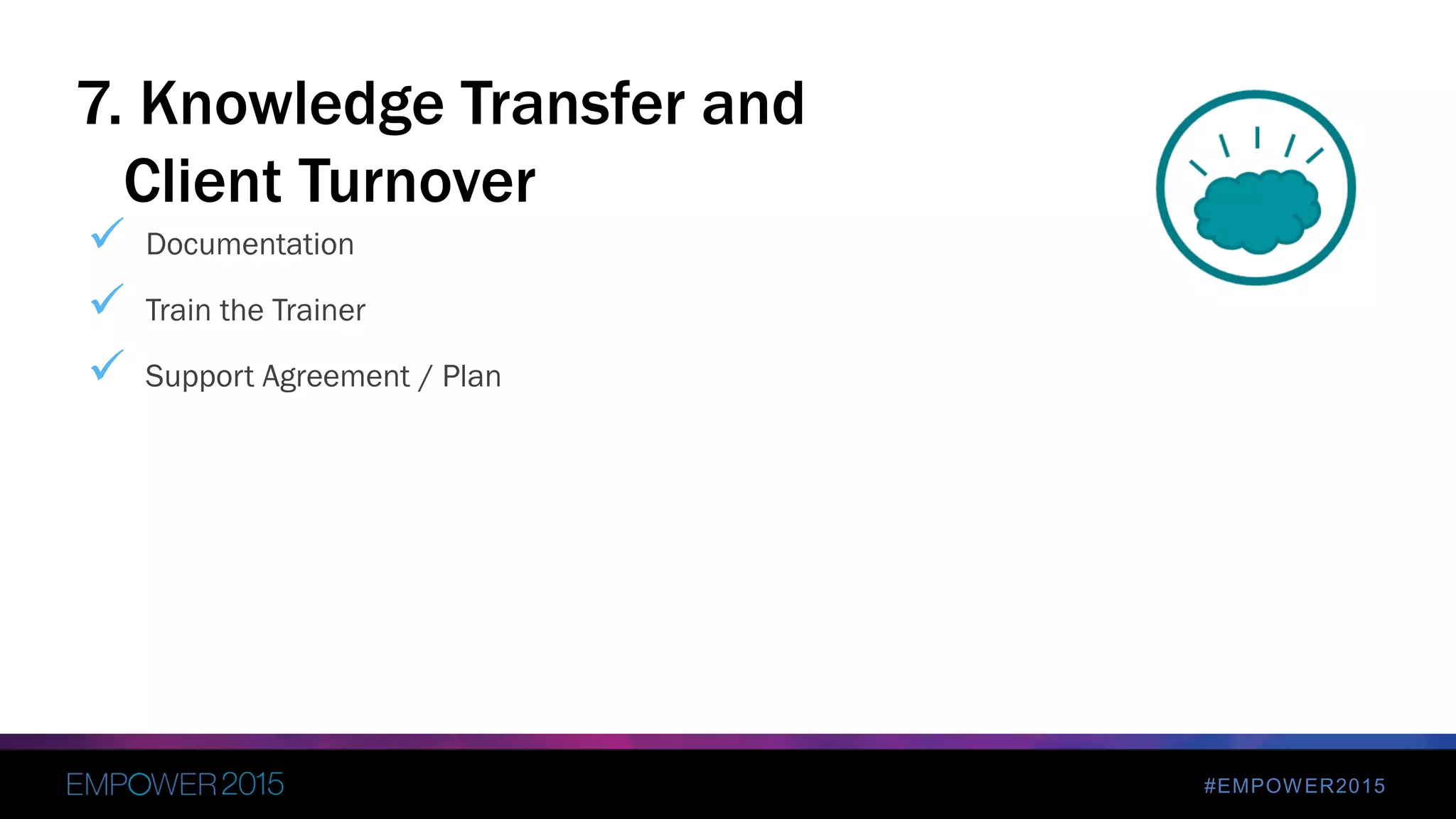
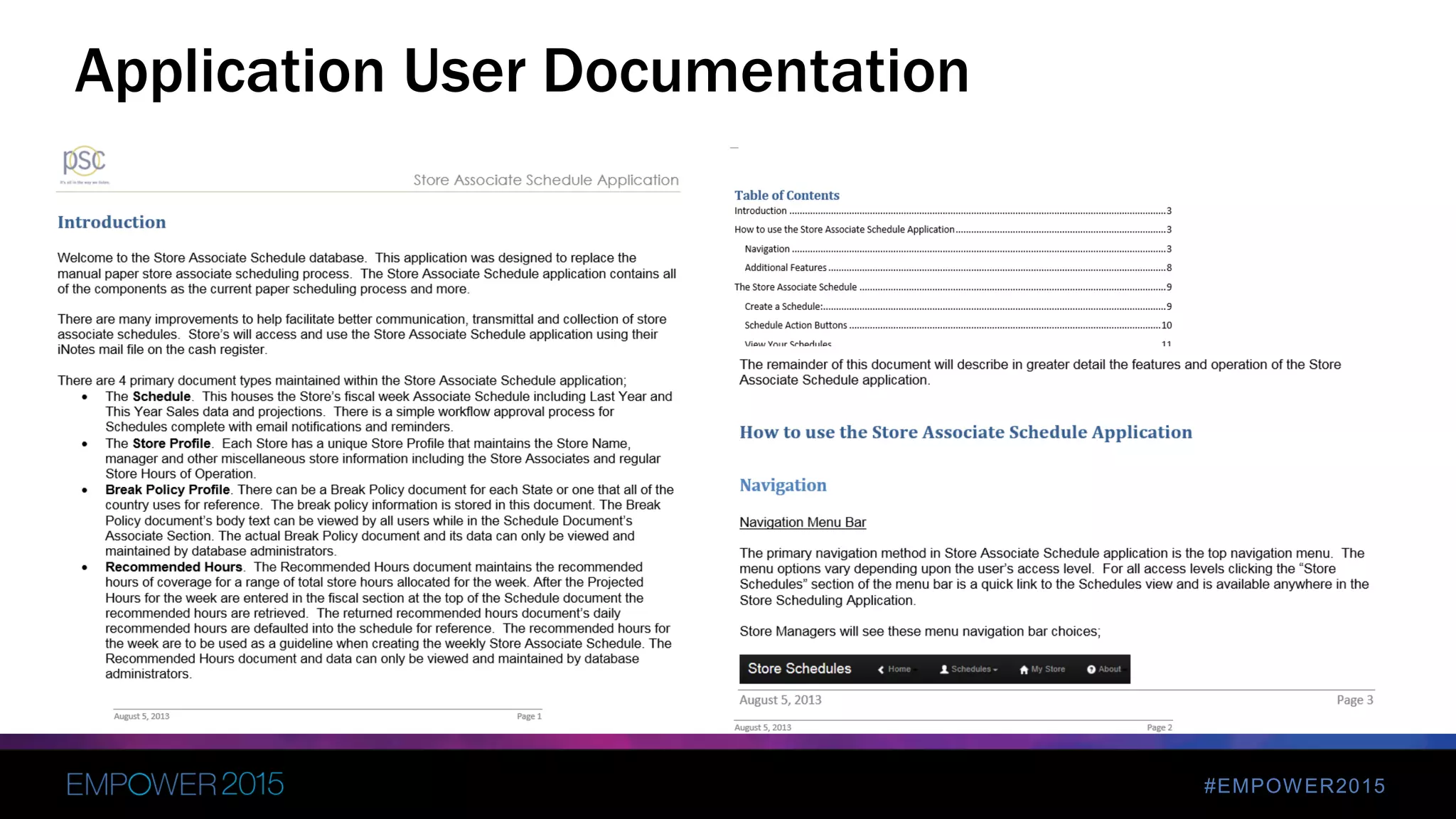
 Documentation
 Train the Trainer
 Support Agreement / Plan
7. Knowledge Transfer and
Client Turnover
#EMPOWER2015
Application User Documentation
Polish
4
#EMPOWER2015
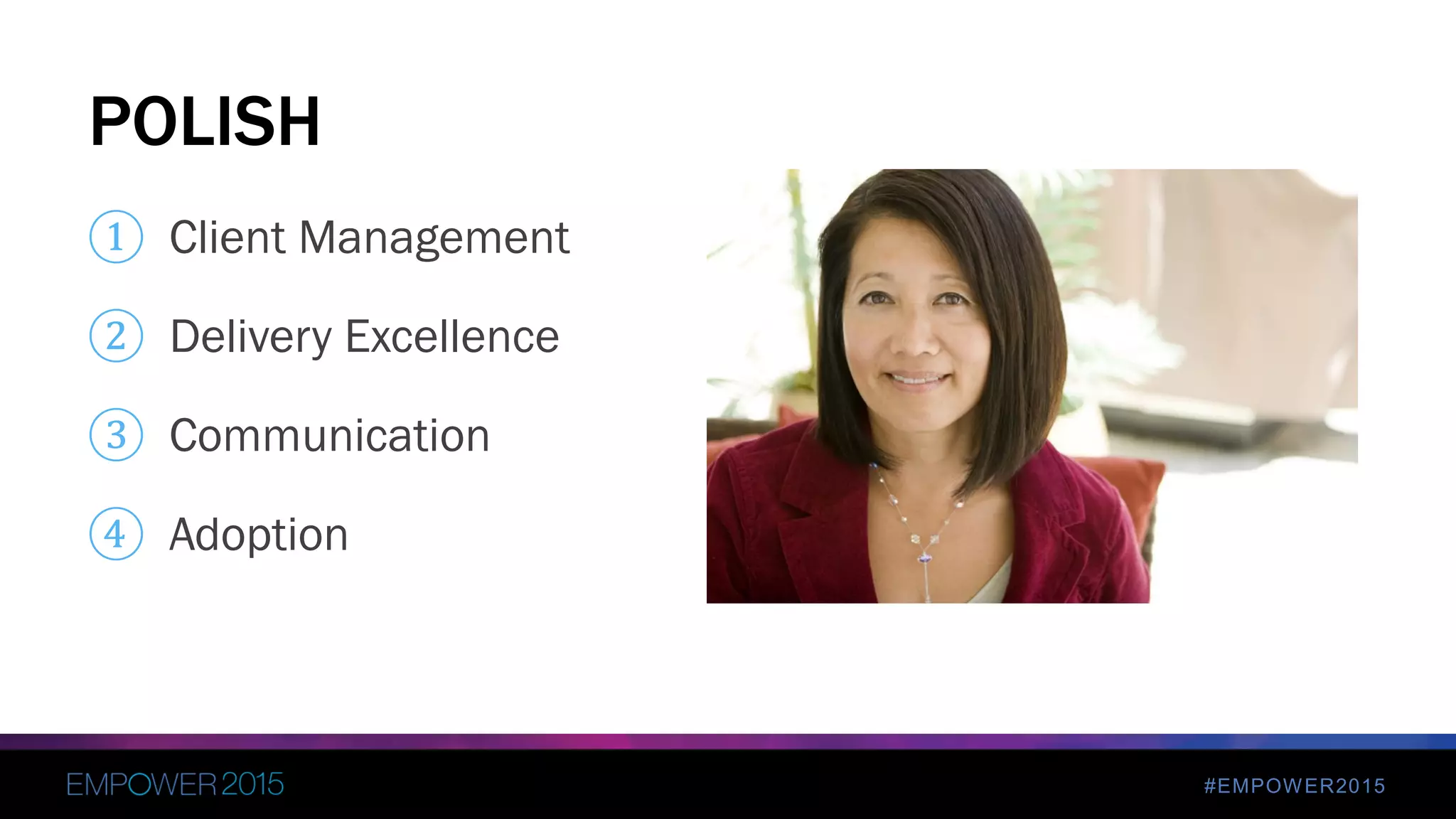
① Client Management
② Delivery Excellence
③ Communication
④ Adoption
POLISH
#EMPOWER2015
• Organizational Change is hard
• Change Management process must be defined
• Break large projects into phases
• Identify the key workers – not just decision makers : INTERVIEW
• Avoid “analysis paralysis”
• Stakeholder review – constantly
• Manage Scope
1. Client Management
#EMPOWER2015
• Daily Stand-ups / Status Meetings with teams
• Project Manager manages scope and tasks, not developer
• All scope changes reviewed by entire team
• Project Peer code review
• Peer Testing
• Company Project Reviews
• Executive Overview
2. Delivery Excellence
#EMPOWER2015
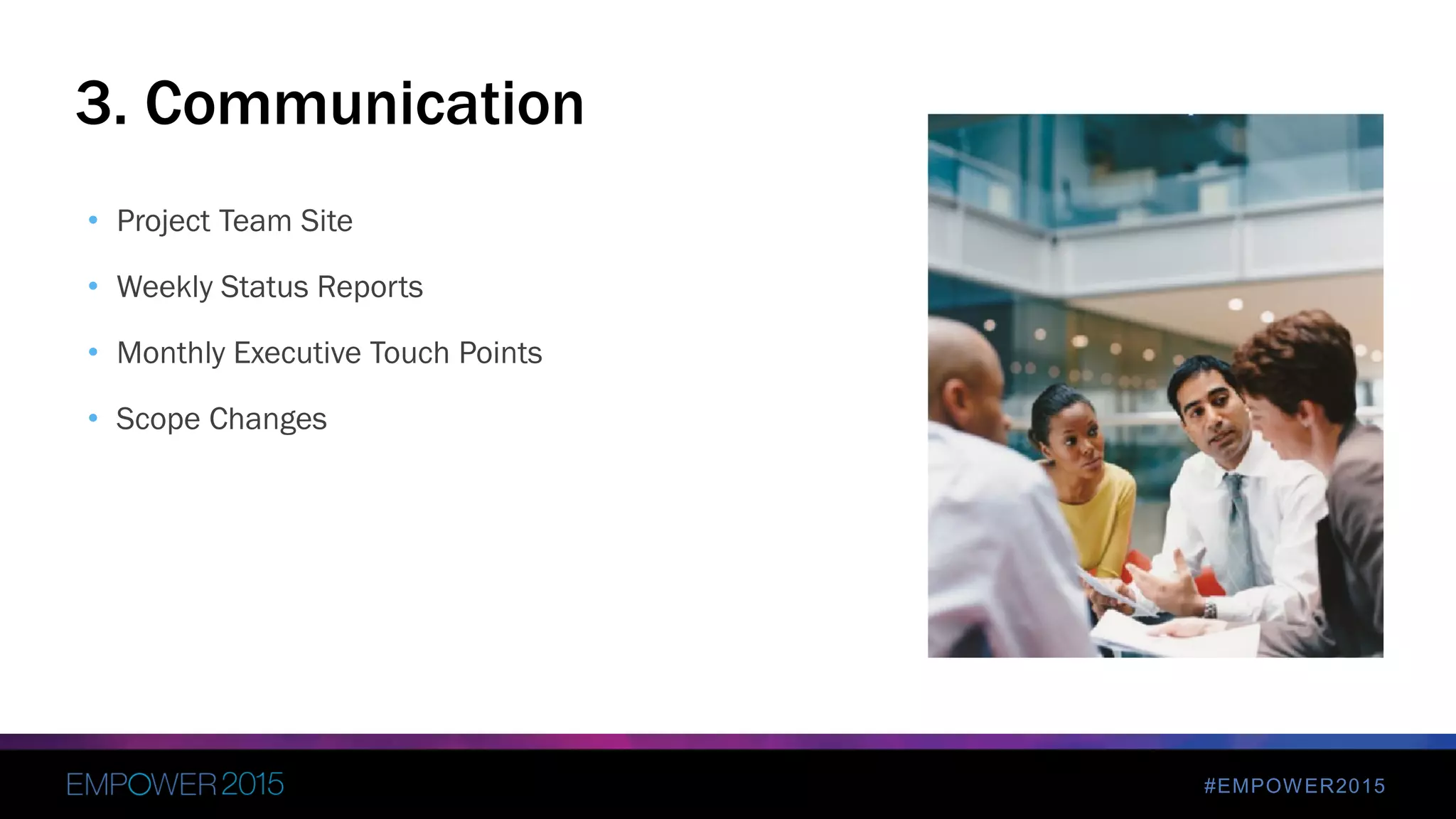
• Project Team Site
• Weekly Status Reports
• Monthly Executive Touch Points
• Scope Changes
3. Communication
#EMPOWER2015
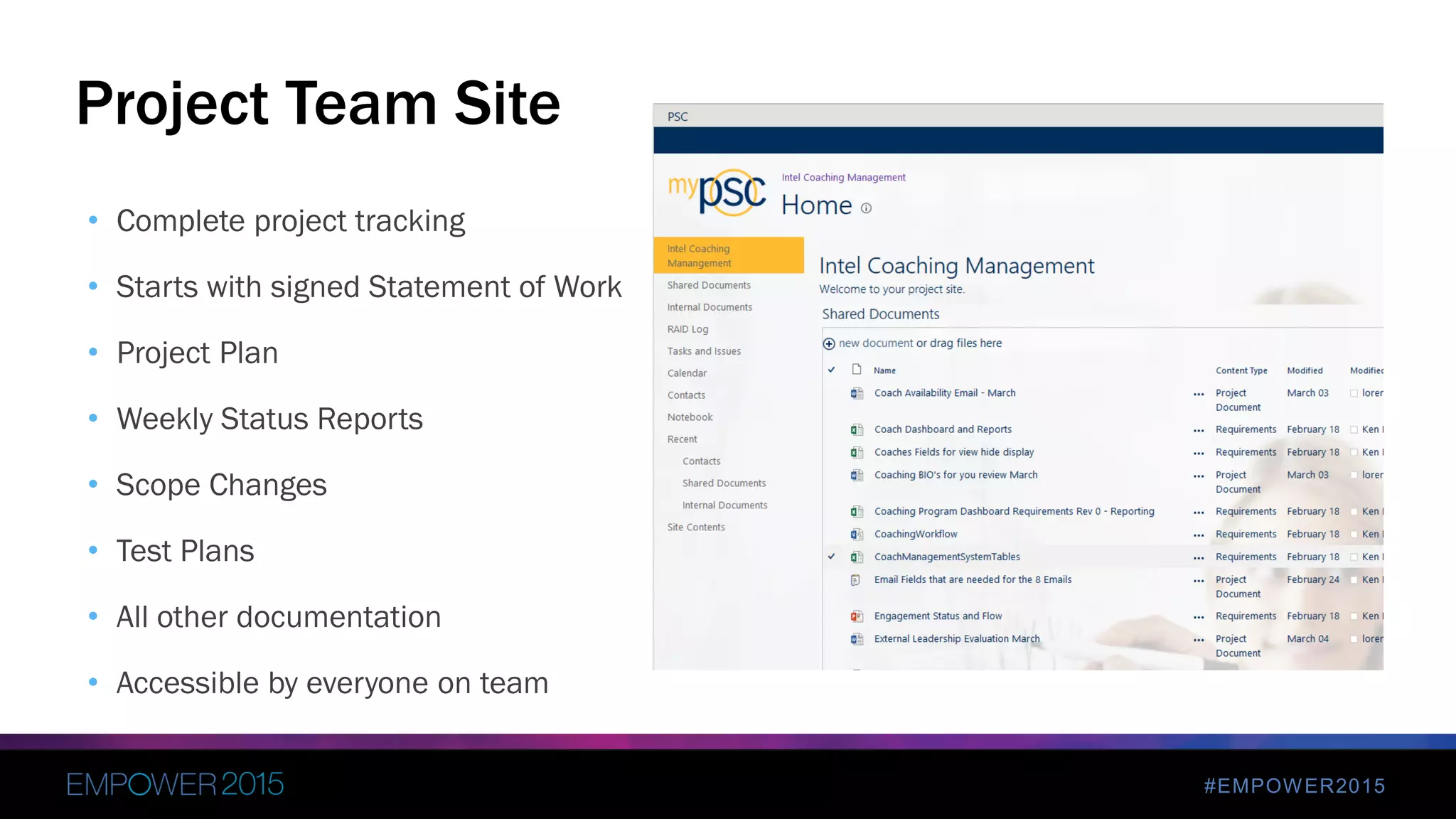
• Complete project tracking
• Starts with signed Statement of Work
• Project Plan
• Weekly Status Reports
• Scope Changes
• Test Plans
• All other documentation
• Accessible by everyone on team
Project Team Site
#EMPOWER2015
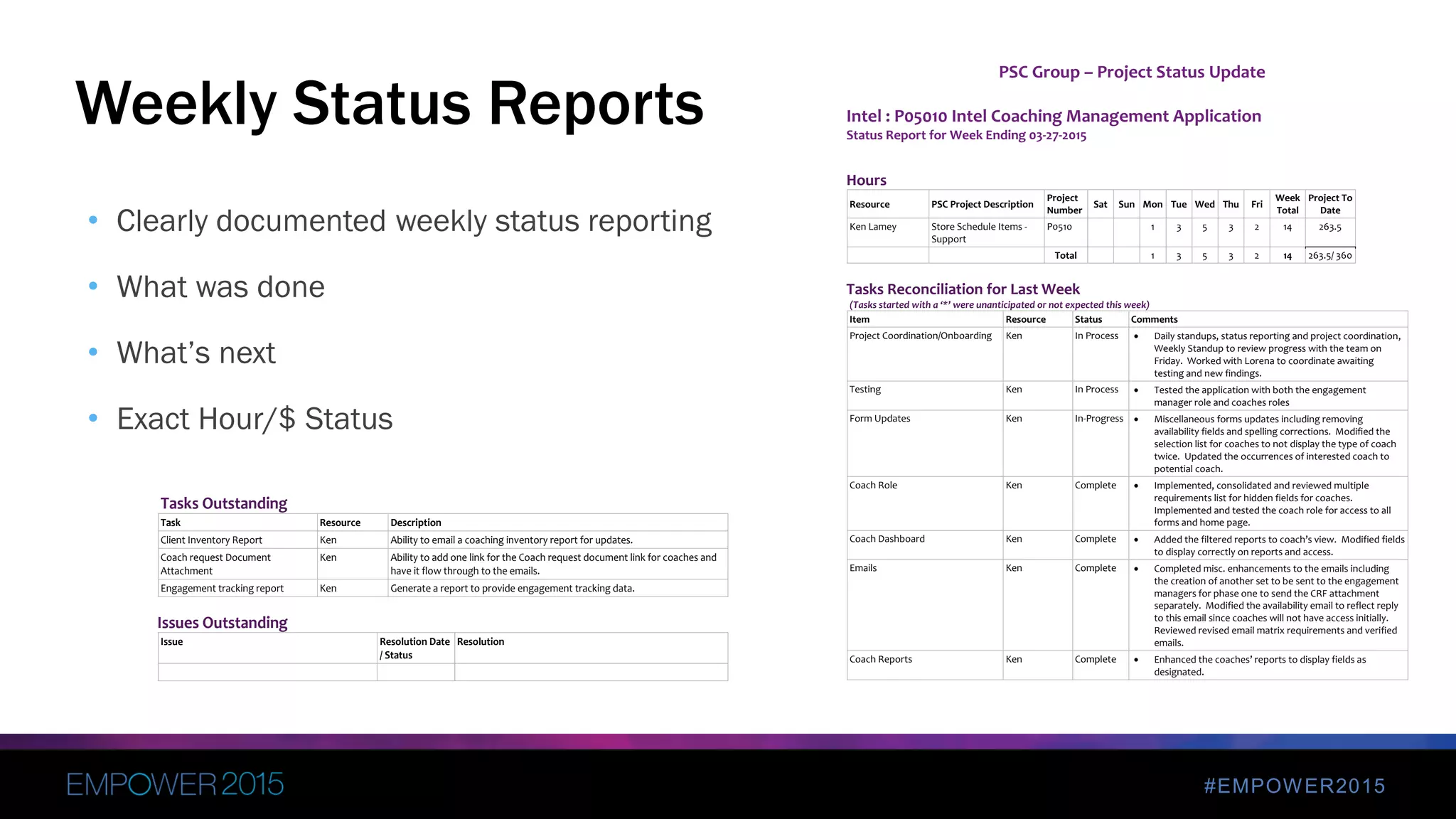
• Clearly documented weekly status reporting
• What was done
• What’s next
• Exact Hour/$ Status
Weekly Status Reports
PSC Group – Project Status Update
Intel : P05010 Intel Coaching Management Application
Status Report for Week Ending 03-27-2015
Hours
Resource PSC Project Description
Project
Number
Sat Sun Mon Tue Wed Thu Fri
Week
Total
Project To
Date
Ken Lamey Store Schedule Items -
Support
P0510 1 3 5 3 2 14 263.5
Total 1 3 5 3 2 14 263.5/ 360
Tasks Reconciliation for Last Week
(Tasks started with a ‘*’ were unanticipated or not expected this week)
Item Resource Status Comments
Project Coordination/Onboarding Ken In Process  Daily standups, status reporting and project coordination,
Weekly Standup to review progress with the team on
Friday. Worked with Lorena to coordinate awaiting
testing and new findings.
Testing Ken In Process  Tested the application with both the engagement
manager role and coaches roles
Form Updates Ken In-Progress  Miscellaneous forms updates including removing
availability fields and spelling corrections. Modified the
selection list for coaches to not display the type of coach
twice. Updated the occurrences of interested coach to
potential coach.
Coach Role Ken Complete  Implemented, consolidated and reviewed multiple
requirements list for hidden fields for coaches.
Implemented and tested the coach role for access to all
forms and home page.
Coach Dashboard Ken Complete  Added the filtered reports to coach’s view. Modified fields
to display correctly on reports and access.
Emails Ken Complete  Completed misc. enhancements to the emails including
the creation of another set to be sent to the engagement
managers for phase one to send the CRF attachment
separately. Modified the availability email to reflect reply
to this email since coaches will not have access initially.
Reviewed revised email matrix requirements and verified
emails.
Coach Reports Ken Complete  Enhanced the coaches’ reports to display fields as
designated.
Tasks Outstanding
Task Resource Description
Client Inventory Report Ken Ability to email a coaching inventory report for updates.
Coach request Document
Attachment
Ken Ability to add one link for the Coach request document link for coaches and
have it flow through to the emails.
Engagement tracking report Ken Generate a report to provide engagement tracking data.
Issues Outstanding
Issue Resolution Date
/ Status
Resolution
#EMPOWER2015
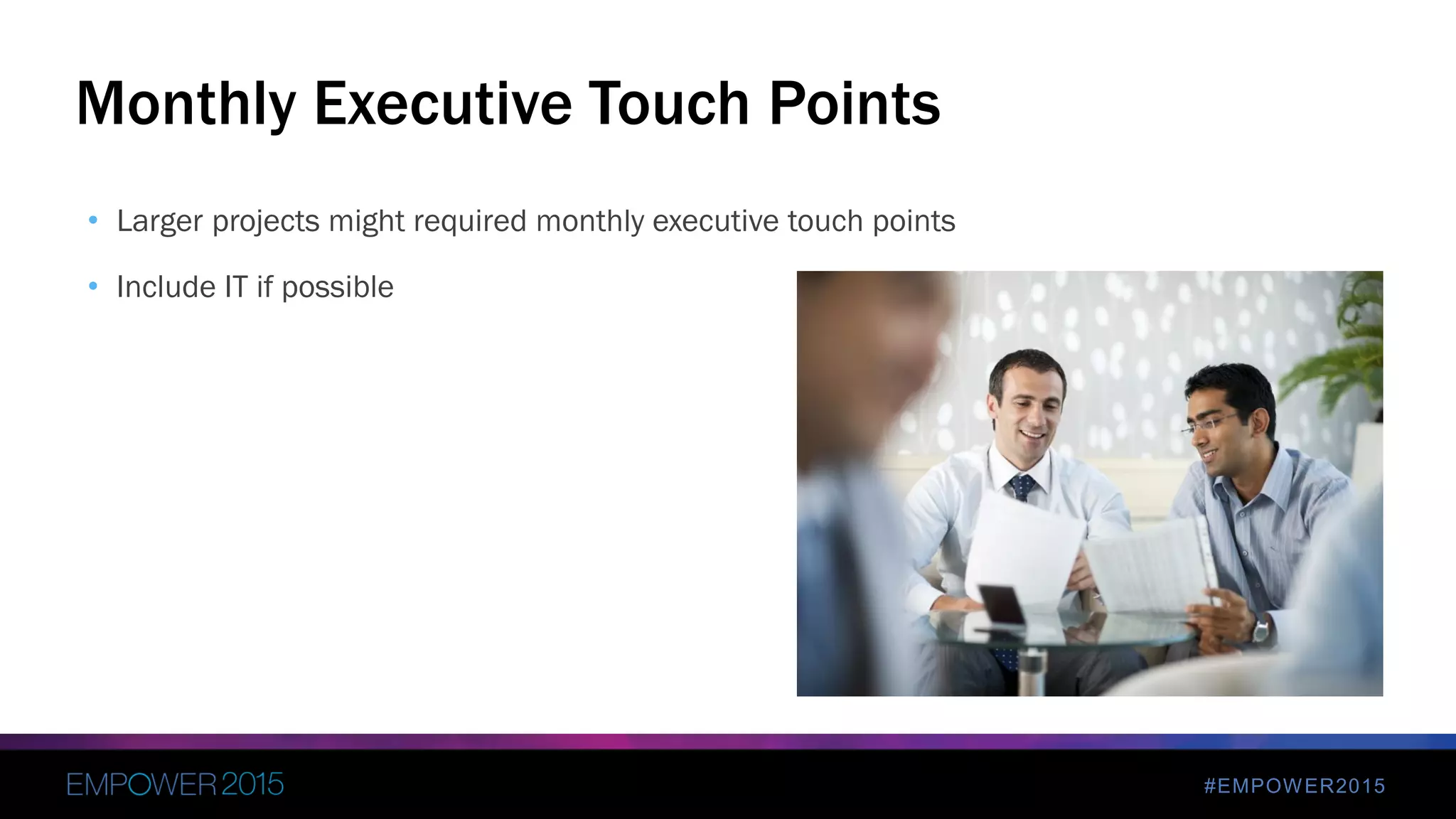
• Larger projects might required monthly executive touch points
• Include IT if possible
Monthly Executive Touch Points
#EMPOWER2015
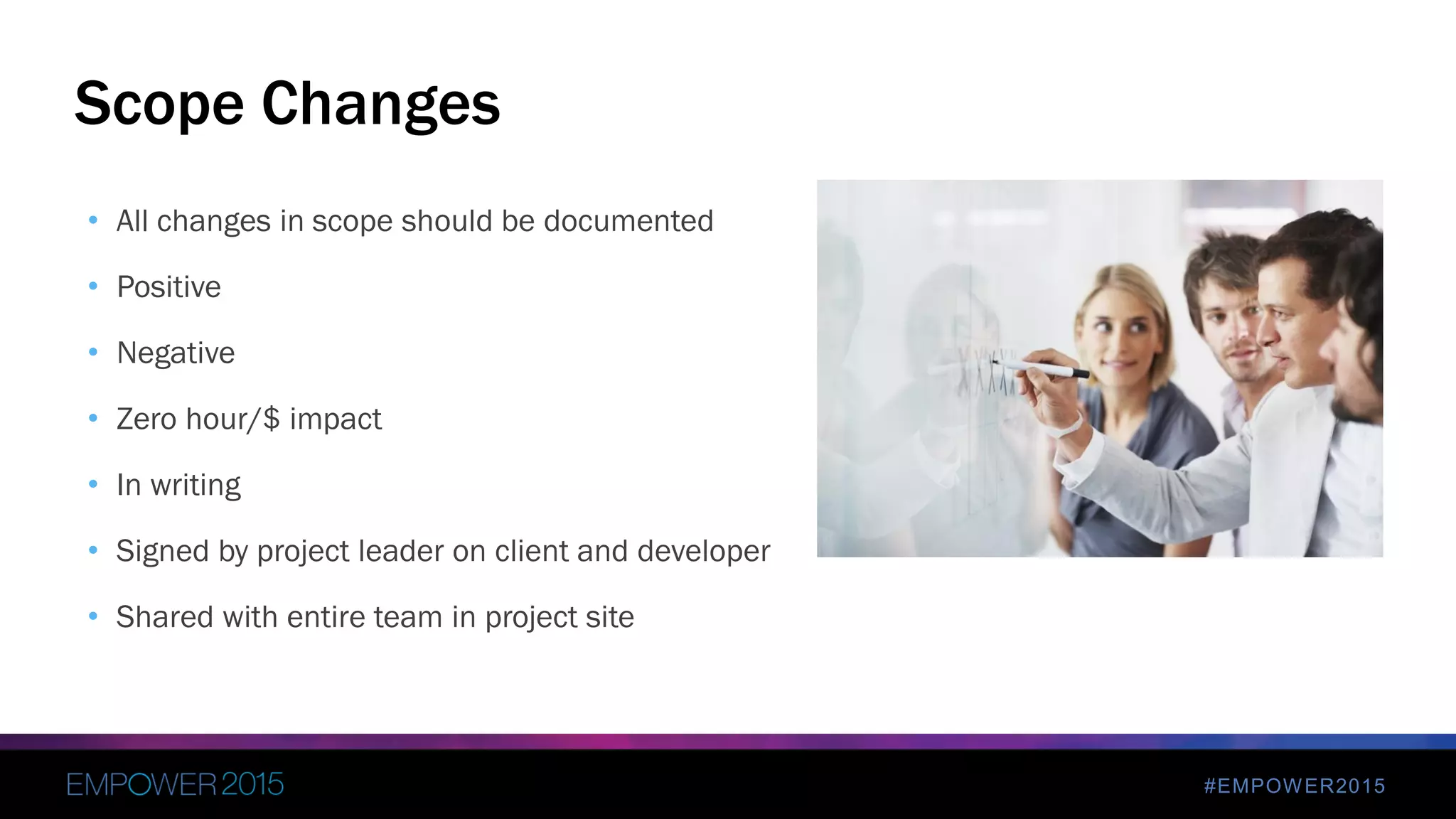
• All changes in scope should be documented
• Positive
• Negative
• Zero hour/$ impact
• In writing
• Signed by project leader on client and developer
• Shared with entire team in project site
Scope Changes
#EMPOWER2015
• Ease of Use
• Single Sign On (SSO)
• Track Usage
• User Feedback
• IT Support and Coordination
– S
4. Adoption
#EMPOWER2015
• Seamless Interface
• Prevents Multiple Application Sign on Prompts
• Improved User Experience
• Requires IT Assistance with Intuit
• Requires QuickBase Platform Plan
SSO (Single Sign-on)
#EMPOWER2015
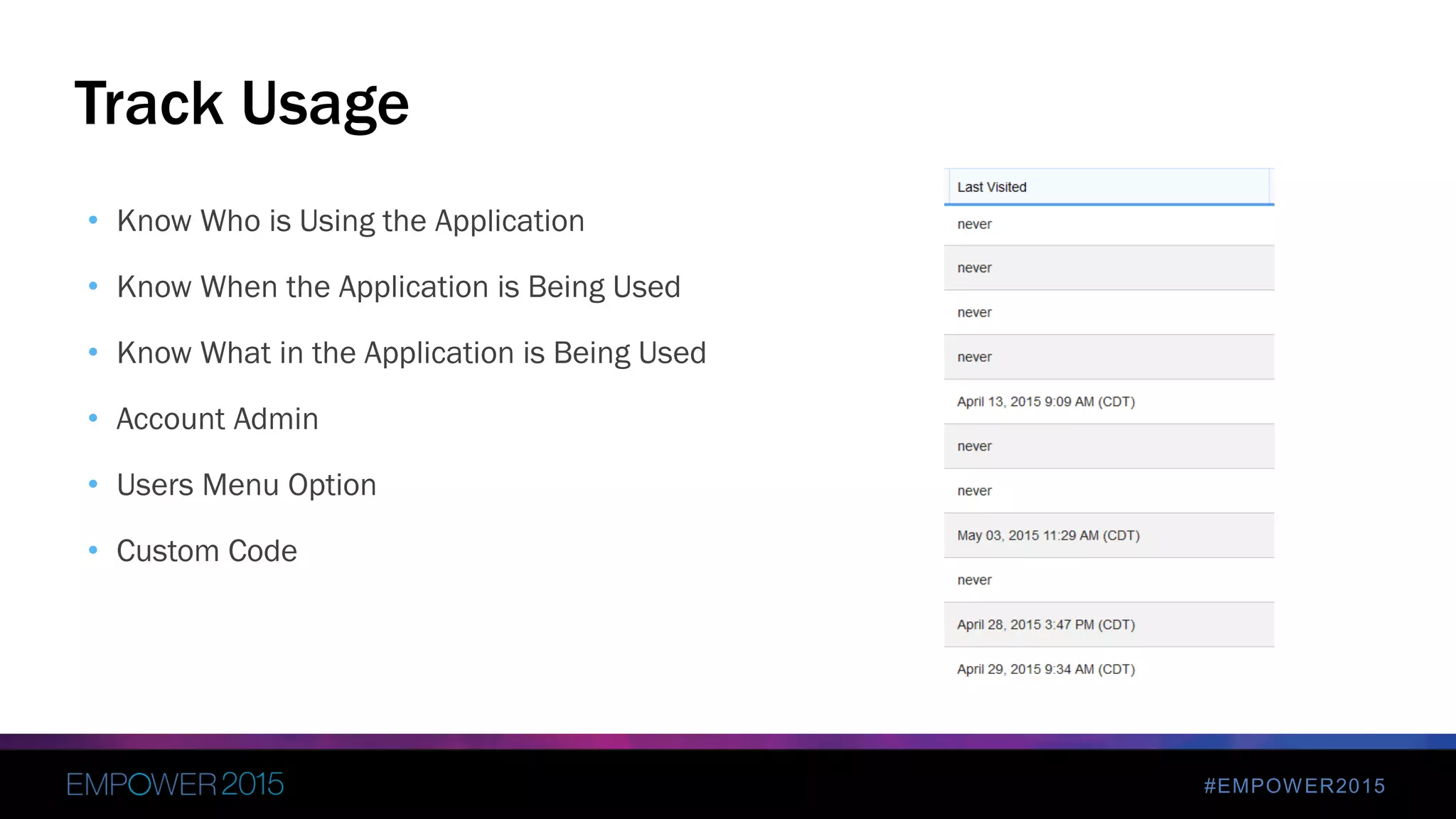
• Know Who is Using the Application
• Know When the Application is Being Used
• Know What in the Application is Being Used
• Account Admin
• Users Menu Option
• Custom Code
Track Usage
#EMPOWER2015
• The Best Designed Application Can Be Better
• Issues and Problems
• Request for New Features
• Easily Accessible and Simple to Use
• QuickBase Application
• Email
User Feedback
Customer Feedback
5
#EMPOWER2015
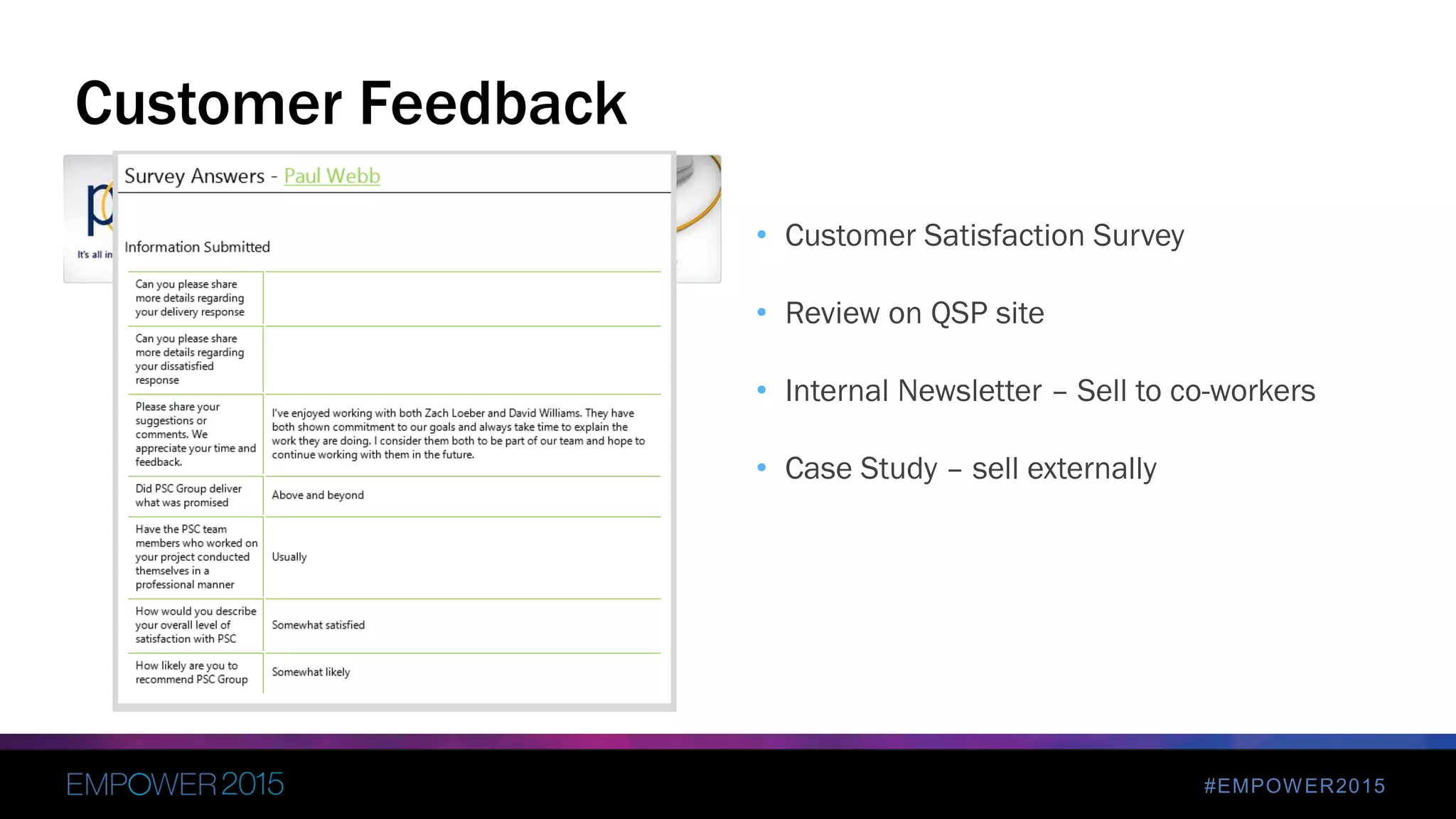
• Customer Satisfaction Survey
• Review on QSP site
• Internal Newsletter – Sell to co-workers
• Case Study – sell externally
Customer Feedback
Wrap-up
6
#EMPOWER2015
 Communicate
 Organize
 Solve Problems/Make Decisions
 Build Good Teams
 Its Not Over After Roll Out
Wrap-up
Finish Strong -- Successfully Rolling Out Your Killer QuickBase App

Finish Strong -- Successfully Rolling Out Your Killer QuickBase App

  • 2.
    Finish Strong -Successfully Rolling Out Your Killer App John Head - Director of Enterprise Collaboration Ken Lamey – Engagement Manager PSC Group, LLC
  • 3.
    #EMPOWER2015 ① About Us ②Overview ③ Key Project Phases ④ Polish ⑤ Customer Feedback ⑥ Wrap-up
  • 4.
  • 5.
    #EMPOWER2015© 2013 IBMCorporation John Head jhead@psclistens.com 1051 Perimeter Drive Suite 500 Schaumburg, IL 60173 (847) 517-7200 (847) 517-7600 fax Facebook.com/PSCGroup Twitter.com/PSCGroup Linkedin.com/company/psc-group-llc Slideshare.com/PSCGroup Youtube.com/PSCGroup Facebook.com/johndhead Twitter.com/johnhead LinkedIN.com/in/johndhead Slideshare.com/johnhead Youtube.com/johnhead www.johndavidhead.com www.pscgroup.com
  • 6.
    #EMPOWER2015 Kenneth L. Lamey klamey@psclistens.com 1051Perimeter Drive Suite 500 Schaumburg, IL 60173 (847) 517-7200 (847) 517-7600 fax (224) 659-3054 cell Facebook.com/PSCGroup Twitter.com/PSCGroup Linkedin.com/company/psc-group-llc Twitter.com/KLLamey Linkedin.com/in/kenlamey Kenneth L. Lamey www.pscgroup.com Engagement Manager
  • 8.
    #EMPOWER2015 It’s all inthe way we listen
  • 9.
    Our Methodology Application Modernization,Not Migration Inventory Existing Application Portfolio Categorize and Prioritize Estimate Modernization Costs Determine Landing Platform Network Impact Analysis Data Center Impact Analysis Define Security Model on Landing Platform Establish Tools & Standards Application Transformation Data Transformation Sunset Legacy Environment Develop Support and Staffing Plan Application Modernized! Reduce Licensing of Legacy Environment Define Governance Model Modify Infrastructure Establish Development Environment Specify and Procure Production Hardware and Software Analysis & Design Prepare for a more data driven, mobile, social and dynamic future Identify opportunities to enhance processes, workflow and security Technical Analysis Business Value Analysis Cultural Change Analysis Develop Training Plan and Materials Train End Users on Modernized Application ANALYZE MODERNIZE
  • 10.
  • 11.
    #EMPOWER2015 • This sessionis for anyone building applications with Intel Quickbase, customer or QSP • Best Practices from the field • Learn from our mistakes and our success • To get to the areas of polish to finish strong, we need to make sure we start strong and steady Why Finish Strong?
  • 12.
  • 13.
    #EMPOWER2015 ① Project Identification ②Discovery ③ Design ④ Development ⑤ Testing / UAT ⑥ Rollout ⑦ Knowledge Transfer and Client Turnover Key Project Phases
  • 14.
    #EMPOWER2015  Listen tothe client  Document everything  Have clear understanding of how client does business  Billing procedures clearly understood  Client/Company sponsor vs. Project sponsor vs. Project Figurehead  Setting Expectations 1. Project Identification
  • 15.
    #EMPOWER2015 • One ofthe world's largest and highest valued semiconductor chip makers, based on revenue • Initial Client Engagement • Non-technical Client Project Team • Diverse Geographic Locations and Time Zones • All Client Contact Is Remote • Manage Scope Client Overview
  • 16.
    #EMPOWER2015 • Process EfficiencyGains • Improved Visibility Into • Coach request status • Coach/Client relationship • Coach/Client metrics Overall Project Goals
  • 17.
    #EMPOWER2015  Deep diveinto current state  Deep dive into desired state at end of project  Client interviews 2. Discovery
  • 18.
    #EMPOWER2015 • Scout/Coach Source •Previous CMS Did Not Work • User Interface Was Not Easy To Use • Supplemented Spreadsheets With CMS • Email did not often go out • Emailed without their knowledge • Dashboards Limitations - What it had did not give them data they needed • Dashboards Limitations - Dashboard functionality mostly did not work • Multiple Drill Downs To Get To Data • No Workflow Capabilities • Lack of Custom Reporting • Limited Portfolio Analysis Capabilities Prior CMS Solution Deficiencies
  • 19.
    #EMPOWER2015 • Coaching ManagementSystem • Allows for multiple roles • Workflow • Automated email notifications • Replace Existing Spreadsheets • Portfolio Analysis Capabilities Project Scope
  • 20.
    #EMPOWER2015 • All Tasksfor the Project • Created Before the Project “Really” Begins • Includes Ramp Up Tasks too • Not Just Development Activities • Test Plan Creation and Execution • Roll Out Activities • Project Closure Project Plan
  • 21.
  • 22.
    #EMPOWER2015  Complete applicationarchitecture  Design Document  Wireframes / Mock-ups  Workflow (Visio)  Prototype Dashboard / Reporting  Project Sponsor Signature / Buy-in 3. Design
  • 23.
  • 24.
    #EMPOWER2015  Waterfall vs.Agile  Constant interaction with client  User Stories  Daily Stand-up  Weekly Status Meetings  Weekly Demo with Entire Team  Max two week sprints  Client testing each sprint 4. Development
  • 25.
  • 26.
    #EMPOWER2015  Testing takesplace during every phase  User Story test plans  Focused Testing phase  Developer Testing  Client Testing  Pilot Phase  All projects have bugs/fixes during UAT 5. Testing / UAT
  • 27.
  • 28.
  • 29.
  • 30.
    #EMPOWER2015  Training  Integration/ Access  Staggered Access 6. Rollout
  • 31.
    #EMPOWER2015  Documentation  Trainthe Trainer  Support Agreement / Plan 7. Knowledge Transfer and Client Turnover
  • 32.
  • 33.
  • 34.
    #EMPOWER2015 ① Client Management ②Delivery Excellence ③ Communication ④ Adoption POLISH
  • 35.
    #EMPOWER2015 • Organizational Changeis hard • Change Management process must be defined • Break large projects into phases • Identify the key workers – not just decision makers : INTERVIEW • Avoid “analysis paralysis” • Stakeholder review – constantly • Manage Scope 1. Client Management
  • 36.
    #EMPOWER2015 • Daily Stand-ups/ Status Meetings with teams • Project Manager manages scope and tasks, not developer • All scope changes reviewed by entire team • Project Peer code review • Peer Testing • Company Project Reviews • Executive Overview 2. Delivery Excellence
  • 37.
    #EMPOWER2015 • Project TeamSite • Weekly Status Reports • Monthly Executive Touch Points • Scope Changes 3. Communication
  • 38.
    #EMPOWER2015 • Complete projecttracking • Starts with signed Statement of Work • Project Plan • Weekly Status Reports • Scope Changes • Test Plans • All other documentation • Accessible by everyone on team Project Team Site
  • 39.
    #EMPOWER2015 • Clearly documentedweekly status reporting • What was done • What’s next • Exact Hour/$ Status Weekly Status Reports PSC Group – Project Status Update Intel : P05010 Intel Coaching Management Application Status Report for Week Ending 03-27-2015 Hours Resource PSC Project Description Project Number Sat Sun Mon Tue Wed Thu Fri Week Total Project To Date Ken Lamey Store Schedule Items - Support P0510 1 3 5 3 2 14 263.5 Total 1 3 5 3 2 14 263.5/ 360 Tasks Reconciliation for Last Week (Tasks started with a ‘*’ were unanticipated or not expected this week) Item Resource Status Comments Project Coordination/Onboarding Ken In Process  Daily standups, status reporting and project coordination, Weekly Standup to review progress with the team on Friday. Worked with Lorena to coordinate awaiting testing and new findings. Testing Ken In Process  Tested the application with both the engagement manager role and coaches roles Form Updates Ken In-Progress  Miscellaneous forms updates including removing availability fields and spelling corrections. Modified the selection list for coaches to not display the type of coach twice. Updated the occurrences of interested coach to potential coach. Coach Role Ken Complete  Implemented, consolidated and reviewed multiple requirements list for hidden fields for coaches. Implemented and tested the coach role for access to all forms and home page. Coach Dashboard Ken Complete  Added the filtered reports to coach’s view. Modified fields to display correctly on reports and access. Emails Ken Complete  Completed misc. enhancements to the emails including the creation of another set to be sent to the engagement managers for phase one to send the CRF attachment separately. Modified the availability email to reflect reply to this email since coaches will not have access initially. Reviewed revised email matrix requirements and verified emails. Coach Reports Ken Complete  Enhanced the coaches’ reports to display fields as designated. Tasks Outstanding Task Resource Description Client Inventory Report Ken Ability to email a coaching inventory report for updates. Coach request Document Attachment Ken Ability to add one link for the Coach request document link for coaches and have it flow through to the emails. Engagement tracking report Ken Generate a report to provide engagement tracking data. Issues Outstanding Issue Resolution Date / Status Resolution
  • 40.
    #EMPOWER2015 • Larger projectsmight required monthly executive touch points • Include IT if possible Monthly Executive Touch Points
  • 41.
    #EMPOWER2015 • All changesin scope should be documented • Positive • Negative • Zero hour/$ impact • In writing • Signed by project leader on client and developer • Shared with entire team in project site Scope Changes
  • 42.
    #EMPOWER2015 • Ease ofUse • Single Sign On (SSO) • Track Usage • User Feedback • IT Support and Coordination – S 4. Adoption
  • 43.
    #EMPOWER2015 • Seamless Interface •Prevents Multiple Application Sign on Prompts • Improved User Experience • Requires IT Assistance with Intuit • Requires QuickBase Platform Plan SSO (Single Sign-on)
  • 44.
    #EMPOWER2015 • Know Whois Using the Application • Know When the Application is Being Used • Know What in the Application is Being Used • Account Admin • Users Menu Option • Custom Code Track Usage
  • 45.
    #EMPOWER2015 • The BestDesigned Application Can Be Better • Issues and Problems • Request for New Features • Easily Accessible and Simple to Use • QuickBase Application • Email User Feedback
  • 46.
  • 47.
    #EMPOWER2015 • Customer SatisfactionSurvey • Review on QSP site • Internal Newsletter – Sell to co-workers • Case Study – sell externally Customer Feedback
  • 48.
  • 49.
    #EMPOWER2015  Communicate  Organize Solve Problems/Make Decisions  Build Good Teams  Its Not Over After Roll Out Wrap-up