Blogging BasicsApril 15, 2014
Our History With Blogging
Social Media is never going away.
Businesses have realized this and are taking
advantage—so are Libraries.
From mkhmarketing:
http://www.flickr.com/photos/93212162@N08/8539048913
Via Compfight: http://compfight.com
CC: https://creativecommons.org/licenses/by/2.0/
Getting Started
Traditional methods of communication vs social
media
Bellevue University Library and social media
 Facebook – March 2010
Problems Arise!
Library staff volunteers posted once a month…
…then we started having problems.
By Victor Hanacek
Via: http://picjumbo.com/laptop-keyboard-close-up/
Apple, the Apple logo and iPhone are trademarks of Apple
Inc., registered in the U.S. and other countries.
Our Solutions
 Step 1: social media committee
 Step 2: empower interested staff
 Step 3: Pare down to those who *love* writing
What to Write
Types of Blog Posts
Short
Types of Blog Posts
Reviews
Feature
FEATURE STORIES BLOGS
The Best Shots From The North Face
Photo Contest
March 24th, 2014 | By Ryan Dunfee
TGR has been hosting The North Face Photo
Contestevery winter for the past five years, with
the goal of finding the best amateur ski &
snowboard photographers across the US &
Canada.This year's contest,...Read More
Types of Blog Posts
Lists
Do You Recognize the 7 Early Warning Signs of
High Blood Pressure?
76 Reasons Why It Would Have
Paid You to Answer Our Ad a
Few Months Ago
7 Reasons Why List Posts
Will Always Work
by BRIAN CLARK
Types of Blog Posts
Infographic
Types of Blog Posts
Commentary
Types of Blog Posts
Poll/Quiz
Types of Blog Posts
Caption
Types of Blog Posts
http://theoatmeal.com/blog
This sign at an awesome bookshop.
http://www.buzzfeed.com/
Interview
Types of Blog Posts
How to
Types of Blog Posts
Read Books
Subscribe to blogs
Stay passionate
Take notes
Share people’s ideas/resources
JoshEvans.com
Where to Find Ideas
Questions to Ask Before Posting
Is it new?
Is there something fascinating and different about it?
 Talk about why it’s groundbreaking, what’s new about it, and what you
think about its implications or the future.
Does anybody really care about this?
Is there something hilarious, quirky, or unbelievable
about it?
Have you had personal experience with it?
(Bloggers Boot Camp by Charlie White & John Biggs)
Questions to Ask Before Posting
Is there a good graphic or photo available?
 Besides the headline, the quality of the graphic is one of the main
factors in drawing readers into your work.
Is it a hot topic of considerable controversy that will
lure comments from readers?
 Find the hot topics of the moment by using the Google Trends
http://www.google.com/trends
Do you have a unique opinion or spin on the topic?
(Bloggers Boot Camp by Charlie White & John Biggs)
Blogging Etiquette
Copyright Laws- republish snippets along with a link
Images You Can Use-
*Rights-managed- pay or get permission
*Royalty-free- pay once and use again or may
not have a price, but have other
restrictions (stock images)
*Creative Commons- organization that helps
owners of original works share those
works in a less-restrictive manner than
copyright laws allow.
(creativecommons.org)
Blogging Etiquette
Creating Policies
*Comment policy
*Privacy policy
*Terms and Conditions of Use
What Not to Talk About
*Your Job
*Slander/Negative talk
From The Complete Idiot’s Guide to WordPress by Susan
Gunelius
Developing Your Voice
Personality
 Just like your mom always said; “Be yourself”
 Unless your niche demands, no alter-egos
 Be Passionate
 If you don’t like it, don’t write it.
 Don’t be afraid to borrow language
 You are the culmination of life experiences
 EXPERIENCE LIFE!
 Go out and meet your potential readers.
 Live a little; content, baby!
Audience
Exercise 1: Create your ideal
reader
 A/S/L?
 Married? Kids? Pets?
 Background?
 Goals/desires?
Now, write them an email
POST!
Audience
Exercise 2: The Doogie
Howser, M.D. Post
 Treat post like a
personal diary.
 Be willing to open up,
write like no one will see
it.
 Take risks, but be aware
of consequences
(trolling, etc.).
 Don’t practice medicine
without a license.
POST!
Writing
 Step 1: Write every day
 But DON’T post it everyday.
 Set goals – work up to 1,000
words.
 Step 2: Read every day
 Find interesting blog : read
them.
 Newspaper, books, magazines –
OSMOSIS!
 Step 3: Learn your grammar
 When in doubt, look it up.
 Know when and how you can
break the rules.
Focus
Find your niche and stick
with it
 Know what your readers
will accept.
Don’t dilute your message
 Leave unaffiliated agendas
for another blog.
Write what you know
 If you don’t know it,
research it.
 If you don’t research it,
don’t write it.
Adding Media
Why Add Media?
Photo credit:
Brian Auer - http://www.flickr.com/photos/29814800@N00/3042421371/
Via Compfight - http://compfight.com)
CC - https://creativecommons.org/licenses/by-nc-nd/2.0/
Locating Media
Finding Images
 Creative Commons
 https://creativecommons.org/
 Compfight
 http://compfight.com/
 Flickr
 https://www.flickr.com/search/advanced/
Originals – add your own, contribute to Flickr
Locating Media
Audio and Video Media
 Jamendo
 http://www.jamendo.com/en/
 Free Music Archive
 http://freemusicarchive.org/
 YouTube
 http://www.youtube.com/yt/copyright/creative-
commons.html
 National Jukebox
 http://www.loc.gov/jukebox
Selecting Media
How does it relate?
 Eye Candy
 Tap into Emotion
 Added Value
 Focused, relevant
Media Files
 Size
 Resolution
 Quality
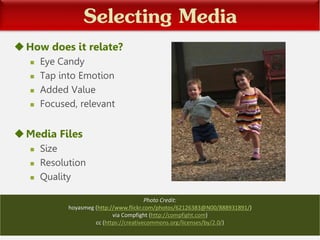
Photo Credit:
hoyasmeg (http://www.flickr.com/photos/62126383@N00/888931891/)
via Compfight (http://compfight.com)
cc (https://creativecommons.org/licenses/by/2.0/)
Editing Media
Basic editing
 Cropping, rotating, flipping, scaling
Using free image editing tools
 Pixlr
 Picasa
 PicMonkey
Video creating, editing
 iMovie
 Windows Movie Maker
 Lightworks
Uploading and Placement of Media
Uploading and Linking Media
 Title, Caption, Alt Text, Description
 Linking
 Size
 Video and Audio Embedding
Placement of Media in the Post, Final Editing
 Top load featured images
 Set margins, borders
 Alignment: left, center, right
 Viewing on different devices
Increasing Readership
Measurement (tools)
Google Analytics
(http://www.google.com/analytics/)
Sitemeter (http://www.sitemeter.com/)
CQ Counter (http://cqcounter.com/)
From Tango!:
http://commons.wikimedia.org/wiki/File:Measure.svg
Measurement (things)
View
Visit
Duration
Get found (part 1)
 Submit your blog to search engines (Google,
Yahoo)
 Submit your blog to blog directories (Technorati,
EatonWeb blog portal, Blogorama, blog catalog…)
 SEO’s
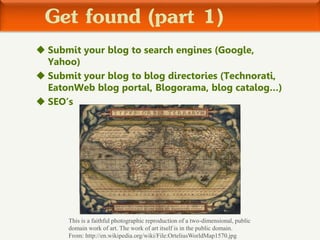
This is a faithful photographic reproduction of a two-dimensional, public
domain work of art. The work of art itself is in the public domain.
From: http://en.wikipedia.org/wiki/File:OrteliusWorldMap1570.jpg
Using SEO’s to get more hits
Search Engine Optimization
Trending, buzzwords, keywords, numbered
lists
Get found (part 2)
Submit your blog for review (weblog review,
blog of the day)
Submit your blog for an award (bloggies,
weblog award, webby award, best of the
blogs)
Network with other bloggers (engagement
on their blogs, form a blog ring, create a
blog roll)
Engaging your readers
Feedback
Contests
Promote your posts
Facebook
Twitter
Instagram
Pinterest
From mkhmarketing:
http://www.flickr.com/photos/93212162@N08/8468788107/ Via
Compfight: http://compfight.com
CC: https://creativecommons.org/licenses/by/2.0/">cc</a>
Content is the great consensus
Quality
Meritocracy
Where We Are Now
 We just launched the new layout of our Blog—
emphasizing a more modern, cleaner look.
 Comments being left on our blog are way up, and
have generated some interaction between writers
and commenters.
 Statistics are roughly the same, except for the
average visit duration, which has rocketed up
from being only about thirty seconds to near
three minutes! People are reading our stuff!
Thank you for your attention
 Please ask us any questions you have!
 If you would like to follow up with us after today,
email us at library@bellevue.edu
What Have We Learned?
Diane: How to Create and Generate Content
Jake: How to Develop a Blogging Personality
and Gain Followers
Casey: How to Effectively Use Media In Your
Blogs
Pauline: How to Promote Your Blog
References
Types of Posts- Bloggers Boot Camp: Learning how to build, write, and run a
successful blog. by Charlie White and John Biggs
Short Paragraphs Image- by twelveskip.com, “10 Practical Reasons To Use
Short Paragraphs On Your Blog Posts”
10 Commandments of Blogging Infographic- from visual.ly
How We Are Blogging Infographic – from webhostinggeeks.com
Commentary Blogs- Child Mind Institute: http://www.childmind.org/en/press/brainstorm/ ;
WatchBlog: http://www.watchblog.com/; Justia: onward.justia.com/
Where to Find Ideas- JoshEvans.com
Questions to Ask Before Blogging - Bloggers Boot Camp by Charlie White and
John Biggs
Blogging Etiquette-The Complete Idiot’s Guide to WordPress by Susan Gunelius
References
• White, C. (2012). Bloggers boot camp: Learning how to build, write, and
run a successful blog. Waltham, MA: Focal Press.
• Risdahl, A.S. (2006). The everything blogging book : Publish your ideas,
get feedback, and create your own worldwide network. Avon, MA:
Adam Media.
• Yang, J. (2006). The rough guide to blogging. London, NY: Rough
Guides.

Blogging Basics Workshop Presentation

  • 1.
  • 2.
    Our History WithBlogging Social Media is never going away. Businesses have realized this and are taking advantage—so are Libraries. From mkhmarketing: http://www.flickr.com/photos/93212162@N08/8539048913 Via Compfight: http://compfight.com CC: https://creativecommons.org/licenses/by/2.0/
  • 3.
    Getting Started Traditional methodsof communication vs social media Bellevue University Library and social media  Facebook – March 2010
  • 4.
    Problems Arise! Library staffvolunteers posted once a month… …then we started having problems. By Victor Hanacek Via: http://picjumbo.com/laptop-keyboard-close-up/ Apple, the Apple logo and iPhone are trademarks of Apple Inc., registered in the U.S. and other countries.
  • 5.
    Our Solutions  Step1: social media committee  Step 2: empower interested staff  Step 3: Pare down to those who *love* writing
  • 6.
  • 7.
    Types of BlogPosts Short
  • 8.
    Types of BlogPosts Reviews
  • 9.
    Feature FEATURE STORIES BLOGS TheBest Shots From The North Face Photo Contest March 24th, 2014 | By Ryan Dunfee TGR has been hosting The North Face Photo Contestevery winter for the past five years, with the goal of finding the best amateur ski & snowboard photographers across the US & Canada.This year's contest,...Read More Types of Blog Posts
  • 10.
    Lists Do You Recognizethe 7 Early Warning Signs of High Blood Pressure? 76 Reasons Why It Would Have Paid You to Answer Our Ad a Few Months Ago 7 Reasons Why List Posts Will Always Work by BRIAN CLARK Types of Blog Posts
  • 11.
  • 12.
  • 13.
  • 14.
    Caption Types of BlogPosts http://theoatmeal.com/blog This sign at an awesome bookshop. http://www.buzzfeed.com/
  • 15.
  • 16.
    How to Types ofBlog Posts
  • 17.
    Read Books Subscribe toblogs Stay passionate Take notes Share people’s ideas/resources JoshEvans.com Where to Find Ideas
  • 18.
    Questions to AskBefore Posting Is it new? Is there something fascinating and different about it?  Talk about why it’s groundbreaking, what’s new about it, and what you think about its implications or the future. Does anybody really care about this? Is there something hilarious, quirky, or unbelievable about it? Have you had personal experience with it? (Bloggers Boot Camp by Charlie White & John Biggs)
  • 19.
    Questions to AskBefore Posting Is there a good graphic or photo available?  Besides the headline, the quality of the graphic is one of the main factors in drawing readers into your work. Is it a hot topic of considerable controversy that will lure comments from readers?  Find the hot topics of the moment by using the Google Trends http://www.google.com/trends Do you have a unique opinion or spin on the topic? (Bloggers Boot Camp by Charlie White & John Biggs)
  • 20.
    Blogging Etiquette Copyright Laws-republish snippets along with a link Images You Can Use- *Rights-managed- pay or get permission *Royalty-free- pay once and use again or may not have a price, but have other restrictions (stock images) *Creative Commons- organization that helps owners of original works share those works in a less-restrictive manner than copyright laws allow. (creativecommons.org)
  • 21.
    Blogging Etiquette Creating Policies *Commentpolicy *Privacy policy *Terms and Conditions of Use What Not to Talk About *Your Job *Slander/Negative talk From The Complete Idiot’s Guide to WordPress by Susan Gunelius
  • 22.
  • 23.
    Personality  Just likeyour mom always said; “Be yourself”  Unless your niche demands, no alter-egos  Be Passionate  If you don’t like it, don’t write it.  Don’t be afraid to borrow language  You are the culmination of life experiences  EXPERIENCE LIFE!  Go out and meet your potential readers.  Live a little; content, baby!
  • 24.
    Audience Exercise 1: Createyour ideal reader  A/S/L?  Married? Kids? Pets?  Background?  Goals/desires? Now, write them an email POST!
  • 25.
    Audience Exercise 2: TheDoogie Howser, M.D. Post  Treat post like a personal diary.  Be willing to open up, write like no one will see it.  Take risks, but be aware of consequences (trolling, etc.).  Don’t practice medicine without a license. POST!
  • 26.
    Writing  Step 1:Write every day  But DON’T post it everyday.  Set goals – work up to 1,000 words.  Step 2: Read every day  Find interesting blog : read them.  Newspaper, books, magazines – OSMOSIS!  Step 3: Learn your grammar  When in doubt, look it up.  Know when and how you can break the rules.
  • 27.
    Focus Find your nicheand stick with it  Know what your readers will accept. Don’t dilute your message  Leave unaffiliated agendas for another blog. Write what you know  If you don’t know it, research it.  If you don’t research it, don’t write it.
  • 28.
  • 29.
    Why Add Media? Photocredit: Brian Auer - http://www.flickr.com/photos/29814800@N00/3042421371/ Via Compfight - http://compfight.com) CC - https://creativecommons.org/licenses/by-nc-nd/2.0/
  • 30.
    Locating Media Finding Images Creative Commons  https://creativecommons.org/  Compfight  http://compfight.com/  Flickr  https://www.flickr.com/search/advanced/ Originals – add your own, contribute to Flickr
  • 31.
    Locating Media Audio andVideo Media  Jamendo  http://www.jamendo.com/en/  Free Music Archive  http://freemusicarchive.org/  YouTube  http://www.youtube.com/yt/copyright/creative- commons.html  National Jukebox  http://www.loc.gov/jukebox
  • 32.
    Selecting Media How doesit relate?  Eye Candy  Tap into Emotion  Added Value  Focused, relevant Media Files  Size  Resolution  Quality Photo Credit: hoyasmeg (http://www.flickr.com/photos/62126383@N00/888931891/) via Compfight (http://compfight.com) cc (https://creativecommons.org/licenses/by/2.0/)
  • 33.
    Editing Media Basic editing Cropping, rotating, flipping, scaling Using free image editing tools  Pixlr  Picasa  PicMonkey Video creating, editing  iMovie  Windows Movie Maker  Lightworks
  • 34.
    Uploading and Placementof Media Uploading and Linking Media  Title, Caption, Alt Text, Description  Linking  Size  Video and Audio Embedding Placement of Media in the Post, Final Editing  Top load featured images  Set margins, borders  Alignment: left, center, right  Viewing on different devices
  • 35.
  • 36.
    Measurement (tools) Google Analytics (http://www.google.com/analytics/) Sitemeter(http://www.sitemeter.com/) CQ Counter (http://cqcounter.com/) From Tango!: http://commons.wikimedia.org/wiki/File:Measure.svg
  • 37.
  • 38.
    Get found (part1)  Submit your blog to search engines (Google, Yahoo)  Submit your blog to blog directories (Technorati, EatonWeb blog portal, Blogorama, blog catalog…)  SEO’s This is a faithful photographic reproduction of a two-dimensional, public domain work of art. The work of art itself is in the public domain. From: http://en.wikipedia.org/wiki/File:OrteliusWorldMap1570.jpg
  • 39.
    Using SEO’s toget more hits Search Engine Optimization Trending, buzzwords, keywords, numbered lists
  • 40.
    Get found (part2) Submit your blog for review (weblog review, blog of the day) Submit your blog for an award (bloggies, weblog award, webby award, best of the blogs) Network with other bloggers (engagement on their blogs, form a blog ring, create a blog roll)
  • 41.
  • 42.
    Promote your posts Facebook Twitter Instagram Pinterest Frommkhmarketing: http://www.flickr.com/photos/93212162@N08/8468788107/ Via Compfight: http://compfight.com CC: https://creativecommons.org/licenses/by/2.0/">cc</a>
  • 43.
    Content is thegreat consensus Quality Meritocracy
  • 44.
    Where We AreNow  We just launched the new layout of our Blog— emphasizing a more modern, cleaner look.  Comments being left on our blog are way up, and have generated some interaction between writers and commenters.  Statistics are roughly the same, except for the average visit duration, which has rocketed up from being only about thirty seconds to near three minutes! People are reading our stuff!
  • 45.
    Thank you foryour attention  Please ask us any questions you have!  If you would like to follow up with us after today, email us at library@bellevue.edu
  • 46.
    What Have WeLearned? Diane: How to Create and Generate Content Jake: How to Develop a Blogging Personality and Gain Followers Casey: How to Effectively Use Media In Your Blogs Pauline: How to Promote Your Blog
  • 47.
    References Types of Posts-Bloggers Boot Camp: Learning how to build, write, and run a successful blog. by Charlie White and John Biggs Short Paragraphs Image- by twelveskip.com, “10 Practical Reasons To Use Short Paragraphs On Your Blog Posts” 10 Commandments of Blogging Infographic- from visual.ly How We Are Blogging Infographic – from webhostinggeeks.com Commentary Blogs- Child Mind Institute: http://www.childmind.org/en/press/brainstorm/ ; WatchBlog: http://www.watchblog.com/; Justia: onward.justia.com/ Where to Find Ideas- JoshEvans.com Questions to Ask Before Blogging - Bloggers Boot Camp by Charlie White and John Biggs Blogging Etiquette-The Complete Idiot’s Guide to WordPress by Susan Gunelius
  • 48.
    References • White, C.(2012). Bloggers boot camp: Learning how to build, write, and run a successful blog. Waltham, MA: Focal Press. • Risdahl, A.S. (2006). The everything blogging book : Publish your ideas, get feedback, and create your own worldwide network. Avon, MA: Adam Media. • Yang, J. (2006). The rough guide to blogging. London, NY: Rough Guides.