

BLOGGING
 BASICS
blog           noun ˈblȯg, ˈbläg


a website that contains an online
personal journal with reflections,
comments, and often hyperlinks
provided by the writer; also: the
contents of such a site; short for
Weblog; First Known Use: 1999
- Merriam Webster
why          adv ˈhwī, ˈwī


for what cause, reason or purpose
<why did you do it?>
- Merriam Webster
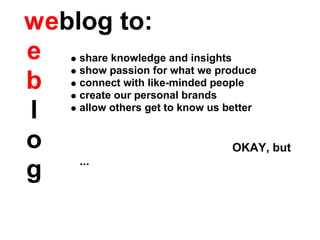
w eblog to:
e share knowledge and insights
     show passion for what we produce
b connect with like-minded people
     create our personal brands
l    allow others get to know us better


o                                  OKAY, but
     ...
g
why          adv ˈhwī, ˈwī


for what cause, reason or purpose
<why did you do it?>
- Merriam Webster


                           ?
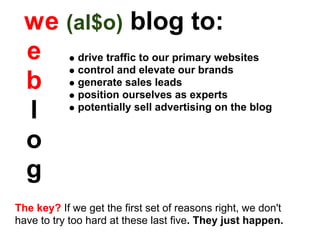
w e (al$o) blog to:
  e drive traffic to our primary websites
       control and elevate our brands
  b generateourselves as experts
       position
                 sales leads


  l    potentially sell advertising on the blog


  o
  g
The key? If we get the first set of reasons right, we don't
have to try too hard at these last five. They just happen.
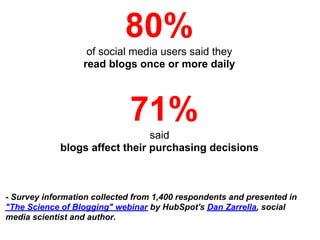
80%
                   of social media users said they
                  read blogs once or more daily


                             71%
                                said
             blogs affect their purchasing decisions


- Survey information collected from 1,400 respondents and presented in
"The Science of Blogging" webinar by HubSpot's Dan Zarrella, social
media scientist and author.
start          verb ˈstärt


a: to cause to move, act, or operate
<start the motor>
b: to cause to enter a game or contest;
especially : to put in the starting lineup
c: to care for or train during the early
stages of growth and development
<started plants>
- Merriam Webster
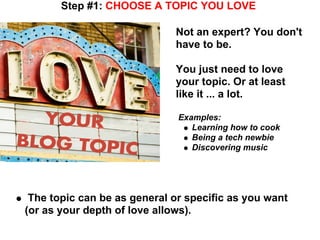
Step #1: CHOOSE A TOPIC YOU LOVE

                             Not an expert? You don't
                             have to be.

                             You just need to love
                             your topic. Or at least
                             like it ... a lot.

                              Examples:
                                 Learning how to cook
                                 Being a tech newbie
                                 Discovering music


 The topic can be as general or specific as you want
(or as your depth of love allows).
So, what's love
                   got to do with it?

  It helps prevent boredom.
  If you get bored with your topic:
       Your readers may not come back.

     Bored writer = boring writing
     YOU may not come back.

     Boredom kills momentum.


Ask yourself: Could I write at least 52 different things
about this topic?
Step #2: TARGET YOUR AUDIENCE


         audience noun ˈȯ-dē-ən(t)s, ˈä-
         a : a group of listeners or spectators
         b : a reading, viewing, or listening public
         c : a group of ardent admirers or
         devotees; following (More on THIS later!)

         - Merriam Webster
Step #3: PICK YOUR PLATFORM


 There are several blogging
 platforms out there. For
 beginners, FREE and WEB-
 BASED are great to get your
 feet wet. Currently, the most
 popular are:

     WordPress.com

     Blogger.com

     Tumblr.com

     Posterous.com
Step #4: DIVE IN

                When all else fails ...
               read the instructions!

  Each of the platforms is different, from the design
  options available to the process for entering posts.


   The best way to learn about the capabilities of your
   platform is simply to thoroughly explore the help
   section.
The Good News?
It's still comparing apples to apples when it comes to:

 Themes: All platforms offer several choices among free,
 pre-designed themes to create the look of your blog.
 Subscription options: You can - and should - offer RSS
 and e-mail subscriptions for your readers on all platforms.
 Share tools: All platforms have a way for you to include
 social media sharing tools for at least Facebook and
 Twitter.
Step #5: BUDGET YOUR TIME


    Decide how much time you want to devote to the blog,
    short term and long term.

    Set your initial goals conservatively. Try one or two
    posts per week, and plan to do that for six months.
    That's about 50 posts, maximum.


TIMING TIP: Most people read blogs in the morning, so posting by
10 a.m. is recommended.
Step #6: HOARD IDEAS ONLINE
Hoarding is okay when it comes to blog ideas. Go ahead,
stockpile them. It's much better than, say, cats. Just be
prepared to let them loose. Some tips:

   Read other blogs, relevant to your topic and otherwise
   Use Twitter. Use Twitter Lists.

   Check out Listorious. You don't even have to have a
   Twitter account to peep in on lists they've already
   created.
Step #7: KEEP A NOTEBOOK
Not "plugged in" at all times?               AWESOME
                                              IDEAS
That's okay: Despite popular belief,
not all ideas will come to you online.

  Go low-tech and keep a
  small notebook and pen
  handy. Jot down your ideas
  when they come to you.

 In the interest of promoting technology, consider that
 most smart phones have "notes" apps. Those work, too!
Step #8: CREATE A POST CALENDAR

   Paper calendars are fine, but Google Calendar works
   great, too. You can create a calendar just for your blog.

   Devote a block of time for each post - an hour or so.
   Create the event and use the description field to record
   any notes about the post idea.

  Keep holidays and seasonal themes in mind when plotting
  posts on your calendar. Not only will a calendar remind
  you about ideas later, but thinking seasonally can help
  you with ideas - and search rankings.
Step #9: CREATE GOOD CONTENT

            KISS: Keep It Short and
            Simple
            Use spell-check.
            Proofread for grammar.

            Embed hyperlinks.
            Use videos and images.
            Use bold text and
            subheads in copy.

            And just as important ...


                                        - Albert Einstein
When you blog,

   YOU ARE THE
      STAR
  ...well, your voice is.
   A major difference
 between blog content
      and content
on traditional websites
 is the style of writing.

   Readers expect:
  Casual tone
  Your personality
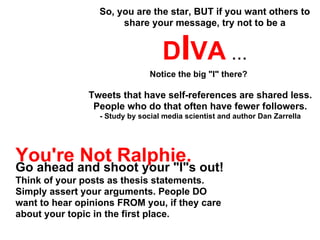
So, you are the star, BUT if you want others to
                      share your message, try not to be a


                                   DIVA ...
                                Notice the big "I" there?

               Tweets that have self-references are shared less.
                People who do that often have fewer followers.
                  - Study by social media scientist and author Dan Zarrella


You're Not Ralphie.
Go ahead and shoot your "I"s out!
Think of your posts as thesis statements.
Simply assert your arguments. People DO
want to hear opinions FROM you, if they care
about your topic in the first place.
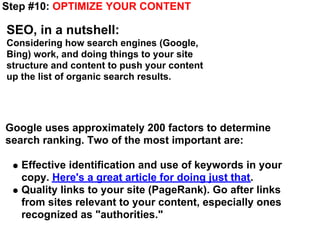
Step #10: OPTIMIZE YOUR CONTENT

SEO, in a nutshell:
Considering how search engines (Google,
Bing) work, and doing things to your site
structure and content to push your content
up the list of organic search results.


Google uses approximately 200 factors to determine
search ranking. Two of the most important are:

   Effective identification and use of keywords in your
   copy. Here's a great article for doing just that.
   Quality links to your site (PageRank). Go after links
   from sites relevant to your content, especially ones
   recognized as "authorities."
REMEMBER THIS? LET'S LOOK AT DEFINITION "C"


         audience noun ˈȯ-dē-ən(t)s, ˈä-
         a : a group of listeners or spectators
         b : a reading, viewing, or listening public
         c : a group of ardent admirers or
         devotees; following

         - Merriam Webster
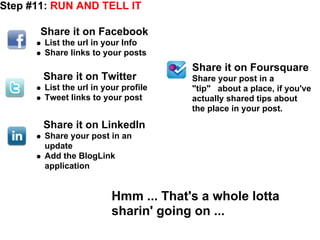
Step #11: RUN AND TELL IT

       Share it on Facebook
       List the url in your Info
       Share links to your posts
                                      Share it on Foursquare
       Share it on Twitter            Share your post in a
       List the url in your profile   "tip" about a place, if you've
       Tweet links to your post       actually shared tips about
                                      the place in your post.
       Share it on LinkedIn
       Share your post in an
       update
       Add the BlogLink
       application


                         Hmm ... That's a whole lotta
                         sharin' going on ...
Helpful resources to streamline your promotion:


                      hootsuite.com


                   www.tweetdeck.com


                   www.socialoomph.com
Step #12: TRACK YOUR TRAFFIC


  Some of the blogging platforms, url shorteners and
  Hootsuite have built-in tracking mechanisms, but the
  simplest way to get a clear picture of your blog's
  popularity is:


                MAKE FRIENDS WITH


                  Link to: Google Analytics
JCI's BLOGS
Best Places to Live Blog
Economic Development Trend Talk
Through the Lens Photography Blog
The Journal Journal

Blogging Basics 101

  • 1.
  • 2.
    blog noun ˈblȯg, ˈbläg a website that contains an online personal journal with reflections, comments, and often hyperlinks provided by the writer; also: the contents of such a site; short for Weblog; First Known Use: 1999 - Merriam Webster
  • 3.
    why adv ˈhwī, ˈwī for what cause, reason or purpose <why did you do it?> - Merriam Webster
  • 4.
    w eblog to: eshare knowledge and insights show passion for what we produce b connect with like-minded people create our personal brands l allow others get to know us better o OKAY, but ... g
  • 5.
    why adv ˈhwī, ˈwī for what cause, reason or purpose <why did you do it?> - Merriam Webster ?
  • 6.
    w e (al$o)blog to: e drive traffic to our primary websites control and elevate our brands b generateourselves as experts position sales leads l potentially sell advertising on the blog o g The key? If we get the first set of reasons right, we don't have to try too hard at these last five. They just happen.
  • 7.
    80% of social media users said they read blogs once or more daily 71% said blogs affect their purchasing decisions - Survey information collected from 1,400 respondents and presented in "The Science of Blogging" webinar by HubSpot's Dan Zarrella, social media scientist and author.
  • 8.
    start verb ˈstärt a: to cause to move, act, or operate <start the motor> b: to cause to enter a game or contest; especially : to put in the starting lineup c: to care for or train during the early stages of growth and development <started plants> - Merriam Webster
  • 9.
    Step #1: CHOOSEA TOPIC YOU LOVE Not an expert? You don't have to be. You just need to love your topic. Or at least like it ... a lot. Examples: Learning how to cook Being a tech newbie Discovering music The topic can be as general or specific as you want (or as your depth of love allows).
  • 10.
    So, what's love got to do with it? It helps prevent boredom. If you get bored with your topic: Your readers may not come back. Bored writer = boring writing YOU may not come back. Boredom kills momentum. Ask yourself: Could I write at least 52 different things about this topic?
  • 11.
    Step #2: TARGETYOUR AUDIENCE audience noun ˈȯ-dē-ən(t)s, ˈä- a : a group of listeners or spectators b : a reading, viewing, or listening public c : a group of ardent admirers or devotees; following (More on THIS later!) - Merriam Webster
  • 12.
    Step #3: PICKYOUR PLATFORM There are several blogging platforms out there. For beginners, FREE and WEB- BASED are great to get your feet wet. Currently, the most popular are: WordPress.com Blogger.com Tumblr.com Posterous.com
  • 13.
    Step #4: DIVEIN When all else fails ... read the instructions! Each of the platforms is different, from the design options available to the process for entering posts. The best way to learn about the capabilities of your platform is simply to thoroughly explore the help section.
  • 14.
    The Good News? It'sstill comparing apples to apples when it comes to: Themes: All platforms offer several choices among free, pre-designed themes to create the look of your blog. Subscription options: You can - and should - offer RSS and e-mail subscriptions for your readers on all platforms. Share tools: All platforms have a way for you to include social media sharing tools for at least Facebook and Twitter.
  • 15.
    Step #5: BUDGETYOUR TIME Decide how much time you want to devote to the blog, short term and long term. Set your initial goals conservatively. Try one or two posts per week, and plan to do that for six months. That's about 50 posts, maximum. TIMING TIP: Most people read blogs in the morning, so posting by 10 a.m. is recommended.
  • 16.
    Step #6: HOARDIDEAS ONLINE Hoarding is okay when it comes to blog ideas. Go ahead, stockpile them. It's much better than, say, cats. Just be prepared to let them loose. Some tips: Read other blogs, relevant to your topic and otherwise Use Twitter. Use Twitter Lists. Check out Listorious. You don't even have to have a Twitter account to peep in on lists they've already created.
  • 17.
    Step #7: KEEPA NOTEBOOK Not "plugged in" at all times? AWESOME IDEAS That's okay: Despite popular belief, not all ideas will come to you online. Go low-tech and keep a small notebook and pen handy. Jot down your ideas when they come to you. In the interest of promoting technology, consider that most smart phones have "notes" apps. Those work, too!
  • 18.
    Step #8: CREATEA POST CALENDAR Paper calendars are fine, but Google Calendar works great, too. You can create a calendar just for your blog. Devote a block of time for each post - an hour or so. Create the event and use the description field to record any notes about the post idea. Keep holidays and seasonal themes in mind when plotting posts on your calendar. Not only will a calendar remind you about ideas later, but thinking seasonally can help you with ideas - and search rankings.
  • 19.
    Step #9: CREATEGOOD CONTENT KISS: Keep It Short and Simple Use spell-check. Proofread for grammar. Embed hyperlinks. Use videos and images. Use bold text and subheads in copy. And just as important ... - Albert Einstein
  • 20.
    When you blog, YOU ARE THE STAR ...well, your voice is. A major difference between blog content and content on traditional websites is the style of writing. Readers expect: Casual tone Your personality
  • 21.
    So, you arethe star, BUT if you want others to share your message, try not to be a DIVA ... Notice the big "I" there? Tweets that have self-references are shared less. People who do that often have fewer followers. - Study by social media scientist and author Dan Zarrella You're Not Ralphie. Go ahead and shoot your "I"s out! Think of your posts as thesis statements. Simply assert your arguments. People DO want to hear opinions FROM you, if they care about your topic in the first place.
  • 22.
    Step #10: OPTIMIZEYOUR CONTENT SEO, in a nutshell: Considering how search engines (Google, Bing) work, and doing things to your site structure and content to push your content up the list of organic search results. Google uses approximately 200 factors to determine search ranking. Two of the most important are: Effective identification and use of keywords in your copy. Here's a great article for doing just that. Quality links to your site (PageRank). Go after links from sites relevant to your content, especially ones recognized as "authorities."
  • 23.
    REMEMBER THIS? LET'SLOOK AT DEFINITION "C" audience noun ˈȯ-dē-ən(t)s, ˈä- a : a group of listeners or spectators b : a reading, viewing, or listening public c : a group of ardent admirers or devotees; following - Merriam Webster
  • 24.
    Step #11: RUNAND TELL IT Share it on Facebook List the url in your Info Share links to your posts Share it on Foursquare Share it on Twitter Share your post in a List the url in your profile "tip" about a place, if you've Tweet links to your post actually shared tips about the place in your post. Share it on LinkedIn Share your post in an update Add the BlogLink application Hmm ... That's a whole lotta sharin' going on ...
  • 25.
    Helpful resources tostreamline your promotion: hootsuite.com www.tweetdeck.com www.socialoomph.com
  • 26.
    Step #12: TRACKYOUR TRAFFIC Some of the blogging platforms, url shorteners and Hootsuite have built-in tracking mechanisms, but the simplest way to get a clear picture of your blog's popularity is: MAKE FRIENDS WITH Link to: Google Analytics
  • 27.
    JCI's BLOGS Best Placesto Live Blog Economic Development Trend Talk Through the Lens Photography Blog The Journal Journal