
Presenter Name
Presenter Title
Month Day, Year
Migration Solution To Cloud
• 5% Organization Moved 50% Apps to
Cloud
• 30% Moved to cloud based on customer
requirement
• 41% Moved to cloud following industry
trend
• 52% Moved to cloud to improve costs,
productivity, agility
Why Cloud?
Cloud helps to
− Manage Infrastructure Services
− Increase Flexibility
− Rapid Infrastructure
− Cap-ex Free
− Rapid Elasticity
− Security
− Resilience
Pressure points for CIO
CIO pressure points
• What do you start with to move to cloud?
• How can cloud drive considerable cost and agility benefits for your
organization?
• Does cloud seamlessly integrate with existing workload technologies?
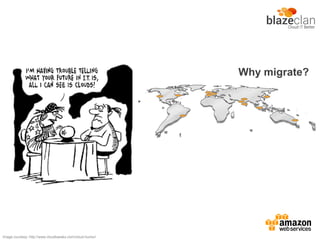
Why migrate?
Good riddance to boundaries
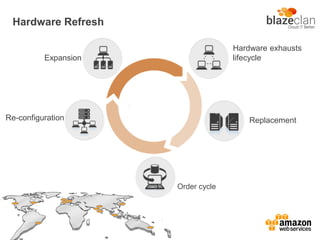
Hardware Refresh
Expansion
Hardware exhausts
lifecycle
Replacement
Order cycle
Re-configuration
Why migrate?
Because it’s not all ball bearings anymore
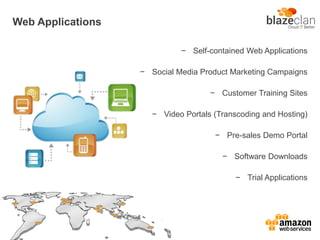
Web Applications
− Self-contained Web Applications
− Social Media Product Marketing Campaigns
− Customer Training Sites
− Video Portals (Transcoding and Hosting)
− Pre-sales Demo Portal
− Software Downloads
− Trial Applications
Why migrate?
Mobilizing healthier business
Green Field applications
• Easier to build ground-off applications
• Starting off is easier
• You can focus more on development rather
than operational hassles
• Development team sees faster results
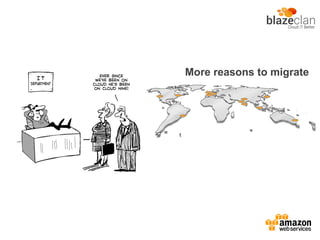
More reasons to migrate
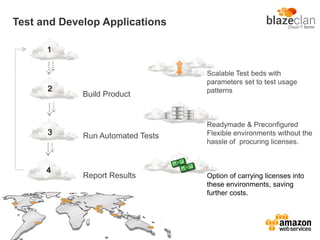
Test and Develop Applications
Scalable Test beds with
parameters set to test usage
patterns
Readymade & Preconfigured
Flexible environments without the
hassle of procuring licenses.
Option of carrying licenses into
these environments, saving
further costs.
Run Automated Tests3
Report Results
Build Product
1
4
2
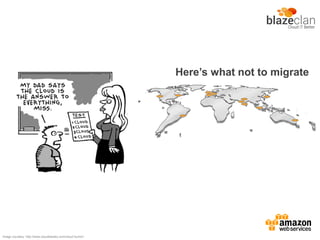
Here’s what not to migrate
Image courtesy: http://www.cloudtweaks.com/cloud-humor/
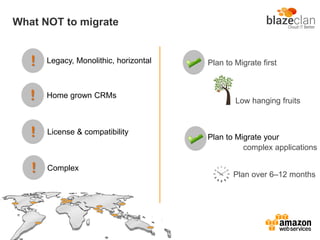
What NOT to migrate
!
!
!
!
Legacy, Monolithic, horizontal
Home grown CRMs
License & compatibility
Complex
Plan to Migrate first
Low hanging fruits
Plan to Migrate your
complex applications
Plan over 6–12 months
Why migrate?
Image courtesy: http://www.cloudtweaks.com/cloud-humor/
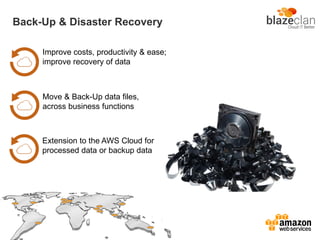
Back-Up & Disaster Recovery
Extension to the AWS Cloud for
processed data or backup data
Improve costs, productivity & ease;
improve recovery of data
Move & Back-Up data files,
across business functions
SAP Business Suite
SAP HANA One
SAP Business All-in-One
SAP Business Objects- business intelligence solutions
SAP Rapid Deployment Solutions (RDS)
SAP Afaria
Current SAP certified solutions for production on AWS:
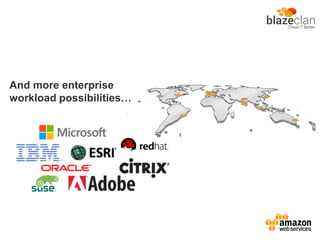
And more enterprise
workload possibilities…
The Challenges
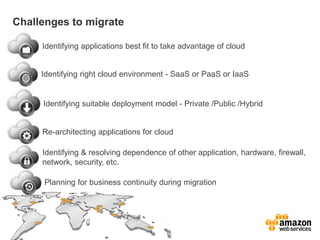
Challenges to migrate
Identifying applications best fit to take advantage of cloud
Identifying right cloud environment - SaaS or PaaS or IaaS
Identifying suitable deployment model - Private /Public /Hybrid
Re-architecting applications for cloud
Identifying & resolving dependence of other application, hardware, firewall,
network, security, etc.
Planning for business continuity during migration
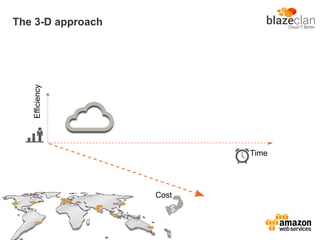
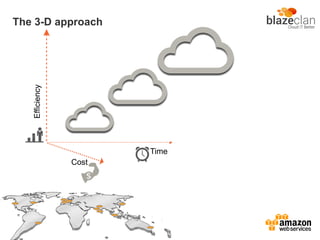
The 3-D approach
Efficiency
Cost
Time
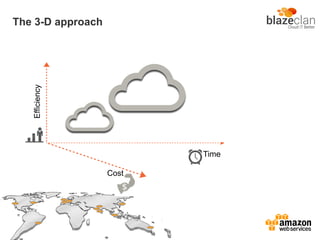
The 3-D approach
Efficiency
Cost
Time
The 3-D approach
Efficiency
Cost
Time
Cloud Migration Approach
BlazeClan's Cloud Migration Approach
• Large IT Assets: Enterprises, typically, have a large number of IT Assets
• Identify Application: It is important to identify applications for migration
• Phase Approach:
– Plan
– Deploy
– Optimize
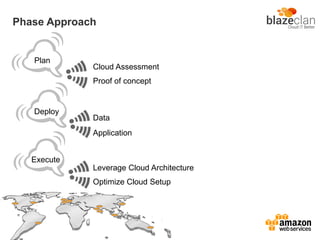
Phase Approach
Plan
Deploy
Execute
Cloud Assessment
Proof of concept
Data
Application
Leverage Cloud Architecture
Optimize Cloud Setup
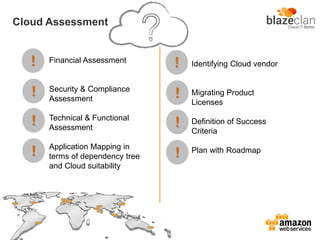
Cloud Assessment
!
!
!
!
!
!
!
!
Financial Assessment
Security & Compliance
Assessment
Technical & Functional
Assessment
Application Mapping in
terms of dependency tree
and Cloud suitability
Identifying Cloud vendor
Migrating Product
Licenses
Definition of Success
Criteria
Plan with Roadmap
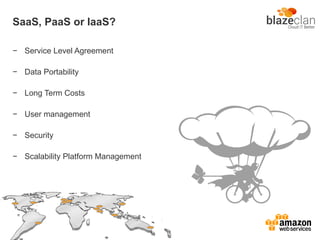
SaaS, PaaS or IaaS?
− Service Level Agreement
− Data Portability
− Long Term Costs
− User management
− Security
− Scalability Platform Management
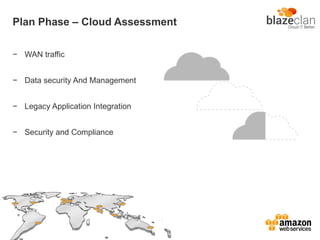
Plan Phase – Cloud Assessment
− WAN traffic
− Data security And Management
− Legacy Application Integration
− Security and Compliance
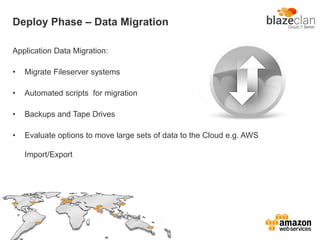
Deploy Phase – Data Migration
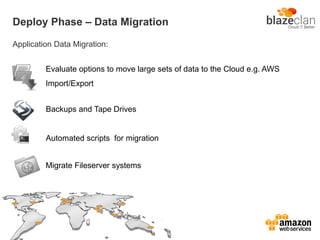
Application Data Migration:
• Migrate Fileserver systems
• Automated scripts for migration
• Backups and Tape Drives
• Evaluate options to move large sets of data to the Cloud e.g. AWS
Import/Export
Deploy Phase – Data Migration
Application Data Migration:
Evaluate options to move large sets of data to the Cloud e.g. AWS
Import/Export
Backups and Tape Drives
Automated scripts for migration
Migrate Fileserver systems
Deploy Phase – Data Migration
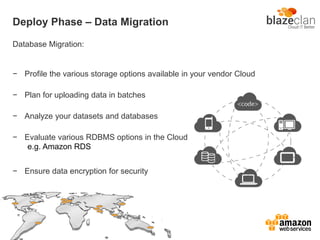
Database Migration:
− Profile the various storage options available in your vendor Cloud
− Plan for uploading data in batches
− Analyze your datasets and databases
− Evaluate various RDBMS options in the Cloud
− Ensure data encryption for security
e.g. Amazon RDS
Deploy Phase – Application Migration
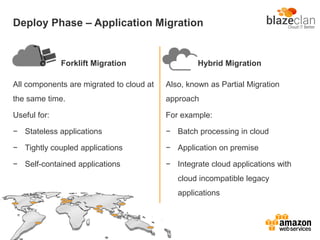
Forklift Migration
All components are migrated to cloud at
the same time.
Useful for:
− Stateless applications
− Tightly coupled applications
− Self-contained applications
Hybrid Migration
Also, known as Partial Migration
approach
For example:
− Batch processing in cloud
− Application on premise
− Integrate cloud applications with
cloud incompatible legacy
applications
Optimize Phase – Leverage Cloud Architecture
− Auto terminate under-utilized instances through AWS Auto Scale option
− Application packaging for AMI construction
− Improve data access efficiency
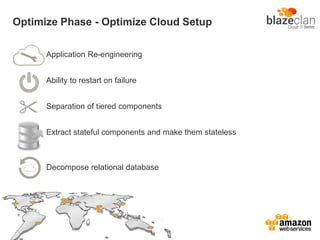
Optimize Phase - Optimize Cloud Setup
Application Re-engineering
Ability to restart on failure
Separation of tiered components
Extract stateful components and make them stateless
Decompose relational database
Migration use
Cases & scenarios
Web Application Migration
AWS services recommended:
EC2, S3, EBS, AS, ELB, CW, RDS
Migration of eCommerce website with Mobile extension to create
property inventory reports of commercial & non-commercial properties
with an motive of elasticity & scalability
Batch Processing App Migration
AWS services recommended:
EC2, EBS, S3, SQS, EMR, DynamoDB, SNS
Log analysis and report generations with a motive of faster time to
process
Backend Process Workflow App Migration
AWS services recommended:
EC2, EBS, S3, SQS, EMR, DynamoDB, SNS
Migration of Employee Performance Management System with an
motive to lower the total cost of ownership , resilient solution and high
availability
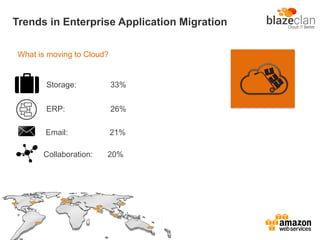
What is moving to Cloud?
Trends in Enterprise Application Migration
Storage: 33%
ERP: 26%
Email: 21%
Collaboration: 20%
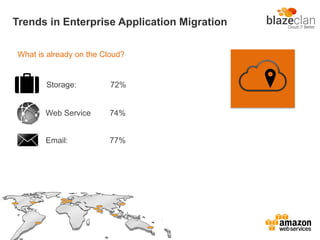
What is already on the Cloud?
Trends in Enterprise Application Migration
Storage: 72%
Email: 77%
Web Service 74%
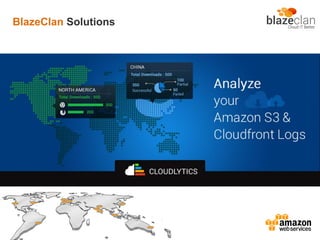
BlazeClan Solutions
Plan, report & analyze test results for workloads
Targets:
− Online Media & Content Providers
− Enterprise Applications
− Social Media Campaigns
Web-based Load Testing
Business Case:
Enterprise Digital process on Cloud
Business Case
Client
• One of India’s largest General & Life
Insurance Company
• 4000+ Employees
• 200+ Locations
Requirements
• Manage Customer Engaging Digital
Marketing campaigns
• Ensure accessibility to applications
all over the internet
• Ensure marketing workloads are
fast & scalable to adjust to viral
• Manage marketing workloads to
change regularly
• Enable marketing workloads to roll
out quickly
Rapid Deployment:
First version of the Application had to be rolled out in 15
days
2 more releases over the next 15 days
Security:
Application deals with sensitive data
Seasonal Usage:
Application usage peaks between November & March
Minimal usage for rest of the year
Challenges
Agile Development
Solution delivered in 15 days
Amazon Web Services
Elastic & Scalable infrastructure to save costs during off
peaks
Pre-build Solutions
Pre-configured testing tools to perform vulnerability testing
Development using open source tools to save costs
Solutions
Open Source Tools
Low Cost Solution
Using AWS & Open Source Development tools resulted
in significant cost savings
Quality
Quick turn around
Agile Development for fast development
Advantages
Automated Testing
Easy to use & secure application
Image references:
http://www.gfi.com/blog/why-cloud-based-it-management-makes-sense/, http://www.sharktech.net/index.php?ID=cloud_virtual_servers&PG=2,
http://www.patriotsoftware.com/Employer-Training-Blog/bid/57380/5-Reasons-Cloud-Computing-is-Here-to-Stay, http://www.rebeltrail.com/cloud_computing.cfm,
http://www.cloudtweaks.com/cloud-humor/, www.soonerworkplace.com, www.marketstar.com, www.dataart.com, www.infotech.uk.com

5 Points to Consider - Enterprise Road Map to AWS Cloud

  • 1.
    Presenter Name Presenter Title MonthDay, Year Migration Solution To Cloud
  • 2.
    • 5% OrganizationMoved 50% Apps to Cloud • 30% Moved to cloud based on customer requirement • 41% Moved to cloud following industry trend • 52% Moved to cloud to improve costs, productivity, agility
  • 3.
  • 4.
    Cloud helps to −Manage Infrastructure Services − Increase Flexibility − Rapid Infrastructure − Cap-ex Free − Rapid Elasticity − Security − Resilience
  • 5.
  • 6.
    CIO pressure points •What do you start with to move to cloud? • How can cloud drive considerable cost and agility benefits for your organization? • Does cloud seamlessly integrate with existing workload technologies?
  • 7.
  • 8.
  • 9.
    Why migrate? Because it’snot all ball bearings anymore
  • 10.
    Web Applications − Self-containedWeb Applications − Social Media Product Marketing Campaigns − Customer Training Sites − Video Portals (Transcoding and Hosting) − Pre-sales Demo Portal − Software Downloads − Trial Applications
  • 11.
  • 12.
    Green Field applications •Easier to build ground-off applications • Starting off is easier • You can focus more on development rather than operational hassles • Development team sees faster results
  • 13.
  • 14.
    Test and DevelopApplications Scalable Test beds with parameters set to test usage patterns Readymade & Preconfigured Flexible environments without the hassle of procuring licenses. Option of carrying licenses into these environments, saving further costs. Run Automated Tests3 Report Results Build Product 1 4 2
  • 15.
    Here’s what notto migrate Image courtesy: http://www.cloudtweaks.com/cloud-humor/
  • 16.
    What NOT tomigrate ! ! ! ! Legacy, Monolithic, horizontal Home grown CRMs License & compatibility Complex Plan to Migrate first Low hanging fruits Plan to Migrate your complex applications Plan over 6–12 months
  • 17.
    Why migrate? Image courtesy:http://www.cloudtweaks.com/cloud-humor/
  • 18.
    Back-Up & DisasterRecovery Extension to the AWS Cloud for processed data or backup data Improve costs, productivity & ease; improve recovery of data Move & Back-Up data files, across business functions
  • 19.
    SAP Business Suite SAPHANA One SAP Business All-in-One SAP Business Objects- business intelligence solutions SAP Rapid Deployment Solutions (RDS) SAP Afaria Current SAP certified solutions for production on AWS:
  • 20.
  • 21.
  • 22.
    Challenges to migrate Identifyingapplications best fit to take advantage of cloud Identifying right cloud environment - SaaS or PaaS or IaaS Identifying suitable deployment model - Private /Public /Hybrid Re-architecting applications for cloud Identifying & resolving dependence of other application, hardware, firewall, network, security, etc. Planning for business continuity during migration
  • 23.
  • 24.
  • 25.
  • 26.
  • 27.
    BlazeClan's Cloud MigrationApproach • Large IT Assets: Enterprises, typically, have a large number of IT Assets • Identify Application: It is important to identify applications for migration • Phase Approach: – Plan – Deploy – Optimize
  • 28.
    Phase Approach Plan Deploy Execute Cloud Assessment Proofof concept Data Application Leverage Cloud Architecture Optimize Cloud Setup
  • 29.
    Cloud Assessment ! ! ! ! ! ! ! ! Financial Assessment Security& Compliance Assessment Technical & Functional Assessment Application Mapping in terms of dependency tree and Cloud suitability Identifying Cloud vendor Migrating Product Licenses Definition of Success Criteria Plan with Roadmap
  • 30.
    SaaS, PaaS orIaaS? − Service Level Agreement − Data Portability − Long Term Costs − User management − Security − Scalability Platform Management
  • 31.
    Plan Phase –Cloud Assessment − WAN traffic − Data security And Management − Legacy Application Integration − Security and Compliance
  • 32.
    Deploy Phase –Data Migration Application Data Migration: • Migrate Fileserver systems • Automated scripts for migration • Backups and Tape Drives • Evaluate options to move large sets of data to the Cloud e.g. AWS Import/Export
  • 33.
    Deploy Phase –Data Migration Application Data Migration: Evaluate options to move large sets of data to the Cloud e.g. AWS Import/Export Backups and Tape Drives Automated scripts for migration Migrate Fileserver systems
  • 34.
    Deploy Phase –Data Migration Database Migration: − Profile the various storage options available in your vendor Cloud − Plan for uploading data in batches − Analyze your datasets and databases − Evaluate various RDBMS options in the Cloud − Ensure data encryption for security e.g. Amazon RDS
  • 35.
    Deploy Phase –Application Migration Forklift Migration All components are migrated to cloud at the same time. Useful for: − Stateless applications − Tightly coupled applications − Self-contained applications Hybrid Migration Also, known as Partial Migration approach For example: − Batch processing in cloud − Application on premise − Integrate cloud applications with cloud incompatible legacy applications
  • 36.
    Optimize Phase –Leverage Cloud Architecture − Auto terminate under-utilized instances through AWS Auto Scale option − Application packaging for AMI construction − Improve data access efficiency
  • 37.
    Optimize Phase -Optimize Cloud Setup Application Re-engineering Ability to restart on failure Separation of tiered components Extract stateful components and make them stateless Decompose relational database
  • 38.
  • 39.
    Web Application Migration AWSservices recommended: EC2, S3, EBS, AS, ELB, CW, RDS Migration of eCommerce website with Mobile extension to create property inventory reports of commercial & non-commercial properties with an motive of elasticity & scalability
  • 40.
    Batch Processing AppMigration AWS services recommended: EC2, EBS, S3, SQS, EMR, DynamoDB, SNS Log analysis and report generations with a motive of faster time to process
  • 41.
    Backend Process WorkflowApp Migration AWS services recommended: EC2, EBS, S3, SQS, EMR, DynamoDB, SNS Migration of Employee Performance Management System with an motive to lower the total cost of ownership , resilient solution and high availability
  • 42.
    What is movingto Cloud? Trends in Enterprise Application Migration Storage: 33% ERP: 26% Email: 21% Collaboration: 20%
  • 43.
    What is alreadyon the Cloud? Trends in Enterprise Application Migration Storage: 72% Email: 77% Web Service 74%
  • 44.
  • 45.
    Plan, report &analyze test results for workloads Targets: − Online Media & Content Providers − Enterprise Applications − Social Media Campaigns Web-based Load Testing
  • 46.
  • 47.
    Business Case Client • Oneof India’s largest General & Life Insurance Company • 4000+ Employees • 200+ Locations Requirements • Manage Customer Engaging Digital Marketing campaigns • Ensure accessibility to applications all over the internet • Ensure marketing workloads are fast & scalable to adjust to viral • Manage marketing workloads to change regularly • Enable marketing workloads to roll out quickly
  • 48.
    Rapid Deployment: First versionof the Application had to be rolled out in 15 days 2 more releases over the next 15 days Security: Application deals with sensitive data Seasonal Usage: Application usage peaks between November & March Minimal usage for rest of the year Challenges
  • 49.
    Agile Development Solution deliveredin 15 days Amazon Web Services Elastic & Scalable infrastructure to save costs during off peaks Pre-build Solutions Pre-configured testing tools to perform vulnerability testing Development using open source tools to save costs Solutions Open Source Tools
  • 50.
    Low Cost Solution UsingAWS & Open Source Development tools resulted in significant cost savings Quality Quick turn around Agile Development for fast development Advantages Automated Testing Easy to use & secure application
  • 51.