What is Cloud
migration?
What is the Cloud?
• The cloud refers to a network of remote servers
that store, manage, and process data.
• Instead of local hard drives or servers,
information is accessed via the internet.
• Like a virtual storage and computing center.
The cloud is a metaphor for the internet. It
signifies a shift from traditional, on-site data
management to a network of powerful servers
accessible from anywhere. This offers flexibility,
scalability, and often cost savings compared to
owning physical hardware.
Why Migrate
to the
Cloud?
• Cost Savings: Reduced IT infrastructure and maintenance costs.
• Scalability: Easily adjust resources to meet fluctuating demands.
• Agility and Innovation: Accelerate development and deployment of
new features.
• Enhanced Security: Robust security measures in modern cloud
platforms.
• Disaster Recovery: Improved failover and data protection.
• Global Reach: Quickly expand operations to new geographic
locations.
• Focus on Core Business: Free up IT resources to focus on business
goals.
Cloud offers compelling advantages, from cost reduction to enabling
innovation. Many businesses are migrating workloads for scalability and
to improve IT efficiency. Cloud providers often offer more sophisticated
security options than organizations would have in-house, and global
access enables business expansion.
Key Migration Phases
• Assessment: Evaluate existing
applications and infrastructure.
• Planning: Design target cloud
architecture and create a detailed
migration plan.
• Migration: Execute the migration of
workloads to the cloud environment.
• Optimization: Continuously optimize
cloud usage, security, and costs.
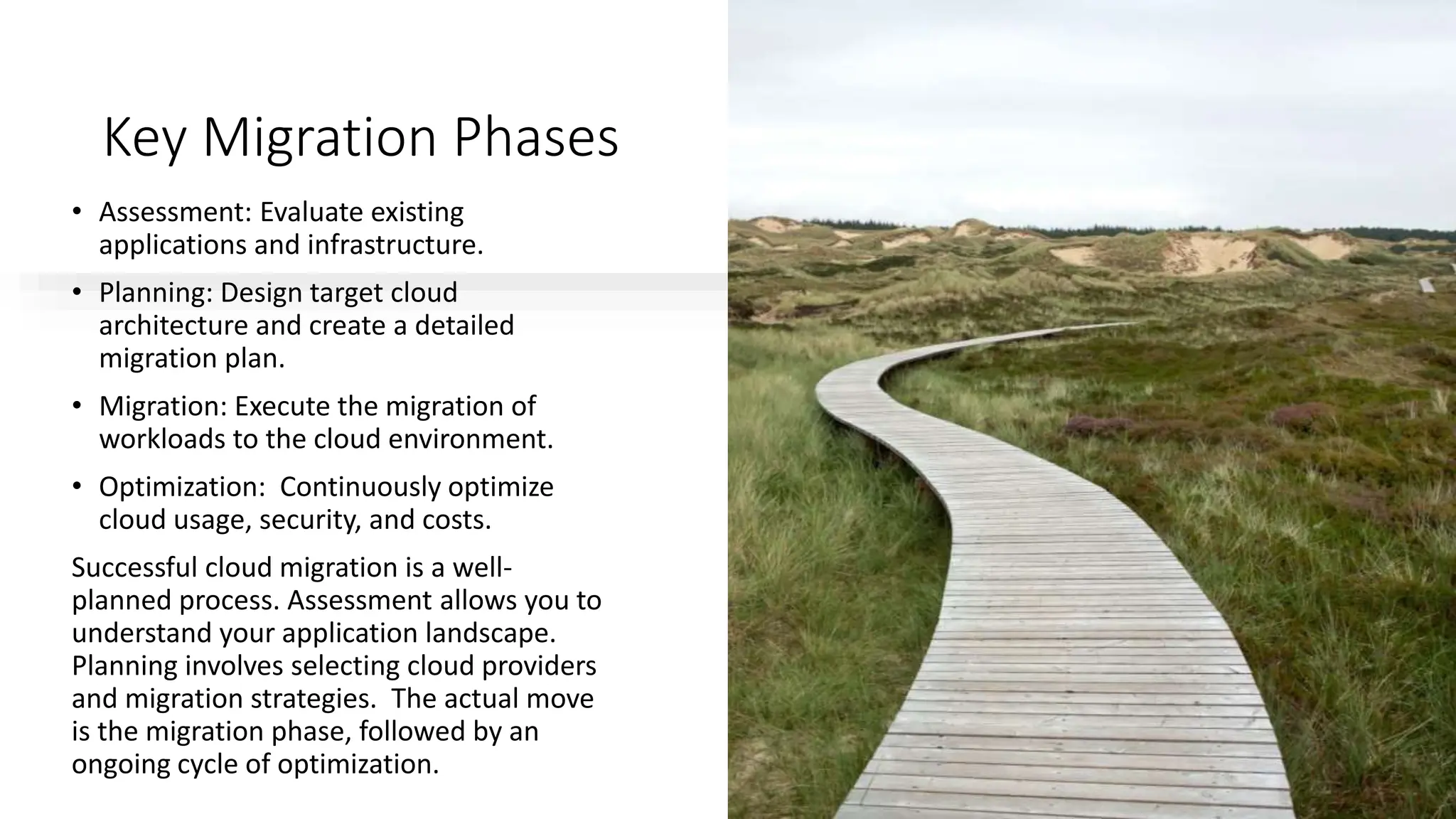
Successful cloud migration is a well-
planned process. Assessment allows you to
understand your application landscape.
Planning involves selecting cloud providers
and migration strategies. The actual move
is the migration phase, followed by an
ongoing cycle of optimization.
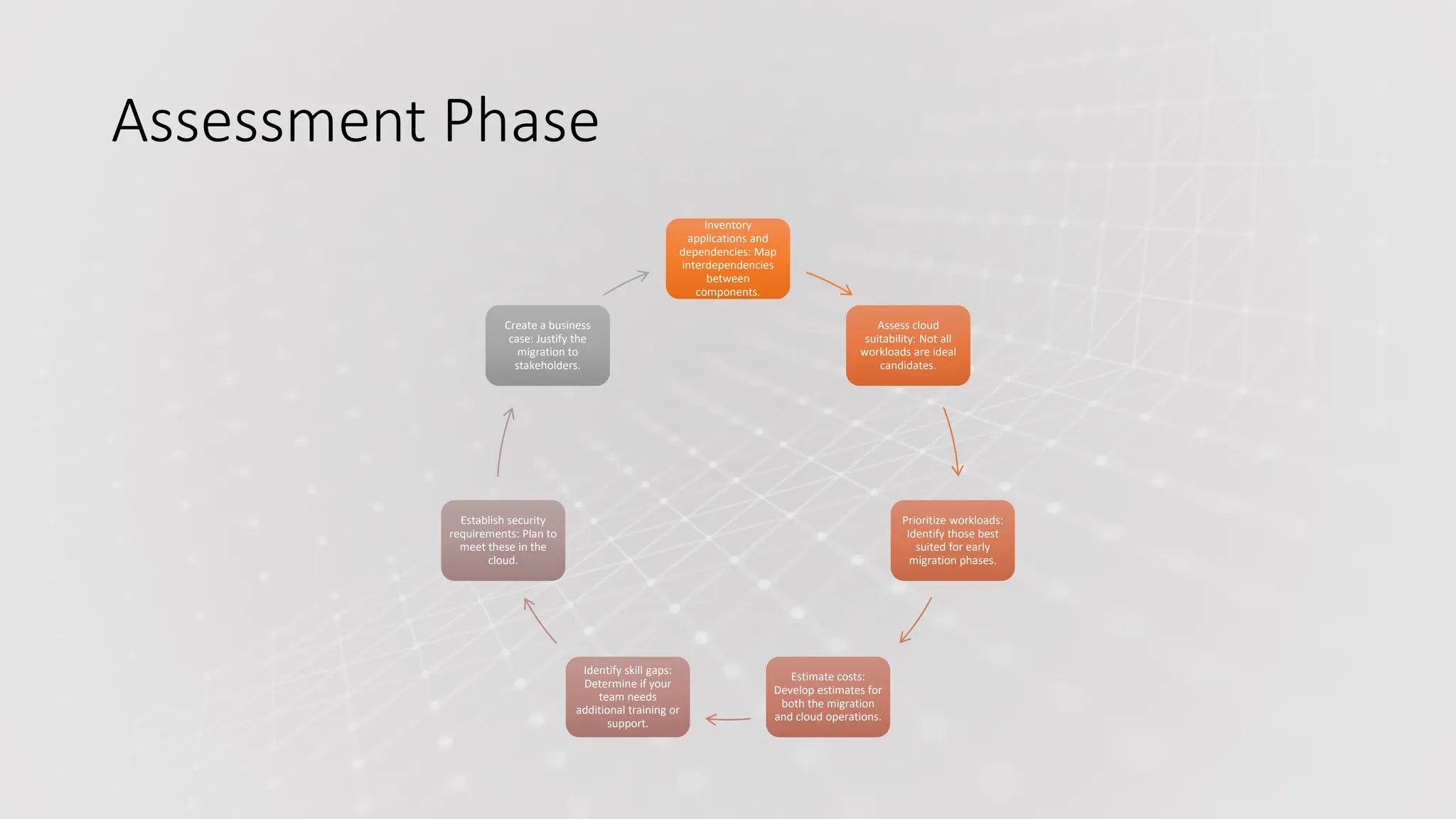
Assessment Phase
Inventory
applications and
dependencies: Map
interdependencies
between
components.
Assess cloud
suitability: Not all
workloads are ideal
candidates.
Prioritize workloads:
Identify those best
suited for early
migration phases.
Estimate costs:
Develop estimates for
both the migration
and cloud operations.
Identify skill gaps:
Determine if your
team needs
additional training or
support.
Establish security
requirements: Plan to
meet these in the
cloud.
Create a business
case: Justify the
migration to
stakeholders.
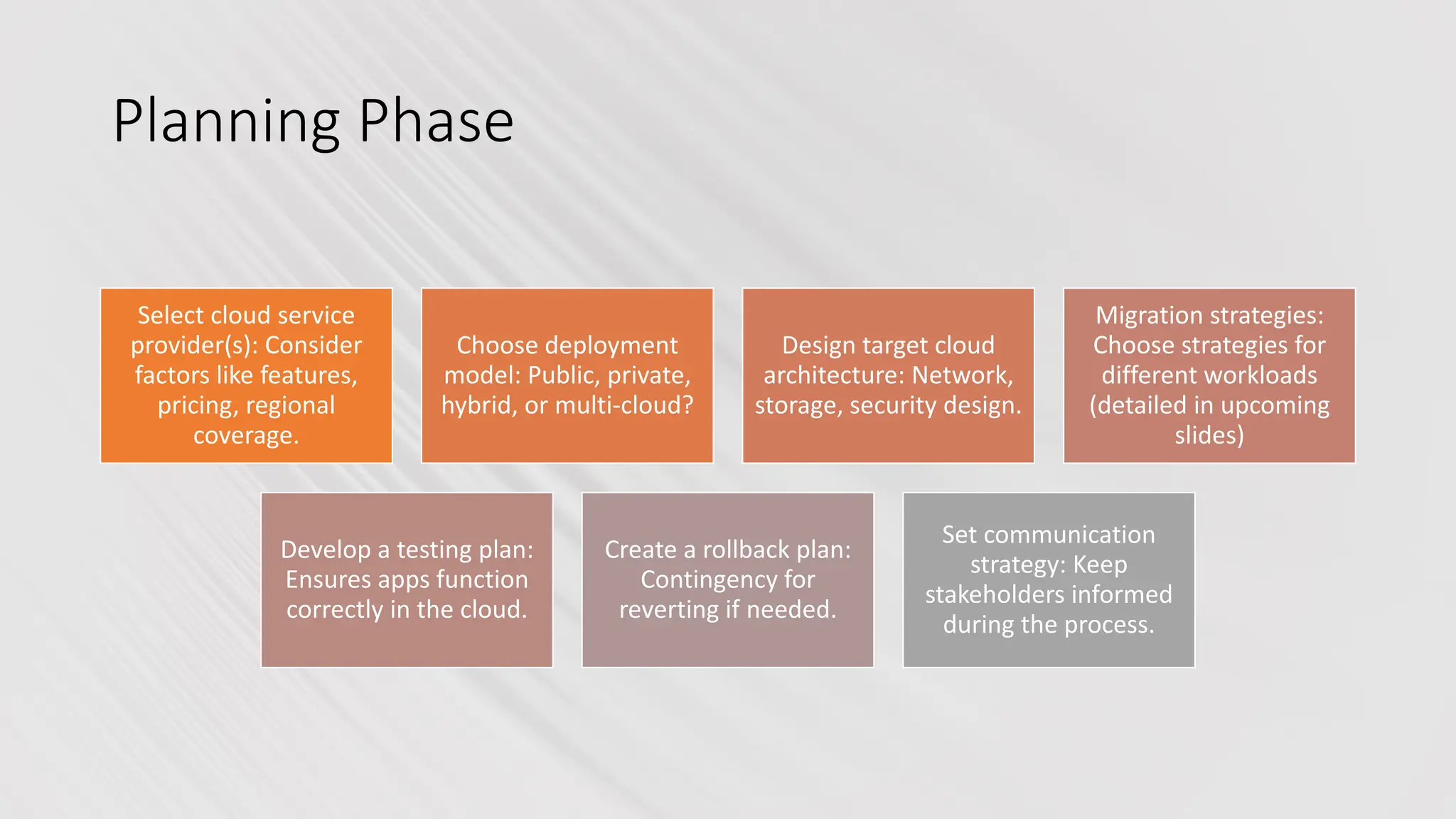
Planning Phase
Select cloud service
provider(s): Consider
factors like features,
pricing, regional
coverage.
Choose deployment
model: Public, private,
hybrid, or multi-cloud?
Design target cloud
architecture: Network,
storage, security design.
Migration strategies:
Choose strategies for
different workloads
(detailed in upcoming
slides)
Develop a testing plan:
Ensures apps function
correctly in the cloud.
Create a rollback plan:
Contingency for
reverting if needed.
Set communication
strategy: Keep
stakeholders informed
during the process.
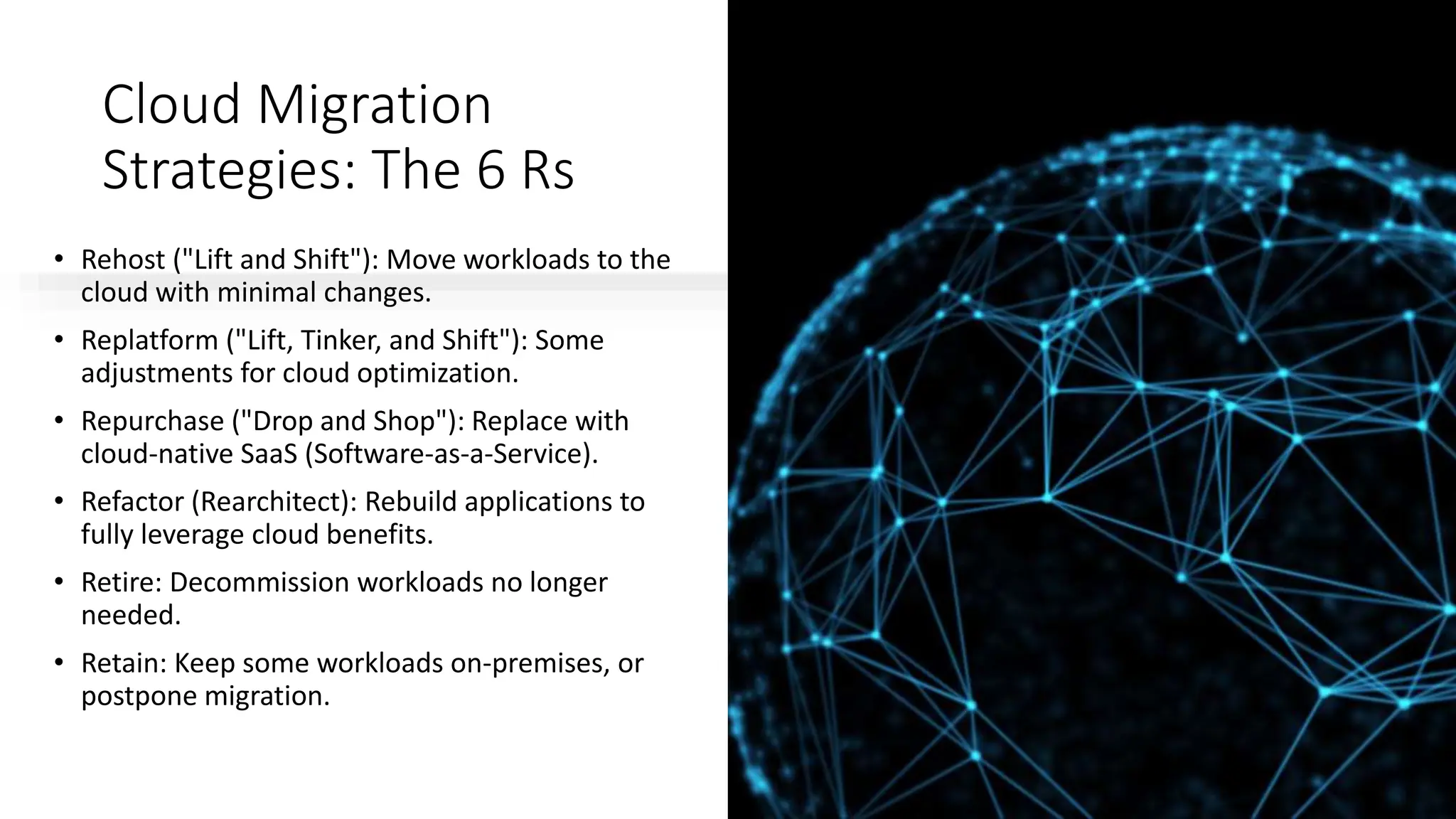
Cloud Migration
Strategies: The 6 Rs
• Rehost ("Lift and Shift"): Move workloads to the
cloud with minimal changes.
• Replatform ("Lift, Tinker, and Shift"): Some
adjustments for cloud optimization.
• Repurchase ("Drop and Shop"): Replace with
cloud-native SaaS (Software-as-a-Service).
• Refactor (Rearchitect): Rebuild applications to
fully leverage cloud benefits.
• Retire: Decommission workloads no longer
needed.
• Retain: Keep some workloads on-premises, or
postpone migration.
Rehost ("Lift and Shift")
• Fastest and simplest approach: Ideal for rapid
migrations with minimal downtime.
• Limited cloud optimization: May not realize full cost
or performance benefits.
Best for:
• Time-sensitive migrations
• Workloads compatible with cloud-based virtual
machines
• Proving the value of the cloud before significant
refactoring
"Lift and Shift" gets workloads into the cloud fast.
However, it's often just the first step. Longer-term,
you may want to re-architect for full cloud benefits.
Still, it's great when you need a quick move, or to
show the organization what's possible in the cloud.
Replatform ("Lift,
Tinker, and Shift")
• Moderate modifications for cloud benefits:
Examples include changing database types.
• Some improvement in performance and
scalability: More than a basic "lift and shift."
Best for:
• Workloads requiring small optimizations to run in
the cloud
• Gaining some cloud advantages with moderate
effort
Replatforming adds optimizations without a full
application rewrite. Switching to a managed cloud
database service might be an example of this kind of
adjustment. It's a good middle ground when more
significant re-architecting isn't possible in your
timeframe.
Repurchase ("Drop and
Shop")
• Moving to a SaaS alternative: Transitioning from on-
premises software to cloud-based.
• Minimal technical migration work: SaaS vendors handle the
infrastructure.
• Potential for process changes: You'll need to adapt to the
SaaS way of working.
Best for:
• Replacing outdated or inefficient on-premises applications
• Standard business functions easily supported by SaaS
offerings
Sometimes the best path is to let go of managing a function. If
your CRM or HR system is old, maybe it's time for SaaS
replacements. Be aware your processes may need
modification to align with the way the SaaS application works.
Migration Execution
Phased Approach: Break down migration into smaller, manageable phases.
Pilot Migration: Test with low-risk workloads to refine your approach.
Data Migration: Careful planning and tools for secure data transfer.
Change Management: Address organizational impact and ensure user readiness.
Thorough Testing: Verify applications function correctly in the new environment.
Cut-over Strategy: Plan the final switchover to the cloud with minimal downtime.
The actual migration is highly methodical. A phased approach reduces risk. A pilot migration is vital to test your
process and find issues early. Data migration needs security attention. Don't forget about users – training and
communication smooths the path for them.
Post-Migration
Optimization
• Continuous Monitoring: Monitor cost, performance, and
security of cloud resources.
• Autoscaling: Use cloud features to dynamically adjust
resources based on demand.
• FinOps: Implement cost optimization practices for
efficient cloud spending.
• Rightsizing: Match cloud resources to actual workload
needs for cost savings.
• Re-architect Further: Continue optimization by
refactoring additional workloads.
The work doesn't stop at migration. To maximize benefits,
ongoing monitoring and optimization are crucial. Use the
cloud's dynamic nature for scalability. Employ financial
operations (FinOps) tools and practices to ensure you're
spending wisely in your new environment.
Conclusion
• Strategic cloud migration yields benefits: Cost savings, agility, innovation.
• Thorough planning is key: Assessing existing environment and choosing the right
strategies.
• Choose the right partners: Cloud providers, migration consultants for support.
• Optimization is an ongoing process: Ensures you maximize cloud investment.
• The journey to the cloud is transformative: Prepares businesses for the future.
A successful cloud migration positions businesses for success. Planning and
selecting the proper support makes the journey smoother. Focus on ongoing
optimization to get the most out of your cloud strategy. Cloud adoption has the
power to reshape how companies operate and deliver value in the years to come.
ForQueryContact:998874-1983
Cloud Computing Courses Online

Cloud Computing Courses Online.pptx Join Now

  • 1.
  • 2.
    What is theCloud? • The cloud refers to a network of remote servers that store, manage, and process data. • Instead of local hard drives or servers, information is accessed via the internet. • Like a virtual storage and computing center. The cloud is a metaphor for the internet. It signifies a shift from traditional, on-site data management to a network of powerful servers accessible from anywhere. This offers flexibility, scalability, and often cost savings compared to owning physical hardware.
  • 3.
    Why Migrate to the Cloud? •Cost Savings: Reduced IT infrastructure and maintenance costs. • Scalability: Easily adjust resources to meet fluctuating demands. • Agility and Innovation: Accelerate development and deployment of new features. • Enhanced Security: Robust security measures in modern cloud platforms. • Disaster Recovery: Improved failover and data protection. • Global Reach: Quickly expand operations to new geographic locations. • Focus on Core Business: Free up IT resources to focus on business goals. Cloud offers compelling advantages, from cost reduction to enabling innovation. Many businesses are migrating workloads for scalability and to improve IT efficiency. Cloud providers often offer more sophisticated security options than organizations would have in-house, and global access enables business expansion.
  • 4.
    Key Migration Phases •Assessment: Evaluate existing applications and infrastructure. • Planning: Design target cloud architecture and create a detailed migration plan. • Migration: Execute the migration of workloads to the cloud environment. • Optimization: Continuously optimize cloud usage, security, and costs. Successful cloud migration is a well- planned process. Assessment allows you to understand your application landscape. Planning involves selecting cloud providers and migration strategies. The actual move is the migration phase, followed by an ongoing cycle of optimization.
  • 5.
    Assessment Phase Inventory applications and dependencies:Map interdependencies between components. Assess cloud suitability: Not all workloads are ideal candidates. Prioritize workloads: Identify those best suited for early migration phases. Estimate costs: Develop estimates for both the migration and cloud operations. Identify skill gaps: Determine if your team needs additional training or support. Establish security requirements: Plan to meet these in the cloud. Create a business case: Justify the migration to stakeholders.
  • 6.
    Planning Phase Select cloudservice provider(s): Consider factors like features, pricing, regional coverage. Choose deployment model: Public, private, hybrid, or multi-cloud? Design target cloud architecture: Network, storage, security design. Migration strategies: Choose strategies for different workloads (detailed in upcoming slides) Develop a testing plan: Ensures apps function correctly in the cloud. Create a rollback plan: Contingency for reverting if needed. Set communication strategy: Keep stakeholders informed during the process.
  • 7.
    Cloud Migration Strategies: The6 Rs • Rehost ("Lift and Shift"): Move workloads to the cloud with minimal changes. • Replatform ("Lift, Tinker, and Shift"): Some adjustments for cloud optimization. • Repurchase ("Drop and Shop"): Replace with cloud-native SaaS (Software-as-a-Service). • Refactor (Rearchitect): Rebuild applications to fully leverage cloud benefits. • Retire: Decommission workloads no longer needed. • Retain: Keep some workloads on-premises, or postpone migration.
  • 8.
    Rehost ("Lift andShift") • Fastest and simplest approach: Ideal for rapid migrations with minimal downtime. • Limited cloud optimization: May not realize full cost or performance benefits. Best for: • Time-sensitive migrations • Workloads compatible with cloud-based virtual machines • Proving the value of the cloud before significant refactoring "Lift and Shift" gets workloads into the cloud fast. However, it's often just the first step. Longer-term, you may want to re-architect for full cloud benefits. Still, it's great when you need a quick move, or to show the organization what's possible in the cloud.
  • 9.
    Replatform ("Lift, Tinker, andShift") • Moderate modifications for cloud benefits: Examples include changing database types. • Some improvement in performance and scalability: More than a basic "lift and shift." Best for: • Workloads requiring small optimizations to run in the cloud • Gaining some cloud advantages with moderate effort Replatforming adds optimizations without a full application rewrite. Switching to a managed cloud database service might be an example of this kind of adjustment. It's a good middle ground when more significant re-architecting isn't possible in your timeframe.
  • 10.
    Repurchase ("Drop and Shop") •Moving to a SaaS alternative: Transitioning from on- premises software to cloud-based. • Minimal technical migration work: SaaS vendors handle the infrastructure. • Potential for process changes: You'll need to adapt to the SaaS way of working. Best for: • Replacing outdated or inefficient on-premises applications • Standard business functions easily supported by SaaS offerings Sometimes the best path is to let go of managing a function. If your CRM or HR system is old, maybe it's time for SaaS replacements. Be aware your processes may need modification to align with the way the SaaS application works.
  • 11.
    Migration Execution Phased Approach:Break down migration into smaller, manageable phases. Pilot Migration: Test with low-risk workloads to refine your approach. Data Migration: Careful planning and tools for secure data transfer. Change Management: Address organizational impact and ensure user readiness. Thorough Testing: Verify applications function correctly in the new environment. Cut-over Strategy: Plan the final switchover to the cloud with minimal downtime. The actual migration is highly methodical. A phased approach reduces risk. A pilot migration is vital to test your process and find issues early. Data migration needs security attention. Don't forget about users – training and communication smooths the path for them.
  • 12.
    Post-Migration Optimization • Continuous Monitoring:Monitor cost, performance, and security of cloud resources. • Autoscaling: Use cloud features to dynamically adjust resources based on demand. • FinOps: Implement cost optimization practices for efficient cloud spending. • Rightsizing: Match cloud resources to actual workload needs for cost savings. • Re-architect Further: Continue optimization by refactoring additional workloads. The work doesn't stop at migration. To maximize benefits, ongoing monitoring and optimization are crucial. Use the cloud's dynamic nature for scalability. Employ financial operations (FinOps) tools and practices to ensure you're spending wisely in your new environment.
  • 13.
    Conclusion • Strategic cloudmigration yields benefits: Cost savings, agility, innovation. • Thorough planning is key: Assessing existing environment and choosing the right strategies. • Choose the right partners: Cloud providers, migration consultants for support. • Optimization is an ongoing process: Ensures you maximize cloud investment. • The journey to the cloud is transformative: Prepares businesses for the future. A successful cloud migration positions businesses for success. Planning and selecting the proper support makes the journey smoother. Focus on ongoing optimization to get the most out of your cloud strategy. Cloud adoption has the power to reshape how companies operate and deliver value in the years to come.
  • 14.