John H. Evans Library   & Learning Commons
                                             BIOSIS PREVIEWS
                                                 FOR THE
                                               BIOLOGICAL
                                                SCIENCES
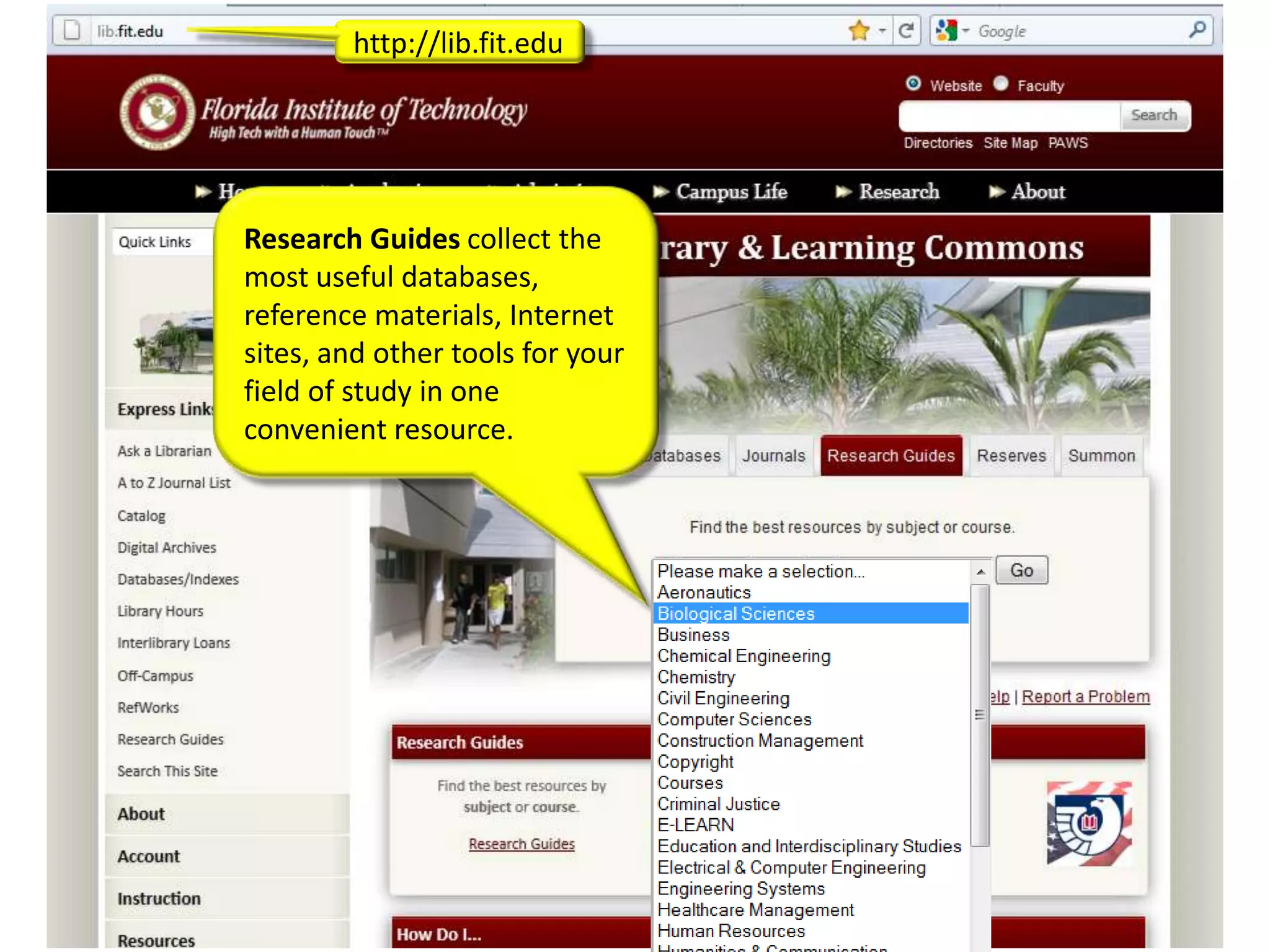
http://lib.fit.edu


Research Guides collect the
most useful databases,
reference materials, Internet
sites, and other tools for your
field of study in one
convenient resource.
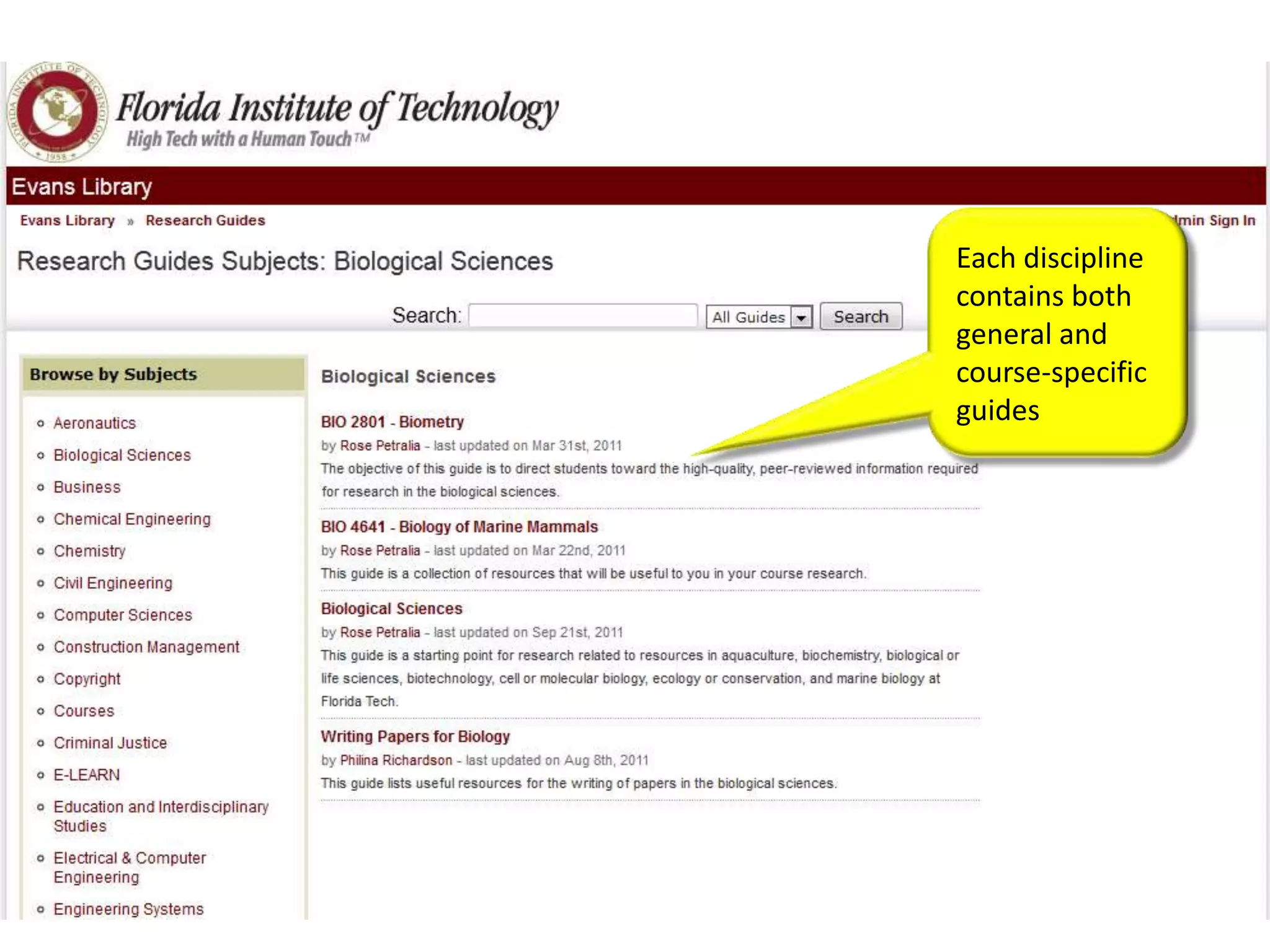
Each discipline
contains both
general and
course-specific
guides
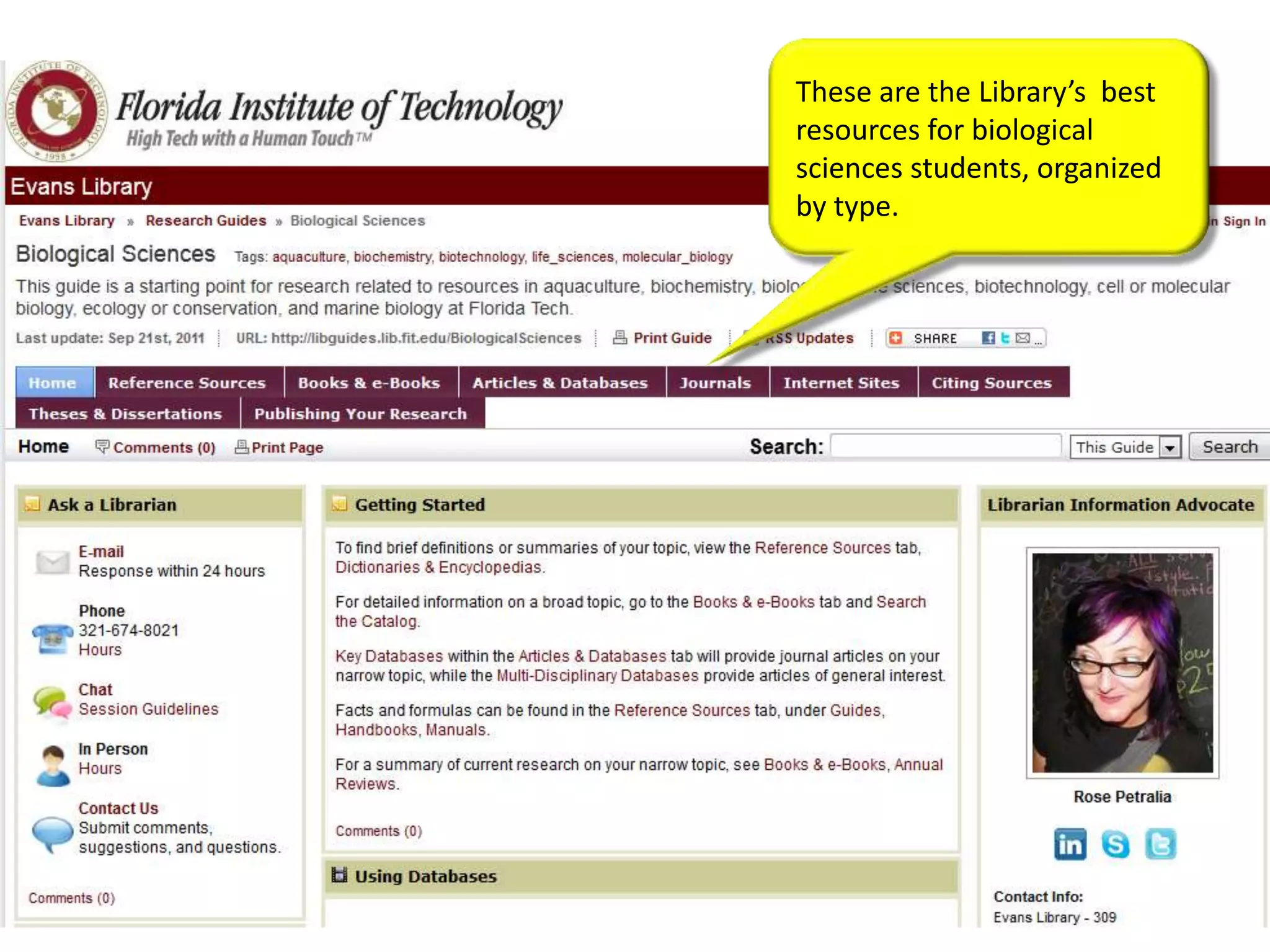
These are the Library’s best
resources for biological
sciences students, organized
by type.
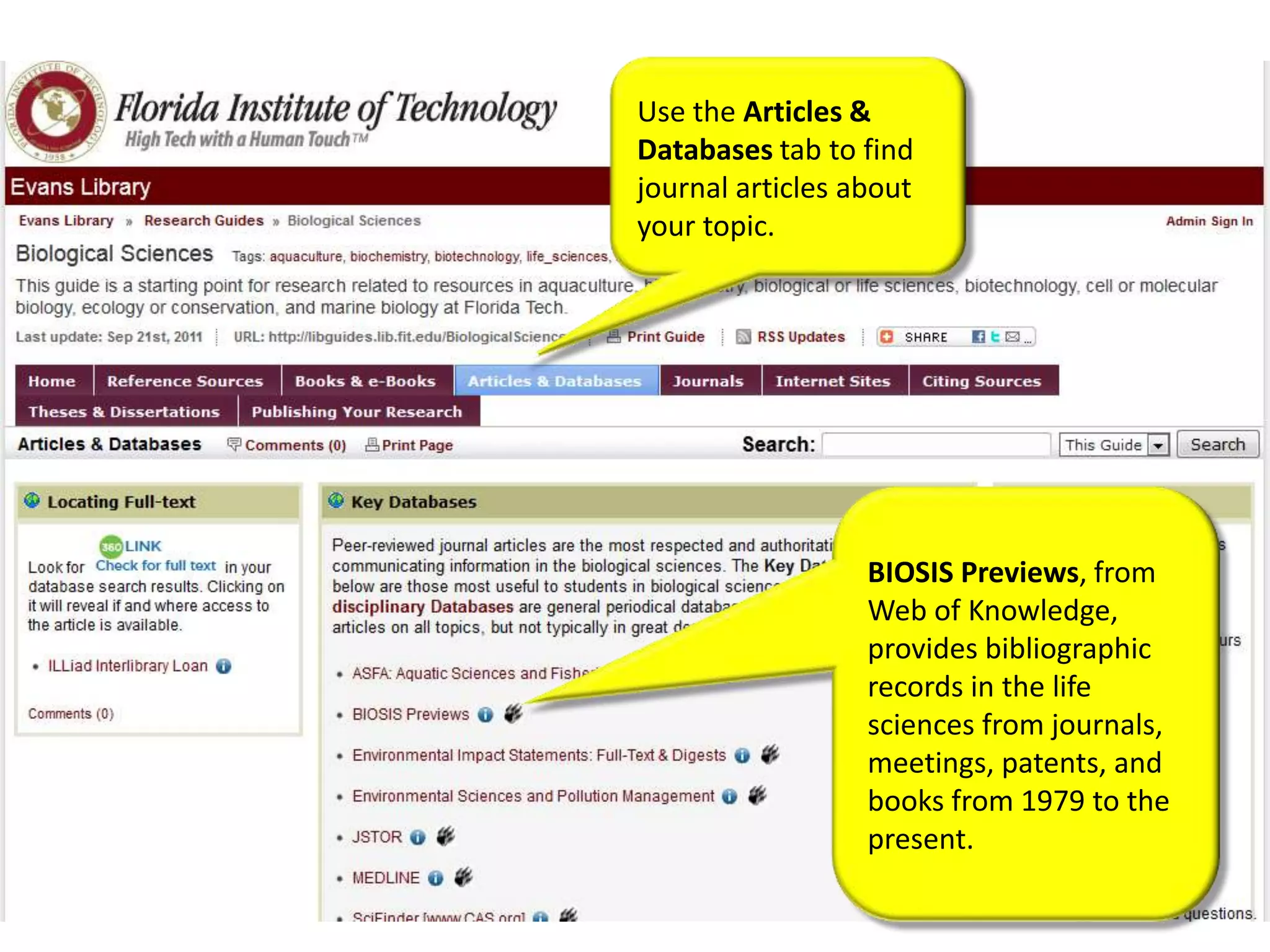
Use the Articles &
Databases tab to find
journal articles about
your topic.


                  BIOSIS Previews, from
                  Web of Knowledge,
                  provides bibliographic
                  records in the life
                  sciences from journals,
                  meetings, patents, and
                  books from 1979 to the
                  present.
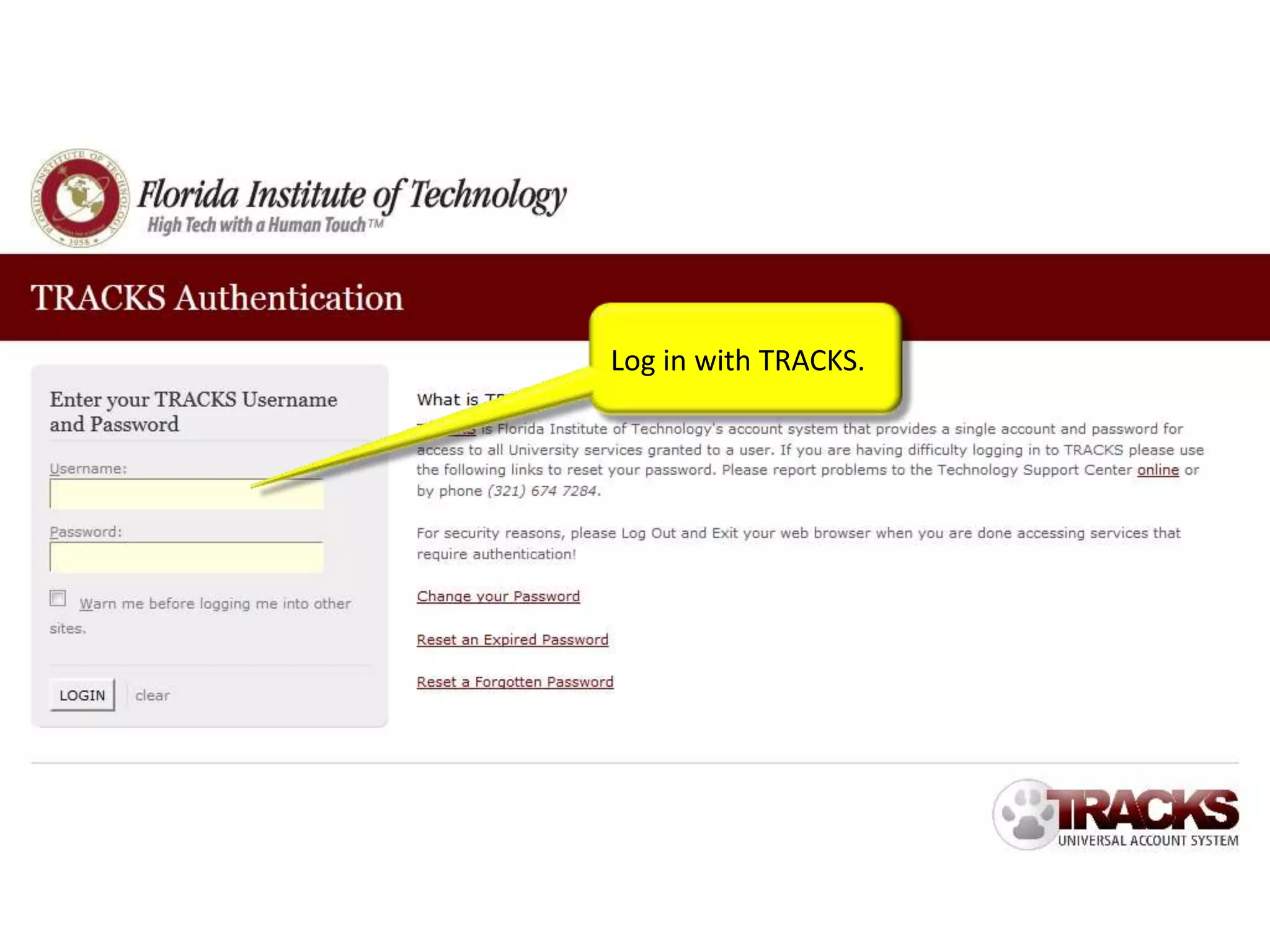
Log in with TRACKS.
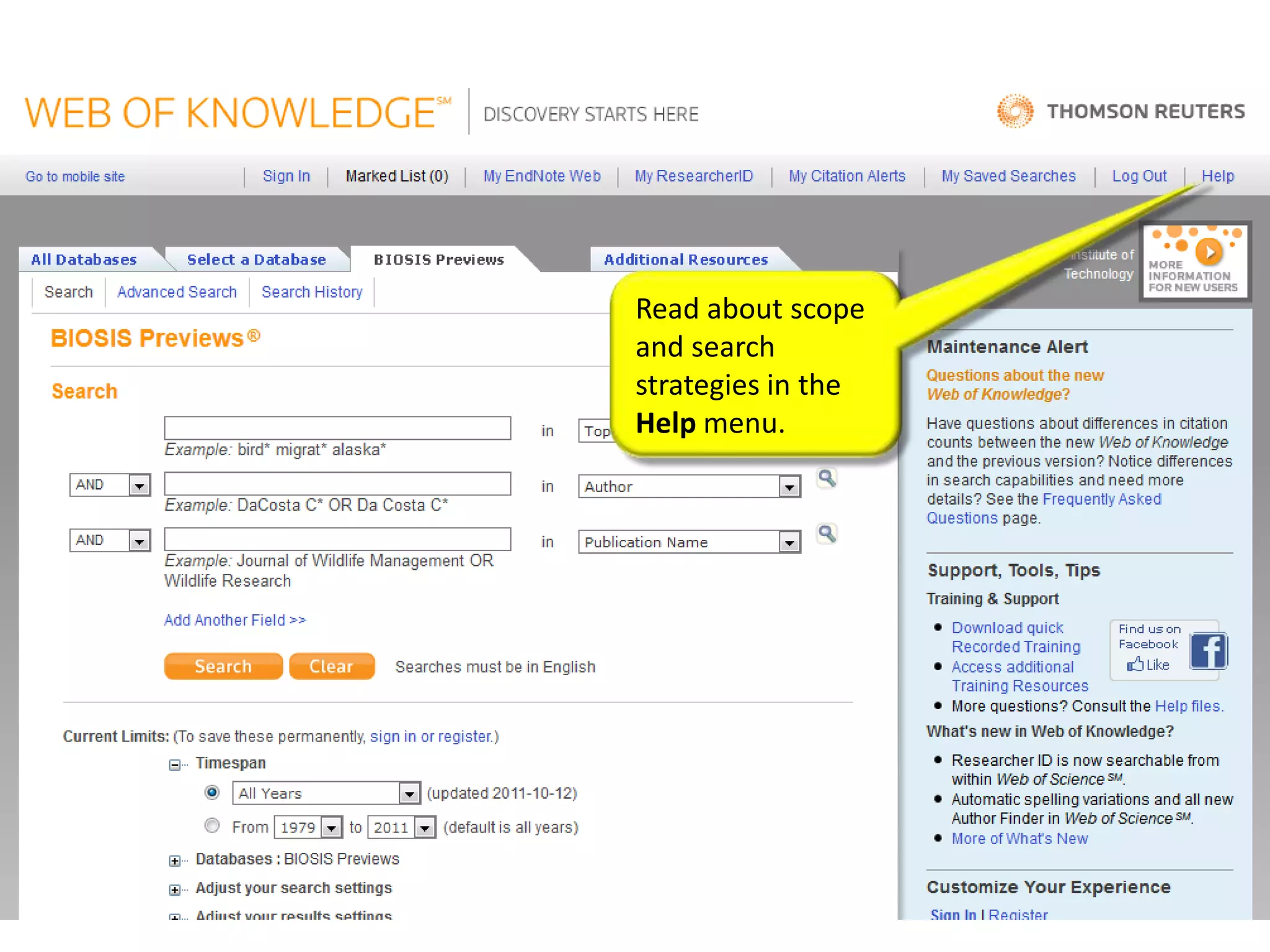
Read about scope
and search
strategies in the
Help menu.
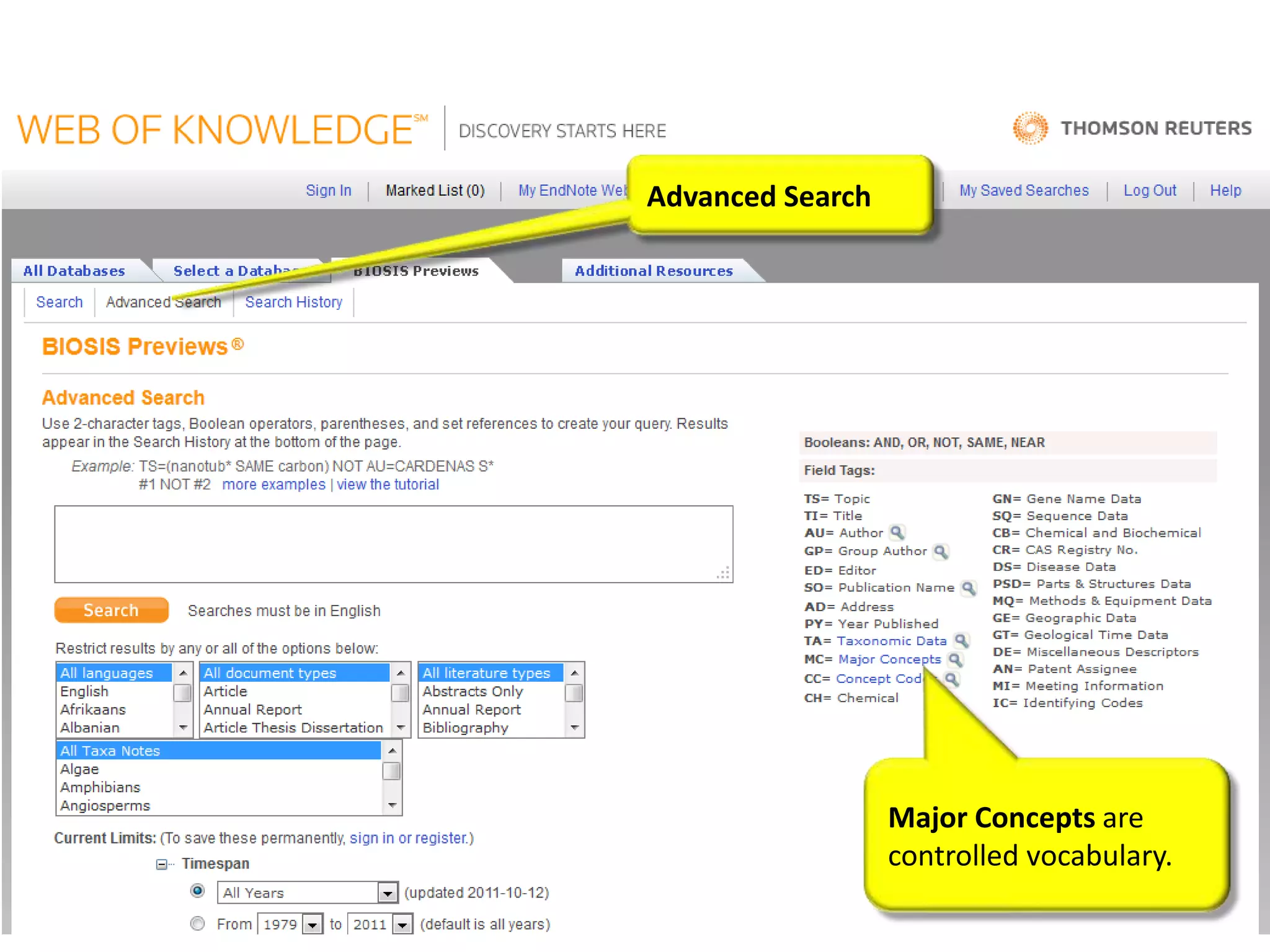
Advanced Search


                  Major Concepts are
                  controlled vocabulary.
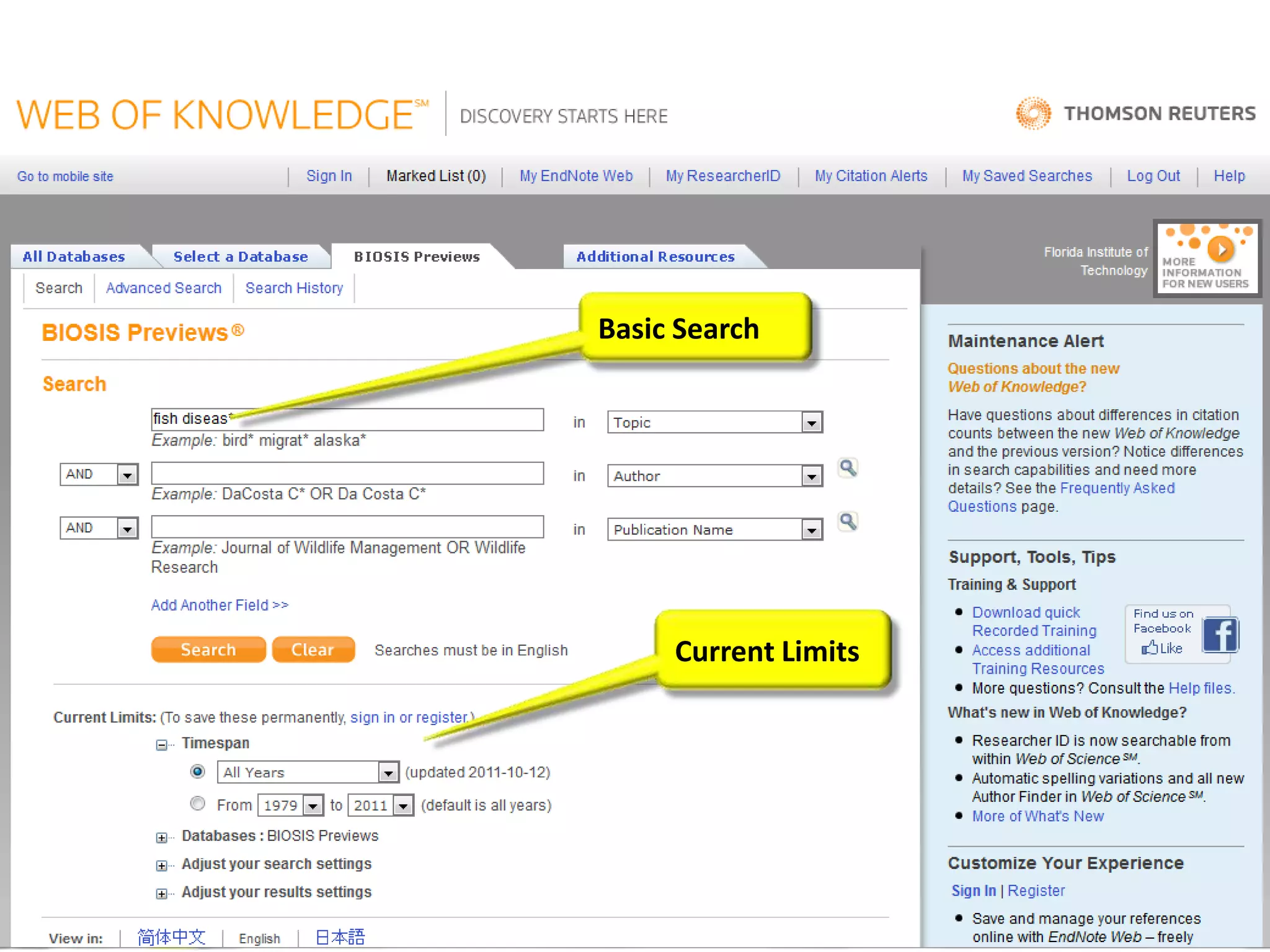
Basic Search


     Current Limits
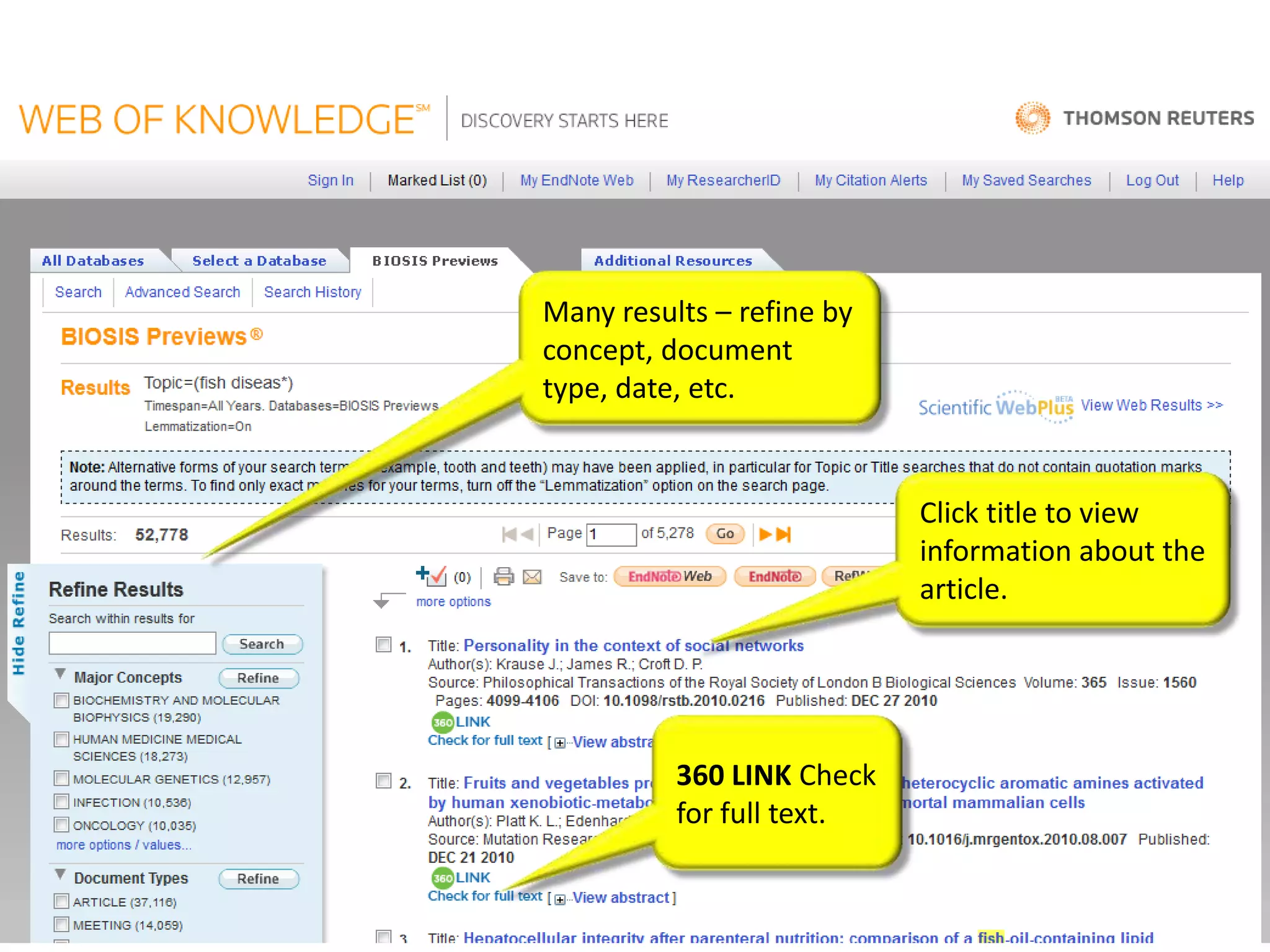
Many results – refine by
concept, document
type, date, etc.


                           Click title to view
                           information about the
                           article.


          360 LINK Check
          for full text.
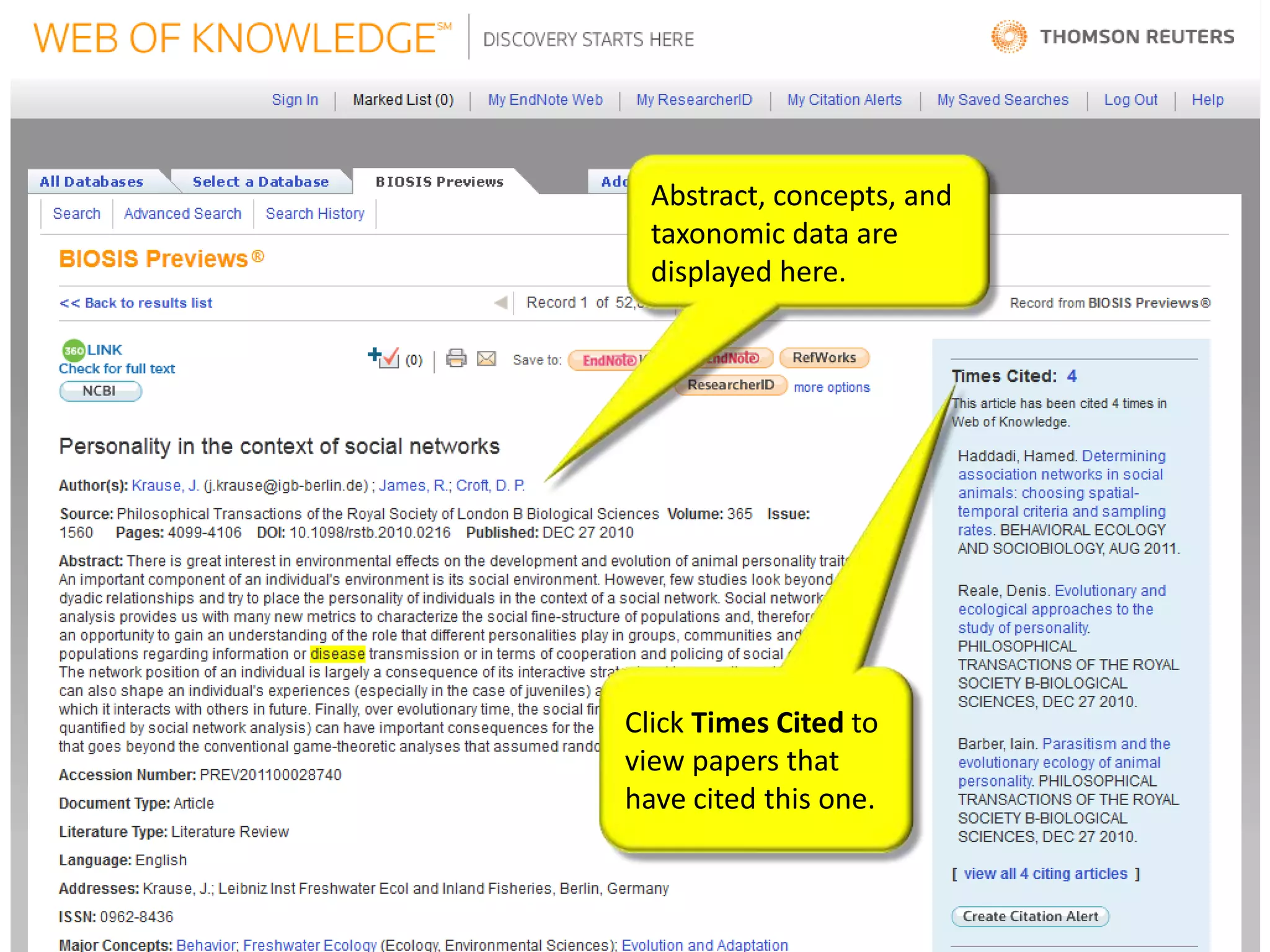
Abstract, concepts, and
  taxonomic data are
  displayed here.


Click Times Cited to
view papers that
have cited this one.
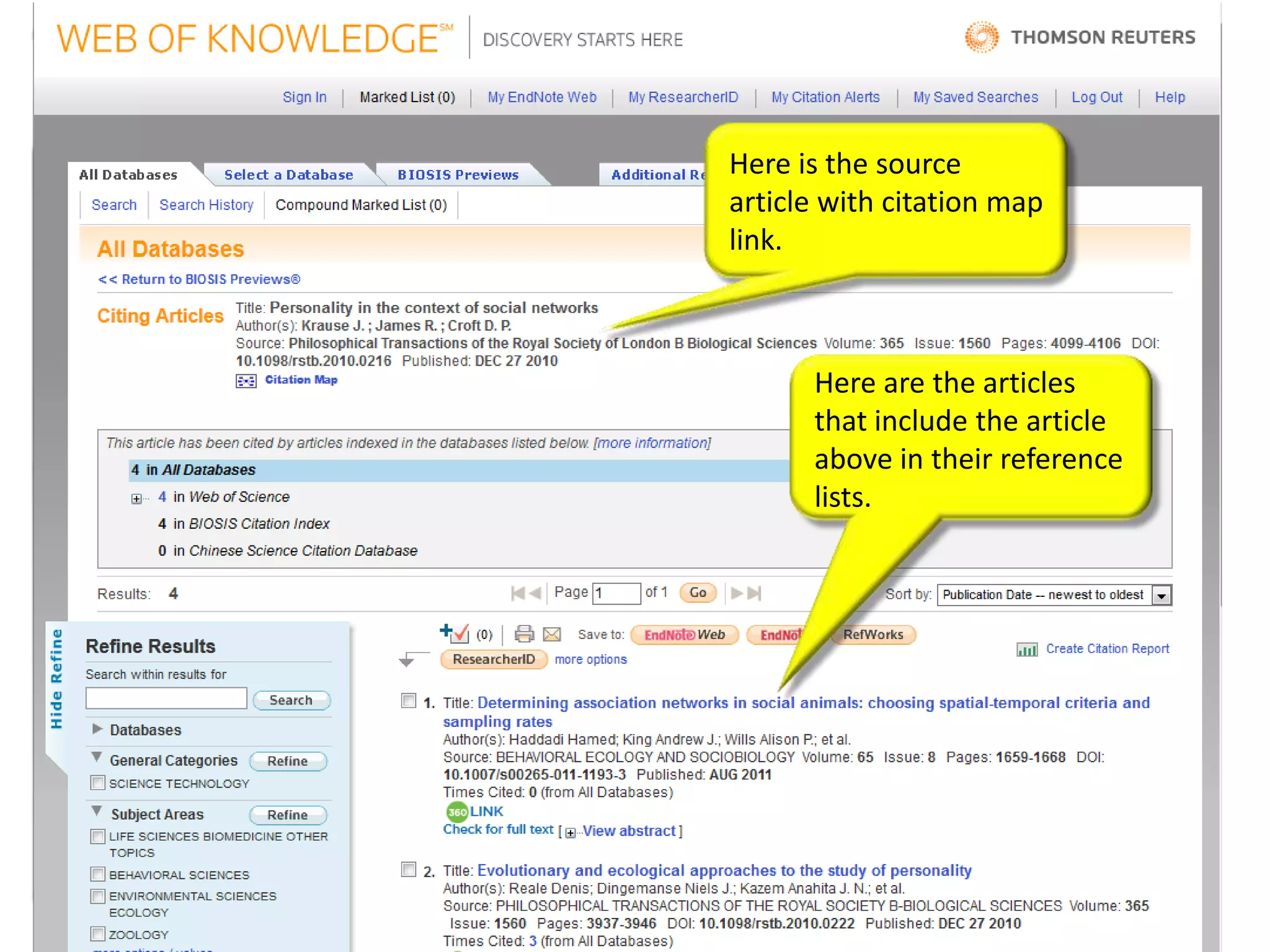
Here is the source
article with citation map
link.


      Here are the articles
      that include the article
      above in their reference
      lists.
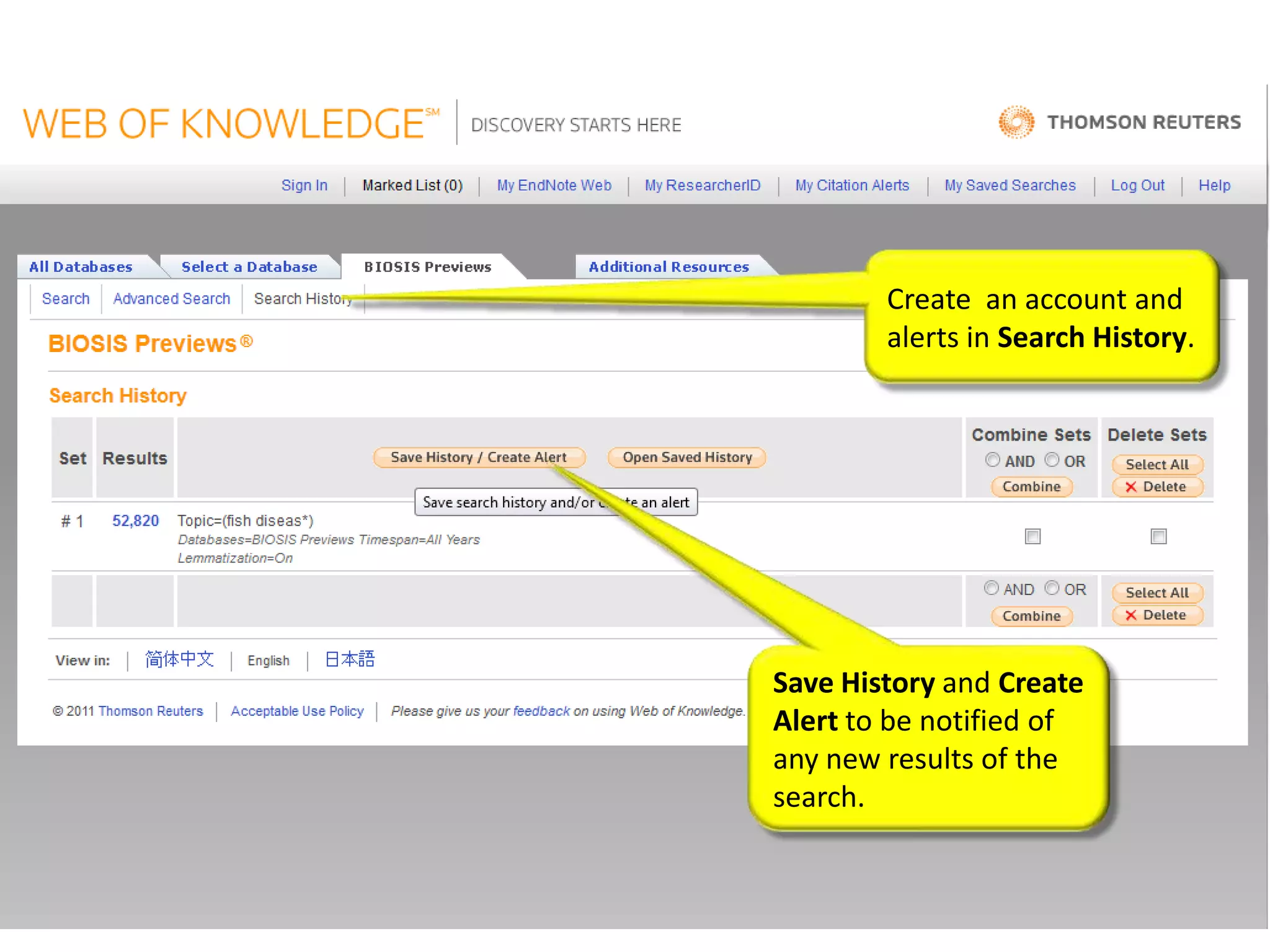
Create an account and
        alerts in Search History.


Save History and Create
Alert to be notified of
any new results of the
search.
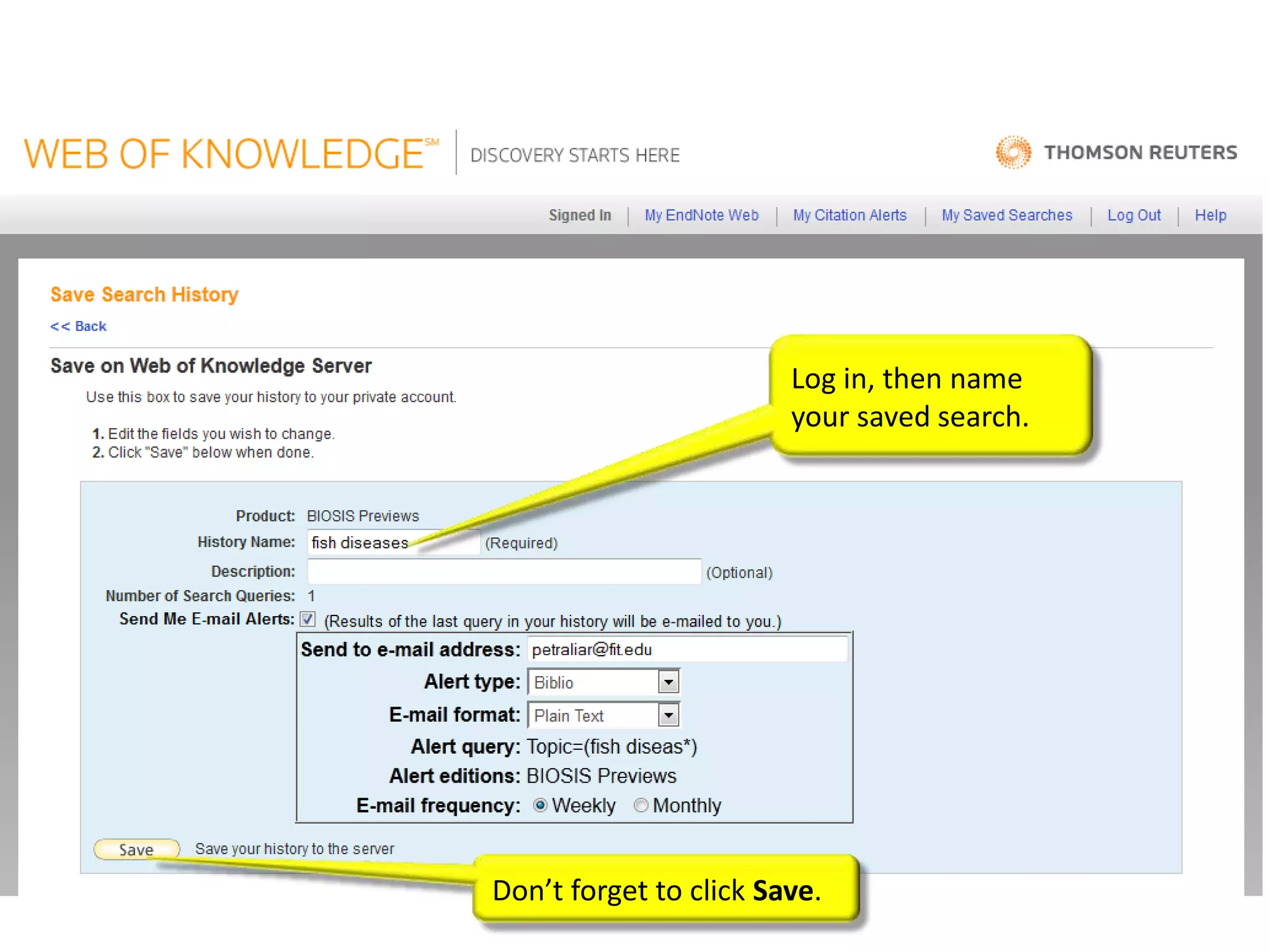
Log in, then name
                        your saved search.


Don’t forget to click Save.
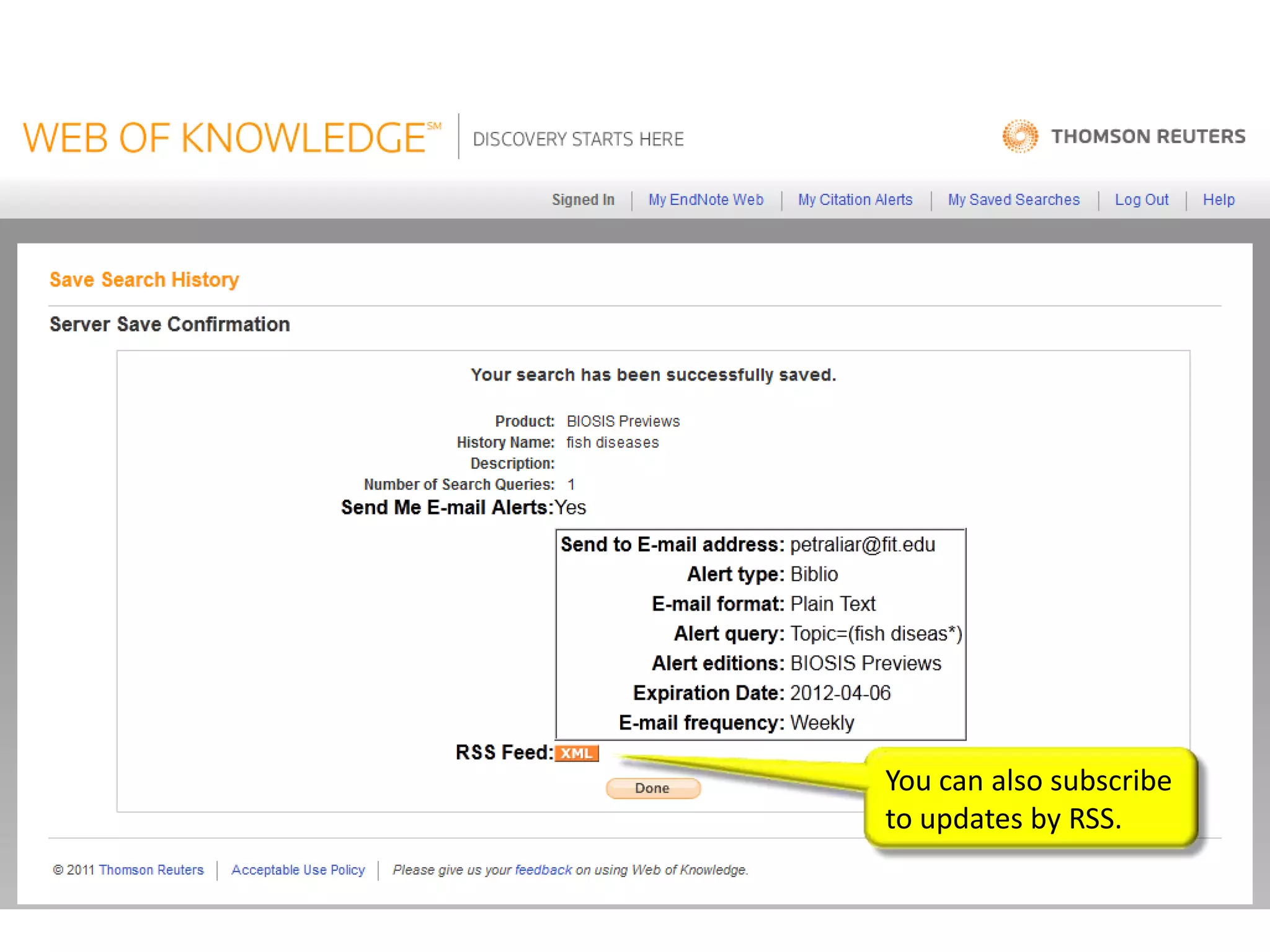
You can also subscribe
to updates by RSS.
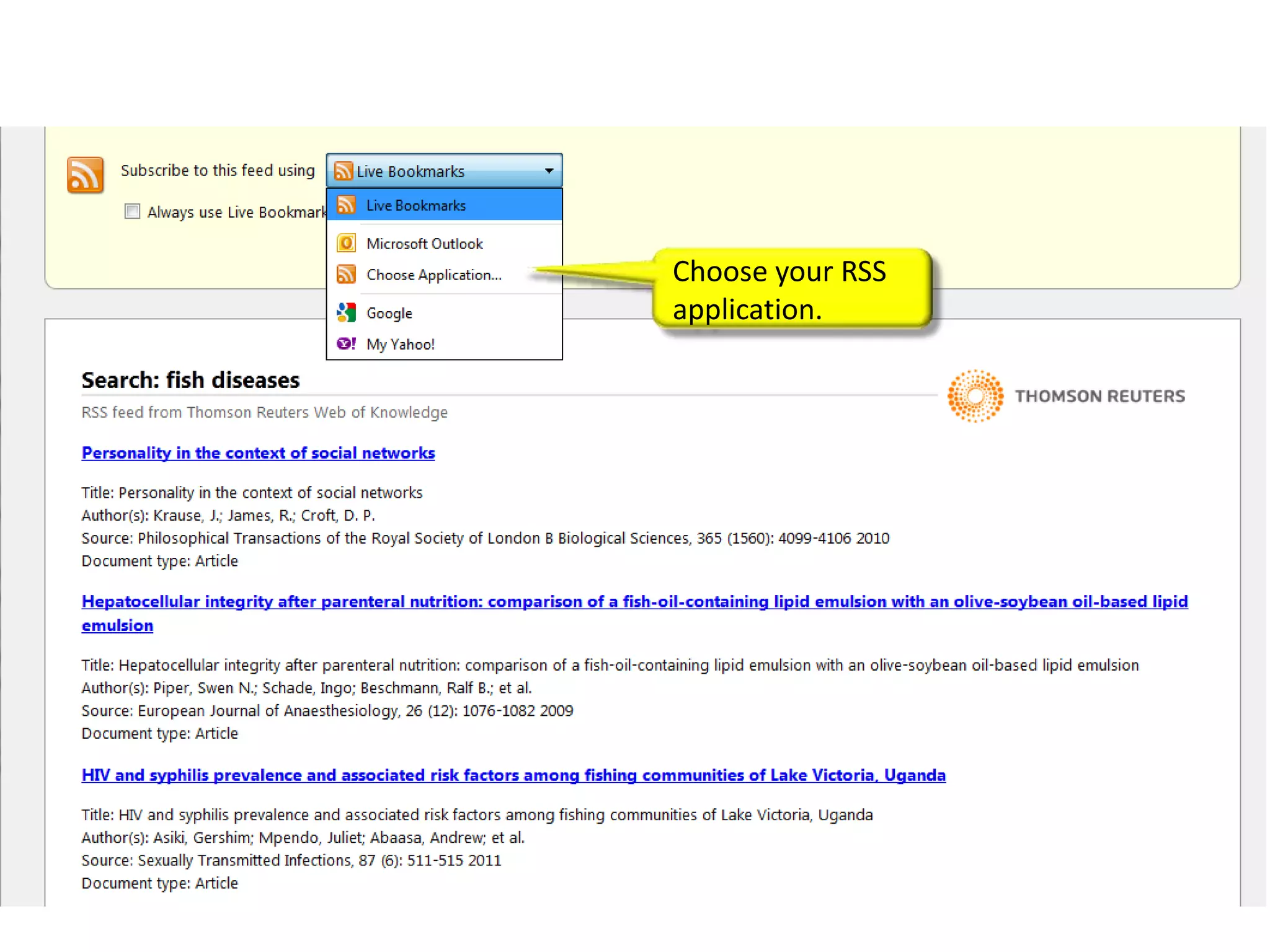
Choose your RSS
application.
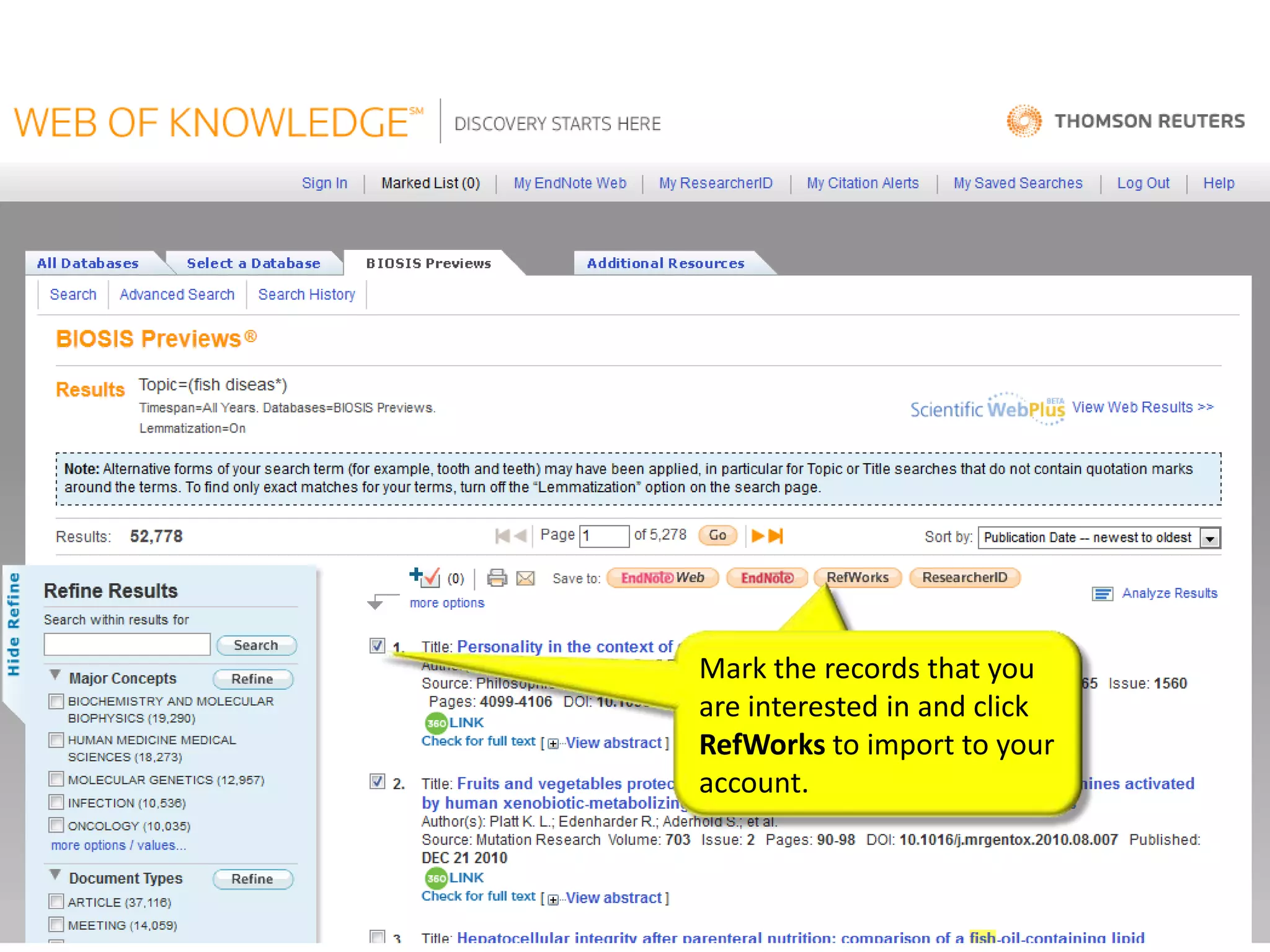
Mark the records that you
are interested in and click
RefWorks to import to your
account.
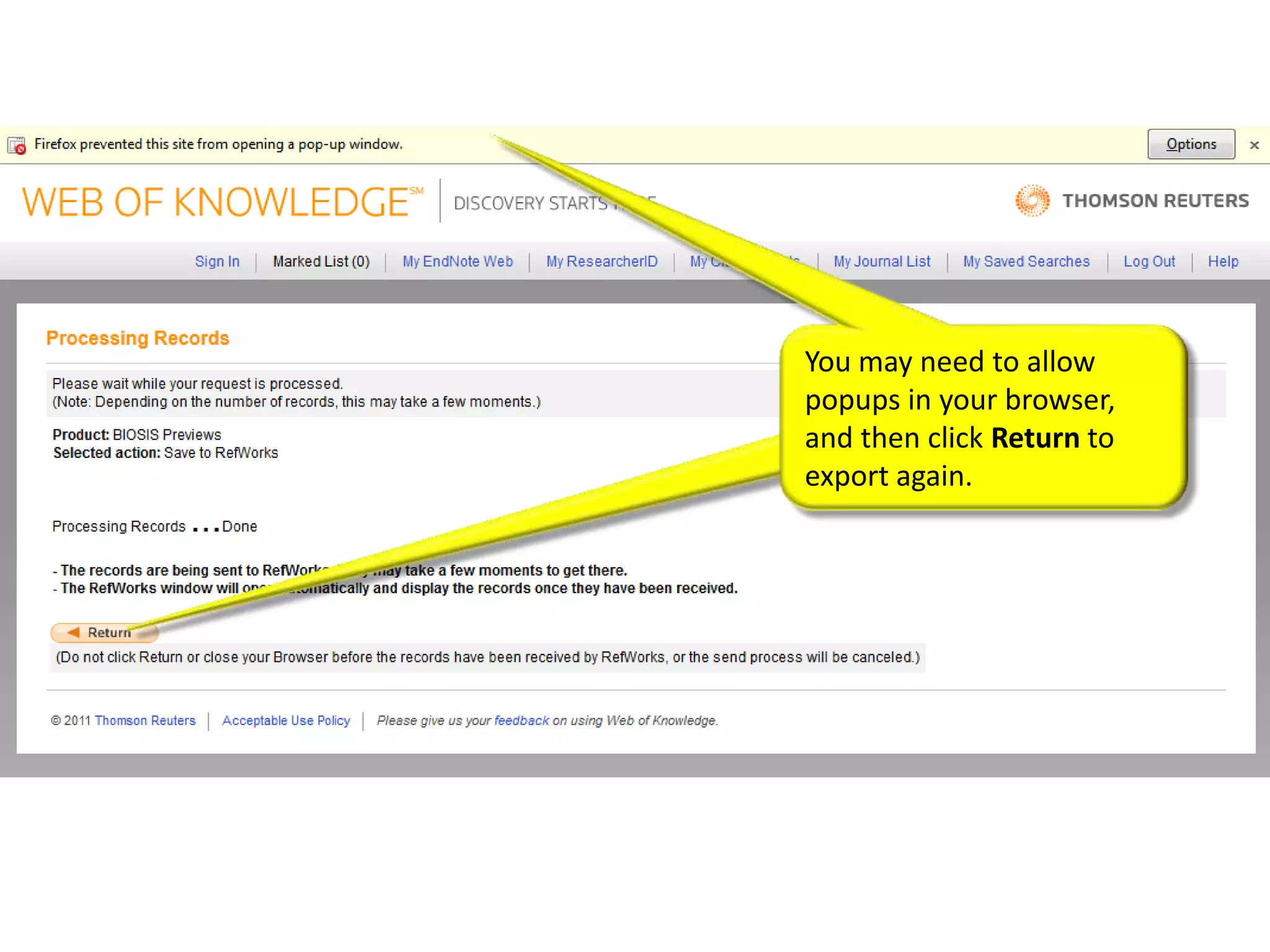
You may need to allow
popups in your browser,
and then click Return to
export again.
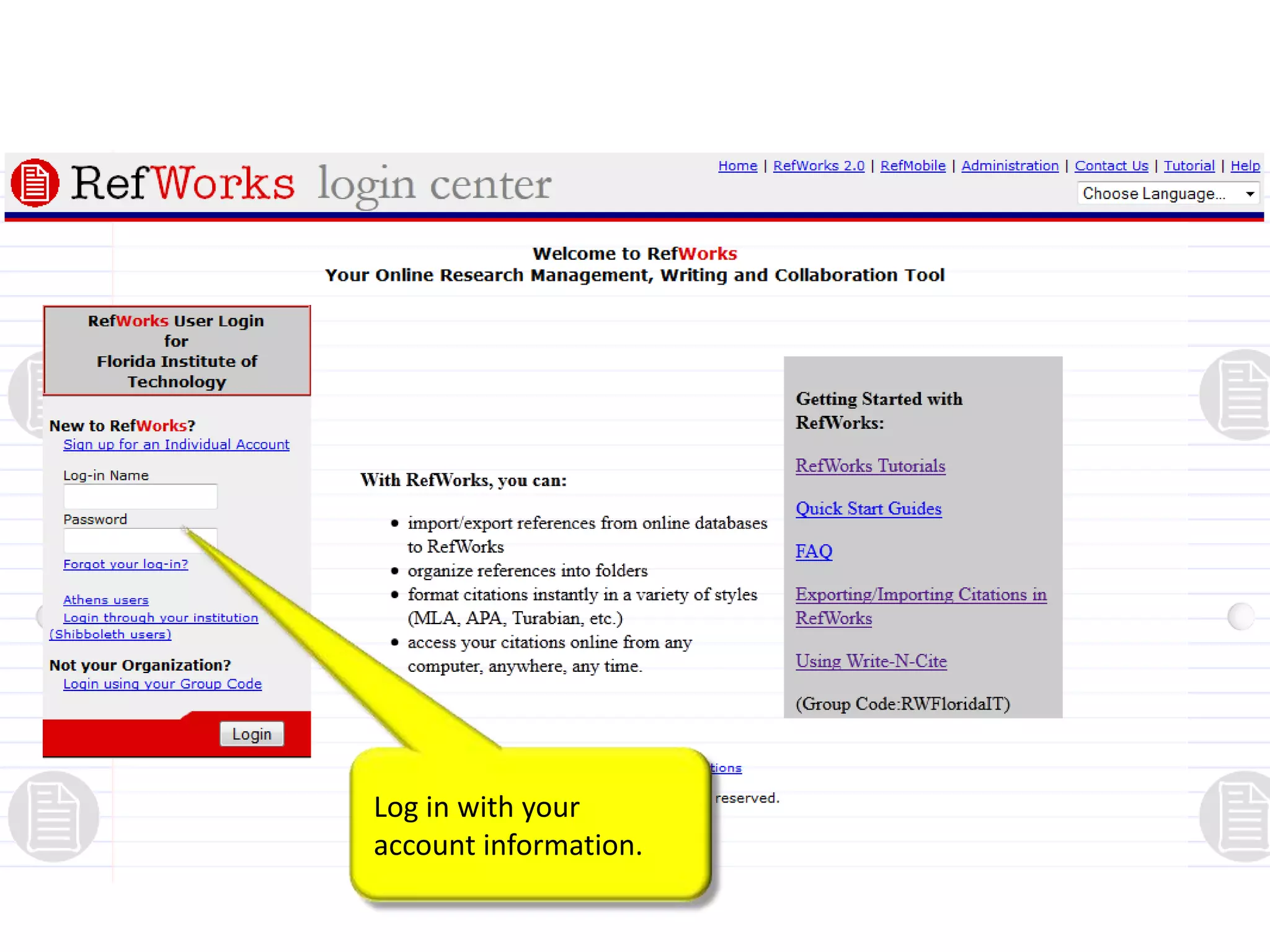
Log in with your
account information.
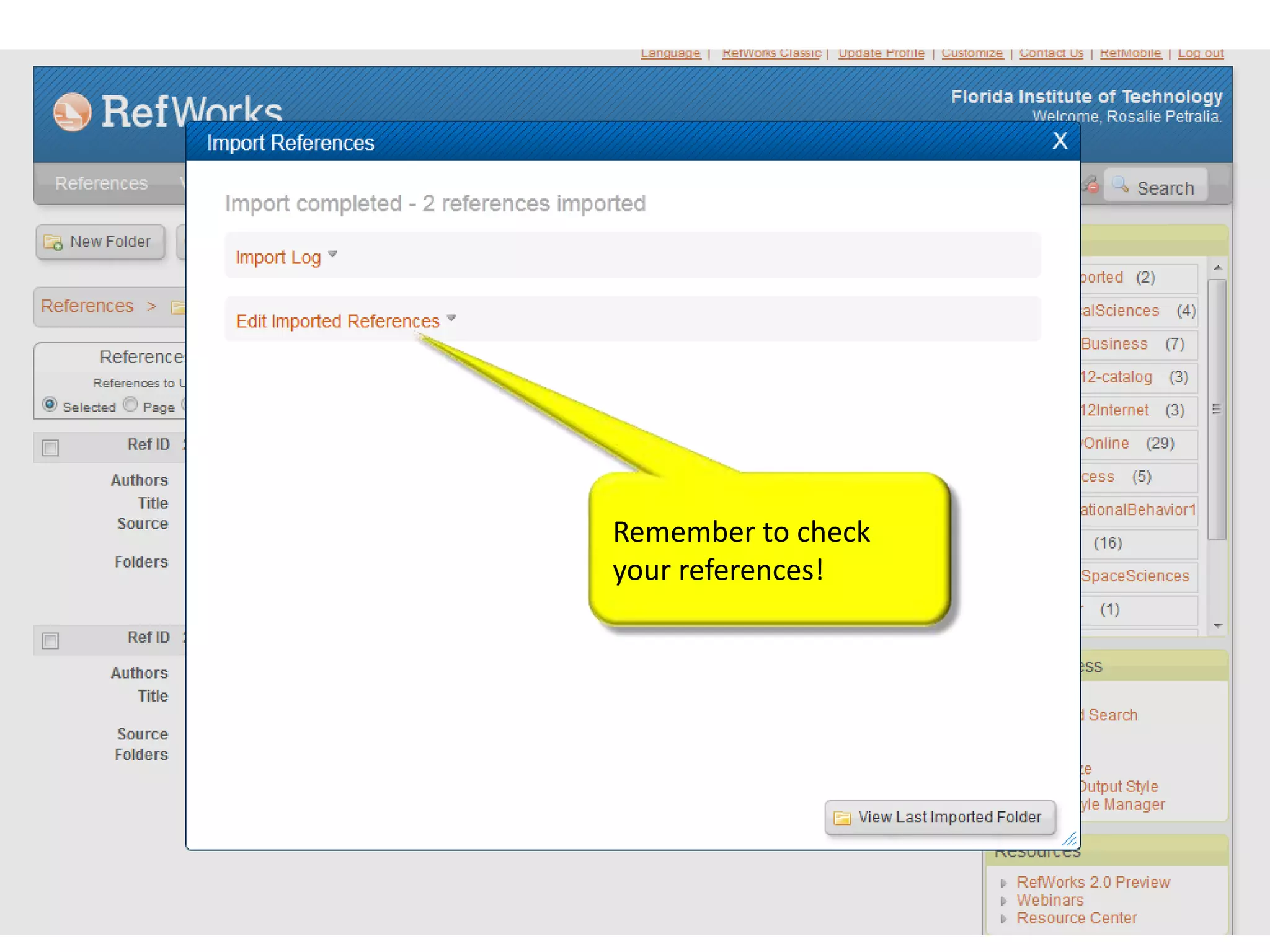
Remember to check
your references!
Thank you!

View tutorials and training here:
http://wokinfo.com/training_support/training

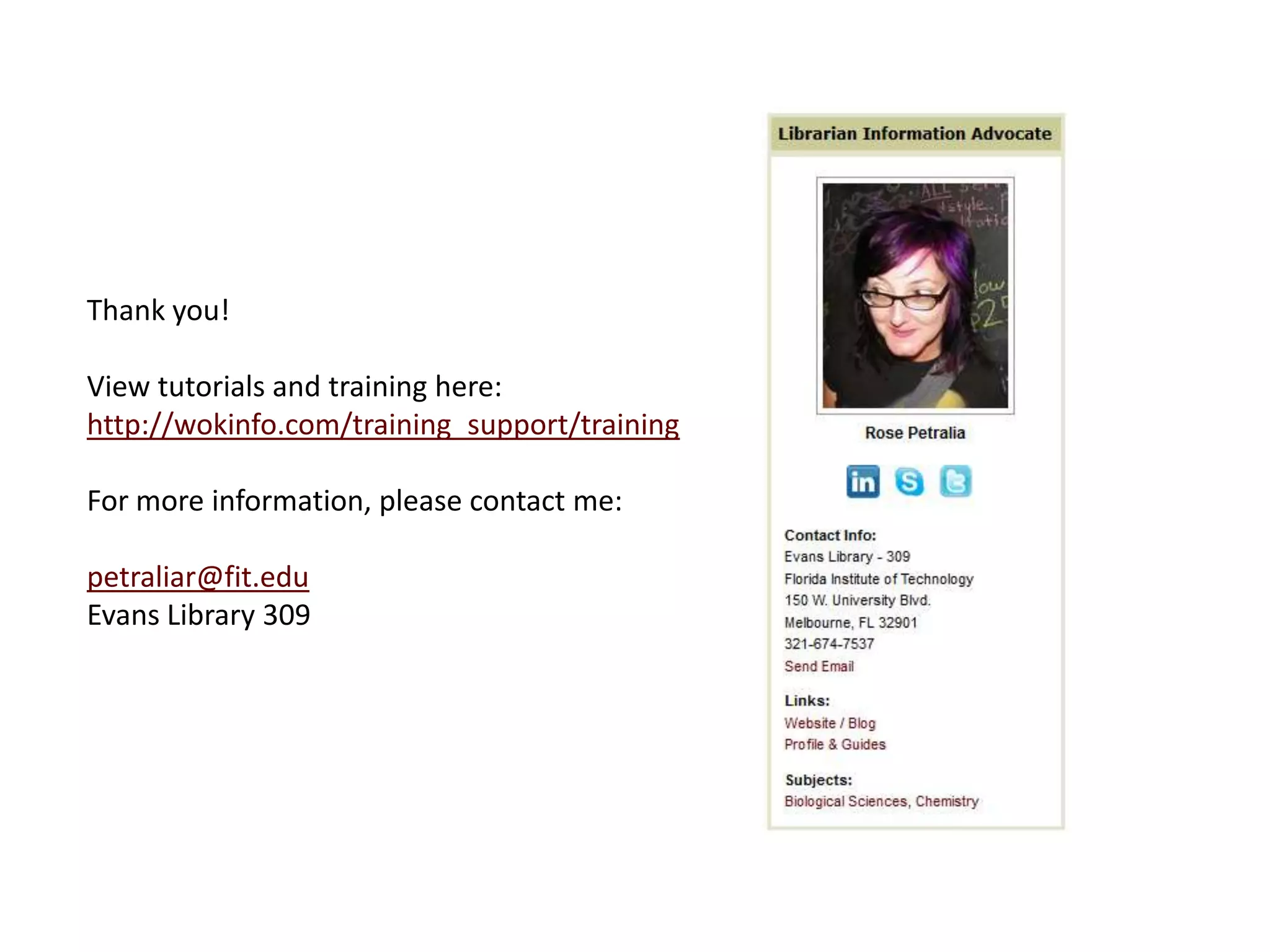
For more information, please contact me:

petraliar@fit.edu
Evans Library 309

BIOSIS Previews for the Biological Sciences

  • 1.
    John H. EvansLibrary & Learning Commons BIOSIS PREVIEWS FOR THE BIOLOGICAL SCIENCES
  • 2.
    http://lib.fit.edu Research Guides collectthe most useful databases, reference materials, Internet sites, and other tools for your field of study in one convenient resource.
  • 3.
    Each discipline contains both generaland course-specific guides
  • 4.
    These are theLibrary’s best resources for biological sciences students, organized by type.
  • 5.
    Use the Articles& Databases tab to find journal articles about your topic. BIOSIS Previews, from Web of Knowledge, provides bibliographic records in the life sciences from journals, meetings, patents, and books from 1979 to the present.
  • 6.
    Log in withTRACKS.
  • 7.
    Read about scope andsearch strategies in the Help menu.
  • 8.
    Advanced Search Major Concepts are controlled vocabulary.
  • 9.
    Basic Search Current Limits
  • 10.
    Many results –refine by concept, document type, date, etc. Click title to view information about the article. 360 LINK Check for full text.
  • 11.
    Abstract, concepts, and taxonomic data are displayed here. Click Times Cited to view papers that have cited this one.
  • 12.
    Here is thesource article with citation map link. Here are the articles that include the article above in their reference lists.
  • 13.
    Create an accountand alerts in Search History. Save History and Create Alert to be notified of any new results of the search.
  • 14.
    Log in, thenname your saved search. Don’t forget to click Save.
  • 15.
    You can alsosubscribe to updates by RSS.
  • 16.
  • 17.
    Mark the recordsthat you are interested in and click RefWorks to import to your account.
  • 18.
    You may needto allow popups in your browser, and then click Return to export again.
  • 19.
    Log in withyour account information.
  • 20.
  • 21.
    Thank you! View tutorialsand training here: http://wokinfo.com/training_support/training For more information, please contact me: petraliar@fit.edu Evans Library 309

Editor's Notes