BIM
QUALITY ASSURANCE
AND VALIDATION
CHECKLIST
What is
BIM QA/AC?
Quality Assurance (QA) is done after every BIM
modeling project for each system and is used to
eliminate errors. BIM QA/QC (Quality
Assurance/Quality Control) refers to the checking of
the BIM model if various BIM standards have complied.
The 3D BIM model is inspected for clashes, improper
naming, and other inconsistencies. The output you get
after BIM QA/QC process is a clean ready to use BIM
model without any inconsistencies, with all systems
coordinated.
Brief Introduction
The BIM QA/QC checklist is nothing more than a tool that
will assist you in creating an organized process, helping
you to maintain repetitious activities, fostering a good
design habit within the project team, and assisting team
members in memorizing task sequences in a Quality
Assurance process, among other things.
What is
BIM QA/QC
Checklist?
Benefits of BIM QA/QC
DESIGN MODEL
VALIDATION
By ensuring that the 3D BIM model
is perfect and can be referenced
while construction makes the
QA/QC analysis an easy task.
RISK MITIGATION
The future risk associated with a
3D BIM Model which is not quality
verified including unforeseen
design clashes can be fixed
beforehand in the model.
SAVES COMPANY
REPUTATION
Errors in the BIM model can affect
the company's reputation. Doing
QA/QC of the BIM model before
providing it for construction is
important.
COST CONTROL
Accurate clash free 3D BIM models
limit the wastage of materials and
thus save the cost of materials.
BIM QA/AC
Checklist
For your convenience, we have provided you with a simplified BIM QA/QC checklist that you can use
to streamline your BIM QA/QC process. Depending on your project, the checklist may alter slightly
from the sample below. Always remember not to passively follow someone else's checklist, and to
tailor your BIM QA/QC processes to the specifics of your project rather than the other way around.
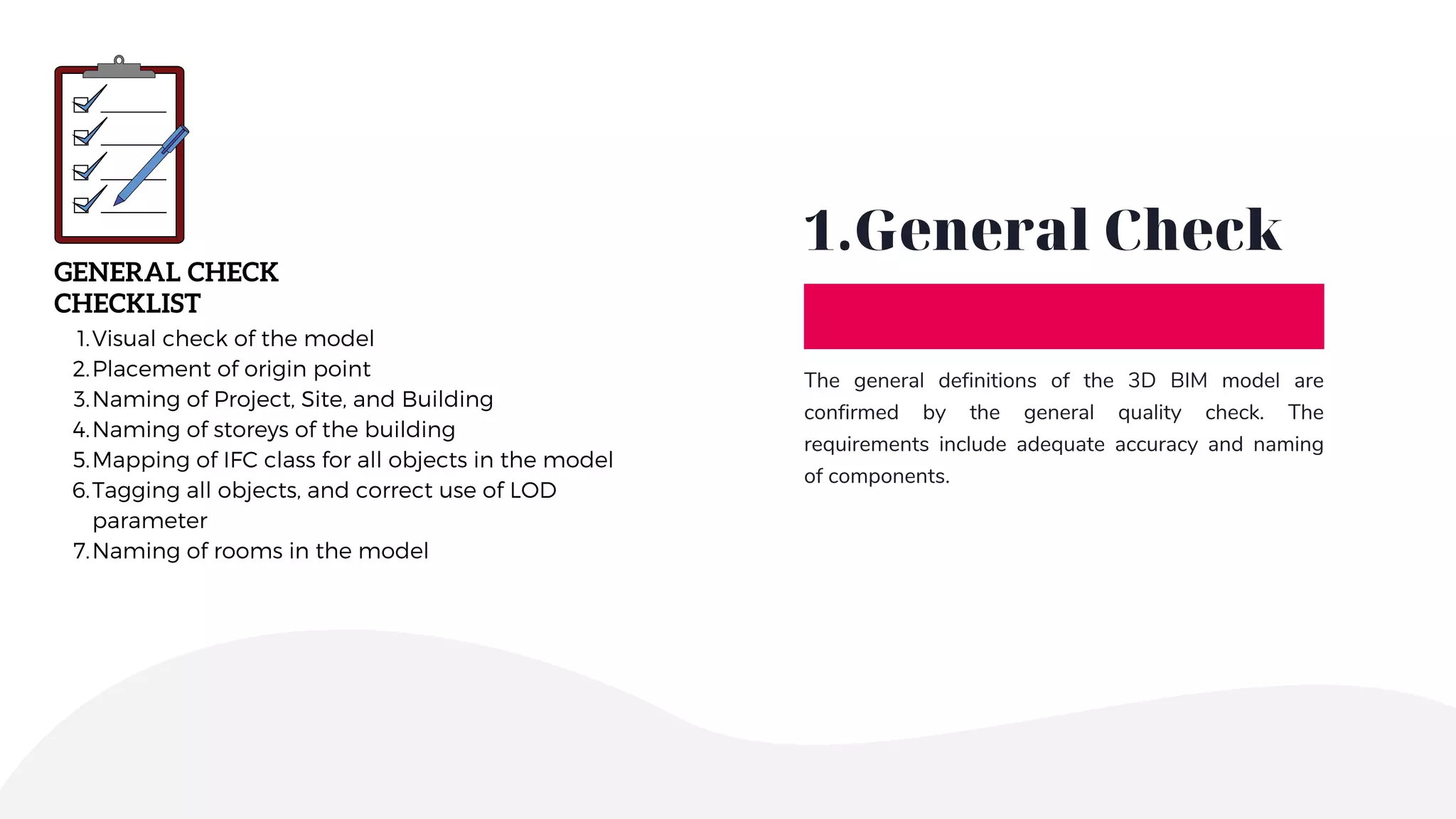
1.General Check
The general definitions of the 3D BIM model are
confirmed by the general quality check. The
requirements include adequate accuracy and naming
of components.
GENERAL CHECK
CHECKLIST
Visual check of the model
Placement of origin point
Naming of Project, Site, and Building
Naming of storeys of the building
Mapping of IFC class for all objects in the model
Tagging all objects, and correct use of LOD
parameter
Naming of rooms in the model
1.
2.
3.
4.
5.
6.
7.
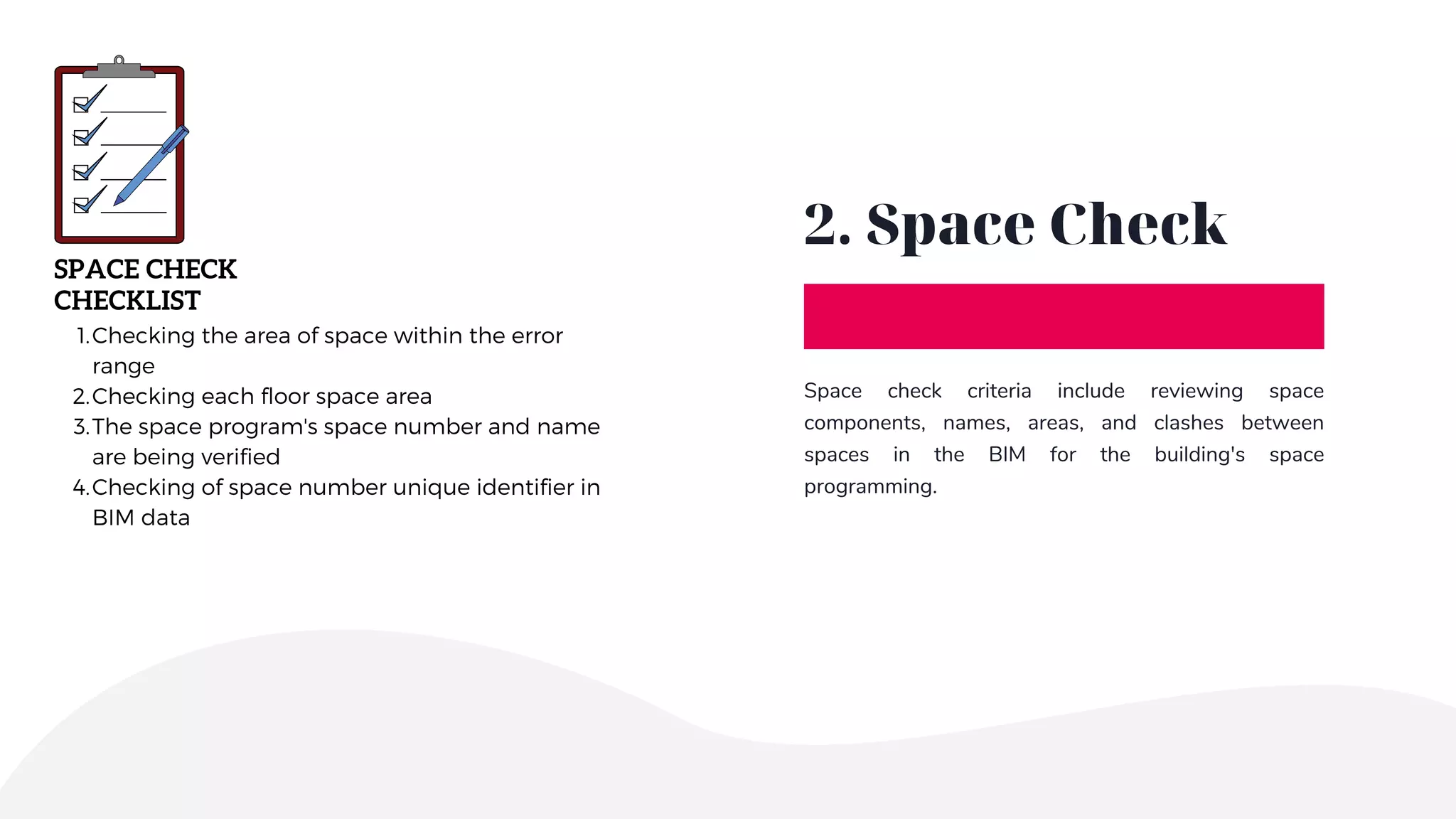
2. Space Check
Space check criteria include reviewing space
components, names, areas, and clashes between
spaces in the BIM for the building's space
programming.
SPACE CHECK
CHECKLIST
Checking the area of space within the error
range
Checking each floor space area
The space program's space number and name
are being verified
Checking of space number unique identifier in
BIM data
1.
2.
3.
4.
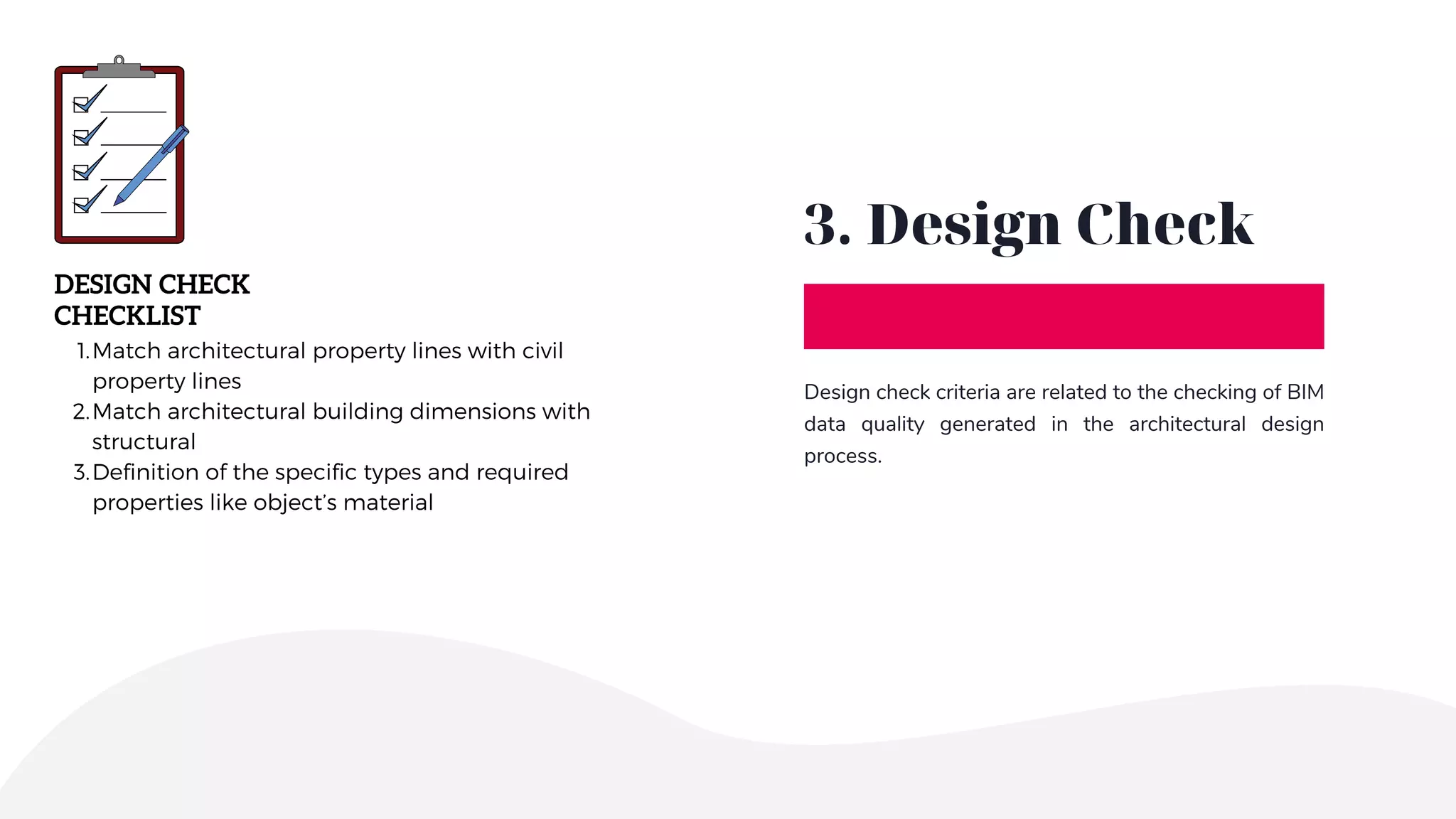
3. Design Check
Design check criteria are related to the checking of BIM
data quality generated in the architectural design
process.
DESIGN CHECK
CHECKLIST
Match architectural property lines with civil
property lines
Match architectural building dimensions with
structural
Definition of the specific types and required
properties like object’s material
1.
2.
3.
4.MEP Check
The necessary model requirements for the MEP
(Mechanical, Electrical, and Plumbing) are checked for
clashes and if they are represented in drawings and
schedules.
MEP CHECK
CHECKLIST
MEP plan matches the architectural and
structural plan
All equipment shown on the plans
All equipment shown on the schedules
MEP clash coordination
1.
2.
3.
4.
5.Construction
Check
Construction check criteria are used to assess the
structural quality of BIM data. Clash checking between
construction objects like columns, beams, slabs, etc. is
one of these requirements.
CONSTRUCTION CHECK
CHECKLIST
Clash coordination between different building
objects like beams, columns, and beams
Clash coordination between the same kind of
building objects
1.
2.
6. Model Revision
When checking the quality of a 3D model, a checklist is
used. Revit section views can be used to check for any
deviations in the design. In this way, clash detection
and coordination between trades are simplified and
can be used to measure discrepancies and the 3D BIM
model is revised accordingly.
MODEL REVISION
CHECKLIST
Eliminate errors and clash issues
Assure that all standards are followed
Ensure enough geometric elements, the correct
position, and functionality
Confirm if the client’s requirements are met
Delete unnecessary views and plans
Delete unnecessary groups
Verify worksets
Purge file
Audit file
1.
2.
3.
4.
5.
6.
7.
8.
9.
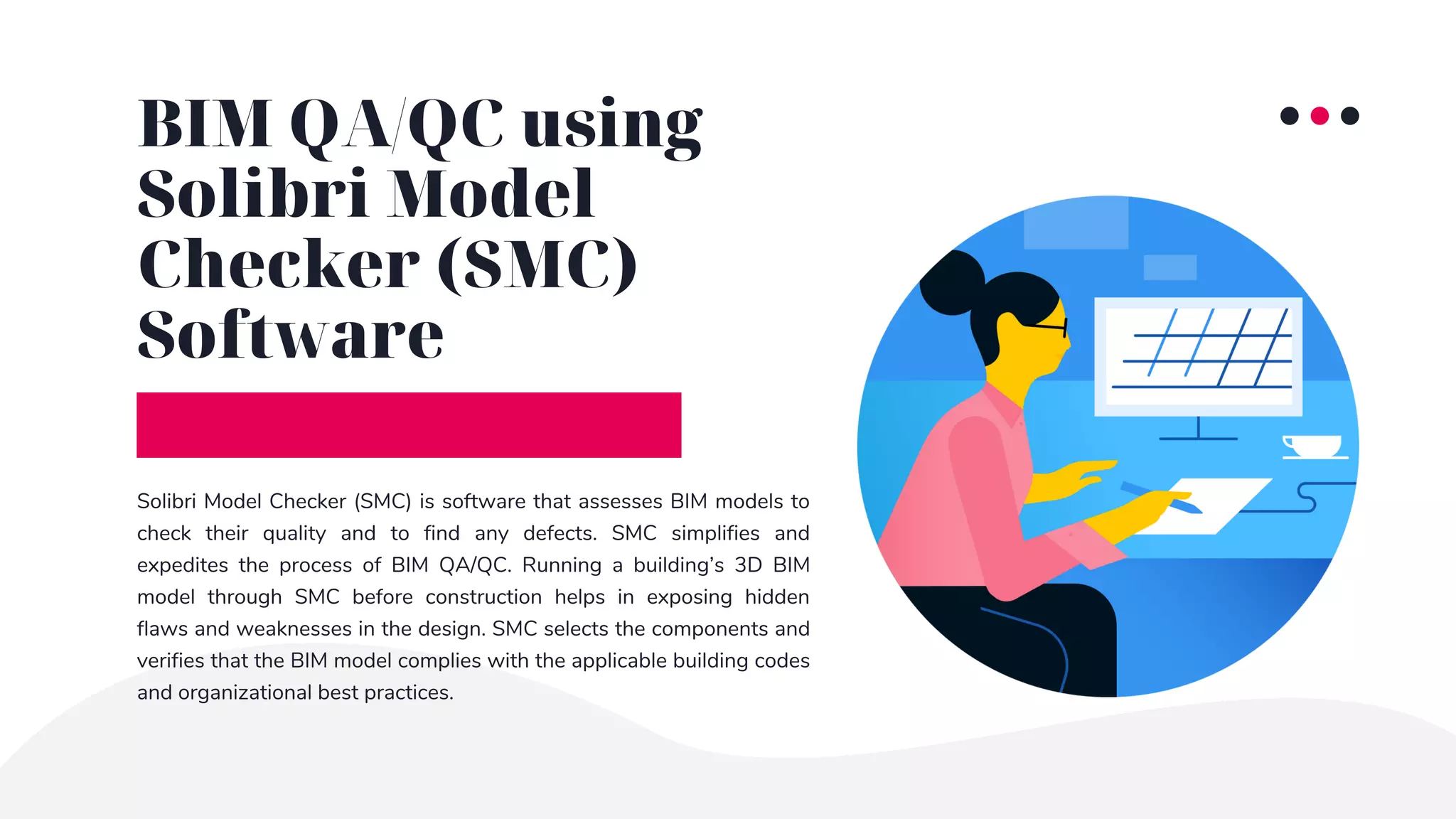
Solibri Model Checker (SMC) is software that assesses BIM models to
check their quality and to find any defects. SMC simplifies and
expedites the process of BIM QA/QC. Running a building’s 3D BIM
model through SMC before construction helps in exposing hidden
flaws and weaknesses in the design. SMC selects the components and
verifies that the BIM model complies with the applicable building codes
and organizational best practices.
BIM QA/QC using
Solibri Model
Checker (SMC)
Software
Conclusion
By using a checklist for BIM Quality Assurance and Quality Control a clash free and coordinated BIM model can be
created which can be used for the building construction process.
Construction contractors employ the exact data provided by these models to create the structure, hence Quality
Assurance is critical within the AEC business.
Cost, scheduling, and even company reputation all be impacted by project errors.
Thank You
info@tejjy.com
CREATED BY
www.tejjy.com 202-465-4830

BIM Quality Assurance & Validation Checklist | BIM QA/QC

  • 1.
  • 2.
    What is BIM QA/AC? QualityAssurance (QA) is done after every BIM modeling project for each system and is used to eliminate errors. BIM QA/QC (Quality Assurance/Quality Control) refers to the checking of the BIM model if various BIM standards have complied. The 3D BIM model is inspected for clashes, improper naming, and other inconsistencies. The output you get after BIM QA/QC process is a clean ready to use BIM model without any inconsistencies, with all systems coordinated. Brief Introduction
  • 3.
    The BIM QA/QCchecklist is nothing more than a tool that will assist you in creating an organized process, helping you to maintain repetitious activities, fostering a good design habit within the project team, and assisting team members in memorizing task sequences in a Quality Assurance process, among other things. What is BIM QA/QC Checklist?
  • 4.
    Benefits of BIMQA/QC DESIGN MODEL VALIDATION By ensuring that the 3D BIM model is perfect and can be referenced while construction makes the QA/QC analysis an easy task. RISK MITIGATION The future risk associated with a 3D BIM Model which is not quality verified including unforeseen design clashes can be fixed beforehand in the model. SAVES COMPANY REPUTATION Errors in the BIM model can affect the company's reputation. Doing QA/QC of the BIM model before providing it for construction is important. COST CONTROL Accurate clash free 3D BIM models limit the wastage of materials and thus save the cost of materials.
  • 5.
    BIM QA/AC Checklist For yourconvenience, we have provided you with a simplified BIM QA/QC checklist that you can use to streamline your BIM QA/QC process. Depending on your project, the checklist may alter slightly from the sample below. Always remember not to passively follow someone else's checklist, and to tailor your BIM QA/QC processes to the specifics of your project rather than the other way around.
  • 6.
    1.General Check The generaldefinitions of the 3D BIM model are confirmed by the general quality check. The requirements include adequate accuracy and naming of components. GENERAL CHECK CHECKLIST Visual check of the model Placement of origin point Naming of Project, Site, and Building Naming of storeys of the building Mapping of IFC class for all objects in the model Tagging all objects, and correct use of LOD parameter Naming of rooms in the model 1. 2. 3. 4. 5. 6. 7.
  • 7.
    2. Space Check Spacecheck criteria include reviewing space components, names, areas, and clashes between spaces in the BIM for the building's space programming. SPACE CHECK CHECKLIST Checking the area of space within the error range Checking each floor space area The space program's space number and name are being verified Checking of space number unique identifier in BIM data 1. 2. 3. 4.
  • 8.
    3. Design Check Designcheck criteria are related to the checking of BIM data quality generated in the architectural design process. DESIGN CHECK CHECKLIST Match architectural property lines with civil property lines Match architectural building dimensions with structural Definition of the specific types and required properties like object’s material 1. 2. 3.
  • 9.
    4.MEP Check The necessarymodel requirements for the MEP (Mechanical, Electrical, and Plumbing) are checked for clashes and if they are represented in drawings and schedules. MEP CHECK CHECKLIST MEP plan matches the architectural and structural plan All equipment shown on the plans All equipment shown on the schedules MEP clash coordination 1. 2. 3. 4.
  • 10.
    5.Construction Check Construction check criteriaare used to assess the structural quality of BIM data. Clash checking between construction objects like columns, beams, slabs, etc. is one of these requirements. CONSTRUCTION CHECK CHECKLIST Clash coordination between different building objects like beams, columns, and beams Clash coordination between the same kind of building objects 1. 2.
  • 11.
    6. Model Revision Whenchecking the quality of a 3D model, a checklist is used. Revit section views can be used to check for any deviations in the design. In this way, clash detection and coordination between trades are simplified and can be used to measure discrepancies and the 3D BIM model is revised accordingly. MODEL REVISION CHECKLIST Eliminate errors and clash issues Assure that all standards are followed Ensure enough geometric elements, the correct position, and functionality Confirm if the client’s requirements are met Delete unnecessary views and plans Delete unnecessary groups Verify worksets Purge file Audit file 1. 2. 3. 4. 5. 6. 7. 8. 9.
  • 12.
    Solibri Model Checker(SMC) is software that assesses BIM models to check their quality and to find any defects. SMC simplifies and expedites the process of BIM QA/QC. Running a building’s 3D BIM model through SMC before construction helps in exposing hidden flaws and weaknesses in the design. SMC selects the components and verifies that the BIM model complies with the applicable building codes and organizational best practices. BIM QA/QC using Solibri Model Checker (SMC) Software
  • 13.
    Conclusion By using achecklist for BIM Quality Assurance and Quality Control a clash free and coordinated BIM model can be created which can be used for the building construction process. Construction contractors employ the exact data provided by these models to create the structure, hence Quality Assurance is critical within the AEC business. Cost, scheduling, and even company reputation all be impacted by project errors.
  • 14.