


Best Practices in
Device Control


An In-Depth Look at Enforcing
Data Protection Policies


      PROPRIETARY & CONFIDENTIAL - NOT FOR PUBLIC DISTRIBUTION
Today’s Agenda


             Introduction


             Augment Your Endpoint Security with Device
             Control to Protect Your Data
             • Laying the Groundwork
             • Preparing for Enforcement
             • Enforcing Policy
             • Managing Device Control


             Q&A
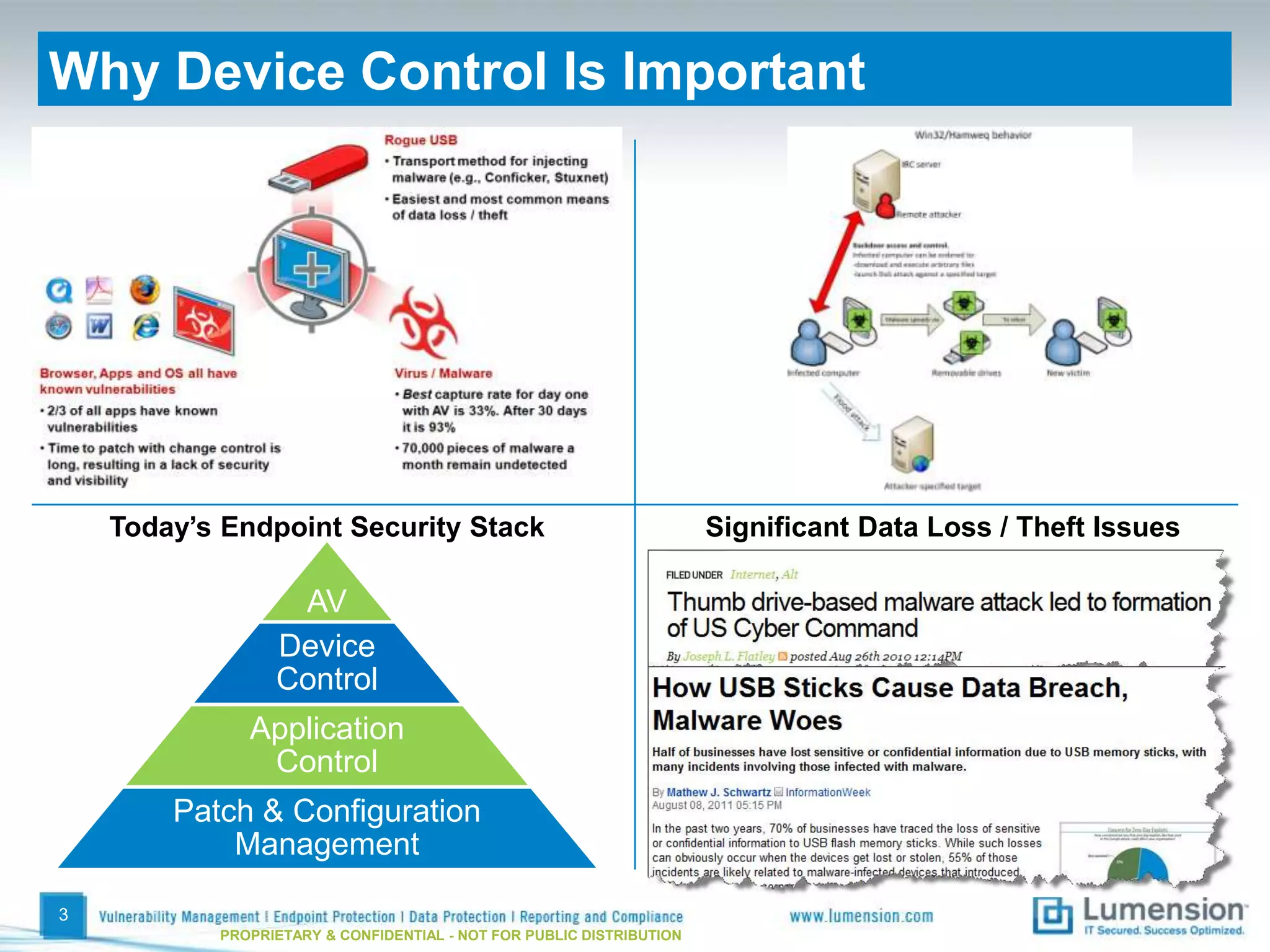
Why Device Control Is Important


    Today’s Endpoint Security Stack                                   Significant Data Loss / Theft Issues

                  AV
                 Device
                 Control
              Application
               Control
        Patch & Configuration
            Management

3
           PROPRIETARY & CONFIDENTIAL - NOT FOR PUBLIC DISTRIBUTION
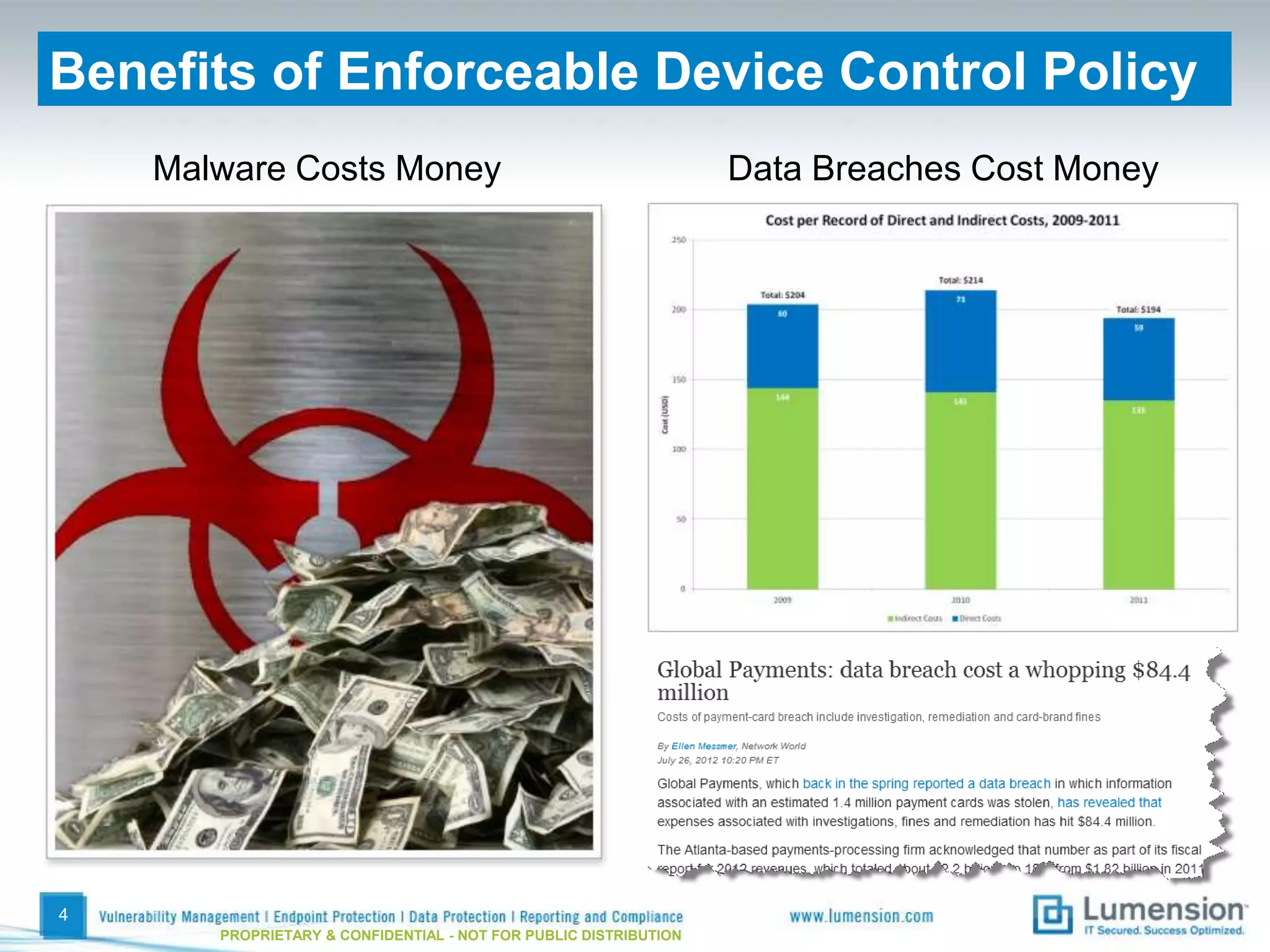
Benefits of Enforceable Device Control Policy
    Malware Costs Money                                           Data Breaches Cost Money


4
       PROPRIETARY & CONFIDENTIAL - NOT FOR PUBLIC DISTRIBUTION
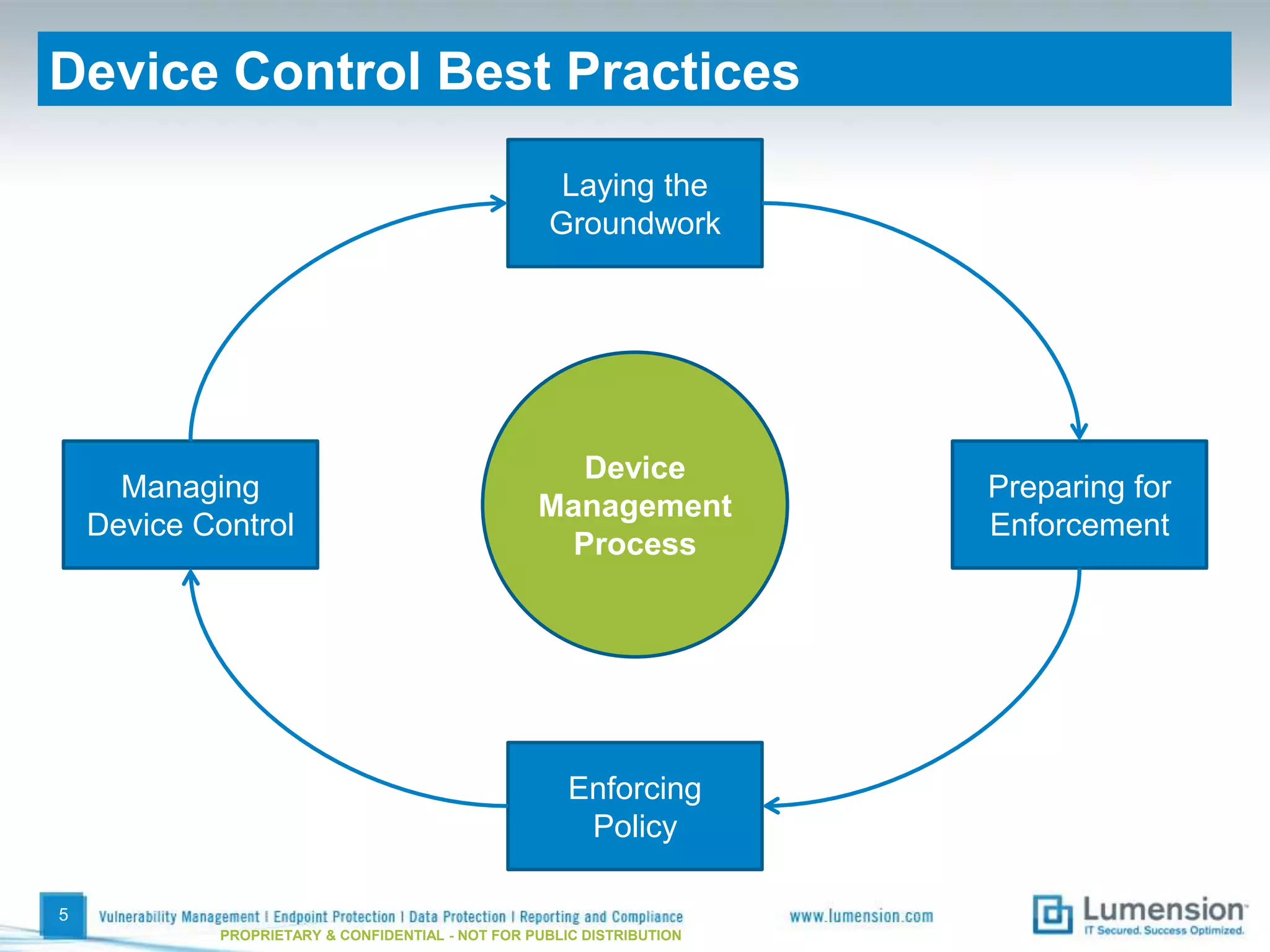
Device Control Best Practices

                                                    Laying the
                                                   Groundwork


                                                     Device
      Managing                                                         Preparing for
                                                  Management
    Device Control                                                     Enforcement
                                                    Process


                                                      Enforcing
                                                       Policy

5
            PROPRIETARY & CONFIDENTIAL - NOT FOR PUBLIC DISTRIBUTION
Laying the Groundwork
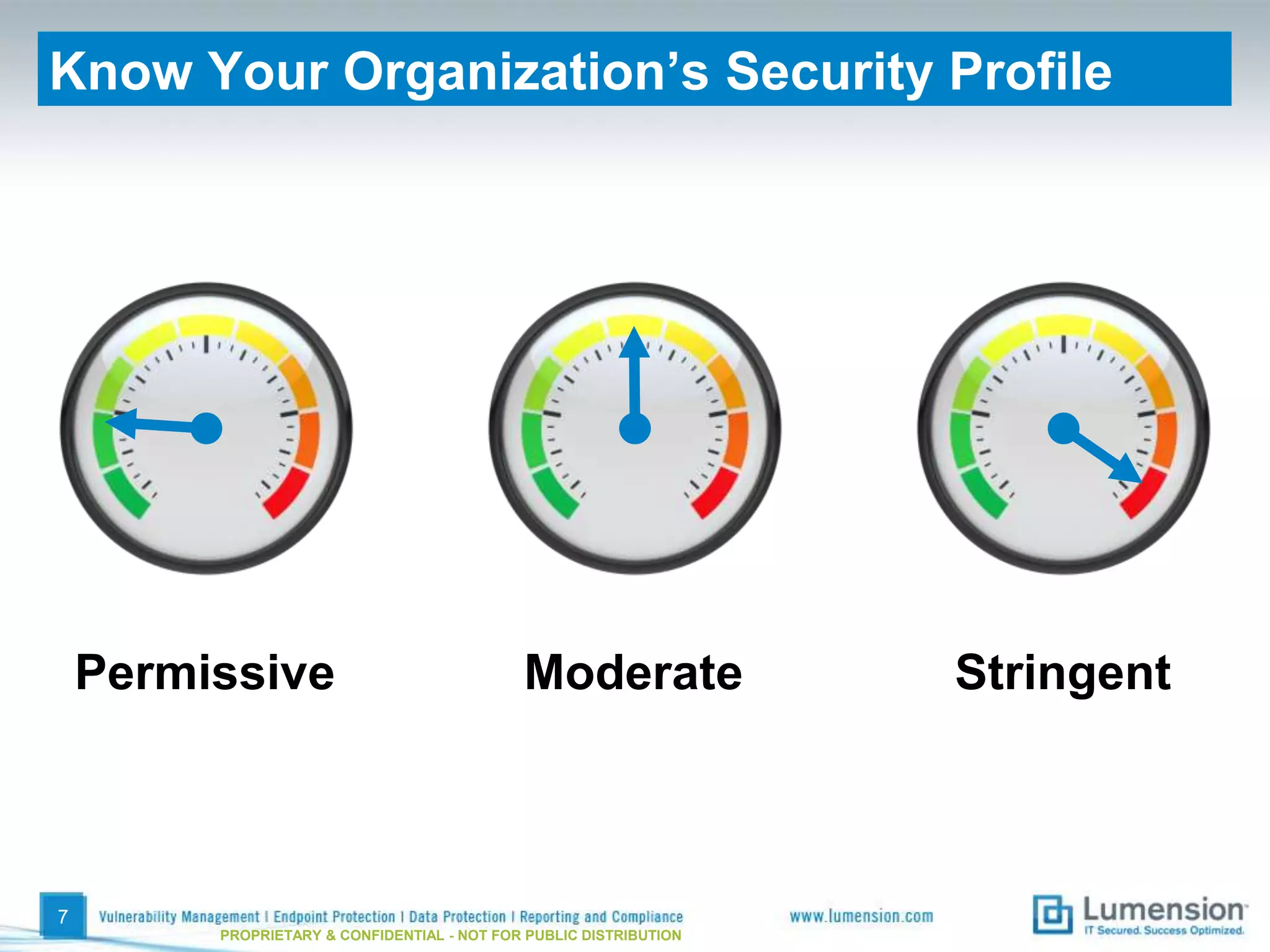
Know Your Organization’s Security Profile


    Permissive                               Moderate               Stringent


7
         PROPRIETARY & CONFIDENTIAL - NOT FOR PUBLIC DISTRIBUTION
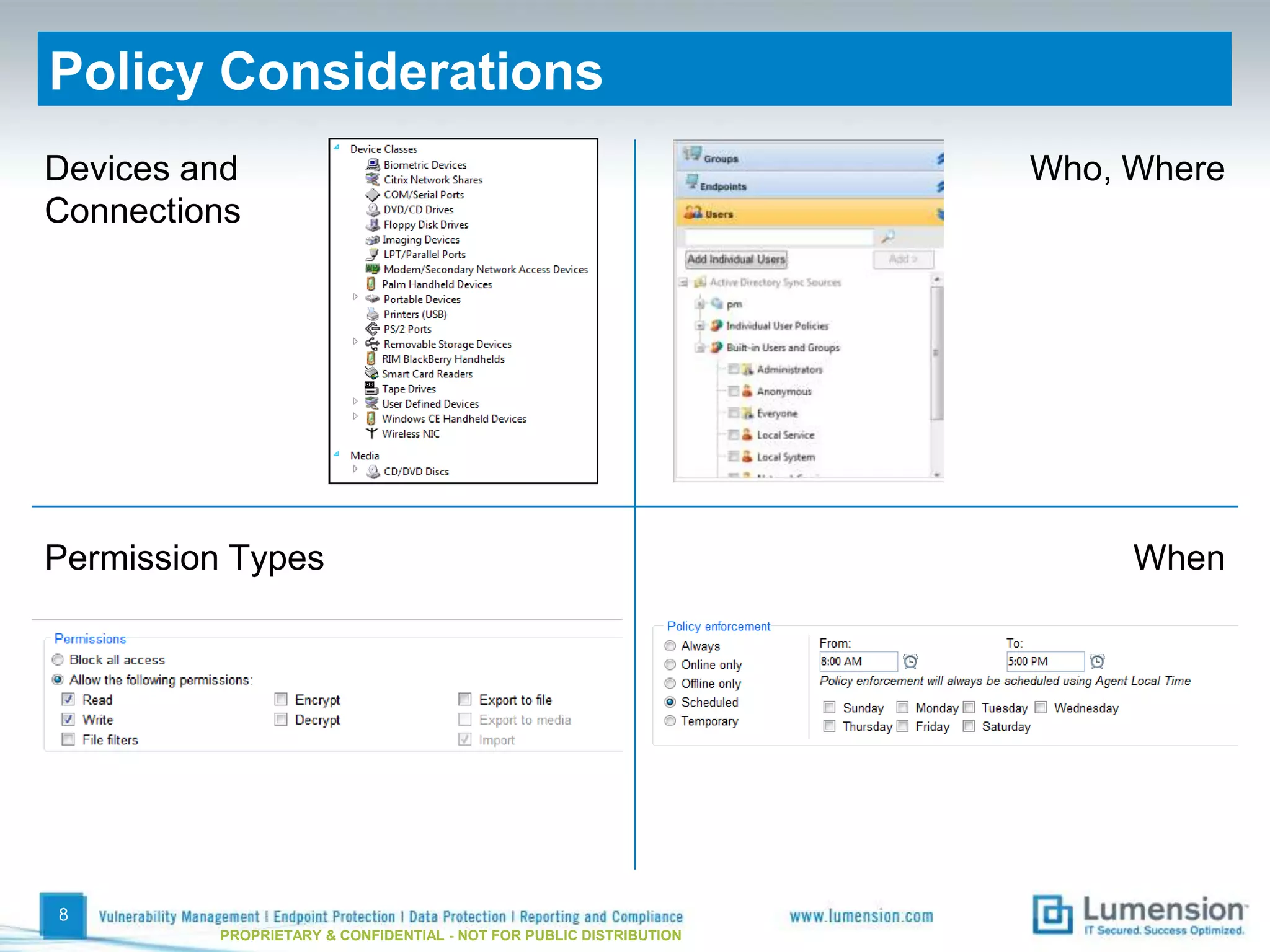
Policy Considerations
Devices and                                                          Who, Where
Connections


Permission Types                                                          When


8
          PROPRIETARY & CONFIDENTIAL - NOT FOR PUBLIC DISTRIBUTION
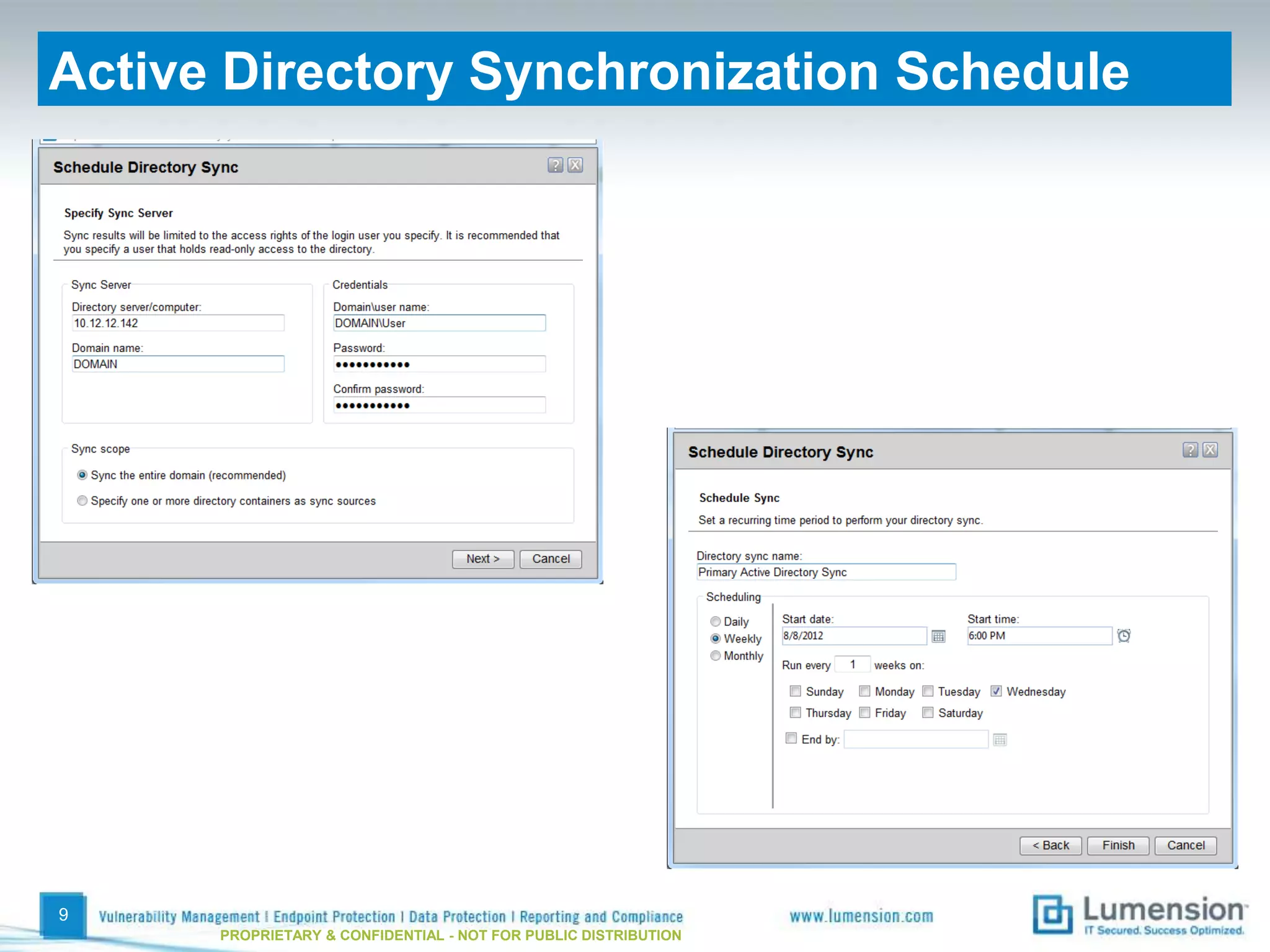
Active Directory Synchronization Schedule


9
      PROPRIETARY & CONFIDENTIAL - NOT FOR PUBLIC DISTRIBUTION
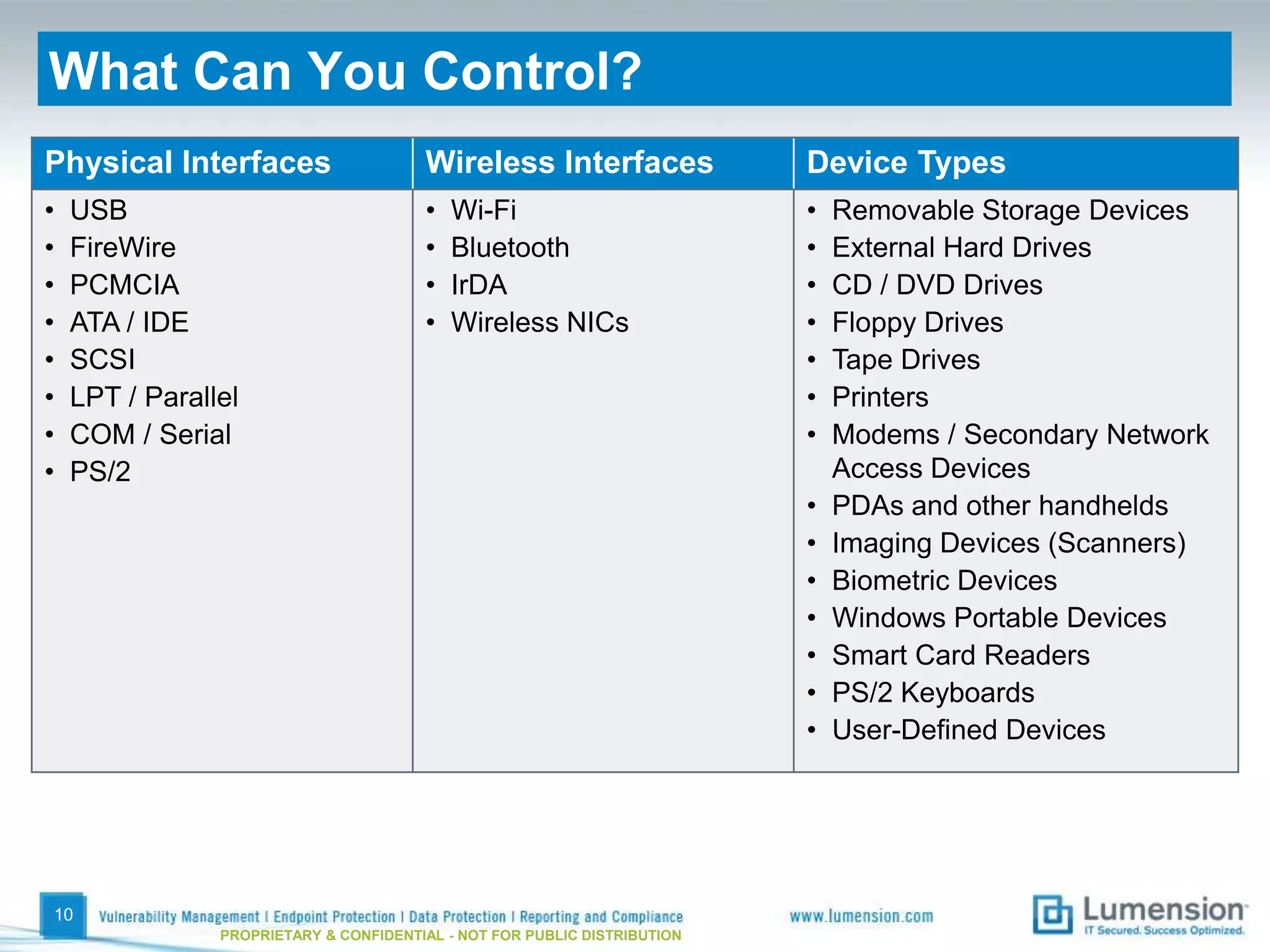
What Can You Control?
Physical Interfaces                     Wireless Interfaces                Device Types
•   USB                                 •   Wi-Fi                          •   Removable Storage Devices
•   FireWire                            •   Bluetooth                      •   External Hard Drives
•   PCMCIA                              •   IrDA                           •   CD / DVD Drives
•   ATA / IDE                           •   Wireless NICs                  •   Floppy Drives
•   SCSI                                                                   •   Tape Drives
•   LPT / Parallel                                                         •   Printers
•   COM / Serial                                                           •   Modems / Secondary Network
•   PS/2                                                                       Access Devices
                                                                           •   PDAs and other handhelds
                                                                           •   Imaging Devices (Scanners)
                                                                           •   Biometric Devices
                                                                           •   Windows Portable Devices
                                                                           •   Smart Card Readers
                                                                           •   PS/2 Keyboards
                                                                           •   User-Defined Devices


10
                PROPRIETARY & CONFIDENTIAL - NOT FOR PUBLIC DISTRIBUTION
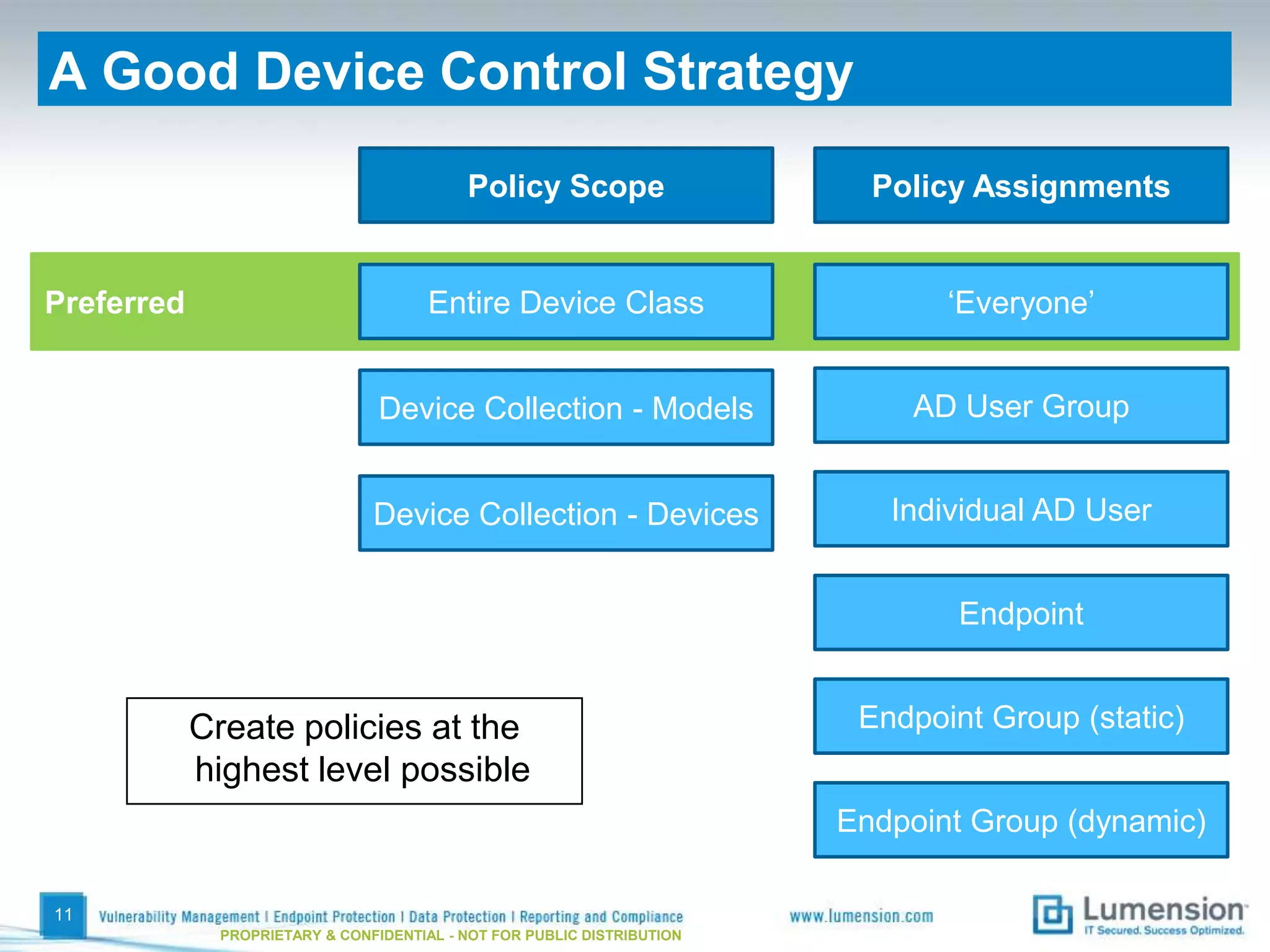
A Good Device Control Strategy

                                            Policy Scope                   Policy Assignments


Preferred                              Entire Device Class                      ‘Everyone’


                                 Device Collection - Models                  AD User Group


                                Device Collection - Devices                 Individual AD User


                                                                                 Endpoint


            Create policies at the                                        Endpoint Group (static)
            highest level possible
                                                                         Endpoint Group (dynamic)

11
              PROPRIETARY & CONFIDENTIAL - NOT FOR PUBLIC DISTRIBUTION
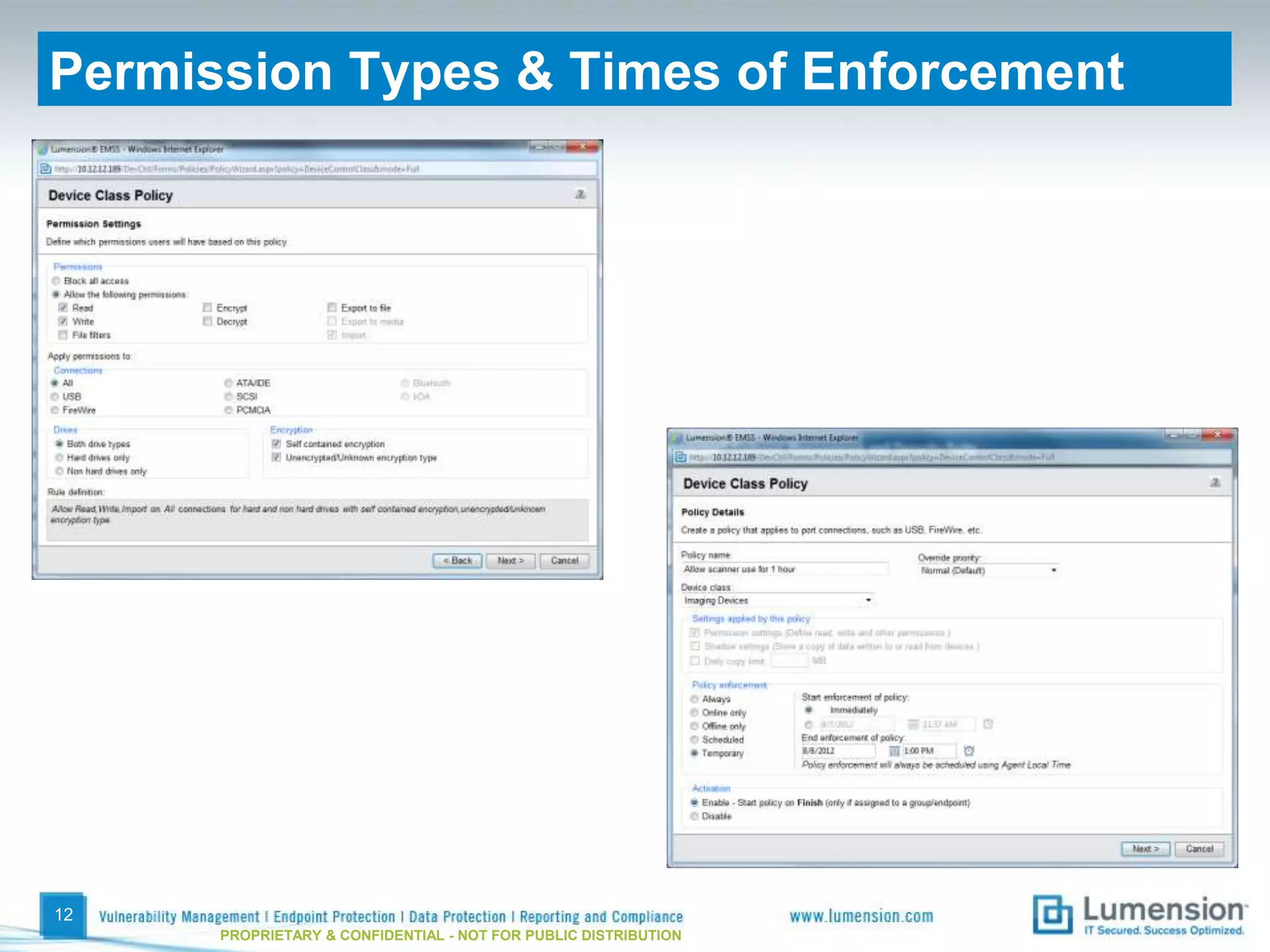
Permission Types & Times of Enforcement


12
      PROPRIETARY & CONFIDENTIAL - NOT FOR PUBLIC DISTRIBUTION
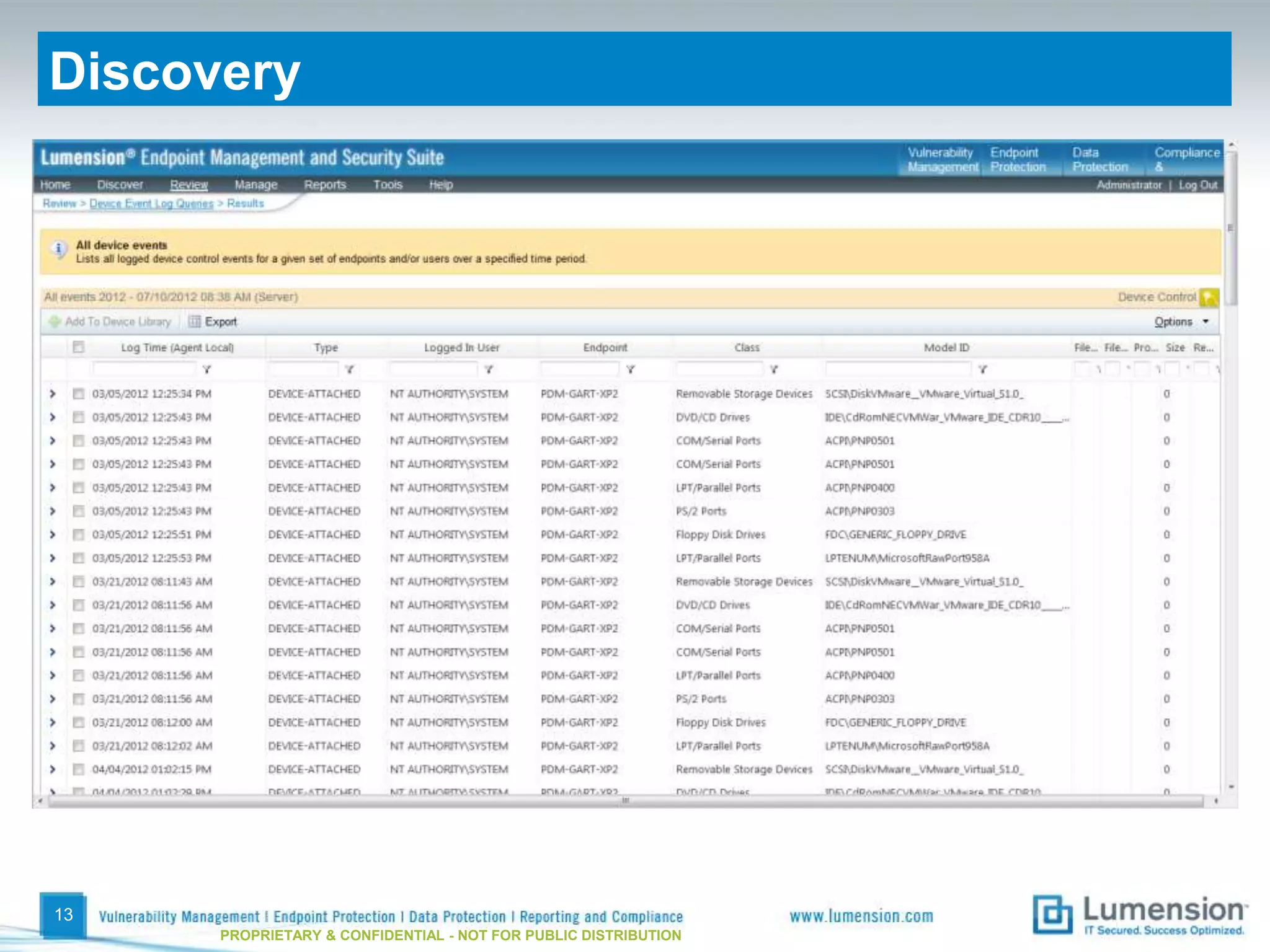
Discovery


13
      PROPRIETARY & CONFIDENTIAL - NOT FOR PUBLIC DISTRIBUTION
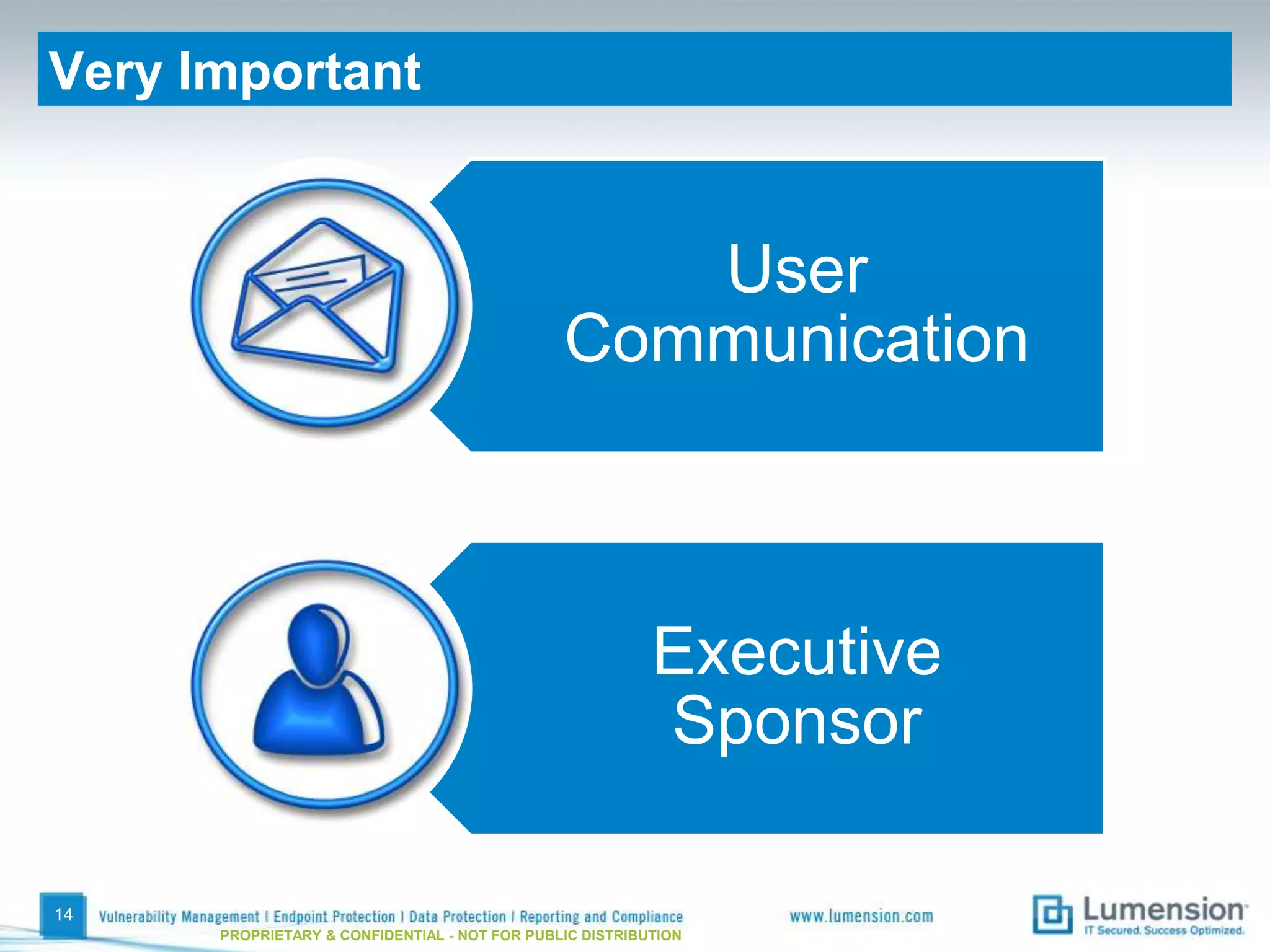
Very Important


                                                  User
                                               Communication


                                                          Executive
                                                          Sponsor

14
      PROPRIETARY & CONFIDENTIAL - NOT FOR PUBLIC DISTRIBUTION
Preparing for Enforcement
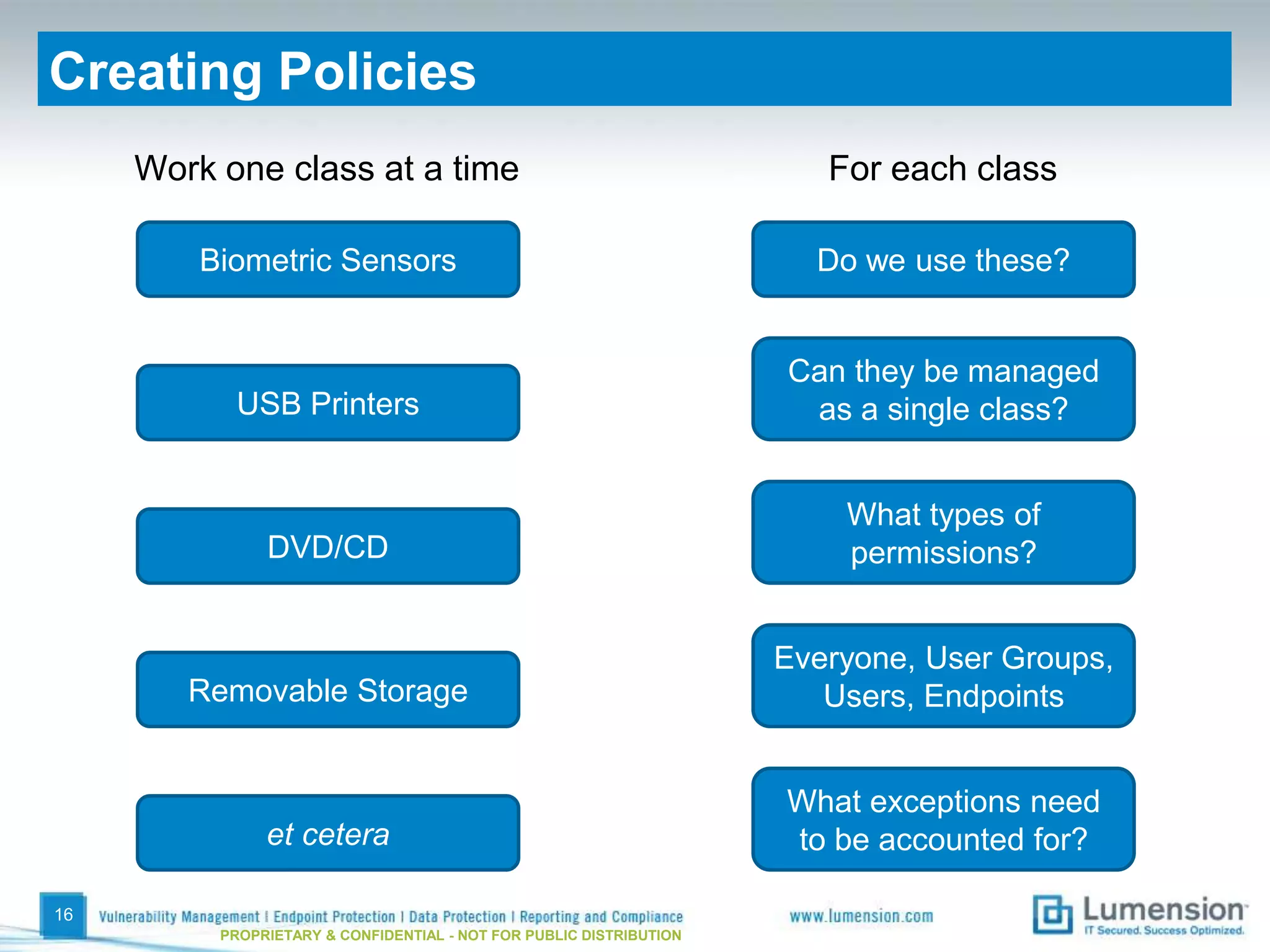
Creating Policies
     Work one class at a time                                           For each class

         Biometric Sensors                                             Do we use these?


                                                                     Can they be managed
           USB Printers                                               as a single class?


                                                                         What types of
               DVD/CD                                                    permissions?


                                                                     Everyone, User Groups,
        Removable Storage                                               Users, Endpoints


                                                                     What exceptions need
               et cetera                                             to be accounted for?

16
          PROPRIETARY & CONFIDENTIAL - NOT FOR PUBLIC DISTRIBUTION
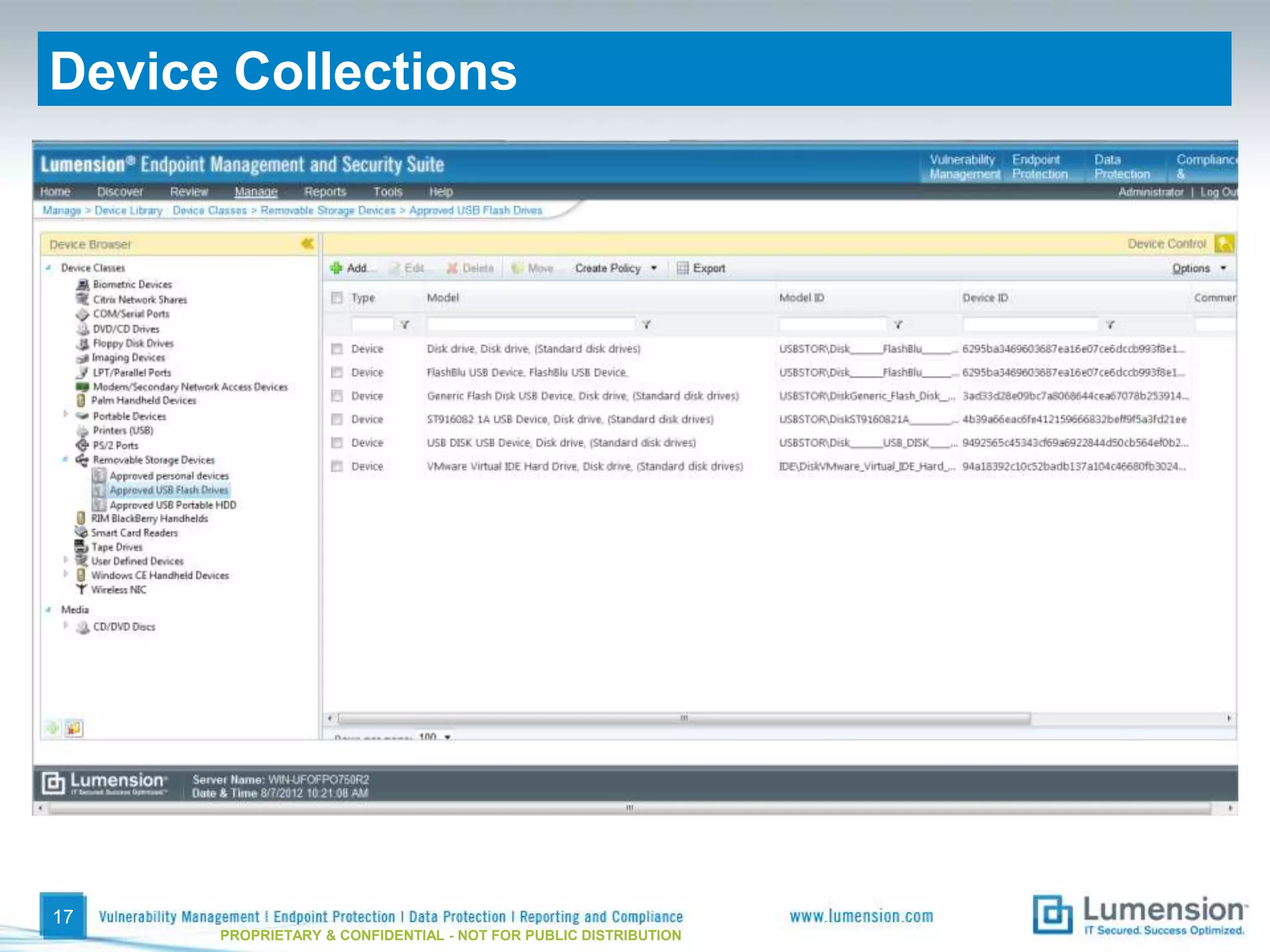
Device Collections


17
      PROPRIETARY & CONFIDENTIAL - NOT FOR PUBLIC DISTRIBUTION
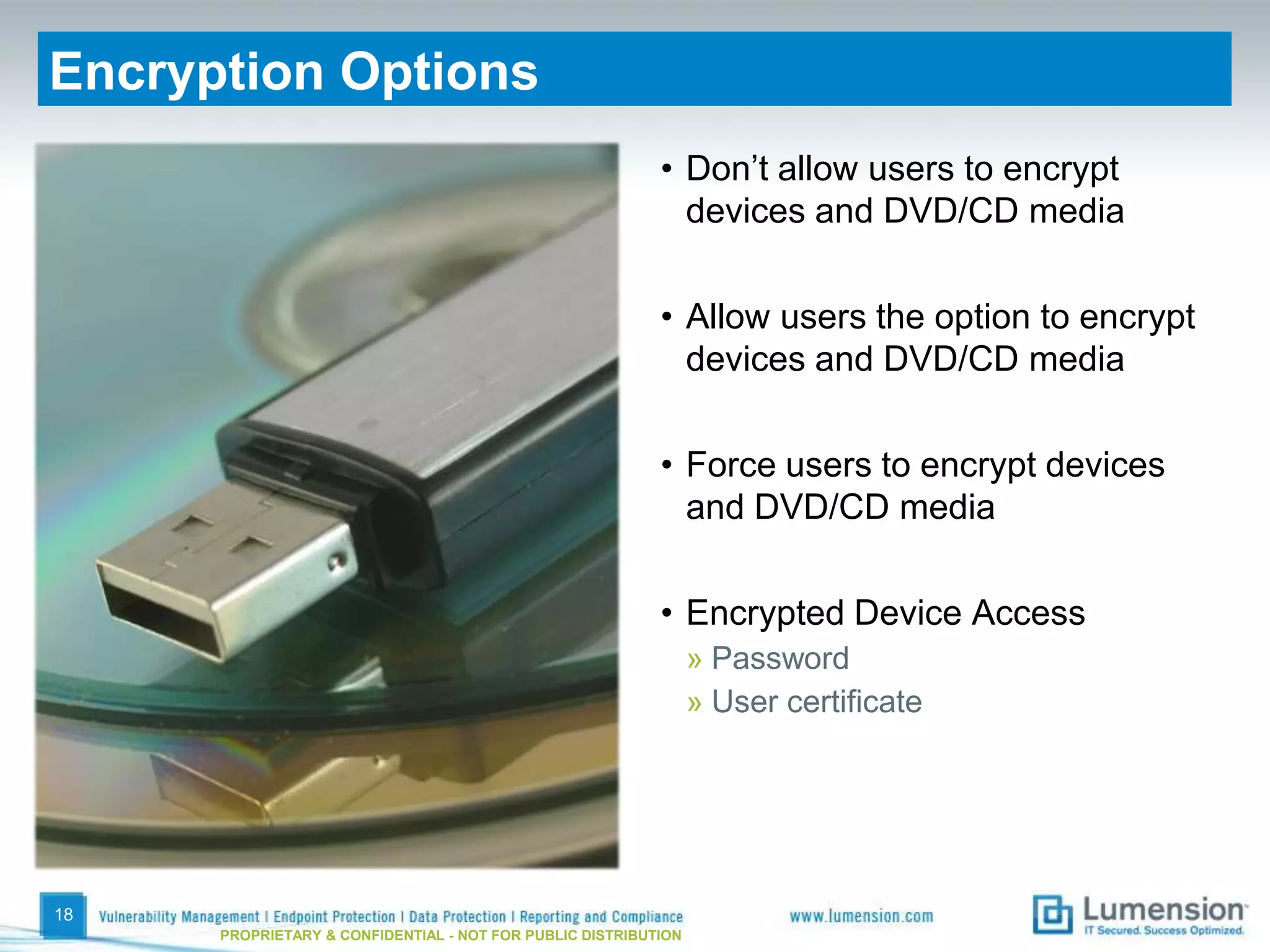
Encryption Options
                                                           • Don’t allow users to encrypt
                                                             devices and DVD/CD media

                                                           • Allow users the option to encrypt
                                                             devices and DVD/CD media

                                                           • Force users to encrypt devices
                                                             and DVD/CD media

                                                           • Encrypted Device Access
                                                                 » Password
                                                                 » User certificate


18
      PROPRIETARY & CONFIDENTIAL - NOT FOR PUBLIC DISTRIBUTION
Enforcing Policy
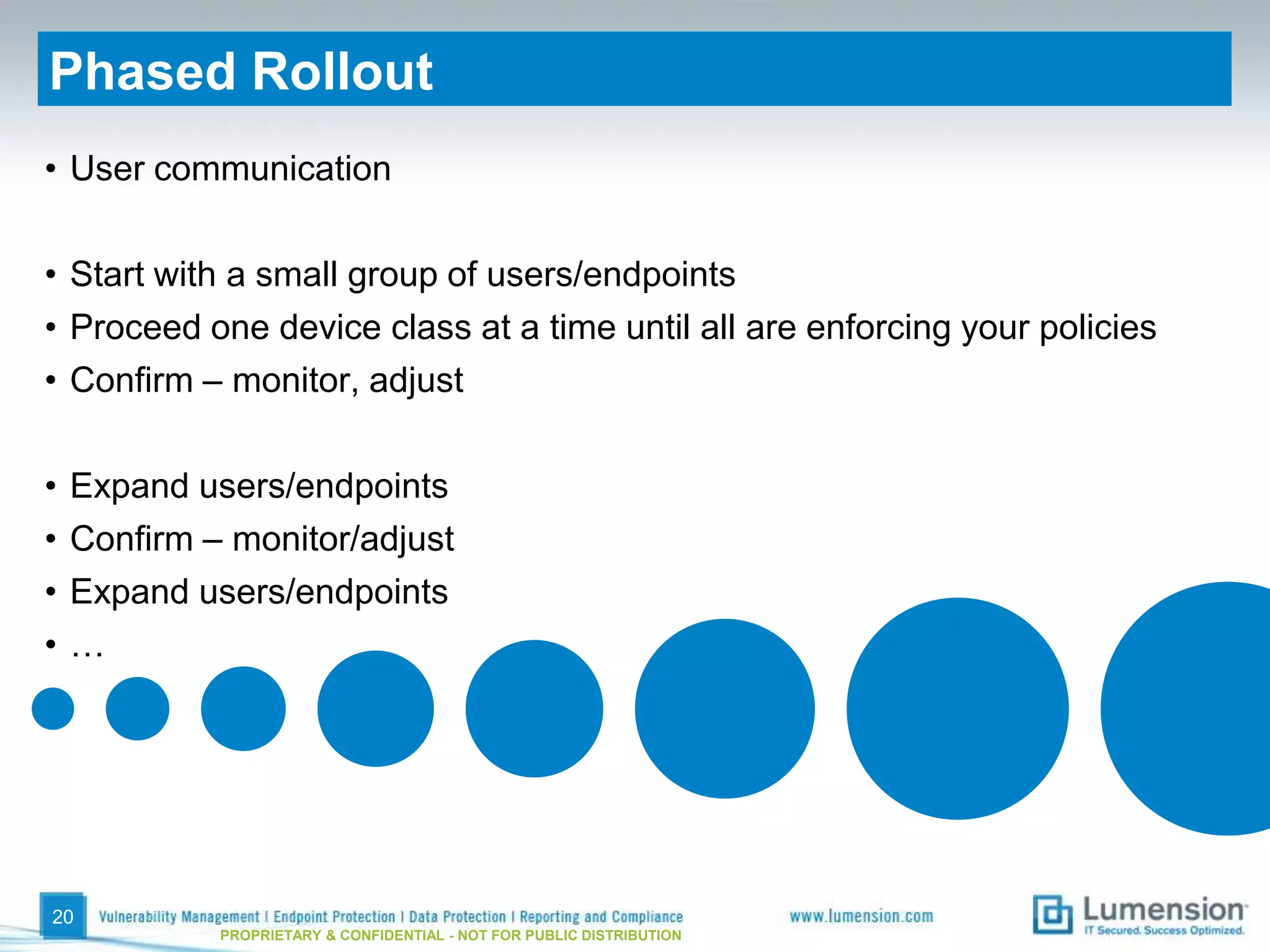
Phased Rollout
• User communication

• Start with a small group of users/endpoints
• Proceed one device class at a time until all are enforcing your policies
• Confirm – monitor, adjust

•   Expand users/endpoints
•   Confirm – monitor/adjust
•   Expand users/endpoints
•   …


20
             PROPRIETARY & CONFIDENTIAL - NOT FOR PUBLIC DISTRIBUTION
Managing Device Control
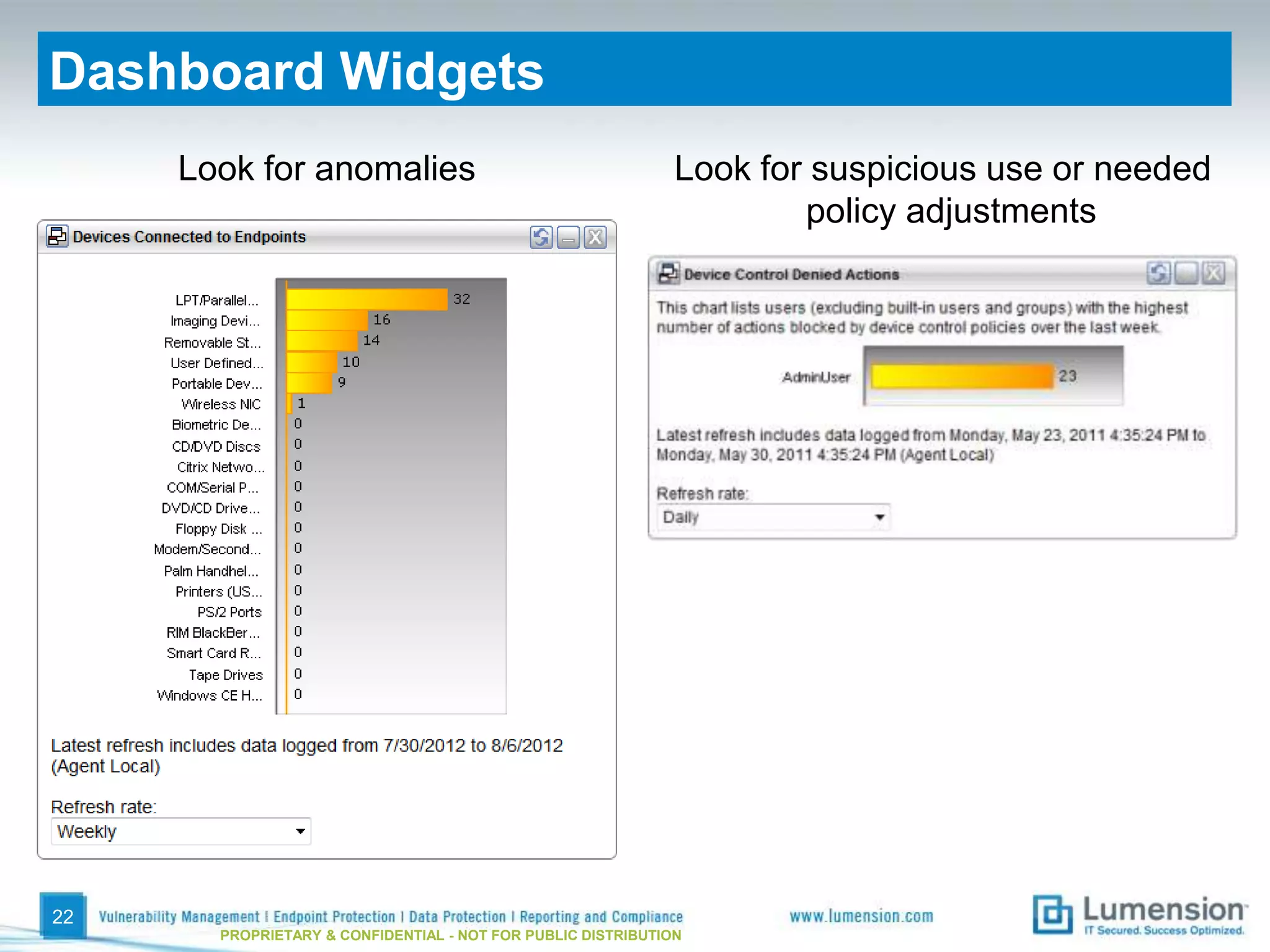
Dashboard Widgets
     Look for anomalies                                       Look for suspicious use or needed
                                                                      policy adjustments


22
       PROPRIETARY & CONFIDENTIAL - NOT FOR PUBLIC DISTRIBUTION
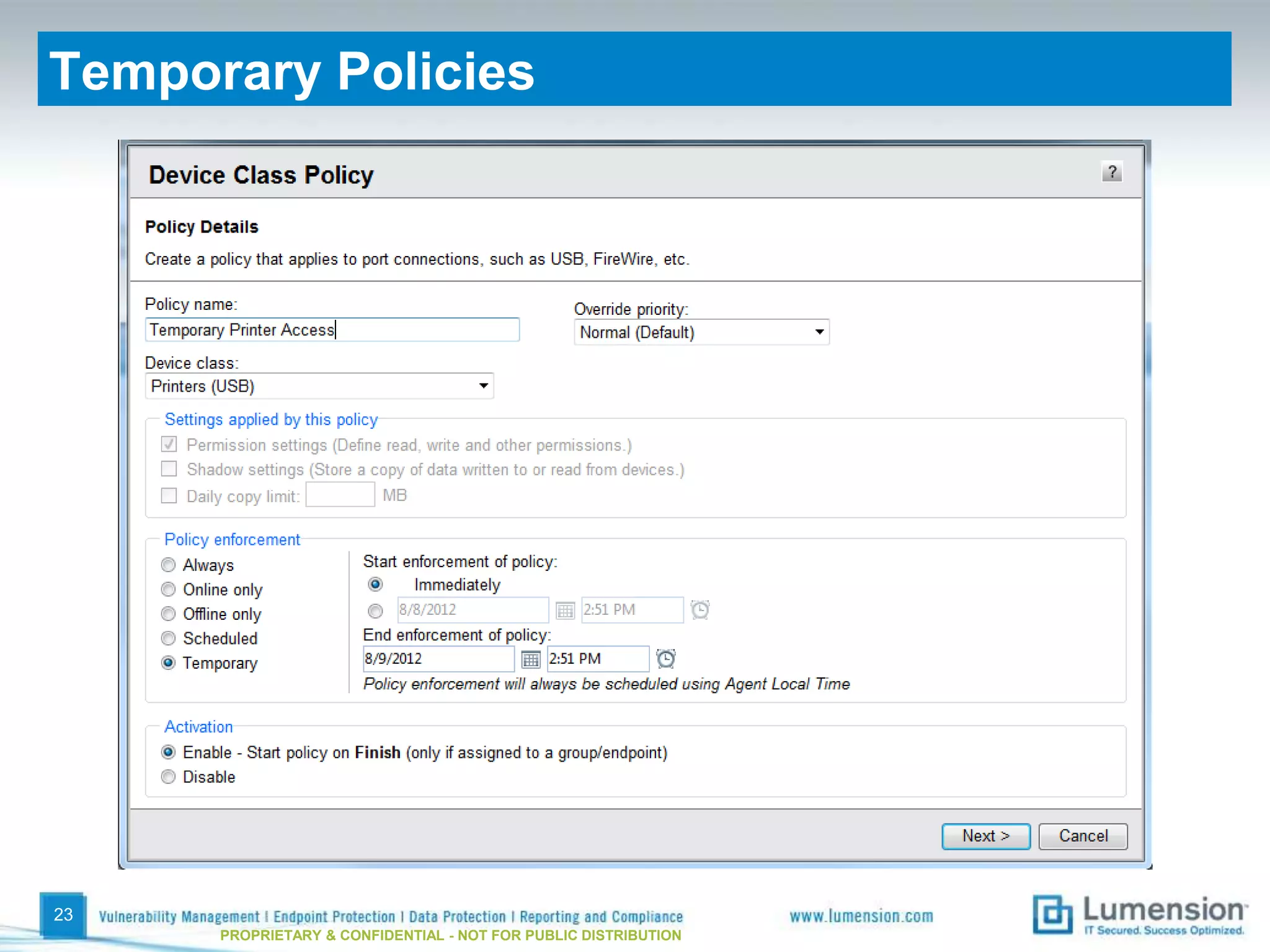
Temporary Policies


23
      PROPRIETARY & CONFIDENTIAL - NOT FOR PUBLIC DISTRIBUTION
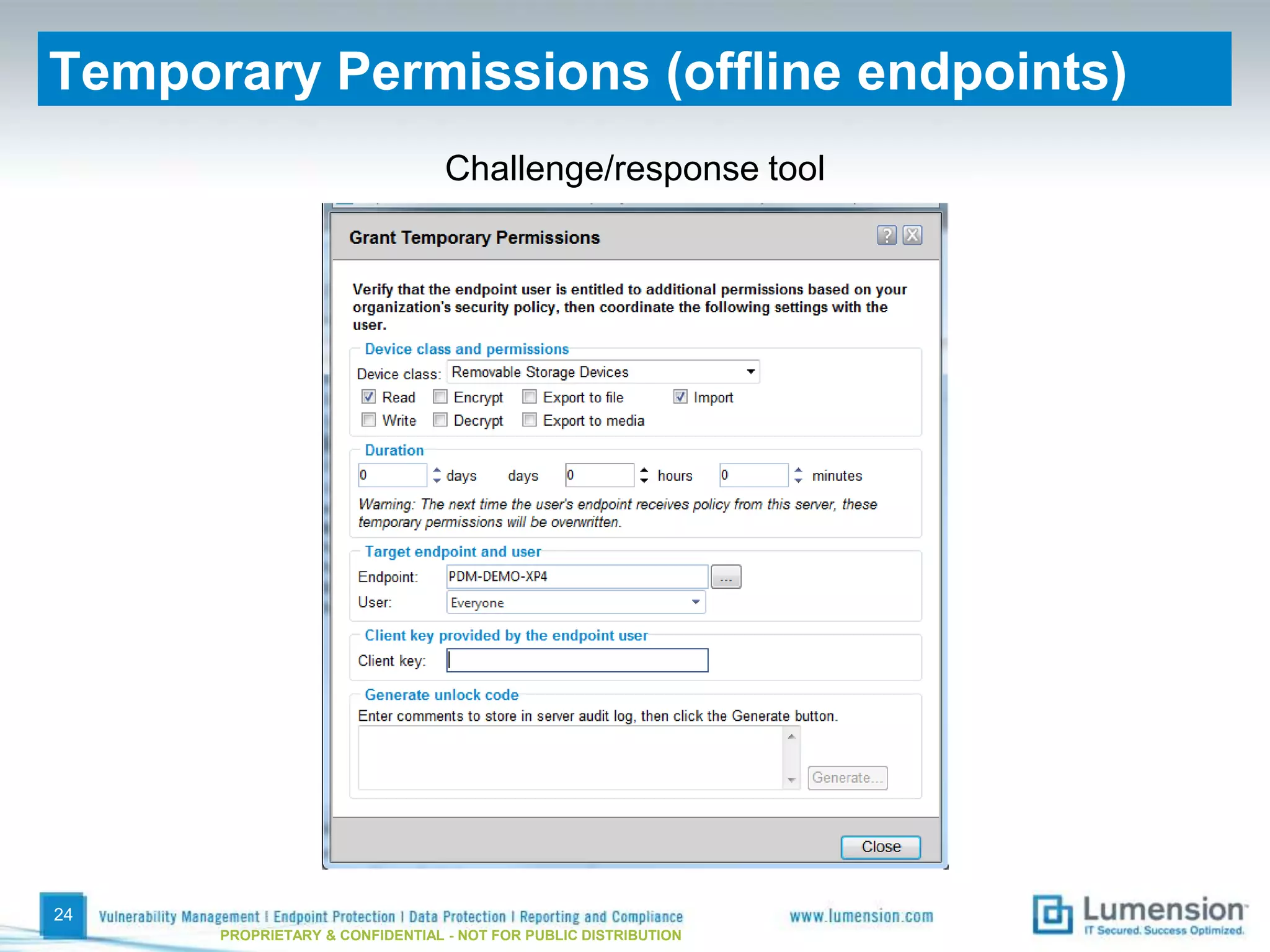
Temporary Permissions (offline endpoints)
                                 Challenge/response tool


24
      PROPRIETARY & CONFIDENTIAL - NOT FOR PUBLIC DISTRIBUTION
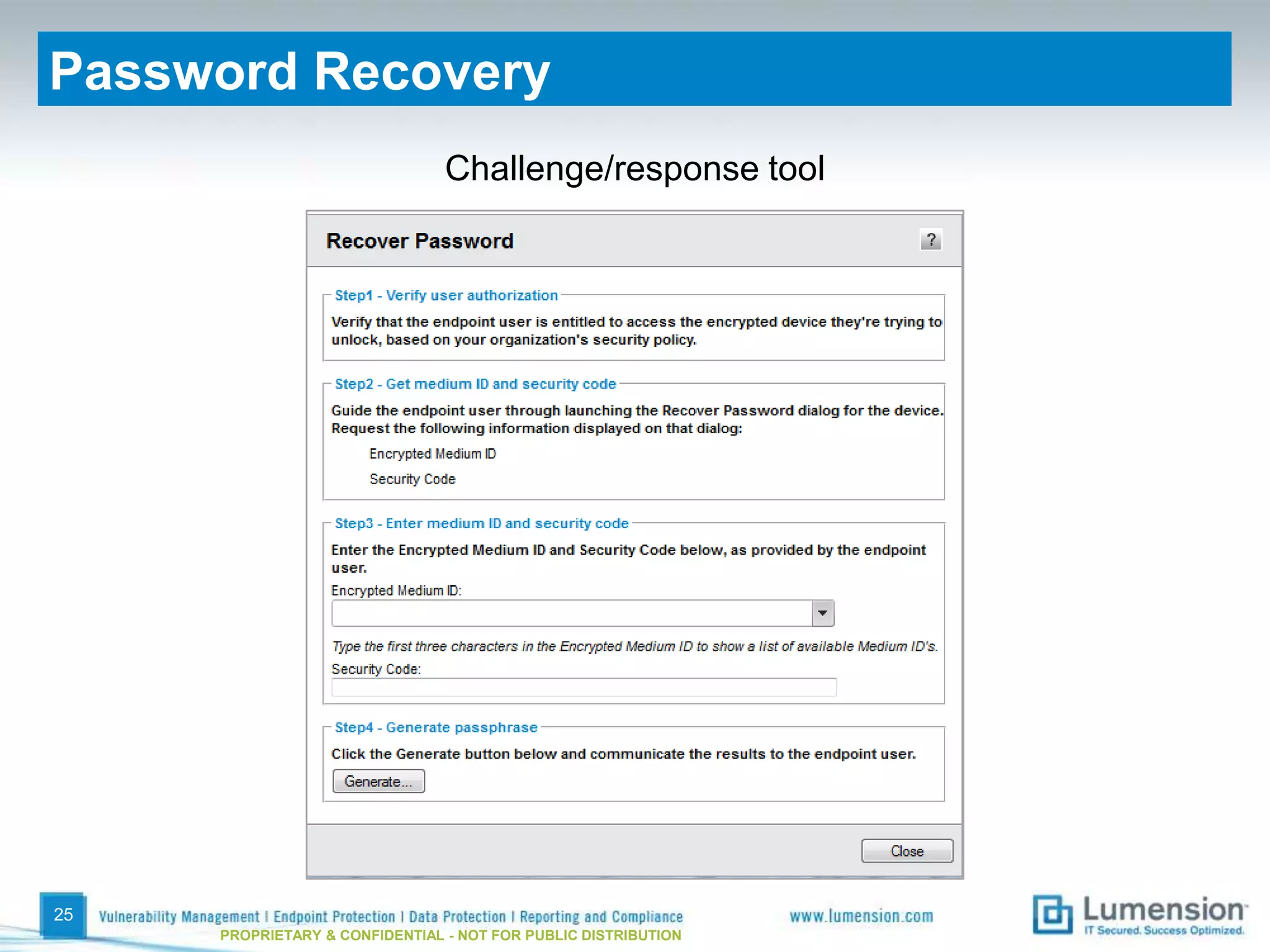
Password Recovery
                                Challenge/response tool


25
     PROPRIETARY & CONFIDENTIAL - NOT FOR PUBLIC DISTRIBUTION
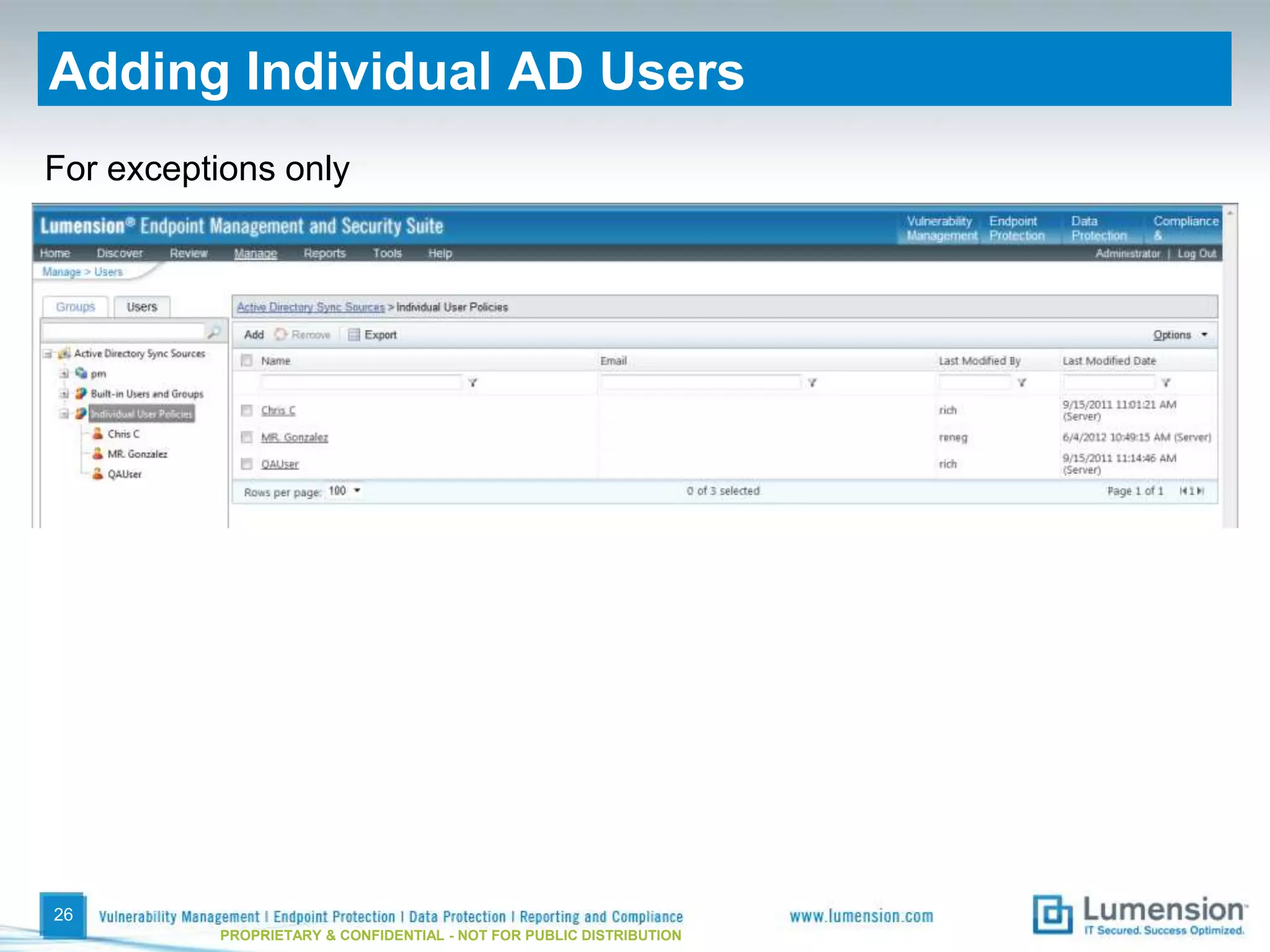
Adding Individual AD Users
For exceptions only


26
          PROPRIETARY & CONFIDENTIAL - NOT FOR PUBLIC DISTRIBUTION
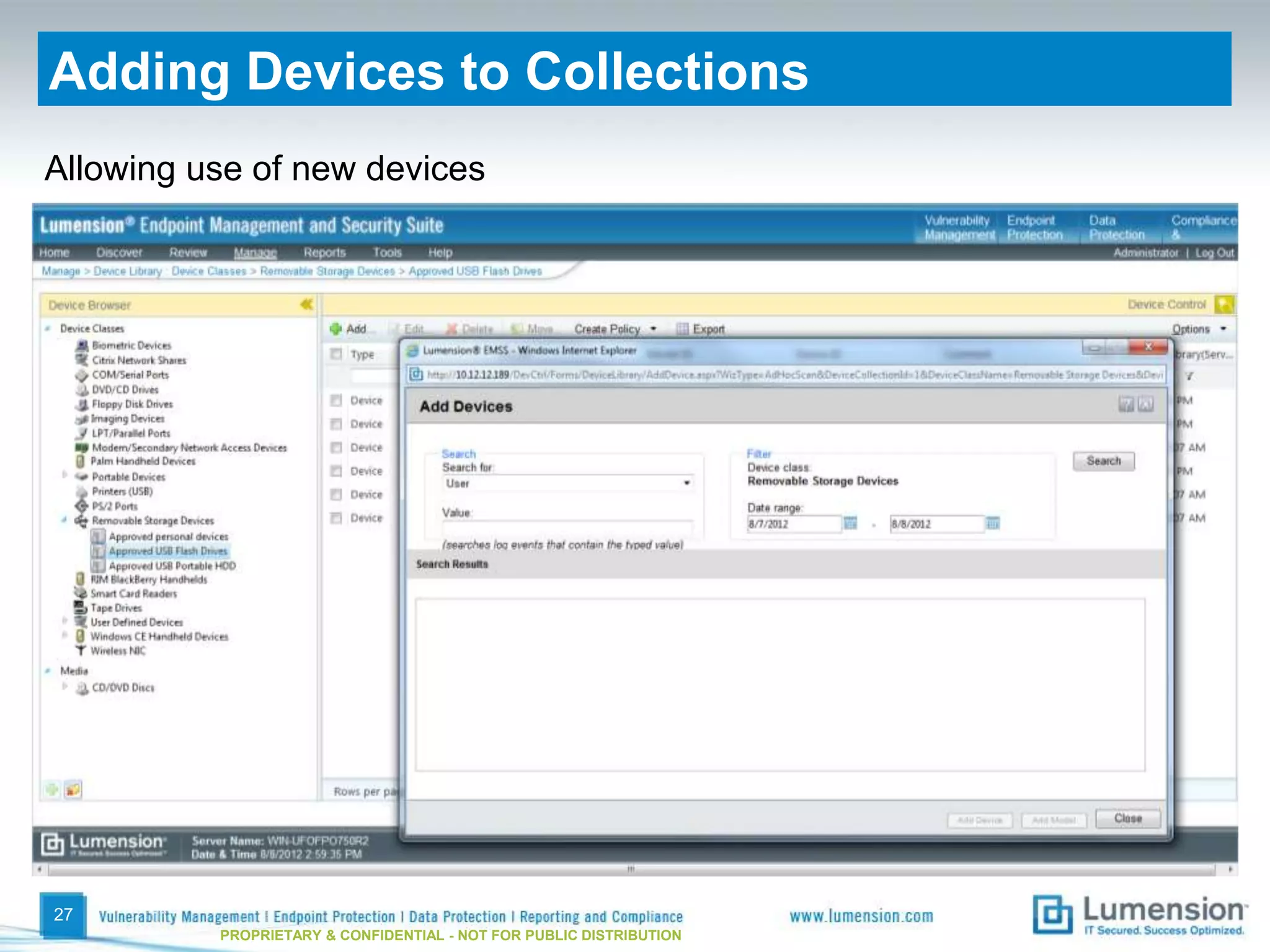
Adding Devices to Collections
Allowing use of new devices


27
          PROPRIETARY & CONFIDENTIAL - NOT FOR PUBLIC DISTRIBUTION
More Information
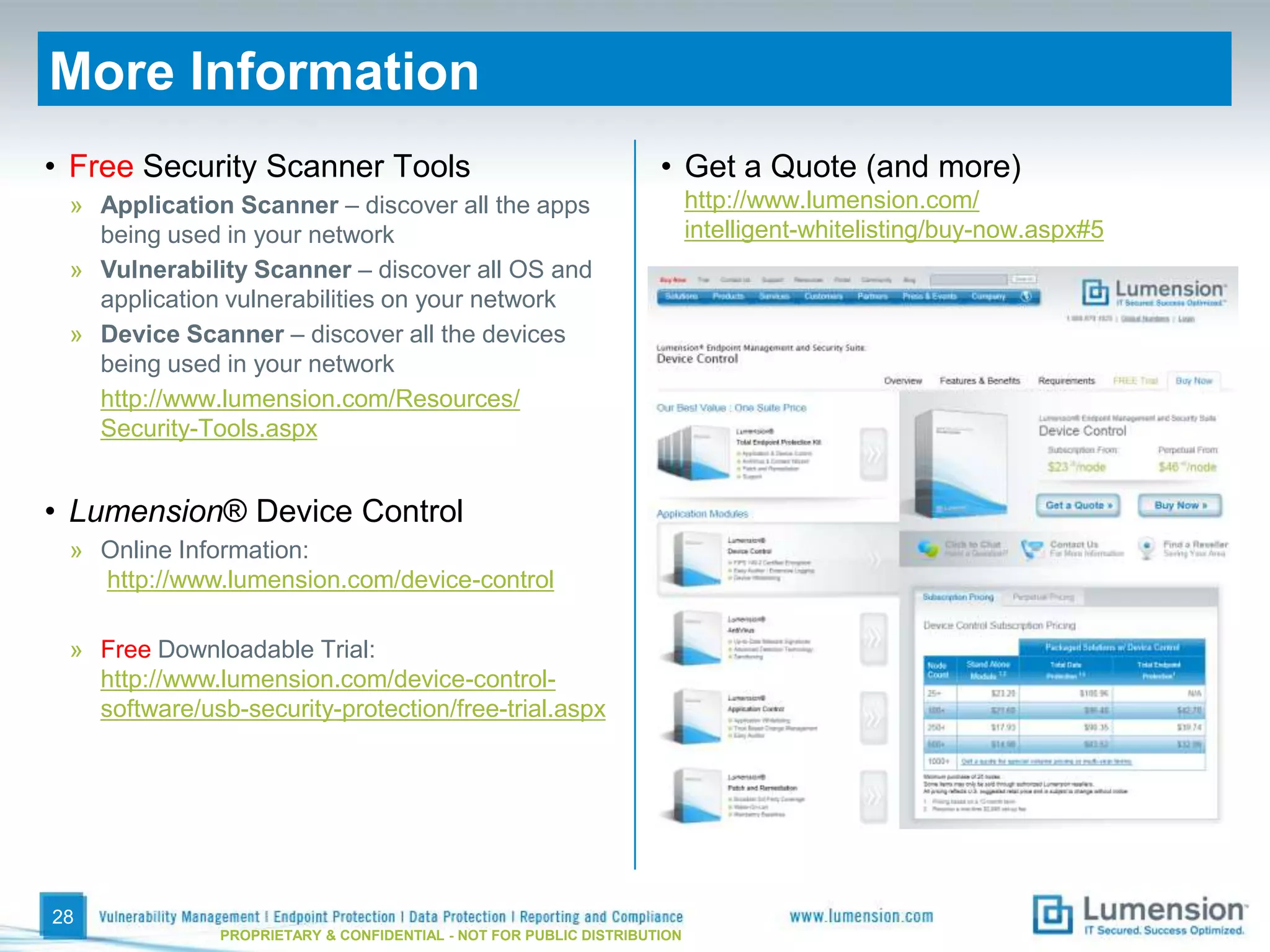
• Free Security Scanner Tools                                       • Get a Quote (and more)
 » Application Scanner – discover all the apps                            http://www.lumension.com/
   being used in your network                                             intelligent-whitelisting/buy-now.aspx#5
 » Vulnerability Scanner – discover all OS and
   application vulnerabilities on your network
 » Device Scanner – discover all the devices
   being used in your network
   http://www.lumension.com/Resources/
   Security-Tools.aspx


• Lumension® Device Control
 » Online Information:
   http://www.lumension.com/device-control

 » Free Downloadable Trial:
   http://www.lumension.com/device-control-
   software/usb-security-protection/free-trial.aspx


28
               PROPRIETARY & CONFIDENTIAL - NOT FOR PUBLIC DISTRIBUTION
Global Headquarters
8660 East Hartford Drive
Suite 300
Scottsdale, AZ 85255

1.888.725.7828
info@lumension.com
http://blog.lumension.com

Best Practices in Device Control: An In-Depth Look at Enforcing Data Protection Policies

  • 1.
    Best Practices in DeviceControl An In-Depth Look at Enforcing Data Protection Policies PROPRIETARY & CONFIDENTIAL - NOT FOR PUBLIC DISTRIBUTION
  • 2.
    Today’s Agenda Introduction Augment Your Endpoint Security with Device Control to Protect Your Data • Laying the Groundwork • Preparing for Enforcement • Enforcing Policy • Managing Device Control Q&A
  • 3.
    Why Device ControlIs Important Today’s Endpoint Security Stack Significant Data Loss / Theft Issues AV Device Control Application Control Patch & Configuration Management 3 PROPRIETARY & CONFIDENTIAL - NOT FOR PUBLIC DISTRIBUTION
  • 4.
    Benefits of EnforceableDevice Control Policy Malware Costs Money Data Breaches Cost Money 4 PROPRIETARY & CONFIDENTIAL - NOT FOR PUBLIC DISTRIBUTION
  • 5.
    Device Control BestPractices Laying the Groundwork Device Managing Preparing for Management Device Control Enforcement Process Enforcing Policy 5 PROPRIETARY & CONFIDENTIAL - NOT FOR PUBLIC DISTRIBUTION
  • 6.
  • 7.
    Know Your Organization’sSecurity Profile Permissive Moderate Stringent 7 PROPRIETARY & CONFIDENTIAL - NOT FOR PUBLIC DISTRIBUTION
  • 8.
    Policy Considerations Devices and Who, Where Connections Permission Types When 8 PROPRIETARY & CONFIDENTIAL - NOT FOR PUBLIC DISTRIBUTION
  • 9.
    Active Directory SynchronizationSchedule 9 PROPRIETARY & CONFIDENTIAL - NOT FOR PUBLIC DISTRIBUTION
  • 10.
    What Can YouControl? Physical Interfaces Wireless Interfaces Device Types • USB • Wi-Fi • Removable Storage Devices • FireWire • Bluetooth • External Hard Drives • PCMCIA • IrDA • CD / DVD Drives • ATA / IDE • Wireless NICs • Floppy Drives • SCSI • Tape Drives • LPT / Parallel • Printers • COM / Serial • Modems / Secondary Network • PS/2 Access Devices • PDAs and other handhelds • Imaging Devices (Scanners) • Biometric Devices • Windows Portable Devices • Smart Card Readers • PS/2 Keyboards • User-Defined Devices 10 PROPRIETARY & CONFIDENTIAL - NOT FOR PUBLIC DISTRIBUTION
  • 11.
    A Good DeviceControl Strategy Policy Scope Policy Assignments Preferred Entire Device Class ‘Everyone’ Device Collection - Models AD User Group Device Collection - Devices Individual AD User Endpoint Create policies at the Endpoint Group (static) highest level possible Endpoint Group (dynamic) 11 PROPRIETARY & CONFIDENTIAL - NOT FOR PUBLIC DISTRIBUTION
  • 12.
    Permission Types &Times of Enforcement 12 PROPRIETARY & CONFIDENTIAL - NOT FOR PUBLIC DISTRIBUTION
  • 13.
    Discovery 13 PROPRIETARY & CONFIDENTIAL - NOT FOR PUBLIC DISTRIBUTION
  • 14.
    Very Important User Communication Executive Sponsor 14 PROPRIETARY & CONFIDENTIAL - NOT FOR PUBLIC DISTRIBUTION
  • 15.
  • 16.
    Creating Policies Work one class at a time For each class Biometric Sensors Do we use these? Can they be managed USB Printers as a single class? What types of DVD/CD permissions? Everyone, User Groups, Removable Storage Users, Endpoints What exceptions need et cetera to be accounted for? 16 PROPRIETARY & CONFIDENTIAL - NOT FOR PUBLIC DISTRIBUTION
  • 17.
    Device Collections 17 PROPRIETARY & CONFIDENTIAL - NOT FOR PUBLIC DISTRIBUTION
  • 18.
    Encryption Options • Don’t allow users to encrypt devices and DVD/CD media • Allow users the option to encrypt devices and DVD/CD media • Force users to encrypt devices and DVD/CD media • Encrypted Device Access » Password » User certificate 18 PROPRIETARY & CONFIDENTIAL - NOT FOR PUBLIC DISTRIBUTION
  • 19.
  • 20.
    Phased Rollout • Usercommunication • Start with a small group of users/endpoints • Proceed one device class at a time until all are enforcing your policies • Confirm – monitor, adjust • Expand users/endpoints • Confirm – monitor/adjust • Expand users/endpoints • … 20 PROPRIETARY & CONFIDENTIAL - NOT FOR PUBLIC DISTRIBUTION
  • 21.
  • 22.
    Dashboard Widgets Look for anomalies Look for suspicious use or needed policy adjustments 22 PROPRIETARY & CONFIDENTIAL - NOT FOR PUBLIC DISTRIBUTION
  • 23.
    Temporary Policies 23 PROPRIETARY & CONFIDENTIAL - NOT FOR PUBLIC DISTRIBUTION
  • 24.
    Temporary Permissions (offlineendpoints) Challenge/response tool 24 PROPRIETARY & CONFIDENTIAL - NOT FOR PUBLIC DISTRIBUTION
  • 25.
    Password Recovery Challenge/response tool 25 PROPRIETARY & CONFIDENTIAL - NOT FOR PUBLIC DISTRIBUTION
  • 26.
    Adding Individual ADUsers For exceptions only 26 PROPRIETARY & CONFIDENTIAL - NOT FOR PUBLIC DISTRIBUTION
  • 27.
    Adding Devices toCollections Allowing use of new devices 27 PROPRIETARY & CONFIDENTIAL - NOT FOR PUBLIC DISTRIBUTION
  • 28.
    More Information • FreeSecurity Scanner Tools • Get a Quote (and more) » Application Scanner – discover all the apps http://www.lumension.com/ being used in your network intelligent-whitelisting/buy-now.aspx#5 » Vulnerability Scanner – discover all OS and application vulnerabilities on your network » Device Scanner – discover all the devices being used in your network http://www.lumension.com/Resources/ Security-Tools.aspx • Lumension® Device Control » Online Information: http://www.lumension.com/device-control » Free Downloadable Trial: http://www.lumension.com/device-control- software/usb-security-protection/free-trial.aspx 28 PROPRIETARY & CONFIDENTIAL - NOT FOR PUBLIC DISTRIBUTION
  • 29.
    Global Headquarters 8660 EastHartford Drive Suite 300 Scottsdale, AZ 85255 1.888.725.7828 info@lumension.com http://blog.lumension.com