Made by Arnav Kumar class9th F
BASIC OF
COMPUTER
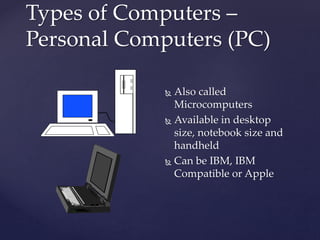
Types of Computers –
Personal Computers (PC)
 Also called
Microcomputers
 Available in desktop
size, notebook size and
handheld
 Can be IBM, IBM
Compatible or Apple
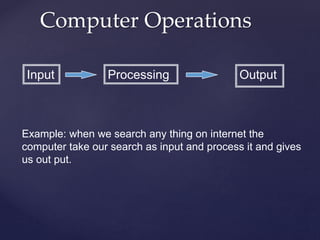
Input Processing Output
Computer Operations
Example: when we search any thing on internet the
computer take our search as input and process it and gives
us out put.
 Most commonly used input device
 Ergonomic - fit natural hand placement
 Special keys
 Enter, Function, Ctrl, Alt, Num Lock, Esc
Input Devices - Keyboard
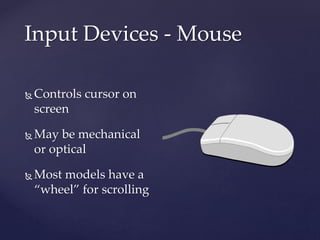
Input Devices - Mouse
 Controls cursor on
screen
 May be mechanical
or optical
 Most models have a
“wheel” for scrolling
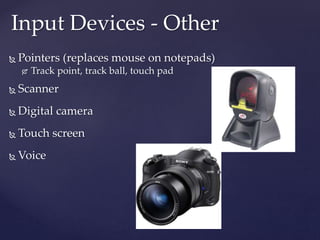
 Pointers (replaces mouse on notepads)
 Track point, track ball, touch pad
 Scanner
 Digital camera
 Touch screen
 Voice
Input Devices - Other
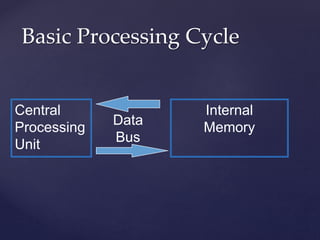
Basic Processing Cycle
Central
Processing
Unit
Internal
Memory
Data
Bus
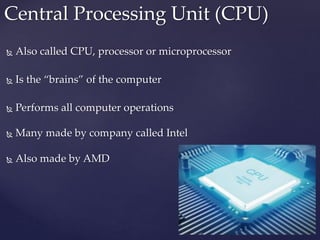
 Also called CPU, processor or microprocessor
 Is the “brains” of the computer
 Performs all computer operations
 Many made by company called Intel
 Also made by AMD
Central Processing Unit (CPU)
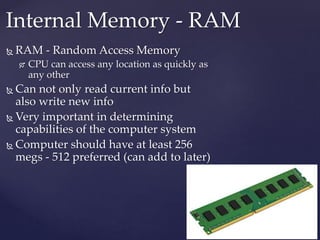
 RAM - Random Access Memory
 CPU can access any location as quickly as
any other
 Can not only read current info but
also write new info
 Very important in determining
capabilities of the computer system
 Computer should have at least 256
megs - 512 preferred (can add to later)
Internal Memory - RAM
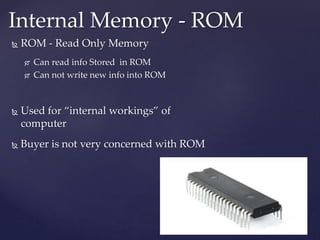
 ROM - Read Only Memory
 Can read info Stored in ROM
 Can not write new info into ROM
 Used for “internal workings” of
computer
 Buyer is not very concerned with ROM
Internal Memory - ROM
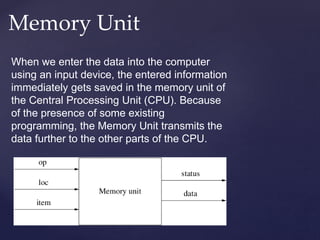
Memory Unit
When we enter the data into the computer
using an input device, the entered information
immediately gets saved in the memory unit of
the Central Processing Unit (CPU). Because
of the presence of some existing
programming, the Memory Unit transmits the
data further to the other parts of the CPU.
Control Unit
The Control Unit collects the data entered using
the input unit, leads it on for processing and
once that is done, receives the output and
presents it to the user. It can be said to the
centre of all processing actions taking place
inside a computer device
Arithmetic & Logical Unit
As the name suggests, all the mathematical calculations
or arithmetic operations are performed in the Arithmetic
and Logical Unit of the CPU.
It can also perform actions like a comparison of data and
decision-making actions. The ALU comprises circuits
using which addition, subtraction, multiplication, division
and other numerical based calculations can be
performed.
 Monitor
 Printer
 Disk Drive
 Can also be input device
 Modem
 Can also be input device
Output Devices
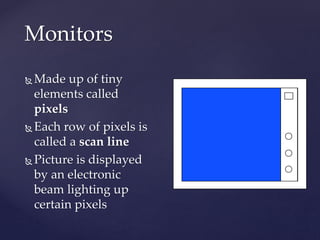
Monitors
 Made up of tiny
elements called
pixels
 Each row of pixels is
called a scan line
 Picture is displayed
by an electronic
beam lighting up
certain pixels
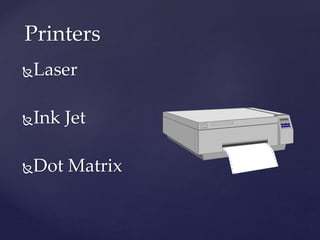
Printers
Laser
Ink Jet
Dot Matrix
Laser Printer
A laser printer produces high quality print that
one normally finds in publishing. It is extremely
fast and quiet. Moreover, the operation of a laser
printer is easy with automatic paper loading and
no smudging or messing up of ink ribbons
Ink-Jet Printer
An ink-jet printer creates an image directly on
paper by spraying ink through as many as 64
tiny nozzles. Although the image it produces is
not generally quite as sharp as the output of a
laser printer, the quality of ink-jet images is still
high
Dot Matrix Printer
The dot matrix printer was very popular at
one point of time. It is a very versatile and
inexpensive output device. In dot matrix
printer the print head physically "hits" the
paper through the ribbon and produces text
(or images) by combinations of dots; hence
the name dot matrix printer. Its speed is
measured in characters per second (CPS
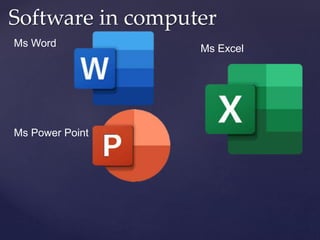
Software in computer
Ms Word
Ms Power Point
Ms Excel
Ms word
 Your MSWORD programme
is called a word-processing
package. This means that it
is useful for typing and
storing letters, articles and
anything that consists
mainly of words. It is
basically a fancy typewriter
with a built in filing-system.
The more you use your
computer the more you will
learn about what it can do
Ms Power Point
 Microsoft PowerPoint is a
powerful slide show
presentation program. It is
a standard component of
the company's Microsoft
Office suite software, and is
bundled together with
Word, Excel, and other
office productivity tools.
The program uses slides to
convey information rich in
multimedia
Ms excel
 Microsoft Excel is
powerful data visualization
and analysis software,
which uses spreadsheets to
store, organize, and track
data sets with formulas and
functions. Excel is used by
marketers, accountants, data
analysts, and other
professionals. It's part of the
Microsoft Office suite of
products.
Thank you

basics of computers .pptx

  • 1.
    Made by ArnavKumar class9th F BASIC OF COMPUTER
  • 2.
    Types of Computers– Personal Computers (PC)  Also called Microcomputers  Available in desktop size, notebook size and handheld  Can be IBM, IBM Compatible or Apple
  • 3.
    Input Processing Output ComputerOperations Example: when we search any thing on internet the computer take our search as input and process it and gives us out put.
  • 4.
     Most commonlyused input device  Ergonomic - fit natural hand placement  Special keys  Enter, Function, Ctrl, Alt, Num Lock, Esc Input Devices - Keyboard
  • 5.
    Input Devices -Mouse  Controls cursor on screen  May be mechanical or optical  Most models have a “wheel” for scrolling
  • 6.
     Pointers (replacesmouse on notepads)  Track point, track ball, touch pad  Scanner  Digital camera  Touch screen  Voice Input Devices - Other
  • 7.
  • 8.
     Also calledCPU, processor or microprocessor  Is the “brains” of the computer  Performs all computer operations  Many made by company called Intel  Also made by AMD Central Processing Unit (CPU)
  • 9.
     RAM -Random Access Memory  CPU can access any location as quickly as any other  Can not only read current info but also write new info  Very important in determining capabilities of the computer system  Computer should have at least 256 megs - 512 preferred (can add to later) Internal Memory - RAM
  • 10.
     ROM -Read Only Memory  Can read info Stored in ROM  Can not write new info into ROM  Used for “internal workings” of computer  Buyer is not very concerned with ROM Internal Memory - ROM
  • 11.
    Memory Unit When weenter the data into the computer using an input device, the entered information immediately gets saved in the memory unit of the Central Processing Unit (CPU). Because of the presence of some existing programming, the Memory Unit transmits the data further to the other parts of the CPU.
  • 12.
    Control Unit The ControlUnit collects the data entered using the input unit, leads it on for processing and once that is done, receives the output and presents it to the user. It can be said to the centre of all processing actions taking place inside a computer device
  • 13.
    Arithmetic & LogicalUnit As the name suggests, all the mathematical calculations or arithmetic operations are performed in the Arithmetic and Logical Unit of the CPU. It can also perform actions like a comparison of data and decision-making actions. The ALU comprises circuits using which addition, subtraction, multiplication, division and other numerical based calculations can be performed.
  • 14.
     Monitor  Printer Disk Drive  Can also be input device  Modem  Can also be input device Output Devices
  • 15.
    Monitors  Made upof tiny elements called pixels  Each row of pixels is called a scan line  Picture is displayed by an electronic beam lighting up certain pixels
  • 16.
  • 17.
    Laser Printer A laserprinter produces high quality print that one normally finds in publishing. It is extremely fast and quiet. Moreover, the operation of a laser printer is easy with automatic paper loading and no smudging or messing up of ink ribbons
  • 18.
    Ink-Jet Printer An ink-jetprinter creates an image directly on paper by spraying ink through as many as 64 tiny nozzles. Although the image it produces is not generally quite as sharp as the output of a laser printer, the quality of ink-jet images is still high
  • 19.
    Dot Matrix Printer Thedot matrix printer was very popular at one point of time. It is a very versatile and inexpensive output device. In dot matrix printer the print head physically "hits" the paper through the ribbon and produces text (or images) by combinations of dots; hence the name dot matrix printer. Its speed is measured in characters per second (CPS
  • 20.
    Software in computer MsWord Ms Power Point Ms Excel
  • 21.
    Ms word  YourMSWORD programme is called a word-processing package. This means that it is useful for typing and storing letters, articles and anything that consists mainly of words. It is basically a fancy typewriter with a built in filing-system. The more you use your computer the more you will learn about what it can do
  • 22.
    Ms Power Point Microsoft PowerPoint is a powerful slide show presentation program. It is a standard component of the company's Microsoft Office suite software, and is bundled together with Word, Excel, and other office productivity tools. The program uses slides to convey information rich in multimedia
  • 23.
    Ms excel  MicrosoftExcel is powerful data visualization and analysis software, which uses spreadsheets to store, organize, and track data sets with formulas and functions. Excel is used by marketers, accountants, data analysts, and other professionals. It's part of the Microsoft Office suite of products.
  • 24.