Basic Web Architecture
and REST Api Calls
The WEB APP
The web is a two-tiered architecture
● A web browser (The Client) that displays information.
● A web server that transfers information to the client
The Technologies
● On Client Side: HTML, CSS, JavaScript ...
● On Server Side: PHP, JavaScript, Java …
Their common knowledge is made mainly of URI and HTTP
● the URI (Universal Resource Identifier) has 4 parts: the protocol type, web
server domain, folder path (optional), web page HTML file (optional)
● HTTP (HyperText Transfer Protocol) is a request/response standard of a
client and a server.
How it works
● An HTTP client initiates a request
● Resources to be accessed by HTTP are identified using URIs
The request message consists of the following:
● Request line
● Headers
● An optional message body
Request Methods
The HTTP methods, also known as “verbs” are:
● HEAD
● GET
● POST
● PUT
● DELETE
● TRACE
● OPTIONS
● CONNECT
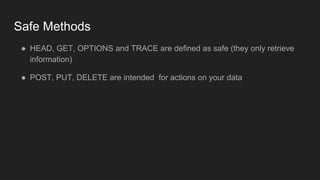
Safe Methods
● HEAD, GET, OPTIONS and TRACE are defined as safe (they only retrieve
information)
● POST, PUT, DELETE are intended for actions on your data
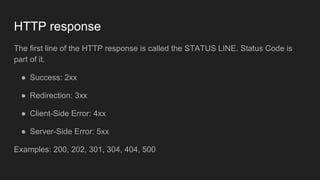
HTTP response
The first line of the HTTP response is called the STATUS LINE. Status Code is
part of it.
● Success: 2xx
● Redirection: 3xx
● Client-Side Error: 4xx
● Server-Side Error: 5xx
Examples: 200, 202, 301, 304, 404, 500
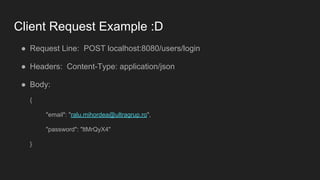
Client Request Example :D
● Request Line: POST localhost:8080/users/login
● Headers: Content-Type: application/json
● Body:
{
"email": "ralu.mihordea@ultragrup.ro",
"password": "ltMrQyX4"
}
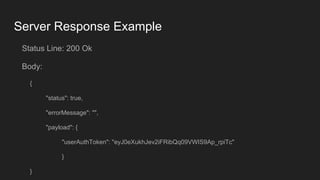
Server Response Example
Status Line: 200 Ok
Body:
{
"status": true,
"errorMessage": "",
"payload": {
"userAuthToken": "eyJ0eXukhJev2iFRibQq09VWIS9Ap_rpiTc"
}
}
HTTP session state
● HTTP is a stateless protocol
● Hosts do not need to retain information about users between requests.
● Statelessness is a scalability property
● Solutions to this:
○ Cookies
○ Sessions
Cookie
● Cookie is a small piece of text stored on a user’s computer by a web browser
● A cookie consists of one or more name-value pairs containing infos like user
preferences
● Commonly used for: authenticating, shopping cart items, session tracking and
remembering specific information about users
Session
● server side storage of information
● persists throughout the user’s interaction with the site
● only a unique identifier is stored on the client (session id)
● For each HTTP request the session id is passed. The site pairs this session id
with it’s internal database and retrieves the stored variables for use by the
requested page.
Bibliography
● http://www.lassosoft.com/Tutorial-Understanding-Cookies-and-Sessions
● http://www.slideshare.net/cchamnap/introduction-to-web-architecture?qid=08
4fc228-f93f-4f32-ba77-cd827bacd537&v=&b=&from_search=1

Basic web architecture

  • 1.
  • 2.
    The WEB APP Theweb is a two-tiered architecture ● A web browser (The Client) that displays information. ● A web server that transfers information to the client
  • 3.
    The Technologies ● OnClient Side: HTML, CSS, JavaScript ... ● On Server Side: PHP, JavaScript, Java … Their common knowledge is made mainly of URI and HTTP ● the URI (Universal Resource Identifier) has 4 parts: the protocol type, web server domain, folder path (optional), web page HTML file (optional) ● HTTP (HyperText Transfer Protocol) is a request/response standard of a client and a server.
  • 4.
    How it works ●An HTTP client initiates a request ● Resources to be accessed by HTTP are identified using URIs The request message consists of the following: ● Request line ● Headers ● An optional message body
  • 5.
    Request Methods The HTTPmethods, also known as “verbs” are: ● HEAD ● GET ● POST ● PUT ● DELETE ● TRACE ● OPTIONS ● CONNECT
  • 6.
    Safe Methods ● HEAD,GET, OPTIONS and TRACE are defined as safe (they only retrieve information) ● POST, PUT, DELETE are intended for actions on your data
  • 7.
    HTTP response The firstline of the HTTP response is called the STATUS LINE. Status Code is part of it. ● Success: 2xx ● Redirection: 3xx ● Client-Side Error: 4xx ● Server-Side Error: 5xx Examples: 200, 202, 301, 304, 404, 500
  • 8.
    Client Request Example:D ● Request Line: POST localhost:8080/users/login ● Headers: Content-Type: application/json ● Body: { "email": "ralu.mihordea@ultragrup.ro", "password": "ltMrQyX4" }
  • 9.
    Server Response Example StatusLine: 200 Ok Body: { "status": true, "errorMessage": "", "payload": { "userAuthToken": "eyJ0eXukhJev2iFRibQq09VWIS9Ap_rpiTc" } }
  • 10.
    HTTP session state ●HTTP is a stateless protocol ● Hosts do not need to retain information about users between requests. ● Statelessness is a scalability property ● Solutions to this: ○ Cookies ○ Sessions
  • 11.
    Cookie ● Cookie isa small piece of text stored on a user’s computer by a web browser ● A cookie consists of one or more name-value pairs containing infos like user preferences ● Commonly used for: authenticating, shopping cart items, session tracking and remembering specific information about users
  • 12.
    Session ● server sidestorage of information ● persists throughout the user’s interaction with the site ● only a unique identifier is stored on the client (session id) ● For each HTTP request the session id is passed. The site pairs this session id with it’s internal database and retrieves the stored variables for use by the requested page.
  • 13.