RESTful APIs
Shekhar Kumar
HTTP - Overview
• Hyper Text Transfer Protocol
• HTTP is connectionless
• HTTP is media independent
• HTTP is stateless
• HTTP has Methods
HTTPVerbs
• GET:This verb is use to read a representation of resource
• POST:This verb is most-often utilized to create new resources
• PUT:This verb is use to update the resource representation
• DELETE:This verb is use to delete the resource
• PATCH:This verb is use to modify a part of resource not a complete resource
HTTP Status Codes
• The status code is a 3 digit integer where the first digit defines the class of
response and the last two digits do not have any categorization role
• There is a wide range of status codes available, few are listed below
• 2xx: Success response codes
• 4xx:Client errors response codes
• 5xx: Server errors response codes
HTTP Status Codes: 2xx
• 200 OK: Standard response for successful HTTP request
• 201 Created:The request has been fulfield, resulting in the creation of a new
resource
• 202 Accepted:The request has been accepted for processing, but the
processing has not been complete.
• 204 No Content:The server successfully processed the request and is to
returning any content
HTTP Status Codes: 4xx
• 400 Bad Request:The server cannot process the request due to an apparent
client error (e.g. invalid data)
• 401 Unauthorized: 401 means unauthenticated
• 403 Forbidden:The request is valid but the user might not have necessary
permissions
• 404 Not Found:The requested resource not found
HTTP Status Codes: 5xx
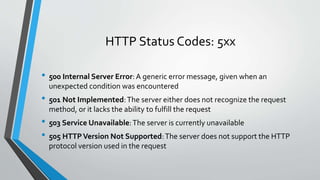
• 500 Internal Server Error:A generic error message, given when an
unexpected condition was encountered
• 501 Not Implemented:The server either does not recognize the request
method, or it lacks the ability to fulfill the request
• 503 Service Unavailable:The server is currently unavailable
• 505 HTTPVersion Not Supported:The server does not support the HTTP
protocol version used in the request
Client Server Architecture
• Client/Server architecture is a computing model in which the server hosts,
delivers and manages most of the resources and services to be consumed by
the client.This type of architecture has one or more client computers
connected to a central server over a network or internet connection.
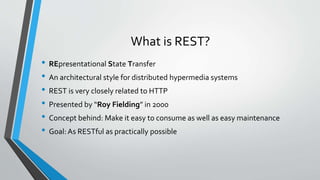
What is REST?
• REpresentational State Transfer
• An architectural style for distributed hypermedia systems
• REST is very closely related to HTTP
• Presented by “Roy Fielding” in 2000
• Concept behind: Make it easy to consume as well as easy maintenance
• Goal:As RESTful as practically possible
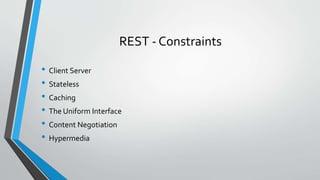
REST - Constraints
• Client Server
• Stateless
• Caching
• The Uniform Interface
• Content Negotiation
• Hypermedia
REST – Constraints: Client Server
• This constraints define all interactions between nodes in a distributed
architecture
• Goal of this constraints is separation of concern
• Lots of different type of clients can work on the same server
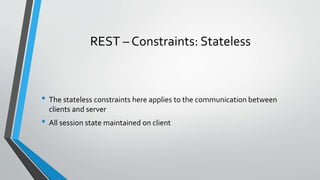
REST – Constraints: Stateless
• The stateless constraints here applies to the communication between
clients and server
• All session state maintained on client
REST – Constraints: Caching
• Cache refers to storing the server response in the client itself, so that client
need not make a server request for the same resource again and again
• A server response should have information about how caching is to be done
• It’s optional
• It’s based on headers
REST – Constraints:The Uniform Interface
• All the nodes whether they are client, server or anything, can communicate
via a standard mechanism
• REST is defined by four interface constraints
• Resource Identification
• Representations
• Self descriptive messages
• HATEOAS
REST – Constraints: Content Negotiation
• Content negotiation is the process of selecting the best representation of a
resource
• A resource can have multiple representaitons
• Accept header values to determine how to represent the resource
REST – Constraints: Hypermedia
• Hypermedia is the way to initiate state transition
• Hypermedia decouples a client from having to know all URLs of different
resources that a service exposes
• Client needs to know only about the single entry point URL
Resource Based Architecture
• Resource are representation of Real world entities
• Resources have relationships
• Relationships are typically nested
• These relationships are not relational model like database
• Resources are represented in URIs
URI
• Uniform Resource Identifier
• URI is a sequence of characters that identifies a logical or physical resource
• URI enables interaction with representation of the resource over the
network
Resource
• Any information that can be named can be a resource
• A collection of other resources
• A non virtual object (e.g. a person)
• A virtual object (e.g. a blog)
• A resource is a conceptual mapping to a set of entities
• Any concept that might be the target of a hypertext reference must fit within a
definition of resource
• In general language Resources are noun
Resource Cont.
• REST APIs are recourse centric
• Operations are represented via HTTPVerbs on resources
• Resource name should be plurals
• e.g. /customers
• e.g. /alarms
Resource Relationships
• Resource relationship, when resource depends on another resource
• There are following relationships between resources
• One:Many (e.g. /network-devices/{networkdeviceid}/alarms)
• One:One (e.g. /network-devices/{networkdeviceid}/alarms/{alarmid})
• Many:Many (e.g. /network-devices/constraints)
URI Design
• URI structure of the API should be meaningful and predictable
• e.g. /blogs
• e.g. /blogs/{blogid}/authors
• URI should contains nouns not verbs
• Problem with verbs in URIs
• e.g. getcustomers
• e.g. savecustomer
• Now instead of having just one endpoint, we have to maintain number of different endpoints
• There is no need to having verb in the URI, because we have verbs available in HTTP specifications
• URI will remain clean of verb and will only have noun representing resources
URI Design Cont.
• A verb is a URI is always a design smell
• Some rules for URI design
• Use nouns not verbs
• Use forward slash (/) to indicate relationship
• Do not use trailing forward slash
• User hyphen (-) to improve readability (e.g. use network-devices instead of networkDevices)
• Do not use underscore (_)
• Nor use lower letters neither file extensions in URI
• Never use CRUD function name in URI
URI Design Cont.
• There are two types of URIs
• Collection resource URIs: Collection of instance resources (e.g. /alarms)
• Instance resource URIs: Instance resource URI has the collection resource URI followed
by unique id (e.g. /alarms/{alarmid})
Filtering Result
• When there is a requirement to filter result on basis of some attributes or
properties
• When Paging needs to be implemented
• Solution is to use query string parameters
• Generally it is advisable to avoid query parameters for basic operations
• But filtering and paging is a good scenario to use query parameters
• e.g. /alarms?page=1&batch=100
Content Negotiation
• Content negotiation refers to mechanisms defined as a part of HTTP that make it
possible to serve different representations of a resource at the same URI.
• User agent can specify which version fits there capabilities best
• Accept header to hint at what kind of data user agent can expect
• When a user is calling API, going to pass list of types here and expect response in
any of the given type
• When there is a list of supported types then server find the first supported one
• If server supports only JSON, it will return always JSON
Content Negotiation Cont.
• The content information can be passed only by headers
• Accept: Accept header tells the server, what type of data user agent can digest (e.g.
Accept:application/json)
• Content-Type:Tells the server what is the type of data which is present in request
payload (e.g. Content-Type:application/json)
• For response Content-Type is the format of the content which is sent by
server
• It is recommended to have default content type, Usually JSON
Content Negotiation Cont.
• ContentTypes == MIMETypes
• MIME stands for “Multipurpose Internet Mail Extensions”
• MIME type is a standard way to indicate the nature and format of document
• Few popular MIME types are
• application/json
• Text/xml
• Text/html
• Image/jpeg
• Image/png
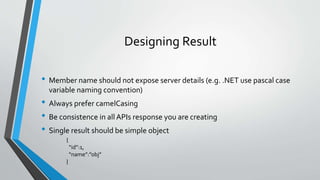
Designing Result
• Member name should not expose server details (e.g. .NET use pascal case
variable naming convention)
• Always prefer camelCasing
• Be consistence in all APIs response you are creating
• Single result should be simple object
{
“id”:1,
“name”:”obj”
}
Designing Result Cont.
• Collection result should be wrapped in a simple object
• Should have container for information about collection
• List should always support paging
{
“total”:100,
“result”:[
{
},
…
]
}
Versioning
• Publishing an API is a contract with client
• But requirement will change
• Need a way to evolve the APIs without breaking existing clients
• Versioning is the solution
• Only version ofAPI when the signature & shape of data you are dealing with are changing
• Changes in API Should not be a reason to cause your client have to rewrite new code, unless
they want the new features, new shapes & support that your API provides
Versioning Cont.
• There are several ways of versioning APIs
• URI Path (e.g. /v1/alarms)
• Allows you to drastically change your APIs
• Everything below the version is open for change
• Simple to segregate old APIs for backward compatibility
• Query parameter (e.g. /alarms?v=1)
• Without providing version, user will always get latest version APIs
• Can break client code
Versioning Cont.
• Version with Custom header (e.g. x-myapp-version:1)
• Need to pass a custom header called X-{App name}-Version:{version}
• Version with Content Negotiation (content-type: application/vnd.app.v1+json)
• Instead of standard MIME type, use custom MIME type
• Can include version information in “Content-Type” & “Accept” header
• Standard for creating custom MIME type
• Use “.VND” as prefix, than your app name and version info
• Postfix with +json
Versioning Cont.
• URI component are most common way to version APIs
• However Content negotiation & custom header are gaining popularity as
they are using widely by developers now days
• You should version yourAPI from the very first release
• Pick the best versioning mechanism as per your requirement
HATEOAS
• Hypermedia As The Engine Of Application State
• Hypermedia: is an extension to what is known as hypertext, or the ability to open new web
pages by clicking text links on a web browser (e.g. <link href=“” rel=“”/>)
• Hypermedia is a way to initiate state transition
• HATEOAS is the way to provide link in the response
• Links helps developer to know how to use APIs
• API become self describing
• Helps user to understand how to do different operations with APIs
• Coupling is reduced by reducing the number of URLs that client needs to know about
HATEOAS Cont.
• Links typically going to have minimum two properties
• Href: A URI to a specific operation
• Rel:Tells, what the link is for
{
“prop”:”value,
….
“links”: [
{
“href”:””,
“rel”:”self”
},
….
]
}
{
“prop”:”value,
….
“links”: {
“self”:{
“href”:””
},
….
}
}
HATEOAS Cont.
• Hypermedia helps create better version ofAPIs
• More self describing
• Helps users to build systems based on yourAPIs in a simple way
Richardson Maturity Model
• A Model that break down the principle elements of a REST approach into
three steps.
• These steps introduce Resources, HTTP verbs & hyper media
• RMM help to create APIs more restful
• RMM is developed by “Leonard Richardson”
Richardson Maturity Model Cont.
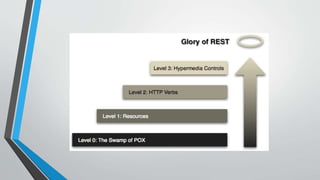
• It has 4 different levels
• Level 0: No REST,The swamp of POX (Plain old XML)
• Use HTTP as transport, but using SOAP/RPC. Single URI
• Level 1: Resources
• Make use of URIs but with single verb
• Level 2: HTTPVerbs
• Make use of URIs and avail HTTPVerbs
• Level 3: Hypermedia
• Make use of Resources, HTTPVerbs & HATEOAS
Questions?
ThankYou
Shekhar Kumar

Rest APIs Training

  • 1.
  • 2.
    HTTP - Overview •Hyper Text Transfer Protocol • HTTP is connectionless • HTTP is media independent • HTTP is stateless • HTTP has Methods
  • 3.
    HTTPVerbs • GET:This verbis use to read a representation of resource • POST:This verb is most-often utilized to create new resources • PUT:This verb is use to update the resource representation • DELETE:This verb is use to delete the resource • PATCH:This verb is use to modify a part of resource not a complete resource
  • 4.
    HTTP Status Codes •The status code is a 3 digit integer where the first digit defines the class of response and the last two digits do not have any categorization role • There is a wide range of status codes available, few are listed below • 2xx: Success response codes • 4xx:Client errors response codes • 5xx: Server errors response codes
  • 5.
    HTTP Status Codes:2xx • 200 OK: Standard response for successful HTTP request • 201 Created:The request has been fulfield, resulting in the creation of a new resource • 202 Accepted:The request has been accepted for processing, but the processing has not been complete. • 204 No Content:The server successfully processed the request and is to returning any content
  • 6.
    HTTP Status Codes:4xx • 400 Bad Request:The server cannot process the request due to an apparent client error (e.g. invalid data) • 401 Unauthorized: 401 means unauthenticated • 403 Forbidden:The request is valid but the user might not have necessary permissions • 404 Not Found:The requested resource not found
  • 7.
    HTTP Status Codes:5xx • 500 Internal Server Error:A generic error message, given when an unexpected condition was encountered • 501 Not Implemented:The server either does not recognize the request method, or it lacks the ability to fulfill the request • 503 Service Unavailable:The server is currently unavailable • 505 HTTPVersion Not Supported:The server does not support the HTTP protocol version used in the request
  • 8.
    Client Server Architecture •Client/Server architecture is a computing model in which the server hosts, delivers and manages most of the resources and services to be consumed by the client.This type of architecture has one or more client computers connected to a central server over a network or internet connection.
  • 9.
    What is REST? •REpresentational State Transfer • An architectural style for distributed hypermedia systems • REST is very closely related to HTTP • Presented by “Roy Fielding” in 2000 • Concept behind: Make it easy to consume as well as easy maintenance • Goal:As RESTful as practically possible
  • 10.
    REST - Constraints •Client Server • Stateless • Caching • The Uniform Interface • Content Negotiation • Hypermedia
  • 11.
    REST – Constraints:Client Server • This constraints define all interactions between nodes in a distributed architecture • Goal of this constraints is separation of concern • Lots of different type of clients can work on the same server
  • 12.
    REST – Constraints:Stateless • The stateless constraints here applies to the communication between clients and server • All session state maintained on client
  • 13.
    REST – Constraints:Caching • Cache refers to storing the server response in the client itself, so that client need not make a server request for the same resource again and again • A server response should have information about how caching is to be done • It’s optional • It’s based on headers
  • 14.
    REST – Constraints:TheUniform Interface • All the nodes whether they are client, server or anything, can communicate via a standard mechanism • REST is defined by four interface constraints • Resource Identification • Representations • Self descriptive messages • HATEOAS
  • 15.
    REST – Constraints:Content Negotiation • Content negotiation is the process of selecting the best representation of a resource • A resource can have multiple representaitons • Accept header values to determine how to represent the resource
  • 16.
    REST – Constraints:Hypermedia • Hypermedia is the way to initiate state transition • Hypermedia decouples a client from having to know all URLs of different resources that a service exposes • Client needs to know only about the single entry point URL
  • 17.
    Resource Based Architecture •Resource are representation of Real world entities • Resources have relationships • Relationships are typically nested • These relationships are not relational model like database • Resources are represented in URIs
  • 18.
    URI • Uniform ResourceIdentifier • URI is a sequence of characters that identifies a logical or physical resource • URI enables interaction with representation of the resource over the network
  • 19.
    Resource • Any informationthat can be named can be a resource • A collection of other resources • A non virtual object (e.g. a person) • A virtual object (e.g. a blog) • A resource is a conceptual mapping to a set of entities • Any concept that might be the target of a hypertext reference must fit within a definition of resource • In general language Resources are noun
  • 20.
    Resource Cont. • RESTAPIs are recourse centric • Operations are represented via HTTPVerbs on resources • Resource name should be plurals • e.g. /customers • e.g. /alarms
  • 21.
    Resource Relationships • Resourcerelationship, when resource depends on another resource • There are following relationships between resources • One:Many (e.g. /network-devices/{networkdeviceid}/alarms) • One:One (e.g. /network-devices/{networkdeviceid}/alarms/{alarmid}) • Many:Many (e.g. /network-devices/constraints)
  • 22.
    URI Design • URIstructure of the API should be meaningful and predictable • e.g. /blogs • e.g. /blogs/{blogid}/authors • URI should contains nouns not verbs • Problem with verbs in URIs • e.g. getcustomers • e.g. savecustomer • Now instead of having just one endpoint, we have to maintain number of different endpoints • There is no need to having verb in the URI, because we have verbs available in HTTP specifications • URI will remain clean of verb and will only have noun representing resources
  • 23.
    URI Design Cont. •A verb is a URI is always a design smell • Some rules for URI design • Use nouns not verbs • Use forward slash (/) to indicate relationship • Do not use trailing forward slash • User hyphen (-) to improve readability (e.g. use network-devices instead of networkDevices) • Do not use underscore (_) • Nor use lower letters neither file extensions in URI • Never use CRUD function name in URI
  • 24.
    URI Design Cont. •There are two types of URIs • Collection resource URIs: Collection of instance resources (e.g. /alarms) • Instance resource URIs: Instance resource URI has the collection resource URI followed by unique id (e.g. /alarms/{alarmid})
  • 25.
    Filtering Result • Whenthere is a requirement to filter result on basis of some attributes or properties • When Paging needs to be implemented • Solution is to use query string parameters • Generally it is advisable to avoid query parameters for basic operations • But filtering and paging is a good scenario to use query parameters • e.g. /alarms?page=1&batch=100
  • 26.
    Content Negotiation • Contentnegotiation refers to mechanisms defined as a part of HTTP that make it possible to serve different representations of a resource at the same URI. • User agent can specify which version fits there capabilities best • Accept header to hint at what kind of data user agent can expect • When a user is calling API, going to pass list of types here and expect response in any of the given type • When there is a list of supported types then server find the first supported one • If server supports only JSON, it will return always JSON
  • 27.
    Content Negotiation Cont. •The content information can be passed only by headers • Accept: Accept header tells the server, what type of data user agent can digest (e.g. Accept:application/json) • Content-Type:Tells the server what is the type of data which is present in request payload (e.g. Content-Type:application/json) • For response Content-Type is the format of the content which is sent by server • It is recommended to have default content type, Usually JSON
  • 28.
    Content Negotiation Cont. •ContentTypes == MIMETypes • MIME stands for “Multipurpose Internet Mail Extensions” • MIME type is a standard way to indicate the nature and format of document • Few popular MIME types are • application/json • Text/xml • Text/html • Image/jpeg • Image/png
  • 29.
    Designing Result • Membername should not expose server details (e.g. .NET use pascal case variable naming convention) • Always prefer camelCasing • Be consistence in all APIs response you are creating • Single result should be simple object { “id”:1, “name”:”obj” }
  • 30.
    Designing Result Cont. •Collection result should be wrapped in a simple object • Should have container for information about collection • List should always support paging { “total”:100, “result”:[ { }, … ] }
  • 31.
    Versioning • Publishing anAPI is a contract with client • But requirement will change • Need a way to evolve the APIs without breaking existing clients • Versioning is the solution • Only version ofAPI when the signature & shape of data you are dealing with are changing • Changes in API Should not be a reason to cause your client have to rewrite new code, unless they want the new features, new shapes & support that your API provides
  • 32.
    Versioning Cont. • Thereare several ways of versioning APIs • URI Path (e.g. /v1/alarms) • Allows you to drastically change your APIs • Everything below the version is open for change • Simple to segregate old APIs for backward compatibility • Query parameter (e.g. /alarms?v=1) • Without providing version, user will always get latest version APIs • Can break client code
  • 33.
    Versioning Cont. • Versionwith Custom header (e.g. x-myapp-version:1) • Need to pass a custom header called X-{App name}-Version:{version} • Version with Content Negotiation (content-type: application/vnd.app.v1+json) • Instead of standard MIME type, use custom MIME type • Can include version information in “Content-Type” & “Accept” header • Standard for creating custom MIME type • Use “.VND” as prefix, than your app name and version info • Postfix with +json
  • 34.
    Versioning Cont. • URIcomponent are most common way to version APIs • However Content negotiation & custom header are gaining popularity as they are using widely by developers now days • You should version yourAPI from the very first release • Pick the best versioning mechanism as per your requirement
  • 35.
    HATEOAS • Hypermedia AsThe Engine Of Application State • Hypermedia: is an extension to what is known as hypertext, or the ability to open new web pages by clicking text links on a web browser (e.g. <link href=“” rel=“”/>) • Hypermedia is a way to initiate state transition • HATEOAS is the way to provide link in the response • Links helps developer to know how to use APIs • API become self describing • Helps user to understand how to do different operations with APIs • Coupling is reduced by reducing the number of URLs that client needs to know about
  • 36.
    HATEOAS Cont. • Linkstypically going to have minimum two properties • Href: A URI to a specific operation • Rel:Tells, what the link is for { “prop”:”value, …. “links”: [ { “href”:””, “rel”:”self” }, …. ] } { “prop”:”value, …. “links”: { “self”:{ “href”:”” }, …. } }
  • 37.
    HATEOAS Cont. • Hypermediahelps create better version ofAPIs • More self describing • Helps users to build systems based on yourAPIs in a simple way
  • 38.
    Richardson Maturity Model •A Model that break down the principle elements of a REST approach into three steps. • These steps introduce Resources, HTTP verbs & hyper media • RMM help to create APIs more restful • RMM is developed by “Leonard Richardson”
  • 39.
    Richardson Maturity ModelCont. • It has 4 different levels • Level 0: No REST,The swamp of POX (Plain old XML) • Use HTTP as transport, but using SOAP/RPC. Single URI • Level 1: Resources • Make use of URIs but with single verb • Level 2: HTTPVerbs • Make use of URIs and avail HTTPVerbs • Level 3: Hypermedia • Make use of Resources, HTTPVerbs & HATEOAS
  • 41.
  • 42.