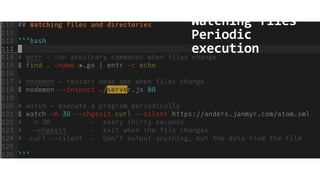
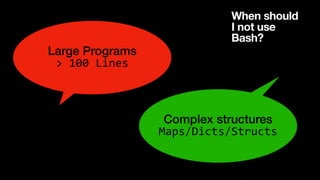
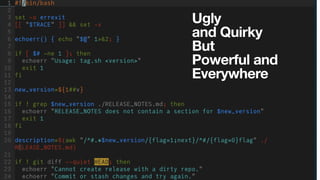
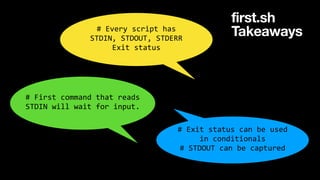
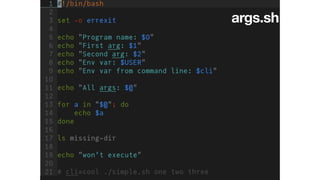
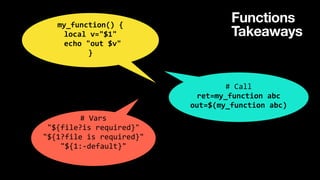
The document emphasizes the importance of Bash scripting for DevOps engineers, highlighting its versatility and presence in various environments. It provides essential takeaways on script behavior, usage of commands, conditionals, and common patterns for effective scripting. Additionally, it addresses best practices and recommends avoiding large and complex scripts.





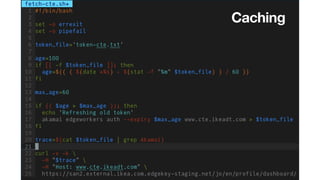
![Cache
Takeaways
# Arithmetic
local sum=$(($a + 5))
if (($age > $max_age)); then
# Conditionals
if [[ -f $file ]]; then
// elif/else/fi
# -d (dir)
# Pipes
trace=$(cat $file | grep Akamai)](https://image.slidesharecdn.com/bashfordevops-221110114543-dfb578d1/85/Bash-the-1-skill-for-Devops-Engineers-15-320.jpg)

![tag.sh
Takeaways
# Print line
before executing
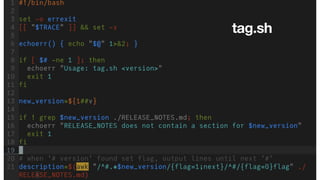
[[ "$TRACE" ]] && set -x
# Trim all 'v' from left
new_version=${1##v}
# '%' from right
# Echo to stderr
echoerr() { echo "$@" 1>&2; }
# Command with if
if ! grep $version ./r.md; then
# AWK
awk "/^#.*$new_version/{flag=1;next}/^#/{flag=0}flag" $file](https://image.slidesharecdn.com/bashfordevops-221110114543-dfb578d1/85/Bash-the-1-skill-for-Devops-Engineers-19-320.jpg)
![tag.sh
Takeaways
# Git multiple -m
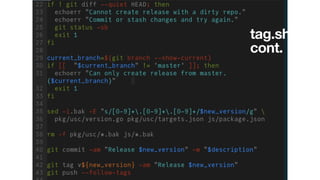
git commit -am "Release $new_version" -m "$description"
# Git return values
if ! git diff --quiet HEAD; then
# sed
sed -i.bak -E "s/[0-9]+.[0-9]+.[0-9]+/$new_version/g" $file](https://image.slidesharecdn.com/bashfordevops-221110114543-dfb578d1/85/Bash-the-1-skill-for-Devops-Engineers-21-320.jpg)