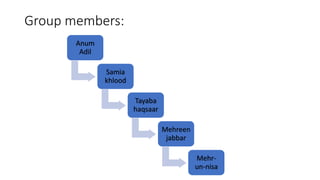
Anum
Adil
Samia
khlood
Tayaba
haqsaar
Mehreen
jabbar
Mehr-
un-nisa
Group members:
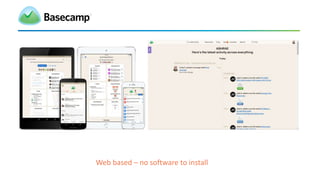
Web based – no software to install
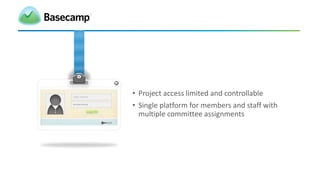
• Project access limited and controllable
• Single platform for members and staff with
multiple committee assignments
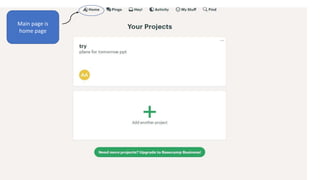
Main page is
home page
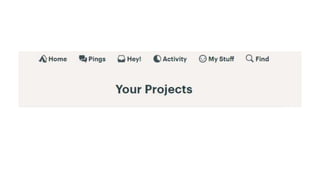
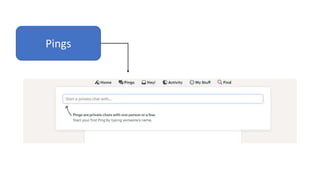
Pings
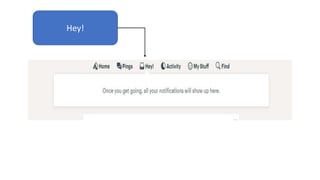
Hey!
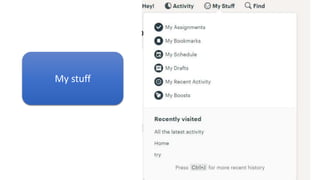
My stuff
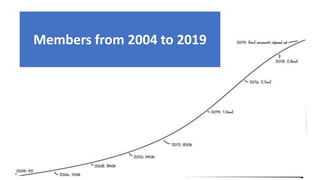
Members from 2004 to 2019
BENIFITS
 Assigning priorities. Basecamp has the capacity to
break down big projects into smaller chunks to make
tracking easier.
 Posting announcements and updating
communication
 Chatting and discussing.
Cont..
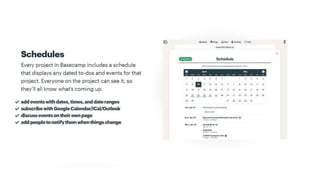
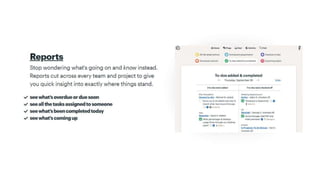
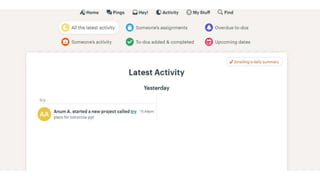
 Tracking progress and deadlines. This is made possible through its
schedule feature that allows users to be updated of the task lists that
have been added to the system.
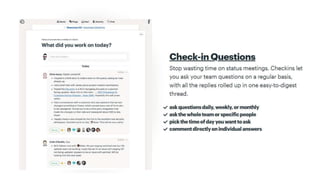
 Getting updates without the fuss. Basecamp 3 is capable of
automating the process of asking for progress updates from the
team.
Pros
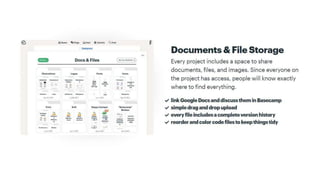
• Storage of files and documents in one place.
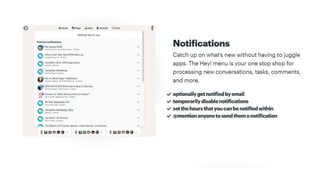
• On/off notification setting. Basecamp gives the user the option to switch
notifications on or off. It can be scheduled according to the users’
preference or left on for those who want to be updated all the time.
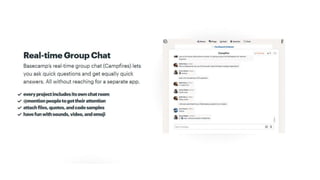
• Great communication system. Basecamp provides its users with various
ways to communicate, including through the informal ‘Campfires’ or by
‘pings’ which are private messages sent to only one person.
Cont..
• Good documents and files storage. Basecamp makes it easy to include
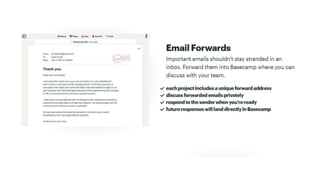
documents, files, and images when sending messages.
• It can also be connected to Google docs so that when documents
need to be attached, they can easily be dragged and dropped to
upload.
• Great client access.
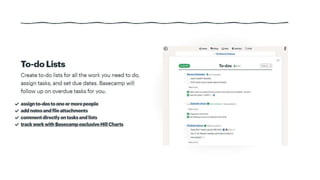
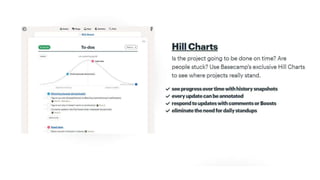
• Creation of hill charts.
Cons
• One of the most important aspects of project management is time tracking
to make sure that a project’s deadline is always met. This is one part of
Basecamp that needs improvement.
• No ability to archive a topic. Basecamp’s topic list can easily get crowded
but it doesn’t allow its users to archive unused ones.
Cont..
• No starring feature. Everyone who has used Google knows how useful
the starring feature is. It would be nice to have it on Basecamp so that
more important topics rise above the rest. Users can easily go to the
starred items section and find the specific file or message they are
looking for.
• Very simple. Simple is beautiful, so goes the saying. But that isn’t
always a good thing, especially for project management software like
Basecamp. Compared to other tools, it doesn’t have all of the basic
features necessary for businesses and teams.
CONCLUSION
• Basecamp is a popular project management software because it has
been proven by thousands of users to be efficient and effective.
• Basecamp proved more successful for projects with members working
at a distance.
• When individuals worked in close proximity, they tended to rely more
heavily on face-to-face meetings and email to keep them up-to-speed
with a project's progress.
• Projects have never been this easy to manage, thanks to Basecamp
ANY QUESTION?
Basecamp presentation

Basecamp presentation

  • 2.
  • 5.
    Web based –no software to install
  • 7.
    • Project accesslimited and controllable • Single platform for members and staff with multiple committee assignments
  • 27.
  • 28.
  • 29.
  • 31.
  • 33.
  • 34.
    BENIFITS  Assigning priorities.Basecamp has the capacity to break down big projects into smaller chunks to make tracking easier.  Posting announcements and updating communication  Chatting and discussing.
  • 35.
    Cont..  Tracking progressand deadlines. This is made possible through its schedule feature that allows users to be updated of the task lists that have been added to the system.  Getting updates without the fuss. Basecamp 3 is capable of automating the process of asking for progress updates from the team.
  • 36.
    Pros • Storage offiles and documents in one place. • On/off notification setting. Basecamp gives the user the option to switch notifications on or off. It can be scheduled according to the users’ preference or left on for those who want to be updated all the time. • Great communication system. Basecamp provides its users with various ways to communicate, including through the informal ‘Campfires’ or by ‘pings’ which are private messages sent to only one person.
  • 37.
    Cont.. • Good documentsand files storage. Basecamp makes it easy to include documents, files, and images when sending messages. • It can also be connected to Google docs so that when documents need to be attached, they can easily be dragged and dropped to upload. • Great client access. • Creation of hill charts.
  • 38.
    Cons • One ofthe most important aspects of project management is time tracking to make sure that a project’s deadline is always met. This is one part of Basecamp that needs improvement. • No ability to archive a topic. Basecamp’s topic list can easily get crowded but it doesn’t allow its users to archive unused ones.
  • 39.
    Cont.. • No starringfeature. Everyone who has used Google knows how useful the starring feature is. It would be nice to have it on Basecamp so that more important topics rise above the rest. Users can easily go to the starred items section and find the specific file or message they are looking for. • Very simple. Simple is beautiful, so goes the saying. But that isn’t always a good thing, especially for project management software like Basecamp. Compared to other tools, it doesn’t have all of the basic features necessary for businesses and teams.
  • 40.
    CONCLUSION • Basecamp isa popular project management software because it has been proven by thousands of users to be efficient and effective. • Basecamp proved more successful for projects with members working at a distance. • When individuals worked in close proximity, they tended to rely more heavily on face-to-face meetings and email to keep them up-to-speed with a project's progress. • Projects have never been this easy to manage, thanks to Basecamp
  • 41.

Editor's Notes

  • #6 Tool is web based – no software of any kind to install. Easily accessible anywhere with mobile app. Get Basecamp 3 for iOS in the App Store. You’ll need to be on the latest iOS 9. Basecamp 3 is available for Android phones and tablets on the Google Play store. Make sure you’ve got Android 4.4 “KitKat” or newer.
  • #8 Project access is limited and controllable – by invitation only with user log in. Members have full access to project content. Clients have access only to what you want them to see. Membership list can be easily modified as members roll on/off a committee Provides a single platform for members and staff with multiple committee assignments – all projects in one place with one user log in.