91-9989971070
www.visualpath.in
Getting Started with
Azure Databricks: A
Beginner's Guide
www.visualpath.in
Introduction:
• Azure Databricks is a robust data analytics and collaborative platform
designed to simplify big data and machine learning workflows.
• Built on Apache Spark, it provides a seamless environment for data
engineering, data science, and AI development. In this guide, we'll
explore the essentials of Azure Databricks, its features, and how to get
started without delving into coding.
www.visualpath.in
What is Azure Databricks?
Azure Databricks is a fully managed cloud-based data analytics platform
integrated with Microsoft Azure.
Key Features of Azure Databricks
• Unified Workspace: Combines data engineering, data science, and
machine learning in a single collaborative environment.
• Scalability: Automatically adjusts resources based on workloads.
• Real-Time Analytics: Processes data in real-time for faster insights.
www.visualpath.in
Why Use Azure Databricks?
Azure Databricks streamlines workflows and enhances collaboration between
teams. Here’s why it's a preferred choice for organizations:
 Simplified Big Data Processing: Processes large datasets efficiently with
Apache Spark's distributed computing capabilities.
 Faster Development: Speeds up the development of machine learning
models with preconfigured environments.
 Cost Efficiency: Offers pay-as-you-go pricing, reducing operational costs.
www.visualpath.in
Setting Up Azure Databricks
1. Create an Azure Account
To begin, sign up for an Azure account if you don’t have one. Azure provides
free credits for new users to explore its services.
2. Deploy an Azure Databricks Workspace
 Log into the Azure portal.
 Search for Databricks in the marketplace.
www.visualpath.in
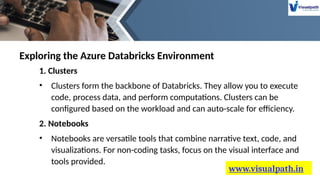
Exploring the Azure Databricks Environment
1. Clusters
• Clusters form the backbone of Databricks. They allow you to execute
code, process data, and perform computations. Clusters can be
configured based on the workload and can auto-scale for efficiency.
2. Notebooks
• Notebooks are versatile tools that combine narrative text, code, and
visualizations. For non-coding tasks, focus on the visual interface and
tools provided.
www.visualpath.in
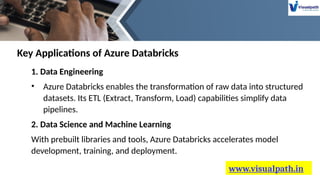
1. Data Engineering
• Azure Databricks enables the transformation of raw data into structured
datasets. Its ETL (Extract, Transform, Load) capabilities simplify data
pipelines.
2. Data Science and Machine Learning
With prebuilt libraries and tools, Azure Databricks accelerates model
development, training, and deployment.
Key Applications of Azure Databricks
www.visualpath.in
Conclusion
• Azure Databricks is a powerful platform that simplifies data
analytics, engineering, and machine learning workflows. Its
integration with Azure services and robust features make it an
essential tool for businesses aiming to harness the potential of big
data and AI.
• Whether you're a beginner or an experienced professional, Azure
Databricks provides the tools and resources needed to drive
innovation and achieve your data-driven goals.
CONTACT
Azure Databricks Online Training
Flat no: 205, 2nd Floor, NILGIRI Block, Aditya Enclave,
Ameerpet, Hyderabad-16
Visit: www.visualpath.in
Mobile No: +91-9989971070
E-Mail Id : online@visualpath.in
THANK YOU
www.visualpath.in

Azure Databricks Training | Azure Databricks Online Training

  • 1.
  • 2.
    www.visualpath.in Introduction: • Azure Databricksis a robust data analytics and collaborative platform designed to simplify big data and machine learning workflows. • Built on Apache Spark, it provides a seamless environment for data engineering, data science, and AI development. In this guide, we'll explore the essentials of Azure Databricks, its features, and how to get started without delving into coding.
  • 3.
    www.visualpath.in What is AzureDatabricks? Azure Databricks is a fully managed cloud-based data analytics platform integrated with Microsoft Azure. Key Features of Azure Databricks • Unified Workspace: Combines data engineering, data science, and machine learning in a single collaborative environment. • Scalability: Automatically adjusts resources based on workloads. • Real-Time Analytics: Processes data in real-time for faster insights.
  • 4.
    www.visualpath.in Why Use AzureDatabricks? Azure Databricks streamlines workflows and enhances collaboration between teams. Here’s why it's a preferred choice for organizations:  Simplified Big Data Processing: Processes large datasets efficiently with Apache Spark's distributed computing capabilities.  Faster Development: Speeds up the development of machine learning models with preconfigured environments.  Cost Efficiency: Offers pay-as-you-go pricing, reducing operational costs.
  • 5.
    www.visualpath.in Setting Up AzureDatabricks 1. Create an Azure Account To begin, sign up for an Azure account if you don’t have one. Azure provides free credits for new users to explore its services. 2. Deploy an Azure Databricks Workspace  Log into the Azure portal.  Search for Databricks in the marketplace.
  • 6.
    www.visualpath.in Exploring the AzureDatabricks Environment 1. Clusters • Clusters form the backbone of Databricks. They allow you to execute code, process data, and perform computations. Clusters can be configured based on the workload and can auto-scale for efficiency. 2. Notebooks • Notebooks are versatile tools that combine narrative text, code, and visualizations. For non-coding tasks, focus on the visual interface and tools provided.
  • 7.
    www.visualpath.in 1. Data Engineering •Azure Databricks enables the transformation of raw data into structured datasets. Its ETL (Extract, Transform, Load) capabilities simplify data pipelines. 2. Data Science and Machine Learning With prebuilt libraries and tools, Azure Databricks accelerates model development, training, and deployment. Key Applications of Azure Databricks
  • 8.
    www.visualpath.in Conclusion • Azure Databricksis a powerful platform that simplifies data analytics, engineering, and machine learning workflows. Its integration with Azure services and robust features make it an essential tool for businesses aiming to harness the potential of big data and AI. • Whether you're a beginner or an experienced professional, Azure Databricks provides the tools and resources needed to drive innovation and achieve your data-driven goals.
  • 9.
    CONTACT Azure Databricks OnlineTraining Flat no: 205, 2nd Floor, NILGIRI Block, Aditya Enclave, Ameerpet, Hyderabad-16 Visit: www.visualpath.in Mobile No: +91-9989971070 E-Mail Id : online@visualpath.in
  • 10.