Introduction to Databricks
What is Databricks?
• Databricks is a unified analytics platform designed to accelerate
innovation in data science, data engineering, and machine
learning.
• It’s built on Apache Spark and integrates seamlessly with cloud
environments (AWS, Azure, GCP).
• Key goal: Simplify big data processing and empower collaborative
work for teams.
History and Evolution
of Databricks
• Founded in 2013 by the creators of Apache
Spark.
• Initially developed as an easier way to work
with Spark.
• Grew into a unified analytics platform that
integrates various tools for data
engineering, data science, and machine
learning.
• Rapid adoption in industries for its flexibility
and scalability.
History of Databricks
Key Features of
Databricks
Key Features of Databricks
• Unified Workspace: Collaborative
notebooks for data engineers, scientists,
and analysts.
• Integrated with Apache Spark: Native
integration for handling big data
workloads.
• Real-time Streaming Analytics: Built-in
support for real-time data processing.
• Machine Learning & AI Tools: Scalable
machine learning models and
deployment capabilities.
Databricks Unified Analytics Platform
• Provides tools for both data engineering and data science.
• Core Components: Workspaces, Clusters, Notebooks, and Jobs.
• Centralized Data Storage: Managed cloud storage for easy
access to all team members.
• Seamless Integration with Databases and BI Tools: Connect to
popular data sources, including Delta Lake, SQL, and NoSQL.
How Databricks Works with Apache Spark
• Apache Spark is the engine behind Databricks, providing
distributed computing for massive-scale data processing.
• Optimized for Cloud: Databricks enhances Spark’s performance
with optimized clusters and automated scaling.
• Collaborative Spark Notebooks: Databricks offers interactive
notebooks to run Spark jobs in real-time.
Databricks
Architecture Overview
Databricks Architecture
• Cloud-based Architecture: Supports
multi-cloud deployments (AWS, Azure,
GCP).
• Separation of Compute and Storage:
Efficient resource management for big
data workloads.
• Managed Clusters: Auto-scaling
clusters for distributed computing with
minimal manual intervention.
Databricks Workspaces and Collaboration Tools
• Workspaces: Centralized area for managing projects, notebooks,
libraries, and data.
• Collaborative Notebooks: Real-time collaboration for teams to
share code, visualizations, and insights.
• Version Control: Built-in support for versioning, allowing teams to
track changes and manage workflow.
Databricks for Data Engineering and Machine Learning
• Data Engineering: Build scalable data pipelines with Databricks’
ETL (Extract, Transform, Load) tools.
• Machine Learning: Databricks provides a comprehensive
environment for training, tuning, and deploying models.
• MLflow Integration: Use MLflow to manage the machine learning
lifecycle (tracking experiments, model deployment, etc.).
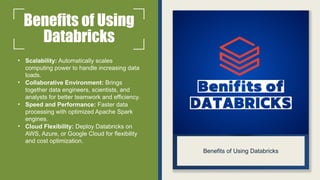
Benefits of Using
Databricks
• Scalability: Automatically scales
computing power to handle increasing data
loads.
• Collaborative Environment: Brings
together data engineers, scientists, and
analysts for better teamwork and efficiency.
• Speed and Performance: Faster data
processing with optimized Apache Spark
engines.
• Cloud Flexibility: Deploy Databricks on
AWS, Azure, or Google Cloud for flexibility
and cost optimization.
Benefits of Using Databricks
Getting Started with Databricks
• Sign up for a Databricks account on your preferred cloud platform.
• Set up a cluster and configure your workspace.
• Start creating notebooks and integrating with your data sources.
• Collaborate with your team and scale your data workflows.
THANK YOU
ACCENTFUTURE

Introduction to Databricks - AccentFuture

  • 1.
  • 2.
    What is Databricks? •Databricks is a unified analytics platform designed to accelerate innovation in data science, data engineering, and machine learning. • It’s built on Apache Spark and integrates seamlessly with cloud environments (AWS, Azure, GCP). • Key goal: Simplify big data processing and empower collaborative work for teams.
  • 3.
    History and Evolution ofDatabricks • Founded in 2013 by the creators of Apache Spark. • Initially developed as an easier way to work with Spark. • Grew into a unified analytics platform that integrates various tools for data engineering, data science, and machine learning. • Rapid adoption in industries for its flexibility and scalability. History of Databricks
  • 4.
    Key Features of Databricks KeyFeatures of Databricks • Unified Workspace: Collaborative notebooks for data engineers, scientists, and analysts. • Integrated with Apache Spark: Native integration for handling big data workloads. • Real-time Streaming Analytics: Built-in support for real-time data processing. • Machine Learning & AI Tools: Scalable machine learning models and deployment capabilities.
  • 5.
    Databricks Unified AnalyticsPlatform • Provides tools for both data engineering and data science. • Core Components: Workspaces, Clusters, Notebooks, and Jobs. • Centralized Data Storage: Managed cloud storage for easy access to all team members. • Seamless Integration with Databases and BI Tools: Connect to popular data sources, including Delta Lake, SQL, and NoSQL.
  • 6.
    How Databricks Workswith Apache Spark • Apache Spark is the engine behind Databricks, providing distributed computing for massive-scale data processing. • Optimized for Cloud: Databricks enhances Spark’s performance with optimized clusters and automated scaling. • Collaborative Spark Notebooks: Databricks offers interactive notebooks to run Spark jobs in real-time.
  • 7.
    Databricks Architecture Overview Databricks Architecture •Cloud-based Architecture: Supports multi-cloud deployments (AWS, Azure, GCP). • Separation of Compute and Storage: Efficient resource management for big data workloads. • Managed Clusters: Auto-scaling clusters for distributed computing with minimal manual intervention.
  • 8.
    Databricks Workspaces andCollaboration Tools • Workspaces: Centralized area for managing projects, notebooks, libraries, and data. • Collaborative Notebooks: Real-time collaboration for teams to share code, visualizations, and insights. • Version Control: Built-in support for versioning, allowing teams to track changes and manage workflow.
  • 9.
    Databricks for DataEngineering and Machine Learning • Data Engineering: Build scalable data pipelines with Databricks’ ETL (Extract, Transform, Load) tools. • Machine Learning: Databricks provides a comprehensive environment for training, tuning, and deploying models. • MLflow Integration: Use MLflow to manage the machine learning lifecycle (tracking experiments, model deployment, etc.).
  • 10.
    Benefits of Using Databricks •Scalability: Automatically scales computing power to handle increasing data loads. • Collaborative Environment: Brings together data engineers, scientists, and analysts for better teamwork and efficiency. • Speed and Performance: Faster data processing with optimized Apache Spark engines. • Cloud Flexibility: Deploy Databricks on AWS, Azure, or Google Cloud for flexibility and cost optimization. Benefits of Using Databricks
  • 11.
    Getting Started withDatabricks • Sign up for a Databricks account on your preferred cloud platform. • Set up a cluster and configure your workspace. • Start creating notebooks and integrating with your data sources. • Collaborate with your team and scale your data workflows.
  • 12.