- For example, you might have a DLP policy that helps you detect for HIPPAA related
information.
- This DLP policy could help protect HIPAA related data by proactively searching for
the informaiton in any document/email/chat that is shared with people outside of your
organization.
- The Policy then completes an ACTION, which can then block access to the
document and send a notification to the appropriate Party(Manager, Administrator,
etc).
- These requirements are stored as individual rules and grouped together as a DLP
policy to simplify management and reporting.
Office/MIcrosoft 365
Alerts and Incident reports
When a rule is matched, you can send an alert email to your compliance
officer ( or any person(s) you choose) with details of the alert. This alert email
will carry a link of the DLP Alerts Management Dashboard which the
compliance officer can go to view the details of alert and events. The
dashboard contains details of the event that triggered the alert along with
details of the DLP policy matched and the sensitive content detected.
In addition, you can also send an incident report with details of the event.
This report includes information about the item that was matched, the actual
content that matched the rule, and the name of the person who last modified
the content. For email messages, the report also includes as an attachment
the original message that matches a DLP policy.
D
A
T
AL
O
S
S
P
R
E
V
E
N
T
IO
N
Datalossprevention isacompliance feature that'sdesigned to help prevent the intentional or
accidental exposure of sensitive information to unwanted parties,akaDataLeak.
DLP ismainly applicable to Exchange Online,O365,SharePoint Online,Microsoft Teamsand
OneDrive for Business.
DLPanalysesand examinesthe contentsof email messagesand files,lookingfor sensitive
information,ie Personally Identifiable Information (PII).
Sensitive information should be encrypted whenever possible.
UsingDLPyou can detect sensitive information,and take action such as:
- Logthe event for auditingpurposes
- Display awarning to the end user who issendingthe email or sharingthe file
- Actively block the email or file sharingfrom takingplace
ACTIONS:
With actions you can:
- Restrict access to the content Depending on your need, you can restrict access to content in three
ways:
- Restrict access to content for everyone.
- Restrict access to content for people outside the organization.
- Restrict access to "Anyone with the link."
- Administrators and Delegeated individuals/groups can remove the sensitive information from the
document or take other action, such as Blocking access.
- When the document is in compliance, the original permissions are automatically restored. When access
to a document is blocked, the document appears with a special policy tip icon in the library on the site.
- DLP Policies can be scoped to the members of distribution lists, dynamic
distribution groups, and security groups.
- A DLP policy can contain no more than 50 such inclusions & exclusions.
The conditions available can determine:
- Content contains a type of sensitive information.
- Content contains a label. For more information, see the below section Using a retention label as a
condition in a DLP policy.
- Content is shared with people outside or inside your organization.
- When a DLP policy looks for a sensitive information type such as a credit card number, it doesn't
simply look for a 16-digit number. Each sensitive information type is defined and detected by using
a combination of:
- Keywords.
- Internal functions to validate checksums or composition.
- Evaluation of regular expressions to find pattern matches.
- Other content examination.
- This helps DLP detection achieve a high degree of accuracy while reducing the number of false
positives that can interrupt peoples' work.
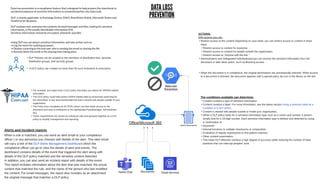
Data Loss
Prevention
Email Services
Search Documents
Documents
Teams Chat

Azure Data Loss Prevention

  • 1.
    - For example,you might have a DLP policy that helps you detect for HIPPAA related information. - This DLP policy could help protect HIPAA related data by proactively searching for the informaiton in any document/email/chat that is shared with people outside of your organization. - The Policy then completes an ACTION, which can then block access to the document and send a notification to the appropriate Party(Manager, Administrator, etc). - These requirements are stored as individual rules and grouped together as a DLP policy to simplify management and reporting. Office/MIcrosoft 365 Alerts and Incident reports When a rule is matched, you can send an alert email to your compliance officer ( or any person(s) you choose) with details of the alert. This alert email will carry a link of the DLP Alerts Management Dashboard which the compliance officer can go to view the details of alert and events. The dashboard contains details of the event that triggered the alert along with details of the DLP policy matched and the sensitive content detected. In addition, you can also send an incident report with details of the event. This report includes information about the item that was matched, the actual content that matched the rule, and the name of the person who last modified the content. For email messages, the report also includes as an attachment the original message that matches a DLP policy. D A T AL O S S P R E V E N T IO N Datalossprevention isacompliance feature that'sdesigned to help prevent the intentional or accidental exposure of sensitive information to unwanted parties,akaDataLeak. DLP ismainly applicable to Exchange Online,O365,SharePoint Online,Microsoft Teamsand OneDrive for Business. DLPanalysesand examinesthe contentsof email messagesand files,lookingfor sensitive information,ie Personally Identifiable Information (PII). Sensitive information should be encrypted whenever possible. UsingDLPyou can detect sensitive information,and take action such as: - Logthe event for auditingpurposes - Display awarning to the end user who issendingthe email or sharingthe file - Actively block the email or file sharingfrom takingplace ACTIONS: With actions you can: - Restrict access to the content Depending on your need, you can restrict access to content in three ways: - Restrict access to content for everyone. - Restrict access to content for people outside the organization. - Restrict access to "Anyone with the link." - Administrators and Delegeated individuals/groups can remove the sensitive information from the document or take other action, such as Blocking access. - When the document is in compliance, the original permissions are automatically restored. When access to a document is blocked, the document appears with a special policy tip icon in the library on the site. - DLP Policies can be scoped to the members of distribution lists, dynamic distribution groups, and security groups. - A DLP policy can contain no more than 50 such inclusions & exclusions. The conditions available can determine: - Content contains a type of sensitive information. - Content contains a label. For more information, see the below section Using a retention label as a condition in a DLP policy. - Content is shared with people outside or inside your organization. - When a DLP policy looks for a sensitive information type such as a credit card number, it doesn't simply look for a 16-digit number. Each sensitive information type is defined and detected by using a combination of: - Keywords. - Internal functions to validate checksums or composition. - Evaluation of regular expressions to find pattern matches. - Other content examination. - This helps DLP detection achieve a high degree of accuracy while reducing the number of false positives that can interrupt peoples' work. Data Loss Prevention Email Services Search Documents Documents Teams Chat