Gil Tene CTO & co-founder, Azul Systems June 26, 2010   Azul Tech Talk Yandex, June 2010
Agenda Background Memory stagnation Java & Virtualization [Concurrent] Garbage Collection deep-dive Some [more] Azul Zing Platform details Talk-Talk / Q & A
Gil Tene CTO & co-founder, Azul Systems June 26, 2010   Memory Stagnation
Gil Tene CTO & co-founder, Azul Systems June 26, 2010   2GB: the new 640K
Memory.   How many of you use heap sizes:  Larger than ½ GB?  Larger than 1 GB?  Larger than 2 GB?  Larger than 4 GB?  Larger than 10 GB?  Larger than 20 GB?  Larger than 100 GB?
Problem statement: Memory footprint has stagnated Individual Instances with ~1-2GB of heap were commonplace in 2001 Some were still smaller Very few were larger Individual instances with ~1-2GB dominate in 2010 Very few are smaller Relatively few are larger  Could it really be that all applications have the same memory size needs? The practical size of an individual Java heap has not moved in ~9 years.
Why ~2GB? – It’s all about GC (and only GC) Seems to be the practical limit for responsive applications A 100GB heap won’t crash. It just periodically “pauses” for many minutes at a time. [Virtually] All current commercial JVMs will exhibit a periodic multi-second pause on a normally utilized 2GB heap. It’s a question of “When”, not “If”. GC Tuning only moves the “when” and the “how often” around “ Compaction is done with the application paused. However, it is a necessary evil, because without it, the heap will be useless… ”  (JRockit RT tuning guide).
Maybe 2GB is simply enough? We hope not Plenty of evidence to support pent up need for more heap Common use of lateral scale across machines Common use of “lateral scale” within machines Use of “external” memory with growing data sets Databases certainly keep growing External data caches (memcache, Jcache, JavaSpaces) Continuous work on the never ending distribution problem More and more reinvention of NUMA Bring data to compute, bring compute to data
Will distributed solutions “solve” the problem? Distributed data solutions are [only] used to solve problems that can’t be solved without distribution Extra complexity & loss of efficiency only justified by necessity It’s always because something doesn’t fit in one simple symmetric UMA process model When we need more compute power than one node has When  we need more memory state than one node can hold Distributed solutions are not used to solve tiny problems “ Tiny” is not a matter of opinion, it’s a matter of time “ Tiny” gets ~100x bigger every decade
“ Tiny” application history 100KB apps on a ¼ to ½ MB Server 10MB apps on a 32 – 64 MB server 1GB apps on a 2 – 4 GB server ??? GB   apps on 256 GB Moore’s Law: transistor counts grow 2x every 18 mouths ~100x every 10 yrs 1980 1990 2000 2010 100GB Zing VM
2GB is the new 640K   This is getting embarrassing…. We do strange things within servers now…  Java runtimes “misbehave” above ~2GB of memory Most people won’t tolerate 20 second pauses It takes 50 JVM instances to fill up a ~$10K, ~100GB server A 256GB server can now be bought for ~$18K (mid 2010) Using distributed SW solutions within a single commodity server Similar to the EMS tricks Windows 3.1 used to deal with the 640KB cap Looks a lot like Yak shaving The problem is in the software stack Artificial constraints on memory per instance GC Pause time is the only limiting factor for instance size Can’t just “tune it away” Solve  GC, and you’ve solved the problem
Gil Tene CTO & co-founder, Azul Systems June 26, 2010   The Zing Platform Virtualization++ for Java
Java & Virtualization  How many of you use virtualization? i.e. KVM, VMWare, Xen, desktop virtualization  (Fusion, Parallels, VirtualBox, etc.)   How many of you use it for production applications?  How many of you think that virtualization will make your application run faster?
The Virtualization Tax  Virtualization is universally considered a “tax”  Typical focus is on measuring and reducing overhead  Everyone hopes to get to “virtually the same as non-virtualized” performance characteristics  But we can do so much better…. What If virtualization made  Applications Better  ?
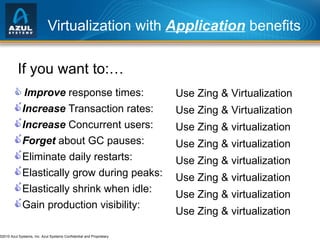
Virtualization with  Application  benefits Improve  response times:  Increase  Transaction rates:  Increase  Concurrent users:  Forget  about GC pauses:  Eliminate daily restarts:    Elastically grow during peaks:  Elastically shrink when idle:  Gain production visibility: If you want to:… Use Zing & Virtualization Use Zing & Virtualization Use Zing & virtualization Use Zing & virtualization Use Zing & virtualization   Use Zing & virtualization Use Zing & virtualization Use Zing & virtualization
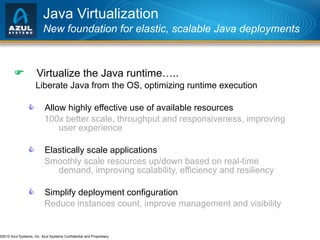
Java Virtualization New foundation for elastic, scalable Java deployments  Virtualize the Java runtime….. Liberate Java from the OS, optimizing runtime execution  Allow highly effective use of available resources 100x better scale, throughput and responsiveness, improving user experience  Elastically scale applications Smoothly scale resources up/down based on real-time demand, improving scalability, efficiency and resiliency  Simplify deployment configuration Reduce instances count, improve management and visibility
Azul Java Virtualization Liberating Java from the rigidities of the OS Java Virtualization Java App OS Layer x86 Server
Zing™ Platform Components Zing Virtual Appliances Elastic, Scalable Capacity Zing Virtual Machine Transparent Virtualization Zing Resource Controller Management and Monitoring Zing Vision Built-in App Profiling
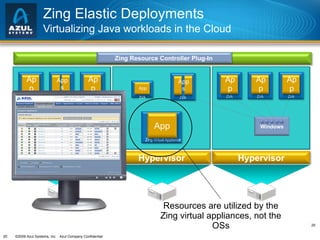
Zing Elastic Deployments Virtualizing Java workloads in the Cloud Zing Resource Controller Plug-In Hypervisor Hypervisor Hypervisor Linux Windows ZVA App ZVA Apps ZVA App ZVA App Zing Virtual Appliance App ZVA Apps ZVA App ZVA App ZVA App Resources are utilized by the Zing virtual appliances, not the OSs
Virtues of the Zing Elastic Platform Making virtualization the best environment for Java Optimized Runtime Platform More effective use of resources (dozens of cores, 100s of GBs) Scales smoothly over a wide range (from 1 GB to 1 TB)  Greater stability, resiliency and operating range Record-breaking Scalability Completely eliminates GC related barriers Practical support for 100x larger heaps (e.g. 200-500+ GBs) Sustain 100x higher throughput and allocation rates Simplified Java App Deployments Better app stability with fewer, more robust JVMs Zero-overhead runtime visibility Application-aware resource control
Building on a Heritage of Elastic Runtimes  Proven, vertically integrated execution stack Up to  864  cores Heaps up to  640  GB Azul Vega™ 3 Compute Appliance Hardware Java Runtime OS Kernel Virtualization
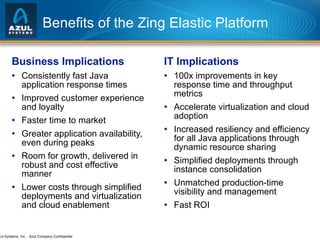
Benefits of the Zing Elastic Platform Business Implications Consistently fast Java application response times Improved customer experience and loyalty Faster time to market Greater application availability, even during peaks Room for growth, delivered in robust and cost effective manner  Lower costs through simplified deployments and virtualization and cloud enablement IT Implications 100x improvements in key response time and throughput metrics Accelerate virtualization and cloud adoption Increased resiliency and efficiency for all Java applications through dynamic resource sharing Simplified deployments through instance consolidation Unmatched production-time visibility and management Fast ROI
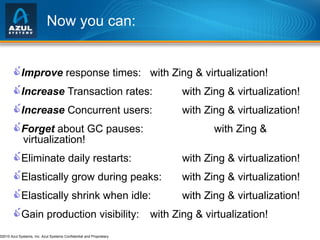
Now you can:  Improve  response times:   with Zing & virtualization!  Increase  Transaction rates:   with Zing & virtualization!  Increase  Concurrent users:   with Zing & virtualization!  Forget  about GC pauses:    with Zing & virtualization!  Eliminate daily restarts:     with Zing & virtualization!  Elastically grow during peaks:   with Zing & virtualization!  Elastically shrink when idle:   with Zing & virtualization!  Gain production visibility:   with Zing & virtualization! Smoothly scale resources up/down based on real-time demand, improving scalability, efficiency and resiliency  Allow highly effective use of available resources 100x better scale, throughput and responsiveness, improving user experience  Simplify deployment configuration Reduce instances count, improve management and visibility
Thank You
Gil Tene CTO, Azul Systems Performance Considerations in Concurrent Garbage Collected Systems
1. Understand why concurrent garbage collection is a necessity 2. Gain an understanding of performance considerations specific to concurrent garbage collection  3. Understand what concurrent collectors are sensitive to, and what can cause them to fail 4. Learn how [not] to measure GC in a lab
What is a concurrent collector? A Concurrent Collector performs garbage collection work concurrently with the application’s own execution A Parallel Collector uses multiple CPUs to perform garbage collection
About the speaker Gil Tene (CTO),  Azul Systems   We deal with concurrent GC on a daily basis Azul makes Java scalable thru virtualization We make physical (Vega™) and Virtual (Zing™) appliances Our appliances power JVMs on Linux, Solaris, AIX, HPUX, … Production installations ranging from 1GB to 300GB+ of heap Zing VM instances smoothly scale to 100s of GB, 10s of cores Concurrent GC has always been a must in our space It’s now a must in everyone’s space - can’t scale without it Focused on concurrent GC for the past 8 years Azul’s GPGC designed for robustness, low sensitivity
Why use a concurrent collector? Why not stop-the-world? Because pause times break your SLAs Because you need to grow your heap size Because your application needs to scale Because you can’t predict everything exactly  Because you live in the real world…
Agenda Background Failure & Sensitivity Terminology & Metrics Detail and inter-relations of key metrics Collector mechanism examples Recommendations for measurements Q & A
Why we really need concurrent collectors Software is unable to fill up hardware effectively   2000: A 512MB-1GB heap was “large” A 1-2GB commodity server was “large” A 2 core commodity server was “large” 2010: A 2GB heap is “large” A 128-256GB commodity server is “medium” An 24-48 core commodity server is “medium” The gap started opening in the late 1990s The root cause is Garbage Collection Pauses
Agenda Background Failure & Sensitivity Terminology & Metrics Detail and inter-relations of key metrics Collector mechanism examples Recommendations for measurements Q & A
What constitutes “failure” for a collector? It’s not just about correctness any more A Stop-The-World collector fails if it gets it wrong… A concurrent collector [also] fails if it stops the application for longer than requirements permit “ Occasional pauses” longer than SLA allows are real failures Even if the Application Instance or JVM didn’t crash Otherwise, you would have used a STW collector to begin with Simple example: Clustering Node failover must occur in X seconds or less A GC pause longer than X will trigger failover. It’s a fault. ( If you don’t think so, ask the guy whose pager just went off… )
Concurrent collectors can be sensitive Go out of the smooth operating range, and you’ll pause  Correctness now includes response time Just because it didn’t pause under load X, doesn’t mean it won’t pause under load Y Outside of the smooth operating range: More state (with no additional load) can cause a pause More load (with no additional state) can cause a pause Different use patterns can cause a pause Understand/Characterize your smooth operating range
Agenda Background Failure & Sensitivity Terminology & Metrics Detail and inter-relations of key metrics Collector mechanism examples Recommendations for measurements Q & A
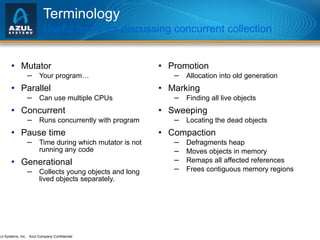
Terminology Useful terms for discussing concurrent collection Mutator Your program… Parallel Can use multiple CPUs Concurrent Runs concurrently with program Pause time Time during which mutator is not running any code Generational Collects young objects and long lived objects separately. Promotion Allocation into old generation Marking Finding all live objects Sweeping Locating the dead objects Compaction Defragments heap Moves objects in memory Remaps all affected references Frees contiguous memory regions
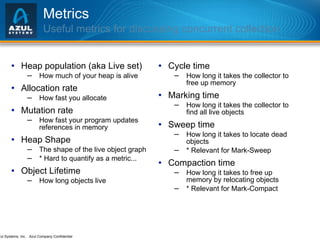
Metrics Useful metrics for discussing concurrent collection Heap population (aka Live set) How much of your heap is alive Allocation rate How fast you allocate Mutation rate How fast your program updates references in memory Heap Shape The shape of the live object graph * Hard to quantify as a metric...  Object Lifetime How long objects live Cycle time How long it takes the collector to free up memory Marking time How long it takes the collector to find all live objects Sweep time How long it takes to locate dead objects * Relevant for Mark-Sweep  Compaction time How long it takes to free up memory by relocating objects * Relevant for Mark-Compact
Agenda Background Failure & Sensitivity Terminology & Metrics Detail and inter-relations of key metrics Collector mechanism examples Recommendations for measurements Q & A
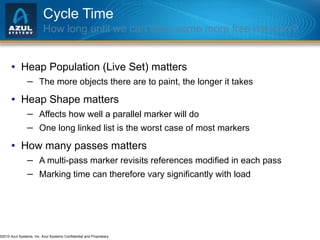
Cycle Time How long until we can have some more free memory? Heap Population (Live Set) matters The more objects there are to paint, the longer it takes Heap Shape matters Affects how well a parallel marker will do One long linked list is the worst case of most markers How many passes matters  A multi-pass marker revisits references modified in each pass Marking time can therefore vary significantly with load
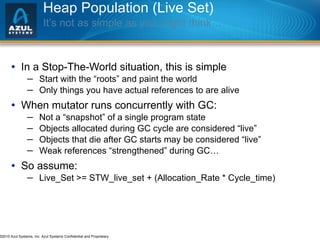
Heap Population (Live Set) It’s not as simple as you might think… In a Stop-The-World situation, this is simple Start with the “roots” and paint the world Only things you have actual references to are alive When mutator runs concurrently with GC: Not a “snapshot” of a single program state  Objects allocated during GC cycle are considered “live” Objects that die after GC starts may be considered “live” Weak references “strengthened” during GC… So assume: Live_Set >= STW_live_set + (Allocation_Rate * Cycle_time)
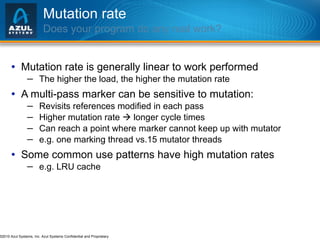
Mutation rate Does your program do any real work? Mutation rate is generally linear to work performed The higher the load, the higher the mutation rate A multi-pass marker can be sensitive to mutation: Revisits references modified in each pass Higher mutation rate    longer cycle times Can reach a point where marker cannot keep up with mutator e.g. one marking thread vs.15 mutator threads  Some common use patterns have high mutation rates e.g. LRU cache
Object lifetime Objects are active in the Old Generation Most  allocated  objects do die young So generational collection is an effective filter However, most  live  objects are old You’re not just making all those objects up every cycle… Large heaps tend to see real churn & real mutation e.g. caching is a very common use pattern for large memory OldGen is under constant pressure in the real world Unlike some/most benchmarks (e.g. SPECjbb)
Generational Assumption When you are forced to collect live young things A lot of state dies when transactions are completed Transactions typically take some minimum amount of time Load usually shows up as concurrently active state More concurrent users & transactions – more state Higher load always generates garbage faster NewGen collections happens more often as load grows At some load point NewGen becomes very expensive When NewGen GC cycles faster than transactions complete pauses significantly longer if it uses a STW mechanism
Major things that happen in a pause The non-concurrent parts of “mostly concurrent” If collector does Reference processing in a pause Weak, Soft, Final ref traversal Pause length depends on # of refs. Sensitive to common use cases of weak refs e.g. LRU & multi-index cache patterns If the collector marks mutated refs in a pause Pause length depends on mutation rate Sensitive to load If the collector performs compaction in a pause…
Fragmentation & Compaction You can’t delay it forever Fragmentation *will* happen Compaction can be delayed, but not avoided “ Compaction is done with the application paused. However, it is a necessary evil, because without it, the heap will be useless… ”  (JRockit RT tuning guide). If Compaction is done as a stop-the-world pause It will generally be your worst case pause It is a likely failure of concurrent collection Measurements without compaction are meaningless Unless you can prove that compaction won’t happen  (Good luck with that)
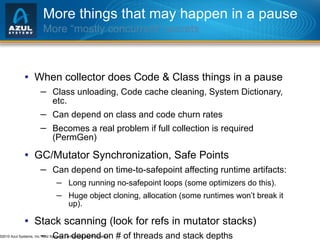
More things that may happen in a pause More “mostly concurrent” secrets When collector does Code & Class things in a pause Class unloading, Code cache cleaning, System Dictionary, etc. Can depend on class and code churn rates Becomes a real problem if full collection is required (PermGen) GC/Mutator Synchronization, Safe Points Can depend on time-to-safepoint affecting runtime artifacts: Long running no-safepoint loops (some optimizers do this). Huge object cloning, allocation (some runtimes won’t break it up). Stack scanning (look for refs in mutator stacks) Can depend on # of threads and stack depths
Agenda Background Failure & Sensitivity Terminology & Metrics Detail and inter-relations of key metrics Collector mechanism examples Recommendations for measurements Q & A
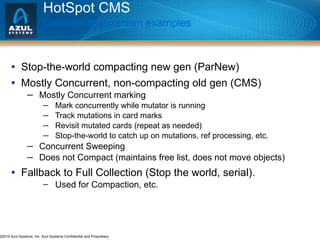
HotSpot CMS Collector mechanism examples Stop-the-world compacting new gen (ParNew) Mostly Concurrent, non-compacting old gen (CMS) Mostly Concurrent marking Mark concurrently while mutator is running Track mutations in card marks Revisit mutated cards (repeat as needed) Stop-the-world to catch up on mutations, ref processing, etc. Concurrent Sweeping Does not Compact (maintains free list, does not move objects) Fallback to Full Collection (Stop the world, serial). Used for Compaction, etc.
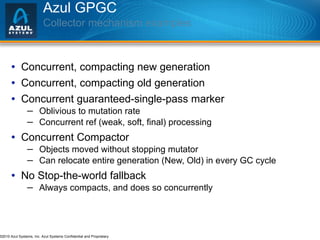
Azul GPGC  Collector mechanism examples Concurrent, compacting new generation Concurrent, compacting old generation Concurrent guaranteed-single-pass marker Oblivious to mutation rate Concurrent ref (weak, soft, final) processing Concurrent Compactor Objects moved without stopping mutator Can relocate entire generation (New, Old) in every GC cycle No Stop-the-world fallback Always compacts, and does so concurrently
Agenda Background Failure & Sensitivity Terminology & Metrics Detail and inter-relations of key metrics Collector mechanism examples Recommendations for measurements Q & A
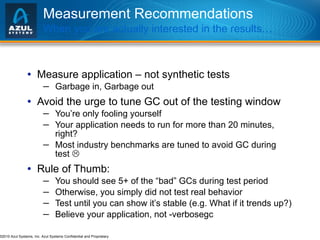
Measurement Recommendations When you are actually interested in the results… Measure application – not synthetic tests Garbage in, Garbage out Avoid the urge to tune GC out of the testing window You’re only fooling yourself Your application needs to run for more than 20 minutes, right? Most industry benchmarks are tuned to avoid GC during test   Rule of Thumb: You should see 5+ of the “bad” GCs during test period Otherwise, you simply did not test real behavior Test until you can show it’s stable (e.g. What if it trends up?) Believe your application, not -verbosegc
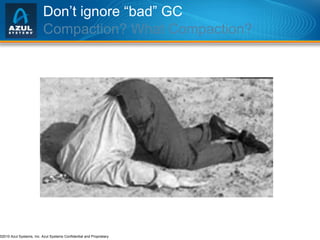
Don’t ignore “bad” GC Compaction? What Compaction?
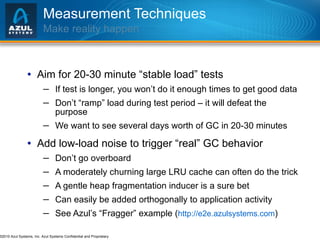
Measurement Techniques Make reality happen Aim for 20-30 minute “stable load” tests If test is longer, you won’t do it enough times to get good data Don’t “ramp” load during test period – it will defeat the purpose We want to see several days worth of GC in 20-30 minutes Add low-load noise to trigger “real” GC behavior Don’t go overboard A moderately churning large LRU cache can often do the trick A gentle heap fragmentation inducer is a sure bet Can easily be added orthogonally to application activity See Azul’s “Fragger” example ( http://e2e.azulsystems.com )
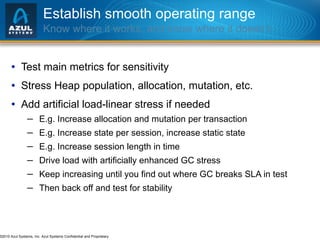
Establish smooth operating range Know where it works, and know where it doesn’t… Test main metrics for sensitivity Stress Heap population, allocation, mutation, etc. Add artificial load-linear stress if needed E.g. Increase allocation and mutation per transaction E.g. Increase state per session, increase static state E.g. Increase session length in time Drive load with artificially enhanced GC stress Keep increasing until you find out where GC breaks SLA in test Then back off and test for stability
Summary Know where the cliff is, then stay away from the edge… Sensitivity is key If it fails, it will be without warning Know where you stand on key measurable metrics Application driven: Live Set, Allocation rate, Heap size GC driven: Cycle times, Compaction Time, Pause times Deal with robustness first, and only then with efficiency Efficient and 2% away from failure is not a good thing Establish your envelope Only then will you know how safe (or unsafe) you are http://e2e.azulsystems.com
Gil Tene CTO, Azul Systems Q & A Remember:  Zing Announcement JavaOne Ticket drawing 13:45 @“Double” Conf. room
Gil Tene CTO, Azul Systems Thank You Performance Considerations in Concurrent Garbage Collected Systems

Azul yandexjune010

  • 1.
    Gil Tene CTO& co-founder, Azul Systems June 26, 2010 Azul Tech Talk Yandex, June 2010
  • 2.
    Agenda Background Memorystagnation Java & Virtualization [Concurrent] Garbage Collection deep-dive Some [more] Azul Zing Platform details Talk-Talk / Q & A
  • 3.
    Gil Tene CTO& co-founder, Azul Systems June 26, 2010 Memory Stagnation
  • 4.
    Gil Tene CTO& co-founder, Azul Systems June 26, 2010 2GB: the new 640K
  • 5.
    Memory. How many of you use heap sizes:  Larger than ½ GB?  Larger than 1 GB?  Larger than 2 GB?  Larger than 4 GB?  Larger than 10 GB?  Larger than 20 GB?  Larger than 100 GB?
  • 6.
    Problem statement: Memoryfootprint has stagnated Individual Instances with ~1-2GB of heap were commonplace in 2001 Some were still smaller Very few were larger Individual instances with ~1-2GB dominate in 2010 Very few are smaller Relatively few are larger Could it really be that all applications have the same memory size needs? The practical size of an individual Java heap has not moved in ~9 years.
  • 7.
    Why ~2GB? –It’s all about GC (and only GC) Seems to be the practical limit for responsive applications A 100GB heap won’t crash. It just periodically “pauses” for many minutes at a time. [Virtually] All current commercial JVMs will exhibit a periodic multi-second pause on a normally utilized 2GB heap. It’s a question of “When”, not “If”. GC Tuning only moves the “when” and the “how often” around “ Compaction is done with the application paused. However, it is a necessary evil, because without it, the heap will be useless… ” (JRockit RT tuning guide).
  • 8.
    Maybe 2GB issimply enough? We hope not Plenty of evidence to support pent up need for more heap Common use of lateral scale across machines Common use of “lateral scale” within machines Use of “external” memory with growing data sets Databases certainly keep growing External data caches (memcache, Jcache, JavaSpaces) Continuous work on the never ending distribution problem More and more reinvention of NUMA Bring data to compute, bring compute to data
  • 9.
    Will distributed solutions“solve” the problem? Distributed data solutions are [only] used to solve problems that can’t be solved without distribution Extra complexity & loss of efficiency only justified by necessity It’s always because something doesn’t fit in one simple symmetric UMA process model When we need more compute power than one node has When we need more memory state than one node can hold Distributed solutions are not used to solve tiny problems “ Tiny” is not a matter of opinion, it’s a matter of time “ Tiny” gets ~100x bigger every decade
  • 10.
    “ Tiny” applicationhistory 100KB apps on a ¼ to ½ MB Server 10MB apps on a 32 – 64 MB server 1GB apps on a 2 – 4 GB server ??? GB apps on 256 GB Moore’s Law: transistor counts grow 2x every 18 mouths ~100x every 10 yrs 1980 1990 2000 2010 100GB Zing VM
  • 11.
    2GB is thenew 640K This is getting embarrassing…. We do strange things within servers now… Java runtimes “misbehave” above ~2GB of memory Most people won’t tolerate 20 second pauses It takes 50 JVM instances to fill up a ~$10K, ~100GB server A 256GB server can now be bought for ~$18K (mid 2010) Using distributed SW solutions within a single commodity server Similar to the EMS tricks Windows 3.1 used to deal with the 640KB cap Looks a lot like Yak shaving The problem is in the software stack Artificial constraints on memory per instance GC Pause time is the only limiting factor for instance size Can’t just “tune it away” Solve GC, and you’ve solved the problem
  • 12.
    Gil Tene CTO& co-founder, Azul Systems June 26, 2010 The Zing Platform Virtualization++ for Java
  • 13.
    Java & Virtualization How many of you use virtualization? i.e. KVM, VMWare, Xen, desktop virtualization (Fusion, Parallels, VirtualBox, etc.)  How many of you use it for production applications?  How many of you think that virtualization will make your application run faster?
  • 14.
    The Virtualization Tax Virtualization is universally considered a “tax”  Typical focus is on measuring and reducing overhead  Everyone hopes to get to “virtually the same as non-virtualized” performance characteristics  But we can do so much better…. What If virtualization made Applications Better ?
  • 15.
    Virtualization with Application benefits Improve response times:  Increase Transaction rates:  Increase Concurrent users:  Forget about GC pauses:  Eliminate daily restarts:  Elastically grow during peaks:  Elastically shrink when idle:  Gain production visibility: If you want to:… Use Zing & Virtualization Use Zing & Virtualization Use Zing & virtualization Use Zing & virtualization Use Zing & virtualization Use Zing & virtualization Use Zing & virtualization Use Zing & virtualization
  • 16.
    Java Virtualization Newfoundation for elastic, scalable Java deployments  Virtualize the Java runtime….. Liberate Java from the OS, optimizing runtime execution  Allow highly effective use of available resources 100x better scale, throughput and responsiveness, improving user experience  Elastically scale applications Smoothly scale resources up/down based on real-time demand, improving scalability, efficiency and resiliency  Simplify deployment configuration Reduce instances count, improve management and visibility
  • 17.
    Azul Java VirtualizationLiberating Java from the rigidities of the OS Java Virtualization Java App OS Layer x86 Server
  • 18.
    Zing™ Platform ComponentsZing Virtual Appliances Elastic, Scalable Capacity Zing Virtual Machine Transparent Virtualization Zing Resource Controller Management and Monitoring Zing Vision Built-in App Profiling
  • 19.
    Zing™ Platform ComponentsZing Virtual Appliances Elastic, Scalable Capacity Zing Virtual Machine Transparent Virtualization Zing Resource Controller Management and Monitoring Zing Vision Built-in App Profiling
  • 20.
    Zing Elastic DeploymentsVirtualizing Java workloads in the Cloud Zing Resource Controller Plug-In Hypervisor Hypervisor Hypervisor Linux Windows ZVA App ZVA Apps ZVA App ZVA App Zing Virtual Appliance App ZVA Apps ZVA App ZVA App ZVA App Resources are utilized by the Zing virtual appliances, not the OSs
  • 21.
    Virtues of theZing Elastic Platform Making virtualization the best environment for Java Optimized Runtime Platform More effective use of resources (dozens of cores, 100s of GBs) Scales smoothly over a wide range (from 1 GB to 1 TB) Greater stability, resiliency and operating range Record-breaking Scalability Completely eliminates GC related barriers Practical support for 100x larger heaps (e.g. 200-500+ GBs) Sustain 100x higher throughput and allocation rates Simplified Java App Deployments Better app stability with fewer, more robust JVMs Zero-overhead runtime visibility Application-aware resource control
  • 22.
    Building on aHeritage of Elastic Runtimes Proven, vertically integrated execution stack Up to 864 cores Heaps up to 640 GB Azul Vega™ 3 Compute Appliance Hardware Java Runtime OS Kernel Virtualization
  • 23.
    Benefits of theZing Elastic Platform Business Implications Consistently fast Java application response times Improved customer experience and loyalty Faster time to market Greater application availability, even during peaks Room for growth, delivered in robust and cost effective manner Lower costs through simplified deployments and virtualization and cloud enablement IT Implications 100x improvements in key response time and throughput metrics Accelerate virtualization and cloud adoption Increased resiliency and efficiency for all Java applications through dynamic resource sharing Simplified deployments through instance consolidation Unmatched production-time visibility and management Fast ROI
  • 24.
    Now you can: Improve response times: with Zing & virtualization!  Increase Transaction rates: with Zing & virtualization!  Increase Concurrent users: with Zing & virtualization!  Forget about GC pauses: with Zing & virtualization!  Eliminate daily restarts: with Zing & virtualization!  Elastically grow during peaks: with Zing & virtualization!  Elastically shrink when idle: with Zing & virtualization!  Gain production visibility: with Zing & virtualization! Smoothly scale resources up/down based on real-time demand, improving scalability, efficiency and resiliency  Allow highly effective use of available resources 100x better scale, throughput and responsiveness, improving user experience  Simplify deployment configuration Reduce instances count, improve management and visibility
  • 25.
  • 26.
    Gil Tene CTO,Azul Systems Performance Considerations in Concurrent Garbage Collected Systems
  • 27.
    1. Understand whyconcurrent garbage collection is a necessity 2. Gain an understanding of performance considerations specific to concurrent garbage collection 3. Understand what concurrent collectors are sensitive to, and what can cause them to fail 4. Learn how [not] to measure GC in a lab
  • 28.
    What is aconcurrent collector? A Concurrent Collector performs garbage collection work concurrently with the application’s own execution A Parallel Collector uses multiple CPUs to perform garbage collection
  • 29.
    About the speakerGil Tene (CTO), Azul Systems We deal with concurrent GC on a daily basis Azul makes Java scalable thru virtualization We make physical (Vega™) and Virtual (Zing™) appliances Our appliances power JVMs on Linux, Solaris, AIX, HPUX, … Production installations ranging from 1GB to 300GB+ of heap Zing VM instances smoothly scale to 100s of GB, 10s of cores Concurrent GC has always been a must in our space It’s now a must in everyone’s space - can’t scale without it Focused on concurrent GC for the past 8 years Azul’s GPGC designed for robustness, low sensitivity
  • 30.
    Why use aconcurrent collector? Why not stop-the-world? Because pause times break your SLAs Because you need to grow your heap size Because your application needs to scale Because you can’t predict everything exactly Because you live in the real world…
  • 31.
    Agenda Background Failure& Sensitivity Terminology & Metrics Detail and inter-relations of key metrics Collector mechanism examples Recommendations for measurements Q & A
  • 32.
    Why we reallyneed concurrent collectors Software is unable to fill up hardware effectively 2000: A 512MB-1GB heap was “large” A 1-2GB commodity server was “large” A 2 core commodity server was “large” 2010: A 2GB heap is “large” A 128-256GB commodity server is “medium” An 24-48 core commodity server is “medium” The gap started opening in the late 1990s The root cause is Garbage Collection Pauses
  • 33.
    Agenda Background Failure& Sensitivity Terminology & Metrics Detail and inter-relations of key metrics Collector mechanism examples Recommendations for measurements Q & A
  • 34.
    What constitutes “failure”for a collector? It’s not just about correctness any more A Stop-The-World collector fails if it gets it wrong… A concurrent collector [also] fails if it stops the application for longer than requirements permit “ Occasional pauses” longer than SLA allows are real failures Even if the Application Instance or JVM didn’t crash Otherwise, you would have used a STW collector to begin with Simple example: Clustering Node failover must occur in X seconds or less A GC pause longer than X will trigger failover. It’s a fault. ( If you don’t think so, ask the guy whose pager just went off… )
  • 35.
    Concurrent collectors canbe sensitive Go out of the smooth operating range, and you’ll pause Correctness now includes response time Just because it didn’t pause under load X, doesn’t mean it won’t pause under load Y Outside of the smooth operating range: More state (with no additional load) can cause a pause More load (with no additional state) can cause a pause Different use patterns can cause a pause Understand/Characterize your smooth operating range
  • 36.
    Agenda Background Failure& Sensitivity Terminology & Metrics Detail and inter-relations of key metrics Collector mechanism examples Recommendations for measurements Q & A
  • 37.
    Terminology Useful termsfor discussing concurrent collection Mutator Your program… Parallel Can use multiple CPUs Concurrent Runs concurrently with program Pause time Time during which mutator is not running any code Generational Collects young objects and long lived objects separately. Promotion Allocation into old generation Marking Finding all live objects Sweeping Locating the dead objects Compaction Defragments heap Moves objects in memory Remaps all affected references Frees contiguous memory regions
  • 38.
    Metrics Useful metricsfor discussing concurrent collection Heap population (aka Live set) How much of your heap is alive Allocation rate How fast you allocate Mutation rate How fast your program updates references in memory Heap Shape The shape of the live object graph * Hard to quantify as a metric... Object Lifetime How long objects live Cycle time How long it takes the collector to free up memory Marking time How long it takes the collector to find all live objects Sweep time How long it takes to locate dead objects * Relevant for Mark-Sweep Compaction time How long it takes to free up memory by relocating objects * Relevant for Mark-Compact
  • 39.
    Agenda Background Failure& Sensitivity Terminology & Metrics Detail and inter-relations of key metrics Collector mechanism examples Recommendations for measurements Q & A
  • 40.
    Cycle Time Howlong until we can have some more free memory? Heap Population (Live Set) matters The more objects there are to paint, the longer it takes Heap Shape matters Affects how well a parallel marker will do One long linked list is the worst case of most markers How many passes matters A multi-pass marker revisits references modified in each pass Marking time can therefore vary significantly with load
  • 41.
    Heap Population (LiveSet) It’s not as simple as you might think… In a Stop-The-World situation, this is simple Start with the “roots” and paint the world Only things you have actual references to are alive When mutator runs concurrently with GC: Not a “snapshot” of a single program state Objects allocated during GC cycle are considered “live” Objects that die after GC starts may be considered “live” Weak references “strengthened” during GC… So assume: Live_Set >= STW_live_set + (Allocation_Rate * Cycle_time)
  • 42.
    Mutation rate Doesyour program do any real work? Mutation rate is generally linear to work performed The higher the load, the higher the mutation rate A multi-pass marker can be sensitive to mutation: Revisits references modified in each pass Higher mutation rate  longer cycle times Can reach a point where marker cannot keep up with mutator e.g. one marking thread vs.15 mutator threads Some common use patterns have high mutation rates e.g. LRU cache
  • 43.
    Object lifetime Objectsare active in the Old Generation Most allocated objects do die young So generational collection is an effective filter However, most live objects are old You’re not just making all those objects up every cycle… Large heaps tend to see real churn & real mutation e.g. caching is a very common use pattern for large memory OldGen is under constant pressure in the real world Unlike some/most benchmarks (e.g. SPECjbb)
  • 44.
    Generational Assumption Whenyou are forced to collect live young things A lot of state dies when transactions are completed Transactions typically take some minimum amount of time Load usually shows up as concurrently active state More concurrent users & transactions – more state Higher load always generates garbage faster NewGen collections happens more often as load grows At some load point NewGen becomes very expensive When NewGen GC cycles faster than transactions complete pauses significantly longer if it uses a STW mechanism
  • 45.
    Major things thathappen in a pause The non-concurrent parts of “mostly concurrent” If collector does Reference processing in a pause Weak, Soft, Final ref traversal Pause length depends on # of refs. Sensitive to common use cases of weak refs e.g. LRU & multi-index cache patterns If the collector marks mutated refs in a pause Pause length depends on mutation rate Sensitive to load If the collector performs compaction in a pause…
  • 46.
    Fragmentation & CompactionYou can’t delay it forever Fragmentation *will* happen Compaction can be delayed, but not avoided “ Compaction is done with the application paused. However, it is a necessary evil, because without it, the heap will be useless… ” (JRockit RT tuning guide). If Compaction is done as a stop-the-world pause It will generally be your worst case pause It is a likely failure of concurrent collection Measurements without compaction are meaningless Unless you can prove that compaction won’t happen (Good luck with that)
  • 47.
    More things thatmay happen in a pause More “mostly concurrent” secrets When collector does Code & Class things in a pause Class unloading, Code cache cleaning, System Dictionary, etc. Can depend on class and code churn rates Becomes a real problem if full collection is required (PermGen) GC/Mutator Synchronization, Safe Points Can depend on time-to-safepoint affecting runtime artifacts: Long running no-safepoint loops (some optimizers do this). Huge object cloning, allocation (some runtimes won’t break it up). Stack scanning (look for refs in mutator stacks) Can depend on # of threads and stack depths
  • 48.
    Agenda Background Failure& Sensitivity Terminology & Metrics Detail and inter-relations of key metrics Collector mechanism examples Recommendations for measurements Q & A
  • 49.
    HotSpot CMS Collectormechanism examples Stop-the-world compacting new gen (ParNew) Mostly Concurrent, non-compacting old gen (CMS) Mostly Concurrent marking Mark concurrently while mutator is running Track mutations in card marks Revisit mutated cards (repeat as needed) Stop-the-world to catch up on mutations, ref processing, etc. Concurrent Sweeping Does not Compact (maintains free list, does not move objects) Fallback to Full Collection (Stop the world, serial). Used for Compaction, etc.
  • 50.
    Azul GPGC Collector mechanism examples Concurrent, compacting new generation Concurrent, compacting old generation Concurrent guaranteed-single-pass marker Oblivious to mutation rate Concurrent ref (weak, soft, final) processing Concurrent Compactor Objects moved without stopping mutator Can relocate entire generation (New, Old) in every GC cycle No Stop-the-world fallback Always compacts, and does so concurrently
  • 51.
    Agenda Background Failure& Sensitivity Terminology & Metrics Detail and inter-relations of key metrics Collector mechanism examples Recommendations for measurements Q & A
  • 52.
    Measurement Recommendations Whenyou are actually interested in the results… Measure application – not synthetic tests Garbage in, Garbage out Avoid the urge to tune GC out of the testing window You’re only fooling yourself Your application needs to run for more than 20 minutes, right? Most industry benchmarks are tuned to avoid GC during test  Rule of Thumb: You should see 5+ of the “bad” GCs during test period Otherwise, you simply did not test real behavior Test until you can show it’s stable (e.g. What if it trends up?) Believe your application, not -verbosegc
  • 53.
    Don’t ignore “bad”GC Compaction? What Compaction?
  • 54.
    Measurement Techniques Makereality happen Aim for 20-30 minute “stable load” tests If test is longer, you won’t do it enough times to get good data Don’t “ramp” load during test period – it will defeat the purpose We want to see several days worth of GC in 20-30 minutes Add low-load noise to trigger “real” GC behavior Don’t go overboard A moderately churning large LRU cache can often do the trick A gentle heap fragmentation inducer is a sure bet Can easily be added orthogonally to application activity See Azul’s “Fragger” example ( http://e2e.azulsystems.com )
  • 55.
    Establish smooth operatingrange Know where it works, and know where it doesn’t… Test main metrics for sensitivity Stress Heap population, allocation, mutation, etc. Add artificial load-linear stress if needed E.g. Increase allocation and mutation per transaction E.g. Increase state per session, increase static state E.g. Increase session length in time Drive load with artificially enhanced GC stress Keep increasing until you find out where GC breaks SLA in test Then back off and test for stability
  • 56.
    Summary Know wherethe cliff is, then stay away from the edge… Sensitivity is key If it fails, it will be without warning Know where you stand on key measurable metrics Application driven: Live Set, Allocation rate, Heap size GC driven: Cycle times, Compaction Time, Pause times Deal with robustness first, and only then with efficiency Efficient and 2% away from failure is not a good thing Establish your envelope Only then will you know how safe (or unsafe) you are http://e2e.azulsystems.com
  • 57.
    Gil Tene CTO,Azul Systems Q & A Remember: Zing Announcement JavaOne Ticket drawing 13:45 @“Double” Conf. room
  • 58.
    Gil Tene CTO,Azul Systems Thank You Performance Considerations in Concurrent Garbage Collected Systems

Editor's Notes

  • #2 © 2007 Azul Systems, Inc. | Confidential
  • #3 GIL: So here’s how we’re going to cover this talk: We’ll start with some background and definitions. We’ll then dive into inter-play between metrics, and what things are sensitive to. We’ll then discuss a couple of commercially available GC examples. And for the main takeways, we’ll share observations and recommendations about measuring GC and it’s effects.
  • #4 © 2007 Azul Systems, Inc. | Confidential
  • #5 © 2007 Azul Systems, Inc. | Confidential
  • #13 © 2007 Azul Systems, Inc. | Confidential
  • #21 © 2008 Azul Systems, Inc.
  • #24 © 2008 Azul Systems, Inc.
  • #26 © 2007 Azul Systems, Inc. | Confidential
  • #27 © 2007 Azul Systems, Inc. | Confidential
  • #58 © 2007 Azul Systems, Inc. | Confidential
  • #59 © 2007 Azul Systems, Inc. | Confidential