AWS VS. AZURE VS. GOOGLE VS. SOFTLAYER
NETWORK, ARCHIVE STORAGE, DBAAS
• Adam Alexander
• Senior Cloud Architect, RightScale
• Brian Adler
• Director, Enterprise Architecture, RightScale
• Ryan O’Leary
• Director, Product Management, RightScale
Panelists
1
• Network
• Archival Storage
• Physical Data Transport
• DBaaS
Agenda
2
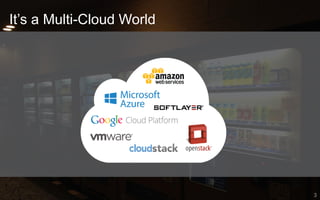
It’s a Multi-Cloud World
3
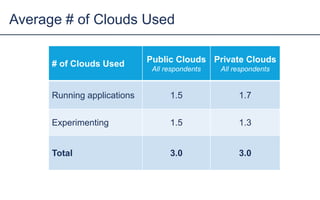
# of Clouds Used Public Clouds
All respondents
Private Clouds
All respondents
Running applications 1.5 1.7
Experimenting 1.5 1.3
Total 3.0 3.0
Average # of Clouds Used
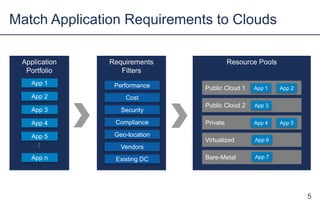
Resource Pools
Public Cloud 1
Requirements
Filters
Performance
Cost
Compliance
Geo-location
Security
Match Application Requirements to Clouds
5
Vendors
Existing DC
App 1 App 2
Application
Portfolio
App 1
App 2
App 3
App n
…
App 4
App 5
Public Cloud 2
Private
Virtualized
Bare-Metal
App 3
App 4 App 5
App 6
App 7
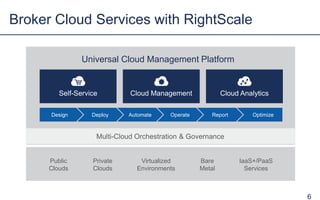
Broker Cloud Services with RightScale
6
Self-Service Cloud Analytics
Universal Cloud Management Platform
Cloud Management
Design
Virtualized
Environments
Public
Clouds
IaaS+/PaaS
Services
Private
Clouds
Bare
Metal
Automate
Multi-Cloud Orchestration & Governance
OperateDeploy Report Optimize
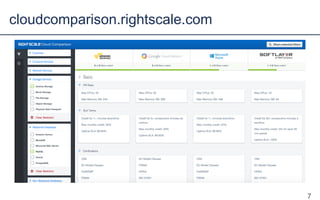
cloudcomparison.rightscale.com
7
NETWORK
• Private networks
• IP addressing
• Communication between networks and subnets
• Software-defined firewall rules
• VPN support
• Direct connection support
Cloud-Based Networking Options
9
VPC
• Control IP ranges, subnets, routing, gateways
• Multiple IPs per server (ENI), Elastic IPs (persistent public
IPs)
• VPC Peering (within region)
• Security groups per-server and subnet-level ACLs
• VPN Supports hardware IPsec router devices and dual
tunnels
• Direct Connect up to 10 gbit dedicated line to one of 26
worldwide datacenters, separate public and private interface
Amazon Web Services Networking
10
Virtual Network
• Define IP range, subnets, routing
• Optional public VIPs, static or dynamic
• Link between VNets (any region) encrypted over Azure fiber
• Security groups per-server, ACLs on public VIP endpoint
• VPN Supports hardware IPsec router devices, software
devices, and SSTP (Secure Socket Tunneling Protocol) from
Windows workstations
• ExpressRoute: up to 10 gbit dedicated line to one of 26
worldwide datacenters, redundant interfaces
Azure Networking
11
Cloud Virtual Network
• Define IP range, subnets (can span AZs), routing
• Optional public IPs, static or dynamic
• Transparent communication between subnets
• Firewall rules per server
• Hardware IPsec VPN, connect to second Cloud VPN gateway
or a virtual gateway running in another provider's network
• Cloud Interconnect for direct connection to GCP datacenters
Google Cloud Platform Networking
12
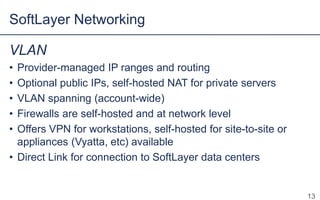
VLAN
• Provider-managed IP ranges and routing
• Optional public IPs, self-hosted NAT for private servers
• VLAN spanning (account-wide)
• Firewalls are self-hosted and at network level
• Offers VPN for workstations, self-hosted for site-to-site or
appliances (Vyatta, etc) available
• Direct Link for connection to SoftLayer datacenters
SoftLayer Networking
13
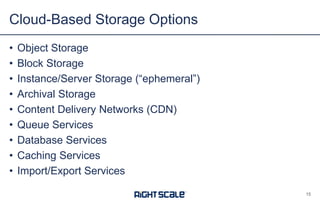
STORAGE
• Object Storage
• Block Storage
• Instance/Server Storage (“ephemeral”)
• Archival Storage
• Content Delivery Networks (CDN)
• Queue Services
• Database Services
• Caching Services
• Import/Export Services
Cloud-Based Storage Options
15
16
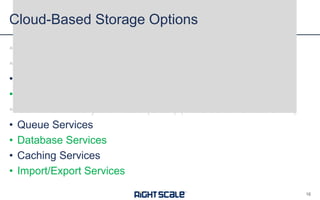
Cloud-Based Storage Options
• Object Storage (covered in previous webinar)
• Block Storage (covered in previous webinar)
• Instance/Server Storage (“ephemeral”)
• Archival Storage
• Content Delivery Networks (CDNs) (covered in previous
webinar)
• Queue Services
• Database Services
• Caching Services
• Import/Export Services
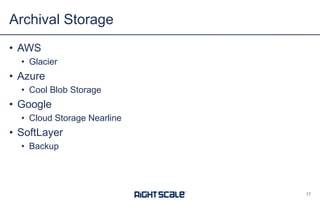
• AWS
• Glacier
• Azure
• Cool Blob Storage
• Google
• Cloud Storage Nearline
• SoftLayer
• Backup
Archival Storage
17
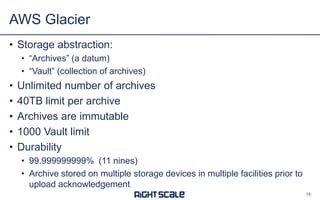
• Storage abstraction:
• “Archives” (a datum)
• “Vault” (collection of archives)
• Unlimited number of archives
• 40TB limit per archive
• Archives are immutable
• 1000 Vault limit
• Durability
• 99.999999999% (11 nines)
• Archive stored on multiple storage devices in multiple facilities prior to
upload acknowledgement
AWS Glacier
18
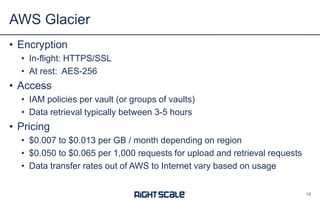
• Encryption
• In-flight: HTTPS/SSL
• At rest: AES-256
• Access
• IAM policies per vault (or groups of vaults)
• Data retrieval typically between 3-5 hours
• Pricing
• $0.007 to $0.013 per GB / month depending on region
• $0.050 to $0.065 per 1,000 requests for upload and retrieval requests
• Data transfer rates out of AWS to Internet vary based on usage
AWS Glacier
19
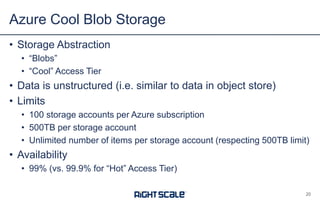
• Storage Abstraction
• “Blobs”
• “Cool” Access Tier
• Data is unstructured (i.e. similar to data in object store)
• Limits
• 100 storage accounts per Azure subscription
• 500TB per storage account
• Unlimited number of items per storage account (respecting 500TB limit)
• Availability
• 99% (vs. 99.9% for “Hot” Access Tier)
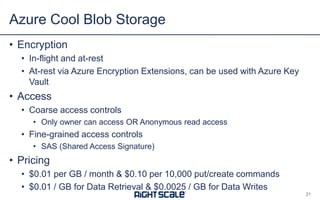
Azure Cool Blob Storage
20
• Encryption
• In-flight and at-rest
• At-rest via Azure Encryption Extensions, can be used with Azure Key
Vault
• Access
• Coarse access controls
• Only owner can access OR Anonymous read access
• Fine-grained access controls
• SAS (Shared Access Signature)
• Pricing
• $0.01 per GB / month & $0.10 per 10,000 put/create commands
• $0.01 / GB for Data Retrieval & $0.0025 / GB for Data Writes
Azure Cool Blob Storage
21
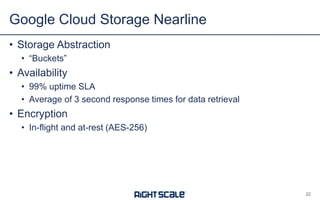
• Storage Abstraction
• “Buckets”
• Availability
• 99% uptime SLA
• Average of 3 second response times for data retrieval
• Encryption
• In-flight and at-rest (AES-256)
Google Cloud Storage Nearline
22
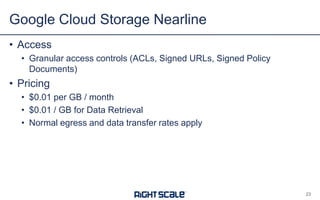
• Access
• Granular access controls (ACLs, Signed URLs, Signed Policy
Documents)
• Pricing
• $0.01 per GB / month
• $0.01 / GB for Data Retrieval
• Normal egress and data transfer rates apply
Google Cloud Storage Nearline
23
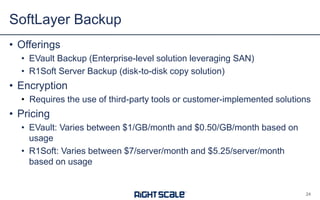
• Offerings
• EVault Backup (Enterprise-level solution leveraging SAN)
• R1Soft Server Backup (disk-to-disk copy solution)
• Encryption
• Requires the use of third-party tools or customer-implemented solutions
• Pricing
• EVault: Varies between $1/GB/month and $0.50/GB/month based on
usage
• R1Soft: Varies between $7/server/month and $5.25/server/month
based on usage
SoftLayer Backup
24
PHYSICAL DATA
TRANSFER
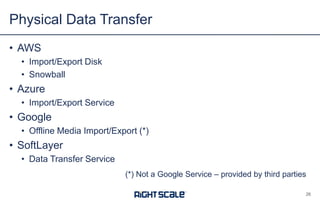
• AWS
• Import/Export Disk
• Snowball
• Azure
• Import/Export Service
• Google
• Offline Media Import/Export (*)
• SoftLayer
• Data Transfer Service
Physical Data Transfer
26
(*) Not a Google Service – provided by third-parties
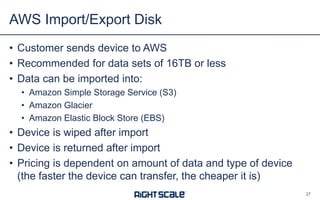
• Customer sends device to AWS
• Recommended for data sets of 16TB or less
• Data can be imported into:
• Amazon Simple Storage Service (S3)
• Amazon Glacier
• Amazon Elastic Block Store (EBS)
• Device is wiped after import
• Device is returned after import
• Pricing is dependent on amount of data and type of device
(the faster the device can transfer, the cheaper it is)
AWS Import/Export Disk
27
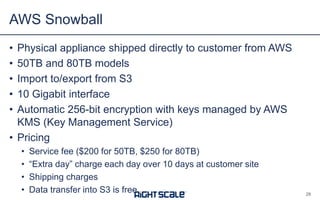
• Physical appliance shipped directly to customer from AWS
• 50TB and 80TB models
• Import to/export from S3
• 10 Gigabit interface
• Automatic 256-bit encryption with keys managed by AWS
KMS (Key Management Service)
• Pricing
• Service fee ($200 for 50TB, $250 for 80TB)
• “Extra day” charge each day over 10 days at customer site
• Shipping charges
• Data transfer into S3 is free
AWS Snowball
28
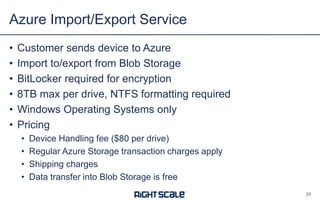
• Customer sends device to Azure
• Import to/export from Blob Storage
• BitLocker required for encryption
• 8TB max per drive, NTFS formatting required
• Windows Operating Systems only
• Pricing
• Device Handling fee ($80 per drive)
• Regular Azure Storage transaction charges apply
• Shipping charges
• Data transfer into Blob Storage is free
Azure Import/Export Service
29
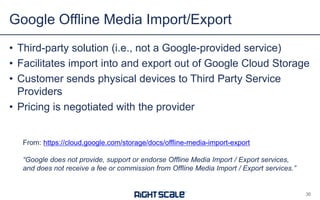
• Third-party solution (i.e. not a Google-provided service)
• Facilitates import into and export out of Google Cloud Storage
• Customer sends physical devices to Third Party Service
Providers
• Pricing is negotiated with the provider
Google Offline Media Import/Export
30
From: https://cloud.google.com/storage/docs/offline-media-import-export
“Google does not provide, support or endorse Offline Media Import / Export services,
and does not receive a fee or commission from Offline Media Import / Export services.”
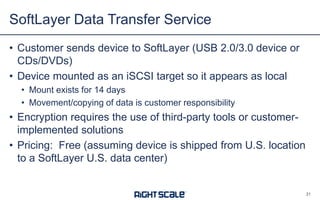
• Customer sends device to SoftLayer (USB 2.0/3.0 device or
CDs/DVDs)
• Device mounted as an iSCSI target so it appears as local
• Mount exists for 14 days
• Movement/copying of data is customer responsibility
• Encryption requires the use of third-party tools or customer-
implemented solutions
• Pricing: Free (assuming device is shipped from US location
to a SoftLayer US datacenter)
SoftLayer Data Transfer Service
31
DBAAS
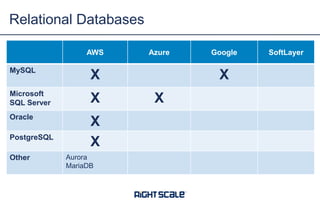
Relational Databases
AWS Azure Google SoftLayer
MySQL
X X
Microsoft
SQL Server X X
Oracle
X
PostgreSQL
X
Other Aurora
MariaDB
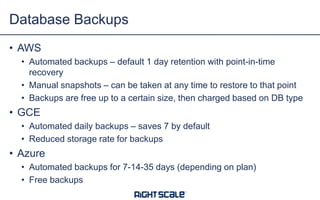
• AWS
• Automated backups – default 1 day retention with point-in-time
recovery
• Manual snapshots – can be taken at any time to restore to that point
• Backups are free up to a certain size, then charged based on DB type
• GCE
• Automated daily backups – saves 7 by default
• Reduced storage rate for backups
• Azure
• Automated backups for 7-14-35 days (depending on plan)
• Free backups
Database Backups
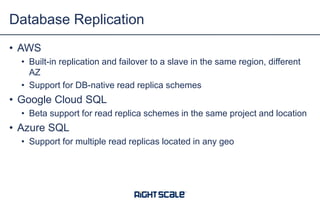
• AWS
• Built-in replication and failover to a slave in the same region, different
AZ
• Support for DB-native read replica schemes
• Google Cloud SQL
• Beta support for read replica schemes in the same project and location
• Azure SQL
• Support for multiple read replicas located in any geo
Database Replication
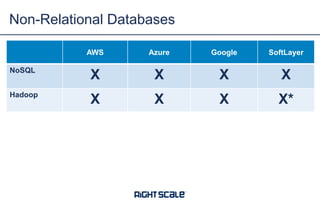
Non-Relational Databases
AWS Azure Google SoftLayer
NoSQL
X X X X
Hadoop
X X X X*
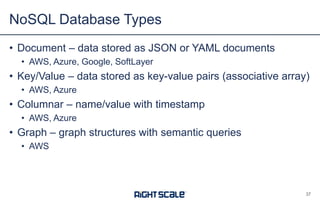
• Document – data stored as JSON or YAML documents
• AWS, Azure, Google, SoftLayer
• Key/Value – data stored as key-value pairs (associative array)
• AWS, Azure
• Columnar – name/value with timestamp
• AWS, Azure
• Graph – graph structures with semantic queries
• AWS
NoSQL Database Types
37
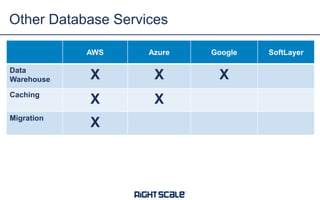
Other Database Services
AWS Azure Google SoftLayer
Data
Warehouse X X X
Caching
X X
Migration
X
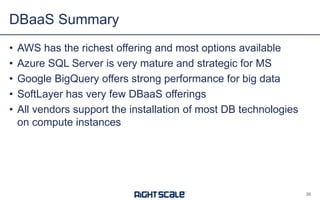
• AWS has the richest offering and most options available
• Azure SQL Server is very mature and strategic for MS
• Google BigQuery offers strong performance for big data
• SoftLayer has very few DBaaS offerings
• All vendors support the installation of most DB technologies
on compute instances
DBaaS Summary
39
• Free Cloud Comparison Tool
• cloudcomparison.rightscale.com
• IT as a Cloud Broker
• www.rightscale.com/cloud-broker-white-paper
• On-Demand Webinar:
• Compare Clouds: AWS vs. Azure vs. Google vs. SoftLayer (Object
Storage, Pricing, Container Services)
• www.rightscale.com/webinars
Q&A
40

AWS vs. Azure vs. Google vs. SoftLayer: Network, Storage and DBaaS

  • 1.
    AWS VS. AZUREVS. GOOGLE VS. SOFTLAYER NETWORK, ARCHIVE STORAGE, DBAAS
  • 2.
    • Adam Alexander •Senior Cloud Architect, RightScale • Brian Adler • Director, Enterprise Architecture, RightScale • Ryan O’Leary • Director, Product Management, RightScale Panelists 1
  • 3.
    • Network • ArchivalStorage • Physical Data Transport • DBaaS Agenda 2
  • 4.
  • 5.
    # of CloudsUsed Public Clouds All respondents Private Clouds All respondents Running applications 1.5 1.7 Experimenting 1.5 1.3 Total 3.0 3.0 Average # of Clouds Used
  • 6.
    Resource Pools Public Cloud1 Requirements Filters Performance Cost Compliance Geo-location Security Match Application Requirements to Clouds 5 Vendors Existing DC App 1 App 2 Application Portfolio App 1 App 2 App 3 App n … App 4 App 5 Public Cloud 2 Private Virtualized Bare-Metal App 3 App 4 App 5 App 6 App 7
  • 7.
    Broker Cloud Serviceswith RightScale 6 Self-Service Cloud Analytics Universal Cloud Management Platform Cloud Management Design Virtualized Environments Public Clouds IaaS+/PaaS Services Private Clouds Bare Metal Automate Multi-Cloud Orchestration & Governance OperateDeploy Report Optimize
  • 8.
  • 9.
  • 10.
    • Private networks •IP addressing • Communication between networks and subnets • Software-defined firewall rules • VPN support • Direct connection support Cloud-Based Networking Options 9
  • 11.
    VPC • Control IPranges, subnets, routing, gateways • Multiple IPs per server (ENI), Elastic IPs (persistent public IPs) • VPC Peering (within region) • Security groups per-server and subnet-level ACLs • VPN Supports hardware IPsec router devices and dual tunnels • Direct Connect up to 10 gbit dedicated line to one of 26 worldwide datacenters, separate public and private interface Amazon Web Services Networking 10
  • 12.
    Virtual Network • DefineIP range, subnets, routing • Optional public VIPs, static or dynamic • Link between VNets (any region) encrypted over Azure fiber • Security groups per-server, ACLs on public VIP endpoint • VPN Supports hardware IPsec router devices, software devices, and SSTP (Secure Socket Tunneling Protocol) from Windows workstations • ExpressRoute: up to 10 gbit dedicated line to one of 26 worldwide datacenters, redundant interfaces Azure Networking 11
  • 13.
    Cloud Virtual Network •Define IP range, subnets (can span AZs), routing • Optional public IPs, static or dynamic • Transparent communication between subnets • Firewall rules per server • Hardware IPsec VPN, connect to second Cloud VPN gateway or a virtual gateway running in another provider's network • Cloud Interconnect for direct connection to GCP datacenters Google Cloud Platform Networking 12
  • 14.
    VLAN • Provider-managed IPranges and routing • Optional public IPs, self-hosted NAT for private servers • VLAN spanning (account-wide) • Firewalls are self-hosted and at network level • Offers VPN for workstations, self-hosted for site-to-site or appliances (Vyatta, etc) available • Direct Link for connection to SoftLayer datacenters SoftLayer Networking 13
  • 15.
  • 16.
    • Object Storage •Block Storage • Instance/Server Storage (“ephemeral”) • Archival Storage • Content Delivery Networks (CDN) • Queue Services • Database Services • Caching Services • Import/Export Services Cloud-Based Storage Options 15
  • 17.
    16 Cloud-Based Storage Options •Object Storage (covered in previous webinar) • Block Storage (covered in previous webinar) • Instance/Server Storage (“ephemeral”) • Archival Storage • Content Delivery Networks (CDNs) (covered in previous webinar) • Queue Services • Database Services • Caching Services • Import/Export Services
  • 18.
    • AWS • Glacier •Azure • Cool Blob Storage • Google • Cloud Storage Nearline • SoftLayer • Backup Archival Storage 17
  • 19.
    • Storage abstraction: •“Archives” (a datum) • “Vault” (collection of archives) • Unlimited number of archives • 40TB limit per archive • Archives are immutable • 1000 Vault limit • Durability • 99.999999999% (11 nines) • Archive stored on multiple storage devices in multiple facilities prior to upload acknowledgement AWS Glacier 18
  • 20.
    • Encryption • In-flight:HTTPS/SSL • At rest: AES-256 • Access • IAM policies per vault (or groups of vaults) • Data retrieval typically between 3-5 hours • Pricing • $0.007 to $0.013 per GB / month depending on region • $0.050 to $0.065 per 1,000 requests for upload and retrieval requests • Data transfer rates out of AWS to Internet vary based on usage AWS Glacier 19
  • 21.
    • Storage Abstraction •“Blobs” • “Cool” Access Tier • Data is unstructured (i.e. similar to data in object store) • Limits • 100 storage accounts per Azure subscription • 500TB per storage account • Unlimited number of items per storage account (respecting 500TB limit) • Availability • 99% (vs. 99.9% for “Hot” Access Tier) Azure Cool Blob Storage 20
  • 22.
    • Encryption • In-flightand at-rest • At-rest via Azure Encryption Extensions, can be used with Azure Key Vault • Access • Coarse access controls • Only owner can access OR Anonymous read access • Fine-grained access controls • SAS (Shared Access Signature) • Pricing • $0.01 per GB / month & $0.10 per 10,000 put/create commands • $0.01 / GB for Data Retrieval & $0.0025 / GB for Data Writes Azure Cool Blob Storage 21
  • 23.
    • Storage Abstraction •“Buckets” • Availability • 99% uptime SLA • Average of 3 second response times for data retrieval • Encryption • In-flight and at-rest (AES-256) Google Cloud Storage Nearline 22
  • 24.
    • Access • Granularaccess controls (ACLs, Signed URLs, Signed Policy Documents) • Pricing • $0.01 per GB / month • $0.01 / GB for Data Retrieval • Normal egress and data transfer rates apply Google Cloud Storage Nearline 23
  • 25.
    • Offerings • EVaultBackup (Enterprise-level solution leveraging SAN) • R1Soft Server Backup (disk-to-disk copy solution) • Encryption • Requires the use of third-party tools or customer-implemented solutions • Pricing • EVault: Varies between $1/GB/month and $0.50/GB/month based on usage • R1Soft: Varies between $7/server/month and $5.25/server/month based on usage SoftLayer Backup 24
  • 26.
  • 27.
    • AWS • Import/ExportDisk • Snowball • Azure • Import/Export Service • Google • Offline Media Import/Export (*) • SoftLayer • Data Transfer Service Physical Data Transfer 26 (*) Not a Google Service – provided by third-parties
  • 28.
    • Customer sendsdevice to AWS • Recommended for data sets of 16TB or less • Data can be imported into: • Amazon Simple Storage Service (S3) • Amazon Glacier • Amazon Elastic Block Store (EBS) • Device is wiped after import • Device is returned after import • Pricing is dependent on amount of data and type of device (the faster the device can transfer, the cheaper it is) AWS Import/Export Disk 27
  • 29.
    • Physical applianceshipped directly to customer from AWS • 50TB and 80TB models • Import to/export from S3 • 10 Gigabit interface • Automatic 256-bit encryption with keys managed by AWS KMS (Key Management Service) • Pricing • Service fee ($200 for 50TB, $250 for 80TB) • “Extra day” charge each day over 10 days at customer site • Shipping charges • Data transfer into S3 is free AWS Snowball 28
  • 30.
    • Customer sendsdevice to Azure • Import to/export from Blob Storage • BitLocker required for encryption • 8TB max per drive, NTFS formatting required • Windows Operating Systems only • Pricing • Device Handling fee ($80 per drive) • Regular Azure Storage transaction charges apply • Shipping charges • Data transfer into Blob Storage is free Azure Import/Export Service 29
  • 31.
    • Third-party solution(i.e. not a Google-provided service) • Facilitates import into and export out of Google Cloud Storage • Customer sends physical devices to Third Party Service Providers • Pricing is negotiated with the provider Google Offline Media Import/Export 30 From: https://cloud.google.com/storage/docs/offline-media-import-export “Google does not provide, support or endorse Offline Media Import / Export services, and does not receive a fee or commission from Offline Media Import / Export services.”
  • 32.
    • Customer sendsdevice to SoftLayer (USB 2.0/3.0 device or CDs/DVDs) • Device mounted as an iSCSI target so it appears as local • Mount exists for 14 days • Movement/copying of data is customer responsibility • Encryption requires the use of third-party tools or customer- implemented solutions • Pricing: Free (assuming device is shipped from US location to a SoftLayer US datacenter) SoftLayer Data Transfer Service 31
  • 33.
  • 34.
    Relational Databases AWS AzureGoogle SoftLayer MySQL X X Microsoft SQL Server X X Oracle X PostgreSQL X Other Aurora MariaDB
  • 35.
    • AWS • Automatedbackups – default 1 day retention with point-in-time recovery • Manual snapshots – can be taken at any time to restore to that point • Backups are free up to a certain size, then charged based on DB type • GCE • Automated daily backups – saves 7 by default • Reduced storage rate for backups • Azure • Automated backups for 7-14-35 days (depending on plan) • Free backups Database Backups
  • 36.
    • AWS • Built-inreplication and failover to a slave in the same region, different AZ • Support for DB-native read replica schemes • Google Cloud SQL • Beta support for read replica schemes in the same project and location • Azure SQL • Support for multiple read replicas located in any geo Database Replication
  • 37.
    Non-Relational Databases AWS AzureGoogle SoftLayer NoSQL X X X X Hadoop X X X X*
  • 38.
    • Document –data stored as JSON or YAML documents • AWS, Azure, Google, SoftLayer • Key/Value – data stored as key-value pairs (associative array) • AWS, Azure • Columnar – name/value with timestamp • AWS, Azure • Graph – graph structures with semantic queries • AWS NoSQL Database Types 37
  • 39.
    Other Database Services AWSAzure Google SoftLayer Data Warehouse X X X Caching X X Migration X
  • 40.
    • AWS hasthe richest offering and most options available • Azure SQL Server is very mature and strategic for MS • Google BigQuery offers strong performance for big data • SoftLayer has very few DBaaS offerings • All vendors support the installation of most DB technologies on compute instances DBaaS Summary 39
  • 41.
    • Free CloudComparison Tool • cloudcomparison.rightscale.com • IT as a Cloud Broker • www.rightscale.com/cloud-broker-white-paper • On-Demand Webinar: • Compare Clouds: AWS vs. Azure vs. Google vs. SoftLayer (Object Storage, Pricing, Container Services) • www.rightscale.com/webinars Q&A 40