Audio
Agenda - Audio

•   Audio Overview
•   Recording & Editing Options
•   Apps
•   Voice Boards
•   Audio exercise
About Sound

• .wav - a format developed by
  Windows and used extensively on
  Windows operating systems
• .mp3 - audio format that compressed
  sound with minimal loss of quality
• (i.e. audio file size is a lot smaller as
  an .mp3 compared to a .wav). This is
  the most popular sound format for
  music.
Using Sound in Training

•   record face to face sessions or summaries of sessions
•   self-paced learning
•   guest speakers from remote locations
•   subject experts or industry figures
•   assessment tool
•   third party content
•   walking tours for induction/instruction
•   case studies/scenarios
•   vocabulary and Quizzes
•   page readers in elearning resources
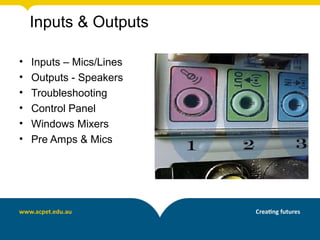
Inputs & Outputs

•   Inputs – Mics/Lines
•   Outputs - Speakers
•   Troubleshooting
•   Control Panel
•   Windows Mixers
•   Pre Amps & Mics
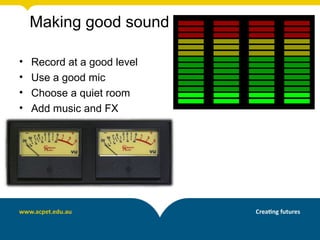
Making good sound

•   Record at a good level
•   Use a good mic
•   Choose a quiet room
•   Add music and FX
Third Party Sources

http://www.apple.com/education/itunes-u/
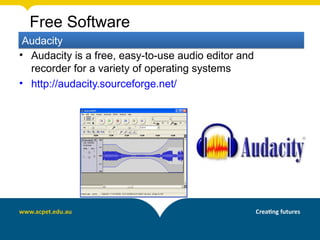
Free Software
 Audacity
• Audacity is a free, easy-to-use audio editor and
  recorder for a variety of operating systems
• http://audacity.sourceforge.net/
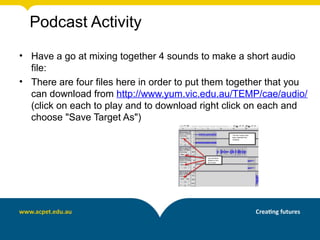
Podcast Activity
• Have a go at mixing together 4 sounds to make a short audio
  file:
• There are four files here in order to put them together that you
  can download from http://www.yum.vic.edu.au/TEMP/cae/audio/
  (click on each to play and to download right click on each and
  choose "Save Target As")
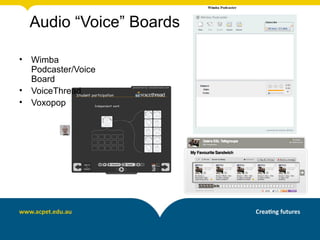
Audio “Voice” Boards

•   Wimba
    Podcaster/Voice
    Board
•   VoiceThread
•   Voxopop
Phone apps -

•   iPadio
                   http://www.ipadio.com/


•   FiRe            iPhone only
Phone apps -

AndRecorder       Android only


Sound Cloud


Audio Boo
Hosted Audio

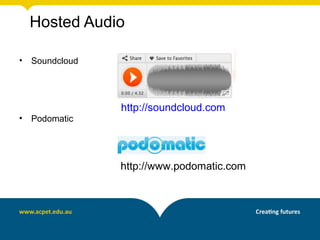
•   Soundcloud


                 http://soundcloud.com
•   Podomatic


                 http://www.podomatic.com
Phlogging

•   ipadio combines the telephone with the
    blog to create an audio “phonecast” which
    is streamed Live to the Internet.

    You can phonecast from any phone,
    anywhere in the world - no need for a
    computer or even access to the Internet.
Free audio

•   http://www.freesound.org/
•   http://opsound.org/
•   http://librivox.org/
•   http://www.opensourcemusic.com/
•   http://www.jamendo.com/en/
•   http://ccmixter.org/
•   http://www.flashkit.com/loops/
Phlogging example

How does your RTO use eLearning?

• Use your mobile
• Call 1800-802569
• Enter registered number
  1161409317625 or 1161353317625
• Enter PIN – 5676
• Talk when prompted
• When finished access at
  http://www.ipadio.com/phlogs/MichaelGwyther/
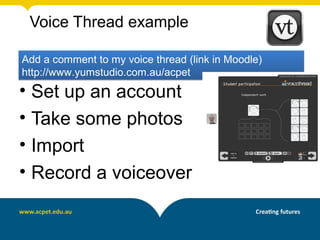
Voice Thread example

Add a comment to my voice thread (link in Moodle)
http://www.yumstudio.com.au/acpet
• Set up an account
• Take some photos
• Import
• Record a voiceover
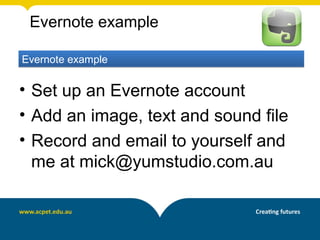
Evernote example

Evernote example

• Set up an Evernote account
• Add an image, text and sound file
• Record and email to yourself and
  me at mick@yumstudio.com.au
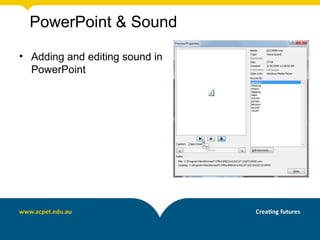
PowerPoint & Sound

• Adding and editing sound in
  PowerPoint
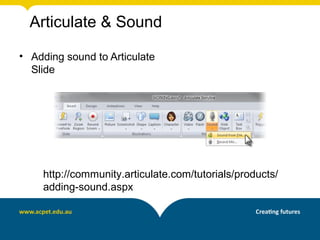
Articulate & Sound

• Adding sound to Articulate
  Slide


    http://community.articulate.com/tutorials/products/
    adding-sound.aspx
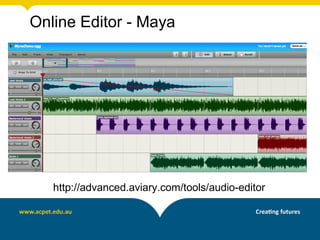
Online Editor - Maya


   http://advanced.aviary.com/tools/audio-editor

Audio

  • 1.
  • 2.
    Agenda - Audio • Audio Overview • Recording & Editing Options • Apps • Voice Boards • Audio exercise
  • 3.
    About Sound • .wav- a format developed by Windows and used extensively on Windows operating systems • .mp3 - audio format that compressed sound with minimal loss of quality • (i.e. audio file size is a lot smaller as an .mp3 compared to a .wav). This is the most popular sound format for music.
  • 4.
    Using Sound inTraining • record face to face sessions or summaries of sessions • self-paced learning • guest speakers from remote locations • subject experts or industry figures • assessment tool • third party content • walking tours for induction/instruction • case studies/scenarios • vocabulary and Quizzes • page readers in elearning resources
  • 5.
    Inputs & Outputs • Inputs – Mics/Lines • Outputs - Speakers • Troubleshooting • Control Panel • Windows Mixers • Pre Amps & Mics
  • 6.
    Making good sound • Record at a good level • Use a good mic • Choose a quiet room • Add music and FX
  • 7.
  • 8.
    Free Software Audacity •Audacity is a free, easy-to-use audio editor and recorder for a variety of operating systems • http://audacity.sourceforge.net/
  • 9.
    Podcast Activity • Havea go at mixing together 4 sounds to make a short audio file: • There are four files here in order to put them together that you can download from http://www.yum.vic.edu.au/TEMP/cae/audio/ (click on each to play and to download right click on each and choose "Save Target As")
  • 10.
    Audio “Voice” Boards • Wimba Podcaster/Voice Board • VoiceThread • Voxopop
  • 11.
    Phone apps - • iPadio http://www.ipadio.com/ • FiRe iPhone only
  • 12.
    Phone apps - AndRecorder Android only Sound Cloud Audio Boo
  • 13.
    Hosted Audio • Soundcloud http://soundcloud.com • Podomatic http://www.podomatic.com
  • 14.
    Phlogging • ipadio combines the telephone with the blog to create an audio “phonecast” which is streamed Live to the Internet. You can phonecast from any phone, anywhere in the world - no need for a computer or even access to the Internet.
  • 15.
    Free audio • http://www.freesound.org/ • http://opsound.org/ • http://librivox.org/ • http://www.opensourcemusic.com/ • http://www.jamendo.com/en/ • http://ccmixter.org/ • http://www.flashkit.com/loops/
  • 16.
    Phlogging example How doesyour RTO use eLearning? • Use your mobile • Call 1800-802569 • Enter registered number 1161409317625 or 1161353317625 • Enter PIN – 5676 • Talk when prompted • When finished access at http://www.ipadio.com/phlogs/MichaelGwyther/
  • 17.
    Voice Thread example Adda comment to my voice thread (link in Moodle) http://www.yumstudio.com.au/acpet • Set up an account • Take some photos • Import • Record a voiceover
  • 18.
    Evernote example Evernote example •Set up an Evernote account • Add an image, text and sound file • Record and email to yourself and me at mick@yumstudio.com.au
  • 19.
    PowerPoint & Sound •Adding and editing sound in PowerPoint
  • 20.
    Articulate & Sound •Adding sound to Articulate Slide http://community.articulate.com/tutorials/products/ adding-sound.aspx
  • 21.
    Online Editor -Maya http://advanced.aviary.com/tools/audio-editor