The Learning
Centre
Lakeland College
October 22, 2012
Ensures equal
access to the
curriculum and
educational
services.


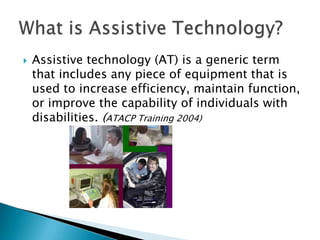
Assistive technology (AT) is a generic term
that includes any piece of equipment that is
used to increase efficiency, maintain function,
or improve the capability of individuals with
disabilities. (ATACP Training 2004)


Simply put …
 It is a support to ‘getting the job done’ more

effectively and independently.
 The focus is on what the device or technology
does for the person, not on the device or
technology itself.
 Assistive technology can support both remedial
and compensatory approaches for a student.







A compensatory approach (benefits students with
more immediate solutions).
Example: A student listens to an audio version of a book for
English class to answer questions about it, with the goal of
bypassing a reading problem, not learning to read.

A remedial approach.
Example: A student listens to an MP3 file of a book or has a
computer reading a scanned version of the book while
following along with the text and trying to learn unfamiliar
words, designed to improve areas of deficiency.
o

o

o

Persons with disabilities that interfere with
communication, learning, social relationships,
mobility, and active participation.
Persons with disabilities are the most common
users of assistive technology. This group
comprises the largest minority group ever defined.
While persons with disabilities are the primary
demographic for the assistive technology market,
this technology is also making it into the
mainstream.






AT and LS together may be the answer to many
student difficulties.
Use LS with students’ strengths (i.e. Memory
strength: create mnemonic device to remember
parts of an essay).
Use AT to overcome students’ weaknesses (i.e.
Essay organization: mind mapping software).






Assistive technology can aid the student in using
the LS.
Students should be encouraged to reflect on their
learning and the strategies they apply in the
learning process.
Students need to develop the language to talk
about their learning. These strategies should be
explicitly taught.


Text-to-Speech



Mind Mapping

-

Kurzweil 3000

-

Inspiration



Editing



-

texthelp Read & Write Gold



Voice Recognition

- Dragon Naturally Speaking



Inexpensive software
for struggling readers.
Freeware (Open
Source)

•
•
•
•

Scans
textbooks
newspaper articles
magazines
reading materials


•

•
•



•

CD – Classic
Literature
1,100 titles!

Reads
scanned pages with
formatting retained
(.kes format).
text files (.txt format).
web pages while in the
browser window (html
format).


For individuals with:
- learning disabilities
- reading difficulties





Improves reading speed and comprehension
Highlights text as it is spoken aloud
Multisensory approach provides support:
- at school
- in the home
- at work and in the community


Beneficial to have students read along with a paper
copy (paired reading)
- textbook



Study skills:
-

bookmarks
highlight words
definition, syllables, synonyms, word prediction
sticky notes, text notes, voice notes
audio study notes.


Enhance memory:
- Multi-sensory study using variety of modalities to enhance
memory (see, say, hear, write, color code).








Capitalize on auditory strengths – reviewing aloud.
Capitalize on visual strengths – free up mental
energy to focus more on meaning.
Enhance attention – highlighting feature.
Compensate for slower reading speed.
Enhance visual tracking – highlighting.


Screen reader



You can type and it reads:
- Back to you after you type;
- Back to you while you type.


Auditory word prediction:
- Good for students who don’t know how to spell words.





Thesaurus
Homonym checker
Spell Check:
- Dyslexic (b p q d)
- First letter errors



Word wizard – looks up topics for you.


Useful for students who:
-

Have difficulty with the mechanics of writing
Are poor spellers
Need to listen to edit their written work
Need to listen to help with comprehension








Speech to text software
Good writing tool to get the ideas down
Worry about grammar and sentence structure
later
Dictate directly into the computer
Works with MS Word, WordPerfect, or almost
any Windows program







15-minute training
session
Patience!!
Allows hands-free
use of the
computer
Have to memorize
commands







Mobile unit
available, too!
Reads back what
you say
Beware the voice!


Benefits people with:
- physical disabilities
- fine motor problems
- who can verbalize but not write
- who have poor spelling
- who read well enough to edit their work
- not beneficial for those who cannot read what is
on the page (i.e. low vision).




Minimize writing – support output efficiency.
Maximize writing speed.
Make writing more efficient and legible




Provides visual groupings or linear formats
Templates for ease of use
Students with visual processing problems
may not like this but can be flipped to linear
format


Useful for:
-

idea gathering
brainstorming
planning
organization
sharing ideas



Features include:
- integrated
diagramming and
outlining environments
- many pre-designed
templates
- 1,250+ symbols
- create hyperlinks
directly to the web


Text-to-Speech
- Flame Reader. www.flamereader.com, offered as
a free trial download and as an upgrade for less
than $50.00.
- Text Aloud2. www.nextup.com, allows conversion
to MP3 files, under $50.00.
- Natural Reader. www.naturalreader.com, comes
either as free, personal (under $50.00) and
professional (under $100.00).






Narrator, a free program bundled with Windows,
and works with Notepad, Wordpad, control panel
program, Internet Explorer, Windows desktop.
PowerTalk, a free reader designed to add speech to
PowerPoint presentations at
www.fullmeasure.co.uk/powertalk.
ReadPlease, a free download, www.readplease.com,
allows readers to paste copied text into its
program window where the reader can listen to the
content.








Wordtalk, a free text to speech plug in for
Microsoft Word at www.wordtalk.org.uk/Home.
Quizlet, a free flashcard website for study skills at
www.quizlet.com.
SmartDraw, a free mind mapping software at
www.smartdraw.com/specials/mindmapping.asp.
Assignment Calculator at
www.lib.umn.edu/help/calculator.






Motivation and training
Opportunity is often missed because of hard work
Past experiences have been negative
Takes time before payoffs are realized
Unrealistic perception of how others do work (e.g.
writing an essay)
- thinks that everyone else can just write with no problem –
they don’t realize how others do their work








Denial
Resentful that they can’t do things like others
Fear of exposing difficulties
Afraid of trying new things
Learned helplessness – others do for them, don’t
learn for themselves (coping mechanism)
If this doesn’t work, what else is there?






Jendron, J., Assistive Technology and
Learning Disabilities,
www.sc.edu/scatp/ld.htm
LD Resource Guide 2008.
www.disabilityissues.ca/documents/LDResou
r.pdf.
Reisberg, L., Freeware and Shareware, Closing
the Gap Solutions Newsletter.

Assistive technology

  • 1.
  • 2.
    Ensures equal access tothe curriculum and educational services.
  • 3.
     Assistive technology (AT)is a generic term that includes any piece of equipment that is used to increase efficiency, maintain function, or improve the capability of individuals with disabilities. (ATACP Training 2004)
  • 4.
     Simply put … It is a support to ‘getting the job done’ more effectively and independently.  The focus is on what the device or technology does for the person, not on the device or technology itself.  Assistive technology can support both remedial and compensatory approaches for a student.
  • 5.
        A compensatory approach(benefits students with more immediate solutions). Example: A student listens to an audio version of a book for English class to answer questions about it, with the goal of bypassing a reading problem, not learning to read. A remedial approach. Example: A student listens to an MP3 file of a book or has a computer reading a scanned version of the book while following along with the text and trying to learn unfamiliar words, designed to improve areas of deficiency.
  • 6.
    o o o Persons with disabilitiesthat interfere with communication, learning, social relationships, mobility, and active participation. Persons with disabilities are the most common users of assistive technology. This group comprises the largest minority group ever defined. While persons with disabilities are the primary demographic for the assistive technology market, this technology is also making it into the mainstream.
  • 7.
       AT and LStogether may be the answer to many student difficulties. Use LS with students’ strengths (i.e. Memory strength: create mnemonic device to remember parts of an essay). Use AT to overcome students’ weaknesses (i.e. Essay organization: mind mapping software).
  • 8.
       Assistive technology canaid the student in using the LS. Students should be encouraged to reflect on their learning and the strategies they apply in the learning process. Students need to develop the language to talk about their learning. These strategies should be explicitly taught.
  • 10.
     Text-to-Speech  Mind Mapping - Kurzweil 3000 - Inspiration  Editing  - texthelpRead & Write Gold  Voice Recognition - Dragon Naturally Speaking  Inexpensive software for struggling readers. Freeware (Open Source)
  • 12.
     • • • • Scans textbooks newspaper articles magazines reading materials  • • •  • CD– Classic Literature 1,100 titles! Reads scanned pages with formatting retained (.kes format). text files (.txt format). web pages while in the browser window (html format).
  • 13.
     For individuals with: -learning disabilities - reading difficulties    Improves reading speed and comprehension Highlights text as it is spoken aloud Multisensory approach provides support: - at school - in the home - at work and in the community
  • 14.
     Beneficial to havestudents read along with a paper copy (paired reading) - textbook  Study skills: - bookmarks highlight words definition, syllables, synonyms, word prediction sticky notes, text notes, voice notes audio study notes.
  • 15.
     Enhance memory: - Multi-sensorystudy using variety of modalities to enhance memory (see, say, hear, write, color code).      Capitalize on auditory strengths – reviewing aloud. Capitalize on visual strengths – free up mental energy to focus more on meaning. Enhance attention – highlighting feature. Compensate for slower reading speed. Enhance visual tracking – highlighting.
  • 17.
     Screen reader  You cantype and it reads: - Back to you after you type; - Back to you while you type.
  • 18.
     Auditory word prediction: -Good for students who don’t know how to spell words.    Thesaurus Homonym checker Spell Check: - Dyslexic (b p q d) - First letter errors  Word wizard – looks up topics for you.
  • 19.
     Useful for studentswho: - Have difficulty with the mechanics of writing Are poor spellers Need to listen to edit their written work Need to listen to help with comprehension
  • 21.
         Speech to textsoftware Good writing tool to get the ideas down Worry about grammar and sentence structure later Dictate directly into the computer Works with MS Word, WordPerfect, or almost any Windows program
  • 22.
        15-minute training session Patience!! Allows hands-free useof the computer Have to memorize commands    Mobile unit available, too! Reads back what you say Beware the voice!
  • 23.
     Benefits people with: -physical disabilities - fine motor problems - who can verbalize but not write - who have poor spelling - who read well enough to edit their work - not beneficial for those who cannot read what is on the page (i.e. low vision).
  • 24.
       Minimize writing –support output efficiency. Maximize writing speed. Make writing more efficient and legible
  • 26.
       Provides visual groupingsor linear formats Templates for ease of use Students with visual processing problems may not like this but can be flipped to linear format
  • 27.
     Useful for: - idea gathering brainstorming planning organization sharingideas  Features include: - integrated diagramming and outlining environments - many pre-designed templates - 1,250+ symbols - create hyperlinks directly to the web
  • 28.
     Text-to-Speech - Flame Reader.www.flamereader.com, offered as a free trial download and as an upgrade for less than $50.00. - Text Aloud2. www.nextup.com, allows conversion to MP3 files, under $50.00. - Natural Reader. www.naturalreader.com, comes either as free, personal (under $50.00) and professional (under $100.00).
  • 29.
       Narrator, a freeprogram bundled with Windows, and works with Notepad, Wordpad, control panel program, Internet Explorer, Windows desktop. PowerTalk, a free reader designed to add speech to PowerPoint presentations at www.fullmeasure.co.uk/powertalk. ReadPlease, a free download, www.readplease.com, allows readers to paste copied text into its program window where the reader can listen to the content.
  • 30.
        Wordtalk, a freetext to speech plug in for Microsoft Word at www.wordtalk.org.uk/Home. Quizlet, a free flashcard website for study skills at www.quizlet.com. SmartDraw, a free mind mapping software at www.smartdraw.com/specials/mindmapping.asp. Assignment Calculator at www.lib.umn.edu/help/calculator.
  • 31.
         Motivation and training Opportunityis often missed because of hard work Past experiences have been negative Takes time before payoffs are realized Unrealistic perception of how others do work (e.g. writing an essay) - thinks that everyone else can just write with no problem – they don’t realize how others do their work
  • 32.
          Denial Resentful that theycan’t do things like others Fear of exposing difficulties Afraid of trying new things Learned helplessness – others do for them, don’t learn for themselves (coping mechanism) If this doesn’t work, what else is there?
  • 33.
       Jendron, J., AssistiveTechnology and Learning Disabilities, www.sc.edu/scatp/ld.htm LD Resource Guide 2008. www.disabilityissues.ca/documents/LDResou r.pdf. Reisberg, L., Freeware and Shareware, Closing the Gap Solutions Newsletter.