Erkan BALABAN
What’s new at a glance?
 Metakeyword & Metadescription
 ViewState
 ClientID
 Routing
 ListView, Formview, CheckBoxList, RadioButtonList
 Chart Control
 Web.config, Browser capabilities, Menu
 Extensible Output Caching
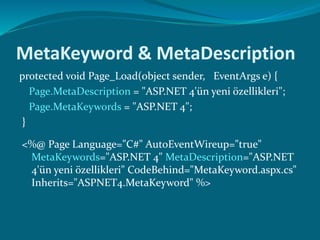
MetaKeyword & MetaDescription
protected void Page_Load(object sender, EventArgs e) {
Page.MetaDescription = "ASP.NET 4'ün yeni özellikleri";
Page.MetaKeywords = "ASP.NET 4";
}
<%@ Page Language="C#" AutoEventWireup="true"
MetaKeywords="ASP.NET 4" MetaDescription="ASP.NET
4'ün yeni özellikleri" CodeBehind="MetaKeyword.aspx.cs"
Inherits="ASPNET4.MetaKeyword" %>
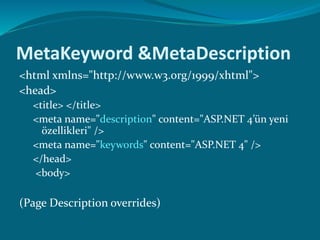
MetaKeyword &MetaDescription
<html xmlns="http://www.w3.org/1999/xhtml">
<head>
<title> </title>
<meta name="description" content="ASP.NET 4’ün yeni
özellikleri" />
<meta name="keywords" content="ASP.NET 4" />
</head>
<body>
(Page Description overrides)
ViewState improvements
 ASP.NET 3.x
 EnableViewState (true, false)
 Page level, server level
 ASP.NET 4
 ViewStateMode
 Enabled
 Disabled
 Inherit (Default)
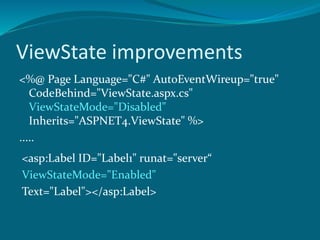
ViewState improvements
<%@ Page Language="C#" AutoEventWireup="true"
CodeBehind="ViewState.aspx.cs"
ViewStateMode="Disabled"
Inherits="ASPNET4.ViewState" %>
.....
<asp:Label ID="Label1" runat="server“
ViewStateMode="Enabled"
Text="Label"></asp:Label>
ViewState improvements
Code behind :
Label1.ViewStateMode = ViewStateMode.Disabled;
NOTE : If we disabled the viewstate through
EnableViewState property, setting any values for
ViewStateMode property will make no impact.
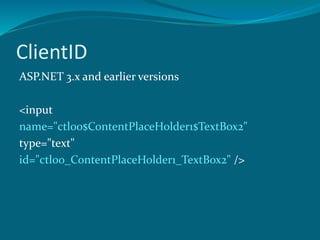
ClientID
ASP.NET 3.x and earlier versions
<input
name="ctl00$ContentPlaceHolder1$TextBox2"
type="text"
id="ctl00_ContentPlaceHolder1_TextBox2" />
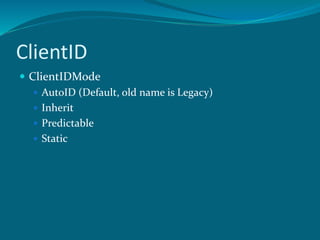
ClientID
 ClientIDMode
 AutoID (Default, old name is Legacy)
 Inherit
 Predictable
 Static
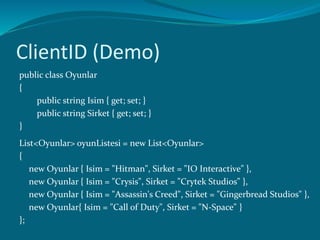
ClientID (Demo)
public class Oyunlar
{
public string Isim { get; set; }
public string Sirket { get; set; }
}
List<Oyunlar> oyunListesi = new List<Oyunlar>
{
new Oyunlar { Isim = "Hitman", Sirket = "IO Interactive" },
new Oyunlar { Isim = "Crysis", Sirket = "Crytek Studios" },
new Oyunlar { Isim = "Assassin's Creed", Sirket = "Gingerbread Studios" },
new Oyunlar{ Isim = "Call of Duty", Sirket = "N-Space" }
};
ClientID (Demo)
<asp:GridView ID="GridView1" runat="server" ClientIDMode="AutoID"
AutoGenerateColumns="false">
<Columns>
<asp:TemplateField>
<ItemTemplate>
<asp:Label runat="server" ID="Label1" Text='<%# Bind("Isim") %>' />
</ItemTemplate>
</asp:TemplateField>
<asp:TemplateField>
<ItemTemplate>
<asp:Label runat="server" ID="Label2" Text='<%# Bind("Sirket") %>' />
</ItemTemplate>
</asp:TemplateField>
</Columns>
</asp:GridView>
ClientIDMode="AutoID"
<span id="GridView1_ctl02_Label1“>Hitman</span>
<span id="GridView1_ctl02_Label2“>IO Interactive</span>
<span id="GridView1_ctl03_Label1">Crysis</span>
<span id="GridView1_ctl03_Label2">Crytek Studios</span>
<span id="GridView1_ctl04_Label1">Assassin's Creed</span>
<span id="GridView1_ctl04_Label2">Gingerbread Studios</span>
ClientIDMode="Inherit"
<span id="GridView2_Label3_0">Hitman</span>
<span id="GridView2_Label4_0">IO Interactive</span>
<span id="GridView2_Label3_1">Crysis</span>
<span id="GridView2_Label4_1">Crytek Studios</span>
<span id="GridView2_Label3_2">Assassin's Creed</span>
<span id="GridView2_Label4_2">Gingerbread Studios</span>
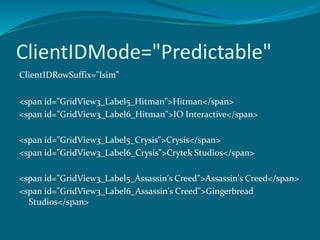
ClientIDMode="Predictable"
ClientIDRowSuffix="Isim”
<span id="GridView3_Label5_Hitman">Hitman</span>
<span id="GridView3_Label6_Hitman">IO Interactive</span>
<span id="GridView3_Label5_Crysis">Crysis</span>
<span id="GridView3_Label6_Crysis">Crytek Studios</span>
<span id="GridView3_Label5_Assassin's Creed">Assassin's Creed</span>
<span id="GridView3_Label6_Assassin's Creed">Gingerbread
Studios</span>
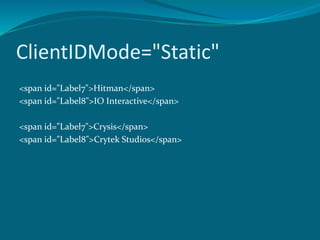
ClientIDMode="Static"
<span id="Label7">Hitman</span>
<span id="Label8">IO Interactive</span>
<span id="Label7">Crysis</span>
<span id="Label8">Crytek Studios</span>
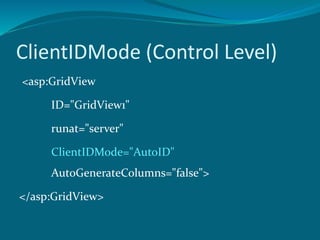
ClientIDMode (Control Level)
<asp:GridView
ID="GridView1"
runat="server"
ClientIDMode="AutoID"
AutoGenerateColumns="false">
</asp:GridView>
ClientIDMode (Page Level)
<%@ Page Language="C#"
AutoEventWireup="true"
ClientIDMode="Predictable"
CodeBehind="ClientID2.aspx.cs"
Inherits="ASPNET4.ClientID2" %>
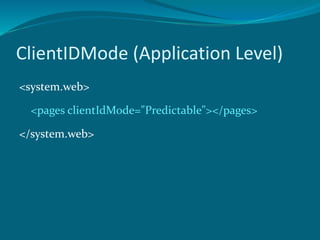
ClientIDMode (Application Level)
<system.web>
<pages clientIdMode="Predictable"></pages>
</system.web>
Routing
 ASP.NET MCV
 System.Web.Routing;
 http://www.mysite.com/products/software
 http://www.mysite.com/
products.aspx?category=software
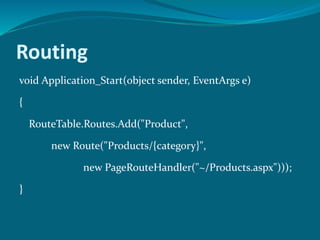
Routing
void Application_Start(object sender, EventArgs e)
{
RouteTable.Routes.Add("Product",
new Route("Products/{category}",
new PageRouteHandler("~/Products.aspx")));
}
Routing
RouteParameter
<asp:SqlDataSource ID="SqlDataSource1" runat="server">
<SelectParameters>
<asp:RouteParameter Name="Category" RouteKey="category" />
</SelectParameters>
</asp:SqlDataSource>
Runat=“server”
 Is it dead?
 Code snippet
 Textbox + tab
 Label + tab
List View Control Enhancement
 Come with ASP.NET 3.5
 Does not require a layout template
 Has all the functionality of the GridView control
 Gives you complete control over the output
 <asp:ListView ID="ListView1" runat="server">
<ItemTemplate>
<% Eval(“Isim")%>
</ItemTemplate>
</asp:ListView>
Form View Control Enhancement
 .NET 3.x and earlier versions notation
<asp:FormView ID="FormView1" runat="server">
<ItemTemplate>ASP.NET 4</ItemTemplate>
</asp:FormView>
 At browser
<table cellspacing="0" border="0" id="FormView1"
style="border-collapse:collapse;">
<tr>
<td colspan="2"> ASP.NET 4</td>
</tr>
</table>
Form View Control Enhancement
New player : RenderOuterTable
<asp:FormView ID="FormView2" runat="server"
RenderOuterTable="false">
<ItemTemplate>ASP.NET 4</ItemTemplate>
</asp:FormView>
ASP.NET 4
CheckBoxList & RadioButtonList
 ASP.NET 3.x and earlier
 RepeatLayout
 Flow
 Table
 ASP.NET 4
 RepeatLayout
 Flow
 Table
 OrderedList
 UnorderedList
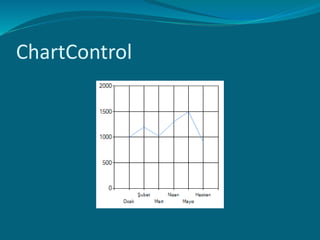
ChartControl
 35 distinct chart types
 An unlimited number of chart areas, titles, legends, and annotations.
 A wide variety of appearance settings for all chart elements.
 3-D support for most chart types.
 Smart data labels that can automatically fit around data points.
 Strip lines, scale breaks, and logarithmic scaling.
 More than 50 financial and statistical formulas for data analysis and
transformation.
 Simple binding and manipulation of chart data.
 Support for common data formats, such as dates, times, and currency.
 Support for interactivity and event-driven customization, including
client click events using AJAX.
 State management.
 Binary streaming.
ChartControl
ChartControl
ChartControl
ChartControl
ChartControl
Web.config File Minification
 New .NET Framework bigger web.config
 Tell Visiual Studio which framework version targeting
<?xml version="1.0"?>
<configuration>
<system.web>
<compilation targetFramework="4.0" />
</system.web>
</configuration>
 Major config elements moved to machine.config
Browser Capabilities
 HttpBrowserCapabilities
 Now supports for
 Google Chrome
 Research in Motion BlackBerry,
 Apple iPhone.
 Using for detect supporting Javascript version or page
requested by a mobile device.
Persisting Row Selection
in Data Controls
 Gridview and ListView
 EnablePersistedSelection
 <asp:GridView id="GridView2" runat="server"
EnablePersistedSelection="true"></asp:GridView>
Disabling Controls
 controlRenderingCompatibilityVersion
 Set to 4.0
 <span id="Label1" class="aspNetDisabled">Test</span>
 <asp:Label id="Label" runat="server" Text="Test"
Enabled="false">
 Set to 3.5
 <span id="Label1" disabled="disabled">Test</span>
Menu Control Improvements
Runders as unordered list
<div id="Menu1">
<ul>
<li><a href="#" onclick="...">Home</a></li>
<li><a href="#" onclick="...">About</a></li>
</ul>
</div>
Extensible Output Caching
 Enables you to configure one or more custom output-cache
providers
 Output-cache providers can use any storage mechanism to
persist HTML content including local or remote disks, cloud
storage, and distributed cache engines
 Output-cache providers can use any storage mechanism to
persist HTML content
 System.Web.Caching.OutputCacheProvider
Extensible Output Caching
<caching>
<outputCache defaultProvider="AspNetInternalProvider">
<providers>
<add name="DiskCache"
type="Test.OutputCacheEx.DiskOutputCacheProvider,
DiskCacheProvider"/>
</providers>
</outputCache>
</caching>
<%@ OutputCache Duration="60" VaryByParam="None“
providerName="DiskCache" %>
Extensible Output Caching
Global.asax :
public override string GetOutputCacheProviderName
(HttpContext context)
{
if (context.Request.Path.EndsWith("Advanced.aspx"))
return "DiskCache";
else
return
base.GetOutputCacheProviderName(context);
}
Permanently Redirecting a Page
 Response.Redirect : HTTP 302 (Temporary Redirect)
 RedirectPermanent : HTTP 301 (Permenant Redirect)
 RedirectPermanent("/newpath/foroldcontent.aspx");
 Search engines and other user agents that recognize
permanent redirects
Extensible Request Validation
 Cross-site scripting (XSS) attacks
 We can use custom request-validation logic
 <httpRuntime requestValidationType="Samples.MyValidator,
Samples" />
public class CustomRequestValidation : RequestValidator
{
protected override bool IsValidRequestString(
HttpContext context, string value,
RequestValidationSource requestValidationSource,
string collectionKey,
out int validationFailureIndex)
{...}
}
Contact :
erkan@erkanbalaban.com.tr

Aspnet 4 new features

  • 1.
  • 2.
    What’s new ata glance?  Metakeyword & Metadescription  ViewState  ClientID  Routing  ListView, Formview, CheckBoxList, RadioButtonList  Chart Control  Web.config, Browser capabilities, Menu  Extensible Output Caching
  • 3.
    MetaKeyword & MetaDescription protectedvoid Page_Load(object sender, EventArgs e) { Page.MetaDescription = "ASP.NET 4'ün yeni özellikleri"; Page.MetaKeywords = "ASP.NET 4"; } <%@ Page Language="C#" AutoEventWireup="true" MetaKeywords="ASP.NET 4" MetaDescription="ASP.NET 4'ün yeni özellikleri" CodeBehind="MetaKeyword.aspx.cs" Inherits="ASPNET4.MetaKeyword" %>
  • 4.
    MetaKeyword &MetaDescription <html xmlns="http://www.w3.org/1999/xhtml"> <head> <title></title> <meta name="description" content="ASP.NET 4’ün yeni özellikleri" /> <meta name="keywords" content="ASP.NET 4" /> </head> <body> (Page Description overrides)
  • 5.
    ViewState improvements  ASP.NET3.x  EnableViewState (true, false)  Page level, server level  ASP.NET 4  ViewStateMode  Enabled  Disabled  Inherit (Default)
  • 6.
    ViewState improvements <%@ PageLanguage="C#" AutoEventWireup="true" CodeBehind="ViewState.aspx.cs" ViewStateMode="Disabled" Inherits="ASPNET4.ViewState" %> ..... <asp:Label ID="Label1" runat="server“ ViewStateMode="Enabled" Text="Label"></asp:Label>
  • 7.
    ViewState improvements Code behind: Label1.ViewStateMode = ViewStateMode.Disabled; NOTE : If we disabled the viewstate through EnableViewState property, setting any values for ViewStateMode property will make no impact.
  • 8.
    ClientID ASP.NET 3.x andearlier versions <input name="ctl00$ContentPlaceHolder1$TextBox2" type="text" id="ctl00_ContentPlaceHolder1_TextBox2" />
  • 9.
    ClientID  ClientIDMode  AutoID(Default, old name is Legacy)  Inherit  Predictable  Static
  • 10.
    ClientID (Demo) public classOyunlar { public string Isim { get; set; } public string Sirket { get; set; } } List<Oyunlar> oyunListesi = new List<Oyunlar> { new Oyunlar { Isim = "Hitman", Sirket = "IO Interactive" }, new Oyunlar { Isim = "Crysis", Sirket = "Crytek Studios" }, new Oyunlar { Isim = "Assassin's Creed", Sirket = "Gingerbread Studios" }, new Oyunlar{ Isim = "Call of Duty", Sirket = "N-Space" } };
  • 11.
    ClientID (Demo) <asp:GridView ID="GridView1"runat="server" ClientIDMode="AutoID" AutoGenerateColumns="false"> <Columns> <asp:TemplateField> <ItemTemplate> <asp:Label runat="server" ID="Label1" Text='<%# Bind("Isim") %>' /> </ItemTemplate> </asp:TemplateField> <asp:TemplateField> <ItemTemplate> <asp:Label runat="server" ID="Label2" Text='<%# Bind("Sirket") %>' /> </ItemTemplate> </asp:TemplateField> </Columns> </asp:GridView>
  • 12.
    ClientIDMode="AutoID" <span id="GridView1_ctl02_Label1“>Hitman</span> <span id="GridView1_ctl02_Label2“>IOInteractive</span> <span id="GridView1_ctl03_Label1">Crysis</span> <span id="GridView1_ctl03_Label2">Crytek Studios</span> <span id="GridView1_ctl04_Label1">Assassin's Creed</span> <span id="GridView1_ctl04_Label2">Gingerbread Studios</span>
  • 13.
    ClientIDMode="Inherit" <span id="GridView2_Label3_0">Hitman</span> <span id="GridView2_Label4_0">IOInteractive</span> <span id="GridView2_Label3_1">Crysis</span> <span id="GridView2_Label4_1">Crytek Studios</span> <span id="GridView2_Label3_2">Assassin's Creed</span> <span id="GridView2_Label4_2">Gingerbread Studios</span>
  • 14.
    ClientIDMode="Predictable" ClientIDRowSuffix="Isim” <span id="GridView3_Label5_Hitman">Hitman</span> <span id="GridView3_Label6_Hitman">IOInteractive</span> <span id="GridView3_Label5_Crysis">Crysis</span> <span id="GridView3_Label6_Crysis">Crytek Studios</span> <span id="GridView3_Label5_Assassin's Creed">Assassin's Creed</span> <span id="GridView3_Label6_Assassin's Creed">Gingerbread Studios</span>
  • 15.
    ClientIDMode="Static" <span id="Label7">Hitman</span> <span id="Label8">IOInteractive</span> <span id="Label7">Crysis</span> <span id="Label8">Crytek Studios</span>
  • 16.
  • 17.
    ClientIDMode (Page Level) <%@Page Language="C#" AutoEventWireup="true" ClientIDMode="Predictable" CodeBehind="ClientID2.aspx.cs" Inherits="ASPNET4.ClientID2" %>
  • 18.
    ClientIDMode (Application Level) <system.web> <pagesclientIdMode="Predictable"></pages> </system.web>
  • 19.
    Routing  ASP.NET MCV System.Web.Routing;  http://www.mysite.com/products/software  http://www.mysite.com/ products.aspx?category=software
  • 20.
    Routing void Application_Start(object sender,EventArgs e) { RouteTable.Routes.Add("Product", new Route("Products/{category}", new PageRouteHandler("~/Products.aspx"))); }
  • 21.
    Routing RouteParameter <asp:SqlDataSource ID="SqlDataSource1" runat="server"> <SelectParameters> <asp:RouteParameterName="Category" RouteKey="category" /> </SelectParameters> </asp:SqlDataSource>
  • 22.
    Runat=“server”  Is itdead?  Code snippet  Textbox + tab  Label + tab
  • 23.
    List View ControlEnhancement  Come with ASP.NET 3.5  Does not require a layout template  Has all the functionality of the GridView control  Gives you complete control over the output  <asp:ListView ID="ListView1" runat="server"> <ItemTemplate> <% Eval(“Isim")%> </ItemTemplate> </asp:ListView>
  • 24.
    Form View ControlEnhancement  .NET 3.x and earlier versions notation <asp:FormView ID="FormView1" runat="server"> <ItemTemplate>ASP.NET 4</ItemTemplate> </asp:FormView>  At browser <table cellspacing="0" border="0" id="FormView1" style="border-collapse:collapse;"> <tr> <td colspan="2"> ASP.NET 4</td> </tr> </table>
  • 25.
    Form View ControlEnhancement New player : RenderOuterTable <asp:FormView ID="FormView2" runat="server" RenderOuterTable="false"> <ItemTemplate>ASP.NET 4</ItemTemplate> </asp:FormView> ASP.NET 4
  • 26.
    CheckBoxList & RadioButtonList ASP.NET 3.x and earlier  RepeatLayout  Flow  Table  ASP.NET 4  RepeatLayout  Flow  Table  OrderedList  UnorderedList
  • 27.
    ChartControl  35 distinctchart types  An unlimited number of chart areas, titles, legends, and annotations.  A wide variety of appearance settings for all chart elements.  3-D support for most chart types.  Smart data labels that can automatically fit around data points.  Strip lines, scale breaks, and logarithmic scaling.  More than 50 financial and statistical formulas for data analysis and transformation.  Simple binding and manipulation of chart data.  Support for common data formats, such as dates, times, and currency.  Support for interactivity and event-driven customization, including client click events using AJAX.  State management.  Binary streaming.
  • 28.
  • 29.
  • 30.
  • 31.
  • 32.
  • 33.
    Web.config File Minification New .NET Framework bigger web.config  Tell Visiual Studio which framework version targeting <?xml version="1.0"?> <configuration> <system.web> <compilation targetFramework="4.0" /> </system.web> </configuration>  Major config elements moved to machine.config
  • 34.
    Browser Capabilities  HttpBrowserCapabilities Now supports for  Google Chrome  Research in Motion BlackBerry,  Apple iPhone.  Using for detect supporting Javascript version or page requested by a mobile device.
  • 35.
    Persisting Row Selection inData Controls  Gridview and ListView  EnablePersistedSelection  <asp:GridView id="GridView2" runat="server" EnablePersistedSelection="true"></asp:GridView>
  • 36.
    Disabling Controls  controlRenderingCompatibilityVersion Set to 4.0  <span id="Label1" class="aspNetDisabled">Test</span>  <asp:Label id="Label" runat="server" Text="Test" Enabled="false">  Set to 3.5  <span id="Label1" disabled="disabled">Test</span>
  • 37.
    Menu Control Improvements Rundersas unordered list <div id="Menu1"> <ul> <li><a href="#" onclick="...">Home</a></li> <li><a href="#" onclick="...">About</a></li> </ul> </div>
  • 38.
    Extensible Output Caching Enables you to configure one or more custom output-cache providers  Output-cache providers can use any storage mechanism to persist HTML content including local or remote disks, cloud storage, and distributed cache engines  Output-cache providers can use any storage mechanism to persist HTML content  System.Web.Caching.OutputCacheProvider
  • 39.
    Extensible Output Caching <caching> <outputCachedefaultProvider="AspNetInternalProvider"> <providers> <add name="DiskCache" type="Test.OutputCacheEx.DiskOutputCacheProvider, DiskCacheProvider"/> </providers> </outputCache> </caching> <%@ OutputCache Duration="60" VaryByParam="None“ providerName="DiskCache" %>
  • 40.
    Extensible Output Caching Global.asax: public override string GetOutputCacheProviderName (HttpContext context) { if (context.Request.Path.EndsWith("Advanced.aspx")) return "DiskCache"; else return base.GetOutputCacheProviderName(context); }
  • 41.
    Permanently Redirecting aPage  Response.Redirect : HTTP 302 (Temporary Redirect)  RedirectPermanent : HTTP 301 (Permenant Redirect)  RedirectPermanent("/newpath/foroldcontent.aspx");  Search engines and other user agents that recognize permanent redirects
  • 42.
    Extensible Request Validation Cross-site scripting (XSS) attacks  We can use custom request-validation logic  <httpRuntime requestValidationType="Samples.MyValidator, Samples" /> public class CustomRequestValidation : RequestValidator { protected override bool IsValidRequestString( HttpContext context, string value, RequestValidationSource requestValidationSource, string collectionKey, out int validationFailureIndex) {...} }
  • 43.