1
Algorithm
An algorithm is a finite set of steps which describes step-by step
procedure to solve a particular computational problem.
 Algorithm takes input.
 Algorithm process data on supplied data and produces output.
 Algorithm consists finite number of steps.
 Algorithm is written in English like language which is called
pseudo code.
 Algorithm is written prior to implement problem in some
programming language.
 Algorithm is useful to calculate the efficiency of solution
2
Characteristics of Algorithm
 Input: An algorithm requires some input values. An algorithm
can be given a value as input.
 Output: At the end of an algorithm, you will have one or more
outcomes.
 Unambiguity: A perfect algorithm is defined as unambiguous,
which means that its instructions should be clear and
straightforward.
 Finiteness: An algorithm must be finite. Finiteness in this
context means that the algorithm should have a limited number
of instructions, i.e., the instructions should be countable.
3
Characteristics of Algorithm
 Effectiveness: Because each instruction in an algorithm
affects the overall process, it should be adequate.
 Language independence: An algorithm must be
language-independent, which means that its instructions
can be implemented in any language and produce the
same results.
4
Example of Algorithm
Problem: Create an algorithm that multiplies two
numbers and displays the output. Solution:
Step 1 − Start
Step 2 − declare three integers x, y & z
Step 3 − define values of x & y
Step 4 − multiply values of x & y
Step 5 − store result of step 4 to z
Step 6 − print z
Step 7 − Stop
5
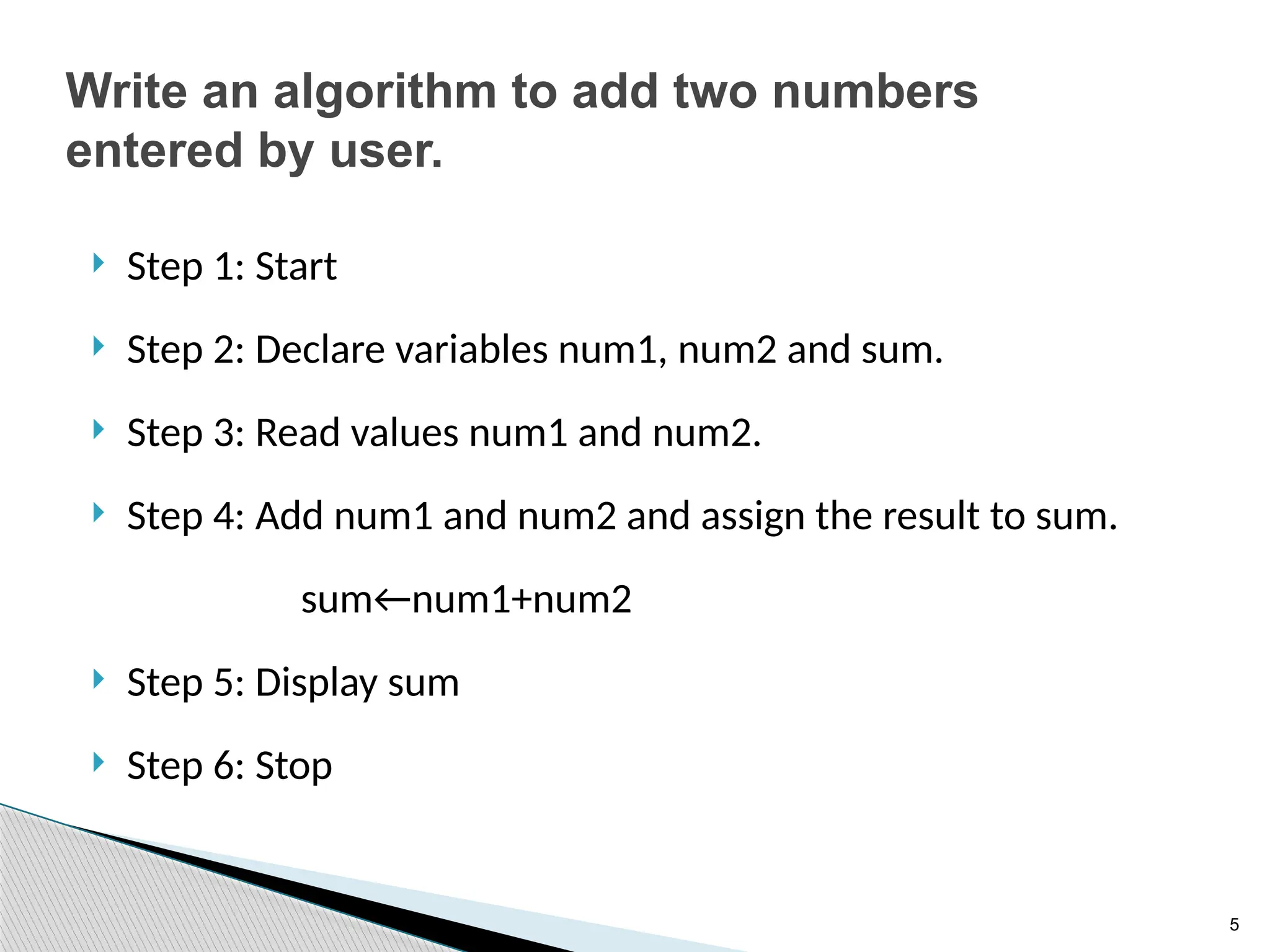
Write an algorithm to add two numbers
entered by user.
 Step 1: Start
 Step 2: Declare variables num1, num2 and sum.
 Step 3: Read values num1 and num2.
 Step 4: Add num1 and num2 and assign the result to sum.
sum←num1+num2
 Step 5: Display sum
 Step 6: Stop
6
Write an algorithm to add two numbers
entered by user.
 Step 1: Start
 Step 2: Declare variables num1, num2 and sum.
 Step 3: Read values num1 and num2.
 Step 4: Add num1 and num2 and assign the result to sum.
sum←num1+num2
 Step 5: Display sum
 Step 6: Stop
7
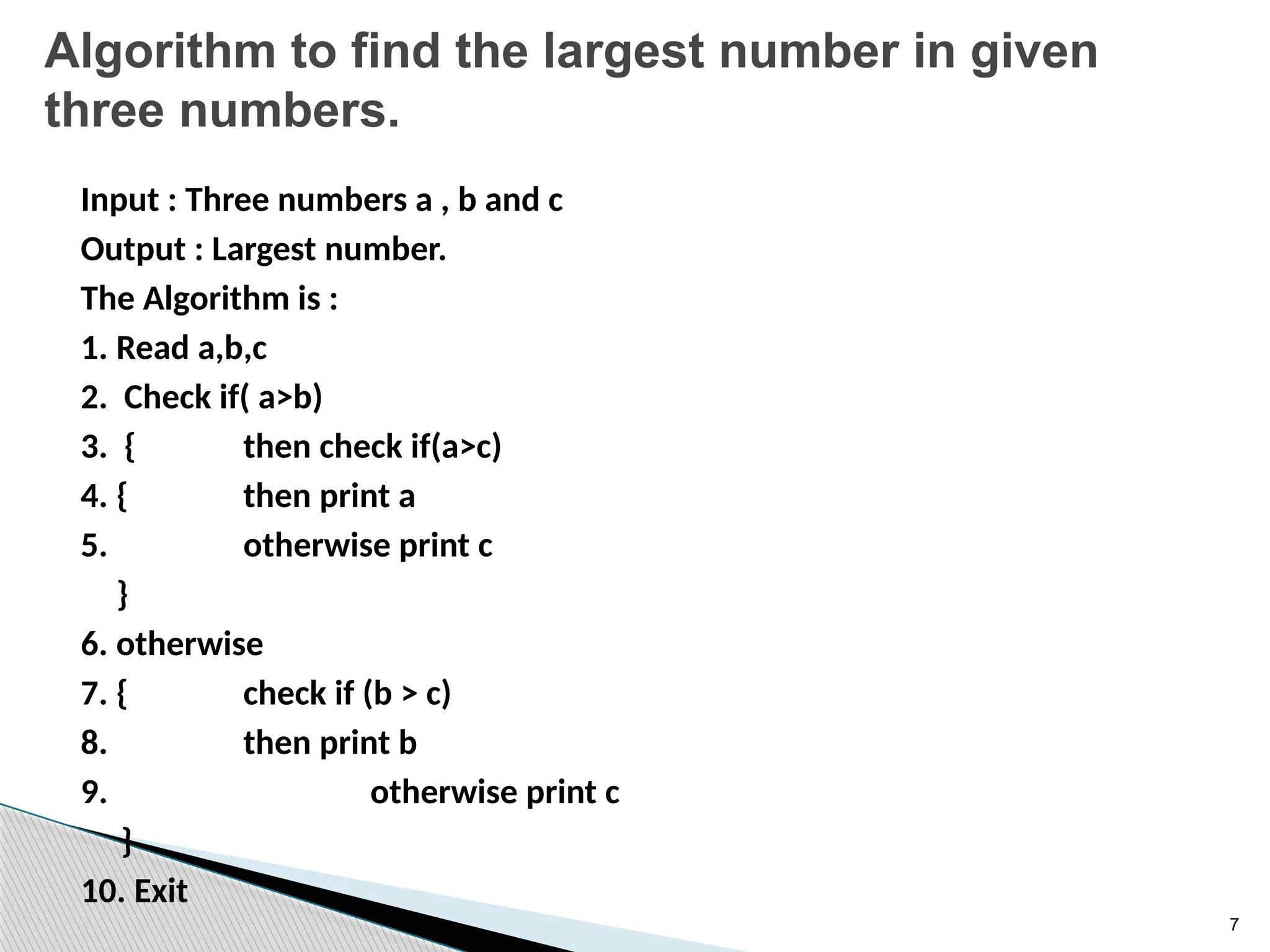
Algorithm to find the largest number in given
three numbers.
Input : Three numbers a , b and c
Output : Largest number.
The Algorithm is :
1. Read a,b,c
2. Check if( a>b)
3. { then check if(a>c)
4. { then print a
5. otherwise print c
}
6. otherwise
7. { check if (b > c)
8. then print b
9. otherwise print c
}
10. Exit
8
Flowchart
 Flowcharts are the graphical representation of the
data or the algorithm for a better understanding of
the code visually.
 It displays step-by-step solutions to a problem,
algorithm, or process.
 A flowchart is a picture of pre-defined shapes that
indicates the process flow in a sequential manner.
 Since a flowchart is a pictorial representation of a
process or algorithm, it’s easy to interpret and
understand the process.
9
Uses of Flowchart
 It is a pictorial representation of an algorithm that
increases the readability of the program. Complex
programs can be drawn in a simple way using a
flowchart.
 It helps team members get an insight into the
process and use this knowledge to collect data,
detect problems, develop software, etc.
 Communication with other people becomes easy
by drawing flowcharts and sharing them.
10
When to use Flowchart
 It is mostly used when the programmers make
projects. As a flowchart is a basic step to make the
design of projects pictorially, it is preferred by many.
 Since the rules and procedure of drawing a flowchart
are universal, flowchart serves as a communication
channel to the people who are working on the same
project for better understanding.
11
Symbols to create flowchart
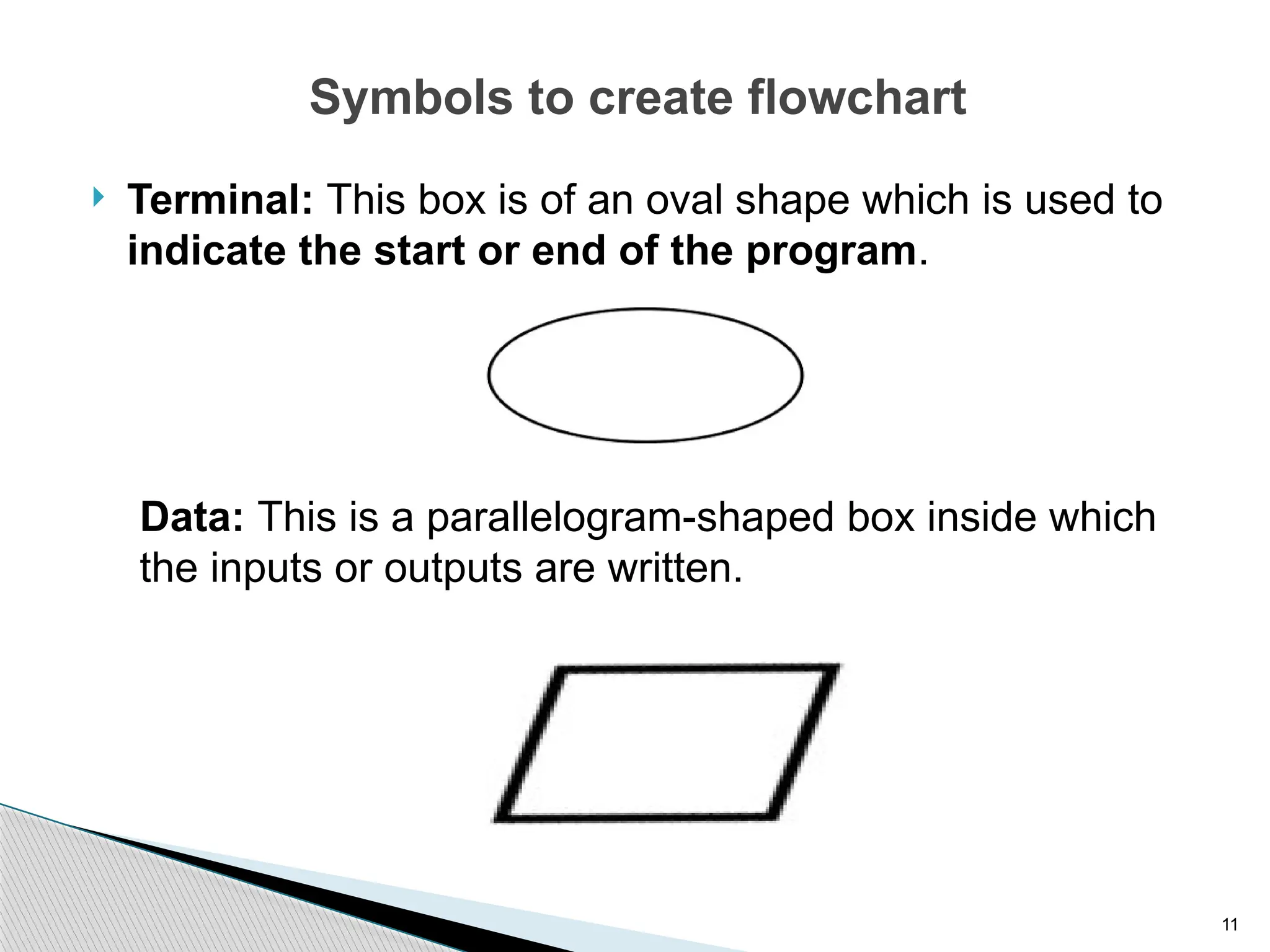
 Terminal: This box is of an oval shape which is used to
indicate the start or end of the program.
Data: This is a parallelogram-shaped box inside which
the inputs or outputs are written.
12
Symbols to create flowchart
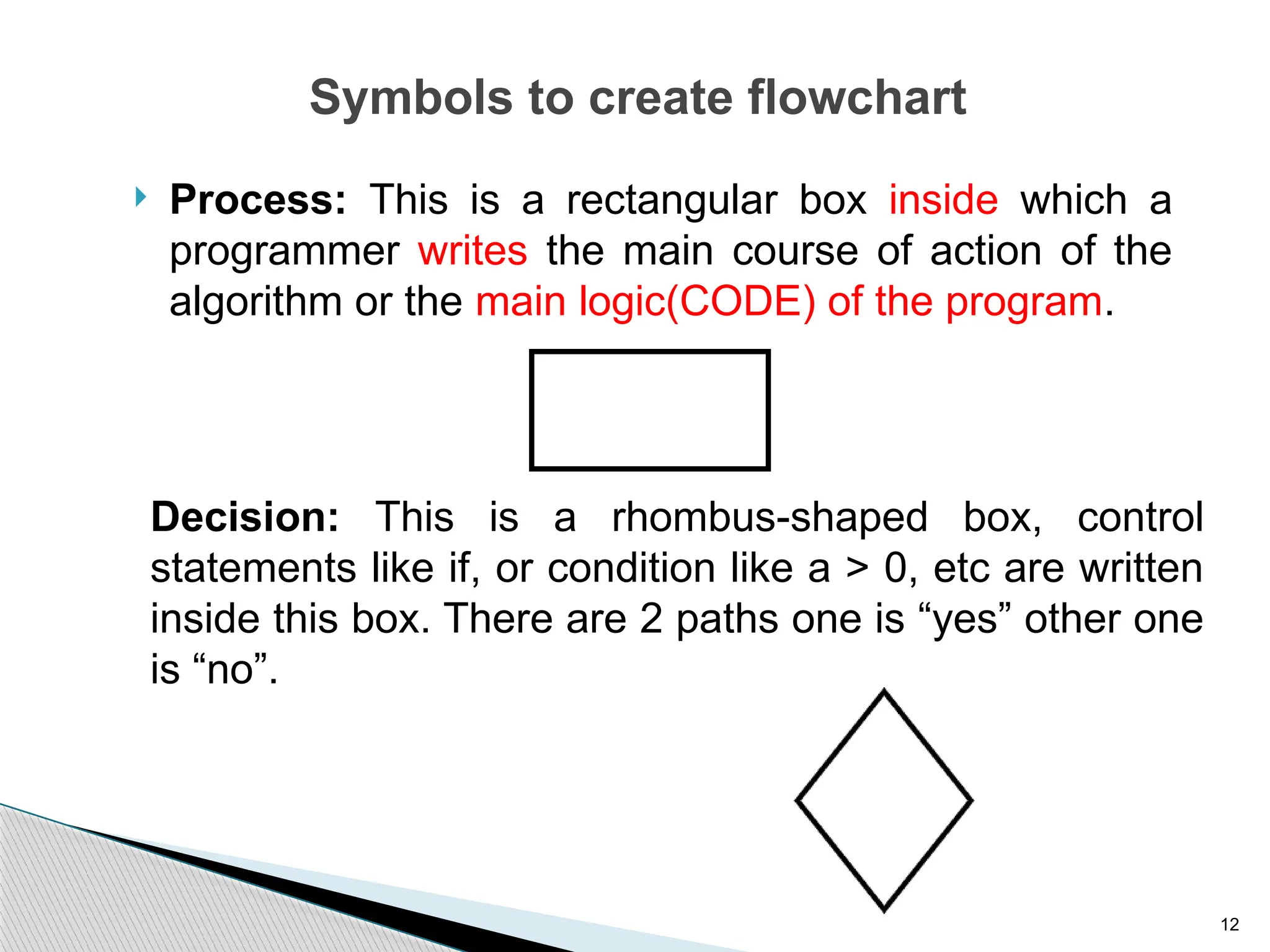
 Process: This is a rectangular box inside which a
programmer writes the main course of action of the
algorithm or the main logic(CODE) of the program.
Decision: This is a rhombus-shaped box, control
statements like if, or condition like a > 0, etc are written
inside this box. There are 2 paths one is “yes” other one
is “no”.
13
Symbols to create flowchart
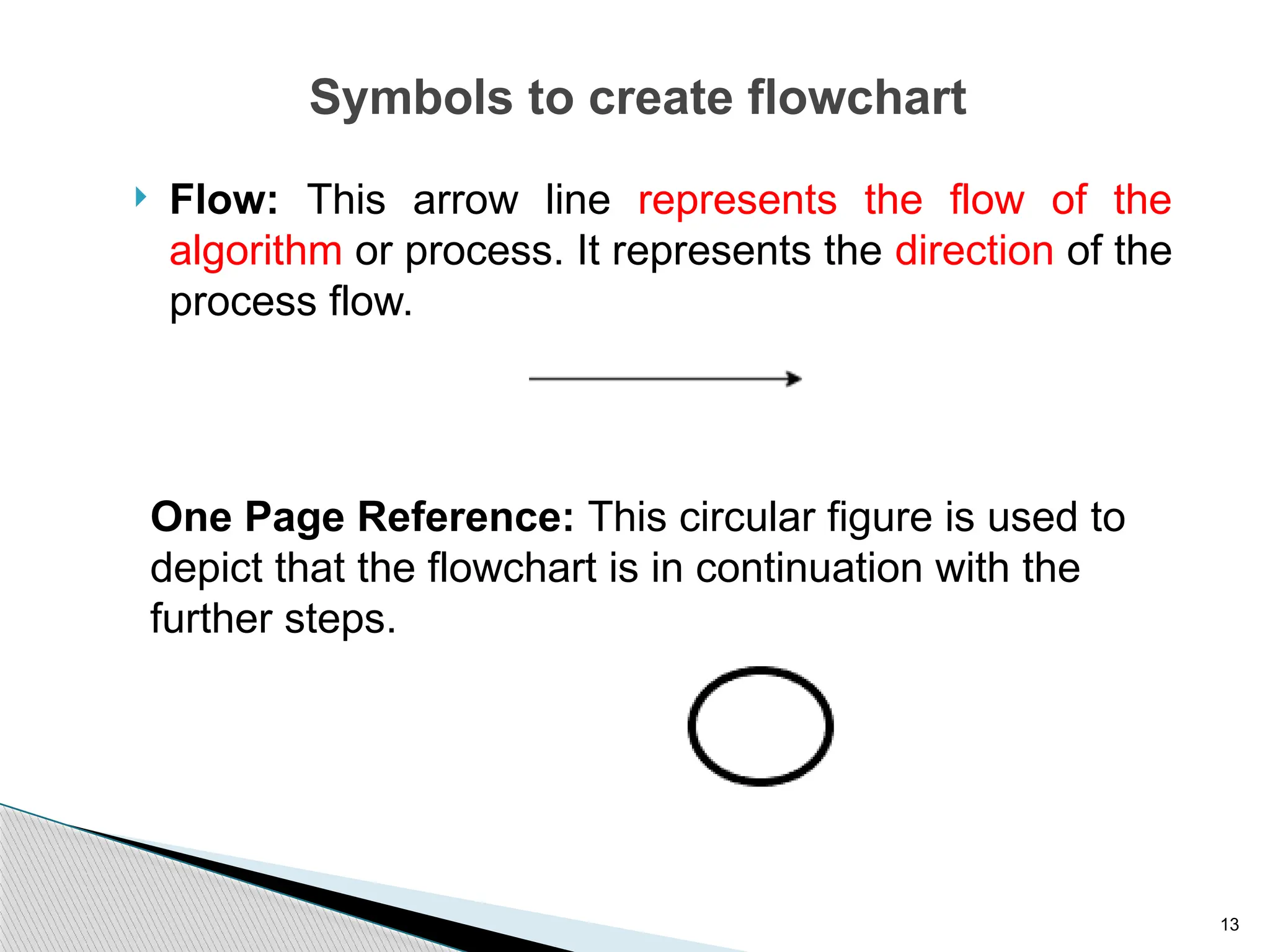
 Flow: This arrow line represents the flow of the
algorithm or process. It represents the direction of the
process flow.
One Page Reference: This circular figure is used to
depict that the flowchart is in continuation with the
further steps.
14
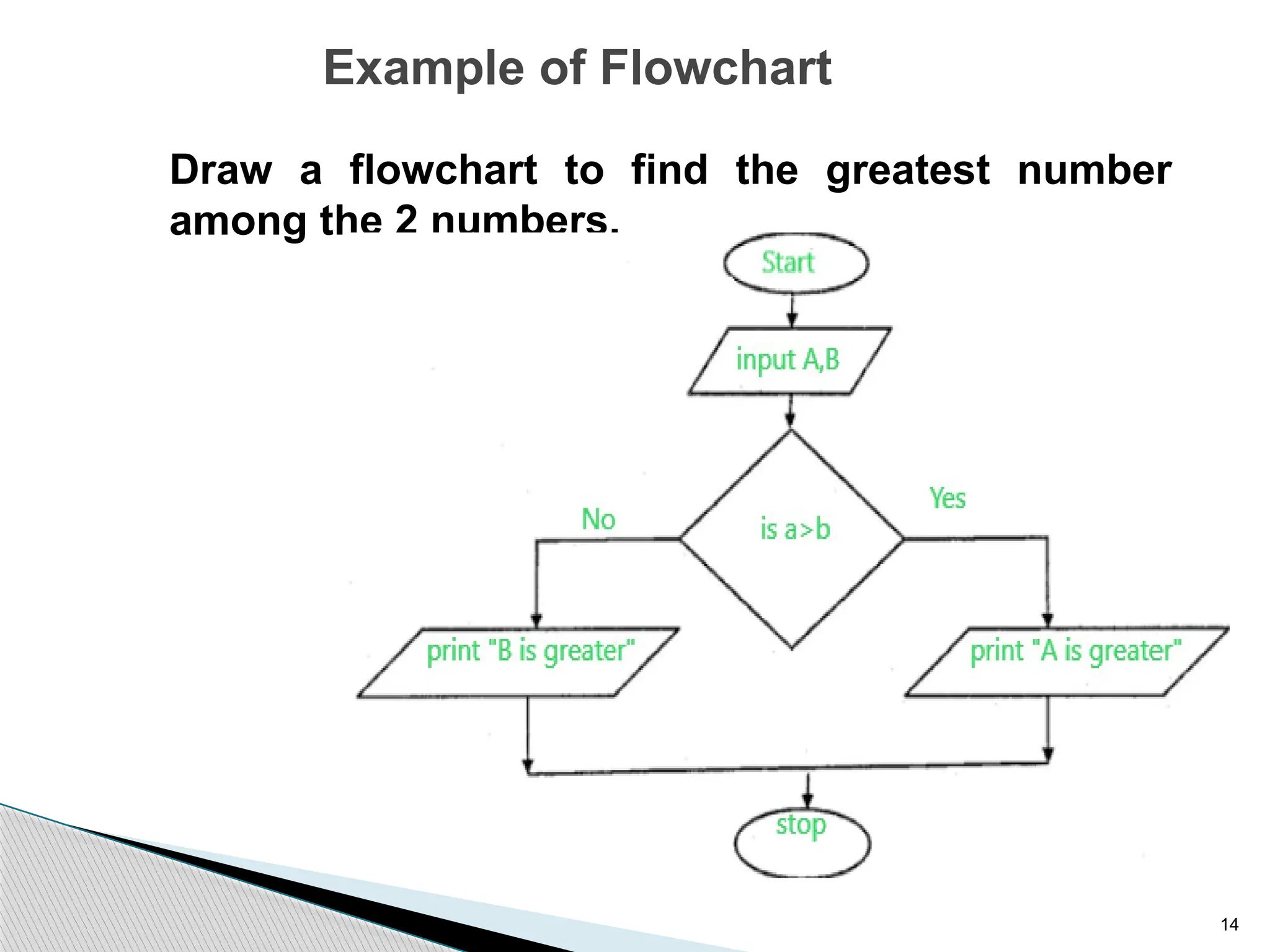
Example of Flowchart
Draw a flowchart to find the greatest number
among the 2 numbers.
15
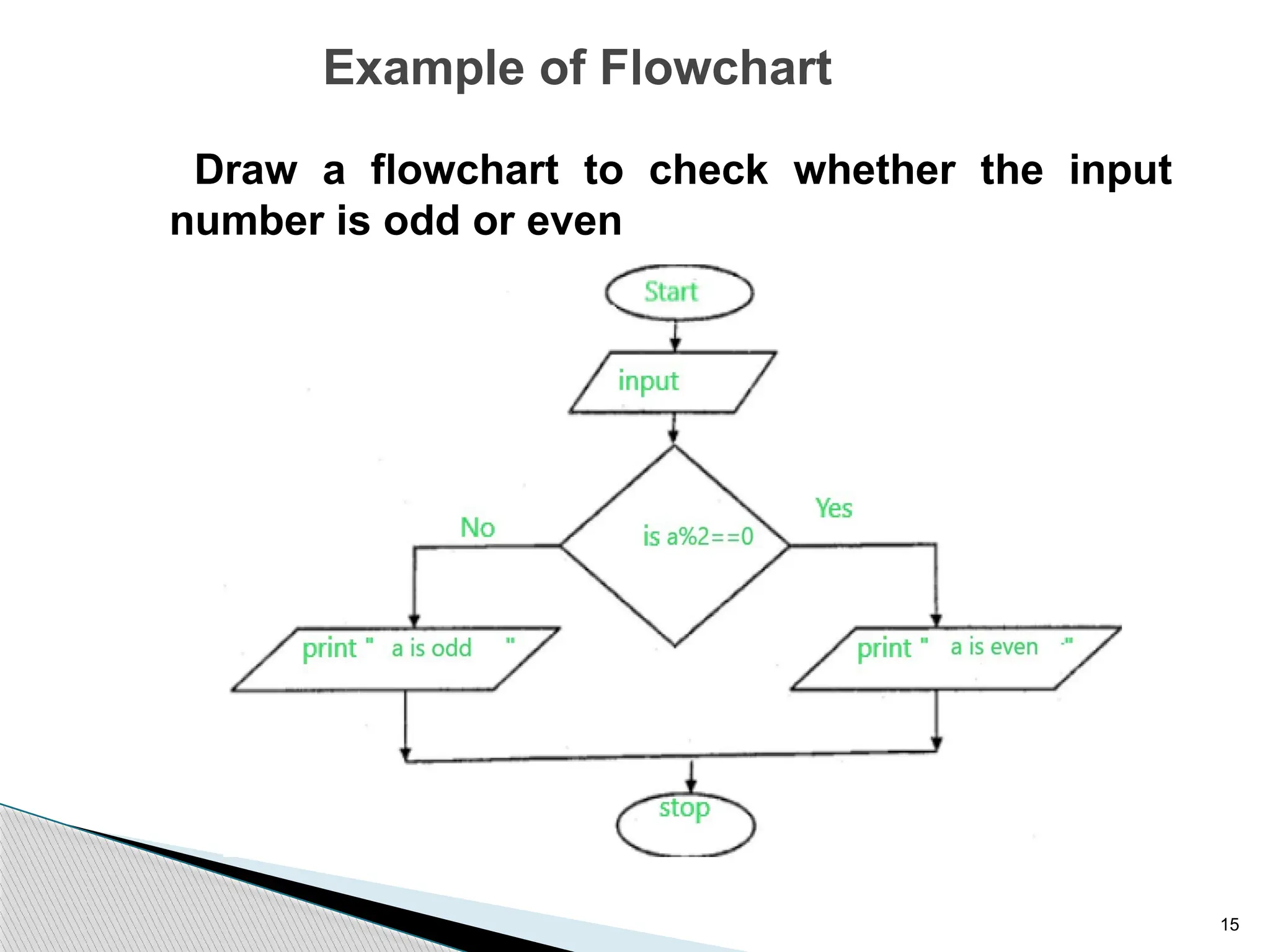
Example of Flowchart
Draw a flowchart to check whether the input
number is odd or even
16
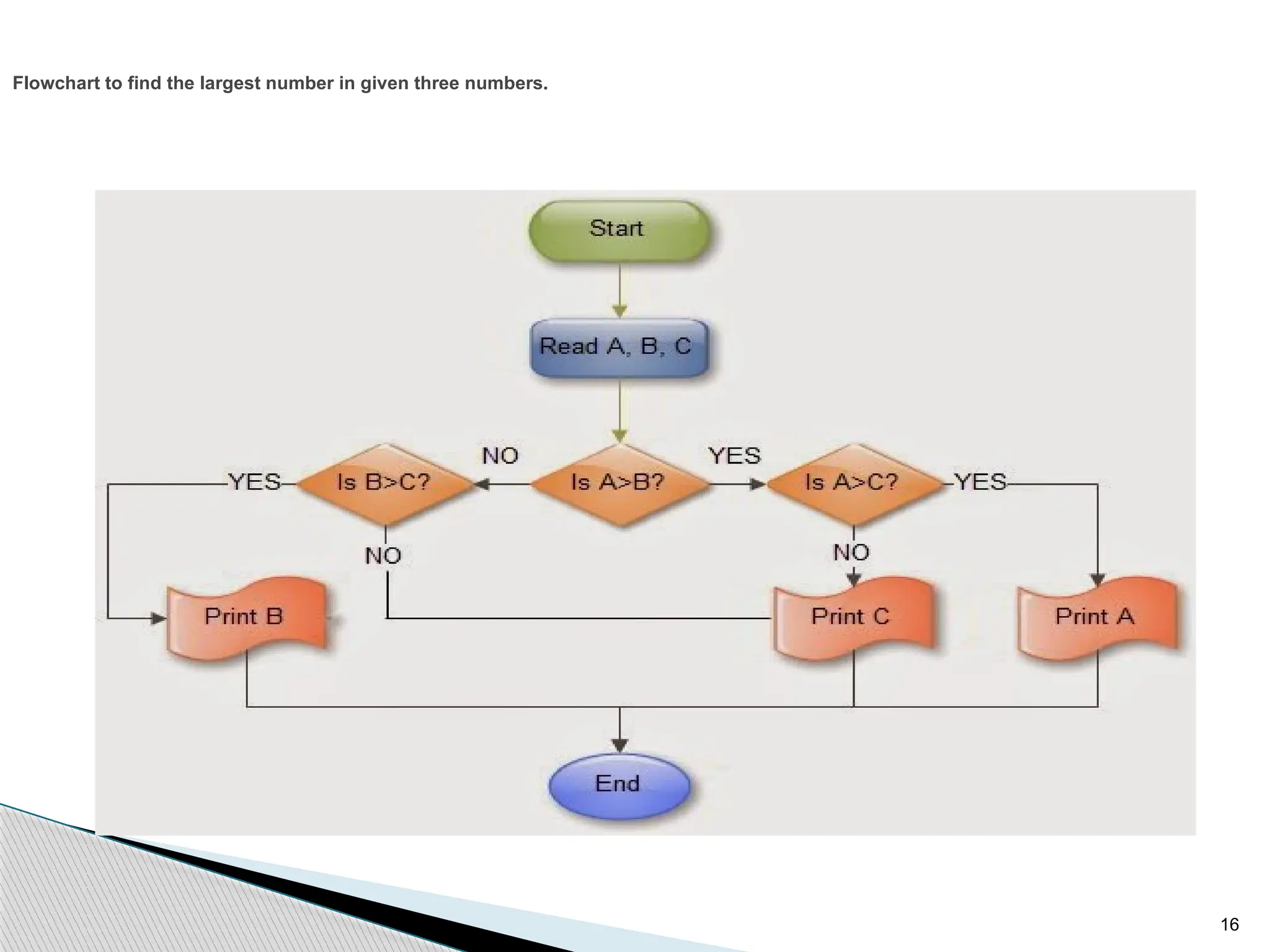
Flowchart to find the largest number in given three numbers.
17
Complexity :
Complexity is a measure of an algorithm. It determines the
amount of time and space necessary to execute them. The
computational problem can be solved by different algorithms,
Calculation complexity helps to select efficient algorithm.
Types of Complexity
Time Complexity : Time require to solve a computational
problem is called Time complexity of the algorithm.
Space Complexity :The space requirement of a computational
problem is called Space complexity.
18
Programming Language
 Programming :- Programming language is Artificial human
created language which translates instructions from human
readable to computer readable format.
 Art of solving computational problems by using computational
language.
 With the help of programming we can code and develop
software and computer applications.
 There are many programming languages viz. C,C++,Pascal, Java,
Python, BASIC, FORTRAN,COBOL, and LISP are just a few.
19
Category of Programming Language
First Generation language : Machine Language:
• The program is written in binary language.
• The program is directly processed by CPU.
• It does not require any translator or compiler.
• The program is difficult to understand and difficult to debugs as it is
written in binary mode.
• The program is machine dependent.
• It require to have good knowledge of hardware to write program in
machine language.
• It require more time to write program.
• It is also called low level programming language.
• It requires very less amount of memory.
20
Second Generation Language : Assembly languages
• The language consists more friendly code called Mnemonics. For
example ADD, MOV, CMP etc.
• The program is not process directly by processor.
• It requires translator called assembler to convert program written in
assembly language into machine language.
• It is some what easier to understand and debug the assembly program.
• The program is machine dependent.
• The program need to have little knowledge of architecture of processor.
• It require less time as compare to machine language to write a program.
• It is also considered as low level language.
• It require less amount of memory.
21
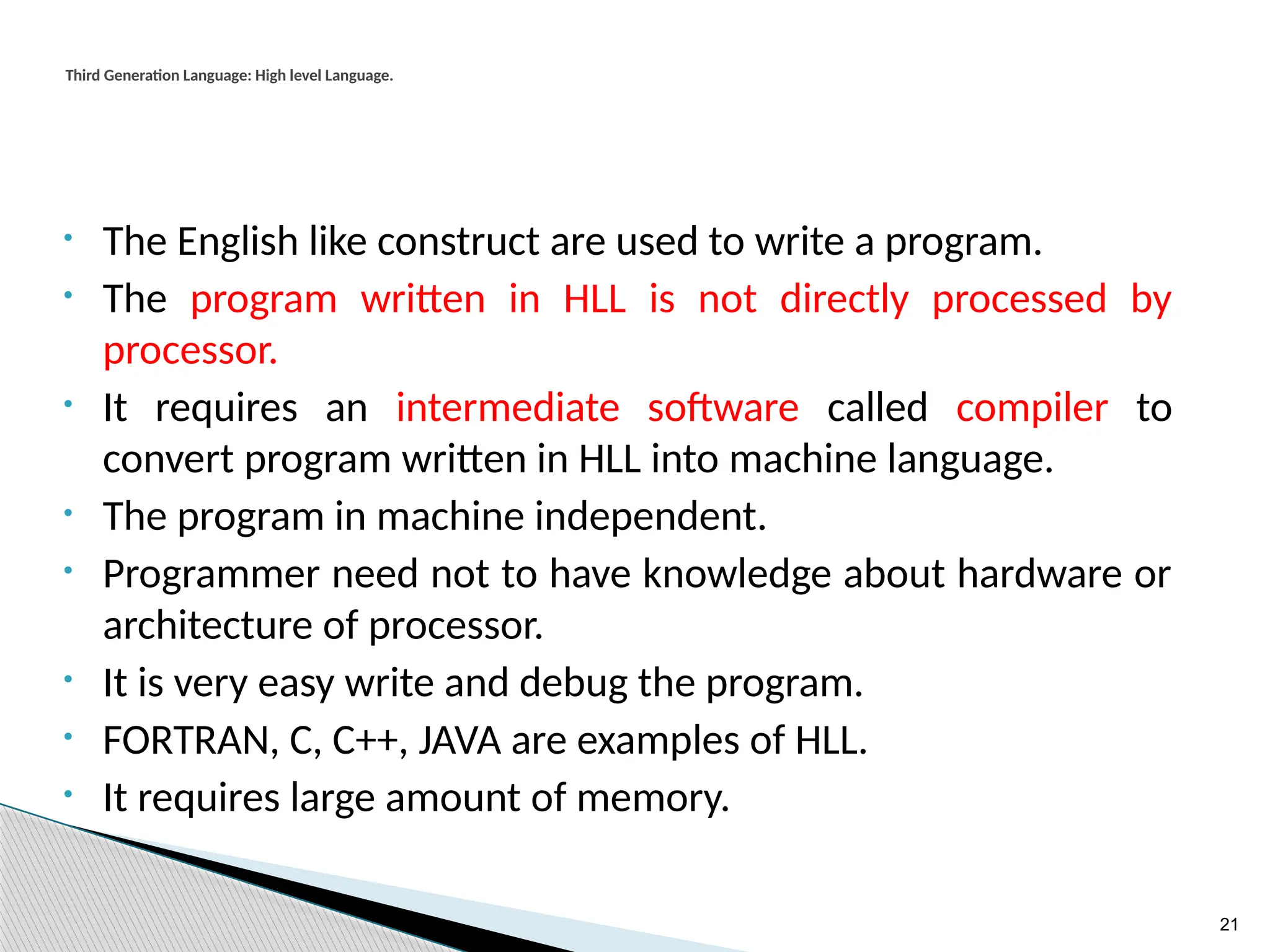
Third Generation Language: High level Language.
• The English like construct are used to write a program.
• The program written in HLL is not directly processed by
processor.
• It requires an intermediate software called compiler to
convert program written in HLL into machine language.
• The program in machine independent.
• Programmer need not to have knowledge about hardware or
architecture of processor.
• It is very easy write and debug the program.
• FORTRAN, C, C++, JAVA are examples of HLL.
• It requires large amount of memory.
22
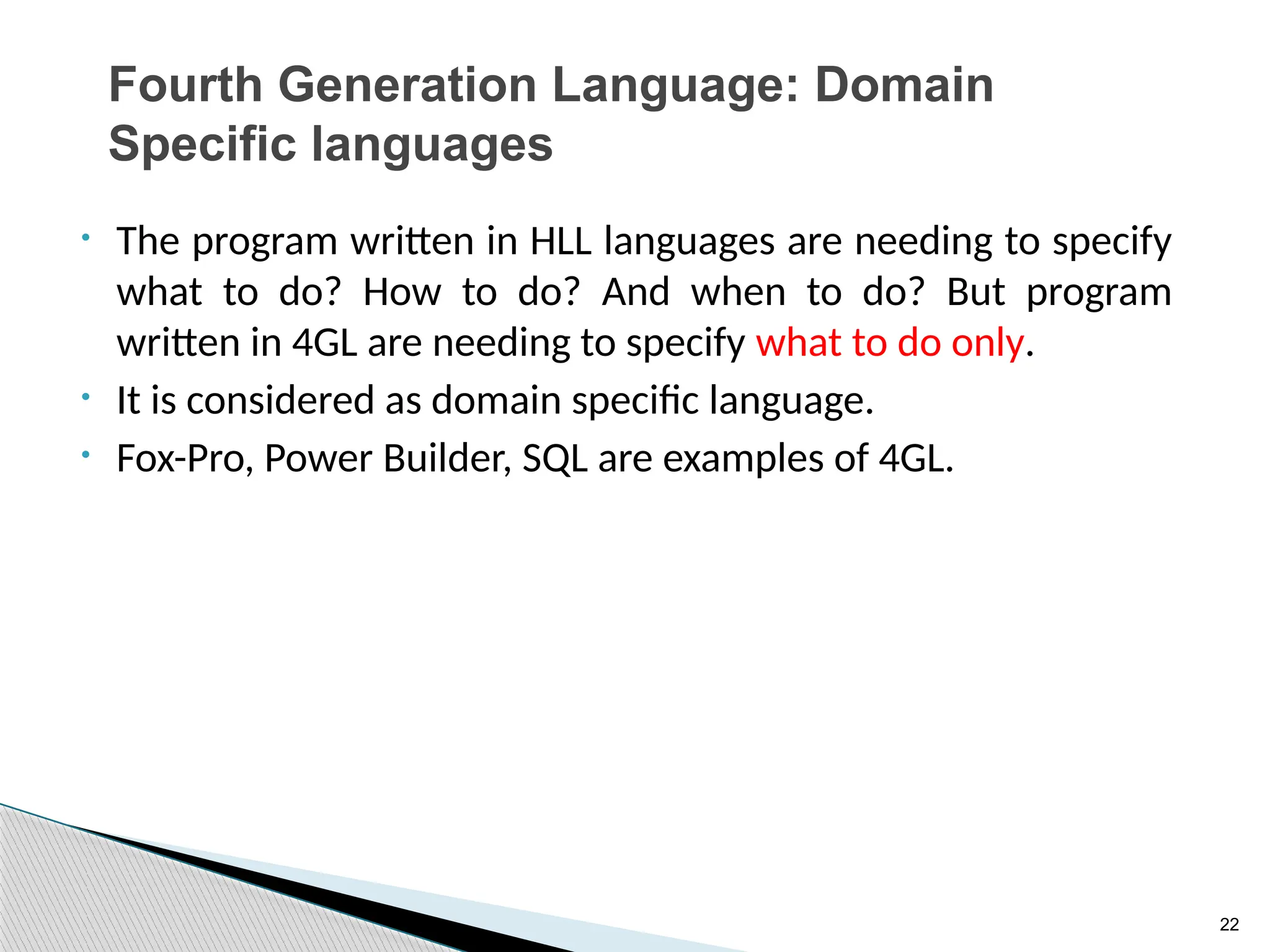
Fourth Generation Language: Domain
Specific languages
• The program written in HLL languages are needing to specify
what to do? How to do? And when to do? But program
written in 4GL are needing to specify what to do only.
• It is considered as domain specific language.
• Fox-Pro, Power Builder, SQL are examples of 4GL.
23
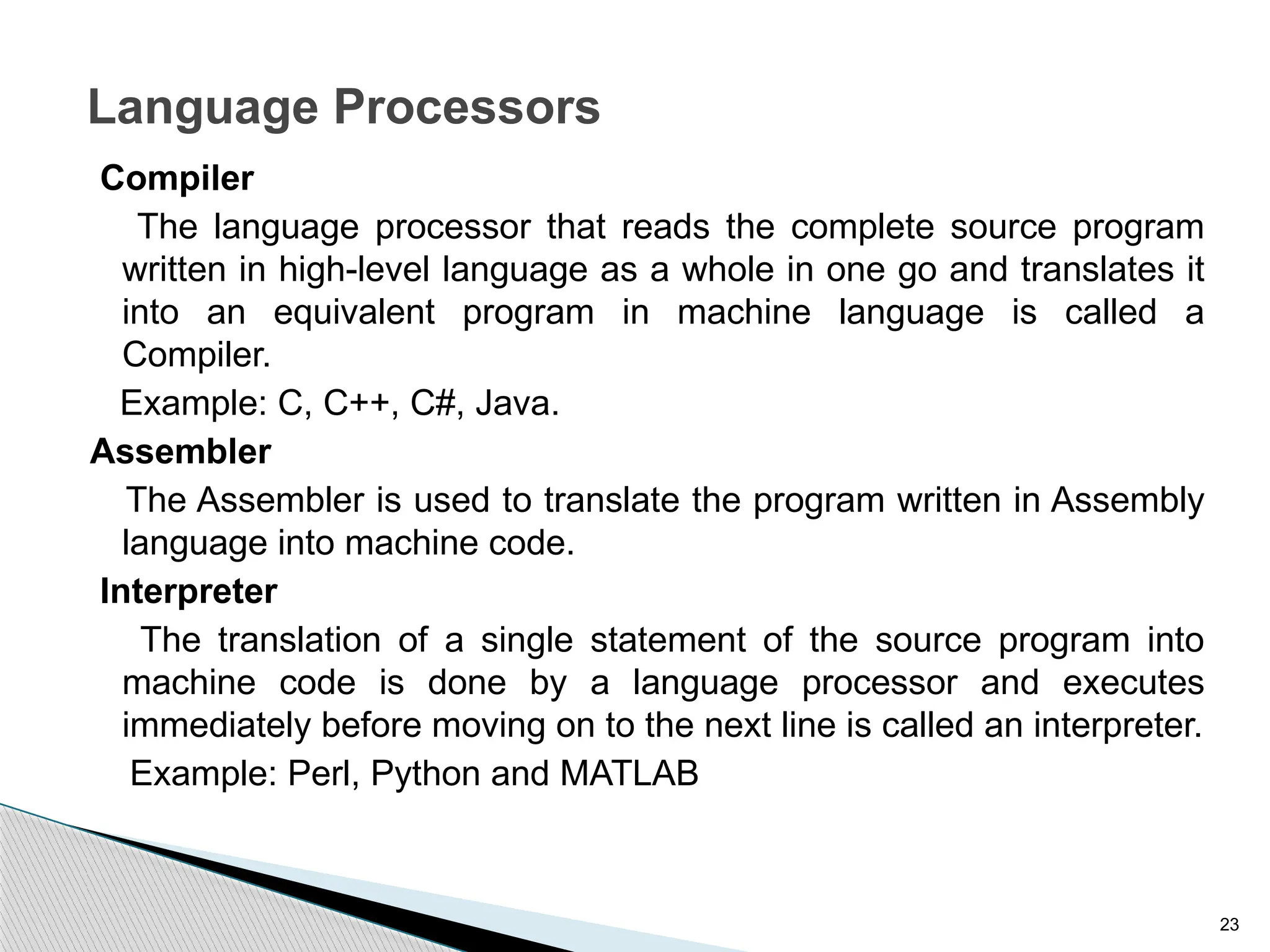
Language Processors
Compiler
The language processor that reads the complete source program
written in high-level language as a whole in one go and translates it
into an equivalent program in machine language is called a
Compiler.
Example: C, C++, C#, Java.
Assembler
The Assembler is used to translate the program written in Assembly
language into machine code.
Interpreter
The translation of a single statement of the source program into
machine code is done by a language processor and executes
immediately before moving on to the next line is called an interpreter.
Example: Perl, Python and MATLAB
24
Programming Design
 Top-Down Design
 Bottom-Up design
25
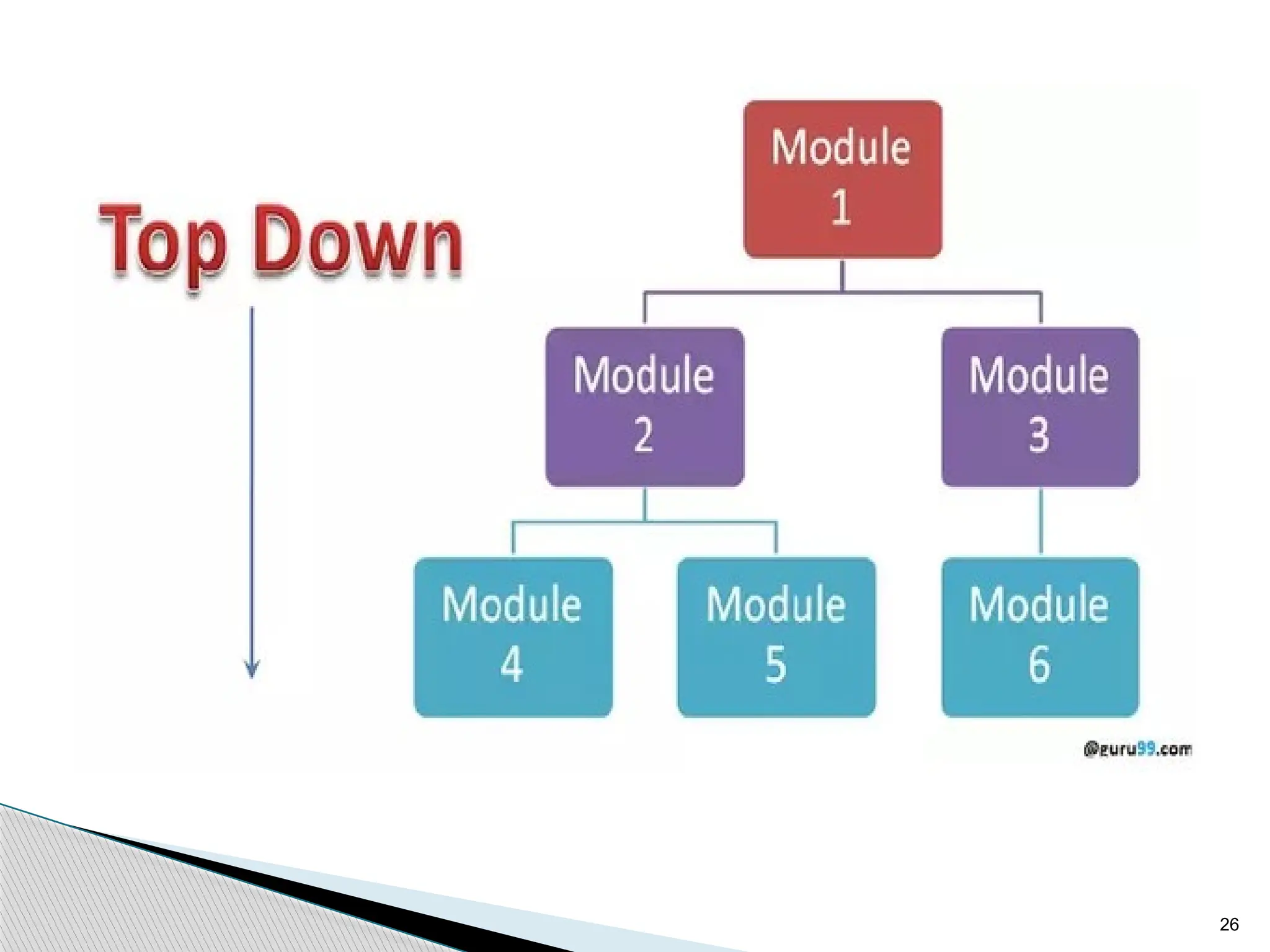
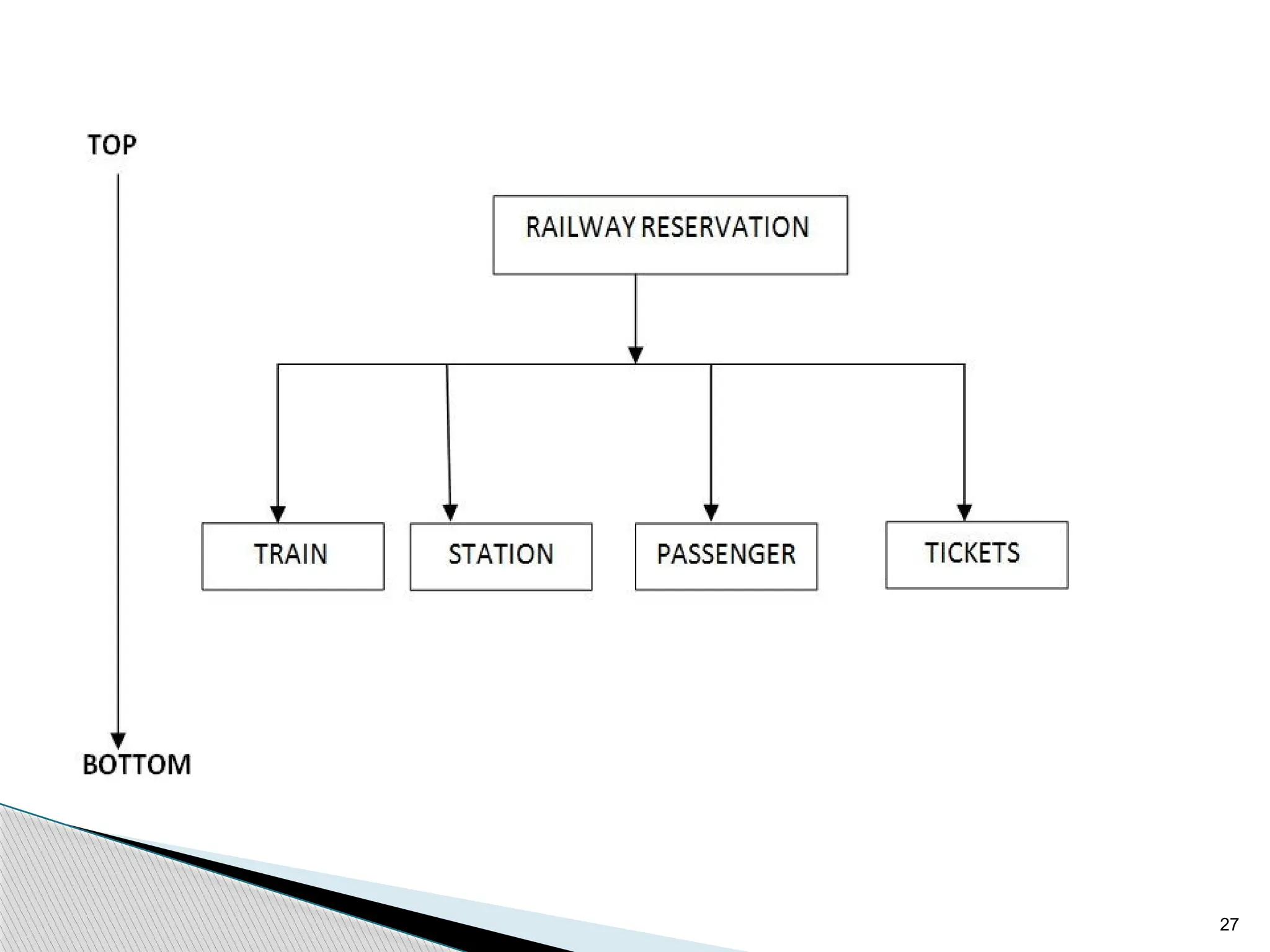
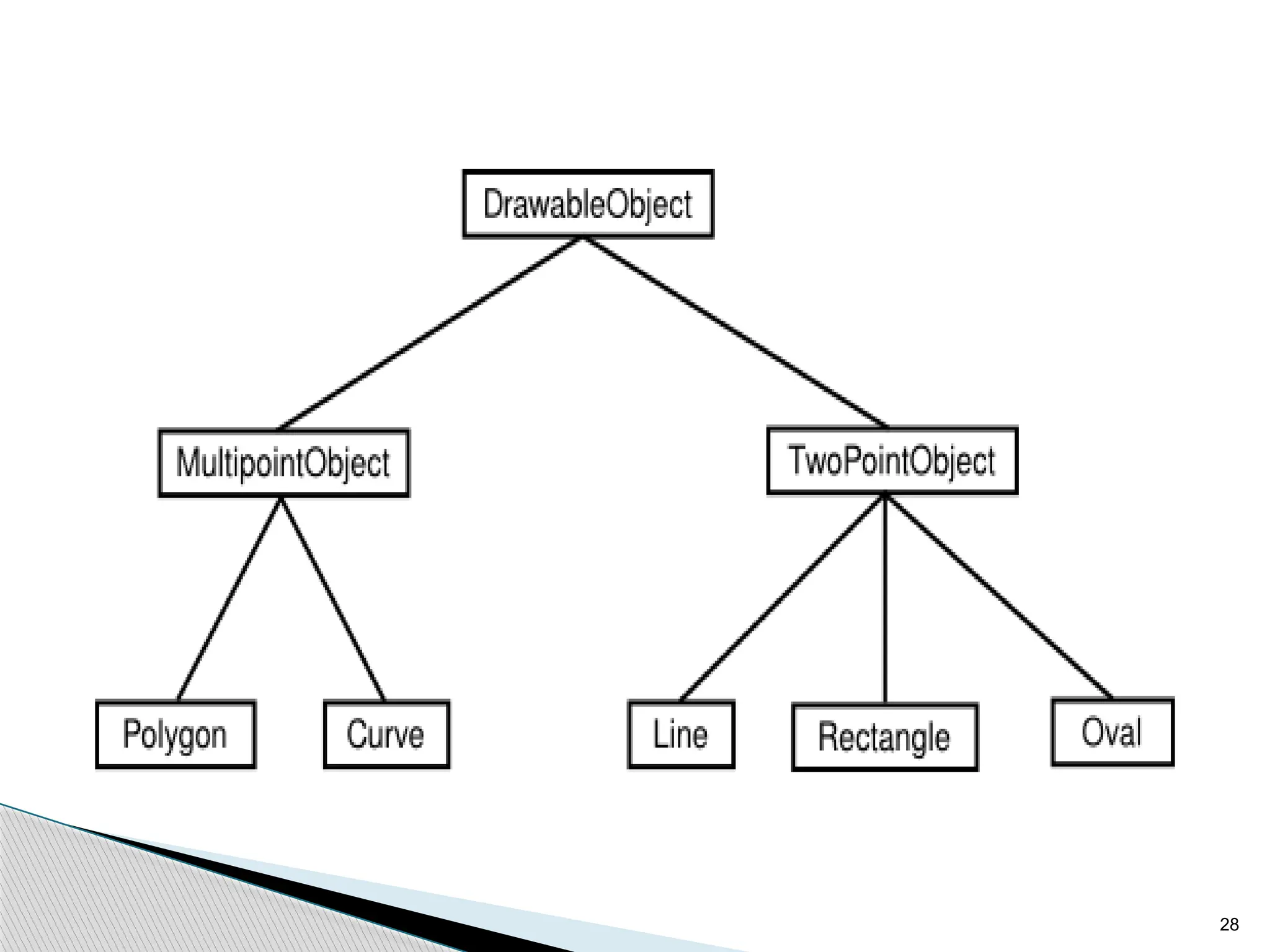
Top-Down Design
 An approach to design algorithms in which a bigger
problem is broken down into smaller parts. It uses the
decomposition approach.
 This approach is generally used by structured
programming languages such as C, COBOL, FORTRAN
 Generally used with documentation of module and
debugging code.
26
27
28
29
Bottom-Up design
 Bottom-Up Approach is one in which the smaller
problems are solved, and then these solved
problems are integrated to find the solution to a
bigger problem.
 It is generally used with object-oriented
programming paradigm such as C++, Java, and
Python. Data encapsulation and data hiding is also
implemented in this approach.
 The bottom-up approach is generally used in
testing modules.
30
OOP Characteristics/Concepts:
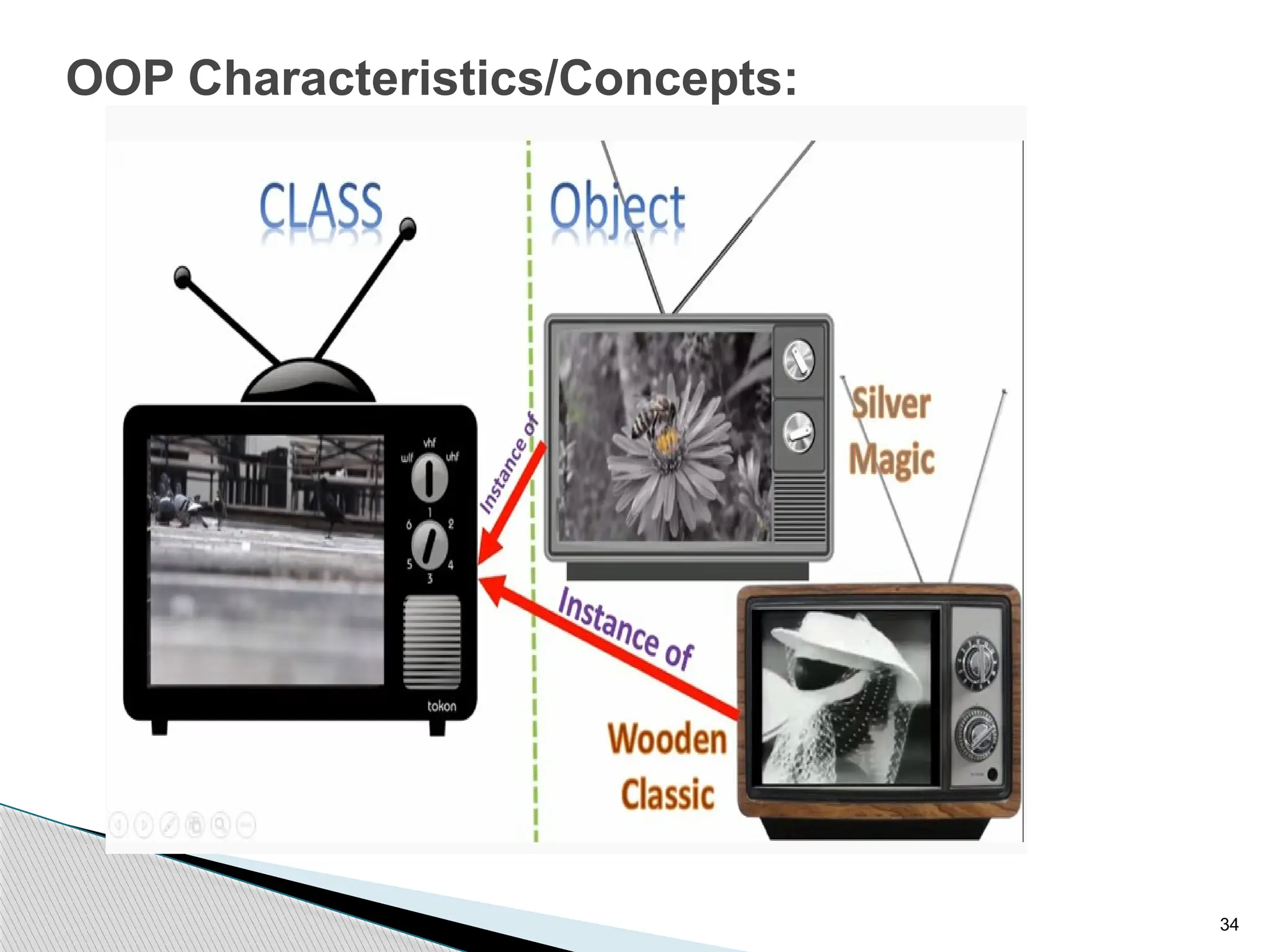
Object
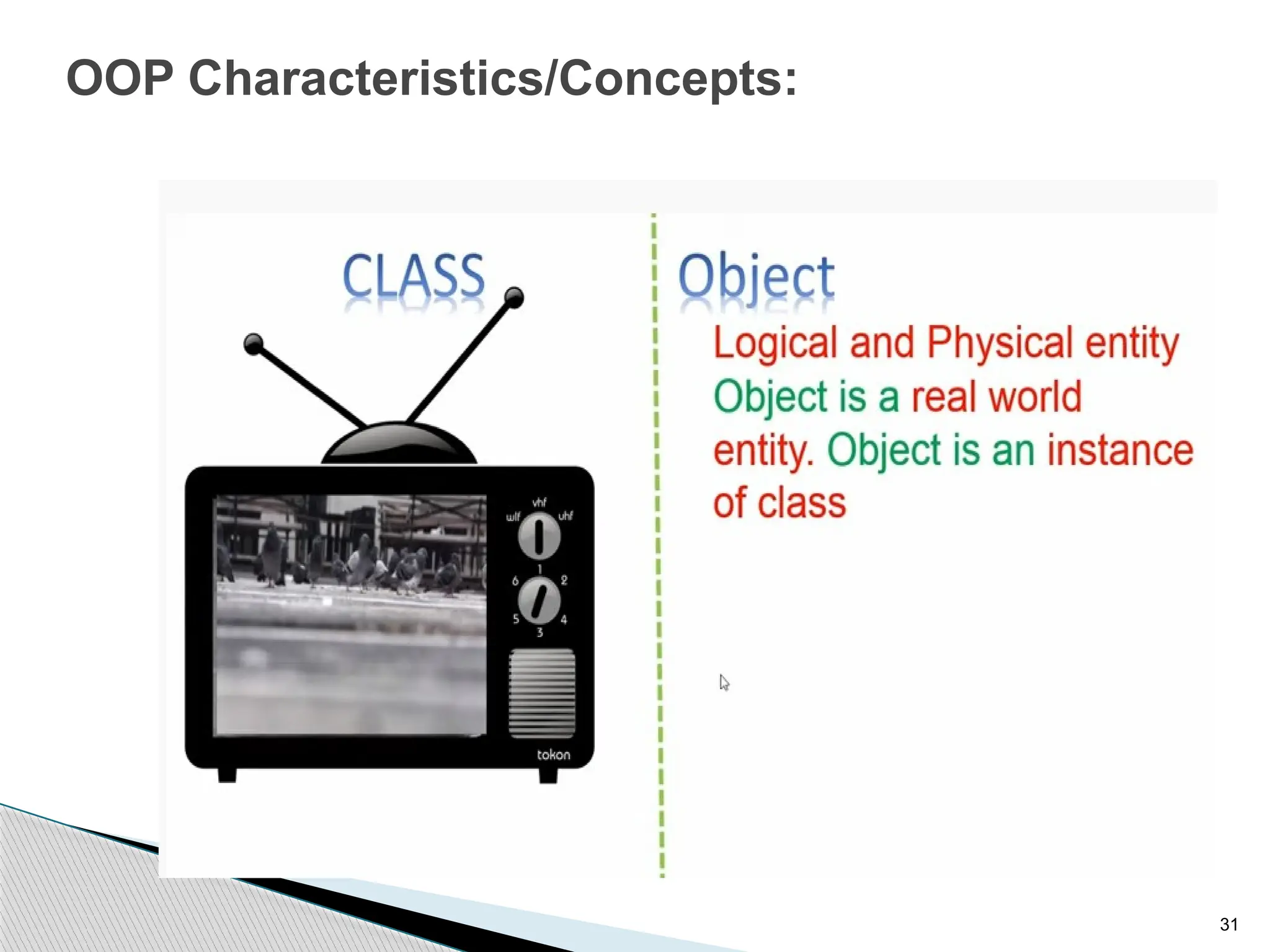
 An object is a real-world entity that has attributes and
behavior. It is referred to as an instance of the class.
 It contains member functions & variables that we have
defined in the class.
 It occupies space in the memory.
 Different objects have different states or attributes, and
behaviors.
31
OOP Characteristics/Concepts:
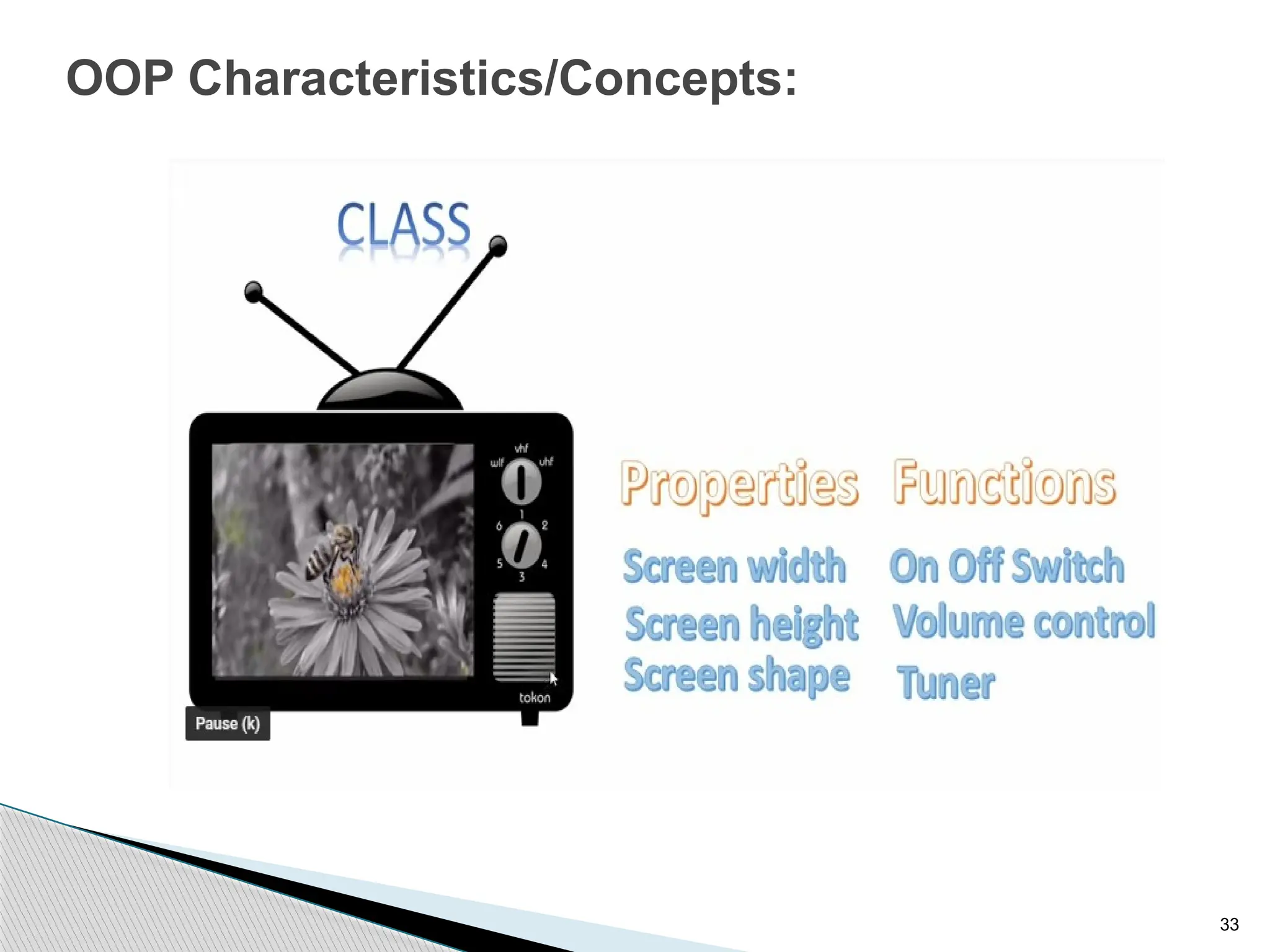
32
OOP Characteristics/Concepts:
Class
 A class is a blueprint or template of an object. It is a
user-defined data type.
 Inside a class, we define variables, constants, member
functions, and other functionality. it binds data and
functions together in a single unit.
 It is a logical entity. It is the best example of data
binding.
 A class can exist without an object but vice-versa is not
possible.
 Consider the Class of Cars.
33
OOP Characteristics/Concepts:
34
OOP Characteristics/Concepts:
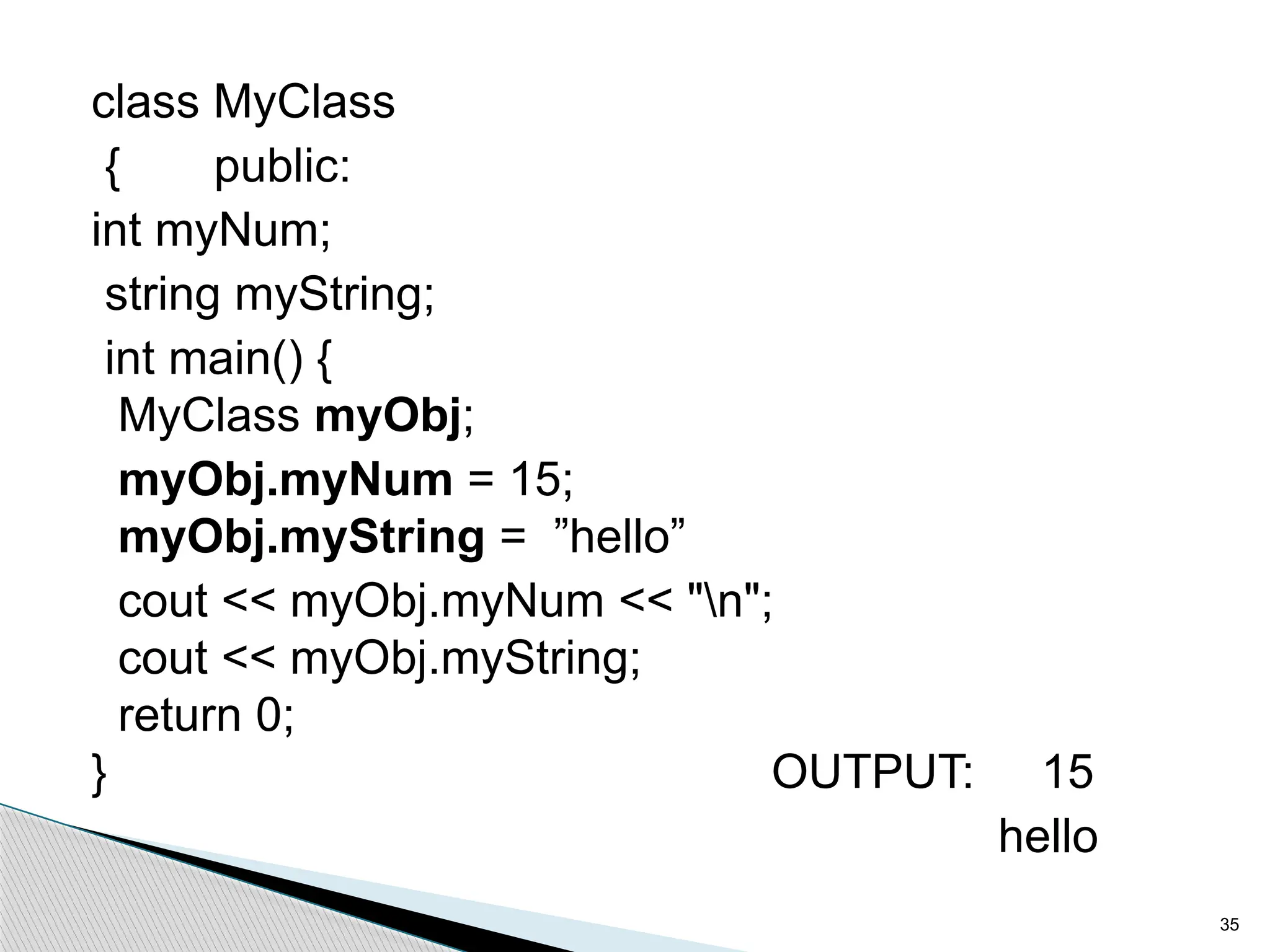
class MyClass
{ public:
int myNum;
string myString;
int main() {
MyClass myObj;
myObj.myNum = 15;
myObj.myString = ”hello”
cout << myObj.myNum << "n";
cout << myObj.myString;
return 0;
} OUTPUT: 15
hello
35
36
OOP Characteristics:
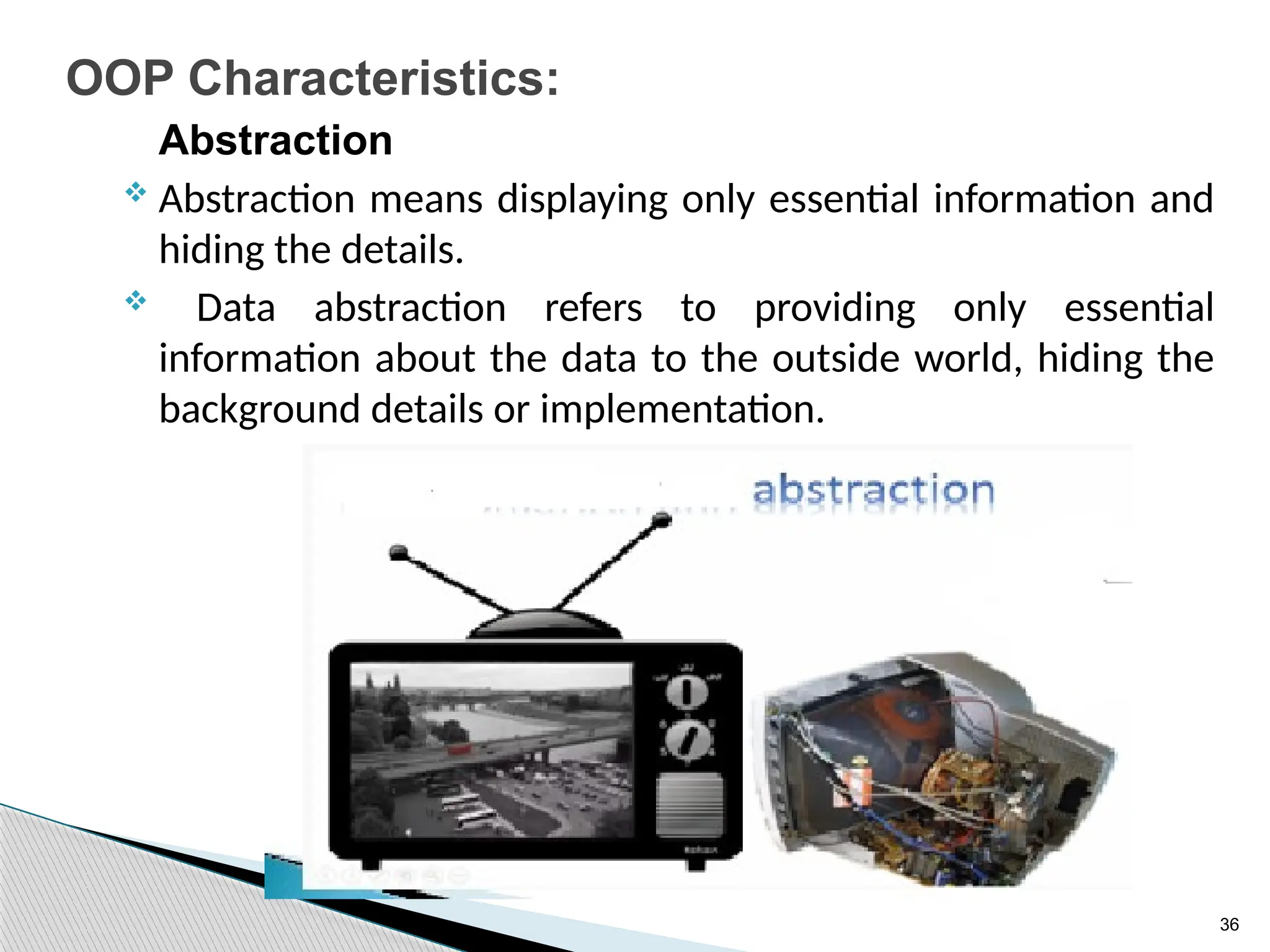
Abstraction
 Abstraction means displaying only essential information and
hiding the details.
 Data abstraction refers to providing only essential
information about the data to the outside world, hiding the
background details or implementation.
37
OOP Characteristics:
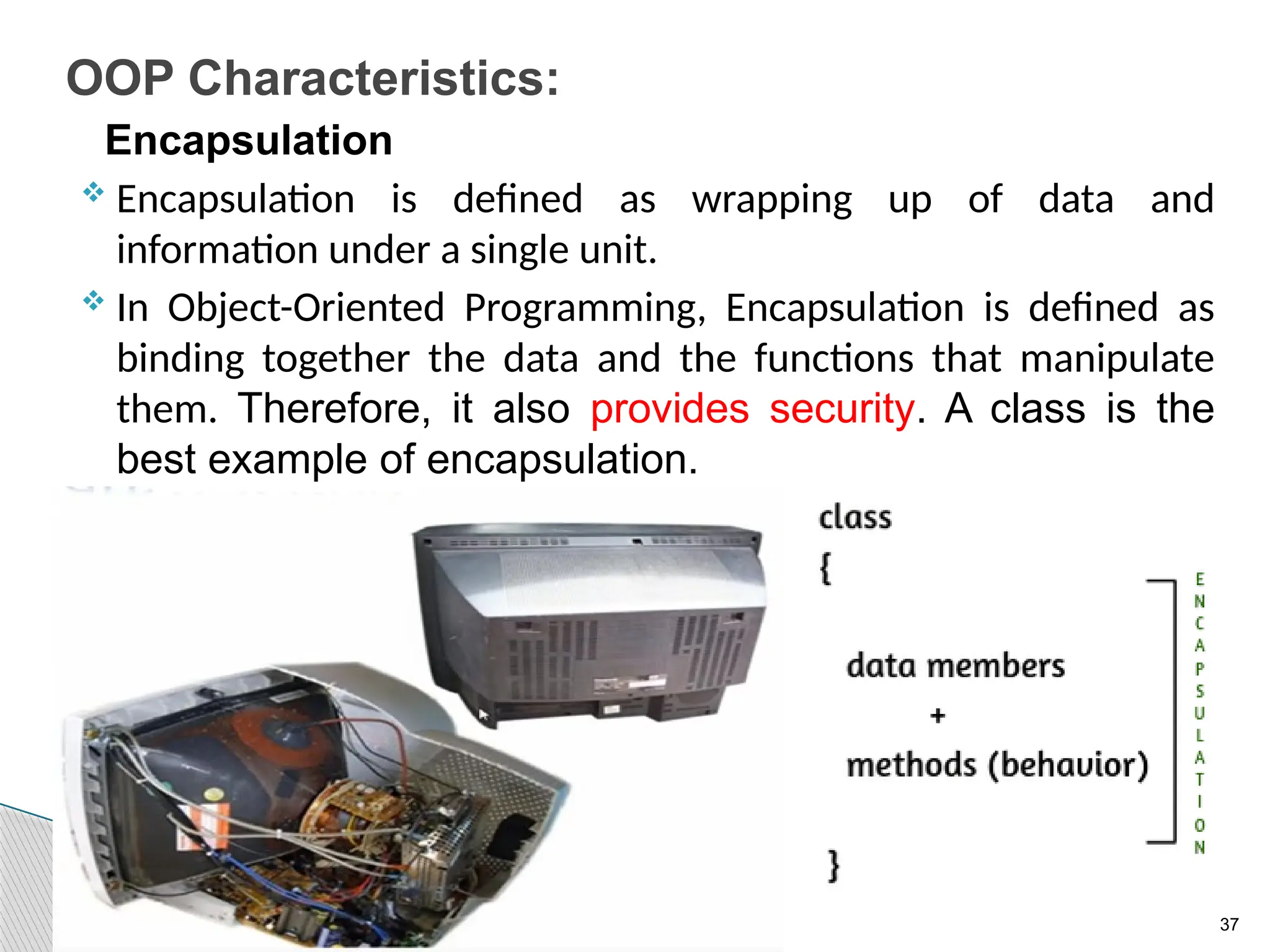
Encapsulation
 Encapsulation is defined as wrapping up of data and
information under a single unit.
 In Object-Oriented Programming, Encapsulation is defined as
binding together the data and the functions that manipulate
them. Therefore, it also provides security. A class is the
best example of encapsulation.
38
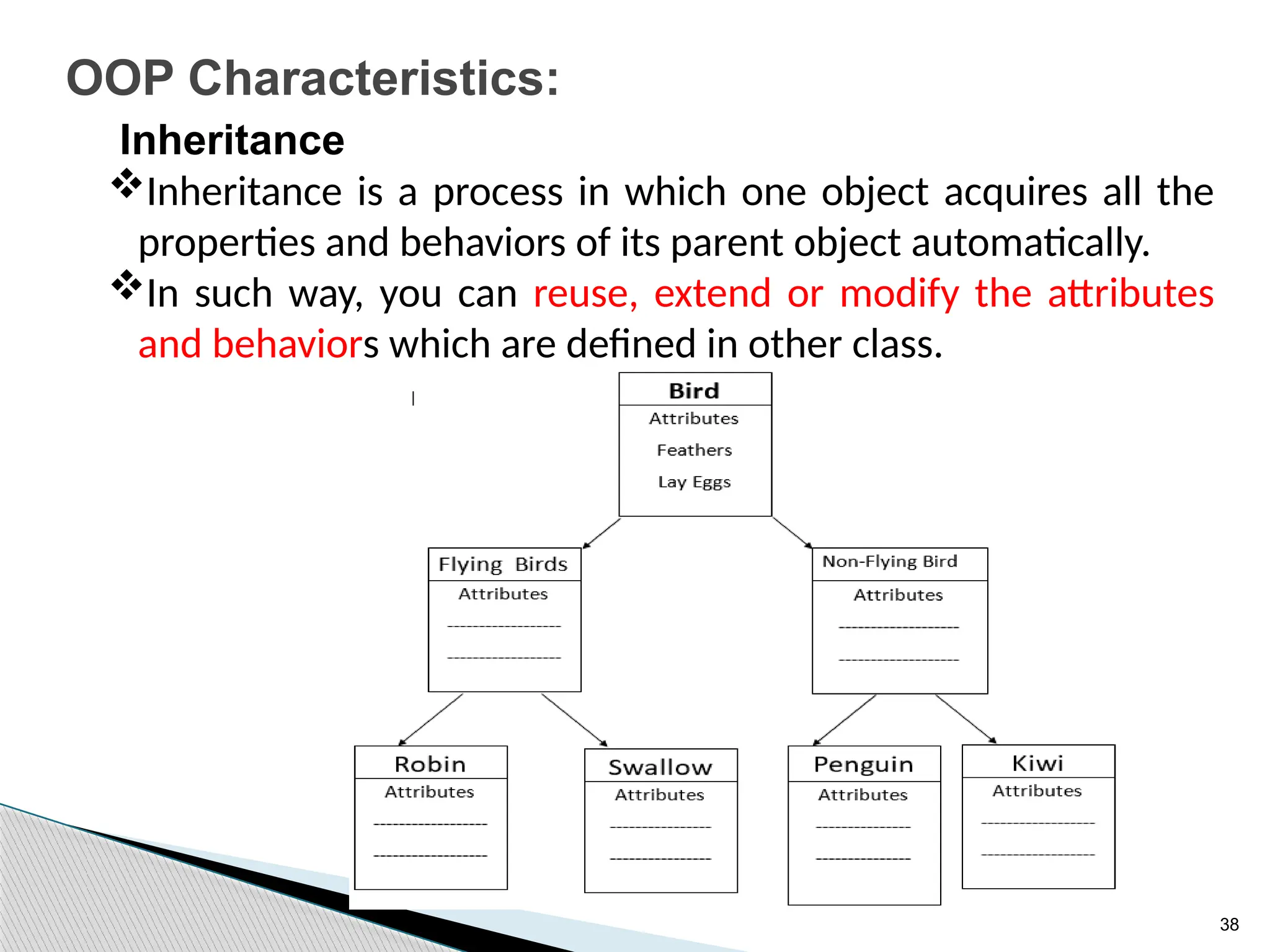
OOP Characteristics:
Inheritance
Inheritance is a process in which one object acquires all the
properties and behaviors of its parent object automatically.
In such way, you can reuse, extend or modify the attributes
and behaviors which are defined in other class.
39
OOP Characteristics:
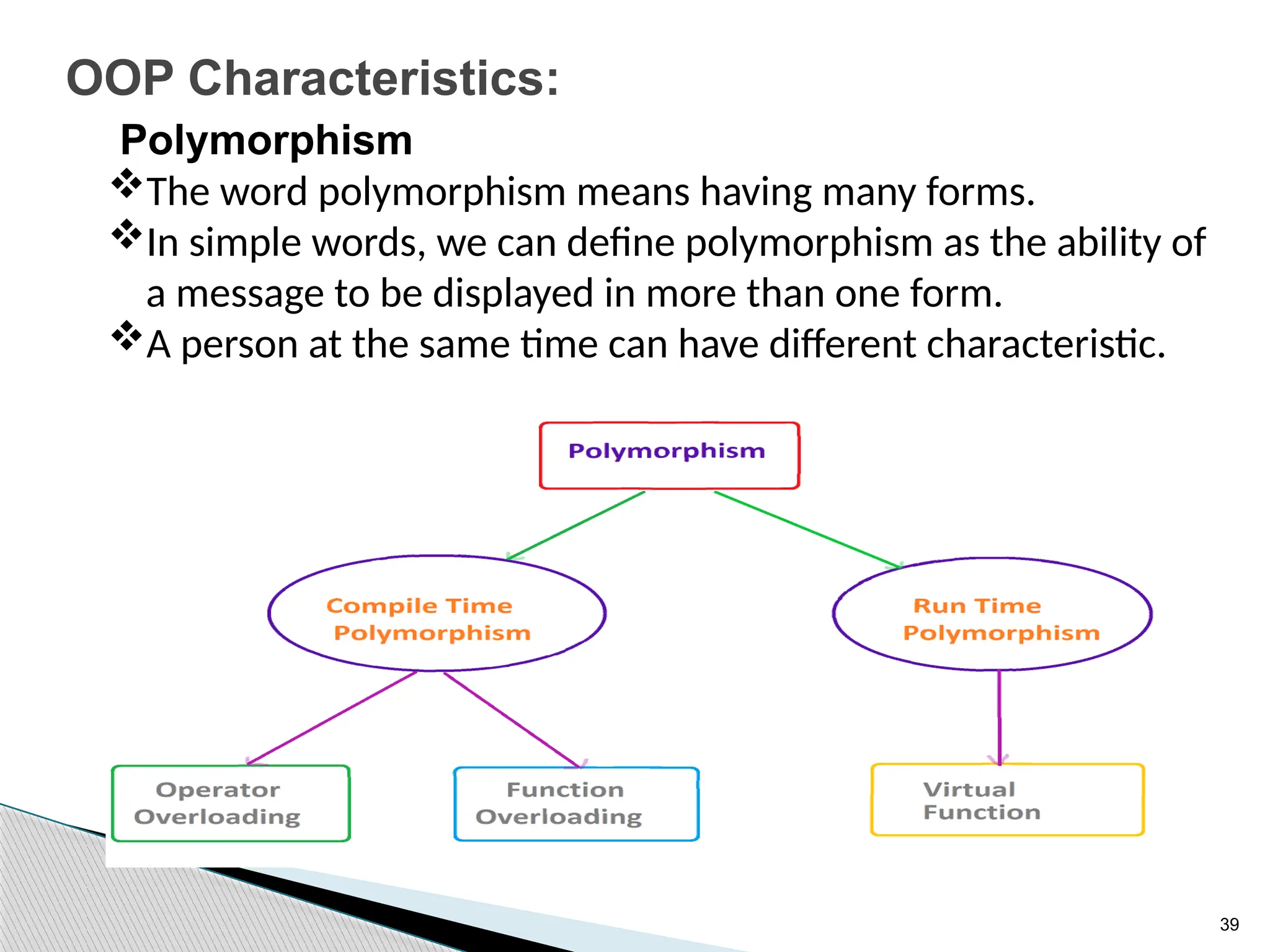
Polymorphism
The word polymorphism means having many forms.
In simple words, we can define polymorphism as the ability of
a message to be displayed in more than one form.
A person at the same time can have different characteristic.
40
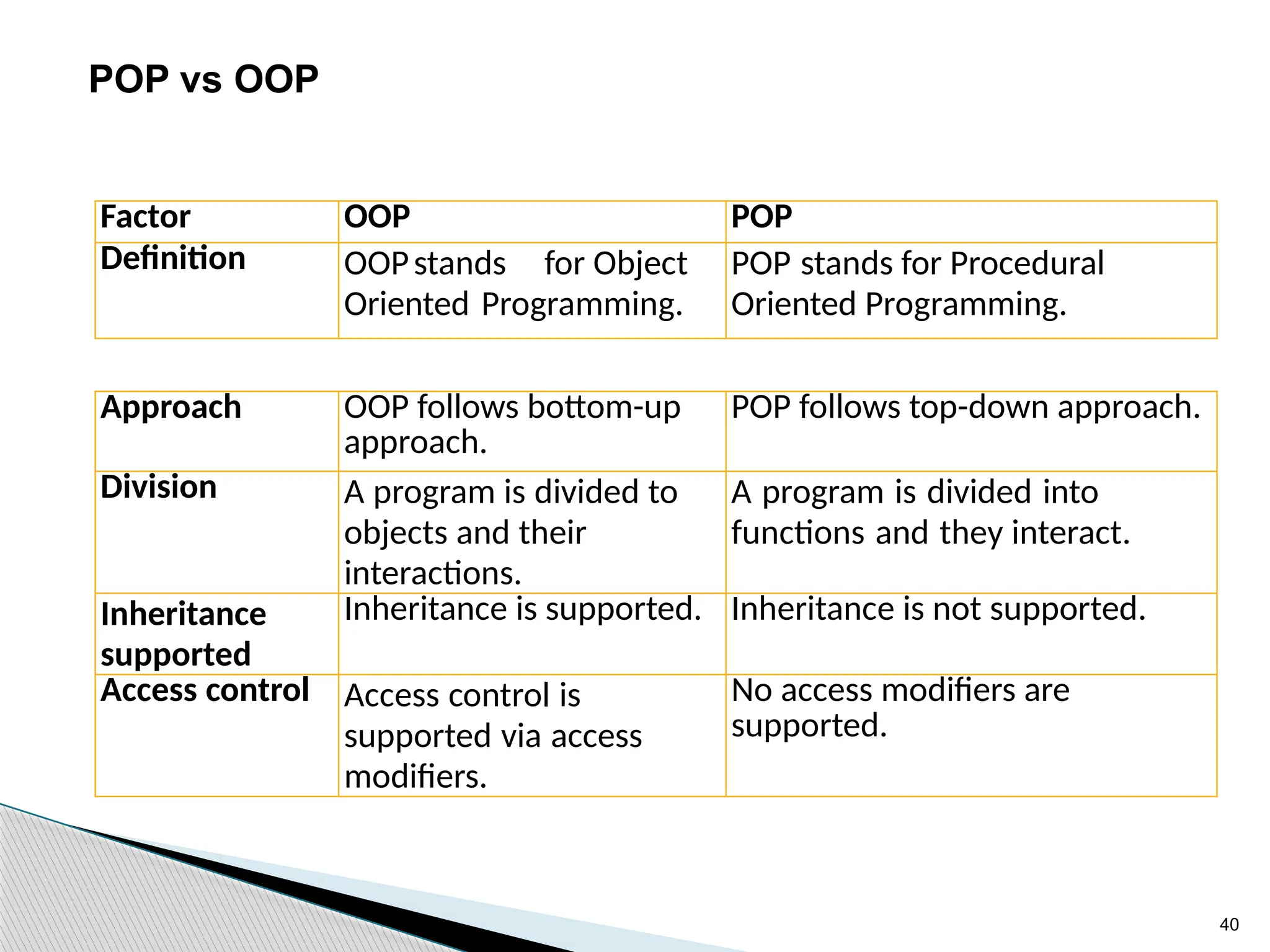
Factor OOP POP
Definition OOPstands for Object
Oriented Programming.
POP stands for Procedural
Oriented Programming.
Approach OOP follows bottom-up
approach.
POP follows top-down approach.
Division A program is divided to
objects and their
interactions.
A program is divided into
functions and they interact.
Inheritance
supported
Inheritance is supported. Inheritance is not supported.
Access control Access control is
supported via access
modifiers.
No access modifiers are
supported.
POP vs OOP
41
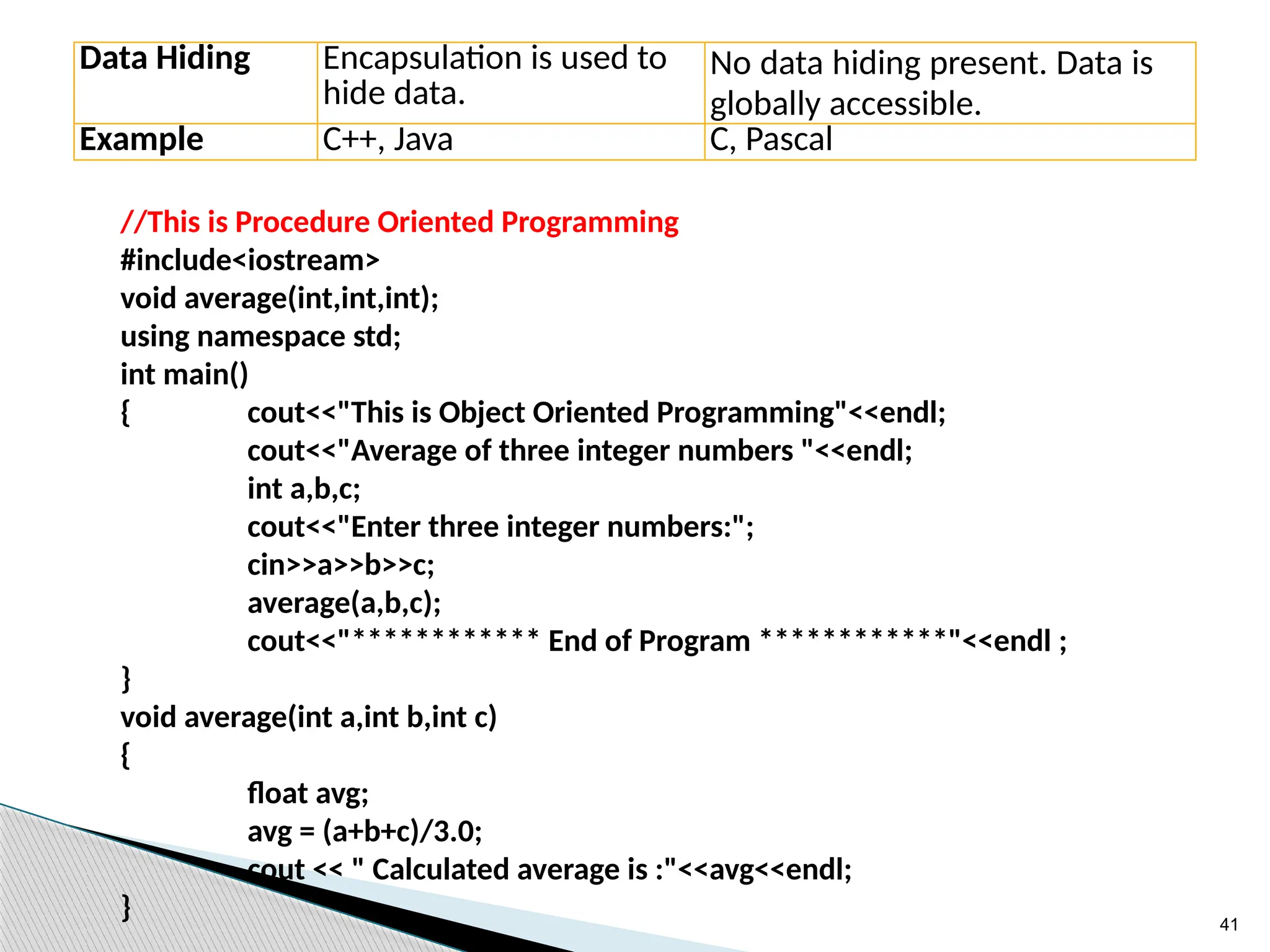
Data Hiding Encapsulation is used to
hide data.
No data hiding present. Data is
globally accessible.
Example C++, Java C, Pascal
//This is Procedure Oriented Programming
#include<iostream>
void average(int,int,int);
using namespace std;
int main()
{ cout<<"This is Object Oriented Programming"<<endl;
cout<<"Average of three integer numbers "<<endl;
int a,b,c;
cout<<"Enter three integer numbers:";
cin>>a>>b>>c;
average(a,b,c);
cout<<"************ End of Program ************"<<endl ;
}
void average(int a,int b,int c)
{
float avg;
avg = (a+b+c)/3.0;
cout << " Calculated average is :"<<avg<<endl;
}
42
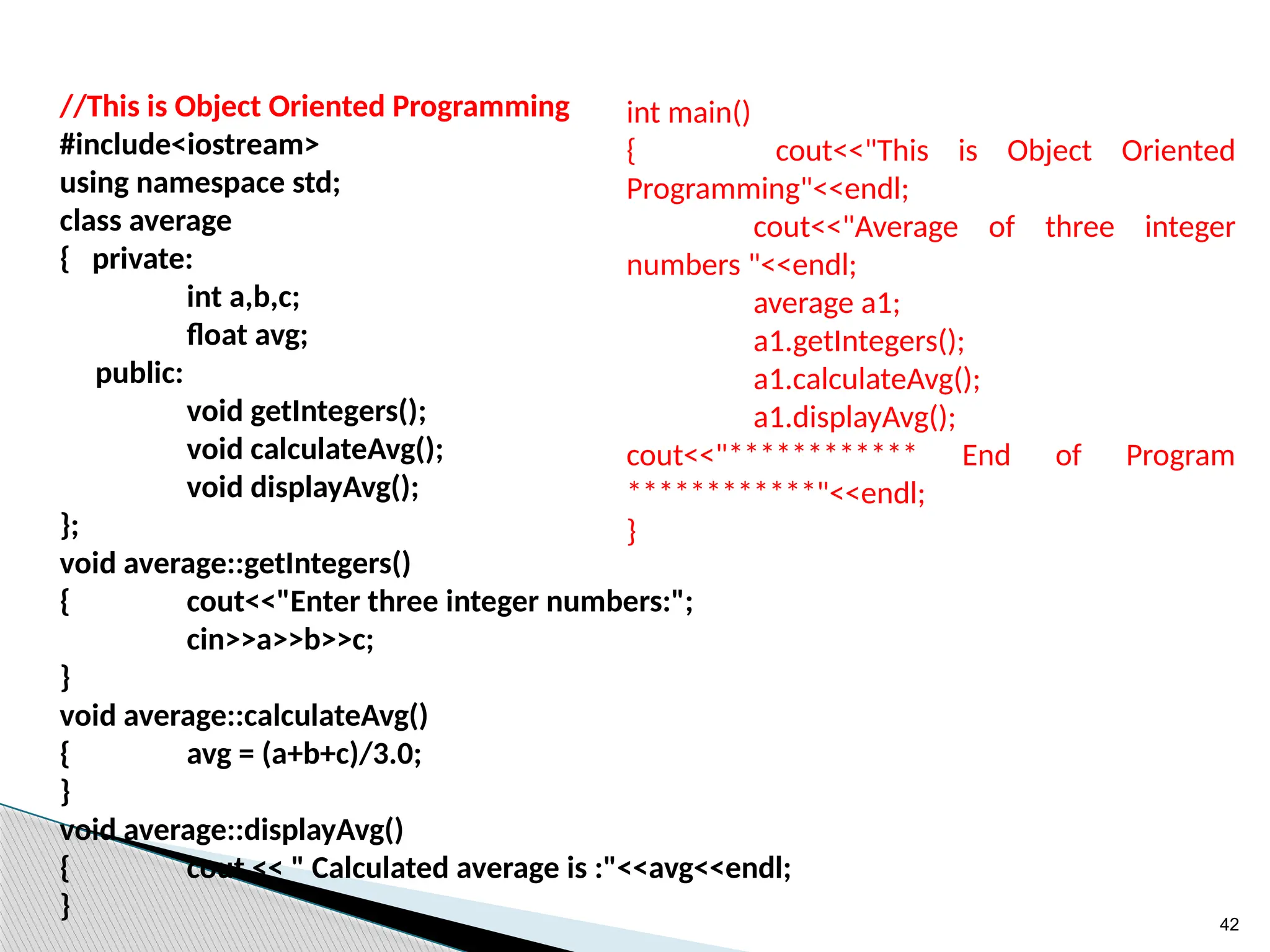
//This is Object Oriented Programming
#include<iostream>
using namespace std;
class average
{ private:
int a,b,c;
float avg;
public:
void getIntegers();
void calculateAvg();
void displayAvg();
};
void average::getIntegers()
{ cout<<"Enter three integer numbers:";
cin>>a>>b>>c;
}
void average::calculateAvg()
{ avg = (a+b+c)/3.0;
}
void average::displayAvg()
{ cout << " Calculated average is :"<<avg<<endl;
}
int main()
{ cout<<"This is Object Oriented
Programming"<<endl;
cout<<"Average of three integer
numbers "<<endl;
average a1;
a1.getIntegers();
a1.calculateAvg();
a1.displayAvg();
cout<<"************ End of Program
************"<<endl;
}
43
2. C++ Overview
44
What is C++
C++ is a general purpose, case-sensitive, free-form
programming language that supports object-oriented,
procedural and generic programming.
By the help of C++ programming language, we can
develop different types of secured and robust applications:
• Window application
• Client-Server application
• Device drivers
• Embedded firmware etc
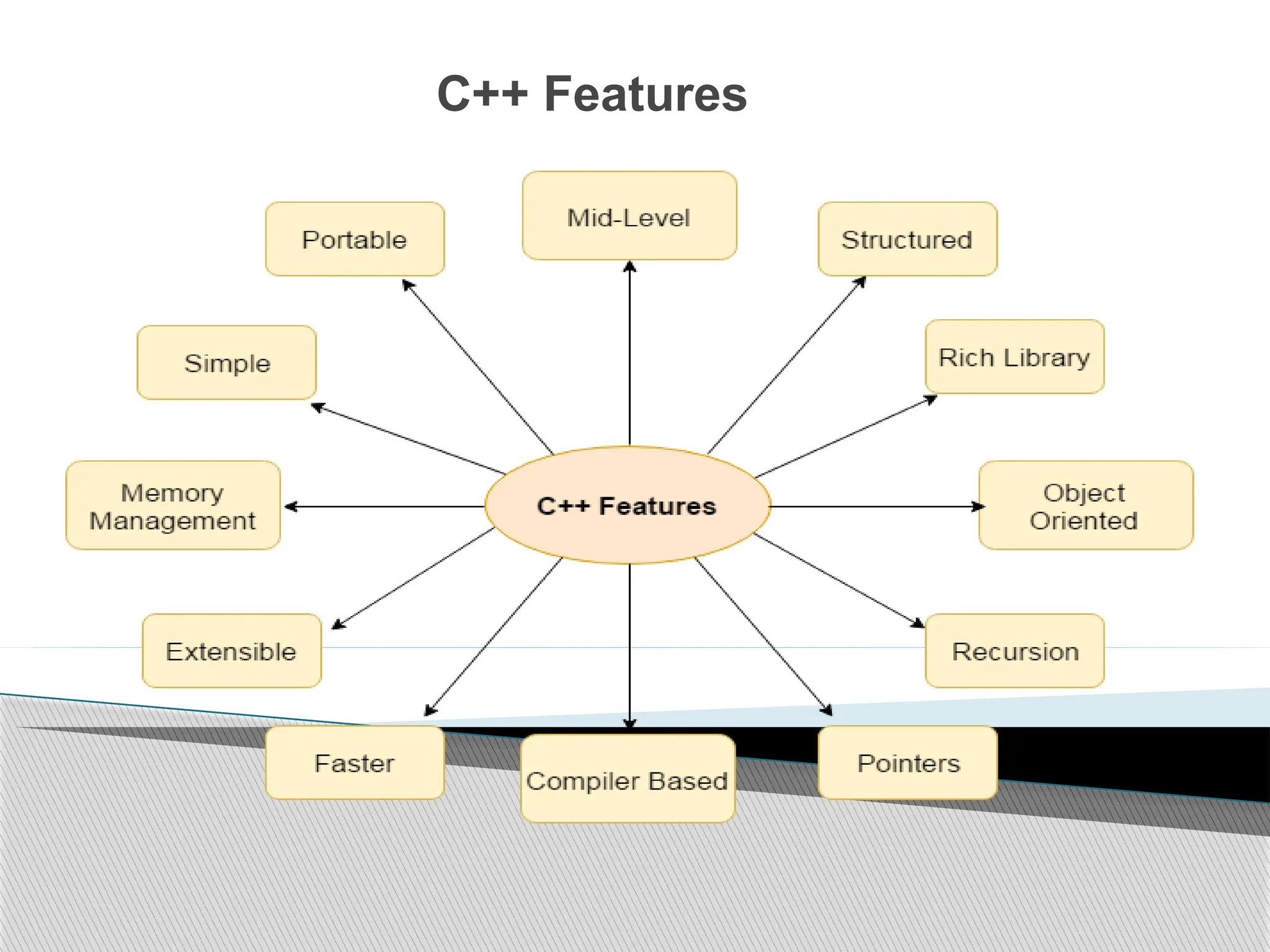
C++ Features
C++ Features
Simple
Machine Independent or Portable
Mid-level programming language
Structured programming language
Rich Library
Memory Management
Fast Speed
Pointers
Recursion
Extensible
Object Oriented
Compiler based
47
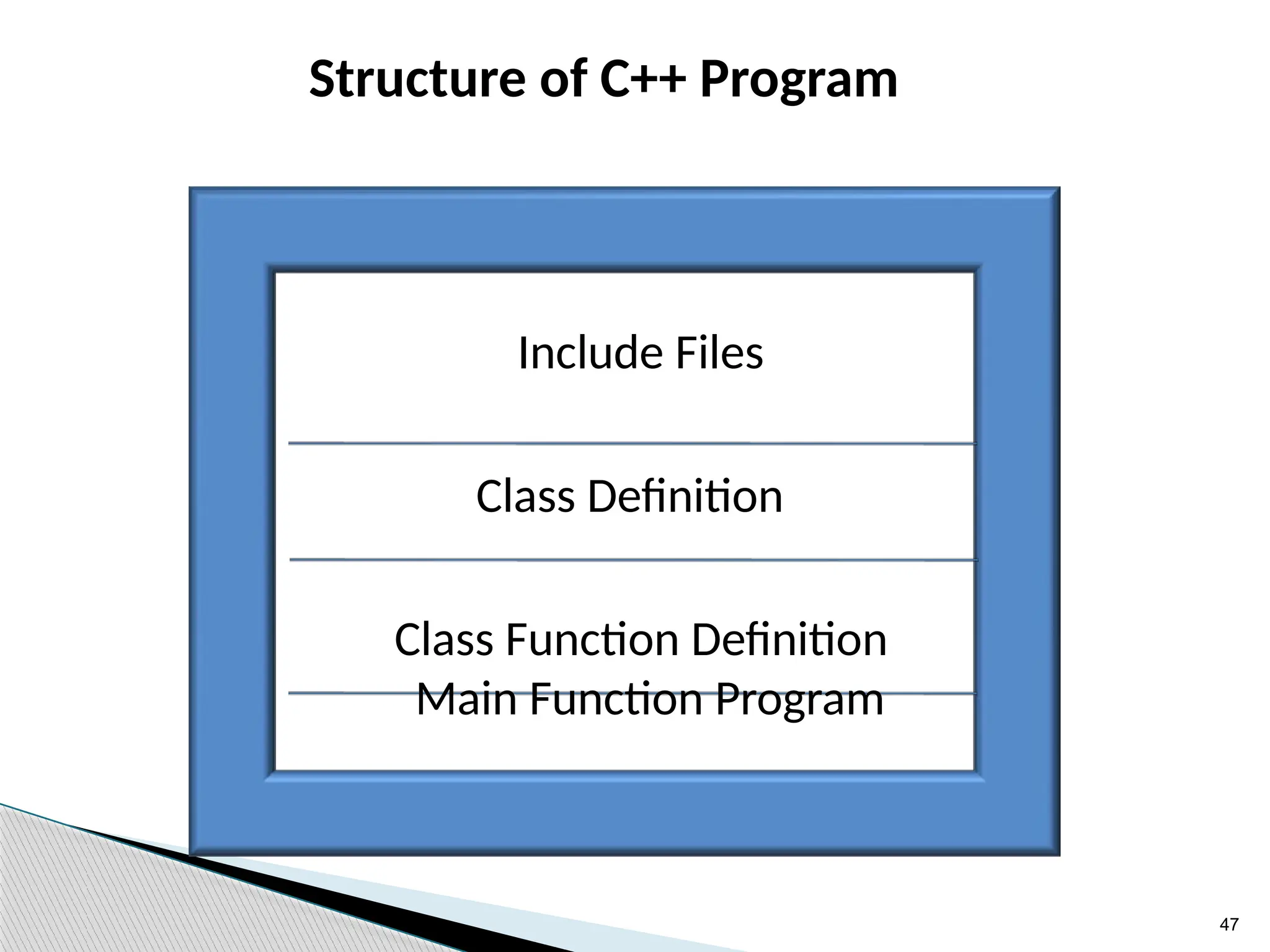
Structure of C++ Program
Include Files
Class Definition
Class Function Definition
Main Function Program
48
C++ Character Set
 Letters - A-Z, a-z
 Digits - 0-9
 Special Characters - Space + - * / ^  () [] {} =
!= <> ‘ “ $ , ; : % ! & ? _ # <= >=
49
Tokens
Smallest individual units in a program are knows as token.
They are categorized into
keywords,
identifiers,
Literal (constants),
operator etc.
50
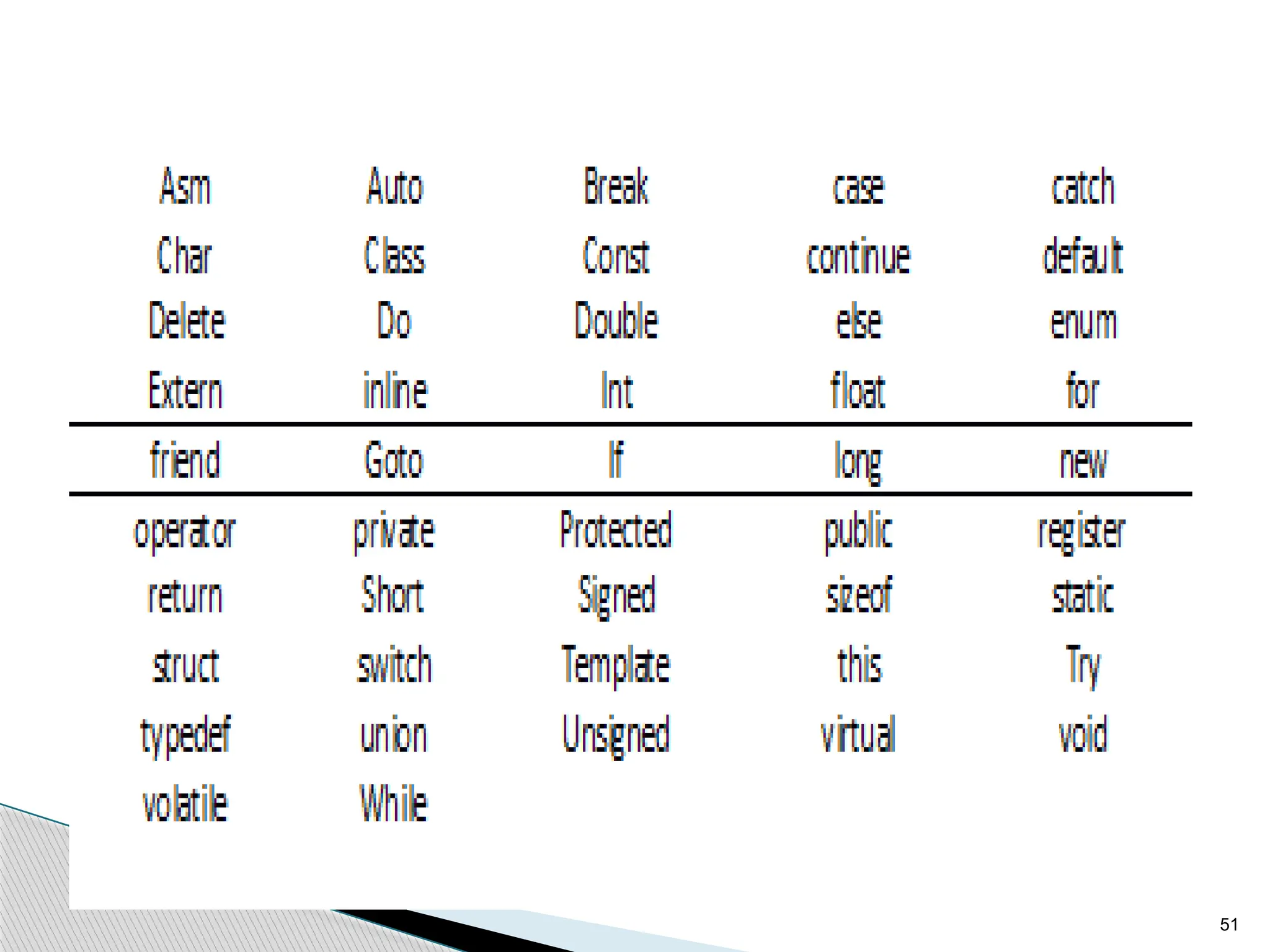
Keyword
They are reserved words of a language and can-not be
used for any other purpose other than they are defined.
Reserved words have predefined meaning in program.
Keywords can -not be used for name of identifier.
51



52
Identifier
It refer to names of variable , function, array class etc.
Identifier are created by programmer in the program.
Rules to create identifier -
An identifier can consist of alphabets, digits and/or
underscores.
It can not start with a digit .
C++ is case sensitive that is upper case and lower-case
letters are considered different from each other.
 Keywords can not be used as a identifier.
Example :
int a; // a is variable identifier.
Void getValue() // getValue is function name
identifier.
53
Literals or Constants
Literals (often referred to as constants) are data items that
never change their value during the execution of the
program. The following types of literals are available in C+
+.
 Integer-Constants
 Character-constants
 Floating-constants
 Strings-constants
54
Integer-Constants
Integer Constants: Integer constants are the whole
number without any fractional part. C++ allows three
types of integer constants.
Decimal integer constants: It consists of a sequence of
digits and should not begin with 0 (zero). For example,
124, - 179, +108.
Octal integer constants: It consists of a sequence of
digits starting with 0 (zero). example. 014, 012.
Hexadecimal integer constant: It consists of a
sequence of digits preceded by ox or OX.
55
Character-constants
A character constant in C++ contain one or more
characters and enclosed in single quotation marks.
Example, 'A', '9', etc. C++ allows nongraphic characters
which cannot be typed directly from the keyboard, e.g.,
backspace, tab, etc.
56
Floating constants
They are also called real constants.
They are numbers having fractional parts.
They may be written in fractional form or exponent form.
A real constant in fractional form consists of signed or
unsigned digits including a decimal point between digits.
Example: 3.0, -17.0, -0.627 etc.
57
String Literals
A sequence of characters enclosed within double quotes is called
a string literal.
String literal is by default (automatically) added a special
character ‘0' which denotes the end of the string.
The size of the string is increased by one character.
Example- "COMPUTER" will be re-represented as "COMPUTER0"
in the memory and its size is 9 characters.
58
Variables
It is a location in the computer memory which can store data and
is given a symbolic name for easy reference. The variables can be
used to hold different values at different times during the
execution of a program.
Example:
int a; // Declaration of variable of type int.
a = 10; // initialization of variable a;
float b = 2.5; //Declaration and initialization of variable b
of type float.
59
Operators
Operators are special symbols used for specific
purposes.
C++ provides various types of operators.
 Assignment operator
 Arithmetical operators
 Relational operators
 Logical operators
 Unary operators,
 Increment / decrement operators
 Conditional operators
 size of operator.
60
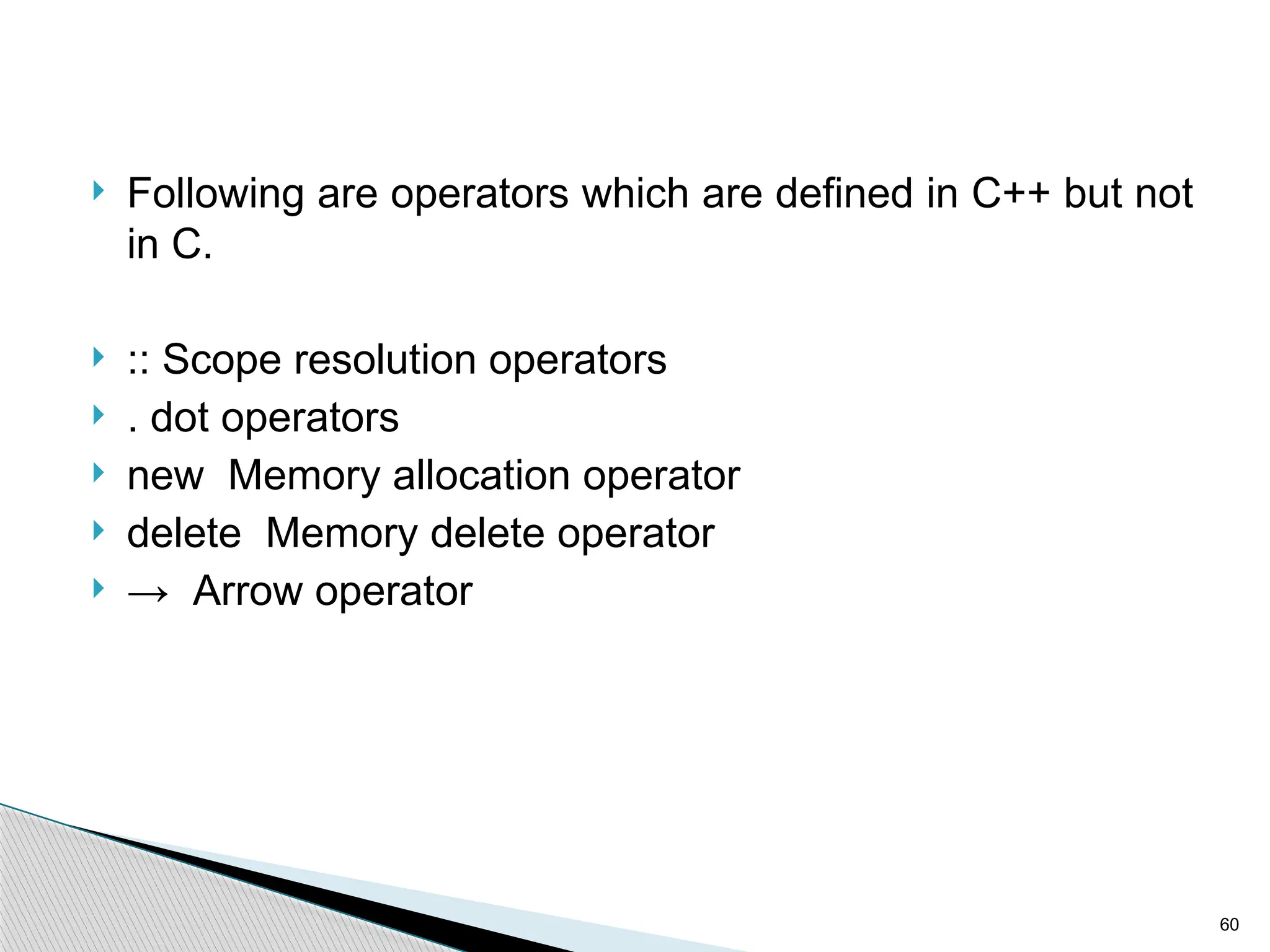
 Following are operators which are defined in C++ but not
in C.
 :: Scope resolution operators
 . dot operators
 new Memory allocation operator
 delete Memory delete operator
 → Arrow operator
61
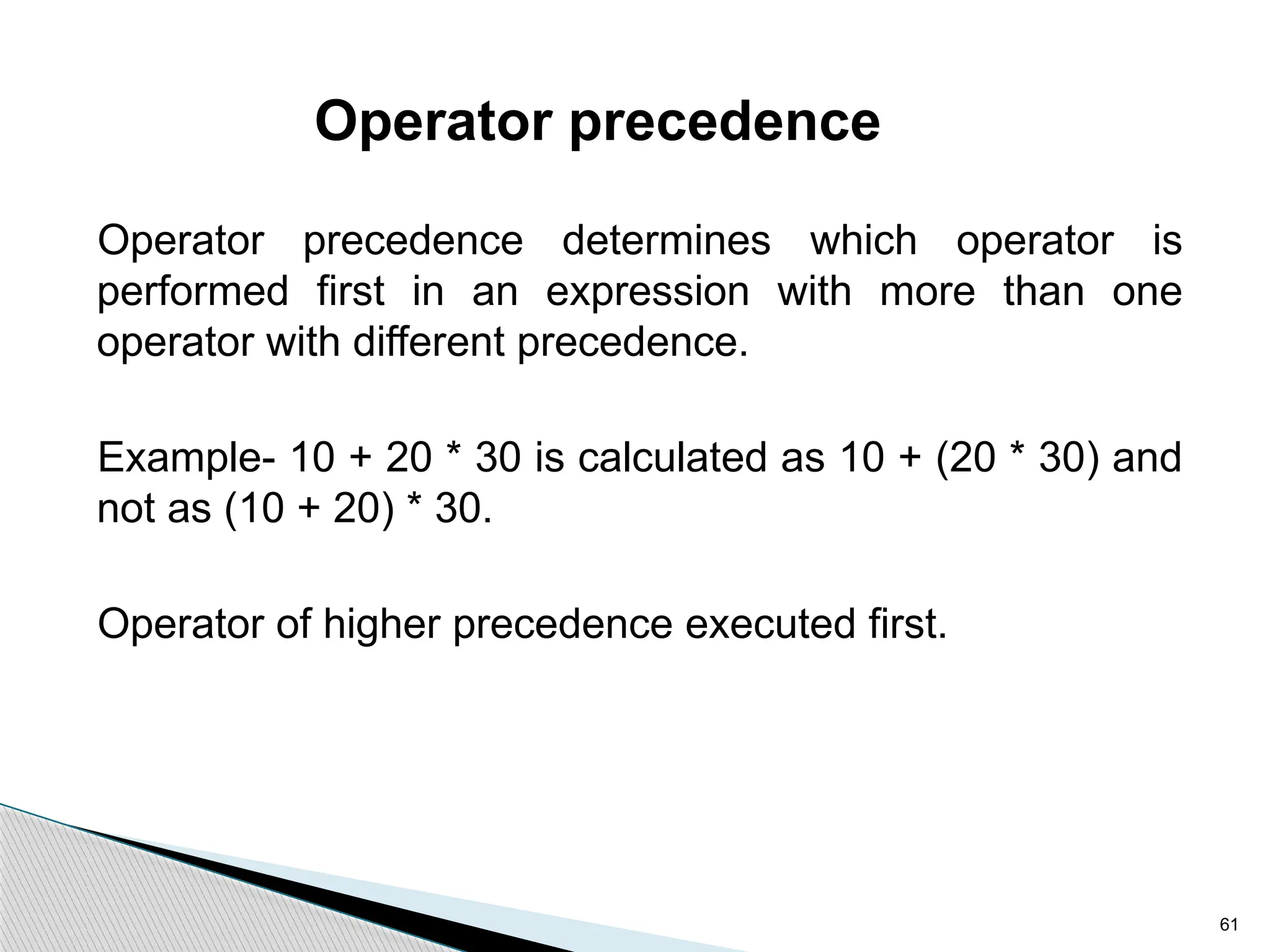
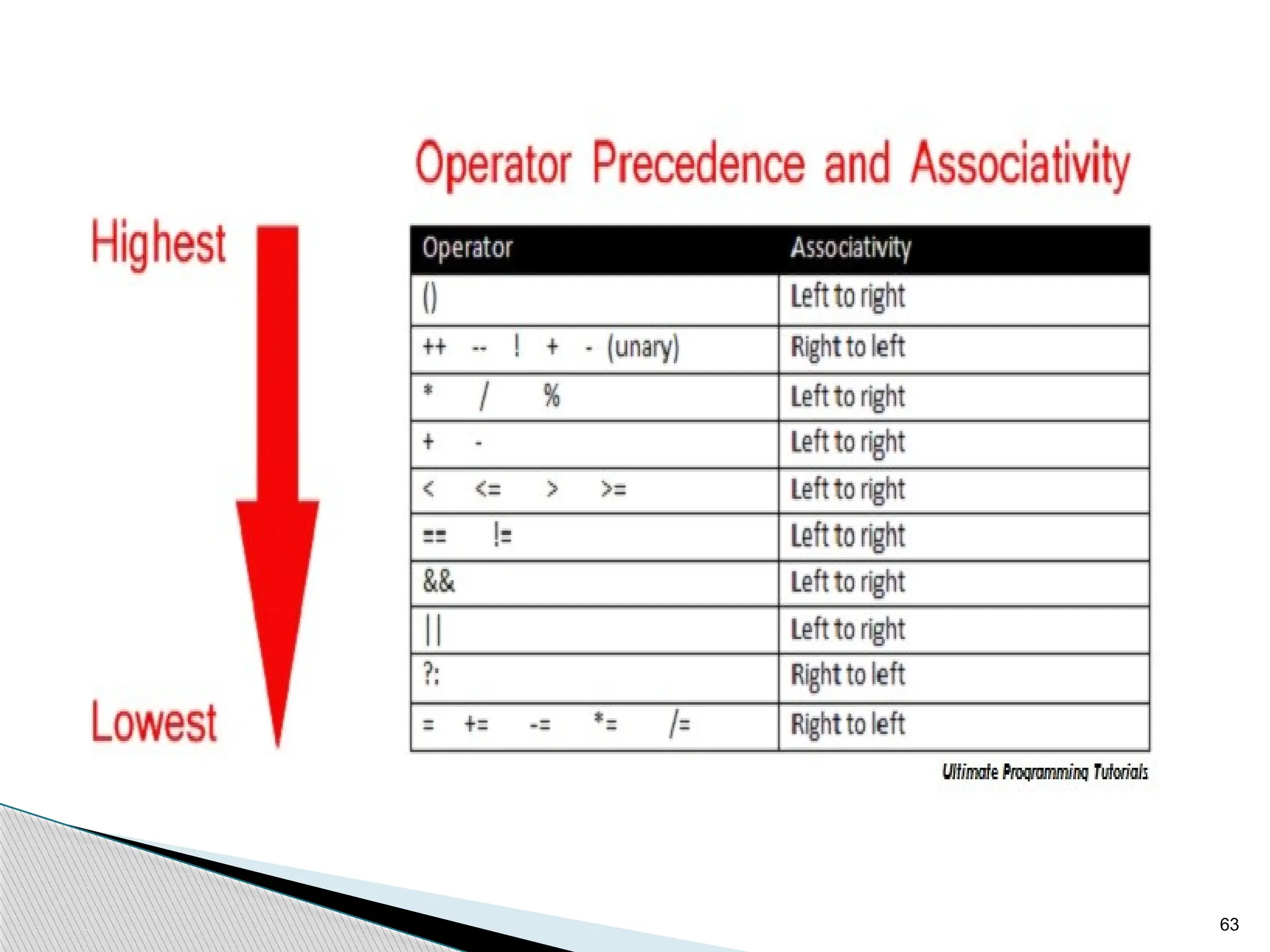
Operator precedence
Operator precedence determines which operator is
performed first in an expression with more than one
operator with different precedence.
Example- 10 + 20 * 30 is calculated as 10 + (20 * 30) and
not as (10 + 20) * 30.
Operator of higher precedence executed first.
62
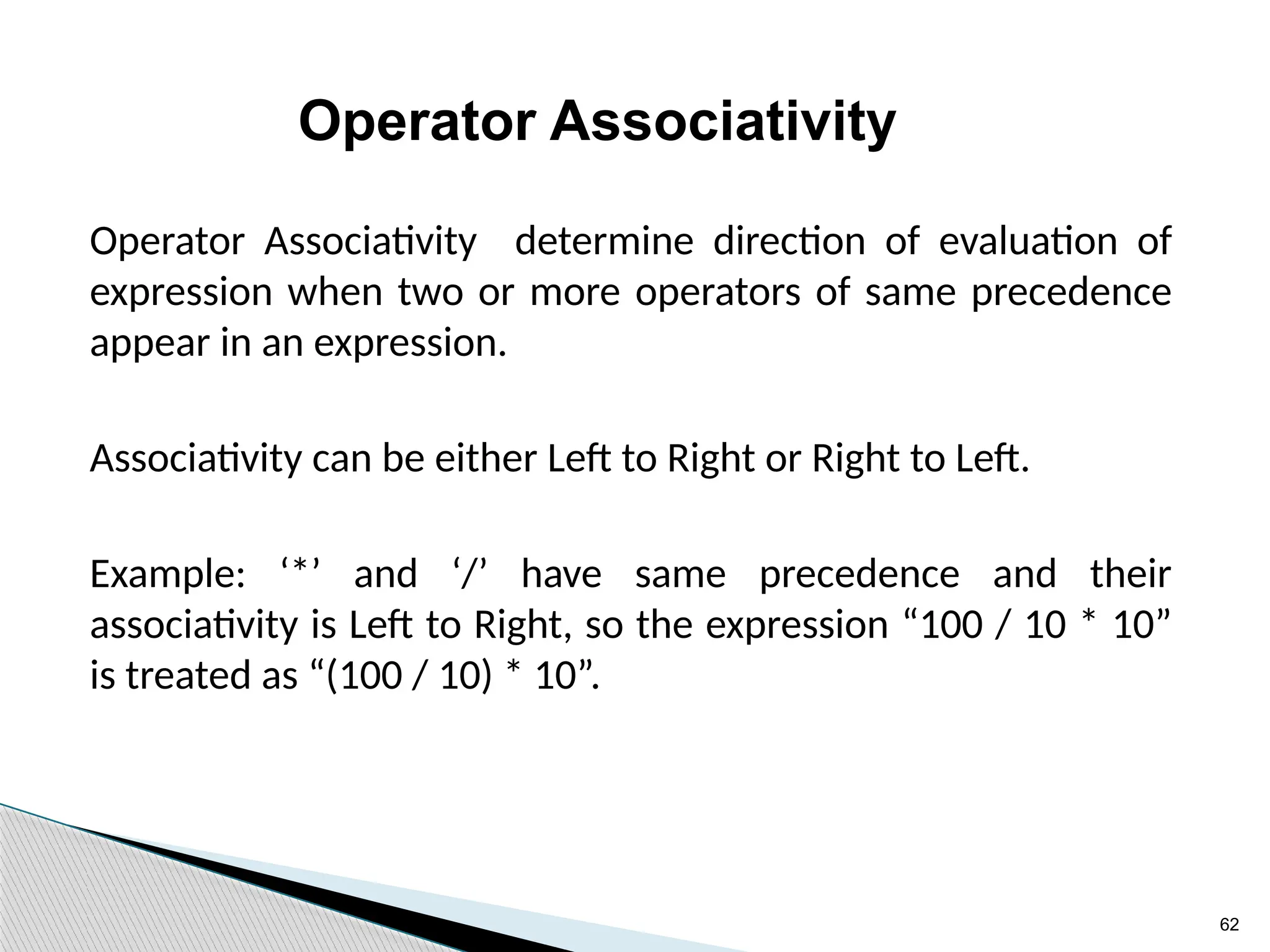
Operator Associativity
Operator Associativity determine direction of evaluation of
expression when two or more operators of same precedence
appear in an expression.
Associativity can be either Left to Right or Right to Left.
Example: ‘*’ and ‘/’ have same precedence and their
associativity is Left to Right, so the expression “100 / 10 * 10”
is treated as “(100 / 10) * 10”.
63
64
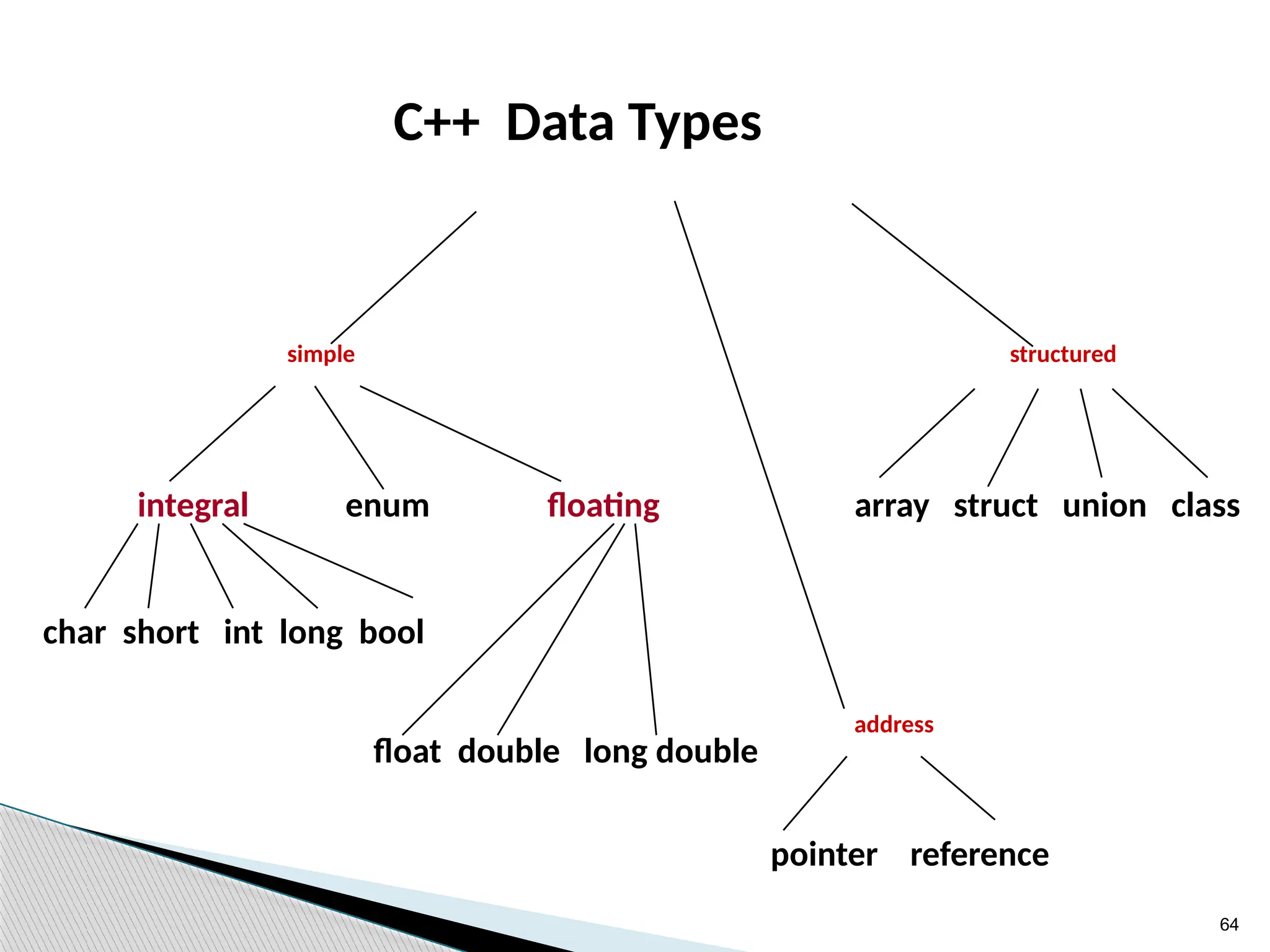
C++ Data Types
structured
address
pointer reference
simple
integral enum floating
float double long double
char short int long bool
array struct union class
65
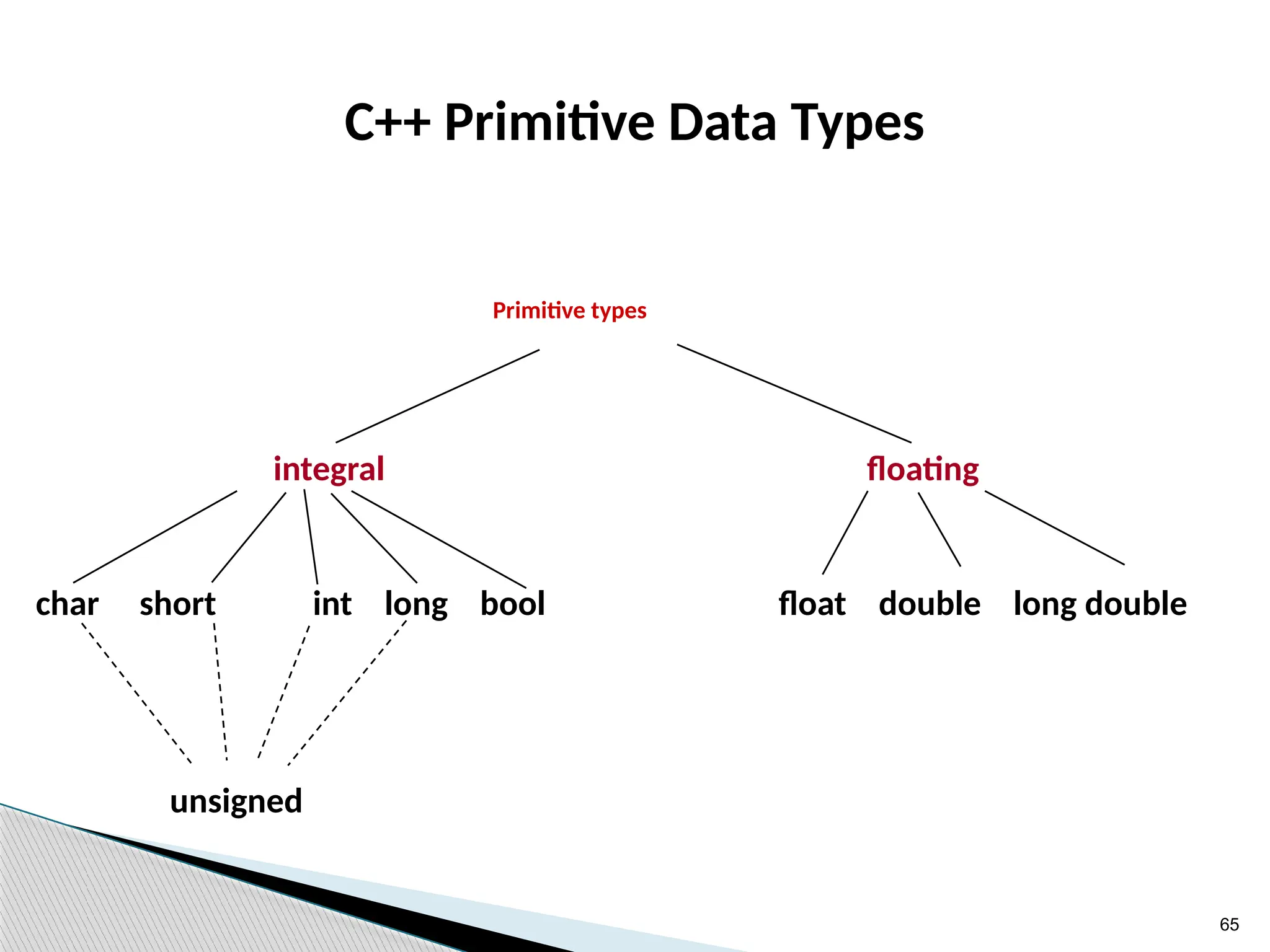
C++ Primitive Data Types
Primitive types
integral floating
char short int long bool float double long double
unsigned
66
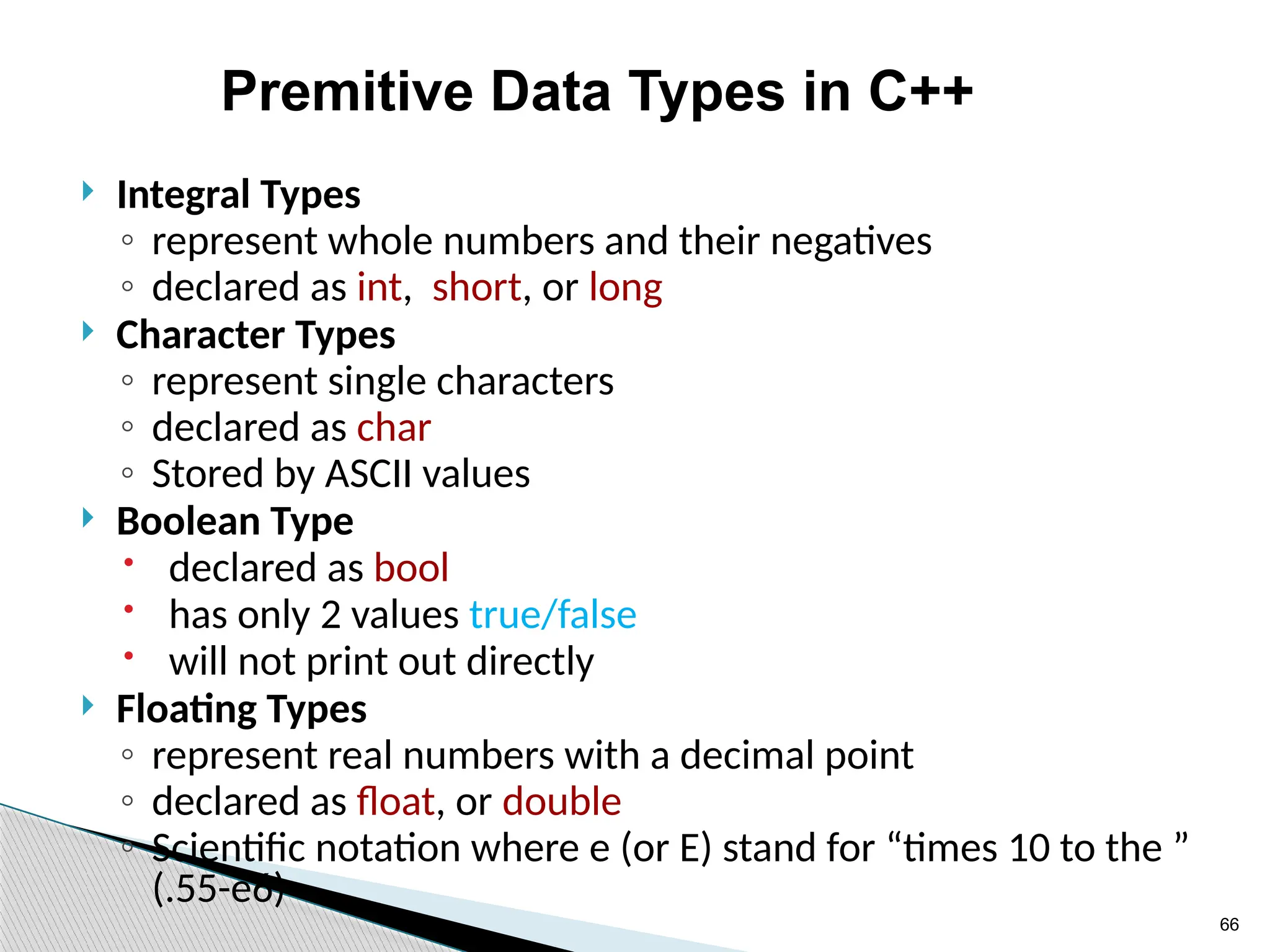
Premitive Data Types in C++
 Integral Types
◦ represent whole numbers and their negatives
◦ declared as int, short, or long
 Character Types
◦ represent single characters
◦ declared as char
◦ Stored by ASCII values
 Boolean Type
 declared as bool
 has only 2 values true/false
 will not print out directly
 Floating Types
◦ represent real numbers with a decimal point
◦ declared as float, or double
◦ Scientific notation where e (or E) stand for “times 10 to the ”
(.55-e6)
67
68
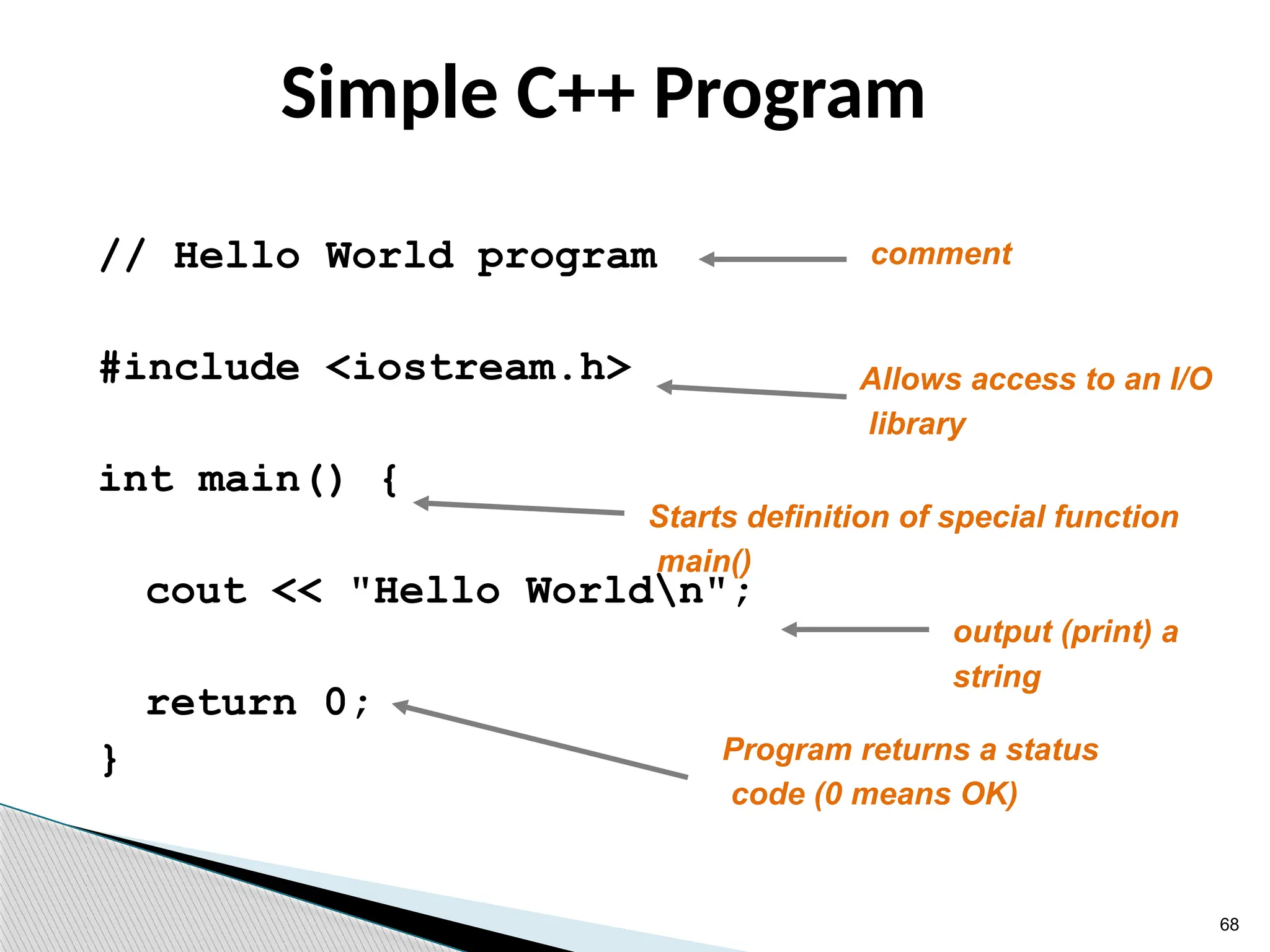
Simple C++ Program
// Hello World program
#include <iostream.h>
int main() {
cout << "Hello Worldn";
return 0;
}
comment
Allows access to an I/O
library
output (print) a
string
Program returns a status
code (0 means OK)
Starts definition of special function
main()
69
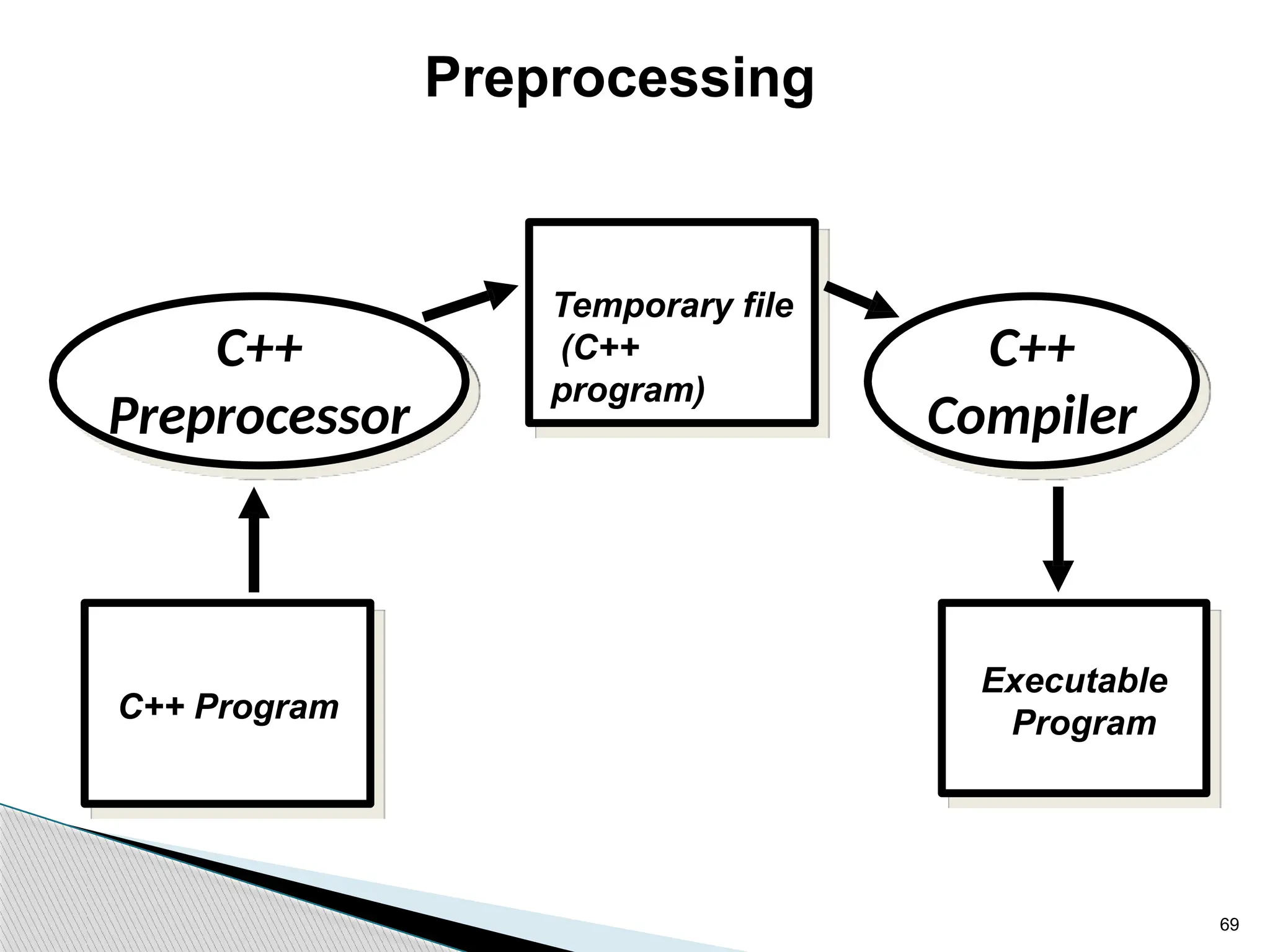
Preprocessing
C++ Program
Executable
Program
C++
Compiler
C++
Preprocessor
Temporary file
(C++
program)
70
71
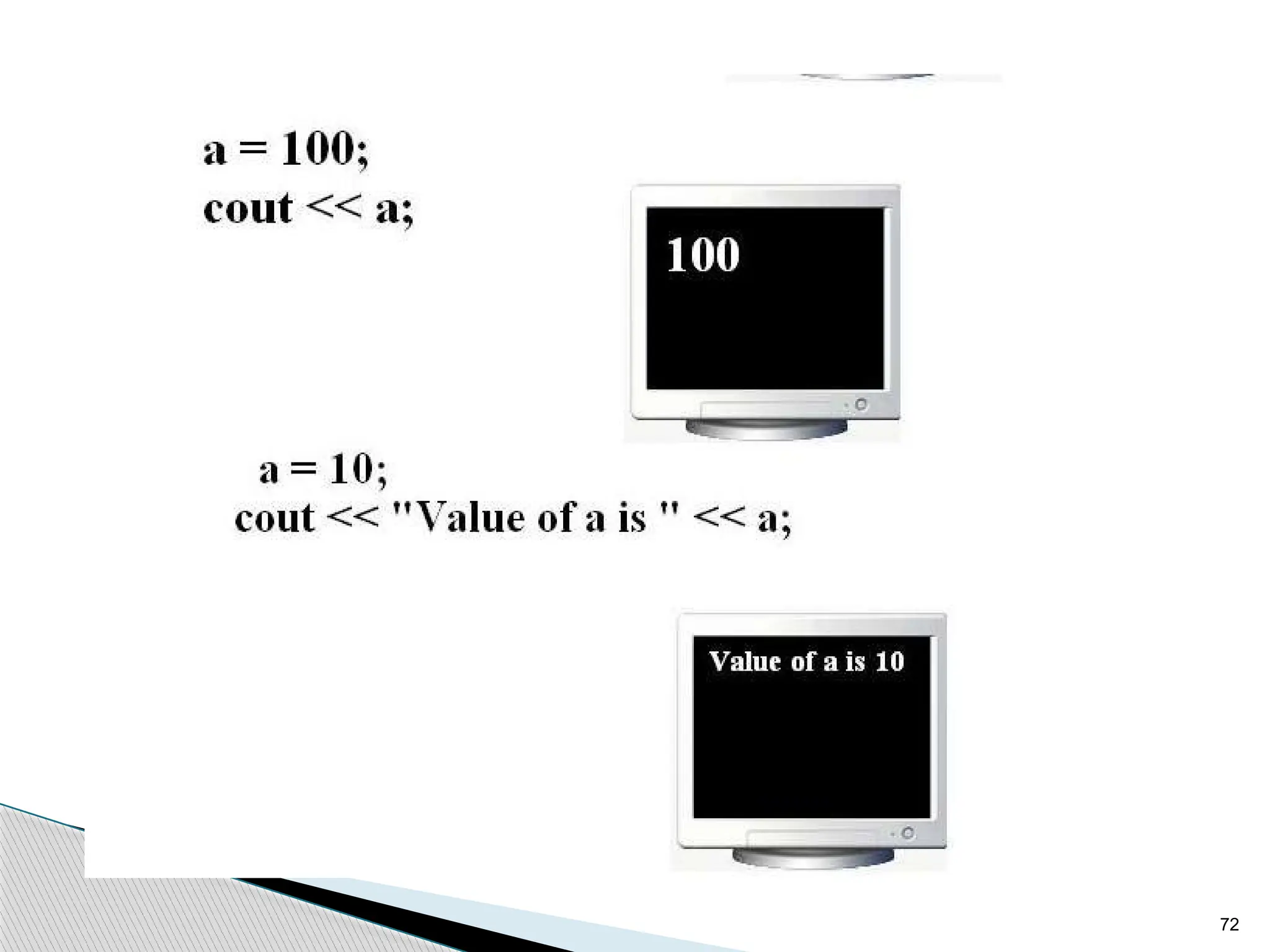
72
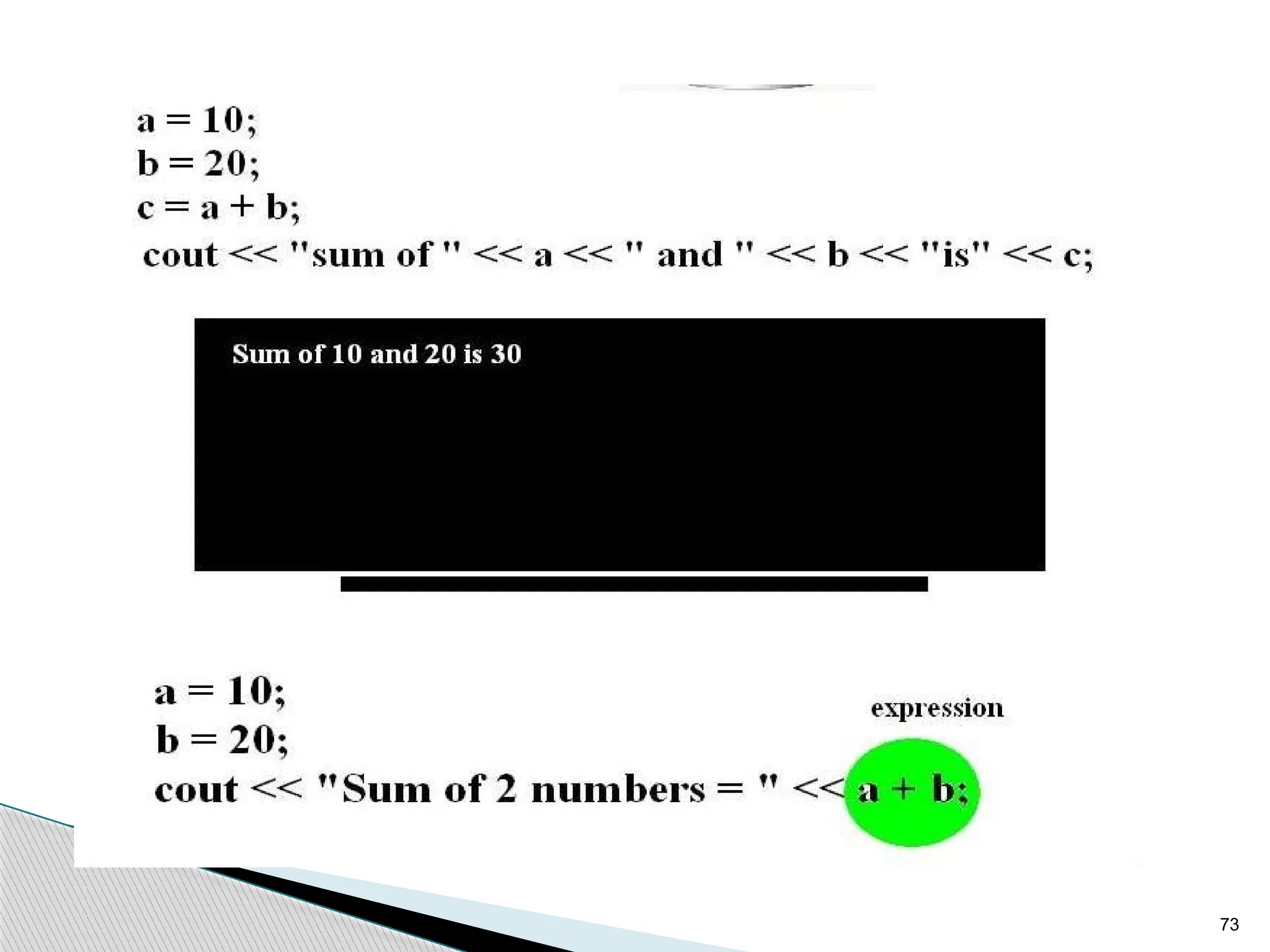
73
74
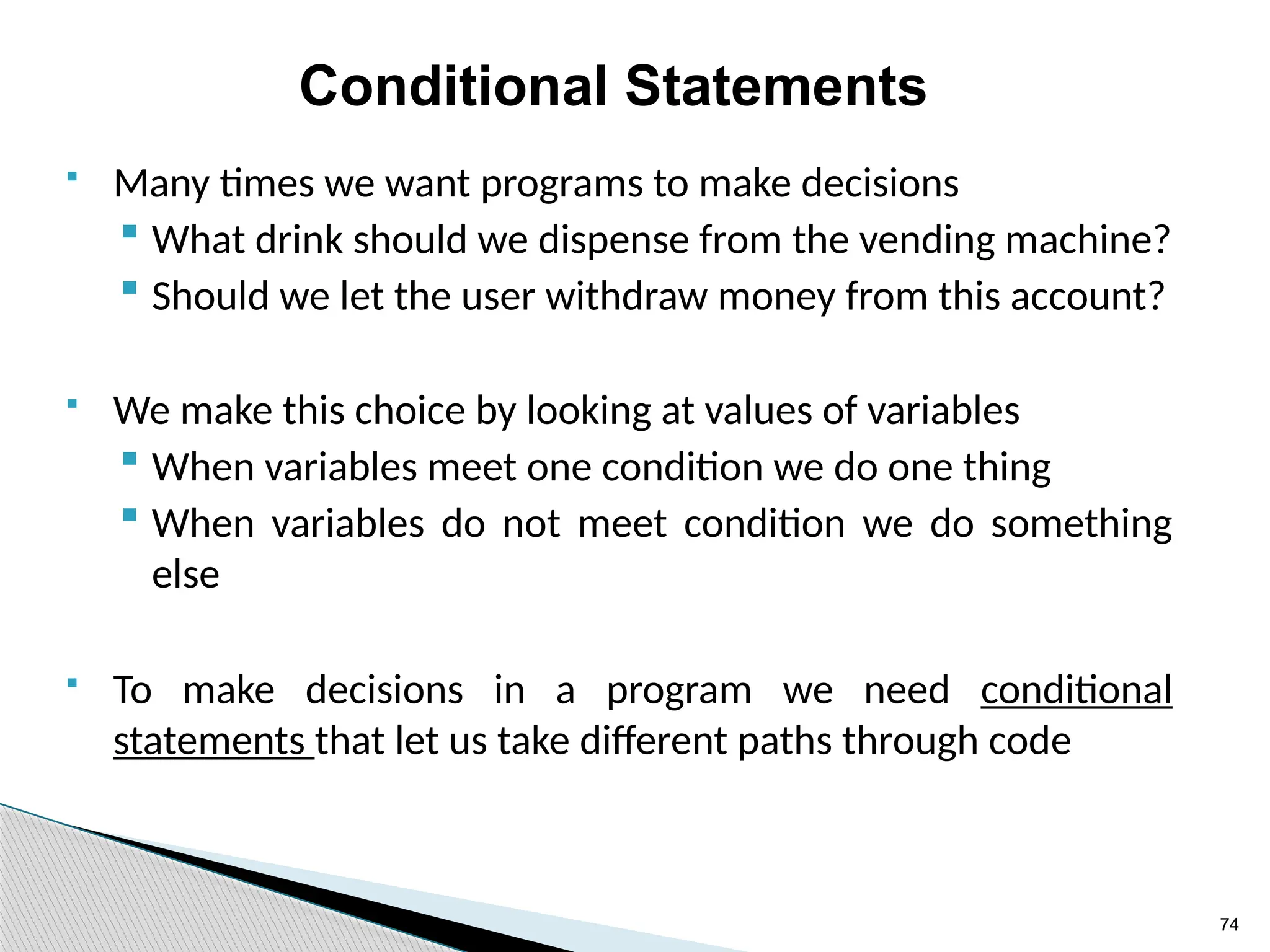
Conditional Statements
 Many times we want programs to make decisions
 What drink should we dispense from the vending machine?
 Should we let the user withdraw money from this account?
 We make this choice by looking at values of variables
 When variables meet one condition we do one thing
 When variables do not meet condition we do something
else
 To make decisions in a program we need conditional
statements that let us take different paths through code
75
conditional statements:
 In C++ there are three types of conditional
statements:
 The if statement
 The if-else statement
 The switch statement
76
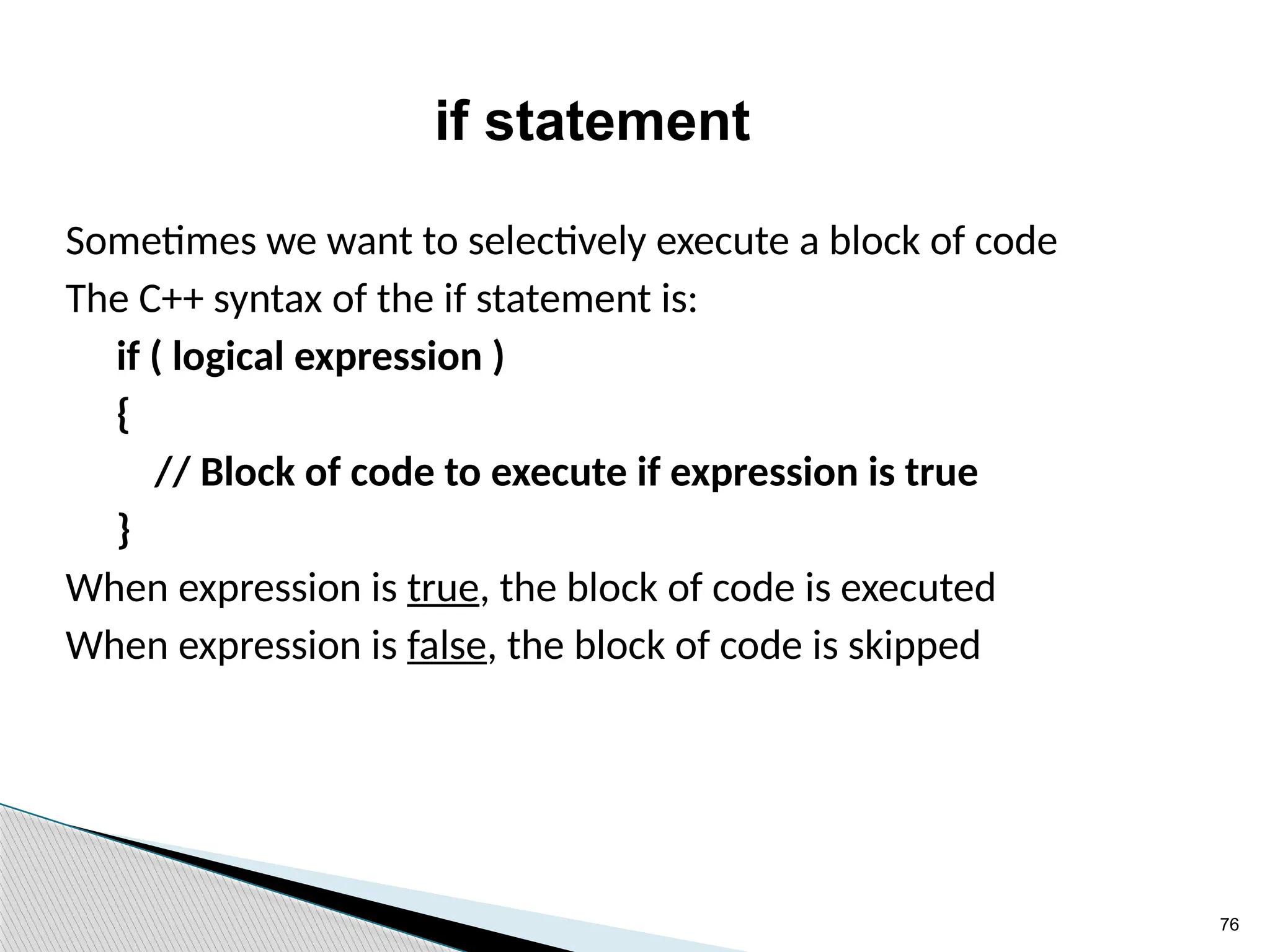
if statement
Sometimes we want to selectively execute a block of code
The C++ syntax of the if statement is:
if ( logical expression )
{
// Block of code to execute if expression is true
}
When expression is true, the block of code is executed
When expression is false, the block of code is skipped
77
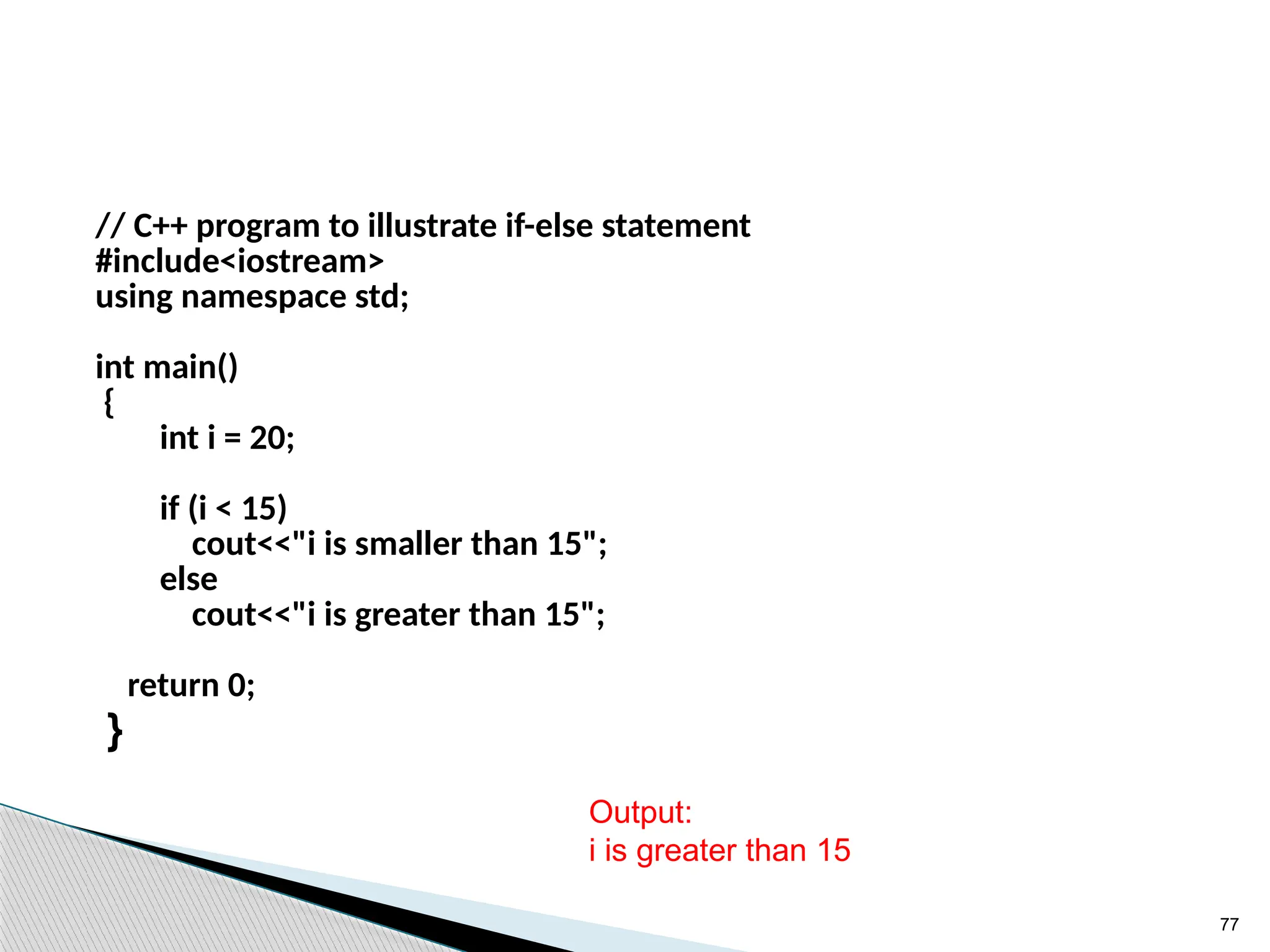
// C++ program to illustrate if-else statement
#include<iostream>
using namespace std;
int main()
{
int i = 20;
if (i < 15)
cout<<"i is smaller than 15";
else
cout<<"i is greater than 15";
return 0;
}
Output:
i is greater than 15
78
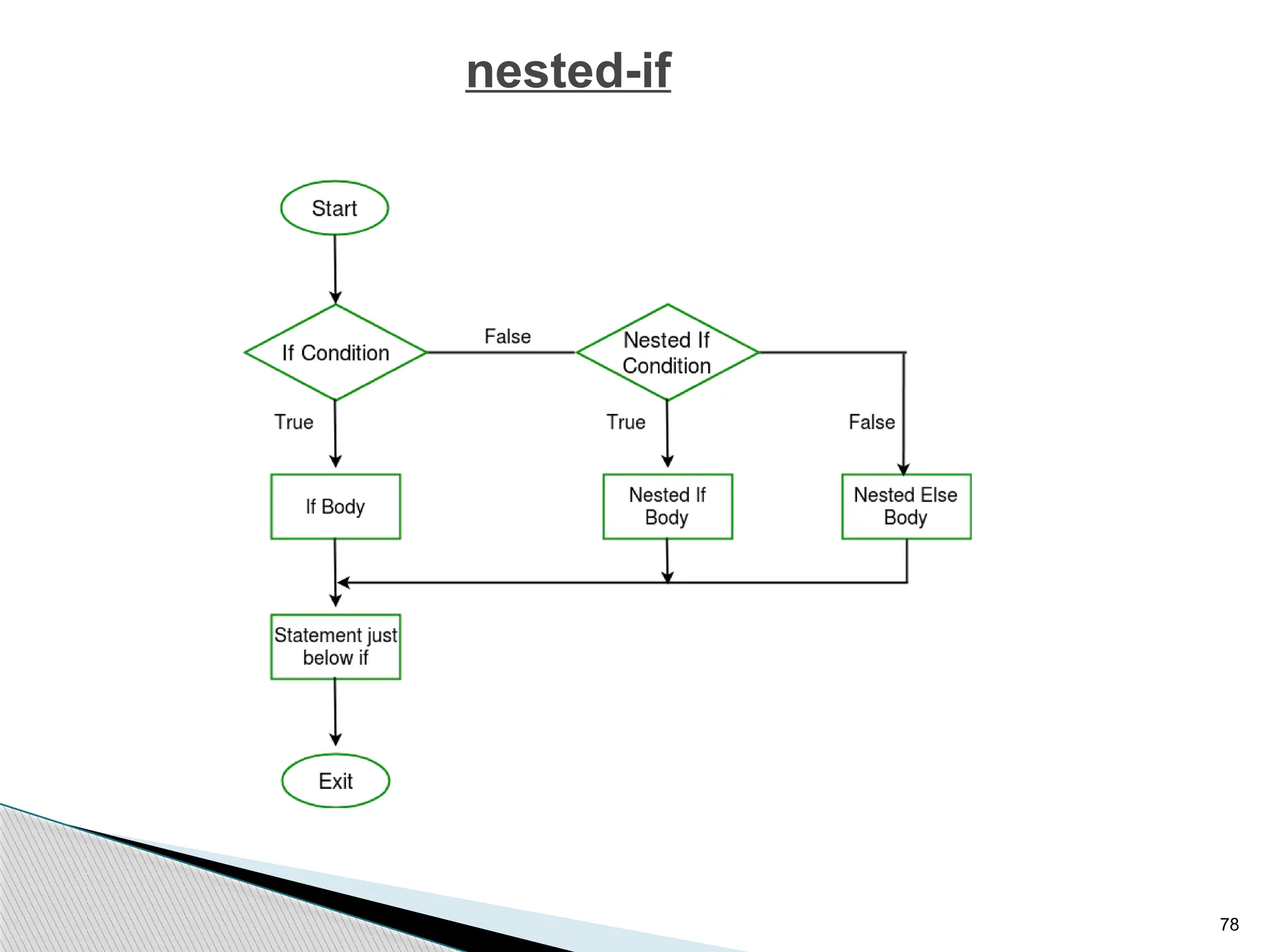
nested-if
79
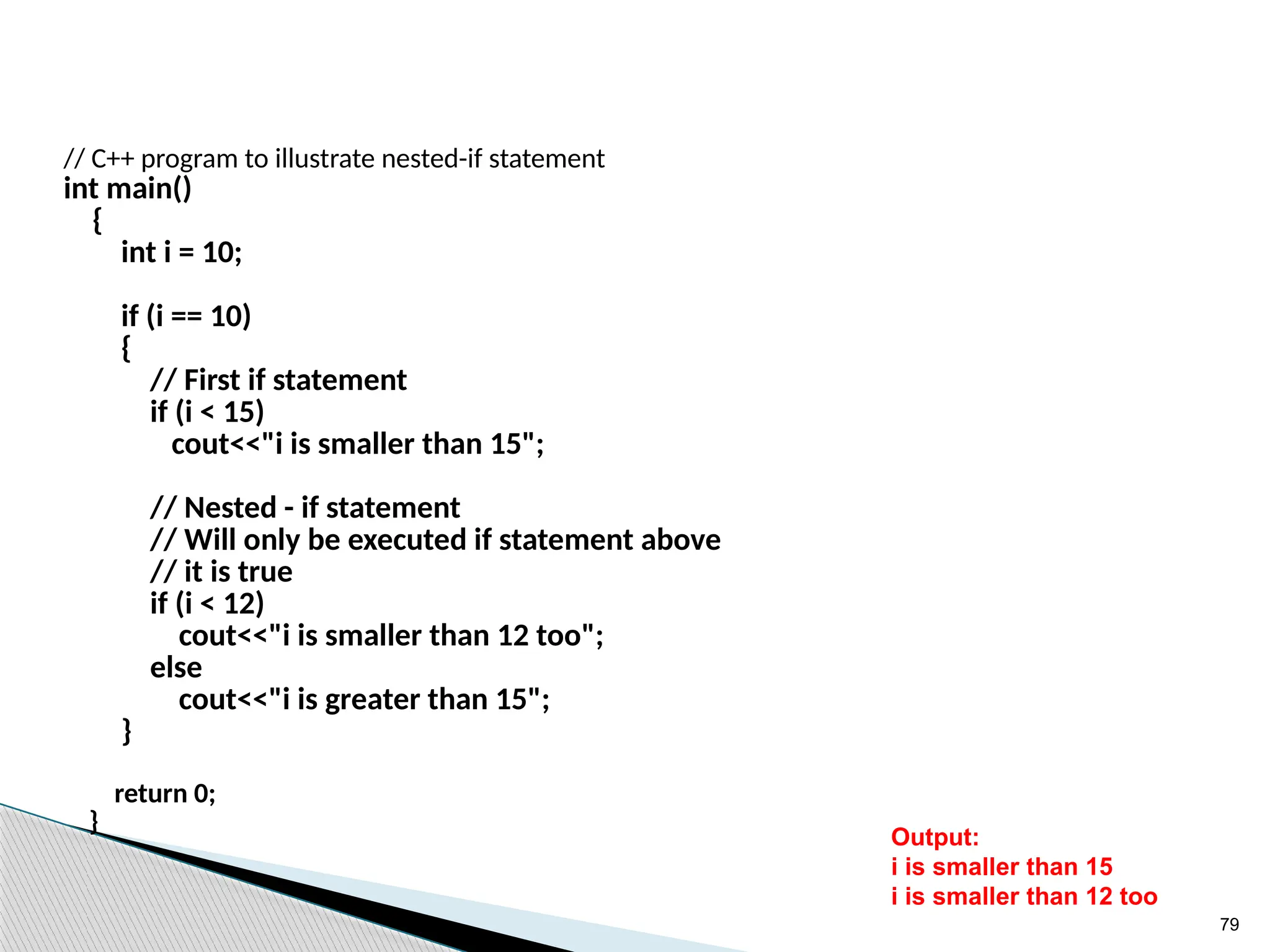
// C++ program to illustrate nested-if statement
int main()
{
int i = 10;
if (i == 10)
{
// First if statement
if (i < 15)
cout<<"i is smaller than 15";
// Nested - if statement
// Will only be executed if statement above
// it is true
if (i < 12)
cout<<"i is smaller than 12 too";
else
cout<<"i is greater than 15";
}
return 0;
}
Output:
i is smaller than 15
i is smaller than 12 too
80
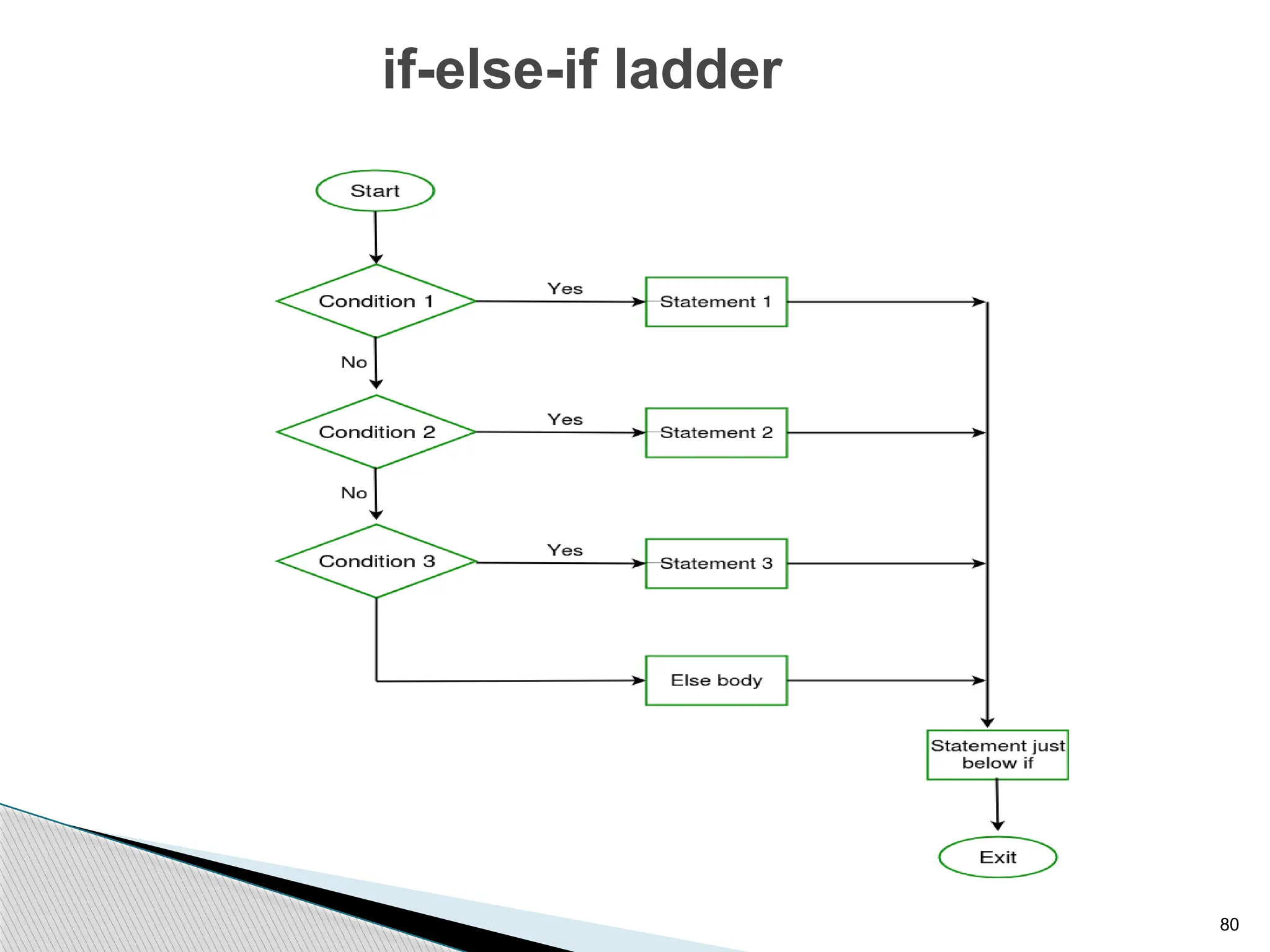
if-else-if ladder
81
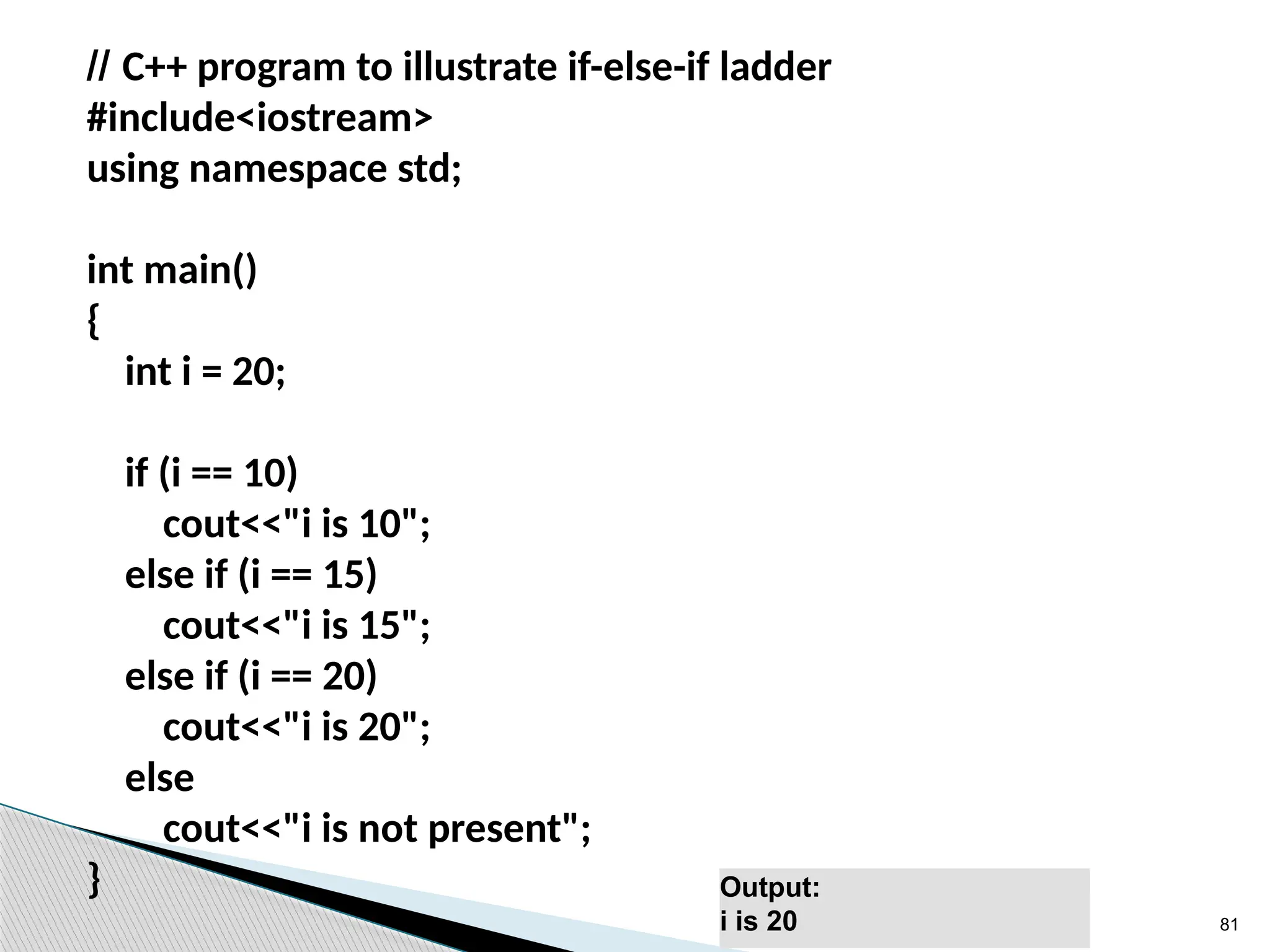
// C++ program to illustrate if-else-if ladder
#include<iostream>
using namespace std;
int main()
{
int i = 20;
if (i == 10)
cout<<"i is 10";
else if (i == 15)
cout<<"i is 15";
else if (i == 20)
cout<<"i is 20";
else
cout<<"i is not present";
} Output:
i is 20
82
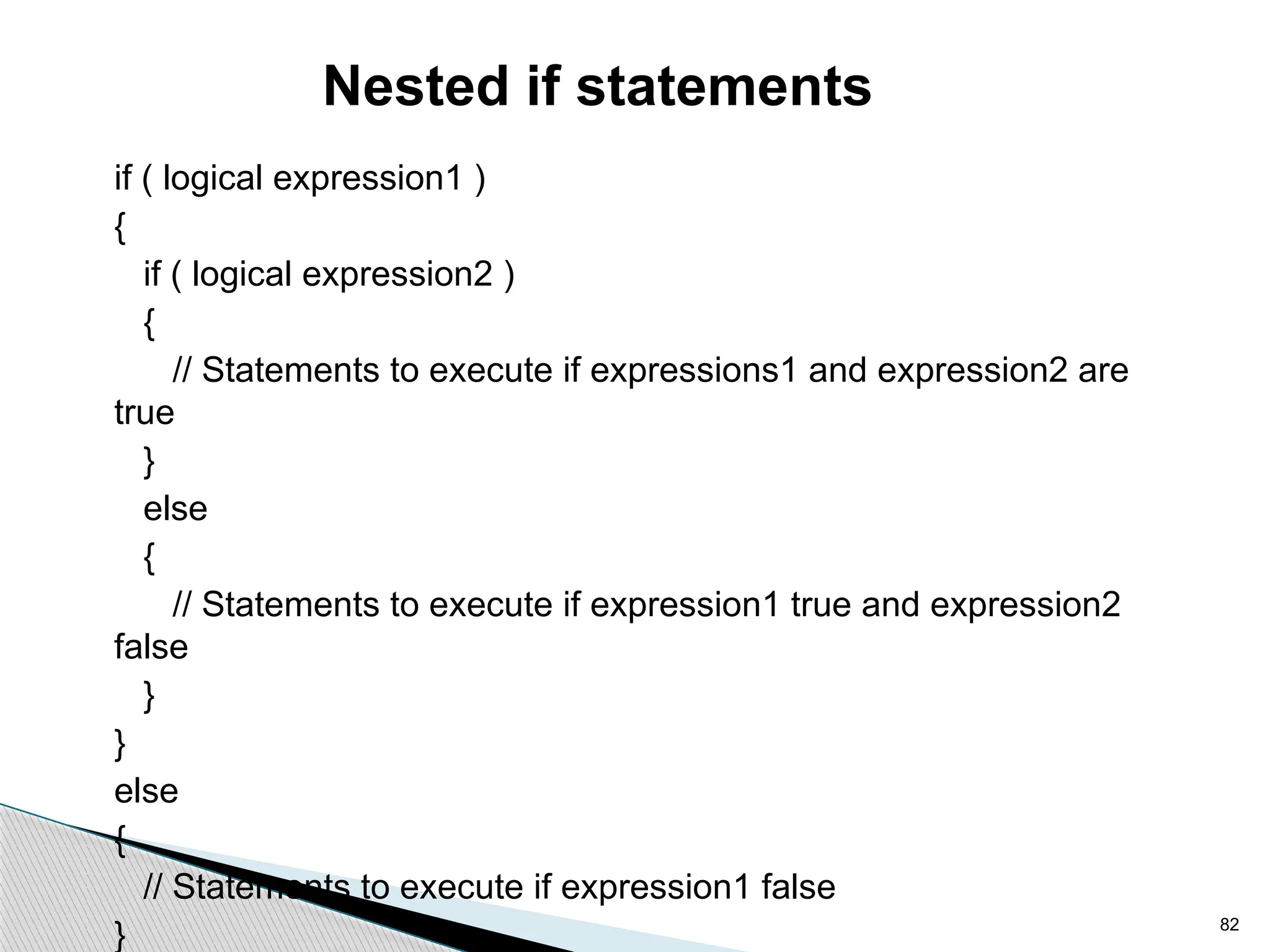
Nested if statements
if ( logical expression1 )
{
if ( logical expression2 )
{
// Statements to execute if expressions1 and expression2 are
true
}
else
{
// Statements to execute if expression1 true and expression2
false
}
}
else
{
// Statements to execute if expression1 false
}
83
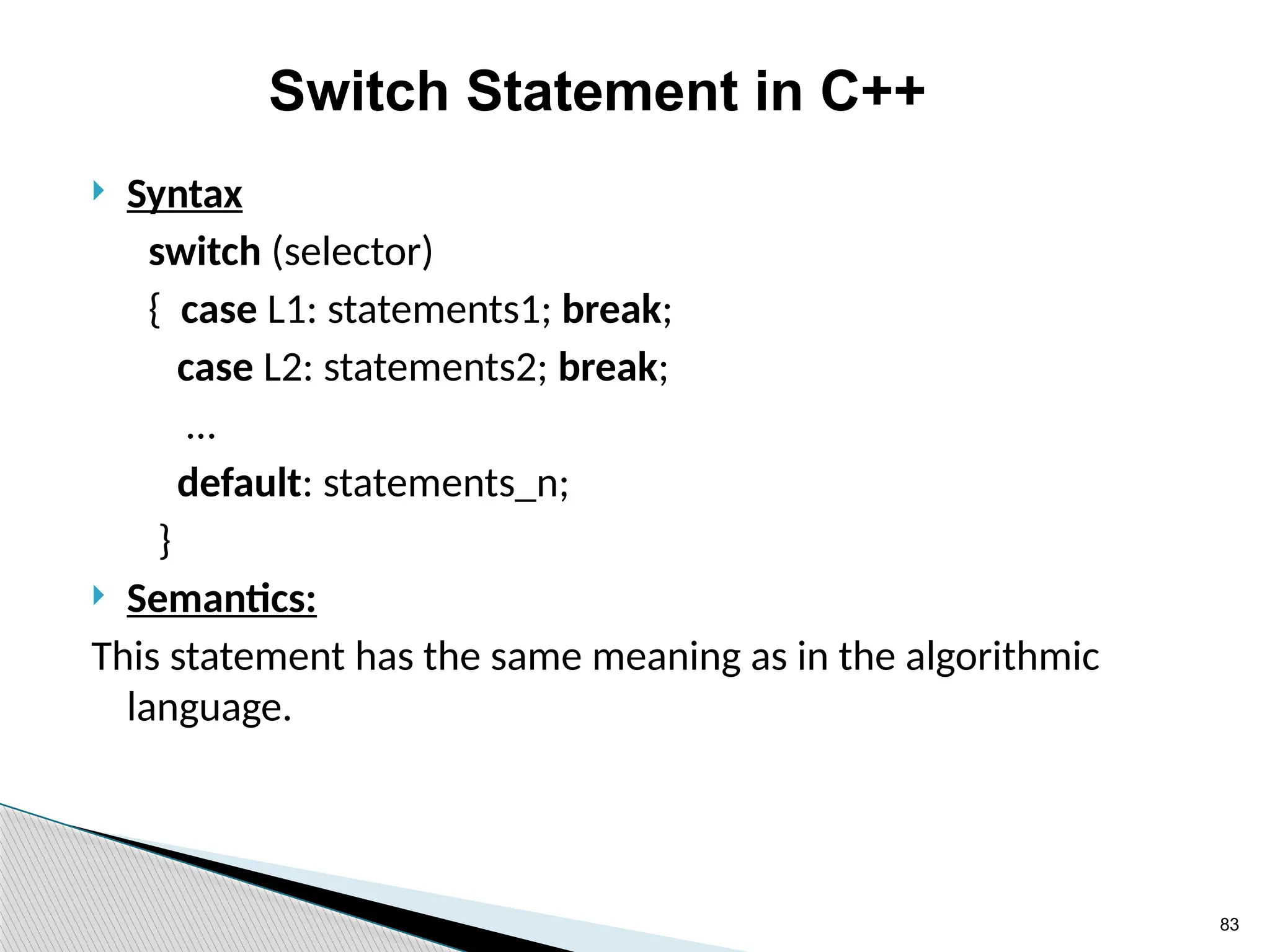
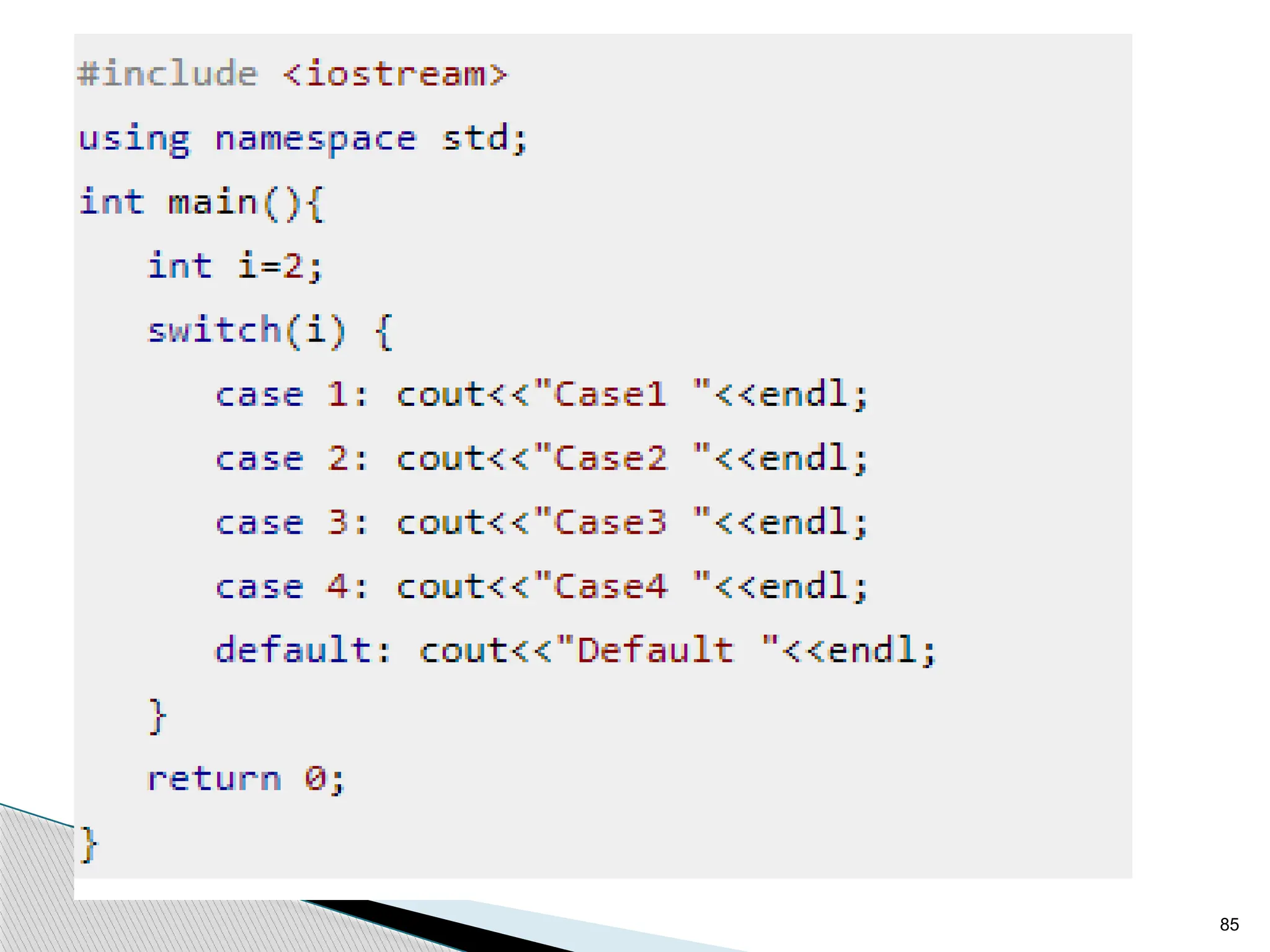
Switch Statement in C++
 Syntax
switch (selector)
{ case L1: statements1; break;
case L2: statements2; break;
…
default: statements_n;
}
 Semantics:
This statement has the same meaning as in the algorithmic
language.
84
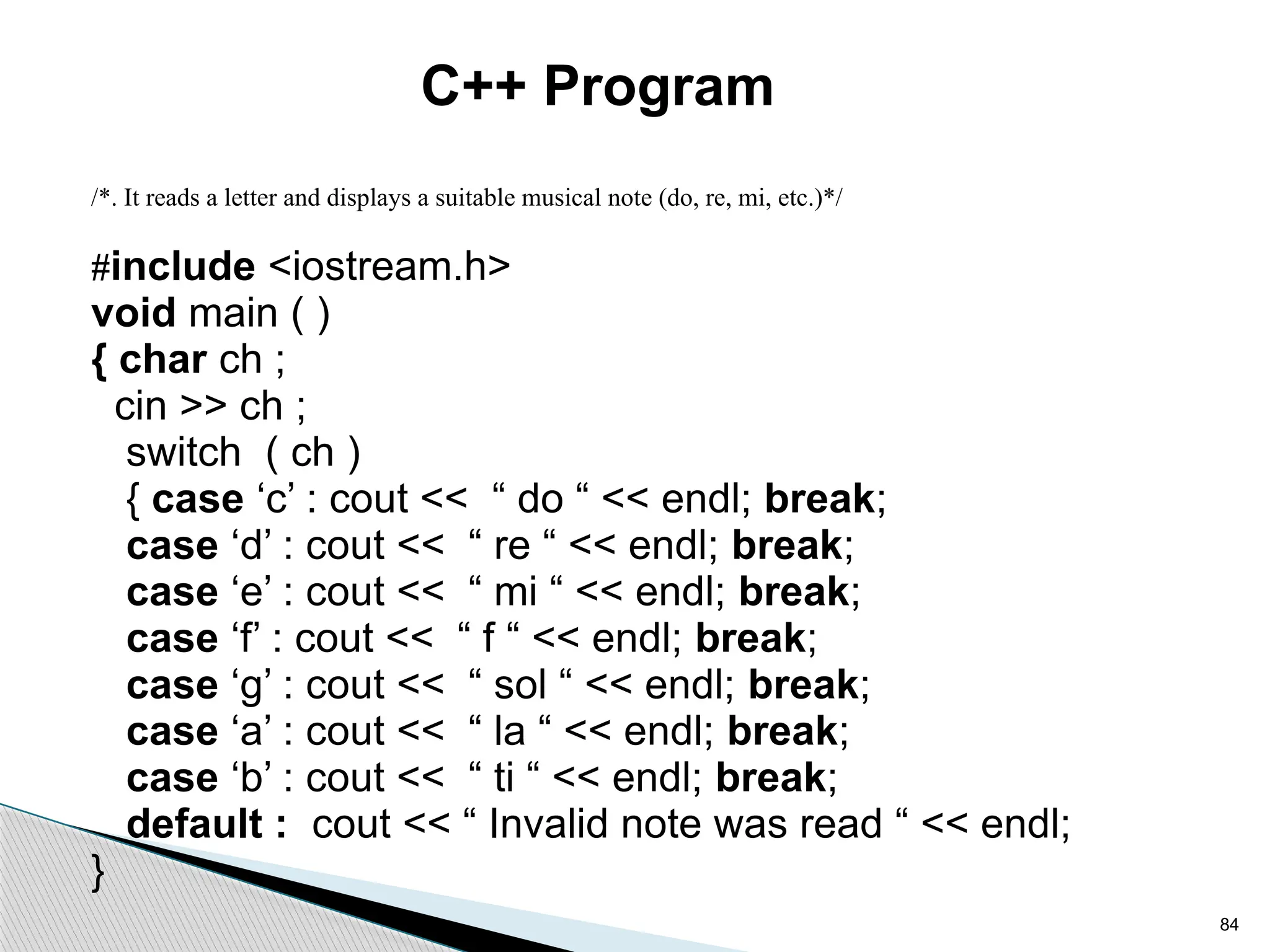
C++ Program
/*. It reads a letter and displays a suitable musical note (do, re, mi, etc.)*/
#include <iostream.h>
void main ( )
{ char ch ;
cin >> ch ;
switch ( ch )
{ case ‘c’ : cout << “ do “ << endl; break;
case ‘d’ : cout << “ re “ << endl; break;
case ‘e’ : cout << “ mi “ << endl; break;
case ‘f’ : cout << “ f “ << endl; break;
case ‘g’ : cout << “ sol “ << endl; break;
case ‘a’ : cout << “ la “ << endl; break;
case ‘b’ : cout << “ ti “ << endl; break;
default : cout << “ Invalid note was read “ << endl;
}
85
86
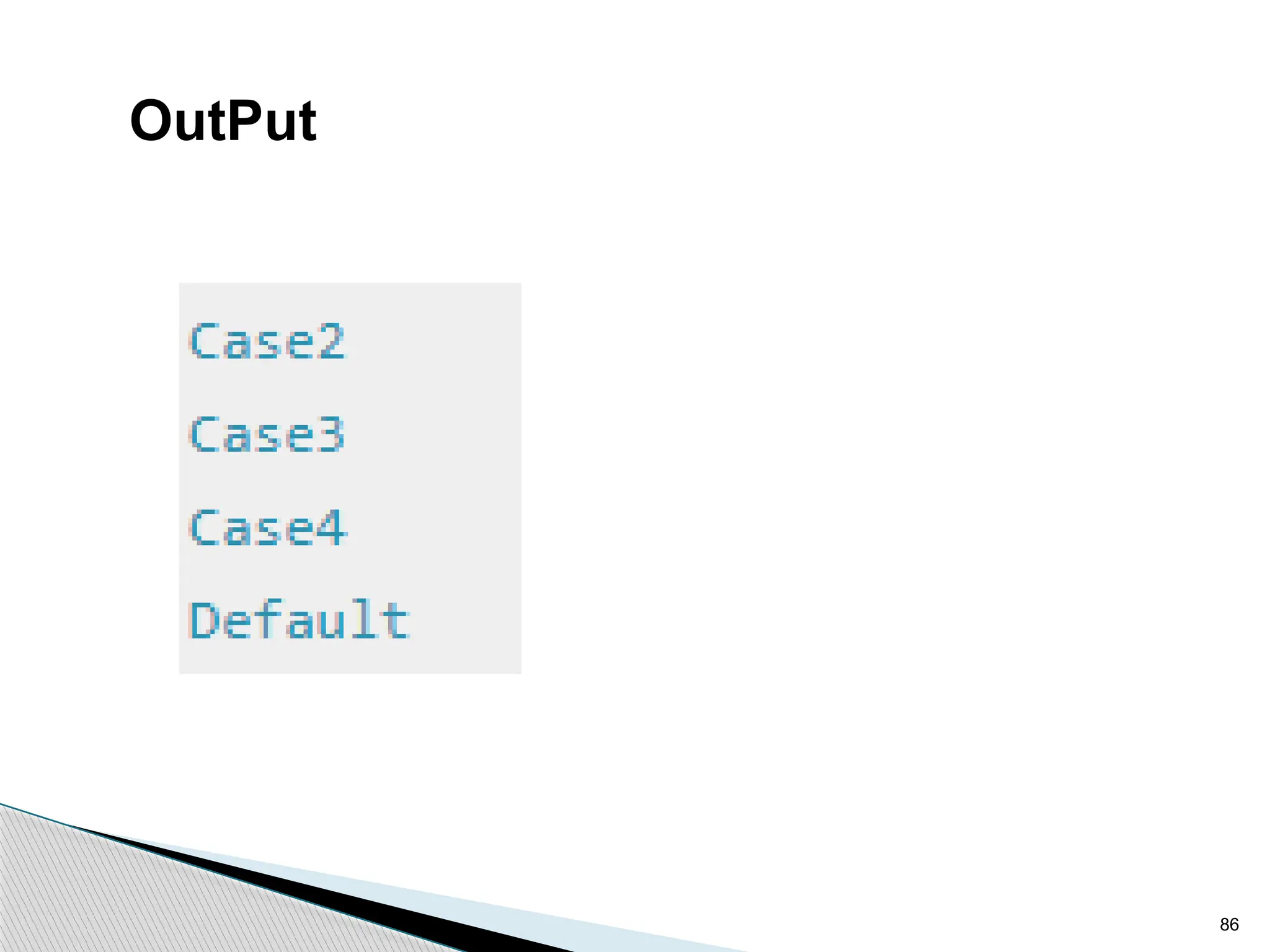
OutPut
87
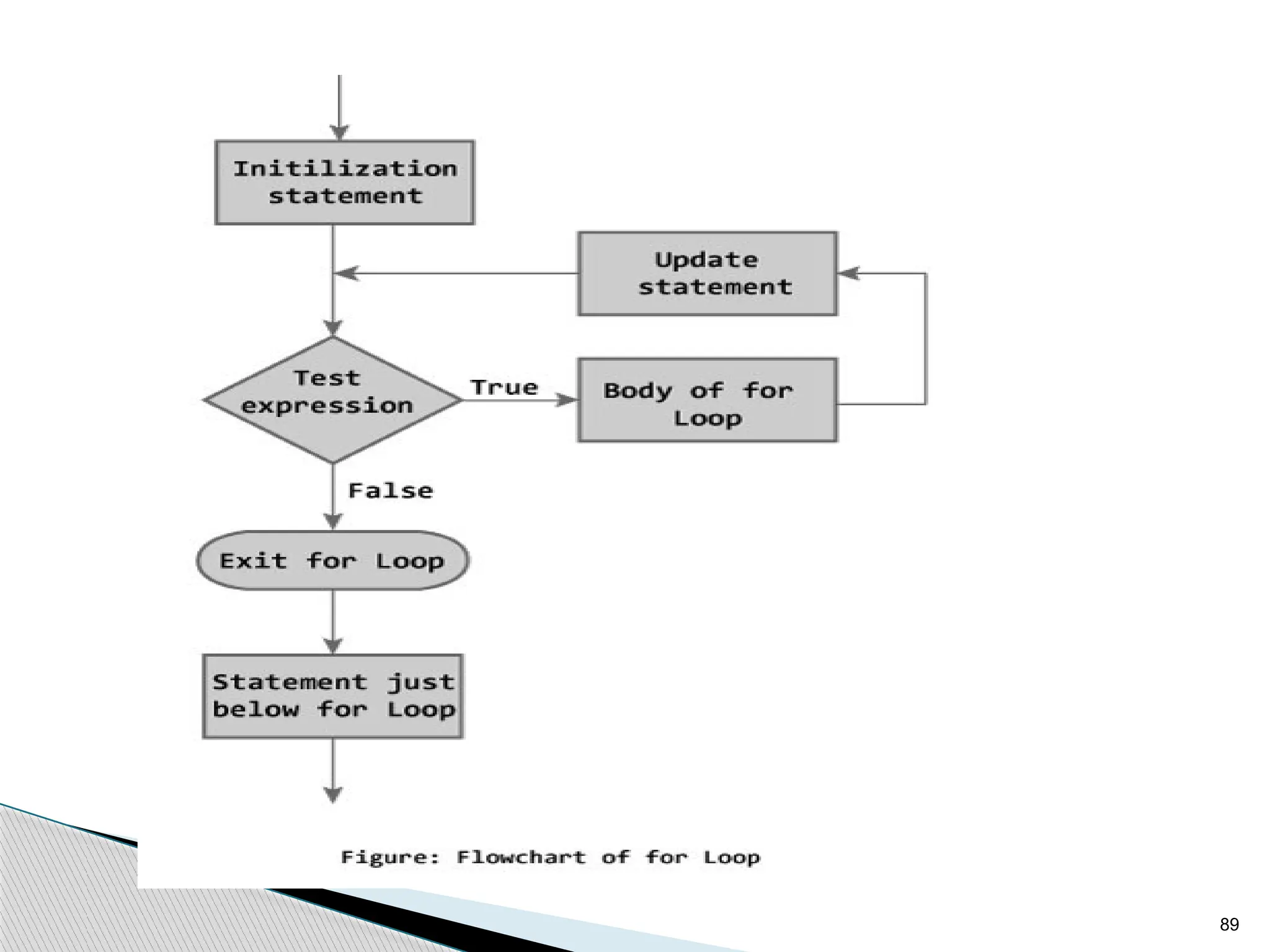
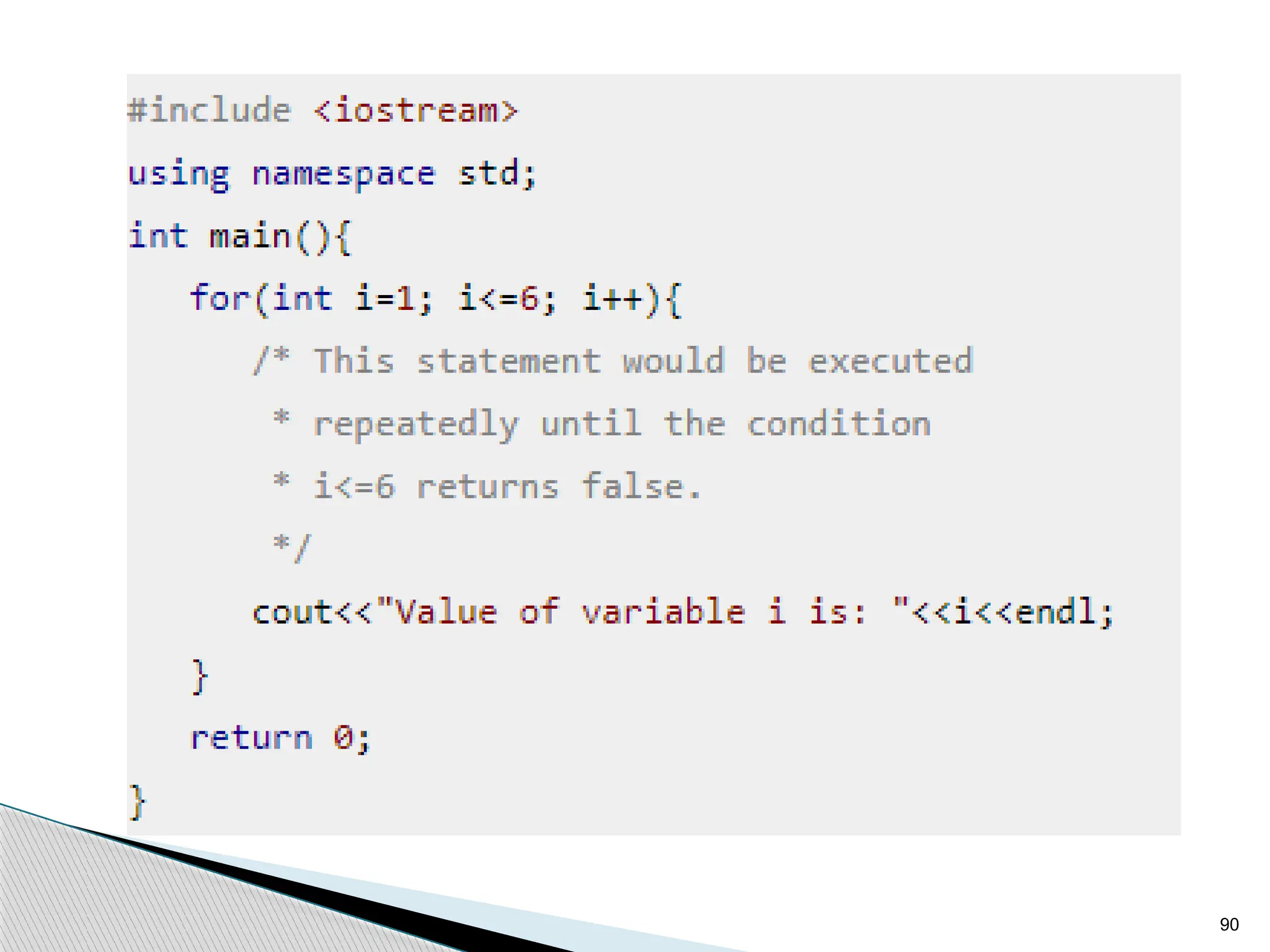
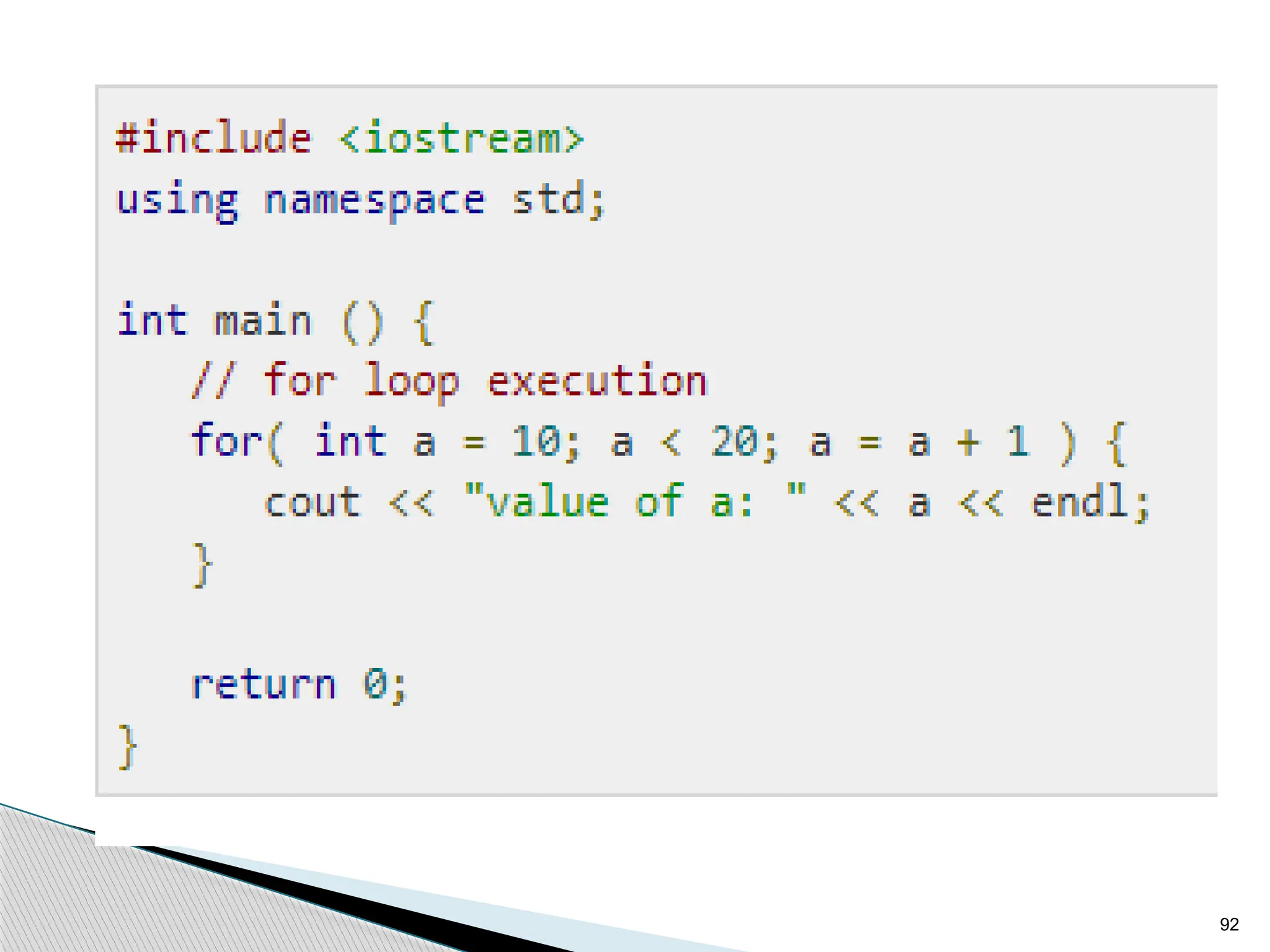
for loop
It is a count controlled loop in the sense that the program
knows in advance how many times the loop is to be executed.
syntax of for loop for (initialization; decision;
increment/decrement)
{
statement(s);
}
The flow diagram indicates that in for loop three operations
take place:
• Initialization of loop control variable
• Testing of loop control variable
• Update the loop control variable either by incrementing or
decrementing.
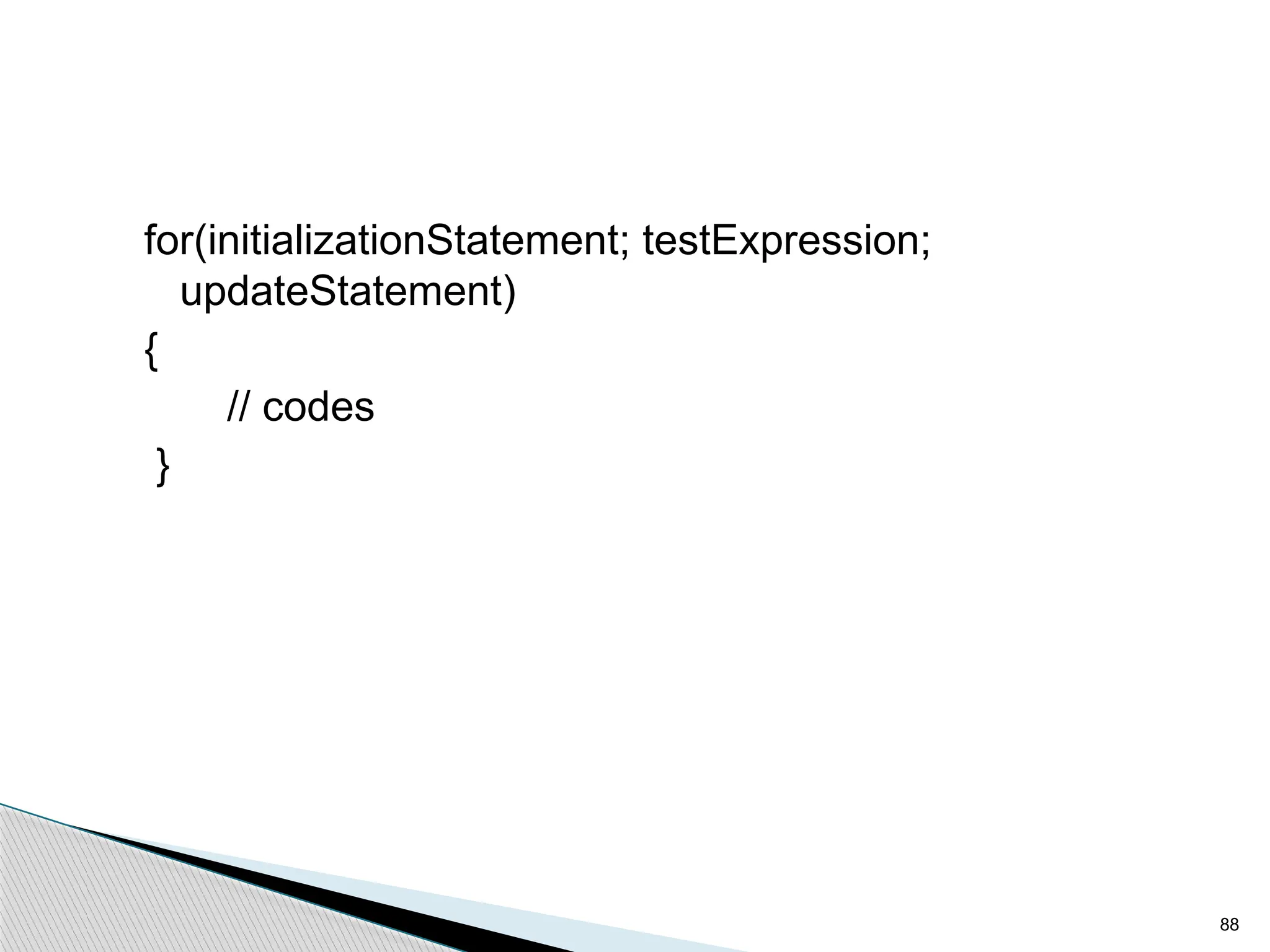
88
for(initializationStatement; testExpression;
updateStatement)
{
// codes
}
89
90
91
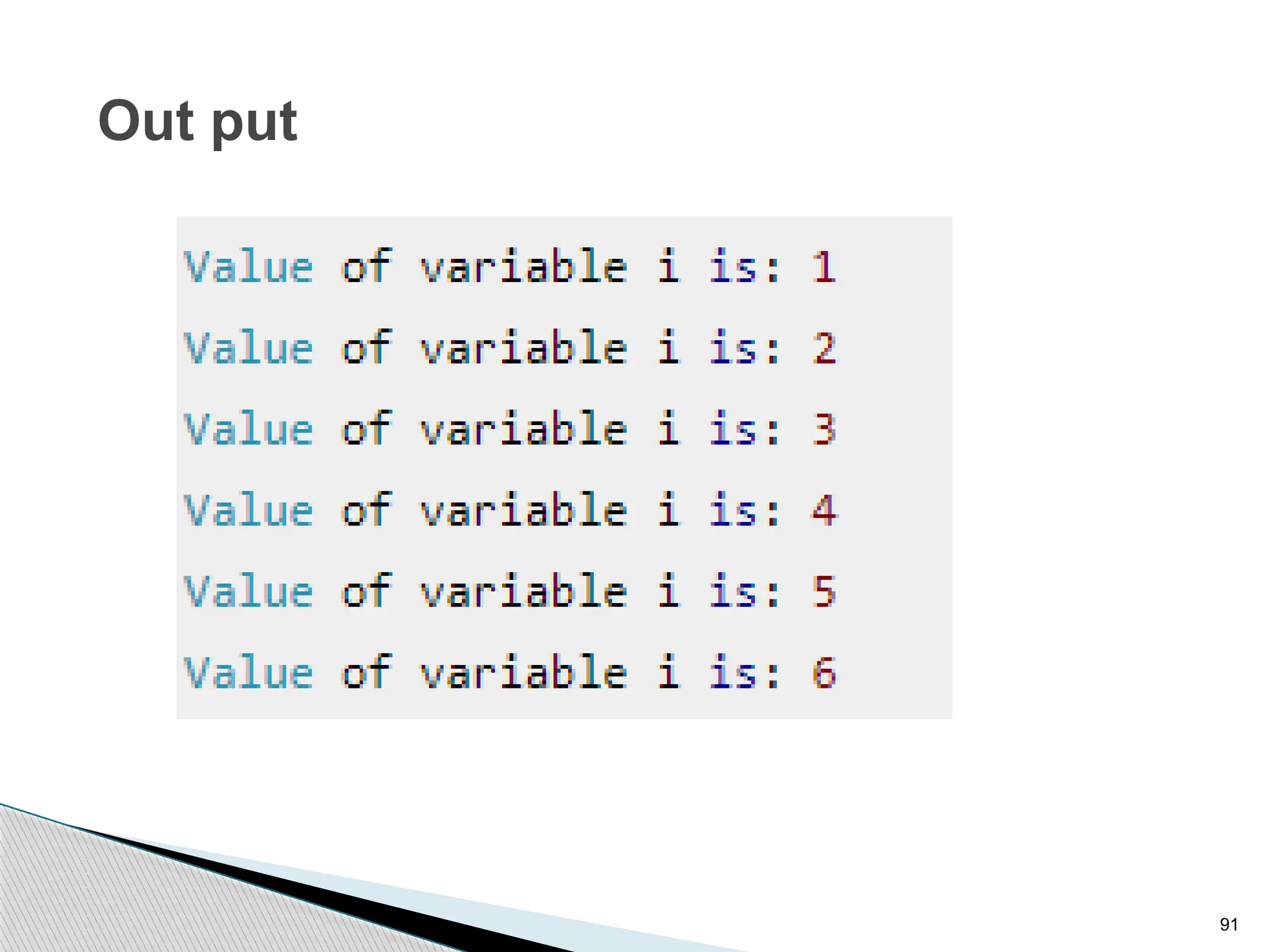
Out put
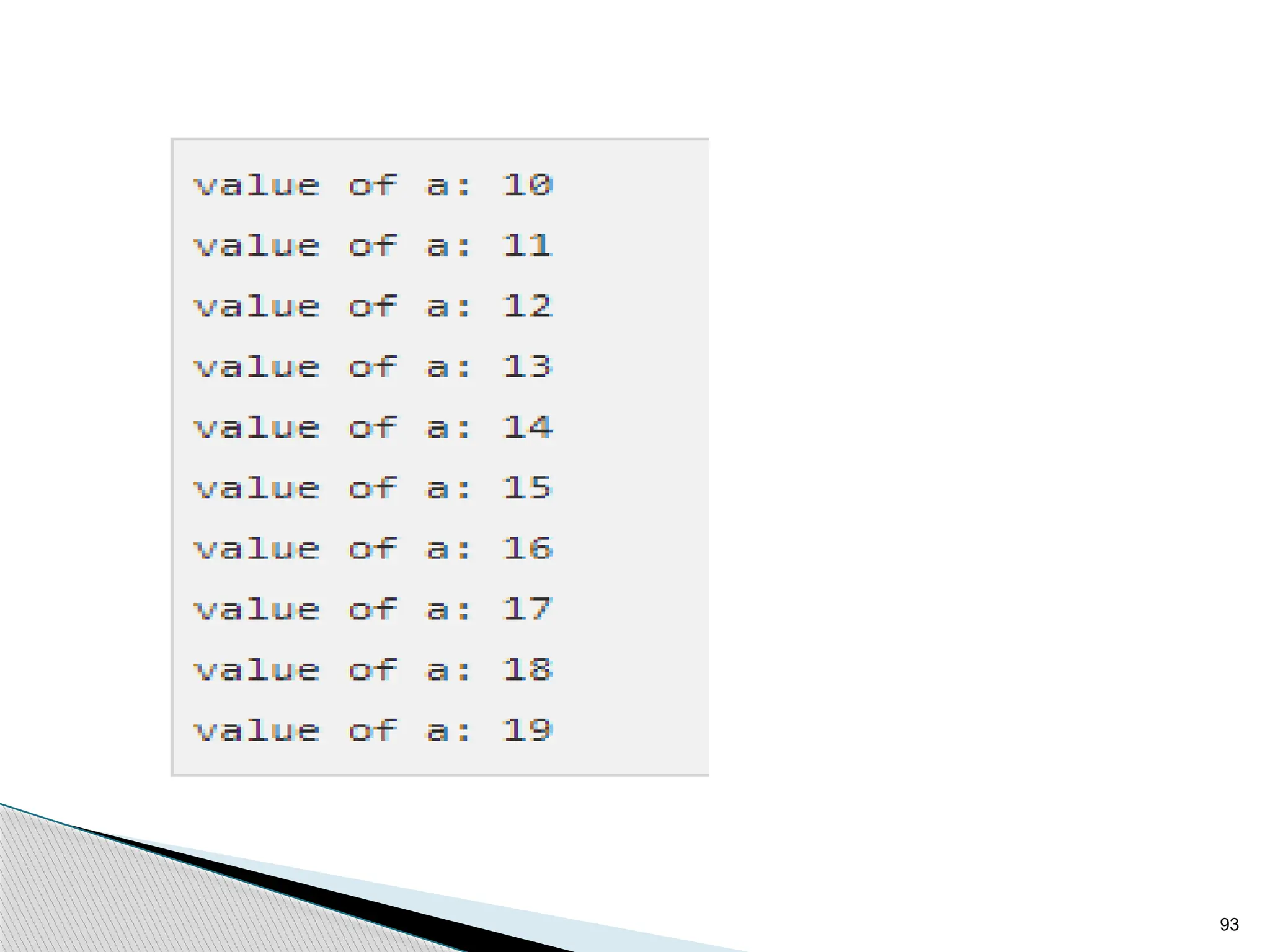
92
93
94
While loop
Syntax of while loop
while(condition)
{ statement(s);
}
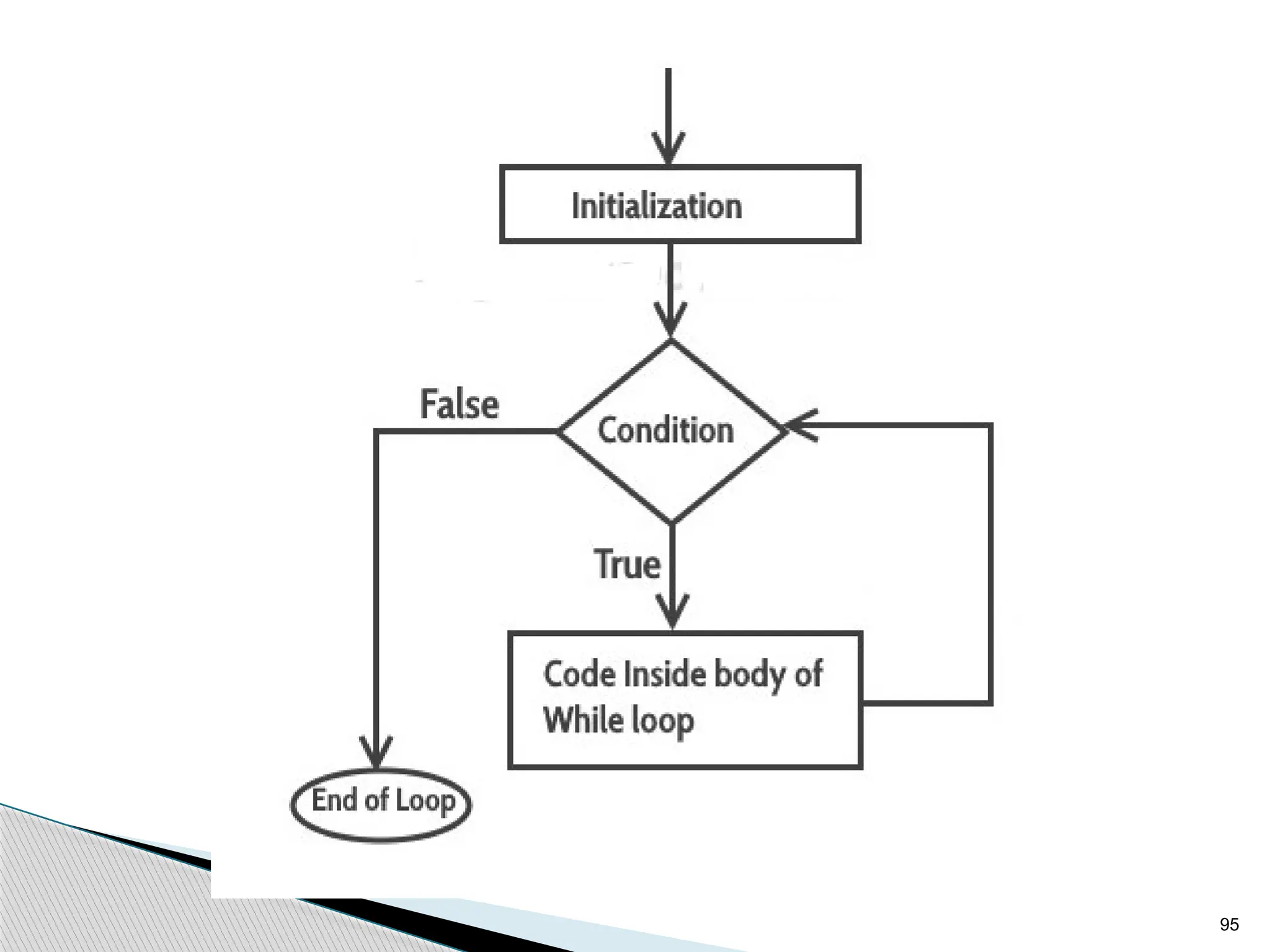
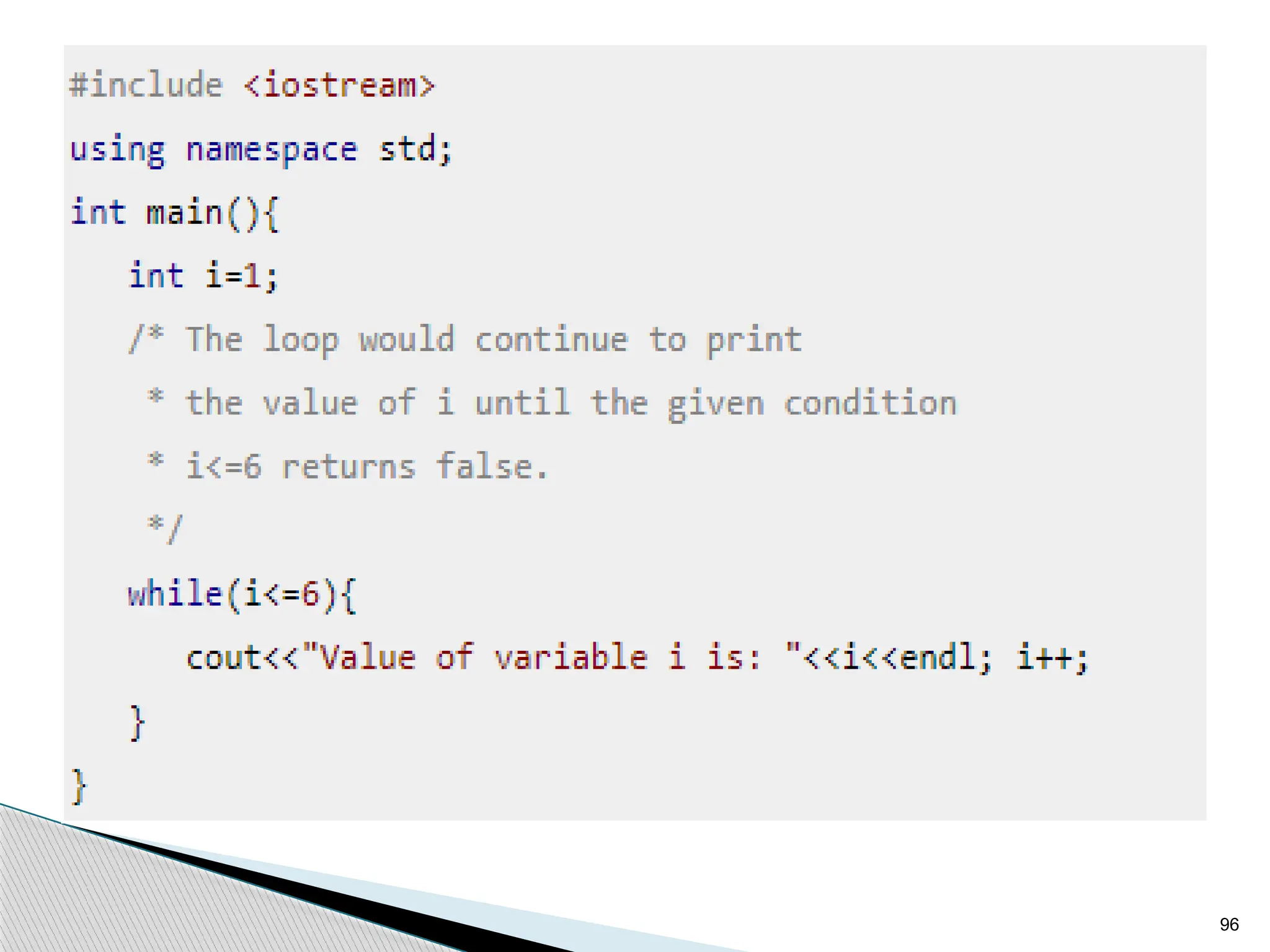
How while Loop works?
In while loop, condition is evaluated first and if it returns
true then the statements inside while loop execute, this
happens repeatedly until the condition returns false.
When condition returns false, the control comes out of
loop and jumps to the next statement in the program after
while loop.
95
96
97
98
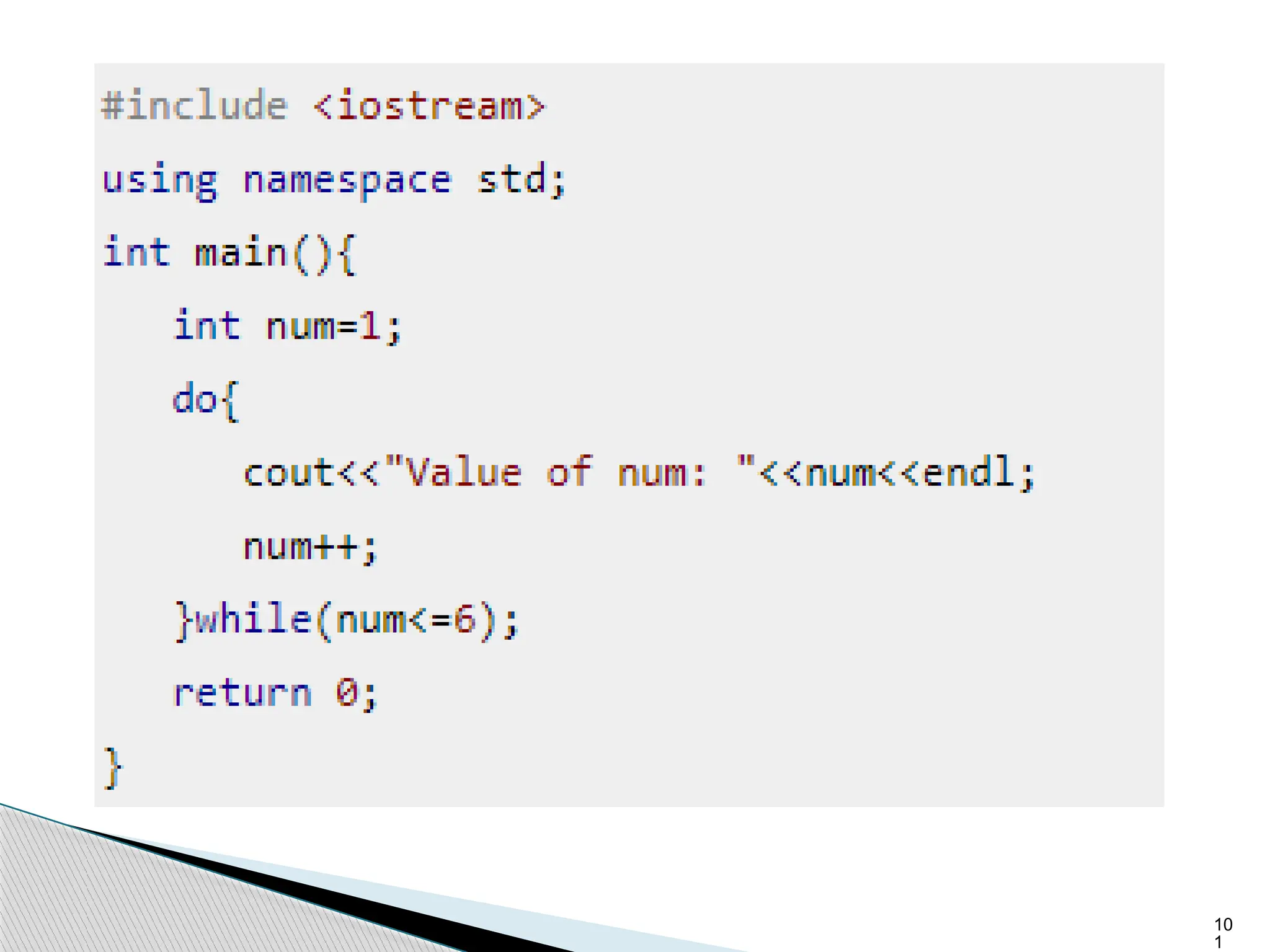
do-while loop
Syntax of do-while loop
do
{
statement(s);
}
while(condition);
99
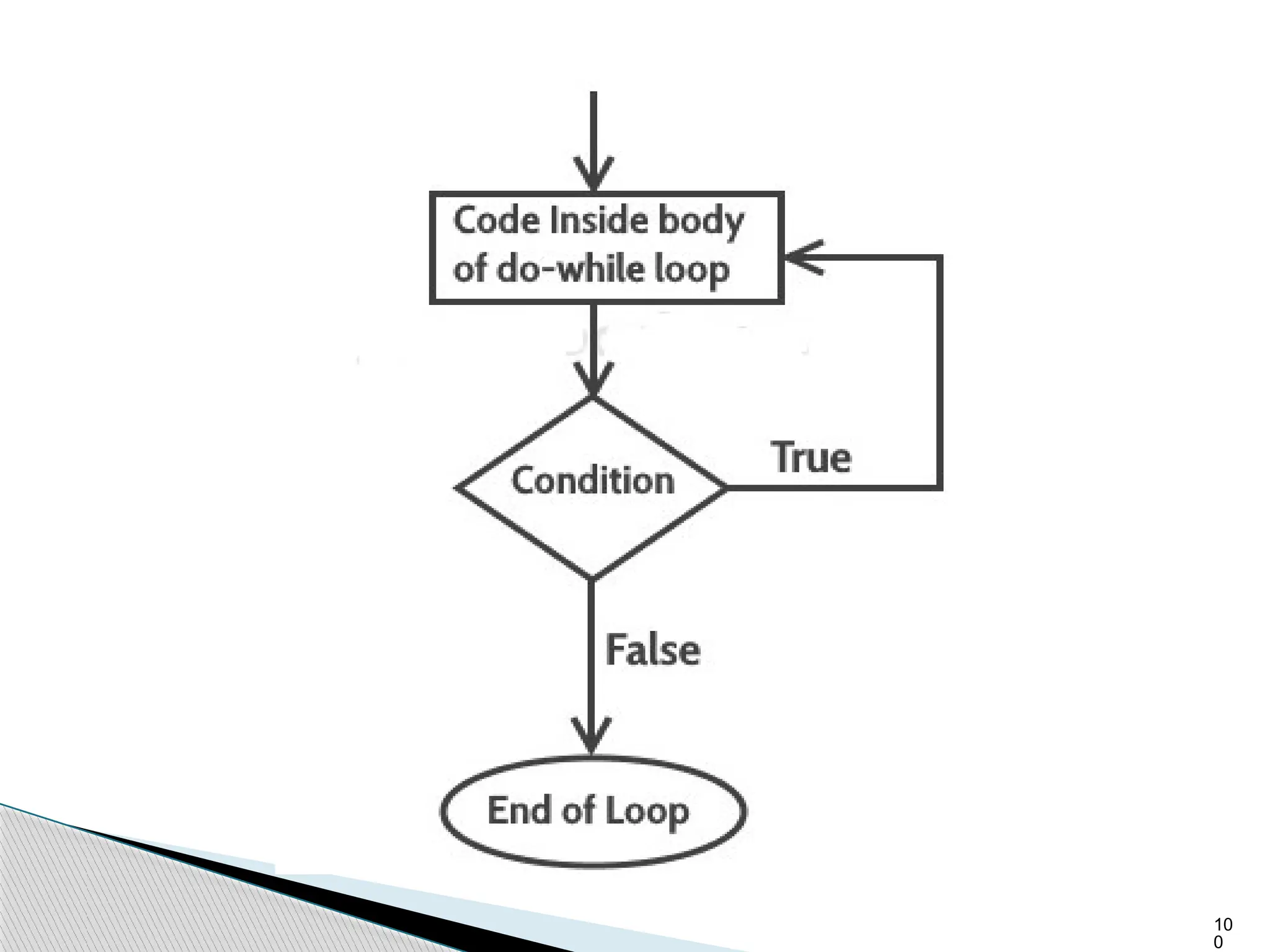
How do-while loop works?
First, the statements inside loop execute and then the
condition gets evaluated, if the condition returns true
then the control jumps to the “do” for further repeated
execution of it, this happens repeatedly until the
condition returns false. Once condition returns false
control jumps to the next statement in the program after
do-while.
10
0
10
1
10
2
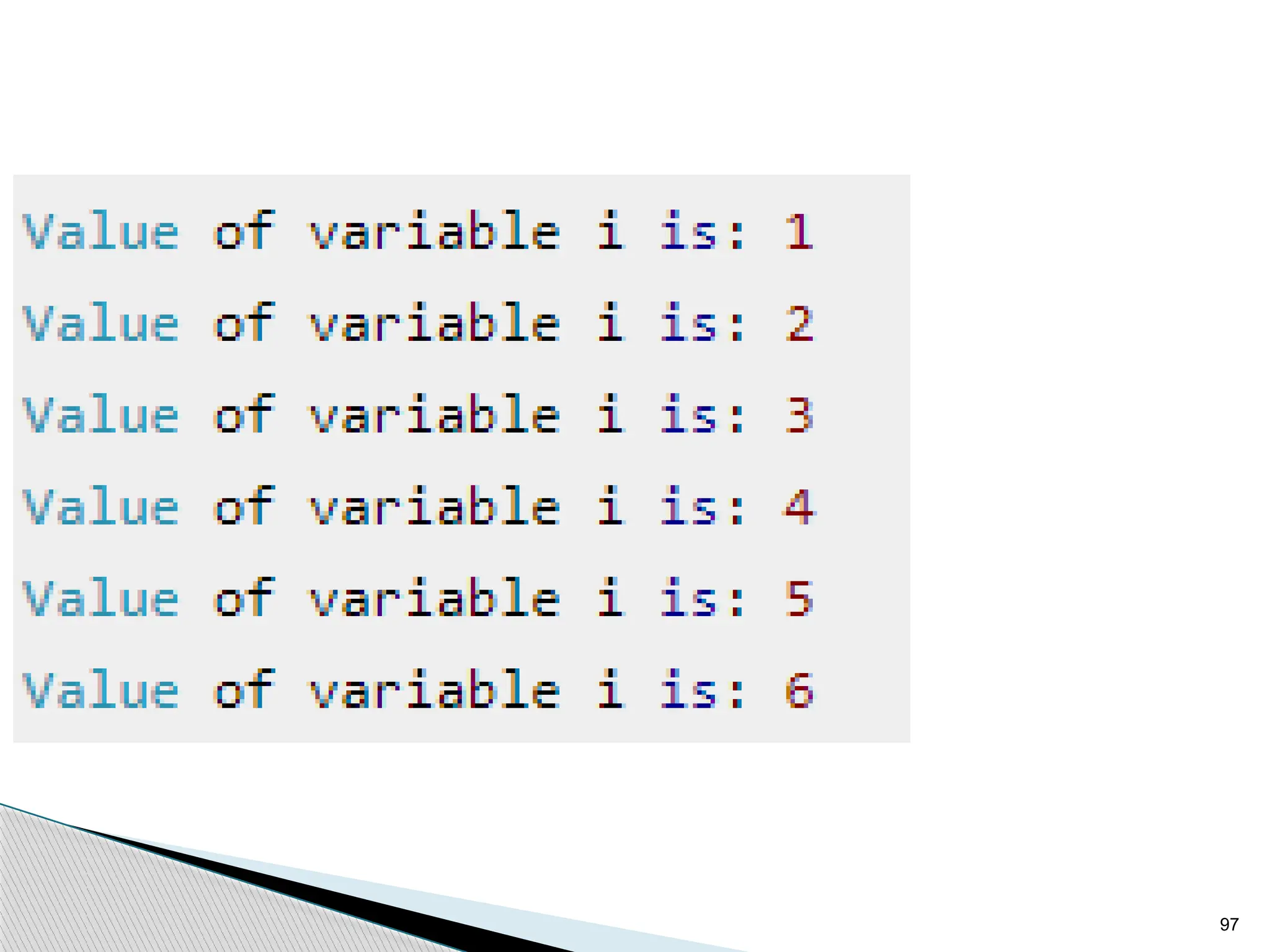
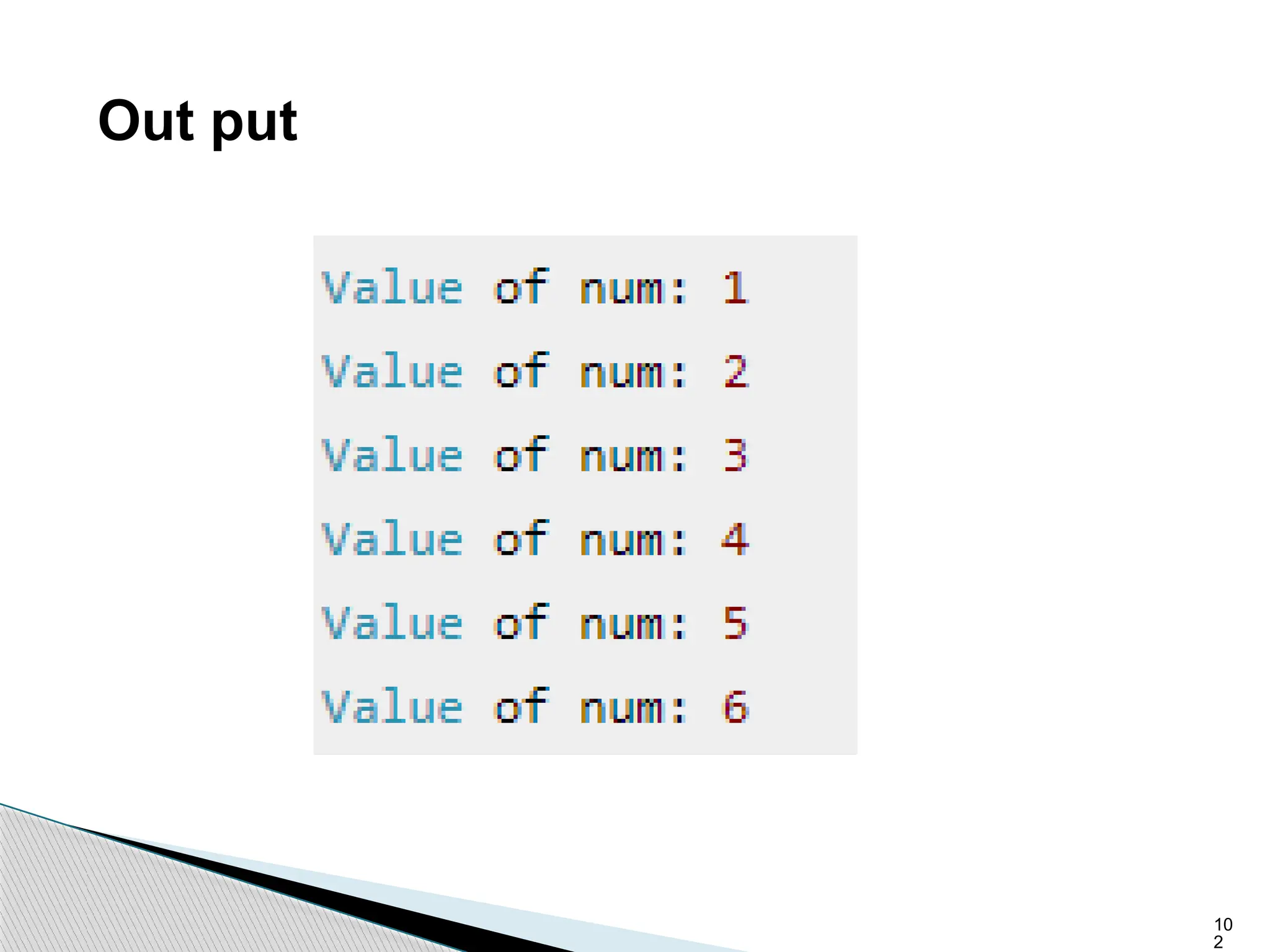
Out put
10
3
Function
 A function is a block of code which is written to
specify certain course of action . It has special
property that it is reusable that it can be executed
as many different points of program as required. To
execute the function it has to called in the program .
10
4
A function has
a. Name
b. Return value or void
c. Parameter/ Argument list
Ex: int sum(int n1, int n2);
return type - int
name of the function - sum
argument list - (int n1, int n2)
10
5
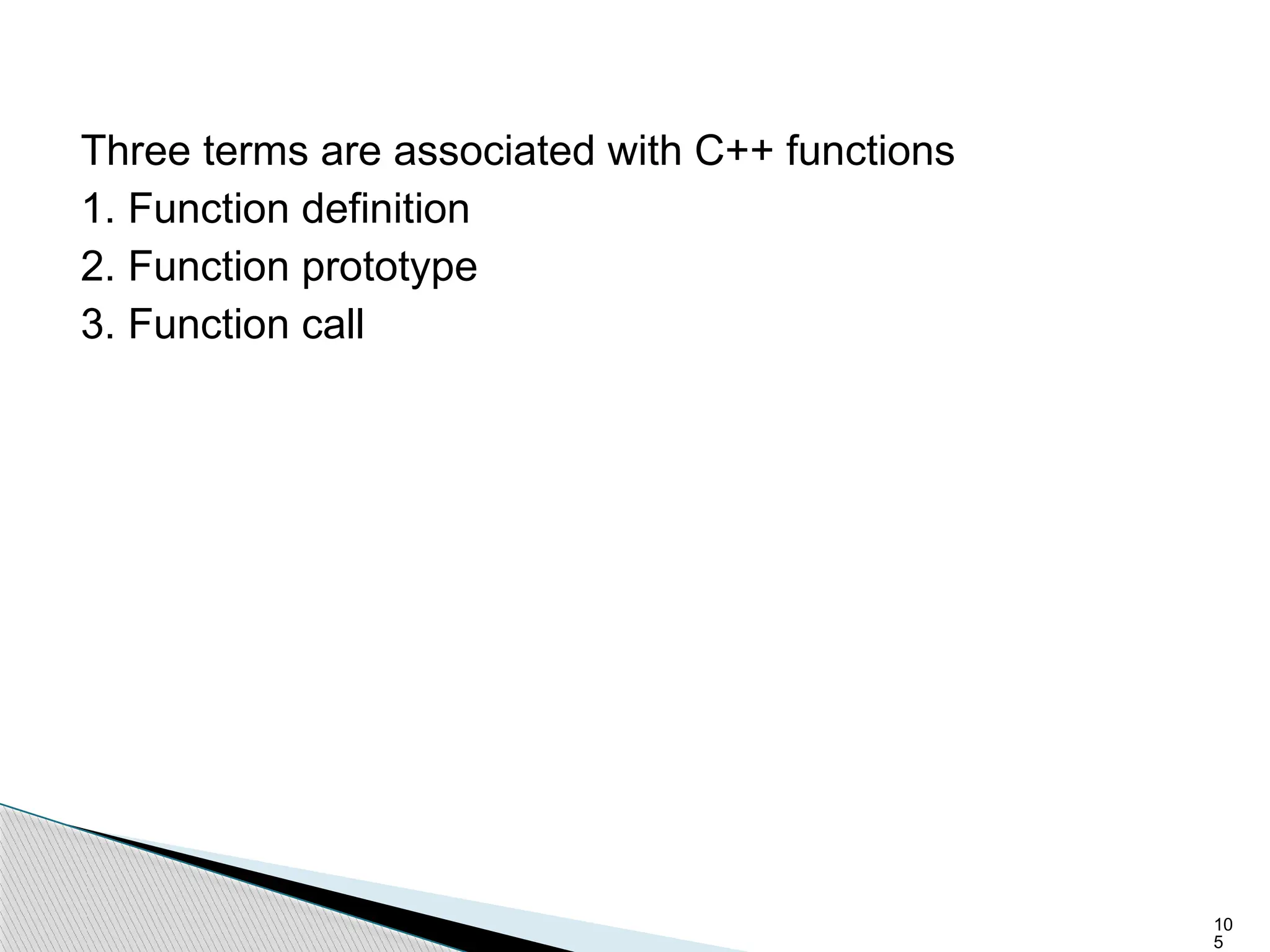
Three terms are associated with C++ functions
1. Function definition
2. Function prototype
3. Function call
10
6
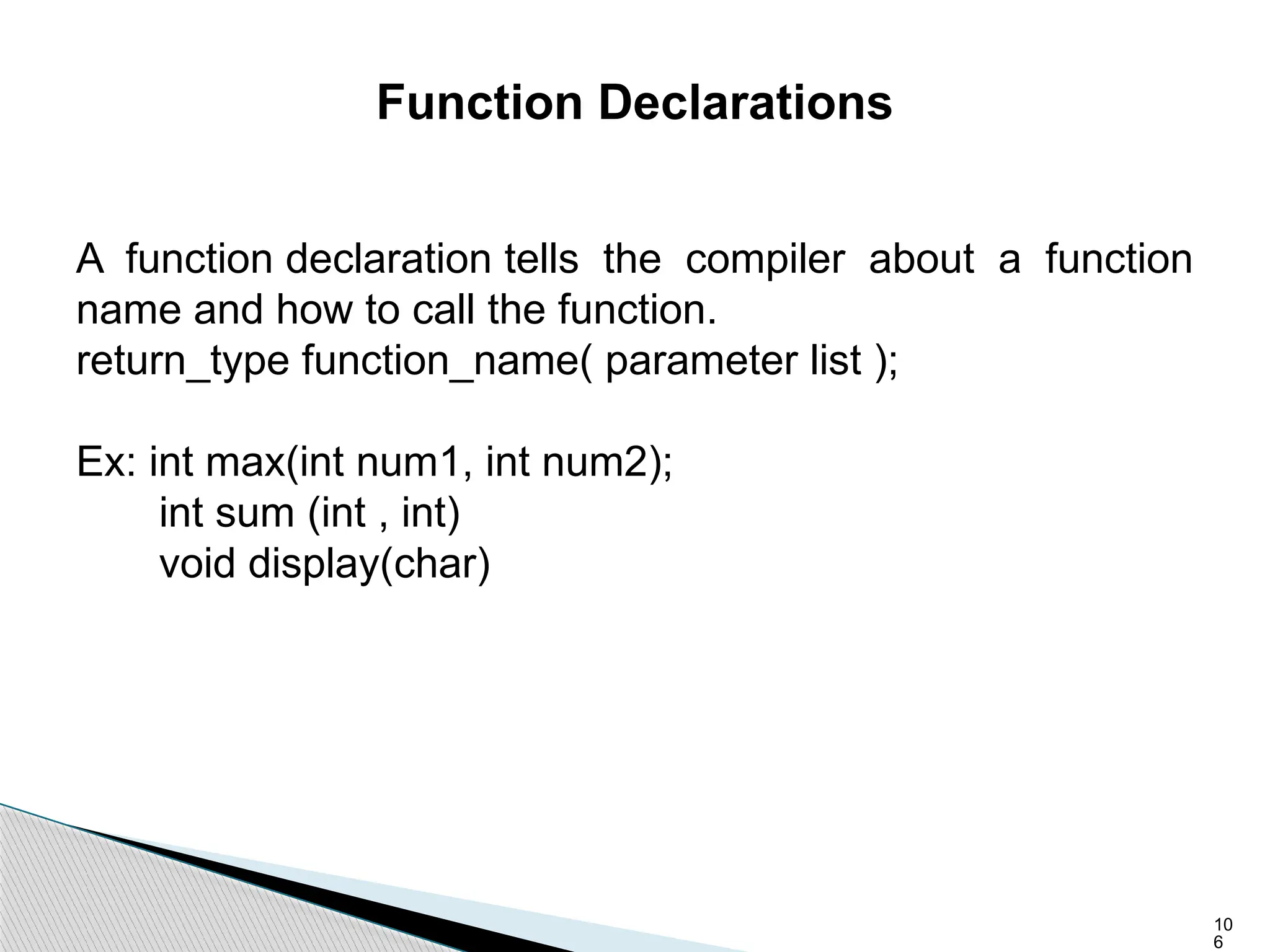
Function Declarations
A function declaration tells the compiler about a function
name and how to call the function.
return_type function_name( parameter list );
Ex: int max(int num1, int num2);
int sum (int , int)
void display(char)
10
7
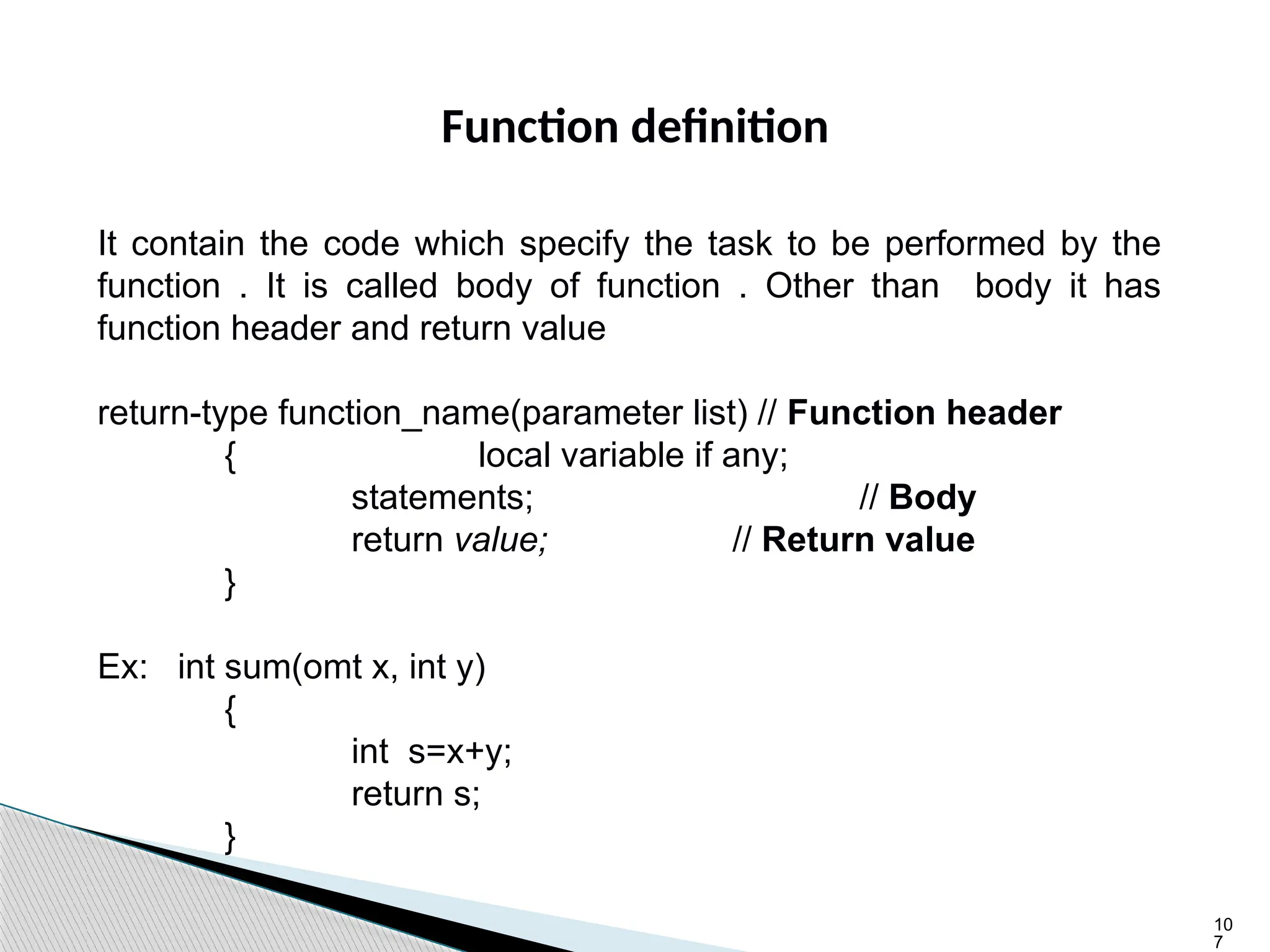
Function definition
It contain the code which specify the task to be performed by the
function . It is called body of function . Other than body it has
function header and return value
return-type function_name(parameter list) // Function header
{ local variable if any;
statements; // Body
return value; // Return value
}
Ex: int sum(omt x, int y)
{
int s=x+y;
return s;
}
10
8
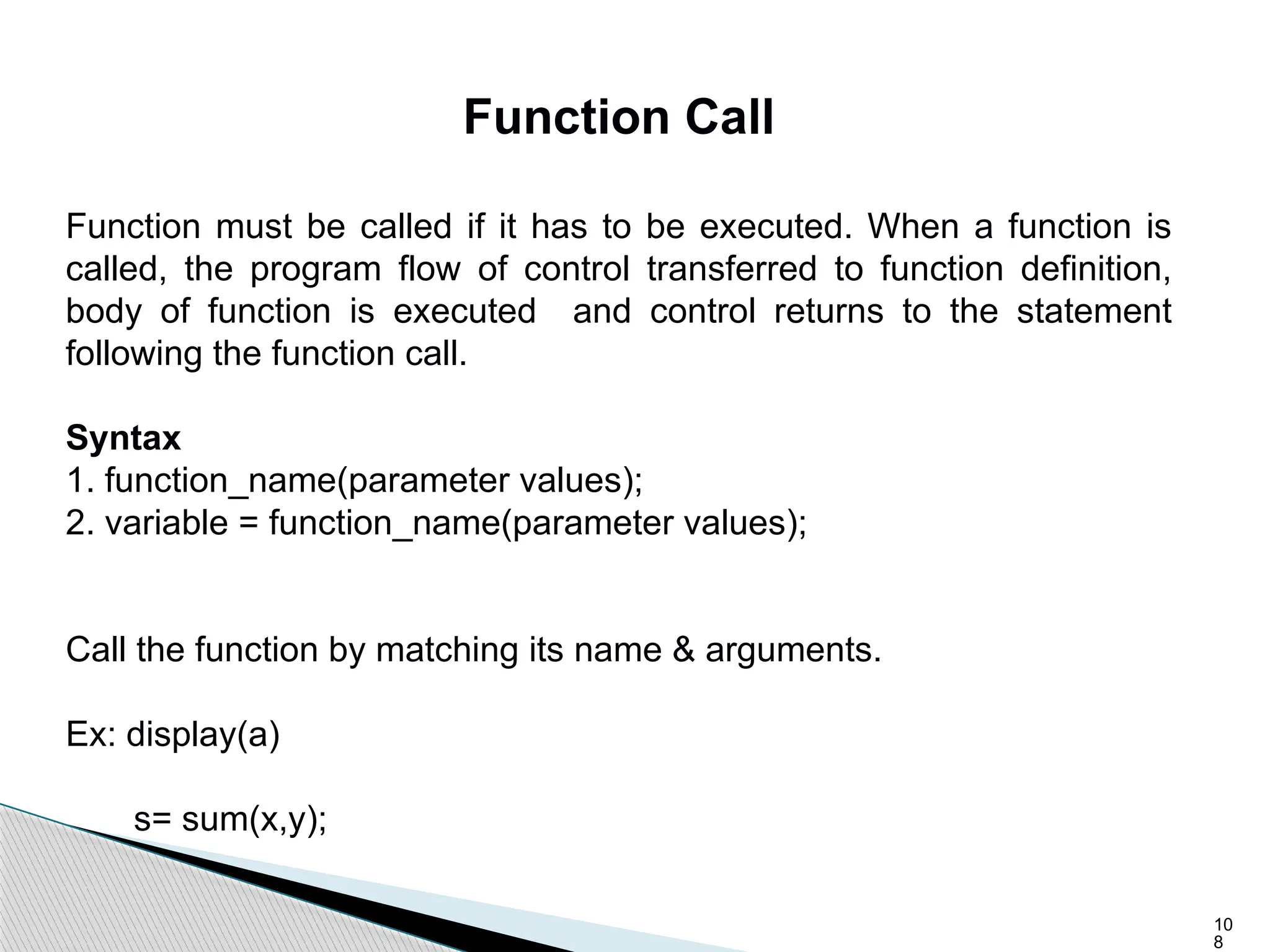
Function Call
Function must be called if it has to be executed. When a function is
called, the program flow of control transferred to function definition,
body of function is executed and control returns to the statement
following the function call.
Syntax
1. function_name(parameter values);
2. variable = function_name(parameter values);
Call the function by matching its name & arguments.
Ex: display(a)
s= sum(x,y);
10
9
Types of Function
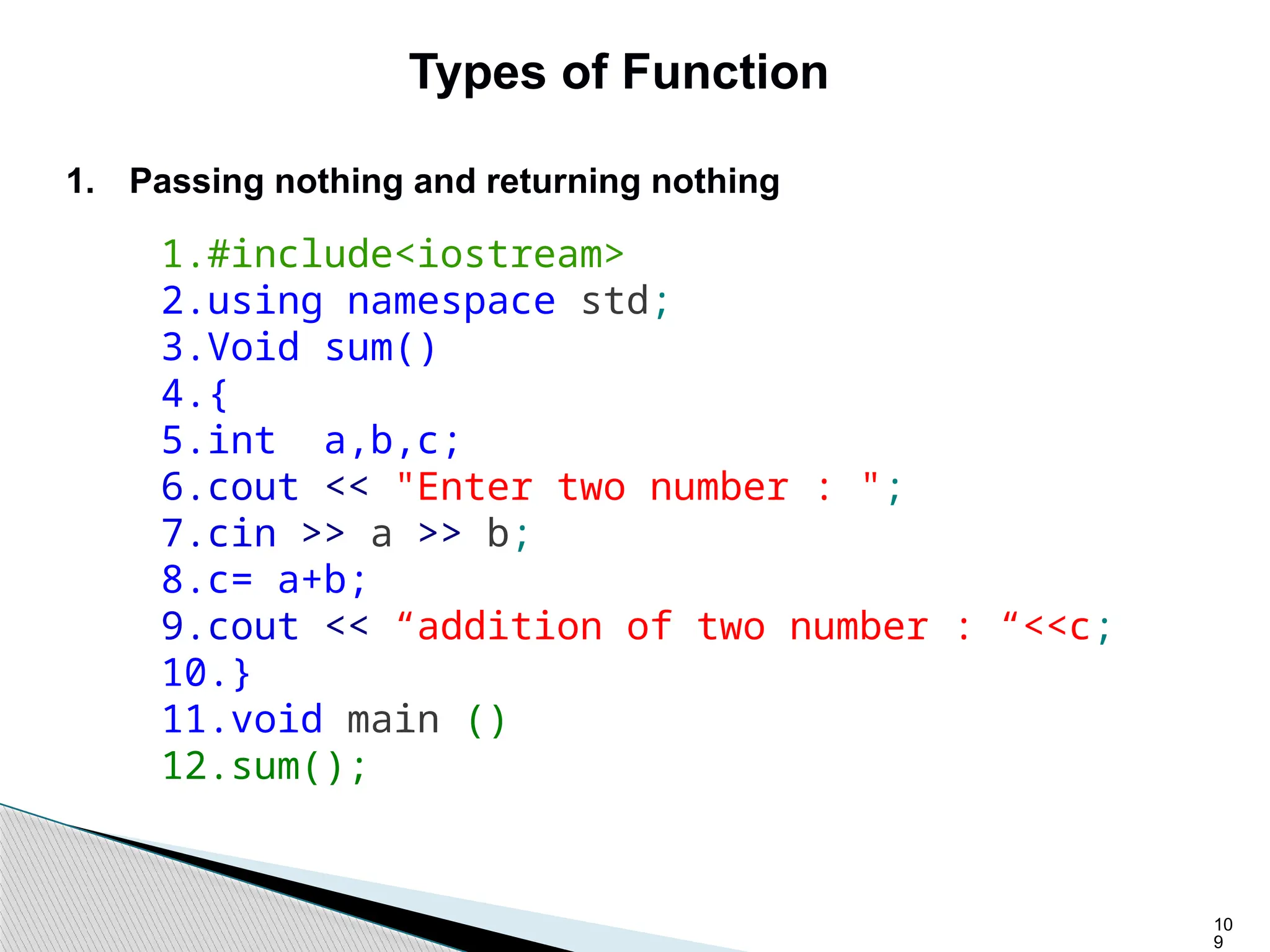
1. Passing nothing and returning nothing
1.#include<iostream>
2.using namespace std;
3.Void sum()
4.{
5.int a,b,c;
6.cout << "Enter two number : ";
7.cin >> a >> b;
8.c= a+b;
9.cout << “addition of two number : “<<c;
10.}
11.void main ()
12.sum();
11
0
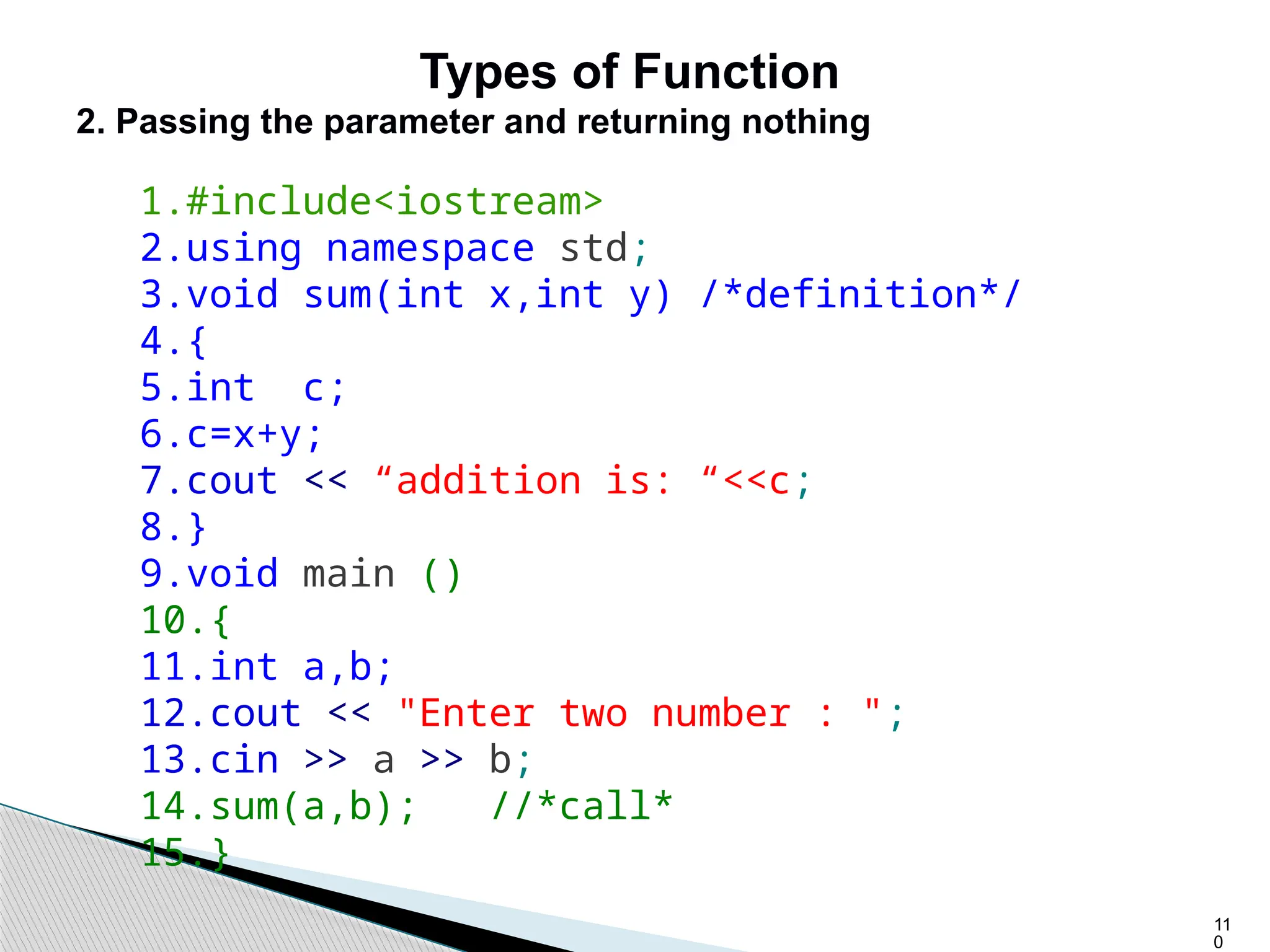
Types of Function
2. Passing the parameter and returning nothing
1.#include<iostream>
2.using namespace std;
3.void sum(int x,int y) /*definition*/
4.{
5.int c;
6.c=x+y;
7.cout << “addition is: “<<c;
8.}
9.void main ()
10.{
11.int a,b;
12.cout << "Enter two number : ";
13.cin >> a >> b;
14.sum(a,b); //*call*
15.}
11
1
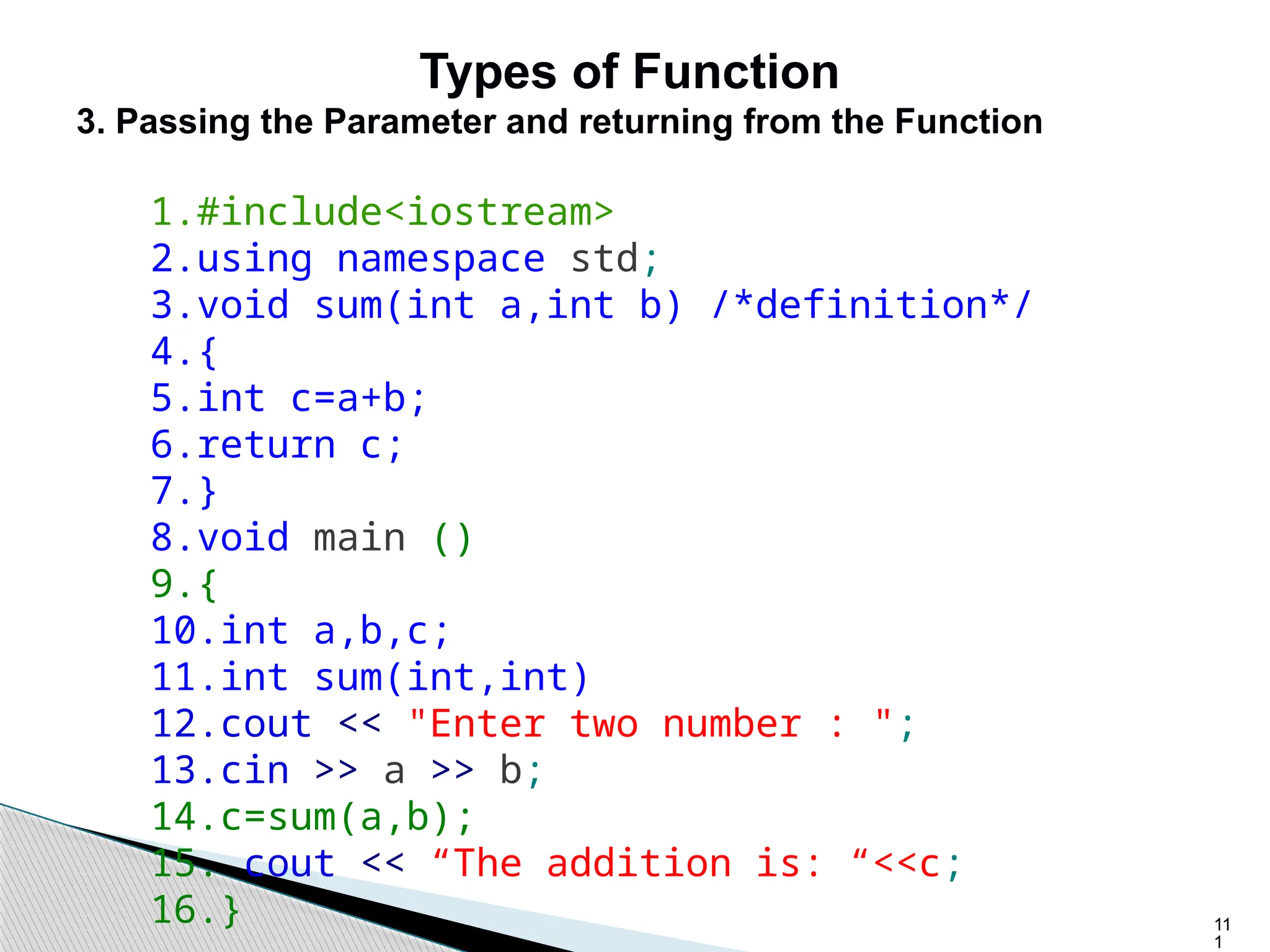
Types of Function
3. Passing the Parameter and returning from the Function
1.#include<iostream>
2.using namespace std;
3.void sum(int a,int b) /*definition*/
4.{
5.int c=a+b;
6.return c;
7.}
8.void main ()
9.{
10.int a,b,c;
11.int sum(int,int)
12.cout << "Enter two number : ";
13.cin >> a >> b;
14.c=sum(a,b);
15. cout << “The addition is: “<<c;
16.}
11
2
Array
Array is derived data type . An array is collection of similar data
items .
An array is used to handle multiple value of same type by single
variable, These multiple values, also called array element, are
placed in consecutive memory location . Each elements of array
is referenced by single variable the name of array and index. An
array has four things array name, index, elements and size of
array.
Syntax
An array is declared as
data_type array_name[SIZE];
int number[10]; This is an array of name number
and can store 10 int data items.
11
3
Add Two Matrices using Multi-dimensional Arrays
1.#include<iostream>
2.using namespace std;
3.int main ()
4.{
5.int m, n, p, q, i, j, A[5][5], B[5][5], C[5]
[5];
6.cout << "Enter rows and column of matrix A : ";
7.cin >> m >> n;
8.cout << "Enter rows and column of matrix B : ";
9.cin >> p >> q;
10.if ((m != p) && (n != q))
11.{
12.cout << "Matrices cannot be added!";
13.exit(0);
14.}
11
4
15.cout << "Enter elements of matrix A : ";
16.for (i = 0; i < m; i++)
17.for (j = 0; j < n; j++)
18.cin >> A[i][j];
19.cout << "Enter elements of matrix B : ";
20.for (i = 0; i < p; i++)
21.for (j = 0; j < q; j++)
22.cin >> B[i][j];
23.for (i = 0; i < m; i+)
24.for (j = 0; j < n; j++)
25.C[i][j] = A[i][j] + B[i][j];
26.cout << "Sum of matricesn";
27.for (i = 0; i < m; i++)
28.{ for (j = 0; j < n; j++)
29.cout << C[i][j] << " ";
30.cout << "n";
31.}
32.return 0;
33.}

asic computer is an electronic device that can receive, store, process, and output data.

  • 1.
    1 Algorithm An algorithm isa finite set of steps which describes step-by step procedure to solve a particular computational problem.  Algorithm takes input.  Algorithm process data on supplied data and produces output.  Algorithm consists finite number of steps.  Algorithm is written in English like language which is called pseudo code.  Algorithm is written prior to implement problem in some programming language.  Algorithm is useful to calculate the efficiency of solution
  • 2.
    2 Characteristics of Algorithm Input: An algorithm requires some input values. An algorithm can be given a value as input.  Output: At the end of an algorithm, you will have one or more outcomes.  Unambiguity: A perfect algorithm is defined as unambiguous, which means that its instructions should be clear and straightforward.  Finiteness: An algorithm must be finite. Finiteness in this context means that the algorithm should have a limited number of instructions, i.e., the instructions should be countable.
  • 3.
    3 Characteristics of Algorithm Effectiveness: Because each instruction in an algorithm affects the overall process, it should be adequate.  Language independence: An algorithm must be language-independent, which means that its instructions can be implemented in any language and produce the same results.
  • 4.
    4 Example of Algorithm Problem:Create an algorithm that multiplies two numbers and displays the output. Solution: Step 1 − Start Step 2 − declare three integers x, y & z Step 3 − define values of x & y Step 4 − multiply values of x & y Step 5 − store result of step 4 to z Step 6 − print z Step 7 − Stop
  • 5.
    5 Write an algorithmto add two numbers entered by user.  Step 1: Start  Step 2: Declare variables num1, num2 and sum.  Step 3: Read values num1 and num2.  Step 4: Add num1 and num2 and assign the result to sum. sum←num1+num2  Step 5: Display sum  Step 6: Stop
  • 6.
    6 Write an algorithmto add two numbers entered by user.  Step 1: Start  Step 2: Declare variables num1, num2 and sum.  Step 3: Read values num1 and num2.  Step 4: Add num1 and num2 and assign the result to sum. sum←num1+num2  Step 5: Display sum  Step 6: Stop
  • 7.
    7 Algorithm to findthe largest number in given three numbers. Input : Three numbers a , b and c Output : Largest number. The Algorithm is : 1. Read a,b,c 2. Check if( a>b) 3. { then check if(a>c) 4. { then print a 5. otherwise print c } 6. otherwise 7. { check if (b > c) 8. then print b 9. otherwise print c } 10. Exit
  • 8.
    8 Flowchart  Flowcharts arethe graphical representation of the data or the algorithm for a better understanding of the code visually.  It displays step-by-step solutions to a problem, algorithm, or process.  A flowchart is a picture of pre-defined shapes that indicates the process flow in a sequential manner.  Since a flowchart is a pictorial representation of a process or algorithm, it’s easy to interpret and understand the process.
  • 9.
    9 Uses of Flowchart It is a pictorial representation of an algorithm that increases the readability of the program. Complex programs can be drawn in a simple way using a flowchart.  It helps team members get an insight into the process and use this knowledge to collect data, detect problems, develop software, etc.  Communication with other people becomes easy by drawing flowcharts and sharing them.
  • 10.
    10 When to useFlowchart  It is mostly used when the programmers make projects. As a flowchart is a basic step to make the design of projects pictorially, it is preferred by many.  Since the rules and procedure of drawing a flowchart are universal, flowchart serves as a communication channel to the people who are working on the same project for better understanding.
  • 11.
    11 Symbols to createflowchart  Terminal: This box is of an oval shape which is used to indicate the start or end of the program. Data: This is a parallelogram-shaped box inside which the inputs or outputs are written.
  • 12.
    12 Symbols to createflowchart  Process: This is a rectangular box inside which a programmer writes the main course of action of the algorithm or the main logic(CODE) of the program. Decision: This is a rhombus-shaped box, control statements like if, or condition like a > 0, etc are written inside this box. There are 2 paths one is “yes” other one is “no”.
  • 13.
    13 Symbols to createflowchart  Flow: This arrow line represents the flow of the algorithm or process. It represents the direction of the process flow. One Page Reference: This circular figure is used to depict that the flowchart is in continuation with the further steps.
  • 14.
    14 Example of Flowchart Drawa flowchart to find the greatest number among the 2 numbers.
  • 15.
    15 Example of Flowchart Drawa flowchart to check whether the input number is odd or even
  • 16.
    16 Flowchart to findthe largest number in given three numbers.
  • 17.
    17 Complexity : Complexity isa measure of an algorithm. It determines the amount of time and space necessary to execute them. The computational problem can be solved by different algorithms, Calculation complexity helps to select efficient algorithm. Types of Complexity Time Complexity : Time require to solve a computational problem is called Time complexity of the algorithm. Space Complexity :The space requirement of a computational problem is called Space complexity.
  • 18.
    18 Programming Language  Programming:- Programming language is Artificial human created language which translates instructions from human readable to computer readable format.  Art of solving computational problems by using computational language.  With the help of programming we can code and develop software and computer applications.  There are many programming languages viz. C,C++,Pascal, Java, Python, BASIC, FORTRAN,COBOL, and LISP are just a few.
  • 19.
    19 Category of ProgrammingLanguage First Generation language : Machine Language: • The program is written in binary language. • The program is directly processed by CPU. • It does not require any translator or compiler. • The program is difficult to understand and difficult to debugs as it is written in binary mode. • The program is machine dependent. • It require to have good knowledge of hardware to write program in machine language. • It require more time to write program. • It is also called low level programming language. • It requires very less amount of memory.
  • 20.
    20 Second Generation Language: Assembly languages • The language consists more friendly code called Mnemonics. For example ADD, MOV, CMP etc. • The program is not process directly by processor. • It requires translator called assembler to convert program written in assembly language into machine language. • It is some what easier to understand and debug the assembly program. • The program is machine dependent. • The program need to have little knowledge of architecture of processor. • It require less time as compare to machine language to write a program. • It is also considered as low level language. • It require less amount of memory.
  • 21.
    21 Third Generation Language:High level Language. • The English like construct are used to write a program. • The program written in HLL is not directly processed by processor. • It requires an intermediate software called compiler to convert program written in HLL into machine language. • The program in machine independent. • Programmer need not to have knowledge about hardware or architecture of processor. • It is very easy write and debug the program. • FORTRAN, C, C++, JAVA are examples of HLL. • It requires large amount of memory.
  • 22.
    22 Fourth Generation Language:Domain Specific languages • The program written in HLL languages are needing to specify what to do? How to do? And when to do? But program written in 4GL are needing to specify what to do only. • It is considered as domain specific language. • Fox-Pro, Power Builder, SQL are examples of 4GL.
  • 23.
    23 Language Processors Compiler The languageprocessor that reads the complete source program written in high-level language as a whole in one go and translates it into an equivalent program in machine language is called a Compiler. Example: C, C++, C#, Java. Assembler The Assembler is used to translate the program written in Assembly language into machine code. Interpreter The translation of a single statement of the source program into machine code is done by a language processor and executes immediately before moving on to the next line is called an interpreter. Example: Perl, Python and MATLAB
  • 24.
    24 Programming Design  Top-DownDesign  Bottom-Up design
  • 25.
    25 Top-Down Design  Anapproach to design algorithms in which a bigger problem is broken down into smaller parts. It uses the decomposition approach.  This approach is generally used by structured programming languages such as C, COBOL, FORTRAN  Generally used with documentation of module and debugging code.
  • 26.
  • 27.
  • 28.
  • 29.
    29 Bottom-Up design  Bottom-UpApproach is one in which the smaller problems are solved, and then these solved problems are integrated to find the solution to a bigger problem.  It is generally used with object-oriented programming paradigm such as C++, Java, and Python. Data encapsulation and data hiding is also implemented in this approach.  The bottom-up approach is generally used in testing modules.
  • 30.
    30 OOP Characteristics/Concepts: Object  Anobject is a real-world entity that has attributes and behavior. It is referred to as an instance of the class.  It contains member functions & variables that we have defined in the class.  It occupies space in the memory.  Different objects have different states or attributes, and behaviors.
  • 31.
  • 32.
    32 OOP Characteristics/Concepts: Class  Aclass is a blueprint or template of an object. It is a user-defined data type.  Inside a class, we define variables, constants, member functions, and other functionality. it binds data and functions together in a single unit.  It is a logical entity. It is the best example of data binding.  A class can exist without an object but vice-versa is not possible.  Consider the Class of Cars.
  • 33.
  • 34.
  • 35.
    class MyClass { public: intmyNum; string myString; int main() { MyClass myObj; myObj.myNum = 15; myObj.myString = ”hello” cout << myObj.myNum << "n"; cout << myObj.myString; return 0; } OUTPUT: 15 hello 35
  • 36.
    36 OOP Characteristics: Abstraction  Abstractionmeans displaying only essential information and hiding the details.  Data abstraction refers to providing only essential information about the data to the outside world, hiding the background details or implementation.
  • 37.
    37 OOP Characteristics: Encapsulation  Encapsulationis defined as wrapping up of data and information under a single unit.  In Object-Oriented Programming, Encapsulation is defined as binding together the data and the functions that manipulate them. Therefore, it also provides security. A class is the best example of encapsulation.
  • 38.
    38 OOP Characteristics: Inheritance Inheritance isa process in which one object acquires all the properties and behaviors of its parent object automatically. In such way, you can reuse, extend or modify the attributes and behaviors which are defined in other class.
  • 39.
    39 OOP Characteristics: Polymorphism The wordpolymorphism means having many forms. In simple words, we can define polymorphism as the ability of a message to be displayed in more than one form. A person at the same time can have different characteristic.
  • 40.
    40 Factor OOP POP DefinitionOOPstands for Object Oriented Programming. POP stands for Procedural Oriented Programming. Approach OOP follows bottom-up approach. POP follows top-down approach. Division A program is divided to objects and their interactions. A program is divided into functions and they interact. Inheritance supported Inheritance is supported. Inheritance is not supported. Access control Access control is supported via access modifiers. No access modifiers are supported. POP vs OOP
  • 41.
    41 Data Hiding Encapsulationis used to hide data. No data hiding present. Data is globally accessible. Example C++, Java C, Pascal //This is Procedure Oriented Programming #include<iostream> void average(int,int,int); using namespace std; int main() { cout<<"This is Object Oriented Programming"<<endl; cout<<"Average of three integer numbers "<<endl; int a,b,c; cout<<"Enter three integer numbers:"; cin>>a>>b>>c; average(a,b,c); cout<<"************ End of Program ************"<<endl ; } void average(int a,int b,int c) { float avg; avg = (a+b+c)/3.0; cout << " Calculated average is :"<<avg<<endl; }
  • 42.
    42 //This is ObjectOriented Programming #include<iostream> using namespace std; class average { private: int a,b,c; float avg; public: void getIntegers(); void calculateAvg(); void displayAvg(); }; void average::getIntegers() { cout<<"Enter three integer numbers:"; cin>>a>>b>>c; } void average::calculateAvg() { avg = (a+b+c)/3.0; } void average::displayAvg() { cout << " Calculated average is :"<<avg<<endl; } int main() { cout<<"This is Object Oriented Programming"<<endl; cout<<"Average of three integer numbers "<<endl; average a1; a1.getIntegers(); a1.calculateAvg(); a1.displayAvg(); cout<<"************ End of Program ************"<<endl; }
  • 43.
  • 44.
    44 What is C++ C++is a general purpose, case-sensitive, free-form programming language that supports object-oriented, procedural and generic programming. By the help of C++ programming language, we can develop different types of secured and robust applications: • Window application • Client-Server application • Device drivers • Embedded firmware etc
  • 45.
  • 46.
    C++ Features Simple Machine Independentor Portable Mid-level programming language Structured programming language Rich Library Memory Management Fast Speed Pointers Recursion Extensible Object Oriented Compiler based
  • 47.
    47 Structure of C++Program Include Files Class Definition Class Function Definition Main Function Program
  • 48.
    48 C++ Character Set Letters - A-Z, a-z  Digits - 0-9  Special Characters - Space + - * / ^ () [] {} = != <> ‘ “ $ , ; : % ! & ? _ # <= >=
  • 49.
    49 Tokens Smallest individual unitsin a program are knows as token. They are categorized into keywords, identifiers, Literal (constants), operator etc.
  • 50.
    50 Keyword They are reservedwords of a language and can-not be used for any other purpose other than they are defined. Reserved words have predefined meaning in program. Keywords can -not be used for name of identifier.
  • 51.
  • 52.
    52 Identifier It refer tonames of variable , function, array class etc. Identifier are created by programmer in the program. Rules to create identifier - An identifier can consist of alphabets, digits and/or underscores. It can not start with a digit . C++ is case sensitive that is upper case and lower-case letters are considered different from each other.  Keywords can not be used as a identifier. Example : int a; // a is variable identifier. Void getValue() // getValue is function name identifier.
  • 53.
    53 Literals or Constants Literals(often referred to as constants) are data items that never change their value during the execution of the program. The following types of literals are available in C+ +.  Integer-Constants  Character-constants  Floating-constants  Strings-constants
  • 54.
    54 Integer-Constants Integer Constants: Integerconstants are the whole number without any fractional part. C++ allows three types of integer constants. Decimal integer constants: It consists of a sequence of digits and should not begin with 0 (zero). For example, 124, - 179, +108. Octal integer constants: It consists of a sequence of digits starting with 0 (zero). example. 014, 012. Hexadecimal integer constant: It consists of a sequence of digits preceded by ox or OX.
  • 55.
    55 Character-constants A character constantin C++ contain one or more characters and enclosed in single quotation marks. Example, 'A', '9', etc. C++ allows nongraphic characters which cannot be typed directly from the keyboard, e.g., backspace, tab, etc.
  • 56.
    56 Floating constants They arealso called real constants. They are numbers having fractional parts. They may be written in fractional form or exponent form. A real constant in fractional form consists of signed or unsigned digits including a decimal point between digits. Example: 3.0, -17.0, -0.627 etc.
  • 57.
    57 String Literals A sequenceof characters enclosed within double quotes is called a string literal. String literal is by default (automatically) added a special character ‘0' which denotes the end of the string. The size of the string is increased by one character. Example- "COMPUTER" will be re-represented as "COMPUTER0" in the memory and its size is 9 characters.
  • 58.
    58 Variables It is alocation in the computer memory which can store data and is given a symbolic name for easy reference. The variables can be used to hold different values at different times during the execution of a program. Example: int a; // Declaration of variable of type int. a = 10; // initialization of variable a; float b = 2.5; //Declaration and initialization of variable b of type float.
  • 59.
    59 Operators Operators are specialsymbols used for specific purposes. C++ provides various types of operators.  Assignment operator  Arithmetical operators  Relational operators  Logical operators  Unary operators,  Increment / decrement operators  Conditional operators  size of operator.
  • 60.
    60  Following areoperators which are defined in C++ but not in C.  :: Scope resolution operators  . dot operators  new Memory allocation operator  delete Memory delete operator  → Arrow operator
  • 61.
    61 Operator precedence Operator precedencedetermines which operator is performed first in an expression with more than one operator with different precedence. Example- 10 + 20 * 30 is calculated as 10 + (20 * 30) and not as (10 + 20) * 30. Operator of higher precedence executed first.
  • 62.
    62 Operator Associativity Operator Associativitydetermine direction of evaluation of expression when two or more operators of same precedence appear in an expression. Associativity can be either Left to Right or Right to Left. Example: ‘*’ and ‘/’ have same precedence and their associativity is Left to Right, so the expression “100 / 10 * 10” is treated as “(100 / 10) * 10”.
  • 63.
  • 64.
    64 C++ Data Types structured address pointerreference simple integral enum floating float double long double char short int long bool array struct union class
  • 65.
    65 C++ Primitive DataTypes Primitive types integral floating char short int long bool float double long double unsigned
  • 66.
    66 Premitive Data Typesin C++  Integral Types ◦ represent whole numbers and their negatives ◦ declared as int, short, or long  Character Types ◦ represent single characters ◦ declared as char ◦ Stored by ASCII values  Boolean Type  declared as bool  has only 2 values true/false  will not print out directly  Floating Types ◦ represent real numbers with a decimal point ◦ declared as float, or double ◦ Scientific notation where e (or E) stand for “times 10 to the ” (.55-e6)
  • 67.
  • 68.
    68 Simple C++ Program //Hello World program #include <iostream.h> int main() { cout << "Hello Worldn"; return 0; } comment Allows access to an I/O library output (print) a string Program returns a status code (0 means OK) Starts definition of special function main()
  • 69.
  • 70.
  • 71.
  • 72.
  • 73.
  • 74.
    74 Conditional Statements  Manytimes we want programs to make decisions  What drink should we dispense from the vending machine?  Should we let the user withdraw money from this account?  We make this choice by looking at values of variables  When variables meet one condition we do one thing  When variables do not meet condition we do something else  To make decisions in a program we need conditional statements that let us take different paths through code
  • 75.
    75 conditional statements:  InC++ there are three types of conditional statements:  The if statement  The if-else statement  The switch statement
  • 76.
    76 if statement Sometimes wewant to selectively execute a block of code The C++ syntax of the if statement is: if ( logical expression ) { // Block of code to execute if expression is true } When expression is true, the block of code is executed When expression is false, the block of code is skipped
  • 77.
    77 // C++ programto illustrate if-else statement #include<iostream> using namespace std; int main() { int i = 20; if (i < 15) cout<<"i is smaller than 15"; else cout<<"i is greater than 15"; return 0; } Output: i is greater than 15
  • 78.
  • 79.
    79 // C++ programto illustrate nested-if statement int main() { int i = 10; if (i == 10) { // First if statement if (i < 15) cout<<"i is smaller than 15"; // Nested - if statement // Will only be executed if statement above // it is true if (i < 12) cout<<"i is smaller than 12 too"; else cout<<"i is greater than 15"; } return 0; } Output: i is smaller than 15 i is smaller than 12 too
  • 80.
  • 81.
    81 // C++ programto illustrate if-else-if ladder #include<iostream> using namespace std; int main() { int i = 20; if (i == 10) cout<<"i is 10"; else if (i == 15) cout<<"i is 15"; else if (i == 20) cout<<"i is 20"; else cout<<"i is not present"; } Output: i is 20
  • 82.
    82 Nested if statements if( logical expression1 ) { if ( logical expression2 ) { // Statements to execute if expressions1 and expression2 are true } else { // Statements to execute if expression1 true and expression2 false } } else { // Statements to execute if expression1 false }
  • 83.
    83 Switch Statement inC++  Syntax switch (selector) { case L1: statements1; break; case L2: statements2; break; … default: statements_n; }  Semantics: This statement has the same meaning as in the algorithmic language.
  • 84.
    84 C++ Program /*. Itreads a letter and displays a suitable musical note (do, re, mi, etc.)*/ #include <iostream.h> void main ( ) { char ch ; cin >> ch ; switch ( ch ) { case ‘c’ : cout << “ do “ << endl; break; case ‘d’ : cout << “ re “ << endl; break; case ‘e’ : cout << “ mi “ << endl; break; case ‘f’ : cout << “ f “ << endl; break; case ‘g’ : cout << “ sol “ << endl; break; case ‘a’ : cout << “ la “ << endl; break; case ‘b’ : cout << “ ti “ << endl; break; default : cout << “ Invalid note was read “ << endl; }
  • 85.
  • 86.
  • 87.
    87 for loop It isa count controlled loop in the sense that the program knows in advance how many times the loop is to be executed. syntax of for loop for (initialization; decision; increment/decrement) { statement(s); } The flow diagram indicates that in for loop three operations take place: • Initialization of loop control variable • Testing of loop control variable • Update the loop control variable either by incrementing or decrementing.
  • 88.
  • 89.
  • 90.
  • 91.
  • 92.
  • 93.
  • 94.
    94 While loop Syntax ofwhile loop while(condition) { statement(s); } How while Loop works? In while loop, condition is evaluated first and if it returns true then the statements inside while loop execute, this happens repeatedly until the condition returns false. When condition returns false, the control comes out of loop and jumps to the next statement in the program after while loop.
  • 95.
  • 96.
  • 97.
  • 98.
    98 do-while loop Syntax ofdo-while loop do { statement(s); } while(condition);
  • 99.
    99 How do-while loopworks? First, the statements inside loop execute and then the condition gets evaluated, if the condition returns true then the control jumps to the “do” for further repeated execution of it, this happens repeatedly until the condition returns false. Once condition returns false control jumps to the next statement in the program after do-while.
  • 100.
  • 101.
  • 102.
  • 103.
    10 3 Function  A functionis a block of code which is written to specify certain course of action . It has special property that it is reusable that it can be executed as many different points of program as required. To execute the function it has to called in the program .
  • 104.
    10 4 A function has a.Name b. Return value or void c. Parameter/ Argument list Ex: int sum(int n1, int n2); return type - int name of the function - sum argument list - (int n1, int n2)
  • 105.
    10 5 Three terms areassociated with C++ functions 1. Function definition 2. Function prototype 3. Function call
  • 106.
    10 6 Function Declarations A functiondeclaration tells the compiler about a function name and how to call the function. return_type function_name( parameter list ); Ex: int max(int num1, int num2); int sum (int , int) void display(char)
  • 107.
    10 7 Function definition It containthe code which specify the task to be performed by the function . It is called body of function . Other than body it has function header and return value return-type function_name(parameter list) // Function header { local variable if any; statements; // Body return value; // Return value } Ex: int sum(omt x, int y) { int s=x+y; return s; }
  • 108.
    10 8 Function Call Function mustbe called if it has to be executed. When a function is called, the program flow of control transferred to function definition, body of function is executed and control returns to the statement following the function call. Syntax 1. function_name(parameter values); 2. variable = function_name(parameter values); Call the function by matching its name & arguments. Ex: display(a) s= sum(x,y);
  • 109.
    10 9 Types of Function 1.Passing nothing and returning nothing 1.#include<iostream> 2.using namespace std; 3.Void sum() 4.{ 5.int a,b,c; 6.cout << "Enter two number : "; 7.cin >> a >> b; 8.c= a+b; 9.cout << “addition of two number : “<<c; 10.} 11.void main () 12.sum();
  • 110.
    11 0 Types of Function 2.Passing the parameter and returning nothing 1.#include<iostream> 2.using namespace std; 3.void sum(int x,int y) /*definition*/ 4.{ 5.int c; 6.c=x+y; 7.cout << “addition is: “<<c; 8.} 9.void main () 10.{ 11.int a,b; 12.cout << "Enter two number : "; 13.cin >> a >> b; 14.sum(a,b); //*call* 15.}
  • 111.
    11 1 Types of Function 3.Passing the Parameter and returning from the Function 1.#include<iostream> 2.using namespace std; 3.void sum(int a,int b) /*definition*/ 4.{ 5.int c=a+b; 6.return c; 7.} 8.void main () 9.{ 10.int a,b,c; 11.int sum(int,int) 12.cout << "Enter two number : "; 13.cin >> a >> b; 14.c=sum(a,b); 15. cout << “The addition is: “<<c; 16.}
  • 112.
    11 2 Array Array is deriveddata type . An array is collection of similar data items . An array is used to handle multiple value of same type by single variable, These multiple values, also called array element, are placed in consecutive memory location . Each elements of array is referenced by single variable the name of array and index. An array has four things array name, index, elements and size of array. Syntax An array is declared as data_type array_name[SIZE]; int number[10]; This is an array of name number and can store 10 int data items.
  • 113.
    11 3 Add Two Matricesusing Multi-dimensional Arrays 1.#include<iostream> 2.using namespace std; 3.int main () 4.{ 5.int m, n, p, q, i, j, A[5][5], B[5][5], C[5] [5]; 6.cout << "Enter rows and column of matrix A : "; 7.cin >> m >> n; 8.cout << "Enter rows and column of matrix B : "; 9.cin >> p >> q; 10.if ((m != p) && (n != q)) 11.{ 12.cout << "Matrices cannot be added!"; 13.exit(0); 14.}
  • 114.
    11 4 15.cout << "Enterelements of matrix A : "; 16.for (i = 0; i < m; i++) 17.for (j = 0; j < n; j++) 18.cin >> A[i][j]; 19.cout << "Enter elements of matrix B : "; 20.for (i = 0; i < p; i++) 21.for (j = 0; j < q; j++) 22.cin >> B[i][j]; 23.for (i = 0; i < m; i+) 24.for (j = 0; j < n; j++) 25.C[i][j] = A[i][j] + B[i][j]; 26.cout << "Sum of matricesn"; 27.for (i = 0; i < m; i++) 28.{ for (j = 0; j < n; j++) 29.cout << C[i][j] << " "; 30.cout << "n"; 31.} 32.return 0; 33.}