Introduction to Computer
Programming
Faculty In charge
Achsah Susan Mathew, MCA, MBA, KSET, (PhD)
Assistant Professor, Kristu Jayanti College
achsah@kristujayanti.com
Let Us Start
What is Computer ?
• It is Dumb Machine
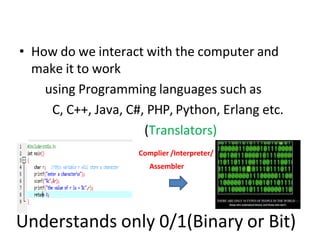
Understands only 0/1(Binary or Bit)
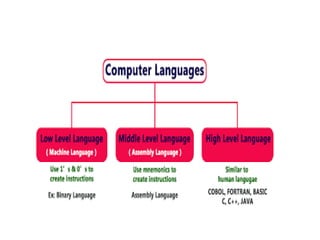
• How do we interact with the computer and
make it to work
using Programming languages such as
C, C++, Java, C#, PHP, Python, Erlang etc.
(Translators)
Complier /Interpreter/
Assembler
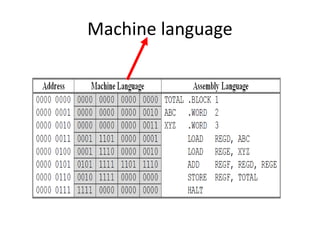
Machine language
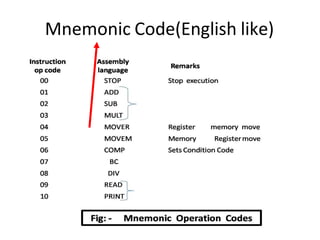
Mnemonic Code(English like)
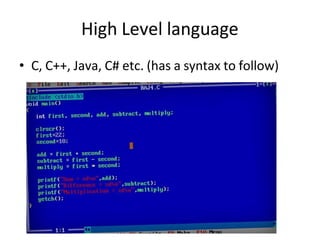
High Level language
• C, C++, Java, C# etc. (has a syntax to follow)
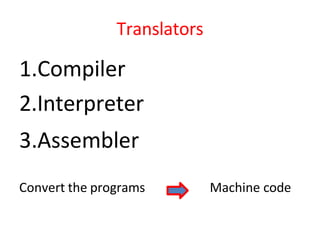
Translators
1.Compiler
2.Interpreter
3.Assembler
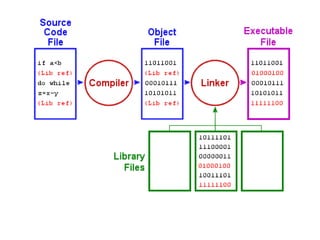
Convert the programs Machine code
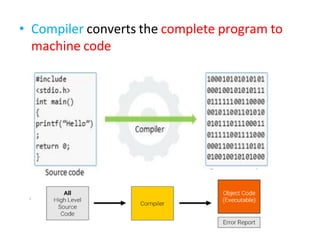
• Compiler converts the complete program to
machine code
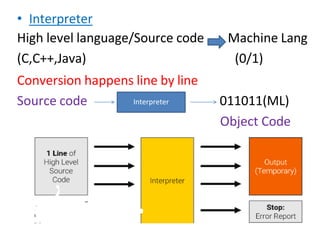
• Interpreter
High level language/Source code
(C,C++,Java)
Conversion happens line by line
Machine Lang
(0/1)
Source code 011011(ML)
Object Code
Interpreter
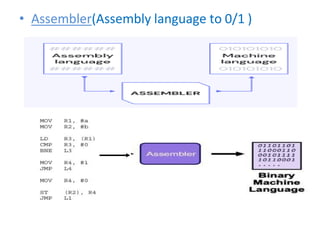
• Assembler(Assembly language to 0/1 )
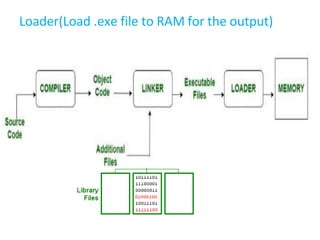
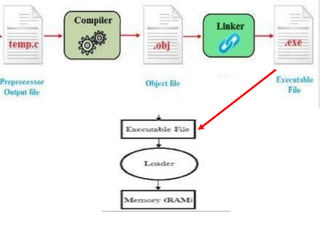
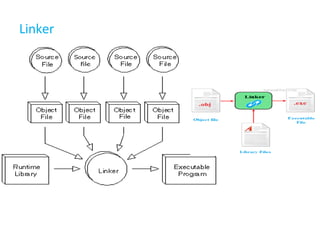
Linker
Loader(Load .exe file to RAM for the output)
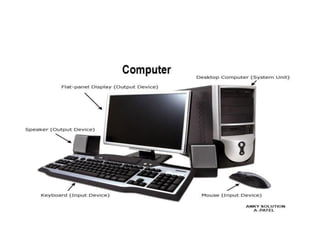
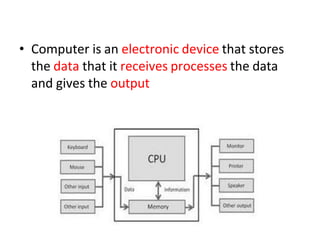
• Computer is an electronic device that stores
the data that it receives processes the data
and gives the output
What is a Program
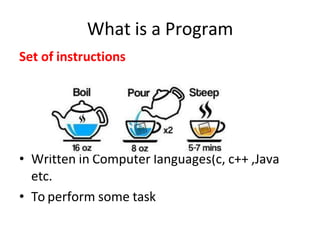
Set of instructions
• Written in Computer languages(c, c++ ,Java
etc.
• To perform some task
Instruction to Add Two numbers
• Get first no
• Get Second no
• Use symbol + to add 1st no and 2nd no
• Show the result
Therefore, Instructions can be one line of code or
many lines of code
------- Program (many lines of code)
What is Software
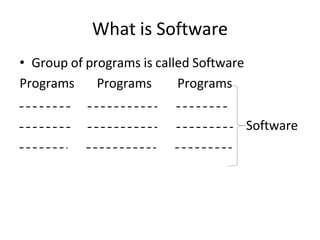
• Group of programs is called Software
Programs Programs Programs
Software
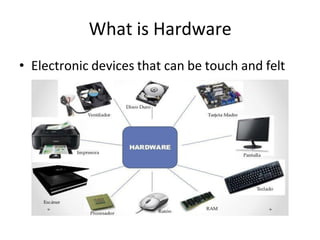
What is Hardware
• Electronic devices that can be touch and felt
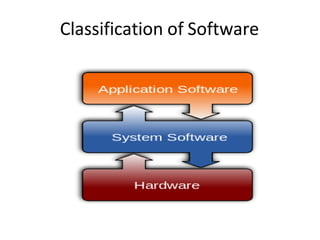
Classification of Software
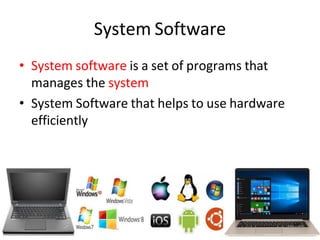
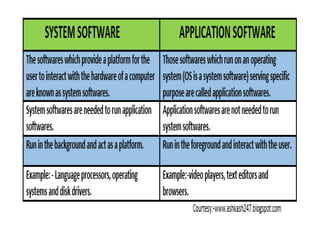
System Software
• System software is a set of programs that
manages the system
• System Software that helps to use hardware
efficiently
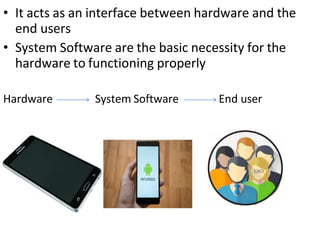
• It acts as an interface between hardware and the
end users
• System Software are the basic necessity for the
hardware to functioning properly
Hardware System Software End user
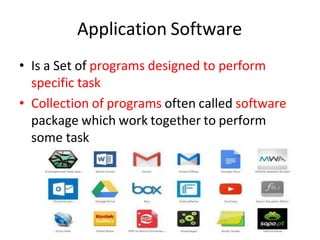
Application Software
• Is a Set of programs designed to perform
specific task
• Collection of programs often called software
package which work together to perform
some task
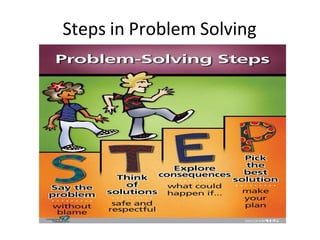
Steps in Problem Solving
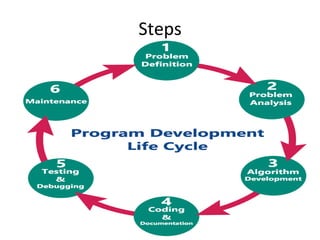
Steps
1.Problem Definition
• To Solve a problem –Identify
Define the Problem
It should be clear, accurate and precise
Problem: Addition of two numbers
Find the value and nature of roots of
quadratic eqn
2.Problem Analysis
• Proper Analysis of the problem is required
• Which helps in designing and coding(next
steps)
• Proper Analysis of
Input Specification: What is the input to be
given, how many inputs to be given
Output Specification: What is the output that is
expected
• Problem Definition: Find the sum of 3
numbers
• Problem Analysis: I/p :3 numbers
o/p: Sum of 3 numbers
3.Desigining a program
• Designing using Programming tools such as
Algorithms: Step by step procedure to
solve a problem
Flowchart: Graphical representation
of the algorithm
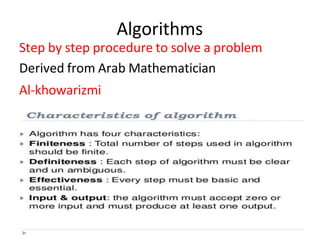
Algorithms
Step by step procedure to solve a problem
Derived from Arab Mathematician
Al-khowarizmi
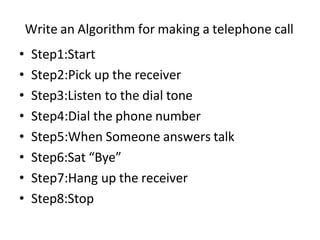
Write an Algorithm for making a telephone call
• Step1:Start
• Step2:Pick up the receiver
• Step3:Listen to the dial tone
• Step4:Dial the phone number
• Step5:When Someone answers talk
• Step6:Sat “Bye”
• Step7:Hang up the receiver
• Step8:Stop
Write an Algorithm for Addition of two
number
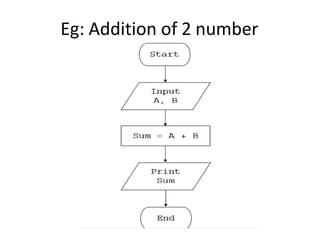
• Step1:Start
• Step2:Read two numbers a, b /Get two
numbers a, b
• Step3: Perform addition and store in c
c=a + b
• Step4:Print the result c
• Step5:Stop
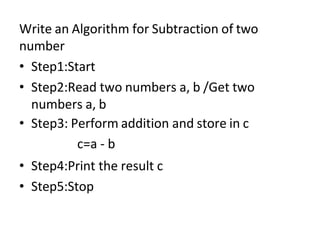
Write an Algorithm for Subtraction of two
number
• Step1:Start
• Step2:Read two numbers a, b /Get two
numbers a, b
• Step3: Perform addition and store in c
c=a - b
• Step4:Print the result c
• Step5:Stop
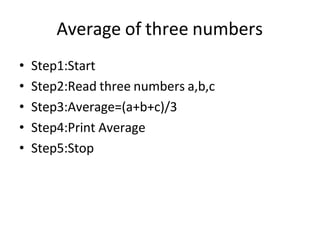
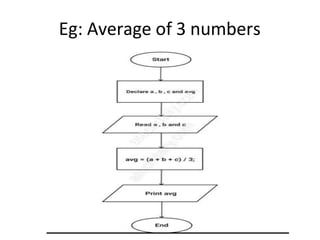
Average of three numbers
• Step1:Start
• Step2:Read three numbers a,b,c
• Step3:Average=(a+b+c)/3
• Step4:Print Average
• Step5:Stop
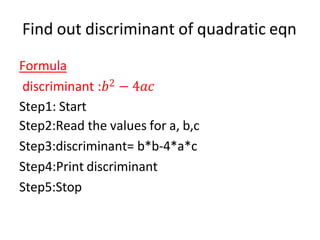
Find out discriminant of quadratic eqn
Formula
discriminant :𝑏2 − 4𝑎𝑐
Step1: Start
Step2:Read the values for a, b,c
Step3:discriminant= b*b-4*a*c
Step4:Print discriminant
Step5:Stop
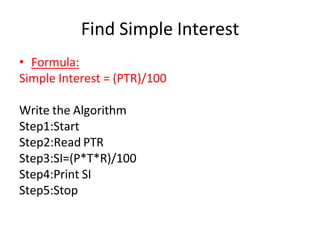
Find Simple Interest
• Formula:
Simple Interest = (PTR)/100
Write the Algorithm
Step1:Start
Step2:Read PTR
Step3:SI=(P*T*R)/100
Step4:Print SI
Step5:Stop
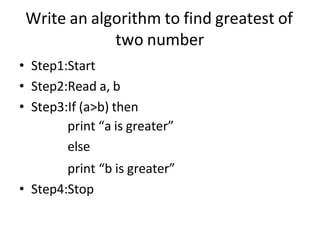
Write an algorithm to find greatest of
two number
• Step1:Start
• Step2:Read a, b
• Step3:If (a>b) then
print “a is greater”
else
print “b is greater”
• Step4:Stop
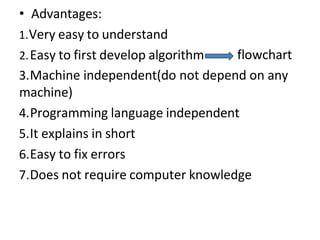
• Advantages:
1.Very easy to understand
2.Easy to first develop algorithm flowchart
3.Machine independent(do not depend on any
machine)
4.Programming language independent
5.It explains in short
6.Easy to fix errors
7.Does not require computer knowledge
• Disadvantage:
1.Time Consuming
2.Trial and error procedure
3.Big tasks are difficult to put in Algorithm
Flow Chart
• Graphical representation of the algorithm or
• Pictorial representation of an algorithm is
called as Flowchart
Two Type:
System Flowcharts :Flow of the data within the
system
Program Flowchart :Flow of the Program
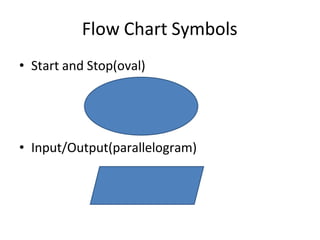
Flow Chart Symbols
• Start and Stop(oval)
• Input/Output(parallelogram)
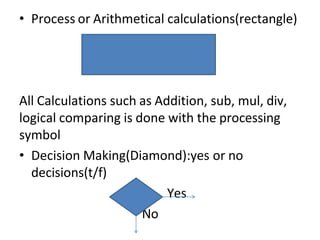
• Process or Arithmetical calculations(rectangle)
All Calculations such as Addition, sub, mul, div,
logical comparing is done with the processing
symbol
• Decision Making(Diamond):yes or no
decisions(t/f)
Yes
No
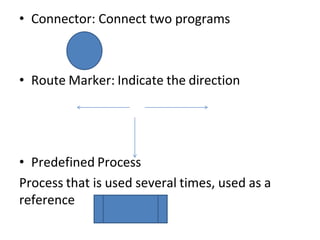
• Connector: Connect two programs
• Route Marker: Indicate the direction
• Predefined Process
Process that is used several times, used as a
reference
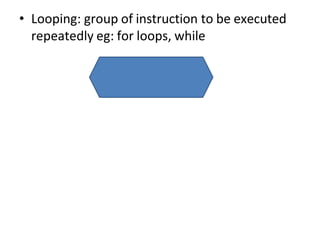
• Looping: group of instruction to be executed
repeatedly eg: for loops, while
Characteristics of flowchart
• 1.Useful tool in program development
• 2.Identifying the steps that are must for the
solution
• 3.Identifying the decision point
• 4.Knowing the expected results
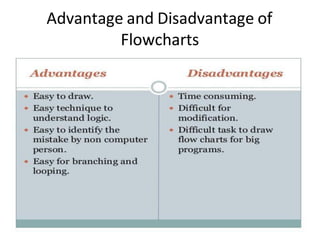
Advantage and Disadvantage of
Flowcharts
Eg: Addition of 2 number
Eg: Average of 3 numbers
Achsah Susan Mathew, MCA, MBA, KSET, (PhD)
Assistant Professor, Kristu Jayanti College
Staff Room: (2nd Floor Main Block (VIII) Cabin 5)
achsah@kristujayanti.com

Get Ready to C.pdf introduction to C just basic

  • 1.
    Introduction to Computer Programming FacultyIn charge Achsah Susan Mathew, MCA, MBA, KSET, (PhD) Assistant Professor, Kristu Jayanti College achsah@kristujayanti.com
  • 2.
    Let Us Start Whatis Computer ?
  • 3.
    • It isDumb Machine
  • 5.
    Understands only 0/1(Binaryor Bit) • How do we interact with the computer and make it to work using Programming languages such as C, C++, Java, C#, PHP, Python, Erlang etc. (Translators) Complier /Interpreter/ Assembler
  • 7.
  • 8.
  • 9.
    High Level language •C, C++, Java, C# etc. (has a syntax to follow)
  • 10.
  • 11.
    • Compiler convertsthe complete program to machine code
  • 12.
    • Interpreter High levellanguage/Source code (C,C++,Java) Conversion happens line by line Machine Lang (0/1) Source code 011011(ML) Object Code Interpreter
  • 13.
  • 14.
  • 16.
    Loader(Load .exe fileto RAM for the output)
  • 18.
    • Computer isan electronic device that stores the data that it receives processes the data and gives the output
  • 19.
    What is aProgram Set of instructions • Written in Computer languages(c, c++ ,Java etc. • To perform some task
  • 20.
    Instruction to AddTwo numbers • Get first no • Get Second no • Use symbol + to add 1st no and 2nd no • Show the result Therefore, Instructions can be one line of code or many lines of code ------- Program (many lines of code)
  • 21.
    What is Software •Group of programs is called Software Programs Programs Programs Software
  • 22.
    What is Hardware •Electronic devices that can be touch and felt
  • 23.
  • 24.
    System Software • Systemsoftware is a set of programs that manages the system • System Software that helps to use hardware efficiently
  • 25.
    • It actsas an interface between hardware and the end users • System Software are the basic necessity for the hardware to functioning properly Hardware System Software End user
  • 26.
    Application Software • Isa Set of programs designed to perform specific task • Collection of programs often called software package which work together to perform some task
  • 29.
  • 30.
  • 31.
    1.Problem Definition • ToSolve a problem –Identify Define the Problem It should be clear, accurate and precise Problem: Addition of two numbers Find the value and nature of roots of quadratic eqn
  • 32.
    2.Problem Analysis • ProperAnalysis of the problem is required • Which helps in designing and coding(next steps) • Proper Analysis of Input Specification: What is the input to be given, how many inputs to be given Output Specification: What is the output that is expected
  • 33.
    • Problem Definition:Find the sum of 3 numbers • Problem Analysis: I/p :3 numbers o/p: Sum of 3 numbers
  • 34.
    3.Desigining a program •Designing using Programming tools such as Algorithms: Step by step procedure to solve a problem Flowchart: Graphical representation of the algorithm
  • 35.
    Algorithms Step by stepprocedure to solve a problem Derived from Arab Mathematician Al-khowarizmi
  • 36.
    Write an Algorithmfor making a telephone call • Step1:Start • Step2:Pick up the receiver • Step3:Listen to the dial tone • Step4:Dial the phone number • Step5:When Someone answers talk • Step6:Sat “Bye” • Step7:Hang up the receiver • Step8:Stop
  • 37.
    Write an Algorithmfor Addition of two number • Step1:Start • Step2:Read two numbers a, b /Get two numbers a, b • Step3: Perform addition and store in c c=a + b • Step4:Print the result c • Step5:Stop
  • 38.
    Write an Algorithmfor Subtraction of two number • Step1:Start • Step2:Read two numbers a, b /Get two numbers a, b • Step3: Perform addition and store in c c=a - b • Step4:Print the result c • Step5:Stop
  • 39.
    Average of threenumbers • Step1:Start • Step2:Read three numbers a,b,c • Step3:Average=(a+b+c)/3 • Step4:Print Average • Step5:Stop
  • 40.
    Find out discriminantof quadratic eqn Formula discriminant :𝑏2 − 4𝑎𝑐 Step1: Start Step2:Read the values for a, b,c Step3:discriminant= b*b-4*a*c Step4:Print discriminant Step5:Stop
  • 41.
    Find Simple Interest •Formula: Simple Interest = (PTR)/100 Write the Algorithm Step1:Start Step2:Read PTR Step3:SI=(P*T*R)/100 Step4:Print SI Step5:Stop
  • 42.
    Write an algorithmto find greatest of two number • Step1:Start • Step2:Read a, b • Step3:If (a>b) then print “a is greater” else print “b is greater” • Step4:Stop
  • 43.
    • Advantages: 1.Very easyto understand 2.Easy to first develop algorithm flowchart 3.Machine independent(do not depend on any machine) 4.Programming language independent 5.It explains in short 6.Easy to fix errors 7.Does not require computer knowledge
  • 44.
    • Disadvantage: 1.Time Consuming 2.Trialand error procedure 3.Big tasks are difficult to put in Algorithm
  • 45.
    Flow Chart • Graphicalrepresentation of the algorithm or • Pictorial representation of an algorithm is called as Flowchart Two Type: System Flowcharts :Flow of the data within the system Program Flowchart :Flow of the Program
  • 46.
    Flow Chart Symbols •Start and Stop(oval) • Input/Output(parallelogram)
  • 47.
    • Process orArithmetical calculations(rectangle) All Calculations such as Addition, sub, mul, div, logical comparing is done with the processing symbol • Decision Making(Diamond):yes or no decisions(t/f) Yes No
  • 48.
    • Connector: Connecttwo programs • Route Marker: Indicate the direction • Predefined Process Process that is used several times, used as a reference
  • 49.
    • Looping: groupof instruction to be executed repeatedly eg: for loops, while
  • 50.
    Characteristics of flowchart •1.Useful tool in program development • 2.Identifying the steps that are must for the solution • 3.Identifying the decision point • 4.Knowing the expected results
  • 51.
  • 52.
  • 53.
    Eg: Average of3 numbers
  • 55.
    Achsah Susan Mathew,MCA, MBA, KSET, (PhD) Assistant Professor, Kristu Jayanti College Staff Room: (2nd Floor Main Block (VIII) Cabin 5) achsah@kristujayanti.com