1
Conditional Statement
2
Conditional Statements
 Allow different sets of instructions to be
executed depending on truth or falsity of a
logical condition
 Also called Branching
 How do we specify conditions?
 Using expressions
 non-zero value means condition is true
 value 0 means condition is false
 Usually logical expressions, but can be any
expression
 The value of the expression will be used
3
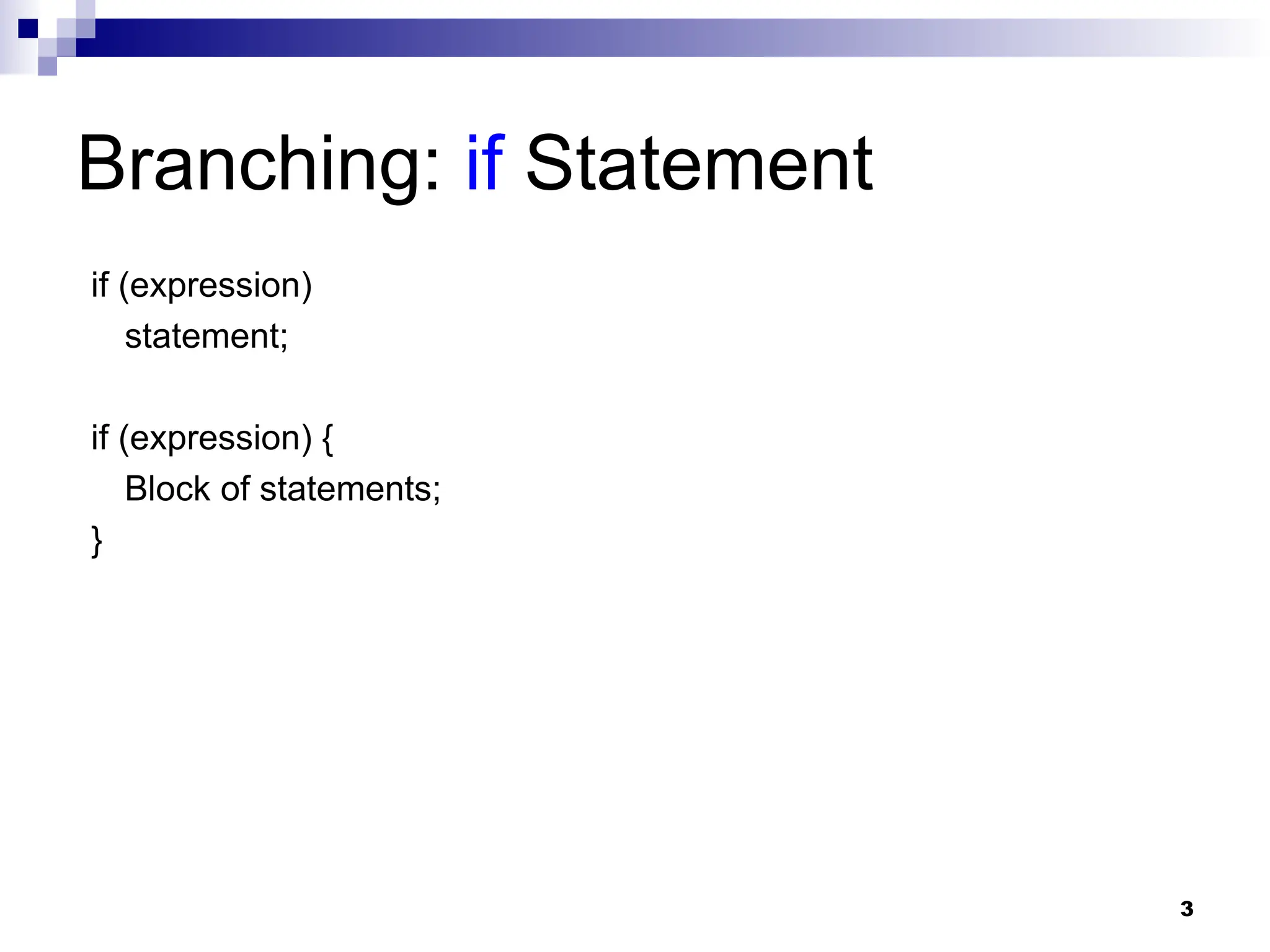
Branching: if Statement
if (expression)
statement;
if (expression) {
Block of statements;
}
4
Branching: if Statement
if (expression)
statement;
if (expression) {
Block of statements;
}
The condition to be tested is any expression enclosed in
parentheses. The expression is evaluated, and if its value is
non-zero, the statement is executed.
5
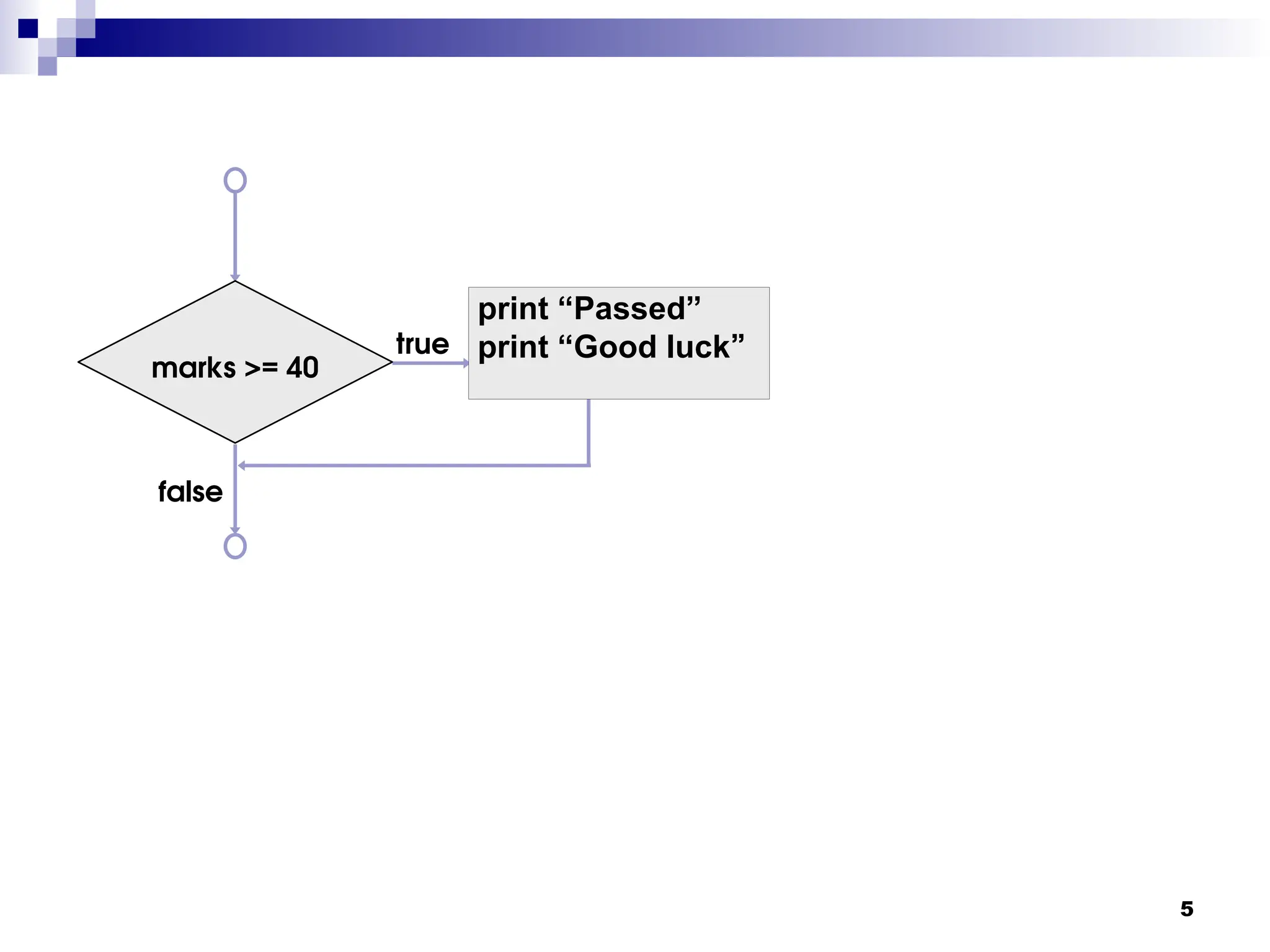
true
false
marks >= 40
print “Passed”
print “Good luck”
6
true
false
marks >= 40
print “Passed”
print “Good luck”
A decision can be
made on any
expression.
zero - false
nonzero - true
7
true
false
marks >= 40
print “Passed”
print “Good luck”
A decision can be
made on any
expression.
zero - false
nonzero - true
if (marks >= 40) {
printf(“Passed n”);
printf(“Good luckn”);
}
printf (“Endn”) ;
8
Branching: if-else Statement
if (expression) {
Block of
statements;
}
else {
Block of
statements;
}
if (expression) {
Block of statements;
}
else if (expression) {
Block of statements;
}
else {
Block of statements;
}
9
Grade Computation
void main() {
int marks;
scanf(“%d”, &marks);
if (marks >= 80)
printf (”A”) ;
else if (marks >= 70)
printf (”B”) ;
else if (marks >= 60)
printf (”C”) ;
else printf (”Failed”) ;
}
10
void main () {
int marks;
scanf (“%d”, &marks) ;
if (marks>= 80) {
printf (“A: ”) ;
printf (“Good Job!”) ;
}
else if (marks >= 70)
printf (“B ”) ;
else if (marks >= 60)
printf (“C ”) ;
else {
printf (“Failed: ”) ;
printf (“Study hard for the supplementary”) ;
}
}
11
Find the larger of two numbers
START
START
STOP
STOP
READ X, Y
READ X, Y
OUTPUT Y
OUTPUT Y
IS
IS
X>Y?
X>Y?
OUTPUT X
OUTPUT X
STOP
STOP
YES
YES NO
NO
12
Find the larger of two numbers
START
START
STOP
STOP
READ X, Y
READ X, Y
OUTPUT Y
OUTPUT Y
IS
IS
X>Y?
X>Y?
OUTPUT X
OUTPUT X
STOP
STOP
YES
YES NO
NO
void main () {
int x, y;
scanf (“%d%d”, &x,
&y) ;
if (x > y)
printf (“%dn”,
x);
else
printf (“%dn”,
y);
}
13
Largest of three numbers
START
START
READ X, Y, Z
READ X, Y, Z
IS
IS
Max > Z?
Max > Z?
IS
IS
X > Y?
X > Y?
Max = X
Max = X Max = Y
Max = Y
OUTPUT Max
OUTPUT Max OUTPUT Z
OUTPUT Z
STOP
STOP STOP
STOP
YES
YES
YES
YES
NO
NO
NO
NO
14
START
START
READ X, Y, Z
READ X, Y, Z
IS
IS
Max > Z?
Max > Z?
IS
IS
X > Y?
X > Y?
Max = X
Max = X Max = Y
Max = Y
OUTPUT Max
OUTPUT Max OUTPUT Z
OUTPUT Z
STOP
STOP STOP
STOP
YES
YES
YES
YES
NO
NO
NO
NO
15
START
START
READ X, Y, Z
READ X, Y, Z
IS
IS
Max > Z?
Max > Z?
IS
IS
X > Y?
X > Y?
Max = X
Max = X Max = Y
Max = Y
OUTPUT Max
OUTPUT Max OUTPUT Z
OUTPUT Z
STOP
STOP STOP
STOP
YES
YES
YES
YES
NO
NO
NO
NO
void main () {
int x, y, z, max;
scanf (“%d%d%d”,&x,&y,&z);
if (x > y)
max = x;
else max = y;
if (max > z)
printf (“%d”, max) ;
else printf (“%d”,z);
}
16
Another version
void main() {
int a,b,c;
scanf (“%d%d%d”, &a, &b, &c);
if ((a >= b) && (a >= c))
printf (“n The largest number is: %d”, a);
if ((b >= a) && (b >= c))
printf (“n The largest number is: %d”, b);
if ((c >= a) && (c >= b))
printf (“n The largest number is: %d”, c);
}
17
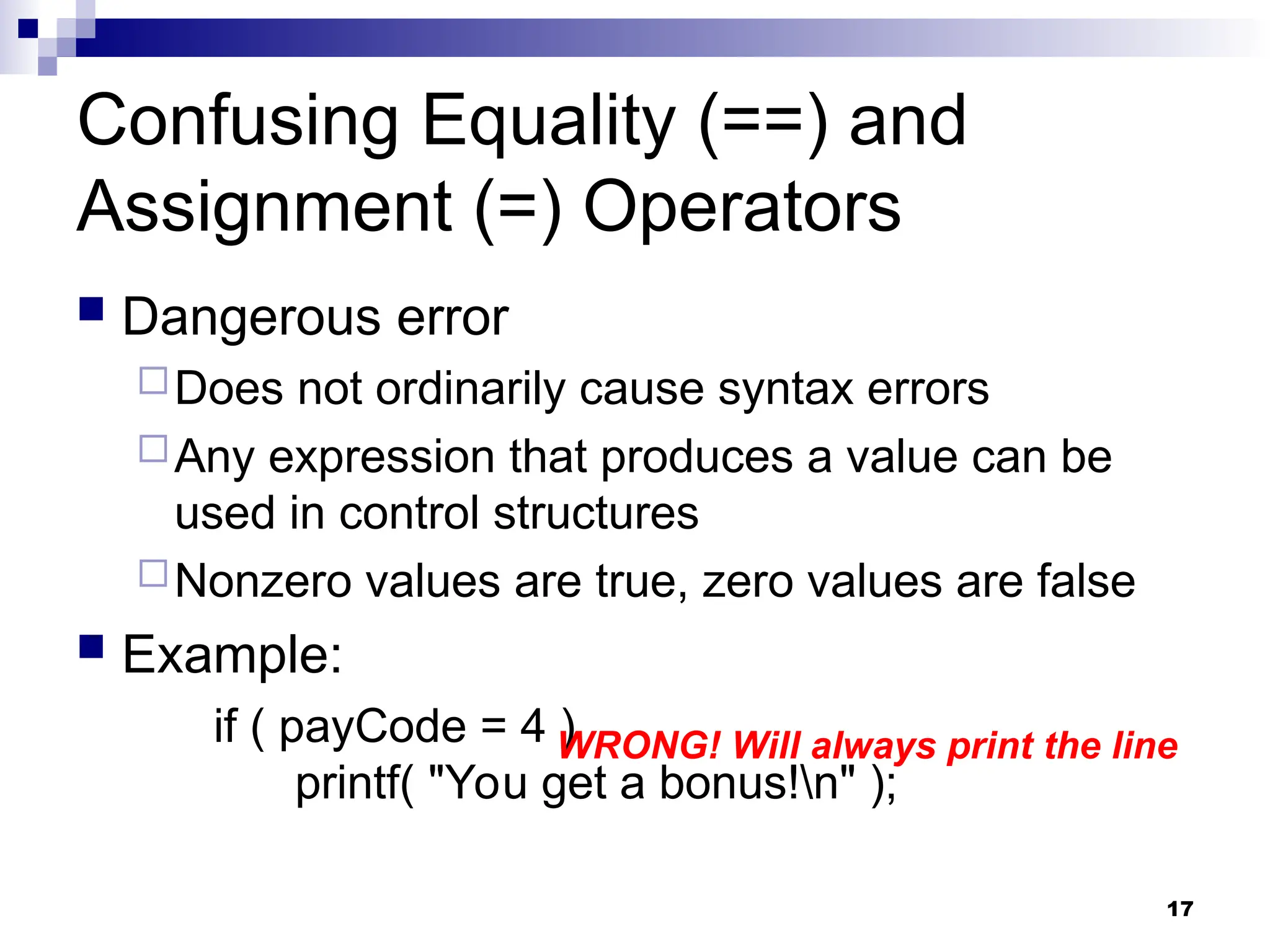
Confusing Equality (==) and
Assignment (=) Operators
 Dangerous error
Does not ordinarily cause syntax errors
Any expression that produces a value can be
used in control structures
Nonzero values are true, zero values are false
 Example:
if ( payCode = 4 )
printf( "You get a bonus!n" );
WRONG! Will always print the line
18
Nesting of if-else Structures
 It is possible to nest if-else statements, one
within another
 All “if” statements may not be having the “else”
part
 Confusion??
 Rule to be remembered:
 An “else” clause is associated with the closest
preceding unmatched “if”
19
Dangling else problem
if (exp1) if (exp2) stmta else stmtb
if (exp1) {
if (exp2)
stmta
else
stmtb
}
OR
if (exp1) {
if (exp2)
stmta
}
else
stmtb
?
Which one is the correct interpretation?
Give braces explicitly in your programs to match
the else with the correct if to remove any ambiguity
20
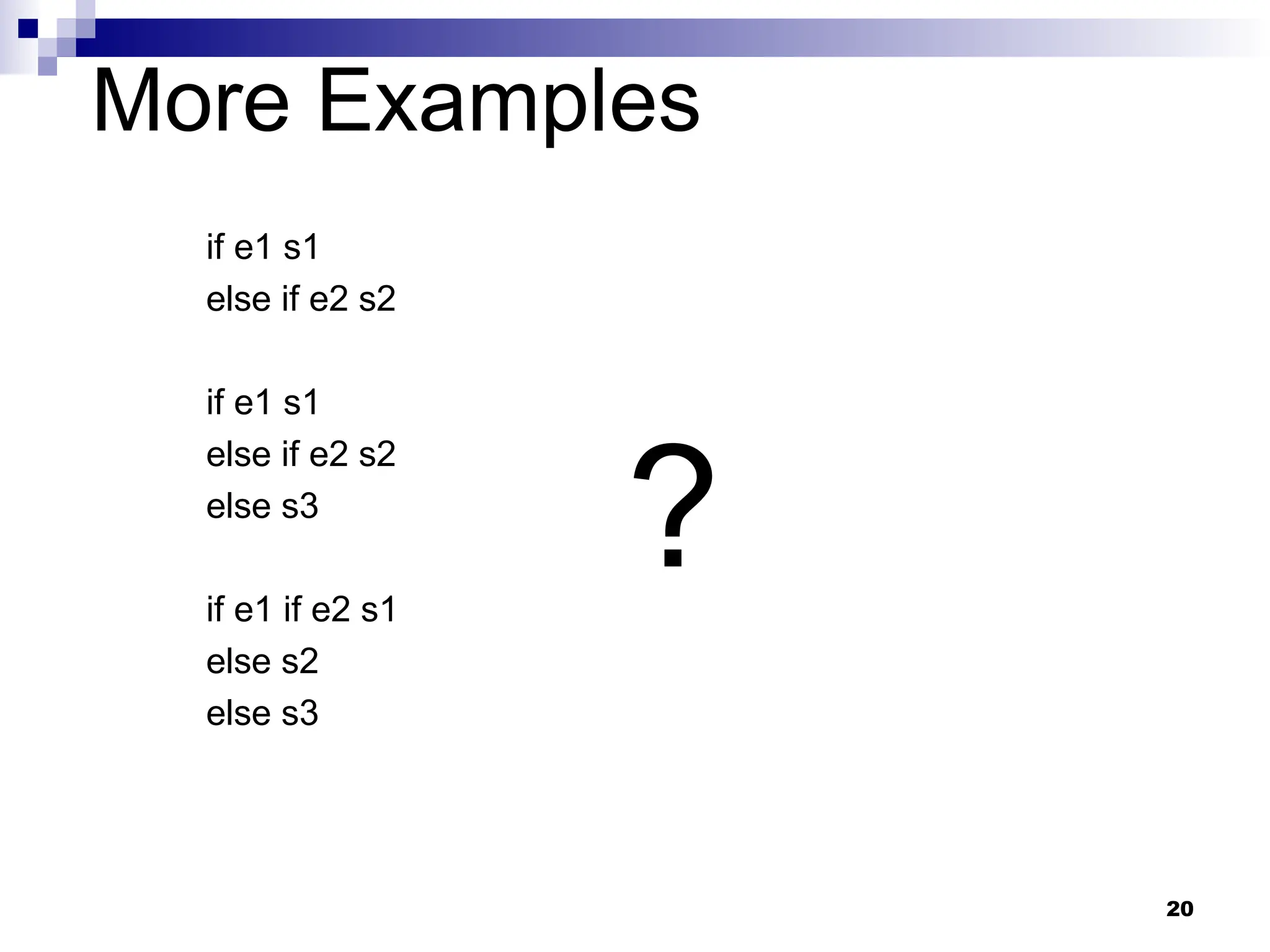
More Examples
if e1 s1
else if e2 s2
if e1 s1
else if e2 s2
else s3
if e1 if e2 s1
else s2
else s3
?
21
Answers
if e1 s1 if e1 s1
else if e2 s2 else { if e2 s2 }
if e1 s1 if e1 s1
else if e2 s2 else { if e2 s2
else s3 else s3 }
if e1 if e2 s1 if e1 { if e2 s1
else s2 else s2 }
else s3 else s3
22
The Conditional Operator ?:
 This makes use of an expression that is either non-0
or 0. An appropriate value is selected, depending on
the value of the expression
 Example: instead of writing
if (balance > 5000)
interest = balance * 0.2;
else interest = balance * 0.1;
We can just write
interest = (balance > 5000) ? balance * 0.2 : balance * 0.1;
23
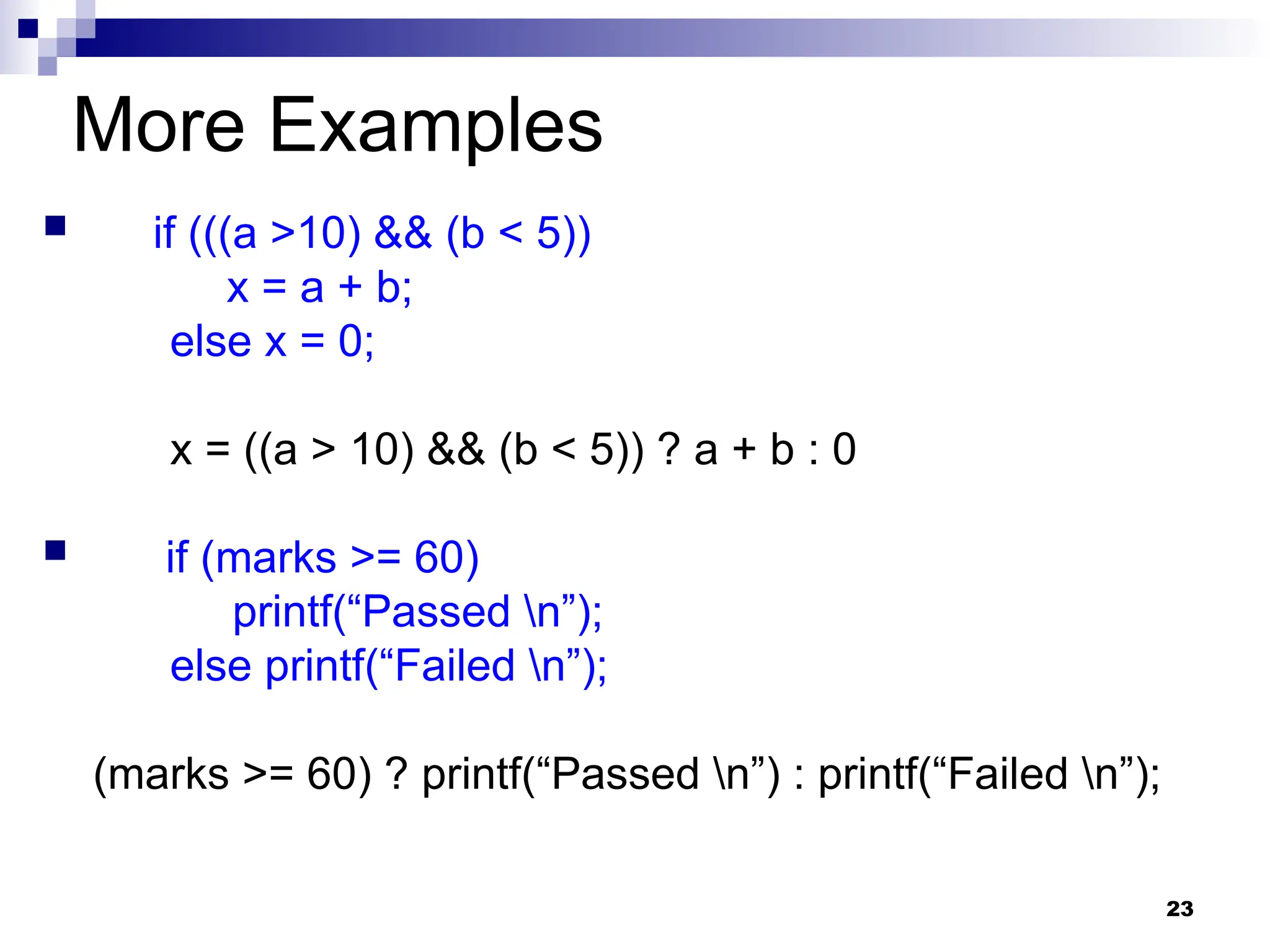
More Examples
 if (((a >10) && (b < 5))
x = a + b;
else x = 0;
x = ((a > 10) && (b < 5)) ? a + b : 0
 if (marks >= 60)
printf(“Passed n”);
else printf(“Failed n”);
(marks >= 60) ? printf(“Passed n”) : printf(“Failed n”);
24
The switch Statement
 An alternative to writing lots of if-else in
some special cases
 This causes a particular group of
statements to be chosen from several
available groups based on equality tests
only
 Uses switch statement and case labels
25
 Syntax
switch (expression) {
case const-expr-1: S-1
case const-expr-2: S-2
:
case const-expr-m: S-m
default: S
}
 expression is any integer-valued expression
 const-expr-1, const-expr-2,…are any constant integer-
valued expressions
 Values must be distinct
 S-1, S-2, …,S-m, S are statements/compound
statements
 Default is optional, and can come anywhere (not
necessarily at the end as shown)
26
Behavior of switch
 expression is first evaluated
 It is then compared with const-expr-1, const-
expr-2,…for equality in order
 If it matches any one, all statements from that
point till the end of the switch are executed
(including statements for default, if present)
 Use break statements if you do not want this (see
example)
 Statements corresponding to default, if present,
are executed if no other expression matches
27
Example
int x;
scanf(“%d”, &x);
switch (x) {
case 1: printf(“Onen”);
case 2: printf(“Twon”);
default: printf(“Not one or twon”);
};
If x = 1 is entered, this will print
One
Two
Not one or two
Not what we want switch-1.c
28
Correct Program
int x;
scanf(“%d”, &x);
switch (x) {
case 1: printf(“Onen”);
break;
case 2: printf(“Twon”);
break;
default: printf(“Not one or twon”);
};
If x = 1 is entered, this will print
One
switch-2.c
29
Rounding a Digit
switch (digit) {
case 0:
case 1:
case 2:
case 3:
case 4: result = 0; printf (“Round downn”); break;
case 5:
case 6:
case 7:
case 8:
case 9: result = 10; printf(“Round upn”); break;
}
Since there isn’t a break statement
here, the control passes to the next
statement without checking
the next condition.
30
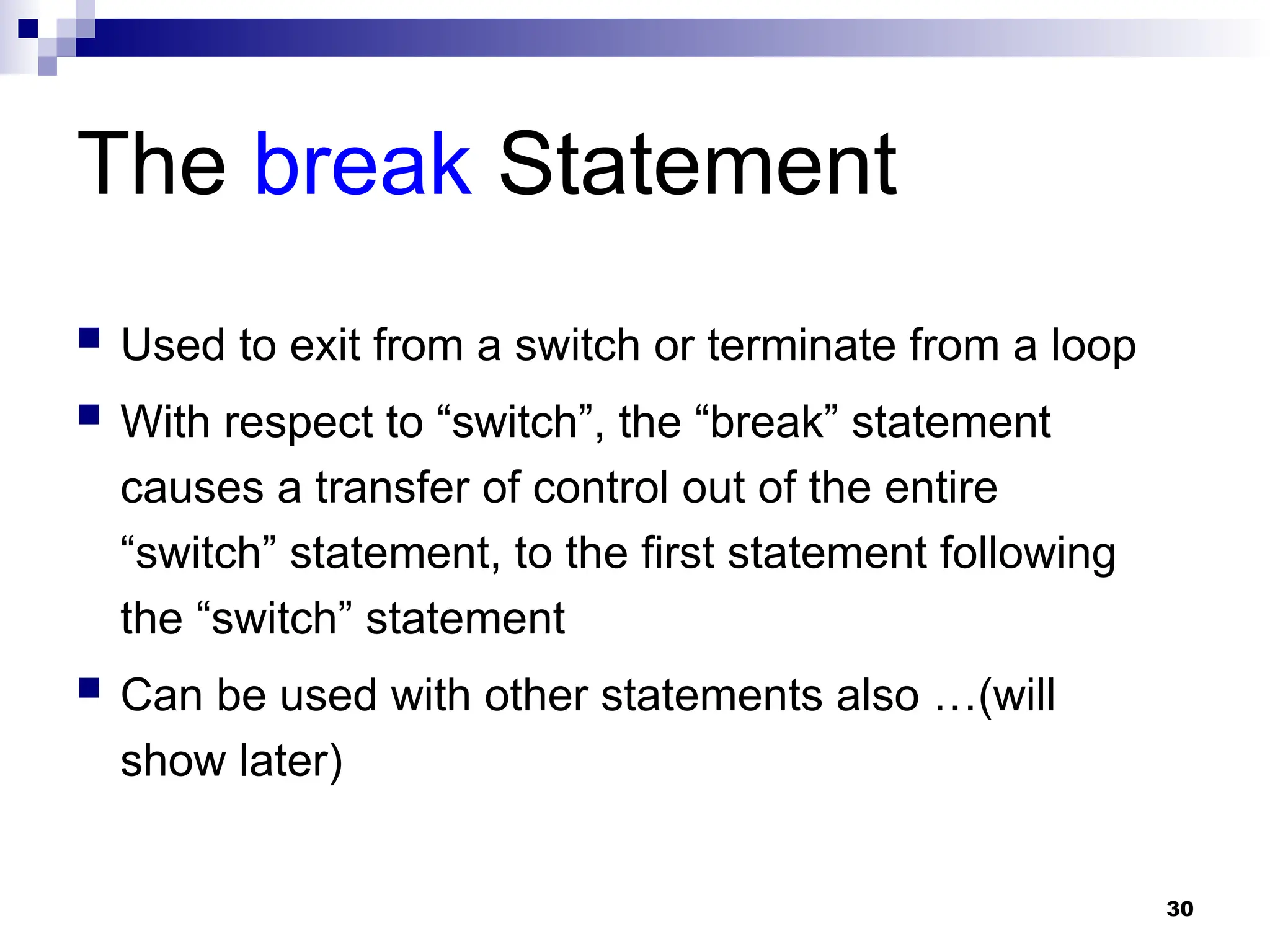
The break Statement
 Used to exit from a switch or terminate from a loop
 With respect to “switch”, the “break” statement
causes a transfer of control out of the entire
“switch” statement, to the first statement following
the “switch” statement
 Can be used with other statements also …(will
show later)
31
More on Data Types
32
More Data Types in C
 Some of the basic data types can be augmented
by using certain data type qualifiers:
 short
 long
 signed
 unsigned
 Typical examples:
 short int (usually 2 bytes)
 long int (usually 4 bytes)
 unsigned int (usually 4 bytes, but no way to store + or
-)
size qualifier
sign qualifier
33
Integer data
type
Bit
size
Minimum value Maximum value
char 8 -27
=-128 27
-1=127
short int 16 -215
=-32768 215
-1=32767
int 32 -231
=-2147483648 231
-1=2147483647
long int 32 -231
=-2147483648 231
-1=2147483647
long long int 64
-263
=-
9223372036854775808
263
-
1=9223372036854775807
unsigned char 8 0 28
-1=255
unsigned short int 16 0 216
-1=65535
unsigned int 32 0 232
-1=4294967295
unsigned long int 32 0 232
-1=4294967295
unsigned long long i
nt
64 0
264
-
1=18446744073709551615
Some typical sizes (some of these can vary
depending on type of machine)
34
More on the char type
 Is actually an integer type internally
 Each character has an integer code associated
with it (ASCII code value)
 Internally, storing a character means storing its
integer code
 All operators that are allowed on int are allowed
on char
 32 + ‘a’ will evaluate to 32 + 97 (the integer ascii
code of the character ‘a’) = 129
 Same for other operators
 Can switch on chars constants in switch, as
they are integer constants
35
Another example
Will print 296 (97*3 + 5)
(ASCII code of ‘c’ = 97
int a;
a = ‘c’ * 3 + 5;
printf(“%d”, a);
char c = ‘A’;
printf(“%c = %d”, c, c);
Will print A = 65
(ASCII code of ‘A’ = 65)
Assigning char to int is fine. But other way round is
dangerous, as size of int is larger
36
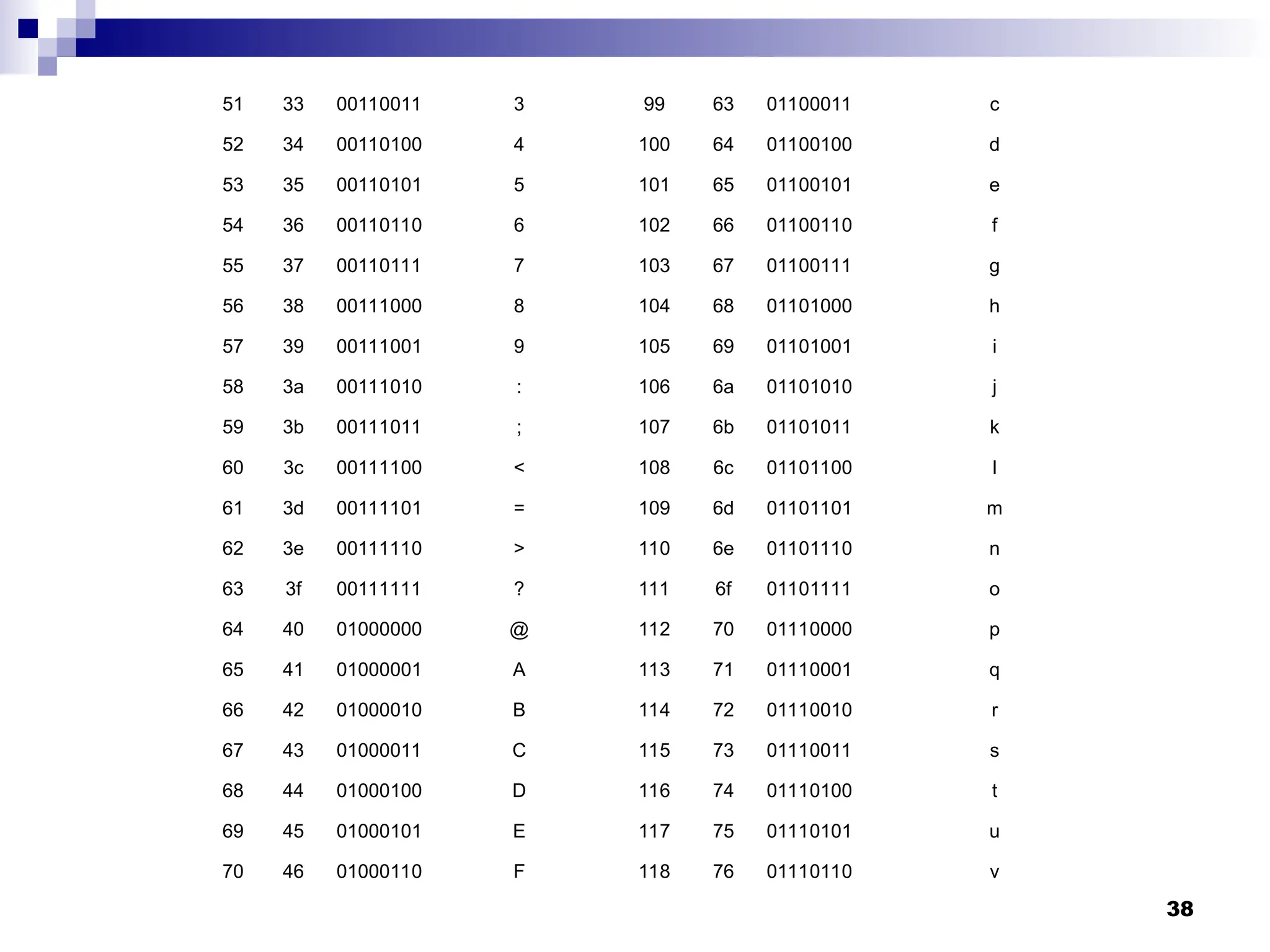
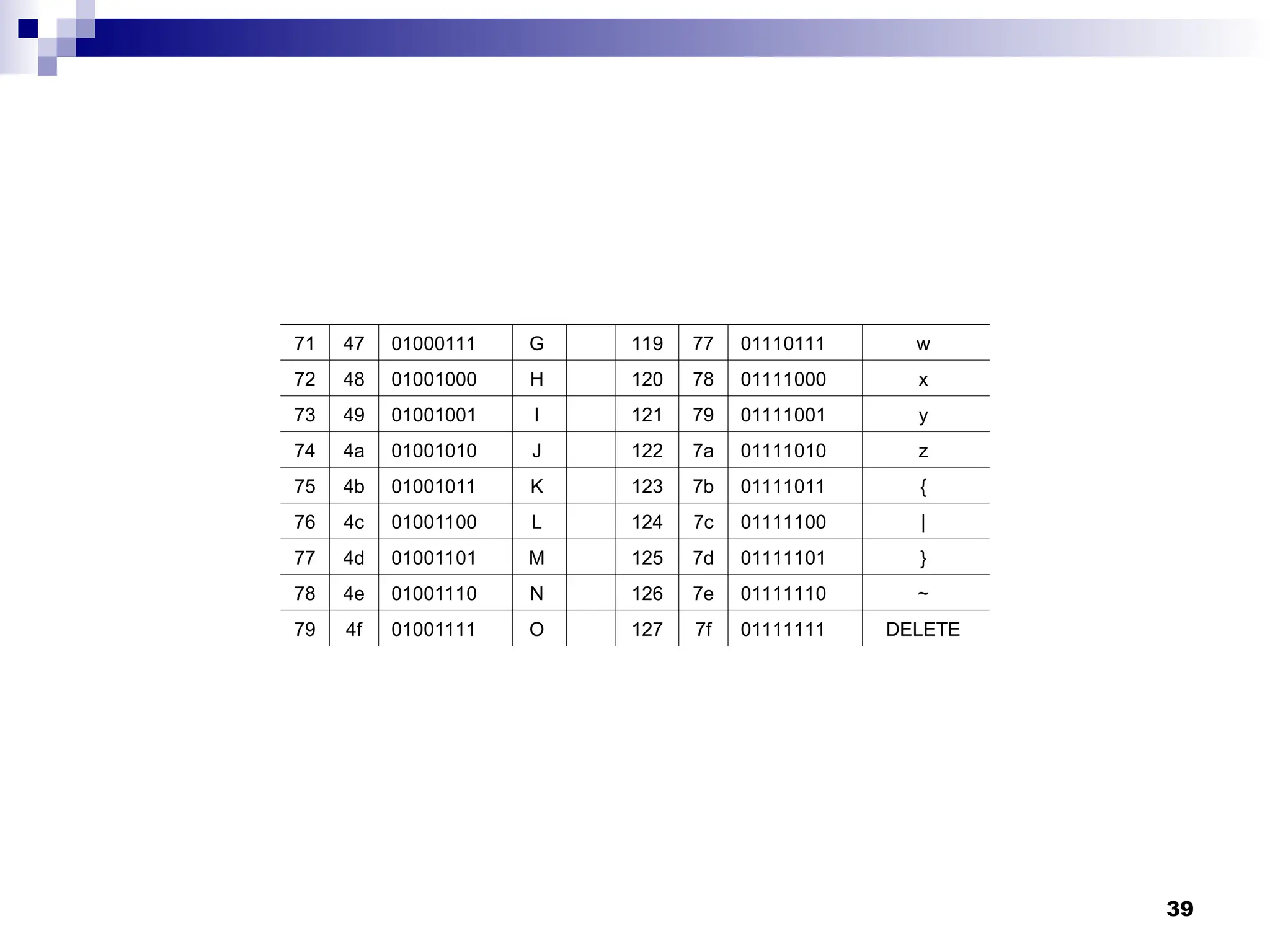
ASCII Code
 Each character is assigned a unique
integer value (code) between 32 and 127
 The code of a character is represented by
an 8-bit unit. Since an 8-bit unit can hold a
total of 28
=256 values and the computer
character set is much smaller than that,
some values of this 8-bit unit do not
correspond to visible characters
37
Decimal Hex Binary Character Decimal Hex Binary Character
32 20 00100000 SPACE 80 50 01010000 P
33 21 00100001 ! 81 51 01010001 Q
34 22 00100010 " 82 52 01010010 R
35 23 00100011 # 83 53 01010011 S
36 24 00100100 $ 84 54 01010100 T
37 25 00100101 % 85 55 01010101 U
38 26 00100110 & 86 56 01010110 V
39 27 00100111 ' 87 57 01010111 W
40 28 00101000 ( 88 58 01011000 X
41 29 00101001 ) 89 59 01011001 Y
42 2a 00101010 * 90 5a 01011010 Z
43 2b 00101011 + 91 5b 01011011 [
44 2c 00101100 , 92 5c 01011100 
45 2d 00101101 - 93 5d 01011101 ]
46 2e 00101110 . 94 5e 01011110 ^
47 2f 00101111 / 95 5f 01011111 _
48 30 00110000 0 96 60 01100000 `
49 31 00110001 1 97 61 01100001 a
50 32 00110010 2 98 62 01100010 b
38
51 33 00110011 3 99 63 01100011 c
52 34 00110100 4 100 64 01100100 d
53 35 00110101 5 101 65 01100101 e
54 36 00110110 6 102 66 01100110 f
55 37 00110111 7 103 67 01100111 g
56 38 00111000 8 104 68 01101000 h
57 39 00111001 9 105 69 01101001 i
58 3a 00111010 : 106 6a 01101010 j
59 3b 00111011 ; 107 6b 01101011 k
60 3c 00111100 < 108 6c 01101100 l
61 3d 00111101 = 109 6d 01101101 m
62 3e 00111110 > 110 6e 01101110 n
63 3f 00111111 ? 111 6f 01101111 o
64 40 01000000 @ 112 70 01110000 p
65 41 01000001 A 113 71 01110001 q
66 42 01000010 B 114 72 01110010 r
67 43 01000011 C 115 73 01110011 s
68 44 01000100 D 116 74 01110100 t
69 45 01000101 E 117 75 01110101 u
70 46 01000110 F 118 76 01110110 v
39
71 47 01000111 G 119 77 01110111 w
72 48 01001000 H 120 78 01111000 x
73 49 01001001 I 121 79 01111001 y
74 4a 01001010 J 122 7a 01111010 z
75 4b 01001011 K 123 7b 01111011 {
76 4c 01001100 L 124 7c 01111100 |
77 4d 01001101 M 125 7d 01111101 }
78 4e 01001110 N 126 7e 01111110 ~
79 4f 01001111 O 127 7f 01111111 DELETE
40
Switching with char type
char letter;
scanf(“%c”, &letter);
switch ( letter ) {
case 'A':
printf ("First letter n");
break;
case 'Z':
printf ("Last letter n");
break;
default :
printf ("Middle letter n");
}
41
Switching with char type
char letter;
scanf(“%c”, &letter);
switch ( letter ) {
case 'A':
printf ("First letter n");
break;
case 'Z':
printf ("Last letter n");
break;
default :
printf ("Middle letter n");
}
Will print this statement
for all letters other than
A or Z
42
Another Example
switch (choice = getchar()) {
case ‘r’ :
case ‘R’: printf(“Red”);
break;
case ‘b’ :
case ‘B’ : printf(“Blue”);
break;
case ‘g’ :
case ‘G’: printf(“Green”);
break;
default: printf(“Black”);
}
43
Another Example
switch (choice = getchar()) {
case ‘r’ :
case ‘R’: printf(“Red”);
break;
case ‘b’ :
case ‘B’ : printf(“Blue”);
break;
case ‘g’ :
case ‘G’: printf(“Green”);
break;
default: printf(“Black”);
}
Since there isn’t a break statement
here, the control passes to the next
statement (printf) without checking
the next condition.
44
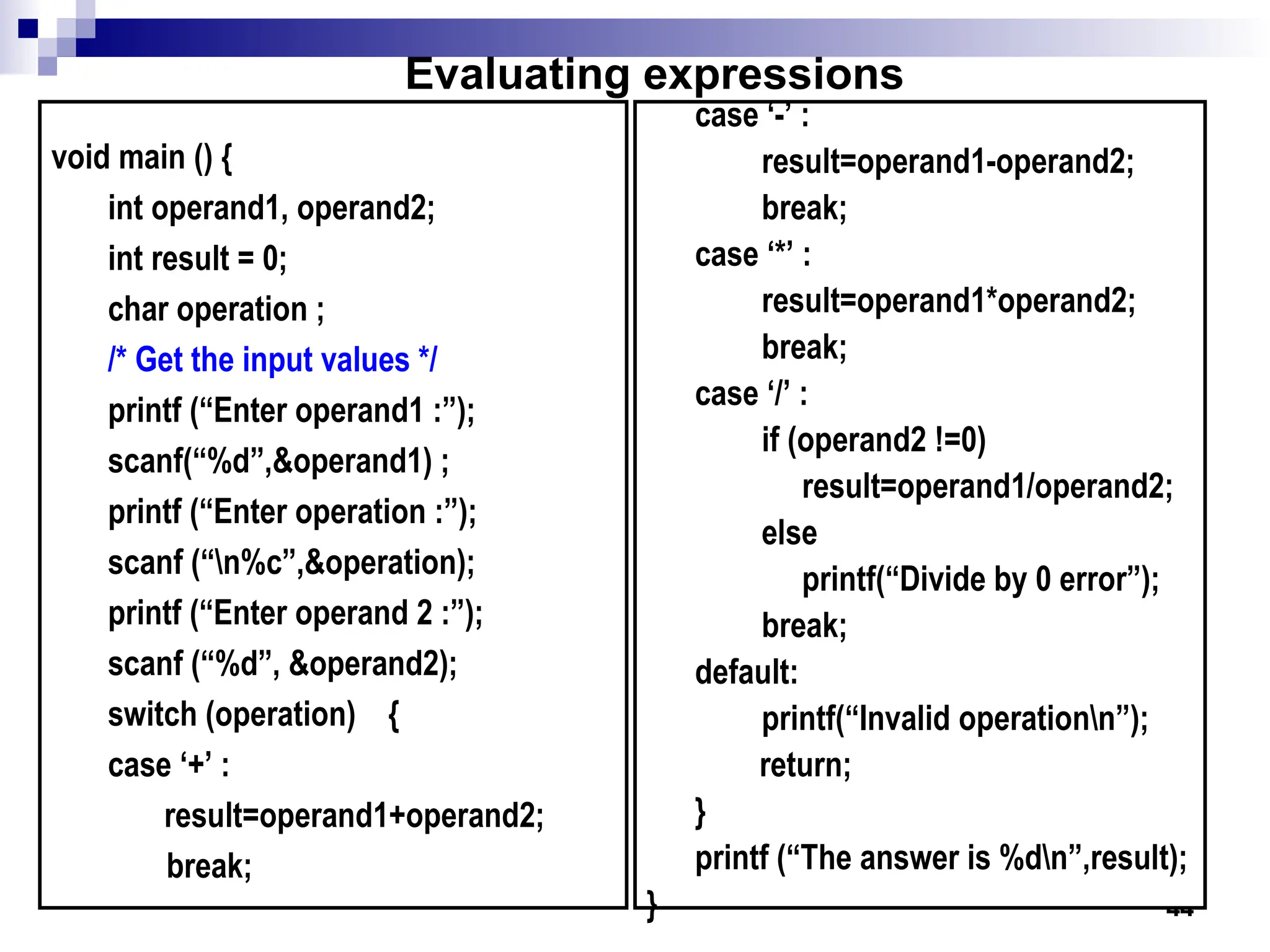
void main () {
int operand1, operand2;
int result = 0;
char operation ;
/* Get the input values */
printf (“Enter operand1 :”);
scanf(“%d”,&operand1) ;
printf (“Enter operation :”);
scanf (“n%c”,&operation);
printf (“Enter operand 2 :”);
scanf (“%d”, &operand2);
switch (operation) {
case ‘+’ :
result=operand1+operand2;
break;
case ‘-’ :
result=operand1-operand2;
break;
case ‘*’ :
result=operand1*operand2;
break;
case ‘/’ :
if (operand2 !=0)
result=operand1/operand2;
else
printf(“Divide by 0 error”);
break;
default:
printf(“Invalid operationn”);
return;
}
printf (“The answer is %dn”,result);
}
Evaluating expressions
45
The bool type
 Used to store boolean variables, like flags to check if
a condition is true or false
 Can take only two values, true and false
bool negative = false;
int n;
scanf(%d”, &n);
if (n < 0) negative = true;
 Internally, false is represented by 0, true is usually
represented by 1 but can be different (print a bool
variable with %d to see what you get)
 More compact storage internally

asdasdqwdsadasdsadsadasdqwrrweffscxv wsfrt

  • 1.
  • 2.
    2 Conditional Statements  Allowdifferent sets of instructions to be executed depending on truth or falsity of a logical condition  Also called Branching  How do we specify conditions?  Using expressions  non-zero value means condition is true  value 0 means condition is false  Usually logical expressions, but can be any expression  The value of the expression will be used
  • 3.
    3 Branching: if Statement if(expression) statement; if (expression) { Block of statements; }
  • 4.
    4 Branching: if Statement if(expression) statement; if (expression) { Block of statements; } The condition to be tested is any expression enclosed in parentheses. The expression is evaluated, and if its value is non-zero, the statement is executed.
  • 5.
    5 true false marks >= 40 print“Passed” print “Good luck”
  • 6.
    6 true false marks >= 40 print“Passed” print “Good luck” A decision can be made on any expression. zero - false nonzero - true
  • 7.
    7 true false marks >= 40 print“Passed” print “Good luck” A decision can be made on any expression. zero - false nonzero - true if (marks >= 40) { printf(“Passed n”); printf(“Good luckn”); } printf (“Endn”) ;
  • 8.
    8 Branching: if-else Statement if(expression) { Block of statements; } else { Block of statements; } if (expression) { Block of statements; } else if (expression) { Block of statements; } else { Block of statements; }
  • 9.
    9 Grade Computation void main(){ int marks; scanf(“%d”, &marks); if (marks >= 80) printf (”A”) ; else if (marks >= 70) printf (”B”) ; else if (marks >= 60) printf (”C”) ; else printf (”Failed”) ; }
  • 10.
    10 void main (){ int marks; scanf (“%d”, &marks) ; if (marks>= 80) { printf (“A: ”) ; printf (“Good Job!”) ; } else if (marks >= 70) printf (“B ”) ; else if (marks >= 60) printf (“C ”) ; else { printf (“Failed: ”) ; printf (“Study hard for the supplementary”) ; } }
  • 11.
    11 Find the largerof two numbers START START STOP STOP READ X, Y READ X, Y OUTPUT Y OUTPUT Y IS IS X>Y? X>Y? OUTPUT X OUTPUT X STOP STOP YES YES NO NO
  • 12.
    12 Find the largerof two numbers START START STOP STOP READ X, Y READ X, Y OUTPUT Y OUTPUT Y IS IS X>Y? X>Y? OUTPUT X OUTPUT X STOP STOP YES YES NO NO void main () { int x, y; scanf (“%d%d”, &x, &y) ; if (x > y) printf (“%dn”, x); else printf (“%dn”, y); }
  • 13.
    13 Largest of threenumbers START START READ X, Y, Z READ X, Y, Z IS IS Max > Z? Max > Z? IS IS X > Y? X > Y? Max = X Max = X Max = Y Max = Y OUTPUT Max OUTPUT Max OUTPUT Z OUTPUT Z STOP STOP STOP STOP YES YES YES YES NO NO NO NO
  • 14.
    14 START START READ X, Y,Z READ X, Y, Z IS IS Max > Z? Max > Z? IS IS X > Y? X > Y? Max = X Max = X Max = Y Max = Y OUTPUT Max OUTPUT Max OUTPUT Z OUTPUT Z STOP STOP STOP STOP YES YES YES YES NO NO NO NO
  • 15.
    15 START START READ X, Y,Z READ X, Y, Z IS IS Max > Z? Max > Z? IS IS X > Y? X > Y? Max = X Max = X Max = Y Max = Y OUTPUT Max OUTPUT Max OUTPUT Z OUTPUT Z STOP STOP STOP STOP YES YES YES YES NO NO NO NO void main () { int x, y, z, max; scanf (“%d%d%d”,&x,&y,&z); if (x > y) max = x; else max = y; if (max > z) printf (“%d”, max) ; else printf (“%d”,z); }
  • 16.
    16 Another version void main(){ int a,b,c; scanf (“%d%d%d”, &a, &b, &c); if ((a >= b) && (a >= c)) printf (“n The largest number is: %d”, a); if ((b >= a) && (b >= c)) printf (“n The largest number is: %d”, b); if ((c >= a) && (c >= b)) printf (“n The largest number is: %d”, c); }
  • 17.
    17 Confusing Equality (==)and Assignment (=) Operators  Dangerous error Does not ordinarily cause syntax errors Any expression that produces a value can be used in control structures Nonzero values are true, zero values are false  Example: if ( payCode = 4 ) printf( "You get a bonus!n" ); WRONG! Will always print the line
  • 18.
    18 Nesting of if-elseStructures  It is possible to nest if-else statements, one within another  All “if” statements may not be having the “else” part  Confusion??  Rule to be remembered:  An “else” clause is associated with the closest preceding unmatched “if”
  • 19.
    19 Dangling else problem if(exp1) if (exp2) stmta else stmtb if (exp1) { if (exp2) stmta else stmtb } OR if (exp1) { if (exp2) stmta } else stmtb ? Which one is the correct interpretation? Give braces explicitly in your programs to match the else with the correct if to remove any ambiguity
  • 20.
    20 More Examples if e1s1 else if e2 s2 if e1 s1 else if e2 s2 else s3 if e1 if e2 s1 else s2 else s3 ?
  • 21.
    21 Answers if e1 s1if e1 s1 else if e2 s2 else { if e2 s2 } if e1 s1 if e1 s1 else if e2 s2 else { if e2 s2 else s3 else s3 } if e1 if e2 s1 if e1 { if e2 s1 else s2 else s2 } else s3 else s3
  • 22.
    22 The Conditional Operator?:  This makes use of an expression that is either non-0 or 0. An appropriate value is selected, depending on the value of the expression  Example: instead of writing if (balance > 5000) interest = balance * 0.2; else interest = balance * 0.1; We can just write interest = (balance > 5000) ? balance * 0.2 : balance * 0.1;
  • 23.
    23 More Examples  if(((a >10) && (b < 5)) x = a + b; else x = 0; x = ((a > 10) && (b < 5)) ? a + b : 0  if (marks >= 60) printf(“Passed n”); else printf(“Failed n”); (marks >= 60) ? printf(“Passed n”) : printf(“Failed n”);
  • 24.
    24 The switch Statement An alternative to writing lots of if-else in some special cases  This causes a particular group of statements to be chosen from several available groups based on equality tests only  Uses switch statement and case labels
  • 25.
    25  Syntax switch (expression){ case const-expr-1: S-1 case const-expr-2: S-2 : case const-expr-m: S-m default: S }  expression is any integer-valued expression  const-expr-1, const-expr-2,…are any constant integer- valued expressions  Values must be distinct  S-1, S-2, …,S-m, S are statements/compound statements  Default is optional, and can come anywhere (not necessarily at the end as shown)
  • 26.
    26 Behavior of switch expression is first evaluated  It is then compared with const-expr-1, const- expr-2,…for equality in order  If it matches any one, all statements from that point till the end of the switch are executed (including statements for default, if present)  Use break statements if you do not want this (see example)  Statements corresponding to default, if present, are executed if no other expression matches
  • 27.
    27 Example int x; scanf(“%d”, &x); switch(x) { case 1: printf(“Onen”); case 2: printf(“Twon”); default: printf(“Not one or twon”); }; If x = 1 is entered, this will print One Two Not one or two Not what we want switch-1.c
  • 28.
    28 Correct Program int x; scanf(“%d”,&x); switch (x) { case 1: printf(“Onen”); break; case 2: printf(“Twon”); break; default: printf(“Not one or twon”); }; If x = 1 is entered, this will print One switch-2.c
  • 29.
    29 Rounding a Digit switch(digit) { case 0: case 1: case 2: case 3: case 4: result = 0; printf (“Round downn”); break; case 5: case 6: case 7: case 8: case 9: result = 10; printf(“Round upn”); break; } Since there isn’t a break statement here, the control passes to the next statement without checking the next condition.
  • 30.
    30 The break Statement Used to exit from a switch or terminate from a loop  With respect to “switch”, the “break” statement causes a transfer of control out of the entire “switch” statement, to the first statement following the “switch” statement  Can be used with other statements also …(will show later)
  • 31.
  • 32.
    32 More Data Typesin C  Some of the basic data types can be augmented by using certain data type qualifiers:  short  long  signed  unsigned  Typical examples:  short int (usually 2 bytes)  long int (usually 4 bytes)  unsigned int (usually 4 bytes, but no way to store + or -) size qualifier sign qualifier
  • 33.
    33 Integer data type Bit size Minimum valueMaximum value char 8 -27 =-128 27 -1=127 short int 16 -215 =-32768 215 -1=32767 int 32 -231 =-2147483648 231 -1=2147483647 long int 32 -231 =-2147483648 231 -1=2147483647 long long int 64 -263 =- 9223372036854775808 263 - 1=9223372036854775807 unsigned char 8 0 28 -1=255 unsigned short int 16 0 216 -1=65535 unsigned int 32 0 232 -1=4294967295 unsigned long int 32 0 232 -1=4294967295 unsigned long long i nt 64 0 264 - 1=18446744073709551615 Some typical sizes (some of these can vary depending on type of machine)
  • 34.
    34 More on thechar type  Is actually an integer type internally  Each character has an integer code associated with it (ASCII code value)  Internally, storing a character means storing its integer code  All operators that are allowed on int are allowed on char  32 + ‘a’ will evaluate to 32 + 97 (the integer ascii code of the character ‘a’) = 129  Same for other operators  Can switch on chars constants in switch, as they are integer constants
  • 35.
    35 Another example Will print296 (97*3 + 5) (ASCII code of ‘c’ = 97 int a; a = ‘c’ * 3 + 5; printf(“%d”, a); char c = ‘A’; printf(“%c = %d”, c, c); Will print A = 65 (ASCII code of ‘A’ = 65) Assigning char to int is fine. But other way round is dangerous, as size of int is larger
  • 36.
    36 ASCII Code  Eachcharacter is assigned a unique integer value (code) between 32 and 127  The code of a character is represented by an 8-bit unit. Since an 8-bit unit can hold a total of 28 =256 values and the computer character set is much smaller than that, some values of this 8-bit unit do not correspond to visible characters
  • 37.
    37 Decimal Hex BinaryCharacter Decimal Hex Binary Character 32 20 00100000 SPACE 80 50 01010000 P 33 21 00100001 ! 81 51 01010001 Q 34 22 00100010 " 82 52 01010010 R 35 23 00100011 # 83 53 01010011 S 36 24 00100100 $ 84 54 01010100 T 37 25 00100101 % 85 55 01010101 U 38 26 00100110 & 86 56 01010110 V 39 27 00100111 ' 87 57 01010111 W 40 28 00101000 ( 88 58 01011000 X 41 29 00101001 ) 89 59 01011001 Y 42 2a 00101010 * 90 5a 01011010 Z 43 2b 00101011 + 91 5b 01011011 [ 44 2c 00101100 , 92 5c 01011100 45 2d 00101101 - 93 5d 01011101 ] 46 2e 00101110 . 94 5e 01011110 ^ 47 2f 00101111 / 95 5f 01011111 _ 48 30 00110000 0 96 60 01100000 ` 49 31 00110001 1 97 61 01100001 a 50 32 00110010 2 98 62 01100010 b
  • 38.
    38 51 33 001100113 99 63 01100011 c 52 34 00110100 4 100 64 01100100 d 53 35 00110101 5 101 65 01100101 e 54 36 00110110 6 102 66 01100110 f 55 37 00110111 7 103 67 01100111 g 56 38 00111000 8 104 68 01101000 h 57 39 00111001 9 105 69 01101001 i 58 3a 00111010 : 106 6a 01101010 j 59 3b 00111011 ; 107 6b 01101011 k 60 3c 00111100 < 108 6c 01101100 l 61 3d 00111101 = 109 6d 01101101 m 62 3e 00111110 > 110 6e 01101110 n 63 3f 00111111 ? 111 6f 01101111 o 64 40 01000000 @ 112 70 01110000 p 65 41 01000001 A 113 71 01110001 q 66 42 01000010 B 114 72 01110010 r 67 43 01000011 C 115 73 01110011 s 68 44 01000100 D 116 74 01110100 t 69 45 01000101 E 117 75 01110101 u 70 46 01000110 F 118 76 01110110 v
  • 39.
    39 71 47 01000111G 119 77 01110111 w 72 48 01001000 H 120 78 01111000 x 73 49 01001001 I 121 79 01111001 y 74 4a 01001010 J 122 7a 01111010 z 75 4b 01001011 K 123 7b 01111011 { 76 4c 01001100 L 124 7c 01111100 | 77 4d 01001101 M 125 7d 01111101 } 78 4e 01001110 N 126 7e 01111110 ~ 79 4f 01001111 O 127 7f 01111111 DELETE
  • 40.
    40 Switching with chartype char letter; scanf(“%c”, &letter); switch ( letter ) { case 'A': printf ("First letter n"); break; case 'Z': printf ("Last letter n"); break; default : printf ("Middle letter n"); }
  • 41.
    41 Switching with chartype char letter; scanf(“%c”, &letter); switch ( letter ) { case 'A': printf ("First letter n"); break; case 'Z': printf ("Last letter n"); break; default : printf ("Middle letter n"); } Will print this statement for all letters other than A or Z
  • 42.
    42 Another Example switch (choice= getchar()) { case ‘r’ : case ‘R’: printf(“Red”); break; case ‘b’ : case ‘B’ : printf(“Blue”); break; case ‘g’ : case ‘G’: printf(“Green”); break; default: printf(“Black”); }
  • 43.
    43 Another Example switch (choice= getchar()) { case ‘r’ : case ‘R’: printf(“Red”); break; case ‘b’ : case ‘B’ : printf(“Blue”); break; case ‘g’ : case ‘G’: printf(“Green”); break; default: printf(“Black”); } Since there isn’t a break statement here, the control passes to the next statement (printf) without checking the next condition.
  • 44.
    44 void main (){ int operand1, operand2; int result = 0; char operation ; /* Get the input values */ printf (“Enter operand1 :”); scanf(“%d”,&operand1) ; printf (“Enter operation :”); scanf (“n%c”,&operation); printf (“Enter operand 2 :”); scanf (“%d”, &operand2); switch (operation) { case ‘+’ : result=operand1+operand2; break; case ‘-’ : result=operand1-operand2; break; case ‘*’ : result=operand1*operand2; break; case ‘/’ : if (operand2 !=0) result=operand1/operand2; else printf(“Divide by 0 error”); break; default: printf(“Invalid operationn”); return; } printf (“The answer is %dn”,result); } Evaluating expressions
  • 45.
    45 The bool type Used to store boolean variables, like flags to check if a condition is true or false  Can take only two values, true and false bool negative = false; int n; scanf(%d”, &n); if (n < 0) negative = true;  Internally, false is represented by 0, true is usually represented by 1 but can be different (print a bool variable with %d to see what you get)  More compact storage internally