Architecting single-page Web apps
Zohar Arad. June 2011
Quick intro
 Front-end architect and developer
 Been building websites since 2004
 3 years as Metacafe’s leading front-end developer
 MooTools, Rails, Ruby, Mac, Linux enthusiast
 Front-end is my main game. I also know the back-end quite
 well
Single-page Web apps.
We’re going to cover
 Basic concepts
 Client-server relationship
 Routing
 Views and content rendering
 Global event handling
We’re going to cover
 Dependency management
 Code initialization and execution
 Form handling
 Final thoughts
Basic concepts
 One view, many partials
 Rely on async requests for fetching and sending data
 No page refresh - Update content in place
 Desktop application user-interaction model
 RESTful client-server communication
Problems and challenges
 When are various components included and initialized?
 How do we define generic interaction for separate
 components?
 How do we send, receive and render data asynchronously?
 How do we avoid re-initialization of existing components?
 What happens when things break?
A word of caution
 Single-page applications should work without Javascript.


 If you only rely on Javascript without gracefully degrading to
 non-javascript functionality you’re doing it wrong!


 This is true most of the times...
Client-server relationship
Client-server relationships
 Most single-page apps require a server to handle data and
 business logic (CouchApps excluded)
 We start planning and building the server-side
 We define routes, controllers, actions and views as we
 would for ordinary web apps
Why??
No server = no application
We need solid conventions for both sides of the application
The client is a consumer, not a service provider
Give it a REST
Planning routes
REST
Your client and server should agree how to communicate
REST helps you define which resource represents which
action or state
Your URLs should be defined on the server and
implemented by the client
Do not reinvent the wheel (URL generators)
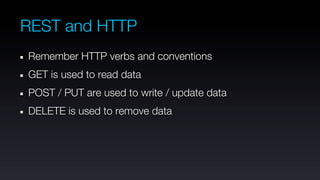
REST and HTTP
Remember HTTP verbs and conventions
GET is used to read data
POST / PUT are used to write / update data
DELETE is used to remove data
Data rendering
Views and templates. Sans-rain-deer
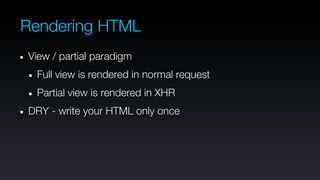
Rendering HTML
View / partial paradigm
 Full view is rendered in normal request
 Partial view is rendered in XHR
DRY - write your HTML only once
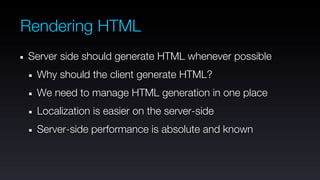
Rendering HTML
Server side should generate HTML whenever possible
 Why should the client generate HTML?
 We need to manage HTML generation in one place
 Localization is easier on the server-side
 Server-side performance is absolute and known
What about JSON
JSON.... We love you man!
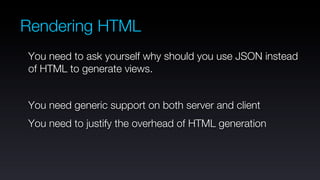
Rendering HTML
You need to ask yourself why should you use JSON instead
of HTML to generate views.


You need generic support on both server and client
You need to justify the overhead of HTML generation
Rendering HTML
Seriously - If you can handle HTML on the server, do it.


Keep is simple and don’t repeat yourself!
But I love JSON
Seriously, just look at the guy!
Data passing with JSON
 We’d use JSON to pass data to the client when
  We’re not rendering HTML (e.g. forms, APIs)
  There’s no other option
  Bandwidth is expensive
  Business logic is in the browser
Global events
One event to rule them all and in the browser bind them
Global Events
 We have bits of HTML loaded asynchronously
 We already initialized event handles on replaced HTML
 We want to avoid re-binding event handles with each DOM
 update
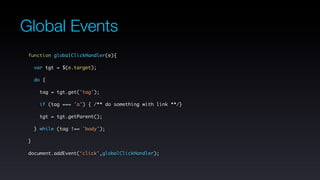
Global Events
 function globalClickHandler(e){

     var tgt = $(e.target);

     do {

      tag = tgt.get('tag');

       if (tag === 'a') { /** do something with link **/}

      tgt = tgt.getParent();

     } while (tag !== 'body');

 }

 document.addEvent(‘click’,globalClickHandler);
Global Events
 We can use the same principle to any other event we want
 to handle globally
 We can handle form submission for example
 Keyboard events
 Form widgets events
Global Events
 Issues to remember:
  We have some redundant DOM traversal
  We should strive to unbind events on unload
  Too much is no good (don’t over do it)
Dependency Management
Three approaches
 Brute and Hungry
 Requires
 Script tags
Dependency Management
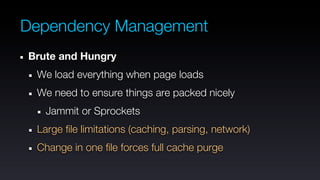
Brute and Hungry
 We load everything when page loads
 We need to ensure things are packed nicely
   Jammit or Sprockets
 Large file limitations (caching, parsing, network)
 Change in one file forces full cache purge
Dependency Management
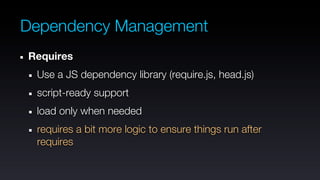
Requires
 Use a JS dependency library (require.js, head.js)
 script-ready support
 load only when needed
 requires a bit more logic to ensure things run after
 requires
Dependency Management
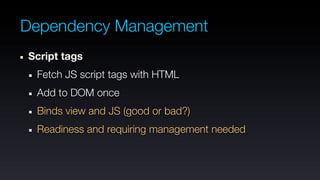
Script tags
 Fetch JS script tags with HTML
 Add to DOM once
 Binds view and JS (good or bad?)
 Readiness and requiring management needed
Dependency Management
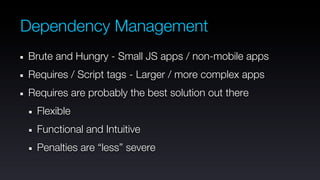
Brute and Hungry - Small JS apps / non-mobile apps
Requires / Script tags - Larger / more complex apps
Requires are probably the best solution out there
 Flexible
 Functional and Intuitive
 Penalties are “less” severe
Initialization and Execution
Executing things without breaking your neck
Initialization and execution
 Our code needs to run at certain points or respond to
 certain user interactions.


 How do we know when to initialize and execute the relevant
 bits of code?
Initialization and execution
 We initialize our application’s entry point module on DOM
 ready
 If we’re using requires, we can initialize required modules
 when they’re required
Initialization and execution
 We have a global handler for async requests
  We can execute response callbacks based on request
  URL
  We can return a bit of Javascript with each response that
  will be executed when the content is rendered
Initialization and execution
 Finally, we can use an Initializer pattern to call various
 modules based on some convention:
   We need module construction and destruction
   We know what action was performed on the server (e.g.
   controller name and action name)
Initialization and execution
 var Initializer = {
   last_action:null,
   init:function(action){
       if(this.last_action && typeof(this.Destructors[this.last_action]) === ‘function’){
           this.Destructors[this.last_action]();
       }
       if(typeof(this.Constructors[action]) === ‘function’){
           this.Constructors[action]();
       }
       this.last_action = action;
   }
 };
Initialization and execution
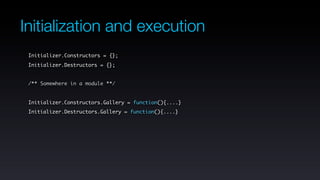
 Initializer.Constructors = {};
 Initializer.Destructors = {};


 /** Somewhere in a module **/


 Initializer.Constructors.Gallery = function(){....}
 Initializer.Destructors.Gallery = function(){....}
Initialization and execution
 /** Our global request handler **/
 var Request = {
     get:function(url){
         var xhr = new Request({
           url:url,
           onSuccess:function(response){
               // render response here
               Initializer.init(url.split(‘/’)[1]);
           }
         });
         xhr.get();
     }
 }
Handling forms
 Handle GET and POST requests separately
 Form validation is the server’s job!!!
 The client should assist the user to fill correct values
 Use server-side validation errors in the client
 Rely on HTTP error statuses to handle success / failure
Handling forms
 You can have a global form handler, similar to your global
 request handler
 Async responses should be:
  JSON when we check success / failure
  HTML when we render something after submission
 Define a coherent API to pass data from server to client on
 form submission
Final thoughts
 We didn’t talk about
  Performance, MVC, Couch Apps, templates
 Do what’s right based on your requirements
 Learn a goddamn server-side framework
Final thoughts
 Design for simplicity
 Don’t repeat yourself and don’t reinvent the wheel
 Start small and grow larger (modules anyone?)
 Define developer-friendly conventions and follow them

Architecting single-page front-end apps

  • 1.
    Architecting single-page Webapps Zohar Arad. June 2011
  • 2.
    Quick intro Front-endarchitect and developer Been building websites since 2004 3 years as Metacafe’s leading front-end developer MooTools, Rails, Ruby, Mac, Linux enthusiast Front-end is my main game. I also know the back-end quite well
  • 3.
  • 4.
    We’re going tocover Basic concepts Client-server relationship Routing Views and content rendering Global event handling
  • 5.
    We’re going tocover Dependency management Code initialization and execution Form handling Final thoughts
  • 6.
    Basic concepts Oneview, many partials Rely on async requests for fetching and sending data No page refresh - Update content in place Desktop application user-interaction model RESTful client-server communication
  • 7.
    Problems and challenges When are various components included and initialized? How do we define generic interaction for separate components? How do we send, receive and render data asynchronously? How do we avoid re-initialization of existing components? What happens when things break?
  • 8.
    A word ofcaution Single-page applications should work without Javascript. If you only rely on Javascript without gracefully degrading to non-javascript functionality you’re doing it wrong! This is true most of the times...
  • 9.
  • 10.
    Client-server relationships Mostsingle-page apps require a server to handle data and business logic (CouchApps excluded) We start planning and building the server-side We define routes, controllers, actions and views as we would for ordinary web apps
  • 11.
    Why?? No server =no application We need solid conventions for both sides of the application The client is a consumer, not a service provider
  • 12.
    Give it aREST Planning routes
  • 13.
    REST Your client andserver should agree how to communicate REST helps you define which resource represents which action or state Your URLs should be defined on the server and implemented by the client Do not reinvent the wheel (URL generators)
  • 14.
    REST and HTTP RememberHTTP verbs and conventions GET is used to read data POST / PUT are used to write / update data DELETE is used to remove data
  • 15.
    Data rendering Views andtemplates. Sans-rain-deer
  • 16.
    Rendering HTML View /partial paradigm Full view is rendered in normal request Partial view is rendered in XHR DRY - write your HTML only once
  • 17.
    Rendering HTML Server sideshould generate HTML whenever possible Why should the client generate HTML? We need to manage HTML generation in one place Localization is easier on the server-side Server-side performance is absolute and known
  • 18.
    What about JSON JSON....We love you man!
  • 19.
    Rendering HTML You needto ask yourself why should you use JSON instead of HTML to generate views. You need generic support on both server and client You need to justify the overhead of HTML generation
  • 20.
    Rendering HTML Seriously -If you can handle HTML on the server, do it. Keep is simple and don’t repeat yourself!
  • 21.
    But I loveJSON Seriously, just look at the guy!
  • 22.
    Data passing withJSON We’d use JSON to pass data to the client when We’re not rendering HTML (e.g. forms, APIs) There’s no other option Bandwidth is expensive Business logic is in the browser
  • 23.
    Global events One eventto rule them all and in the browser bind them
  • 24.
    Global Events Wehave bits of HTML loaded asynchronously We already initialized event handles on replaced HTML We want to avoid re-binding event handles with each DOM update
  • 25.
    Global Events functionglobalClickHandler(e){ var tgt = $(e.target); do { tag = tgt.get('tag'); if (tag === 'a') { /** do something with link **/} tgt = tgt.getParent(); } while (tag !== 'body'); } document.addEvent(‘click’,globalClickHandler);
  • 26.
    Global Events Wecan use the same principle to any other event we want to handle globally We can handle form submission for example Keyboard events Form widgets events
  • 27.
    Global Events Issuesto remember: We have some redundant DOM traversal We should strive to unbind events on unload Too much is no good (don’t over do it)
  • 28.
  • 29.
    Dependency Management Three approaches Brute and Hungry Requires Script tags
  • 30.
    Dependency Management Brute andHungry We load everything when page loads We need to ensure things are packed nicely Jammit or Sprockets Large file limitations (caching, parsing, network) Change in one file forces full cache purge
  • 31.
    Dependency Management Requires Usea JS dependency library (require.js, head.js) script-ready support load only when needed requires a bit more logic to ensure things run after requires
  • 32.
    Dependency Management Script tags Fetch JS script tags with HTML Add to DOM once Binds view and JS (good or bad?) Readiness and requiring management needed
  • 33.
    Dependency Management Brute andHungry - Small JS apps / non-mobile apps Requires / Script tags - Larger / more complex apps Requires are probably the best solution out there Flexible Functional and Intuitive Penalties are “less” severe
  • 34.
    Initialization and Execution Executingthings without breaking your neck
  • 35.
    Initialization and execution Our code needs to run at certain points or respond to certain user interactions. How do we know when to initialize and execute the relevant bits of code?
  • 36.
    Initialization and execution We initialize our application’s entry point module on DOM ready If we’re using requires, we can initialize required modules when they’re required
  • 37.
    Initialization and execution We have a global handler for async requests We can execute response callbacks based on request URL We can return a bit of Javascript with each response that will be executed when the content is rendered
  • 38.
    Initialization and execution Finally, we can use an Initializer pattern to call various modules based on some convention: We need module construction and destruction We know what action was performed on the server (e.g. controller name and action name)
  • 39.
    Initialization and execution var Initializer = { last_action:null, init:function(action){ if(this.last_action && typeof(this.Destructors[this.last_action]) === ‘function’){ this.Destructors[this.last_action](); } if(typeof(this.Constructors[action]) === ‘function’){ this.Constructors[action](); } this.last_action = action; } };
  • 40.
    Initialization and execution Initializer.Constructors = {}; Initializer.Destructors = {}; /** Somewhere in a module **/ Initializer.Constructors.Gallery = function(){....} Initializer.Destructors.Gallery = function(){....}
  • 41.
    Initialization and execution /** Our global request handler **/ var Request = { get:function(url){ var xhr = new Request({ url:url, onSuccess:function(response){ // render response here Initializer.init(url.split(‘/’)[1]); } }); xhr.get(); } }
  • 42.
    Handling forms HandleGET and POST requests separately Form validation is the server’s job!!! The client should assist the user to fill correct values Use server-side validation errors in the client Rely on HTTP error statuses to handle success / failure
  • 43.
    Handling forms Youcan have a global form handler, similar to your global request handler Async responses should be: JSON when we check success / failure HTML when we render something after submission Define a coherent API to pass data from server to client on form submission
  • 44.
    Final thoughts Wedidn’t talk about Performance, MVC, Couch Apps, templates Do what’s right based on your requirements Learn a goddamn server-side framework
  • 45.
    Final thoughts Designfor simplicity Don’t repeat yourself and don’t reinvent the wheel Start small and grow larger (modules anyone?) Define developer-friendly conventions and follow them