Android UI Components
Walk-through
Patrick Yin
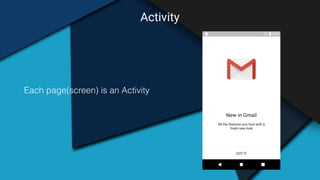
Activity
Each page(screen) is an Activity
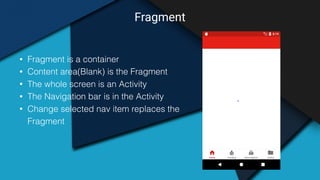
Fragment
• Fragment is a container
• Content area(Blank) is the Fragment
• The whole screen is an Activity
• The Navigation bar is in the Activity
• Change selected nav item replaces the
Fragment
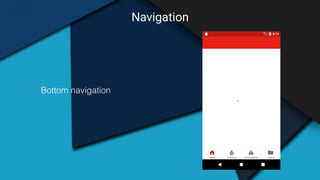
Navigation
Bottom navigation
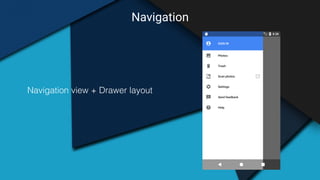
Navigation
Navigation view + Drawer layout
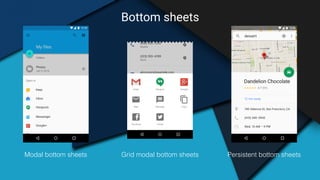
Bottom sheets
Modal bottom sheets Persistent bottom sheetsGrid modal bottom sheets
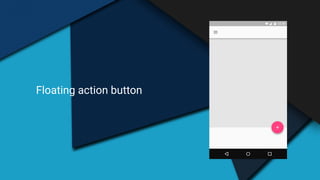
Floating action button
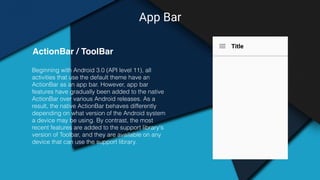
App Bar
Beginning with Android 3.0 (API level 11), all
activities that use the default theme have an
ActionBar as an app bar. However, app bar
features have gradually been added to the native
ActionBar over various Android releases. As a
result, the native ActionBar behaves differently
depending on what version of the Android system
a device may be using. By contrast, the most
recent features are added to the support library's
version of Toolbar, and they are available on any
device that can use the support library.
ActionBar / ToolBar
Title
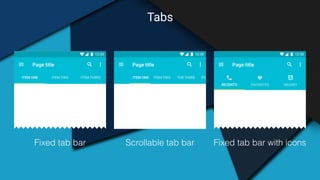
Tabs
Fixed tab bar Scrollable tab bar Fixed tab bar with icons
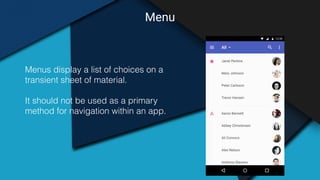
Menu
Menus display a list of choices on a
transient sheet of material.
It should not be used as a primary
method for navigation within an app.
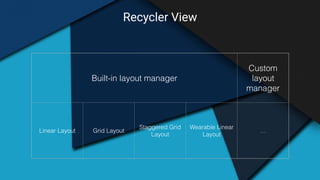
Recycler View
Built-in layout manager
Custom
layout
manager
Linear Layout Grid Layout
Staggered Grid
Layout
Wearable Linear
Layout
…
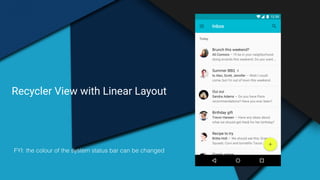
Recycler View with Linear Layout
FYI: the colour of the system status bar can be changed
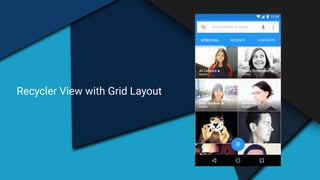
Recycler View with Grid Layout
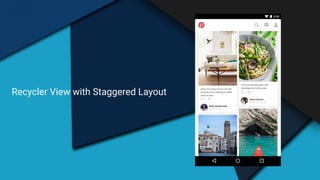
Recycler View with Staggered Layout
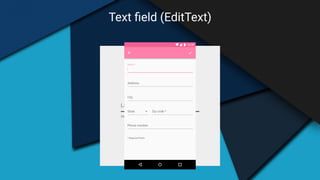
Text field (EditText)
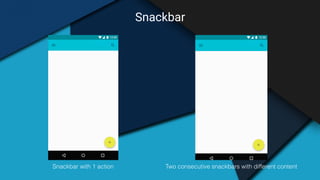
Snackbar
Snackbar with 1 action Two consecutive snackbars with different content
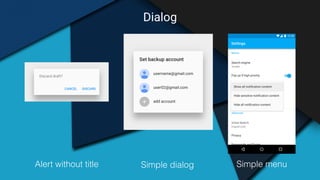
Dialog
Alert without title Simple menuSimple dialog
Thank you!

Android UI components walkthrough