Android Development
Prerequisites
• Computer (Linux/Mac/Windows)
• Java Development Kit (JDK)
• Familiarity with Object Oriented Programming (OOP), ideally Java
• Familiarity with HTML, XML, Javascript, css
• Time and Patience
About Android
• World’s most popular mobile platform.
• Hundreds of millions of mobile devices in use.
• Rapidly growing in emerging markets (nearly 1M per day).
• 1.5M App and Game downloads from Google Play each month. (and
more from other stores/repositories)
• 975,000+ apps (as of 8/13/13)
• Part of Open Handset Alliance (Mobile Industry is invested in Android)
More than you need to know about
Android Architecture
Developer Benefits
• Open source (Apache 2 License) - you have full access to the platform
as a developer, device manufacturer, or accessory manufacturer.
• Kernel based on Linux
• Full Java IDE
• Virtual Device Simulator
• Extensive Documentation
• Open Marketplace (unlike iTunes)
• All apps are treated equally (the ones you write and the ones Google
creates)
Android 4.3 – Jelly Bean
• Bluetooth Smart Ready, Bluetooth AVRCP 1.3
• Restricted Profiles for multi-user devices
• Hardware geofencing
• Wi-Fi scan-only mode
• Game rotation vector
• VP8 Encoder
• Notification Listener
• Built-in Private Keystore
• Systrace logging for performance information
Development Tool Options
• Android Studio
• Android Developer Tools (ADT)
• Android Software Development Kit (SDK)
• Android Native Development Kit (NDK)
• Your Existing IDE
Android Studio
• Announced at I/O13
• Based on IntelliJ Idea (www.jetbrains.com)
• Gradle-based build system (www.gradle.org)
• Works on Mac, Linux, Windows
• Requires installation of JDK
• Available in “Early Access Preview”… still buggy
Differences in Studio
• Project structure stores most files in src directory
• Drag-and-Drop Layout designer
Native Apps
• Native apps
• Written in Java and interact directly with Android for all UI and Logic.
• Full access to everything Android.
• Better speed, memory, rendering, etc.
Hybrid Apps
• Hybrid apps
• Written with HTML5, CSS, and Javascript for UI and Logic but are wrapped in a
small Java container to interact with Android.
• Smaller learning curve (for most people).
• Leverage many existing js libraries.
• Look and feel wont necessarily be exact same as a Native app.
• Easily migrated to other Mobile platforms.
• Lose out on access to some Android features.
What is an App
• Every app runs in its own process with its own instance of the vm.
• Your app can consist of:
• Activities
• Intents
• BroadcastReceivers
• Services
• ContentProviders
Activities
• Each Activity (typically) corresponds to a screen in your app
• Stores the logic for your app
• Only one Activity is active at a time in your app
• Written in Java
• Initial Activity is specified in the Manifest
• Your app can have multiple Activities
• Your app’s activity is typically only live while the user is on viewing
your app.
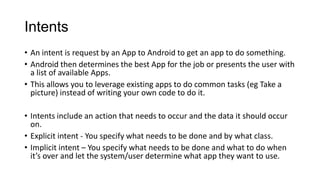
Intents
• An intent is request by an App to Android to get an app to do something.
• Android then determines the best App for the job or presents the user with
a list of available Apps.
• This allows you to leverage existing apps to do common tasks (eg Take a
picture) instead of writing your own code to do it.
• Intents include an action that needs to occur and the data it should occur
on.
• Explicit intent - You specify what needs to be done and by what class.
• Implicit intent – You specify what needs to be done and what to do when
it’s over and let the system/user determine what app they want to use.
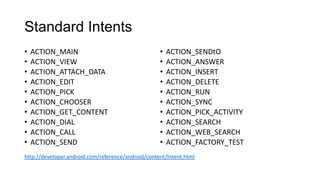
Standard Intents
• ACTION_MAIN
• ACTION_VIEW
• ACTION_ATTACH_DATA
• ACTION_EDIT
• ACTION_PICK
• ACTION_CHOOSER
• ACTION_GET_CONTENT
• ACTION_DIAL
• ACTION_CALL
• ACTION_SEND
• ACTION_SENDtO
• ACTION_ANSWER
• ACTION_INSERT
• ACTION_DELETE
• ACTION_RUN
• ACTION_SYNC
• ACTION_PICK_ACTIVITY
• ACTION_SEARCH
• ACTION_WEB_SEARCH
• ACTION_FACTORY_TEST
http://developer.android.com/reference/android/content/Intent.html
BroadcastReceivers
• Act like listeners that can respond to an Intent that is broadcasted by
an application.
• Allows your App to takeover from another app. (Open With).
• Typically Declared in your Manifest.
Services
• Used for longer-running operations
• Can run in the background when you app is not being used
Further Reference
• http://developer.android.com
• http://www.i-programmer.info/programming/android/5887-android-
adventures-getting-started-with-android-studio.html

Android development

  • 1.
  • 2.
    Prerequisites • Computer (Linux/Mac/Windows) •Java Development Kit (JDK) • Familiarity with Object Oriented Programming (OOP), ideally Java • Familiarity with HTML, XML, Javascript, css • Time and Patience
  • 3.
    About Android • World’smost popular mobile platform. • Hundreds of millions of mobile devices in use. • Rapidly growing in emerging markets (nearly 1M per day). • 1.5M App and Game downloads from Google Play each month. (and more from other stores/repositories) • 975,000+ apps (as of 8/13/13) • Part of Open Handset Alliance (Mobile Industry is invested in Android)
  • 4.
    More than youneed to know about Android Architecture
  • 5.
    Developer Benefits • Opensource (Apache 2 License) - you have full access to the platform as a developer, device manufacturer, or accessory manufacturer. • Kernel based on Linux • Full Java IDE • Virtual Device Simulator • Extensive Documentation • Open Marketplace (unlike iTunes) • All apps are treated equally (the ones you write and the ones Google creates)
  • 6.
    Android 4.3 –Jelly Bean • Bluetooth Smart Ready, Bluetooth AVRCP 1.3 • Restricted Profiles for multi-user devices • Hardware geofencing • Wi-Fi scan-only mode • Game rotation vector • VP8 Encoder • Notification Listener • Built-in Private Keystore • Systrace logging for performance information
  • 7.
    Development Tool Options •Android Studio • Android Developer Tools (ADT) • Android Software Development Kit (SDK) • Android Native Development Kit (NDK) • Your Existing IDE
  • 8.
    Android Studio • Announcedat I/O13 • Based on IntelliJ Idea (www.jetbrains.com) • Gradle-based build system (www.gradle.org) • Works on Mac, Linux, Windows • Requires installation of JDK • Available in “Early Access Preview”… still buggy
  • 9.
    Differences in Studio •Project structure stores most files in src directory • Drag-and-Drop Layout designer
  • 10.
    Native Apps • Nativeapps • Written in Java and interact directly with Android for all UI and Logic. • Full access to everything Android. • Better speed, memory, rendering, etc.
  • 11.
    Hybrid Apps • Hybridapps • Written with HTML5, CSS, and Javascript for UI and Logic but are wrapped in a small Java container to interact with Android. • Smaller learning curve (for most people). • Leverage many existing js libraries. • Look and feel wont necessarily be exact same as a Native app. • Easily migrated to other Mobile platforms. • Lose out on access to some Android features.
  • 12.
    What is anApp • Every app runs in its own process with its own instance of the vm. • Your app can consist of: • Activities • Intents • BroadcastReceivers • Services • ContentProviders
  • 13.
    Activities • Each Activity(typically) corresponds to a screen in your app • Stores the logic for your app • Only one Activity is active at a time in your app • Written in Java • Initial Activity is specified in the Manifest • Your app can have multiple Activities • Your app’s activity is typically only live while the user is on viewing your app.
  • 14.
    Intents • An intentis request by an App to Android to get an app to do something. • Android then determines the best App for the job or presents the user with a list of available Apps. • This allows you to leverage existing apps to do common tasks (eg Take a picture) instead of writing your own code to do it. • Intents include an action that needs to occur and the data it should occur on. • Explicit intent - You specify what needs to be done and by what class. • Implicit intent – You specify what needs to be done and what to do when it’s over and let the system/user determine what app they want to use.
  • 15.
    Standard Intents • ACTION_MAIN •ACTION_VIEW • ACTION_ATTACH_DATA • ACTION_EDIT • ACTION_PICK • ACTION_CHOOSER • ACTION_GET_CONTENT • ACTION_DIAL • ACTION_CALL • ACTION_SEND • ACTION_SENDtO • ACTION_ANSWER • ACTION_INSERT • ACTION_DELETE • ACTION_RUN • ACTION_SYNC • ACTION_PICK_ACTIVITY • ACTION_SEARCH • ACTION_WEB_SEARCH • ACTION_FACTORY_TEST http://developer.android.com/reference/android/content/Intent.html
  • 16.
    BroadcastReceivers • Act likelisteners that can respond to an Intent that is broadcasted by an application. • Allows your App to takeover from another app. (Open With). • Typically Declared in your Manifest.
  • 17.
    Services • Used forlonger-running operations • Can run in the background when you app is not being used
  • 18.
    Further Reference • http://developer.android.com •http://www.i-programmer.info/programming/android/5887-android- adventures-getting-started-with-android-studio.html