1
Automation Test Practical
For Mobile Domain
October 2016
Content
2
 Abstract
 Our Vision
 Our Selection Criteria
 Solution & Tools
 The process to success
 Demo
 Q&A
3
Abstract
Abstract
4
With the growing number of mobile apps and their agile development
life cycle, Automation Testing around them will no longer be optional.
The intent of this presentation is to present a comparison between the
widely used solution & mobile automation tools in order to determine

their ease of use & effectiveness.
We’ve picked up a typical our project, tested its GUI manually and
followed it up by a round of automation testing using these solution &
automation tools
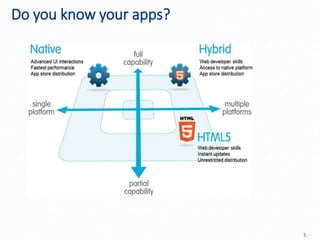
Do you know your apps?
5
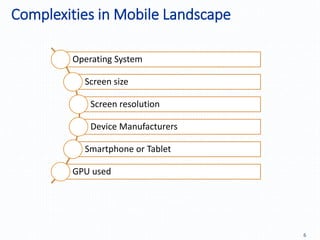
Complexities in Mobile Landscape
6
Operating System
Screen size
Screen resolution
Device Manufacturers
Smartphone or Tablet

GPU used
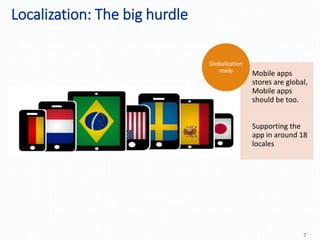
Localization: The big hurdle
7
Mobile apps
stores are global,
Mobile apps
should be too.
Supporting the
app in around 18
locales
Globalization
ready
8
Our Vision
Our Vision
9
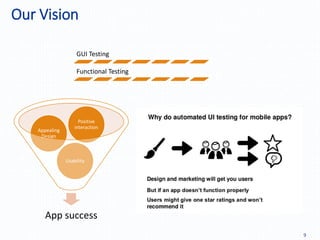
GUI Testing
Functional Testing
App success
Usability
Appealing
Design
Positive
interaction
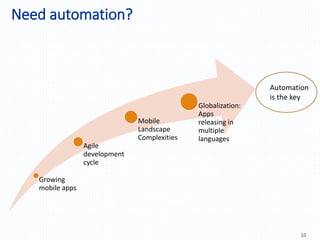
Need automation?
10
Growing
mobile apps
Agile
development
cycle
Mobile
Landscape
Complexities
Globalization:
Apps
releasing in
multiple
languages
Automation
is the key
11
Our Selection Criteria
12
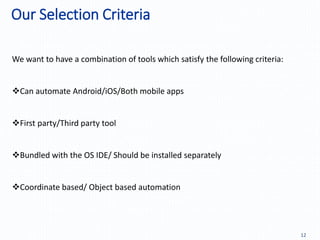
We want to have a combination of tools which satisfy the following criteria:
Can automate Android/iOS/Both mobile apps
First party/Third party tool
Bundled with the OS IDE/ Should be installed separately
Coordinate based/ Object based automation
13
Solution & Tools
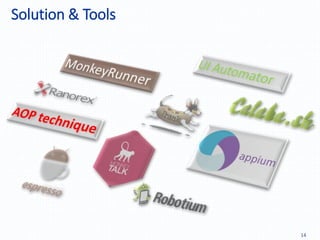
Solution & Tools
14
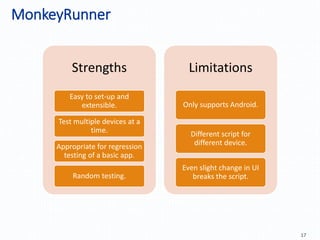
MonkeyRunner
15
MonkeyRunner
16
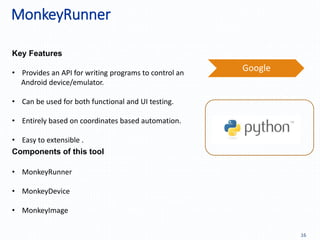
Key Features
Components of this tool
Google
• MonkeyRunner
• MonkeyDevice
• MonkeyImage
• Provides an API for writing programs to control an
Android device/emulator.
• Can be used for both functional and UI testing.
• Entirely based on coordinates based automation.
• Easy to extensible .
MonkeyRunner
17
Strengths
Easy to set-up and
extensible.
Test multiple devices at a
time.
Appropriate for regression
testing of a basic app.
Random testing.
Limitations
Only supports Android.
Different script for
different device.
Even slight change in UI
breaks the script.
UI Automator
18
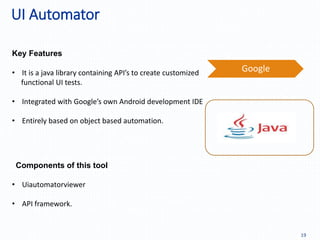
UI Automator
19
Key Features
Components of this tool
Google• It is a java library containing API’s to create customized
functional UI tests.
• Integrated with Google’s own Android development IDE
• Entirely based on object based automation.
• Uiautomatorviewer
• API framework.
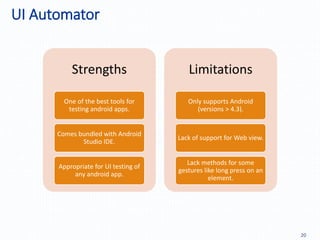
UI Automator
20
Strengths
One of the best tools for
testing android apps.
Comes bundled with Android
Studio IDE.
Appropriate for UI testing of
any android app.
Limitations
Only supports Android
(versions > 4.3).
Lack of support for Web view.
Lack methods for some
gestures like long press on an
element.
MonkeyTalk
21
22
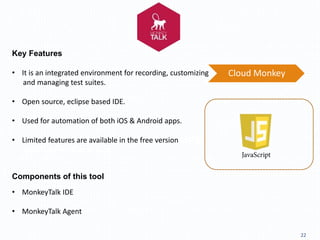
Key Features
Components of this tool
• It is an integrated environment for recording, customizing
and managing test suites.
• Open source, eclipse based IDE.
• Used for automation of both iOS & Android apps.
• Limited features are available in the free version of this
tool. Paid version is costly.
• MonkeyTalk IDE
• MonkeyTalk Agent
Cloud Monkey
23
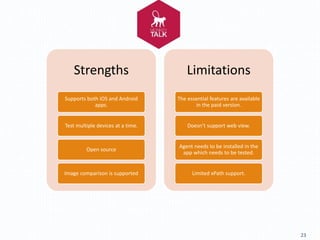
Strengths
Supports both iOS and Android
apps.
Test multiple devices at a time.
Open source
Image comparison is supported
Limitations
The essential features are available
in the paid version.
Doesn’t support web view.
Agent needs to be installed in the
app which needs to be tested.
Limited xPath support.
appium
24
25
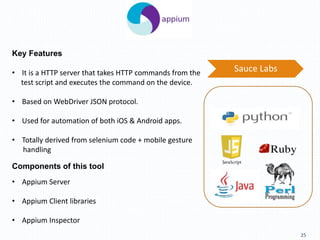
Key Features
Components of this tool
• Appium Server
• Appium Client libraries
• Appium Inspector
• It is a HTTP server that takes HTTP commands from the
test script and executes the command on the device.
• Based on WebDriver JSON protocol.
• Used for automation of both iOS & Android apps.
• Totally derived from selenium code + mobile gesture
handling
Sauce Labs
26
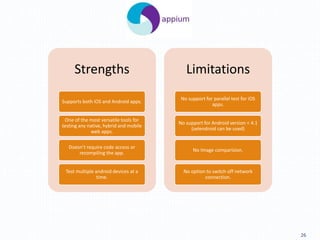
Strengths
Supports both iOS and Android apps.
One of the most versatile tools for
testing any native, hybrid and mobile
web apps.
Doesn’t require code access or
recompiling the app.
Test multiple android devices at a
time.
Limitations
No support for parallel test for iOS
apps.
No support for Android version < 4.1
(selendroid can be used)
No Image comparision.
No option to switch off network
connection.
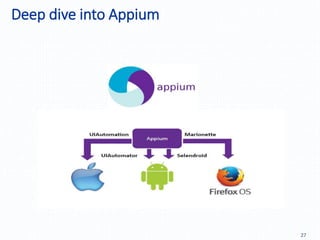
Deep dive into Appium
27
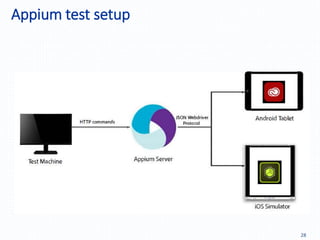
Appium test setup
28
AOP Technique
29
AOP Technique
30
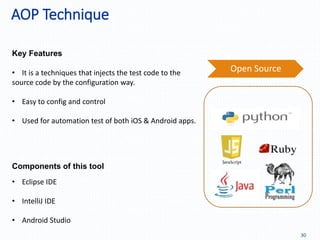
Key Features
Components of this tool
• Eclipse IDE
• IntelliJ IDE
• Android Studio
• It is a techniques that injects the test code to the
source code by the configuration way.
• Easy to config and control
• Used for automation test of both iOS & Android apps.
Open Source
AOP Techniques
31
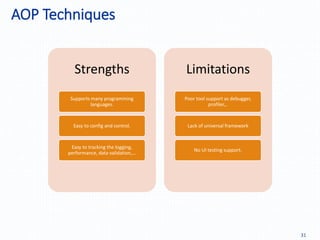
Strengths
Supports many programming
languages.
Easy to config and control.
Easy to tracking the logging,
performance, data validation,…
Limitations
Poor tool support as debugger,
profiler,..
Lack of universal framework
No UI testing support.
32
The process to success?
The process: Recipe of Success
33
Easy to tracking the logging,
performance, data vlidation,…
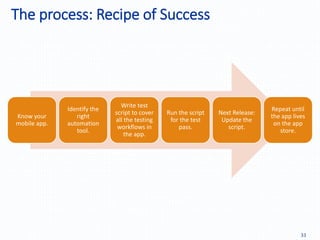
Know your
mobile app.
Identify the
right
automation
tool.
Write test
script to cover
all the testing
workflows in
the app.
Run the script
for the test
pass.
Next Release:
Update the
script.
Repeat until
the app lives
on the app
store.
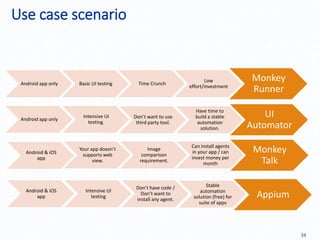
Use case scenario
34
Easy to tracking the logging,
performance, data vlidation,…
Monkey
Runner
Android app only Basic UI testing Time Crunch
Low
effort/investment
UI
Automator
Android app only
Intensive UI
testing.
Don’t want to use
third party tool.
Have time to
build a stable
automation
solution.
Monkey
Talk
Android & iOS
app
Your app doesn’t
supports web
view.
Image
comparison
requirement.
Can install agents
in your app / can
invest money per
month
Appium
Android & iOS
app
Intensive UI
testing
Don’t have code /
Don’t want to
install any agent.
Stable
automation
solution (free) for
suite of apps
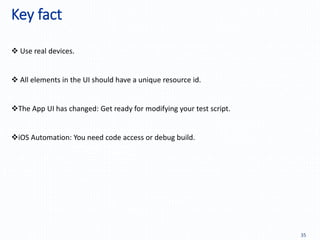
Key fact
35
Easy to tracking the logging,
performance, data vlidation,…
 Use real devices.
 All elements in the UI should have a unique resource id.
The App UI has changed: Get ready for modifying your test script.
iOS Automation: You need code access or debug build.
36
Demo
37
Q&A
THANK YOU!
38

Automation Proposal_V1.0

  • 1.
    1 Automation Test Practical ForMobile Domain October 2016
  • 2.
    Content 2  Abstract  OurVision  Our Selection Criteria  Solution & Tools  The process to success  Demo  Q&A
  • 3.
  • 4.
    Abstract 4 With the growingnumber of mobile apps and their agile development life cycle, Automation Testing around them will no longer be optional. The intent of this presentation is to present a comparison between the widely used solution & mobile automation tools in order to determine their ease of use & effectiveness. We’ve picked up a typical our project, tested its GUI manually and followed it up by a round of automation testing using these solution & automation tools
  • 5.
    Do you knowyour apps? 5
  • 6.
    Complexities in MobileLandscape 6 Operating System Screen size Screen resolution Device Manufacturers Smartphone or Tablet GPU used
  • 7.
    Localization: The bighurdle 7 Mobile apps stores are global, Mobile apps should be too. Supporting the app in around 18 locales Globalization ready
  • 8.
  • 9.
    Our Vision 9 GUI Testing FunctionalTesting App success Usability Appealing Design Positive interaction
  • 10.
  • 11.
  • 12.
    Our Selection Criteria 12 Wewant to have a combination of tools which satisfy the following criteria: Can automate Android/iOS/Both mobile apps First party/Third party tool Bundled with the OS IDE/ Should be installed separately Coordinate based/ Object based automation
  • 13.
  • 14.
  • 15.
  • 16.
    MonkeyRunner 16 Key Features Components ofthis tool Google • MonkeyRunner • MonkeyDevice • MonkeyImage • Provides an API for writing programs to control an Android device/emulator. • Can be used for both functional and UI testing. • Entirely based on coordinates based automation. • Easy to extensible .
  • 17.
    MonkeyRunner 17 Strengths Easy to set-upand extensible. Test multiple devices at a time. Appropriate for regression testing of a basic app. Random testing. Limitations Only supports Android. Different script for different device. Even slight change in UI breaks the script.
  • 18.
  • 19.
    UI Automator 19 Key Features Componentsof this tool Google• It is a java library containing API’s to create customized functional UI tests. • Integrated with Google’s own Android development IDE • Entirely based on object based automation. • Uiautomatorviewer • API framework.
  • 20.
    UI Automator 20 Strengths One ofthe best tools for testing android apps. Comes bundled with Android Studio IDE. Appropriate for UI testing of any android app. Limitations Only supports Android (versions > 4.3). Lack of support for Web view. Lack methods for some gestures like long press on an element.
  • 21.
  • 22.
    22 Key Features Components ofthis tool • It is an integrated environment for recording, customizing and managing test suites. • Open source, eclipse based IDE. • Used for automation of both iOS & Android apps. • Limited features are available in the free version of this tool. Paid version is costly. • MonkeyTalk IDE • MonkeyTalk Agent Cloud Monkey
  • 23.
    23 Strengths Supports both iOSand Android apps. Test multiple devices at a time. Open source Image comparison is supported Limitations The essential features are available in the paid version. Doesn’t support web view. Agent needs to be installed in the app which needs to be tested. Limited xPath support.
  • 24.
  • 25.
    25 Key Features Components ofthis tool • Appium Server • Appium Client libraries • Appium Inspector • It is a HTTP server that takes HTTP commands from the test script and executes the command on the device. • Based on WebDriver JSON protocol. • Used for automation of both iOS & Android apps. • Totally derived from selenium code + mobile gesture handling Sauce Labs
  • 26.
    26 Strengths Supports both iOSand Android apps. One of the most versatile tools for testing any native, hybrid and mobile web apps. Doesn’t require code access or recompiling the app. Test multiple android devices at a time. Limitations No support for parallel test for iOS apps. No support for Android version < 4.1 (selendroid can be used) No Image comparision. No option to switch off network connection.
  • 27.
    Deep dive intoAppium 27
  • 28.
  • 29.
  • 30.
    AOP Technique 30 Key Features Componentsof this tool • Eclipse IDE • IntelliJ IDE • Android Studio • It is a techniques that injects the test code to the source code by the configuration way. • Easy to config and control • Used for automation test of both iOS & Android apps. Open Source
  • 31.
    AOP Techniques 31 Strengths Supports manyprogramming languages. Easy to config and control. Easy to tracking the logging, performance, data validation,… Limitations Poor tool support as debugger, profiler,.. Lack of universal framework No UI testing support.
  • 32.
  • 33.
    The process: Recipeof Success 33 Easy to tracking the logging, performance, data vlidation,… Know your mobile app. Identify the right automation tool. Write test script to cover all the testing workflows in the app. Run the script for the test pass. Next Release: Update the script. Repeat until the app lives on the app store.
  • 34.
    Use case scenario 34 Easyto tracking the logging, performance, data vlidation,… Monkey Runner Android app only Basic UI testing Time Crunch Low effort/investment UI Automator Android app only Intensive UI testing. Don’t want to use third party tool. Have time to build a stable automation solution. Monkey Talk Android & iOS app Your app doesn’t supports web view. Image comparison requirement. Can install agents in your app / can invest money per month Appium Android & iOS app Intensive UI testing Don’t have code / Don’t want to install any agent. Stable automation solution (free) for suite of apps
  • 35.
    Key fact 35 Easy totracking the logging, performance, data vlidation,…  Use real devices.  All elements in the UI should have a unique resource id. The App UI has changed: Get ready for modifying your test script. iOS Automation: You need code access or debug build.
  • 36.
  • 37.
  • 38.