
Fantasy
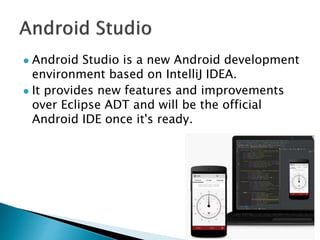
 Android Studio is a new Android development
environment based on IntelliJ IDEA.
 It provides new features and improvements
over Eclipse ADT and will be the official
Android IDE once it's ready.
 Flexible Gradle-based build system.
 Build variants and multiple APK generation.
 Advanced Android code completion and
refactoring.
 Expanded template support for Google
Services and various device types.
 Support rich layout editor, Lint tools,
ProGuard.
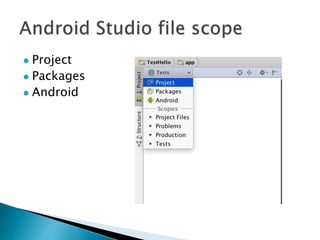
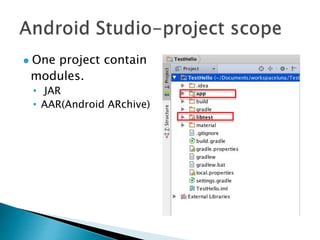
 Project
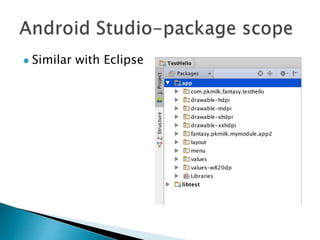
 Packages
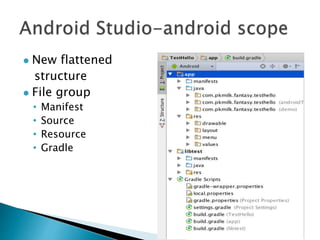
 Android
 One project contain
modules.
• JAR
• AAR(Android ARchive)
 Similar with Eclipse
 New flattened
structure
 File group
• Manifest
• Source
• Resource
• Gradle
 Gradle is build automation evolved.
 Gradle combines the power and flexibility of
Ant with the dependency management and
conventions of Maven into a more effective
way to build.
 Powered by a Groovy DSL and packed with
innovation, Gradle provides a declarative way
to describe all kinds of builds through
sensible defaults.
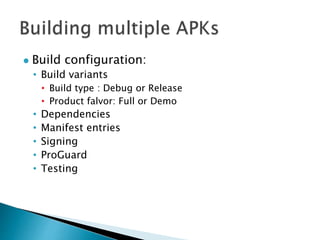
 Build configuration:
• Build variants
• Build type : Debug or Release
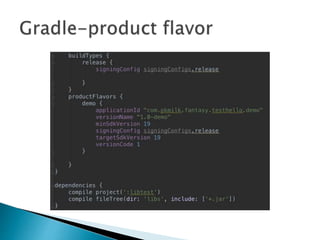
• Product falvor: Full or Demo
• Dependencies
• Manifest entries
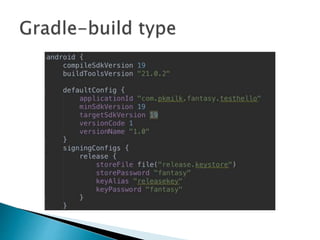
• Signing
• ProGuard
• Testing
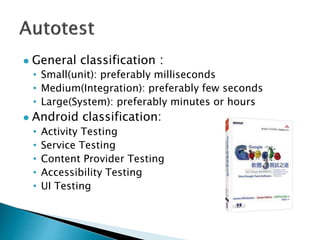
 General classification:
• Small(unit): preferably milliseconds
• Medium(Integration): preferably few seconds
• Large(System): preferably minutes or hours
 Android classification:
• Activity Testing
• Service Testing
• Content Provider Testing
• Accessibility Testing
• UI Testing
 Monkey
• adb shell tool
 Monkeyrunner
• Uses Jython, a implementation of Python that uses
Java programming language.
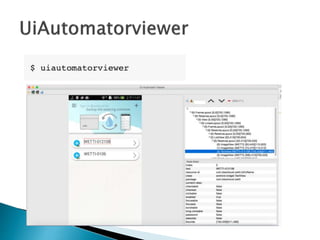
 UiAutomatorviewer
• A GUI tool to scan and analyze the UI components
of an Android application.
 UiAutomator
• A Java library containing APIs to customized
functional UI tests.
 Basic syntax:
 Limit in target APP :
 Imports the monkeyrunner modules
 Connects to the current device
 Install the Android package
 Run the component
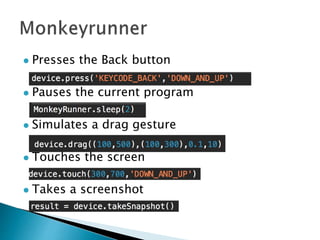
 Presses the Back button
 Pauses the current program
 Simulates a drag gesture
 Touches the screen
 Takes a screenshot
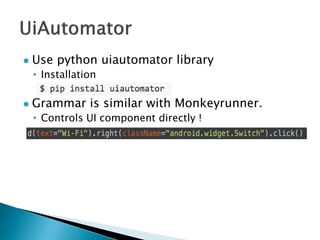
 Use python uiautomator library
• Installation
 Grammar is similar with Monkeyrunner.
• Controls UI component directly !
 Testdroid

Android studio&Gradle&Autotest

  • 1.
  • 2.
     Android Studiois a new Android development environment based on IntelliJ IDEA.  It provides new features and improvements over Eclipse ADT and will be the official Android IDE once it's ready.
  • 3.
     Flexible Gradle-basedbuild system.  Build variants and multiple APK generation.  Advanced Android code completion and refactoring.  Expanded template support for Google Services and various device types.  Support rich layout editor, Lint tools, ProGuard.
  • 4.
  • 5.
     One projectcontain modules. • JAR • AAR(Android ARchive)
  • 6.
  • 7.
     New flattened structure File group • Manifest • Source • Resource • Gradle
  • 8.
     Gradle isbuild automation evolved.  Gradle combines the power and flexibility of Ant with the dependency management and conventions of Maven into a more effective way to build.  Powered by a Groovy DSL and packed with innovation, Gradle provides a declarative way to describe all kinds of builds through sensible defaults.
  • 9.
     Build configuration: •Build variants • Build type : Debug or Release • Product falvor: Full or Demo • Dependencies • Manifest entries • Signing • ProGuard • Testing
  • 12.
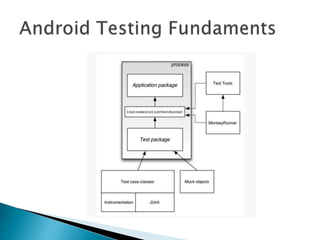
     General classification: •Small(unit): preferably milliseconds • Medium(Integration): preferably few seconds • Large(System): preferably minutes or hours  Android classification: • Activity Testing • Service Testing • Content Provider Testing • Accessibility Testing • UI Testing
  • 14.
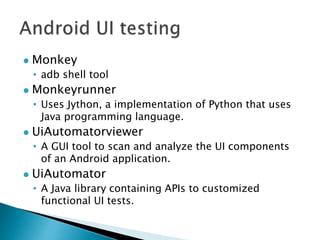
     Monkey • adbshell tool  Monkeyrunner • Uses Jython, a implementation of Python that uses Java programming language.  UiAutomatorviewer • A GUI tool to scan and analyze the UI components of an Android application.  UiAutomator • A Java library containing APIs to customized functional UI tests.
  • 15.
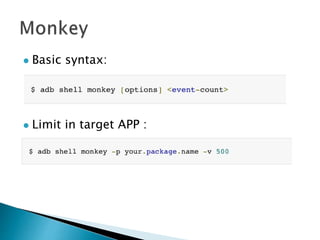
     Basic syntax: Limit in target APP :
  • 16.
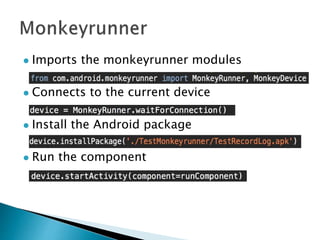
     Imports themonkeyrunner modules  Connects to the current device  Install the Android package  Run the component
  • 17.
     Presses theBack button  Pauses the current program  Simulates a drag gesture  Touches the screen  Takes a screenshot
  • 19.
     Use pythonuiautomator library • Installation  Grammar is similar with Monkeyrunner. • Controls UI component directly !
  • 20.

Editor's Notes

  • #2 Demo multi apk 程式設計 Show moudle Show demo full debug release 分開顯示 Android 本身有unit test 的結果顯示
  • #3  Project and module http://developer.android.com/sdk/installing/studio-build.html
  • #5 Project Package Android
  • #9 Gradle groovy http://tools.android.com/tech-docs/new-build-system/user-guide#TOC-Running-tests http://androiddevcorner.blogspot.co.uk/2014/10/building-multiple-apks-inside-android.html
  • #10 Build coniguration http://developer.android.com/sdk/installing/studio-build.html Build type: Debug Release Product flavor Full Demo
  • #13 http://autotestcentral.com/small-medium-and-large-test-sizes/275 https://mike-bland.com/2011/11/01/small-medium-large.html
  • #14 http://developer.android.com/tools/testing/testing_android.html
  • #16 http://developer.android.com/tools/help/monkey.html
  • #17 http://developer.android.com/tools/help/monkeyrunner_concepts.html
  • #20 Uianmator test case http://developer.android.com/tools/testing/what_to_test.html https://github.com/xiaocong/uiautomator
  • #21 http://testdroid.com/